
Introduction: The Creator Who Almost Quit
Imagine spending three full days scripting, filming, and editing a video.
You hit publish. You wait. And then… nothing. Twelve views. Six of them are yours.
Sound familiar?
This is the reality for thousands of YouTubers who create great content but have no idea how to get it seen. They’re missing one critical piece: proper YouTube video optimization. And in 2025, doing that optimization manually is like trying to win a Formula 1 race on a bicycle.
The good news? YouTube video optimization tools powered by AI have completely changed the game. The creators growing fastest right now aren’t working harder — they’re working smarter, using tools that handle SEO, titles, thumbnails, descriptions, and tags in a fraction of the time.
This guide breaks down everything you need to know about YouTube video optimization tools in 2025. You’ll learn what they do, why they matter, and which ones are genuinely worth your time. By the end, you’ll know exactly how to stop guessing and start growing.
Let’s get into it.
Table of Contents
What Are YouTube Video Optimization Tools?
YouTube video optimization tools are software platforms — increasingly AI-powered — that help creators improve how their videos perform on the platform.
They take the guesswork out of growing a channel. Instead of spending hours researching keywords, testing titles, or designing thumbnails from scratch, you get data-driven answers fast.
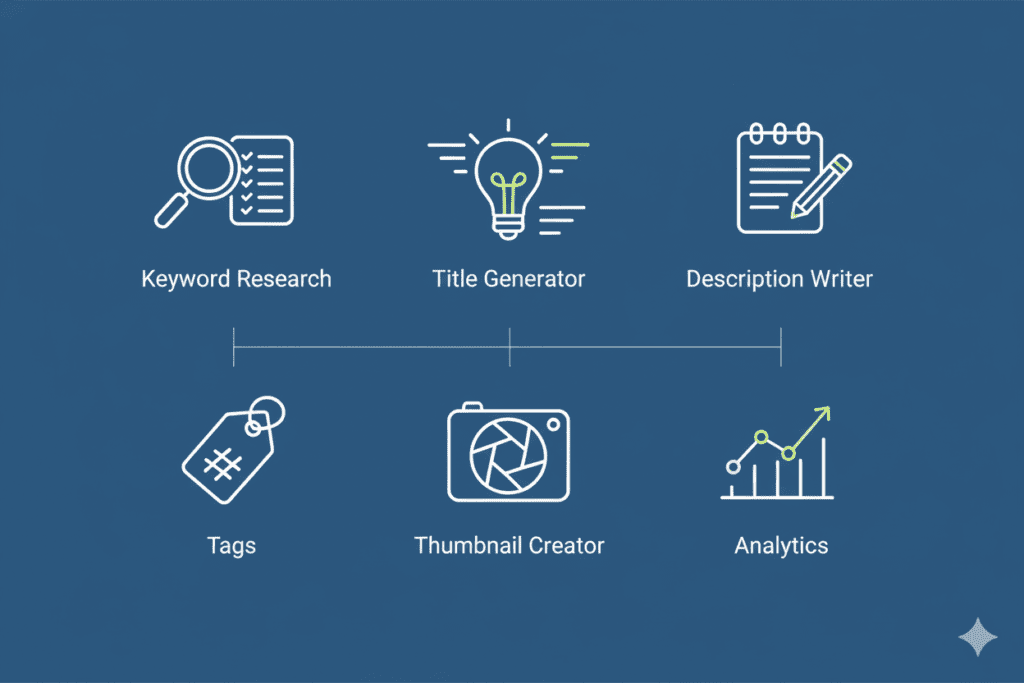
Here’s what modern YouTube video optimization tools typically do:
- Generate click-worthy, SEO-optimized video titles
- Research high-volume, low-competition keywords
- Write engaging, keyword-rich video descriptions
- Suggest the best tags for maximum reach
- Create thumbnail designs optimized for high click-through rates (CTR)
- Write full video scripts and hooks
- Analyze competitor performance
- Track channel growth and video analytics
In 2025, the best YouTube video optimization tools go even further. They use machine learning to predict viral potential, match your content to what your audience is already searching for, and adapt to trends in real time.
Think of them as your behind-the-scenes growth team — available 24/7, with no sick days.

Why Most Creators Struggle Without AI Optimization
Here’s the brutal truth: YouTube is more competitive than ever.
Over 500 hours of video are uploaded to YouTube every single minute. Your content isn’t just competing with creators in your niche — it’s competing with every video ever made on any topic remotely similar to yours.
And the YouTube algorithm? It doesn’t reward effort. It rewards discoverability.
Without proper YouTube video optimization tools, most creators face the same three problems:
1. They write titles based on gut feeling, not data. That catchy title you spent an hour crafting? It might be getting zero searches. Meanwhile, a slightly different phrasing could be pulling 50,000 monthly searches. Without AI-driven keyword research, you’re flying blind.
2. They spend hours on metadata — and still get it wrong. Writing descriptions, researching tags, formatting thumbnails — all of this takes serious time. Most creators either rush it or skip it entirely. Both choices kill your reach.
3. They have no idea what’s working for competitors. Your biggest competitor in your niche is growing fast. Why? What titles are they using? What tags? What thumbnail styles? Without YouTube video optimization tools, you’ll never know.
Manual optimization is outdated. In 2025, creators who rely on guesswork are getting left behind by those using AI to make every upload as visible as possible.
The YouTube Creator Blog has even acknowledged this shift, rolling out its own AI-powered tools inside YouTube Studio. The message is clear: AI-driven optimization is no longer optional.
The Core Features to Look for in YouTube Video Optimization Tools
Not all YouTube video optimization tools are built the same. Some are great for SEO. Some focus on editing. Some are pure analytics platforms.
Here’s what to look for when choosing yours:
AI-Powered Keyword Research
The foundation of any YouTube video optimization strategy is keywords. Your tool should find high-volume, low-competition terms that match what your audience is actually searching for. Not just generic terms — niche-specific, intent-driven keywords that bring in viewers ready to watch.
Smart Title Generator
Your title is your first impression. It needs to be searchable AND irresistible to click. The best YouTube video optimization tools generate multiple title options, score them for CTR potential, and suggest the right keyword placement — all in seconds.
SEO-Optimized Description Writing
A great video description does two things: it tells YouTube what your video is about (for ranking) and convinces real viewers to keep watching. AI description generators that understand search intent are a must-have.
Tag Generation
Tags still matter in 2025, especially for helping YouTube understand your content category. Your optimization tool should generate tags that are contextually relevant, varied in competition level, and aligned with trending search terms.
Thumbnail Creation
Your thumbnail is what gets clicked before your title is even read. AI-powered thumbnail tools analyze what’s working in your niche and help you build designs around proven CTR principles — face expressions, color contrast, and power text.
Script and Hook Writing
Great optimization starts before you even hit record. Tools that write compelling hooks and full scripts help your video retain viewers — and watch time is a huge ranking factor on YouTube.
Analytics and Competitor Tracking
You need to know what’s working and what isn’t. The best YouTube video optimization tools show you performance data, flag low-performing videos for updating, and reveal what your competitors are doing right.
Top YouTube Video Optimization Tools in 2025
Let’s look at the most widely used YouTube video optimization tools this year — and what they do best.
1. ytZolo — Best All-in-One AI YouTube Growth Platform
ytZolo is the standout tool in this space for one simple reason: it does everything in one place.
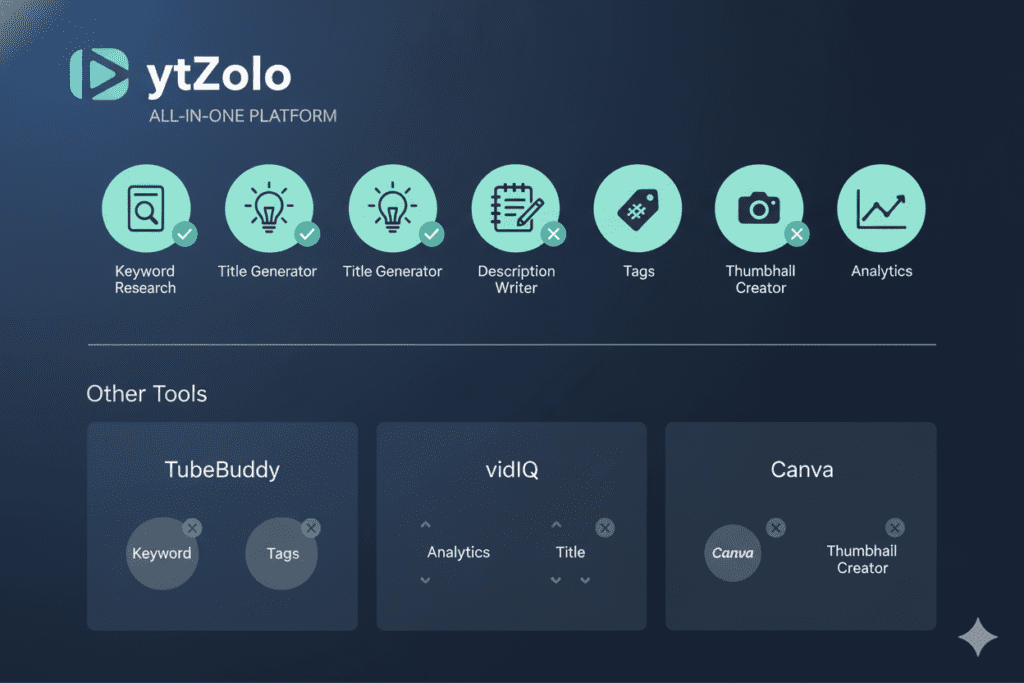
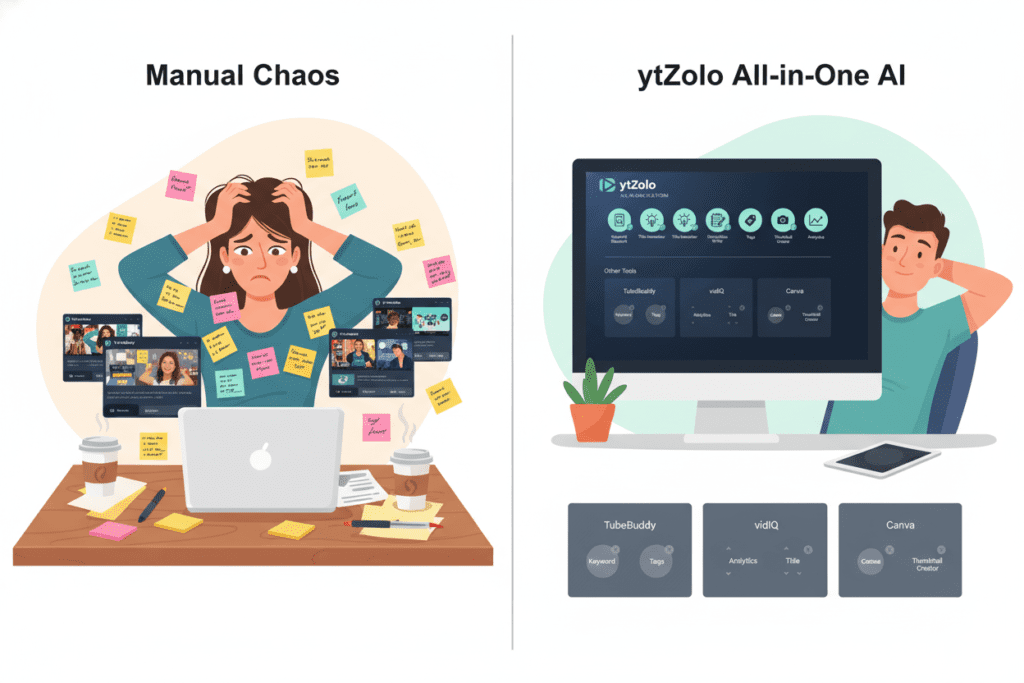
Most YouTube video optimization tools make you jump between five different platforms — one for keywords, one for descriptions, another for thumbnails, and yet another for scripts. ytZolo eliminates that fragmentation entirely.
With ytZolo, you get:
- AI-generated video titles optimized for search and CTR
- Full video scripts written in your niche voice
- SEO-rich video descriptions crafted around your target keywords
- Smart tag sets generated from competitor and trend data
- Thumbnail generation trained on viral content patterns
- Hook writing built to maximize watch time from the first three seconds
It’s not just a YouTube video optimization tool. It’s a complete AI growth engine built specifically for creators. Whether you’re uploading your first video or scaling a 100K+ channel, ytZolo adapts to your level.
You can explore more creator resources on the ytZolo blog — it’s packed with practical guides on everything from title writing to YouTube SEO strategy.
2. TubeBuddy — Best for YouTube Studio Integration
TubeBuddy is one of the most established YouTube video optimization tools out there. It lives as a browser extension inside YouTube Studio, making it incredibly convenient to access.
Its strengths include keyword research, A/B testing for titles, and automated tag suggestions. In 2025, TubeBuddy’s AI Studio added smart tag generation and thumbnail A/B testing. It’s a solid tool — but it’s primarily analytics-first, not creation-first.
3. VidIQ — Best for Keyword Research and Competitor Analysis
VidIQ is another heavyweight in the YouTube video optimization tools space. It excels at showing you what’s trending in your niche and what your competitors are doing to rank.
Its “Daily Ideas” feature gives you content suggestions every day. Its AI title generator and auto-optimized descriptions are genuinely useful for creators focused on search-driven content.
4. Descript — Best for Script Editing and Audio Optimization
Descript sits at the content creation end of the YouTube video optimization tools spectrum. It helps you edit scripts, remove filler words, generate transcripts, and even use voice cloning to fix audio errors without re-recording.
It’s a powerful tool if post-production efficiency is your bottleneck.
5. OpusClip — Best for Repurposing Long-Form Content into Shorts
OpusClip uses AI to identify viral moments inside your long-form YouTube videos and automatically turns them into optimized Shorts — complete with captions, hashtags, and keyword descriptions.
If growing through YouTube Shorts is part of your strategy, OpusClip saves significant time.
Why ytZolo Is Better Than Other Tools
Let’s be direct. There are a lot of YouTube video optimization tools in the market. So why does ytZolo consistently stand out for serious creators?
It’s Built for Growth, Not Just Data
Most YouTube video optimization tools give you information. They show you analytics, scores, and recommendations — but then leave you to do the actual work yourself. ytZolo is different. It takes action. It doesn’t just suggest a better title — it writes one for you. It doesn’t just analyze thumbnails — it generates them.
When you’re focused on creating content, you don’t have time to sit and interpret dashboards. You need answers that are ready to use immediately. That’s exactly what ytZolo delivers.
Everything Works Together
Here’s the thing about using five separate YouTube video optimization tools: they don’t talk to each other.
Your keyword research tool doesn’t inform your title generator. Your title generator doesn’t connect to your thumbnail builder. You’re constantly copying and pasting between platforms, losing time and continuity.
ytZolo integrates everything in one connected platform. Your title keywords feed into your description. Your description aligns with your tags. Your thumbnail concept matches your hook. Every element of your video’s optimization is built to work as a unified system.
It’s Trained on Viral Content, Not Generic Data
Generic AI tools generate generic output. ytZolo is trained specifically on high-performing YouTube content across multiple niches. It understands what makes a finance video thumbnail different from a gaming thumbnail. It knows the title structure that drives clicks in the fitness space versus the tech review space.
This niche intelligence is what separates ytZolo from tools that feel like they were made for “any content on any platform.”
It Saves You Hours Every Week
Think about how much time you currently spend on video optimization after filming. Writing descriptions. Researching tags. Brainstorming titles. Designing thumbnails. With ytZolo, that entire workflow happens in minutes — not hours.
Creators report saving 2–4 hours per video when they move their YouTube video optimization process to AI. Over a month, that’s potentially 10–16 hours back in your schedule. Time you can spend actually creating.
Why Manual Optimization Is Outdated
Let’s be honest — manually optimizing videos made sense five years ago when YouTube was less competitive and SEO tools were limited. Today, it’s the equivalent of updating your website by editing raw HTML when a CMS exists.
According to research covered by HubSpot, creators and marketers who use AI in their content workflows consistently outperform those who don’t. The data is clear: AI-assisted optimization produces better results in less time.
And with YouTube’s own algorithm growing more complex every year, relying on intuition alone puts you at a serious disadvantage against creators who are using every tool available.
How to Use YouTube Video Optimization Tools: A Step-by-Step Workflow
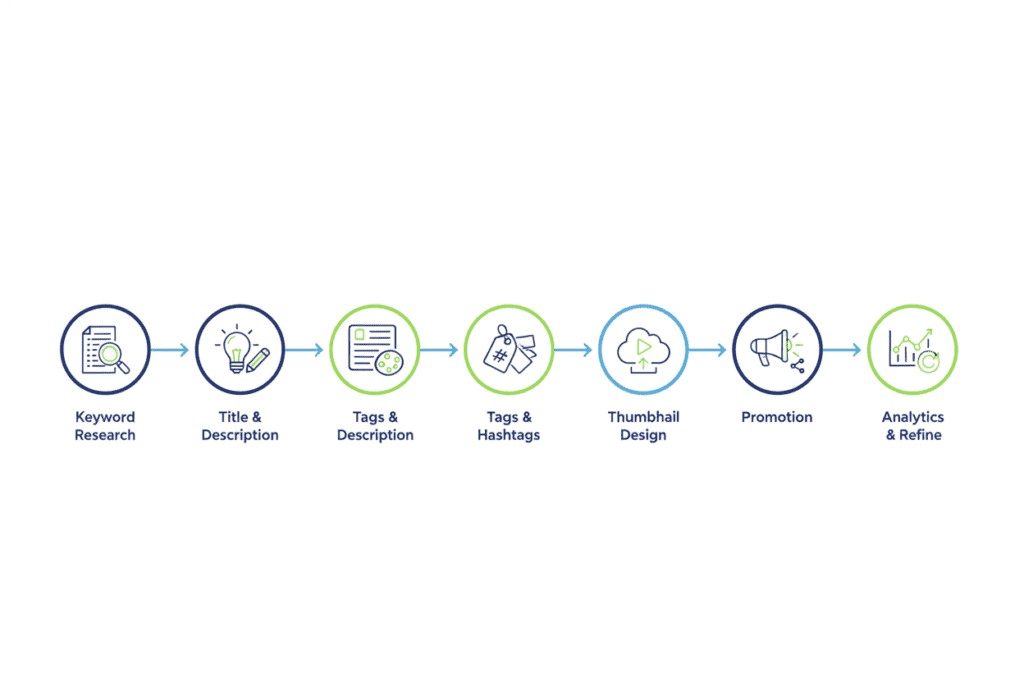
Ready to level up your process? Here’s a practical workflow using YouTube video optimization tools — with ytZolo at the center.
Step 1: Start with Keyword Research
Before you film anything, know what you’re optimizing for. Use ytZolo’s keyword intelligence to identify high-volume, lower-competition terms in your niche.
Ask yourself: what is your ideal viewer searching for? Start with a broad topic, then narrow it down to the specific angle that has search demand and low saturation.
Step 2: Generate Your Video Title
Plug your keyword into ytZolo’s AI title generator. You’ll get multiple optimized options — each one scored for click potential and keyword fit.
Pick the one that balances search intent with emotional pull. The best titles do both: they tell the algorithm what the video is about AND make a real human want to click.
Step 3: Write Your Script Around Your Keyword
Use ytZolo’s script generator to build your video structure. Make sure your primary keyword appears naturally in the first 60 seconds of your spoken content — this helps with auto-captions, which YouTube reads for SEO signals.
Start with a strong hook. Viewers decide in the first three seconds whether to stay or scroll.
Step 4: Generate Your Video Description
After filming, use ytZolo to generate an SEO-optimized description. Make sure it includes:
- Your primary keyword in the first 1–2 lines
- Related keywords and semantic phrases throughout
- A clear call to action (subscribe, comment, watch next)
- Timestamps if you have chapters
- Links to your other content or resources
Step 5: Build Your Tag Set
Use ytZolo’s tag generator to create a comprehensive tag set. Include your exact-match primary keyword, broad topic tags, and niche-specific long-tail tags. Aim for 400–500 characters total.
Step 6: Design Your Thumbnail
Feed your title and video concept into ytZolo’s thumbnail generator. Choose a style that fits your brand and niche. Make sure the design follows proven CTR principles: bold text, contrasting colors, and an emotional visual hook.
Step 7: Publish, Monitor, and Iterate
After publishing, track your video’s performance in YouTube Analytics. Watch your CTR, watch time, and search impressions closely in the first 48–72 hours.
If your CTR is below 4–5%, consider testing a new thumbnail or title. ytZolo and tools like TubeBuddy make this iterative testing easy and fast.
YouTube SEO Mistakes You’re Probably Making Right Now
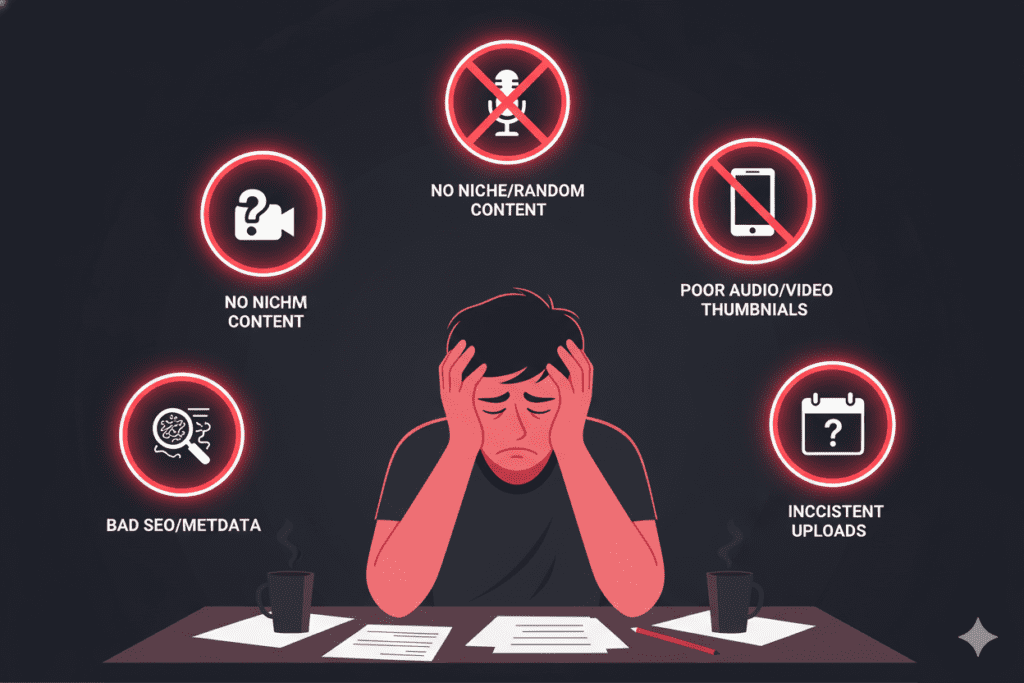
Even creators using YouTube video optimization tools can leave growth on the table by making these common mistakes.
Mistake #1: Ignoring your title’s first 60 characters YouTube truncates long titles in search results. Your most important keywords and emotional hook need to appear in the first 60 characters — no exceptions.
Mistake #2: Writing descriptions like an afterthought Your video description is prime SEO real estate. Treat it like a mini-blog post. The more context YouTube has about your video, the better it can match it to the right searches.
Mistake #3: Using only exact-match tags Tags should be a mix of exact-match, broad, and long-tail keywords. Using only your primary keyword as a tag limits how many related searches your video appears in.
Mistake #4: Designing thumbnails for yourself, not your audience You know what your video is about — your viewer doesn’t yet. Your thumbnail needs to communicate the value and curiosity gap instantly, not showcase your aesthetic preferences.
Mistake #5: Never updating old videos YouTube video optimization tools aren’t just for new uploads. Revisiting old videos and updating their titles, descriptions, and thumbnails with fresh keyword data can revive stagnant content and bring in new views with zero filming required.
The Future of YouTube Video Optimization
The landscape of YouTube video optimization tools is evolving fast — and it’s only going to accelerate.
YouTube itself has been aggressively adding AI features to YouTube Studio, including AI-generated title suggestions, thumbnail ideas, A/B testing for titles, and an “Inspiration Tab” that suggests video concepts based on your audience data. The platform is doubling down on AI as the future of creator workflow.
What does this mean for creators?
It means that baseline AI usage is becoming table stakes. The creators who will pull ahead are those who go deeper — using specialized platforms like ytZolo that are purpose-built for YouTube growth, not just general AI tools applied to YouTube.
The coming years will reward creators who combine authentic storytelling with smart, data-driven optimization. AI handles the technical work. You handle the creative vision.
That’s a powerful partnership — and it starts with choosing the right YouTube video optimization tools today.
According to research highlighted by Ahrefs on content optimization strategy, channels that consistently update their metadata and align content with search intent see significantly stronger long-term growth trajectories than those who optimize once and forget.
The conclusion? Optimization isn’t a one-time event. It’s an ongoing process. And the right AI tools make it manageable.

FAQ: YouTube Video Optimization Tools
1. What are the best YouTube video optimization tools in 2025?
The best YouTube video optimization tools in 2025 include ytZolo (best all-in-one AI platform), TubeBuddy (best for YouTube Studio integration), VidIQ (best for keyword research and competitor analysis), Descript (best for script and audio editing), and OpusClip (best for Shorts repurposing). For creators who want one tool that handles titles, scripts, descriptions, tags, and thumbnails in a single workflow, ytZolo is the strongest option.
2. Do YouTube video optimization tools actually help you rank higher?
Yes — when used correctly, YouTube video optimization tools can meaningfully improve your rankings. These tools produce keyword-optimized titles and descriptions that align with what viewers are actively searching for. Higher-ranked titles increase CTR, and a higher CTR signals to YouTube that your video is valuable — which further boosts ranking in both YouTube and Google search results.
3. How much time can I save using AI YouTube video optimization tools?
Most creators report saving 2–4 hours per video when they move their optimization process to AI tools like ytZolo. Tasks that previously took hours — writing descriptions, researching tags, generating title variations, designing thumbnails — can be completed in minutes. Over a month of consistent uploading, that adds up to 10–20 hours saved.
4. Can I use YouTube video optimization tools if I’m a small or beginner creator?
Absolutely. In fact, YouTube video optimization tools often give smaller creators the biggest advantage. Beginner channels typically struggle most with visibility — and that’s exactly what optimization fixes. Tools like ytZolo are designed to work for any channel size, helping newer creators punch above their weight and compete for views from day one.
5. What is the most important part of YouTube video optimization?
The most important elements of YouTube video optimization are, in order of impact: (1) your video title — it drives both search ranking and click-through rate; (2) your thumbnail — it directly determines whether searchers click your result; (3) your video description — it provides context to YouTube’s algorithm; (4) your tags — they help YouTube categorize your content; and (5) watch time and viewer retention — which signals to the algorithm that your content is worth recommending. AI-powered YouTube video optimization tools help you maximize all five.
Conclusion: Stop Guessing. Start Growing.
YouTube success in 2025 is not about luck. It’s not about uploading more videos. And it’s definitely not about spending hours manually tweaking metadata and hoping the algorithm notices.
It’s about using the right YouTube video optimization tools to give every single upload the best possible chance of being found, clicked, and watched.
The creators growing fastest right now have figured this out. They’re not reinventing the wheel every time they upload — they’re using AI to do the heavy lifting on optimization while they focus on what they actually love: creating.
Whether you’re just starting out or trying to break through a growth plateau, the path forward is clear. Use smarter tools. Stop doing manually what AI can do better in seconds. And build a consistent optimization process that works every time.
ytZolo is built exactly for this. Titles, scripts, descriptions, tags, thumbnails — everything you need to grow your channel, in one place, powered by AI trained on viral content.
Want to go deeper on YouTube growth strategy? The ytZolo blog has practical, actionable guides on every part of the creator workflow — from keyword research to thumbnail psychology to scripting hooks that keep viewers watching.
Start creating smarter, faster, and more viral YouTube content with ytZolo today. 👉 Visit ytZolo.com and start your free account — no credit card required.

