

Introduction: Why Your Edits Are Getting Ignored
You filmed the perfect clip.
Good lighting. Solid content. A topic people actually care about. You spent an hour editing, added a trending audio, and hit publish — perfect for an aesthetic shorts edits tutorial.
Then you checked back. 87 views. A sigh. A scroll. And a question that haunts every creator at 2 AM:
“Why does everyone else’s content look so much better than mine?”
Here’s the honest truth — the gap between forgettable content and viral Shorts isn’t talent. It isn’t expensive gear. It’s aesthetic shorts edits. It’s the way the best creators craft a visual identity that’s instantly recognizable, emotionally engaging, and scroll-stopping before a single word is spoken.
In 2026, the aesthetic shorts edits tutorial space is exploding because creators finally understand that editing is the content. Your color grade IS your brand. Your transitions ARE your personality. Your visual style IS the reason viewers follow you instead of the next creator.
This guide will walk you through every technique, tool, and trick behind the most magnetic aesthetic shorts edits online — and show you how ytZolo helps smart creators apply these strategies faster than ever.
Let’s build your visual identity from the ground up.
Table of Contents
1. What Are Aesthetic Shorts Edits — And Why Do They Go Viral?
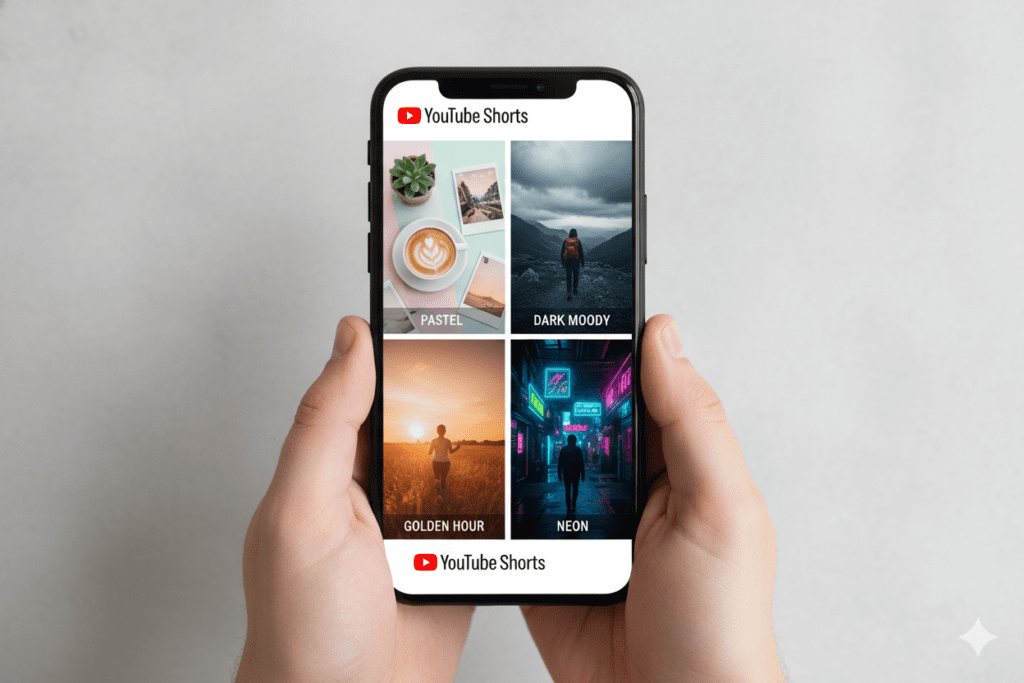
In an aesthetic shorts edits tutorial, aesthetic Shorts edits are YouTube Shorts that prioritize visual cohesion — a deliberate, curated look that makes every frame feel intentional and beautiful.
It’s not just about slapping a filter on a video. Aesthetic editing is about creating an emotional experience in under 60 seconds. It’s the warm, golden tones that make a lifestyle clip feel aspirational. The moody dark grading that makes a cinematic travel edit feel like a short film. The soft pastel palette that makes a morning routine feel calm and cozy.
Why do aesthetic shorts edits go viral?
- Emotional resonance: Beautiful visuals trigger an emotional response faster than words ever can. Viewers feel something before they even know what they’re watching.
- Pattern interruption: In a feed full of raw, unpolished clips, a stunning aesthetic Short stands out instantly. It stops the scroll.
- Identity signaling: Viewers use the content they save and share to express their own identity. Aesthetic edits are highly shareable because they reflect a lifestyle people want to embody.
- Algorithm rewards: Higher watch time, more replays, and more saves all send powerful signals to YouTube’s algorithm — pushing your content to more viewers organically.
The creators growing fastest in 2026 aren’t just posting more. They’re posting better-looking content through an aesthetic shorts edits tutorial. And the good news? You don’t need a film degree or expensive software to do this.
You just need the right techniques — and the right tools.
2. The 7 Most Viral Aesthetic Editing Styles in 2026
Before you start your aesthetic shorts edits tutorial journey, you need to pick a visual direction. Here are the 7 hottest styles dominating Shorts feeds right now:
🌿 Style 1: Soft & Dreamy (Cottagecore / Pinterest Aesthetic)
In an aesthetic shorts edits tutorial, think warm whites, soft greens, gentle film grain, and slow, floaty transitions. This style dominates lifestyle, morning routine, and wellness content. It feels calm, aspirational, and deeply shareable.
Signature elements: Desaturated highlights, warm shadows, subtle vignette, airy overlays
🌙 Style 2: Dark & Cinematic (Moody Film Look)
Deep shadows, muted tones, cinematic letterboxing, and slow-burn transitions. Perfect for travel, fashion, and storytelling content. Feels premium and professional without being cold.
Signature elements: Crushed blacks, teal-and-orange color grade, film grain, slow-motion clips
⚡ Style 3: Velocity / Fast Cut (Energy & Hype)
Rapid cuts timed to beat drops, zoom-ins, shake effects, and kinetic transitions. The go-to for gaming, sports, and entertainment content in an aesthetic shorts edits tutorial. Maximum energy. Maximum retention.
Signature elements: Speed ramps, beat-synced cuts, glitch transitions, dynamic text
🌸 Style 4: Y2K / Retro Digital (Nostalgia Aesthetic)
VHS effects, scan lines, chromatic aberration, and retro typography. Taps into powerful nostalgia triggers for millennial and Gen Z audiences. Currently exploding across all niches.
Signature elements: VHS grain, color bleeding, retro fonts, low-saturation warm palette
✨ Style 5: Clean & Minimal (Premium Quiet Luxury)
In an aesthetic shorts edits tutorial, ultra-clean editing uses barely any effects — focusing instead on perfect cuts, smooth transitions, and elegant typography. This style dominates the finance, productivity, and “old money” aesthetic spaces, where less is genuinely more.
Signature elements: Clean cuts, minimal text, neutral palette, ambient background music
🌈 Style 6: Vibrant Pop (Neon & Maximalist)
In an aesthetic shorts edits tutorial, bold colors, neon accents, energetic music, and eye-popping graphics create a vibrant style. It works brilliantly for beauty, food, and lifestyle content, and is optimized for mobile viewing where bright colors dominate.
Signature elements: Saturated colors, neon overlays, kinetic typography, upbeat synced audio
🍂 Style 7: Autumn/Dark Academia
Rich browns, deep greens, warm amber tones, and a sense of quiet depth. Incredibly popular in the books, fashion, and study/productivity niches. Evokes a timeless, intellectual quality.
Signature elements: Warm LUTs, soft shadows, classical or ambient music, elegant serif text

3. Aesthetic Shorts Edits Tutorial: Step-by-Step for Beginners
Here’s a complete, actionable aesthetic shorts edits tutorial you can follow right now — from raw footage to stunning final edit.
Step 1: Plan Your Visual Concept Before You Film
The biggest mistake beginners make? Filming randomly, then trying to make it aesthetic in editing. That never works.
Before you pick up your phone or camera, decide:
- Which aesthetic style fits your niche? (See Section 2)
- What mood are you trying to create? (calm, energetic, nostalgic, inspiring)
- What color palette will you use? (warm, cool, neutral, vibrant)
- What’s your hook — the first frame that stops someone from scrolling?
Aesthetic edits start before filming. Not after.
Step 2: Film With Your Edit in Mind
In an aesthetic shorts edits tutorial, shoot in the highest resolution your device supports — at minimum 1080p, ideally 4K. This gives you more flexibility in color grading without degrading quality.
Key filming tips for aesthetic shorts:
- Shoot in log or neutral profile if your camera supports it — it gives you far more flexibility in color grading
- Film more than you need — extra clips give you edit options
- Pay attention to natural lighting — golden hour footage is 10x easier to make aesthetic than harsh midday light
- Use slow motion (60fps or 120fps) for at least 30% of your clips — it adds elegance to any edit
Step 3: Import and Organize Your Clips
Open your editing app (CapCut, Adobe Premiere, or your preferred tool) and import all your clips. Do a quick cull — remove anything blurry, poorly lit, or unusable.
Arrange clips in a rough story order: hook → middle content → satisfying ending. Even a 30-second Short needs a mini narrative arc to hold attention.
Step 4: Cut to the Beat
In an aesthetic shorts edits tutorial, before adding any effects, sync your rough cuts to your chosen audio track. Trim clips so transitions land on beats or key moments in the music. This step alone makes your aesthetic shorts edits feel 5× more professional.
The rule of thumb:
- Fast music + fast cuts = energy and hype
- Slow music + longer clips = emotional depth and atmosphere
Step 5: Apply Your Color Grade
This is the step that transforms a good edit into a stunning one. Apply your LUT (look-up table) or manually adjust:
- Exposure — bring up shadows slightly for that dreamy lifted look
- Temperature — warm up for golden tones, cool down for moody/cinematic feel
- Saturation/Vibrance — lower saturation for muted aesthetic, boost vibrance for pop
- Highlights — pull down to avoid blown-out skies and windows
- Film grain — add 10-20% grain for texture and organic feel
Use the same grade across all clips in the Short for consistency. This consistency is the aesthetic.
Step 6: Add Transitions
Transitions should feel invisible. The best creators use:
- Cut on action — cut mid-movement so the eye follows the motion naturally
- Speed ramp — slow down before a cut, speed up after
- Whip pan — fast camera movement hides the edit point
- Glitch cut — a flash frame glitch between scenes (use sparingly)
Avoid stock transitions like “spin” or “cube” — they instantly look amateur in 2026.
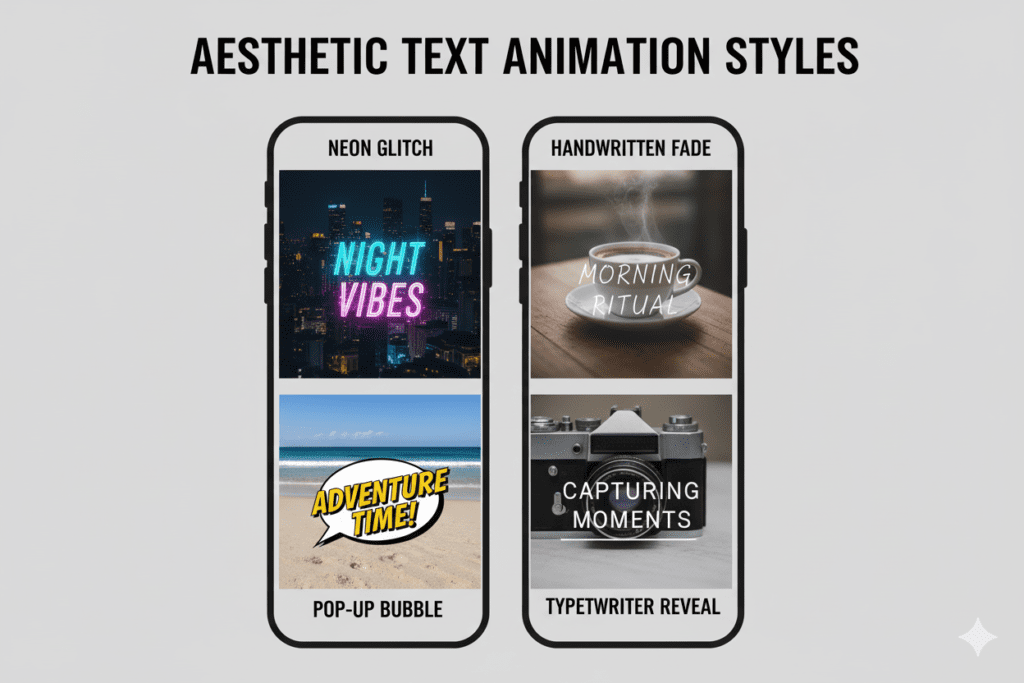
Step 7: Add Text and Captions
Aesthetic text should serve the edit — never fight it. Follow these rules:
- Use 1-2 max font styles per video (pick a clean sans-serif or elegant serif)
- Keep text minimal — 5 words or fewer per line
- Animate text entrances (fade in, slide, typewriter)
- Place captions at the center or lower-third of the frame
- Match your text color to your color palette
Step 8: Polish and Export
Watch your edit 3 times before exporting:
- Watch with sound — does it feel right emotionally?
- Watch on mute — does the visual story still work without audio?
- Watch at 2x speed — do the cuts feel tight and intentional?
Export at 1080p minimum, 9:16 aspect ratio, 30fps (or 60fps for smoother motion). Keep the file under 256MB for smooth YouTube upload.
4. The Best Apps for Aesthetic Shorts Edits in 2026
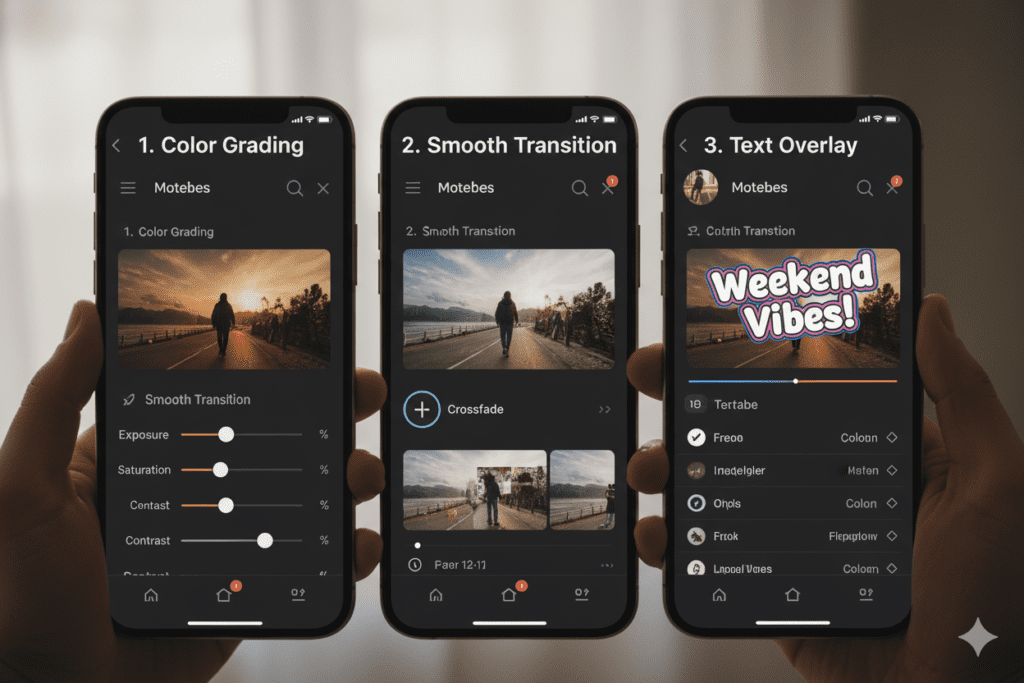
Your toolkit matters. Here are the top editing apps for creating stunning aesthetic shorts edits in 2026:
📱 CapCut (Free | iOS & Android)
In an aesthetic shorts edits tutorial, this is still the most popular choice for mobile aesthetic editing. It offers powerful features including beat sync, speed ramps, LUT filters, text animations, and a growing AI toolkit. The template library is unmatched for trend-riding. Best for: beginners and intermediate creators.
Pros: Free, feature-rich, huge template library, beat sync tool Cons: Watermark on free plan, becoming oversaturated with same-look content
🎬 Adobe Premiere on iPhone (Free + Paid | iOS)
Adobe’s official YouTube Shorts editing partner. Offers exclusive templates, professional-grade color tools, and seamless YouTube integration. Best for: creators who want a premium, distinctive look.
Pros: Professional quality, exclusive YouTube templates, advanced color tools
Cons: Steeper learning curve, best features require Creative Cloud subscription
🖥️ DaVinci Resolve (Free | Desktop)
In an aesthetic shorts edits tutorial, this is the industry-standard color grading tool — and it’s free. Its color suite is unmatched for achieving cinematic, professional-grade aesthetics. Best for: serious creators who want full control.
Pros: Best color grading in the industry, completely free Cons: Desktop only, steep learning curve for beginners
📸 InShot (Free + Paid | iOS & Android)
A creator favorite for quick, polished aesthetic edits. Excellent for music sync, smooth transitions, and aesthetic text overlays. Clean interface makes it fast to use.
Pros: Very user-friendly, great music library, clean aesthetic results Cons: Fewer effects than CapCut, limited advanced features
🎥 Filmora Mobile (Free + Paid | iOS & Android)
In an aesthetic shorts edits tutorial, tools powered by AI offer features like auto-caption, AI color palette, and AI thumbnail creator. They provide a great middle ground between beginner simplicity and professional control.
Pros: AI-powered features, vertical format optimization, easy for beginners Cons: Watermark on free version, premium features require subscription
5. Color Grading for Aesthetic Shorts: A Simple Guide
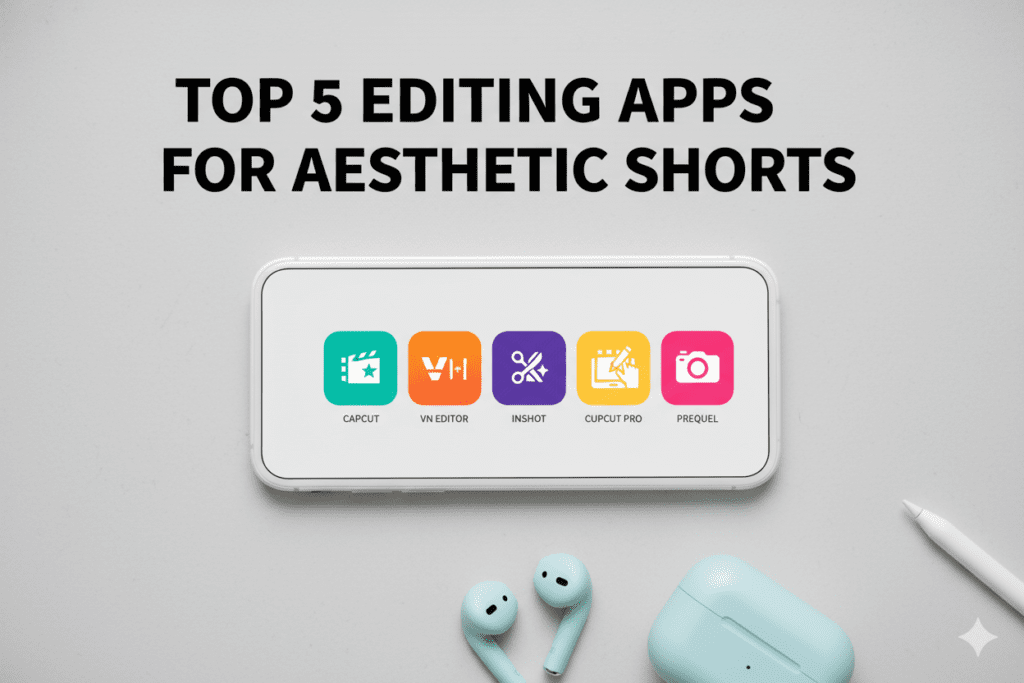
Color grading is the single most powerful tool in your aesthetic shorts edits tutorial arsenal. Done well, it transforms ordinary footage into something magical.
Here’s a simple framework for 5 of the most popular aesthetic color grades:
🌸 Soft Pastel Grade
- Lower contrast by about 15%
- Pull highlights toward pink/magenta
- Push shadows toward a soft teal
- Reduce saturation by 20%, boost vibrance by 10%
- Add 15% film grain
🎬 Dark Cinematic Grade
- Crush blacks (lift shadows slightly for a “lifted black” look)
- Push highlights toward orange/amber
- Pull shadows toward teal/green
- Drop saturation 25%
- Add strong film grain for texture
✨ Golden Hour Grade
- Warm temperature up by +20
- Boost orange and yellow tones
- Reduce blues and greens slightly
- Add a soft vignette
- Lift shadows for an airy feel
💙 Clean Modern Grade
- Slightly cool temperature (−5 to −10)
- Boost contrast lightly
- Increase clarity/sharpness
- Keep saturation natural
- Clean, no grain
🔮 Moody Purple Grade
- Cool blue/purple shadows
- Warm skin tones in midtones
- Lower overall brightness slightly
- Medium grain
- Slight vignette at edges
Pro Tip: In an aesthetic shorts edits tutorial, use the same LUT preset on every Short you publish. Over time, this visual consistency makes your content immediately recognizable in the feed — and builds a loyal audience that knows your brand before they even see your name.
6. Transitions, Text & Overlays: The Details That Separate Good From Viral
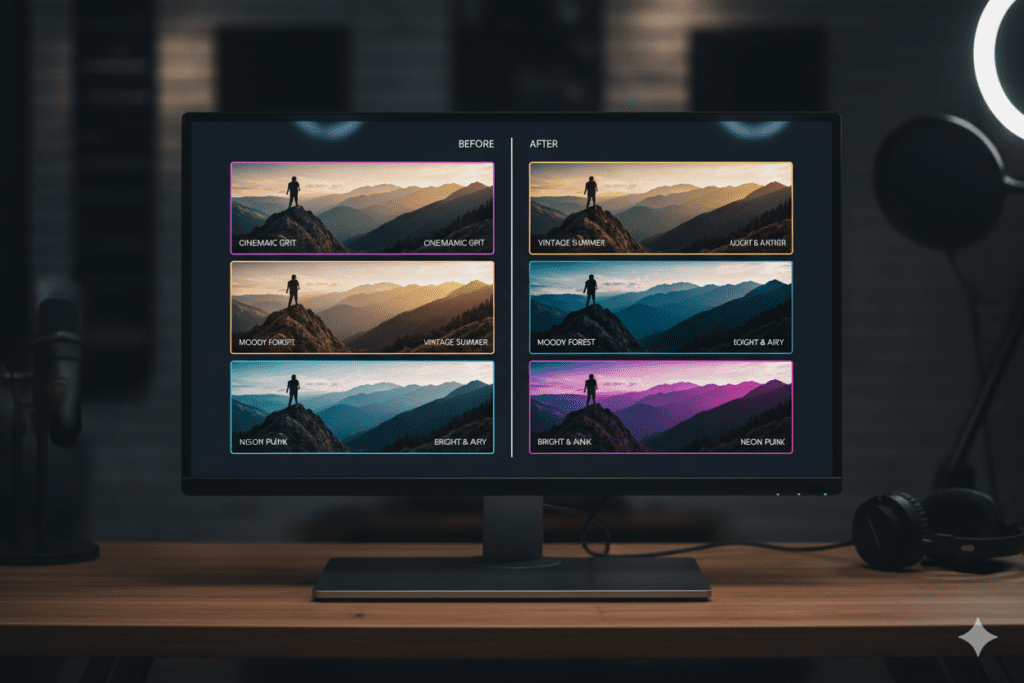
In an aesthetic shorts edits tutorial, the difference between a decent aesthetic Short and a viral one often comes down to the micro-details. Here’s what the pros do differently:
Transition Mastery
The most viral aesthetic shorts edits use these four transition types almost exclusively:
- Cut on action — Cut mid-movement. The viewer’s eye follows the motion and doesn’t notice the edit. Natural and seamless.
- Match cut — Cut between two scenes with similar shapes, colors, or movements. Visually satisfying and feels cinematic.
- Speed ramp — Smoothly slow down then speed back up across a cut. Adds energy and flow simultaneously.
- Light leak — A flash of bright light hides the transition. Feels organic and works beautifully with dreamy, golden aesthetics.
Text That Elevates
Text in aesthetic Shorts should feel like it belongs to the edit — not like it was added as an afterthought.
Rules the best creators follow:
- Keep it minimal (3-6 words max per text element)
- Match font weight to the mood (light for dreamy, bold for energy)
- Animate every text entry (never static)
- Use color pulled directly from your palette (eyedropper tool)
- Never use more than two font families in one video
Overlays That Add Depth
Overlay effects give your Short a professional, multi-layered feel:
- Film grain overlay at 20-30% opacity adds texture instantly
- Light leak overlay creates dreamy lens flare effects without real lenses
- Dust and noise overlays add vintage, analog character
- Bokeh overlays at low opacity give a magical, cinematic depth
- Fog/mist overlays add atmosphere to outdoor and moody content
All of these overlays are available for free on sites like Motion Array, Mixkit, and within CapCut’s asset library.
7. How to Sync Your Edits to Music (The Viral Secret)
Here’s a secret that every viral creator knows but almost nobody talks about:
The music makes or breaks your edit. Not just the song choice — the sync.
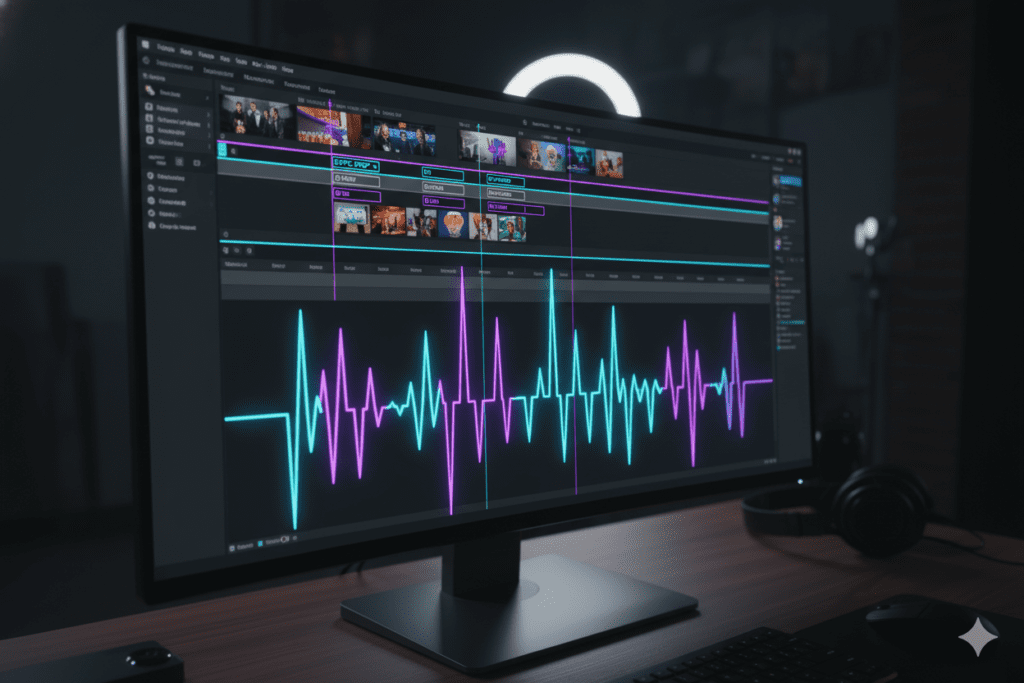
In an aesthetic shorts edits tutorial, when your cuts land on the beat, when your transition hits the drop, and when your text appears exactly on a lyric — that’s when viewers feel your edit rather than just watch it. That feeling is what causes replays. And replays are what the YouTube algorithm treats as gold. 🎬✨
How to Beat Sync Your Aesthetic Shorts Edits
Method 1: CapCut Beat Sync CapCut has an auto beat sync tool. Import your clips, select your audio, and tap “Auto Sync.” It’s not perfect — but it’s a great starting point.
Method 2: Manual Markers Open your timeline. Play your audio. Tap to place a marker every time you want a cut or transition. Now edit your clips to match those markers. This takes longer but gives you full creative control.
Method 3: Pre-Cut to the Beat Some creators pre-cut their clips first, adjusting clip lengths so they naturally snap to the beat. Then they add transitions and effects afterward. This is the method most professional editors use.
Choosing the Right Sound
Trending audio = instant algorithm boost. Here’s how to find the right sound for your aesthetic:
- For soft/dreamy aesthetics: Look for lo-fi, indie folk, or ambient tracks
- For dark cinematic: Orchestral builds, deep electronic, or film score-style pieces
- For velocity/hype edits: Bass-heavy electronic, trap, or drill music
- For vintage/Y2K: Remixed 90s/2000s hits, synthwave, or phonk
- For quiet luxury/minimal: Soft piano, acoustic, or nature ambience
The YouTube Creator Blog regularly highlights trending audio creators should watch — check it monthly to stay ahead of sound trends.
8. Why Manual Editing Is Slowing You Down
Let’s address the elephant in the editing suite.
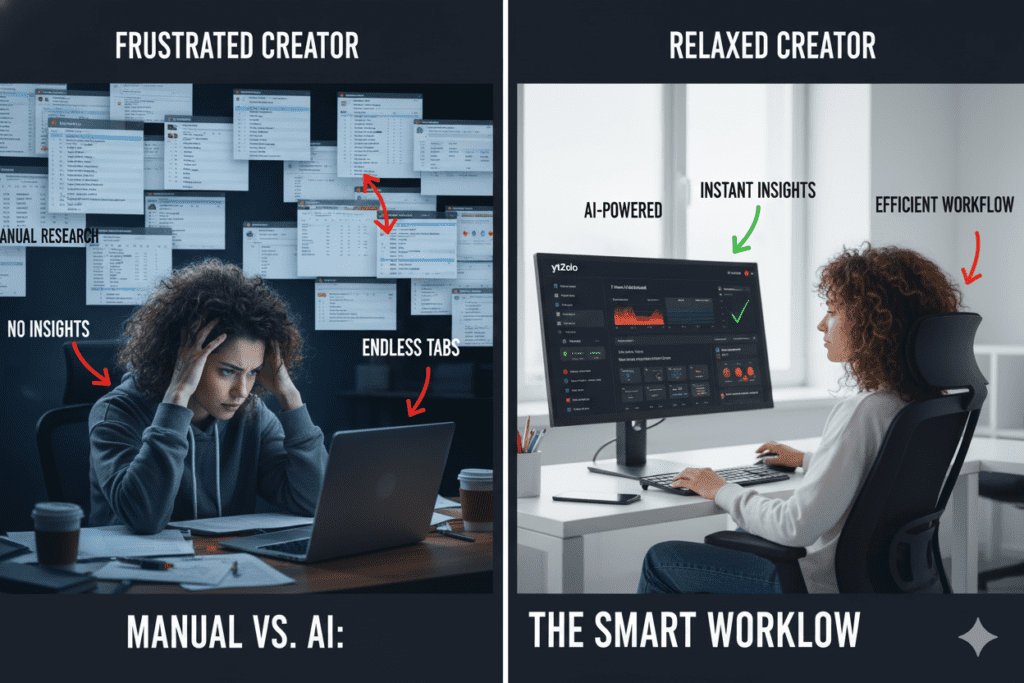
In an aesthetic shorts edits tutorial, manual aesthetic editing takes forever. A polished 30-second Short can easily consume 2–4 hours of work — and that’s before you’ve written a title, description, or found the right hashtags.
And here’s the painful reality: while you’re spending 4 hours perfecting one edit, your competitors are posting 3-4 Shorts and collecting views.
According to data from YouTube creators and tools tracked on Ahrefs’ blog, the biggest factor in channel growth on Shorts isn’t the single best video — it’s consistent, high-quality output over time.
You cannot win a volume game with manual methods.
The creators who are growing fastest right now aren’t working harder — they’re working smarter while creating an aesthetic shorts edits tutorial. They use AI to handle the heavy lifting: the titles, the descriptions, the tags, the strategy. And that frees up their mental energy for the part AI can’t do — creative direction and authentic storytelling.
Manual methods were fine in 2022. In 2026, they’re a growth ceiling.
Every hour you spend writing descriptions and researching hashtags manually is an hour you’re not spending making your aesthetic shorts edits better. The math doesn’t work in your favor.
That’s why the smartest creators are turning to tools like ytZolo — an all-in-one AI YouTube growth platform that handles everything outside the edit itself, so you can pour all your energy into the visual magic.
9. Why ytZolo Is Better Than Other Tools for Aesthetic Shorts Success
In an aesthetic shorts edits tutorial, when it comes to growing on YouTube Shorts, tools matter. But not all tools are built for what creators actually need in 2026.
Let’s compare:
| Feature | ytZolo | TubeBuddy | VidIQ | CapCut |
|---|---|---|---|---|
| AI-generated titles & descriptions | ✅ Yes | ❌ Limited | ❌ Limited | ❌ No |
| Viral hashtag & tag generator | ✅ Yes | ✅ Partial | ✅ Partial | ❌ No |
| Thumbnail concept AI | ✅ Yes | ❌ No | ❌ No | ⚠️ Basic |
| Script & hook generator | ✅ Yes | ❌ No | ❌ No | ❌ No |
| Built for short-form viral content | ✅ Yes | ❌ No | ❌ No | ⚠️ Editing only |
| All-in-one content optimization | ✅ Yes | ❌ No | ❌ No | ❌ No |
| Beginner-friendly | ✅ Yes | ⚠️ Moderate | ⚠️ Moderate | ✅ Yes |
TubeBuddy and VidIQ are analytics tools. They’re useful for data — but they don’t create anything for you.
CapCut is a brilliant editing app. But once you hit “Export,” you’re on your own for titles, descriptions, tags, and thumbnails.
ytZolo is different. It’s the only tool built from the ground up to help creators produce viral-ready content for an aesthetic shorts edits tutorial from start to finish — not just analyze what happened after you posted. 🚀
The philosophy behind ytZolo is simple: editing your Short is just one part of the viral equation. Equally important — and equally time-consuming — is the metadata, the title psychology, the description structure, the tag strategy, and the thumbnail concept. ytZolo handles all of that. The ytZolo blog also offers a constant stream of free creator education if you want to go deeper on any of these topics.
That means you can spend your time becoming a better aesthetic editor — while ytZolo handles everything else that gets your video found.

10. How ytZolo Supercharges Your Aesthetic Shorts Edits Strategy
Here’s exactly how ytZolo transforms what happens after you finish your aesthetic short edit — and why it matters as much as the edit itself.
The Problem Every Aesthetic Creator Faces
You can have the most beautiful aesthetic shorts edits tutorial on the platform — stunning color grades, perfect beat sync, and cinematic transitions that make people stop mid-scroll. ✨🎬
And still get 200 views.
Why? Because no one can find your video. A weak title gets ignored. Irrelevant tags send confusing signals to the algorithm. A generic description adds no contextual authority. A poor thumbnail choice kills your click-through rate before anyone even sees your amazing edit.
This is the cruel reality of YouTube Shorts in 2026: the edit gets viewers to stay. The optimization gets viewers to arrive. You need both.
How ytZolo Solves This — In Minutes
Step 1: Enter Your Video Topic Log in to ytZolo.com and type your Short’s topic. Example: “Soft morning routine vlog — aesthetic edit”
Step 2: Get Your Complete Optimization Package
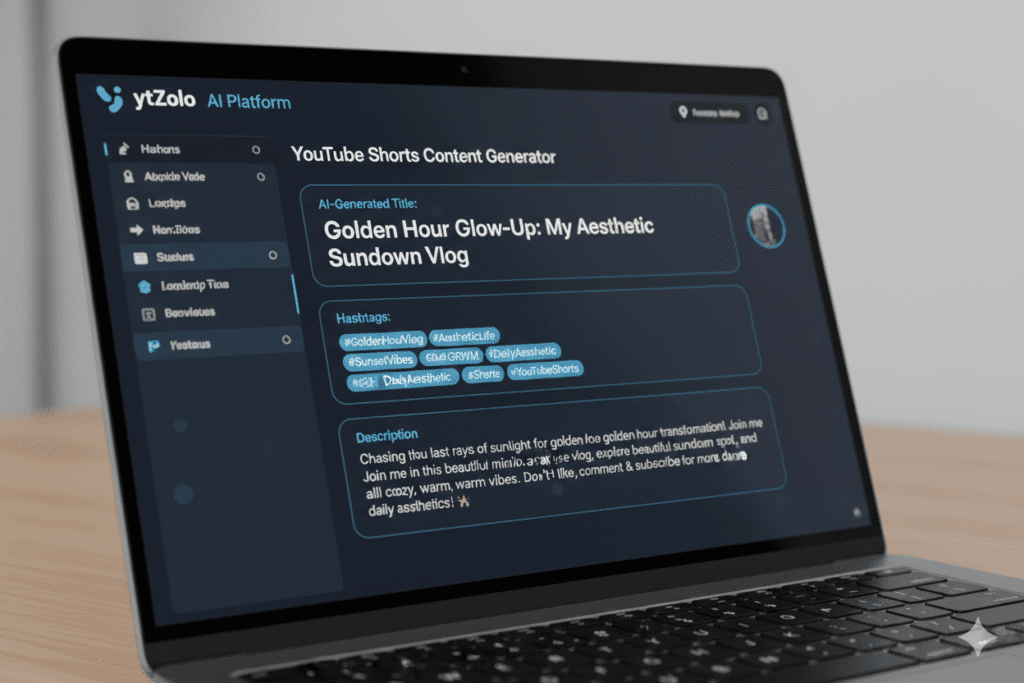
In seconds, ytZolo’s AI generates:
- ✅ A viral-optimized video title — psychologically engineered for maximum click-through rate, with emotional triggers built in
- ✅ A keyword-rich description — structured to rank in YouTube search and signal relevance to the algorithm
- ✅ A full hashtag set — combining broad reach tags, niche-specific tags, and trending terms perfectly balanced for your content type
- ✅ A complete tag list — semantic, LSI-rich tags that tell YouTube exactly what your aesthetic Short is about
- ✅ A thumbnail concept brief — specific direction for the visual that will make viewers click on your stunning edit
Step 3: Create Your Script Hook (Optional but Powerful)
ytZolo can also generate the first 5–10 seconds of your aesthetic shorts edits tutorial script — the all-important hook that determines whether viewers keep watching or swipe away. For aesthetic Shorts that include narration or text overlays, this hook optimization can be the difference between 1K views and 100K.
Step 4: Publish With Confidence
You’ve created a visually stunning edit. ytZolo has optimized everything that surrounds it. Now you’re not just posting a beautiful video — you’re launching a fully optimized piece of content with a genuine shot at reaching the audience it deserves.
That’s the power of combining great creative work with smart AI strategy.
11. Advanced Aesthetic Editing Techniques for 2026
In an aesthetic shorts edits tutorial, ready to go beyond the basics? These are the techniques separating 2026’s top aesthetic Shorts creators from everyone else.
Technique 1: The Cinematic Crop (2.39:1 Letterbox)
Adding black cinematic bars at the top and bottom of your frame transforms any Short into something that feels like a film. Use 2.39:1 aspect ratio letterboxing inside your 9:16 frame. It immediately creates a premium, elevated quality signal.
Technique 2: Speed Ramping Between Actions
In an aesthetic shorts edits tutorial, speed ramping — smoothly transitioning between slow motion and normal or fast speed — is the hallmark of a professional edit. Use it to enter a new location (fast), then settle into a scene (slow). It creates a natural, cinematic rhythm that feels expensive. 🎬
Technique 3: Breathing Zoom (Ken Burns on Video)
Apply a subtle, slow zoom in or zoom out to otherwise static clips. This “breathing” motion adds life to footage that would otherwise feel flat or staged. Works beautifully in soft, dreamy aesthetic styles.
Technique 4: Layer Multiple Soundscapes
Don’t rely on just one audio track. Layer:
- A main music track (quieter than you think — around 60-70% volume)
- Ambient environmental sound (birds, rain, city hum at 20-30%)
- Optional subtle sound effects on key transitions (swoosh, click, chime)
This audio layering creates immersive depth that’s virtually absent from amateur edits.
Technique 5: The “Invisible” Jump Cut
In an aesthetic shorts edits tutorial, for content where you’re talking to camera, use a very slight zoom in (3–5%) between cuts. The camera movement masks the jump cut completely. Seamless and professional — with zero transition required.
Technique 6: Consistent Thumbnail Frame Selection
Even though Shorts thumbnails are auto-generated from your video, you have control over which frame to use. Always pick:
- A frame with clear subject visibility
- A high-energy or emotionally impactful moment
- A frame that represents the aesthetic of your edit
- A frame where your face (if visible) has strong expression
Your thumbnail is your aesthetic Short’s business card. Make it count.
12. Common Mistakes That Make Your Aesthetic Shorts Look Amateur
Even talented creators fall into these traps. Watch out for all of them.
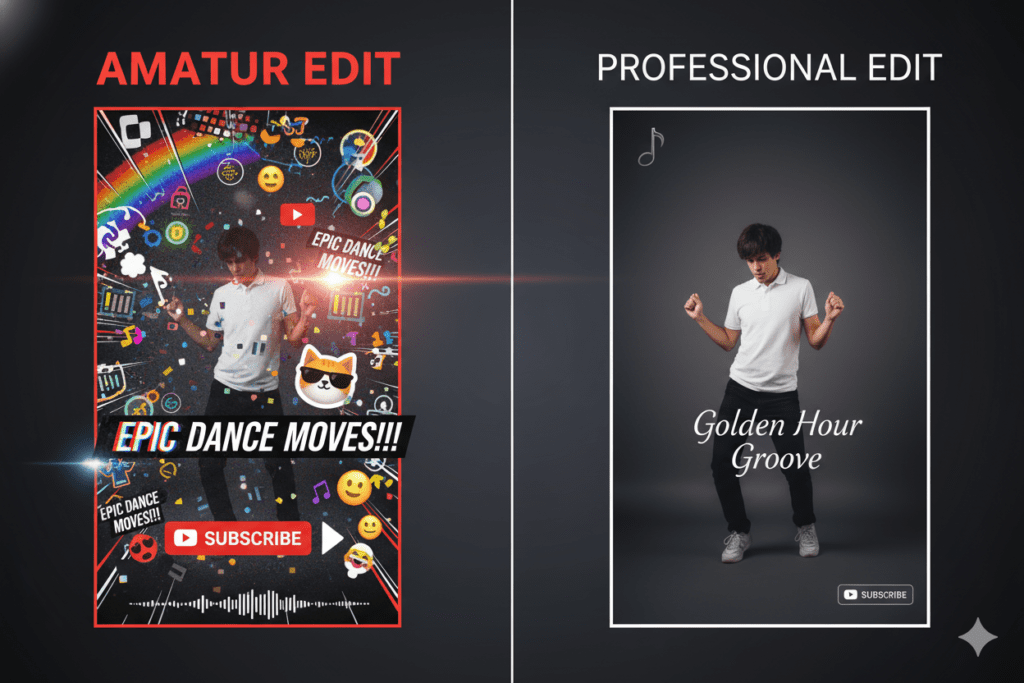
❌ Mistake 1: Overloading on Effects
More effects ≠ more aesthetic. The most stunning aesthetic Shorts edits are often deceptively simple — great color grade, smooth cuts, one subtle overlay. Adding 15 different effects makes your video look chaotic and amateurish, not polished.
❌ Mistake 2: Inconsistent Color Across Clips
In an aesthetic shorts edits tutorial, if your first clip is warm and golden but your third clip is blue and cold, the aesthetic falls apart. Apply your color grade globally or check each clip individually to ensure visual consistency throughout.
❌ Mistake 3: Using Default Stock Transitions
The “cube,” “spin,” and “page flip” transitions built into basic apps are instantly recognizable as beginner edits. They pull viewers out of the experience. Replace them with natural cuts, match cuts, and motion-based transitions.
❌ Mistake 4: Ignoring Audio Mix Balance
Aesthetic Shorts are multi-sensory experiences. Music that’s too loud drowns out ambient sound and voice. Music that’s too quiet loses its emotional impact. Aim for music at 50-65% volume in your final mix so every audio layer can breathe.
❌ Mistake 5: No Visual Hook in the First Frame
In an aesthetic shorts edits tutorial, your first frame is your one shot at stopping the scroll. If it’s a slow fade in, a black screen, or an unremarkable establishing shot — viewers swipe before they’ve given you a chance. Start with your most beautiful, most intriguing frame. Earn the watch. ✨
❌ Mistake 6: Skipping Metadata After a Beautiful Edit
You just spent two hours crafting a stunning aesthetic shorts edits masterpiece. Then you spend 45 seconds typing a generic title and random hashtags before uploading. That’s like designing a perfect storefront and hiding it in a back alley. Your edit deserves a title, description, and hashtag strategy that matches its quality. Use ytZolo to make sure the optimization matches the artistry.
13. FAQ: Aesthetic Shorts Edits Tutorial
Q1: What is the best app for aesthetic shorts edits for beginners?
For beginners, CapCut is the best starting point for aesthetic shorts edits. It offers free LUT filters, beat sync tools, text animations, speed ramping, and a large template library. For creators wanting a premium alternative, Adobe Premiere on iPhone offers exclusive YouTube Shorts templates and professional color tools in a beginner-accessible package.
Q2: How do I make my YouTube Shorts look more aesthetic?
To make your YouTube Shorts look more aesthetic, focus on three things: consistent color grading (pick one LUT and apply it to every clip), smooth transitions that match your edit’s energy level, and minimal-but-elegant typography. Shooting in good natural lighting and using slow motion footage also dramatically elevates the visual quality of your aesthetic shorts edits.
Q3: What color grade is most popular for aesthetic YouTube Shorts in 2026?
In 2026, the most popular aesthetic color grades for aesthetic shorts edits tutorial videos on YouTube Shorts are the soft pastel/dreamy grade (warm highlights, lifted shadows, reduced saturation) for lifestyle content, and the dark cinematic teal-and-orange grade for travel and fashion content. The “clean minimal” grade with slightly cool tones and natural saturation is also surging in the productivity and quiet luxury niches.
Q4: How long should an aesthetic YouTube Short be for maximum views?
The optimal length for aesthetic shorts edits tutorial YouTube Shorts is between 15 and 45 seconds. Shorts under 15 seconds often don’t give enough time for your aesthetic to land emotionally. Shorts over 45 seconds need to be exceptionally compelling to maintain viewer attention. For aesthetic shorts edits tutorial focused on mood and visual storytelling, 25–35 seconds is the sweet spot in 2026
Q5: How can ytZolo help me grow my aesthetic Shorts channel?
ytZolo helps aesthetic Shorts creators by generating AI-optimized titles, descriptions, hashtag sets, and thumbnail concepts for every video you upload — in seconds. While you focus on the creative edit, ytZolo handles all the metadata optimization that determines whether the algorithm finds and distributes your content.
This means your beautiful aesthetic shorts edits actually reach the audience they deserve. Visit ytzolo.com to get started.
14. Conclusion: Your Aesthetic Era Starts Now
Here’s what we’ve covered in this aesthetic shorts edits tutorial:
You now know the 7 viral editing styles dominating 2026. You have a complete step-by-step editing workflow — from pre-production to export. You know exactly which apps to use, how to color grade for your niche, how to sync to music, and how to use advanced techniques that most creators overlook entirely.
But knowledge alone doesn’t grow channels. Execution does.
The creators winning right now are the ones who combine stunning aesthetic shorts edits with smart optimization strategy. They don’t just make beautiful content — they make sure that content gets found.
That’s the two-part formula:
- Great edits (the art — that’s you)
- Smart optimization (the science — that’s ytZolo)
Every hour you spend on titles, descriptions, tags, and hashtags manually is an hour stolen from your aesthetic shorts edits tutorial creative work. ytZolo gives that time back — and gives your aesthetic shorts edits the algorithmic foundation they need to actually grow your channel.
The aesthetic era of YouTube Shorts is here. The creators who master both the visual and the strategic sides of this format are building audiences faster than ever before.
You have the tutorial. You have the tools. The only thing left is to start.
🚀 Ready to Go Viral?
Start creating smarter, faster, and more viral YouTube content with ytZolo today.
Whether you’re posting your first aesthetic Short or optimizing your hundredth, ytZolo gives you the AI edge that turns beautiful edits into viral content. Visit ytzolo.com and start growing — no credit card needed.
Want more free creator strategy, editing guides, and YouTube growth tips? The ytZolo blog is packed with actionable content published for creators just like you.
External Resources:
- YouTube Creator Blog — Official YouTube tips on Shorts best practices
- Ahrefs YouTube SEO Guide — Data-driven YouTube optimization strategies
- Adobe Premiere YouTube Shorts — Official YouTube’s editing partner

