

Introduction: The Scroll Stopped — But Not on Your Video
Imagine this.
You post a YouTube Short you’re genuinely proud of. Great content. Solid energy. You put real effort into it.
And then you check the analytics three days later. Fifty-four views. A retention rate that dropped off at the six-second mark. And you’re left wondering: what is everyone else doing that I’m not?
Here’s the answer — and it might surprise you.
They’re using a caption generator for Shorts.
Right now, studies show that around 85% of mobile video views happen on mute. People scroll in silence — on the bus, in a meeting, next to a sleeping partner. And if your Short has no captions, they have no idea what you’re saying. They swipe away. Your retention tanks. The algorithm buries you.
Meanwhile, the creator in your niche using a smart caption generator for Shorts is keeping those silent viewers glued to the screen. Their watch time climbs. The algorithm takes notice. Their views multiply.
In 2026, captions aren’t a nice-to-have feature. They’re a non-negotiable growth tool.
This guide covers everything you need to know — what a caption generator for Shorts actually does, which tools are worth your time, how to use captions to boost watch time and algorithmic reach, and why ytZolo is the all-in-one AI solution that smart creators are turning to for complete Shorts optimization.
Let’s get into it.
Table of Contents
1. What Is a Caption Generator for Shorts — and Why Does It Matter in 2026?
A caption generator for Shorts is a tool — most commonly AI-powered in 202 — that automatically transcribes the spoken audio in your video and turns it into synchronized on-screen text.
But calling it just a “transcription tool” massively undersells what the best caption generators actually do.
A modern AI caption generator for Shorts doesn’t just convert speech to text. It also:
- Times captions to the exact millisecond — so words appear on screen exactly when they’re spoken
- Styles captions visually — choosing fonts, colors, animations, and layouts that match your content type
- Highlights key words — automatically emphasizing power words and phrases to hold viewer attention
- Supports multiple languages — translating your captions for global audiences instantly
- Optimizes for vertical format — making sure captions fit the 9:16 Shorts aspect ratio without blocking the UI
In 2026, the YouTube Shorts platform processes over 200 billion daily views. Competition has never been fiercer. The creators growing fastest aren’t just making better content — they’re making content that works for every viewer, in every environment.
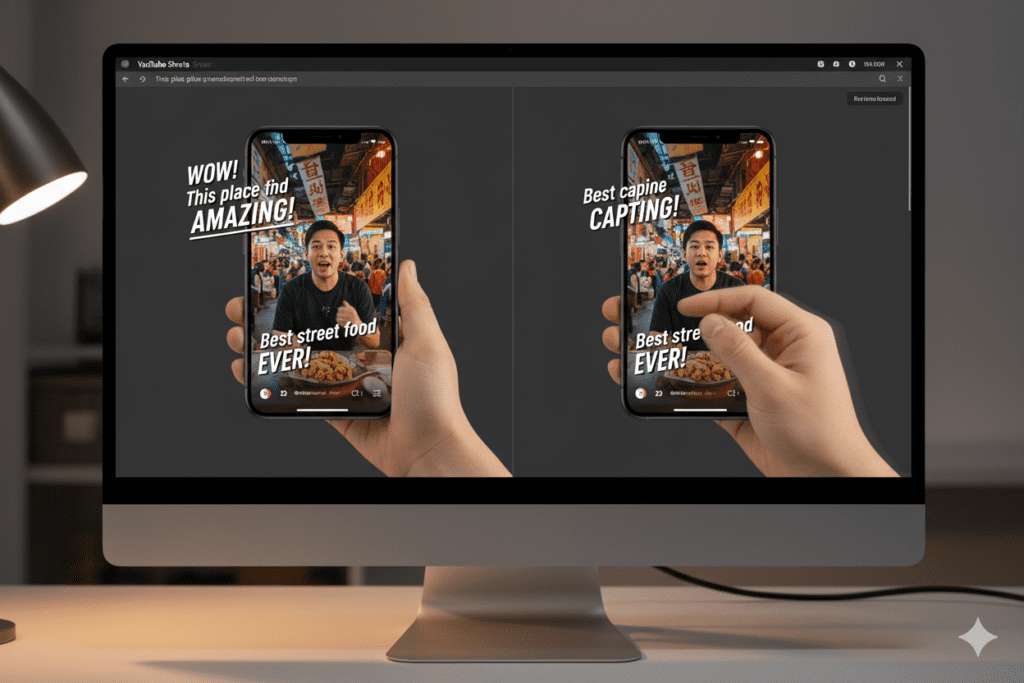
A caption generator for Shorts is the tool that makes your content work on mute. And on mute is exactly how most of your potential audience is watching.
2. The Shocking Data: Why Captions Are a Viral Growth Tool
Let’s look at the numbers — because they tell a story that should change how you think about captions forever.
Here’s what the data shows about captions and YouTube Shorts performance in 2026:
- 85% of mobile video views happen with the sound off — meaning without captions, you’re invisible to the vast majority of your audience
- Videos with captions see 12–15% higher completion rates — directly boosting the watch time signal YouTube’s algorithm rewards most
- Shorts with a strong CTA in the caption see 22% more likes and comments than those without any caption optimization
- 42% of creators now use AI tools for editing, captions, and visual enhancement — and this number is growing every month
- Videos with captions see a 12–13% boost in view counts within two weeks of publishing, according to captioning research
The algorithm connection here is crucial and worth understanding.
YouTube’s algorithm in 2026 is entirely driven by engaged views — views where people actually watch, rewatch, like, comment, or share. Captions directly increase completion rates. Higher completion = better retention signals. Better retention = more algorithmic distribution. More distribution = more views.
Using a caption generator for Shorts isn’t just an accessibility decision. It’s one of the highest-leverage algorithmic growth moves available to creators right now.
And yet — most creators still aren’t doing it properly.

3. Two Types of Captions for YouTube Shorts (And Which You Actually Need)
Before diving into the tools, it’s important to understand that there are two fundamentally different things people mean when they say “captions for Shorts” — and confusing them is a common beginner mistake.
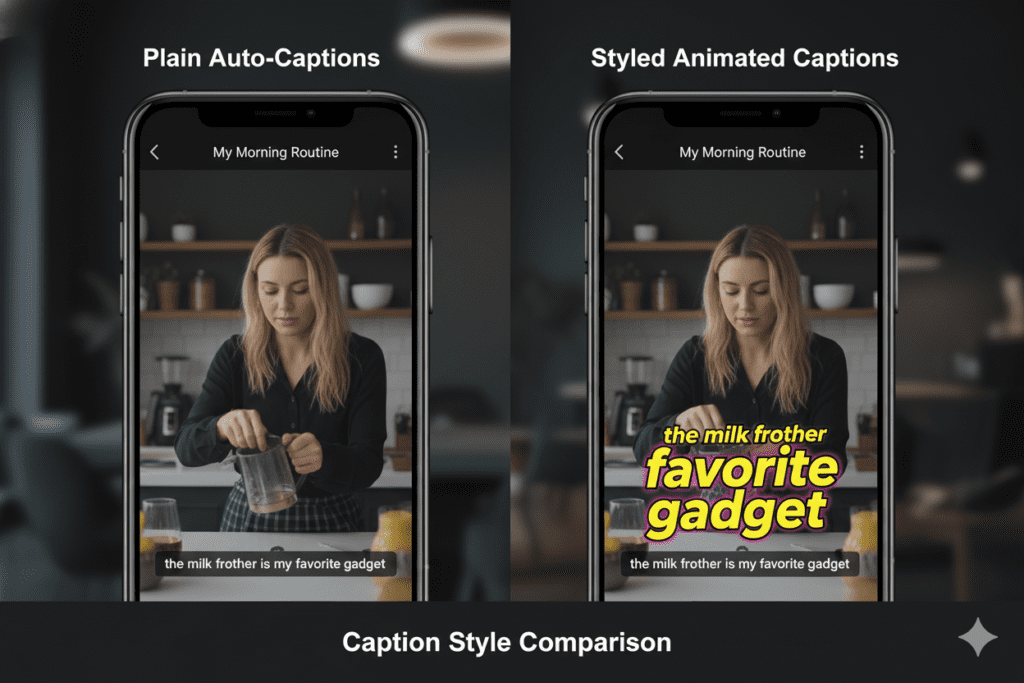
Type 1: Subtitles / Closed Captions (Accessibility Captions)
These are the text transcriptions added via YouTube’s caption file system. You upload an SRT or VTT file, and YouTube uses it to display synchronized subtitles in the video player.
Best for: SEO indexing, accessibility compliance, multilingual reach
The downside: These are relatively plain. They appear in YouTube’s standard caption style — small, unformatted, and easy to miss in the Shorts feed.
Type 2: Burnt-In / Open Captions (Engagement Captions)
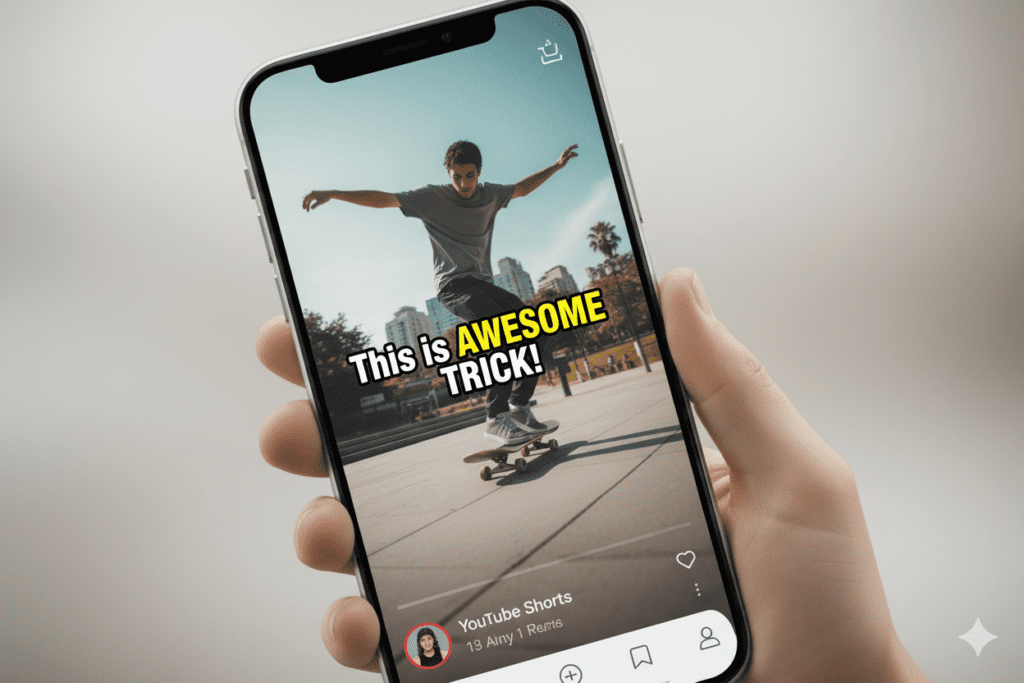
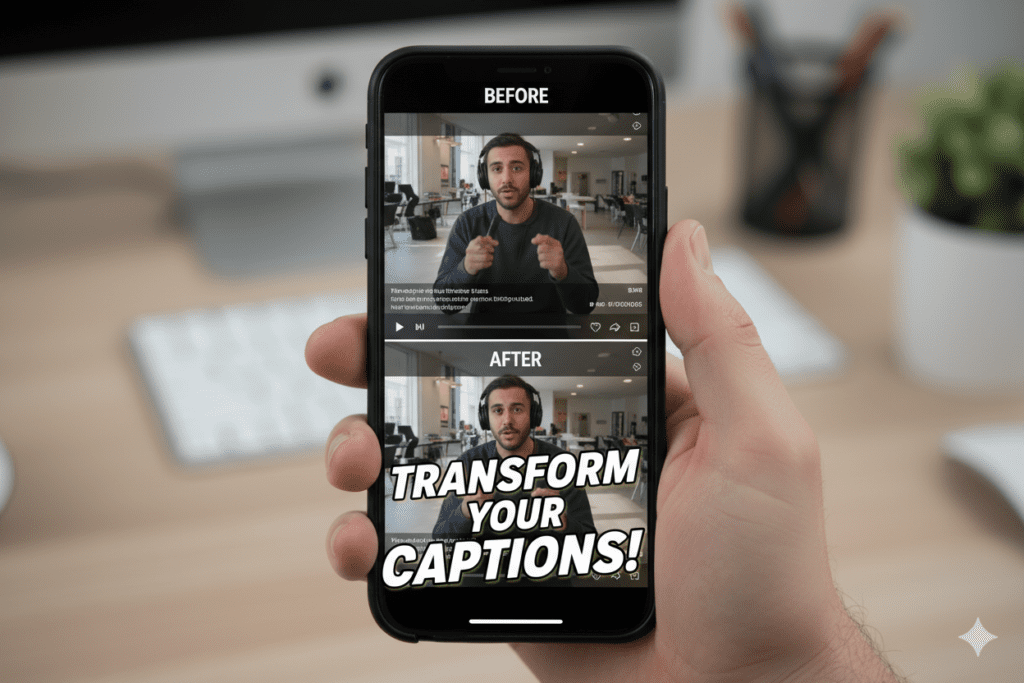
These captions are baked directly into the video during editing. They’re large, stylized, animated, and impossible to ignore. Think the bold word-by-word highlights that appear in the center of the screen on viral TikToks and Shorts.
Best for: Viewer retention, watch time, engagement, stopping the scroll
The upside: These are the captions that drive viral performance. They’re visually part of the content — designed to hold attention and make your message land even in total silence.
Which Do You Need?
Both — used together. Upload an SRT file for SEO and accessibility. Use burnt-in styled captions for engagement. The combination gives you algorithmic discoverability and scroll-stopping visual impact.
A great caption generator for Shorts should help you create both types efficiently. Keep that in mind as we look at the top tools below.
4. How a Caption Generator for Shorts Works: Step-by-Step
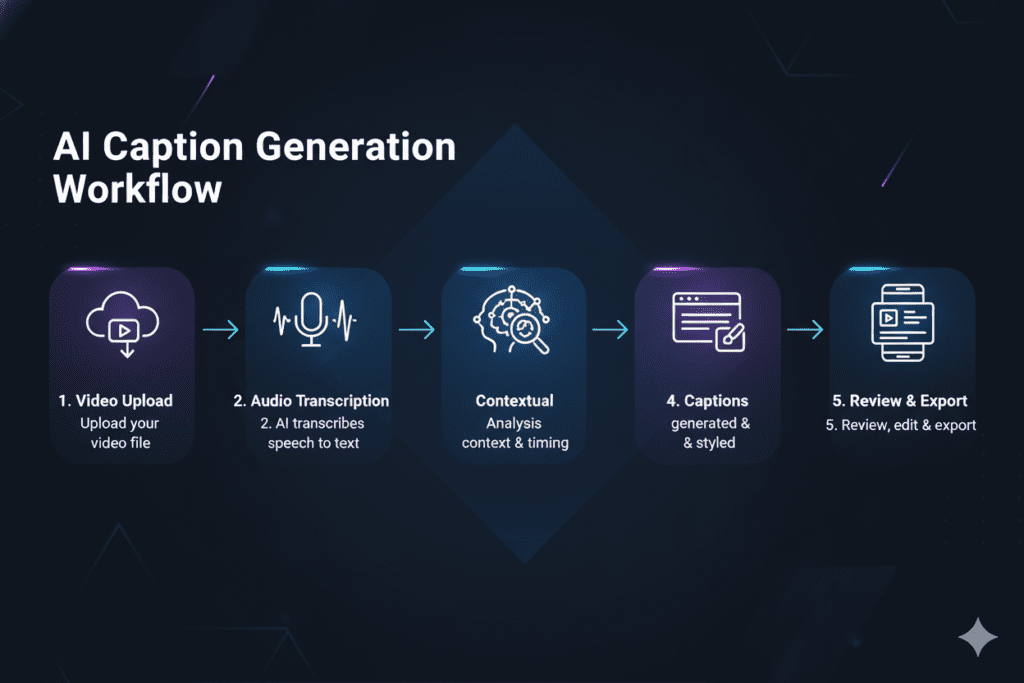
Here’s exactly how a modern AI caption generator for Shorts works from start to finish:
Step 1: Upload Your Video
You upload your Short — either directly from your device, or via a video URL — to the caption generator platform. Most tools accept MP4, MOV, and other common formats. Some also accept a YouTube or Google Drive link.
Step 2: AI Transcription
The tool’s AI engine analyzes your audio track and transcribes every spoken word with timestamps. Advanced tools like those powered by deep learning models achieve 95–99% accuracy — handling accents, fast speech, background noise, and overlapping audio with impressive precision.
Step 3: Caption Styling and Formatting
Here’s where the best tools separate themselves. After transcription, you choose:
- Font style and size — matching your brand and content aesthetic
- Caption position — center-screen for maximum retention, lower-third for professional look
- Animation style — word-by-word pop-in, karaoke highlight, typewriter effect, fade-in
- Color scheme — text color, background fill, outline style
- Line length — how many words appear per caption block (5–7 words is optimal for Shorts)
Step 4: Review and Edit
The AI does the heavy lifting, but you have full control to correct any transcription errors, adjust timing, split long lines, or remove filler words (“um,” “uh,” “like”) for a cleaner, more professional result.
Step 5: Export and Upload
Export your video with burnt-in captions at full quality (1080p or higher). Separately, download the SRT file to upload as a closed caption track to YouTube. Your Short is now optimized for both viewer retention and SEO discoverability.
5. Top 6 Caption Generator for Shorts Tools Compared (2026)
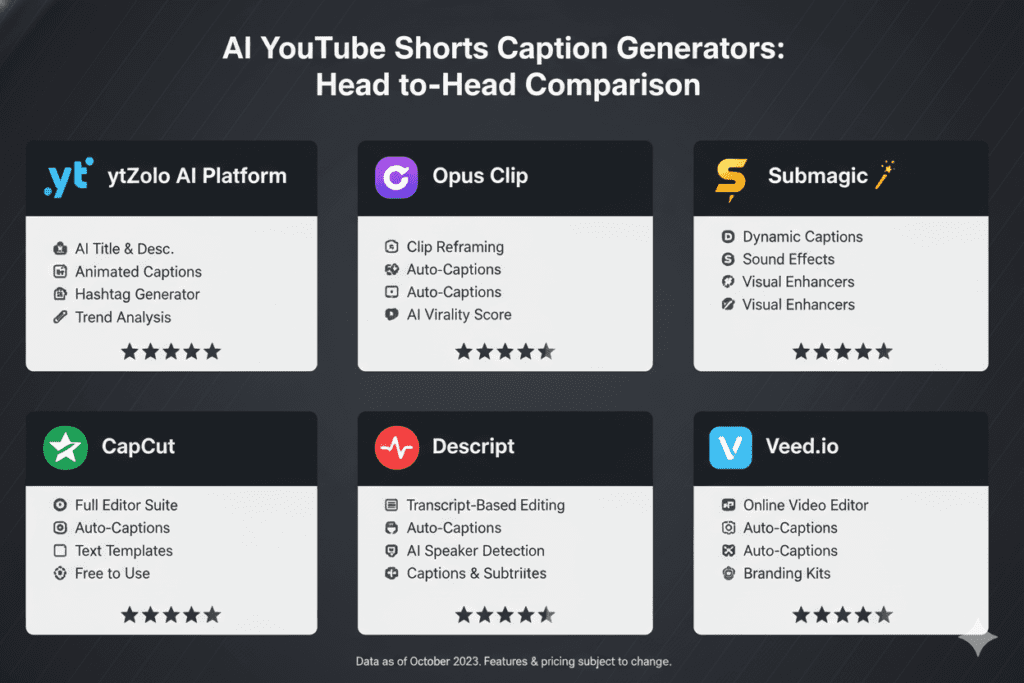
There’s no shortage of caption generator for Shorts options in 2026. Here’s a clear-eyed breakdown of the top tools:
🥇 ytZolo — Best All-in-One for YouTube Shorts Creators
ytZolo isn’t just a caption tool — it’s a complete AI YouTube growth platform. It handles captions as part of a full content optimization workflow that also covers titles, descriptions, hashtags, tags, and thumbnail concepts.
For Shorts creators who want to stop stitching together five different tools, ytZolo is the answer. More on this in depth below.
Best for: Complete Shorts optimization, not just captions Pricing: Visit ytzolo.com for current plans
🥈 Submagic — Best for Styled Viral Captions
Submagic was built specifically for short-form video and is one of the most popular dedicated caption tools in 2026. It offers 30+ styled caption presets, word-by-word animations, automatic filler word removal, and multilingual support across 48 languages.
Best for: Stylized, viral-ready burnt-in captions for Shorts and Reels Pricing: Free tier available; paid plans from ~$20/month
🥉 CapCut — Best Free Mobile Option
CapCut’s auto-caption feature generates accurate, animated captions directly within the editing app. Its karaoke-style word highlighting is hugely popular and works well for fast-paced, energetic Shorts content.
Best for: Mobile-first creators who edit and caption in one app Pricing: Free with optional Pro plan
OpusClip — Best for Repurposing Long-Form to Shorts
OpusClip’s auto caption generator pairs with its AI clip detection to repurpose long videos into captioned Shorts automatically. Strong multi-language support and an intuitive caption editor.
Best for: Creators repurposing podcasts, interviews, or long videos into Shorts Pricing: Free tier; paid plans available
Kapwing — Best for Teams and Agencies
Using a caption generator for shorts like Kapwing offers browser-based caption generation with 100+ language support and strong team collaboration features. Clean SRT export and a solid built-in caption editor make it a strong choice for content teams.
Best for: Teams and agencies managing multiple creators Pricing: Free tier; paid plans from ~$16/month
VEED.IO — Best for Multilingual Captions
VEED’s caption generator supports 100+ languages with high accuracy. Its brand kit integration lets you apply consistent caption styling across all your videos automatically.
Best for: Creators targeting international audiences Pricing: Free tier; paid plans from ~$18/month
Quick Comparison Table
| Tool | Styled Captions | Multi-Language | Full Shorts Optimization | Best For |
|---|---|---|---|---|
| ytZolo | ✅ Yes | ✅ Yes | ✅ Full Package | All-in-one YouTube growth |
| Submagic | ✅ Excellent | ✅ 48 languages | ❌ Captions only | Viral styled captions |
| CapCut | ✅ Good | ✅ Yes | ❌ Editing only | Free mobile editing |
| OpusClip | ✅ Good | ✅ 20+ languages | ❌ Partial | Long-form repurposing |
| Kapwing | ⚠️ Basic | ✅ 100+ languages | ❌ No | Teams & agencies |
| VEED.IO | ✅ Good | ✅ 100+ languages | ❌ No | Global audiences |
6. Best Practices for Captions That Actually Boost Watch Time
Not all captions are created equal. Here are the proven best practices behind captions that actually move the retention needle:
Keep Lines Short — 5 to 7 Words Maximum
Research from the OpusClip team shows that caption lines created with a caption generator for shorts should contain no more than 32–42 characters (about five to seven words). Longer lines force viewers to pause to read, which breaks immersion and hurts retention.
Short lines keep the eye moving naturally with the speech rhythm.
Center-Screen Placement Wins on Shorts
Unlike traditional video where lower-third captions work well, YouTube Shorts viewers respond best to center-screen captions. This placement keeps eyes focused on the action while simultaneously reading the words — a dual-attention setup that maximizes engagement.
Prioritize High Contrast
Your captions need to be readable in any environment — bright sunlight, dim rooms, on budget phone screens. Use:
- White text with a dark outline or shadow
- Solid color backgrounds behind text (semi-transparent works well)
- Bold font weights for legibility at small sizes
Light-colored text on light backgrounds is invisible and instantly looks amateur.
Match Caption Energy to Content Energy
Your caption style should feel like a part of your Short — not an afterthought slapped on top.
- Fast, energetic content: Bold, word-by-word pop-in animations
- Calm, lifestyle content: Smooth fade-in, elegant serif fonts
- Educational content: Clean sans-serif, sentence-by-sentence reveal
- Comedy content: Oversized, playful fonts with color emphasis
Remove Filler Words
“Um,” “uh,” “like,” “you know,” and “kind of” clutter your captions and slow the reading experience. Most AI caption generators for Shorts have an auto filler-word removal feature. Use it. Your captions will feel sharper and more professional instantly.
Add Keyword Captions for SEO
The text in your burnt-in captions can also be uploaded as a closed caption file. YouTube indexes this text for search. That means strategically including your target keywords in your spoken script — and your captions — gives you an SEO boost that many creators completely overlook.
7. How to Write Captions That Drive Engagement (Not Just Accessibility)
Here’s the distinction most creators miss entirely.
Accessibility captions transcribe what you say. Engagement captions are designed to amplify what you say.
The best caption generator for Shorts tools help you create both — but the strategic layer requires your creative input. Here’s how to write captions that go beyond transcription:
Use Your Caption as a Visual Hook
Your first on-screen caption is a second hook. After your visual opening grabs attention, your first caption reinforces why the viewer should stay. Make it specific, intriguing, and promise-driven.
Instead of: “Today I’m going to talk about productivity.” Try: “I got 8 hours of work done by 11 AM.”
Same message. Totally different pull.
Emphasize Power Words Visually
The best caption generators let you manually emphasize certain words — making them larger, bolder, or a different color. Use this on:
- Numbers and statistics (“DOUBLED my views”)
- Action words (“STOP doing this”)
- Emotional triggers (“FREE,” “SECRET,” “NEVER“)
These visual emphasis cues act as micro-hooks that reset viewer attention throughout the video.
End With a Caption CTA
According to YouTube Shorts statistics, Shorts with a call-to-action in the caption see 22% more engagement than those without. Your final caption — whether it’s “Follow for Part 2,” “Save this for later,” or “Comment your answer below” — should always be intentional.
Don’t let your Short end in silence. Let your final caption do the closing work.
Caption the Emotion, Not Just the Words
Great captions don’t just transcribe — they enhance. Add on-screen text that wasn’t spoken aloud when it adds context:
- A reaction emoji in brackets ([shocked face])
- A clarifying note (“this is the important part”)
- A visual punchline that lands separately from the spoken joke
These caption additions feel native to the Shorts format and reward re-watches — which, as you now know, is pure algorithmic gold.

8. Why Manual Captioning Is Costing You Growth
Let’s be brutally honest about what manual captioning actually costs you.
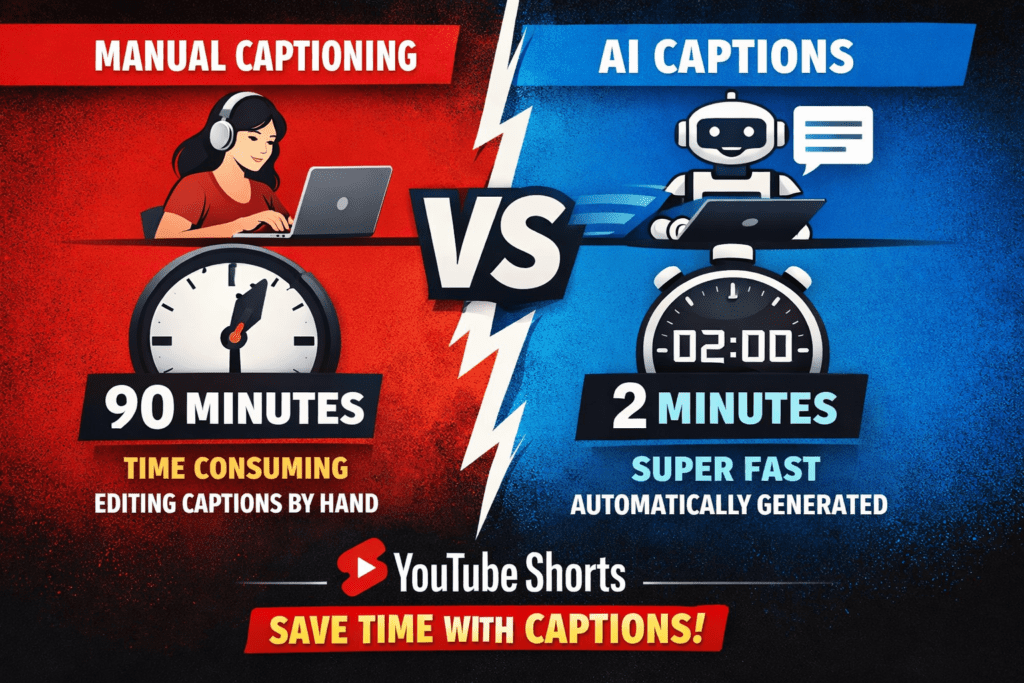
Transcribing a 60-second Short manually takes 15–30 minutes on average. Then you need to timestamp every line, format it into an SRT file, style the on-screen captions in your editor, review for errors, and export. That’s easily 45–90 minutes per video.
If you’re posting 5 Shorts a week — which is what the YouTube Creator Blog recommends for consistent Shorts growth — that’s 4–7 hours spent on captioning alone. Every single week.
That’s time stolen from filming better content. From building your community. From improving your editing. From researching trends. From everything that actually moves your channel forward in a meaningful way.
And here’s the kicker: manually written captions are often less accurate than AI-generated ones. Humans make mistakes, miss words, get timestamps wrong, and skip filler-word cleanup. AI caption generators achieve 95–99% accuracy consistently — faster than you could ever type.
Manual captioning was the only option in 2020. In 2026, it’s the creator equivalent of using a flip phone in a smartphone world.
The argument isn’t even close anymore. Every hour you spend manually transcribing your Shorts is an hour your competitors using AI tools are spending on growth.
The best caption generator for Shorts tools aren’t just time-savers — they’re competitive advantages. The gap between creators using AI and those doing it manually is widening every single month.
9. Why ytZolo Is Better Than Other Caption Tools for Shorts
You’ve seen the comparison table. Now let’s go deeper on why ytZolo sits in a different category from every other caption tool in this list.
Every other tool on this list does one thing well: captions.
Submagic — brilliant for styled captions. But once your video is captioned, you’re on your own for titles, descriptions, tags, hashtags, and thumbnail strategy.
CapCut — fantastic for mobile editing and auto-captions. But it’s an editing app, not a growth platform.
OpusClip — great for repurposing long-form content. But again, the optimization stops at the video level.
ytZolo is built differently.
ytZolo is an all-in-one AI YouTube growth platform — designed specifically for creators who want to go viral, not just produce content. Caption optimization is part of a complete workflow that gives you:
- ✅ AI-generated titles optimized for maximum click-through rate
- ✅ Keyword-rich descriptions structured for YouTube SEO
- ✅ Full hashtag sets combining broad, niche, and trending tags
- ✅ Complete tag lists with semantic and LSI keyword coverage
- ✅ Thumbnail concept briefs to maximize visual appeal
- ✅ Script hooks engineered to maximize the critical first 5 seconds
No other tool in the caption generator space does all of this. Not one.
Think about what that means for your workflow. Instead of using a caption generator for Shorts, then a separate title optimizer, then a hashtag tool, then a description writer, then a thumbnail guide — you use one platform. One login. One AI engine working across every element of your content optimization simultaneously.
That’s not a small upgrade. That’s a fundamental change in how you operate as a creator.
The ytZolo blog is packed with creator case studies, growth tutorials, and platform updates — everything you need to stay ahead of the curve on YouTube Shorts strategy.

10. How ytZolo Supercharges Your Caption Generator for Shorts Strategy
Here’s exactly how ytZolo works to transform your entire Shorts content workflow — with captions as a core part of the picture.
The Full ytZolo Workflow for Shorts Creators
Step 1: Enter Your Video Topic
Log into ytZolo.com and enter your Short’s topic or working title. Example: “3 morning habits that changed my life”
Step 2: Generate Your Complete Content Package
In seconds, ytZolo’s AI analyzes your niche, maps competitor performance, identifies trending terms, and delivers:
- ✅ A viral-engineered title with emotional triggers and keyword optimization
- ✅ A fully-structured description with natural keyword integration
- ✅ A complete hashtag set using the 3-tier broad/niche/specific formula
- ✅ A tag list covering semantic variations and LSI keywords
- ✅ A thumbnail concept brief with color, composition, and text direction
- ✅ A script hook — the opening lines engineered to capture and hold attention
Step 3: Apply Caption Optimization
With your script hook in hand, you now know exactly which phrases deserve visual emphasis in your captions when using a caption generator for shorts. The highest-impact words and lines — identified by ytZolo’s AI — become the focal points of your caption styling.
This is where ytZolo elevates caption generation from a mechanical task to a strategic one. You’re not just transcribing words. You’re amplifying the most algorithmically and emotionally powerful moments in your content.
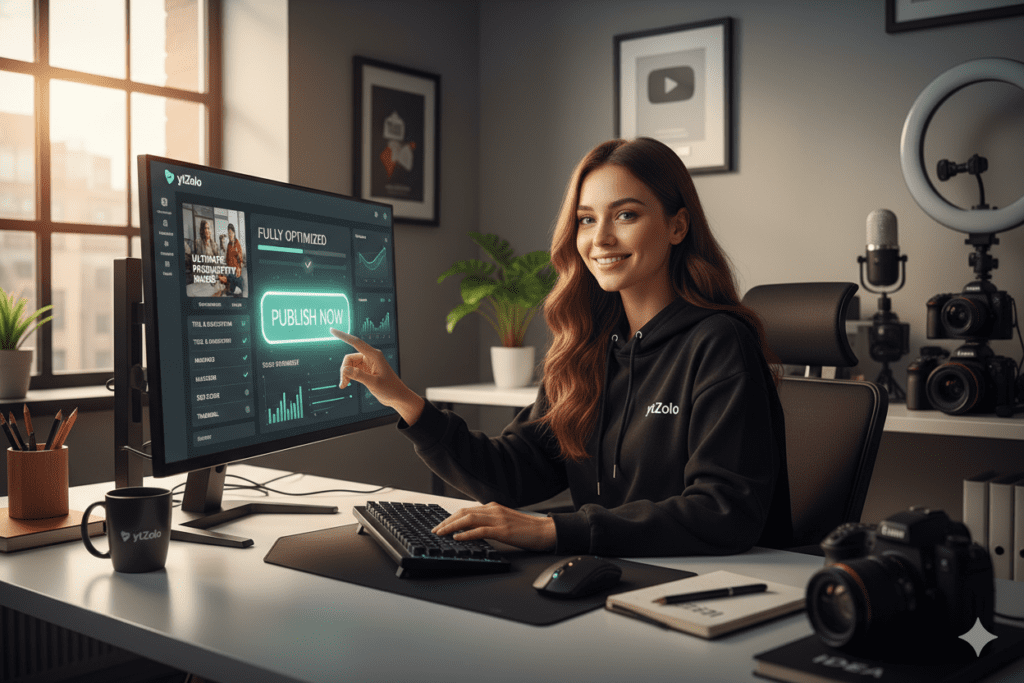
Step 4: Publish a Fully Optimized Short
Every element of your Short — the visual content, the captions, the metadata — is now working together as a unified, algorithm-ready package.
That’s the power of approaching caption generation as part of a complete strategy, not as a standalone afterthought.
“Since I started using ytZolo for my Shorts workflow, I stopped guessing and started growing. It’s like having a YouTube strategist on call 24/7.” — Creator feedback
11. Advanced Caption Tactics Used by Viral Shorts Creators
Ready to go beyond standard captioning? These advanced tactics separate good creators from consistently viral ones.
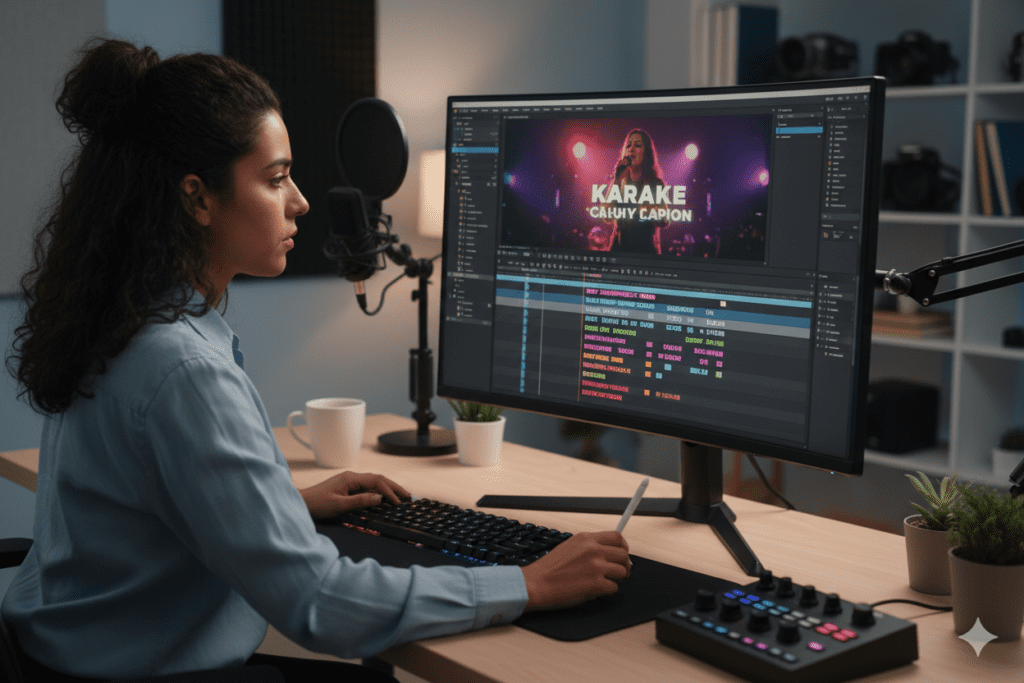
Tactic 1: The “Karaoke” Word-by-Word Highlight
Instead of displaying full sentence captions, show one word at a time — each highlighted as it’s spoken. This is the single most effective caption technique for retention in 2026.
Why? It forces the viewer’s eye to follow the text in sync with the speech. The brain locks in and can’t disengage as easily. Retention climbs. Replays increase.
Tactic 2: Caption-Forward Storytelling
Write your script with the caption experience in mind from the start. Keep sentences short — 5 to 8 words. Use punchy, declarative statements that land powerfully as individual caption blocks. Scripts written for captions perform better than scripts adapted for captions.
Tactic 3: The Callback Caption
In a caption generator for shorts strategy, repeat your hook or key phrase as a caption at the end of your Short. This creates a satisfying loop — the kind of content structure that drives replays naturally. Higher replay rate = stronger algorithmic signal.
Tactic 4: Bilingual Captions for International Reach
Add a secondary language caption track for your top non-English-speaking audience regions. YouTube’s analytics will show you where your viewers are coming from. If you have a significant audience in Brazil, Spain, or India, adding Portuguese, Spanish, or Hindi captions can dramatically expand your reach in those markets.
Tactic 5: Caption Your B-Roll
When you cut to b-roll footage with no spoken audio, add text captions to fill the silence. Something as simple as “And here’s what happened next…” or “This is the part that surprised everyone” keeps viewer attention alive during visual-only sequences.
Tactic 6: Upload SRT Files for YouTube SEO
Once your burnt-in captions from a caption generator for shorts are ready, extract the text and format it as an SRT file. Upload this to YouTube as a closed caption track. YouTube’s algorithm indexes this text for search — meaning your captions become a direct SEO tool.
According to research, videos with accurate closed captions see higher rankings in YouTube search results because the platform has richer text data to index and match to user queries.
12. Common Caption Mistakes That Kill Your Retention
Even creators who understand the value of captions still make these critical errors. Check yourself against this list.
❌ Mistake 1: Using YouTube’s Auto-Captions and Calling It Done
YouTube’s built-in auto-captions are notoriously inaccurate for fast speech, accents, and technical terms. They’re a starting point — not a finished product. Always review, edit, and style your caption generator for shorts captions properly before publishing.
❌ Mistake 2: Tiny, Unreadable Text
Small captions defeat the entire purpose of captioning. In the Shorts feed, your text competes with the YouTube UI, the like/comment buttons, and the next video already loading. Make your captions large enough to be read at a glance. If you have to squint, you’ve already lost the viewer.
❌ Mistake 3: Walls of Text
Displaying three or four lines of captions simultaneously is overwhelming — especially on mobile screens where the text block takes up half the frame. Break your captions into short, punchy lines of 5–7 words maximum.
❌ Mistake 4: Captions That Block Important Visuals
Positioning captions directly over your face, your product, or the key visual element of your Short breaks the watching experience instantly. Position captions thoughtfully — center frame or lower-center works best for Shorts — but always check that key visuals aren’t obscured.
❌ Mistake 5: Ignoring Caption Styling Entirely
Plain, unstyled captions look like an afterthought. Styled captions — with color, animation, and personality — look intentional and professional. The styling of your caption generator for Shorts output is as important as the accuracy of the transcription. Use it.
❌ Mistake 6: Forgetting the Caption CTA
Your final caption is often the last impression you leave on a viewer. Ending without a caption CTA is a massive missed opportunity. Even a simple “Follow for Part 2” or “Save this — you’ll need it” can generate significantly more engagement than ending in silence.
❌ Mistake 7: Using the Same Caption Style for Every Niche
A bold, neon word-by-word caption style that works brilliantly for a gaming channel looks completely wrong on a soft, minimal lifestyle channel. Match your caption style to your content identity. Consistency across your channel builds brand recognition. Inconsistency looks chaotic and erodes trust.
13. FAQ: Caption Generator for Shorts
Q1: What is the best free caption generator for Shorts?
The best free caption generator for Shorts options in 2026 include CapCut (free with strong auto-caption and karaoke styling for mobile users), Submagic’s free tier (solid for styled short-form captions), and VEED.IO’s free plan (best for multilingual captions).
For creators who want captions as part of a complete YouTube optimization workflow — including titles, descriptions, and hashtags — ytZolo is the most comprehensive option available.
Q2: Do captions really help YouTube Shorts get more views?
Yes — significantly. Videos with captions consistently see 12–15% higher completion rates, which directly improves the watch time signal that YouTube’s algorithm uses to decide how widely to distribute your Short.
Additionally, around 85% of mobile video views happen on mute, so captions are the only thing keeping a large portion of your potential audience engaged. A good caption generator for Shorts is one of the highest-ROI optimizations you can make.
Q3: What’s the difference between subtitles and captions for YouTube Shorts?
Subtitles are plain text transcription files (SRT/VTT) uploaded to YouTube for accessibility and SEO indexing. Captions — in the context most creators mean — refer to the styled, burnt-in on-screen text that’s baked directly into the video during editing.
Both are important: subtitles help with search discoverability, while styled burnt-in captions drive viewer retention. The best caption generator for Shorts tools help you produce both.
Q4: How many words should appear per caption line on YouTube Shorts?
The optimal caption line length for YouTube Shorts is 5 to 7 words (approximately 32–42 characters). This length matches the natural rhythm of speech, fits comfortably on a mobile screen, and keeps the reading experience fast and immersive. Lines longer than 8–10 words create visual clutter and force viewers to pause reading — hurting retention.
Q5: How does ytZolo help with captions for YouTube Shorts?
ytZolo helps Shorts creators with captions as part of a complete AI content optimization workflow. It generates viral-ready script hooks — identifying the highest-impact phrases in your content — so you know exactly which words deserve visual emphasis in your caption styling.
Combined with ytZolo’s title, description, hashtag, and thumbnail generation, it ensures your captioned Short is fully optimized across every element that drives views and growth.
14. Conclusion: Every Second Without Captions Is a View You’re Losing
Here’s the reality of YouTube Shorts in 2026.
Over 200 billion Shorts are watched every single day. 85% of those views happen on mute. And the algorithm rewards creators who keep viewers watching — to the very last second.
Without a caption generator for Shorts, you’re invisible to the majority of your potential audience. Your message never lands. Your retention suffers. And the algorithm sends your Short to fewer and fewer people.
With a great caption generator for Shorts, your content works in every environment — silent commutes, noisy cafés, late-night scrolling sessions. Every viewer, every context, every moment. Your completion rate climbs. Your watch time signals strengthen. The algorithm takes notice.
But here’s the insight that separates growing creators from stagnant ones:
Captions alone don’t make you viral. They’re one piece of a larger puzzle. You also need a title that demands a click. A description that ranks in search. Hashtags that find your audience. A thumbnail that stops the scroll before the video even starts.
That’s the complete picture. And that’s exactly what ytZolo delivers — all in one place, powered by AI, in minutes.
Stop treating each element of your Shorts optimization as a separate task. Start treating your content as a complete, integrated system — where every piece is working together toward one goal: more views, more growth, and more impact.
The creators winning on Shorts right now aren’t just captioning their videos. They’re optimizing everything. And they’re doing it faster than ever, with smarter tools than ever.
The window is open. Your audience is waiting. Your next viral Short is one fully optimized upload away.
🚀 Ready to Go Viral?
Start creating smarter, faster, and more viral YouTube content with ytZolo today.
Every Short you post without full optimization is a missed opportunity. ytZolo fixes that — giving you AI-powered titles, descriptions, hashtags, captions strategy, and thumbnail concepts in one platform, in minutes. Visit ytzolo.com and start growing today.
Hungry for more free creator strategy? The ytZolo blog publishes in-depth YouTube growth guides, Shorts optimization tutorials, and AI tool breakdowns — all built specifically for creators like you.
External Resources Referenced:
- YouTube Creator Blog — Official YouTube guidance on Shorts best practices and posting strategy
- Hootsuite’s Social Media Statistics — Platform engagement data and social video benchmarks
- Ahrefs YouTube SEO Guide — Deep-dive SEO strategies for YouTube creators

