

Introduction: The Creator Who Almost Quit
Marcus had been uploading YouTube videos for 14 months straight.
He was consistent. He was passionate. He was exhausted.
Every week looked the same — hours of brainstorming ideas, writing scripts from scratch, wrestling with titles, guessing at thumbnails, and still getting fewer than 300 views per video. He wasn’t growing. He was grinding.
Then one Tuesday night, a frustrated Marcus typed something into Google: “free AI YouTube planner.”
What he found changed everything. Within 30 days, his views tripled. His upload schedule went from chaotic to consistent. And for the first time in over a year, he actually enjoyed making content again.
The secret wasn’t working harder. It was working smarter — with AI.
If you’re a YouTube creator who’s tired of guessing, struggling with consistency, or watching your growth flatline, this guide is for you. We’re going to break down exactly what a free AI YouTube planner is, why you desperately need one in 2026, and why ytZolo is the tool that’s changing the game for creators worldwide.
Let’s get into it.
Table of Contents
What Is a Free AI YouTube Planner?
A free AI YouTube planner is a tool that uses artificial intelligence to help you plan, organize, and optimize your YouTube content — without the manual grind.
Think of it as your personal YouTube strategist, available 24/7, that never gets tired, never runs out of ideas, and never makes you stare at a blank page wondering what to upload next.
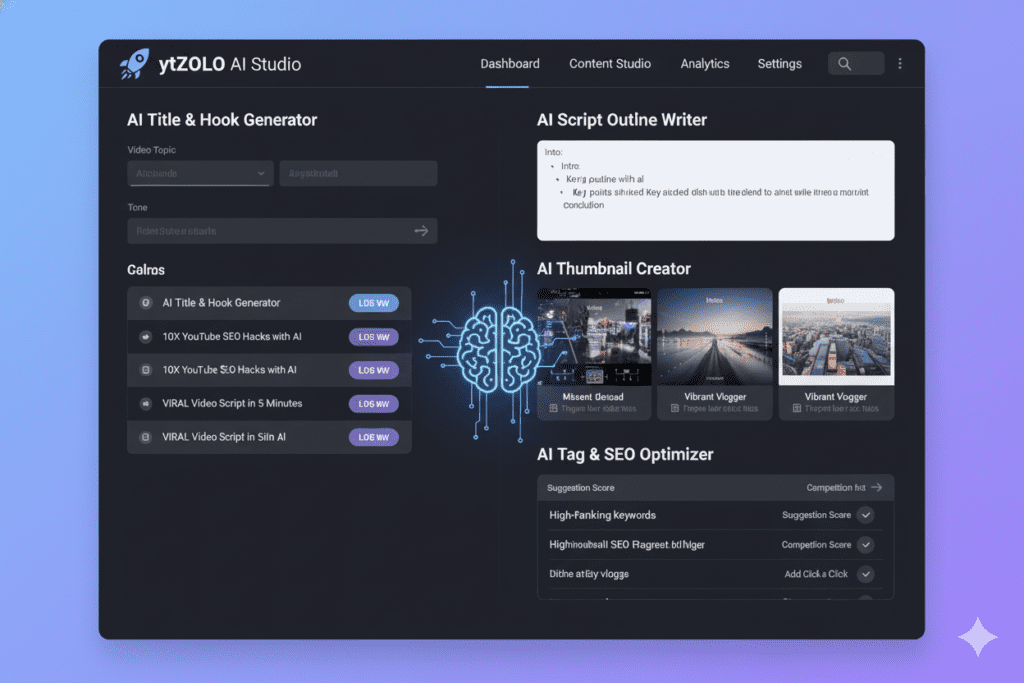
A good free AI YouTube planner handles the heavy lifting — from generating video ideas and writing scripts to suggesting SEO-optimized titles, descriptions, and tags. It takes the chaos out of content creation and replaces it with a smart, repeatable system.
In 2026, using a free AI YouTube planner isn’t a nice-to-have. It’s the baseline for any creator who wants to compete.
Why Manual YouTube Planning Is Killing Your Growth
Here’s the painful truth most creators don’t want to hear.
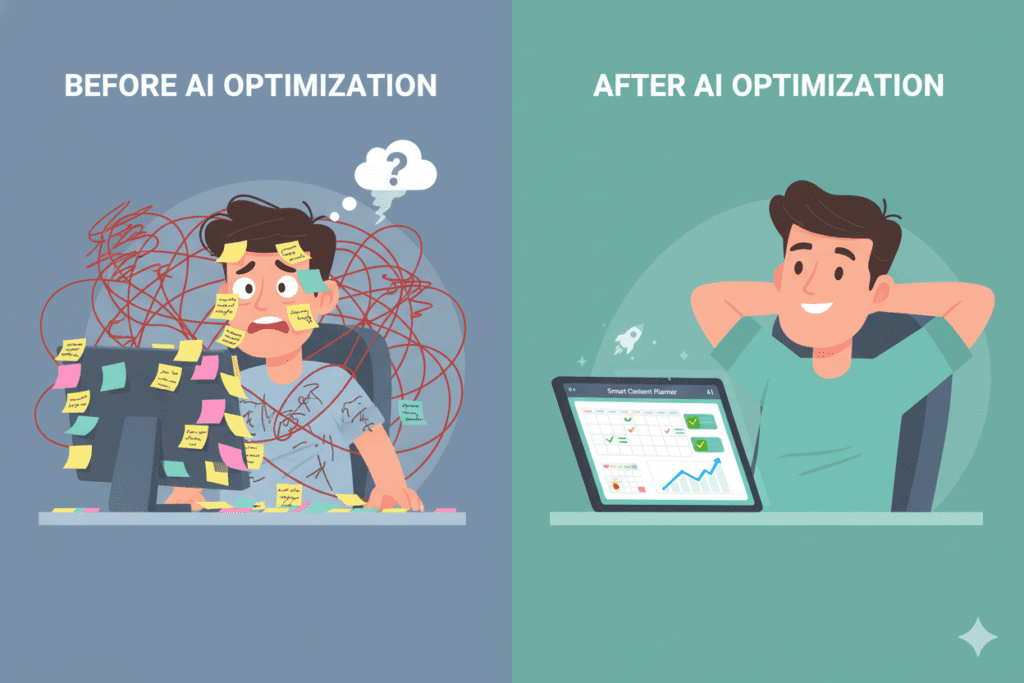
Manual YouTube planning is slow, inconsistent, and based almost entirely on guesswork. You spend hours brainstorming ideas — only to discover later that nobody was searching for them. You write titles that feel good but don’t drive clicks. You copy thumbnail styles you saw on another channel, hoping they’ll work the same way for yours.
This approach isn’t a strategy. It’s hoping.
The creators growing fast in 2026 aren’t working harder. They’re using data. They’re using AI. They’re using tools like ytZolo that turn guesswork into a proven, repeatable process.
According to YouTube’s own Creator Academy, consistency is one of the top factors in channel growth — but consistency is nearly impossible when planning alone drains your creative energy before you even hit record.
That’s exactly the problem a free AI YouTube planner solves.
The Real Cost of Not Using AI
Without a free AI YouTube planner, here’s what you’re actually dealing with every single week:
- Time wasted on research — manually searching YouTube, Reddit, and competitor channels for ideas
- Inconsistent upload schedules — because the planning takes too long and burnout kicks in
- Low CTR — because titles and thumbnails are based on gut feeling, not data
- Missed keywords — because keyword research is skipped or done poorly
- Creative burnout — because the process feels exhausting instead of exciting
Every one of these problems has an AI solution. And the best part? You don’t need five different apps to fix them. You need one.

Key Features to Look for in a Free AI YouTube Planner
Not all free AI YouTube planner tools are built equal. Here’s what separates the tools worth your time from the ones that waste it.
AI-Powered Idea Generation
Your planner should generate content ideas based on what people are actively searching for — not just what sounds interesting. Look for tools that pull from real YouTube data, trending topics, and search volume signals.
SEO Title Optimization
A great title is the difference between 300 views and 300,000 views. Your free AI YouTube planner should generate multiple title options, each optimized for click-through rate and keyword performance.
Script Writing Assistance
The best planners don’t just help you plan your content. They help you make it. AI script tools that understand YouTube pacing, hooks, and audience retention are worth their weight in gold.
Thumbnail Generation
Your thumbnail is your first impression on YouTube. An AI planner that generates niche-specific, CTR-optimized thumbnail concepts removes one of the biggest creative bottlenecks in the entire workflow.
Description and Tag Optimization
SEO doesn’t stop at the title. Your free AI YouTube planner should also help you write keyword-rich descriptions and generate tags that help YouTube’s algorithm understand and rank your content.
All-in-One Workflow
The best tools combine all of these features in one place. Jumping between five different apps kills momentum and costs time. One unified platform — like ytZolo — keeps your entire workflow connected.
How a Free AI YouTube Planner Actually Works
Understanding the mechanics behind a free AI YouTube planner helps you use it more effectively.
Most AI YouTube planners are powered by large language models trained on massive datasets. These models understand search patterns, content performance data, viral content structures, and audience behavior.
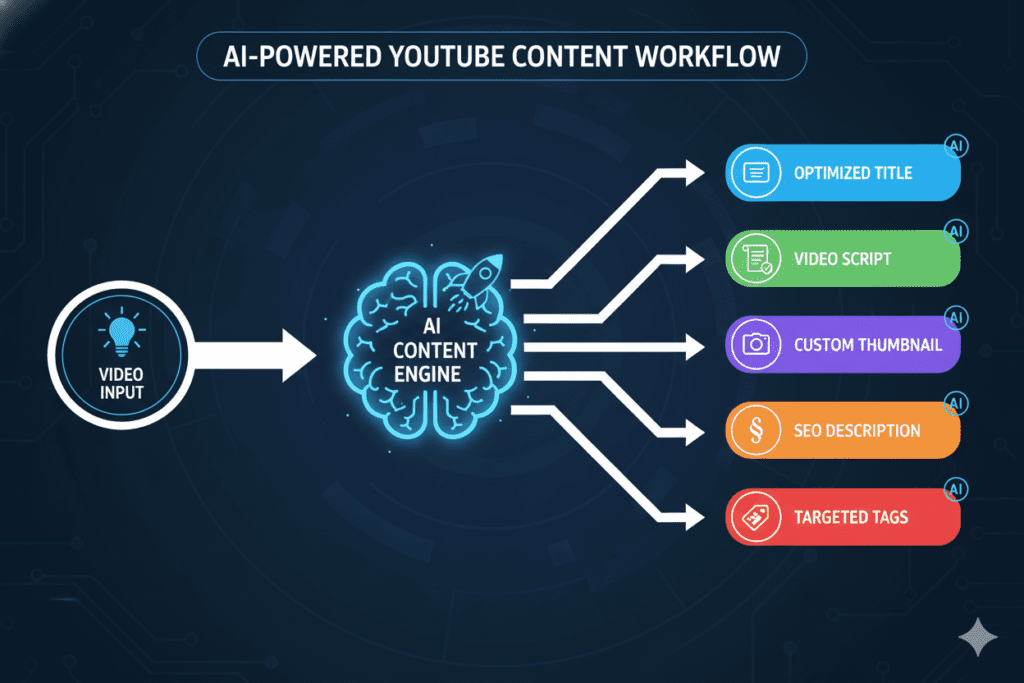
When you input a video topic or keyword, the AI analyzes it against everything it knows about what performs well on YouTube. It then generates optimized outputs — titles, scripts, descriptions, thumbnails, and tags — based on that analysis.
The result? Content that’s not just creative, but strategically designed to rank, get clicked, and get watched.
Here’s what this looks like in practice with a tool like ytZolo:
- You enter your video topic — something like “beginner guitar tips” or “how to start a podcast”
- The AI analyzes keyword data — identifying high-volume, lower-competition opportunities
- You receive multiple title options — each scored for CTR potential
- AI generates a full script draft — structured with a hook, main content, and call-to-action
- Thumbnail concepts are generated — visually optimized for your niche
- Description and tags are auto-created — filled with semantically relevant keywords
The entire process that used to take a creator hours now takes minutes. That’s the power of a free AI YouTube planner.
Step-by-Step: How to Plan Your YouTube Content with AI
Ready to start using a free AI YouTube planner in your workflow? Here’s a practical, actionable process you can follow right now.
Step 1: Define Your Niche Focus
Before you open any tool, get clear on who you’re making content for. A specific audience beats a broad audience every time. The more clearly you define your viewer, the more targeted (and effective) your AI outputs will be.
Step 2: Generate a Month of Video Ideas
Open your free AI YouTube planner and input your niche and target audience. Ask the AI to generate 20–30 video ideas. Filter them based on what’s most relevant, most searched, and most exciting for you to make.
Batch this process once a month. You’ll never stare at a blank “what should I upload?” screen again.
Step 3: Validate Ideas with Keyword Data
Not every idea deserves your time. Use your planner’s keyword tools to check search volume and competition. Prioritize ideas that have real search demand but aren’t completely oversaturated.
Look for the sweet spot — topics people are searching for, but that haven’t been covered to death by bigger channels.
Step 4: Generate AI-Optimized Titles
Take your validated idea and run it through your AI title generator. Get at least 5–10 title options. Look for titles that:
- Include your target keyword naturally
- Create curiosity or emotional response
- Stay under 70 characters for optimal display
- Use power words that trigger clicks
Step 5: Write Your Script with AI Assistance
Use your planner’s script tool to generate a structured draft. Don’t treat this as your final script — treat it as a strong first draft you personalize with your voice, examples, and experiences.
A good script hook in the first 30 seconds is worth more than anything else. Make sure your AI-generated hook is punchy, specific, and immediately relevant to the viewer’s problem.
Step 6: Create Your Thumbnail
Generate multiple thumbnail concepts with your AI planner. Pick the one that’s most visually striking at small sizes (think mobile viewing), has high-contrast colors, and uses minimal, punchy text.
Test two or three thumbnail variants when possible. The data will always surprise you.
Step 7: Optimize Your Description and Tags
Let your AI planner write a keyword-rich description that includes your primary keyword in the first two sentences, a compelling summary, and a call-to-action. Then generate a full tag set covering your topic, related keywords, and channel-specific terms.
Step 8: Schedule and Batch
The real magic happens when you batch this entire process. Use your free AI YouTube planner to prepare 4–8 videos at a time. Then you’re always working ahead of your upload schedule, not scrambling at the last minute.

Why ytZolo Is the Best Free AI YouTube Planner in 2026
There are a lot of AI tools out there. Most of them do one thing reasonably well. ytZolo does everything — and it does it better.
ytZolo is an all-in-one AI YouTube growth platform built specifically for creators who want to scale their channels without burning out. It’s not a generic writing tool that happens to have a YouTube template. It’s a purpose-built YouTube growth engine.
Here’s what makes ytZolo stand out as the top free AI YouTube planner available today:
Everything Lives in One Place
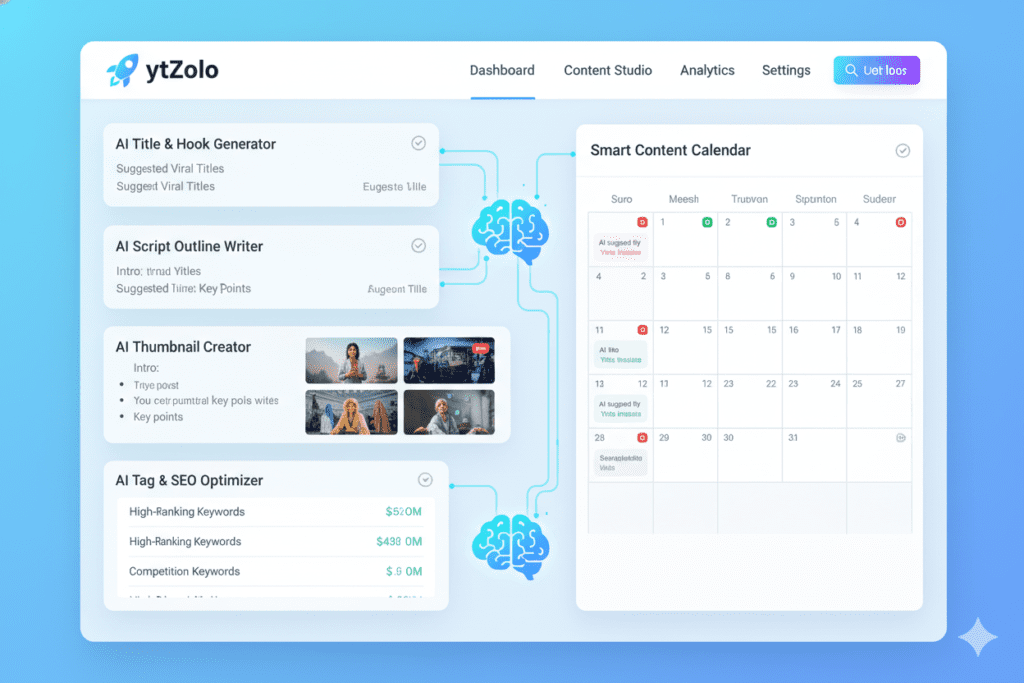
No more jumping between ChatGPT for scripts, Canva for thumbnails, TubeBuddy for tags, and a separate tool for descriptions. With ytZolo, your title, script, thumbnail, description, and tags are all generated inside one platform — and they’re all connected to the same video concept.
That consistency isn’t just convenient. It’s a genuine competitive advantage.
Built for YouTube Performance, Not Generic Writing
ytZolo’s AI is trained specifically on what works on YouTube. It understands the difference between a script that reads well and a script that watches well. It knows that YouTube thumbnails need to pop on mobile at 150 pixels wide. It generates titles based on CTR data, not just creative instinct.
Generic AI tools are powerful. But they weren’t built for YouTube creators. ytZolo was.
Free to Start, No Credit Card Required
You can get started with ytZolo right now — completely free. Head to ytzolo.com, create your account, and start generating content in minutes. No credit card. No commitment. Just results.
For creators who want to go deeper, premium plans unlock higher output volumes and advanced features. But the free plan gives you everything you need to experience the power of AI-driven content planning.
Niche-Adaptive AI
Whether you run a gaming channel, a finance education channel, a beauty vlog, or a true crime podcast, ytZolo adapts to your niche. The AI understands that what converts in gaming looks completely different from what converts in personal finance. Your content gets customized outputs — not generic templates.
Check out the ytZolo blog for niche-specific creator case studies and tutorials that show exactly how the platform works across different content categories.
Viral-First Design Philosophy
Every feature inside ytZolo is built around one goal: helping your content go viral. The thumbnail generator is trained on millions of high-performing videos. The title optimizer uses CTR scoring. The script tool builds in retention-optimized structure. This isn’t an accident — it’s the entire design philosophy.
Why ytZolo Is Better Than Other Tools
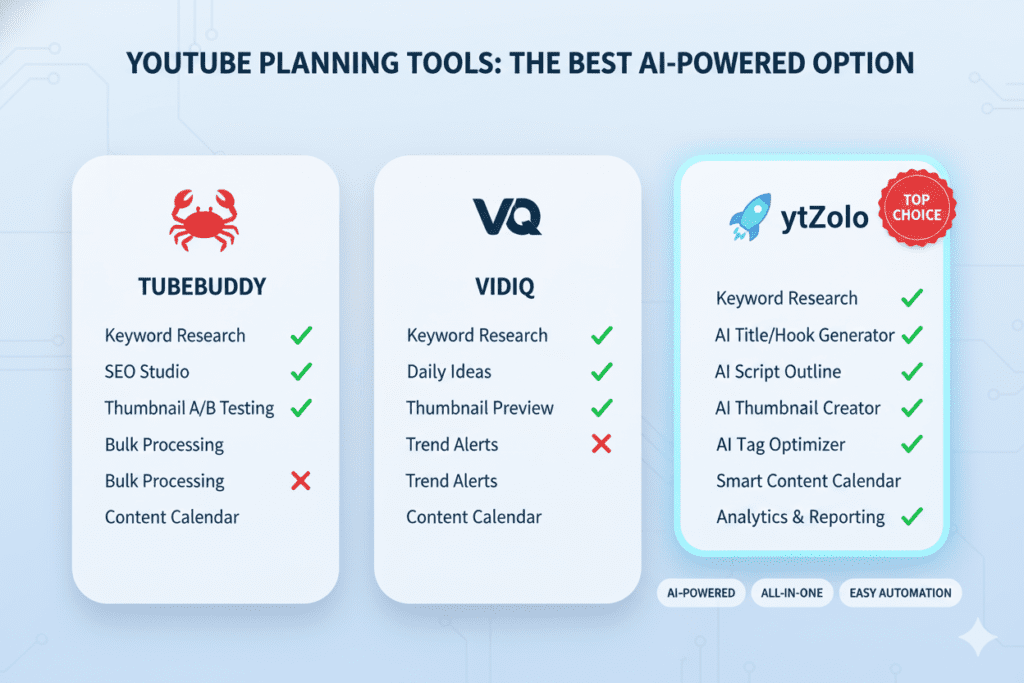
Let’s be direct. The market is crowded with tools that claim to be the best free AI YouTube planner. Here’s how ytZolo actually stacks up against the biggest names.
ytZolo vs. TubeBuddy
TubeBuddy is a solid analytics tool trusted by millions of creators. It does keyword research well. But it’s primarily an analytics-first platform — the planning and content creation features are secondary. You still need other tools for scripting, thumbnail creation, and full content planning.
ytZolo is a creation-first platform. It handles your entire workflow from idea to upload-ready content — all in one place.
ytZolo vs. VidIQ
VidIQ excels at keyword research and competitor channel analysis. Its “Daily Ideas” feature is genuinely useful for inspiration. But like TubeBuddy, VidIQ doesn’t generate scripts, create thumbnails, or provide a fully connected content planning workflow.
ytZolo does all of that. And it does it with AI outputs specifically tuned for YouTube performance — not just keyword data.
ytZolo vs. ChatGPT
ChatGPT is an incredibly powerful general-purpose AI. But it doesn’t understand YouTube’s algorithm. It doesn’t generate thumbnails. It doesn’t optimize titles for CTR scoring. And it definitely doesn’t connect your title, script, thumbnail, and tags into one cohesive content unit.
With ChatGPT, you’re still doing most of the work. With ytZolo, the AI does the heavy lifting — specifically for YouTube.
ytZolo vs. Canva
Canva is a wonderful design tool. But it’s a blank canvas — it doesn’t know your niche, doesn’t understand YouTube’s algorithm, and won’t tell you whether your thumbnail will actually get clicks. You’re still guessing.
ytZolo generates thumbnails based on CTR data, niche trends, and your specific video concept. The difference is data-driven design versus intuition-based design.
The Verdict
| Feature | ytZolo | TubeBuddy | VidIQ | ChatGPT | Canva |
|---|---|---|---|---|---|
| AI Title Generator | ✅ | ✅ (limited) | ✅ (limited) | ✅ | ❌ |
| AI Script Writing | ✅ | ❌ | ❌ | ✅ | ❌ |
| AI Thumbnail Generator | ✅ | ❌ | ❌ | ❌ | ❌ (manual) |
| AI Description & Tags | ✅ | ✅ | ✅ | ✅ (manual) | ❌ |
| All-in-One Workflow | ✅ | ❌ | ❌ | ❌ | ❌ |
| YouTube-Specific AI | ✅ | ✅ | ✅ | ❌ | ❌ |
| Free to Start | ✅ | ✅ | ✅ | ✅ | ✅ |
The difference is clear. ytZolo is the only tool on this list that’s truly all-in-one — a complete free AI YouTube planner that covers every stage of your content workflow.
Real Results: What Happens When You Use a Free AI YouTube Planner
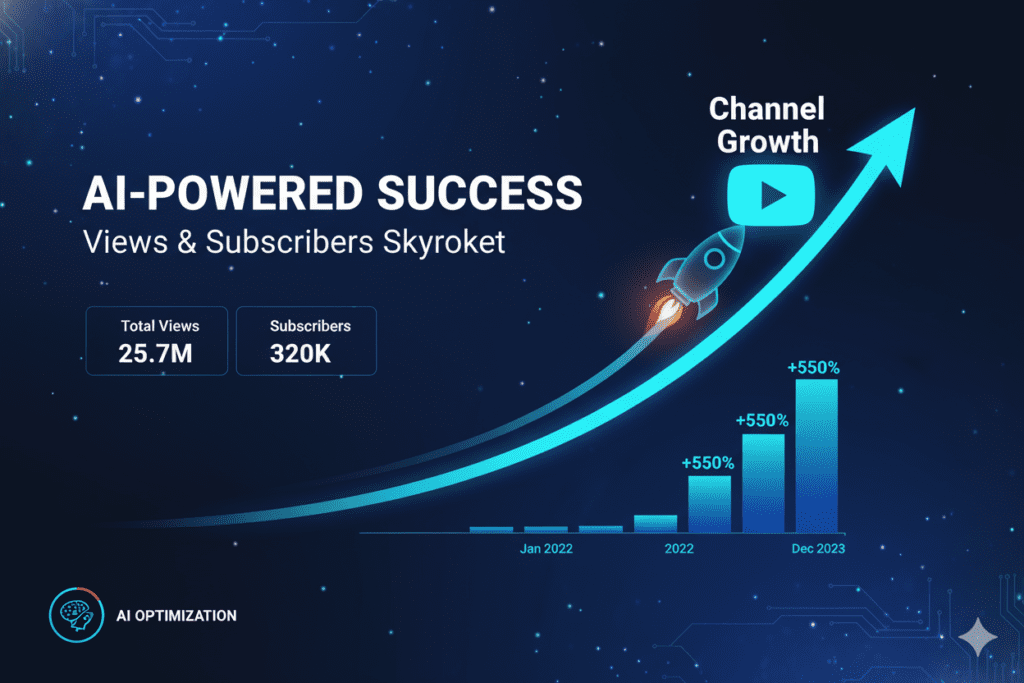
The numbers don’t lie. Creators who switch from manual planning to AI-powered workflows consistently see dramatic improvements — not just in views, but in their entire relationship with content creation.
Here’s what typically changes when creators start using a free AI YouTube planner like ytZolo:
Faster content production. Creators who once spent 6–8 hours per video on research and planning cut that time to under 90 minutes. That’s not a small difference — that’s entire days of your week given back to you.
More consistent uploading. When planning is hard, creators skip it. When it’s easy, they do it. Consistent uploaders — those who post on a regular schedule — grow significantly faster than irregular uploaders, according to data from HubSpot’s research on content consistency.
Higher CTR from better titles and thumbnails. When your titles are data-driven and your thumbnails are optimized for your niche, more people click. And when more people click, YouTube pushes your video to even more viewers. It’s a growth flywheel.
Reduced creative burnout. This is the one most creators don’t expect. When AI handles the tedious parts of planning, you have more creative energy for the parts that actually require your unique voice and personality.
Better SEO performance. AI-generated descriptions and tags that are semantically rich and keyword-relevant help YouTube’s algorithm understand and recommend your content more accurately.
Advanced Tips for Getting More From Your AI YouTube Planner
Using a free AI YouTube planner is powerful. Using it strategically is transformative. Here are the advanced moves that separate casual users from creators who dominate their niche.
Tip 1: Be Specific with Your Inputs
The quality of your AI output is directly connected to the quality of your input. Instead of typing “cooking tips,” try “easy 20-minute dinner recipes for college students on a budget.” The more specific you are, the more targeted and useful your AI outputs will be.
Tip 2: Batch Your Content Planning Sessions
Sit down once a week or once a month and plan 4–8 videos at a time. Use your free AI YouTube planner to generate ideas, titles, scripts, and thumbnails in a single session. This batching approach keeps you consistently ahead of your upload schedule — and dramatically reduces decision fatigue.
Tip 3: A/B Test Everything
Your AI planner gives you multiple title and thumbnail options. Use them. YouTube Studio’s Test & Compare feature lets you run real A/B tests with your actual audience. The data will consistently reveal things your gut wouldn’t have predicted.
Tip 4: Add Your Personal Voice to AI Scripts
AI-generated scripts are powerful starting points — not finished products. Always personalize with your own stories, examples, humor, and perspective. Your voice is what makes viewers subscribe. The AI handles the structure; you bring the soul.
Tip 5: Use Keyword Clusters, Not Single Keywords
Instead of optimizing for one keyword, build your video around a cluster of related terms. Your free AI YouTube planner — especially ytZolo — understands semantic relationships and can generate content that naturally covers multiple related search queries, boosting your overall discoverability.
Tip 6: Study Your Best-Performing Videos
Every month, review your top-performing videos in YouTube Analytics. Look for patterns — which titles drove the most CTR? Which thumbnail styles got the most clicks? Which topics kept viewers watching longest? Feed these insights back into your AI planner prompts to continuously improve your outputs.
FAQ: Free AI YouTube Planner
Q1: What is the best free AI YouTube planner for beginners?
The best free AI YouTube planner for beginners in 2026 is ytZolo. It’s designed for creators at every experience level and covers every stage of content planning — from idea generation to titles, scripts, thumbnails, descriptions, and tags — all in one place. You can create a free account with no credit card required and start generating content in minutes.
Q2: Can a free AI YouTube planner help me get more views?
Yes. A free AI YouTube planner improves the strategic and technical quality of your content — better titles increase CTR, better thumbnails get more clicks, and better keyword optimization improves your searchability. All of these factors contribute directly to increased views. Creators who use AI-powered planning consistently outperform those who rely on manual guesswork.
Q3: Is ytZolo really free to use?
ytZolo offers a free plan that gives creators access to core features including AI title generation, script writing, and thumbnail creation. You can sign up at ytzolo.com with no credit card required. Premium plans are available for creators who need higher output volumes or advanced features — but the free plan is a genuine, full-featured starting point.
Q4: How is a free AI YouTube planner different from using ChatGPT?
ChatGPT is a powerful general-purpose AI, but it wasn’t built for YouTube creators. It doesn’t generate thumbnails, doesn’t score titles for CTR, doesn’t optimize content for YouTube’s algorithm, and doesn’t connect your title, script, and thumbnail into one cohesive content unit. A dedicated free AI YouTube planner like ytZolo is purpose-built for YouTube — every feature is designed around what actually drives views, clicks, and subscribers on the platform.
Q5: How often should I use a free AI YouTube planner?
The most effective approach is to use your AI YouTube planner in batched planning sessions — ideally once a week or once a month — to plan and prepare multiple videos at once. This keeps you consistently ahead of your upload schedule and reduces the stress of last-minute planning. Many creators also use their planner daily for quick title testing and idea validation between major planning sessions.
Conclusion: Stop Guessing. Start Growing with a Free AI YouTube Planner.
Here’s the bottom line.
YouTube in 2026 is more competitive than ever. The creators winning aren’t necessarily the most talented or the most experienced. They’re the most strategic. They’re using data. They’re using AI. They’re using a free AI YouTube planner to plan smarter, create faster, and grow consistently.
Manual planning had its place. But it’s slow, it burns you out, and it leaves too much to chance. Every week you spend grinding through planning alone is a week your competitors are using AI to work at twice the speed.
ytZolo brings everything you need into one platform. Viral titles. Engaging scripts. Click-worthy thumbnails. SEO-optimized descriptions. Keyword-rich tags. All powered by AI. All designed specifically for YouTube growth.
You don’t need a bigger budget, a fancier camera, or more hours in the day. You need a smarter system.
The best time to start using a free AI YouTube planner was six months ago. The second-best time is right now.
Start creating smarter, faster, and more viral YouTube content with ytZolo today. 👉 ytzolo.com
Want to go deeper? Explore more creator growth strategies and AI tool guides on the ytZolo blog. From thumbnail psychology to advanced keyword research, it’s the resource library every serious YouTuber needs.

