

Introduction: You’re Working Too Hard for Too Few Views
Let me paint a picture you probably know too well.
It’s 11 PM. You’ve spent six hours editing a video. You still have to write the description, research tags, design the thumbnail, and come up with a title that won’t bomb.
You post the video. Crickets.
Meanwhile, some creator with half your production quality is pulling 100K views on a video they uploaded in three hours. What’s their secret?
Free AI tools for content creators — and they know exactly which ones to use.
In 2026, the gap between growing creators and stuck ones isn’t talent. It isn’t equipment. It’s whether or not you’re using AI to work smarter. The best free AI tools for content creators can handle the heavy lifting — titles, scripts, thumbnails, tags, descriptions — so you can focus on what you love: making great content.
This guide breaks down the 15 best free AI tools for content creators available right now. We’ll cover writing tools, video tools, design tools, and SEO tools. And we’ll show you why one all-in-one platform — ytZolo — is the tool serious YouTubers are calling their unfair advantage.
Let’s get into it.
Table of Contents
Why Content Creators Struggle Without AI
Here’s a truth nobody tells you when you start a YouTube channel.
Creating the video is the easy part.
The hard part is everything around the video — the title research, the SEO optimization, the thumbnail design, the description writing, the tag strategy. If you do all of that manually, you’re spending more time on admin than on actual content.
Studies show that content creators spend up to 30% of their total work time on tasks that AI can now automate in minutes. That’s hours every week stolen from creativity, scripting, filming, and building a real audience.
Manual methods are simply outdated. Guessing at keywords, picking titles based on gut feeling, designing thumbnails by trial and error — these approaches made sense five years ago. They don’t anymore.
The creators winning on YouTube in 2026 are using free AI tools for content creators to automate the repetitive work and focus their energy where it counts. If you’re still doing it all by hand, you’re not just working harder — you’re falling further behind every single day.

What to Look for in Free AI Tools for Content Creators
Not every “free” AI tool is actually worth your time.
Some have tiny usage limits. Some produce robotic, generic output. And some are free tools wrapped around a product that’s trying to upsell you every five minutes.
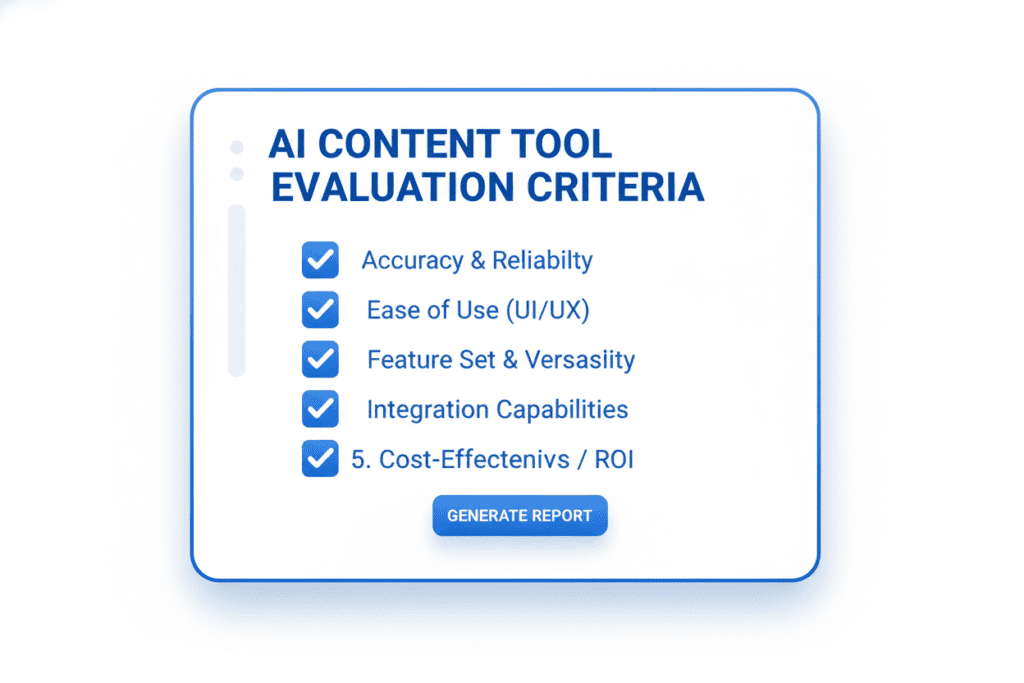
Here’s what actually matters when evaluating free AI tools for content creators:
- Generous free tier — Can you actually get meaningful work done without hitting a paywall?
- Platform-specific design — A tool built for YouTubers will always outperform a generic writing tool for YouTube tasks.
- Speed — You’re a creator, not a developer. The tool should work in seconds, not minutes.
- Quality of output — AI-generated content should feel human, not robotic.
- Integration — The best tools connect your title, script, thumbnail, and tags into one workflow.
Keep these criteria in mind as we walk through the best tools in each category.
Best Free AI Writing & Script Tools
1. ChatGPT (OpenAI)
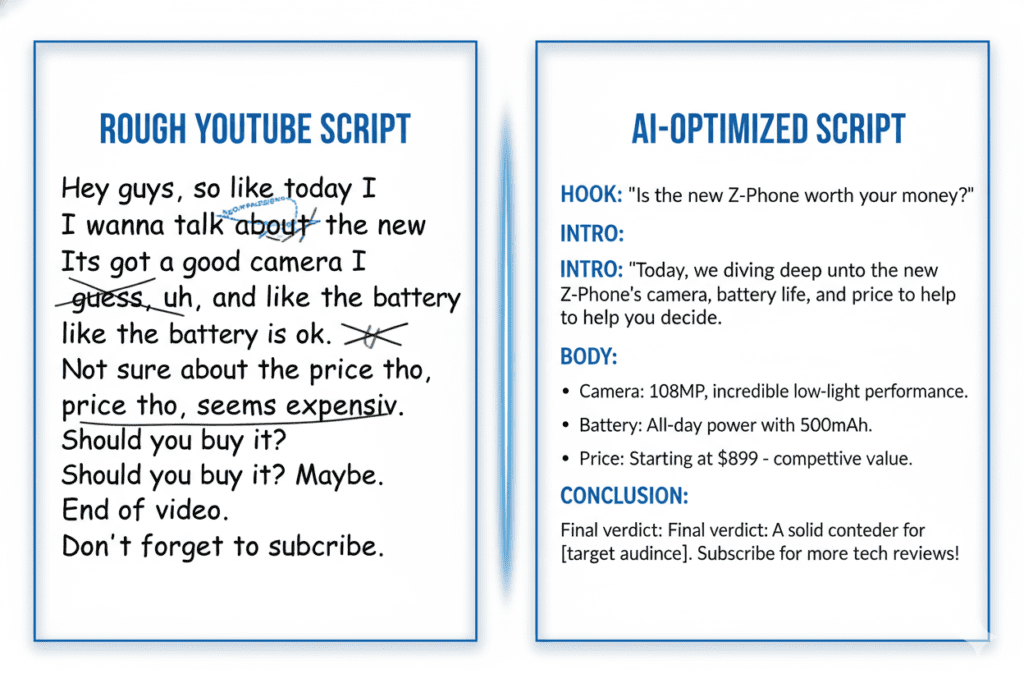
ChatGPT is the Swiss Army knife of free AI tools for content creators. The free tier gives you access to GPT-4o-mini, which handles brainstorming, drafting outlines, repurposing content, and writing hooks.
It’s incredibly versatile. But it’s also generic — ChatGPT doesn’t understand YouTube pacing, hook structure, or what keeps viewers watching past the 30-second mark.
Best for: Brainstorming, first drafts, idea generation
Free plan: Yes (limited turns per hour)
2. Claude (Anthropic)
Claude is fast becoming the go-to for long-form content that sounds genuinely human. Its natural language output is among the best of any AI tool right now.
It handles nuance well and is less likely to produce repetitive or robotic phrasing. For creators writing blog posts, email newsletters, or detailed video scripts, Claude is a strong free option.
Best for: Long-form writing, brand-consistent content
Free plan: Yes
3. Copy.ai
Copy.ai focuses on short-form content — social media captions, video hooks, ad copy. Its free plan includes 10 credits per month, which is thin but enough to test.
For YouTube-specific needs like descriptions and intro hooks, it works reasonably well. But like ChatGPT, it doesn’t understand the YouTube algorithm or what makes a video rank.
Best for: Short-form copy, captions, hooks
Free plan: Yes (10 credits/month)
4. Grammarly
Grammarly is an essential polish tool for any creator publishing written content. It catches errors, improves clarity, and adjusts tone in real time.
Its free plan covers basic grammar and spelling. The premium tier adds style suggestions, but the free version alone is genuinely useful for any creator writing descriptions, blog posts, or scripts.
Best for: Proofreading, clarity, tone checking
Free plan: Yes
Best Free AI Video & Editing Tools
5. CapCut
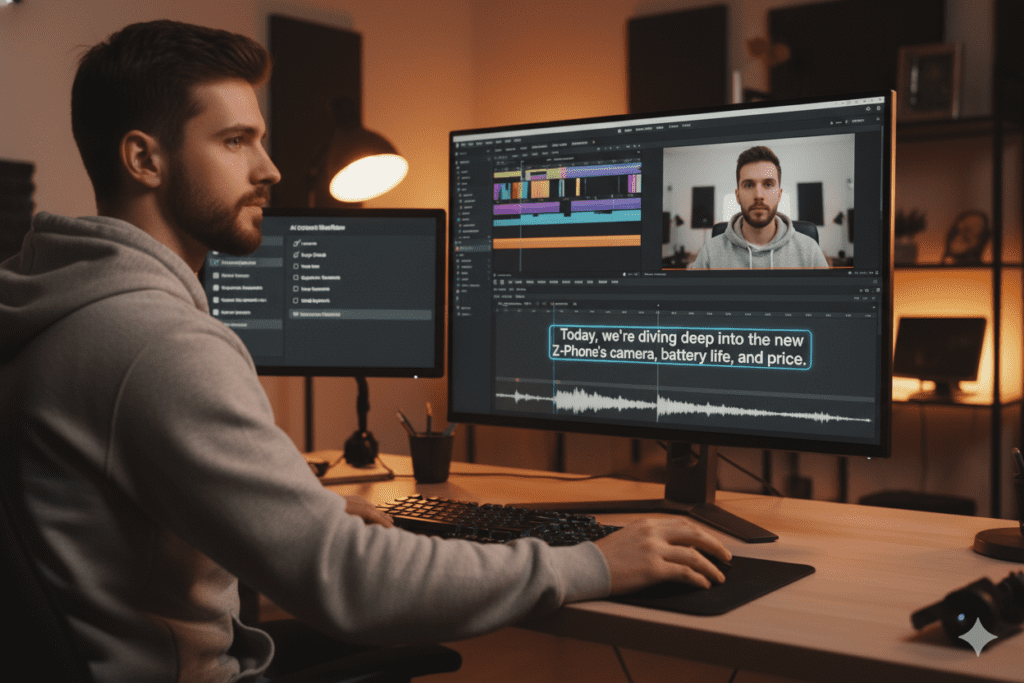
CapCut has become the default video editor for short-form creators — and for good reason. The free plan is generous. Its AI features auto-generate captions, remove backgrounds, and handle basic transitions with minimal effort.
It works across mobile and desktop, making it one of the most accessible free AI tools for content creators on this list.
Best for: Short-form content, Reels, Shorts, TikTok
Free plan: Yes (with watermark on some exports)
6. Descript
Descript is a content creator’s dream for podcast and video editing. You edit audio and video by editing the text transcript — which sounds wild until you try it and realize how much time it saves.
The free plan includes limited transcription minutes, but it’s enough to experience how powerful text-based video editing can be.
Best for: Podcast editing, removing filler words, repurposing video
Free plan: Yes (limited transcription)
7. Kapwing
Kapwing is a browser-based video editor with solid AI features. Auto-subtitles, video resizing, and basic editing are all available in the free tier.
It’s perfect for creators who want to work without downloading software. The watermark on free exports is a limitation, but it’s a small price for how much the tool can do.
Best for: Subtitles, quick edits, browser-based workflow
Free plan: Yes (watermark on free exports)
8. Adobe Podcast (Enhance Speech)
Adobe’s free Enhance Speech tool is genuinely remarkable. Upload rough audio recorded on a laptop mic, and it comes out sounding like studio quality.
For creators who record voiceovers or podcast-style content, this free tool alone can transform the perceived production quality of their videos.
Best for: Audio cleanup, voiceovers, studio-quality sound
Free plan: Yes
Best Free AI Design & Thumbnail Tools
9. Canva AI
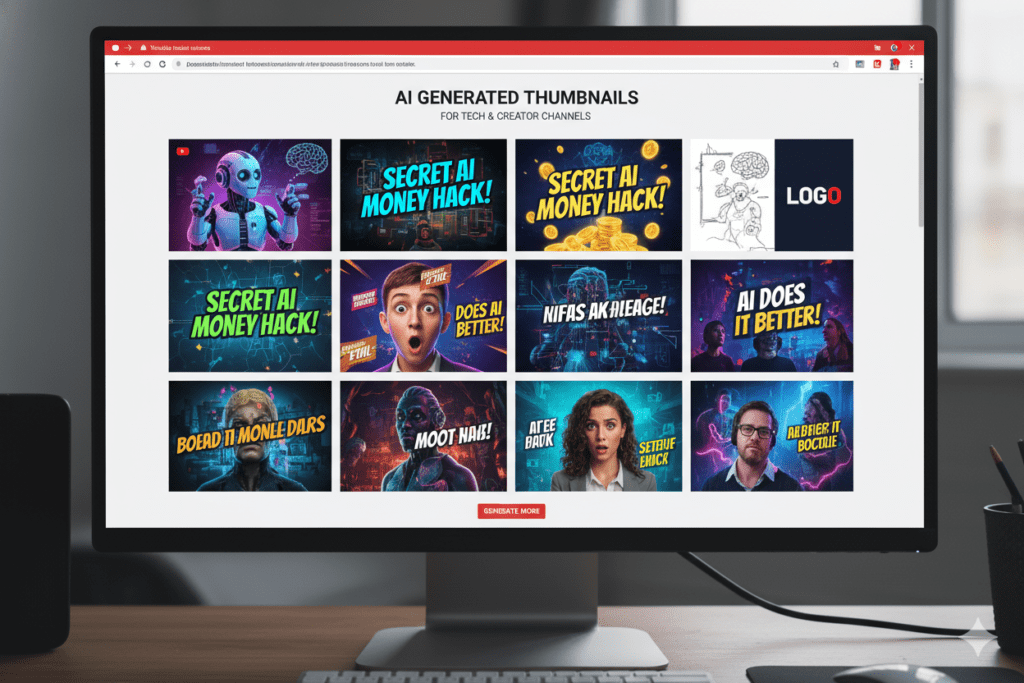
Canva is one of the most popular free AI tools for content creators for visual design. Its AI features — Magic Write, Magic Design, and Magic Edit — make creating social graphics and presentation decks much faster.
However, Canva is a blank canvas. It doesn’t know your YouTube niche, doesn’t understand CTR psychology, and won’t tell you which design will actually get clicked. You still have to do all of that strategic thinking yourself.
Best for: Social graphics, general design, branded visuals
Free plan: Yes (limited AI features)
10. Microsoft Designer
Microsoft Designer is a solid free tool for generating visual content from text prompts. It integrates with Copilot and produces clean, polished designs quickly.
For YouTube thumbnails, it can generate starting points — but like Canva, it’s not optimized specifically for YouTube CTR or niche trends.
Best for: Quick visual generation, presentation graphics
Free plan: Yes
Best Free AI SEO & Keyword Tools
11. Google Trends
Free, reliable, and directly from the source. Google Trends shows you what people are searching for in real time, which topics are trending, and how interest changes over time.
For YouTube content planning, it’s invaluable. Use it to validate video ideas before you spend hours producing a video nobody’s searching for.
Best for: Trend discovery, content validation, seasonal planning
Free plan: Completely free
12. Ubersuggest (Free Tier)
Ubersuggest gives you basic keyword research for free — search volume, SEO difficulty, and content ideas. The free plan is limited to three searches per day, but that’s often enough for weekly content planning.
For creators serious about YouTube SEO, it’s a helpful complement to other tools.
Best for: Keyword research, content planning
Free plan: Yes (3 searches/day)
13. VidIQ (Free Plan)
VidIQ is built specifically for YouTube creators. Its free plan includes basic keyword research, competitor analysis, and a daily video idea feature.
It’s analytics-first, which means it’s excellent at showing you data. But it won’t generate your thumbnails, write your scripts, or create your descriptions — you still need separate tools for those tasks.
Best for: YouTube analytics, keyword data, competitor research
Free plan: Yes
14. TubeBuddy (Free Plan)
TubeBuddy is another YouTube-native tool with a solid free tier. It offers A/B testing, tag suggestions, and basic title optimization directly inside YouTube Studio.
Like VidIQ, it’s primarily a data and analytics tool. It surfaces information brilliantly but leaves the actual content creation to you.
Best for: Tag suggestions, A/B testing, YouTube Studio integration
Free plan: Yes
15. Perplexity AI
Perplexity is the best free research tool for content creators who need accurate, cited information fast. Every answer comes with source links, making it ideal for fact-checking and building authoritative content.
For YouTube creators researching video topics or building educational content, Perplexity saves hours of manual searching.
Best for: Research, fact-checking, citation-backed content
Free plan: Yes

Why ytZolo Is the Best All-in-One Free AI Tool for YouTubers
Here’s the problem with using 15 separate tools.
You spend more time switching between platforms than actually creating content. Your title comes from one tool. Your thumbnail from another. Your script from a third. Your tags from a fourth. Nothing is connected. Nothing is optimized together.
That’s exactly the problem ytZolo was built to solve.
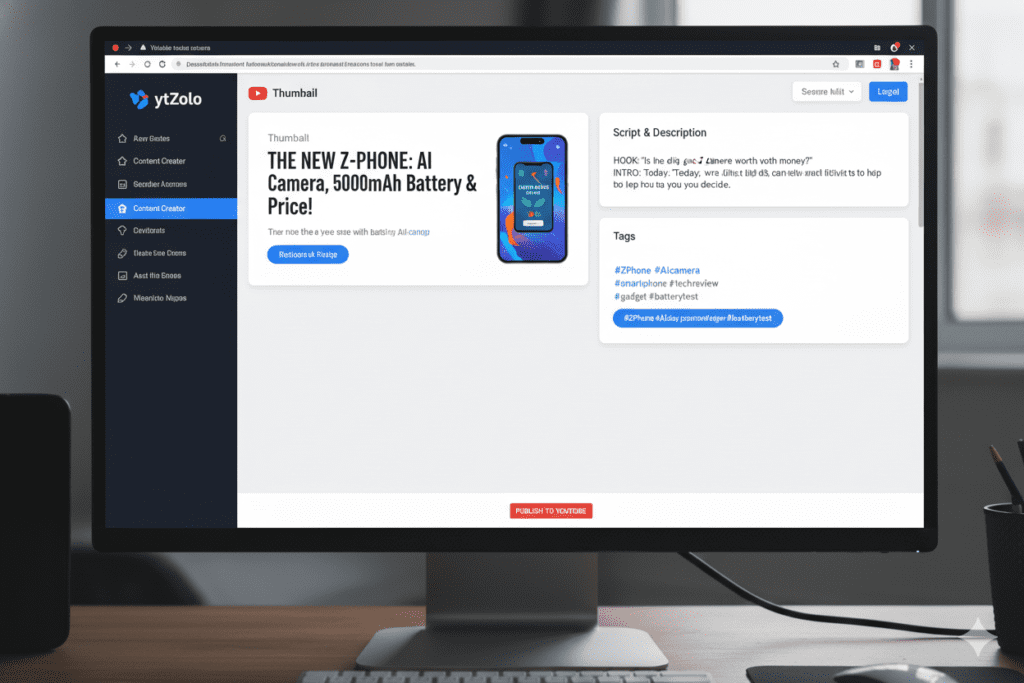
ytZolo is an all-in-one AI YouTube growth platform that puts everything you need to create viral content inside a single dashboard. It’s one of the most powerful free AI tools for content creators built specifically for YouTubers — and it shows.
Here’s what ytZolo generates for every video:
- AI-Powered Titles — Multiple SEO-optimized, CTR-focused title options generated instantly based on your topic and niche
- Video Scripts — Full YouTube-native scripts with built-in hooks, retention patterns, and pacing designed for viewer watch time
- Thumbnail Generation — AI thumbnails trained on millions of high-performing YouTube videos, using color psychology, emotional triggers, and niche-specific visual trends
- Video Descriptions — Keyword-rich, algorithm-friendly descriptions that help your video rank and get recommended
- Tag Suggestions — A complete optimized tag set built from semantic keyword analysis and competitor data
Everything works together. Your title, thumbnail, script, description, and tags are all aligned around the same video concept — which gives you a strategic advantage that juggling five separate tools simply cannot.
Getting started is fast. Head to ytzolo.com, create your free account (no credit card needed), enter your video topic, and let the AI go to work. In seconds, you have a complete content package ready to build on.
Explore more creator tips and strategies on the ytZolo blog to get the most out of the platform.
Why ytZolo Is Better Than Other Tools
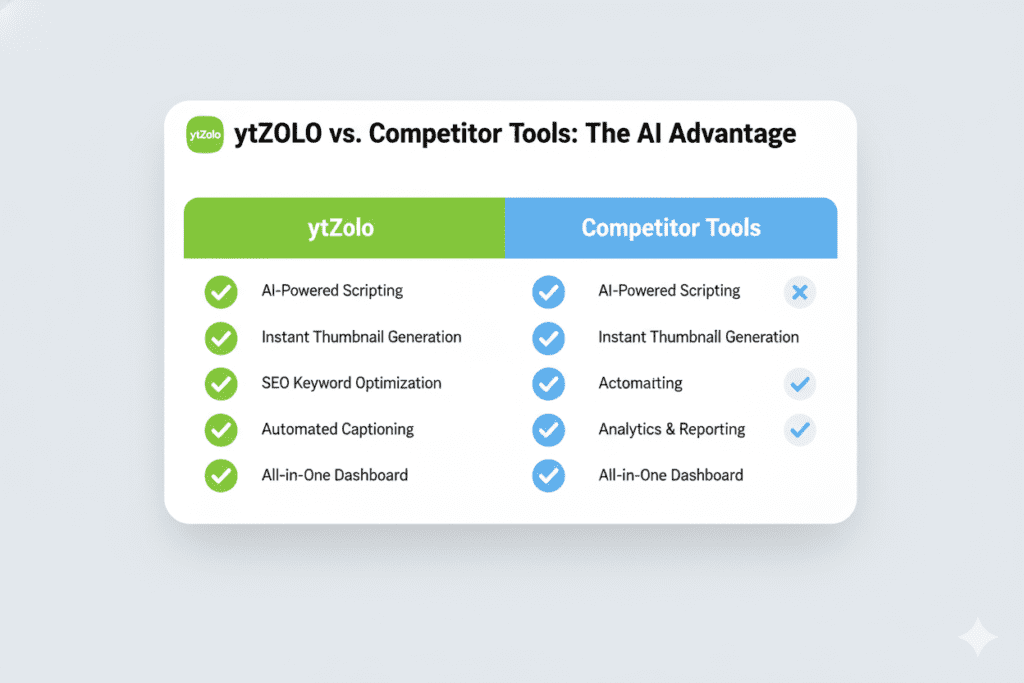
Let’s be direct about how ytZolo stacks up against the competition.
ytZolo vs. ChatGPT / Claude
ChatGPT and Claude are powerful general-purpose AI tools. But they’re built for writers, not YouTubers. They don’t understand hook-to-retention pacing, YouTube SEO signals, or thumbnail CTR psychology. You have to do all of that strategic thinking yourself — and then prompt the AI correctly to get output that works.
ytZolo is built YouTube-first. Every feature understands the platform, the algorithm, and what actually drives views.
ytZolo vs. Canva
Canva is a blank canvas that requires creative direction and design skill. It doesn’t know your niche, doesn’t understand what thumbnail styles convert in your category, and won’t generate options based on your video’s content.
ytZolo reads your topic and generates thumbnail concepts aligned with your video’s angle — no design skills needed.
ytZolo vs. VidIQ / TubeBuddy
VidIQ and TubeBuddy are excellent analytics tools. They show you data beautifully. But when it comes to taking action — generating a script, creating a thumbnail, writing a description — you’re on your own.
As ytZolo’s own positioning puts it: “When other tools show you data, ytZolo takes action.” That’s not a small difference. For a creator trying to publish consistently and grow fast, it’s the entire game.
ytZolo vs. Jasper / Copy.ai
Jasper and Copy.ai are solid writing tools for marketers. But they’re not YouTube-native. They don’t understand watch time, retention drops, or the specific structure a YouTube script needs to keep viewers engaged.
ytZolo’s scripts are built for video — with hooks, pattern interrupts, and pacing baked into every output.
| Feature | ytZolo | ChatGPT | Canva | VidIQ |
|---|---|---|---|---|
| AI Title Generator | ✅ | ⚠️ (generic) | ❌ | ⚠️ (limited) |
| YouTube Script Writer | ✅ | ⚠️ (not YouTube-native) | ❌ | ❌ |
| AI Thumbnail Generator | ✅ | ❌ | ⚠️ (manual) | ❌ |
| SEO Description | ✅ | ⚠️ | ❌ | ⚠️ |
| Tag Generator | ✅ | ⚠️ | ❌ | ✅ |
| All-in-One Pipeline | ✅ | ❌ | ❌ | ❌ |
| Free Plan | ✅ | ✅ | ✅ | ✅ |
How to Start Using Free AI Tools for Content Creators Today
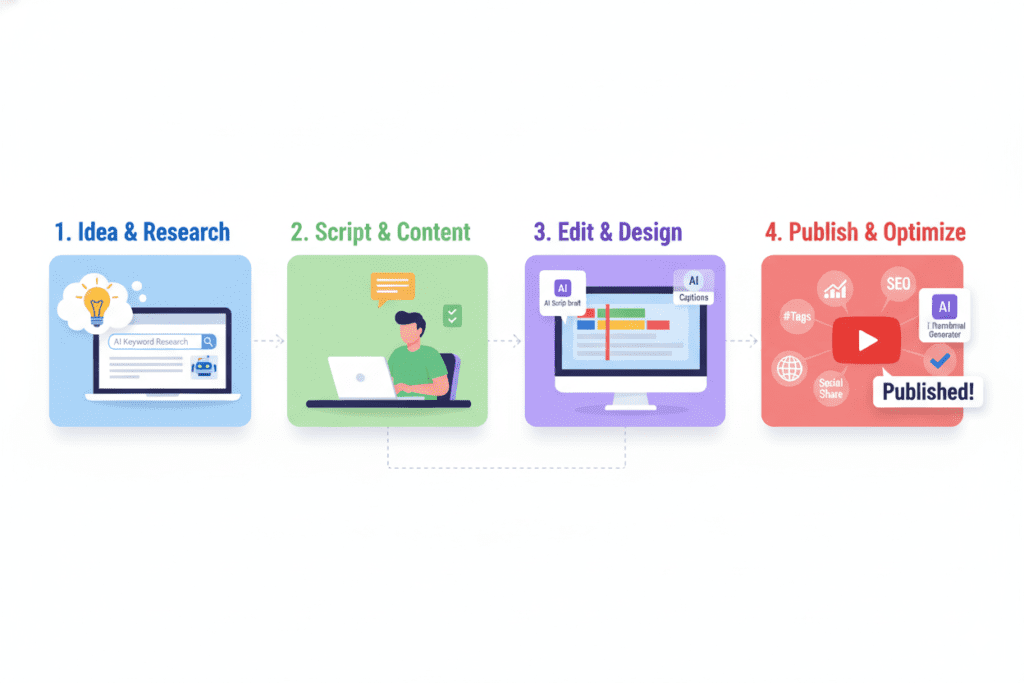
Ready to stop doing everything manually? Here’s a simple action plan to get started with free AI tools for content creators this week.
Step 1: Set up ytZolo first
Go to ytzolo.com and create your free account. This becomes your command center for every YouTube video you produce. No credit card required.
Step 2: Enter your next video idea
Type in your topic or a rough title concept. ytZolo’s AI will generate your titles, script outline, thumbnail concepts, description, and tags in one go.
Step 3: Layer in supporting tools
Use Grammarly to polish any written content. Use CapCut or Adobe Podcast to enhance your video and audio quality. Use Google Trends to validate that your topic has genuine search demand before you film.
Step 4: Use AI for research
Use Perplexity to fact-check claims and gather accurate data for educational content. This keeps your videos credible and authoritative.
Step 5: Track and iterate
Use YouTube Analytics and the free tier of VidIQ or TubeBuddy to track what’s working. Feed those learnings back into ytZolo to keep improving your content strategy.
Step 6: Publish consistently
The biggest advantage of free AI tools for content creators is speed. What used to take a full day can now be done in a few hours. Use that time to publish more consistently — because consistency beats perfection on YouTube every single time.
Check out the ytZolo blog for step-by-step tutorials and creator case studies that show exactly how other YouTubers are growing with AI.
FAQ
What are the best free AI tools for content creators in 2026?
The best free AI tools for content creators in 2026 include ytZolo (for YouTube-specific content), ChatGPT (for general writing), CapCut (for video editing), Canva AI (for visual design), Grammarly (for proofreading), Perplexity (for research), and VidIQ or TubeBuddy (for YouTube analytics). For YouTubers who want an all-in-one solution, ytZolo stands out because it generates titles, scripts, thumbnails, descriptions, and tags in a single platform.
Are free AI tools for content creators good enough to grow a YouTube channel?
Yes — absolutely. The gap between free and paid AI tools is mostly about volume and advanced features, not intelligence. Most creators can get everything they need from free tiers. ytZolo’s free plan, for example, lets you generate thumbnails, titles, and content ideas without a credit card.
Combined with free tools like CapCut and Google Trends, a creator can build a serious YouTube workflow at zero cost.
How does ytZolo help with YouTube growth compared to other AI tools?
ytZolo is purpose-built for YouTube, which is its biggest advantage over general AI tools. While ChatGPT or Jasper generate written content, they don’t understand YouTube-native concepts like thumbnail CTR, hook structure for viewer retention, or how tags interact with video metadata.
ytZolo generates all of your video assets — title, script, thumbnail, description, and tags — together as a unified content package, which gives each video a much stronger chance of ranking and getting recommended.
Can I use multiple free AI tools for content creators at the same time?
Yes, and many creators do. A common workflow is to use ytZolo as the primary content creation hub, then layer in Grammarly for polish, CapCut for video editing, Adobe Podcast for audio cleanup, and Google Trends for idea validation. The key is avoiding tool overload — pick one tool per job and stick to it. ytZolo reduces the number of tools you need because it handles so many tasks in one platform.
What free AI tools help most with YouTube SEO?
For YouTube SEO, the best free AI tools for content creators are ytZolo (for titles, tags, and descriptions), VidIQ or TubeBuddy (for keyword and competitor data), and Google Trends (for validating search demand).
According to the YouTube Creator Blog, optimizing your title, description, and tags together is the most effective way to improve video discoverability — which is exactly what ytZolo’s all-in-one pipeline does automatically.
Conclusion: Start Smarter, Not Harder
Here’s the bottom line.
The best free AI tools for content creators aren’t a shortcut. They’re a superpower. They free up your time, sharpen your strategy, and give you data-backed decisions instead of guesswork.
But using fifteen different tools, each doing one small job, is its own kind of chaos. That’s why the smartest creators are consolidating around platforms that do it all.
For YouTubers, that platform is ytZolo.
It handles your titles, scripts, thumbnails, descriptions, and tags — all in one place, all optimized together, all built specifically for the YouTube algorithm. It’s one of the most powerful free AI tools for content creators available today, and it’s built for creators who are serious about growing without burning out.
The creators winning in 2026 aren’t necessarily the most talented. They’re the most efficient. They use free AI tools for content creators to work smarter, publish faster, and let the algorithm do the heavy lifting.
You can either keep doing everything manually and watch other channels grow past you. Or you can start leveraging AI today and become the creator you know you can be.
Start creating smarter, faster, and more viral YouTube content with ytZolo today.
👉 Try ytZolo Free — No Credit Card Required
For more creator growth strategies, tools breakdowns, and YouTube tips, visit the ytZolo blog.
External resources: YouTube Creator Academy | HubSpot Content Marketing Research | Ahrefs YouTube SEO Guide

