

Introduction: The Creator Who Almost Quit
Marcus had been posting YouTube videos for 14 months straight.
He had decent equipment, solid ideas, and enough passion to fill a stadium. But his subscriber count was stuck at 847. His views were inconsistent. His click-through rate was embarrassing. And every time he checked his YouTube Studio dashboard, he saw numbers — lots of numbers — but had no idea what to do with them.
Sound familiar?
The brutal truth is that most YouTubers are sitting on a goldmine of data and have no idea how to use it. YouTube gives you access to analytics — but understanding what the data means and what to do next is a completely different story.
That’s exactly where YouTube analytics optimization AI comes in.
In 2026, the fastest-growing channels on the planet aren’t grinding harder. They’re working smarter — using AI tools to decode their analytics, optimize every video asset, and create content that the algorithm actively promotes.
This guide will show you exactly how YouTube analytics optimization AI works, why manual methods are dead, and how tools like ytZolo are helping creators like you go from invisible to unstoppable.
Let’s dive in.
Table of Contents
What Is YouTube Analytics Optimization AI?
YouTube analytics optimization AI refers to the use of artificial intelligence to interpret your channel’s performance data and automatically suggest — or generate — improvements to your content strategy.
It’s not just about reading your numbers. It’s about understanding why your videos perform the way they do and taking smart, data-backed action.
Traditional YouTube analytics show you what happened. AI tells you what to do about it.
With YouTube analytics optimization AI, creators can:
- Identify which video topics are trending before they peak
- Understand why certain videos get high click-through rates (CTR)
- Predict which thumbnails, titles, and scripts will perform best
- Find keyword gaps their competitors haven’t discovered yet
- Automatically generate SEO-optimized titles, descriptions, and tags
This is the technology that’s separating the top 1% of creators from everyone else in 2026.

Why Manual YouTube Growth Is Dead in 2026
Here’s a stat that should stop you cold.
Over 500 hours of video are uploaded to YouTube every single minute. Every. Single. Minute.
If you’re still manually researching keywords, guessing at thumbnail designs, writing titles from intuition, and hoping for algorithm luck — you are competing against creators who aren’t doing any of that by hand anymore.
They’re using YouTube analytics optimization AI.
The Problem with Doing It Manually
Manual YouTube growth is exhausting, inconsistent, and dangerously slow. Here’s what it actually looks like:
- Hours wasted on keyword research that might already be outdated
- Thumbnail guessing games that tank your CTR
- Titles that feel good but don’t match what your audience is actually searching for
- No clear signal on why one video exploded and the next one flopped
The result? Creator burnout. Plateaued channels. Missed growth windows.
And the worst part? The algorithm doesn’t care how hard you worked. It only cares about one thing: performance signals.
That’s exactly what YouTube analytics optimization AI is built to optimize.

The 7 Key YouTube Metrics Every Creator Must Track
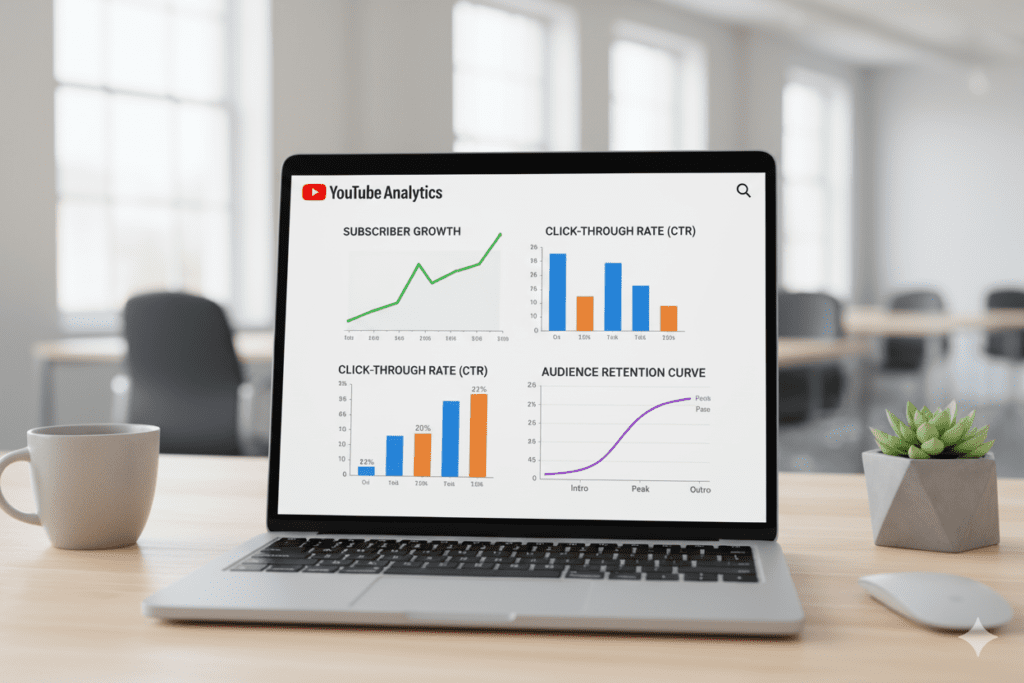
Before AI can optimize anything, you need to understand what you’re actually measuring. These are the metrics that matter most — and that YouTube analytics optimization AI monitors constantly.
1. Click-Through Rate (CTR)
CTR measures how often people click your video after seeing the thumbnail. A strong CTR sits between 4–10% for most niches. Low CTR usually points to a weak thumbnail or title.
2. Average View Duration (AVD)
This tells YouTube how long people are staying on your video. The higher your AVD, the more the algorithm rewards your content with distribution.
3. Audience Retention Rate
Retention shows exactly where people drop off during your video. Drops at the 30-second mark? Your hook needs work. Drops at the 2-minute mark? Your structure needs fixing.
4. Impressions
Impressions tell you how many times your thumbnail was shown to potential viewers. More impressions with low CTR = your thumbnail is failing you.
5. Traffic Sources
Knowing whether your views come from search, suggested videos, or external sources helps you understand where your growth engine actually lives.
6. Subscriber Growth Rate
Not just how many subscribers you have — but how quickly you’re gaining (or losing) them after each video. AI can correlate this with your content type.
7. Revenue Per Mille (RPM)
For monetized creators, RPM tells you which content earns the most. AI can steer you toward higher-value topics without sacrificing views.
Tracking all of this manually is a nightmare. YouTube analytics optimization AI does it automatically — and connects the dots for you.
How YouTube Analytics Optimization AI Decodes Your Channel
So how does AI actually make sense of all this data?
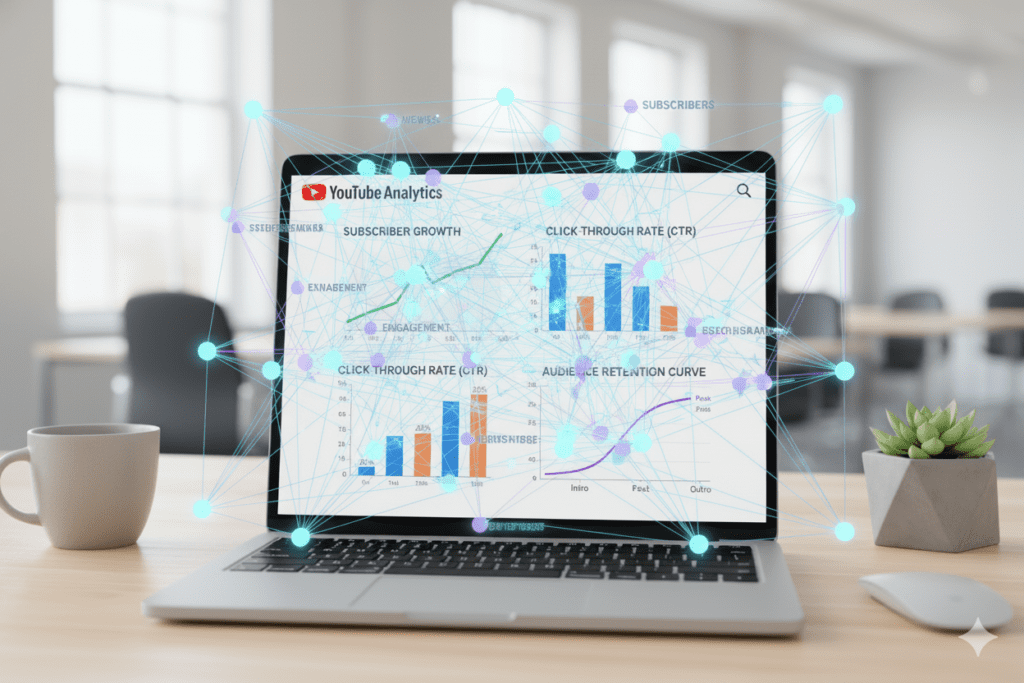
Modern YouTube analytics optimization AI works by doing something humans simply can’t: it analyzes thousands of data points at once and finds the patterns hidden inside.
Pattern Recognition at Scale
AI doesn’t just look at your channel. It compares your performance against top-performing videos across your entire niche. It sees what thumbnail styles consistently outperform. It identifies which title structures get more clicks. It maps which video lengths retain audiences the longest.
This is competitive intelligence on steroids.
Predictive Analytics
The real power of YouTube analytics optimization AI is prediction. Instead of telling you what already happened, it forecasts what will likely work next.
This means:
- Topic suggestions based on trending search data
- Title recommendations based on CTR prediction models
- Content timing based on when your audience is most active
Real-Time Optimization
AI doesn’t just help you plan. It helps you optimize content that’s already live. If a video is underperforming, AI can flag it and suggest specific changes — like A/B testing a new thumbnail or refreshing the description with better keywords.
The creators winning on YouTube right now aren’t smarter than you. They’re just using better tools.
How ytZolo Uses AI to Supercharge Your YouTube Growth
This is where everything changes.
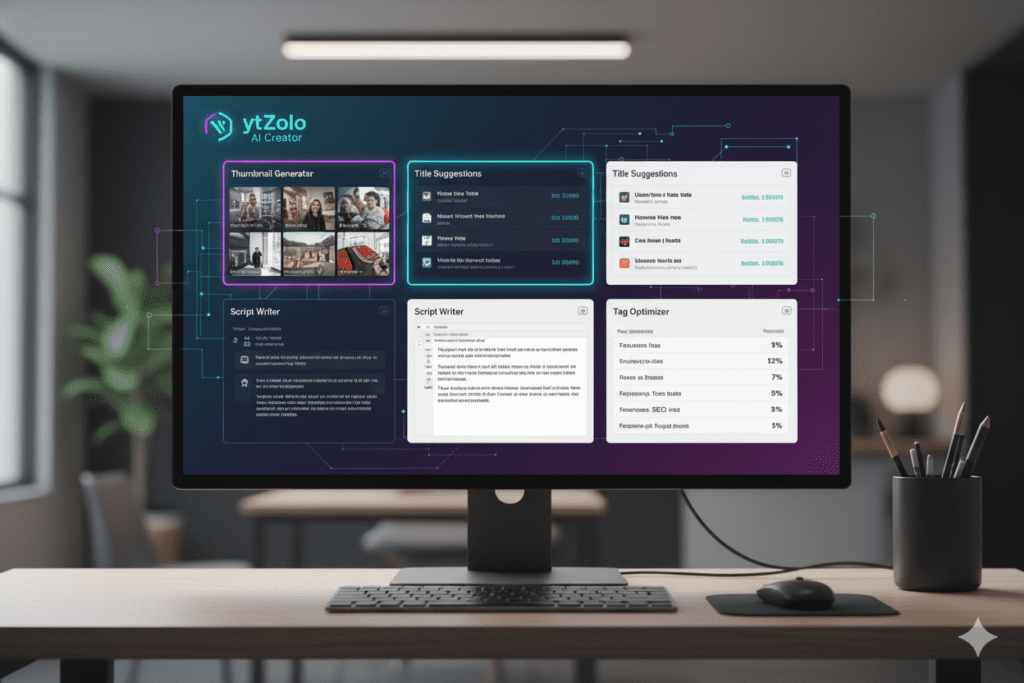
ytZolo is an all-in-one AI YouTube growth platform built specifically for creators who are serious about scaling their channels. And when it comes to YouTube analytics optimization AI, ytZolo doesn’t just analyze — it acts.
Here’s what makes ytZolo genuinely different from every other tool on the market.
AI-Powered Title Generation
Your title is responsible for more views than you realize. A weak title kills a great video. ytZolo’s AI generates multiple SEO-optimized title options in seconds — each one built around high-volume search terms, emotional triggers, and CTR-proven structures.
No more guessing. No more staring at a blank screen.
Viral Thumbnail Creation
According to YouTube’s Creator Academy, 90% of top-performing videos use custom thumbnails. ytZolo’s AI generates YouTube-optimized thumbnails based on your video topic, your niche’s visual trends, and color psychology principles proven to drive clicks.
You get multiple variations — ready to A/B test immediately.
AI Script Writing Built for Watch Time
ytZolo doesn’t write scripts the way a generic AI writer does. It understands watch time psychology — hooks, pattern interrupts, pacing, and CTAs — because it was built for YouTube, not just for “content.”
The result is scripts that keep people watching longer. And longer watch time means more algorithm love.
SEO-Optimized Descriptions and Tags
ytZolo generates complete, keyword-rich descriptions and tag sets that match exactly what people are searching for in your niche. This is YouTube analytics optimization AI working at the metadata level — making every video more discoverable the moment it goes live.
Everything in One Place
Here’s the big one: ytZolo connects all of these features into one seamless workflow.
Your title, thumbnail, script, description, and tags are all generated together — aligned around the same video concept. There’s no jumping between five different apps. No inconsistency. No wasted time.
That’s not just convenient. That’s a strategic advantage that compounds with every video you post.
Explore everything ytZolo can do at ytzolo.com — and check out the ytZolo blog for creator case studies, growth breakdowns, and advanced strategies.
Why ytZolo Is Better Than Other YouTube AI Tools
Let’s cut straight to it. There are other tools out there. Here’s why ytZolo wins.
ytZolo vs. VidIQ
VidIQ is primarily an analytics and keyword tool. It’s great for data — but it doesn’t generate your content. You still have to write your own titles, scripts, and descriptions. ytZolo generates all of it for you, powered by YouTube analytics optimization AI from the ground up.
ytZolo vs. TubeBuddy
TubeBuddy is excellent for bulk SEO optimization and A/B thumbnail testing. But it’s a tool for editing existing content strategies, not building viral ones. ytZolo is designed to create high-performing content before you upload — not optimize it after the fact.
ytZolo vs. Generic AI Tools (ChatGPT, Jasper, etc.)
General-purpose AI tools are powerful writers. But they were built for text, not for YouTube. They don’t understand watch time curves, CTR optimization, thumbnail psychology, or niche-specific keyword strategies.
ytZolo was built from the ground up for one purpose: YouTube growth. That focus makes all the difference.
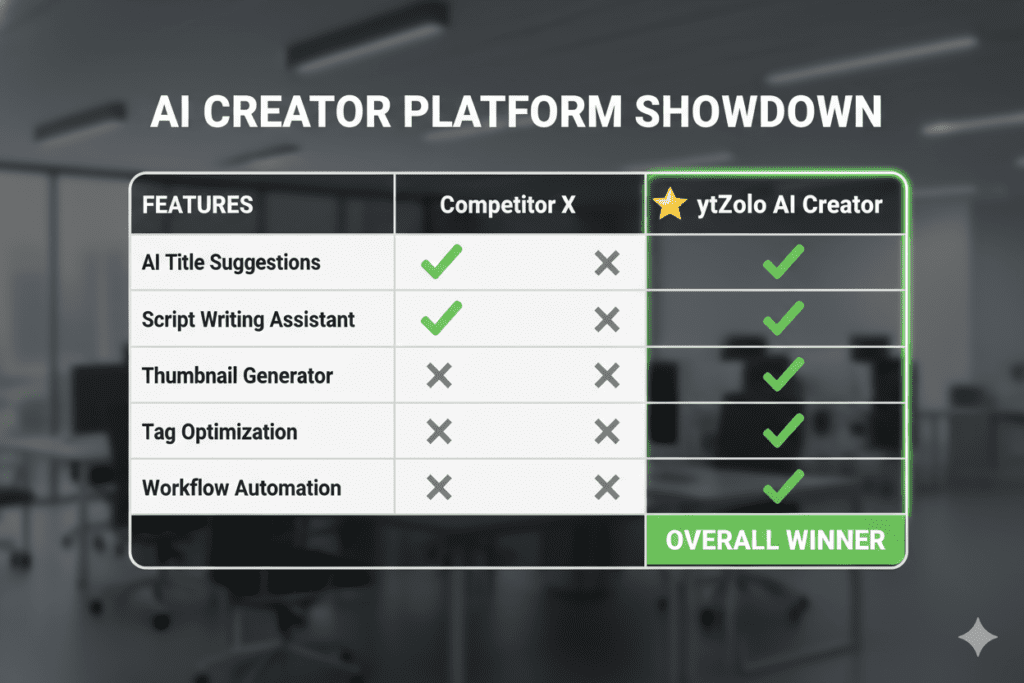
The ytZolo Advantage at a Glance
| Feature | ytZolo | VidIQ | TubeBuddy | Generic AI |
|---|---|---|---|---|
| AI Title Generator | ✅ | ✅ Partial | ✅ Partial | ✅ |
| AI Thumbnail Creator | ✅ | ❌ | ❌ | ❌ |
| AI Script Writer | ✅ | ❌ | ❌ | ✅ |
| SEO Tags + Descriptions | ✅ | ✅ | ✅ | ❌ |
| All-in-One Workflow | ✅ | ❌ | ❌ | ❌ |
| YouTube-Native AI | ✅ | ✅ Partial | ✅ Partial | ❌ |
When you need YouTube analytics optimization AI that doesn’t just show you data — but acts on it — ytZolo is in a class of its own.
Step-by-Step: How to Optimize Your YouTube Channel with AI
Ready to put YouTube analytics optimization AI to work? Here’s a simple, repeatable workflow.
Step 1 — Audit Your Existing Analytics
Before creating anything new, look at what’s already working. Check your top 5 performing videos and identify:
- Which topics got the most views?
- Which thumbnails had the highest CTR?
- Where did audience retention hold strong vs. drop off?
ytZolo’s AI can help you interpret this data and spot the patterns quickly.
Step 2 — Identify Your Next Video Topic Using AI
Don’t just pick a topic because you find it interesting. Use YouTube analytics optimization AI to find topics that are trending, have strong search volume, and have low competition in your niche.
ytZolo surfaces these opportunities automatically based on your channel’s focus area.
Step 3 — Generate Your Title First
Your title shapes everything else. Generate 5–10 title options using ytZolo’s AI title generator. Pick the one with the strongest emotional hook and natural keyword integration. Aim for 60–70 characters.
Step 4 — Create Your Thumbnail Before You Film
A top-performing channel plans the thumbnail before creating the video — because the thumbnail defines the promise your video makes. Use ytZolo to generate 3–5 thumbnail variants aligned with your chosen title.
Step 5 — Write Your Script with AI Assistance
Use ytZolo’s AI script writer to build a full script with a strong hook, clear structure, pattern interrupts, and a compelling CTA. Let AI handle the structure so you can focus on injecting your personality.
Step 6 — Generate Your Description and Tags
Once your video is done, use ytZolo to generate an SEO-rich description and complete tag set. This is YouTube analytics optimization AI doing the work that most creators skip — and it directly impacts search discoverability.
Step 7 — Publish, Monitor, and Iterate
Upload, go live, and then watch your analytics closely in the first 48 hours. This is your video’s critical window. High CTR early signals to YouTube that your video deserves broader distribution.
If CTR is low, swap your thumbnail using YouTube Studio’s Test & Compare feature. If retention drops early, your hook needs strengthening on the next video.
This loop — create, analyze, optimize, repeat — is what separates growing channels from stagnant ones. And with YouTube analytics optimization AI, the entire cycle moves three to five times faster than doing it manually.
Common YouTube Analytics Mistakes (And How AI Fixes Them)
Most creators make the same mistakes over and over. Here’s what they are — and how YouTube analytics optimization AI solves them.
Mistake #1: Ignoring CTR Until It’s Too Late
Many creators check CTR weeks after publishing. By then, the algorithm has already made its judgment. AI monitors CTR in real time and flags underperforming videos early — while there’s still time to fix them.
Mistake #2: Choosing Topics Based on Gut Feeling
Your audience isn’t you. What you find interesting and what they search for are often different things. YouTube analytics optimization AI removes your personal bias from the equation and replaces it with actual search data.
Mistake #3: Writing Titles That Sound Good but Don’t Get Clicked
Clever titles are ego-driven. Data-driven titles get views. AI generates titles based on what actually performs — not what sounds sophisticated.
Mistake #4: Using the Same Thumbnail Style for Every Video
Different topics, different niches, different emotional triggers. AI adapts your thumbnail strategy dynamically rather than applying a one-size-fits-all template.
Mistake #5: Not Connecting Metadata to Analytics
Most creators treat titles, descriptions, and tags as afterthoughts. YouTube analytics optimization AI treats them as performance levers — because that’s exactly what they are.
Tools like ytZolo integrate your metadata creation directly into your analytics workflow, so every piece of content you publish is already optimized before it goes live.

FAQ: YouTube Analytics Optimization AI
What is YouTube analytics optimization AI, and how does it work?
YouTube analytics optimization AI uses machine learning to analyze your channel’s performance data — including CTR, watch time, audience retention, and traffic sources — and automatically generates actionable recommendations.
It goes beyond simply showing you metrics: it identifies patterns, predicts what content will perform, and helps you optimize titles, thumbnails, scripts, descriptions, and tags based on real data.
Is YouTube analytics optimization AI only for big channels?
Not at all. In fact, smaller channels often see the biggest gains from AI optimization because they can establish strong data-driven habits early. Tools like ytZolo are built for creators at every stage — from channels with 500 subscribers to those with 500,000. The earlier you start using YouTube analytics optimization AI, the faster your channel compounds.
How is ytZolo different from YouTube Studio’s built-in analytics?
YouTube Studio gives you raw data: views, watch time, CTR, demographics. It tells you what happened. ytZolo’s YouTube analytics optimization AI tells you what to do about it — generating titles, thumbnails, scripts, and metadata that are proven to drive better performance. It’s the difference between a dashboard and a growth engine.
Can YouTube analytics optimization AI replace a human content strategist?
AI can handle the data analysis, keyword research, title generation, thumbnail creation, scripting, and SEO optimization that would otherwise require multiple specialists and dozens of hours per week. For most independent creators and small teams, YouTube analytics optimization AI effectively replaces the need for a full content strategy team — at a fraction of the cost.
How quickly can I see results using YouTube analytics optimization AI?
Many creators report noticeable improvements in CTR within the first 1–3 uploads after switching to AI-optimized titles and thumbnails. Significant channel growth typically follows within 30–90 days of consistent, AI-driven content creation. The key is staying consistent and letting the data guide your improvements over time.
Conclusion: Stop Guessing. Start Growing.
Here’s the bottom line.
YouTube is no longer a platform where hard work alone wins. It’s a platform where smart, data-driven creators win. And in 2026, YouTube analytics optimization AI is the single biggest advantage available to any creator who’s serious about growth.
The channels blowing up right now aren’t necessarily more talented than you. They’re not posting more videos than you. They’re using better tools — tools that decode their analytics, generate high-performing content, and eliminate the guesswork that kills so many promising channels.
ytZolo is that tool.
It’s not just an analytics platform. It’s not just a title generator or a thumbnail maker. It’s an all-in-one AI YouTube growth engine that brings YouTube analytics optimization AI into every single step of your content workflow — from idea to upload.
Your next video could be your breakout video. But only if it has the right title. The right thumbnail. The right script. The right metadata.
ytZolo makes sure it does.
Start creating smarter, faster, and more viral YouTube content with ytZolo today.
👉 Visit ytzolo.com and start for free
For more creator growth tips, AI tool breakdowns, and YouTube strategy guides, visit the ytZolo Blog.
External resources:

