
Introduction: The Banner That Lost 10,000 Subscribers
A creator once ran an experiment.
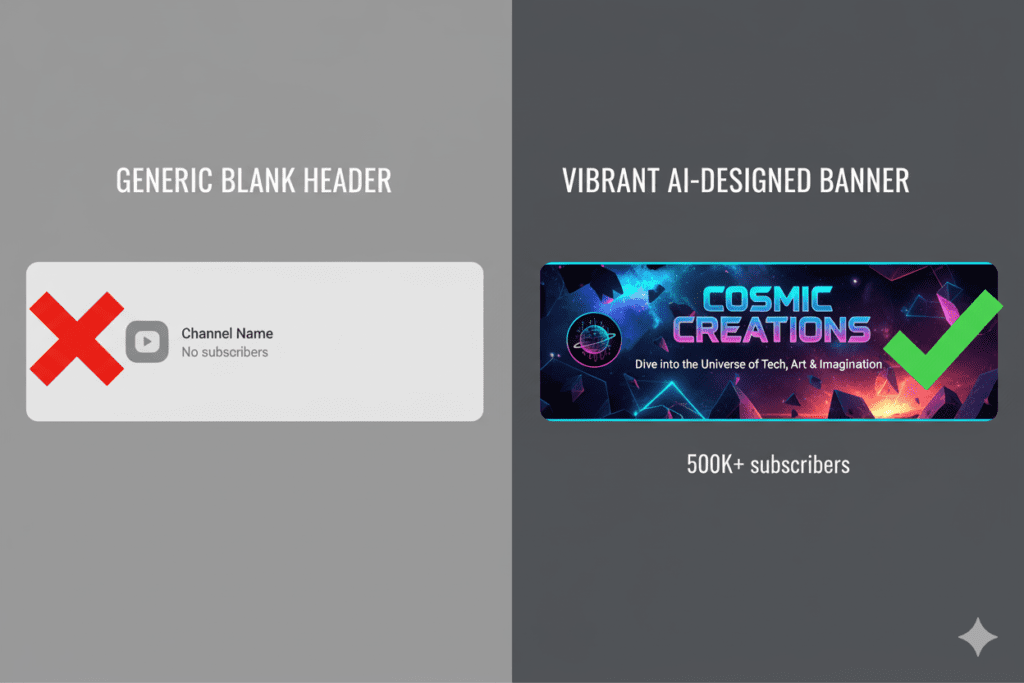
He had two identical YouTube channels — same niche, same video quality, same upload schedule. The only difference? One channel had a professionally designed banner. The other had a blank grey header with nothing on it.
After 90 days, the channel with the branded banner had 4x more subscribers.
Same videos. Completely different results.
That experiment proves something most creators already feel but rarely act on. Your YouTube banner maker AI choice — and the design it produces — directly affects whether a first-time visitor stays or bounces.
In 2026, with over 800 hours of video uploaded to YouTube every minute, first impressions are everything. And your banner is literally the first thing every visitor sees the moment they land on your channel page.
In this guide, you’ll learn exactly how a YouTube banner maker AI works, what specs your banner needs to hit, which tools are worth your time, and how ytZolo — the all-in-one AI YouTube growth platform — helps creators build complete, branded, high-performing channels from one powerful place.
Let’s build something worth subscribing to.
Table of Contents
What Is a YouTube Banner Maker AI?
A YouTube banner maker AI is an artificial intelligence-powered design tool that generates professional channel art for your YouTube page — instantly, without needing design experience or expensive software.
Instead of starting from a blank canvas or wrestling with complicated templates, you describe what you want. The AI handles the typography, layout, colors, imagery, and sizing — then hands you a ready-to-upload banner in seconds.
The best YouTube banner maker AI tools in 2026 go further than basic templates. They generate original designs based on your channel’s niche, brand tone, and visual preferences. No watermarks. No generic stock looks. Just clean, custom channel art that actually represents your content.
For creators who want to look professional without hiring a designer, a YouTube banner maker AI is the most time-efficient solution available today.
YouTube Banner Specs for 2026: Get This Right First
Before you touch any YouTube banner maker AI tool, you need to know the technical specs. Getting these wrong means your banner gets cropped, looks blurry, or disappears entirely on mobile devices.
Here are the confirmed YouTube banner specifications for 2026:
- Recommended size: 2560 x 1440 pixels
- Minimum upload size: 2048 x 1152 pixels
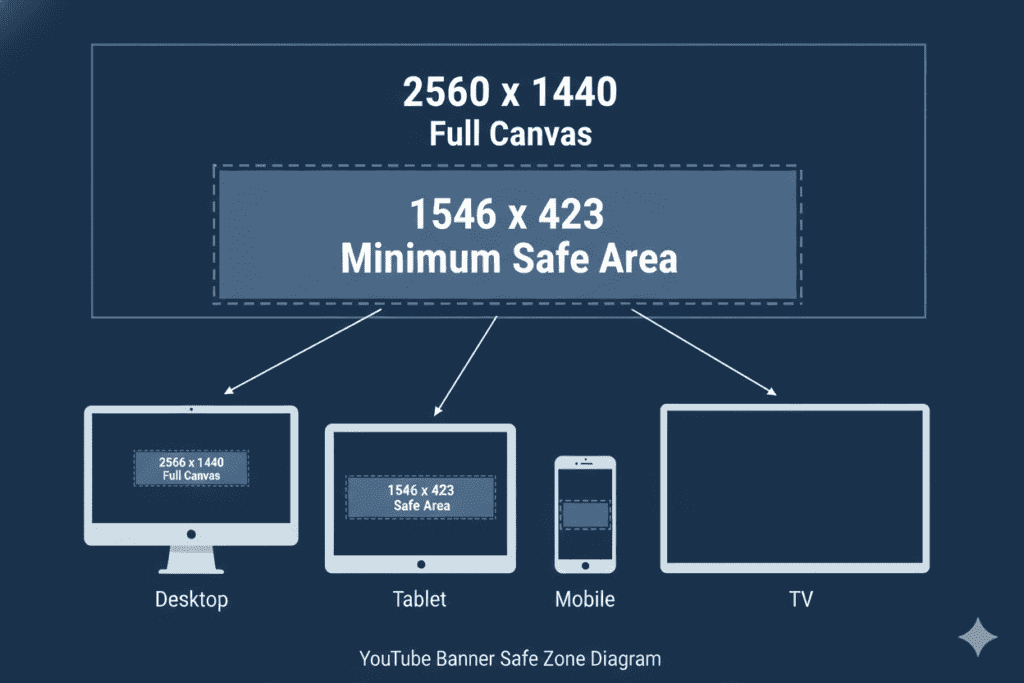
- Safe zone (always visible on all devices): 1546 x 423 pixels — centered
- Aspect ratio: 16:9
- Maximum file size: 6MB
- Accepted formats: JPG, PNG, WebP, TIF (PNG recommended for graphics with text)
Here’s why the safe zone matters so much.
Your YouTube banner displays differently across devices. Upload at 2560×1440 pixels to cover all screen sizes, but place all important text and logos within the 1546×423 pixel safe area in the center — this is the only region guaranteed to display on all devices, including mobile phones. Desktop shows a wider strip, while TV displays the full 2560x1440px image.
In other words, design outward from the center. Put your channel name, tagline, and logo inside the safe zone. Use the wider areas for background visuals and decorative elements.
Over 70% of YouTube traffic comes from mobile in 2026 — which means if your banner isn’t optimized for the safe zone, most of your visitors are seeing a cropped, incomplete version of your channel art.
Any quality YouTube banner maker AI should handle these dimensions automatically. Always double-check before uploading.
Why Your Banner Matters More Than You Think
Most creators underestimate the role their banner plays in channel growth.
Think about it. When someone discovers your YouTube channel — through a search, a recommended video, or a social media link — the first thing they do is visit your channel page. Your banner is your digital storefront. It’s the billboard above your content.
In those first 3 seconds, a visitor makes a subconscious decision: Is this channel worth my time?
A sharp, professional banner signals: Yes, this creator takes their content seriously. A blank or low-quality banner signals the opposite.
That first impression affects:
- Subscribe rate — Visitors who trust the channel’s professionalism are more likely to subscribe
- Watch time — Credibility builds confidence, which keeps viewers watching longer
- Brand recognition — A consistent visual identity makes your channel instantly recognizable across the platform
- Sponsor appeal — Brands looking for creator partnerships evaluate channel presentation before anything else
A YouTube banner maker AI removes every barrier between you and a professional-looking channel. No design degree. No expensive tools. No hours lost to Photoshop frustration.
Just describe your vision, let the AI build it, and upload in minutes.
Top YouTube Banner Maker AI Tools Compared
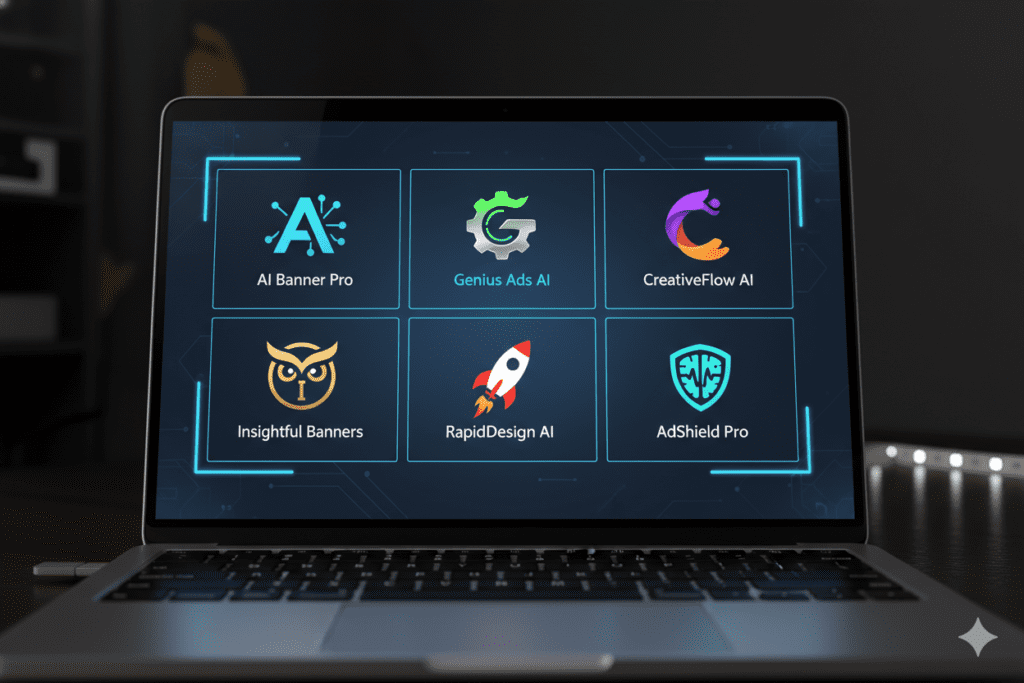
The market is full of YouTube banner maker AI options in 2026. Here are the ones worth knowing about — and what sets each apart:
1. ImagineArt AI YouTube Banner Generator
One of the most prompt-based YouTube banner maker AI tools available. You describe your channel theme, colors, and style — and ImagineArt generates completely original designs from scratch. Great for creators who want to move away from template-based looks. Generates watermark-free, license-free results cleared for commercial use and YouTube monetization.
2. Canva (with Magic Studio AI)
Canva remains one of the most popular YouTube banner maker AI destinations. Its Magic Studio feature brings AI-powered design suggestions, text generation, and image enhancement into its familiar drag-and-drop editor. All templates are pre-built to YouTube’s banner requirements — no need to remember exact dimensions. Images sit automatically within smart templates, saving time on resizing. Excellent for beginners who want guided design with AI assistance.
3. Piktochart AI
A strong YouTube banner maker AI option for creators who want both templates and AI generation. Piktochart lets you adjust fonts, colors, images, and layouts to create a cohesive design that represents your channel. It also includes an advanced AI image generator for producing custom backgrounds and visuals that aren’t available in any stock library.
4. Kittl
Kittl brings AI image generation directly into its banner design workflow. You can generate backgrounds, vector illustrations, and graphic assets on-demand — then combine them with your text and logo in the editor. Perfect for creators who want a hands-on creative process with AI doing the heavy lifting on visuals.
5. Venngage AI Banner Generator
Best for creators who want a polished, structured look. Venngage’s AI generates banners based on a simple prompt and then lets you customize every element. Strong template library with niche-specific options for gaming, education, business, and lifestyle channels.
6. Phygital+ AI YouTube Banner Generator
A browser-based YouTube banner maker AI that requires no downloads or account setup. It aligns every design with YouTube’s safe zones automatically, so it looks great across mobile, tablet, and desktop. Download in high-resolution with no watermark or baked-in logo.
7. Pixa AI Banner Maker
A solid choice for beginners. You only need to describe what you want — the AI handles fonts, layout, and graphics with no design experience required. It also supports uploading a logo or reference image, which the AI incorporates into the generated banner. Watermark-free with full commercial usage rights.
Quick Comparison:
| Tool | AI Generation | Safe Zone Auto-Sizing | No Attribution Required | Free Tier |
|---|---|---|---|---|
| ImagineArt | ✅ Full | ✅ | ✅ | ✅ |
| Canva Magic Studio | ✅ Partial | ✅ | Paid plan | ✅ |
| Piktochart AI | ✅ Full | ✅ | ✅ | ✅ |
| Kittl | ✅ Full | ✅ | Paid plan | ✅ |
| Phygital+ | ✅ Full | ✅ | ✅ | ✅ |
| Pixa | ✅ Full | ✅ | ✅ | ✅ |
What Makes a Great YouTube Banner Design?
Using a YouTube banner maker AI is the first step. Knowing what to ask for is what separates forgettable banners from ones that actually convert visitors into subscribers.
Here are the design principles every great YouTube banner follows:
Keep Your Message Crystal Clear
Your banner has roughly 3 seconds to communicate what your channel is about. Use your channel name prominently. Add a short tagline if you have one. Keep text inside the safe zone. Avoid paragraph-length text — it won’t be read.
Consistent Branding Across Everything
Your banner colors, fonts, and visual style should match your video thumbnails. This consistency creates instant recognition. When someone sees your thumbnail in their feed, they should feel the same brand identity as your channel page.
High-Resolution Images Only
Avoid pixelation by using images at least 2560 pixels wide. Keep logos, slogans, and key visuals within the safe area. Stick to bold colors and legible fonts for better readability. Low-resolution images look amateur and erode trust immediately.
Design for Mobile First
Most banner designers naturally think desktop-first. But with mobile being the dominant viewing platform in 2026, everything critical needs to sit in that center safe zone. Preview your banner at mobile dimensions before publishing.
Match Your Niche Energy
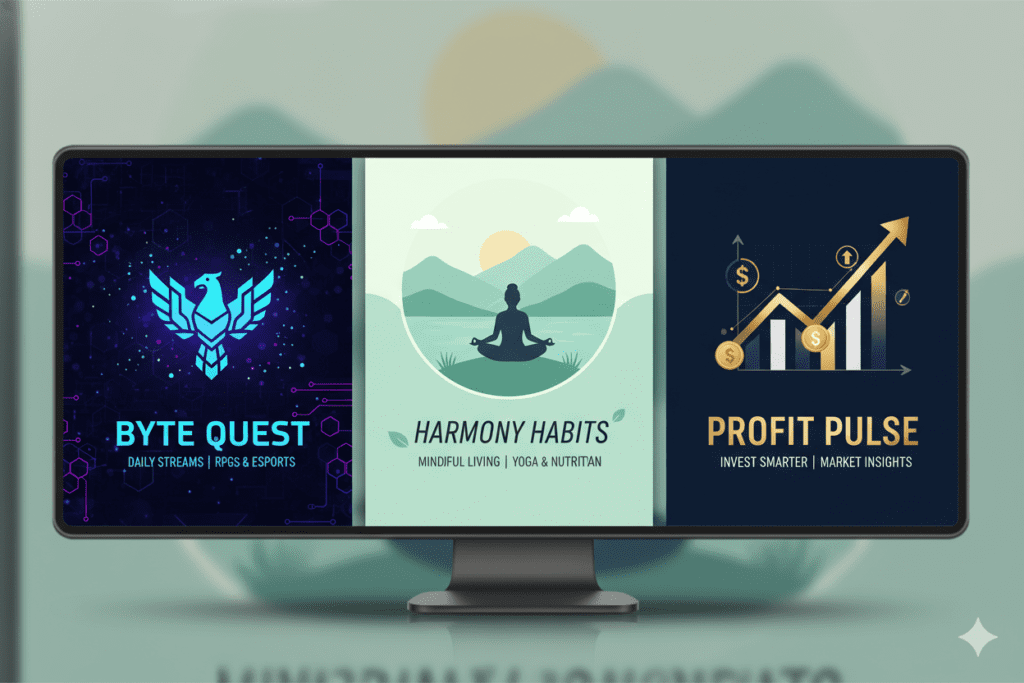
A gaming channel should feel energetic and bold. A meditation channel should feel calm and clean. A finance channel should feel authoritative and professional. A great YouTube banner maker AI lets you describe the mood you want — not just the elements.
Include a Publishing Schedule (Optional but Effective)
Many successful channels add their upload schedule to the banner — “New videos every Tuesday & Friday.” This simple addition manages viewer expectations and increases subscriptions from people who want to know when to come back.
Common YouTube Banner Mistakes to Avoid
Even with a great YouTube banner maker AI, it’s easy to fall into traps that undermine your channel’s first impression.
Mistake #1: Ignoring the Safe Zone
This is the number one banner mistake. Important text or your logo placed outside the 1546 x 423 pixel safe zone will get cropped on mobile — affecting the majority of your visitors. Always check the safe zone before uploading.
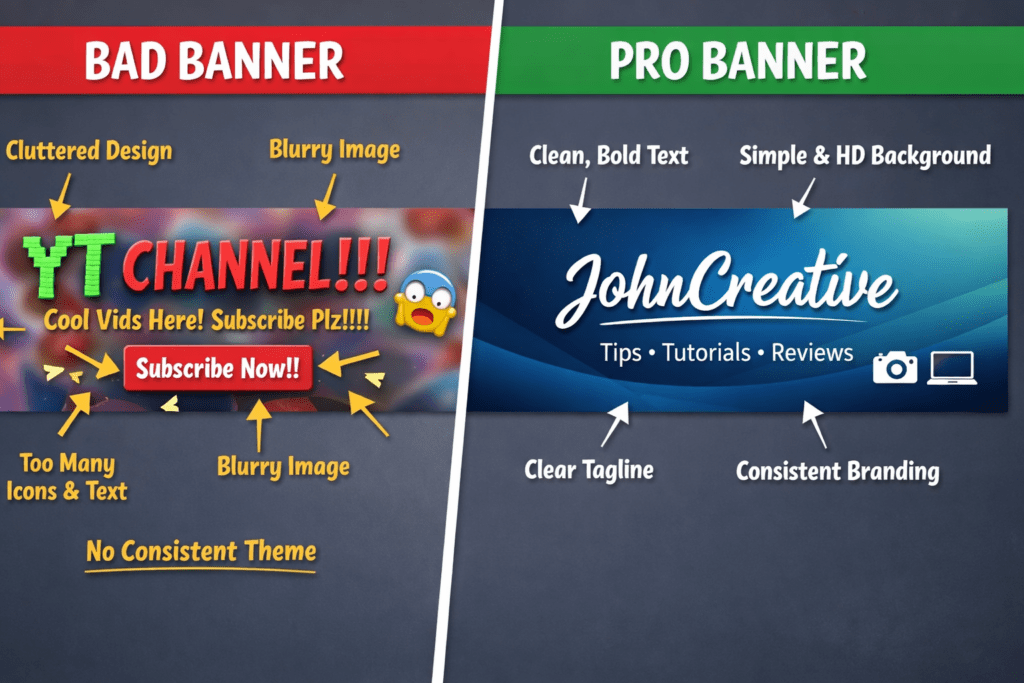
Mistake #2: Too Much Text
Your banner is not a blog post. One channel name, one tagline, one upload schedule line — that’s it. Anything more becomes visual noise that visitors skim past without reading.
Mistake #3: Low-Contrast Colors
White text on a light background. Dark text on a dark image. These are painful to read and look unprofessional. High contrast is not just aesthetic — it’s functional. Make your text pop.
Mistake #4: Never Updating Your Banner
Your banner should evolve with your channel. Major rebrand? New upload schedule? Special series launch? Many successful channels update their banners monthly to keep their channel page fresh. A YouTube banner maker AI makes updating fast — there’s no excuse to run a stale banner for years.
Mistake #5: Inconsistency with Thumbnails
Your banner and thumbnails should feel like they belong to the same brand. Different fonts, completely different color palettes, wildly different visual styles — these signal to visitors that the channel lacks a coherent identity. That lack of identity translates directly into fewer subscriptions.
Mistake #6: Skipping the Preview Check
Always preview your banner across desktop, mobile, and tablet before publishing. What looks great in the design tool might look completely different once uploaded to YouTube. Use YouTube Studio’s built-in preview to catch problems before your audience sees them.
How ytZolo Elevates Your Entire YouTube Channel — Beyond the Banner
Here’s something important that most creators miss.
Your banner gets visitors to your channel page. But what makes them subscribe — and what makes them come back — is the content.
A stunning banner built with a YouTube banner maker AI is your first impression. But your titles, thumbnails, scripts, and descriptions are your lasting impression. That’s where the real growth happens.
And that’s exactly where ytZolo changes the game completely.
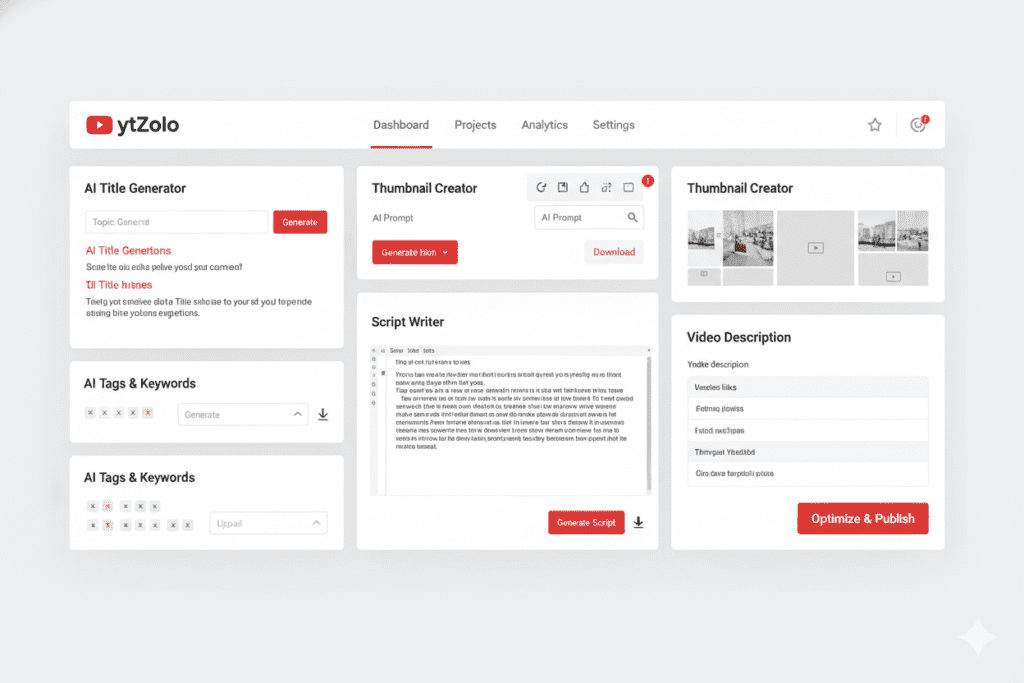
ytZolo is an all-in-one AI YouTube growth platform built specifically for content creators. It handles every piece of the content creation equation — so your channel doesn’t just look professional. It performs professionally.
Here’s what ytZolo brings to your workflow:
AI-Powered Title Generation
ytZolo generates multiple high-CTR title options for every video — optimized for search intent, emotional trigger words, and curiosity gaps. Better titles mean more clicks. More clicks mean more views. More views mean more revenue.
AI Thumbnail Concepts
While a YouTube banner maker AI builds your channel header, ytZolo builds your video thumbnails — the design assets that drive actual traffic to your individual videos. These are niche-informed, data-driven thumbnail ideas that are designed to perform, not just look pretty.
AI Script Writing
ytZolo writes structured video scripts from your topic — complete with powerful hooks in the first 30 seconds that keep viewers watching. Longer watch time means higher RPM. Higher RPM means your channel earns more from every video.
AI Descriptions and Tags
Your video’s discoverability in YouTube’s search and recommendation system depends on how well your description and tags signal what your content is about. ytZolo writes SEO-optimized descriptions and targeted tag sets in seconds — no keyword research tools required.
Without an all-in-one platform like ytZolo, creators spend 6 to 10 hours producing a single video. Title research. Script writing. Thumbnail design. Description writing. Tag generation. Each task done separately, in different tools, across different tabs.
ytZolo collapses that entire workflow into one platform. And it does it with AI trained specifically for YouTube — not generic marketing content.
Manual content creation isn’t just slow in 2026. It’s a competitive disadvantage against creators who are already using AI to publish better content, faster.
Check out the ytZolo blog for real creator case studies and in-depth guides on AI-powered channel growth strategies.
Why ytZolo Is Better Than Other Tools
The creator tool market is competitive. Here’s where ytZolo wins — clearly and specifically.
ytZolo vs. TubeBuddy
TubeBuddy is a browser extension built for YouTube SEO analytics and A/B testing. It gives you data. But it doesn’t create your content. You still write every title, script, and description yourself. ytZolo handles the actual creation — across every format your channel needs.
ytZolo vs. VidIQ
VidIQ is a research and analytics platform. Excellent for competitor intelligence and keyword data. But it’s a research tool, not a production tool. ytZolo takes you from research all the way to publish-ready content — in one place.
ytZolo vs. Canva
Canva is a world-class design tool for banners and graphics. But Canva doesn’t write your titles, scripts, or tags. And it can’t tell you what thumbnail style is performing in your niche right now. ytZolo brings strategy to design — not just a canvas.
ytZolo vs. ChatGPT
ChatGPT is impressive. But it’s general-purpose. It doesn’t know which title structures drive the highest CTR on YouTube specifically. It doesn’t know what emotional hooks work in the gaming niche vs the finance niche. ytZolo is purpose-built for YouTube — which makes every single output more effective.
ytZolo vs. Jasper or Copy.ai
These are writing tools designed for marketers. They weren’t built for YouTube. They don’t understand video structure, thumbnail psychology, or YouTube algorithm patterns. ytZolo was built for creators, by people who understand the platform deeply.
The bigger picture: Most creators use 5 to 7 different tools to do what ytZolo does in one place. A YouTube banner maker AI for channel art. A separate tool for titles. Another for scripts. Another for tags. Another for descriptions.
That’s a fragmented workflow that wastes hours and money every single week.
ytZolo unifies the content side of your channel into one powerful, creator-focused platform.
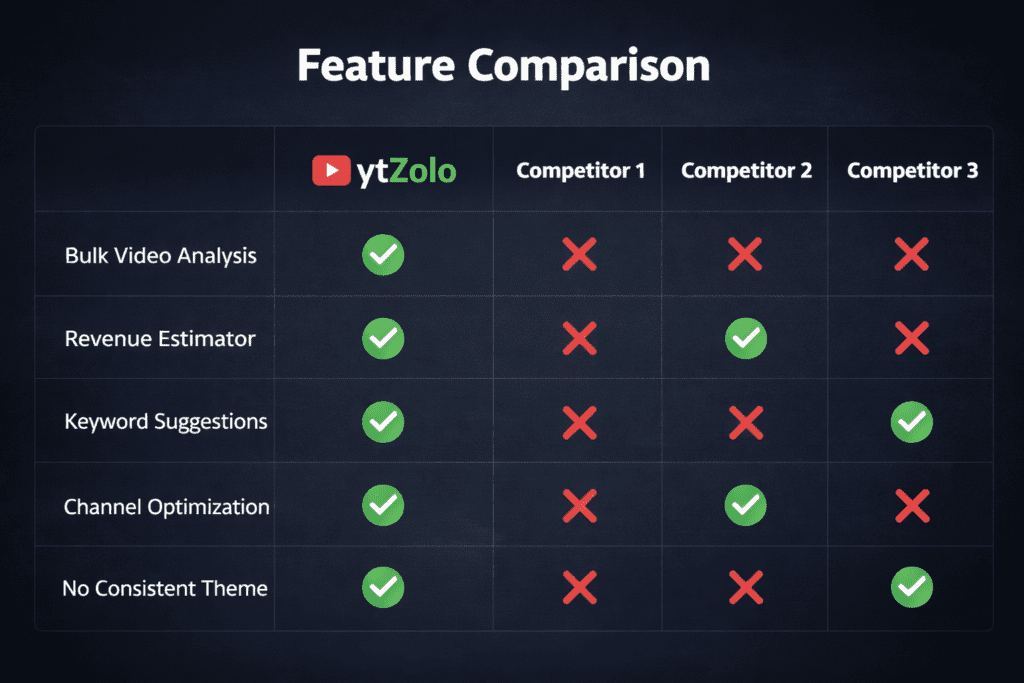
| Feature | ytZolo | TubeBuddy | VidIQ | Canva | Jasper |
|---|---|---|---|---|---|
| AI Title Generator | ✅ | ❌ | Limited | ❌ | General |
| AI Thumbnail Creator | ✅ | ❌ | ❌ | Manual | ❌ |
| AI Script Writing | ✅ | ❌ | ❌ | ❌ | General |
| AI Descriptions & Tags | ✅ | Limited | Limited | ❌ | General |
| YouTube-Specific Optimization | ✅ | ✅ | ✅ | ❌ | ❌ |
| All-in-One Creator Workflow | ✅ | ❌ | ❌ | ❌ | ❌ |
Step-by-Step: Creating a YouTube Channel Brand with AI
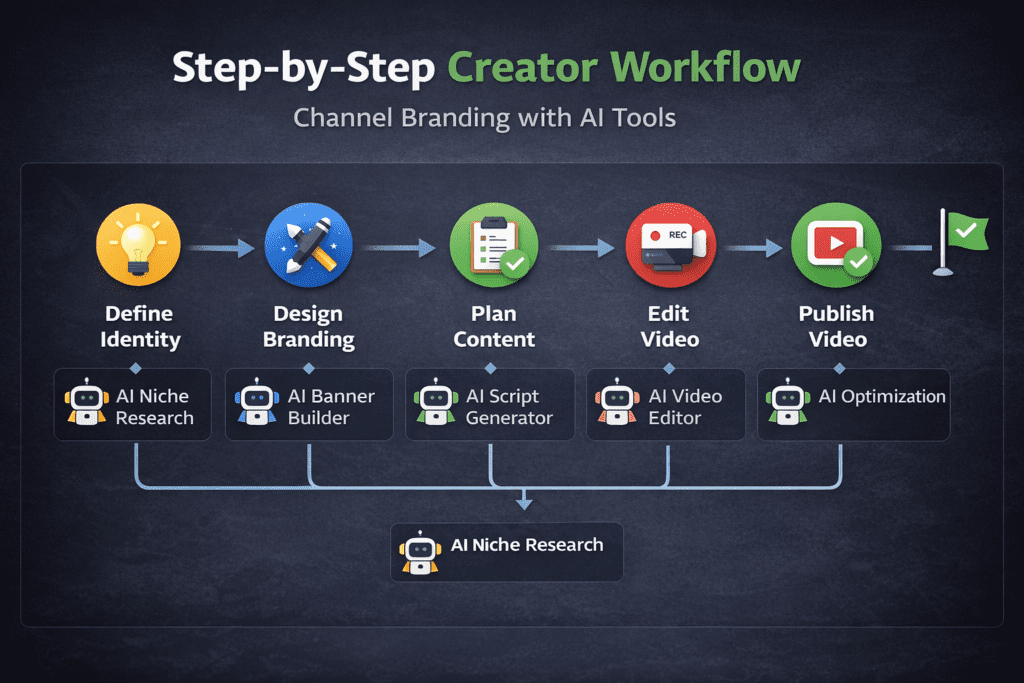
Ready to build a channel that looks professional and grows consistently? Here’s your complete AI-powered branding workflow — from banner to first published video.
Step 1: Define Your Channel Identity
Before you open any YouTube banner maker AI tool, get clear on three things:
- What is your channel about? (one clear sentence)
- Who is your target viewer? (be specific — age, interest, pain point)
- What is your visual vibe? (energetic, calm, authoritative, playful)
These answers become your inputs for every design and content decision that follows.
Step 2: Choose Your Brand Colors and Font Style
Pick 2 to 3 colors that represent your channel’s energy. Choose one primary font for headings. Stick to these choices across your banner, thumbnails, channel icon, and video intros. Consistency is brand recognition.
Step 3: Create Your Banner with a YouTube Banner Maker AI
Open one of the tools listed above — Piktochart, Canva, ImagineArt, or Phygital+ are all strong choices. Enter your channel name, describe your niche and visual style, and generate. Select the design that best matches your brand identity. Customize the text layer to include your channel name and upload schedule. Ensure all critical elements fall within the safe zone. Export at 2560 x 1440 pixels in PNG format.
Step 4: Sign Up for ytZolo
Head to ytzolo.com and create your free account. This is where your content production workflow lives.
Step 5: Generate Your First Video’s Content Assets
Enter your video topic into ytZolo. Within seconds you’ll receive:
- Multiple AI-generated title options (tested against CTR best practices)
- Thumbnail concept ideas aligned with your niche’s top-performing styles
- A complete video script with a strong hook, structured body, and clear call-to-action
- An SEO-optimized description ready for YouTube Studio
- A full tag set for maximum discoverability
Step 6: Upload Your Banner and First Video
In YouTube Studio, go to Customization → Branding → Banner Image → Upload. Use the device preview to confirm everything looks correct across mobile, desktop, and TV. Upload your video with the ytZolo-generated title, description, and tags. Use your ytZolo thumbnail concept as the basis for your custom thumbnail.
Step 7: Publish Consistently
The biggest factor in YouTube growth is consistency. With ytZolo handling your content creation workflow, producing fully optimized videos takes a fraction of the time — making it realistic to upload on a regular schedule without burning out.
Step 8: Update Your Banner Over Time
Revisit your banner every 3 to 6 months. If you rebrand, launch a new content series, or hit a subscriber milestone, use your YouTube banner maker AI of choice to refresh your channel art. A current, updated banner keeps your channel feeling alive and actively managed.
LSI Keywords and Related Topics for Channel Growth
Understanding YouTube banner maker AI is just one piece of building a successful YouTube presence. Here are the related concepts every serious creator should explore in 2026:
- YouTube channel art — The broader term for all visual branding on your YouTube channel page
- YouTube channel branding — The strategic use of consistent visuals, colors, fonts, and messaging across your entire channel
- AI thumbnail maker for YouTube — AI tools that generate video thumbnail designs optimized for CTR
- YouTube profile picture size — 800 x 800 pixels, displayed in a circular crop across the platform
- YouTube Studio customization — The section inside YouTube Studio where you upload banners, icons, and watermarks
- YouTube channel art dimensions — The specific pixel measurements and safe zone guidelines for banner uploads
- Free YouTube banner maker — Tools that generate YouTube banners without requiring a paid subscription
- YouTube channel icon design — The circular profile image that appears next to your channel name across YouTube and Google
- YouTube branding watermark — The small logo overlay that appears on videos and prompts viewers to subscribe
- AI content creation for YouTube — Using AI to generate titles, scripts, thumbnails, tags, and descriptions for YouTube videos
- YouTube SEO strategy 2026 — Optimizing your channel and videos for YouTube’s search and recommendation algorithm
- How to grow a YouTube channel fast — Growth strategies combining consistency, SEO, audience targeting, and quality content
For deep dives on every one of these topics, the ytZolo blog is one of the most practical, creator-focused resources available. Updated regularly with strategies that work in 2026’s algorithm.
FAQ: YouTube Banner Maker AI
Q1: What is a YouTube banner maker AI and how does it work?
A YouTube banner maker AI is a tool that uses artificial intelligence to generate custom YouTube channel art based on your inputs. You typically describe your channel’s niche, visual style, preferred colors, and channel name.
The AI then produces an original design — handling typography, layout, imagery, and sizing automatically. The best YouTube banner maker AI tools output your design at the correct dimensions (2560 x 1440 pixels) with no watermarks and full commercial use rights.
Q2: What size should my YouTube banner be in 2026?
The recommended YouTube banner size for 2026 is 2560 x 1440 pixels, with a minimum dimension of 2048 x 1152 pixels. The safe area for text and logos, considering various devices, is 1235 x 338 pixels.
Any YouTube banner maker AI you use should automatically export at these recommended dimensions. Always keep your most important design elements — your channel name, tagline, logo — within the safe zone to ensure they’re visible on every device.
Q3: Can I use AI-generated YouTube banners for monetized channels?
Yes. The leading YouTube banner maker AI platforms — including ImagineArt, Piktochart, Pixa, and Phygital+ — generate original designs that are watermark-free and cleared for commercial use. This means you can use them on fully monetized YouTube channels without any licensing restrictions. Always confirm the specific usage rights on whichever platform you use before uploading.
Q4: How often should I update my YouTube banner?
There’s no hard rule, but most successful channels refresh their banner every 3 to 6 months — or whenever they rebrand, launch a new content series, or want to promote a special event or milestone. Many successful channels update their banners monthly to keep their channel page fresh. Since a YouTube banner maker AI can produce a new design in minutes, there’s very little reason to keep the same banner for years.
Q5: How does ytZolo complement a YouTube banner maker AI?
A YouTube banner maker AI handles your channel’s visual identity — the art that makes a strong first impression. ytZolo handles your channel’s content identity — the titles, thumbnails, scripts, descriptions, and tags that drive actual views and subscriptions. Together, they cover every element of a professional YouTube presence: how your channel looks and how your videos perform. You can start with ytZolo for free and use it alongside any YouTube banner maker AI of your choice for a complete channel growth system.
Conclusion: Your Channel Deserves a Professional Identity
Here’s the reality of YouTube in 2026.
Millions of channels exist. Thousands are in your exact niche. Viewers have every option in the world — and they make their choice in seconds.
Your banner is your handshake. It tells every new visitor whether this channel is worth their time before they watch a single second of content.
A YouTube banner maker AI removes every excuse for a weak first impression. In minutes — not hours — you can have a professional, branded, device-optimized banner that makes your channel look like it belongs at the top of its niche.
But a great-looking channel is only half the battle.
The creators growing fastest on YouTube right now are the ones who combine sharp visual branding with relentlessly optimized content — every title, every thumbnail, every script, every description built to perform.
That’s what ytZolo is built for. One platform. Every AI tool your channel needs. Purpose-built for YouTube growth — so you stop wasting time and start building momentum.
Use a YouTube banner maker AI to nail your first impression. Use ytZolo to make every video that follows impossible to ignore.
Your channel has been waiting for this level of intention.
Start creating smarter, faster, and more viral YouTube content with ytZolo today.
👉 Visit ytzolo.com and start for free
Want to go deeper on YouTube growth strategy? The ytZolo blog publishes actionable, research-backed guides for creators who are serious about building channels that actually grow.
External Resources:

