
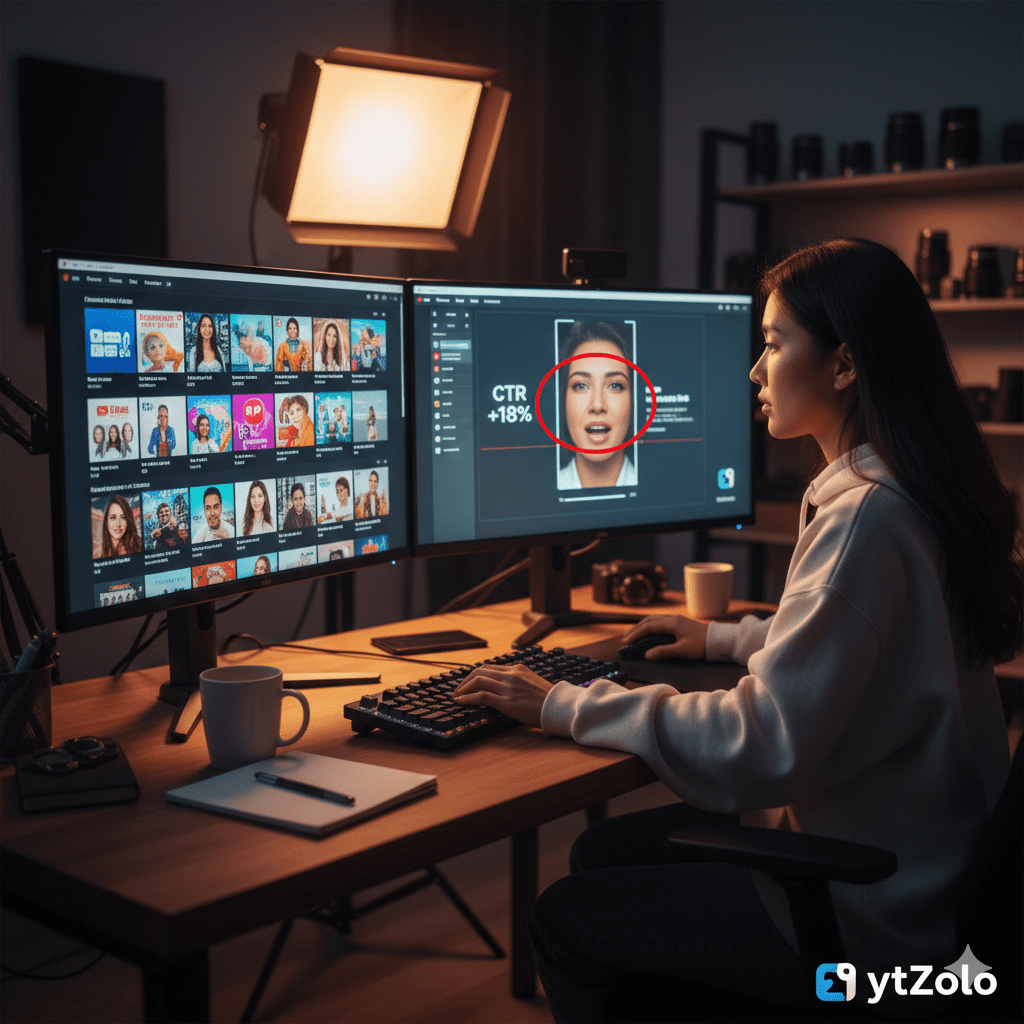
Introduction: The Day Alex Cracked the Thumbnail Code
Running a YouTube channel can feel incredibly inconsistent. You put days into thorough research and editing, only to watch your click-through rate flatline on launch day.
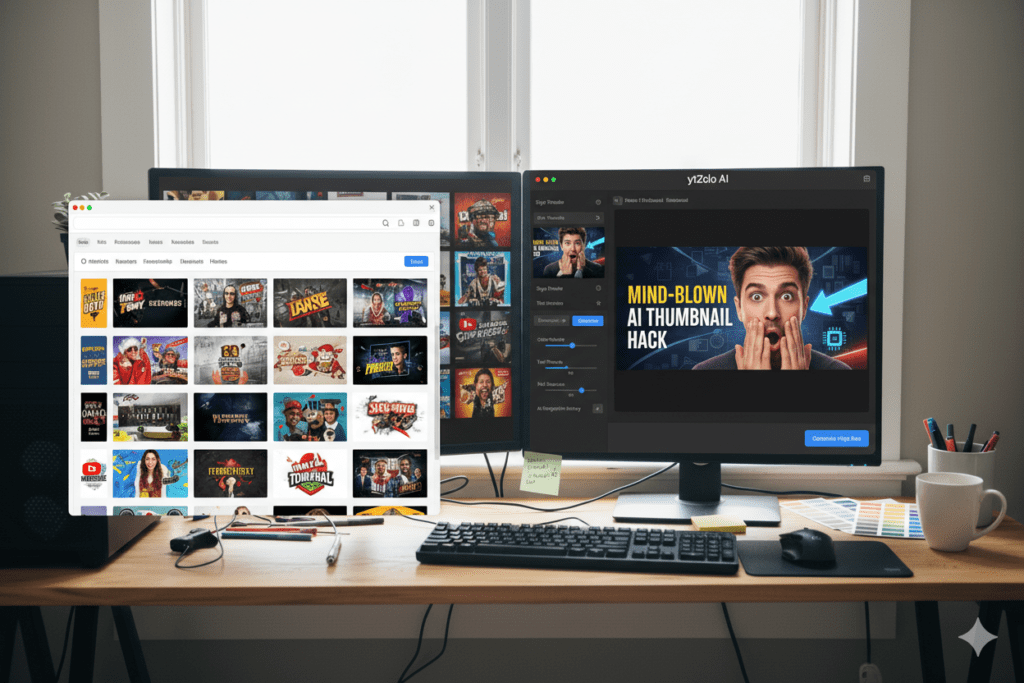
When top creators get stuck in a views rut, they do something simple: they download high-quality YouTube thumbnails from their competitors, line them up side-by-side, and break down the visual data. By studying layout patterns, font treatments, and color contrast up close, you can rebuild your design strategy based on proven data.
What he saw changed everything.
Every single top-performing thumbnail shared a pattern: deep blue-green backgrounds, bold yellow accent text under four words, a face showing quiet confidence rather than shock. Not a single one was cluttered. Not one had more than two colors.
Alex rebuilt his thumbnail strategy around what the data was showing him. Three weeks later, his average CTR jumped from 2.8% to 9.1%.
He didn’t guess his way there. He studied his way there — and it started with an extraction tool crisp enough to show him every design detail up close.
This guide covers everything: how to download YouTube thumbnails in the best available quality, what to do with them once you have them, and how ytZolo takes you from inspiration to creation faster than any other tool on the market.
Let’s get into it.
Table of Contents
Why Creators Download YouTube Thumbnails — The Real Reason
Let’s clear something up right away.
Then Alex did something simple. He downloaded the thumbnails of the top five videos in his niche using a YouTube Thumbnail Downloader High Quality — in full, crisp HD — and lined them all up side by side on his screen.
When you download and study thumbnails from the highest-performing videos in your niche, you start to see patterns that are invisible at scroll speed. Color combinations that consistently appear. Text lengths that top creators never exceed. Emotional expressions that recur across completely different videos.
Content creators, marketers, and researchers download YouTube thumbnails for purposes including competitive analysis, design inspiration, A/B testing research, and content strategy development — all of which directly serve channel growth.
Here’s what serious creators actually do with downloaded thumbnails:
- Niche pattern analysis — Identify which visual patterns dominate the top-ranking videos in your specific content category
- Color palette research — Spot which color combinations consistently get clicks in your niche so you can apply them strategically
- Typography study — Understand what font styles, weights, and sizes top creators use and why they work at thumbnail scale
- Composition mapping — Analyze how subjects, text, and backgrounds are spatially arranged in high-CTR designs
- Brand recognition study — See how established creators maintain visual consistency across dozens of videos
- Inspiration for original designs — Use existing high-performers as creative jumping-off points for entirely original thumbnails
With a youtube thumbnail grabber, you can analyze the color choices, font styles, and composition of competitors, inspiring your own clickable designs — and that competitive edge compounds over time.
This is intelligence gathering. And it’s one of the most underused growth strategies on YouTube.
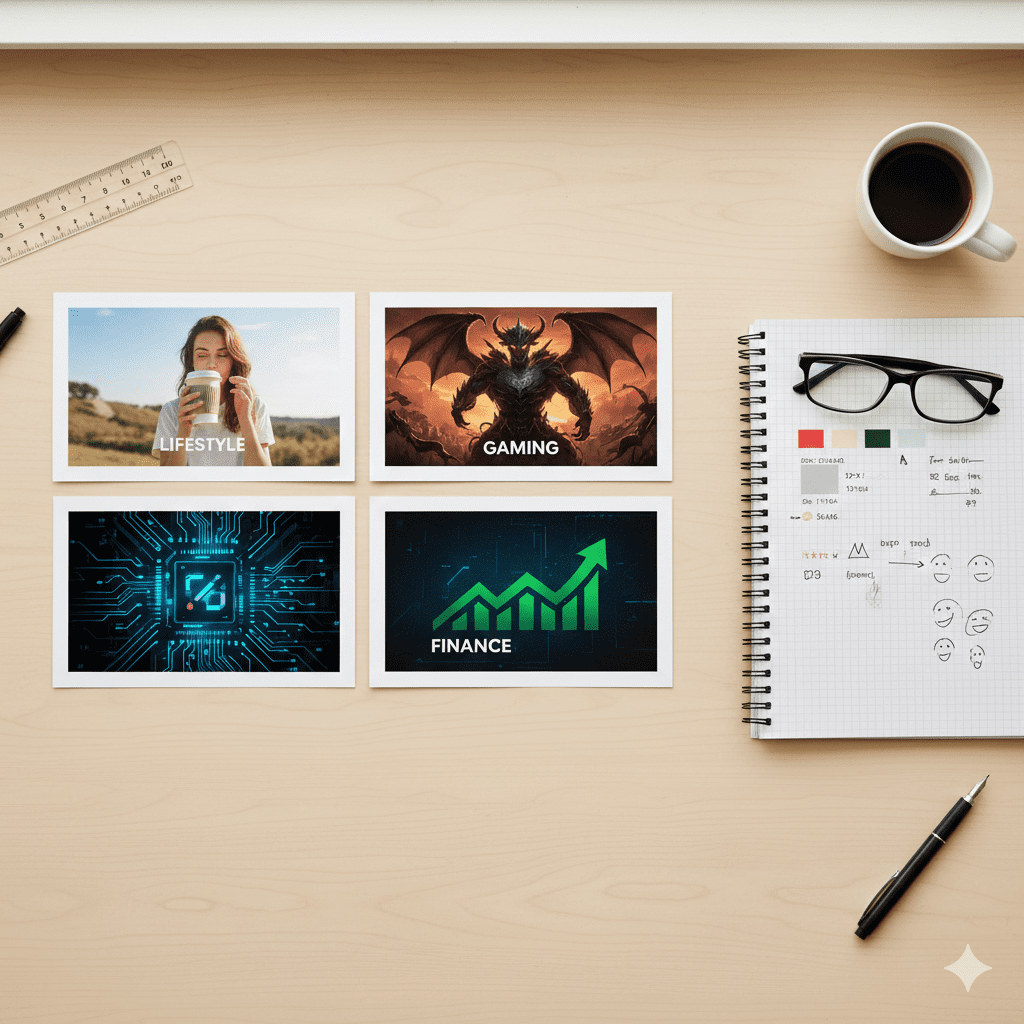
What Is a YouTube Thumbnail Downloader and How Does It Work?
A YouTube Thumbnail Downloader High Quality is a free online tool that extracts the preview image from any public YouTube video and makes it available to download in various resolution options.
Every YouTube video has a thumbnail — either auto-generated from a frame in the video, or a custom image uploaded by the creator. YouTube stores these thumbnails at multiple sizes and resolution levels, and a thumbnail downloader tool fetches and presents all available options so you can choose the quality you need.
YouTube thumbnail grabber tools are free online tools that let you extract and download thumbnail images from any YouTube video — for content creation, research, or inspiration — without any software installation.
Here’s how they work under the hood: every YouTube video has a unique video ID embedded in its URL. Thumbnail downloader tools extract that ID and use it to query YouTube’s public image storage, retrieving all thumbnail files associated with that video. The result is a selection of resolution options — from small preview sizes to full HD — that you can download with a single click.
The best downloader tools offer:
- Multiple resolution options — From small 120×90 previews up to full 1280×720 HD and sometimes 4K
- No login or account required — Instant access without registrations or subscriptions
- Watermark-free downloads — Clean images you can use directly as design references
- Broad URL format support — Standard links, shortened URLs, Shorts links, and playlist links all work
- Mobile compatibility — Works directly from browser on Android and most iOS devices
- Privacy-respecting operation — Reputable tools don’t store your search history or cache video data
Quality youtube thumbnail downloader tools enable you to view and download video thumbnails in multiple sizes and formats, including HD and 4K, and support various YouTube video types including regular videos, Shorts, music videos, and live streams.
YouTube Thumbnail Sizes and Quality Explained
Before you download using a YouTube Thumbnail Downloader High Quality, it helps to know exactly what you’re downloading — and which quality option you actually need.
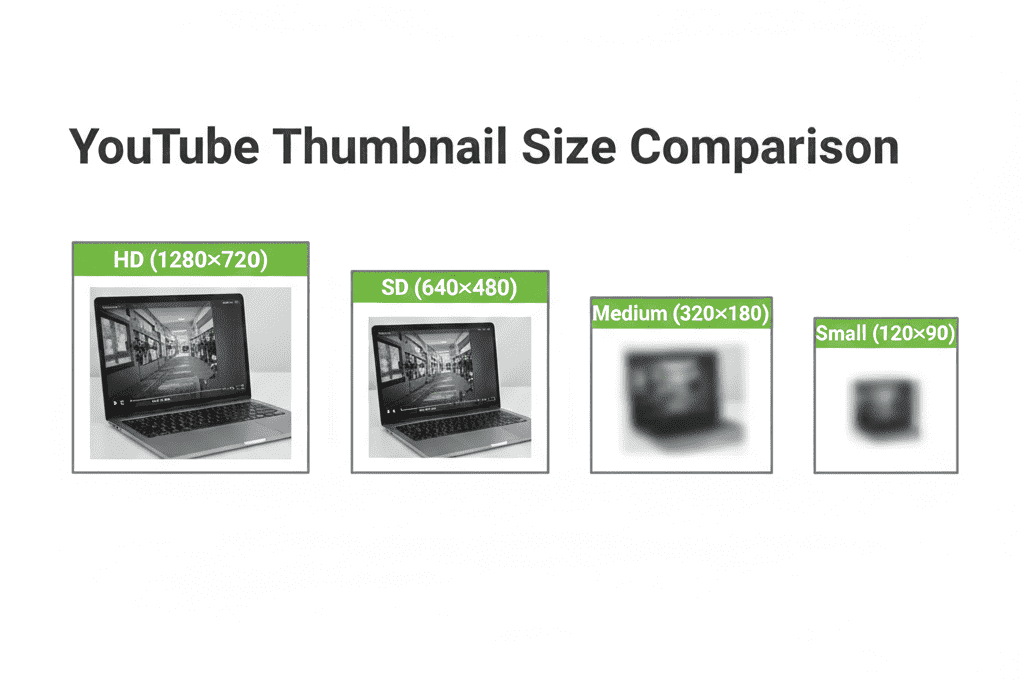
YouTube thumbnail grabbers typically provide thumbnails in five different qualities: Full HD (1280×720), Standard (640×480), Medium (480×360), Normal (340×180), and Small (120×90).
Here’s a breakdown of each quality tier and when to use it:
Maximum Resolution — 1280×720 (HD)
This is the gold standard. YouTube recommends that custom thumbnails have a resolution of 1280×720, with a minimum width of 640 pixels, at a 16:9 aspect ratio. When downloading for competitive research or design inspiration, always grab this size. It gives you the full detail — every font curve, color gradient, and compositional choice is visible.
Standard Definition — 640×480
A solid mid-range option for general reference or presentations. Good enough for most analytical work, but you may miss fine design details at this resolution.
Medium Quality — 320×180 or 480×360
Useful for quick reference or low-bandwidth situations with a youtube thumbnail downloader tool. Not recommended for detailed design analysis — too many details get compressed.
Small and Default — 120×90 and 340×180
These are the smallest available sizes. Useful only if you’re testing how a thumbnail reads at extreme mobile sizes — a legitimate research use case, but not for visual analysis.
The rule of thumb: Always download the highest available resolution using a youtube thumbnail grabber to get the download youtube thumbnail hd. The 1280×720 HD version gives you every design detail a creator put into their thumbnail, making your competitive analysis far more accurate and actionable.
The recommended YouTube thumbnail specifications are: 1280×720 pixels resolution, 16:9 aspect ratio, minimum 640 pixels width, up to 2MB file size for videos, and JPG, GIF, or PNG file formats.
Knowing these specs is just as important when you go to create thumbnails as when you download them for research — which is exactly where a tool like ytZolo makes the process seamless.
How to Download YouTube Thumbnails in High Quality — Step by Step
Downloading a YouTube thumbnail high quality is genuinely simple. Here’s the complete process.
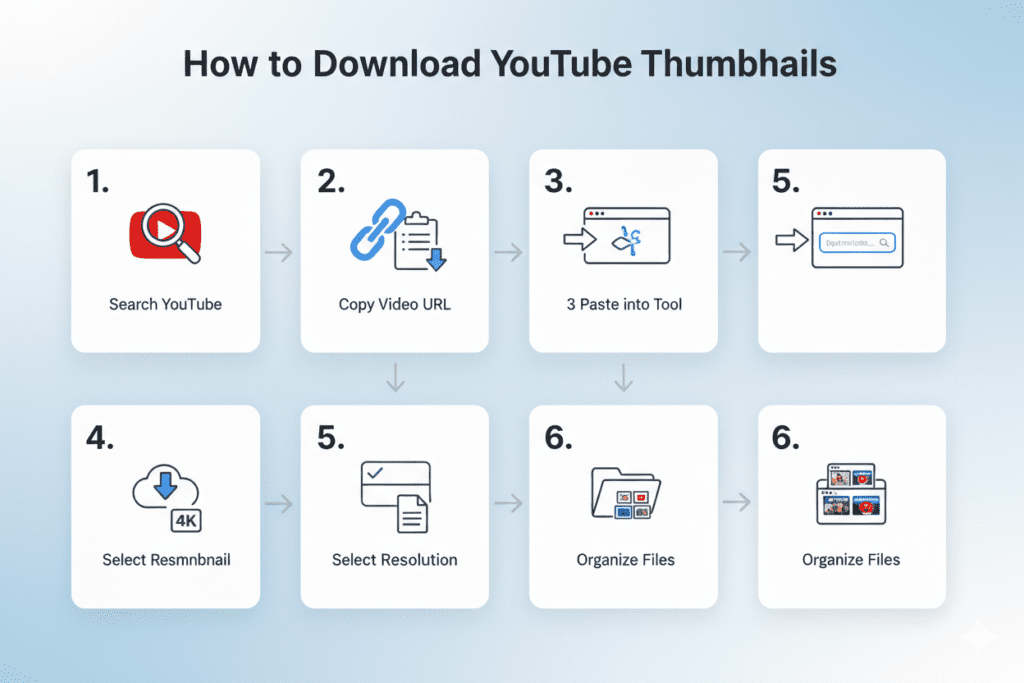
Step 1: Find the YouTube Video You Want to Analyze
Search YouTube for the top-performing videos in your niche using a YouTube Thumbnail Downloader High Quality. Sort by “Most Popular” or look at the videos appearing in the top results for your target keyword. These are the thumbnails worth studying — they’ve already proven their ability to attract clicks.
Step 2: Copy the Video URL
Click on the video (you don’t need to watch it). Copy the full URL from your browser’s address bar. It will look like:
Or for Shorts:
Both formats work with quality thumbnail downloader tools.
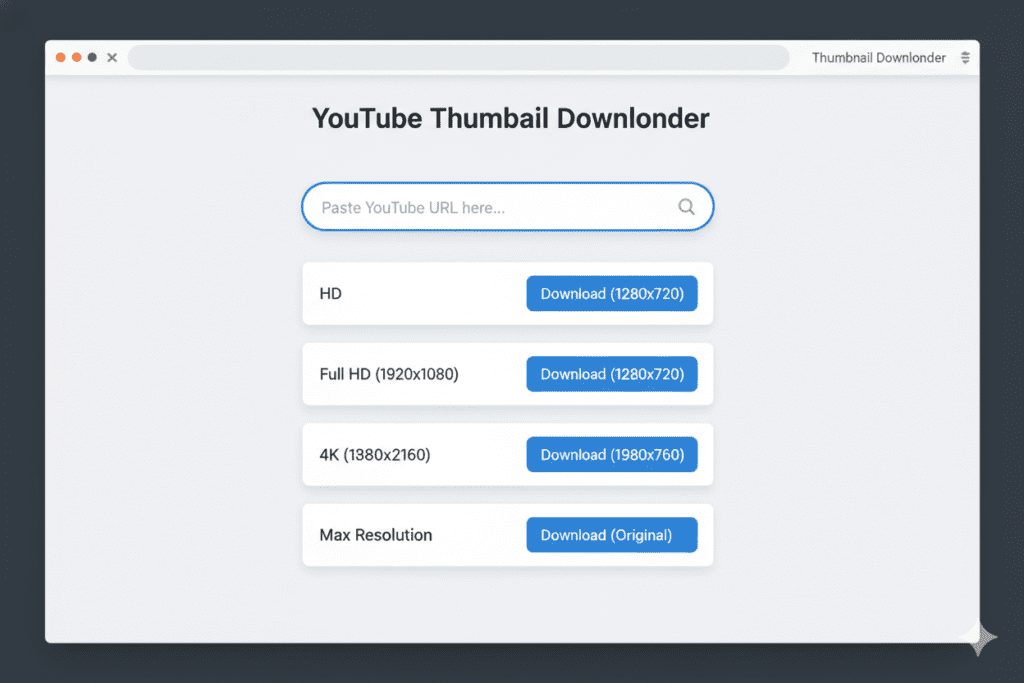
Step 3: Open a YouTube Thumbnail Downloader Tool
Open a reputable youtube thumbnail grabber in your browser. Several free tools are available — look for ones that offer HD quality output, watermark-free downloads, and no login requirement. Options include Thumbload.net, ThumbnailDown.com, and similar services.
Step 4: Paste the URL and Generate
Paste your copied URL into the tool interface. The system reads the specific video identification code to pull the exact image files directly from the hosting servers.
Step 5: Select HD (1280×720) Quality and Download
Choose the highest resolution tier available—usually 1280×720 for standard HD uploads. Save the asset directly to your local drive for analysis.
Step 6: Repeat for Your Research Set
For meaningful competitive analysis, download thumbnails from at least 10–15 top-performing videos in your niche. The more samples you have, the clearer the patterns become.
Step 7: Organize Your Research Files
Create a folder structure by niche and sub-topic. Name files clearly (e.g., finance-debt-payoff-thumb-01.jpg). This makes pattern analysis far easier — especially when you’re comparing across multiple thumbnails.
Pro insight: The human face is the fastest way to build an instant psychological connection. When reviewing downloaded assets, notice how top channels use tight framing on high-emotion expressions to trigger immediate curiosity.
How to Analyze Downloaded Thumbnails Like a Pro Creator
Downloading thumbnails is step one. Knowing what to look for is where the real growth happens.
Here’s a systematic framework for extracting maximum intelligence from your downloaded thumbnail research set.
Identify the Dominant Color Pattern
Open all your downloaded thumbnails side by side using a YouTube Thumbnail Downloader High Quality. What colors appear most frequently among the top performers? Are warm tones (oranges, yellows, reds) or cool tones (blues, greens, purples) dominant? Is there a consistent use of high contrast between the subject and background?
Bright, high-contrast images consistently outperform dull or cluttered ones — and a compelling thumbnail can increase CTR by 2–3x. Your color research will confirm this pattern in your specific niche.
Count the Words in the Thumbnail Text
Most high-performing thumbnails in almost every niche use five words or fewer. Research finds that three to four words at most are ideal for thumbnail text — and the content should jump out from the background using heavy outlines or bold contrast. Count the words in your top-performing sample set and you’ll almost certainly see this pattern confirmed.
Map the Composition Structure
Where is the face positioned — left, right, or center? Where does the text appear relative to the face? Is there a clear visual hierarchy directing the eye from subject to text? The best-performing thumbnails always have a single, unmistakable focal point.
Research analyzing thumbnail design elements reveals significant correlations between composition choices and video metrics — including the positive impact of emphasis on one clear subject and minimal background complexity.
Study the Emotional Expression
What expression is the face in the thumbnail showing? The human face is the fastest way to build an instant psychological connection. When reviewing downloaded assets, notice how top channels use tight framing on high-emotion expressions to trigger immediate curiosity.
Look for Branding Consistency
Study three or four thumbnails from the same top creator. What stays consistent across all of them? Font family, color palette, layout structure, face position? Big creators have instantly recognizable thumbnails — whether it’s bold text, color schemes, or layout, consistency makes content bingeable.
Now ask: what can you borrow from these patterns to build your own recognizable brand?
Document Your Findings
Create a simple reference doc capturing: dominant colors in your niche, average word count in thumbnail text, common composition structures, recurring emotional expressions, and branding patterns from top creators. This becomes your personal thumbnail intelligence file — the foundation for every design decision going forward.

From Studying to Creating — How ytZolo Completes the Loop
Here’s where everything connects.
You’ve downloaded thumbnails using a YouTube Thumbnail Downloader High Quality. You’ve studied the patterns. You know what your niche responds to — the colors, the text length, the emotional register, the compositional structures. Now you need to create thumbnails that apply all of those insights, at quality and speed that supports your publishing schedule.
This is exactly where ytZolo becomes the tool that completes the loop.
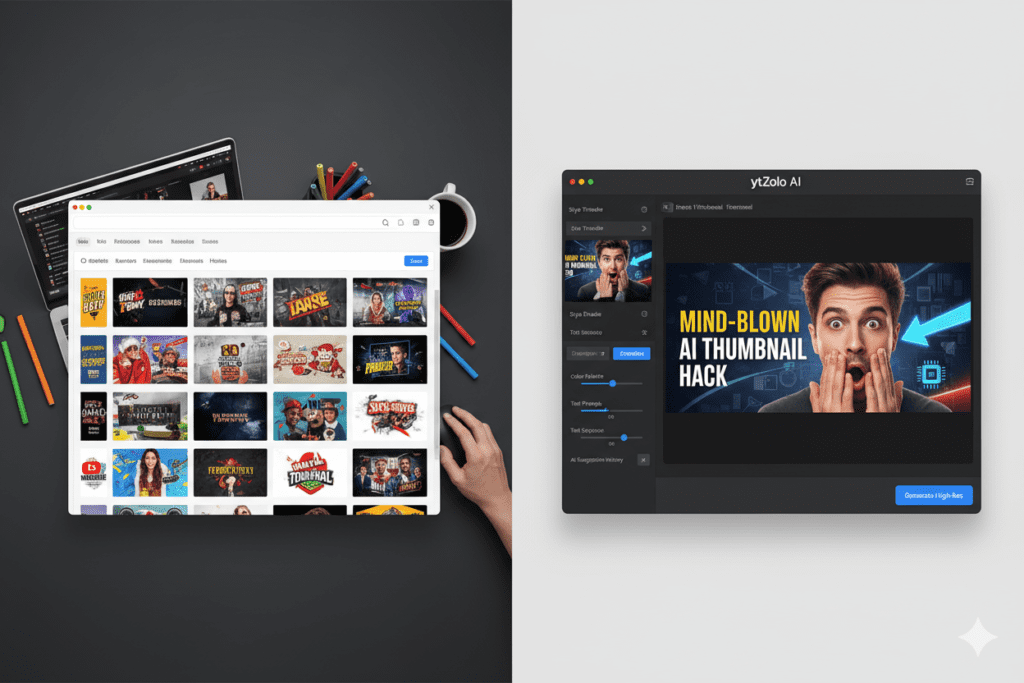
ytZolo is a full AI YouTube growth platform built specifically for creators — and its thumbnail generation engine takes everything you’ve learned from your research and turns it into scroll-stopping designs in seconds.
Here’s how ytZolo helps you apply your competitive intelligence:
- Niche-aware AI generation — Tell ytZolo your content category, and its AI applies the visual patterns that actually drive clicks in that niche. Your research confirms the patterns; ytZolo executes them at professional quality.
- Color palette input — Discovered that deep blue plus yellow text dominates your niche? Input those parameters and ytZolo designs around them — giving you the niche-optimized look with your own original creative execution.
- Tone and mood direction — Specify the emotional register your thumbnail should hit. ytZolo’s AI translates that direction into visual choices: the right expression framing, the right background tone, the right typographic weight.
- Multiple design variations — Generate several fully realized options in seconds. Pick the strongest one, tweak if needed, and you’re done. No guesswork. No hours in Canva.
- YouTube-spec output — Every thumbnail ytZolo produces is export-ready at 1280×720 pixels — the exact resolution you just learned is YouTube’s recommended specification.
Why do creators struggle without AI? Because there’s a critical gap between knowing what works and being able to execute it consistently at scale. Most solo creators don’t have the design skills to translate research insights into polished thumbnails — and they don’t have the hours to try, even with the best reference tools at their disposal.
ytZolo bridges that gap. Your research gives you the intelligence; ytZolo gives you the execution.
And once your thumbnail is done, you stay right inside ytZolo to generate a CTR-optimized title, a complete video script, an SEO-ready description, and keyword tags — all in one unified workflow. No switching between five different tools.
For more creator growth strategies built around AI, explore the ytZolo blog — it’s one of the most practical resources for YouTubers growing their channels with smart tools.
Why ytZolo Is Better Than Other Thumbnail Tools
The market has no shortage of thumbnail-adjacent tools. Here’s an objective, honest comparison.
ytZolo vs. Manual Thumbnail Downloader + Canva Workflow
The most common approach: download competitor thumbnails for reference, then manually recreate something similar in Canva. This works, but it’s slow (45–90 minutes per thumbnail), relies entirely on your design skill, and produces inconsistent results across a channel’s library.
ytZolo takes the same research input and produces professional-quality, niche-optimized thumbnails in minutes — not hours.
ytZolo vs. TubeBuddy Thumbnail Analyzer
TubeBuddy offers an AI-powered thumbnail analyzer that scores your existing designs and provides improvement suggestions. It’s a useful feedback tool. But it analyzes after the fact — it doesn’t generate thumbnails for you. You still have to design first, then get feedback, then redesign.
ytZolo generates data-backed thumbnails from the start, cutting the trial-and-error cycle entirely.
ytZolo vs. Generic AI Image Generators
Tools like Midjourney or DALL-E can produce stunning images — but they’re fundamentally general-purpose. They have no understanding of YouTube CTR optimization, thumbnail text placement, YouTube’s recommended dimensions, or niche-specific visual conventions.
Even when using a YouTube Thumbnail Downloader High Quality, after generating an image, you’d still need a separate design tool to add text, adjust sizing, and optimize layout.
ytZolo handles the entire pipeline — AI image generation, text overlay, composition, sizing, and niche optimization — in one seamless creator workflow.
ytZolo vs. Standalone Thumbnail Downloader Tools
Thumbnail downloaders are excellent at what they do: extracting HD images for research purposes. But they stop there. They give you the reference material; they don’t help you act on it. ytZolo is the natural next step — the creation engine that turns your competitive research into original, high-performing thumbnails.
Together, utilizing a solid downloader for research +ytZolofor creation forms the complete thumbnail intelligence and production system.
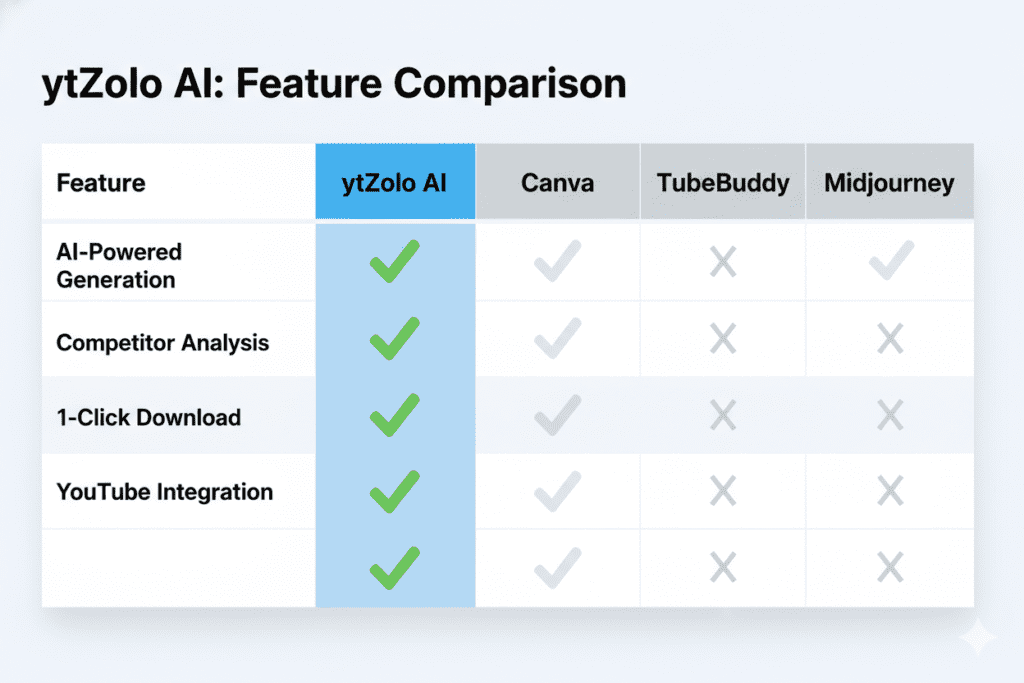
| Feature | ytZolo | Canva | TubeBuddy | Midjourney |
|---|---|---|---|---|
| YouTube-specific AI design | ✅ | ❌ | ❌ | ❌ |
| AI thumbnail generation | ✅ | Templates only | ❌ | ✅ (no YouTube context) |
| Niche-aware visual optimization | ✅ | ❌ | Partial | ❌ |
| Smart text placement | ✅ | Manual | ✅ (analysis only) | ❌ |
| 1280×720 export ready | ✅ | ✅ | N/A | Manual |
| Title + script + description + tags | ✅ | ❌ | Partial | ❌ |
| All-in-one creator workflow | ✅ | ❌ | ❌ | ❌ |
| Free plan available | ✅ | ✅ | ✅ | ❌ |
Copyright and Legal Considerations When Downloading Thumbnails
This is important to cover clearly and honestly.
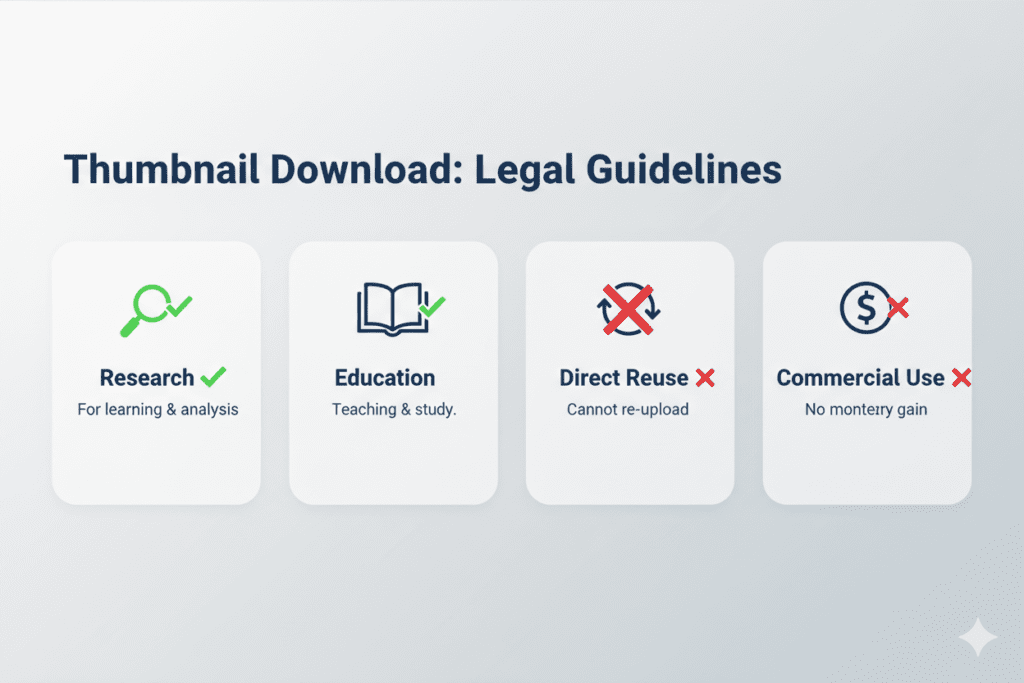
Downloading YouTube thumbnails is widely considered legal for personal, educational, and research purposes. It is legal and safe to download YouTube thumbnails for personal, educational, or research purposes — however, always respect copyright ownership and avoid commercial reuse without permission from the content creator.
Here are the key guidelines to follow:
- Personal research and inspiration: Fine. Using downloaded thumbnails with a YouTube Thumbnail Downloader High Quality to study design patterns, analyze competitor strategies, or inspire your own original creations is standard practice in the creator community.
- Presentations, reports, and education: Generally fine. Embedding thumbnails in internal documents, client reports, or educational materials as visual references is considered reasonable use.
- Direct reuse on your own channel: Not okay. Uploading someone else’s thumbnail as your own thumbnail — even modified — is both copyright infringement and a violation of YouTube’s community guidelines.
- Commercial reproduction without permission: Not okay. Using thumbnails in any commercial context (ads, product packaging, merchandise) without explicit permission from the original creator is a copyright violation.
- Private or unlisted videos: Not accessible.These extraction tools can only retrieve images from publicly available videos. Private and unlisted content is protected and cannot be accessed through them.
Thumbnails remain the property of their respective creators, and you should obtain permission before reuse — especially if you are reusing on YouTube, as it may create copyright issues.
The takeaway: download to learn, not to copy. Study the patterns, extract the intelligence, and apply those insights to original creative work that’s entirely yours. That’s the ethical and legal path — and it’s also more effective, because original designs that feel like your brand will always outperform copied designs that don’t.
Pro Tips for Using Downloaded Thumbnails to Improve Your CTR
You’ve got the research. You’ve got the tools. Here’s how to turn it all into consistent CTR growth.
1. Build a niche swipe file before every new videoBefore designing any thumbnail, spend 10 minutes downloading the top 5–10 thumbnails for your video’s target keyword. Identify the pattern, then design to both fit the niche and stand out within it. Fitting in builds credibility; standing out drives clicks. You need both.
2. Create your own brand thumbnail template After your research, identify the core elements of your ideal thumbnail brand — your signature color palette, your preferred font style, your typical text length, your face positioning. Use ytZolo to generate thumbnails consistently within this framework. Over time, your thumbnails become self-reinforcing: viewers recognize your style before they read your name.
3. Study your own historical thumbnails tooDon’t just download competitor thumbnails. Download all your own past thumbnails using a YouTube Thumbnail Downloader High Quality and line them up chronologically. Do they look like they belong to the same channel? Is there a visual evolution you can identify? This self-audit often reveals inconsistencies that explain underperformance better than any competitor analysis.
4. Test the mobile view before publishing The recommended thumbnail size of 1280×720 ensures optimal visibility across phones, tablets, and computers — but that doesn’t mean your design automatically works at small sizes. After generating your thumbnail with ytZolo, shrink the preview to simulate a mobile feed view. If text becomes unreadable or your face becomes indistinguishable, simplify before publishing.
5. Use A/B testing to validate your research insights YouTube Studio’s thumbnail testing feature lets you pit two thumbnail designs against each other and see which performs better with real audience data. After your research points you toward a particular color or composition approach, test it against an alternative. Let data confirm what your analysis suggested.
6. Refresh high-impression, low-CTR videos Sort your YouTube Studio analytics by “Impressions” and filter for videos with a CTR below 5%. These are videos that YouTube is trying to show people — but viewers aren’t clicking. Download the top-performing thumbnails in that video’s topic, apply the insights, generate a new design with ytZolo, and update the thumbnail. It’s one of the fastest wins available to any creator.
7. Don’t chase every trend — Build your anchor style. Thumbnails trend. Yellow outlines are everywhere one month, gone the next. What doesn’t go out of style is a clear, consistent visual brand that your audience recognizes instantly. Use trend research with a youtube thumbnail grabber to inform your designs — but don’t rebuild your entire thumbnail identity around every shift in what’s currently popu
FAQ
What is the best YouTube thumbnail downloader for high quality images?
The best youtube thumbnail grabber options are free online tools that provide full HD downloads at 1280×720 pixels without watermarks or registration requirements. Look for tools that support multiple URL formats (standard videos, Shorts, playlists), offer multiple resolution choices, and download clean JPG or PNG files directly.
Thumbload.net, ThumbnailDown.com, and similar tools are widely used for this purpose. Always select the maximum resolution option (1280×720) for design research and competitive analysis.
Is it legal to download YouTube thumbnails?
Yes — downloading YouTube thumbnails for personal use, research, design inspiration, or educational purposes is generally considered legal. Thumbnails are publicly accessible images hosted on YouTube’s servers.
However, you cannot upload someone else’s thumbnail as your own, use it commercially without permission, or attempt to access thumbnails from private or unlisted videos. Always use downloaded thumbnails as creative references, not as content to republish.
What YouTube thumbnail size and resolution should I download?
Always download the highest available resolution — 1280×720 pixels at a 16:9 aspect ratio. This is YouTube’s recommended thumbnail specification and provides the maximum visual detail for competitive research.
Smaller sizes (640×480, 320×180) are useful for quick reference but won’t show you the fine design details — font choices, color gradients, and compositional precision — that make thumbnails effective.
How do I turn thumbnail research into my own original designs?
Start by downloading 10–15 high-performing thumbnails in your niche and identifying patterns: dominant colors, text length, composition structure, and emotional expressions. Document these findings.
Then use an AI thumbnail tool like ytZolo to generate original thumbnails informed by those patterns — applying niche-proven visual principles to your own brand identity and content. This research-to-creation workflow consistently produces better results than designing from scratch or by intuition alone.
Can I use ytZolo after downloading thumbnails for research?
Absolutely — and this is actually the ideal workflow. Use a YouTube Thumbnail Downloader High Quality to gather competitive intelligence from your niche’s top performers. Identify the patterns.
Then use ytZolo’s AI thumbnail generator to create original, niche-optimized thumbnails that apply those insights at professional quality. ytZolo also generates your video title, script, SEO description, and tags — so you can complete your entire content package in one session.
Conclusion: Download the Intelligence. Create the Advantage
Here’s what this entire guide comes down to.
A youtube thumbnail grabber tool gives you access to something most creators completely overlook: a window into what’s already working on YouTube, in your niche, right now.
The colors that stop the scroll. The text lengths that get clicked. The compositions that make viewers lean forward instead of scrolling past.
That intelligence is sitting right there inside every high-performing thumbnail on the platform — available for free, in full HD, in thirty seconds. All you have to do is look.
But intelligence without execution is just information. The creators who actually grow are the ones who study the patterns and act on them fast — every single video, every single week.
That’s exactly what ytZolo is built to help you do. Take what you’ve learned from your research. Feed it into an AI platform built specifically for YouTube growth. Get professional-quality, niche-optimized thumbnails in minutes — plus the titles, scripts, descriptions, and tags to complete a fully polished video package.
The fastest-growing channels in 2025 aren’t leaving design to chance or guesswork. They’re researching smarter and creating faster — with better tools working in their corner.
You now have the complete playbook. All that’s left is to use it.
👉 Start creating smarter, faster, and more viral YouTube content with ytZolo today. Visit ytzolo.com — free to start, no credit card required.
Ready to go deeper on YouTube growth? The ytZolo blog has in-depth guides on titles, scripts, SEO optimization, and the AI strategies that top creators are using to build channels that grow on autopilot.
External Authority Sources Referenced:


Pingback: Best Free AI Thumbnail Generator for YouTube (2026)