
Introduction
Marcus uploaded 47 videos in one year.
He posted consistently. He edited like a pro. His content was genuinely helpful. But his views were stuck — hovering between 50 and 200 per video, month after month.
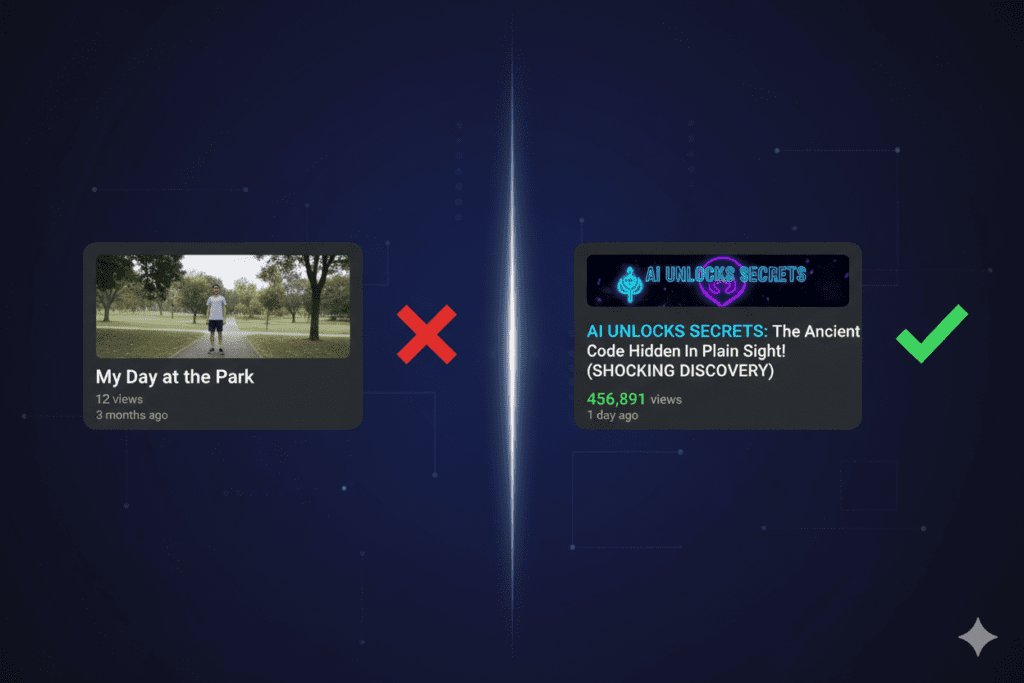
Then one day, he changed just one thing: his YouTube title strategy. The very next video hit 18,000 views in 72 hours. Same production quality. Same channel. Same niche. Different title.
That’s how powerful a YouTube title really is.
If you’re grinding out content and wondering why your views aren’t growing, this guide is for you. A YouTube title isn’t just a label for your video — it’s your first impression, your SEO signal, and your biggest weapon for getting clicks. Get it wrong and even your best content disappears. Get it right and the algorithm pushes you to thousands of new viewers overnight.
In this guide, you’ll learn everything about writing the perfect YouTube viral title — from the psychology of clicks to data-backed formulas to how AI tools like ytZolo are helping everyday creators go viral faster than ever before.
Let’s break it all down.
Table of Contents
Why Your YouTube Viral Title Is the Most Important Part of Your Video
Think about the last time you scrolled through YouTube looking for something to watch.
You didn’t read every description. You didn’t check every channel page. You skimmed titles — fast. And in a split second, something caught your eye and you clicked.
That’s exactly how your potential viewers behave too.
Your YouTube title is the single piece of text that has to do three jobs at once: tell the algorithm what your video is about, convince a real human to click, and set the right expectations so viewers actually stick around and watch.
YouTube processes over 500 hours of video every single minute. That means competition is brutal. Without a compelling YouTube viral title, your content — no matter how good — is invisible.
According to YouTube’s Creator Academy, your video title is one of the most critical metadata signals the platform uses to discover, categorize, and recommend your content to the right audience. A weak title sends no signal. A strong, keyword-rich YouTube title tells the algorithm exactly who to show your video to.
This is why professional creators obsess over their YouTube title before they even hit record. And it’s why the smartest ones now use AI to get it right every single time.
How the YouTube Algorithm Reads Your Title
Most creators think of their YouTube title as being “for viewers.” It is — but it’s equally for YouTube’s algorithm.
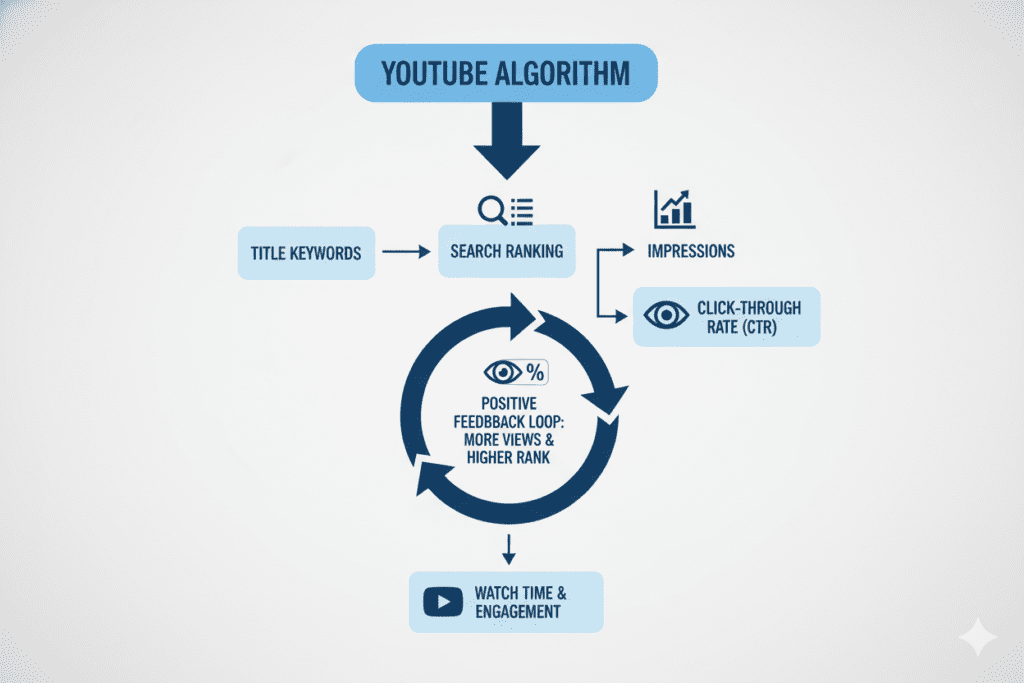
Here’s how YouTube actually uses your title behind the scenes.
Relevance Matching
When someone searches for a topic, YouTube scans every video’s title, description, and tags to match search intent. A well-crafted YouTube viral title that includes the exact keyword a viewer typed gives your video a massive visibility advantage.
The more closely your title matches what real people are searching for, the higher your chances of appearing in YouTube search results and on Google.
Click-Through Rate Signal
Once YouTube shows your video in search or recommendations, it tracks how many people click on it versus scroll past it. This is your click-through rate (CTR).
A low-CTR YouTube viral title tells the algorithm your video isn’t worth promoting. A high-CTR title triggers YouTube to push your video to more and more people — creating a viral momentum loop that compounds over time.
Thumbnail and Title Harmony
YouTube’s algorithm also measures how well your title and thumbnail work together. When they reinforce each other — telling the same story from two angles — viewers click at a much higher rate.
This is one reason why creators who generate their YouTube viral title and thumbnail from the same AI content brief (like those using ytZolo) consistently outperform those who create them separately.
The Anatomy of a Perfect YouTube Viral Title
Not all YouTube viral titles are built equally. The ones that consistently earn clicks and rank high follow a specific structure.
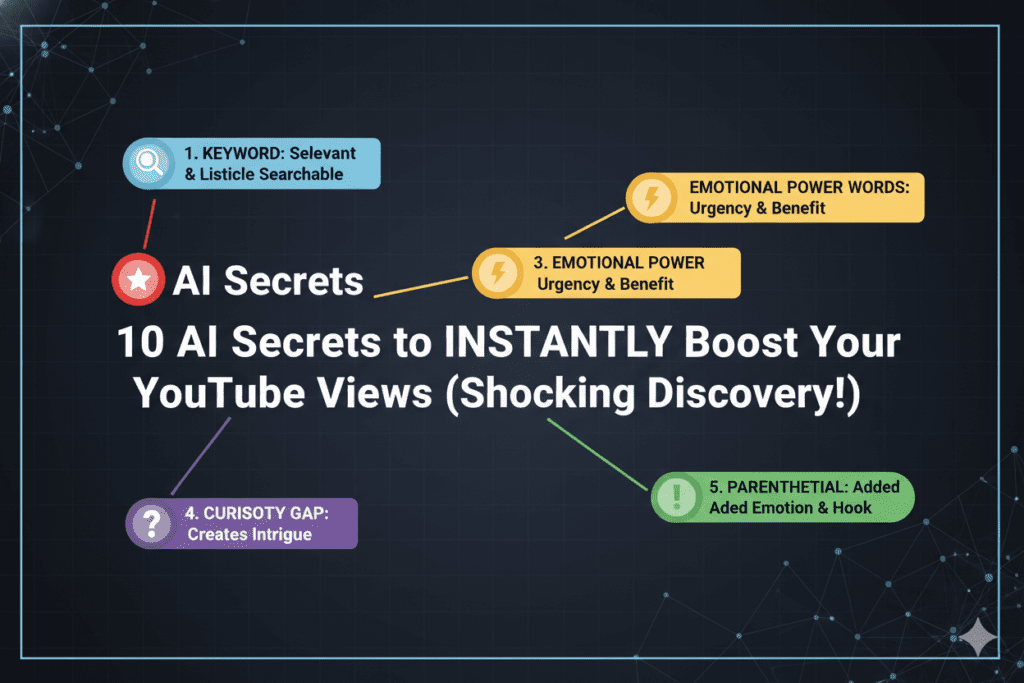
Here’s what a winning YouTube viral title is made of:
Primary Keyword (Non-Negotiable)
Your YouTube viral title must include the main keyword your target viewer would type into the search bar. Place it as early in the title as possible — ideally within the first 3–5 words. This is the #1 ranking signal for YouTube search.
Emotional Hook or Power Word
Cold, factual titles don’t earn clicks. Emotional titles do. Words like “Warning,” “Finally,” “Secret,” “Proven,” “Shocking,” and “You’re Doing This Wrong” trigger curiosity and urgency — which means more clicks.
Specific Benefit or Outcome
Viewers click when they believe the video will give them something valuable. State the specific result your video delivers. “Lose 10 Pounds” beats “Lose Weight.” “Earn $500 a Day” beats “Make Money Online.”
Curiosity Gap
A curiosity gap is the space between what a viewer knows and what they want to know. A great YouTube title hints at something valuable without giving it all away. The viewer has to click to complete the thought.
Numbers (When Relevant)
Numbered titles perform consistently well across almost every niche. “7 Ways to…” or “The #1 Mistake…” gives viewers a clear content structure and sets expectations before they click.
Here’s the full anatomy in one example:
“7 YouTube Viral Title Mistakes That Are Killing Your Views (And How to Fix Them Fast)”
- “7” → number for structure
- “YouTube Viral Title Mistakes” → primary keyword early
- “Killing Your Views” → emotional trigger + pain point
- “Fix Them Fast” → specific outcome + urgency
- Parenthetical → secondary value signal that increases clicks
7 Proven YouTube Viral Title Formulas That Drive Clicks
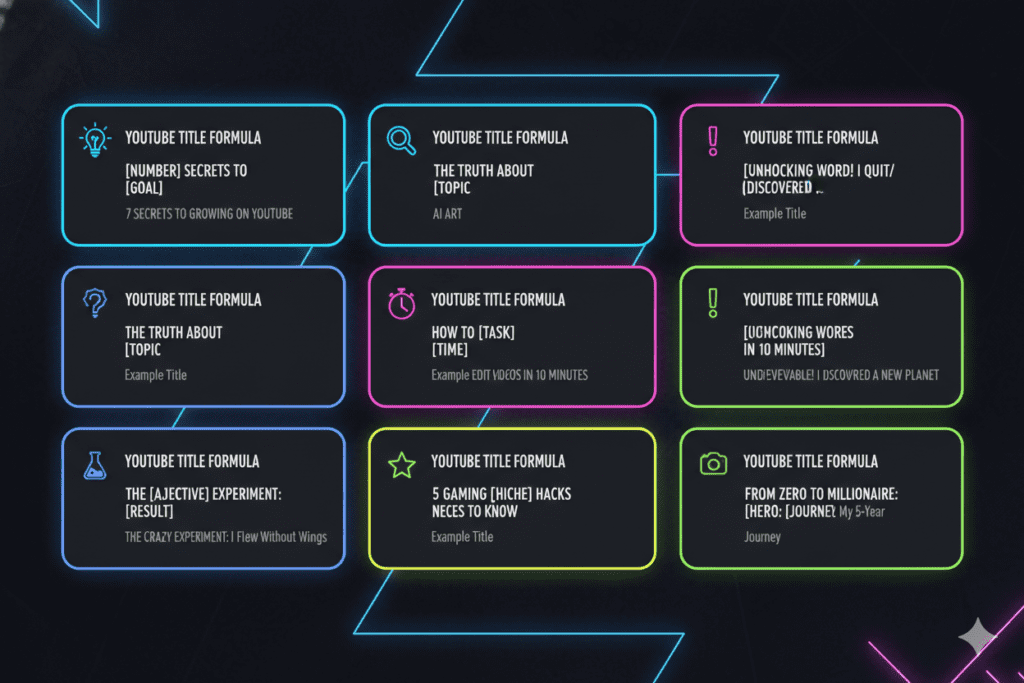
Good creators write titles from scratch. Great creators use battle-tested formulas — and then let AI refine them.
Here are seven YouTube viral title formulas that consistently outperform across every niche:
Formula 1: The “Number + Benefit” Title
Template: [Number] Ways/Tips/Reasons to [Achieve Outcome] Example: 9 Ways to Grow Your YouTube Channel Faster in 2026
Formula 2: The “Problem-Solution” Title
Template: Why [Common Mistake] Is [Negative Outcome] (And What to Do Instead) Example: Why Your YouTube Title Is Getting Zero Clicks (And What to Do Instead)
Formula 3: The “Secret/Hidden” Title
Template: The [Secret/Hidden/Forgotten] [Topic] Nobody Talks About Example: The Hidden YouTube Viral Title Trick That Doubles Your CTR Overnight
Formula 4: The “Challenge/Warning” Title
Template: Stop [Doing This] Before It’s Too Late Example: Stop Writing Your YouTube Viral Title This Way — It’s Killing Your Growth
Formula 5: The “How I Did It” Title
Template: How I [Achieved Result] in [Timeframe] (Without [Common Obstacle]) Example: How I Got 100K Views with One YouTube Title Change in 48 Hours
Formula 6: The “Curiosity Reveal” Title
Template: The [Surprising/Shocking] Truth About [Topic] Example: The Surprising Truth About Why Long YouTube Titles Get More Clicks
Formula 7: The “Bracket/Parenthetical Boost” Title
Template: [Main Topic Keyword] [Curiosity Hook] ([Format Indicator]) Example: YouTube Viral Title Tips That Actually Work in 2026 (Step-by-Step Guide)
Each of these formulas is built into ytZolo’s AI engine — which means you can generate 10+ variations across every formula in seconds, tailored to your specific niche and keyword.
YouTube Viral Title Length: What the Data Actually Says
There’s a lot of conflicting advice on how long your YouTube viral title should be. Let’s settle it with real data.
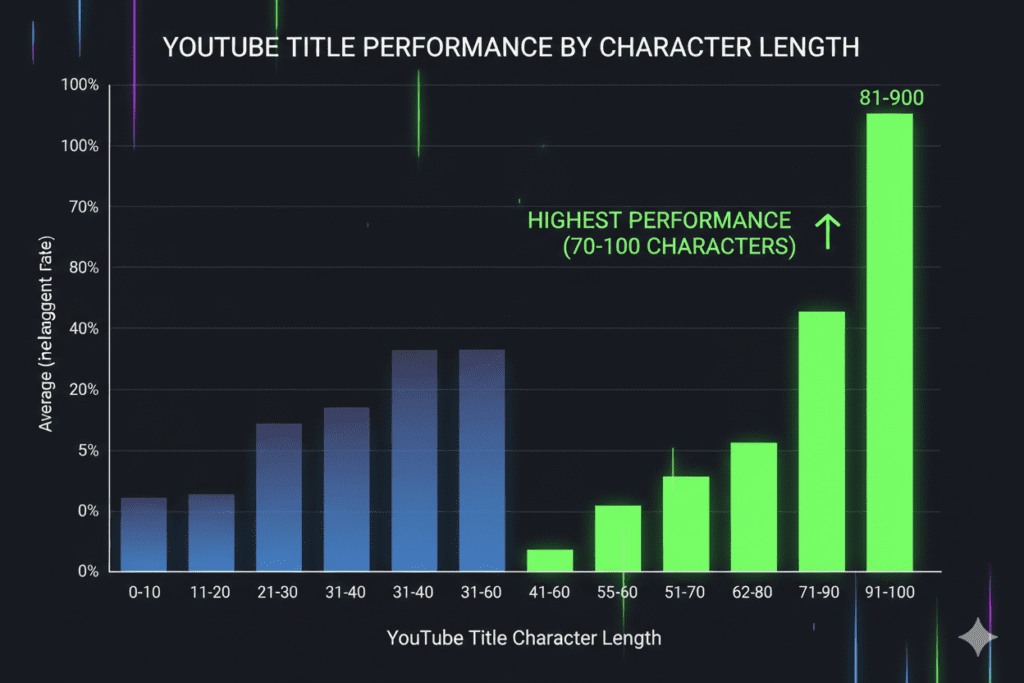
An analysis of over 3 million YouTube videos found that titles in the 70–100 character range consistently outperform shorter titles — by more than 2x compared to ultra-short titles under 30 characters. This directly contradicts the popular advice to “keep titles under 60 characters.”
Here’s why longer titles win:
- They naturally include both primary and secondary keywords without looking stuffed
- They create a curiosity gap — especially when the title gets truncated with “…” on mobile
- Search results often show the full title, so longer titles can dominate keyword-rich results
The smart approach is to front-load your hook. Put your most important keyword and emotional trigger in the first 50 characters. Let the rest of the title add context, specificity, or a parenthetical format signal.
YouTube’s hard limit is 100 characters. Anything beyond that gets cut off entirely — not just hidden, but removed. Never exceed 100 characters for a YouTube viral title.
Quick YouTube Viral Title Length Cheatsheet:
- Under 50 characters → Risky. May lack keyword depth and emotional hook
- 50–70 characters → Safe zone. Clean and readable on all devices
- 70–100 characters → Sweet spot. Best performance across mobile and desktop search
- Over 100 characters → Hard cut-off. Never go here
Common YouTube Viral Title Mistakes That Kill Your CTR
You might already be making one of these. Most creators are.
Mistake #1: Keyword Stuffing
A YouTube title like “YouTube Tips YouTube Growth YouTube SEO 2026” doesn’t just look spammy — it actively hurts your rankings. YouTube’s algorithm in 2026 is sophisticated enough to penalize obvious keyword stuffing. Use your keyword naturally, once.
Mistake #2: Being Too Vague
Titles like “My Experience” or “This Changed My Life” give viewers zero reason to click. Vague titles don’t tell the algorithm what your video is about and don’t give viewers a clear reason to invest their time.
Mistake #3: Clickbait Without Delivery
Overpromising in a YouTube title might earn you the first click — but it destroys watch time, tanks your retention, and trains your audience never to trust you again. If your title promises “$10,000 in 30 Days,” your video must deliver on that promise.
Mistake #4: Burying the Keyword
Putting your primary keyword at the end of a 95-character YouTube title is a wasted opportunity. YouTube and viewers both read left-to-right. Your keyword needs to appear early — not as an afterthought.
Mistake #5: Writing the Title Last
Most creators film the video, edit the video, and then spend 30 seconds on the title right before uploading. This is backwards. The best creators write their YouTube viral title before filming — because the title defines the content angle, the hook, and the viewer promise that shapes the entire video.
Mistake #6: Never Testing Titles
YouTube Studio now includes an A/B title testing feature. Creators who systematically test titles see 15–25% improvement in click-through rates within just 30 days. Never assume your first title is your best title.

How to Write YouTube Viral Titles with AI — The Smart Creator’s Advantage
Here’s the uncomfortable truth about manual YouTube title writing.
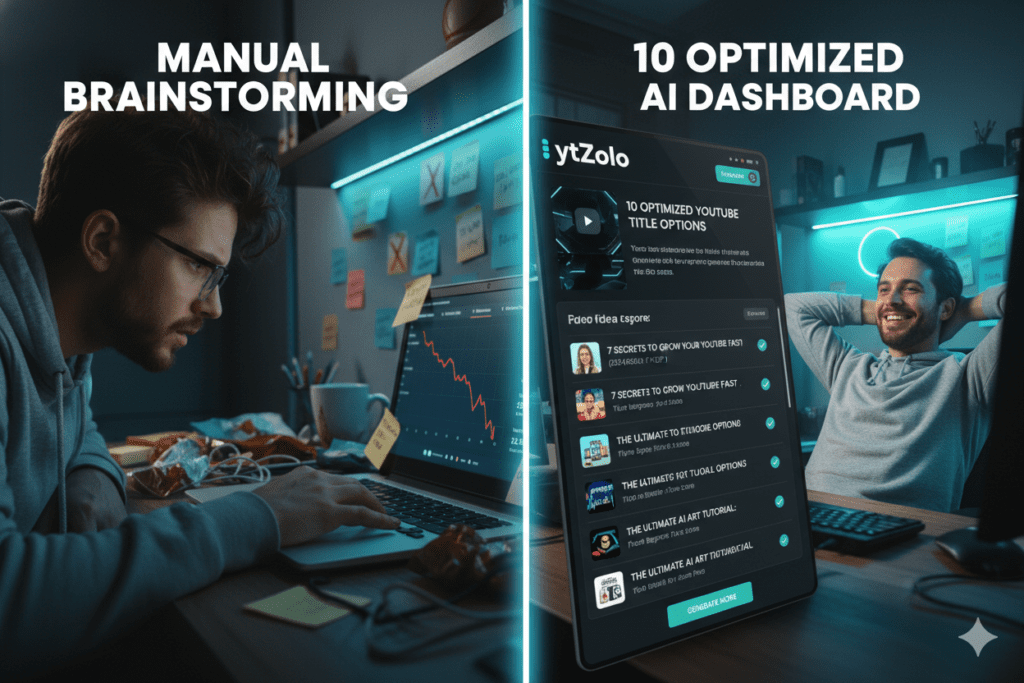
You don’t have the data. You can’t know in 60 seconds which keywords are trending, which title formats are winning in your niche right now, or what emotional hooks are driving click-through rates this week. Manually researching all of that takes hours — for every single video.
Meanwhile, top creators are generating 10+ data-backed YouTube viral title options in under 60 seconds using AI tools trained specifically for YouTube performance.
This is the gap between creators who grow and creators who grind.
AI-powered YouTube viral title tools solve three problems at once:
- Speed — no more staring at a blank title field for 20 minutes
- Data — keyword intelligence built into every suggestion
- Variety — multiple title angles and formats so you can test and find your winner
But not all AI tools are created equal. Most generic AI tools like ChatGPT can write titles — but they don’t understand YouTube’s algorithm, CTR benchmarks, or niche-specific performance patterns. You need a tool built for YouTube, not repurposed from a general writing assistant.
That’s exactly what ytZolo was built to be.
Why ytZolo Is Better Than Other Tools for YouTube Titles
There are a lot of tools out there claiming to help with your YouTube title. Let’s be honest about what they actually deliver — and why ytZolo stands apart.
ytZolo vs. ChatGPT
ChatGPT is a general-purpose AI. It can suggest YouTube titles — but it has no training on YouTube-specific performance data, CTR patterns, or algorithm signals. You’ll get titles that sound good but aren’t engineered for platform performance. ytZolo’s AI is trained specifically on what drives results on YouTube — not on writing in general.
ytZolo vs. vidIQ
vidIQ is a solid analytics platform with a title suggestion feature. But title generation is a bolt-on feature, not its core strength. The free plan severely limits output, and premium access starts at $49/month. ytZolo makes viral content creation the core mission — every feature, including YouTube title generation, is built around that single goal.
ytZolo vs. TubeBuddy
TubeBuddy is a useful browser extension for channel management. Its AI title tools help optimize titles you’ve already written. ytZolo creates high-performance YouTube title options from scratch — before you’ve even uploaded anything — giving you a strategic advantage from day one.
ytZolo vs. Generic AI Writers
Tools like Jasper, Copy.ai, and Writesonic can generate YouTube title ideas — but they’re built for copywriting broadly, not for YouTube’s specific ecosystem. They don’t understand the difference between a title that gets clicks on YouTube versus one that works in an email subject line. ytZolo does.
What Makes ytZolo Genuinely Different
Here’s what ytZolo offers that no standalone title tool can match:
| Feature | ytZolo | Other Tools |
|---|---|---|
| YouTube-native AI training | ✅ Yes | ❌ No |
| Multiple title formulas per run | ✅ Yes | ⚠️ Limited |
| AI thumbnail generation | ✅ Yes | ❌ Rarely |
| AI script writing | ✅ Yes | ❌ No |
| SEO description & tags | ✅ Yes | ⚠️ Some |
| Full content pipeline integration | ✅ Yes | ❌ No |
| Built for viral content creation | ✅ Yes | ❌ Not primarily |
| Beginner-friendly | ✅ Yes | ⚠️ Varies |
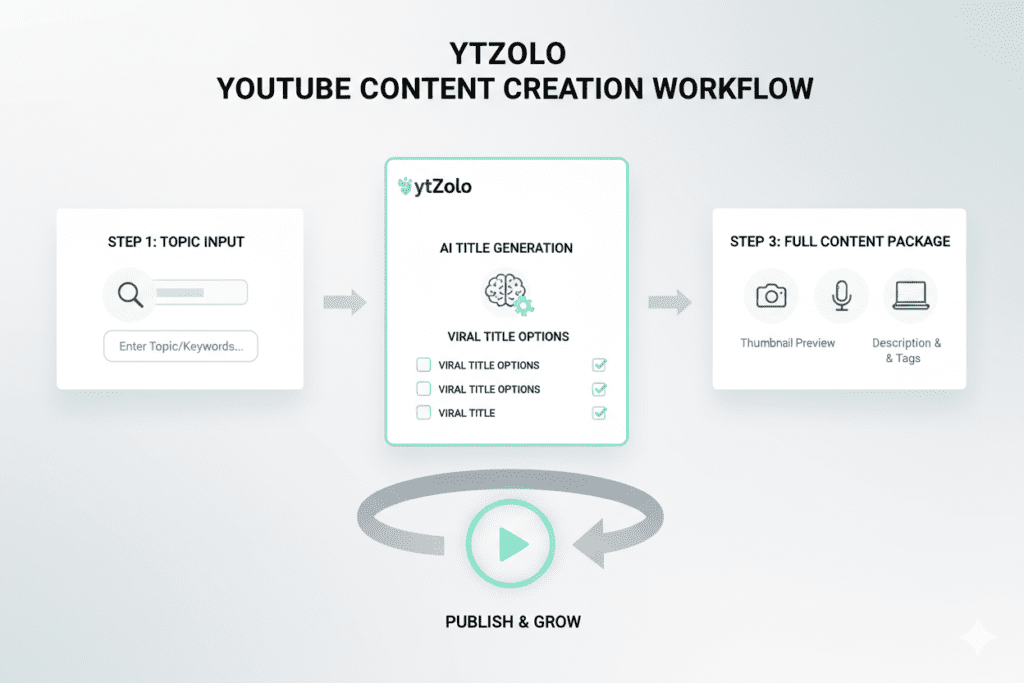
The biggest differentiator? ytZolo doesn’t just write your YouTube title. It generates the title, thumbnail concept, script outline, description, and tags — all aligned around the same keyword strategy and content angle.
That’s not just a tool. That’s a complete YouTube growth system.
Curious about how other creators are using it? Explore real examples and growth stories on the ytZolo blog.
Step-by-Step: Writing Viral YouTube Titles with ytZolo
Ready to stop guessing and start growing? Here’s exactly how to use ytZolo to write your next viral YouTube title — in under five minutes.
Step 1: Head to ytZolo
Go to ytzolo.com and sign up for free. No credit card required to get started.
Step 2: Enter Your Video Topic
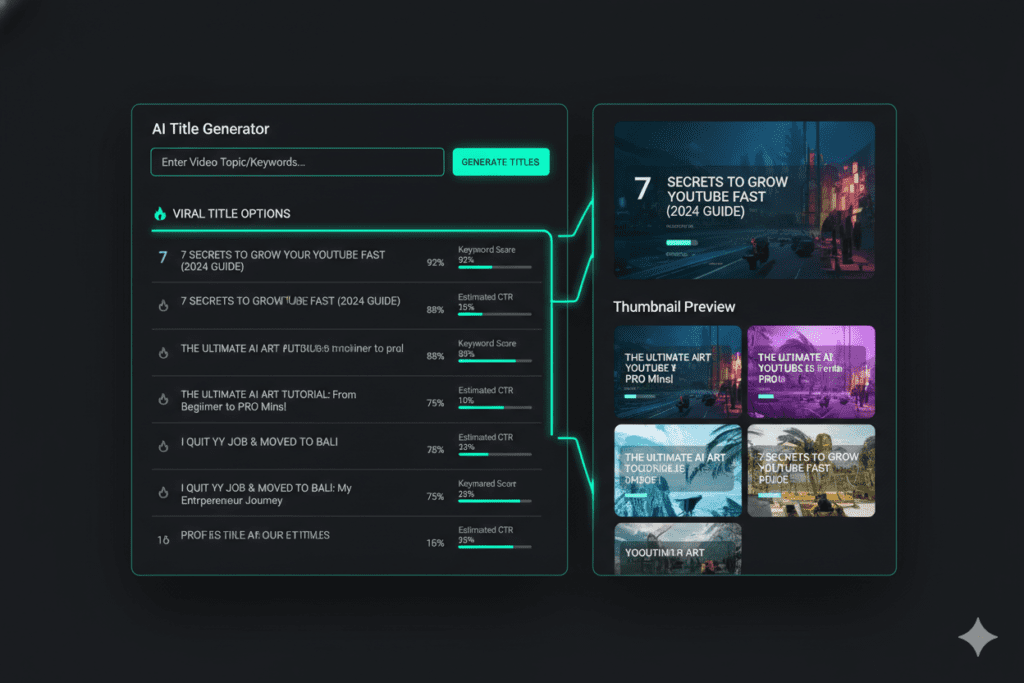
Type in your video idea, main keyword, or a brief description of your content. The more specific you are, the more targeted your YouTube title suggestions will be.
Example input: “How to grow a YouTube channel from zero subscribers”
Step 3: Hit Generate
ytZolo’s AI engine gets to work immediately. It analyzes your input against high-performing YouTube title patterns, trending keywords in your niche, and click-through data — and returns a complete set of optimized YouTube title options in seconds.
Step 4: Review Your Title Options
You’ll receive multiple distinct YouTube title variations, each designed around a different formula:
- Curiosity-driven titles
- Problem-solution titles
- Number-based list titles
- Challenge/warning titles
- How-I-did-it titles
Pick the one that best fits your content angle and audience — or A/B test two of your favorites.
Step 5: Build the Rest of Your Content Around the Title
Here’s where ytZolo becomes a game-changer for your entire workflow. Once you’ve locked in your YouTube title, use ytZolo to generate:
- AI script — built around the same keyword and content promise
- Thumbnail concept — visually aligned with the title’s hook
- SEO description — reinforcing the keyword and viewer promise
- Tags — supporting the title’s keyword strategy
Everything works together. Everything tells the same story. That alignment is what separates high-performing videos from ones that get lost in the algorithm.
Step 6: Test and Optimize
After publishing, head to YouTube Studio and use the title A/B test feature. Let the data tell you which YouTube title is winning — then scale what works on your next video.
YouTube Title Optimization: Advanced Tips for 2026
Once you’ve mastered the basics, these advanced tactics will take your YouTube title game to the next level.
Refresh Old Titles Regularly
Your YouTube title isn’t set in stone. YouTube’s algorithm rewards creators who revisit and update older video titles based on shifting keyword trends.
Check YouTube Studio analytics every 3–6 months. Look for videos with high impressions but low CTR — those are prime candidates for a YouTube title refresh. Updating an old title to match a trending keyword can add thousands of new views to content you uploaded years ago.
Align Title Sentiment with Thumbnail Emotion
When the emotion in your YouTube title matches the expression or energy in your thumbnail, CTR skyrockets. A title about “making a huge mistake” should pair with a shocked facial expression in the thumbnail. A title about “the secret to success” might pair with a confident, knowing look.
Use Brackets and Parentheticals
Research consistently shows that adding a parenthetical or bracket to a YouTube title boosts CTR — especially for long-form content.
Great parenthetical examples to test:
- (Step-by-Step)
- (You’re Doing This Wrong)
- (2026 Update)
- (Watch Before It’s Too Late)
- (Real Results)
Write the Title Before You Film
Your YouTube title should define the content angle before you hit record. A title is a promise to the viewer — and your video has to deliver on it. Knowing your YouTube title in advance keeps your content focused, hook-driven, and aligned with what viewers actually searched for.
Target Long-Tail Keyword Variations
Competing for short, high-volume keywords in your YouTube title is hard for newer channels. Go after specific, long-tail keyword variations where competition is lower and viewer intent is higher.
Instead of targeting “YouTube tips” in your title, try “YouTube tips for beginners with under 1,000 subscribers.” You’ll rank faster, attract the right viewers, and build channel authority over time.

LSI and Semantic Keywords for YouTube Title SEO
YouTube’s algorithm understands context — not just keywords. Using semantically related phrases throughout your content (video, title, description, tags) strengthens your topic authority and helps the algorithm match your video to the right searches.
When building your YouTube title strategy, naturally weave in these related LSI and semantic keywords:
- YouTube video title ideas
- click-worthy YouTube titles
- YouTube title optimization
- best YouTube titles for views
- catchy YouTube titles
- viral YouTube title formula
- YouTube title tips
- how to write a YouTube title
- YouTube SEO title
- YouTube title for more clicks
- YouTube title generator
- engaging YouTube titles
- YouTube title best practices
- YouTube channel growth
- YouTube keyword research
- YouTube CTR optimization
- YouTube title ideas for beginners
- YouTube title formulas 2026
- AI YouTube title writer
- compelling YouTube title examples
You don’t need to stuff these into your YouTube title itself. These terms support your title in your description, tags, script, and closed captions — creating a rich semantic context that the algorithm rewards with better ranking and broader reach.
ytZolo automatically incorporates this kind of semantic layering into every piece of content it generates — so your YouTube title, description, and tags always work as a coordinated SEO unit, not as isolated elements.
FAQ: YouTube Title Questions Answered
1. What is a YouTube title and why does it matter?
A YouTube title is the text headline attached to your video that appears in search results, on the homepage feed, and in recommendations. It’s one of the most critical elements of YouTube SEO because it tells the algorithm what your video is about and determines whether real viewers decide to click.
A well-written YouTube title that includes the right keyword and an emotional hook can dramatically increase both your search ranking and your click-through rate — leading to more views, watch time, and subscriber growth.
2. How long should a YouTube title be?
Data from an analysis of over 3 million YouTube videos shows that titles in the 70–100 character range outperform shorter titles by a significant margin.
The key is to front-load your most important keyword and hook in the first 50 characters (for mobile viewers), then let the rest of the title add context or a format signal like “(Step-by-Step)” or “(2026 Guide).” YouTube’s hard character limit is 100 — never exceed it, as anything beyond gets cut off entirely.
3. Should I put my keyword at the beginning of my YouTube title?
Yes — always place your primary keyword as early in your YouTube title as possible, ideally within the first 3–5 words. YouTube’s algorithm and viewers both read left-to-right, so early keyword placement sends a stronger relevance signal to the algorithm and immediately tells viewers that your video matches what they searched for.
Burying your keyword at the end of a long YouTube title is one of the most common mistakes that hurts rankings and CTR.
4. Can I change a YouTube title after publishing?
Yes. YouTube allows you to update your video’s title at any time through YouTube Studio. In fact, refreshing an underperforming YouTube title is often the single fastest way to improve a video’s performance. Regularly reviewing your older videos and updating their titles based on trending keywords and new data can add thousands of views to content that’s already live.
Many creators use AI tools like ytZolo to generate fresh title options for existing videos during regular content audits.
5. How does ytZolo help with writing YouTube titles?
ytZolo is an all-in-one AI YouTube growth platform that generates multiple click-worthy, SEO-optimized YouTube title options from a single topic or keyword input — in seconds. Unlike generic AI writing tools, ytZolo’s AI is trained specifically on YouTube’s performance patterns, which means every title it generates is built for both algorithm discoverability and human click-through.
What makes ytZolo truly powerful is that it doesn’t stop at the title: it also generates your script, thumbnail concept, description, and tags — all aligned around the same content strategy. You can get started for free at ytzolo.com.
Conclusion
Here’s the bottom line: your YouTube title is doing more work than almost any other part of your content strategy.
It ranks your video. It earns the click. It sets viewer expectations. It fuels the algorithm’s recommendation engine. And it determines whether your next upload gets 40 views or 40,000.
The creators winning on YouTube right now aren’t necessarily the most talented. They’re the ones who understand that a great YouTube title is a science — not a guess — and they’re using every tool available to get it right, every single time.
Manual YouTube title writing is slow, inconsistent, and based on gut feeling instead of data. In 2026, that’s not a strategy — it’s a disadvantage.
The smartest creators have moved on. They’re using AI to generate high-performance YouTube title options in seconds, then spending their real energy where it matters: creating incredible content that delivers on the promise of that title.
Whether you’re just starting your channel or trying to break through a growth plateau, the fastest single change you can make right now is to take your YouTube title seriously — and get the right tools to back you up.
ytZolo is built for exactly that. It’s not just a YouTube title generator. It’s a complete AI-powered growth system for creators who are done playing small.
Your next viral video starts with the right YouTube title. And your next right YouTube title starts with ytZolo.
Start creating smarter, faster, and more viral YouTube content with ytZolo today.
Want more actionable YouTube growth strategies? Dive deeper with creator guides and real-world case studies on the ytZolo blog.
External Resources:

