
Table of Contents
The Click That Never Came
You spent three hours filming. Another two hours editing. You got the audio just right. The transitions are smooth. The content is genuinely good — you know it is.
And then you uploaded it. And waited.
By the next morning, your brand-new video had 47 views. The algorithm buried it. Nobody clicked. Nobody watched. And deep down, you already know why.
It was the thumbnail.
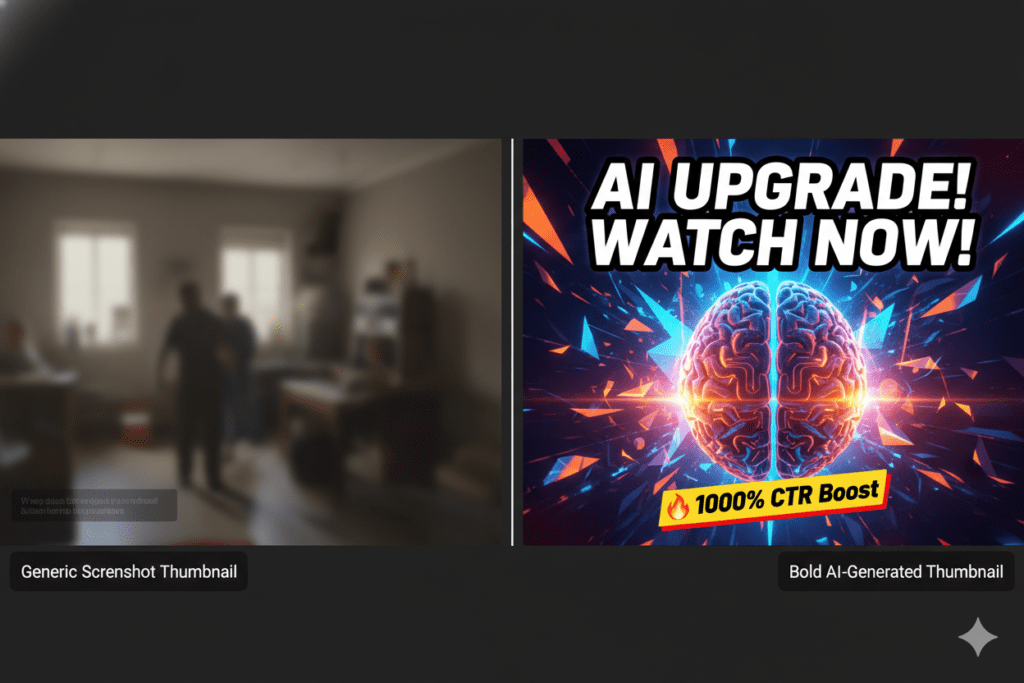
It was the blurry screenshot you grabbed in 30 seconds right before uploading. The one with the awkward facial expression and no text. The one that blends right into the feed like it doesn’t want to be found.
Sound familiar? You’re not alone.
This exact problem is killing thousands of great videos every single day — and it’s the #1 reason creators plateau, burn out, and quit. The great news? A YouTube thumbnails generator powered by AI can fix this problem completely. And in 2026, ytZolo is doing it better than anyone else.
In this guide, you’ll learn exactly what a YouTube thumbnails generator is, why it matters more than you think, and how to use AI to create scroll-stopping thumbnails that get your videos the clicks they actually deserve.
What Is a YouTube Thumbnails Generator?
A YouTube thumbnails generator is an AI-powered tool that creates custom, click-optimized thumbnail images for your videos — automatically.
If you want to go deeper into how automation is changing visual content, this guide on AI generated YouTube thumbnail breaks down how top creators are using AI to boost CTR.
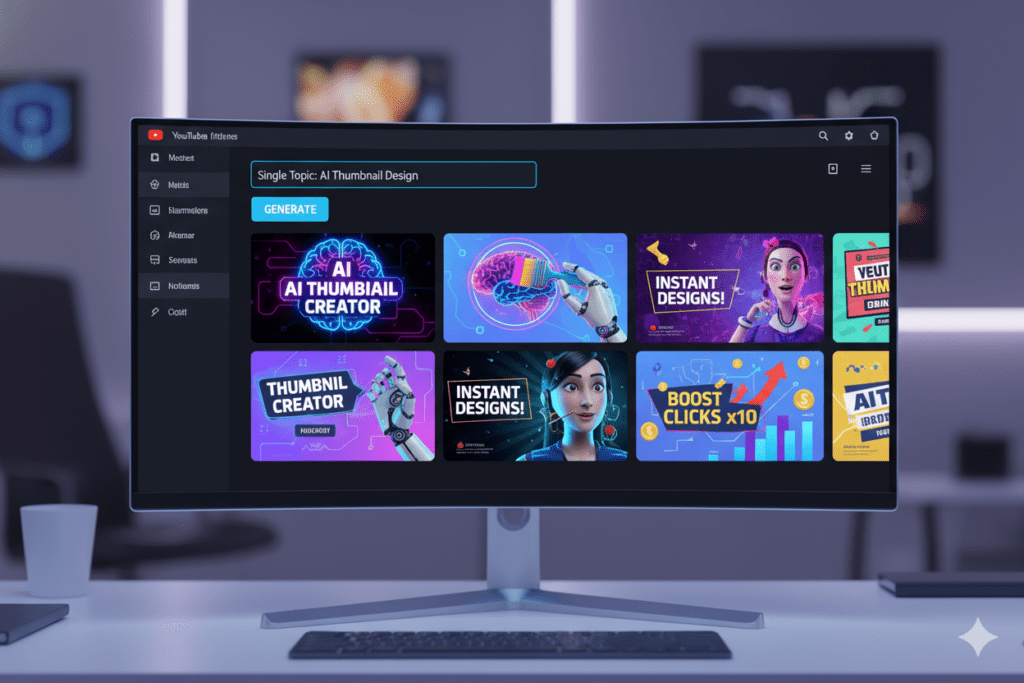
You give it your video topic, title, or concept. It analyzes what works in your niche and generates professional, high-resolution thumbnails in seconds. No design skills required. No Photoshop. No hours of frustrating trial and error.
The best YouTube thumbnails generators don’t just create pretty pictures. They’re trained on performance data from thousands of high-performing videos. They understand color psychology, text placement, emotional triggers, and the visual patterns that make viewers stop scrolling and click.
That’s what separates a smart YouTube thumbnails generator like ytZolo from a generic design tool. One creates visuals. The other creates clicks.
Why Your Thumbnail Is Your #1 Growth Lever
Here’s a statistic that should stop you in your tracks.
According to YouTube’s own Creator Academy, 90% of the best-performing videos on YouTube use custom thumbnails. Not auto-generated frames. Not screenshots. Custom, intentional, designed thumbnails.
That’s not a coincidence. That’s strategy.
Your thumbnail is the first thing every potential viewer sees. Before the title registers. Before the description loads. Before they know anything about your channel. It’s a split-second visual decision — and it happens in less than a second.
When someone scrolls their YouTube home feed, they’re making rapid-fire click decisions based almost entirely on visuals. Your thumbnail has to earn that click instantly — or your video never gets watched, no matter how good it is.
The numbers back this up hard:
- Average YouTube CTR across all channels sits between 2–5%, according to recent 2026 benchmark data
- Top-performing creators achieve 8–12% CTR — a difference that can mean 4x more views on the exact same video
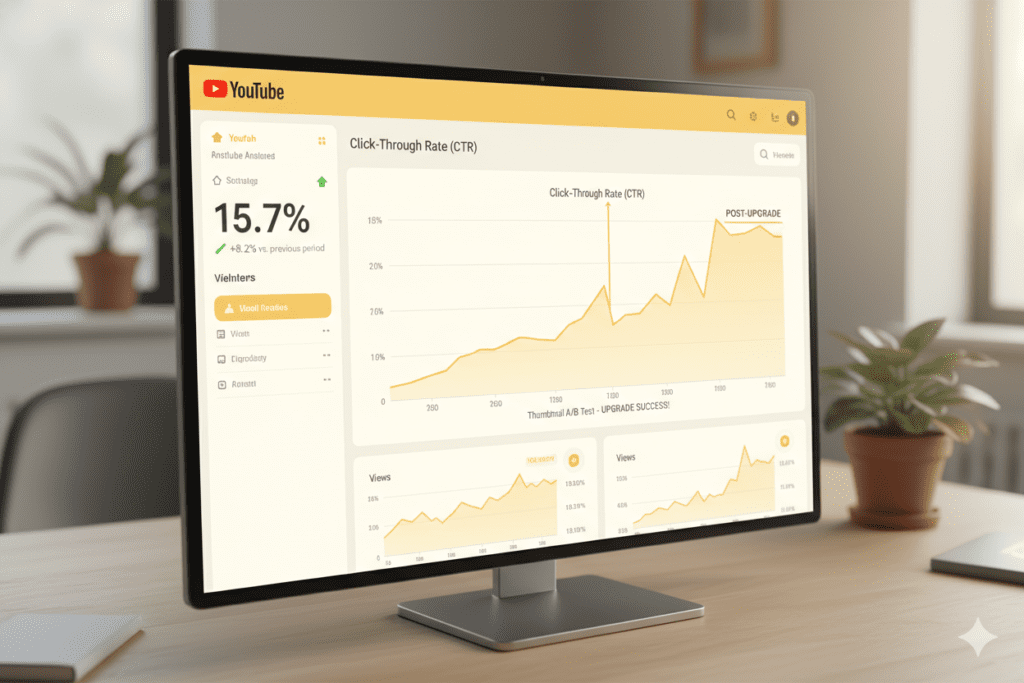
- A strong CTR above 7% typically triggers wider algorithm distribution — meaning YouTube starts showing your video to more people automatically
- Thumbnails with expressive human faces can boost CTR by 20–30%, according to research referenced by multiple YouTube analytics platforms
The math is undeniable. A better thumbnail doesn’t just get more clicks. It unlocks algorithmic momentum. It compounds over time. It’s the single highest-leverage improvement most creators can make right now.
And using a smart YouTube thumbnails generator is the fastest, most reliable way to get there.
The Problem with Manual Thumbnail Design
Let’s be honest about what creating thumbnails manually actually looks like in practice.
You open Canva or Photoshop. You spend 45 minutes picking a template. You resize your face cutout three times. You change the font color twice. You’re not sure if the background is too busy. You publish something that’s “good enough” — and quietly wonder if it will perform.
That’s not a workflow. That’s guesswork wearing a design hat.
Here’s the core problem with manual thumbnail creation in 2026:
- It’s slow. Great thumbnails take 1–3 hours when done manually. For creators posting 2–4 times per week, that’s a massive time drain that pulls you away from making actual content.
- It relies on intuition, not data. You think a certain color or expression will work. But you’re not basing that on what actually drives CTR in your specific niche — you’re guessing.
- It’s inconsistent. Some weeks your thumbnails are fire. Some weeks they’re flat. Your channel growth shouldn’t depend on how creative you feel on a Tuesday afternoon.
- It doesn’t scale. The more you try to grow, the more thumbnails you need. Manual design simply can’t keep up with a real content schedule.
- You’re competing against creators using AI. And those creators are publishing polished, CTR-optimized thumbnails in minutes — not hours.
Manual thumbnail design isn’t just outdated. It’s actively holding your channel back. A YouTube thumbnails generator doesn’t just save you time — it gives you a genuine competitive edge over every creator still doing this by hand.
How a YouTube Thumbnails Generator Actually Works
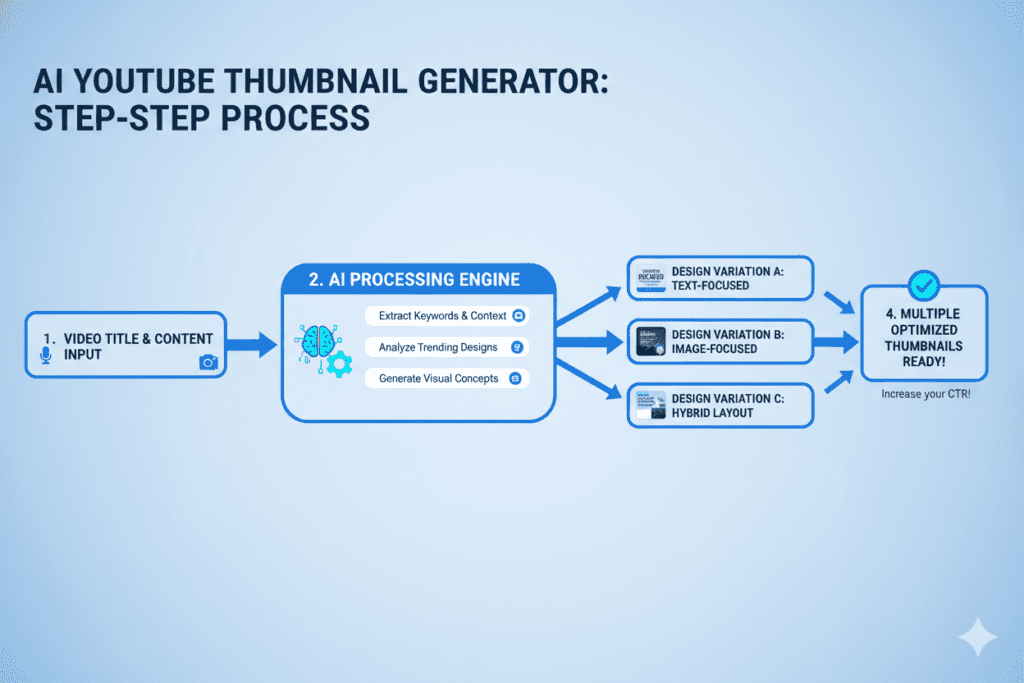
The technology behind a modern YouTube thumbnails generator is more sophisticated than most creators realize. Here’s what’s happening under the hood:
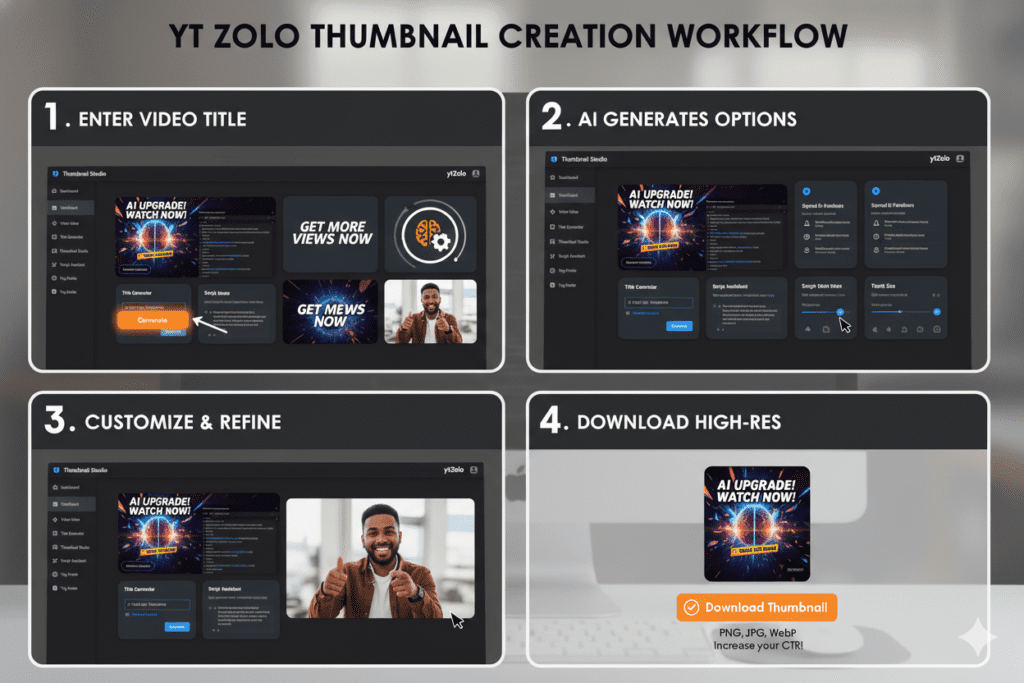
1. Input: You provide the video concept. You enter your video title, topic, or a short description. Some generators also let you upload reference images or a frame from your video.
2. Analysis: The AI studies what works. The AI engine has been trained on millions of high-performing YouTube thumbnails across hundreds of niches. It identifies which visual patterns — color contrasts, font styles, facial expressions, text placement, composition — drive the highest CTR for your specific content type.
3. Generation: Multiple options appear in seconds. Instead of one thumbnail you have to hope works, a YouTube thumbnails generator typically gives you several distinct variations. Different angles. Different color palettes. Different text treatments. You pick the one that feels right — and you still have backups to A/B test.
4. Optimization: Every design choice is data-backed. The colors aren’t random. The text placement isn’t guesswork. The visual hierarchy is engineered for maximum attention on mobile screens (where more than 70% of YouTube watch time happens, according to 2026 platform data).
5. Download and upload. High-resolution, watermark-free, YouTube-ready. Done in minutes.
That’s the power of an AI YouTube thumbnails generator. Less time. Better results. No design degree required.
What Makes a High-CTR Thumbnail in 2026?
Not all thumbnails are created equal. The best ones share specific characteristics — and the smartest YouTube thumbnails generators are built to apply all of them automatically.
Here’s what the data says actually works:
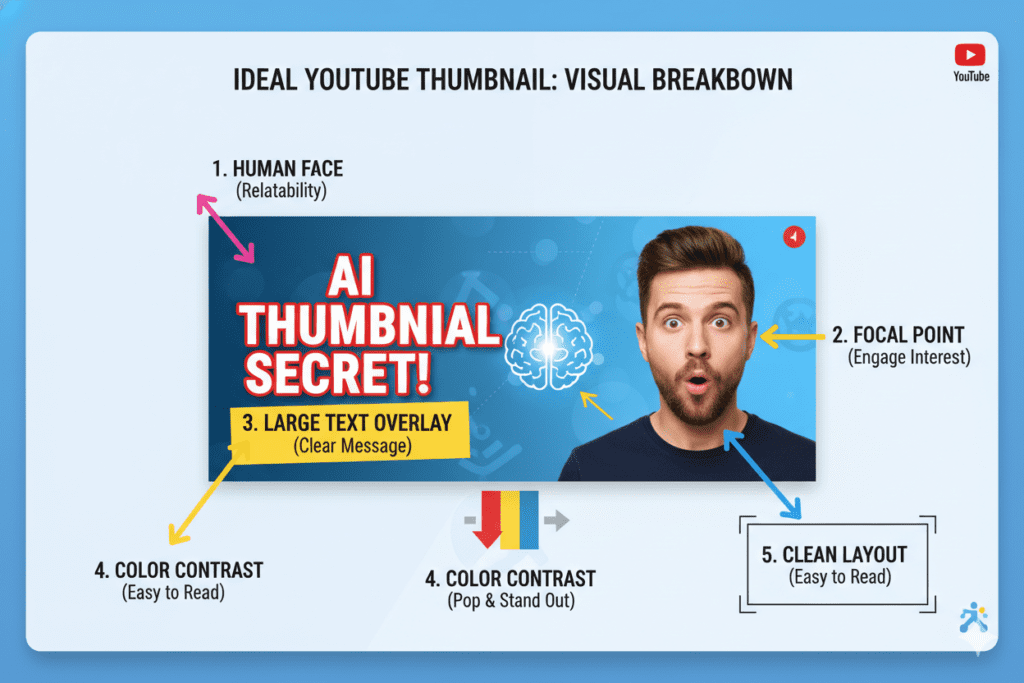
Expressive Human Faces Research consistently shows that thumbnails featuring clear, emotionally expressive faces outperform those without them. Curiosity, surprise, excitement — these emotions are contagious. They stop the scroll and create instant connection.
Bold, Readable Text Short thumbnail text — 3 to 5 words maximum — that creates curiosity or promises a clear outcome. The font must be legible even at the tiny preview size shown on mobile devices. Remember: most of your potential viewers are on their phones.
High Contrast and Strong Color Your thumbnail needs to pop against the feed around it. Bright colors against dark backgrounds (or vice versa) create the visual interruption that makes someone stop. Color isn’t decoration — it’s a competitive tool.
One Clear Focal Point Simple always beats complex. Your viewer’s eye should know exactly where to look in under a second. Too many elements create confusion, and confused viewers don’t click.
Title-Thumbnail Harmony The thumbnail and the title should work together — not repeat each other. The title adds context. The thumbnail adds emotion. Together, they create an irresistible click combination.
Mobile Optimization Over 70% of YouTube watch time happens on mobile. A thumbnail that looks stunning on a 27-inch monitor but becomes unreadable on a phone screen is a CTR killer. Every element needs to hold up at small sizes.
A great YouTube thumbnails generator handles all of these automatically — giving every video a fighting chance from the moment it goes live.
Meet ytZolo — The Best YouTube Thumbnails Generator for Serious Creators
There are plenty of tools that can create thumbnails. But there’s only one platform built to grow your entire YouTube channel — and that’s ytZolo.
ytZolo is an all-in-one AI YouTube growth platform purpose-built for creators who want more views, more subscribers, and more impact. The YouTube thumbnails generator inside ytZolo isn’t a bolt-on feature — it’s the core of a complete content strategy engine.
Here’s what makes ytZolo’s thumbnail generator genuinely different:
- YouTube-Native AI — ytZolo’s AI was trained specifically on YouTube performance data. It doesn’t just generate images — it generates thumbnails built to drive clicks in your niche, based on what’s actually working right now.
- Title + Thumbnail Sync — Your thumbnail is designed to visually match and amplify your video title. The two work together as a unified click package — not separately.
- Multiple Variants Instantly — Get several distinct thumbnail options from a single input. That means you always have choices — and you can A/B test like the top creators do.
- No Design Skills Needed — ytZolo’s interface is creator-first. You give it a topic. It handles the design thinking. You download a professional result in minutes.
- High-Resolution, Watermark-Free Output — Every thumbnail downloads in full HD, ready to upload directly to YouTube Studio. No subscription watermarks. No blurry outputs.
But here’s the part that really matters: ytZolo doesn’t stop at thumbnails.
The same platform that generates your click-stopping thumbnail also gives you:
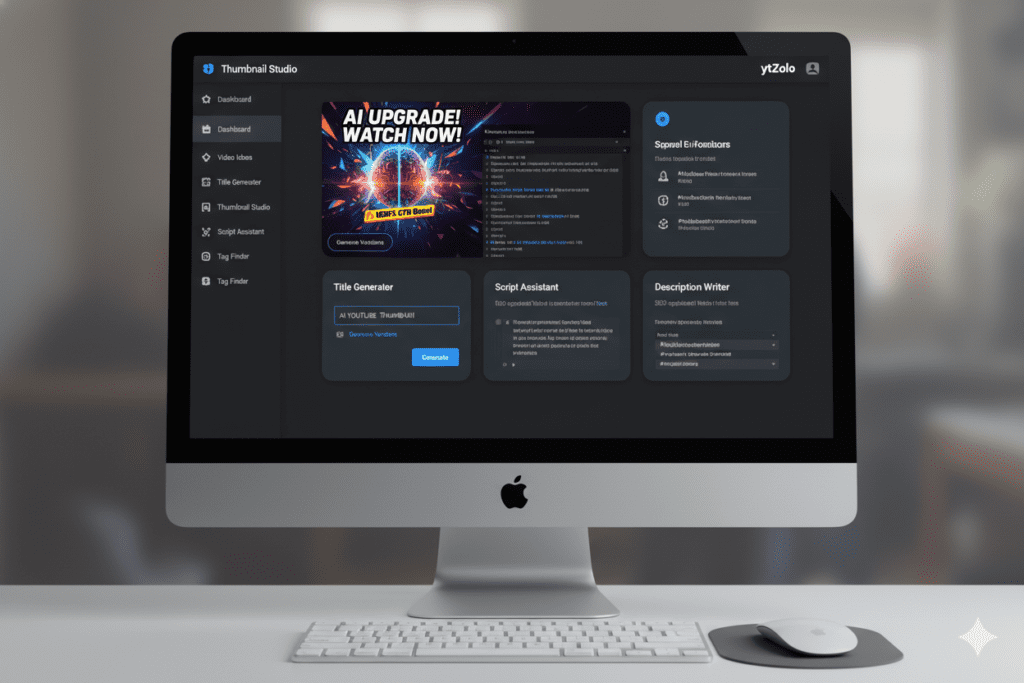
- AI Video Title Generator — Data-driven, scroll-stopping titles that boost CTR and rank in search
- AI YouTube Script Writer — Full, retention-optimized video scripts from topic to CTA in minutes
- AI Description Generator — SEO-rich video descriptions that help the algorithm understand and surface your content
- AI Tags Generator — A complete, strategic tag set that improves discoverability across YouTube search
When you use ytZolo, your thumbnail, title, script, description, and tags are all aligned around the same video concept. That’s not five separate tools. That’s one unified growth system — engineered to make every video perform at its full potential.
Get started for free at ytzolo.com and see what a complete content strategy looks like.
Why ytZolo Is Better Than Other Tools
There’s no shortage of YouTube thumbnails generators out there. So why are serious creators choosing ytZolo? Let’s break it down honestly.
ytZolo vs. Canva
Canva is a brilliant general-purpose design tool. Templates, drag-and-drop, fonts — it’s great for social graphics and presentations.
But Canva’s AI doesn’t understand YouTube CTR. It gives you blank templates, not performance-informed designs. You still have to know what works. You’re still guessing.
ytZolo makes the performance decisions for you. That’s the entire difference between a design tool and a growth tool.
ytZolo vs. vidIQ Thumbnail Maker
vidIQ’s thumbnail maker is included as a feature inside a broader analytics platform. It’s useful — but it’s not the focus, and it shows.
ytZolo’s thumbnail generator is deeply integrated with the rest of your content strategy. Your thumbnail is created alongside your title, script, and tags — all optimized together as one content package. That level of integration simply doesn’t exist in vidIQ.
ytZolo vs. Standalone Thumbnail Tools (Thumbnail.AI, Pixelbin, etc.)
Standalone thumbnail tools do one thing: make images. Some of them do it quite well. But they have no awareness of your video title. No connection to your script. No SEO intelligence around your tags or description.
A beautiful thumbnail attached to a weak title is still a missed opportunity.
ytZolo gives you the thumbnail and the strategy surrounding it. That’s why it produces better results.
ytZolo vs. Midjourney / DALL-E
These are extraordinary image generation tools — for artists and designers. But they know nothing about YouTube. They don’t understand CTR. They don’t generate text overlays. They don’t produce thumbnails sized to YouTube specs with proper mobile optimization built in.
Using Midjourney for YouTube thumbnails is like using a race car engine in a tractor. Technically powerful — completely wrong tool for the job.
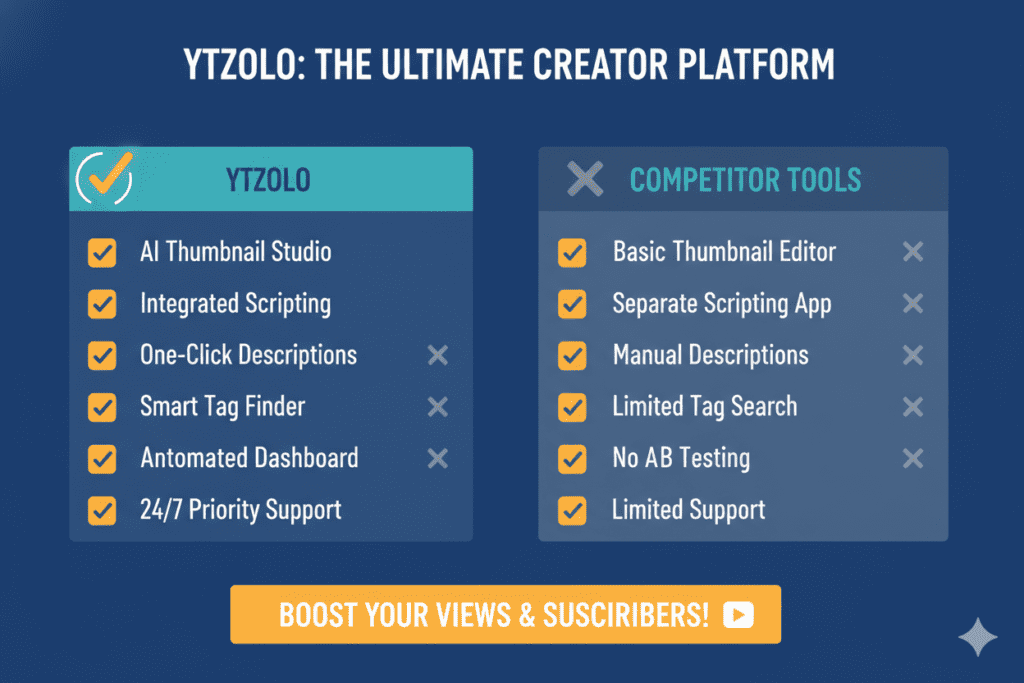
The bottom line is simple: other tools give you parts. ytZolo gives you the whole system. Check out the ytZolo blog to see how real creators are using the full platform to grow their channels every day.
| Feature | ytZolo | Canva | vidIQ | Standalone Generators | Midjourney |
|---|---|---|---|---|---|
| YouTube Thumbnails Generator | ✅ AI-optimized | ⚠️ Templates only | ⚠️ Limited | ✅ Image only | ❌ Not YouTube-specific |
| YouTube-Native CTR Data | ✅ | ❌ | ✅ | ❌ | ❌ |
| Title + Thumbnail Sync | ✅ | ❌ | ❌ | ❌ | ❌ |
| AI Script Writer | ✅ | ❌ | ⚠️ Limited | ❌ | ❌ |
| AI Tags & Descriptions | ✅ | ❌ | ✅ | ❌ | ❌ |
| All-in-One Growth Platform | ✅ | ❌ | ❌ | ❌ | ❌ |
| Watermark-Free Download | ✅ | ⚠️ Paid | ✅ | ⚠️ Varies | ✅ |
How to Create Your First Thumbnail with ytZolo (Step-by-Step)
Creating a professional, click-optimized YouTube thumbnail with ytZolo takes less than 10 minutes. Here’s exactly how to do it:
Step 1 — Go to ytzolo.com Create your free account in under two minutes. No credit card needed to get started.
Step 2 — Enter Your Video Topic or Title Type in your video title or describe your content concept. Be specific — “5 beginner mistakes that kill your guitar progress” will produce a far more targeted thumbnail than just “guitar tips.”
Step 3 — Let ytZolo’s AI Generate Your Thumbnails The AI analyzes your input, processes niche-specific performance data, and generates multiple high-CTR thumbnail options in seconds. Bold text treatments, optimized layouts, contrasting visuals — all built in.
Step 4 — Choose Your Favorite Variant Review your options. Pick the one that captures your video’s energy best. You can also keep a second variant for A/B testing — something the top creators do religiously.
Step 5 — Generate Your Full Content Package Before you leave, use ytZolo to create your AI-optimized title, script, description, and tags. Everything is aligned with the same video concept. One platform. Complete content strategy.
Step 6 — Download, Upload, and Watch Your CTR Climb Download your watermark-free, high-resolution thumbnail. Upload it to YouTube Studio. Hit publish — and this time, give your video the first impression it deserves.
Pro tip: Dive deeper into the creator growth strategies on the ytZolo blog for tutorials, case studies, and advanced tips on maximizing every feature.
Real Results: What Happens When Creators Switch to AI Thumbnails
The creators winning on YouTube in 2026 aren’t the ones with the biggest budgets or the most subscribers. They’re the ones with the smartest systems.
Here’s what consistently happens when creators make the switch to an AI-powered YouTube thumbnails generator:
- CTR improvements of 20–40% within the first few videos, simply from replacing manual thumbnails with AI-optimized designs
- More algorithmic distribution — because higher CTR signals to YouTube that the content is worth showing to more people, triggering a compounding growth loop
- 2–3 hours saved per video in the content production process — time redirected to filming, audience engagement, and channel strategy
- More consistent channel aesthetics — because AI-generated thumbnails trained on your niche maintain a coherent visual identity across every upload
- Reduced creative burnout — because the hardest design decisions are handled automatically, leaving creators more mental energy for content that matters
One travel creator found that structured thumbnails with strong visual hooks significantly boosted their average watch time — because a better thumbnail attracted viewers already interested in the content, who then actually stayed to watch.
A gaming channel owner described spending entire weekends designing thumbnails manually — then switching to AI and reclaiming that time entirely. Same quality. A fraction of the effort.
These aren’t isolated stories. They’re what happens when you stop fighting the algorithm and start working with it — using tools like ytZolo that were built for exactly this purpose.

LSI & Semantic Keywords to Boost Your Thumbnail Strategy
If you want to maximize your reach — both for your YouTube videos and content like this — here are the related terms every smart creator should know:
- Custom YouTube thumbnail — The single most impactful change most creators can make to improve video performance
- Click-through rate optimization — The process of improving how often viewers click on your video after seeing it
- Thumbnail design tips — The principles behind high-performing visual content on YouTube
- AI thumbnail maker — Tools that use artificial intelligence to generate click-optimized thumbnails automatically
- YouTube CTR benchmarks — Understanding what good CTR looks like in your niche (typically 5–10% for strong performers)
- Video thumbnail size — YouTube recommends 1280×720 pixels in 16:9 format for ideal quality across all devices
- YouTube SEO — The broader strategy of optimizing titles, thumbnails, descriptions, and tags to rank higher in search
- Thumbnail A/B testing — Testing two different thumbnails on the same video to find the higher-performing design
- YouTube algorithm 2026 — The updated ranking system that now evaluates “quality CTR” — meaning clicks AND retention both matter
- Content creation tools — The full stack of apps and platforms modern creators use to produce, optimize, and publish content
- Viral thumbnail strategy — The combination of proven design principles and data-driven testing that separates growing channels from stagnant ones
- YouTube growth tools — Platforms like ytZolo that combine multiple AI features for accelerated channel growth
Understanding these terms — and building them naturally into your content — helps both your videos and your creator brand earn the visibility they deserve.
FAQ: YouTube Thumbnails Generator
1. What is the best YouTube thumbnails generator in 2026?
The best YouTube thumbnails generator in 2026 is ytZolo. Unlike standalone design tools or generic AI image generators, ytZolo was built specifically for YouTube creators.
Its AI generates performance-optimized thumbnails trained on real CTR data — and integrates seamlessly with AI-powered titles, scripts, descriptions, and tags in one platform. You can start free at ytzolo.com.
2. Do AI-generated YouTube thumbnails actually improve CTR?
Yes — significantly. Creators using AI YouTube thumbnails generators consistently report CTR improvements of 20–40% compared to manually designed or auto-generated thumbnails. The reason is simple: AI is trained on what actually drives clicks in your niche, applying proven design principles like emotional faces, high contrast, bold text, and mobile-first composition automatically.
3. What size should a YouTube thumbnail be?
The ideal YouTube thumbnail size is 1280 x 720 pixels with a 16:9 aspect ratio. Files should be under 2MB for standard uploads (though YouTube now supports up to 50MB for 4K thumbnails). ytZolo automatically outputs thumbnails at the correct dimensions — no manual resizing needed.
4. Can I use a YouTube thumbnails generator without any design experience?
Absolutely. That’s exactly what tools like ytZolo are built for. You enter your video topic or title, and the AI generates professional, click-optimized thumbnail options in seconds. No Photoshop. No design degree. No guesswork. You choose your favorite, download it, and upload directly to YouTube Studio.
5. How does a YouTube thumbnails generator differ from Canva?
Canva is a general-purpose design tool — excellent for templates and manual creation, but it doesn’t understand YouTube CTR or niche-specific performance patterns.
A dedicated YouTube thumbnails generator like ytZolo uses AI trained on YouTube data to create thumbnails optimized for clicks, not just aesthetics. ytZolo also integrates thumbnail creation with title generation, scripts, and SEO — giving you a complete content strategy in one place.
Conclusion: Your Next Click Is One Thumbnail Away
The difference between a YouTube channel that grows and one that stalls is rarely the content quality.
It’s the packaging.
It’s the thumbnail that stops the scroll at 11pm when your potential viewer is mindlessly browsing their feed. It’s that split-second moment where a great visual earns a click that turns into a watch that turns into a subscriber.
A great YouTube thumbnails generator isn’t a shortcut. It’s a smarter system. It takes the guesswork, the wasted hours, and the creative inconsistency out of the equation — and replaces them with data-driven designs that give every video a real shot at being seen.
In 2026, that’s not a luxury. That’s the baseline for creators who want to compete.
And right now, no platform does this better than ytZolo.
ytZolo combines the best YouTube thumbnails generator with AI-powered titles, scripts, descriptions, and tags — giving you a complete, unified content system built from the ground up for YouTube growth. Whether you’re building your first 1,000 subscribers or scaling toward a million views, ytZolo gives you the tools to compete at the highest level — without the overhead, the burnout, or the guesswork.
Your next video deserves a thumbnail that works as hard as you do.
Start creating smarter, faster, and more viral YouTube content with ytZolo today.
👉 Try ytZolo free at ytzolo.com
Want to go deeper on YouTube growth strategy? Check out the ytZolo blog for creator tutorials, AI tool guides, and data-backed tips for every stage of your channel journey.
External resources: YouTube Creator Academy — Custom Thumbnails Guide | Ahrefs YouTube SEO Research | HubSpot Video Marketing Statistics

