
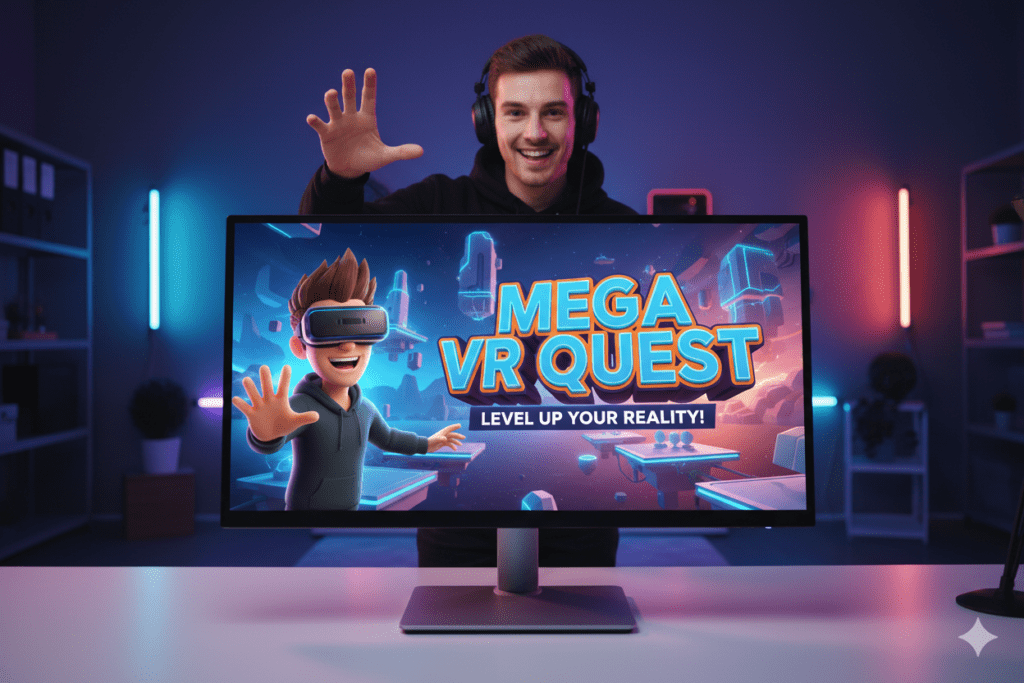
Introduction: The 3D Thumbnail That Saved a Dying Channel
Marcus had been posting on YouTube for 14 months.
Two videos every week. Consistent schedule. Quality content. Decent audio.
And yet — 412 subscribers. Views hovering around 60–80 per video. His analytics were a flat line that made him want to quit every Sunday night.
Then a creator friend showed him something. She pulled up a 3D thumbnail maker for YouTube and regenerated three of Marcus’s existing video covers in minutes.
Same videos. Same titles. Completely new 3D-rendered, depth-popping thumbnail images.
He reuploaded those three covers on a Tuesday afternoon.
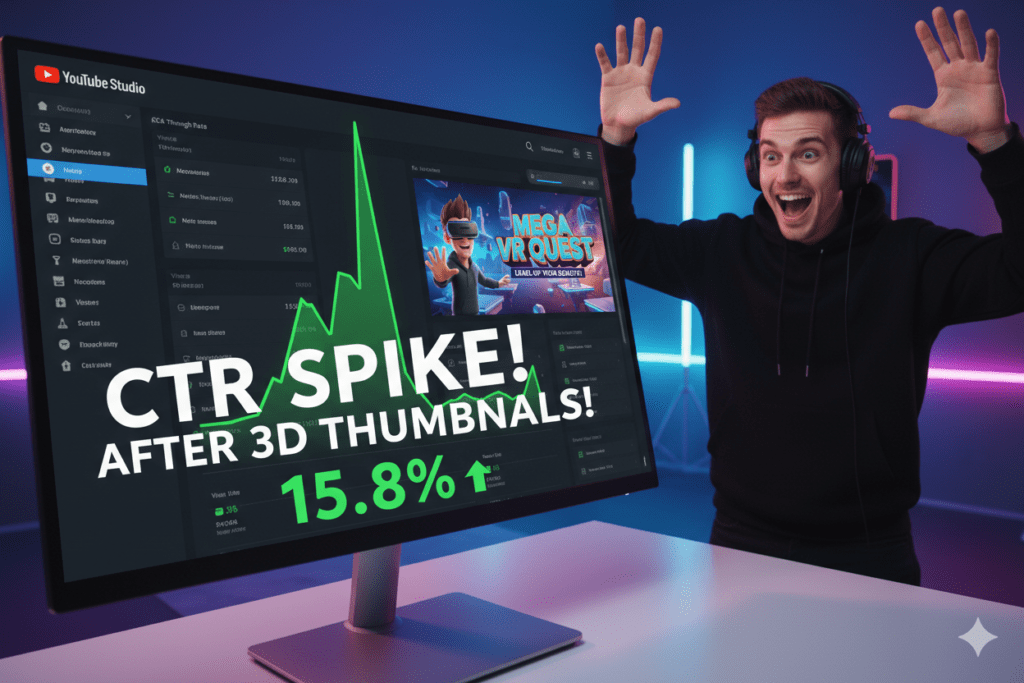
By Friday, one of those videos had crossed 14,000 views. His CTR jumped from 1.9% to 9.3% — almost overnight.
His channel hit 2,000 subscribers by the end of the month.
Marcus didn’t film a new video. He didn’t run ads. He didn’t hack the algorithm. He changed how his thumbnails looked and felt in the feed — and his whole channel trajectory changed with it.
That’s the power of a great 3D thumbnail maker for YouTube in 2026.
And in this guide, you’re going to learn exactly how to use one — what to look for, how AI has transformed 3D thumbnail creation, and why ytZolo is the smartest, most complete AI tool for any YouTube creator who’s serious about growth.
Let’s get into it.
Table of Contents
1. What Is a 3D Thumbnail Maker for YouTube?
A 3D thumbnail maker for YouTube is a tool — typically AI-powered — that generates YouTube thumbnail images with a three-dimensional, depth-rich visual style.
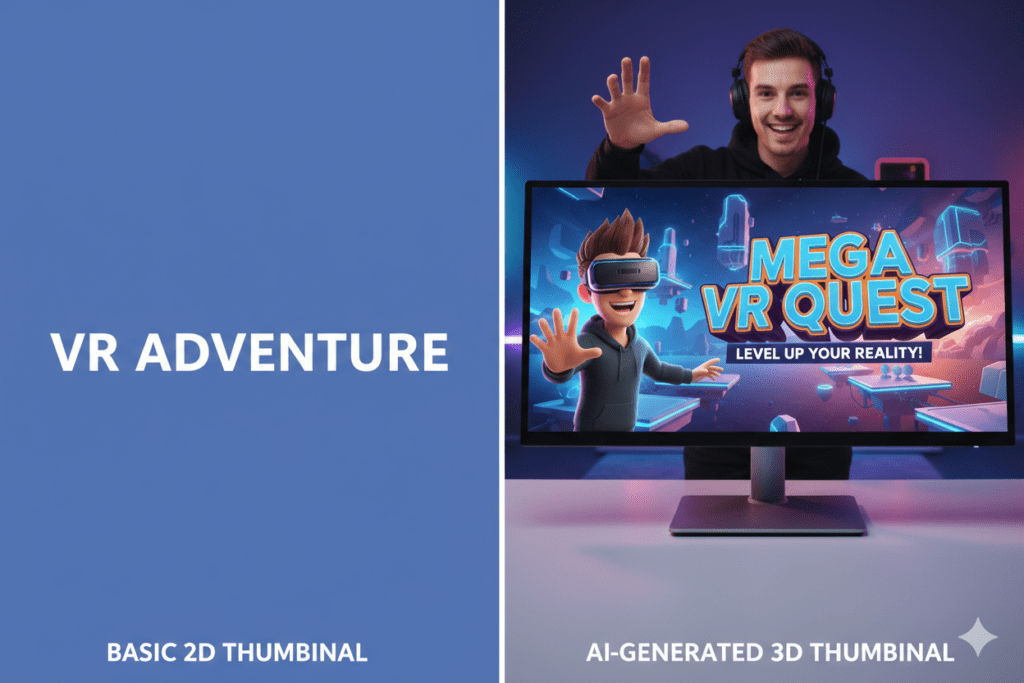
Unlike flat 2D designs or basic photo-based thumbnails, 3D thumbnails have a polished, rendered look that makes subjects appear to pop off the screen. Text floats forward. Backgrounds recede. Characters look like they stepped out of a high-budget video game or animated film.
The result? A thumbnail that looks dramatically different from everything else in a YouTube feed — and on a platform where standing out is everything, that difference is worth thousands of clicks.
A modern 3D thumbnail maker for YouTube lets you:
- Generate 3D-rendered thumbnail images from a simple text prompt
- Choose from cinematic, game-style, animated 3D, or realistic 3D visual styles
- Add bold text overlays with dimensional depth effects
- Download YouTube-ready images at 1280×720 pixels (16:9)
- Create multiple variations to A/B test in YouTube Studio
With AI now driving the best 3D thumbnail makers, you don’t need Blender, Cinema 4D, or any 3D design software experience. You need a text prompt and the right tool.
2. Why 3D Thumbnails Get More Clicks on YouTube
Let’s talk numbers first — because the data is impossible to ignore.
Recent studies analyzing thousands of top-performing videos show that thumbnails can increase click-through rates by 30–40% when done right, directly impacting a channel’s growth trajectory.
According to YouTube Creator Academy, 90% of the best-performing videos use custom thumbnails. That’s not a coincidence. That’s a proven, repeatable strategy.
But here’s where 3D thumbnails have a specific edge: they create visual depth in a flat interface.
Every YouTube thumbnail sits on the same flat screen. Most thumbnails are flat photos or flat graphic designs. They all compete at the same perceived depth — which means they all blur together in the viewer’s peripheral vision.
A 3D thumbnail breaks that pattern. It creates the optical illusion of something coming toward the viewer. That pop of visual depth triggers a primal attention response that flat images simply can’t replicate.
A study by Filmora found that 80% of creators who used AI-generated thumbnails saw an average increase of 30% in their CTR.
And when you combine AI generation with a 3D visual style? The results compound even further.
According to YouTube A/B testing analysis, CTR differences of even 0.5% can be statistically significant over time when measured across millions of impressions — showing just how sensitive YouTube’s system is to thumbnail performance.
A great 3D thumbnail maker for YouTube doesn’t just make your videos look better. It makes your entire channel more competitive at the algorithmic level — more clicks, more watch time signals, more recommendations, more growth.
3. What Niches Benefit Most from 3D YouTube Thumbnails?
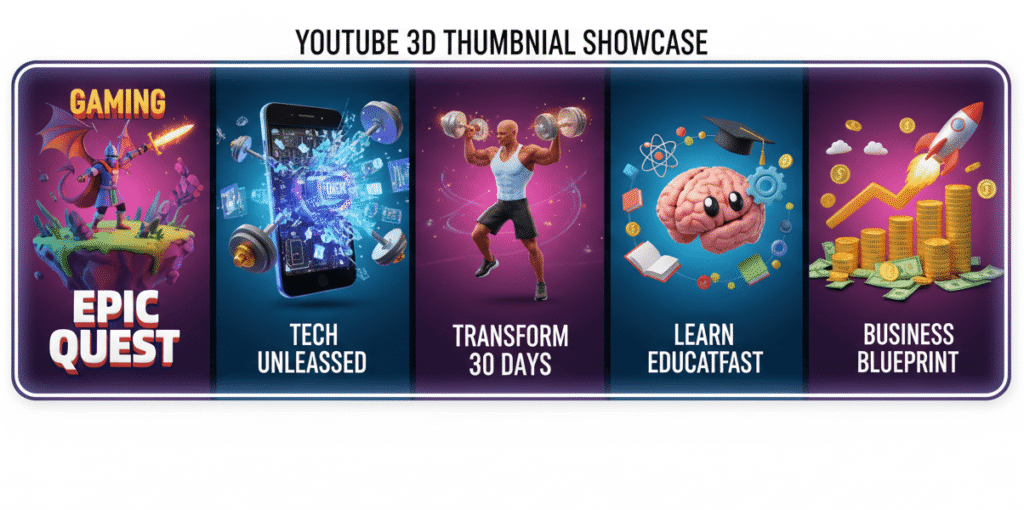
The short answer is: almost every niche benefits from a strong 3D thumbnail maker for YouTube. But some content categories see especially explosive results.
Gaming
Gaming content achieves the highest organic CTR at 8.5%, driven by high viewer engagement, frequent upload schedules, and strong thumbnail optimization practices within the gaming creator community.
Gaming thumbnails have always leaned toward bold, dimensional visuals. 3D renders of characters, weapons, environments, and action sequences feel native to gaming audiences — and they consistently outperform flat photo alternatives in this space.
Technology and Reviews
Tech audiences respond strongly to polished, premium visual aesthetics. A 3D-rendered product thumbnail — whether it’s a phone, laptop, gadget, or software interface — communicates quality and authority before a single second of video is watched.
Fitness and Health
3D-style fitness thumbnails with dimensional anatomy visuals, bold transformation graphics, and cinematic workout scenes grab attention powerfully in a crowded niche.
Education and Explainer Content
Educational channels that make complex topics approachable through bold, visual metaphors thrive with 3D thumbnail styling. A 3D rendered brain, a dimensional diagram, or a stylized character illustration communicates “this will be fascinating to watch” — not “this will feel like homework.”
Business and Finance
3D coin stacks, dimensional charts, cinematic office environments, and rendered money visuals have a premium quality that resonates strongly with finance and entrepreneurship audiences.
Entertainment and Pop Culture
Reaction content, commentary, and entertainment channels use 3D thumbnails to amplify expressions and create a dramatic, cinematic feel that stops scrollers cold in a busy feed.
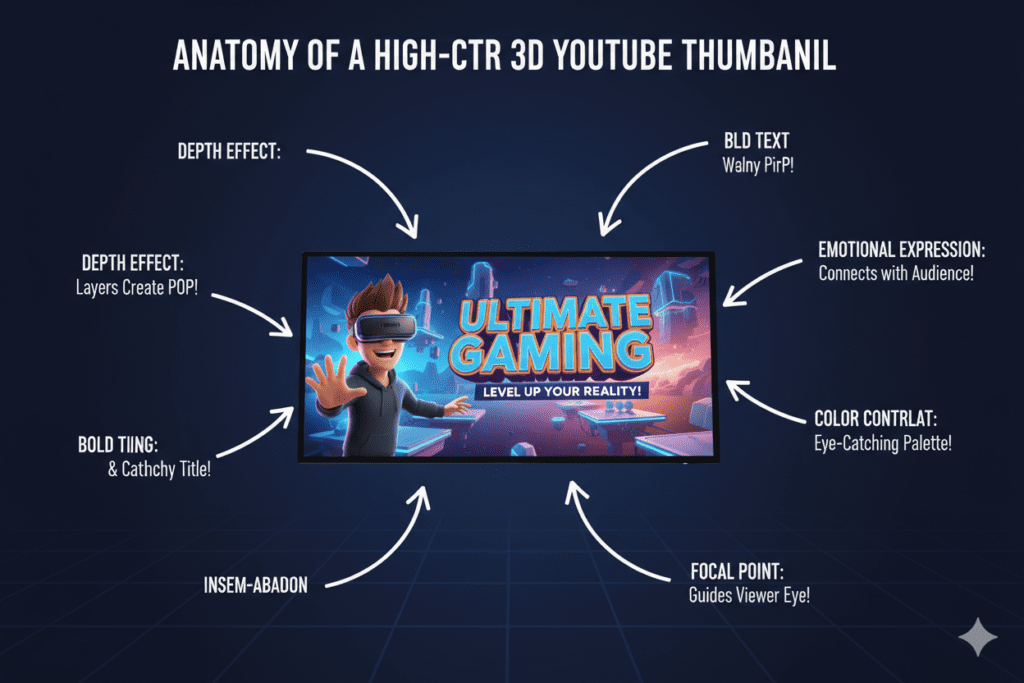
4. What Makes a High-CTR 3D Thumbnail?
Not all 3D thumbnails perform equally. A mediocre 3D design can actually hurt you by looking “try-hard” without delivering visual clarity. Here’s what separates a high-performing 3D thumbnail from a forgettable one:
Real Depth — Not Just a Filter
True 3D thumbnail design has proper perspective, lighting, shadow, and dimension. Slapping a bevel effect on a flat image is not 3D. The best 3D thumbnail maker for YouTube tools generate images with real rendered depth — subjects that appear to physically occupy space.
One Bold Focal Point
The 3D effect should amplify your central subject — not compete with it. One dominant visual element should command immediate attention. Everything else should feel like it’s supporting that focal point from behind.
High-Contrast Colors That Pop
Research shows that high-contrast thumbnails with bold colors like yellows and oranges can increase CTR by 20–30% according to VidIQ’s 2026 design research. In 3D thumbnails, this rule applies even more powerfully because the depth effect needs contrast to read correctly at small sizes.
Short, Readable Text Overlay
Three to six words. Maximum. Bold font. The text should feel like it’s floating in front of the 3D scene — not buried inside it. Mobile readability is non-negotiable. Thumbnails with simple designs and under four words of text consistently achieve 23–50% higher click-through rates.
Emotional Expression
The 3D element of your thumbnail should amplify emotion — not replace it. Whether it’s a rendered character, a product, or an environment, every element should communicate a feeling. That feeling is what makes someone stop scrolling and click.
Perfect YouTube Sizing
YouTube’s recommended thumbnail size is 1280×720 pixels at 16:9 aspect ratio, under 2MB file size, in JPG or PNG format. Any 3D thumbnail maker for YouTube worth using will output at these specifications automatically.
5. Top 3D Thumbnail Maker Tools for YouTube in 2026
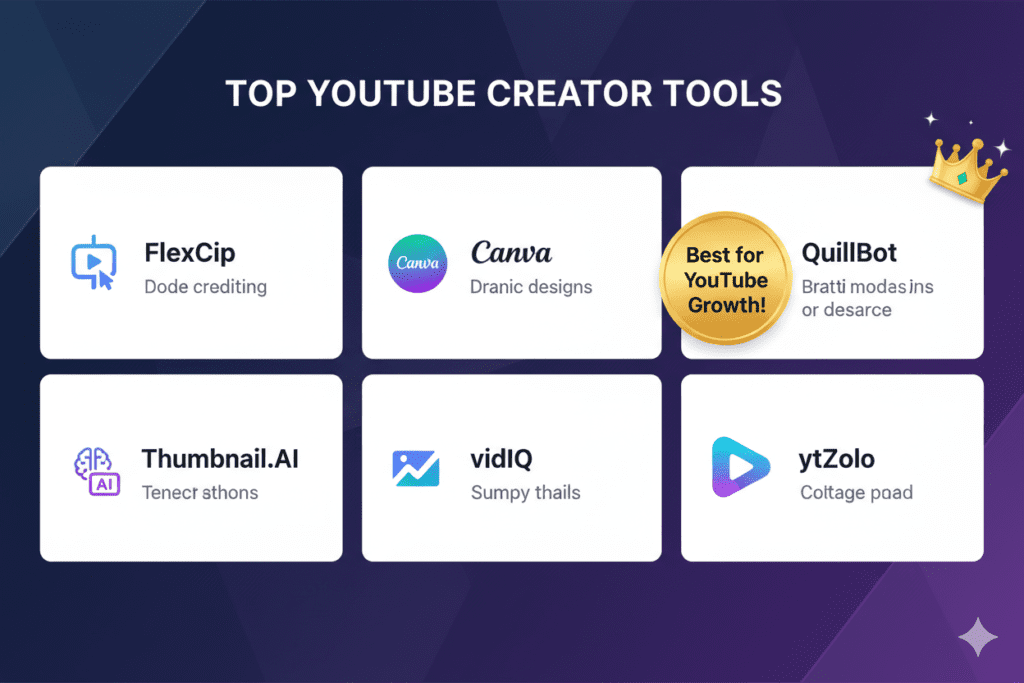
Several tools can generate 3D-style thumbnails for YouTube. Here’s an honest breakdown of what each one offers and where they fall short:
FlexClip
FlexClip is one of the best free AI thumbnail makers if you’re looking for something simple, browser-based, and quick.
You can describe your thumbnail idea in plain text or upload a photo, and the AI gives you thumbnails based on your input and preferred visual style, such as 3D, cinematic, cartoon, or painting.
You can also go into its editor to tweak fonts, colors, backgrounds, and layout in just a few clicks.
Solid for beginners, but the 3D thumbnail maker experience is limited — the free plan gives you just 3 AI credits, and the output styles can feel generic without detailed prompting.
Canva (Magic Media)
Canva’s AI image generator includes 3D-style presets and is accessible to anyone with a free account. It’s a flexible 3D thumbnail maker for YouTube beginners, but it’s a general design platform — not built specifically for YouTube performance optimization. You bring your own strategy; Canva just executes the visual.
QuillBot AI Thumbnail Maker
QuillBot’s AI Image Generator works with styles like realism, anime, cinematic, fantasy, and 3D, which gives you more options for making branding assets that go well together. It’s a capable 3D thumbnail maker for YouTube, especially for creators who want to maintain consistent visual branding across thumbnails and channel art.
Thumbnail.AI
Thumbnail.AI offers 15+ styles including 3D options, generated directly from text prompts. It’s easy to use and focused purely on thumbnails — but like most standalone tools, it stops at design. There’s no connection to your broader YouTube content strategy.
vidIQ Thumbnail Maker
vidIQ’s AI thumbnail maker creates professional, click-worthy thumbnails tailored to your video and audience. You can make quick, strategic edits — no need to start with a blank canvas. vidIQ is strong for keyword-focused creators, but its thumbnail feature is only one part of a tool primarily built around analytics and keyword research — not full content creation.
The Core Problem With Standalone 3D Thumbnail Tools
Every tool above can generate a 3D-style thumbnail. But none of them do what matters most for YouTube growth: they don’t integrate your thumbnail with your titles, scripts, descriptions, or tags.
A visually stunning 3D thumbnail attached to a weak title still underperforms. A great 3D thumbnail paired with a keyword-optimized description, a compelling hook, and strategic tags? That’s a recipe for a viral video.
Only one platform connects all of those pieces into a single workflow built specifically for YouTube creators.
That platform is ytZolo.
6. Why ytZolo Is the Best 3D Thumbnail Maker for YouTube Creators
ytZolo is the all-in-one AI YouTube growth platform that gives creators everything they need to produce high-performing content — starting with thumbnails that are genuinely built to convert.
Here’s exactly how ytZolo transforms your 3D thumbnail maker for YouTube experience:
AI-Generated 3D Thumbnails Engineered for YouTube CTR
When you use ytZolo to generate a 3D thumbnail for YouTube, the AI doesn’t just produce a visually cool image. It produces a thumbnail that is optimized for YouTube’s click environment — the right depth, the right contrast, the right focal composition, the right emotional signal for your niche.
You’re not just designing. You’re strategically engineering clicks.
Multiple 3D Variations Generated Instantly
Type your video topic. Choose your preferred 3D style — cinematic, game render, animated, or realistic 3D. ytZolo generates multiple complete 3D thumbnail concepts instantly, ready to compare and test.
Stop wasting hours on a single thumbnail design. Get 5 battle-tested variations in the time it used to take you to open Photoshop.
Why Creators Struggle Without an AI 3D Thumbnail Maker for YouTube
Creating genuine 3D thumbnail visuals manually is genuinely hard. Professional 3D rendering requires software like Blender or Cinema 4D — tools with steep learning curves and render times that can stretch to hours per image.
Even “3D-style” design attempts in Canva often look flat and amateur up close. Without AI, most creators end up abandoning the 3D thumbnail idea entirely — and settling for a flat photo that blends into the feed instead of standing out from it.
That’s a costly mistake. Every thumbnail that blends in is views you never receive. Income you never earn. Subscribers you never gain.
Why Manual 3D Thumbnail Methods Are Completely Outdated
In 2026, AI can generate a professional, polished, YouTube-optimized 3D thumbnail from a text prompt in under 30 seconds. The same output would take a professional 3D designer 2–4 hours to create manually.
The creators growing fastest on YouTube right now aren’t spending more time on thumbnails. They’re spending less — because AI handles it — and redirecting that time into creating more videos, more consistently.
The Complete AI YouTube Content Machine
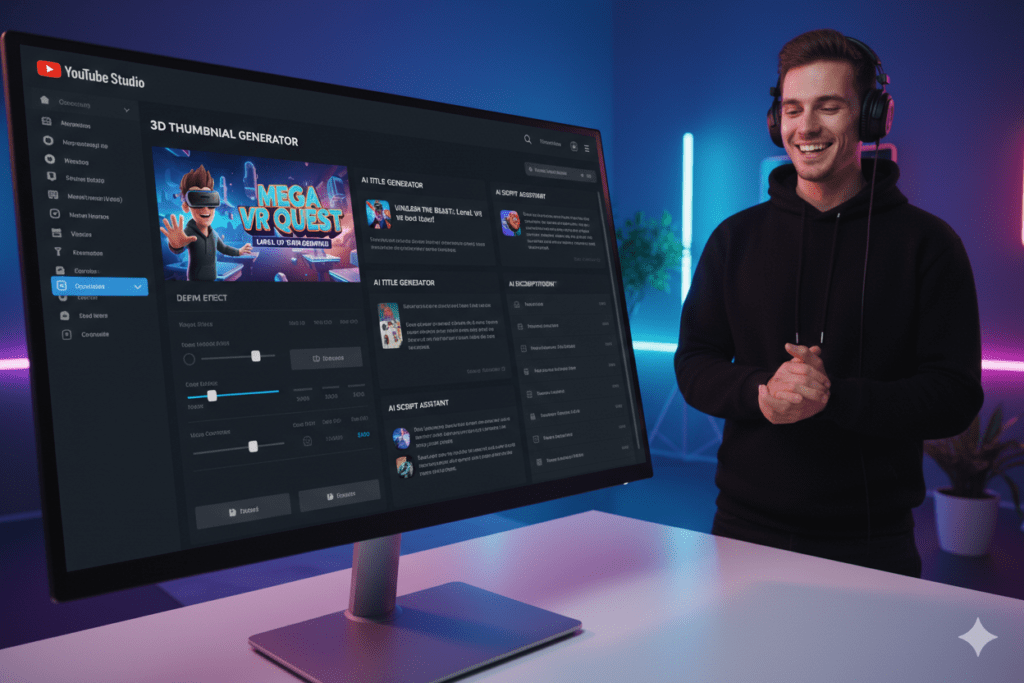
Here’s the real game-changer: ytZolo isn’t just a 3D thumbnail maker for YouTube. It’s a complete AI-powered YouTube growth system.
In one platform, you get:
- AI 3D thumbnail generation — Multiple styles, instant output, YouTube-CTR optimized
- AI video title generator — SEO-rich, curiosity-driven, clicks-first titles
- AI video script writer — Hook, body, and CTA structures built for retention
- AI YouTube description writer — Keyword-optimized, algorithm-friendly descriptions
- AI tags and hashtags — Maximized discoverability in search and suggested feeds
Every element of your video’s packaging — optimized. Every part of your content workflow — powered by AI. All in one place.
For more expert strategies on YouTube thumbnails, titles, and channel growth, check out the ytZolo blog — published regularly with data-backed guides for creators at every level.
7. Why ytZolo Beats Every Other 3D Thumbnail Maker for YouTube
Let’s lay it out clearly. Here’s how ytZolo compares to the leading 3D thumbnail maker tools for YouTube in 2026:
| Feature | ytZolo | FlexClip | Canva | QuillBot | Thumbnail.AI | vidIQ |
|---|---|---|---|---|---|---|
| AI 3D Thumbnail Generation | ✅ Yes | ✅ Limited | ⚠️ Style Presets | ✅ Yes | ✅ Yes | ⚠️ Basic |
| YouTube-Specific CTR Optimization | ✅ Yes | ❌ No | ❌ No | ❌ No | ⚠️ Partial | ✅ Partial |
| Multiple 3D Variations Instantly | ✅ Yes | ❌ Limited | ⚠️ Templates | ❌ Limited | ✅ Limited | ❌ No |
| AI Video Title Generator | ✅ Yes | ❌ No | ❌ No | ❌ No | ❌ No | ✅ Yes |
| AI Script Generator | ✅ Yes | ❌ No | ❌ No | ❌ No | ❌ No | ❌ No |
| AI Description + Tags | ✅ Yes | ❌ No | ❌ No | ❌ No | ❌ No | ⚠️ Partial |
| Built Specifically for YouTube | ✅ 100% | ⚠️ Partial | ❌ General | ❌ General | ⚠️ Partial | ✅ Yes |
| Full Content Workflow in One Place | ✅ Yes | ❌ No | ❌ No | ❌ No | ❌ No | ❌ No |
| Niche-Specific Design Optimization | ✅ Yes | ❌ No | ❌ No | ❌ No | ❌ No | ❌ No |
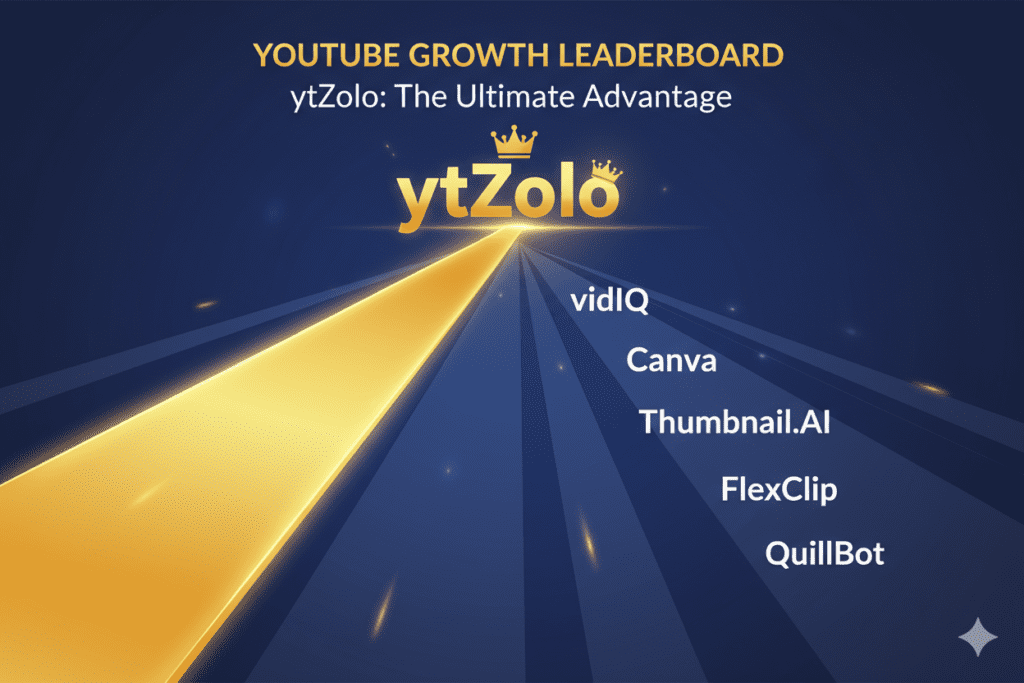
The conclusion is clear.
Every tool in this list can generate a 3D-style thumbnail. Only ytZolo wraps that 3D thumbnail generation inside a complete YouTube growth ecosystem — designed from the ground up to help creators get more views, more subscribers, and more revenue from every video they publish.
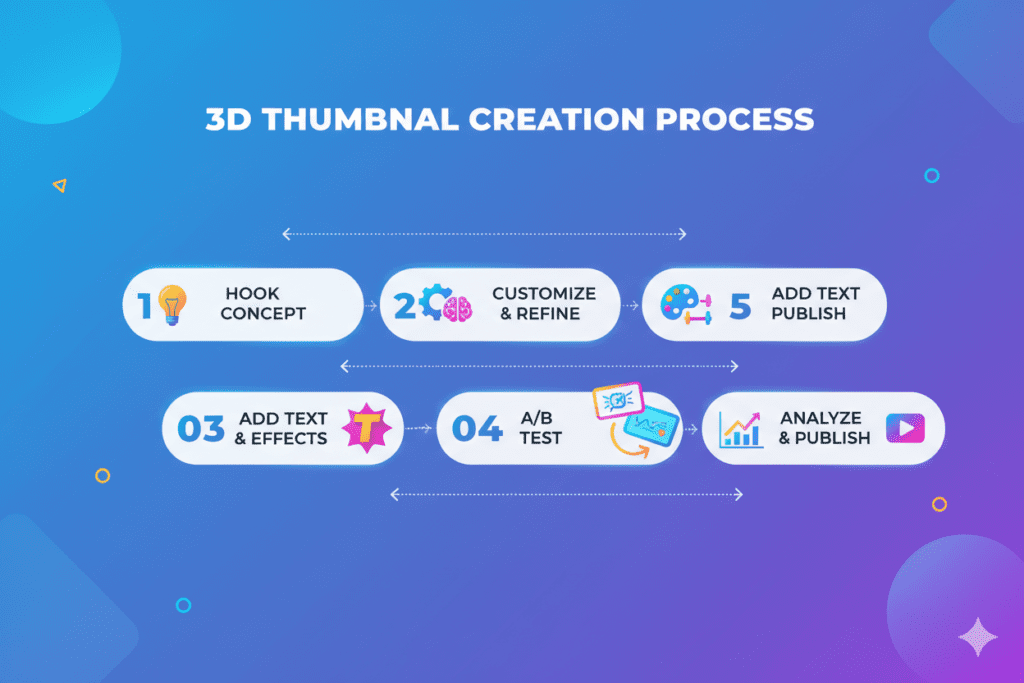
8. Step-by-Step: How to Create a Viral 3D Thumbnail for YouTube
Ready to create your best YouTube thumbnail yet? Follow this exact process:
Step 1: Identify Your Video’s “Visual Hook”
Before you open any 3D thumbnail maker for YouTube, ask yourself: What single moment, object, or emotion in this video would make someone physically stop scrolling if they saw it?
That visual hook is the foundation of your entire 3D thumbnail concept. Don’t skip this step.
Step 2: Choose Your 3D Visual Style
Different 3D styles work better for different content categories. Consider:
- Cinematic 3D — Dark, dramatic lighting, premium feel. Best for tech, gaming, finance, and documentary-style content
- Animated 3D — Friendly, vibrant, playful characters. Best for family, educational, and entertainment channels
- Realistic product 3D — Photorealistic renders of objects or environments. Best for tech reviews, unboxing, and product content
- Game-style 3D — High-energy, neon-heavy renders. Best for gaming, esports, and pop culture content
- Architectural / environmental 3D — Wide, expansive scenes with depth. Best for travel, lifestyle, and real estate content
Step 3: Write a Detailed AI Prompt
When using ytZolo or another 3D thumbnail maker for YouTube, the quality of your output directly reflects the quality of your prompt. Use this template:
“[3D style type] render of [subject/character], [emotion/action], [background description], [color palette], bold text reading ‘[3 to 5 word phrase]’, YouTube thumbnail 1280×720, high contrast, cinematic depth of field”
Example: “Cinematic 3D render of a shocked tech reviewer holding glowing futuristic smartphone, dark gradient background with neon blue accents, bold white text reading ‘THIS CHANGED EVERYTHING’, dramatic depth of field, YouTube thumbnail, high contrast”
Step 4: Generate and Compare Multiple Variations
Generate at least 3–5 different 3D thumbnail variations. Never commit to the first result. Small differences in lighting, composition, or character expression can have major CTR implications. Let the options breathe and compare them with fresh eyes.
Step 5: Add Your Text Overlay
Your 3D thumbnail text should feel like it’s floating in front of the scene. Short, punchy, power-word-driven. Consider proven text formulas like:
- “I WAS WRONG ABOUT THIS”
- “THE TRUTH NOBODY TELLS YOU”
- “I TRIED [X] FOR 30 DAYS”
- Numbers (“7 THINGS THAT CHANGED MY LIFE”)
- Results-based (“FROM 0 TO 100K IN 90 DAYS”)
Step 6: Preview at Mobile Size
If your thumbnail appears pixelated or stretched, viewers might assume your content lacks quality — even before watching. Always shrink your 3D thumbnail to 150px wide and check that text is readable and the focal point is clear. If it’s hard to read, simplify.
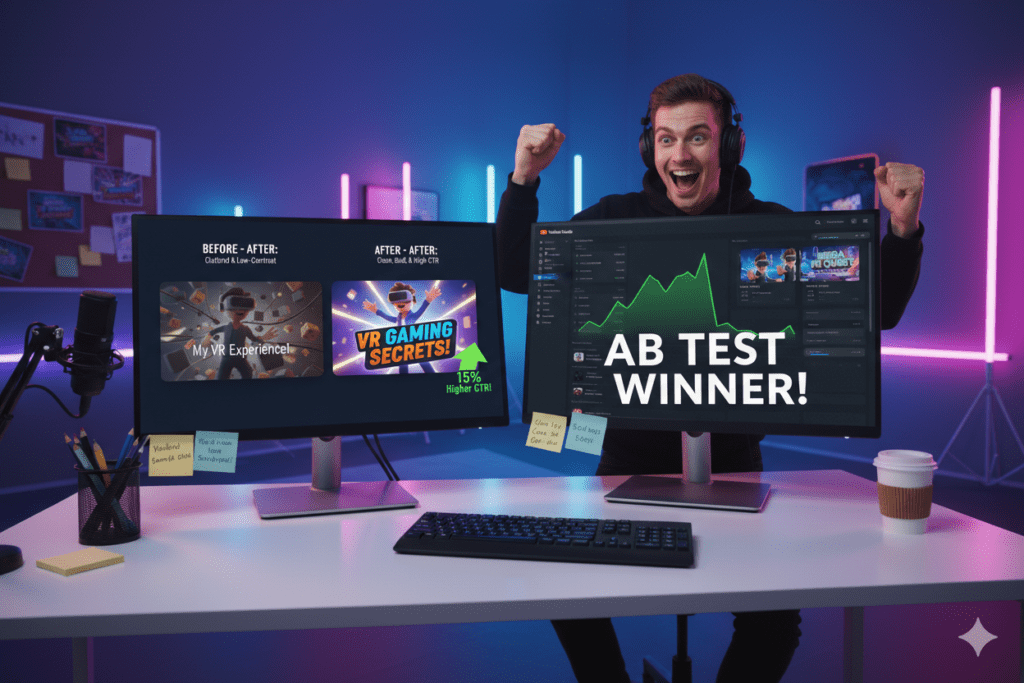
Step 7: A/B Test With YouTube Studio
Upload your video and use YouTube Studio’s Test & Compare feature to run 2–3 different 3D thumbnail versions head to head. Let performance data — not personal preference — decide which 3D thumbnail maker result wins.
9. Biggest 3D Thumbnail Mistakes That Crush CTR (And How to Fix Them)
Even with access to a great 3D thumbnail maker for YouTube, creators still make these common, costly mistakes. Here’s exactly what to avoid:
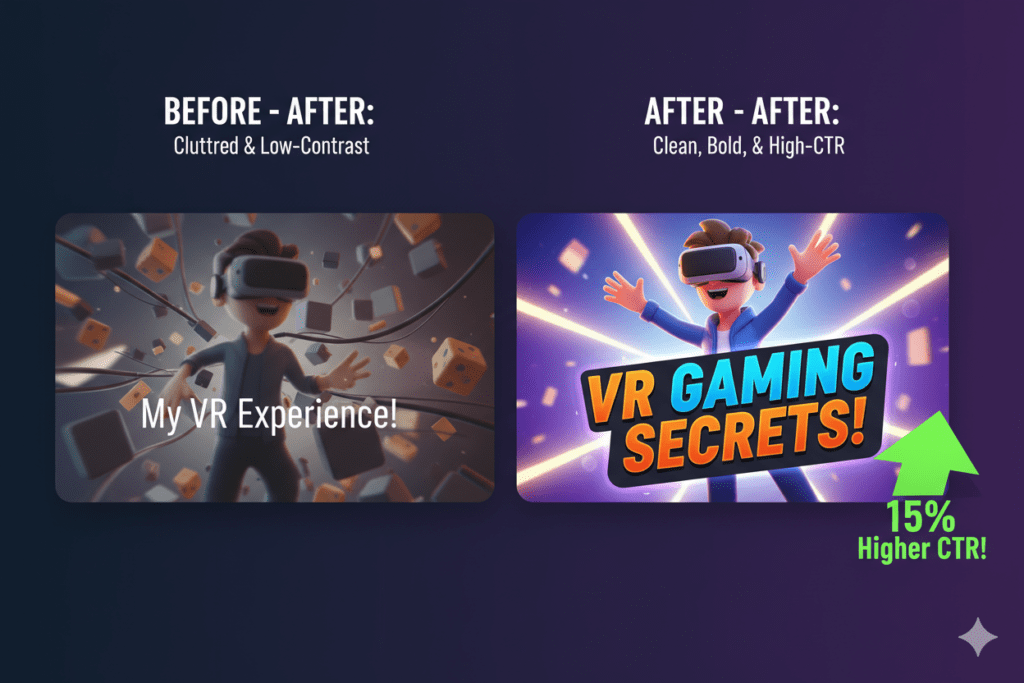
Mistake #1: Going Too Complex with the 3D Design
More detail is not always more impact. Hyper-detailed 3D thumbnails with cluttered backgrounds, multiple subjects, and competing visual elements confuse the eye in under 3 seconds. One clear subject. One strong emotion. One message. Simplicity wins in the feed.
Mistake #2: Ignoring Mobile Optimization
Mobile devices account for approximately 70% of YouTube traffic. A breathtaking 3D thumbnail that’s impossible to read at mobile preview size is a catastrophic waste. Always, always check mobile readability before uploading.
Mistake #3: Using Low-Contrast Color Combinations
Bold 3D rendering doesn’t automatically equal high contrast. Dark 3D subjects on dark backgrounds. Pastel text on complex rendered scenes. These kill readability. Test your 3D thumbnail in grayscale to check contrast before going live.
Mistake #4: Making the 3D Effect the Star Instead of the Message
Some creators get so excited about the 3D look that they forget the thumbnail’s only job: get the click. The 3D effect should amplify your message — not replace it. Viewers click for the promise, not the polish.
Mistake #5: Choosing a 3D Style That Doesn’t Match Your Niche
A dark, gritty game-engine 3D render on a children’s cooking channel sends completely wrong signals. A soft animated 3D style on a serious finance channel undermines credibility. Match your 3D thumbnail style to the emotional expectations and visual culture of your niche audience.
Mistake #6: Never Refreshing Old Thumbnails
One creator refreshed thumbnails on 10 evergreen videos after a year — their CTR increased by 30–40% and total views on those videos grew by more than 200%. Quarterly thumbnail audits using your 3D thumbnail maker for YouTube are one of the highest-ROI activities any creator can run.
Mistake #7: Treating All 3D Thumbnails the Same
What works in gaming 3D thumbnails is different from what works in tech, lifestyle, or education. Every niche has its own visual culture and audience psychology. The best 3D thumbnail maker for YouTube workflow involves studying what performs in your specific niche before generating anything.
10. Pro Strategies for 3D Thumbnails That Keep Getting Clicked
You have the fundamentals. Now here are the advanced moves that separate growing channels from stagnant ones:
- Build a 3D visual identity, not just a thumbnail. The fastest-growing YouTube channels using 3D thumbnails don’t just create great individual thumbnails — they create a unified visual language. Same dimensional style. Same lighting approach. Same color palette. Same font. Over time, your 3D thumbnail style becomes instant channel recognition in any feed.
- Use depth to direct the eye. In 3D thumbnail design, elements closer to the viewer should be the most important. Use depth of field to blur background elements and sharpen your focal point. Your 3D thumbnail maker for YouTube should give you control over this — if it doesn’t, choose a different prompt structure.
- Test against competitor thumbnails. Screenshot your top 5 competitors’ thumbnails. Line them up in a single image next to your 3D thumbnail. Does yours stand out? Does it look more premium? More clickable? If it blends in, go back to your 3D thumbnail maker for YouTube and generate something that demands attention by comparison.
- Refresh your top-10 videos with 3D thumbnails every 6 months. Evergreen content that’s still receiving impressions is the highest-value target for thumbnail updates. A 3D redesign on a 6-month-old video can unlock a wave of new algorithmic recommendations without publishing a single new video.
- Match your 3D thumbnail’s emotional tone to your title. Your thumbnail and title should tell the same micro-story. If your title says “I Lost Everything” — your 3D thumbnail should communicate devastation or shock, not excitement. Alignment between thumbnail and title builds trust with the algorithm and with viewers.
- Run quarterly thumbnail audits on your full catalog. Identify your 10 lowest-CTR videos that still get impressions. These are your highest-opportunity targets. Run each one through your 3D thumbnail maker for YouTube and A/B test the redesigns immediately.
- Study 3D thumbnail trends in your niche every 30 days. YouTube visual culture evolves quickly. A 3D style that dominated six months ago might feel dated today. Staying current keeps your thumbnails feeling fresh and competitive.
FAQ: 3D Thumbnail Maker for YouTube
Q1: What is the best 3D thumbnail maker for YouTube in 2026 ?
The best 3D thumbnail maker for YouTube in 2026 is ytZolo. Unlike standalone design tools, ytZolo combines AI-powered 3D thumbnail generation with a complete YouTube growth workflow — AI titles, scripts, descriptions, and tags — all in one platform.
Every 3D thumbnail ytZolo generates is optimized specifically for YouTube CTR, not just visual aesthetics. For creators who want to grow their channels — not just make pretty thumbnails — ytZolo is the clear choice.
Q2: Do I need design skills to use a 3D thumbnail maker for YouTube?
No. That’s the entire value proposition of a modern AI-powered 3D thumbnail maker for YouTube. You don’t need to know Blender, Cinema 4D, Photoshop, or any 3D software. You describe what you want in plain text — the subject, the style, the emotion, the color palette — and the AI generates a professional 3D thumbnail in seconds.
Tools like ytZolo are specifically built for creators without design backgrounds who still want high-performing, visually premium thumbnails.
Q3: What 3D thumbnail style works best for YouTube?
The best 3D thumbnail style for YouTube depends on your niche. Cinematic 3D performs strongly in tech, gaming, and finance. Animated 3D works well for family, education, and entertainment. Realistic product 3D excels in review and unboxing content.
Game-engine 3D style dominates gaming and esports. The key is matching your 3D thumbnail maker for YouTube output to the visual culture and emotional expectations of your specific niche audience — then staying consistent across your channel to build brand recognition over time.
Q4: How does a 3D YouTube thumbnail improve CTR?
A 3D YouTube thumbnail improves CTR by creating visual depth that stands out in a flat feed dominated by 2D photo thumbnails. The dimensional effect triggers a natural attention response in viewers — subjects appear to “pop forward,” text feels bolder, and the overall visual impact is more premium than standard thumbnails.
Combined with strong color contrast, clear focal points, and emotional expression, a great 3D thumbnail maker for YouTube can help you achieve CTR improvements of 30–40% over flat photo alternatives.
Q5: How often should I update my YouTube thumbnails using a 3D thumbnail maker?
You should review your thumbnail performance at minimum every 30 days in YouTube Studio. Any video with a CTR below 4% is a priority redesign candidate — regenerate the thumbnail using your 3D thumbnail maker for YouTube and upload a new version immediately.
For evergreen videos still receiving impressions after 3–6 months, a 3D thumbnail refresh can revive organic reach significantly. Run a full channel thumbnail audit every quarter to identify your highest-opportunity redesign targets and stay ahead of evolving visual trends in your niche.
Conclusion: Stop Blending In. Start Standing Out With a 3D Thumbnail Maker for YouTube.
You’ve seen the data. You know the psychology. You understand what’s at stake.
A great 3D thumbnail maker for YouTube is one of the most powerful growth tools available to any creator in 2026.
. Not because 3D looks cool — because 3D converts. It stops scrolls. It signals premium quality. It builds brand recognition. And when powered by AI, it does all of that in under 30 seconds.
The creators exploding on YouTube right now aren’t working harder. They’re designing smarter. They’re using AI to generate better 3D thumbnails faster, test more variations with less effort, and build consistent visual identities that compound into channel-level recognition over time.
Every week you spend fighting Photoshop or settling for flat, forgettable thumbnails is a week your competitors using AI pull further ahead.
ytZolo gives you the complete AI content machine — a world-class 3D thumbnail maker for YouTube combined with AI-powered titles, scripts, descriptions, and tags — all in one platform, all optimized for one goal: growing your YouTube channel faster than you thought possible.
Your content deserves to be seen. Your videos deserve to be clicked. Your channel deserves to grow.
Make it happen — starting with a thumbnail that’s impossible to scroll past.
🚀 Start creating smarter, faster, and more viral YouTube content with ytZolo today.
Visit https://ytzolo.com and experience the all-in-one AI YouTube growth platform trusted by thousands of creators worldwide.
Ready to go deeper? Explore the ytZolo blog for expert guides on 3D thumbnails, viral titles, scripts, and everything you need to dominate YouTube in 2026.

