

Introduction: Your Thumbnail Is Costing You Views Right Now
Let me paint you a picture.
You spend 6 hours filming. Another 3 hours editing. You nail the hook, the pacing, the B-roll. You even use AI tools for YouTube thumbnail ideas to make your thumbnail pop. You hit publish… and crickets.
Sound familiar?
Here’s the brutal truth: no one will watch a video they never clicked on. And the only thing standing between your video and that click? Your thumbnail.
According to YouTube Creator Academy, 90% of the best-performing videos on YouTube use custom thumbnails. That’s not a coincidence. That’s strategy.
And yet most creators still spend 45 minutes in Canva guessing, tweaking, second-guessing, and ending up with something… fine. Not scroll-stopping. Just fine. Even with AI tools for YouTube thumbnail ideas, many still struggle to create thumbnails that truly grab attention.
That’s exactly why AI tools for YouTube thumbnail ideas have exploded in popularity. Smart creators are now using AI to brainstorm, generate, and optimize thumbnails in minutes — not hours.
In this guide, we’re breaking down everything you need to know about using AI tools for YouTube thumbnail ideas, how they work, what to look for, and why tools like ytZolo are changing the game for creators who are serious about growth.
Table of Contents
Why Your Thumbnail Matters More Than You Think
Here’s a stat that should stop you cold.
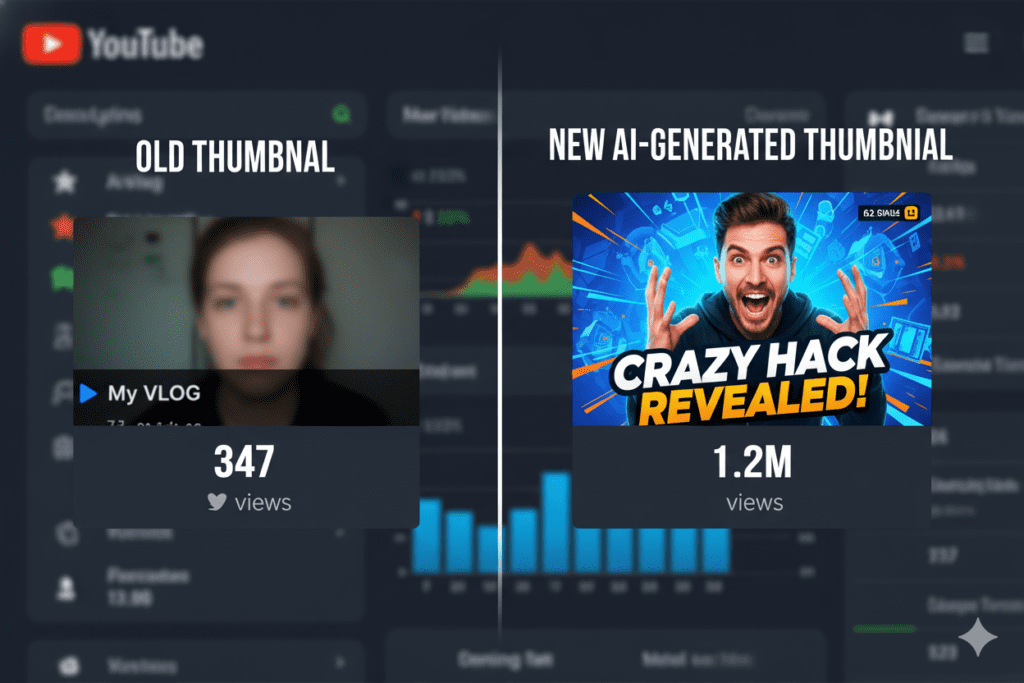
Research analyzing thousands of top-performing videos shows that optimized thumbnails can increase click-through rates by 30–40%. That’s not a rounding error. That’s the difference between a video that gets 2,000 views and one that gets 20,000.
And it compounds. YouTube’s algorithm rewards higher CTR with more impressions. More impressions mean more clicks. More clicks mean more watch time. And more watch time means YouTube pushes your video to even more people—especially when you use AI tools for YouTube thumbnail ideas to create thumbnails that truly grab attention.
It’s a growth flywheel — and your thumbnail is the first gear.
The average YouTube CTR across all niches sits between 4–6%. But top-performing creators in gaming, entertainment, and lifestyle routinely hit 8–10%+. That gap isn’t talent. It’s strategy — and specifically, it’s thumbnail strategy.
Yet most creators treat thumbnails as an afterthought.
They upload their video, slap together a quick design, and hope for the best. Meanwhile, their competitors are using AI tools for YouTube thumbnail ideas to generate, test, and optimize thumbnails with data-backed precision.
The creators who figure this out first? They win. The ones who don’t? They stay stuck.
What Are AI Tools for YouTube Thumbnail Ideas?
Simply put: AI thumbnail tools use machine learning to help you create, brainstorm, and optimize thumbnail visuals and concepts — faster and smarter than doing it manually.
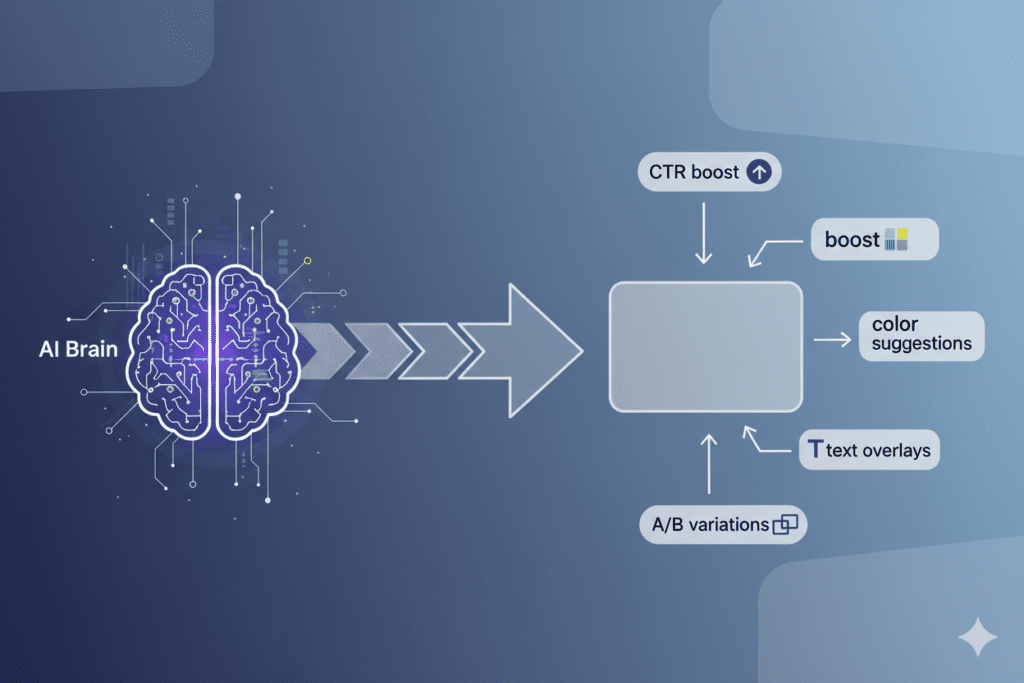
The best AI tools for YouTube thumbnail ideas can do a few powerful things:
- Analyze your video and identify the most emotionally compelling frames
- Generate visual concepts based on your title, niche, and target audience
- Suggest layouts, colors, and text overlays that are proven to boost CTR
- Create multiple variations so you can A/B test and find the winner
- Maintain visual consistency across your channel for brand recognition
Think of it like having a professional thumbnail designer and YouTube growth strategist in your pocket — except they work 24/7 and cost a fraction of the price.
Some AI tools focus only on image generation. Others go deeper into the strategy behind thumbnails — like what emotions to trigger, what text to use, and what’s working in your specific niche right now.
The best ones? They do all of it. That’s where comprehensive platforms like ytZolo come in — but more on that in a moment.
What Makes a High-CTR Thumbnail in 2026?
Before you pick an AI tool, you need to understand what a winning thumbnail actually looks like. The rules have evolved in 2026.
Here’s what the data tells us about high-performing YouTube thumbnails right now:
3.1 Emotional Faces Still Win (Most of the Time)
Expressive faces can increase CTR by 20–30% according to data cited by VidIQ. The keyword is expressive — neutral faces don’t cut it. Surprise, excitement, shock, curiosity — these are the emotions that make someone stop scrolling.
That said, whether faces help or hurt depends on your niche and your audience. The lesson: test it with your specific audience.
3.2 Bold Contrast + Single Focal Subject
Cluttered thumbnails lose. Viewers decide in under a second. Your thumbnail needs one clear focal point, high contrast between foreground and background, and zero visual noise.
3.3 Short, Punchy Text (3–5 Words Maximum)
Text on thumbnails should complement your title — not repeat it. Short phrases like “This Changed Everything” or “I Was Wrong” create curiosity gaps that force a click.
3.4 Mobile-First Design
Over 70% of YouTube watch time comes from mobile devices. If your thumbnail doesn’t pop on a 5-inch screen at 10% zoom, it’s not working hard enough.
3.5 Brand Consistency Across Your Channel
Channels with a recognizable thumbnail style get higher CTR from return viewers who trust the content. Consistency signals quality.
Great AI tools for YouTube thumbnail ideas understand all of these principles and apply them automatically — so you don’t have to guess.

Top AI Tools for YouTube Thumbnail Ideas (Reviewed)
Let’s look at the landscape. There are a lot of tools out there. Here’s an honest breakdown of what’s available and what each does well.
4.1 ytZolo — Best All-in-One AI YouTube Growth Tool
ytZolo isn’t just a thumbnail tool — it’s a full AI-powered YouTube growth platform built specifically for creators who want to go viral faster.
Where it really shines with thumbnails: ytZolo generates thumbnail ideas and concepts tied directly to your title, niche, keywords, and target audience. It doesn’t just give you a pretty image — it gives you a thumbnail strategy.
Beyond thumbnails, ytZolo helps you with:
- AI-generated video titles that rank and get clicks
- Complete video scripts written for maximum watch time
- SEO-optimized descriptions and tags
- Trending content ideas tailored to your channel
For creators who want one tool to handle everything from ideation to upload-ready content, ytZolo is the clear winner. We’ll break this down more in a dedicated section below.
4.2 Canva AI (Magic Media)
Canva’s Magic Media is great for beginners who want to generate AI images from text prompts and customize them with drag-and-drop editing. It’s user-friendly, free to start, and includes YouTube-specific templates.
The downside? It’s a general design tool, not a YouTube-specific growth tool. It doesn’t understand YouTube CTR psychology or your specific niche dynamics.
4.3 vidIQ Thumbnail Maker
vidIQ’s AI thumbnail maker is trained on performance data from YouTube, which gives it a leg up on pure design tools. It generates thumbnails tailored to your video and offers quick edits.
It works well as part of the broader vidIQ ecosystem if you’re already using it for keyword research. But as a standalone thumbnail tool, it’s limited compared to what ytZolo offers.
4.4 WayinVideo
WayinVideo takes a video-first approach — paste a YouTube link and the AI analyzes your video to automatically generate high-CTR thumbnail candidates. It’s clever, fast, and generates multiple variations.
It’s a strong pick for creators who want to work from existing video content. But it doesn’t help with title strategy, scripts, or the broader content workflow.
4.5 Adobe Express
Adobe Express offers AI design suggestions with a polished interface and professional-grade tools. It’s great for creators who want fine-grained design control. But it has a steeper learning curve and isn’t YouTube-focused.
4.6 Fotor
Fotor’s AI thumbnail maker automatically generates layouts and design suggestions. It’s quick and template-heavy, making it good for beginners who need something done fast. Customization options are more limited.
Bottom line: Most tools do one thing — generate images. What separates ytZolo is that it understands the strategy behind thumbnails and connects them to your full content workflow.
Why Manual Thumbnail Methods Are Officially Outdated
Let’s talk about the old way.
You used to open Photoshop or Canva. You’d scrub through your video timeline looking for a usable frame. You’d try to cut out your face cleanly. You’d pick a font, argue with yourself about the color, write some text, and upload it — hoping it works.
Sound familiar? Here’s why that process is costing you:
It’s slow. You’re spending 30–60 minutes per thumbnail that could be spent making more content.
It’s guesswork. Without data behind your design choices, you’re making emotional decisions, not strategic ones.
It doesn’t scale. If you’re uploading 2–4 times per week (which YouTube rewards), manually designing thumbnails becomes a full-time job in itself.
It ignores trends. What’s working in thumbnails changes constantly. Manual designers can’t keep up with real-time trend data the way AI tools can.
Creators who are still doing thumbnails the old way are bringing a pencil to a gunfight. Every day you delay using AI tools for YouTube thumbnail ideas is a day your competitors get ahead of you.
The question isn’t whether to use AI tools for YouTube thumbnail ideas. The question is: which one should you trust with your channel’s growth?

How ytZolo Solves the Thumbnail Problem (and Everything Else)
Here’s what makes ytZolo different from every other AI tool for YouTube thumbnail ideas.
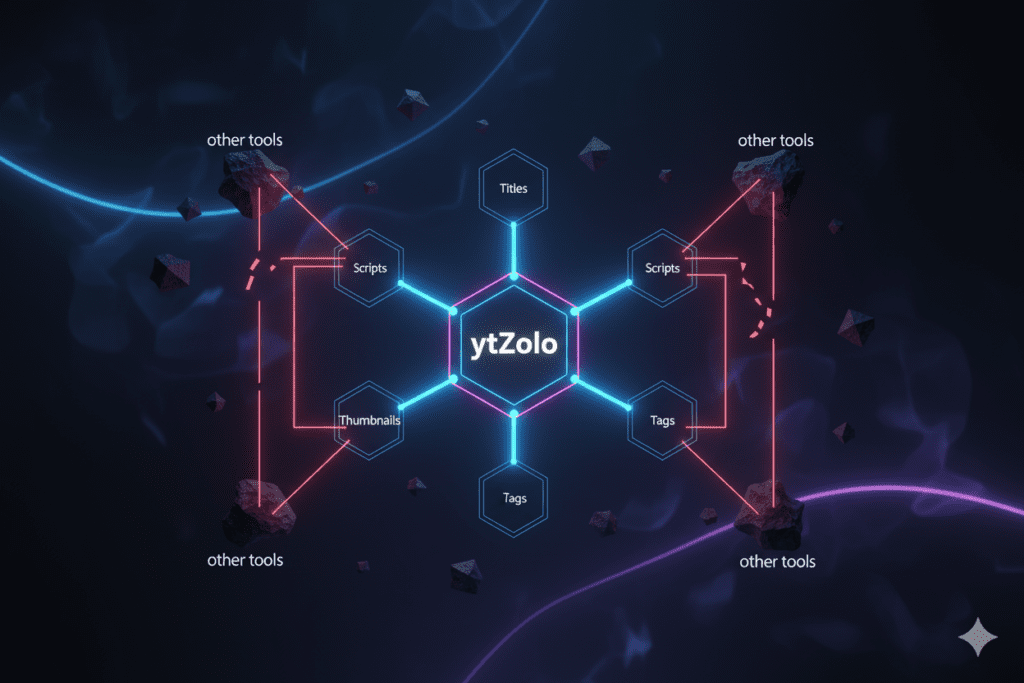
Most tools hand you a picture. ytZolo hands you a strategy.
When you use ytZolo for thumbnail ideas, it doesn’t just generate a random image. It factors in:
- Your video title — so the visual and text work together to create a compelling message
- Your niche and audience — so the design choices match what actually gets clicked in your content category
- Trending visual styles — so your thumbnail looks current and competitive, not outdated
- CTR psychology — so emotional triggers, color contrast, and text placement are all optimized for clicks
And that’s just the thumbnail side.
ytZolo is built as a complete AI YouTube growth tool. That means from the moment you have a content idea, ytZolo can help you:
- Brainstorm trending video ideas that your audience actually wants to watch
- Write your video title using AI that understands YouTube SEO and click psychology
- Generate your full video script so filming is faster and more confident
- Create thumbnail concepts and ideas that stop scrollers in their tracks
- Write your video description and tags so YouTube’s algorithm knows exactly who to show your video to
That’s the entire pre-production and post-production workflow — handled by one AI tool.
For solo creators and small teams, that’s not just convenient. It’s a massive competitive advantage.
Check out the ytZolo blog for deep-dives into how real creators are using AI to accelerate their channel growth every single week.

Why ytZolo Is Better Than Other Tools
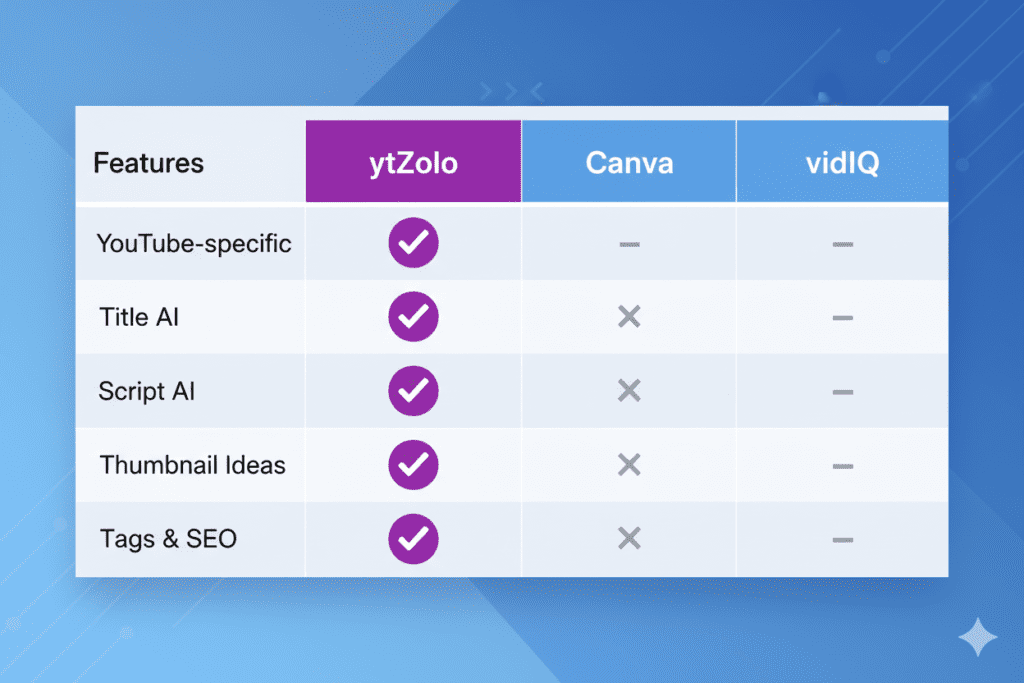
Let’s get specific. Here’s how ytZolo stacks up against the competition when it comes to AI tools for YouTube thumbnail ideas.
ytZolo vs. Canva AI
Canva is a design tool that added AI features. ytZolo is an AI YouTube growth tool built from the ground up for creators. Canva gives you templates. ytZolo gives you strategy, scripts, and a full content workflow — with thumbnails as one powerful piece of the puzzle.
ytZolo vs. vidIQ
vidIQ has strong keyword research and some thumbnail features. But its AI capabilities are spread thin across many small tools. ytZolo delivers deeper AI integration for titles, scripts, thumbnails, descriptions, and tags — all in one place, built for one purpose: viral YouTube growth.
ytZolo vs. Generic Image Generators (Midjourney, DALL-E, etc.)
These tools generate beautiful images — but they have no idea what gets clicked on YouTube. They don’t know your niche, your audience’s preferences, or what CTR-optimized thumbnail composition looks like. ytZolo does.
The ytZolo Advantage at a Glance
| Feature | ytZolo | Canva AI | vidIQ | Generic AI Image Tools |
|---|---|---|---|---|
| YouTube-specific thumbnail ideas | ✅ | ❌ | ✅ | ❌ |
| AI video title generator | ✅ | ❌ | ✅ | ❌ |
| AI video script writer | ✅ | ❌ | ❌ | ❌ |
| SEO descriptions & tags | ✅ | ❌ | ✅ | ❌ |
| Trending video ideas | ✅ | ❌ | ✅ | ❌ |
| All-in-one workflow | ✅ | ❌ | ❌ | ❌ |
The verdict: If you want just a design tool, Canva works. But if you want to grow your YouTube channel with AI — from ideas to thumbnails to scripts — ytZolo is the only tool that covers the full picture.
Step-by-Step: How to Use AI for YouTube Thumbnail Ideas
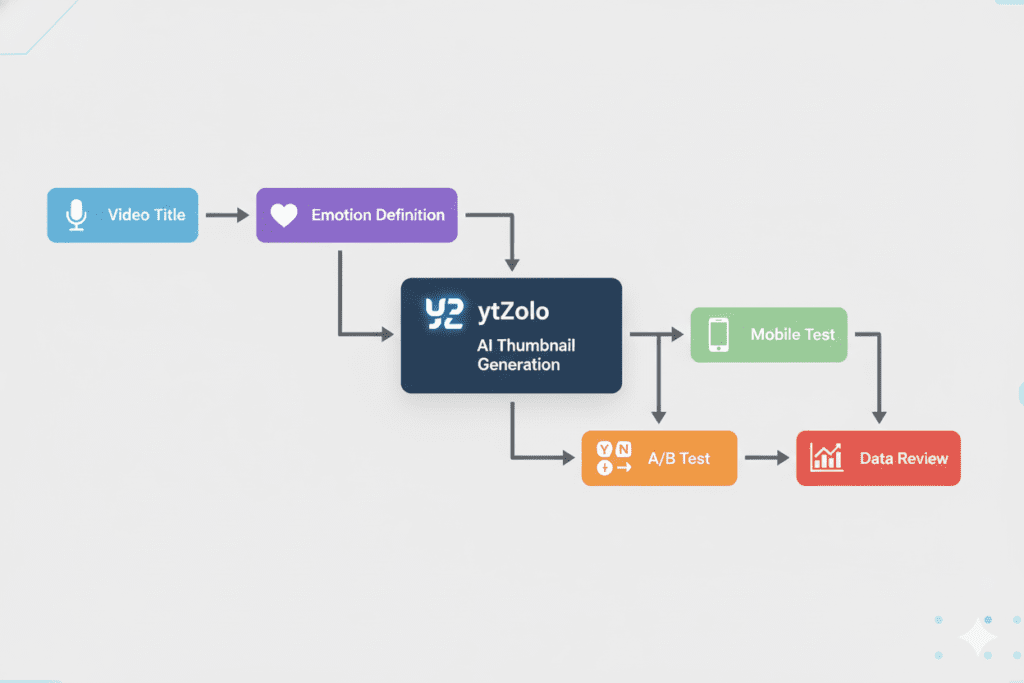
Ready to start creating thumbnails that actually get clicked? Here’s a simple, repeatable workflow using AI tools for YouTube thumbnail ideas.
Step 1: Start With Your Video Title
Your thumbnail and title work as a team. Before generating any thumbnail ideas, lock in your AI-generated title first. Use ytZolo to generate title options optimized for both SEO and click-through rate.
Strong titles create the curiosity gap. Your thumbnail visualizes it.
Step 2: Define the Core Emotion
Ask yourself: what emotion do I want my viewer to feel the instant they see this thumbnail? Options include:
- Curiosity (“What is that?”)
- Shock/Surprise (“Wait, really?”)
- Excitement (“I need to see this”)
- FOMO (“Everyone’s watching this but me”)
- Inspiration (“I could do that”)
Pick one. Commit to it. Then let your AI tool generate concepts around that emotion.
Step 3: Generate Multiple Thumbnail Concepts
Using ytZolo or your chosen AI tool, generate at least 3–5 different thumbnail concept variations. Think of these as directions, not final designs. Variations could differ in:
- Subject focus (face vs. object vs. text-based)
- Color palette (bold and saturated vs. clean and minimal)
- Text style (curiosity vs. clarity)
Step 4: Apply the Mobile Thumb Test
Shrink your thumbnail preview down to thumbnail size — roughly 10–15% of your screen. Can you still read the text? Is the focal subject still clear? Does it pop against the YouTube feed background?
If yes, you’ve got a winner. If not, iterate.
Step 5: A/B Test Your Thumbnails
Upload your top 2 variations and use YouTube Studio’s Test & Compare feature to let the data decide. Even a 0.5% CTR improvement compounds massively over time across all your videos.
Step 6: Iterate Based on Data
Review your CTR metrics weekly. Notice what’s working — facial expressions, color choices, text styles — and build those patterns into your next round of AI thumbnail generation. Over time, you’ll develop a data-backed thumbnail formula that works specifically for your audience.
Pro Tips to Maximize Your Thumbnail CTR
These are the thumbnail growth hacks that separate the top 1% of creators from everyone else.
Use the “thumbnail first” approach. Before you even film, design the thumbnail concept. This forces you to clarify what the most compelling visual moment of your video is — and then you can film specifically for it.
Refresh old thumbnails regularly. One creator reported a 200% increase in views on evergreen content simply by updating outdated thumbnails with AI-optimized designs. Your old videos are an untapped asset.
Match the energy of your niche. Gaming thumbnails use extreme expressions and saturated colors. Finance thumbnails use clean, minimal layouts. Educational thumbnails use clarity-first design. Study your top competitors and use AI tools for YouTube thumbnail ideas that fit your niche’s visual language.
Think about thumbnail families. If viewers see your thumbnail style consistently across 20+ videos, they start recognizing your brand instantly — and clicking out of familiarity. Use AI tools to maintain style consistency at scale.
Never sacrifice watch time for CTR. YouTube’s algorithm measures both. A thumbnail that tricks people into clicking but doesn’t deliver on its promise will hurt your channel long-term. Your thumbnail is a promise. Your video has to keep it.
FAQ: AI Tools for YouTube Thumbnail Ideas
Q1: What is the best AI tool for YouTube thumbnail ideas?
The best AI tool for YouTube thumbnail ideas depends on your needs. For creators who want a complete YouTube growth solution, ytZolo is the top choice — it combines AI thumbnail ideas with title generation, script writing, SEO descriptions, and tags all in one platform. For design-focused creators who just need image generation, Canva AI or Adobe Express are solid options.
Q2: Can AI tools actually improve my YouTube CTR?
Yes — significantly. Research shows that optimized thumbnails can increase CTR by 30–40%. AI tools for YouTube thumbnail ideas help you apply proven CTR principles (high contrast, emotional triggers, strong focal subjects, readable text) faster and more consistently than manual design. The key is using an AI tool that understands YouTube-specific performance data, not just general image aesthetics.
Q3: How many thumbnail variations should I create for A/B testing?
Start with 2–3 variations per video. Use YouTube Studio’s Test & Compare feature to run them against each other. Focus on changing one variable at a time — like testing a face-forward thumbnail against a text-based one — so you can learn what works for your specific audience. Even a small CTR lift compounds into major growth over time.
Q4: Do I need design skills to use AI tools for YouTube thumbnail ideas?
No. That’s the whole point. The best AI tools for YouTube thumbnail ideas are designed for creators with zero design experience. Tools like ytZolo handle the strategy and ideation. You provide the direction — the AI handles the execution. If you can describe what you want, you can create a great thumbnail.
Q5: Is ytZolo only for thumbnails, or does it do more?
ytZolo is a full-suite AI YouTube growth tool. Beyond helping with AI-powered thumbnail ideas, ytZolo generates video titles, complete video scripts, SEO-optimized descriptions, hashtags, and trending topic ideas. It’s built for creators who want to save time and create viral content consistently — without needing a team of writers, designers, and SEO specialists. Visit ytZolo.com to explore the full feature set.
Conclusion: Stop Guessing. Start Growing.
Here’s the truth that every successful YouTuber eventually learns:
Views don’t go to the best videos. Views go to the most clickable videos.
And in 2026, “most clickable” means using every tool available to make your thumbnail impossible to scroll past.
AI tools for YouTube thumbnail ideas have gone from a nice-to-have to a non-negotiable. The creators who are winning right now — the ones growing by thousands of subscribers every month — are the ones who stopped guessing with thumbnails and started using AI to make data-backed decisions.
You don’t need to spend hours in Canva anymore. You don’t need to hire a designer. You don’t need to guess what your audience wants to click on.
You need the right AI tool. And right now, ytZolo is the most complete, creator-focused option available. From AI tools for YouTube thumbnail ideas to full scripts, titles, and SEO — it’s everything you need in one place.
Your competitors are already using AI. The gap between them and you grows every day you wait.
🚀 Start creating smarter, faster, and more viral YouTube content with ytZolo today.
👉 Try ytZolo Free at ytzolo.com
Want to go deeper on YouTube growth strategies? Check out the ytZolo blog for the latest tips, tutorials, and case studies on growing your channel with AI.
For more on YouTube best practices, explore resources from the YouTube Creator Academy and YouTube’s Official Creator Blog.
Published by ytZolo | ytzolo.com | Your AI-powered YouTube growth partner

