

Introduction: He Changed One Thing — and Got 12,000 Views Overnight
Marcus had been uploading to YouTube for eight months.
Good lighting. Solid editing. Decent content. And yet his videos were averaging around 200 views each. He wasn’t growing. He wasn’t getting discovered. He was burning out.
Then he made one single change. He stopped guessing his YouTube tags and started using an AI YouTube tags optimizer.
Within 72 hours, one video hit 12,000 views. His channel gained 400 subscribers in a week. The algorithm started surfacing his content in suggested feeds. His watch time doubled.
The video itself hadn’t changed. Only the tags had.
If you’ve ever stared at the YouTube tag box wondering what to type, you’re not alone. It’s one of the most overlooked and most misunderstood parts of YouTube SEO. But it’s also one of the fastest wins available to any creator — if you know how to do it right.
In this guide, you’ll learn exactly how an AI YouTube tags optimizer works, why manual tagging is holding your channel back, and how ytZolo makes the whole process effortless — so you can focus on creating content instead of stressing over metadata.
Let’s get into it.
Table of Contents
Do YouTube Tags Still Matter in 2026?
This is the question every creator eventually asks. And the answer might surprise you.
Yes — YouTube tags absolutely still matter. But not in the way most people think.
Tags are no longer the dominant ranking factor they were back in 2015. Your YouTube SEO title and description carry far more weight today. But that doesn’t mean tags are useless — it means they’ve evolved into something more nuanced.
Here’s what tags actually do in 2026:
- Categorize your content — Tags tell YouTube’s algorithm what bucket your video belongs in
- Power suggested video placement — YouTube uses tag data to decide which videos to recommend alongside others in the same niche
- Reinforce keyword relevance — Tags back up the signals in your title and description
- Help surface your content in related searches — Even searches where your video isn’t a perfect title match
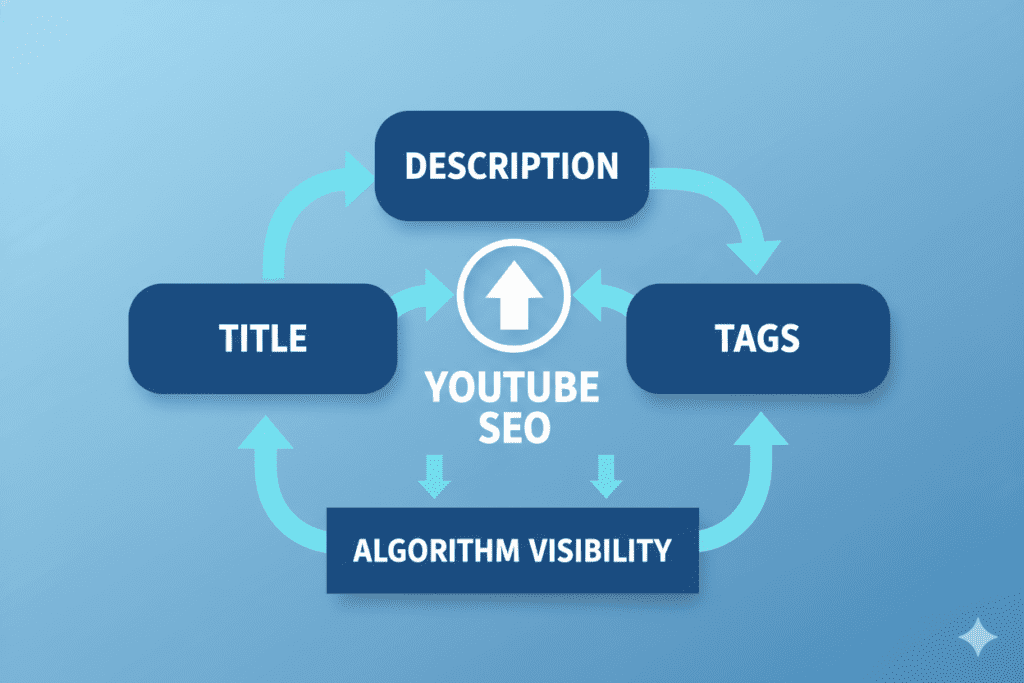
Think of tags like supporting evidence in a court case. Your title is your opening argument. Your description is your testimony. Tags are the stack of documents that back everything up.
When your tags are well-optimized, they strengthen the entire case YouTube makes for showing your video to more people. When they’re random, vague, or missing? You’re essentially handing YouTube a blank sheet of paper and hoping for the best.
That’s exactly why an AI YouTube tags optimizer has become one of the most powerful tools in a creator’s arsenal — not because tags are the most important signal, but because they’re the most consistently ignored one.
How YouTube’s Algorithm Uses Tags to Rank Your Videos
To use tags effectively, you first need to understand how YouTube actually reads them.
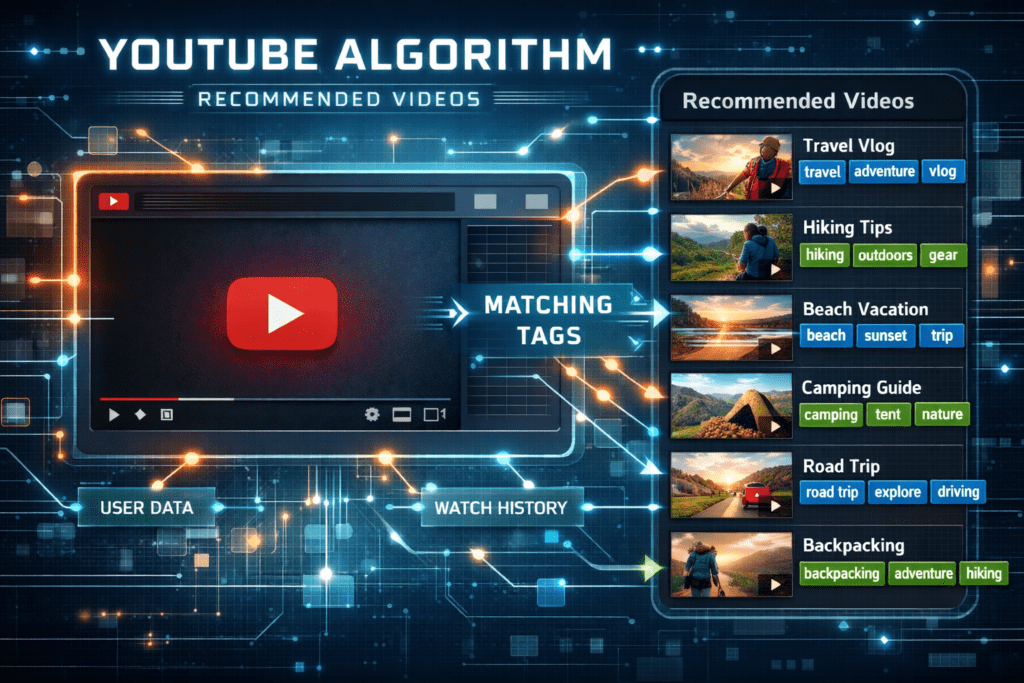
YouTube’s algorithm scans your tags as part of the early evaluation phase — the critical 24–48 hours right after you publish. During this window, YouTube is trying to figure out what your video is about and who to show it to.
Tags play three specific roles in this process.
Role 1: Topic Classification
YouTube uses your tags to place your video into content categories. A video tagged with “home workout,” “no equipment exercise,” and “beginner fitness” gets classified differently than one tagged “fitness tips,” “workout advice,” and “health.”
Specific, relevant tags help YouTube put your video in front of the right viewers faster. Vague tags lead to YouTube sending your video to a mixed audience — which kills your click-through rate and watch time before the algorithm ever gives you a real chance.
Role 2: Suggested Video Matching
This is where tags have the biggest hidden impact in 2026.
When your video shares tags with another popular video in your niche, YouTube is far more likely to recommend your video in that popular video’s “Up Next” sidebar. This is called tag-based co-ranking — and it’s one of the most underrated growth tactics on the platform.
Getting your video placed next to a viral video in your niche? That’s free traffic from a pre-qualified audience that already loves your topic. An AI YouTube tags optimizer can identify exactly which tag combinations to use to trigger this effect.
Role 3: Semantic Context Reinforcement
YouTube’s algorithm is sophisticated enough to understand semantic relationships between words. When your tags include a mix of your primary keyword, related terms, and long-tail variations, you’re building a semantic web that makes it easier for YouTube to match your content to a broader range of searches.
This is why using 8–15 high-quality, contextually relevant tags consistently outperforms dumping 30+ random keywords into the tag box.
Why Manual Tagging Is a Losing Strategy
Here’s the uncomfortable truth about how most creators pick their YouTube tags.
They finish their video. They’re tired. They type in five keywords that seem relevant. They hit publish. And they wonder why their video never gains traction.
Manual tagging fails for three specific reasons.
Reason 1: You Don’t Have Access to Real Search Data
When you type tags based on instinct, you’re guessing what people search for. But YouTube search behavior is full of surprises. The terms people actually type are often different from what creators assume they type. Without real search volume data, you’re essentially throwing darts in the dark.
Reason 2: You Can’t Keep Up with Trending Tags
YouTube trends move fast. A tag that drove traffic last month may be oversaturated today. A new long-tail keyword may be blowing up right now — but you’d never know it without AI-powered trend analysis running in the background.
Reason 3: You’re Leaving Suggested Video Placement on the Table
Without knowing which tags popular videos in your niche are using, you can’t engineer tag overlap for suggested video placement. This is a massive traffic source that manual taggers consistently miss — simply because finding this data by hand is nearly impossible.
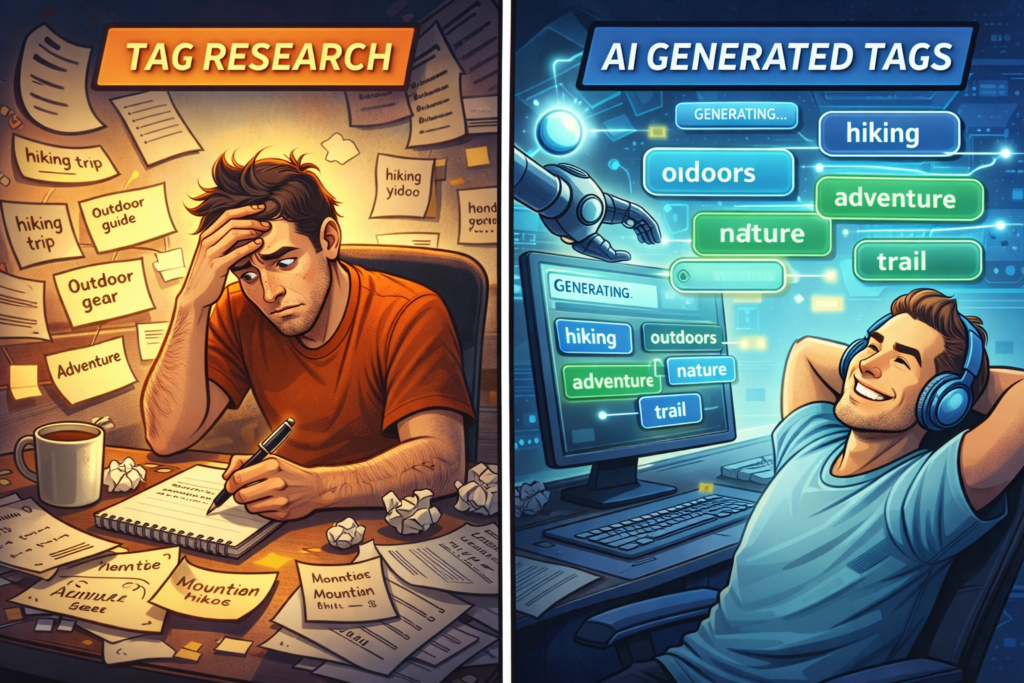
The math here is brutal. You can spend 45 minutes manually researching YouTube tags and still end up with a mediocre tag set. Or you can use an AI YouTube tags optimizer to generate a perfectly structured, data-driven tag list in under 30 seconds.
One of these approaches scales. The other doesn’t.
What Is an AI YouTube Tags Optimizer and How Does It Work?
An AI YouTube tags optimizer is a tool that uses artificial intelligence and real-time data to automatically generate the most effective tags for your YouTube video — based on your topic, niche, and current search trends.
Instead of guessing, you simply enter your video topic or title. The AI does the rest.
Here’s what a quality AI YouTube tags optimizer does behind the scenes:
- Keyword analysis — Scans actual YouTube search data to find what real people are searching for in your niche
- Long-tail keyword discovery — Identifies specific, lower-competition tag opportunities that broader tools miss
- Tag relevance scoring — Evaluates how well each potential tag matches your video topic
- Semantic grouping — Organizes tags from broad to specific to give YouTube the clearest possible topical signal
- Competitor tag analysis — Identifies which tags top-performing videos in your niche are using
- Trend detection — Flags tags that are currently gaining momentum in YouTube search
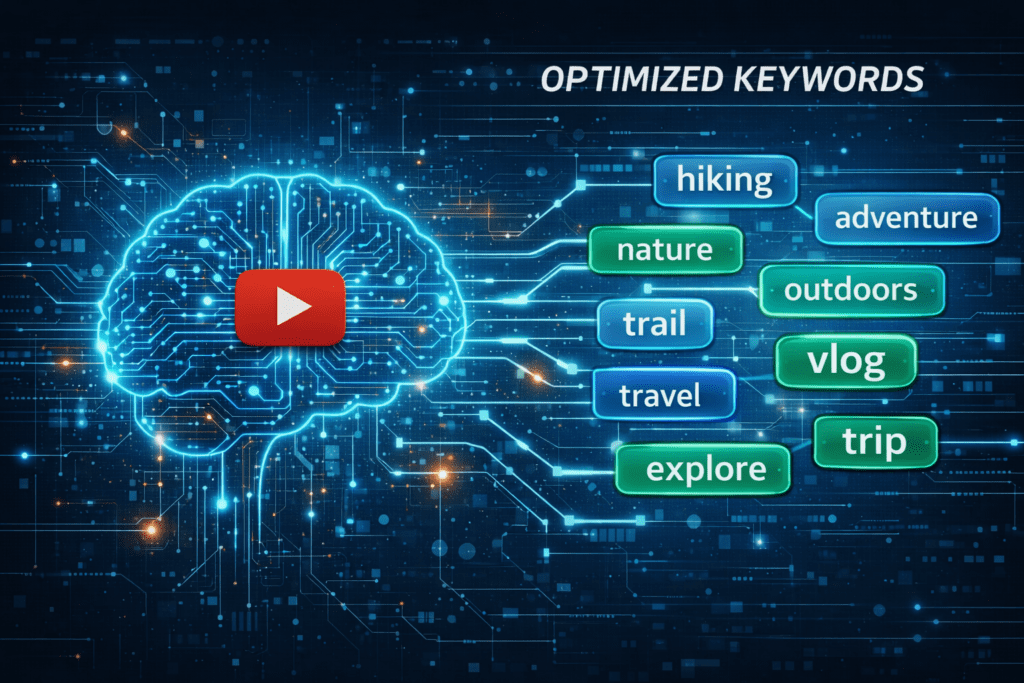
The output is a complete, ready-to-paste tag set built specifically for your video — not a generic list of popular keywords, but a curated, strategic tag package that works in harmony with your title and description.
This is exactly what ytZolo delivers. And it does it in seconds, not hours.
How to Use an AI YouTube Tags Optimizer the Right Way
An AI YouTube tags optimizer is powerful — but only if you know how to implement its suggestions correctly. Here’s the exact process to follow.
Step 1: Start with Your Primary Keyword as the First Tag
YouTube gives more weight to tags that appear at the beginning of your tag list. Your most important keyword — the one your entire video is built around — should always be your very first tag.
If your video is about “how to grow on YouTube fast,” your first tag should be that exact phrase. Not a variation. Not a shorter version. The primary keyword, first.
Step 2: Layer In Variations and Long-Tail Tags
After your primary tag, add closely related variations. For example:
- “grow YouTube channel”
- “how to get more YouTube views”
- “YouTube growth tips for beginners”
- “increase YouTube subscribers fast”
These long-tail tags catch search queries that your primary tag might miss. They also expand the semantic footprint of your video, helping YouTube recommend it across a wider range of related searches.
Step 3: Add Broad Niche Category Tags
Finish with 2–3 broader tags that categorize your video within a niche. These aren’t keyword-specific — they help YouTube understand which genre of content your video belongs to.
For a tutorial channel: “YouTube tips,” “content creation,” “YouTube strategy”
Step 4: Stay Within 8–15 Total Tags
YouTube allows up to 500 characters of tags. The temptation is to use all of it. Don’t.
Quality beats quantity every time. A focused set of 8–15 highly relevant tags sends a cleaner signal to the algorithm than 30 vague, loosely related ones. Your AI YouTube tags optimizer should be curating the best tags — not generating an overwhelming list to pad the character count.
Step 5: Match Tags to Your Title and Description
Your tags should reinforce your title and description — not contradict them. If your title is about “YouTube SEO tips” but your tags are all about “social media marketing,” YouTube receives a mixed signal about what your video is actually covering.
Consistency across all three metadata fields is what gives YouTube the confidence to rank and recommend your content.
The Best Tag Strategy for Every Type of YouTube Creator
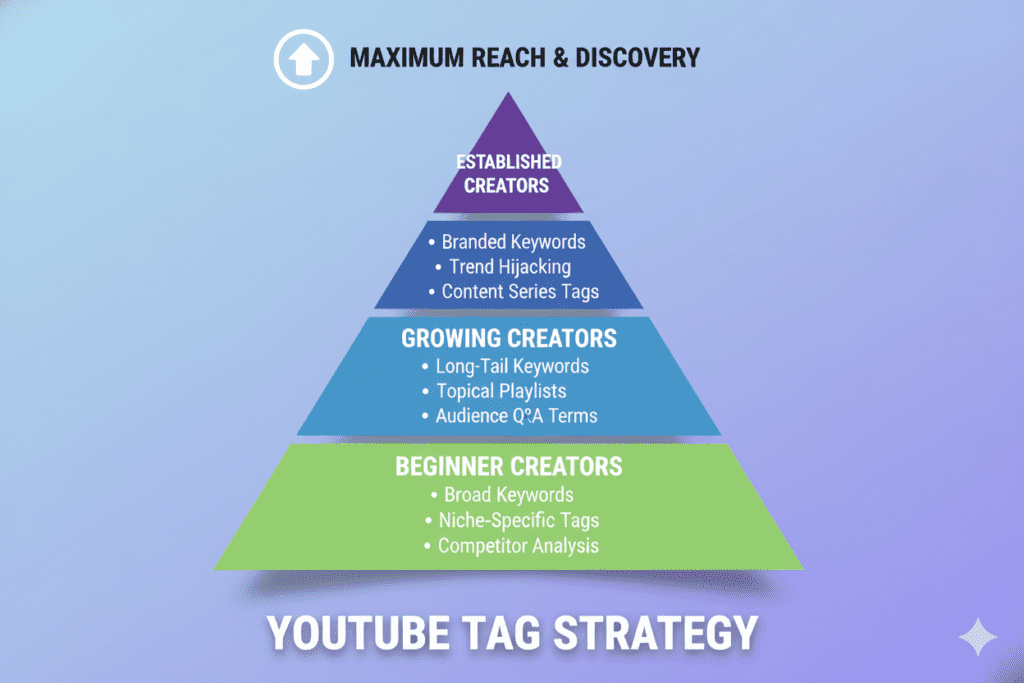
Not every channel is the same. Here’s how to tailor your AI YouTube tags optimizer approach based on where you are in your creator journey.
If You’re a New Channel (Under 1,000 Subscribers)
Focus heavily on long-tail, low-competition tags. Your channel doesn’t have the authority to rank for broad, high-volume keywords yet. Long-tail tags give you a realistic shot at ranking for specific, intent-driven searches — and those clicks from the right audience will build your watch time and authority faster.
Key approach:
- Use specific, 4–6 word tag phrases
- Target questions and “how to” searches in your niche
- Avoid single-word tags that are dominated by massive channels
If You’re a Growing Channel (1,000–50,000 Subscribers)
Balance mid-tail and long-tail keywords. You have enough authority to compete on moderately searched terms. Use your AI YouTube tags optimizer to identify tags where rising videos (not just dominant ones) are getting traction — these are your sweet spots.
Key approach:
- Mix 3–4 word tags with 5–7 word long-tail tags
- Start including trending niche tags with rising search volume
- Study tags from videos gaining momentum in your niche
If You’re an Established Channel (50,000+ Subscribers)
You can compete on broader, high-volume tags while still using long-tail tags to protect your niche authority. Your established audience and watch time data give YouTube confidence to surface you in competitive search results.
Key approach:
- Lead with high-volume primary keywords
- Use your brand or channel name as a tag
- Engineer tag overlap with the biggest videos in your niche for suggested placement
9-AI-YouTube-Tags-Optimizer-Ultimate-Ranking-Guide-2026-2.png
Why ytZolo Is the Best AI YouTube Tags Optimizer Available
There are plenty of tag tools floating around the internet. Most of them do one thing: generate a list of keywords and call it a day.
ytZolo was built to do something fundamentally different.
ytZolo isn’t just an AI YouTube tags optimizer. It’s a complete AI YouTube growth platform that understands how titles, descriptions, thumbnails, scripts, and tags work together — and optimizes all of them as a unified package.
Here’s why that matters. On YouTube, no single piece of metadata wins alone. A great set of tags attached to a weak title still won’t get clicks. A compelling title with irrelevant tags still confuses the algorithm. Everything has to work together.
ytZolo generates tags that are semantically aligned with your AI-generated title and description. They don’t just look relevant — they function as a cohesive SEO system that sends a clear, consistent signal to YouTube’s algorithm about exactly what your video is, who it’s for, and why it deserves to rank.
What Makes ytZolo’s AI Tag Generation Superior
- Niche-aware AI — ytZolo’s AI understands your specific content category, not just generic keyword volumes
- Title-description-tag alignment — Tags are generated in sync with your other metadata for maximum algorithm coherency
- Long-tail opportunity targeting — The AI specifically identifies tag combinations with high relevance and lower competition
- Trend-responsive suggestions — Tags reflect what’s gaining momentum right now, not what was trending six months ago
- Built-in semantic intelligence — ytZolo structures your tags from specific to broad for optimal topical signaling
And because ytZolo is an all-in-one creator tool, you’re not just optimizing tags. In the same workflow, you’re generating your SEO title, your description, your thumbnail concept, and your video script. Everything aligned. Everything optimized. Everything working together.
For creators who want to grow without spending their entire Sunday on YouTube SEO, ytZolo is the answer. You can also read more creator growth strategies on the ytZolo blog — it’s packed with tutorials and tips for every stage of a creator’s journey.
Why ytZolo Is Better Than Other AI YouTube Tag Tools
Let’s be honest about the competition.
TubeBuddy and VidIQ are solid analytics tools. They’ve been around for years and they offer tag suggestions as part of their feature sets. But their core strength is analytics — not AI-powered content creation. When it comes to actually generating tags, descriptions, and titles together as a unified system, they fall short.
ChatGPT can write things, but it has no YouTube-specific SEO intelligence. It doesn’t know current search trends. It can’t analyze what tags top-performing videos in your niche are using. And it has no idea how your tags should align with your thumbnail strategy.
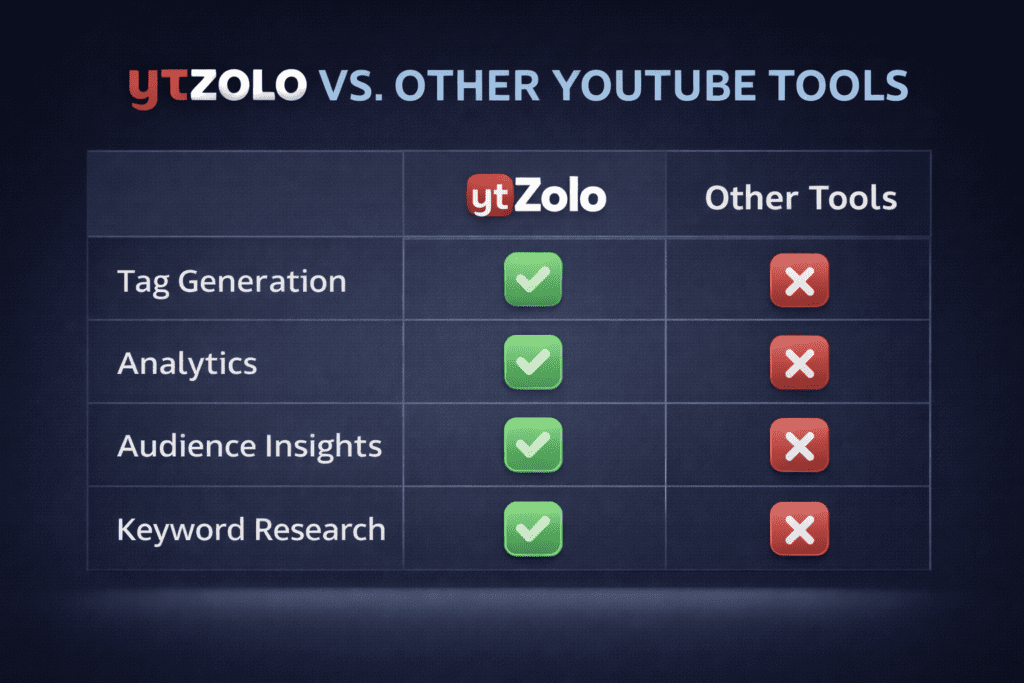
Here’s a clear breakdown of how ytZolo compares:
| Feature | TubeBuddy | VidIQ | ChatGPT | RapidTags | ytZolo |
|---|---|---|---|---|---|
| AI YouTube tag optimizer | ✅ Basic | ✅ Basic | ❌ | ✅ Basic | ✅ Advanced |
| Title-tag-description alignment | ❌ | ❌ | ❌ | ❌ | ✅ |
| Trend-aware tag generation | Partial | Partial | ❌ | ❌ | ✅ |
| Long-tail tag discovery | ✅ | ✅ | ❌ | ✅ | ✅ |
| Thumbnail generation | ❌ | ❌ | ❌ | ❌ | ✅ |
| Full script writing | ❌ | ❌ | ✅ Generic | ❌ | ✅ YouTube-specific |
| All-in-one creator workflow | ❌ | ❌ | ❌ | ❌ | ✅ |
| Built for viral content | ❌ | ❌ | ❌ | ❌ | ✅ |
The core difference is simple. Other tools give you data and leave the execution to you. ytZolo takes action — generating everything you need to publish a fully optimized video in minutes, not hours.
That’s not just a feature difference. That’s a completely different relationship with your content creation workflow.
5-AI-YouTube-Tags-Optimizer-Powerful-SEO-Tool-2026.png
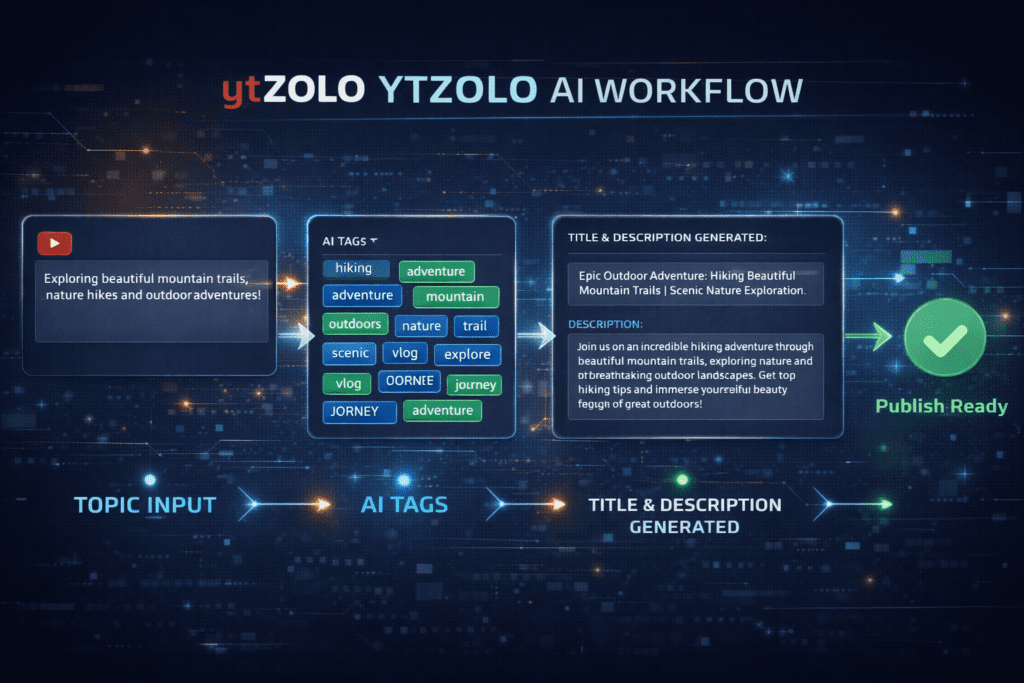
Step-by-Step: Generating Viral Tags with ytZolo
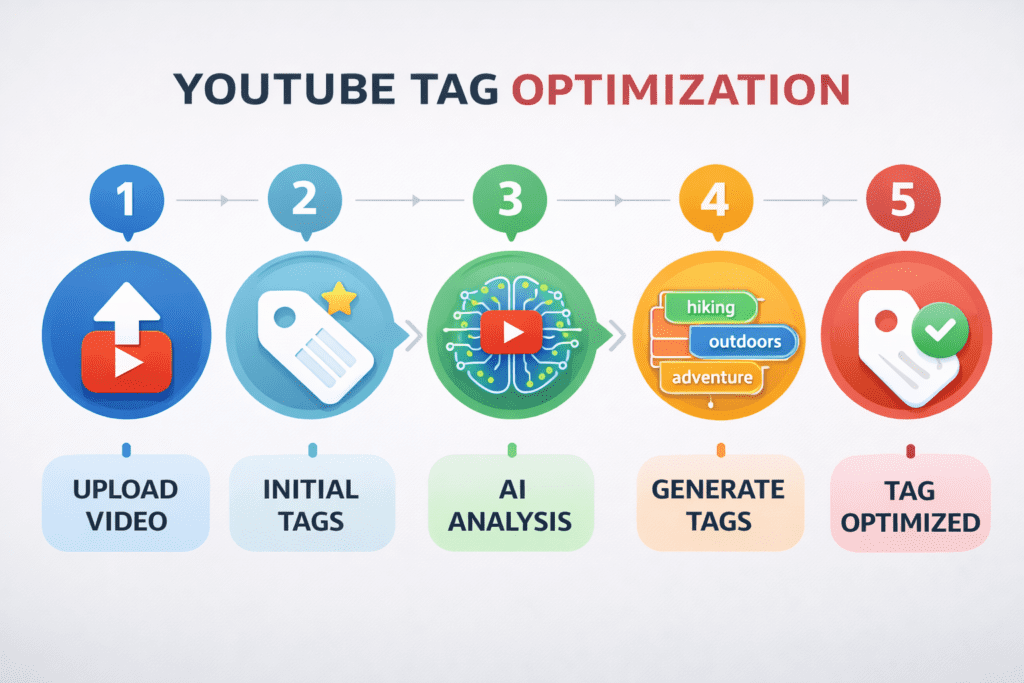
Ready to see exactly how easy ytZolo makes the AI YouTube tags optimizer process? Here’s the full workflow. AI YouTube Tags Optimizer: Powerful Rank Boost 2026
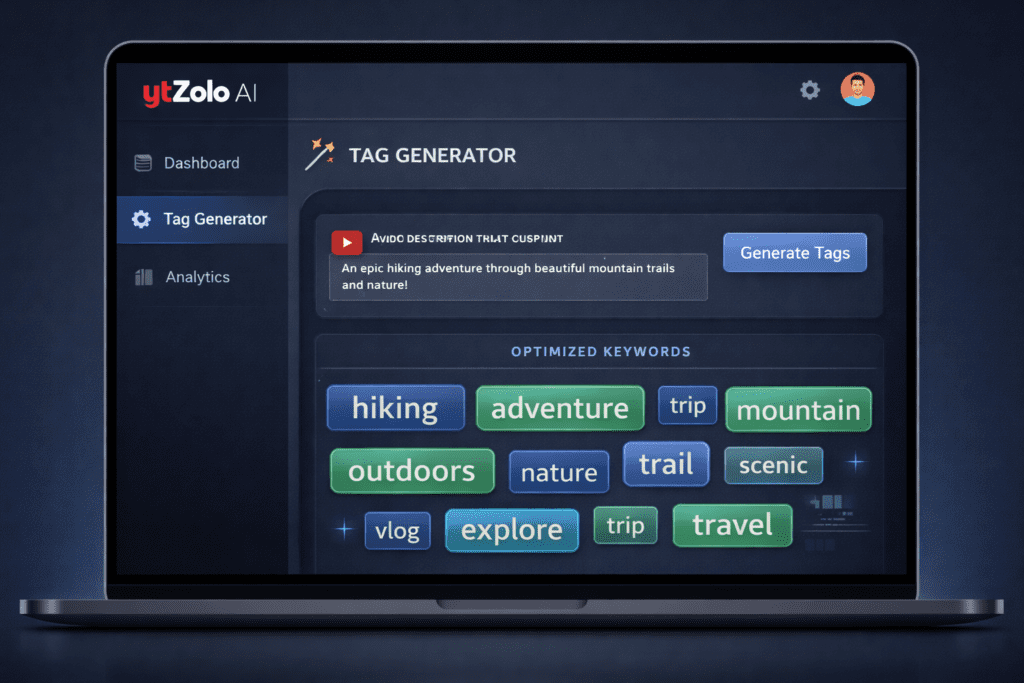
Step 1: Enter Your Video Topic
Log into ytZolo and enter your video topic or a rough title idea. You don’t need to have everything figured out — just give the AI a starting point. Something as simple as “how to start a podcast with no money” is enough.
Step 2: Let ytZolo Generate Your Complete Tag Set
In seconds, ytZolo’s AI analyzes your topic, cross-references current YouTube search trends, and builds a structured tag set including:
- Your primary keyword as the first tag
- Long-tail keyword variations
- Semantic niche category tags
- Trend-aligned tags gaining momentum right now
Every tag is prioritized and ordered for maximum algorithm impact.
Step 3: Review and Customize
ytZolo gives you full control. Review the suggested tags, swap out anything that doesn’t fit your content, and add any channel-specific tags you want to include. The AI gives you the framework — you fine-tune it.
Step 4: Generate Your Title, Description, and Thumbnail Too
This is the ytZolo advantage. While you’re in the same dashboard, generate your:
- SEO-optimized YouTube title — Front-loaded with your keyword, built for clicks
- Full YouTube description — Compelling hook, semantic keywords, timestamps built in
- AI thumbnail concept — Visual direction aligned with your title’s promise
- Video script — Structured for watch time and engagement from the first second
Everything is interconnected. Every piece of metadata supports every other piece.
Step 5: Copy, Paste, Publish
Take your optimized tags, title, description, and thumbnail concept directly into YouTube Studio. Your video is fully optimized and ready to rank — in a fraction of the time it would take to do manually.
That’s the ytZolo workflow. And once you experience it, going back to manual optimization feels like going back to dial-up internet. AI YouTube Tags Optimizer: Powerful Rank Boost 2026
YouTube Tag Optimization Checklist
Save this. Use it every time you upload. It works.
✅ Before You Generate Tags
- [ ] Identified your primary keyword for the video
- [ ] Know your target audience and their search intent
- [ ] Have your video title ready (or at least a draft)
- [ ] Using ytZolo or a quality AI YouTube tags optimizer tool
✅ When Building Your Tag List
- [ ] Primary keyword is the very first tag
- [ ] Included 3–5 long-tail keyword variations
- [ ] Added 2–3 broad niche category tags
- [ ] Total tag count is between 8–15 (under 500 characters)
- [ ] No irrelevant or off-topic tags included
- [ ] No single-word generic tags that won’t help you rank
✅ Tag-Metadata Alignment Check
- [ ] Primary tag matches the main keyword in your title
- [ ] Tags reinforce (not contradict) your description’s topic
- [ ] Tags include at least one phrase from your thumbnail text
- [ ] Tags include niche-specific terms your audience would search
✅ After Publishing
- [ ] Checked impressions vs. CTR in YouTube Studio after 48 hours
- [ ] Reviewed suggested video placement in analytics
- [ ] Updated tags if initial performance is below expectations
- [ ] Noted which tag combinations drove the most traffic for future videos
FAQ: AI YouTube Tags Optimizer
Q1: What exactly does an AI YouTube tags optimizer do?
AI YouTube Tags Optimizer: Rank Higher in 2026 explains that an AI tags optimizer automatically generates a structured list of relevant tags based on your video topic and niche keyword data.
Instead of manually guessing tags, creators simply enter their topic and receive a prioritized, ready-to-use tag set.
These tags align with your title and description, helping strengthen search visibility and overall algorithm performance.
Q2: How many YouTube tags should I use on each video?
AI YouTube Tags Optimizer: Rank Higher in 2026 recommends using 8–15 highly relevant tags for each video instead of filling the entire 500-character limit.
A focused tag set sends a clearer relevance signal to the algorithm compared to dozens of vague or unrelated tags.
Always place your primary keyword first, followed by long-tail variations and broader niche category terms to strengthen discoverability. AI YouTube Tags Optimizer: Powerful Rank Boost 2026
Q3: Do YouTube tags actually help with rankings in 2026?
AI YouTube Tags Optimizer: Rank Higher in 2026 explains that tags still support YouTube rankings, but they work best as a secondary signal behind titles and descriptions.
They help the algorithm categorize your content and improve placement in suggested video recommendations.
When your tags overlap with those used by popular videos in your niche, YouTube is more likely to recommend your content alongside them, increasing targeted traffic.
Q4: Can I use the same tags on every video?
AI YouTube Tags Optimizer: Rank Higher in 2026 explains that using the same tags on every video can weaken your SEO performance.
Each upload should have a unique, topic-specific tag set built around its primary keyword to maintain strong relevance signals.
Tools like ytZolo generate fresh, customized tag sets for every video, helping YouTube accurately categorize and rank your content.
Q5: Is ytZolo the best AI YouTube tags optimizer for small channels?
AI YouTube Tags Optimizer: Rank Higher in 2026 explains that ytZolo is especially useful for small channels aiming to compete in lower-competition searches.
By targeting long-tail keywords, creators can rank faster and gain early traffic even with a smaller audience. AI YouTube Tags Optimizer: Powerful Rank Boost 2026
Unlike tools like TubeBuddy or vidIQ that mainly provide analytics, ytZolo generates ready-to-use tags, titles, descriptions, and thumbnail concepts in one streamlined workflow.
you can also read this blog :- https://ytzolo.com/blog/ai-thumbnail-creator-free/
Conclusion: Stop Guessing Your Tags — Start Using AI
Here’s the bottom line.
YouTube tags are not dead. They’re misunderstood.
Used correctly, they help YouTube categorize your content, trigger suggested video placement next to viral videos in your niche, and reinforce the keyword signals in your title and description. That’s a lot of leverage from a box that most creators fill in without thinking.
But here’s what separates the creators who grow from the ones who plateau: they don’t rely on guesswork. They use an AI YouTube tags optimizer to make every upload as discoverable as possible — and they do it consistently, without burning hours every week on research.
The creators gaining momentum in 2026 are not always the most talented. They are the most strategic. And strategy, at scale, requires tools that work as hard as you do.
ytZolo is that tool. It’s not just an AI YouTube tags optimizer — it’s your all-in-one AI YouTube growth platform. From the first tag to the final thumbnail, from your script to your SEO description, ytZolo handles the heavy lifting while you focus on what you do best: creating content that people actually love to watch.
Don’t let another video go up under-optimized.
Don’t let another week pass without the tags, titles, and descriptions your content deserves.
Start creating smarter, faster, and more viral YouTube content with ytZolo today.
Looking for more YouTube growth strategies? Check out the ytZolo blog — packed with creator guides, AI tool tutorials, and actionable tactics to help you build a channel that actually grows.
External Resources
- YouTube Creator Academy — Video SEO Fundamentals — YouTube’s official learning hub for optimizing your channel
- Ahrefs — YouTube SEO: How to Rank Videos — In-depth guide to YouTube keyword research and ranking factors
- SEO Sherpa — YouTube SEO Guide 2026 — Comprehensive breakdown of YouTube’s ranking algorithm and optimization tactics
you can also check this post :- https://ytzolo.com/blog/youtube-script-idea-generator/

