
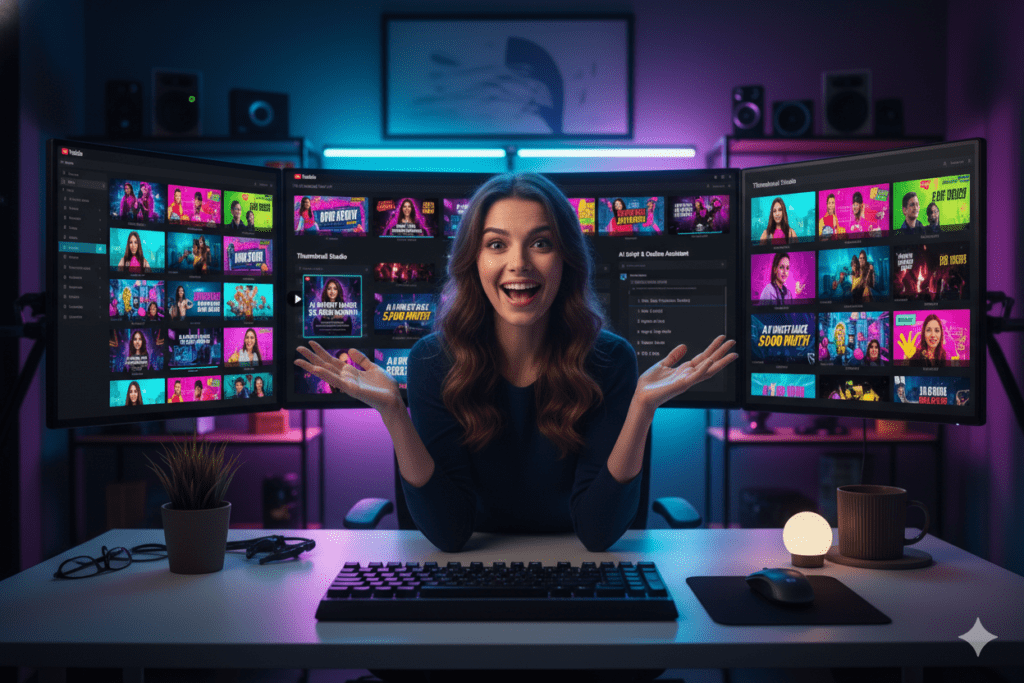
Introduction: The Thumbnail Wake-Up Call Nobody Warned You About
Let me paint you a picture.
You just finished your best video yet. The content is solid. The editing is clean. You even wrote a killer title. You hit publish — and then your video flatlines at 200 views.
Meanwhile, a channel with half your production quality is racking up 50,000 views on a video you could have made with your eyes closed.
What’s the difference? Nine times out of ten, it’s the thumbnail.
Thumbnails are the most underrated growth lever on YouTube. According to YouTube’s Creator Academy, 90% of top-performing YouTube videos use custom thumbnails. And research shows that well-optimized thumbnails can increase click-through rates by 30–40%, which directly pushes the algorithm to show your video to more people.
But here’s the part that stings: designing great thumbnails used to require design skills most creators don’t have.
That’s why the best ai thumbnail maker for YouTube has become one of the hottest tools in the creator world right now. And in this guide, you’ll see exactly which tool is worth your time — and which ones are just noise.
Spoiler: ytZolo changed how I think about thumbnails entirely.
Table of Contents
Why Thumbnails Are Your Channel’s Most Powerful Growth Tool
Most new creators obsess over camera quality, lighting, and editing. All of these matter — but none of them help if your video never gets clicked.
Here’s the hard truth: YouTube is a browsing platform. Viewers scroll quickly and decide whether to click in less than half a second. In that critical moment, your best ai thumbnail maker for youtube thumbnail does almost all the work. Titles help, but the image is what truly stops the scroll.
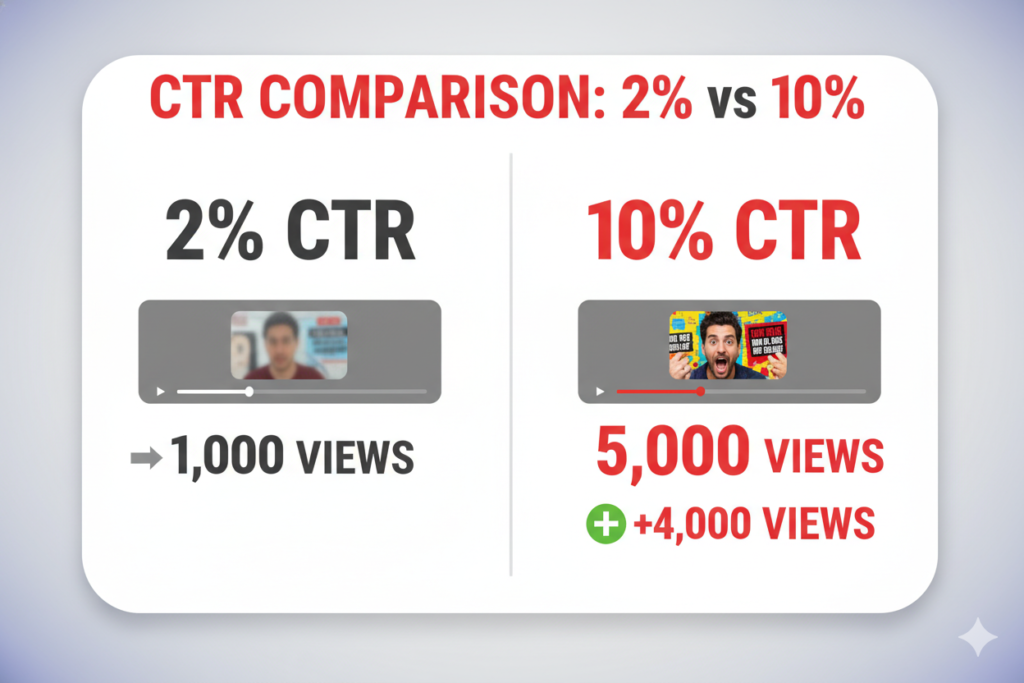
CTR (click-through rate) measures how many people click after seeing your video. Research shows the average YouTube CTR ranges from 2% to 10%, while top channels consistently achieve 15% or more — a massive difference.
Consider this: with 100,000 impressions, a 2% CTR delivers 2,000 views. A 10% CTR delivers 10,000 views from the exact same audience. That’s five times more views without creating a new video — just a better thumbnail.
YouTube’s algorithm also reacts strongly to CTR. When more viewers click your video, the platform interprets it as a quality signal and recommends it to more users. Higher CTR leads to greater exposure, which fuels compounding channel growth.
That’s why using the best AI thumbnail maker for YouTube is one of the highest-impact decisions a creator can make. A powerful AI tool can generate eye-catching, high-converting thumbnails in seconds — helping your videos win the click battle before playback even begins.
What Makes the Best AI Thumbnail Maker for YouTube?
Not all AI thumbnail tools are created equal. Some generate pretty images. Some just slap templates together. But the best tools are built on something much deeper: performance data.
Here’s what separates a great AI thumbnail maker from a mediocre one:
- YouTube-specific training data — The AI should be trained on what actually drives clicks on YouTube, not just what looks visually appealing in general.
- CTR optimization at the core — Great tools design around click psychology: contrast, emotion, text placement, and clarity.
- Speed without sacrifice — You should go from idea to download-ready thumbnail in minutes, not hours.
- Customization options — Templates are a starting point, not a finish line. The best tools let you tweak without starting over.
- Integration with other creator tools — Thumbnails are one piece of the content puzzle. The best platform connects them all.
- Mobile-first design awareness — Over 70% of YouTube watch time happens on mobile. Your thumbnail has to work at small sizes.
When you stack these requirements together, most standalone thumbnail tools fall short in at least one area.
Generic AI image generators like Midjourney can produce stunning visuals, but they don’t understand what actually drives a strong YouTube CTR.
Design platforms such as Canva offer a blank canvas and creative freedom, yet they lack performance intelligence tailored for YouTube growth.
That’s why creators searching for the best AI thumbnail maker for YouTube often choose specialized tools designed specifically to maximize clicks, visibility, and real channel performance.
The sweet spot is a tool purpose-built for YouTube creators — and that’s exactly what ytZolo delivers.
The Problem With Manual Thumbnail Design in 2026
Let’s be blunt: doing thumbnails by hand is a creativity killer.
Here’s what the typical manual process looks like for a creator without a design background:
- Open Canva or Photoshop → stare at a blank canvas for 10 minutes
- Browse through 200 templates trying to find one that fits your niche
- Spend 30 minutes adjusting colors, text, and layout — and still not loving it
- Export it, upload it to YouTube, and realize it looks tiny and unreadable on mobile
- Go back, fix it, re-export, re-upload
- Repeat this entire process for every single video you publish
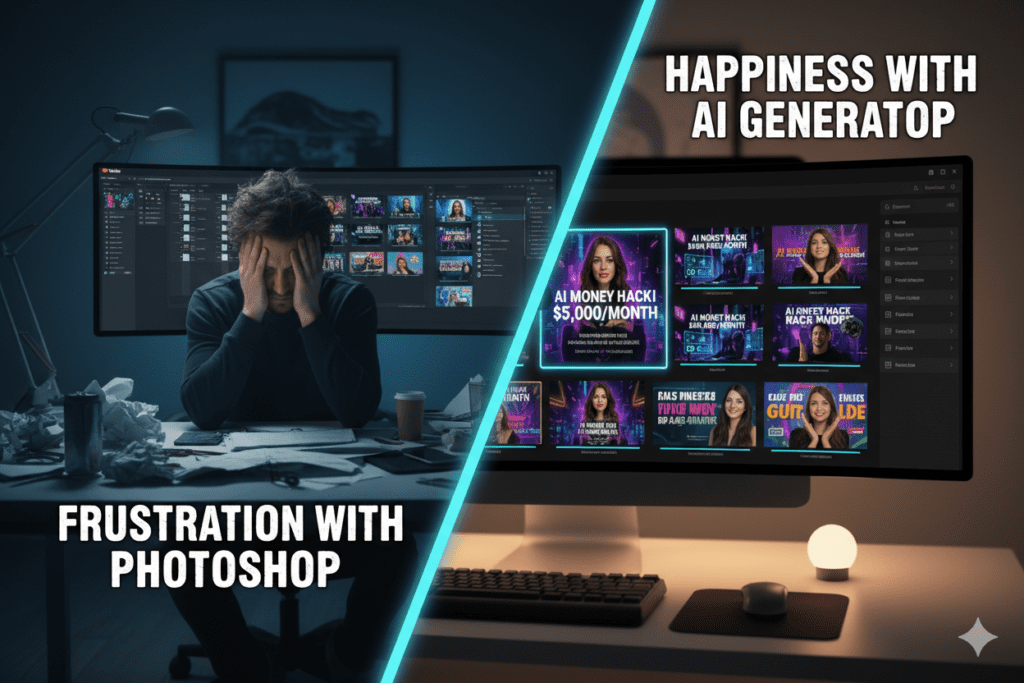
That’s easily 2–4 hours per thumbnail. For a channel posting twice a week, that’s a part-time job just in thumbnail design.
And even after all that effort — if you’re not a trained designer, your thumbnails might still underperform because you’re guessing. You’re guessing which colors pop. You’re guessing if the text is readable. You’re guessing whether the layout will stop a scroll.
Manual design also doesn’t scale. You can’t rapidly test three different thumbnail versions when each one takes half a workday to produce. But with AI, you can generate and compare multiple options in under five minutes.
This is exactly why smart creators are moving to AI — and why the best ai thumbnail maker for YouTube has become a non-negotiable part of the modern creator toolkit.
The Anatomy of a High-CTR Thumbnail
Before choosing your AI tool, it helps to understand what you’re actually optimizing for. The best AI thumbnail makers are trained on these principles.
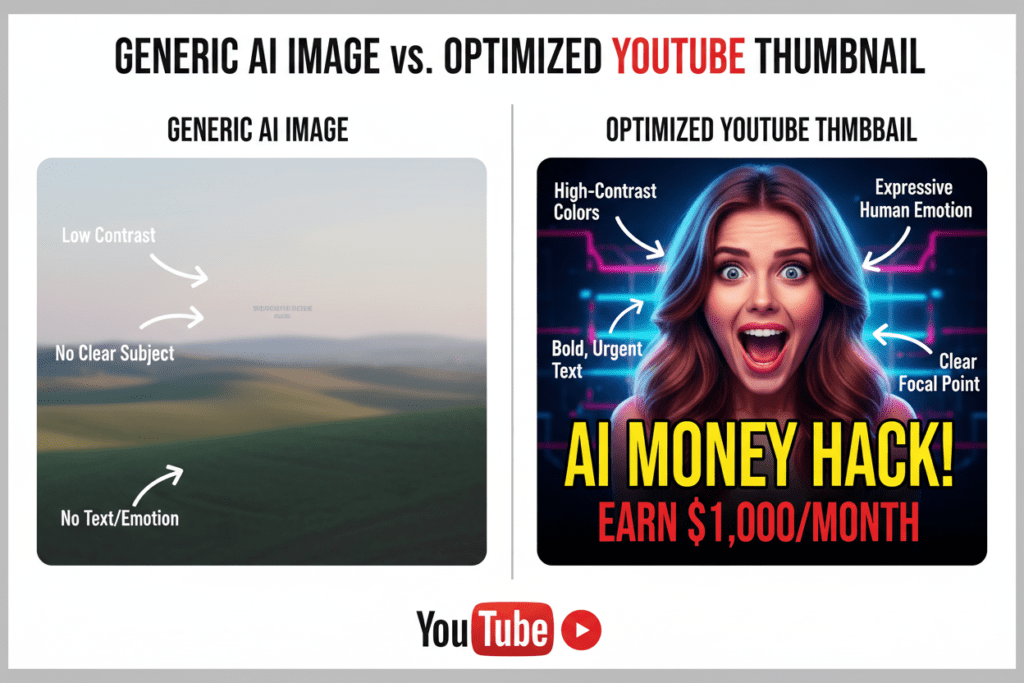
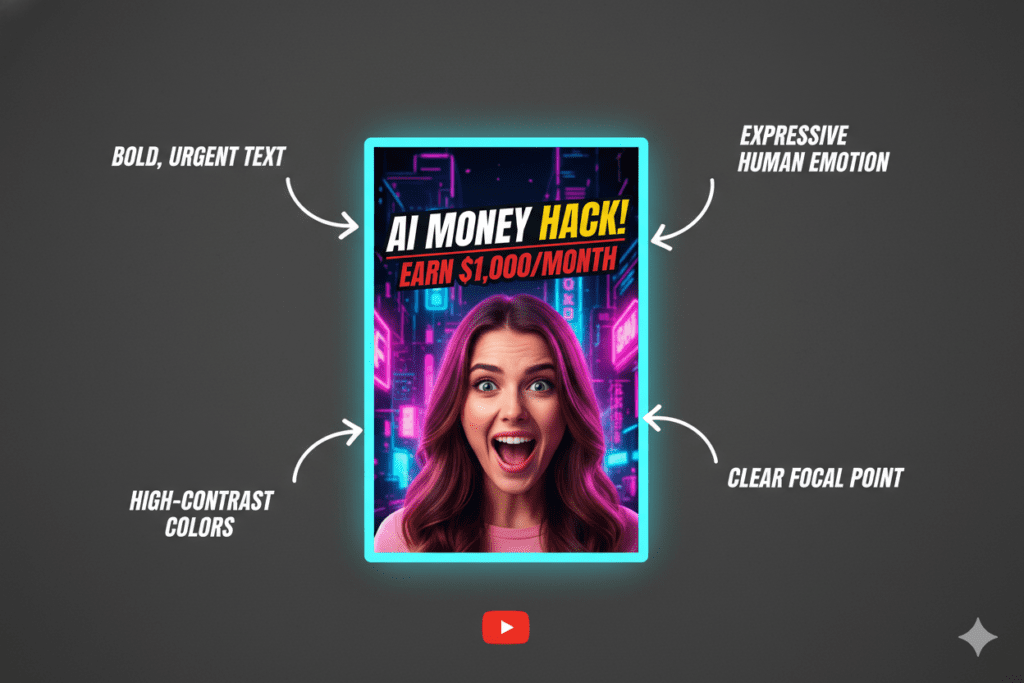
Bold, readable text. Short punchy phrases in large fonts. Keep it to 3–4 words max. Viewers shouldn’t have to squint to read it on a 5-inch phone screen.
High contrast colors. Your thumbnail appears against YouTube’s interface — which alternates between white and dark mode. High contrast is how you pop in either environment. Research from VidIQ shows that bold colors like yellow and orange can increase CTR by 20–30%.
Emotional expression. Strong emotions — surprise, shock, excitement, curiosity — consistently outperform neutral or flat expressions in thumbnails across most niches.
Clear focal point. One dominant subject. Don’t crowd the frame with five different things competing for attention. Simplicity wins.
The curiosity gap. The thumbnail should tease the story without revealing the ending. Make viewers feel like they have to click to find out what happens.
Consistent branding. Recurring colors, fonts, and styles so your audience recognizes your content instantly while scrolling.
These aren’t design opinions — they’re conversion principles backed by data. And when the best ai thumbnail maker for youtube is trained on all of them, the results speak for themselves.
How AI Thumbnail Makers Actually Work
Understanding the tech helps you use it better. Here’s a simple breakdown.
Best ai thumbnail maker for youtube tools use machine learning models trained on datasets of YouTube thumbnails — ones performed well. The AI learns patterns: which color combinations drove more clicks in gaming content vs. finance content, what text styles work on dark backgrounds, how facial expressions correlate with CTR across different audiences.
When you input your video topic or title, the AI uses those patterns to generate thumbnail designs optimized for clicks — not just for aesthetics.
The best tools also layer in image generation capabilities, so the AI doesn’t just rearrange template elements. It can create new, original visual compositions based on your input.
According to Ahrefs research on content performance, pages and content pieces that earn attention in the first impression consistently outperform those that rely on depth alone — a principle that maps perfectly to YouTube thumbnails. Your thumbnail is your headline and your hero image rolled into one.
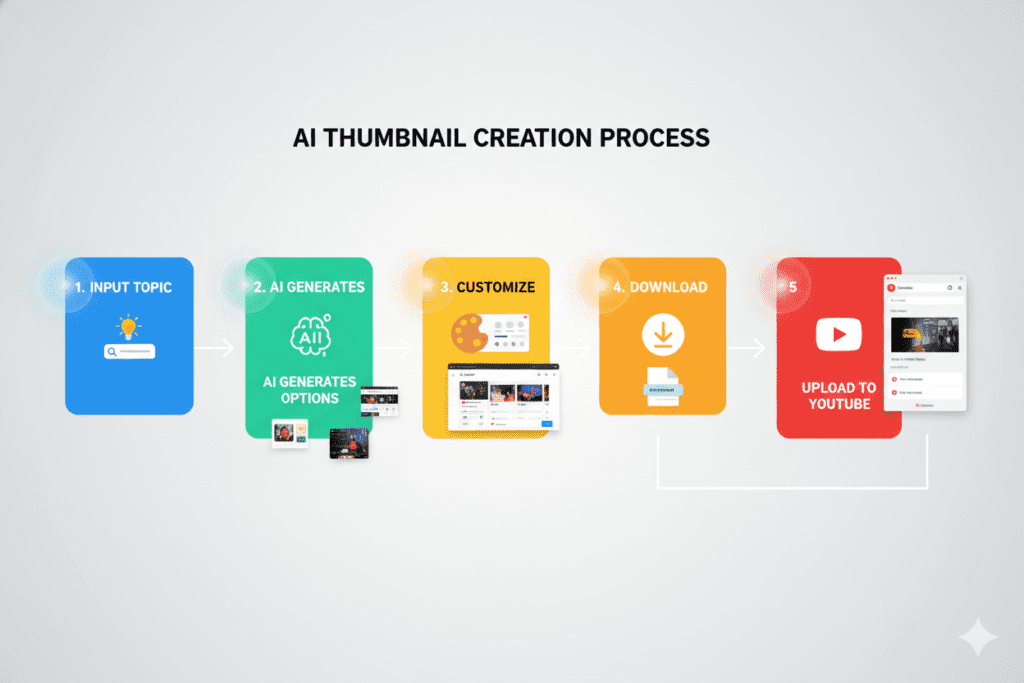
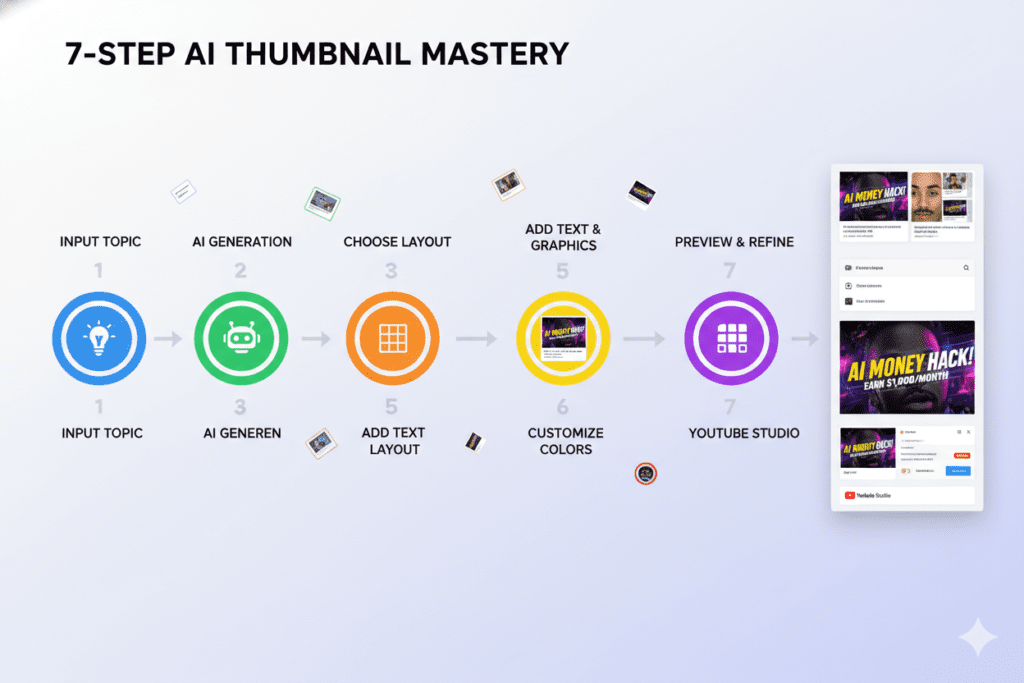
The workflow for most AI thumbnail tools looks like this:
- You input a video title, topic, or short description
- The AI generates multiple thumbnail options based on performance patterns
- You review, customize if needed, and download in YouTube’s ideal 1280×720px format
- Upload directly to YouTube Studio
The whole process: 3–5 minutes, not 3–5 hours.
Why ytZolo Is the Best AI Thumbnail Maker for YouTube
There are dozens of tools promising to make your thumbnails better. Most of them do one thing. ytZolo does everything — and does it in a way that’s built specifically for YouTube creators who want to grow.
Thumbnails That Are Built to Get Clicked
ytZolo’s AI thumbnail generator isn’t just an image maker. It’s trained on high-performing YouTube content, which means every thumbnail it produces is optimized around the visual triggers that actually drive clicks — contrast, text placement, emotional cues, and niche-specific design patterns.
You don’t need to know anything about design. You input your video topic, and ytZolo handles the rest.
An All-in-One Platform for YouTube Growth
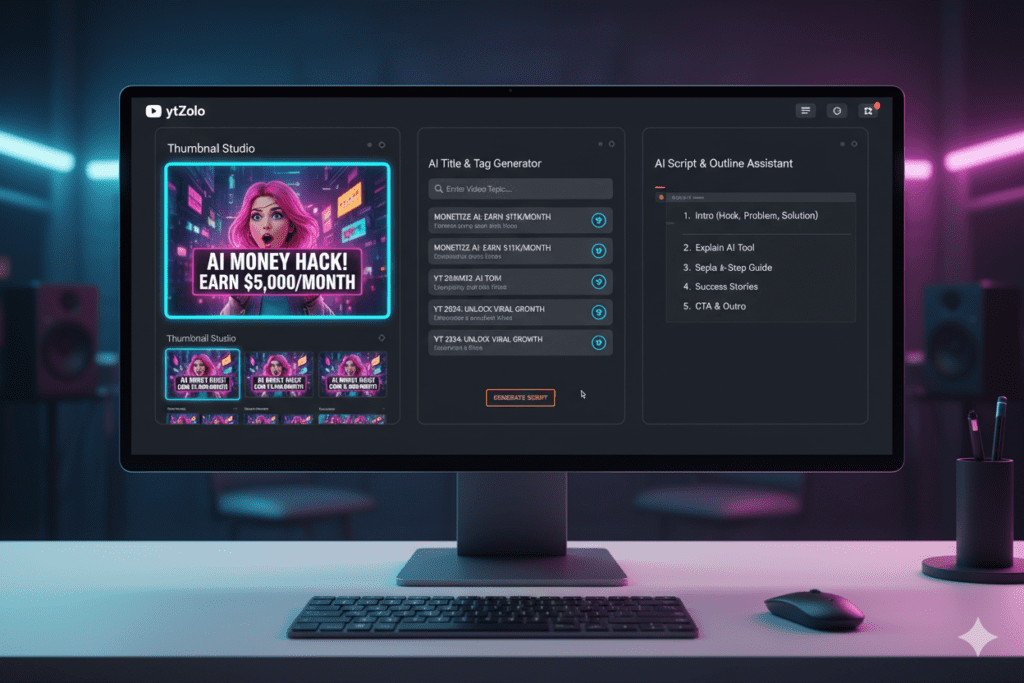
Here’s where ytZolo really separates itself from every other tool. It’s not just a thumbnail generator — it’s a complete AI YouTube growth platform.
With ytZolo, you get:
- AI Thumbnail Generator — High-CTR thumbnails created in seconds, no design skills needed
- AI Title Generator — Viral, SEO-optimized video titles that match search intent and trigger curiosity
- AI Script Writer — Engaging video scripts generated in minutes, not hours of staring at a blank doc
- AI Descriptions & Tags — YouTube-optimized metadata that helps your videos rank in search and suggested
- All-in-one dashboard — Every tool in one place, so you’re not jumping between five subscriptions
The difference between ytZolo and other best ai thumbnail maker for youtube tools isn’t just features. It’s philosophy. Most tools optimize one piece of the puzzle. ytZolo optimizes your entire content workflow, from the first word of your script to the thumbnail that gets people to click.
Free to Start, No Excuses Not to Try
You can start using ytZolo’s AI tools right now — no credit card required. The free plan gives you real access to the thumbnail generator and other core features so you can see results before you commit to anything.
For creators who are posting consistently and want to scale, plans unlock deeper functionality, more generations, and advanced customization — but the free starting point means any creator can start winning with best ai thumbnail maker for youtube thumbnails.
Check out the ytZolo blog for tutorials, creator case studies, and growth strategies that help you squeeze maximum value out of every feature.
ytZolo vs. The Competition: Real Talk
Let’s cut through the marketing fluff and get into the actual comparison. Here’s how ytZolo stacks up against the tools you’ve probably already considered.
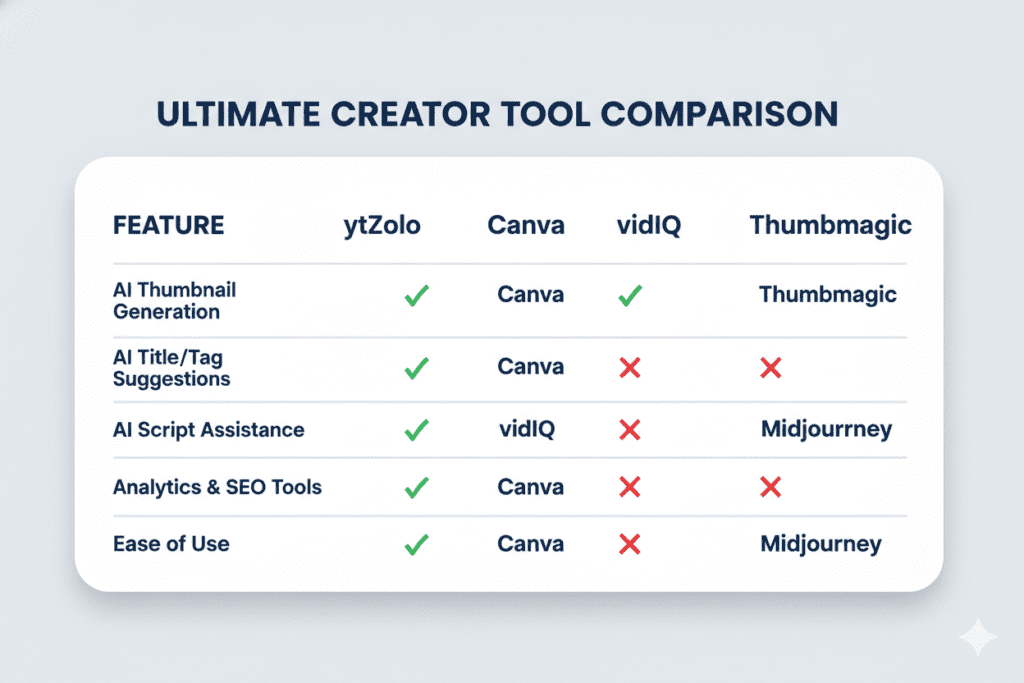
ytZolo vs. Canva
Canva is a genuinely useful design tool with a massive template library. However, it’s still a blank canvas with drag-and-drop controls. It doesn’t know your niche, understand which color combinations drive clicks, or optimize for YouTube performance. It gives you creative freedom — but without performance intelligence.
With ytZolo, the AI makes data-driven decisions about every element, including color, contrast, text size, and composition. Instead of guessing what might work, you get thumbnails engineered around what actually drives clicks and engagement. That’s why many creators consider it the best AI thumbnail maker for YouTube when performance matters more than just aesthetics.
Winner: ytZolo — for creators who want results, not just a pretty design.
ytZolo vs. vidIQ Thumbnail Maker
vidIQ is primarily an analytics and keyword research platform. Their thumbnail maker is a solid secondary feature, but it’s not the core product. If you need deep thumbnail customization and a full content creation pipeline, vidIQ falls short. You’d still need separate tools for scripts, titles, and SEO optimization.
ytZolo is built from the ground up as an all-in-one creator platform. Every tool connects to the next, streamlining your entire workflow — not just one step.
Winner: ytZolo — for creators who want everything in one place.
ytZolo vs. Thumbmagic / Pikzels
These are dedicated best ai thumbnail maker for youtube tools and they do the job reasonably well. But “dedicated” means limited. Great thumbnails + bad titles = mediocre performance. You need the full picture. These tools don’t write your scripts, generate your descriptions, or optimize your tags.
ytZolo covers thumbnails and every other touchpoint in your content funnel.
Winner: ytZolo — for creators building a real, scalable channel strategy.
ytZolo vs. Midjourney / DALL-E
These AI image generators are powerful — but they’re not YouTube tools. You’d still need to format the output to 1280×720, add text, adjust contrast for mobile viewing, and export correctly. That’s extra steps and extra guesswork.
ytZolo generates thumbnail-ready output from the start, already formatted and optimized for YouTube’s platform requirements.
Winner: ytZolo — for creators who want ready-to-publish results, not raw image files.
The Bottom Line
If you want a standalone design editor with lots of templates, Canva works. If you want a YouTube analytics suite with a thumbnail feature on the side, vidIQ is decent. But if you want the best ai thumbnail maker for YouTube that’s part of a complete, AI-powered growth system — ytZolo is in a different league.
How to Create a Viral Thumbnail with ytZolo (Step-by-Step)
Let’s get practical. Here’s exactly how to go from zero to a published, click-optimized thumbnail using ytZolo.
Step 1: Create your free account at ytZolo.com Takes under 60 seconds. No credit card, no complicated setup. Just sign up and you’re in.
Step 2: Open the Thumbnail Generator Find it right in the main dashboard. It’s front and center — not buried in a menu somewhere.
Step 3: Enter your video topic or title Be specific. Instead of “cooking video,” try “3 Pasta Recipes You Can Make in 15 Minutes.” The more context you give the AI, the better the output. The tool uses this input to make design decisions rooted in your niche and audience.
Step 4: Upload a photo of yourself (optional but recommended) For most niches, adding your face to the thumbnail increases viewer connection and recognition. best ai thumbnail maker for youtube ytZolo uses your photo to position it naturally within the thumbnail composition. If your niche performs better without a face (some tech, finance, or object-driven content does), skip this step.
Step 5: Review your AI-generated thumbnails ytZolo produces multiple thumbnail variations instantly. Each one is designed with CTR in mind — bold text, high contrast, strong visual hierarchy. Take a moment to compare them.
Step 6: Customize if needed Want to swap the text? Adjust the colors? Change the layout? ytZolo lets you make edits quickly without needing design software. Tweaks take seconds, not half an hour.
Step 7: Download and upload to YouTube Studio Your thumbnail is automatically sized at 1280×720px — YouTube’s recommended format. Download it and head straight to YouTube Studio to upload it to your video.
Done. Under 5 minutes, start to finish.
While you’re in ytZolo, run your video title through the best ai thumbnail maker for youtube AI title generator and let it suggest optimized alternatives. Generate your description and tags in the same session. Your entire pre-publish workflow — handled.
The ytZolo blog also has step-by-step guides for each tool, with specific tips for different niches and video formats.
Advanced Tips to Push Your CTR Even Higher
Even with the best AI tool on your side, these habits will sharpen your results over time.
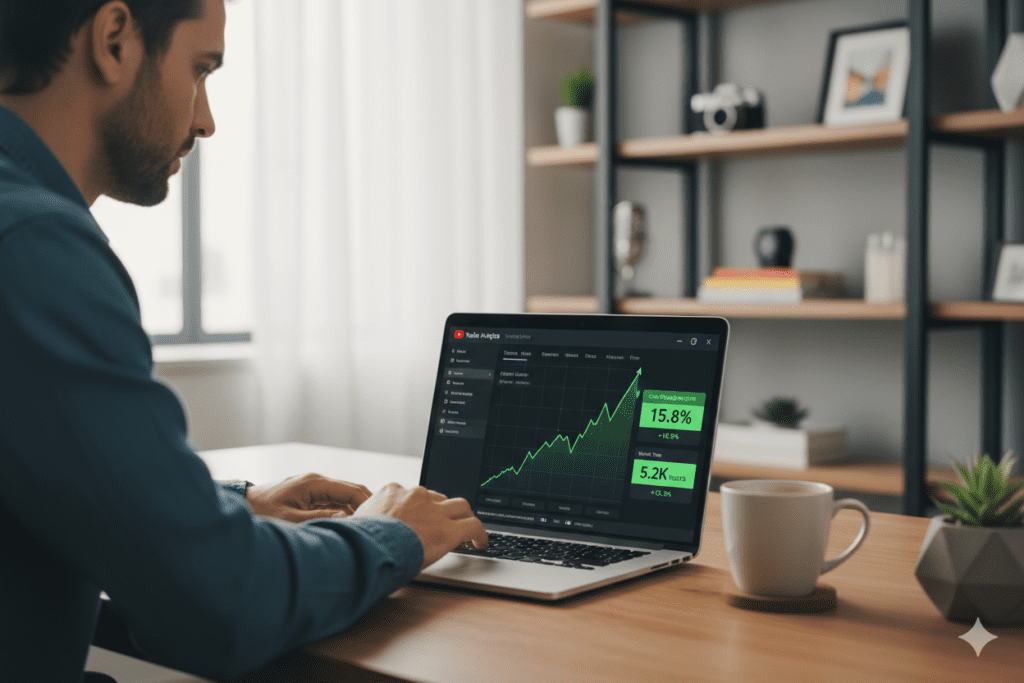
A/B Test Every Upload. YouTube’s native “Test & Compare” feature lets you test multiple thumbnails against each other. Create two or three variations with ytZolo in minutes, upload them, and let data — not guesswork — decide the winner. Research shows that even a 0.5% CTR difference can compound into massive view differences over time.
Design for Mobile First. Over 70% of YouTube watch time happens on phones. Before you publish any thumbnail, shrink it to mobile size and check: Is the text readable? Does the main subject pop? If anything feels crowded or unclear, simplify it.
Match Your Thumbnail Energy to Your Title. Mismatched thumbnails and titles confuse viewers and hurt retention — which tanks your algorithmic performance. If your title promises shocking information, your thumbnail expression should reflect shock. Keep the emotional tone consistent.
Build a Recognizable Visual Brand. The successful channels best ai thumbnail maker for youtube are recognizable. Use consistent colors, fonts, and compositional styles across your thumbnails. ytZolo lets you establish brand-consistent design patterns so your channel looks cohesive — and familiar subscribers click faster because they trust your content.
Refresh Thumbnails on Older Videos. A low-performing video from six months ago might just need a better thumbnail. Generate a new version in ytZolo and re-upload it. Many creators have revived dead videos simply by updating the thumbnail — no new content required.
Watch CTR Alongside Watch Time. A thumbnail that gets lots of clicks but tanky watch time is a red flag for clickbait — YouTube penalizes that. Aim for thumbnails that are intriguing AND accurate. High CTR plus high retention is the combination that triggers the algorithm’s favor.
FAQ: Best AI Thumbnail Maker for YouTube
1. What is the best AI thumbnail maker for YouTube in 2026?
The best AI thumbnail maker for YouTube is ytZolo — not just because of its thumbnail generator, but because it’s the only tool that combines AI thumbnails with title generation, script writing, descriptions, and tags in one platform. It’s purpose-built for YouTube growth, not just visual design.
2. Can an AI thumbnail maker really improve my click-through rate?
Yes — and significantly. best ai thumbnail maker for youtube tools are trained on performance data from top videos, meaning they apply proven design principles automatically. Research shows optimized thumbnails can increase CTR by 30–40%, which expands your reach through YouTube’s algorithm. It’s not magic — it’s data-driven design made accessible.
3. Do I need design skills to use ytZolo’s thumbnail generator?
None at all. That’s the entire point. You enter your video topic or title, and ytZolo’s best ai thumbnail maker for youtube AI generates professional, click-optimized thumbnails automatically. If you want to make minor adjustments, the customization tools are simple and intuitive.
4. How is ytZolo different from just using Canva for thumbnails?
Canva is a design tool — you start with templates and build manually. ytZolo’s AI generates YouTube-specific thumbnails based on performance data and your video’s content. Canva doesn’t know what drives clicks on YouTube. ytZolo does. Plus, ytZolo gives you titles, scripts, descriptions, and tags in the same platform — Canva doesn’t come close to that.
5. Is ytZolo’s AI thumbnail maker free to use?
Yes — ytZolo offers a free plan that lets you start generating and downloading thumbnails right away without a credit card. For creators who need higher volume output, advanced customization, and the full suite of best ai thumbnail maker for youtube, premium plans are available. Visit ytZolo.com for pricing and plan details.
Conclusion: Your Next Click Starts Now
Every video you publish deserves a real shot at getting watched.
The gap between a great video that nobody sees and a great video that takes off is often just one thing: the thumbnail. And in 2026, there’s no reason to leave that to chance — or to spend hours in Canva trying to guess what works.
The best ai thumbnail maker for YouTube doesn’t just make your videos look better. It makes your channel grow faster. It multiplies your CTR, which triggers the algorithm, which puts your content in front of more people, which builds your audience, which creates the compounding growth every creator dreams about.
ytZolo is the platform that makes all of this possible — without requiring a design degree, a freelance budget, or a full workday just to create one thumbnail.
Thumbnails. Titles. Scripts. Descriptions. Tags. Everything your channel needs to grow, in one AI-powered platform, built specifically for creators like you.
The creators who are growing right now aren’t working harder. They’re working smarter. They’ve made the switch to the best ai thumbnail maker for youtube. And the ones who haven’t yet — they’re still spending four hours on a thumbnail while their competition puts out three videos in the same time.
Don’t be the creator who looks back six months from now wishing they started sooner.
Start creating smarter, faster, and more viral YouTube content with ytZolo today.
👉 Get started free at ytZolo.com
Want to go deeper on YouTube growth strategy? The ytZolo blog publishes regular guides on AI content creation, CTR optimization, channel growth tactics, and more — all written for real creators trying to build real channels.

