
Introduction
You spent 8 hours filming. Another 3 editing. Your video is genuinely good.
Then you screenshot a random frame, slap it on as your thumbnail, and wonder why the views never come.
Here’s the brutal truth: your thumbnail is your video’s first — and sometimes only — impression. Viewers decide to click or scroll past in under one second. And in that one second, your thumbnail is doing all the talking.
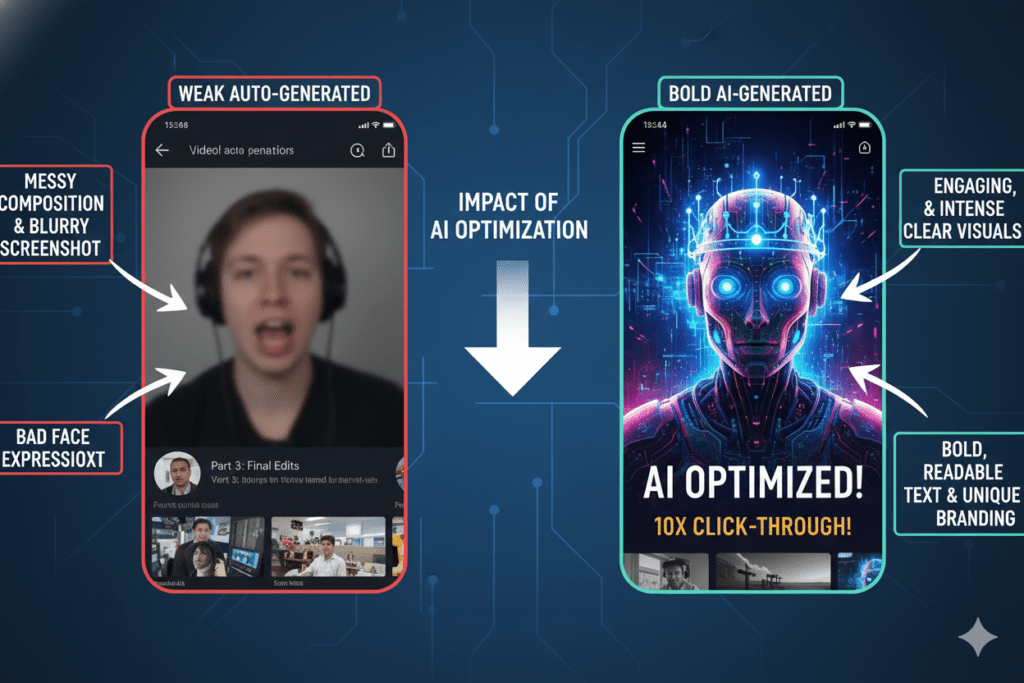
According to YouTube’s own Creator Academy, 90% of the best-performing videos on the platform use custom thumbnails. Not auto-generated screenshots. Custom, intentional, data-backed visuals.
The good news? You don’t need design skills or a graphic design budget to compete anymore. The best free thumbnail AI tool can do the heavy lifting for you — generating click-worthy thumbnails in seconds based on what actually performs in your niche.
In this guide, we’re breaking down everything you need to know about finding the best free thumbnail AI tool in 2026 — including the one all-in-one platform that’s quietly becoming the go-to choice for serious YouTube creators.
Let’s get into it.
Table of Contents
Why Your YouTube Thumbnail Is the Most Important 2 Seconds of Your Video
Think about the last time you opened YouTube. You weren’t reading. You were scanning.
Your eyes jumped from thumbnail to thumbnail, and something — a face, a color, a bold word — made you stop and click. That split-second decision is what decides the entire performance of a video on YouTube.
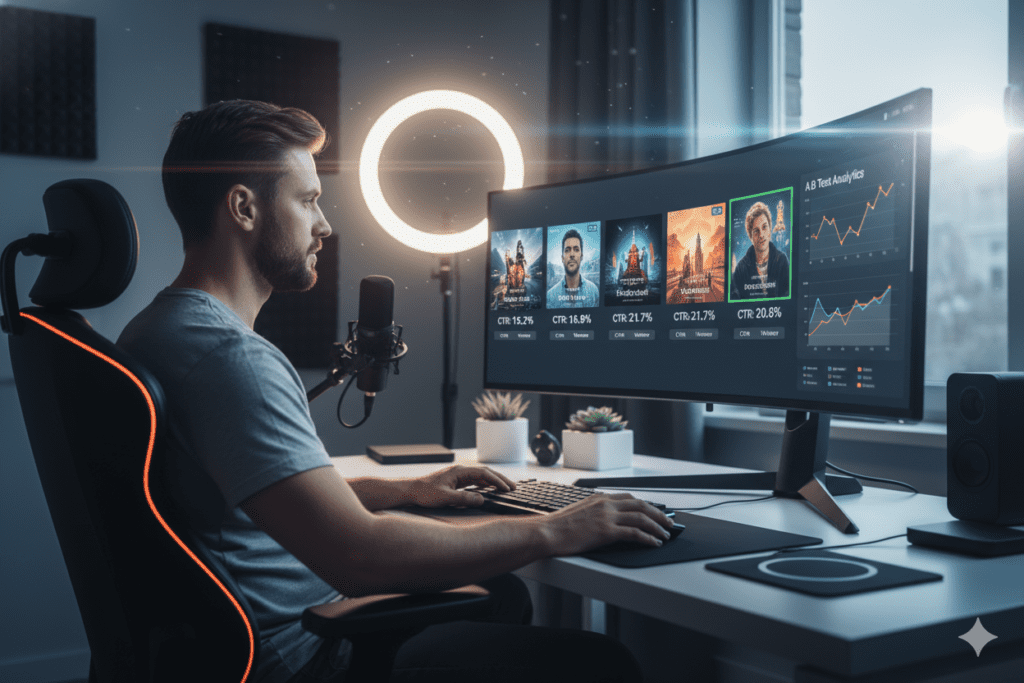
Average videos on YouTube get about 2–5% CTR, but top performers consistently pull 8–12%. That gap isn’t random. It’s almost always the thumbnail.
Thumbnails can increase click-through rates by 30–40% when done right, directly impacting a channel’s growth trajectory. And the compounding effect is massive: higher CTR leads to more impressions, more impressions bring more clicks, more clicks drive more watch time, and more watch time signals the algorithm to push your video to even wider audiences.
Your thumbnail doesn’t just affect immediate clicks — it signals content quality to YouTube’s algorithm. Videos with higher CTRs receive preferential treatment in recommendations, creating a compounding effect where better thumbnails lead to more visibility.
This is exactly why the best free thumbnail AI tool isn’t a nice-to-have. For any creator serious about growing their channel in 2026, it’s essential infrastructure.

What Makes a Thumbnail “Click-Worthy” in 2026?
Before we talk about tools, let’s talk about what actually works. Because the best free thumbnail AI tool isn’t magic — it’s trained on these proven principles.
Here’s what the data says makes a thumbnail perform in 2026:
- Bold, readable text — Short phrases (2–4 words) in high-contrast, large fonts. Legible at thumbnail size on mobile.
- Expressive human faces — Thumbnails featuring faces with strong emotion can increase CTR by 20–30%. The face pulls the eye. The emotion creates connection.
- High contrast visuals — Bright colors against dark backgrounds (or vice versa) make your thumbnail pop in a crowded feed.
- Clear subject matter — A viewer should understand the video’s topic in less than one second.
- Curiosity gap — The best thumbnails tease something without giving everything away. They make you need to click.
- Consistent channel branding — According to YouTube Creator Academy, consistent branding improves retention by helping viewers instantly identify your content — even on mobile devices.
- Mobile-first design — Over 70% of YouTube views happen on mobile. If your thumbnail doesn’t read on a small screen, it doesn’t work.
In 2026, almost every serious creator is iterating thumbnails. If everyone else in your niche starts using clearer faces, better contrast, and stronger curiosity angles, your older style will lose relative appeal.
That’s the competitive reality. And it’s exactly why the best free thumbnail AI tool is no longer optional.
What Is a Thumbnail AI Tool — And How Does It Work?
A thumbnail AI tool uses artificial intelligence to generate custom, optimized thumbnail images for your YouTube videos — without requiring any design experience from you.
The best tools don’t just create random pretty pictures. They’re trained on performance data from thousands of high-CTR videos across different niches. That means the designs they output are built around what actually drives clicks — not just what looks visually nice.
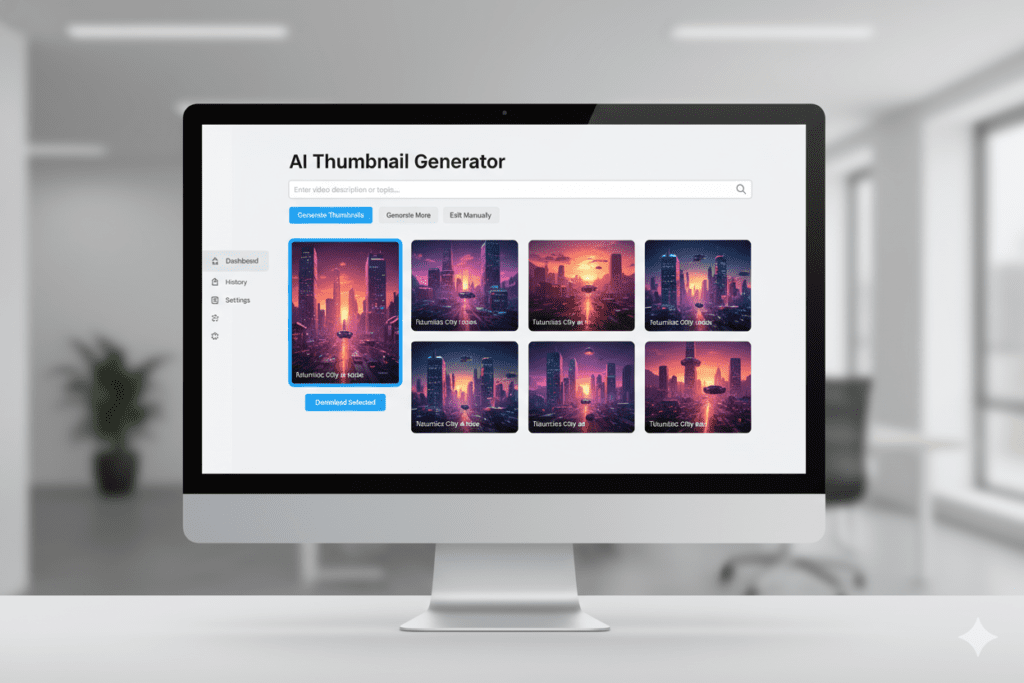
Here’s how a typical best free thumbnail AI tool works:
- You input your video title, topic, or a short description
- The AI analyzes the input alongside niche-specific performance data
- It generates multiple thumbnail design options in seconds
- You preview, customize, and download your chosen design
- You upload directly to YouTube Studio
The smarter tools — like ytZolo — go even further. They integrate thumbnail generation into a complete content creation workflow, so your thumbnail, title, script, and description are all optimized together as one cohesive package.
That matters more than most creators realize. A mismatched thumbnail and title is one of the most common reasons a video underperforms even when the content is good.
Why Creators Struggle Without the Best Free Thumbnail AI Tool
Here’s what designing thumbnails without AI actually looks like in 2026.
You open Canva or Photoshop. You stare at a blank canvas. You spend 45 minutes picking fonts and colors based on gut feeling. You end up with something that looks “fine.” You upload it. The video gets a 2% CTR. You have no idea why.
The problem isn’t effort. It’s that manual design decisions aren’t backed by data. You’re guessing — in a platform where guessing is expensive.
Without the best free thumbnail AI tool, creators face these common pitfalls:
- Hours spent per thumbnail with no guaranteed return on that time
- No niche-specific data to inform design choices — just personal taste
- Inconsistent branding across the channel because each thumbnail is built from scratch
- Thumbnail-title mismatches that confuse viewers and hurt retention
- Zero A/B testing capability without a second design variation to test against
- Creative burnout from treating thumbnail design as a separate, time-consuming creative project every single upload
Over 20 million videos are uploaded daily to YouTube. If you want to stand out from that massive crowd, you need high-CTR thumbnails. And the reality is: you simply cannot produce high-CTR thumbnails consistently through manual design alone.
The creators winning in 2026 aren’t more talented designers. They’re using smarter tools.
Why Designing Thumbnails Manually Is Costing You Views
Let’s put a real number on this.
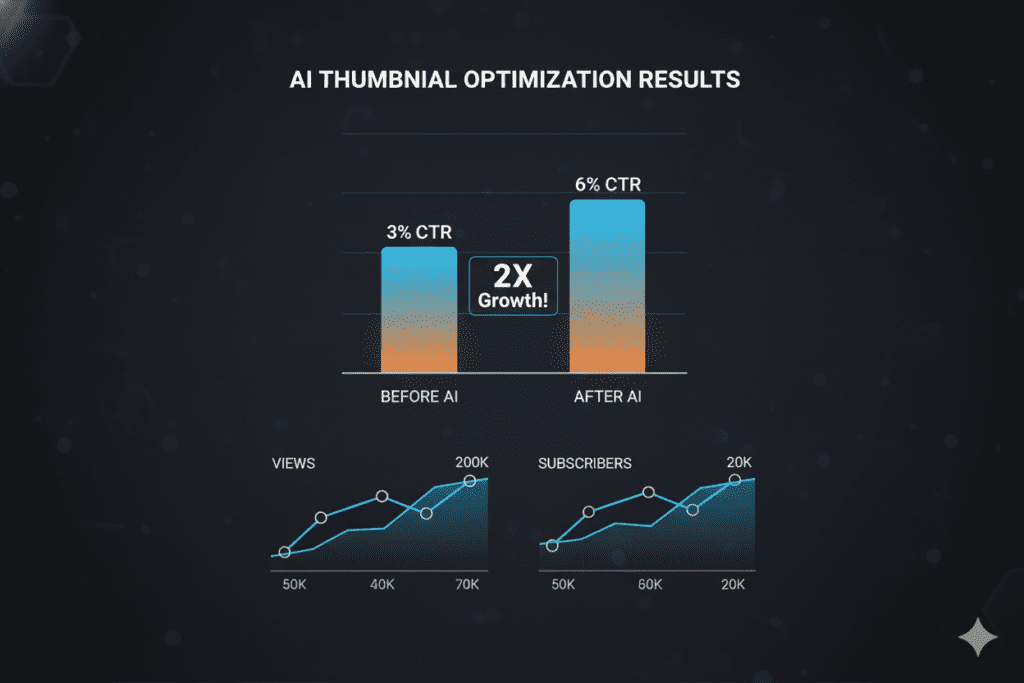
If your current thumbnail generates a 3% CTR and the best free thumbnail AI tool helps you push that to 6%, you’ve doubled the number of people clicking your video from the same number of impressions. Double the clicks. Double the watch time signals. Double the algorithmic distribution.
One creator refreshed thumbnails on 10 evergreen videos after a year. Their YouTube CTR increased by 30–40% and total views on those videos grew by more than 200%.
That’s the compounding power of optimized thumbnails. And it doesn’t require more content. Just smarter thumbnails.
CTR differences of even 0.5% can be statistically significant over time when measured across millions of impressions. This shows just how sensitive YouTube’s system is to thumbnail performance.
Manual thumbnail design can’t give you this level of precision. It’s based on aesthetic preference, not performance engineering.
The best free thumbnail AI tool changes this entirely. It removes guesswork, replaces it with data-backed design decisions, and does it in a fraction of the time. And when that tool is part of a complete YouTube growth platform like ytZolo, the advantages multiply across every element of your video.
Check out the ytZolo blog for detailed creator case studies showing exactly what happens to CTR when creators switch to AI-optimized thumbnails.
Top Features to Look for in the Best Free Thumbnail AI Tool
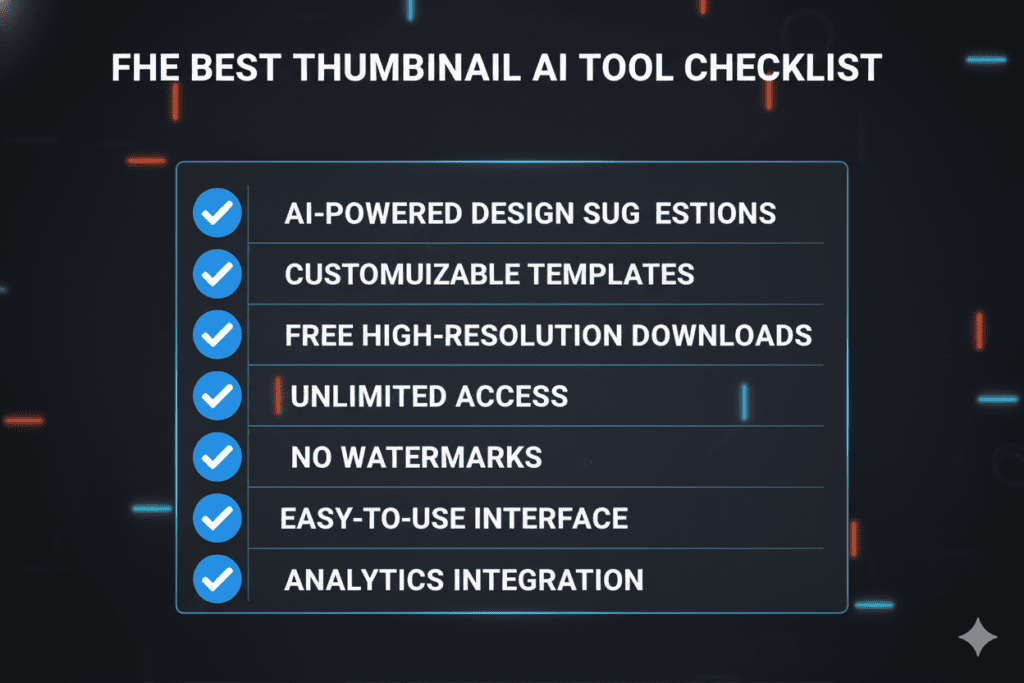
Not every thumbnail AI tool is worth your time. Here’s exactly what separates the best free thumbnail AI tool from the mediocre ones flooding the market.
1. YouTube-Native Training The AI needs to be trained specifically on YouTube performance data — not just general image generation. YouTube thumbnails have unique requirements: 16:9 ratio, small-text readability, mobile-first design. Generic image generators don’t understand this.
2. Multiple Design Variations The best tools generate several thumbnail options per input — not just one. This gives you the ability to A/B test and find your highest CTR winner. YouTube Studio rolled out a free A/B testing tool that produces an average 20% CTR lift for creators who actually use it. You need multiple options to make the most of this.
3. Niche-Specific Optimization A gaming thumbnail should look completely different from a finance thumbnail or a cooking thumbnail. The best free thumbnail AI tool understands these niche-specific visual languages and applies them intelligently.
4. Customization Without Complexity You need to be able to tweak colors, text, and layout without needing design experience. The best tools make customization fast and intuitive — not a maze of menus.
5. Correct Output Specs YouTube thumbnails must be 1280×720 pixels, under 2MB, in JPG or PNG format. If the tool doesn’t export in the right specs, you’re creating extra friction before every upload.
6. Integration with Full Content Workflow The most powerful best free thumbnail AI tool isn’t standalone. It’s integrated with your title generator, script writer, and SEO tools — so everything works together. ytZolo does exactly this.
7. Free Access With Real Value “Free” that locks every useful feature behind a paywall isn’t actually free. The best free tier gives you enough to genuinely evaluate the tool and produce real results.
The Best Free Thumbnail AI Tools Reviewed in 2026
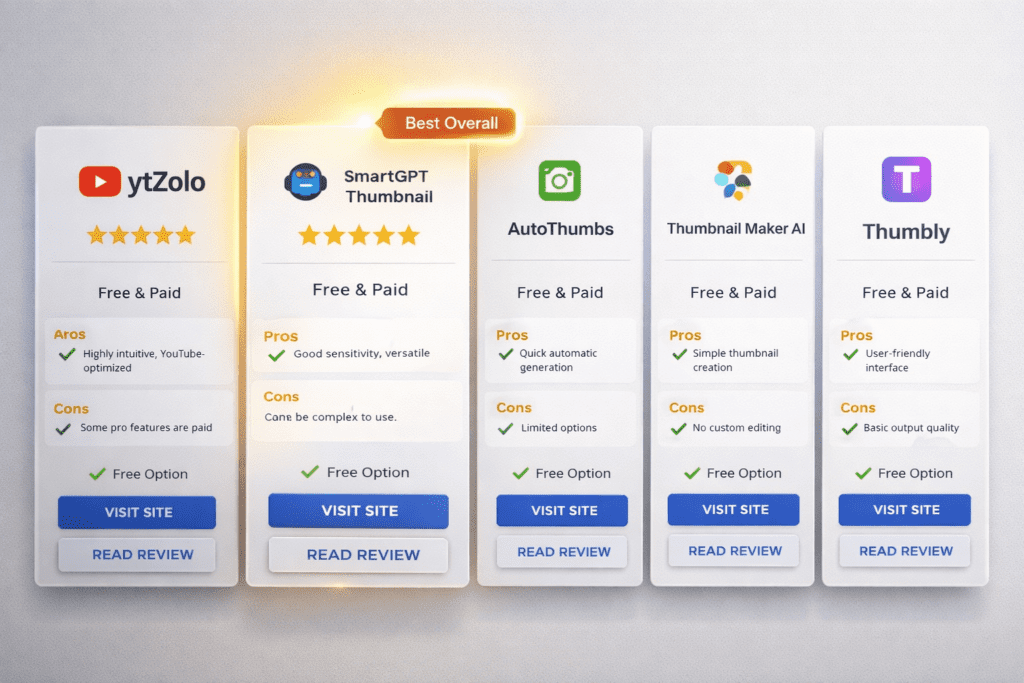
Here’s an honest look at the major players in the best free thumbnail AI tool space — and how they stack up.
Canva AI Thumbnail Maker
Canva’s Magic Media feature lets you generate thumbnail concepts from text prompts. It’s visually polished and easy to use. However, free users have a limited number of credits to generate images, and Canva is a general design tool — not built specifically for YouTube CTR optimization. You’re making most design decisions yourself.
Best for: Creators who need full design control and have some visual design instinct. Limitation: Not trained on YouTube performance data. Generic design, not conversion-optimized.
vidIQ AI Thumbnail Maker
vidIQ’s AI thumbnail maker is trained on performance data, so every design is optimized for real clicks. The AI thumbnail maker is included free with a vidIQ account. It’s a solid tool — but it lives inside a broader analytics platform, meaning you’re navigating multiple tools to complete your workflow.
Best for: Creators already using vidIQ for channel analytics. Limitation: Strong at thumbnails but doesn’t cover your full content creation workflow.
Fliki AI Thumbnail Maker
Fliki’s AI thumbnail maker offers multiple AI models, built-in templates tailored for YouTube, full customization, and no watermarks. It’s a clean, capable tool — especially if you’re already using Fliki for text-to-video work.
Best for: Faceless channel creators and text-to-video workflows. Limitation: Focused primarily on video creation; limited YouTube-specific growth features.
Thumbmagic
Thumbmagic generates multiple thumbnail variations instantly so you can A/B test and find the highest CTR winner. It’s fast and purpose-built for YouTube. Limited free tier restricts serious use without upgrading.
Best for: Creators who want fast batch thumbnail generation. Limitation: No script, title, or SEO integration — just thumbnails in isolation.
ytZolo AI Thumbnail Generator
ytZolo is the only best free thumbnail AI tool on this list that’s part of a complete, all-in-one YouTube growth platform. It generates scroll-stopping thumbnails trained on real YouTube performance data — and integrates seamlessly with AI title generation, script writing, description optimization, and tag generation. One platform. One workflow. Everything you need from blank page to optimized upload.
Best for: Every type of YouTube creator who wants to grow faster with a cohesive AI workflow. Limitation: None worth noting at its price point.
Why ytZolo Is the Best Free Thumbnail AI Tool for YouTube Creators
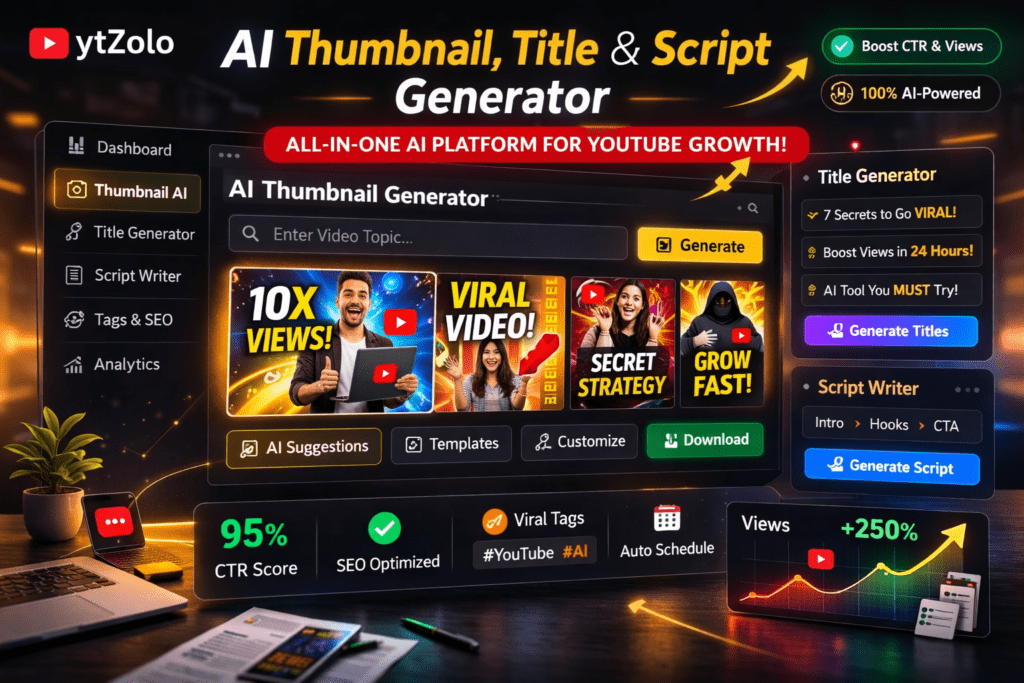
There are plenty of standalone thumbnail tools. But ytZolo is the only platform where thumbnail generation is one piece of a fully integrated YouTube growth engine — and that changes everything.
Here’s what ytZolo’s AI thumbnail tool delivers that standalone tools simply can’t:
Performance-Trained Design ytZolo’s thumbnail AI is trained on data from high-performing YouTube videos across multiple niches. Every design output is calibrated for click-through rate — not just visual appeal. The AI understands what stops a scroll, what triggers curiosity, and what makes a viewer choose your video over the ten others on the same screen.
Niche-Aware Generation Whether your channel is gaming, personal finance, fitness, cooking, or technology — ytZolo generates thumbnails that speak the visual language of your specific niche. The right color palettes, the right emotional tone, the right text placement for your audience.
Multiple Variations Per Video ytZolo generates several thumbnail options for each video, giving you the raw material to A/B test and identify your highest performer. With YouTube Studio’s built-in testing tools now producing average 20% CTR lifts for creators who use them, having multiple AI-generated options is a direct competitive advantage.
Full Content Package Integration Here’s the real differentiator. When you use ytZolo, your thumbnail isn’t designed in isolation. It’s created in context — alongside your AI-generated title, script, and description. This means your thumbnail and title tell the same story, your thumbnail and hook are aligned, and your entire video package works as a cohesive, conversion-optimized system.
Free to Start, No Credit Card Required ytZolo offers a free account with no credit card required. You can get started, generate thumbnails, and see the difference immediately — before committing to anything.
This is what makes ytZolo the best free thumbnail AI tool for creators who are serious about growth — not just good-looking visuals.
Why ytZolo Beats Other Thumbnail AI Tools
Let’s make this comparison direct and honest.
ytZolo vs. Canva
Canva is a world-class design tool. But it’s built for general creative work — not YouTube CTR optimization. Every design decision in Canva rests on the creator. ytZolo’s AI makes those decisions based on niche-specific performance data. Canva designs look good. ytZolo designs convert.
ytZolo vs. vidIQ
vidIQ is strong for analytics and channel insights. But it’s an analytics-first platform — it tells you what happened, not what to create. ytZolo builds your complete content package from the start. You don’t need to interpret reports to know what to do next. vidIQ measures. ytZolo builds.
ytZolo vs. Fliki
Fliki excels at text-to-video and faceless content creation. But its core product isn’t YouTube growth strategy — it’s video production. ytZolo is purpose-built for YouTube channel growth across every content type. Fliki creates videos. ytZolo grows channels.
ytZolo vs. Thumbmagic
Thumbmagic does one thing: thumbnails. It does it reasonably well, but there’s no script tool, no title generator, no SEO integration. Every video still requires multiple separate tools to complete. Thumbmagic is a piece. ytZolo is the whole puzzle.
The Real Advantage: All-in-One Workflow
Most creators cobble together 4–6 separate tools for their workflow: one for ideas, one for titles, one for scripts, one for thumbnails, one for descriptions, one for tags. Each has its own login, its own learning curve, and its own friction.
ytZolo replaces every single one. One platform. One workflow. Every element of your video package — optimized, aligned, and ready to upload.
| Feature | ytZolo | Canva | vidIQ | Fliki | Thumbmagic |
|---|---|---|---|---|---|
| AI Thumbnail Generator | ✅ | ✅ | ✅ | ✅ | ✅ |
| YouTube-Native CTR Training | ✅ | ❌ | ✅ | Partial | ✅ |
| Multiple Thumbnail Variations | ✅ | Partial | ✅ | Partial | ✅ |
| AI Title Generator | ✅ | ❌ | ✅ | ❌ | Partial |
| AI Script Writer | ✅ | ❌ | ❌ | ✅ | ❌ |
| AI Description + Tags | ✅ | ❌ | Partial | ❌ | ❌ |
| AI Video Idea Generator | ✅ | ❌ | ✅ | Partial | ❌ |
| All-in-One Workflow | ✅ | ❌ | ❌ | ❌ | ❌ |
| Free to Start | ✅ | ✅ | ✅ | Partial | Partial |
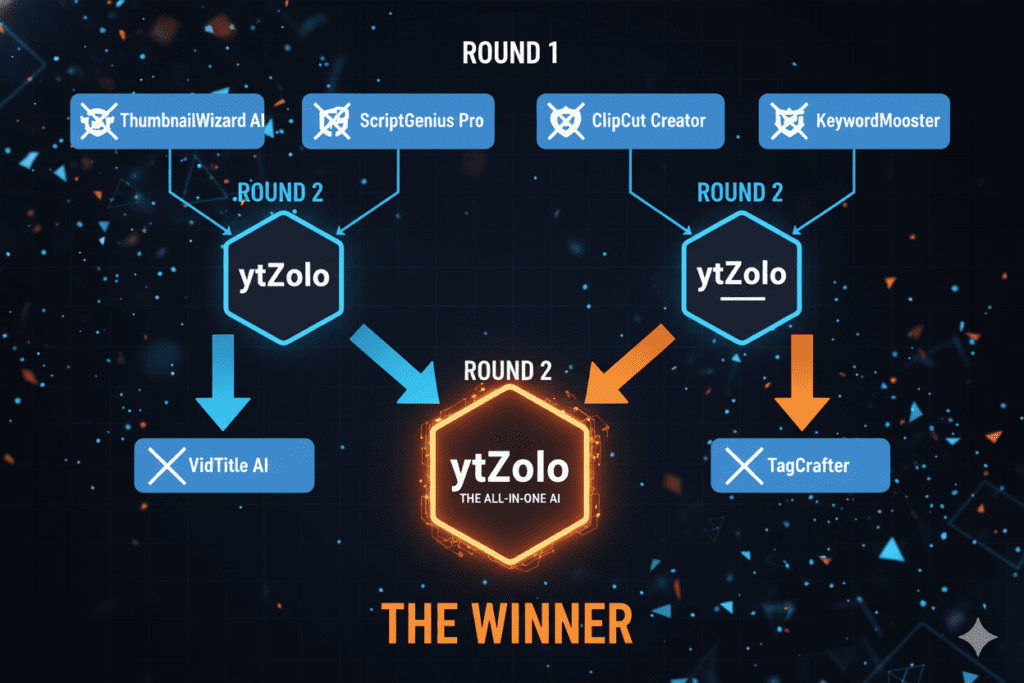
The verdict is clear. For creators who want the best free thumbnail AI tool inside a complete YouTube growth system, ytZolo wins — by a significant margin.
Step-by-Step: How to Create Viral Thumbnails with ytZolo
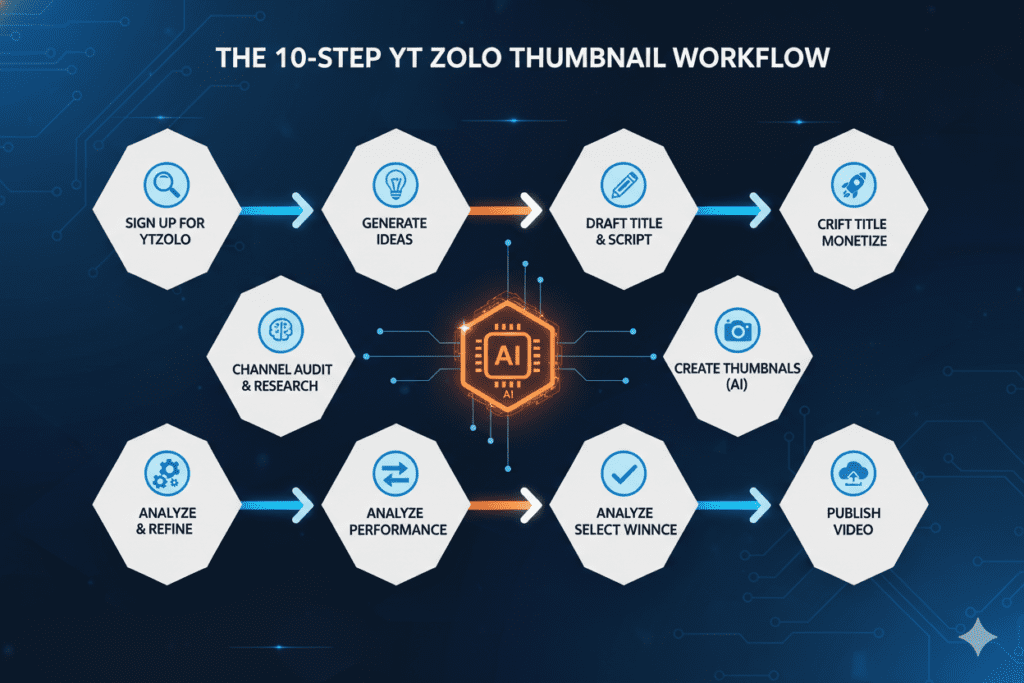
Ready to put the best free thumbnail AI tool to work on your channel? Here’s the exact process — from zero to upload-ready thumbnail.
Step 1: Create Your Free ytZolo Account Head to ytzolo.com and sign up for free. No credit card required. You’ll have access to the AI thumbnail generator and the full content creation suite immediately.
Step 2: Enter Your Video Topic Start by inputting your video idea, title, or niche into ytZolo’s idea generator. This gives the AI context to build everything — including your thumbnail — around the same core concept.
Step 3: Generate Your AI Title Options Use ytZolo’s title generator to produce 3–5 high-CTR title options. This matters for thumbnails because your thumbnail and title need to work together — the thumbnail teases, the title delivers. Choose your strongest title first, then move to thumbnails.
Step 4: Generate Your AI Thumbnail Variations With your title selected, open ytZolo’s thumbnail generator. Input your video topic and title. The AI generates multiple scroll-stopping thumbnail variations optimized for your niche’s CTR patterns.
Step 5: Review and Choose Your Top Two Don’t just pick one. Select your two favorite variations — one your gut loves and one the data suggests should perform. You’ll A/B test these.
Step 6: Fine-Tune if Needed ytZolo lets you make quick adjustments to text, colors, and layout without needing design experience. Tweak anything that doesn’t feel right without starting from scratch.
Step 7: Download in YouTube-Ready Format Download both thumbnail variations in 1280×720 PNG format — exactly what YouTube requires, ready to upload without resizing.
Step 8: Complete Your Full Content Package While you’re in ytZolo, generate your video script, SEO description, and tag set. Every element is optimized to work with your thumbnail and title — creating a cohesive, algorithm-friendly content package.
Step 9: Upload and Run the A/B Test Upload to YouTube Studio. Set your primary thumbnail and load the second variation into YouTube’s Test & Compare feature. Let the data pick your winner within 48–72 hours.
Step 10: Repeat and Compound Use your winning thumbnail’s design signals to inform your next video’s thumbnail. Over time, ytZolo’s AI learns your channel’s performance patterns and your outputs get progressively stronger.
Pro Tips for Getting Maximum CTR From Your AI Thumbnails
Using the best free thumbnail AI tool is step one. Using it strategically is what actually moves your numbers.
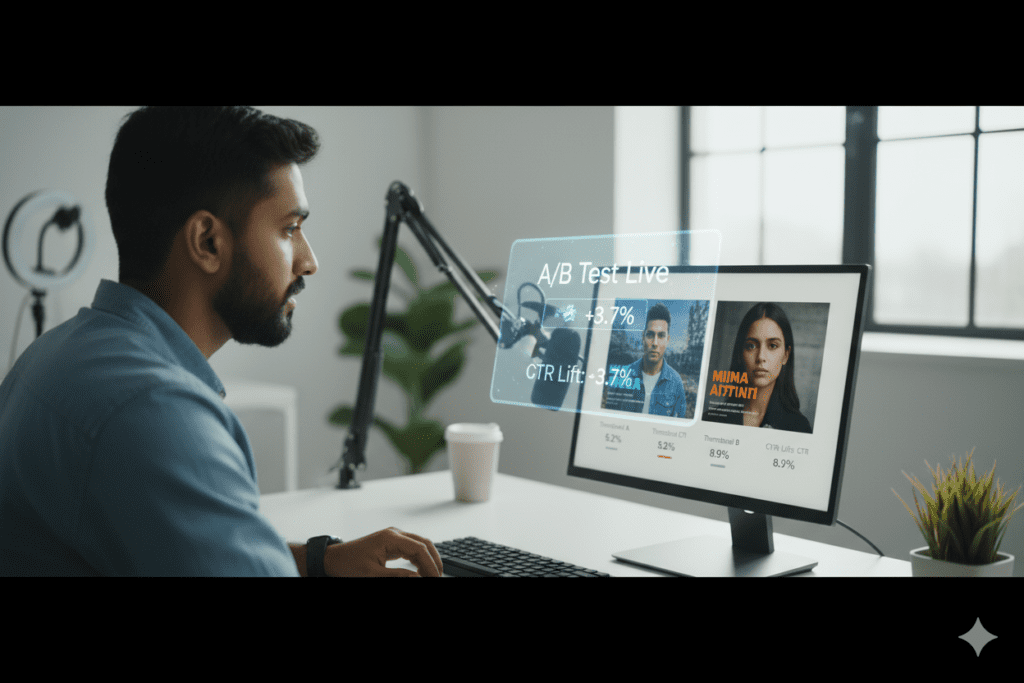
Tip 1: Always Test Two Thumbnails Never upload with just one thumbnail and hope for the best. Always generate two variations using ytZolo and run them through YouTube Studio’s Test & Compare. YouTube Studio’s A/B testing produces an average 20% CTR lift for creators who actually use it. That’s a free 20% boost — just from testing.
Tip 2: Keep Text Under Four Words YouTube recommends using minimal, high-impact words rather than full sentences — for example, “Best Budget Camera” will often outperform “Here Are the Best Budget Cameras for 2026” in thumbnail text. Let the image do the storytelling. Let the text provide the punch.
Tip 3: Create a Curiosity Gap Between Title and Thumbnail Your title should ask a question or make a bold claim. Your thumbnail should provide a visual clue without giving away the full answer. This forces the viewer to click to resolve the tension. ytZolo’s integrated title and thumbnail workflow makes this alignment automatic.
Tip 4: Refresh Old Thumbnails With AI Don’t just use ytZolo on new videos. Go back through your top-performing and underperforming videos. Generate fresh thumbnail variations for both. Creators who refreshed thumbnails on older evergreen content saw CTR increase 30–40% and total views grow by more than 200%.
Tip 5: Match Your Thumbnail Emotion to Your Video’s Hook If your video opens with shock or urgency, your thumbnail expression should signal the same. If your video is calm and educational, your thumbnail tone should reflect that. Emotional misalignment creates a disconnect that increases bounce rate and hurts watch time.
Tip 6: Design for Mobile First If a thumbnail only works on desktop, it fails overall. Preview every thumbnail at small size — 200 pixels wide — before uploading. If text is unreadable or the subject is unclear at that size, regenerate.
Tip 7: Stay Consistent With Your Channel Branding Build a recognizable visual identity across all thumbnails — consistent color palette, consistent font treatment, consistent energy. Viewers who’ve enjoyed one of your videos should recognize your next one in their feed before they even read the title.
Tip 8: Read the ytZolo Blog for Ongoing Thumbnail Strategy The ytZolo blog publishes regular deep-dives on thumbnail psychology, CTR optimization tactics, and real creator case studies. It’s one of the most practical free resources for YouTube thumbnail strategy in 2026.
LSI Keywords & Semantic Topics That Support Thumbnail Success
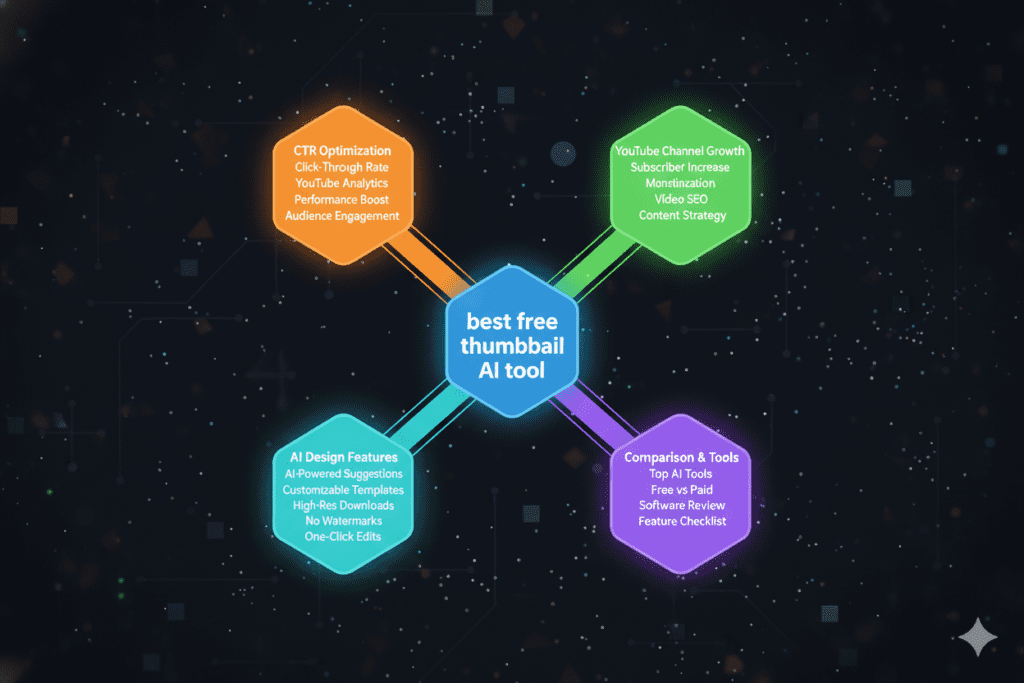
When it comes to ranking for the best free thumbnail AI tool and related queries, Google rewards content that covers the full semantic landscape of a topic. Here are the related keywords and topics your channel strategy should be building around:
Thumbnail Design & Creation:
- YouTube thumbnail maker free
- AI thumbnail generator for YouTube
- Custom YouTube thumbnail design
- How to make YouTube thumbnails
- Thumbnail ideas for YouTube videos
- YouTube thumbnail size and specs
CTR Optimization:
- How to improve YouTube CTR
- YouTube click-through rate optimization
- Best thumbnail for YouTube views
- YouTube thumbnail A/B testing
- How to increase YouTube views with thumbnails
AI Tools for Creators:
- Best AI tools for YouTubers 2026
- Free AI YouTube tools
- AI title generator for YouTube
- AI script writer for YouTube
- Best all-in-one YouTube AI tool
YouTube Growth Strategy:
- How to grow a YouTube channel fast
- YouTube algorithm 2026 thumbnail impact
- YouTube SEO optimization tips
- YouTube content strategy for beginners
- How to get more views on YouTube
Platform-Specific Keywords:
- ytZolo thumbnail generator
- ytZolo free YouTube tool
- Best YouTube growth platform 2026
- AI-powered YouTube channel growth
All of these semantic areas connect to the best free thumbnail AI tool conversation — and all of them are areas where ytZolo delivers direct, measurable value.
FAQ: Best Free Thumbnail AI Tool
1. What is the best free thumbnail AI tool for YouTube in 2026?
The best free thumbnail AI tool for YouTube creators in 2026 is ytZolo — because it’s the only thumbnail AI that’s fully integrated into a complete YouTube growth workflow. Instead of generating thumbnails in isolation, ytZolo creates your thumbnail in alignment with your AI-generated title, script, and description.
Every element works together to maximize CTR, watch time, and algorithmic performance. You can start completely free with no credit card required.
2. Can AI really create better thumbnails than a professional designer?
For most YouTube creators, yes. A professional designer creates visually polished work — but they don’t have access to niche-specific YouTube performance data. The best free thumbnail AI tool is trained on thousands of high-performing videos, meaning every output is optimized for what actually drives clicks in your specific niche.
Human designers create art. AI tools like ytZolo create conversion-optimized thumbnails backed by real platform data.
3. How does a thumbnail AI tool improve my YouTube CTR?
A thumbnail AI tool improves your CTR by applying proven design principles — high contrast, expressive visuals, minimal strategic text, curiosity-driven composition — that are specifically calibrated for YouTube’s visual environment.
The best tools generate multiple variations so you can A/B test and identify your top performer. According to YouTube’s own data, creators using thumbnail testing see an average 20% CTR lift from the testing process alone.
4. What should I look for in the best free thumbnail AI tool?
The most important features to look for are: YouTube-native performance training (not just general image generation), multiple thumbnail variations per video, niche-specific design intelligence, mobile-first output specs, easy customization without design skills, and integration with your broader content workflow. ytZolo delivers all of these in a single, free-to-start platform.
5. How many thumbnails should I create per video?
Always create at least two thumbnail variations per video — then A/B test them using YouTube Studio’s Test & Compare feature. The best free thumbnail AI tool makes this easy by generating multiple options from a single input. Most creators who test consistently start seeing meaningful CTR improvements within 30–60 days. The key is making testing a habit — not a one-time experiment.
Conclusion: Your Next Click-Through Moment Starts Now
Here’s the bottom line: your thumbnail is the single highest-leverage element of your entire video strategy.
It determines whether the algorithm shows your video to new audiences. It determines whether a viewer clicks or scrolls past. It determines whether all the hours you spent filming, editing, and creating actually reach someone.
The best free thumbnail AI tool closes the gap between the video you made and the views it deserves.
You’ve spent this whole guide learning what makes thumbnails perform, why manual design can’t keep up with data-driven AI, and why ytZolo stands above every other tool in the market — not just as the best free thumbnail AI tool, but as the most complete AI YouTube growth platform available.
You don’t need a design degree. You don’t need a big budget. You don’t need to spend two hours per thumbnail anymore.
You need a smarter system. And that system is waiting for you right now, completely free, at ytZolo.
The channels growing fastest in your niche have already found it. The question is whether you’re going to close that gap — or let it keep widening.
Start creating smarter, faster, and more viral YouTube content with ytZolo today.
👉 Get started free at ytzolo.com — no credit card needed.
Explore more creator resources:
- 📖 ytZolo Blog — Thumbnail Strategy & YouTube Growth
- 📖 YouTube Creator Academy — Custom Thumbnails Best Practices
- 📖 Ahrefs — YouTube SEO: How to Rank Your Videos
- 📖 HubSpot — Video Marketing Statistics 2026
© 2026 ytZolo. All rights reserved. Written to help YouTube creators grow smarter with AI.

