

Introduction: The Cartoon Thumbnail That Went Viral Overnight
Sarah had been making educational content on YouTube for nearly a year.
Solid videos. Clear explanations. Real value. And yet — 300 subscribers and barely 50 views per video.
Then she tried something different. Instead of uploading a screenshot of her face or a bland stock photo as her thumbnail, she used a cartoon style thumbnail generator to create a bold, animated-looking cover image for her next video.
Bright colors. An exaggerated cartoon expression. Two bold words of text.
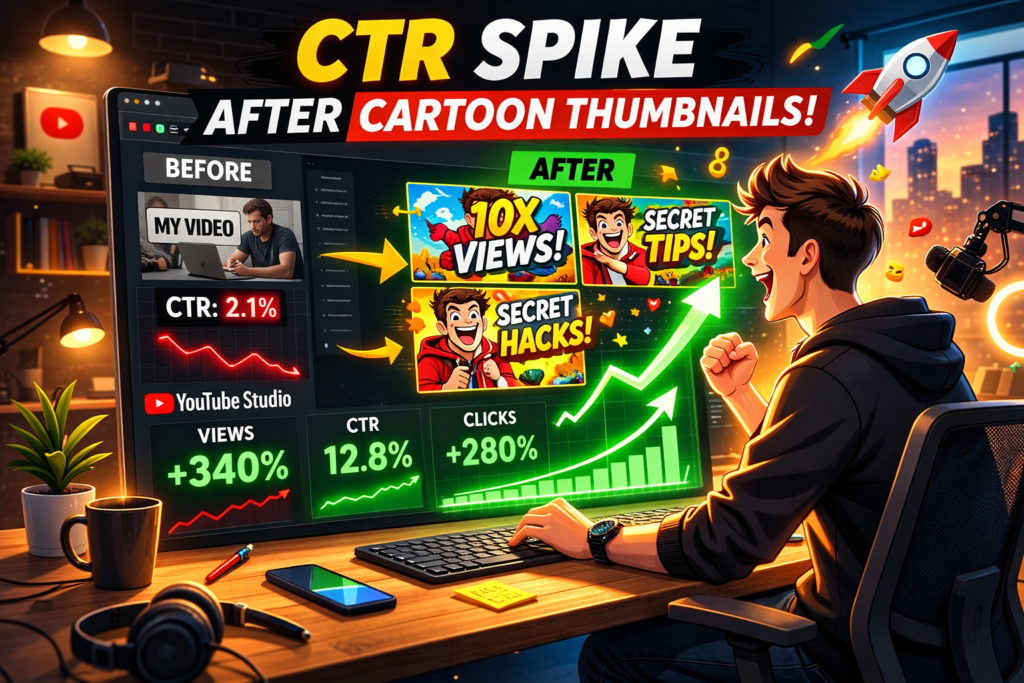
Within 48 hours, that video hit 4,000 views. Her CTR jumped from 2.1% to 8.7%.
She didn’t change her content. She didn’t run ads. She didn’t post more often. She just changed how her video looked in the feed.
That’s the power of a great cartoon style thumbnail — and in 2026, AI has made creating them faster, easier, and more accessible than ever before.
In this guide, you’ll learn everything you need to know about the cartoon style thumbnail generator — what it is, why it works, how to use one to explode your CTR, and why ytZolo is the smartest AI tool for creators who are serious about growing their YouTube channels.
Let’s get started.
Table of Contents
1. What Is a Cartoon Style Thumbnail Generator?
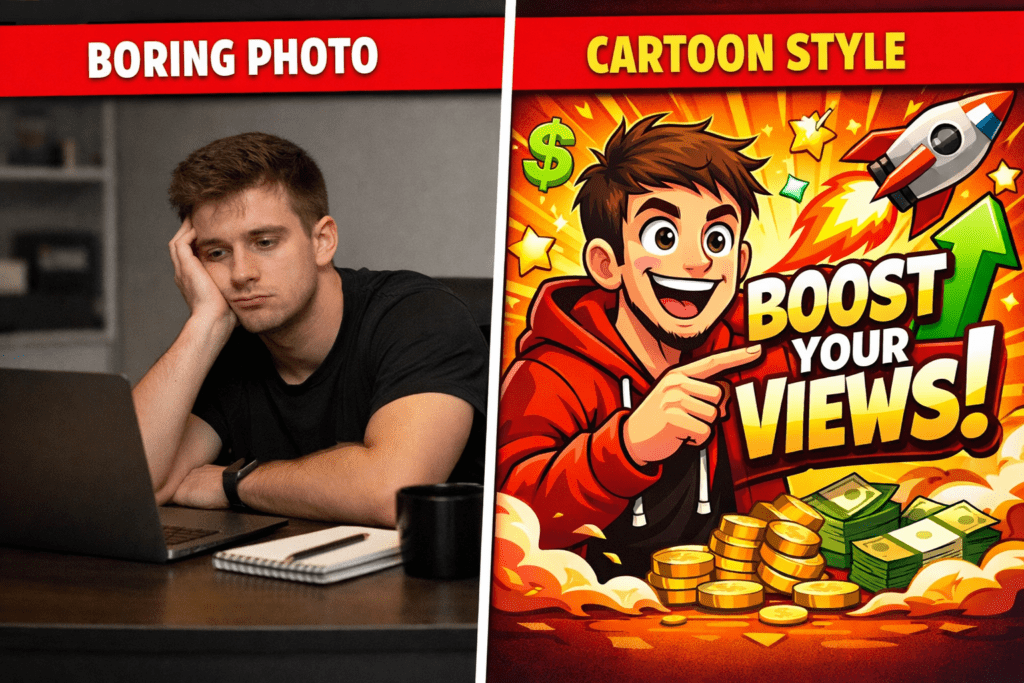
A cartoon style thumbnail generator is an AI-powered tool that creates YouTube thumbnail images in a fun, illustrated, animated, or cartoon-like visual style — without requiring any drawing skills or design experience.
Instead of using a real photograph as your thumbnail, you generate a stylized, eye-catching image that looks like it came from a professional animator or illustrator — in seconds.
These tools typically let you:
- Enter a text description of what you want
- Choose from cartoon visual styles (2D flat, anime, comic book, 3D animated, Ghibli-style, and more)
- Customize colors, expressions, text overlays, and background
- Download a YouTube-ready image at 1280×720 pixels
The best cartoon style thumbnail generators in 2026 are driven by advanced AI image models. They understand not just what “cartoon” looks like — but what makes a cartoon thumbnail perform on YouTube specifically.
And that distinction? That’s the difference between a cute thumbnail and a viral one.
2. Why Cartoon Thumbnails Drive Crazy-High Click-Through Rates
Here’s something most creators don’t realize: cartoon thumbnails work across almost every niche — and the data proves it.
According to YouTube Creator Academy, 90% of the best-performing videos on YouTube use custom thumbnails. Cartoon-style and illustrated thumbnails are among the fastest-growing custom thumbnail styles precisely because they stand out in a feed dominated by talking-head photos and stock images.
When every other creator in your niche uses a real photo, a bold cartoon style thumbnail is a pattern interrupt. It stops the scroll. It demands attention.
Here’s the psychology at work:
Cartoon visuals are emotionally exaggerated. Real-life expressions are subtle. Cartoon expressions are dramatic. They signal emotion more powerfully than any photo can — and VidIQ reports that thumbnails featuring expressive faces can increase CTR by 20–30%. Cartoon faces amplify that effect even further.
Cartoon thumbnails are visually distinctive. They look different from everything else in the feed. And different = noticeable. Noticeable = clicks.
Cartoon aesthetics build brand identity. When you commit to a consistent cartoon style thumbnail across your channel, viewers start recognizing your content instantly — even before they read your title. That recognition compounds over time and drives more clicks per impression.
Research analyzing thousands of top-performing videos shows that thumbnails can increase click-through rates by 30–40% when done right, directly impacting channel growth. A cartoon style thumbnail generator helps you tap into that edge — consistently, at scale.
3. Which YouTube Niches Benefit Most from Cartoon Style Thumbnails?
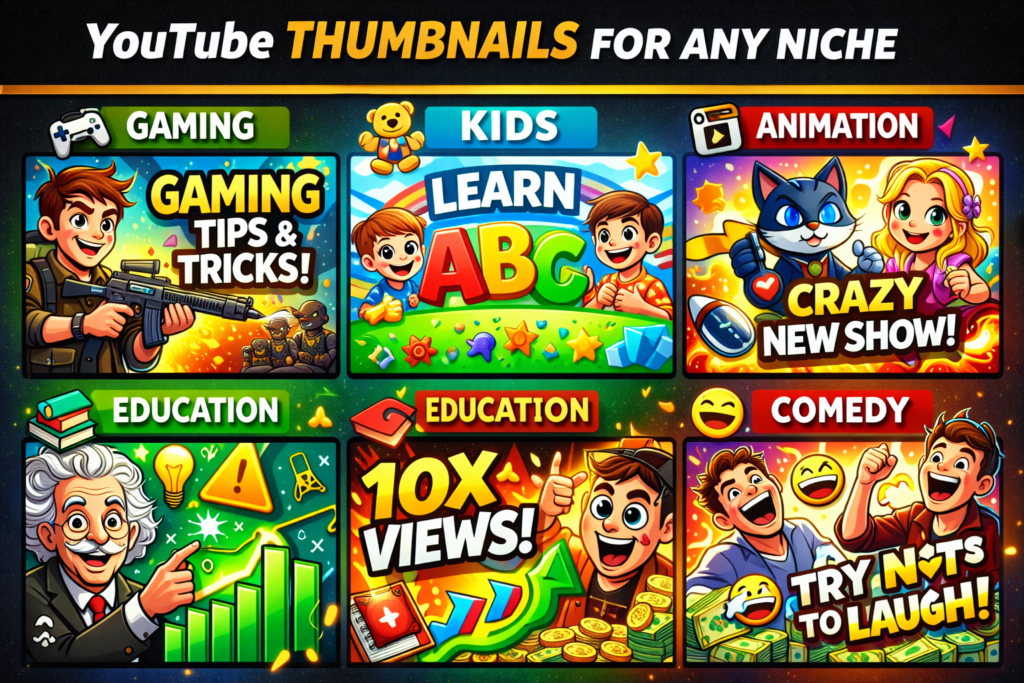
The short answer? Almost all of them. But some niches see especially dramatic results with cartoon style thumbnails.
Gaming
Gaming is the number-one niche for cartoon-style and illustrated thumbnails. Gaming content achieves the highest organic CTR at 8.5%, driven in large part by strong thumbnail optimization within the gaming creator community. Bold, expressive cartoon faces paired with game artwork dominate the gaming feed — and with good reason.
Kids and Family Content
Cartoon-style thumbnails are a natural fit for family-friendly channels. Animated visuals communicate safety, fun, and creativity at a glance — exactly what parents and kids respond to.
Animation and Art Channels
If your content is about animation, drawing, or art — a cartoon style thumbnail generator is basically a must. Your thumbnail should reflect the world you’re creating.
Edutainment and Explainer Channels
Educational channels that explain complex topics through storytelling, characters, or metaphors see great results with cartoon-style thumbnails. They communicate “this will be fun to watch” instead of “this will be boring to sit through.”
Comedy and Entertainment
Over-the-top cartoon expressions, dramatic facial reactions, and illustrated visual gags translate instantly in comedy thumbnails. The more exaggerated, the better.
Vlogging and Lifestyle
Even creators who mainly appear on camera can benefit from AI-generated cartoon avatars of themselves. Some of the fastest-growing lifestyle channels in 2026 use a consistent cartoon style thumbnail generator to create a unique visual identity that fans recognize immediately.
4. What Makes a Winning Cartoon Style Thumbnail?
Not all cartoon thumbnails perform equally. A bad cartoon thumbnail is just as forgettable as a bad photo thumbnail. Here’s what separates a high-CTR cartoon style thumbnail from one that gets scrolled past:
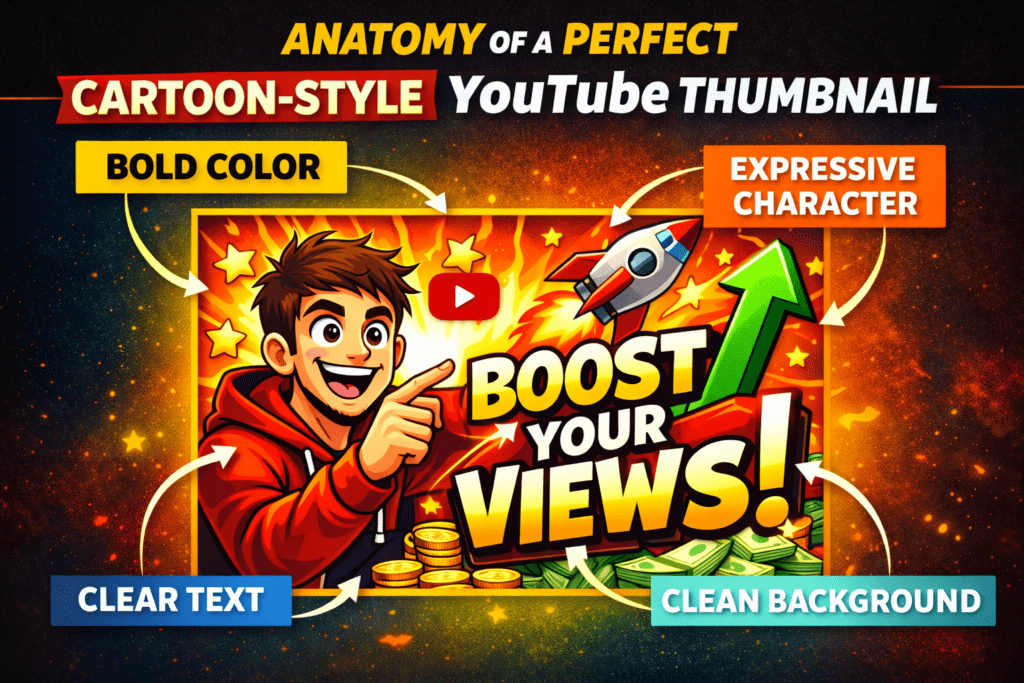
Bold, Saturated Colors
Cartoon visuals naturally lend themselves to vivid, saturated color palettes. Bright yellows, electric blues, neon greens, and hot pinks pop against YouTube’s white and gray interface. Use them without restraint.
One Dominant Emotion
The best cartoon thumbnails communicate a single, unmistakable emotion — shock, delight, confusion, excitement. Trying to convey multiple emotions at once dilutes the impact. Keep it clean. Keep it one.
Minimal, Readable Text
Three to six words maximum. Large, bold font. High contrast between text color and background. Your cartoon style thumbnail text needs to be instantly readable when shrunk down to the size it appears on mobile — roughly 150×84 pixels. Close-up cartoon faces with expressive emotions perform much better when the text complements the visual rather than competes with it.
A Clear Focal Point
One subject. One moment. One message. Think with Google shows that thumbnails with clear focal points can increase CTR by 50%+. Crowded cartoon thumbnails lose clicks. Focused ones win them.
Consistency Across Your Channel
The most successful channels using cartoon style thumbnails maintain a consistent visual language — same character design, same color palette, same font, same general composition. Over time, this builds instant channel recognition in the feed.
5. Top Cartoon Style Thumbnail Generators in 2026
There are several tools you can use to create cartoon-style YouTube thumbnails. Here’s an honest look at what’s out there:
Canva (Magic Media)
Canva remains one of the most popular design tools globally. With Magic Media, you can generate thumbnail ideas in fun art styles with ease, choosing from style presets before generating.
Canva gives you cartoon-style options, but it’s a general design tool — it doesn’t understand YouTube growth strategy, niche performance data, or what visually converts in your specific content category.
FlexClip
FlexClip is one of the best free AI thumbnail makers if you’re looking for something simple, browser-based, and quick. The AI gives you thumbnails based on your input and preferred visual style, such as 3D, cinematic, cartoon, or painting. It’s a solid option for beginners, but it stops at design — there’s no full YouTube content workflow attached.
Thumbnail.AI
Thumbnail.AI uses advanced artificial intelligence to create stunning visuals for your videos. You can generate thumbnails from text prompts, choose from 15+ styles, and select aspect ratios — all without needing design skills. A solid cartoon style thumbnail generator choice, though it’s thumbnail-only with no broader YouTube growth tools.
Recraft
Recraft is a powerful AI image generation tool with an impressive style library. Recraft generates a wide range of consistent characters, from lifelike humans to imaginative creatures, animals, cartoons, and fantastical beings — making it a flexible option for cartoon-style content.
However, it requires more creative direction from the user and doesn’t come with YouTube-specific optimization baked in.
The Problem With Standalone Cartoon Style Thumbnail Generators
Every tool above can create a cartoon-style thumbnail. But none of them will tell you whether that thumbnail will actually perform well in your niche.
They don’t generate your video title. They don’t write your script. They don’t optimize your description or suggest the right tags to get your video found. They generate a pretty image — and then leave you on your own.
That’s the gap ytZolo was built to fill.

6. How ytZolo’s Cartoon Style Thumbnail Generator Gives Creators a Real Edge
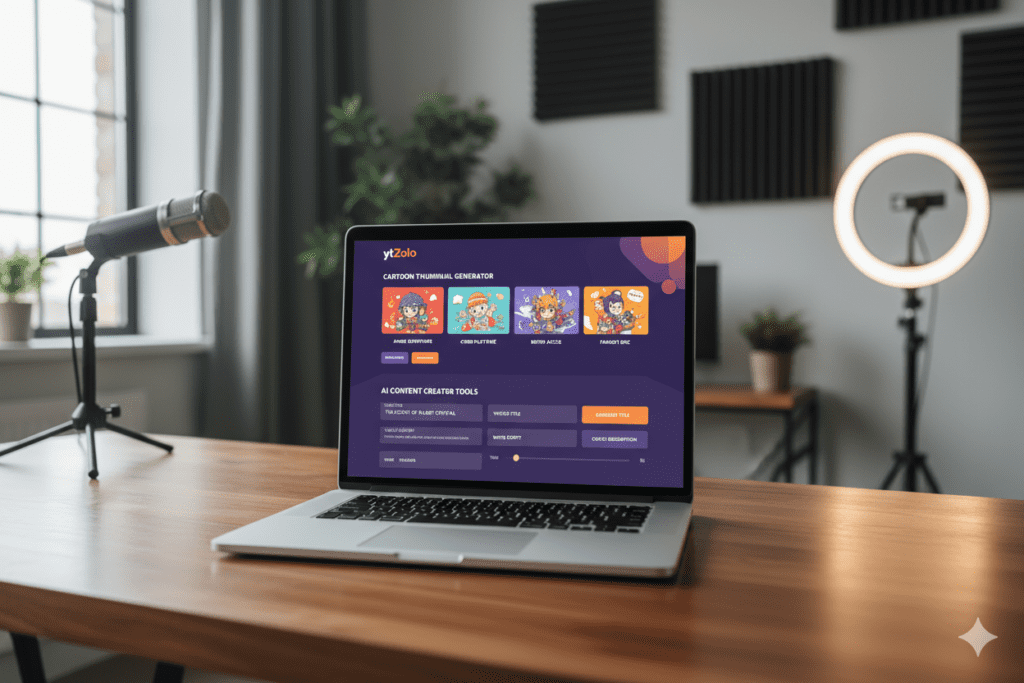
ytZolo is the all-in-one AI YouTube growth platform that’s changing how creators approach every part of their content workflow — including thumbnail design.
Here’s exactly how ytZolo helps you as a cartoon style thumbnail generator and so much more:
AI-Generated Cartoon Thumbnails Built for YouTube, Not Just for Design
When you use ytZolo to generate a cartoon style thumbnail, you’re not just getting a visually appealing image. You’re getting a thumbnail engineered around YouTube’s specific performance dynamics.
The AI understands what color contrasts drive CTR in your niche. It knows what cartoon expressions stop the scroll. It knows what composition and text placement patterns convert casual scrollers into engaged viewers.
You’re not just designing — you’re optimizing.
Generate Multiple Cartoon Style Variations Instantly
Type your video topic, choose your preferred cartoon visual style, and ytZolo instantly generates multiple cartoon thumbnail concepts. Compare them side by side. A/B test different versions. Let data — not gut feeling — tell you which cartoon style thumbnail wins.
Creators using ytZolo report saving 2–4 hours per video on thumbnail creation alone. That’s time that goes back into making better content.
Why Creators Struggle Without AI
Here’s the truth most creators won’t say out loud: designing a great cartoon-style thumbnail manually is brutally hard.
You either need illustration skills (most creators don’t have them), or you need to pay an artist $50–$150 per thumbnail, or you spend hours in tools like Canva trying to approximate a cartoon look with stock elements that never quite come together.
Without a proper cartoon style thumbnail generator, most creators end up settling. And settling on your thumbnail means settling on your CTR. And a low CTR means YouTube shows your video to fewer people, which means less growth, less income, and less motivation to keep going.
AI removes that bottleneck entirely.
Why Manual Methods Are Outdated in 2026
The manual thumbnail design workflow made sense in 2018. Today, AI can generate a professional, optimized cartoon-style thumbnail from a single text prompt in under 30 seconds.
The creators growing the fastest on YouTube right now aren’t spending more time on thumbnails. They’re spending less — because AI handles it — and using that time to create more content, more consistently.
The Full Content Machine — Not Just a Thumbnail Tool
This is where ytZolo completely separates itself from every other cartoon style thumbnail generator on the market.
ytZolo doesn’t stop at thumbnails. In one platform, you get your entire YouTube content workflow powered by AI:
- AI-generated video titles — SEO-optimized, emotionally compelling, designed for maximum CTR
- AI video scripts — structured hooks, engaging body content, and strong calls to action
- AI YouTube descriptions — keyword-rich, algorithm-friendly, written to rank
- AI tags and hashtags — maximize discoverability across search and suggested
- AI cartoon-style thumbnails — high-CTR designs generated from a simple text prompt
One platform. One workflow. Everything you need to create content that reaches more people — faster.
For expert insights on growing your YouTube channel, check out the ytZolo blog — packed with data-driven guides on titles, thumbnails, scripts, and channel strategy updated regularly.
7. Why ytZolo Is Better Than Other Cartoon Style Thumbnail Generator Tools
Let’s break it down clearly:
| Feature | ytZolo | Canva | FlexClip | Thumbnail.AI | Recraft |
|---|---|---|---|---|---|
| Cartoon Style AI Generation | ✅ Yes | ⚠️ Limited presets | ✅ Yes | ✅ Yes | ✅ Yes |
| YouTube CTR Optimization | ✅ Yes | ❌ No | ❌ No | ⚠️ Partial | ❌ No |
| Multiple Cartoon Variations | ✅ Yes | ⚠️ Template-based | ✅ Limited | ✅ Limited | ✅ Yes |
| AI Title Generator | ✅ Yes | ❌ No | ❌ No | ❌ No | ❌ No |
| AI Script Generator | ✅ Yes | ❌ No | ❌ No | ❌ No | ❌ No |
| AI Description + Tags | ✅ Yes | ❌ No | ❌ No | ❌ No | ❌ No |
| Built Specifically for YouTube | ✅ Yes | ❌ General | ⚠️ Partial | ⚠️ Partial | ❌ General |
| Full Content Workflow | ✅ Yes | ❌ No | ❌ No | ❌ No | ❌ No |
| Niche-Specific Optimization | ✅ Yes | ❌ No | ❌ No | ❌ No | ❌ No |
The numbers don’t lie.
Every tool in this comparison can generate a cartoon-style image. But only ytZolo wraps that cartoon thumbnail generation inside a full YouTube growth system built specifically for creators who want results — not just pretty visuals.
8. Step-by-Step: How to Create a Viral Cartoon Style Thumbnail
Ready to create your best cartoon thumbnail yet? Follow this exact process:
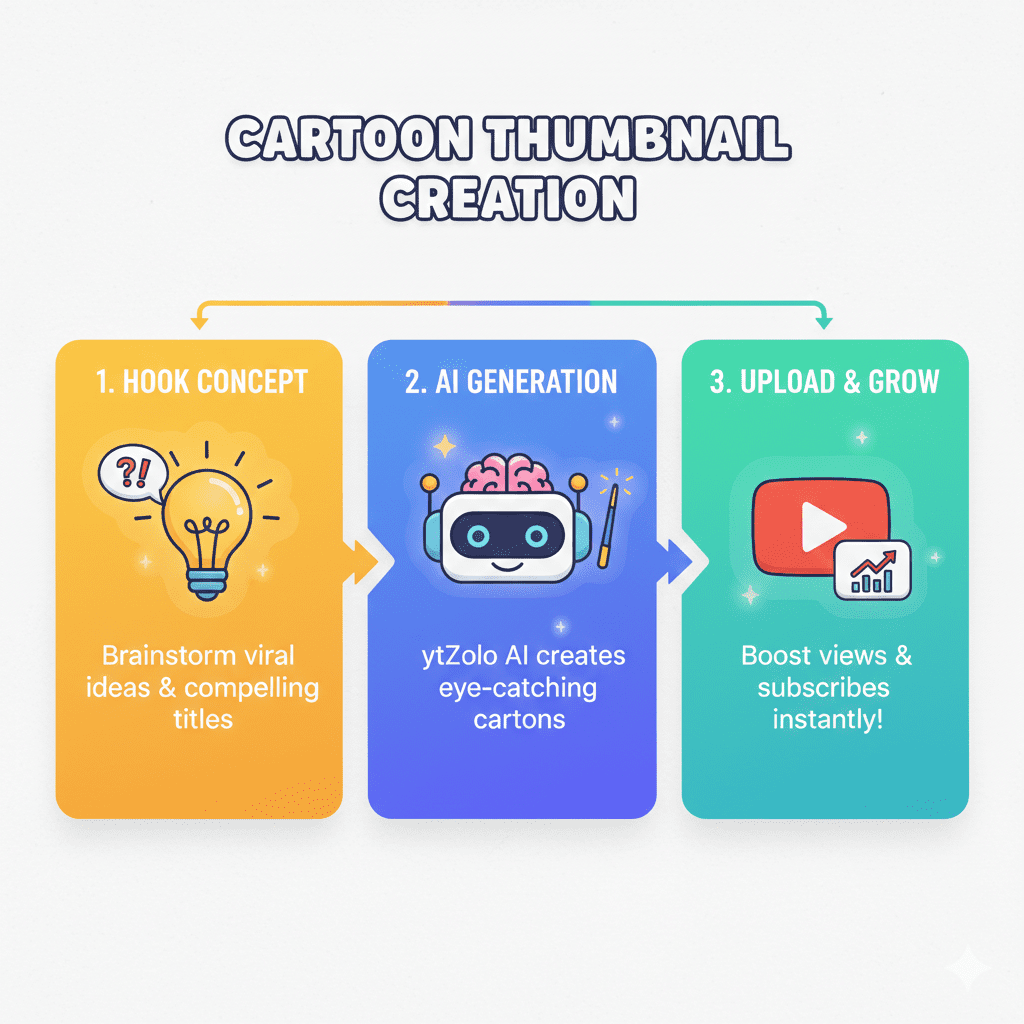
Step 1: Define the Core Hook of Your Video
Before you even think about design, answer this one question: What single moment in this video would make someone say “I HAVE to see how this ends”?
That hook is the foundation of your cartoon style thumbnail concept.
Step 2: Choose Your Cartoon Visual Style
Different cartoon styles work better for different niches. Consider:
- 2D flat cartoon — Clean, bold, great for educational and comedy channels
- Anime-inspired — Highly expressive, perfect for gaming and entertainment
- Comic book / pop art — Bold lines and strong color blocks, great for reaction content
- 3D animated — Polished and premium, works across almost every niche
- Ghibli-style illustration — Soft, detailed, excellent for lifestyle and travel content
Step 3: Write a Detailed AI Prompt
When using ytZolo or another cartoon style thumbnail generator, specificity is everything. Here’s a strong prompt template:
“[Cartoon style type] character with [emotion] expression, [background description], [text overlay if any], [color palette], [composition details], YouTube thumbnail 1280×720, high contrast”
Example: “2D cartoon character with shocked wide-eyed expression holding a glowing trophy, bright yellow background with star burst pattern, bold red text reading ‘I WON EVERYTHING’, vibrant primary colors, YouTube thumbnail, high contrast”
Step 4: Generate Multiple Variations
Never commit to the first result. Generate 3–5 different cartoon style thumbnail variations and compare them. Look for the one that communicates the most emotion with the least visual clutter.
Step 5: Add and Refine Your Text Overlay
Your text overlay is a critical part of the cartoon thumbnail. Keep it short — 3–6 words. Make it bold and readable. Use power words like: NEVER, FINALLY, TRUTH, SECRET, WON, FAILED, or numbers that create pattern interruption.
Step 6: Preview at Mobile Size
Shrink your cartoon style thumbnail down to 150px wide in your browser and check: Can you read the text? Is the main character’s expression clear? Is the color contrast strong? If anything is blurry or unclear, go back and simplify.
Step 7: Upload and Track Performance
After publishing, monitor your CTR in YouTube Studio every 48–72 hours. According to YouTube, between 2% and 10% is a normal range for impressions click-through rate for half of all channels and videos on the platform. If your cartoon style thumbnail is performing below 4%, test a new variation immediately using YouTube’s Test & Compare feature.
9. Common Cartoon Thumbnail Mistakes That Kill CTR (And How to Fix Them)
Even with access to a great cartoon style thumbnail generator, creators still make critical design mistakes. Here’s what to avoid:
Mistake #1: Making the Cartoon Too Detailed
More detail does not mean more clicks. Complex cartoon thumbnails with intricate backgrounds, multiple characters, and layered elements overwhelm viewers in the 3 seconds they have to make a decision. Simplify. One subject. One emotion. One message.
Mistake #2: Low-Contrast Colors
Bright cartoon colors don’t automatically mean high contrast. Lime green text on a yellow background is impossible to read. Always ensure strong contrast between your text and background, and between your main character and their environment.
Mistake #3: Choosing a Cartoon Style That Doesn’t Match Your Niche
A children’s pastel cartoon style on a tech review channel will confuse viewers. A dark, dramatic anime-style on a cooking channel sends the wrong signal. Match your cartoon aesthetic to the emotional expectations of your niche audience.
Mistake #4: Inconsistent Cartoon Styles Across Videos
Using a different cartoon style on every single video makes your channel look chaotic and unplanned. Implementing research-backed thumbnail practices — including consistent visual style — can transform your channel’s performance over time. Pick a cartoon style identity and commit to it.
Mistake #5: Ignoring Mobile Viewers
Mobile devices represent 70% of YouTube traffic. A cartoon thumbnail that looks incredible on desktop but is impossible to read on a phone is a conversion killer. Always, always preview your cartoon style thumbnail at mobile size before uploading.
Mistake #6: Never Refreshing Old Cartoon Thumbnails
Cartoon styles evolve. What looked fresh six months ago might look dated today. Audit your older videos quarterly and update underperforming thumbnails with a fresh cartoon style thumbnail generator pass. A simple refresh can resurrect a video’s CTR almost instantly.
![[IMAGE PROMPT: Side-by-side comparison of a cluttered, low-contrast cartoon thumbnail versus a clean, bold, high-CTR cartoon style thumbnail, dramatic improvement visual, bright design, 16:9]](https://ytzolo.com/blog/wp-content/uploads/2026/02/Side-by-side-comparison-of-a-cluttered-low-contrast-cartoon-thumbnail-versus-a-clean-bold-high-CTR.png "The Cartoon Style Thumbnail Generator Secret That Top YouTubers Don't Want You to Know 10")
10. Pro Tips for Cartoon Style Thumbnails That Actually Get Clicked
You’ve got the basics down. Now let’s go deeper. Here are the strategies top creators use with their cartoon style thumbnail generator to consistently produce thumbnails that outperform the competition:
- Study the top-performing channels in your niche. What cartoon styles are they using? What color palettes? What expressions? Create a swipe file. Then use a cartoon style thumbnail generator to create something inspired by — but distinctly different from — what’s already working.
- Lead with the emotion, not the event. Don’t show what happens. Show how it feels. The reaction of a cartoon character to an event is always more compelling than the event itself. Show the shock. Show the excitement. Show the disbelief.
- Use negative space deliberately. Great cartoon thumbnails aren’t crowded. Leave breathing room around your main character. Empty space directs the eye toward your focal point and makes the whole thumbnail feel more confident and professional.
- Test a character-only version. Sometimes the most powerful cartoon style thumbnail has zero text — just a bold cartoon character with an irresistible expression. Test it against a text-overlay version and see what your specific audience responds to.
- Match your cartoon character’s gaze to your text. If your cartoon character is looking to the right, your text should be on the right side of the frame. Eyes naturally follow the direction of gaze — use that to guide viewers exactly where you want them to look.
- Refresh your top 10 videos with updated cartoon thumbnails every 6 months. Research shows that swapping out a cluttered design for a high-contrast, simple version can increase CTR by 2%, resulting in a sustained bump in daily views months after upload. Small changes compound dramatically over time.
- Build a “thumbnail moodboard” before you start. Collect 10–15 cartoon style thumbnails you love (from any niche) before opening your cartoon style thumbnail generator. Having visual references dramatically improves the quality of your AI prompts and final outputs.
FAQ: Cartoon Style Thumbnail Generator
Q1: What is the best cartoon style thumbnail generator for YouTube in 2026?
The best cartoon style thumbnail generator for YouTube creators in 2026 is ytZolo. Unlike standalone design tools, ytZolo combines AI-powered cartoon thumbnail generation with a complete YouTube growth workflow — including AI titles, scripts, descriptions, and tags.
It’s the only tool that creates cartoon-style thumbnails specifically optimized for YouTube CTR while also handling your entire content strategy. For creators who want to grow their channels — not just design pretty images — ytZolo is the clear choice.
Q2: What cartoon styles work best for YouTube thumbnails?
The most effective cartoon styles for YouTube thumbnails depend on your niche. 2D flat cartoon works well for education and comedy. Anime-inspired styles excel in gaming and entertainment. Comic book and pop art styles perform strongly in reaction content.
3D animated styles are highly versatile across niches. The key is choosing a style that matches your niche’s emotional tone and then staying consistent with it across your channel. A reliable cartoon style thumbnail generator will offer multiple style options so you can test and find what your audience clicks on most.
Q3: Can I create a cartoon style thumbnail for YouTube without design skills?
Absolutely. That’s the entire point of an AI-powered cartoon style thumbnail generator. You don’t need to know how to draw, illustrate, or use Photoshop. You simply describe what you want in plain text — the character, the emotion, the background, the style — and the AI generates a professional cartoon thumbnail for you in seconds.
Tools like ytZolo are built specifically for creators without design experience who still want high-performing, visually stunning thumbnails.
Q4: How do cartoon style thumbnails affect YouTube CTR?
Cartoon style thumbnails directly impact YouTube CTR (click-through rate) by creating pattern interruption in a feed dominated by photographic thumbnails. When viewers see a bold, vibrant cartoon thumbnail among a row of face-photo thumbnails, it stands out immediately — and standing out is the first step to getting the click.
Combined with expressive cartoon characters (which naturally trigger emotional responses in viewers), cartoon-style thumbnails are among the highest-performing visual formats in multiple YouTube niches. Higher CTR signals to YouTube’s algorithm that your video is engaging, which leads to more recommendations and more organic reach.
Q5: How often should I update my cartoon style thumbnail?
You should review your cartoon style thumbnail performance at minimum every 30 days using YouTube Studio’s CTR and impressions data. If a video has a CTR below 4%, consider regenerating the thumbnail using your cartoon style thumbnail generator and uploading a new version immediately.
For evergreen videos that are still receiving impressions 3–6 months after upload, a fresh cartoon thumbnail can revive CTR and bring a new wave of organic views — without changing any other element of the video. Conduct a full thumbnail audit across your channel every quarter.
Conclusion: The Cartoon Style Thumbnail Generator Is Your Channel’s Growth Unlock
You’ve seen the data. You’ve heard the stories. You understand the psychology.
A cartoon style thumbnail generator isn’t a design gimmick. It’s one of the most powerful growth levers available to any YouTube creator in 2026.
Cartoon thumbnails stop the scroll. They communicate emotion faster than any photograph. They build brand identity. And when powered by AI, they’re generated in seconds — not hours.
The creators growing the fastest on YouTube right now aren’t working harder than everyone else. They’re working smarter. They’re using AI to create better thumbnails, better titles, better scripts, and better content strategies — all in less time.
That’s exactly what ytZolo was built for.
ytZolo isn’t just a cartoon style thumbnail generator. It’s the all-in-one AI YouTube growth platform that handles your titles, scripts, descriptions, tags, and thumbnails — so you can focus on what you do best: creating content that connects.
Every week you spend creating thumbnails manually is a week your competitors using AI pull further ahead. The gap is only growing.
Don’t let a weak thumbnail bury your best videos. Don’t let hours of manual design slow down your output. Don’t let your channel plateau when the tools to break through are right here.
Your audience is out there. Make them impossible not to click.
🚀 Start creating smarter, faster, and more viral YouTube content with ytZolo today.
Visit https://ytzolo.com and experience the all-in-one AI YouTube growth platform that thousands of creators trust to grow their channels faster.
Want more expert strategies on thumbnails, titles, and YouTube growth? Head to the ytZolo blog — new actionable guides published every week.

