
Introduction: Your Channel Art Is Costing You Subscribers
Picture this.
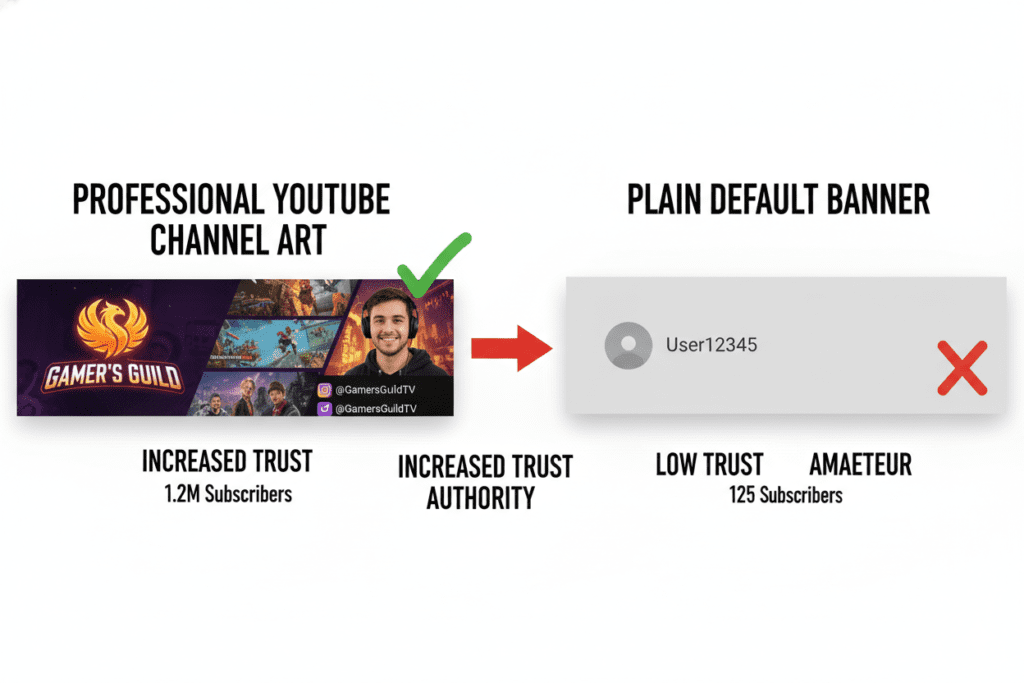
Someone clicks on your YouTube video for the first time. They like what they see. They scroll up to your channel. And then — they hit your channel page.
What do they find?
If your channel art looks unprofessional, outdated, or just plain boring — they leave. No subscribe. No second chance. Just gone.
It happens thousands of times every single day to creators who have amazing content but weak branding. And the heartbreaking part? It’s completely preventable.
The good news is that finding a channel art generator free tool has never been easier. And in 2026, the best ones are powered by AI — which means stunning, professional-grade channel art in minutes, not hours.
In this guide, we’re going to cover everything: the best free tools, what makes great channel art, and how AI platforms like ytZolo are giving everyday creators a massive competitive edge.
Let’s dive in.
Table of Contents
What Is YouTube Channel Art — And Why Does It Matter?
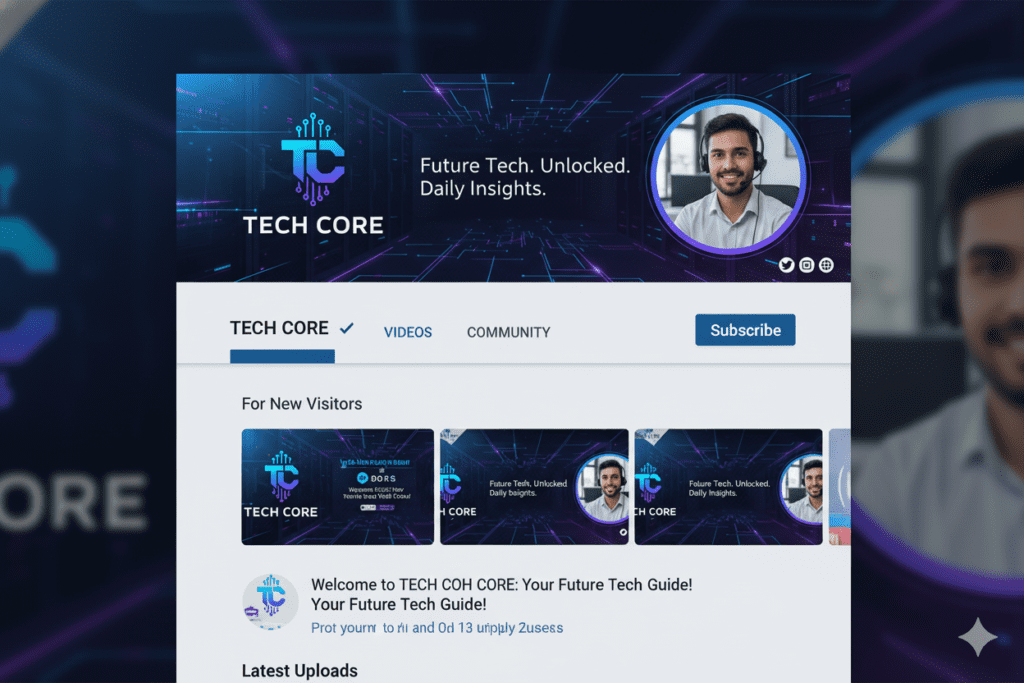
YouTube channel art is the large banner image that sits at the top of your channel page. It’s the very first visual impression you make on every potential subscriber.
Think of it like the cover of a book. People judge it — fast.
A polished, professional channel banner tells visitors: this creator is serious. It communicates your niche, your personality, and your brand — all in a single image.
Research consistently shows that channels with strong visual branding convert casual viewers into subscribers at a dramatically higher rate. Your channel art isn’t decoration. It’s a conversion tool.
And the best part? You don’t need to be a designer to create it anymore. A great channel art generator free tool can do the heavy lifting for you — especially when that tool is powered by AI.
The Right Dimensions for YouTube Channel Art in 2026
Before you start designing, you need to know the exact specs. Get these wrong and your banner will look pixelated, cropped, or broken across devices.
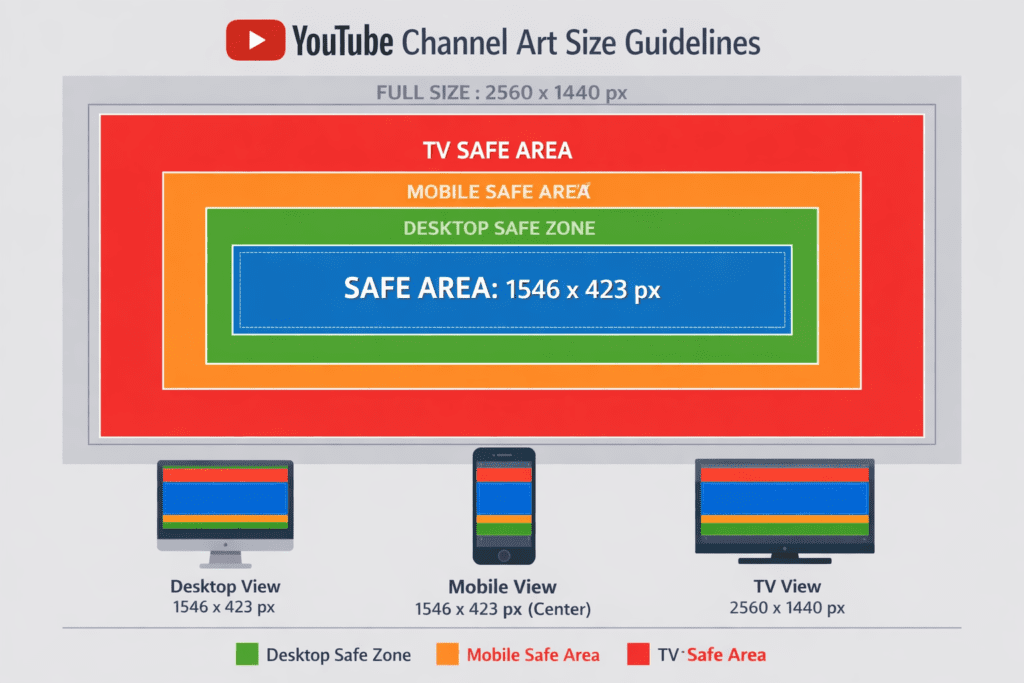
Here are the key YouTube channel art dimensions for 2026:
- Recommended size: 2560 x 1440 pixels
- Maximum file size: 6 MB
- Safe zone for all devices: 1546 x 423 pixels (center of the banner)
- Minimum upload size: 2048 x 1152 pixels
- Accepted formats: JPG, PNG, BMP, GIF (no animations)
The “safe zone” is critical. Everything outside the safe zone may be cropped on mobile, tablet, or TV screens. Your logo, channel name, and any key text must live within that central area.
Most free channel art generator tools handle these dimensions automatically with built-in templates — so you don’t have to memorize any of this.
Top Free Channel Art Generator Tools Compared
There are plenty of options when it comes to a channel art generator free solution. Here’s a breakdown of the most popular ones:
Canva
Canva is probably the most well-known design tool for creators. It offers thousands of YouTube banner templates, drag-and-drop editing, and a free plan that covers the basics.
The upside: it’s beginner-friendly and looks good. The downside: you’re limited to template-based design. It won’t help you with your video titles, scripts, or SEO. It’s a design tool — not a growth tool.
Adobe Express
Adobe Express is Adobe’s free creative platform. It includes solid YouTube banner templates, AI-powered features, and background removal tools. The quality is professional-grade.
However, the more advanced features require a paid plan. And like Canva, it’s purely visual — it doesn’t connect to your broader YouTube strategy.
Snappa
Snappa is a focused banner maker with pre-set YouTube dimensions and access to stock photos. It’s fast and easy to use for creators who just need a quick banner fix.
It’s solid for the basics, but it lacks the depth and AI intelligence that modern creators need.
Pixlr
Pixlr offers advanced editing tools alongside banner creation. It’s great if you already have design skills and want more control. For beginners, the learning curve can be steep.
Placeit
Placeit has a huge library of YouTube banner templates, including gaming, lifestyle, and vlogging styles. It’s a reliable option if you want variety. A channel art generator free like ytZolo, however, gives you more flexibility and quality without the limits of a free plan.
The Big Problem with All of These Tools
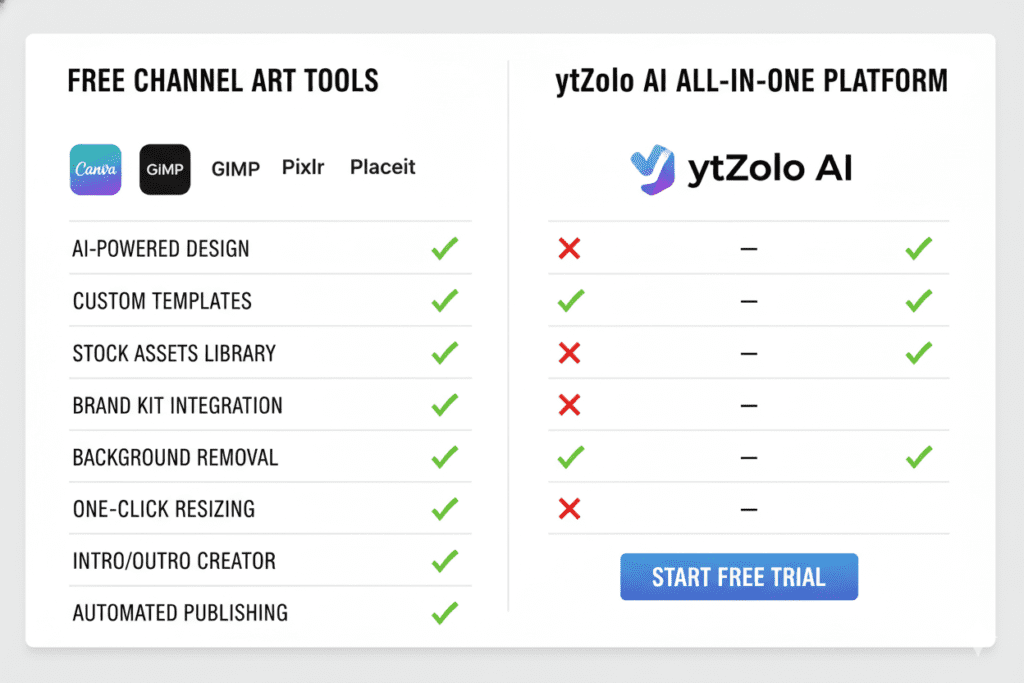
They all solve one problem: making your banner look okay.
None of them help you write better titles. None of them generate scripts. None of them optimize your SEO, create thumbnails for virality, or suggest tags that drive discovery.
They stop at the visual layer.
That’s exactly where ytZolo comes in — and it changes everything.
What Makes a Great YouTube Channel Banner?
Not all channel art is created equal. The difference between a banner that converts and one that doesn’t comes down to a few key principles.
1. Clarity of niche Within 3 seconds, a visitor should know exactly what your channel is about. Gaming? Finance? Travel? Your banner should scream your topic — not whisper it.
2. Visual consistency Your banner colors, fonts, and style should match your thumbnails and overall channel aesthetic. Using a channel art generator free helps maintain consistency, and consistency builds brand trust — and brand trust builds subscribers.
3. A clear value proposition What will viewers get by subscribing? New videos every week? Tutorials? Entertainment? A short tagline on your banner answers this question immediately.
4. Professional photography or graphics Blurry images or pixelated graphics signal low quality. Use high-resolution visuals — your free YouTube channel art generator should handle this automatically.
5. Mobile optimization More than 70% of YouTube views come from mobile devices. Your banner’s most important elements must be within the safe zone — or they simply won’t be seen.

Why Manual Channel Art Design Is Holding You Back
Here’s the hard truth: designing channel art manually in 2026 is a massive time sink.
Think about the average creator’s workflow. You’re researching video ideas, writing scripts, filming, editing, optimizing for SEO, engaging with comments — and somewhere in all of that, you’re supposed to design a banner using a channel art generator free?
It doesn’t work.
Manual design takes hours. It requires design skills most creators don’t have. And even if you nail the banner — you’ve only solved one piece of a much bigger puzzle.
The creators who are growing fastest right now aren’t doing more. They’re doing smarter. They’re using AI to compress hours of work into minutes, freeing up time to focus on what actually matters: creating great content.
Relying only on a basic channel art generator free tool without AI support means you’re falling behind creators who are already automating their entire content workflow.
The gap is widening every single day.
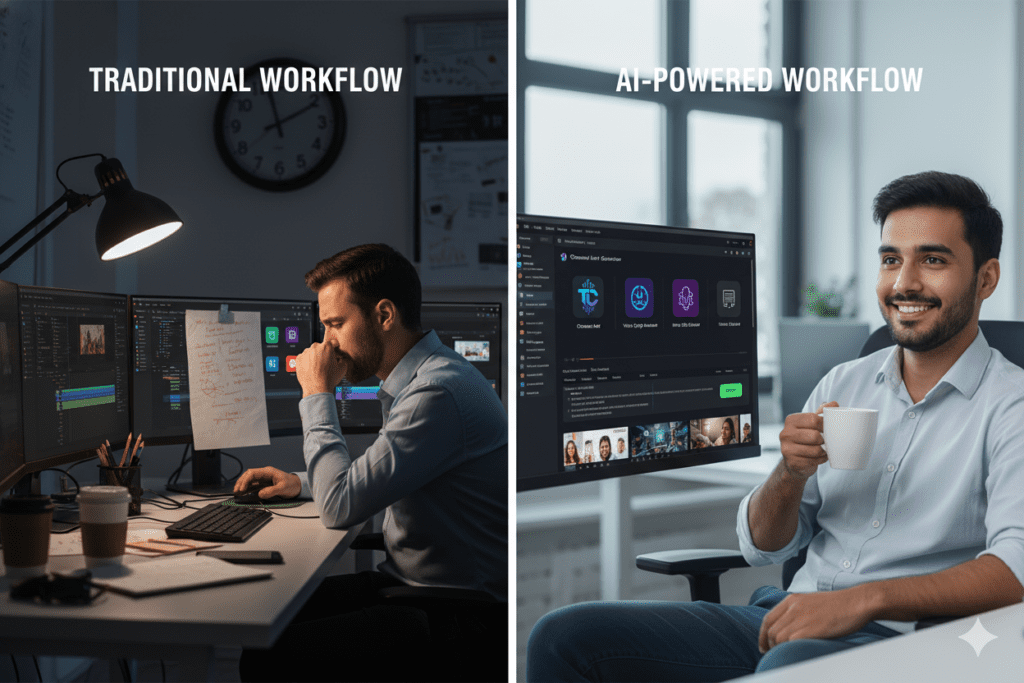
How AI Is Revolutionizing Channel Art Creation
AI has completely changed what’s possible for individual creators — and YouTube itself is betting big on it.
According to YouTube’s 2026 CEO letter, more than 1 million channels were using YouTube’s AI creation tools daily by late 2025. YouTube itself has integrated AI tools for video ideas, titles, and thumbnails through the Inspiration Tab.
The message is clear: AI isn’t the future of content creation. It’s the present.
For channel art generator free solutions specifically, AI now enables:
- Text-to-image generation — describe your banner in words, and AI builds it
- Niche-aware design — AI adapts visual style to your content category automatically
- Brand consistency — AI maintains your color palette and typography across all visuals
- Speed — what took hours now takes seconds
- Multiple variations — generate and test different banner styles instantly
But here’s what separates truly powerful AI tools from basic generators: the best ones connect your channel art to your entire content strategy.
That’s the ytZolo difference.

How ytZolo Helps You Create Winning Channel Art (and So Much More)
Let’s talk about ytZolo — because it’s genuinely in a different category from every other tool on this list.
ytZolo is an all-in-one AI YouTube growth platform built specifically for creators. Not adapted from a generic design app. Not bolted together from unrelated tools. Built from the ground up for YouTube success.
What ytZolo Does for Your Channel Art
When it comes to channel visuals, ytZolo’s AI understands your niche deeply. It generates brand-consistent visuals that match the style and energy of your content — not just a pretty template that looks like every other channel.
The visual outputs are CTR-optimized, high-resolution, and ready to upload. No watermarks. No pixelation. No design skills required.
But here’s where ytZolo truly pulls ahead of every basic channel art generator free tool out there:
The Complete ytZolo AI Toolkit
ytZolo doesn’t stop at your banner. It’s a full-stack creator platform that handles:
- AI Video Titles — click-optimized, SEO-friendly, niche-specific
- AI Script Writing — hooks, structure, and retention-focused content
- AI Thumbnail Generation — scroll-stopping visuals trained on viral content data
- AI Video Descriptions — keyword-rich, algorithm-friendly, engagement-boosting
- AI Tag Strategy — long-tail keywords, semantic context, and competitor analysis
- AI Channel Branding — banners, visuals, and brand consistency across your channel
Everything works together. Because a channel art generator free, your thumbnail, your title, and your tags should all be telling the same story.
When they do, the YouTube algorithm notices.
Check out the ytZolo blog for in-depth creator guides, case studies, and strategies for every part of your YouTube growth journey.

Why ytZolo Is Better Than Other Tools
The market is full of tools that promise to grow your channel. Here’s why ytZolo stands apart — especially when you’re looking for a channel art generator free solution that actually moves the needle.
ytZolo vs. Canva
Canva is a design tool. It makes things look pretty. ytZolo is a growth tool. It makes your channel perform. For pure aesthetics, Canva is fine. For subscribers, views, and algorithm success — ytZolo wins by a mile.
ytZolo vs. Adobe Express
Adobe Express is powerful, but it’s built for marketers — not YouTubers. It doesn’t understand YouTube SEO, CTR optimization, or what the algorithm rewards. A channel art generator free like ytZolo was designed specifically for YouTube growth from day one.
ytZolo vs. TubeBuddy / VidIQ
TubeBuddy and VidIQ are analytics-first platforms with some AI features added on. They show you data. ytZolo acts on that data. There’s a fundamental difference between a tool that tells you what to do and a tool that does it for you.
ytZolo vs. Generic AI Tools (ChatGPT, Jasper, etc.)
Generic AI tools are powerful writers, but they don’t understand YouTube. They don’t account for watch time, CTR, pattern interrupts, or the pacing that keeps viewers engaged. ytZolo is trained on YouTube-specific performance data — which means every output is built to perform on the platform, not just sound good on paper.
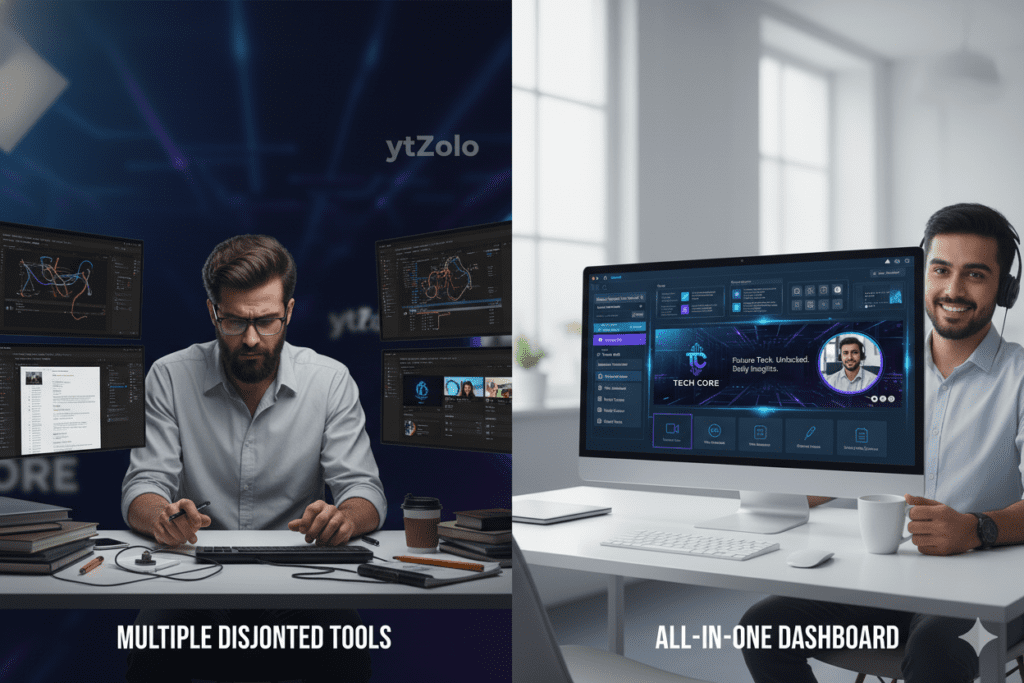
The ytZolo Advantage: Everything in One Place
Most creators are jumping between five or six different apps to manage their channel. A channel art generator free like ytZolo collapses all of that into a single, unified workflow. Less friction. More consistency. Better results.
That’s not a small difference — that’s the entire game.
Step-by-Step: Create Your Channel Art in Minutes
Ready to get your channel art sorted today? Here’s exactly how to do it using a channel art generator free — the smartest approach available in 2026:
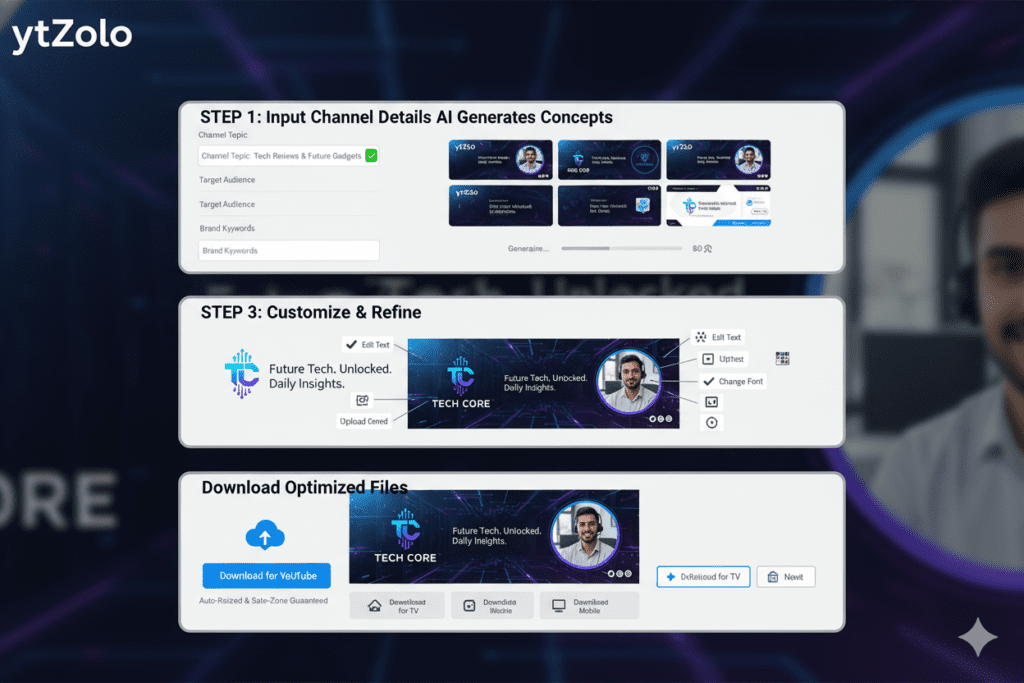
Step 1: Head to ytZolo Go to ytzolo.com and create your free account. No credit card needed to get started.
Step 2: Enter Your Channel Topic or Niche Tell ytZolo what your channel is about. The more specific you are — “personal finance for millennials” vs. just “finance” — the better your outputs will be.
Step 3: Let AI Generate Your Brand Visuals ytZolo’s AI engine will generate channel art options that are niche-appropriate, visually compelling, and sized correctly for all devices.
Step 4: Customize Your Chosen Design Adjust colors, fonts, and text to match your personal brand. ytZolo makes this intuitive — no design software experience required.
Step 5: Download in Full HD Export your channel art with no watermarks, ready to upload directly to YouTube Studio.
Step 6: Use a channel art generator free like ytZolo to Optimize Everything Else. While you’re in the platform — generate your video titles, thumbnail concepts, description templates, and tag strategy. Everything connects. Everything performs.
The whole process? Under 15 minutes for a completely optimized channel presence.
Channel Art Best Practices for 2026
Whether you’re using ytZolo or any channel art generator free tool, these best practices will ensure your banner actually converts:
Keep it simple. Cluttered banners confuse visitors. Focus on one clear message — your niche, your value, or your personality.
Stay on brand. Use the same 2–3 colors across your banner, thumbnails, and profile picture. Brand consistency increases recognition and trust dramatically.
Use readable fonts. Decorative fonts look cool. But if viewers can’t read your channel name in 2 seconds — especially on mobile — you’ve lost them.
Include a CTA (Call to Action). Something as simple as “New Videos Every Tuesday” gives visitors a reason to subscribe right now.
Update your banner seasonally. Fresh channel art signals an active, growing channel. Stale visuals signal abandonment. Update at least twice a year.
Test different versions. Just like thumbnails, different banner styles can affect how new visitors perceive your channel. Use a channel art generator free like ytZolo to create multiple variations and see what resonates with your audience.
Match your upload schedule. If you mention posting days in your banner — honor them. Consistency in your art should reflect consistency in your content.
FAQs About Free Channel Art Generators
1. What is the best free channel art generator for YouTube in 2026?
The best channel art generator free options include Canva, Adobe Express, and Snappa for basic design needs. However, for creators serious about growth, ytZolo is the superior choice — it combines AI-powered channel art creation with a full suite of YouTube optimization tools including title generation, script writing, thumbnail creation, and SEO strategy all in one platform.
2. What size should my YouTube channel art be?
Your YouTube channel art should be 2560 x 1440 pixels with a maximum file size of 6 MB. The safe zone — the area visible on all devices including mobile, desktop, and TV — is 1546 x 423 pixels centered on the banner. Always keep your most important text and visuals within this safe zone.
3. Can I create professional YouTube channel art without design skills?
Absolutely. AI-powered tools like ytZolo and template-based tools like Canva or Adobe Express are designed specifically for non-designers. You simply enter your channel topic, select a style, and the AI generates professional-quality channel art for you. No Photoshop skills. No graphic design experience required.
4. How often should I update my YouTube channel art?
Most YouTube growth experts recommend updating your channel art at least every 6 months — or whenever your branding, niche focus, or upload schedule changes. Fresh channel art signals an active, growing channel to new visitors and improves subscriber conversion rates. Tools like a channel art generator free such as ytZolo make it easy to generate new variations quickly without starting from scratch each time
5. Does my YouTube channel art affect my subscriber count?
Yes — significantly. Your channel art is the first visual impression new visitors see when they land on your channel page. Professional, niche-relevant channel art increases trust and credibility instantly. Weak or generic channel art causes potential subscribers to bounce before they even watch a video. According to conversion principles studied by HubSpot, visual consistency and professionalism directly impact audience trust and engagement rates.
Conclusion: Stop Losing Subscribers to Weak Branding
Here’s the reality every creator needs to hear.
You can have the best content on YouTube. The most valuable tutorials. The funniest skits. The most insightful commentary. But if a first-time visitor lands on your channel page and sees weak, unprofessional channel art — they leave. And they never come back.
Your channel art generator free solution is the first step. Getting a good-looking banner up is better than nothing, and tools like Canva, Adobe Express, and Snappa make that possible for anyone.
But if you’re serious about growing — not just existing on YouTube — you need more than a banner.
You need a tool that connects your visual brand to your SEO strategy, your thumbnail design, your video titles, your scripts, and your tags. You need everything aligned, working together, powered by AI that understands the YouTube algorithm at a deep level.
That tool is ytZolo.
The creators winning in 2026 aren’t the most talented. They’re the most strategic. They’re using AI to compress weeks of work into hours — and hours into minutes. They’re showing up with professional-grade channel art, click-worthy thumbnails, perfectly optimized titles, and algorithm-friendly descriptions on every single upload.
You can do the same. Starting today.
Start creating smarter, faster, and more viral YouTube content with ytZolo today.
Want to go deeper on AI-powered YouTube growth? Check out the ytZolo blog for in-depth guides on thumbnails, titles, scripts, and everything in between. Your next breakthrough is waiting.

