

Table of Contents
The Dirty Secret Top YouTubers Don’t Talk About
Let me tell you a story. A creator named Sarah had been grinding on YouTube for eight months. She was posting consistently — two videos a week, great editing, solid topics. But her views were stuck at a few hundred per video. Meanwhile, a newer channel in her exact niche was pulling in 50,000 views with barely half the effort.
She was frustrated. She felt invisible.
Then one day, someone told her to check YouTube tags of other videos — specifically the ones from that fast-growing channel.
What she found blew her mind. The competitor wasn’t just lucky. They were using a precise, carefully researched set of tags that matched exactly what their audience searched for. They had cracked the YouTube discovery code.
Sarah applied the same strategy. Within three weeks, her views doubled. Within two months, she hit her first 100,000-view video.
That’s the power of knowing how to check YouTube tags of other videos. And in this guide, you’re going to learn exactly how to do it — the right way.
What Are YouTube Tags — And Do They Still Matter in 2026?
YouTube tags are hidden metadata keywords that you attach to your videos when uploading. Viewers can’t see them on the video page, but YouTube’s algorithm absolutely reads them.
Think of tags as whispers you send directly to the algorithm. You’re telling it: “Hey, this video is about X, Y, and Z. Show it to people searching for those things.”
Now, a lot of creators think tags are dead. They’re not.
Tags still matter — especially for new and small channels. According to YouTube SEO data from 2026, tags help the algorithm categorize your video’s context, especially when your title and description don’t cover every relevant phrase. They also help YouTube surface your video alongside related content in the “Suggested Videos” sidebar, which can be a massive source of free traffic.
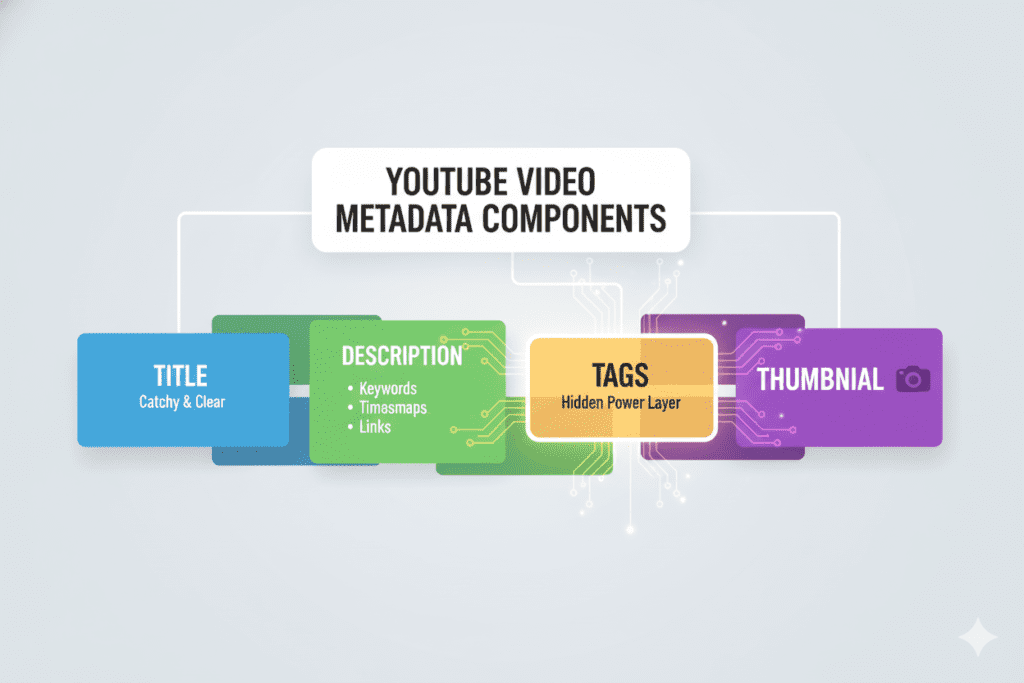
That said, tags work best when combined with a strong title, compelling thumbnail, and a keyword-rich description. Smart creators also check YouTube tags of other videos in their niche to understand which keywords are driving visibility. Tags are just one piece of the puzzle — but a piece that successful creators refuse to ignore.
Why You NEED to Check YouTube Tags of Other Videos
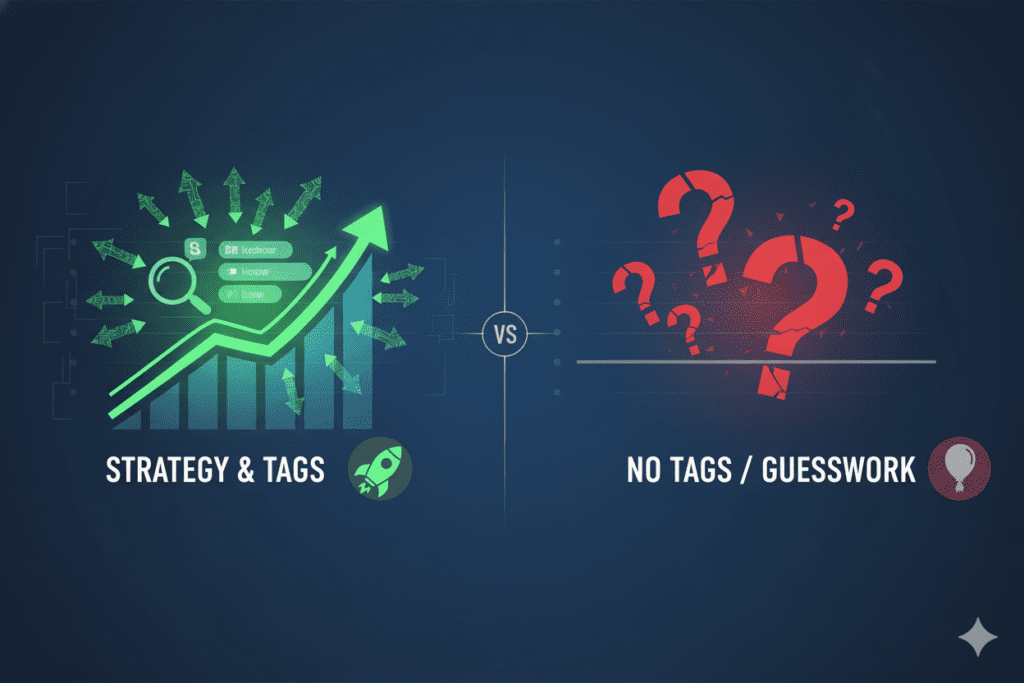
Here’s the honest truth: guessing your tags is a waste of time.
Most creators just type in whatever feels right. A few broad keywords. Maybe the video title broken into pieces. Done. But that’s not strategy — that’s hoping for the best.
When you check YouTube tags of other videos — especially top-ranking videos in your niche — you get real, proven data. You see exactly what keywords successful creators think are most valuable. You learn which tags are driving traffic for content just like yours.
It’s competitive intelligence. And it’s completely free to access.
Here’s what you gain when you check YouTube tags of other videos regularly:
- You discover keywords you never would have thought of. Competitor tags often reveal long-tail phrases your audience actually types into search.
- You understand what the algorithm already likes. If a video with 500,000 views uses certain tags, those tags are clearly working.
- You find gaps in the market. Sometimes you’ll notice tags that big creators are missing — and that’s your golden opportunity.
- You save hours of keyword research. Instead of guessing, you’re building on what’s already proven.
The creators who consistently check YouTube tags of other videos grow faster. It’s not a trick — it’s just smart research.
Method 1: How to Check YouTube Tags Using Page Source Code
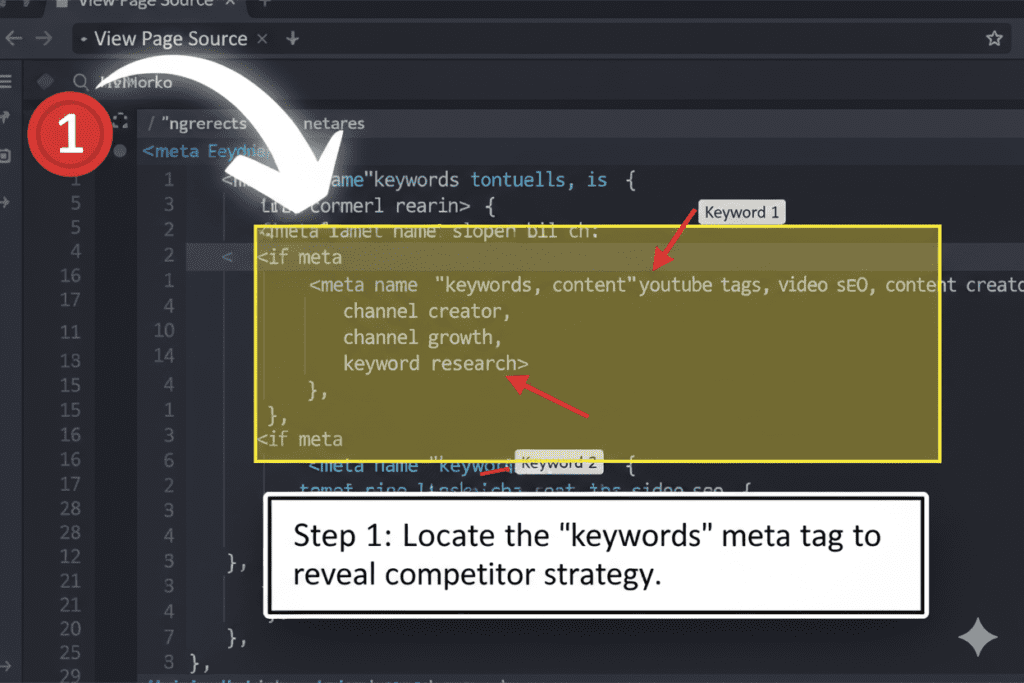
This is the old-school method. It’s free, it works, and it doesn’t require any tool or account. Here’s exactly how to do it:
Step 1: Open your browser on a desktop or laptop (this does NOT work on mobile).
Step 2: Go to the YouTube video whose tags you want to check. Navigate to the video’s watch page directly.
Step 3: Right-click anywhere on the page background (not on the video itself). A menu will appear.
Step 4: Click “View Page Source” (in Chrome or Firefox). This opens a new tab with raw HTML code.
Step 5: Press Ctrl + F (Windows) or Command + F (Mac) to open the search/find bar.
Step 6: Type "keywords" into the search bar and hit Enter.
Step 7: You’ll be taken directly to the section of code that shows the video’s tags, listed between quotation marks after content=.
That’s it. You can now read all the tags the creator used for that video.
The downside? This method is slow and clunky. You have to repeat it for every video, and the code can be overwhelming for beginners. It’s great for a quick one-off check, but if you want to regularly check YouTube tags of other videos at scale, you need a better approach.
Method 2: Browser Extensions That Reveal Competitor Tags
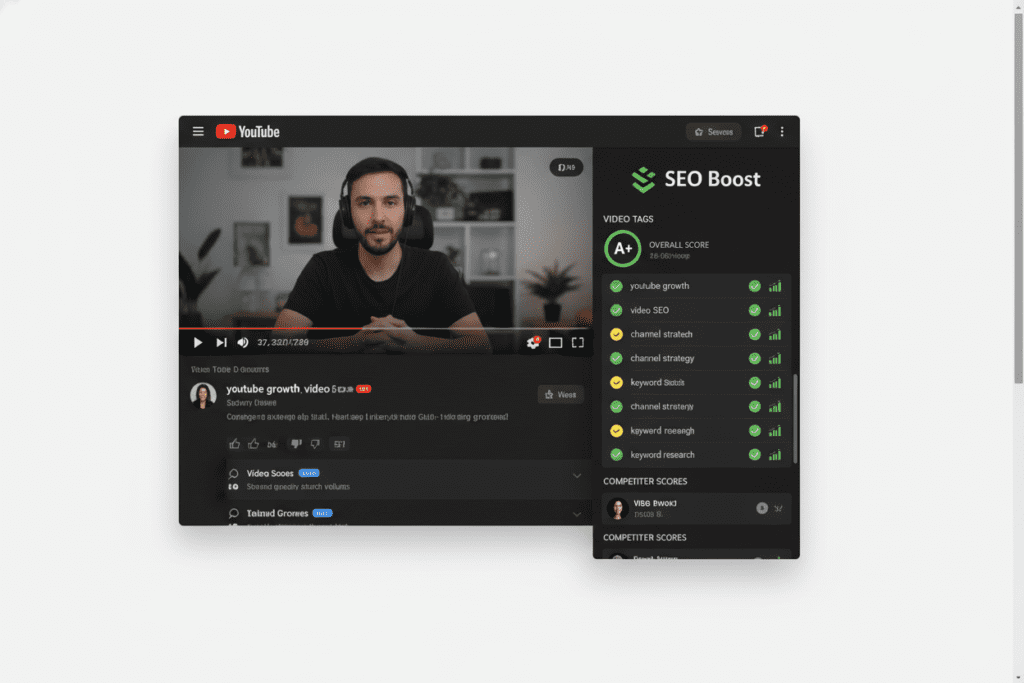
Browser extensions are a significant upgrade over the page source method. They display competitor tags directly on the YouTube watch page — no digging through code required.
Two of the most popular extensions for this are VidIQ and TubeBuddy. Both have free tiers that let you see basic tag information for any public video.
How to use them:
- Go to the Chrome Web Store and install either VidIQ or TubeBuddy.
- Create a free account on their respective platforms.
- Visit any YouTube video you want to analyze.
- The extension automatically displays the video’s tags in a sidebar on the right side of the page — usually above the “Suggested Videos” column.
It’s much cleaner than the source code method. But here’s the catch: both VidIQ and TubeBuddy limit their best features behind expensive paid plans. To get deep tag analysis, keyword scoring, or competitor tracking, you’ll need to pay — and it adds up fast.
That’s why more and more creators in 2026 are turning to smarter, all-in-one AI tools instead. More on that in a moment.
Method 3: Online YouTube Tag Extractor Tools
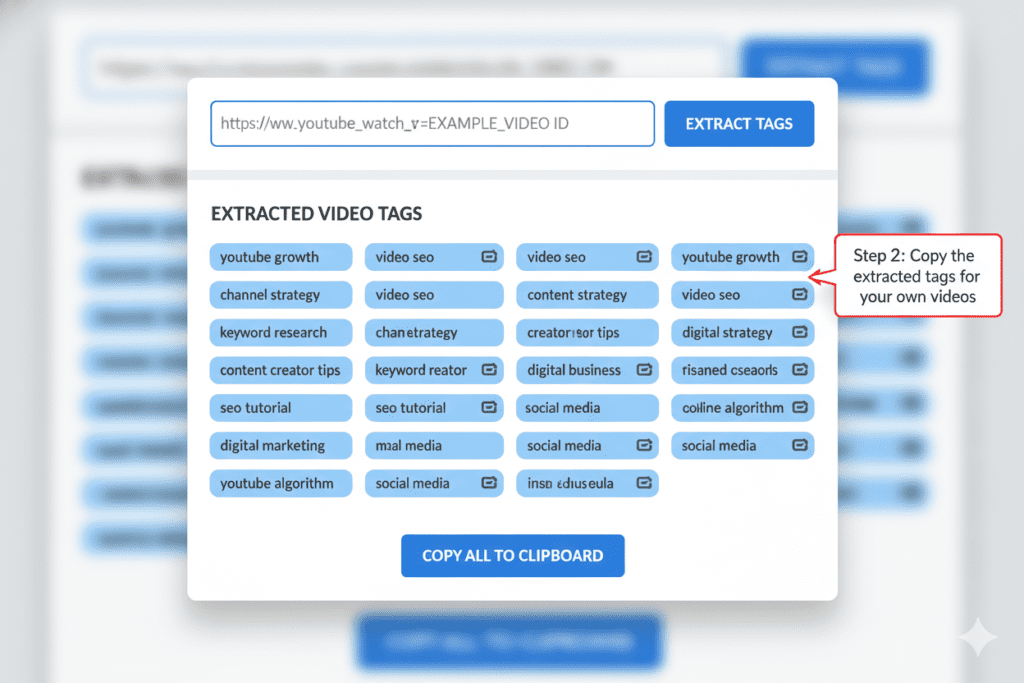
If you don’t want to install extensions, there are several free online tools that let you check YouTube tags of other videos just by pasting a URL.
Here’s how these tools typically work:
- Copy the URL of the YouTube video you want to analyze.
- Go to a YouTube tag extractor website.
- Paste the URL into the input box.
- Click “Extract” or “Get Tags.”
- The tool instantly shows you all the tags used for that video, usually in the exact order the creator added them.
The order matters, by the way. YouTube places more weight on the first few tags you use. So when you see a competitor’s tags extracted in sequence, the ones listed first are likely their highest-priority keywords.
These tools are helpful for occasional research. But they have limitations. Most free tools don’t tell you the quality of the tags — whether they’re high-traffic or low-competition. They just show you a list. You’re still left to interpret the data on your own.
For creators who are serious about growing their channel, that’s not enough. You need context, not just raw data.
Method 4: How ytZolo Makes It Effortless to Check YouTube Tags
Here’s where the game changes completely.
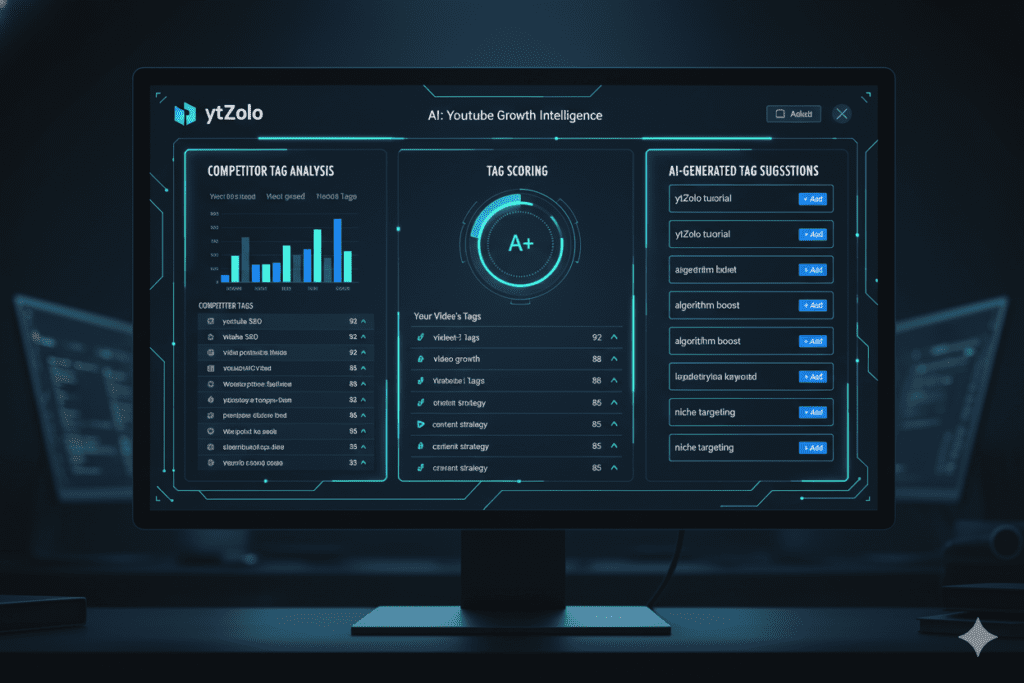
ytZolo is an all-in-one AI YouTube growth tool designed specifically for creators who want to stop guessing and start growing. And when it comes to helping you check YouTube tags of other videos, it’s in a league of its own.
Instead of manually digging through page source code or paying for separate tools, ytZolo lets you analyze competitor videos, extract their tags, and instantly understand which ones are worth using — all from one clean dashboard.
But it doesn’t stop there. What makes ytZolo genuinely different is that it doesn’t just show you competitor tags. It helps you use them intelligently.
Here’s what ytZolo does for you:
- Extracts tags from any public YouTube video — paste a URL and get instant results.
- Scores each tag for relevance and search potential so you know which ones to actually use.
- Generates AI-powered tag suggestions tailored to your specific video topic and niche.
- Creates optimized titles, descriptions, and thumbnails alongside your tag strategy — because tags work best as part of a complete metadata package.
- Saves your research so you can build a growing library of proven keywords for your niche.
Think of ytZolo as your personal YouTube SEO strategist, running 24/7 in the background while you focus on creating content.
Manual methods are outdated. They’re slow, fragmented, and they don’t give you the full picture. ytZolo gives you everything in one place, powered by AI that actually understands YouTube’s 2026 algorithm.
You can explore all of ytZolo’s features at ytzolo.com — and check out their blog at ytzolo.com/blog for more creator growth strategies.
How to Use Competitor Tags Without Copying Them
Let’s get something straight before you go wild with competitor tag data.
You should never copy a competitor’s tags word for word. Not because it’s technically against the rules, but because it’s lazy — and lazy rarely wins on YouTube.
The goal is inspiration and intelligence, not plagiarism. Here’s a smart 5-step process for using the competitor tag data you collect:
Step 1: Extract tags from your top 3–5 competitors for a given topic. Focus on videos that are already ranking well — those with strong view counts relative to their subscriber count.
Step 2: Look for patterns. Which tags appear across multiple top-ranking videos? Those are the keywords the algorithm already associates with your topic. They’re almost always worth using.
Step 3: Identify the gaps. What are those top videos missing? Are there relevant angles or specific phrases that no one is targeting? That’s where you can outmaneuver them.
Step 4: Build your own tag set. Use the shared patterns as your foundation. Add your unique angle, your specific subtopic, and your channel name. A good tag set typically includes your primary keyword, several long-tail variations, and your brand name.
Step 5: Keep your first tag as your exact primary keyword. YouTube pays special attention to your first tag. Make it count.
Tools like ytZolo make this entire process faster by doing the heavy lifting — extracting, analyzing, and suggesting — so you can spend more time creating great content.

Why ytZolo Is Better Than Other Tools for YouTube Tag Research
There are plenty of tools out there that claim to help you check YouTube tags of other videos. So why is ytZolo the one creators are switching to in 2026?
Here’s an honest comparison:
| Feature | Manual (Source Code) | VidIQ / TubeBuddy | ytZolo |
|---|---|---|---|
| View competitor tags | ✅ (clunky) | ✅ | ✅ (instant) |
| Tag quality scoring | ❌ | Limited (paid) | ✅ (AI-powered) |
| AI tag suggestions | ❌ | ❌ | ✅ |
| Title & script generation | ❌ | ❌ | ✅ |
| Thumbnail ideas | ❌ | ❌ | ✅ |
| Description writer | ❌ | ❌ | ✅ |
| All-in-one platform | ❌ | Partial | ✅ |
| Designed for viral growth | ❌ | ❌ | ✅ |
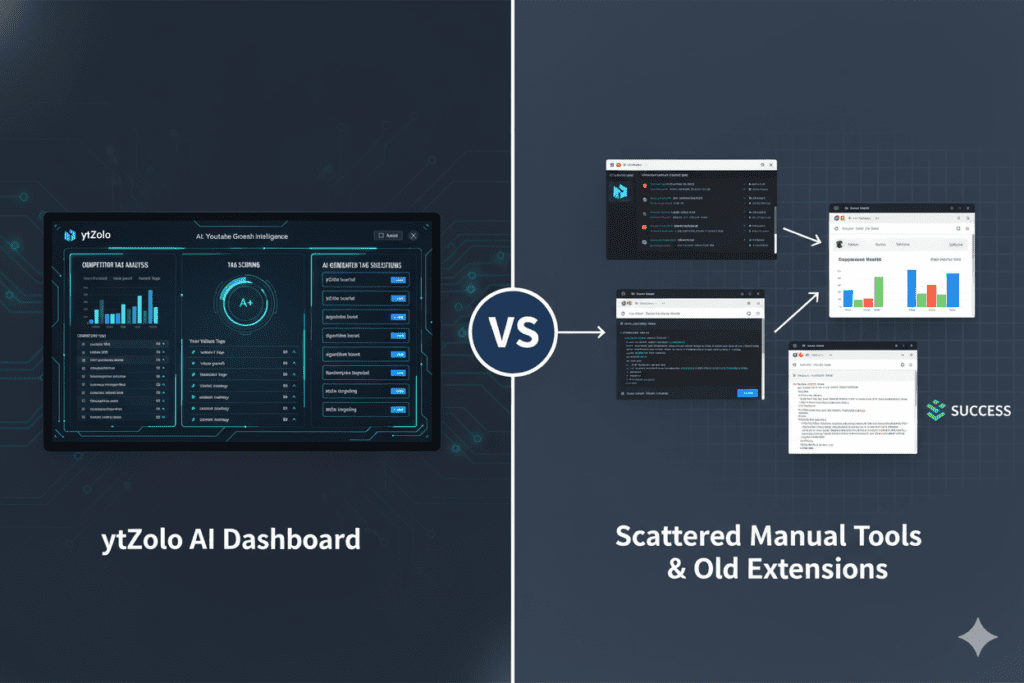
The difference is clear. VidIQ and TubeBuddy were built for a different era of YouTube. They’re essentially reporting tools — they show you data and leave you to figure out what to do with it.
ytZolo is built for the creator economy of 2026. It’s not just reporting. It’s recommending. It’s not just extracting data — it’s turning that data into action. Whether you need to check YouTube tags of other videos, write a viral title, generate a full video script, or design thumbnail concepts, ytZolo handles it all from one powerful AI hub.
Creators who are serious about YouTube growth don’t have time to juggle five different tools. ytZolo replaces them all.
Visit ytzolo.com to see how it works.
Common Mistakes Creators Make With YouTube Tags
Even after learning how to check YouTube tags of other videos, a lot of creators still make the same avoidable errors. Here are the biggest ones — and how to fix them.
Mistake #1: Keyword stuffing with irrelevant tags. Adding tags that aren’t related to your video just because they’re popular is a violation of YouTube’s guidelines. Worse, it confuses the algorithm and can actively hurt your rankings. Only use tags that accurately describe your video’s content.
Mistake #2: Using only broad, generic tags. Tags like “funny” or “cooking” are so competitive they’re essentially useless. You need a mix — your exact primary keyword, a few closely related phrases, and some specific long-tail variations that match what real viewers search for.
Mistake #3: Ignoring the order of tags. Your first tag carries the most weight. Always lead with your primary target keyword. Think of your tag list as descending in priority from first to last.
Mistake #4: Never updating old video tags. YouTube’s search trends shift over time. A tag that was irrelevant two years ago might be a goldmine today — and vice versa. Revisit your older videos and update their tags periodically. This alone can revive underperforming content.
Mistake #5: Treating tags as the only SEO strategy. Tags are one piece of the puzzle. Your title, thumbnail, description, and actual watch time all send stronger signals to the algorithm. Tags work best when everything else is already optimized. That’s why using a complete tool like ytZolo — which handles your entire metadata strategy — gives you such a significant edge.

Pro Tips to Dominate YouTube Search With Smarter Tags
Ready to take your tag strategy to the next level? One of the smartest moves creators use is to check YouTube tags of other videos in their niche to understand what keywords successful channels are targeting.
By analyzing these tags, you can discover new keyword opportunities and optimize your own videos more effectively. Here are the pro moves that separate growing channels from stagnant ones. 🚀
Tip #1: Use your channel name as a tag on every single video. This small habit trains the algorithm to associate your content together. When someone watches one of your videos, YouTube becomes more likely to suggest your other videos next — because they all share a unique common tag (your brand name).
Tip #2: Think like your viewer, not like a creator. Don’t tag what you would search. Tag what your audience would type when they’re looking for a solution. There’s often a meaningful difference. For example, a video creator might search “color grading techniques” while their audience searches “how to make videos look cinematic.”
Tip #3: Target misspellings strategically. One legitimate use case for tags is common misspellings of your topic keywords. If your niche has a term people frequently misspell, including that misspelling as a tag can help you capture traffic that no one else is fighting for.
Tip #4: Check the tags of viral videos in your niche every month. The YouTube landscape shifts constantly. New trending keywords emerge. Outdated ones fade. Make it a monthly habit to check YouTube tags of other videos in your niche — especially the ones that suddenly blow up. You’ll spot trends before they peak.
Tip #5: Let AI do the pattern recognition for you. Manually analyzing tags across dozens of videos is exhausting. Tools like ytZolo use AI to identify patterns across hundreds of videos in seconds, surfacing the most valuable tags without you having to study spreadsheets. Work smarter, not harder.
For more creator growth strategies built around AI and YouTube SEO, head over to the ytZolo blog — it’s packed with actionable guides just like this one.

FAQ: Check YouTube Tags of Other Videos
Q1: Can you actually see the tags on someone else’s YouTube video?
Yes, you absolutely can. YouTube hides tags from the public-facing video page, but they’re still accessible through the page’s HTML source code. You can view them by right-clicking the video page, selecting “View Page Source,” and searching for the word “keywords” in the code. Browser extensions like VidIQ or dedicated tools like ytZolo make this process significantly faster and easier.
Q2: Is checking someone else’s YouTube tags against YouTube’s rules?
No, it is not against YouTube’s rules. The tag data is technically embedded in the page’s public HTML, so viewing it is not a violation of any policy. However, copying those tags directly and using them for unrelated content is against YouTube’s terms — that qualifies as misleading metadata. Use competitor tags as research inspiration, not copy-paste material.
Q3: How many tags should I use on a YouTube video in 2026?
YouTube allows up to 500 characters worth of tags in total. Most experts recommend using between 5 and 15 highly relevant tags rather than maxing out the character limit with irrelevant filler. Your first tag should always be your primary keyword. After that, include a few related long-tail phrases and your channel name.
Q4: Do YouTube tags really help with rankings in 2026?
Yes, but not as a standalone strategy. Tags help the algorithm understand your video’s context, which is especially useful for smaller channels that don’t yet have strong engagement signals. However, your title, thumbnail, description, watch time, and click-through rate all carry more weight. Tags are most powerful when they’re part of a complete, well-optimized metadata package.
Q5: What is the best tool to check YouTube tags of other videos?
For a quick one-off check, the page source method is free and accessible. For regular research with smarter insights, ytZolo is the best option in 2026. It not only extracts competitor tags instantly but also scores them, suggests AI-generated alternatives, and helps you optimize your entire video metadata — titles, descriptions, thumbnails, and scripts — all from one dashboard.
Conclusion: Stop Guessing, Start Growing
Here’s the bottom line. Every time you upload a video without checking YouTube tags of other videos in your niche, you’re leaving growth on the table. You’re flying blind when you could have a map.
The creators winning on YouTube in 2026 aren’t just talented. They’re strategic. They study what’s working. They check YouTube tags of other videos. They reverse-engineer success and apply it to their own content — smarter, faster, and with the help of AI.
The good news? You now know exactly how to do it. Whether you use the page source method, a browser extension, or an online tool, you have everything you need to start researching competitor tags today.
But if you’re ready to stop piecing together a dozen different tools and get serious about growth, ytZolo is the platform built for exactly that.
It checks YouTube tags of other videos. It generates AI-powered titles. It writes scripts, crafts descriptions, and suggests thumbnail concepts. It’s the complete creative and SEO toolkit that modern YouTubers actually need.
Start creating smarter, faster, and more viral YouTube content with ytZolo today.
→ Visit ytzolo.com to get started — and bookmark the ytZolo blog for weekly creator growth strategies that keep you ahead of the curve.
Related Reading:

