

Introduction: The Video With 60 Views and the One With 60,000 — Same Topic, Different Tags
Emma and Josh uploaded videos on the exact same topic on the exact same day.
Same niche. Similar titles. Comparable thumbnails. Neither was a professional — both were regular creators grinding to grow their channels.
Two weeks later, Emma’s video had 61,000 views. Josh’s had 58.
Josh was confused. Then humiliated. Then desperate to figure out what Emma did differently.
The answer was simpler than he expected. Emma had taken 10 minutes to properly generate tags for YouTube videos using an AI tool. Josh had typed five random keywords into the tag box and hit publish.
That ten-minute difference produced a 1,000x gap in results.
Tags aren’t glamorous. They’re not as exciting as thumbnails or as creative as scripts. But when you generate tags for YouTube videos the right way, they quietly do something powerful: they tell YouTube’s algorithm exactly what your video is about, who should see it, and which other videos it should appear next to.
Get that right, and the algorithm works for you.
Get it wrong — or ignore it completely — and your video competes blind.
In this complete guide, you’ll learn exactly how to generate tags for YouTube videos that boost your discoverability, improve your suggested video placement, and help your channel grow consistently. You’ll also discover why thousands of creators are turning to ytZolo to automate the entire process — so every upload is perfectly optimized before it ever goes live.
Table of Contents
What Are YouTube Tags and Why Do They Still Matter in 2026?
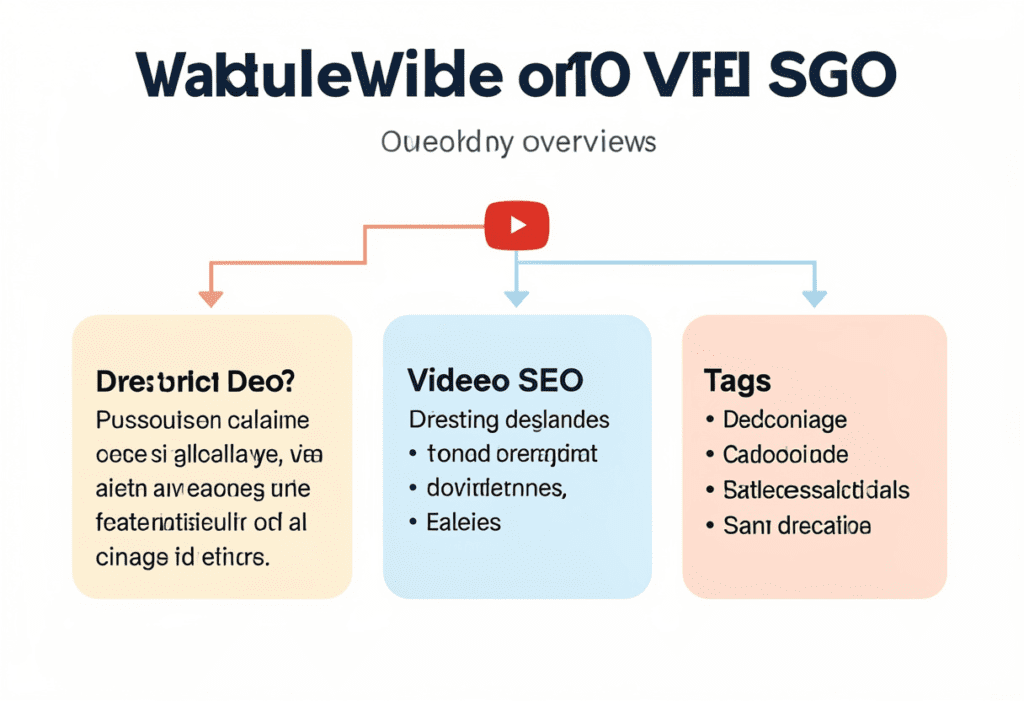
YouTube tags are descriptive keywords and short phrases you add to your video in YouTube Studio. They live behind the scenes — viewers don’t see them — but YouTube’s algorithm reads them closely.
Think of tags as context clues you hand directly to YouTube. They help the platform understand what your video covers, which audience it’s meant for, and how it relates to other content across the platform.
A common myth is that tags “don’t matter anymore.” That’s only partially true — and the partial part is important. Generate Tags for YouTube Videos: Powerful 2026 Guide
Tags are no longer the dominant ranking signal. Your title, thumbnail, and audience retention carry more weight in 2026. But tags absolutely still matter, specifically for three things:
- Covering search variations — Tags catch how different viewers phrase the same search. One searches “how to edit YouTube videos,” another types “YouTube video editing tutorial.” Tags can capture both. Generate Tags for YouTube Videos: Powerful 2026 Guide
- Powering suggested video placement — When your tags overlap with a popular video’s tags in your niche, YouTube is far more likely to recommend your video alongside it. That’s free, targeted traffic from an engaged audience.
- Helping new channels get categorized — For smaller channels without an established audience or watch history, tags give the algorithm early signals about your content’s topic and category.
Even industry data supports this. A Backlinko study on YouTube ranking factors found a small but statistically meaningful relationship between well-optimized tags and improved search rankings — particularly for new and niche-focused channels.
The bottom line: tags are a supporting pillar of your YouTube SEO strategy. They won’t save a bad video. But they give every good video a stronger foundation for being found.
How YouTube’s Algorithm Uses Your Tags
Before you generate tags for YouTube videos, it helps to understand exactly what happens after you save them. Generate Tags for YouTube Videos: Powerful 2026 Guide
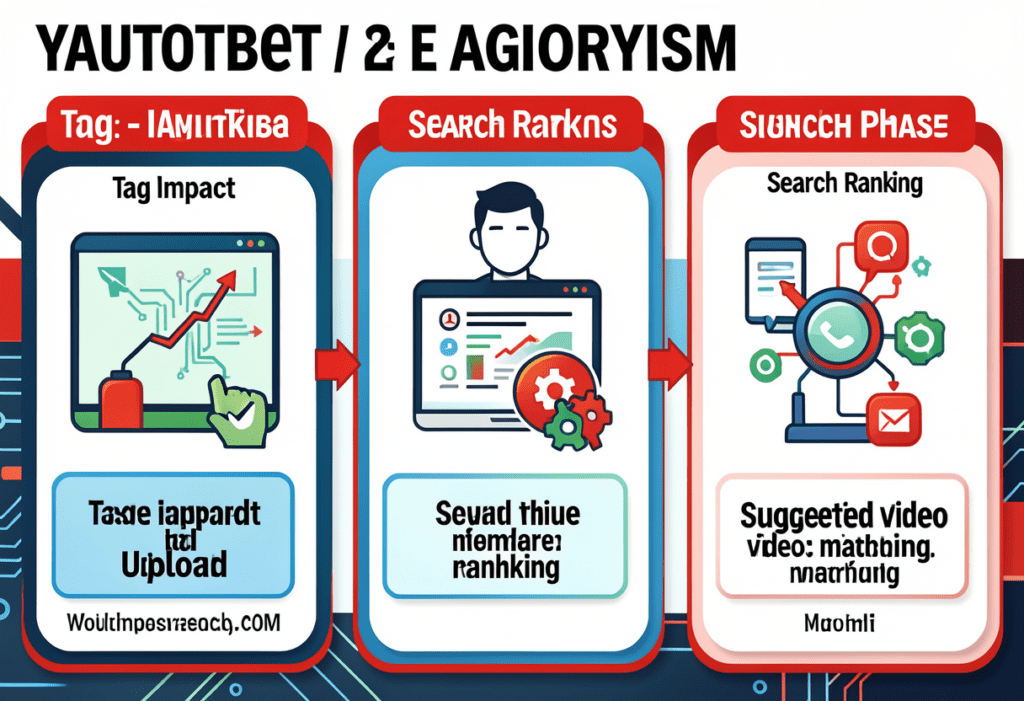
YouTube’s algorithm uses your tags at three distinct moments in your video’s lifecycle.
Moment 1: Initial Categorization (Upload Phase)
When you publish a video, YouTube’s algorithm immediately scans your metadata — title, description, and tags — to categorize your content. This initial read determines which search results, browse feeds, and suggested queues your video becomes eligible for.
Tags at this stage help YouTube answer a simple question: “What is this video actually about?”
The more clearly your tags answer that question, the faster your video gets placed in front of the right viewers. And fast, accurate placement in the first 24–48 hours is critical for early momentum.
Moment 2: Search Ranking (Ongoing)
YouTube uses tags as supporting signals in its search algorithm. When a viewer searches for something, YouTube looks for semantic matches across your entire metadata package — title, description, and tags included. Generate Tags for YouTube Videos: Powerful 2026 Guide
Tags allow your video to rank for keyword variations and long-tail phrases that don’t appear in your title or description. This expands your video’s searchable footprint without adding clutter to your visible metadata.
Moment 3: Suggested Video Matching (Compounding Discovery)
This is where smart tag generation pays the biggest dividends over time. Generate Tags for YouTube Videos: Powerful 2026 Guide
YouTube compares your tags with tags used by other high-performing videos in your niche. When there’s strong overlap, YouTube is significantly more likely to recommend your video in the sidebar or “Up Next” queue of those popular videos.
Getting your video placed alongside a viral video in your niche can drive thousands of views from an audience that already loves your topic. Generating the right tags to engineer this overlap is one of the most underrated YouTube growth strategies available — and almost no creator does it intentionally.
The Right Way to Generate Tags for YouTube Videos
Most creators treat tags like an afterthought. Generate Tags for YouTube Videos: Powerful 2026 Guide They type a few obvious words, hit save, and move on. That approach wastes the opportunity tags provide.
Here’s the right framework for how to generate tags for YouTube videos strategically every single time.
The Core Principle: Relevance Over Volume
YouTube allows up to 500 characters of tags per video. Generate Tags for YouTube Videos: Powerful 2026 Guide The temptation is to fill every character. Don’t.
Research consistently shows that 8–15 highly relevant tags outperform 30+ loosely related ones. More tags don’t mean more reach — they mean a diluted, confused signal to the algorithm. Quality, focused tags send a clear message. Keyword-stuffed tags send static.
The Ordering Principle: Most Important Tags First
YouTube gives more weight to tags that appear earlier in your tag list. This is confirmed in YouTube’s own documentation and backed by third-party SEO research from sources like Backlinko.
Your first tag should always be your exact primary keyword — the word-for-word phrase you most want your video to rank for. Every subsequent tag should build on that relevance in priority order.
The Alignment Principle: Tags, Title, and Description Must Agree
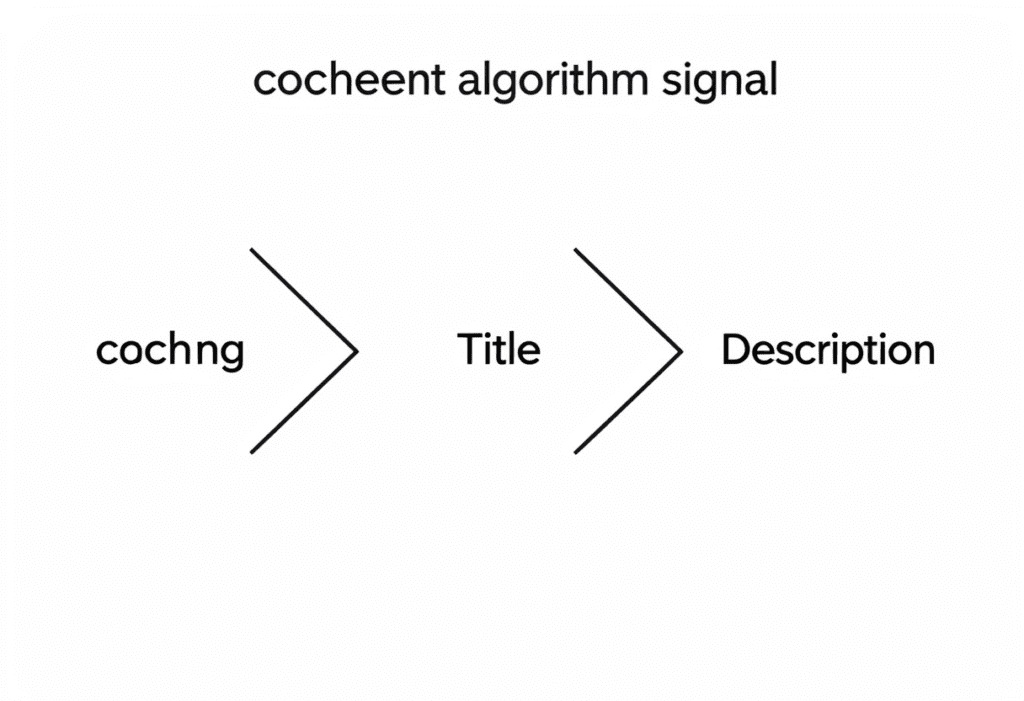
Your tags should reinforce the same topic signals your title and description are already sending. When all three metadata fields align around the same keyword theme, YouTube receives a coherent, high-confidence signal about your video’s content.
Conflicting metadata — a title about “YouTube SEO” with tags about “social media marketing” — confuses the algorithm and suppresses your rankings. Aligned metadata amplifies every element.
The 5 Types of Tags Every YouTube Video Needs
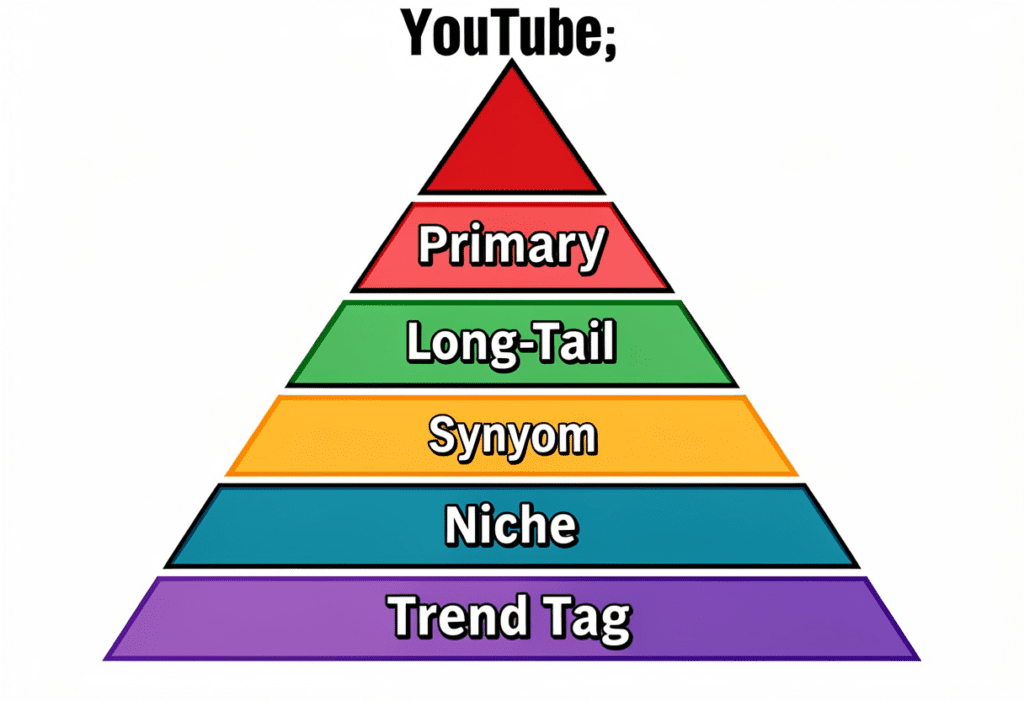
When you generate tags for YouTube videos, you shouldn’t just throw in random keywords. A strong tag set is built from five specific tag types that work together to maximize your video’s discoverability. Generate Tags for YouTube Videos: Powerful 2026 Guide
Tag Type 1: Primary Keyword Tag
This is your most important tag. It’s the exact keyword you want your video to rank for — the phrase a viewer would type into YouTube search to find a video exactly like yours.
Example: If your video is about home workouts, your primary tag might be home workout for beginners
Place this tag first. Always.
Tag Type 2: Long-Tail Variation Tags
Long-tail tags are extended, more specific versions of your primary keyword. They capture viewers who are searching with more specific intent.
Example tags:
home workout no equipmentbeginner home workout routine 2026how to workout at home without gym
These tags expand your searchable footprint and help you capture intent-rich searches that exactly match what your video delivers. Generate Tags for YouTube Videos: Powerful 2026 Guide
Tag Type 3: Synonym and Alternative Phrasing Tags
Different viewers describe the same concept in different ways. Synonym tags ensure your video surfaces across all the common ways people search for your topic.
Example tags:
exercise at home(synonym for home workout)bodyweight trainingfitness for beginners at home
These are especially valuable for catching misspellings and regional phrasing variations.
Tag Type 4: Niche Category Tags
These tags place your video in the broader content category it belongs to. They help YouTube understand which “neighborhood” of content your video should live in. Generate Tags for YouTube Videos: Powerful 2026 Guide
Example tags:
fitness tipsworkout routineshealth and wellness
Niche category tags are typically 1–3 words and help with suggested video matching across a wider pool of related content.
Tag Type 5: Trend and Timing Tags
When your content is timely, include tags that reference the current year or trending angles in your niche. These tags capture search traffic from viewers specifically looking for current, up-to-date content.
Example tags:
home workout 2026fitness trends 2026best workout routine this year
A great AI tool like ytZolo generates all five tag types automatically — structured in the right order, aligned with your title and description, and tailored to your niche.
How to Find the Best Tags for Your Niche
Knowing the right tag types is one thing. Finding the right specific tags for your niche and your video is another. Here are the most effective methods creators use to generate tags for YouTube videos. Generate Tags for YouTube Videos: Powerful 2026 Guide
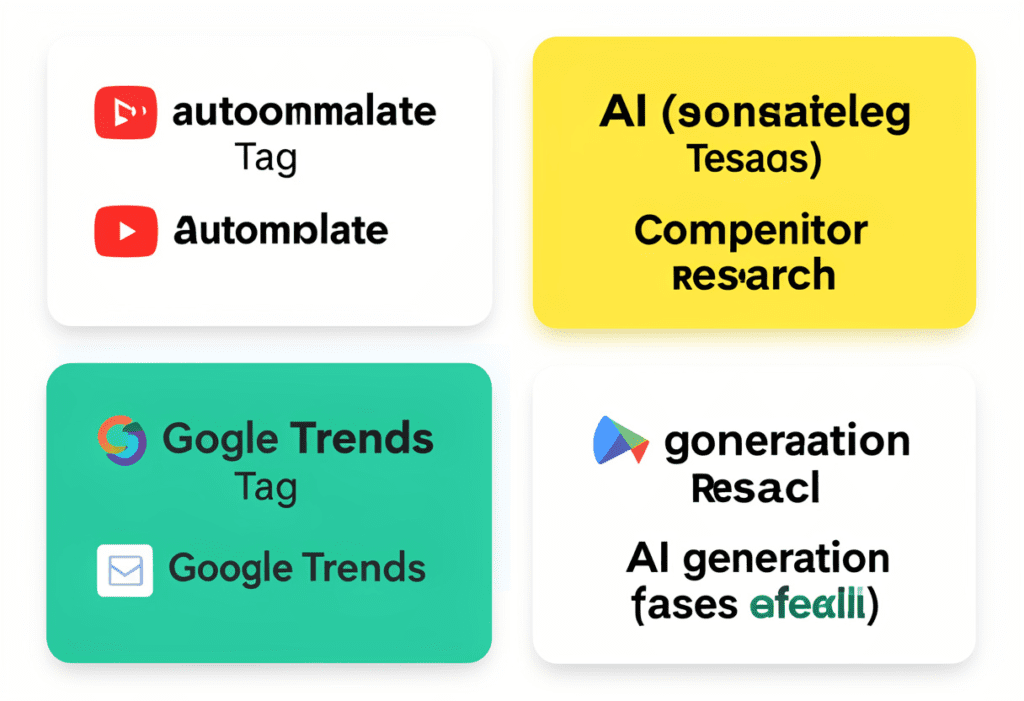
Method 1: YouTube Autocomplete
Start typing your main keyword in YouTube’s search bar and watch what autocomplete suggestions appear. These are real search queries from real users — and they’re incredibly valuable as long-tail tag inspiration.
Screenshot the top 5–10 autocomplete suggestions for your keyword. These are confirmed, high-intent phrases people are actively searching for. Use them directly as tags.
Method 2: Competitor Tag Research
Find 3–5 top-performing videos in your niche — videos with strong view counts that were published recently. Use a browser extension like TubeBuddy to view the tags those videos are using.
Look for patterns. Which tags appear across multiple successful videos? Those are your high-value targets for tag overlap and suggested video placement.
Method 3: Google Trends
Google Trends shows you how search interest in specific phrases is moving over time. Use it to identify keywords on the rise in your niche — these make powerful trend timing tags for your upcoming uploads.
Method 4: AI-Powered Tag Generation
This is the fastest, most reliable, and most comprehensive method in 2026.
An AI tool like ytZolo analyzes your topic, cross-references current YouTube search data, identifies competitor tag patterns, and generates a complete, structured tag set in under 30 seconds. No manual research. No guesswork. Just a ready-to-use tag package built from real data.
For creators publishing 2–3 times per week, AI tag generation isn’t a shortcut. It’s the only method that scales.
Common Tag Mistakes That Are Hurting Your Channel
Even creators who take tags seriously often make mistakes that quietly undermine their video’s performance. Here are the most common ones — and how to avoid them.
Mistake 1: Using Only Broad, Single-Word Tags
Tags like fitness, cooking, or travel are so competitive and vague that they provide almost zero ranking benefit. You’ll never outrank massive channels for single-word terms, and they don’t help YouTube understand your specific video’s angle.
Always pair any broad tags with specific, targeted long-tail phrases.
Mistake 2: Copying Your Entire Title as a Tag
Your title already appears as a metadata signal. Repeating it word-for-word as a tag adds no new information for the algorithm — it just wastes character space you could use for keyword variations.
Mistake 3: Using Irrelevant Tags to Chase Views
Adding tags like “Mr. Beast,” “PewDiePie,” or trending keywords that have nothing to do with your content is a violation of YouTube’s policies. YouTube’s algorithm is sophisticated enough to detect this tactic. The result isn’t more views — it’s suppressed reach and potential channel strikes.
Mistake 4: Never Updating Old Tags
Your video’s tag optimization doesn’t have to be permanent. If a video isn’t performing after 2–4 weeks, revisit its tags. Update them based on what’s actually driving traffic (check your YouTube Studio traffic sources) and what’s currently trending in your niche.
Mistake 5: Treating All Videos with the Same Generic Tags
Every video has a unique primary keyword and a unique audience intent. Using a copy-paste tag template for every upload trains YouTube to treat your channel as unfocused — which hurts your overall Channel Authority Score.
Generate fresh, video-specific tags every time you upload. This is where an AI generator pays for itself immediately. Generate Tags for YouTube Videos: Powerful 2026 Guide
Why Manual Tag Research Is a Time Trap
Let’s do the honest math on manual tag research.
Finding your primary keyword takes 10 minutes. Researching long-tail variations takes another 15. Analyzing competitor tags takes 20. Cross-referencing Google Trends takes 10 more. Organizing and prioritizing your tag list takes another 10 minutes.
That’s over an hour — for tags. Just tags. Not your title, not your description, not your script.
Multiply that by two uploads per week and you’re spending 8+ hours every month doing nothing but tag research. Hours that could go into filming, editing, engaging with your audience, or simply living your life.
And the painful truth? Even after all that manual work, you’re still making judgment calls with incomplete data. You don’t have access to real-time YouTube search volumes. You can’t see trending tag patterns across thousands of videos in your niche. You’re making educated guesses when you could be making data-driven decisions.
This is exactly why the smartest creators in 2026 use AI to generate tags for YouTube videos automatically. Not because they’re lazy — because they understand that time is their most valuable resource, and manual tag research has an outrageously bad ROI.
ytZolo turns a 60-minute manual process into a 30-second AI-powered one — and produces a better result every single time.
You can also explore more time-saving creator strategies on the ytZolo blog — it’s one of the most valuable resources for YouTubers who want to work smarter, not just harder.

4-Generate-Tags-for-YouTube-Videos-Ultimate-SEO-Guide-2026.
How ytZolo Helps You Generate Tags for YouTube Videos Instantly
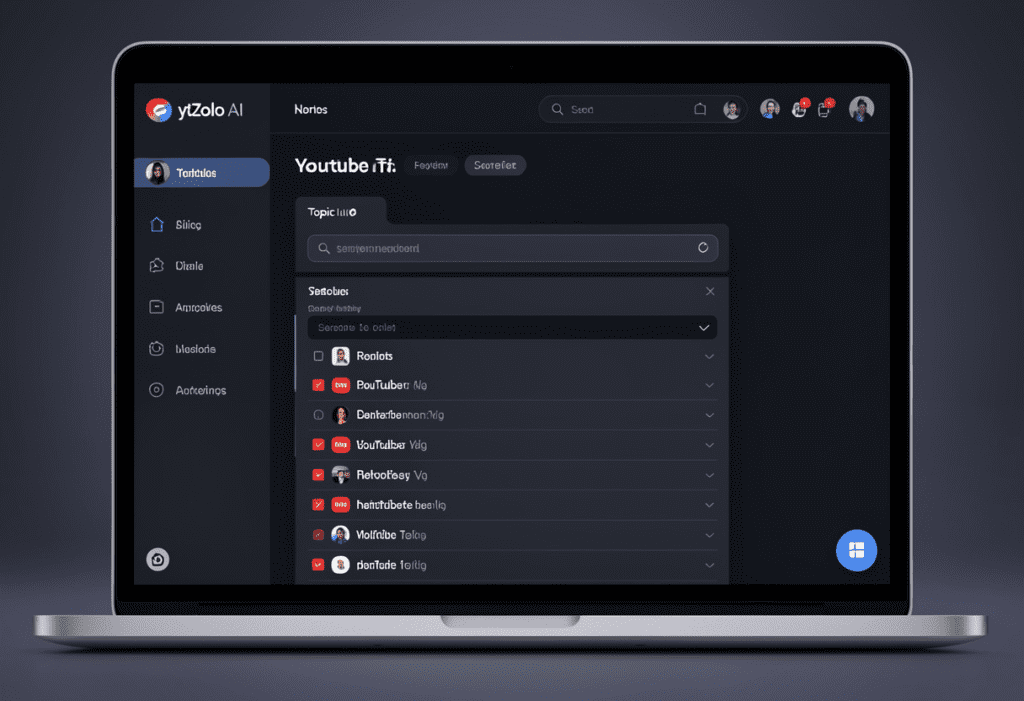
ytZolo is an all-in-one AI YouTube growth platform built specifically for creators who want to optimize every upload without spending hours on manual research.
When it comes to how you generate tags for YouTube videos, ytZolo does something no other tool does: it generates your tags in alignment with your AI-generated title, description, and thumbnail concept — all in the same workflow.
This matters more than most creators realize.
When your tags are generated independently, they often don’t fully align with your title and description. That creates a mixed metadata signal that confuses the algorithm. When ytZolo generates your entire metadata package together, every element reinforces the same keyword theme — giving YouTube a clean, high-confidence signal that consistently produces better rankings and wider discovery.
What ytZolo’s Tag Generator Actually Does
When you enter your video topic into ytZolo, the AI immediately:
- Identifies your primary keyword — the exact phrase your video should rank for
- Generates long-tail variations — specific, intent-rich phrases that expand your searchable footprint
- Adds synonym and alternative phrasing tags — to capture every way your audience might search for your topic
- Includes niche category tags — for broader content categorization and suggested video matching
- Flags trending tags in your niche — so your video captures search momentum when it’s relevant
The output is a prioritized, ready-to-paste tag set of 8–15 high-quality tags, ordered from most important to least — perfectly structured for maximum algorithm impact.
And it takes 30 seconds.
For creators publishing consistently, that time saving compounds into dozens of hours recovered every month — hours that go directly back into content quality, audience growth, and creative energy.
Why ytZolo Is Better Than Other YouTube Tag Tools
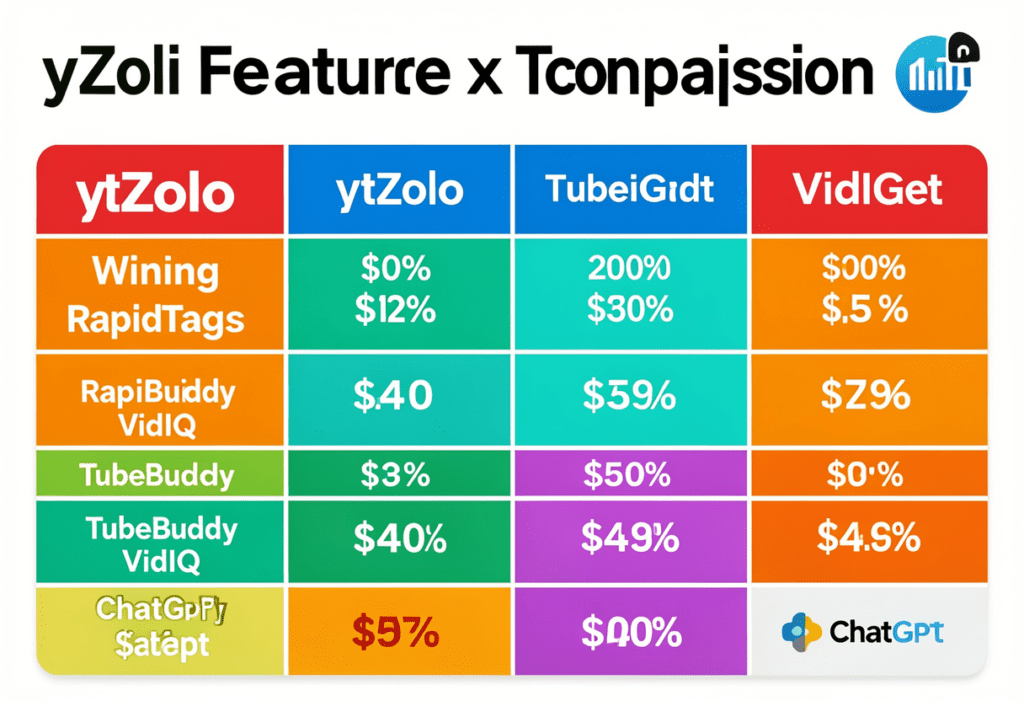
There are several tools available when you want to generate tags for YouTube videos. Here’s an honest look at how they compare.
RapidTags generates basic tag lists quickly — but offers no alignment with your title or description, no trend analysis, and no broader content optimization. It’s a single-use tag generator with no strategic intelligence.
TubeBuddy is a powerful browser extension for analytics and channel management. Its tag suggestions are research-based and useful — but it doesn’t generate tags as part of a complete content package. You still have to do the writing.
VidIQ offers solid keyword data and tag suggestions alongside its analytics features. But like TubeBuddy, it’s a research tool — it gives you information and leaves execution to you.
ChatGPT can generate tag ideas when prompted, but it has no access to real-time YouTube search data, no niche trend intelligence, and no understanding of how your tags should align with your metadata ecosystem.
Here’s the complete picture:
| Feature | RapidTags | TubeBuddy | VidIQ | ChatGPT | ytZolo |
|---|---|---|---|---|---|
| AI tag generation | ✅ Basic | ✅ Basic | ✅ Basic | ✅ Generic | ✅ Advanced |
| Trend-aware tag suggestions | ❌ | Partial | Partial | ❌ | ✅ |
| Long-tail tag discovery | Partial | ✅ | ✅ | ❌ | ✅ |
| Title-description-tag alignment | ❌ | ❌ | ❌ | ❌ | ✅ |
| Priority-ordered tag output | ❌ | ❌ | ❌ | ❌ | ✅ |
| AI script generation | ❌ | ❌ | ❌ | ✅ Generic | ✅ YouTube-specific |
| SEO title generation | ❌ | ❌ | ✅ | ✅ Generic | ✅ YouTube-specific |
| Thumbnail concept | ❌ | ❌ | ❌ | ❌ | ✅ |
| All-in-one creator workflow | ❌ | ❌ | ❌ | ❌ | ✅ |
The core difference is clear. Every other tool solves one part of the YouTube optimization puzzle. ytZolo solves the whole thing — in one place, in minutes, every single time you upload.
6-Generate-Tags-for-YouTube-Videos-Proven-Growth-Guide.
Step-by-Step: Generate Tags for YouTube Videos with ytZolo
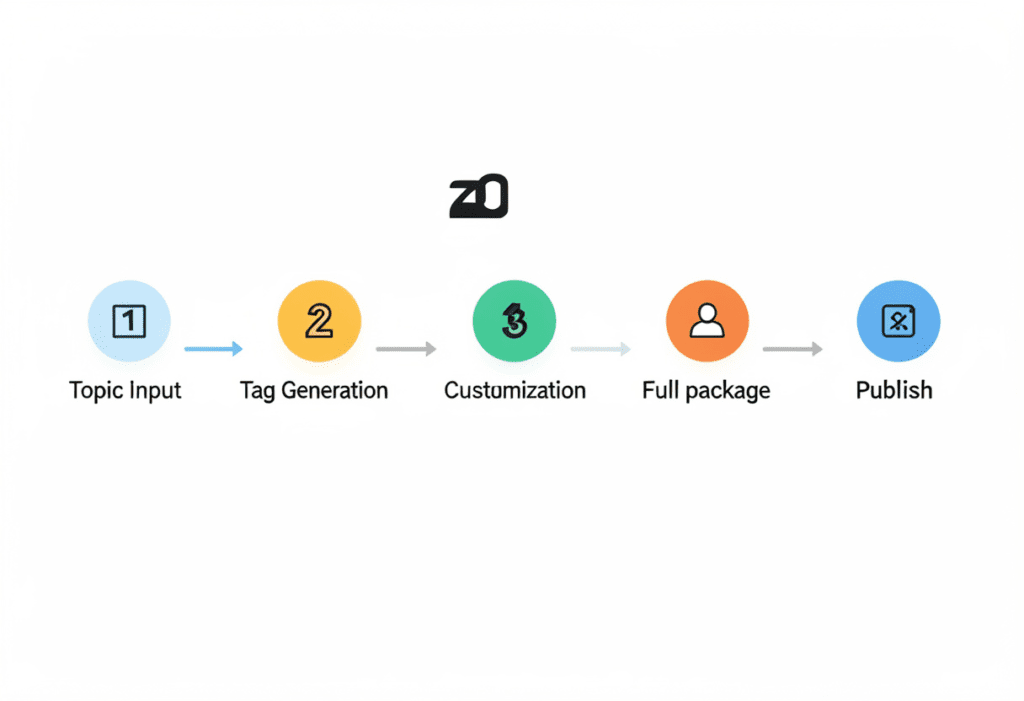
Here’s the exact workflow to generate tags for YouTube videos using ytZolo — from idea to publish-ready in under 10 minutes.
Step 1: Log Into ytZolo and Enter Your Video Topic
Head to ytZolo and type in your video topic or a rough idea of your video’s subject. Keep it simple — something like “how to start a podcast from home” works perfectly. The AI handles the research and strategy from there.
Step 2: Review Your AI-Generated Tag Set
In seconds, ytZolo produces a complete tag set built around your topic. You’ll see:
- Your primary keyword tag — positioned first, exactly as it should be
- Long-tail variation tags — specific phrases capturing intent-rich search queries
- Synonym tags — alternative phrasings covering your topic from multiple search angles
- Niche category tags — for broader content categorization and suggested video placement
- Trend tags — timely phrases gaining momentum in your niche right now
Every tag is prioritized in the correct order for maximum algorithm impact.
Step 3: Customize as Needed
ytZolo gives you full editorial control. Swap out any tag that doesn’t fit your specific video angle. Add channel-specific terms or location-based tags if relevant. The AI provides the data-driven foundation — you refine it with your creative judgment.
Step 4: Generate Your Complete Content Package
While you’re in the same dashboard, generate your:
- SEO-optimized title — primary keyword front-loaded, emotional hook included, under 60 characters
- Full YouTube description — compelling first-line hook, semantic keywords throughout, built-in timestamps and CTAs
- AI thumbnail concept — visual direction aligned with your title’s core promise
Everything is interconnected. Every piece of metadata supports every other piece.
Step 5: Copy, Paste, and Publish
Copy your optimized tag set directly into YouTube Studio’s tags field. Paste your title, description, and thumbnail concept where they belong. Hit publish knowing your video is fully optimized from the first second it goes live.
That’s the ytZolo workflow. Every upload, every time. Consistent, data-driven, and done in under 10 minutes.
12-Generate-Tags-for-YouTube-Videos-Ultimate-SEO-Guide-2026
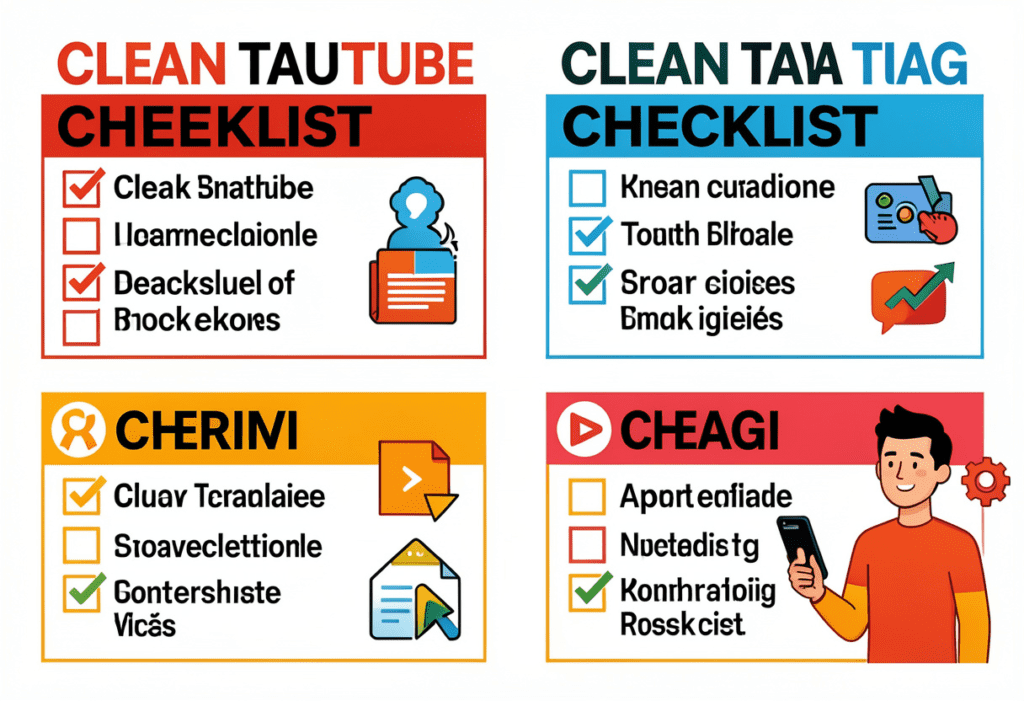
YouTube Tag Generation Checklist
Save this checklist. Use it every time you upload. It works.
✅ Before You Generate Tags
- [ ] Identified your video’s primary keyword (the exact phrase you want to rank for)
- [ ] Know your target viewer’s search intent for this topic
- [ ] Have your video title drafted (or at least a working version)
- [ ] Using ytZolo or a quality AI tag generator
✅ Building Your Tag Set
- [ ] Primary keyword appears as the very first tag — exact phrase, no variations
- [ ] Included 3–5 long-tail keyword variation tags
- [ ] Added 2–3 synonym or alternative phrasing tags
- [ ] Included 2–3 niche category tags for broader content placement
- [ ] Added 1–2 trend or timing tags where relevant
- [ ] Total tag count is 8–15 (quality over quantity)
- [ ] Tags stay within YouTube’s 500-character limit
- [ ] Zero irrelevant or off-topic tags included
✅ Metadata Alignment Check
- [ ] Tags reinforce the primary keyword from your title
- [ ] Tags complement — not contradict — the topic in your description
- [ ] Tags don’t simply repeat full phrases already in your title word-for-word
- [ ] Competitor overlap tags included for suggested video placement
✅ After Publishing
- [ ] Checked YouTube Studio traffic sources after 48 hours
- [ ] Identified which search terms are driving impressions
- [ ] Updated underperforming tags if CTR is below 4% after 2 weeks
- [ ] Used performance insights to inform your tag strategy on the next upload
FAQ: Generate Tags for YouTube Videos
Q1: How do I generate tags for YouTube videos that actually work?
YouTube Growth Strategies AI: Grow Faster in 2026 emphasizes a structured tagging strategy for better results. Start with your primary keyword as the first tag, then add long-tail variations, synonyms, niche tags, and trend-based keywords while keeping the total between 8–15 tags.
With YouTube Growth Strategies AI: Grow Faster in 2026, creators can speed up the process using AI tools like ytZolo, which analyze real YouTube search data and generate a priority-ordered tag list aligned with your title and description in seconds. 🚀
Q2: How many tags should I add to a YouTube video in 2026?
YouTube Growth Strategies AI: Grow Faster in 2026 recommends using 8–15 highly relevant tags for each video. While YouTube allows up to 500 characters in the tags field, a focused set of targeted keywords sends a clearer signal to the algorithm.
With YouTube Growth Strategies AI: Grow Faster in 2026, creators should place the primary keyword as the first tag and then add closely related tags. This structured tagging strategy helps improve topic clarity and increases the chances of better video discovery. 🚀
Q3: Do YouTube tags help with getting into suggested videos?
YouTube Growth Strategies AI: Grow Faster in 2026 highlights how YouTube tags can influence suggested video placement. When your video uses tags similar to high-performing videos in your niche, the algorithm can more easily connect your content with related audiences.
With YouTube Growth Strategies AI: Grow Faster in 2026, creators can generate strategic tags that overlap with trending videos. This increases the chance of appearing in the “Up Next” and suggested video sections, bringing consistent discovery traffic.
Q4: Should I use the same tags on every YouTube video?
YouTube Growth Strategies AI: Grow Faster in 2026 recommends avoiding the use of identical tags on every video.
Each upload targets a different keyword and audience intent, so your tags should be unique and topic-specific.
Generating fresh tags for every video helps send clearer relevance signals to the algorithm and improves your chances of ranking in search.
Q5: Is ytZolo the best tool to generate tags for YouTube videos?
Generate Tags for YouTube Videos: 2026 Guide explains that ytZolo stands out by creating tags as part of a fully aligned YouTube metadata package.
Instead of generating isolated keywords, it builds tags in sync with your AI-generated title, description, and thumbnail concept.
This alignment strengthens the overall keyword signal, helping improve rankings, discovery, and long-term channel growth.
Conclusion: The Creators Who Generate Tags for YouTube Videos Strategically Always Win
Here’s the truth nobody likes to say out loud.
Two videos with the same quality, the same topic, and the same upload timing can perform entirely differently based on one ten-minute decision: whether the creator took the time to generate tags for YouTube videos the right way.
you can also check this blog :- https://ytzolo.com/blog/youtube-channel-name-generator-ai/
Tags aren’t a magic bullet. But they are a compounding advantage. Every video you upload with a well-structured, AI-generated tag set is a video that’s working harder to be discovered — in search, in suggested feeds, and in the recommended queues of popular videos in your niche.
Every video you upload with random, rushed, or copy-pasted tags is a video fighting blind.
The creators winning on YouTube in 2026 treat every part of their metadata with intention. They don’t guess their tags. They don’t copy-paste from competitors. They don’t leave the tag box blank. They generate tags for YouTube videos the smart way — using AI that’s trained on what actually works.
ytZolo makes that process automatic, effortless, and aligned with every other piece of your video’s optimization. From your primary tag to your thumbnail concept, everything works together as a unified system built for one purpose: helping your content reach the audience it deserves.
Stop uploading under-optimized videos. Stop letting great content go undiscovered because of weak metadata. Start generating tags for YouTube videos the way the fastest-growing creators do.
Start creating smarter, faster, and more viral YouTube content with ytZolo today.
👉 Get started free at ytzolo.com
Want more YouTube optimization strategies that actually move the needle? The ytZolo blog is updated regularly with creator guides, AI tool tutorials, and growth tactics from the channels that are winning right now.
External Resources
- Backlinko — YouTube Tags: What They Are and Why They Matter — Industry study on the relationship between YouTube tags and video search rankings
- YouTube Help — Add Tags to Your Videos — Official YouTube documentation on how to add and optimize video tagAhrefs — YouTube SEO: How to Rank Your Videos — Comprehensive guide to YouTube keyword research and metadata optimization

