
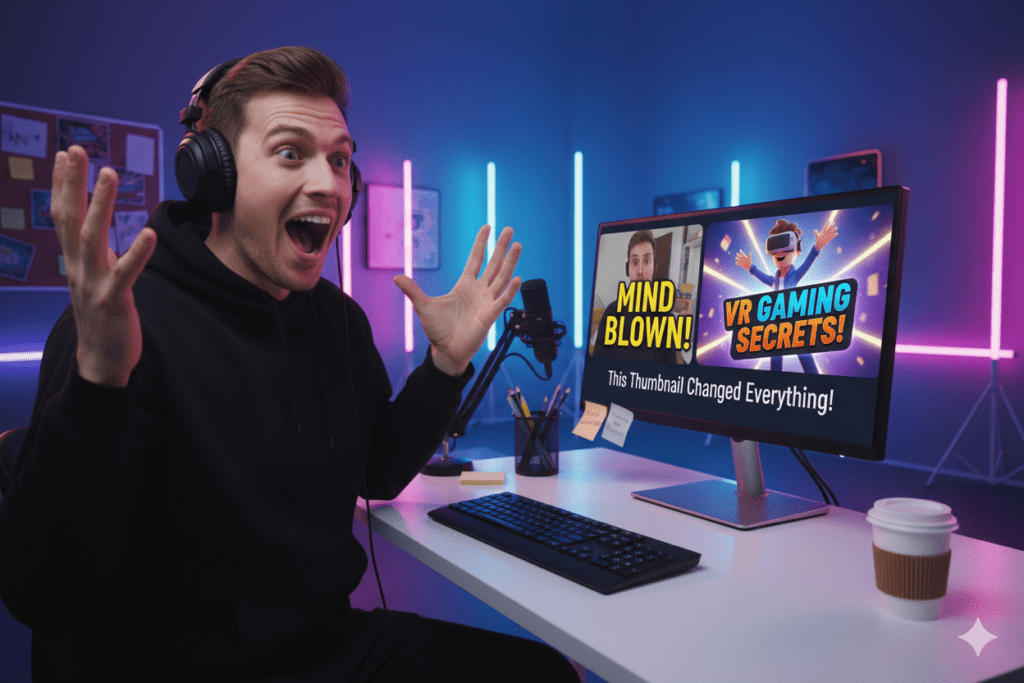
Introduction: The Reaction Thumbnail That Changed Everything
Daniel had been making reaction videos on YouTube for over a year.
He watched trending clips. He gave honest, energetic reactions. His editing was clean. His audio was crisp.
And yet — 180 subscribers. Videos stuck in the double-digit view range. His channel felt completely invisible.
Then one evening, he ran across a top reaction channel and studied their thumbnails for 30 minutes straight.
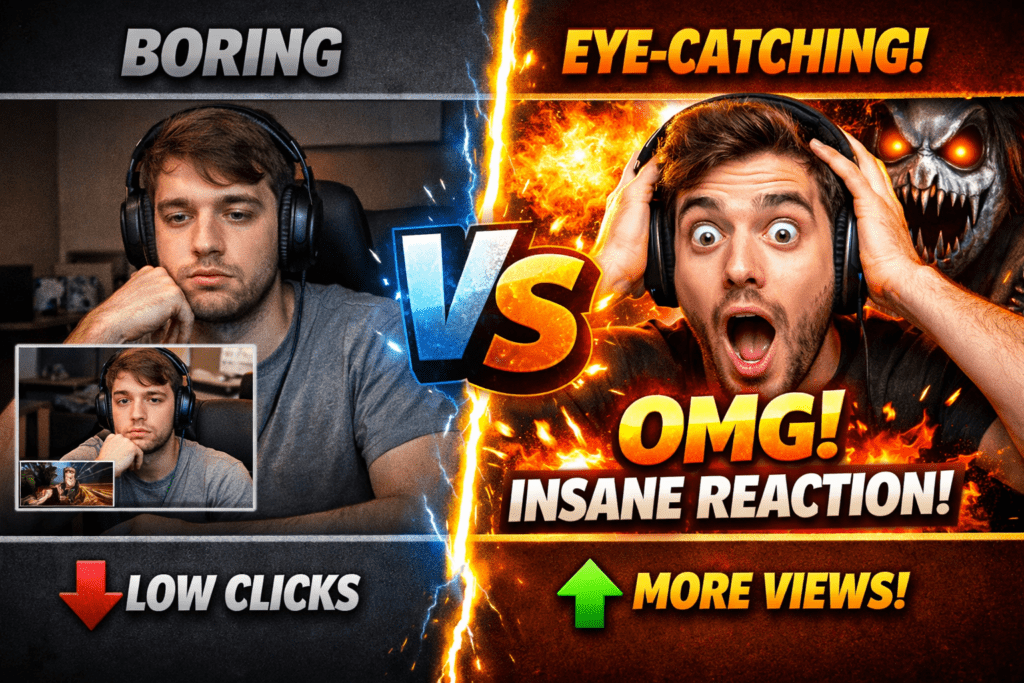
He noticed something immediately. Every single thumbnail featured an exaggerated, blown-up version of their facial expression. Massive emotion. Bold colors. Short, punchy text. Pure visual energy.
Daniel’s thumbnails? Random screenshots from the middle of his videos. Blurry. Flat. Zero emotion communicated.
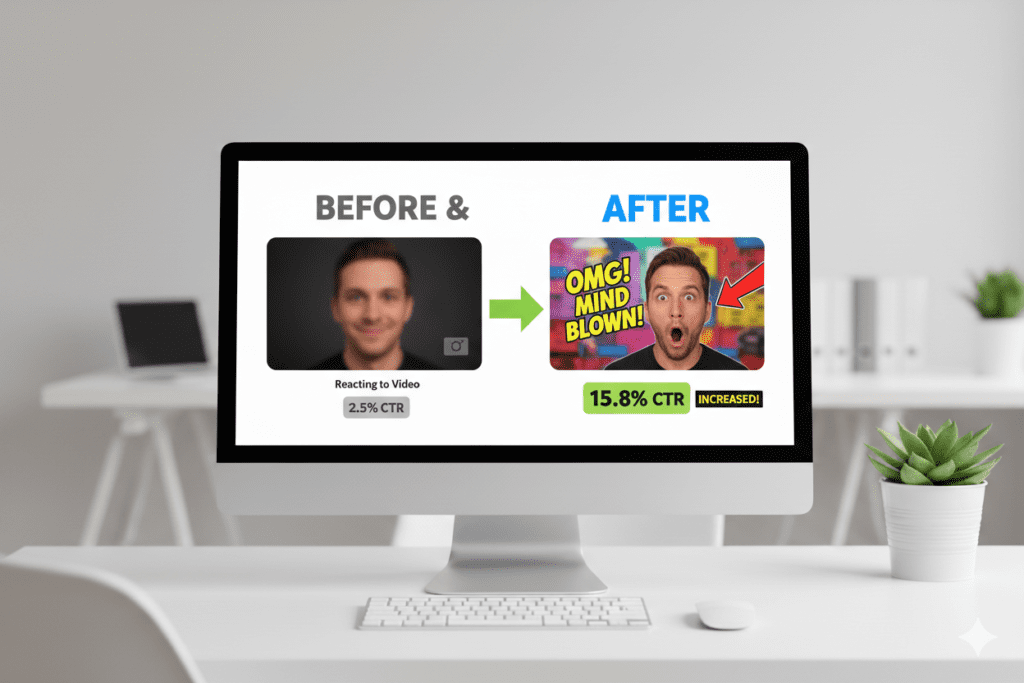
The very next morning, he searched for a reaction video thumbnail maker, redesigned his five most recent video covers in under an hour, and re-uploaded them.
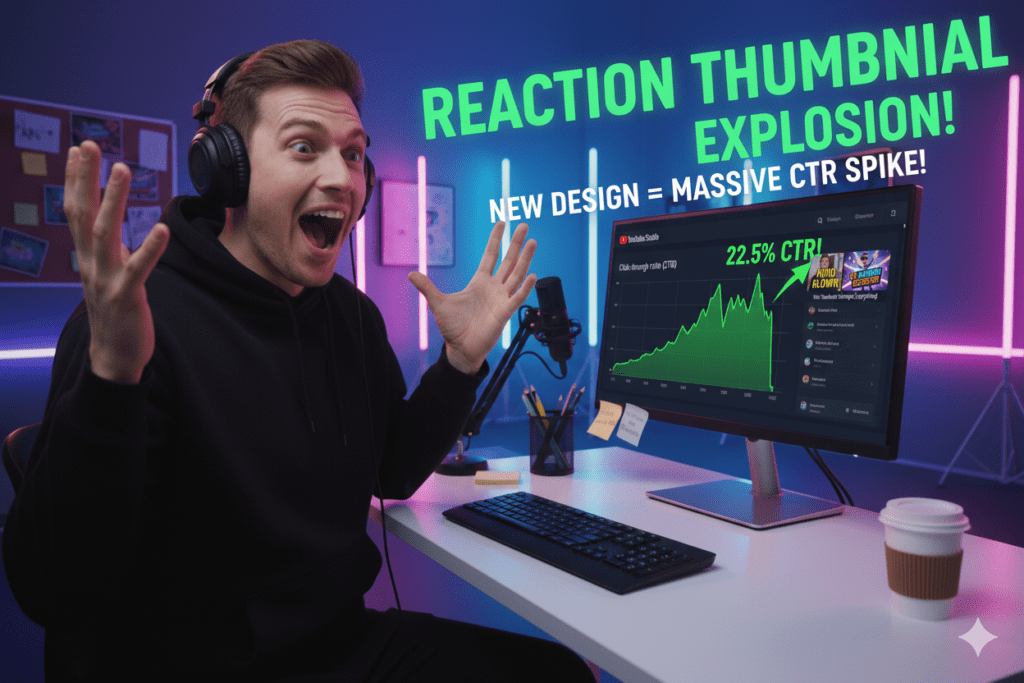
Within five days, two of those videos had views that eclipsed everything he’d uploaded over the past year combined. His CTR went from 1.6% to 7.4%.
His reaction channel finally started growing — and he hadn’t changed a single second of his actual content.
The only thing that changed was how his thumbnails communicated what was inside.
That’s the power of a great reaction video thumbnail maker. And in this complete guide, you’ll learn exactly how to use one — what works, why it works, and how tools like ytZolo are helping reaction creators build channels that grow faster than they ever imagined.
Let’s get into it.
Table of Contents
1. What Is a Reaction Video Thumbnail Maker?
A reaction video thumbnail maker is a tool designed to help YouTubers create compelling, click-ready thumbnail images for their reaction content — specifically built around the visual elements that make reaction videos perform.
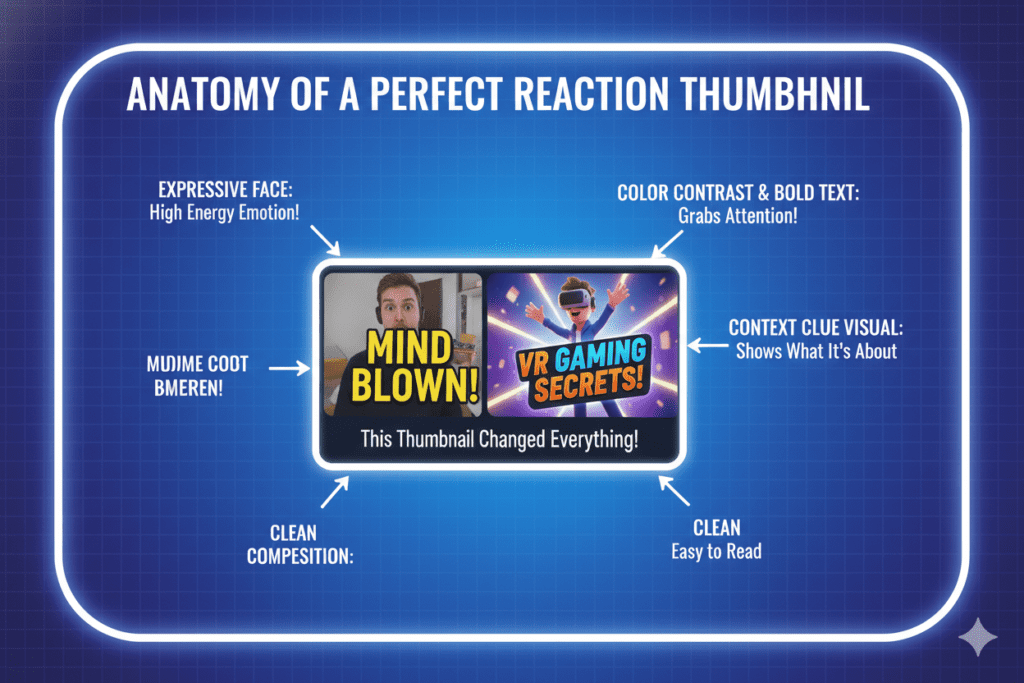
Reaction thumbnails have a unique visual language. They’re built on expressive faces, dramatic emotional moments, bold contrasting colors, and short punchy text — all designed to communicate in under three seconds that this video is worth clicking.
The best reaction video thumbnail maker tools in 2026 are AI-powered. They let you:
- Generate thumbnail visuals from a text description of your reaction moment
- Capture and enhance expressive facial expressions from your video footage
- Choose from reaction-specific design styles: shocked, hyped, emotional, skeptical, disgusted
- Add bold, readable text overlays calibrated for maximum mobile CTR
- Download YouTube-ready 1280×720 pixel images in seconds — no design skills needed
The right reaction video thumbnail maker doesn’t just help you create a nice-looking cover. It helps you create a thumbnail that makes viewers feel something — which is the only reason anyone ever clicks.
2. Why Reaction Thumbnails Are Your Channel’s Most Important Growth Lever
Let’s start with a number that should change how you think about thumbnails forever.
According to YouTube Creator Academy, 90% of the best-performing videos use custom thumbnails. That number doesn’t surprise experienced creators. What surprises most people is the scale of the advantage a great thumbnail provides.
Here’s the chain reaction (no pun intended) that a great reaction video thumbnail triggers:
Better thumbnail → Higher CTR → More impressions from YouTube’s algorithm → More recommended views → Faster subscriber growth.
YouTube CTR measures how many people clicked your video after seeing it. YouTube uses CTR to decide whether your video deserves more visibility — when viewers choose your video over others, YouTube recommends it more. When viewers ignore the thumbnail, impressions slow down.
For reaction channels specifically, this dynamic is even more powerful. Reaction content lives and dies on the feed. You’re not waiting for search traffic. Your viewers need to choose your reaction over ten others covering the same clip.
Thumbnails featuring human faces consistently outperform object-only alternatives by 25–30% according to extensive A/B testing. Surprise, shock, excitement, and curiosity generate substantially higher CTRs than neutral expressions.
Reaction videos are literally built around emotional facial expressions. When you use a great reaction video thumbnail maker to capture and amplify those expressions, you’re playing directly into the psychology that drives clicks on YouTube.
According to Influencer Marketing Hub, CTR differences of even 0.5% can be statistically significant over time when measured across millions of impressions — showing just how sensitive YouTube’s system is to thumbnail performance.
That sensitivity means your reaction video thumbnail maker choice isn’t a minor creative decision. It’s a core channel growth decision.
3. The Psychology Behind High-Clicking Reaction Thumbnails
What actually happens in a viewer’s brain in the 2–3 seconds they see your reaction video thumbnail? Understanding this changes how you approach every single cover you create.
Faces Trigger Instant Emotional Recognition
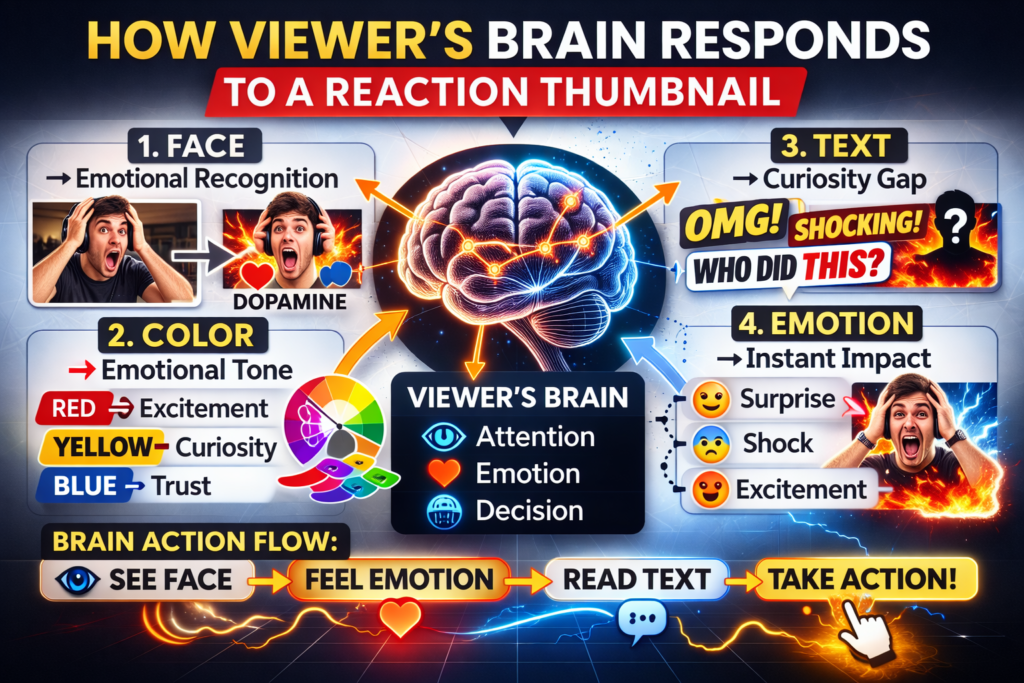
The psychological phenomenon known as facial recognition priority is hardwired into human perception. Our brains prioritize processing faces over other visual elements, making them powerful attention magnets in thumbnails.
This is why the best reaction video thumbnails always lead with a face — and specifically, with an extreme expression. The bigger and more exaggerated the emotion, the faster the brain processes it, and the stronger the click impulse.
Emotional Expression Communicates the Entire Video in One Frame
The emotional expression captured in a face significantly impacts performance. The most sophisticated creators understand that combining authentic emotion with visual context creates a compelling “micro-story” within the thumbnail itself.
This creates a visual narrative that triggers viewer curiosity about what caused the reaction, driving clicks through psychological investment in resolving the implied narrative tension.
When you use a reaction video thumbnail maker to build a thumbnail around your most genuine shocked, hyped, or emotional expression, you’re communicating an entire story — and leaving the resolution just out of reach. That unresolved tension is irresistible.
Color Creates Emotional Tone Before Text is Even Read
Research shows that high-contrast thumbnails with bold colors like yellows and oranges can increase CTR by 20–30% according to VidIQ’s 2026 design research. Vibrant color thumbnails stand out in crowded feeds and trigger emotional responses that drive clicks.
Color reaches the viewer’s brain a fraction of a second before text does. Your reaction thumbnail’s color palette is doing emotional persuasion work before a single word is read. Use that.
Text Closes the Loop
Short, high-impact text overlay on a reaction video thumbnail works with the face and color to complete the emotional hook. YouTube recommends using minimal, high-impact words rather than full sentences.
Thumbnails that lean into intrigue — such as withholding part of the story with blurred objects, reaction shots, or cliffhanger phrasing — can hook viewers by making them want to resolve the mystery.
For reaction channels, this means your text overlay should amplify the mystery of the reaction — not explain it. “I WASN’T READY” beats “My Reaction to [Title of Video]” every time.
4. What Makes a Perfect Reaction Video Thumbnail?
Understanding the psychology is step one. Now let’s talk about the actual design elements that make a reaction video thumbnail maker output genuinely convert.
Lead With Your Face — Large, Expressive, Close-Cropped
Your face should be the first thing the eye lands on. Large. Close-cropped. Showing maximum emotion. Thumbnails featuring emotive facial expressions can increase click-through rates by over 35%. The mouth wide open. The eyes massive. The hands up. Don’t be subtle — reaction thumbnails reward exaggeration.
High-Contrast Colors That Pop in the Feed
Your reaction video thumbnail maker should give you full control over your color palette.Bright yellows, electric blues, neon greens, and hot oranges against dark or contrasting backgrounds consistently outperform muted color designs.
High-contrast images are more likely to grab attention in a sea of content.Use bold color combinations and clear visual elements that stand out from one another.
Short, Punchy Text (3–6 Words Max)
Three to six words. Bold font. High contrast text color. Readable at tiny mobile size. Add minimal text: use 1–3 high-impact words in a bold, sans-serif font (such as Montserrat Extra Bold).
For reaction thumbnails specifically, power-word text formulas that work well include: “I WASN’T READY FOR THIS,” “THIS BROKE ME,” “I ACTUALLY CRIED,” “THEY REALLY DID THAT,” or simple numbers and intensifiers.
A Clear “Before” or Context Visual
The strongest reaction video thumbnails often include a small secondary element — a mini version of what’s being reacted to, a blurred screenshot, or a graphic context clue. This tells the viewer exactly what kind of reaction they’re about to watch. It adds a layer of clarity that makes the click feel safer.
Perfect YouTube Specs
YouTube’s required thumbnail dimensions are 1280×720 pixels at a 16:9 aspect ratio, under 2MB, in JPG or PNG format. Any serious reaction video thumbnail maker should automatically output at these specs without you needing to think about it.
5. Top Reaction Video Thumbnail Maker Tools in 2026
There are several tools creators use as their go-to reaction video thumbnail maker. Here’s an honest look at each one:
WayinVideo
WayinVideo is an AI video thumbnail generator that deeply understands your videos to surface the moments with real click pull, like key turning points, high tension reactions, and clear faces or objects that tell the story instantly.
It’s one of the strongest options for reaction creators who want to pull thumbnail concepts directly from their video footage. The tool generates multiple CTR-focused variations, but it’s thumbnail-only — there’s no broader YouTube content strategy support.
vidIQ Thumbnail Maker
vidIQ’s AI thumbnail maker gives you intelligent, ready-to-publish thumbnails tailored to your video and audience. It’s built for creators who want to save time and get more views without needing design experience.
vidIQ is strong for data-driven creators, but its thumbnail tool is one feature within an analytics-focused platform — not a complete content creation workflow.
Thumbmagic
Thumbmagic generates studio-quality YouTube thumbnails that stop scrolling and drive clicks. You upload your face, pick your favorite style, and generate a pro-level thumbnail in 3 clicks. The face-upload feature makes it a natural fit for reaction creators.
However, it remains a standalone thumbnail tool without integration into your broader YouTube content workflow.
Canva (Magic Media)
Canva’s AI image generation tools offer a wide range of styles and presets, and the drag-and-drop editor is one of the most flexible design environments available. But Canva is a general design tool. It doesn’t know what makes a reaction thumbnail convert on YouTube specifically — you bring your own strategy and design judgment every single time.
Thumbnail.AI
Thumbnail.AI uses advanced artificial intelligence to create stunning visuals for your videos. Simply enter your text, choose a style, and let the AI generate multiple options. It’s a capable reaction video thumbnail maker in terms of visual output, but it has no connection to your broader YouTube channel growth — no titles, scripts, descriptions, or tags.
The Core Gap That Most Reaction Video Thumbnail Makers Leave Open
Every tool above can create a great-looking reaction thumbnail. But creating a great thumbnail is only one part of what makes a reaction video take off.
Your title needs to amplify the emotional hook. Your description needs to be keyword-optimized and compelling. Your tags need to maximize discoverability. Your script needs a strong hook that makes viewers stay past the first 30 seconds.
Without all of those elements working together, even the best reaction video thumbnail maker output can only do so much.
That’s exactly the gap ytZolo was built to close.
![[IMAGE PROMPT: ytZolo dashboard on a widescreen monitor showing reaction video thumbnail generation alongside AI title, description, and tags tools, creator smiling confidently at screen, bright professional studio, 16:9]](https://ytzolo.com/blog/wp-content/uploads/2026/02/reaction-video-thumbnail-makerxdv-1024x683.png "The Reaction Video Thumbnail Maker Secret That's Turning Tiny Channels Into Viral Machines 6")
6. How ytZolo Supercharges Your Reaction Video Thumbnail Game
ytZolo is the all-in-one AI YouTube growth platform built specifically for creators who want more than just a pretty thumbnail — they want a complete, optimized content machine that drives actual channel growth.
Here’s exactly how ytZolo works as a reaction video thumbnail maker and so much more:
AI-Generated Reaction Thumbnails Built for Clicks
When you use ytZolo to create a reaction video thumbnail, the AI doesn’t just generate a visually appealing image. It generates a thumbnail that’s been engineered around YouTube’s click psychology — the emotional expression that stops scrolls, the color contrast that pops in the feed, the text placement that reads on mobile.
You’re not making a design choice. You’re making a data-backed CTR decision.
Multiple Reaction Thumbnail Variations — Instantly
Type your reaction video concept. Describe the emotion, the style, the moment. ytZolo generates 3–5 reaction thumbnail concepts in seconds — ready to compare, test, and upload.
Stop spending 90 minutes in Canva second-guessing yourself. Get five strong options in the time it takes to make a coffee.
Why Reaction Creators Struggle Without AI
Here’s the painful truth about building a reaction channel without the right reaction video thumbnail maker:
Reaction content is the most visually competitive niche on YouTube. There are thousands of creators reacting to the same clips, the same moments, the same trending content. The only way to consistently win clicks over everyone else reacting to the identical video is through better thumbnails.
Without AI, you’re manually capturing frames, editing them in Photoshop or Canva, spending 1–2 hours per thumbnail, and still guessing whether your facial expression is compelling enough. Most creators eventually give up on the effort and settle for mediocre covers.
That mediocre cover is actively costing you views, subscribers, and revenue — every single day.
Why Manual Reaction Thumbnail Methods Are Outdated
In 2026, AI can analyze your reaction content, identify your most emotionally resonant moment, generate a CTR-optimized thumbnail around it, and have it ready for download in under 60 seconds.
A study by Filmora found that 80% of creators who used AI-generated thumbnails saw an average increase of 30% in their CTR.
The creators building the fastest-growing reaction channels on YouTube aren’t doing this manually anymore. They use AI to handle it — and channel all that saved time into creating more content, more consistently, at higher quality.
The Complete AI YouTube Content Machine for Reaction Creators
This is what separates ytZolo from every other reaction video thumbnail maker on the market.
ytZolo doesn’t stop at thumbnails. In one platform, you get your entire reaction video content workflow powered by AI:
- AI reaction video thumbnail generation — Emotion-driven, CTR-optimized, multiple variations instantly
- AI video titles — SEO-rich, curiosity-driven titles that make viewers choose your reaction first
- AI video scripts — Hook, body, and CTA structures built for retention and watch time
- AI YouTube descriptions — Keyword-packed, algorithm-friendly descriptions that rank
- AI tags and hashtags — Maximize discoverability in search and suggested feeds
Everything a reaction creator needs. One platform. One workflow. All optimized for growth.
For expert strategies on growing a reaction channel through titles, thumbnails, and content strategy, check out the ytZolo blog — packed with actionable guides published regularly.

7. Why ytZolo Is Better Than Every Other Reaction Video Thumbnail Maker
Let’s put the options side by side:
| Feature | ytZolo | WayinVideo | vidIQ | Thumbmagic | Canva | Thumbnail.AI |
|---|---|---|---|---|---|---|
| AI Reaction Thumbnail Generation | ✅ Yes | ✅ Yes | ✅ Yes | ✅ Yes | ⚠️ Style Presets | ✅ Yes |
| YouTube CTR-Specific Optimization | ✅ Yes | ⚠️ Partial | ✅ Yes | ⚠️ Partial | ❌ No | ⚠️ Partial |
| Multiple Variations Instantly | ✅ Yes | ✅ Yes | ✅ Limited | ✅ Limited | ⚠️ Templates | ✅ Limited |
| AI Video Title Generator | ✅ Yes | ❌ No | ✅ Yes | ❌ No | ❌ No | ❌ No |
| AI Script / Hook Generator | ✅ Yes | ❌ No | ❌ No | ❌ No | ❌ No | ❌ No |
| AI Description + Tags | ✅ Yes | ❌ No | ⚠️ Partial | ❌ No | ❌ No | ❌ No |
| Built Specifically for YouTube | ✅ Yes | ✅ Yes | ✅ Yes | ⚠️ Partial | ❌ General | ⚠️ Partial |
| Full Content Workflow in One Place | ✅ Yes | ❌ No | ❌ No | ❌ No | ❌ No | ❌ No |
| Reaction Content Optimization | ✅ Yes | ⚠️ Partial | ❌ No | ❌ No | ❌ No | ❌ No |
The pattern is clear.
The other tools create great thumbnails. ytZolo creates great thumbnails and handles every other element of your content workflow — all from a single platform built from the ground up for YouTube creators.

8. Step-by-Step: How to Create a Viral Reaction Video Thumbnail
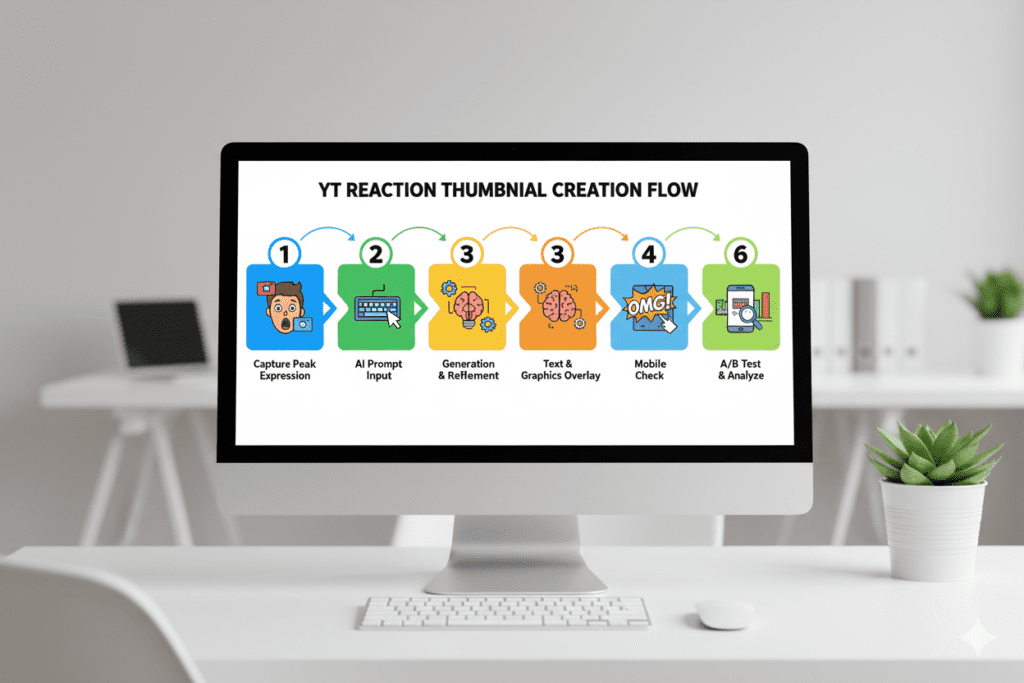
Ready to create your best reaction thumbnail ever? Follow this exact process:
Step 1: Identify Your Peak Reaction Moment
Before you open any reaction video thumbnail maker, watch back your footage and find the single most emotionally explosive moment in your reaction. The moment your jaw dropped. The moment you laughed until you cried. The moment you couldn’t believe what you were seeing.
That moment is your thumbnail. Everything else is design execution around it.
Step 2: Capture Your Expression at Its Peak
Screenshot your face at that exact peak expression. You want:
- Maximum mouth open / eyes wide / hands raised
- Good lighting with your face clearly visible
- No mid-blink or weird transitional expressions
- Close-up crop — your face should fill at least 50% of the frame
If you’re using ytZolo or an AI reaction video thumbnail maker with a face-upload feature, upload this peak expression screenshot and describe what you want around it.
Step 3: Write a Powerful AI Prompt
If generating from text, be as descriptive as possible. Use this template:
“[Emotion] reaction shot of a [description] person with wide eyes and open mouth, [background description], bold [color] text reading ‘[3 to 5 power words]’, [color palette], YouTube thumbnail 1280×720, high contrast, large face in foreground”
Example: “Shocked reaction shot of a young male creator with wide eyes and open mouth covering face with hands, bright yellow background, bold red text reading ‘I CANNOT BELIEVE THIS’, vibrant high-contrast design, YouTube thumbnail 1280×720”
Step 4: Generate and Compare Multiple Versions
Generate at least 3–5 different reaction video thumbnail variations. Compare them at full size and at thumbnail size (150px wide). Ask yourself:
- Which one communicates the strongest emotion at small size?
- Which one pops most against a white feed background?
- Which one makes you most curious about the video?
Trust the one that answers all three questions.
Step 5: Add Your Text Overlay
Keep it to 3–6 words. Capitalize for maximum impact. Use proven reaction power phrases like:
- “I WASN’T READY”
- “THIS BROKE ME”
- “I ACTUALLY CRIED”
- “THEY REALLY DID THAT”
- “I’M SPEECHLESS”
- “HOW IS THIS REAL”
Step 6: Mobile-Proof Your Design
Most YouTube views happen on mobile. Make sure thumbnails stay clear and clickable on screens — no stretched text, no lost details. Shrink thumbnail to 150px wide and run through a reaction video thumbnail maker: Can you read the text? Can you see the expression? Does the color pop? If not — go back and simplify.
Step 7: Upload, Monitor, and A/B Test
Upload your reaction video and monitor CTR every 48–72 hours inside YouTube Studio. A good YouTube CTR benchmark falls between 4% and 10% for most creators. If your reaction thumbnail is underperforming below 4%, swap it immediately. Use YouTube’s Test & Compare feature to A/B test 2–3 variations on your highest-impression videos.
9. Biggest Reaction Thumbnail Mistakes That Kill Your CTR
Even with access to a great reaction video thumbnail maker, creators still sabotage themselves with these classic errors:
Mistake #1: Using a Mid-Reaction Expression Instead of the Peak
The most common reaction thumbnail mistake in existence. A “good” expression is not the same as a great expression. You need the absolute peak — the moment your face was doing the most. Scroll through your footage until you find it. A mediocre expression in an otherwise great design will still underperform.
Mistake #2: Designing a Thumbnail That’s Too Small to Read on Mobile
If your thumbnail appears pixelated or stretched, viewers might assume your content lacks quality — even before watching. This is especially damaging for reaction creators because your target audience is predominantly on mobile. Text that reads perfectly on desktop can become completely illegible on a 5-inch screen.
Mistake #3: Showing the Content Instead of Your Reaction to It
A screenshot of what you’re reacting to is almost never the right thumbnail choice for a reaction channel. Viewers already know what the original content looks like. What they don’t know is how you reacted — and that’s the value proposition your reaction video thumbnail maker should be communicating.
Mistake #4: Low Emotional Energy in the Expression
Neutral, calm, or slightly smiling reaction expressions consistently underperform in the feed. Your reaction thumbnail expression should be extreme. The bigger the better. Exaggeration is not a bad thing in thumbnail design — it’s a requirement.
Mistake #5: Inconsistent Visual Style Across Your Reaction Channel
Consistent visual branding in thumbnails builds channel recognition and increases click-through rates from returning viewers. Research shows that established channels with consistent thumbnail styling see 15–20% higher CTRs from subscribers compared to channels with inconsistent thumbnail approaches.
Random fonts, colors, and layouts from video to video make your reaction channel look like a beginner’s experiment. Pick a visual identity for your reaction thumbnails and commit to it across every upload.
Mistake #6: Never Refreshing Old Reaction Thumbnails
Creators like Nick Nimmin have demonstrated how thumbnail refreshes on older evergreen videos often revive traffic streams. In one case, swapping out a cluttered design for a high-contrast, simple version increased CTR by 2%, resulting in a sustained bump in daily views months after upload.
Set a quarterly reminder to audit your 10 lowest-CTR reaction videos and regenerate their thumbnails with your current reaction video thumbnail maker workflow.
10. Pro Strategies That Top Reaction Channels Use Every Single Upload
You’ve got the fundamentals and you know the mistakes. Here are the advanced strategies that separate reaction channels with 10K subscribers from channels with 1 million:
- Shoot a dedicated thumbnail photo during your reaction. The absolute best reaction thumbnails are not screenshots — they’re photos taken of you reacting, captured with intentional framing, lighting, and composition. Set a phone to burst mode during your most anticipated reaction moments and capture dozens of expressions to choose from. Your reaction video thumbnail maker output is only as good as the input.
- Use the “magazine cover” mental model. Imagine your thumbnail as the cover of a magazine about your reaction. Every magazine cover leads with a powerful, emotional face and a short, intriguing headline. That’s the formula for a reaction video thumbnail that converts.
- Include context without revealing the outcome. The most clicked reaction thumbnails tease what’s being reacted to without spoiling the reaction. A blurred reference image, a cropped context visual, or even a small question mark can massively increase intrigue and click impulse.
- Study the top 3 competing reaction channels in your niche weekly. What expressions are they using? What text? What color palettes? What’s working?
- Use your reaction video thumbnail maker to create something that stands out within the visual patterns your audience already responds to — not against them entirely.
- A/B test your reaction thumbnail within the first 48 hours of upload. This is the window where YouTube is actively testing your video’s performance.
- Creators should prioritize running experiments in the early launch window, where data accumulates fastest and algorithmic impact is strongest. Have a backup thumbnail ready to swap immediately if the first version underperforms.
- Build a reaction thumbnail swipe file. Every time you see a reaction thumbnail that makes you want to click — regardless of niche — save it. Review your swipe file before every thumbnail creation session. Pattern recognition from great examples is the fastest way to improve your own output.
- Match your expression style to the content you’re reacting to. A disgusted expression on a heartwarming thumbnail sends confusing signals. An excited expression on a terrifying reaction might underperform. Match the emotional tone of your reaction thumbnail to the emotional category of the content — then amplify it as far as you can go.

FAQ: Reaction Video Thumbnail Maker
Q1: What is the best reaction video thumbnail maker for YouTube in 2026?
The best reaction video thumbnail maker for YouTube in 2026 is ytZolo. Unlike standalone thumbnail tools, ytZolo combines AI-powered reaction thumbnail generation with a complete YouTube content workflow — including AI titles, scripts, descriptions, and tags.
Every thumbnail ytZolo generates is optimized specifically for YouTube CTR, and the platform understands the unique visual requirements of reaction content. For reaction creators who want to grow their channels — not just create pretty covers — ytZolo is the most complete solution available.
Q2: What should a reaction video thumbnail look like?
A great reaction video thumbnail should feature a close-cropped, highly expressive version of your face at peak emotional intensity — mouth open, eyes wide, maximum emotion. It should use high-contrast, bold colors that pop against YouTube’s interface.
Text should be 3–6 powerful words that tease the reaction without revealing it. The thumbnail should be immediately readable at mobile preview size (150px wide) and communicate the video’s entire emotional hook in under three seconds. A good reaction video thumbnail maker will help you apply all of these principles consistently.
Q3: How do I make my reaction thumbnails stand out from other creators?
Standing out in a competitive reaction niche requires three things: an extreme, authentic peak expression that other creators wouldn’t dare use; a distinctive color palette or visual identity that makes your channel instantly recognizable in the feed; and a short, intriguing text overlay that creates a curiosity gap unique to your reaction.
Using a reaction video thumbnail maker powered by AI — like ytZolo — allows you to generate and test multiple variations quickly, so you can find what your specific audience responds to rather than guessing.
Q4: Does a better reaction thumbnail actually improve YouTube channel growth?
Yes — significantly. A better reaction video thumbnail directly improves CTR, which is one of the most important signals YouTube uses to determine whether to recommend your video more widely. The use of AI-generated thumbnails has resulted in an average increase of 20–30% in CTRs, with some creators reporting even higher gains.
For reaction channels specifically, where every creator is competing for clicks on the same trending content, a superior thumbnail from a high-quality reaction video thumbnail maker is often the single biggest competitive advantage available.
Q5: How often should I update my reaction video thumbnails
Review your reaction video thumbnail performance at minimum every 30 days in YouTube Studio. Any reaction video with a CTR below 4% should be redesigned immediately using your reaction video thumbnail maker and re-uploaded.
For older reaction videos that still receive impressions, a thumbnail refresh can dramatically revive traffic — particularly for reactions to evergreen content. Schedule a quarterly thumbnail audit across your full channel catalog to identify your highest-opportunity redesign targets and keep your visual style aligned with current trends in your niche.
Conclusion: Your Reaction Channel Deserves to Be Clicked. Start Making Thumbnails That Demand It.
You’ve put in the real work. You watch the clips. You give genuine, energetic reactions. You upload consistently.
Don’t let a weak reaction video thumbnail maker workflow bury all of that effort under a forgettable screenshot that nobody clicks.
The reaction niche is one of the most competitive spaces on all of YouTube. Every day, hundreds of creators are reacting to the same trending content you are. The ones who win clicks aren’t always the funniest or the most insightful.
They’re the ones whose thumbnails communicate the most emotion, the most intrigue, and the most visual energy — in three seconds or less.
The psychology is proven. Thumbnails featuring emotive facial expressions can increase click-through rates by over 35%. The tools are available. The competitive advantage is real and measurable.
ytZolo gives you everything you need to claim that advantage — not just an AI-powered reaction video thumbnail maker, but a complete YouTube content engine that handles your titles, scripts, descriptions, and tags alongside every thumbnail you create.
Stop guessing. Stop settling. Stop letting competitors win clicks your content deserves.
Your reaction channel’s breakthrough moment is on the other side of a thumbnail that’s impossible to ignore.
🚀 Start creating smarter, faster, and more viral YouTube content with ytZolo today.
Visit https://ytzolo.com and experience the all-in-one AI YouTube growth platform that thousands of reaction creators and content builders trust to grow their channels faster.
For expert strategies on thumbnails, titles, and reaction channel growth, visit the ytZolo blog — in-depth guides published every week.

