
Introduction: The 3-Second Decision That Kills Most YouTube Channel
Picture this.
You spent 12 hours filming. Another 6 editing. You finally hit “Publish” — and then… nothing.
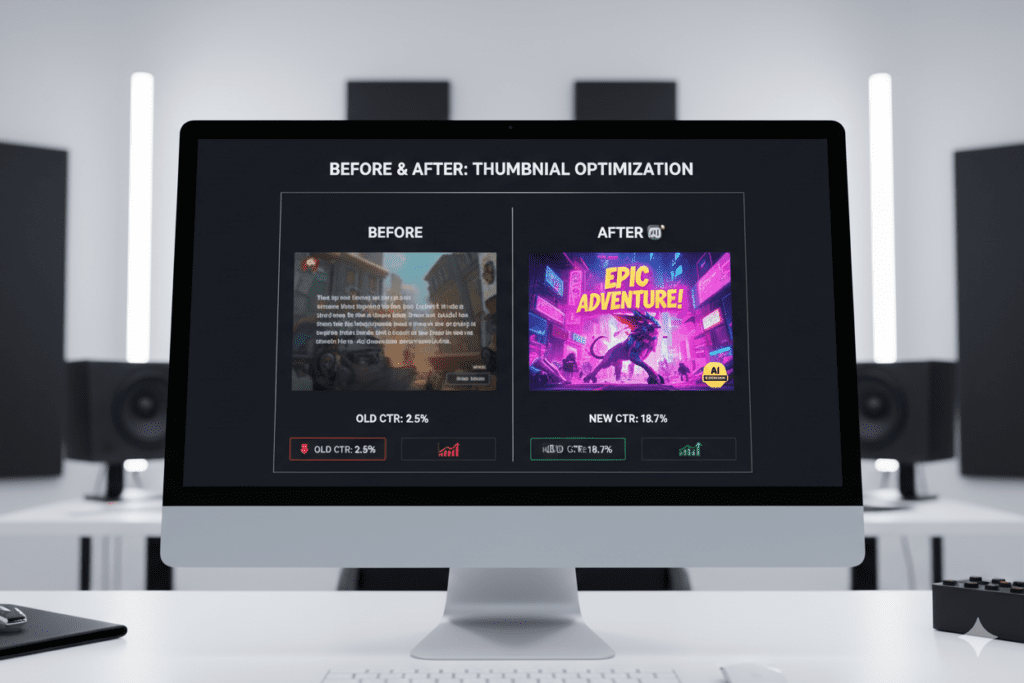
Views trickle in like raindrops in a desert. Your CTR (click-through rate) is a painful 1.8%. Your video is buried before it ever had a chance.
Here’s the hard truth: your thumbnail is failing you.
Viewers decide whether to click your video in under 3 seconds. That tiny rectangular image is either your biggest asset — or your silent killer.
The good news? You don’t need to be a graphic designer. You don’t need to spend $50 on a freelancer per thumbnail. You don’t even need Photoshop.
What you need is a text to image thumbnail generator — and in 2026, the best ones are powered by AI.
In this guide, you’ll learn exactly what these tools are, how they work, which one is best for YouTube creators, and how tools like ytZolo are changing the game for thousands of creators worldwide.
Let’s dive in.
Table of Contents
1. What Is a Text to Image Thumbnail Generator?
A text to image thumbnail generator is an AI-powered tool that turns your written description into a fully designed, click-worthy thumbnail image.
You type something like: “Shocked man holding money bag, bright yellow background, bold text overlay” — and within seconds, the AI generates a professional thumbnail ready to upload to YouTube.
No design skills needed. No Photoshop. No hours of frustration.
These tools use advanced machine learning models trained on millions of high-performing images. They understand what colors pop, what layouts grab attention, and what visual styles drive more clicks on YouTube specifically.
For busy content creators, this is an absolute game-changer.
2. Why Your Thumbnail Is More Important Than Your Video Title
Most creators obsess over their video title. And yes — titles matter for SEO.
But here’s what YouTube’s own Creator Blog confirms: thumbnails influence click-through rate more than almost any other factor.
A great title gets you found in search. But your thumbnail is what makes someone choose your video over 10 others sitting right next to it.
Think about your own behavior. When you scroll through YouTube, what stops your thumb? It’s the image — every single time.
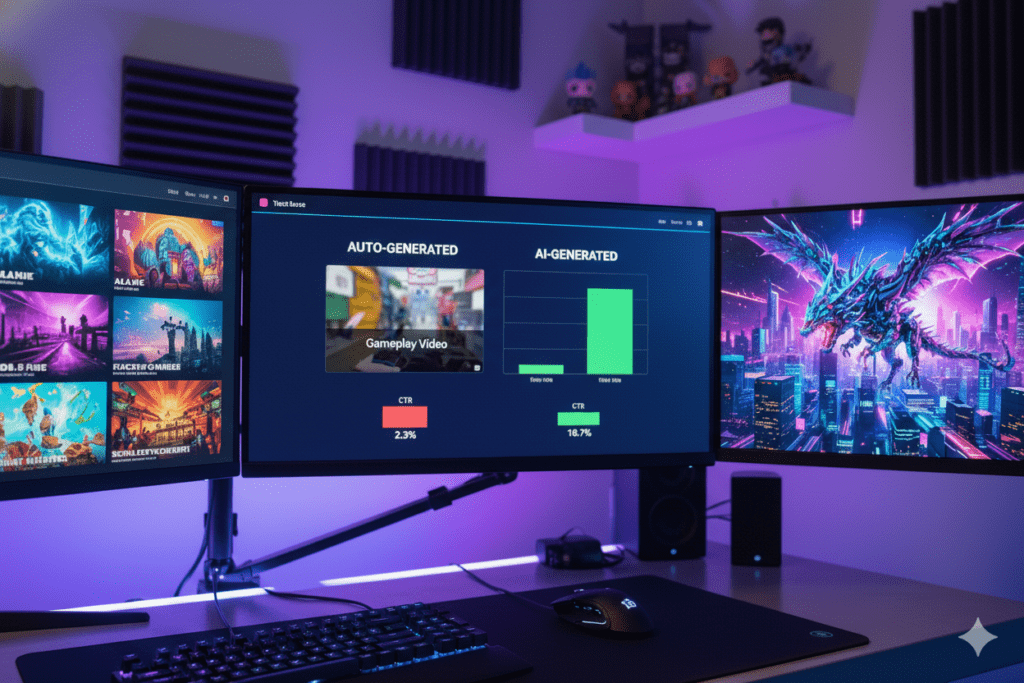
Studies from HubSpot show that videos with custom thumbnails earn 90% more views than those using auto-generated screenshots. That’s not a small edge. That’s a massive, channel-defining advantage.
Yet most creators still throw up a random screenshot and wonder why their channel isn’t growing. The creators winning on YouTube in 2026? They’re using AI-powered text to image thumbnail generators to produce thumbnails that are scientifically designed to get clicks.
3. How Text to Image AI Actually Works
The magic behind a text to image thumbnail generator isn’t actually magic — it’s a very sophisticated process.
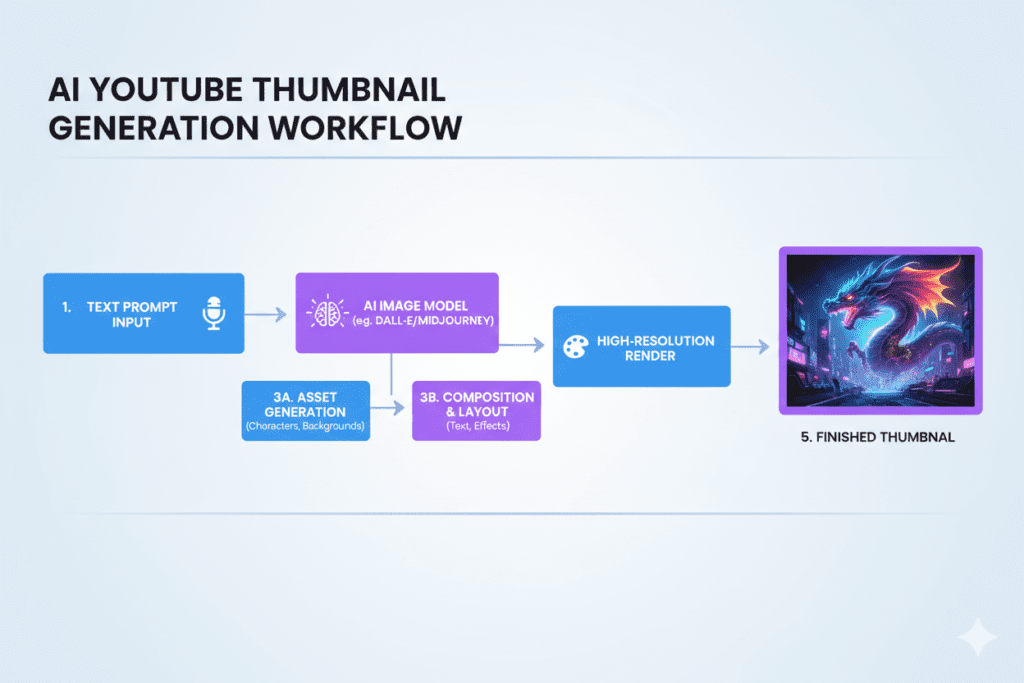
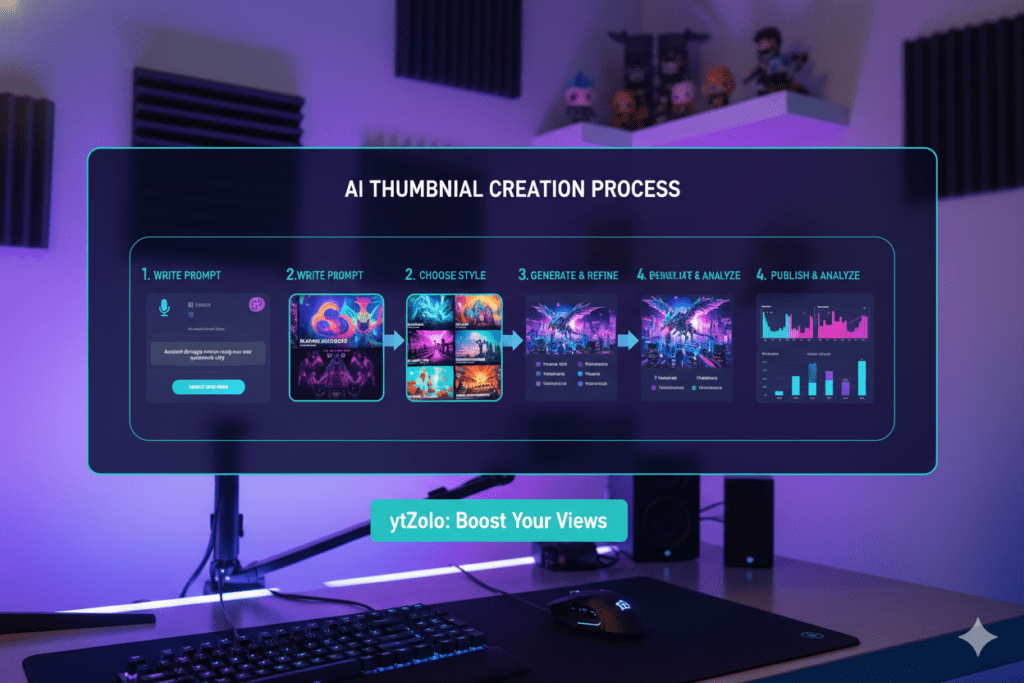
Here’s a simplified breakdown of how it works:
Step 1 — You Write a Prompt You describe what you want: the subject, emotion, colors, background, text, and style. The more specific, the better the result.
Step 2 — The AI Interprets Your Words The AI model — typically built on diffusion models or similar deep learning architecture — analyzes your prompt word by word. It maps your description to a vast library of learned visual patterns.
Step 3 — Image Generation Happens The model generates an image pixel by pixel, guided by your prompt. High-quality tools fine-tune this for YouTube-specific dimensions (1280×720 pixels, 16:9 aspect ratio).
Step 4 — You Customize and Download You can tweak colors, add text overlays, adjust layouts, and download the final image — ready for upload.
Tools like ytZolo take this even further by integrating thumbnail generation into a full YouTube content workflow — titles, scripts, descriptions, tags, and thumbnails all in one place.
4. Top Features to Look for in a Thumbnail Generator
Not all AI thumbnail generators are created equal. Before you commit to any tool, here’s what you should demand:
- YouTube-optimized output — The tool should generate images at 1280×720 pixels by default. Anything less looks blurry and unprofessional.
- Custom text overlay support — You need bold, readable text baked into the image. Mobile viewers won’t squint.
- Style variety — Photorealistic, illustrated, cinematic, minimal — you need options to match your channel brand.
- Fast generation time — Waiting 5 minutes per thumbnail kills your workflow. Look for tools that deliver in under 30 seconds.
- No watermarks on downloads — Watermarked thumbnails scream “budget creator.” Your thumbnail should look polished.
- Integration with other YouTube tools — The best text to image thumbnail generators connect with your broader content workflow — titles, descriptions, tags, and scripts.
- Prompt refinement options — You should be able to iterate quickly without starting from scratch every time.
This is exactly where ytZolo stands head and shoulders above the competition.
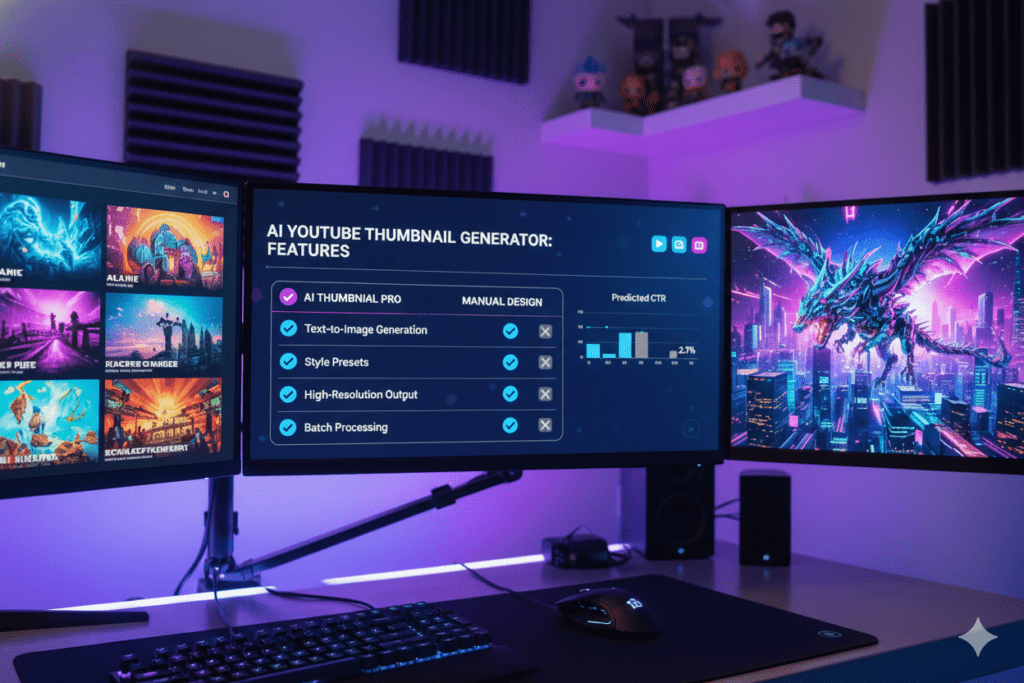
5. Why ytZolo Is the Best Text to Image Thumbnail Generator for YouTubers
Let’s talk about the tool that’s genuinely transforming how creators approach content.
ytZolo isn’t just another thumbnail maker. It’s an all-in-one AI YouTube growth platform built specifically for creators who are serious about growing their channels.
Here’s what makes it special when it comes to text to image thumbnail generation:
Thumbnails That Are Built to Convert
ytZolo’s AI doesn’t just generate pretty images. It generates thumbnails engineered for click-through rate — the metric that matters most on YouTube.
Every design decision — color contrast, facial expressions, text placement, background style — is optimized based on what actually performs on YouTube. You’re not guessing. The AI already knows what works.
One Prompt. Multiple Thumbnail Concepts.
Type your video topic once, and ytZolo generates multiple thumbnail variations for you to choose from. You can A/B test different styles and find the one that resonates most with your audience.
This feature alone saves creators hours of back-and-forth with designers.
Seamlessly Connected to Your Full Content Workflow
This is where ytZolo truly separates itself. Most text to image thumbnail generators are standalone tools. ytZolo connects your thumbnail creation to:
- AI-generated video titles (SEO-optimized, curiosity-driven)
- Video scripts (hook, body, CTA)
- YouTube descriptions (keyword-rich, algorithm-friendly)
- Tags and hashtags (for maximum discoverability)
Everything works together. One tool. One workflow. Maximum output.
Why Creators Struggle Without AI
Let’s be real for a second. Creating thumbnails manually is brutally inefficient.
Most creators spend 1–2 hours per thumbnail in Photoshop or Canva — if they have design skills. If they don’t, they pay $20–$100 to a freelancer. And even then, they’re not guaranteed a high-performing result.
Without AI, you’re guessing. With a text to image thumbnail generator like ytZolo, you’re making data-backed creative decisions at the speed of typing.
Why Manual Methods Are Outdated
In 2026, the YouTube playing field has changed. There are over 800 million videos on the platform. Channels that are winning aren’t just creating more content. They’re creating smarter content.
Using Photoshop templates from 2018 is like using a flip phone to run a smartphone business. The tools have evolved, and the creator economy moves faster than ever. Platforms reward creators who adopt modern workflows, automation, and AI-assisted design that speeds up production without sacrificing quality.
The creators who adapt will win. They experiment with smarter tools, optimize their visuals, and stay aligned with current trends in thumbnails, titles, and storytelling. The ones who don’t will wonder why their growth stalled, even while publishing consistently. In today’s competitive YouTube landscape, outdated tools quietly hold creators back.
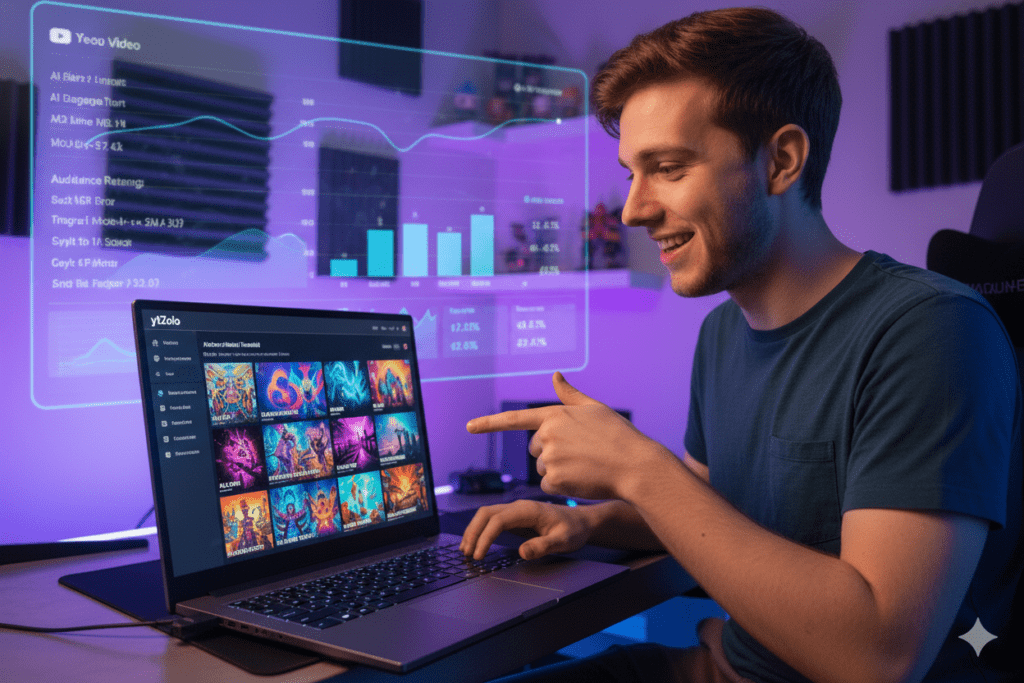
6. Why ytZolo Is Better Than Other Tools
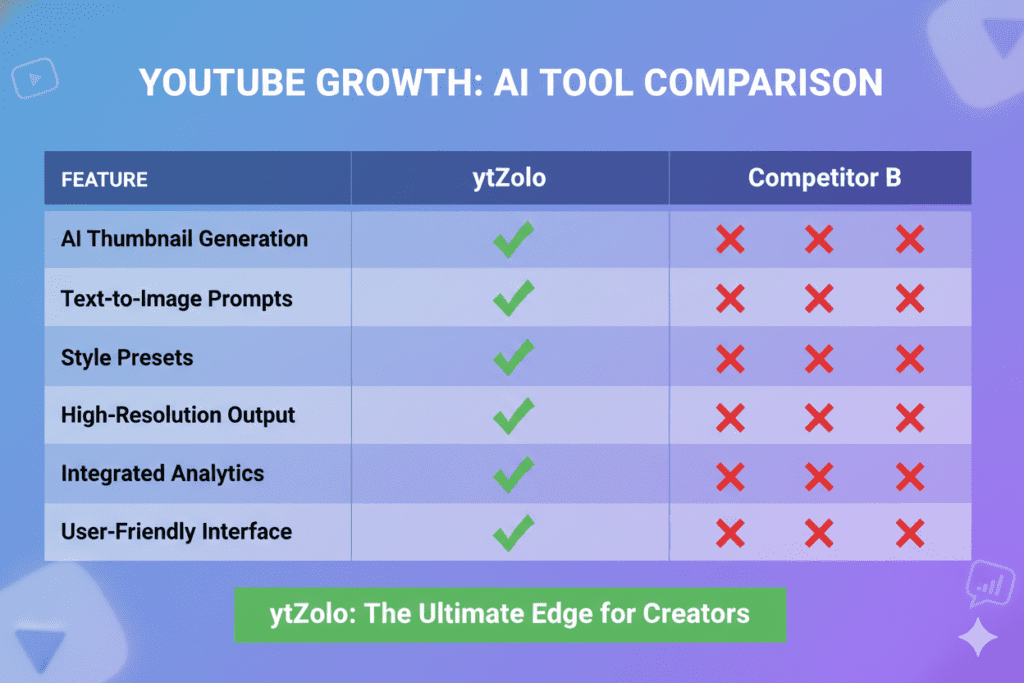
The market is flooded with text to image thumbnail generators. So how does ytZolo stack up?
| Feature | ytZolo | Canva | vidIQ | VEED.io |
|---|---|---|---|---|
| AI Thumbnail Generation | ✅ Yes | ⚠️ Templates + AI | ✅ Yes | ✅ Yes |
| Full YouTube Workflow | ✅ Yes | ❌ No | ⚠️ Partial | ❌ No |
| AI Title Generator | ✅ Yes | ❌ No | ✅ Yes | ❌ No |
| AI Script Generator | ✅ Yes | ❌ No | ❌ No | ❌ No |
| AI Description + Tags | ✅ Yes | ❌ No | ⚠️ Partial | ❌ No |
| Built for YouTubers | ✅ Yes | ❌ General | ✅ Yes | ⚠️ Partial |
| Speed | ⚡ Fast | Medium | Medium | Medium |
The difference is clear.
Tools like Canva are built for general design. vidIQ is great for keyword research but not a complete creative tool. VEED.io focuses on video editing.
ytZolo is the only platform that combines AI thumbnail generation with a full YouTube content creation suite — titles, scripts, descriptions, and tags — all optimized for one goal: growing your channel faster.
For a deeper look at YouTube growth strategies, check out the ytZolo blog where they regularly publish expert guides on exactly this kind of topic.
7. Step-by-Step: How to Create Viral Thumbnails with AI
Ready to create your first AI thumbnail? Here’s exactly how to do it.
Step 1: Define Your Video’s Core Emotion Before you type a single prompt, ask yourself: What emotion do I want my viewer to feel when they see this thumbnail? Curiosity? Shock? Excitement? FOMO? That emotion should drive every creative decision.
Step 2: Write a Detailed Prompt Be specific. Instead of “gaming thumbnail,” try: “Pro gamer with shocked expression, bright neon gaming setup, bold white text that says WIN EVERY TIME, dark blue background, cinematic style.”
The more detail you give to your text to image thumbnail generator, the better the output.
Step 3: Generate Multiple Variations Don’t stop at the first result. Generate 3–5 variations and compare them side by side. Small differences in color or composition can have a massive impact on CTR.
Step 4: Add Bold Text Overlay Your thumbnail text should be readable at 150×84 pixels — the size YouTube shows on mobile. Short, punchy phrases like “YOU WON’T BELIEVE THIS” or “THE TRUTH ABOUT…” consistently outperform generic titles.
Step 5: Check Mobile Preview Before uploading, shrink your thumbnail down to thumbnail size and check if it reads clearly. If your text is hard to read, go back and simplify.
Step 6: Upload and Monitor CTR After publishing, watch your CTR inside YouTube Studio. According to Google’s YouTube Analytics guide, a strong CTR is 6–10% for most channels. If you’re under 4%, your thumbnail needs work.
Step 7: A/B Test Relentlessly The best creators test 2–3 thumbnail variations over time. Use YouTube’s built-in “Test & Compare” feature to let data decide your winner.
8. Common Thumbnail Mistakes Creators Make (And How AI Fixes Them)
Even experienced creators fall into thumbnail traps. Here are the biggest ones — and how a text to image thumbnail generator solves each one.
Mistake #1: Using Low-Contrast Colors Dark text on a dark background is invisible in a feed. AI tools automatically suggest high-contrast palettes that pop.
Mistake #2: Too Much Text Cramming your entire title into the thumbnail hurts readability. AI-generated designs naturally balance text with imagery based on proven design principles.
Mistake #3: No Focal Point A cluttered thumbnail with no clear subject confuses viewers. AI generators are trained to create strong, single focal points that draw the eye instantly.
Mistake #4: Inconsistent Branding Random thumbnail styles make your channel look amateur. Tools like ytZolo let you build a consistent visual identity across all your videos.
Mistake #5: Boring Stock Photos Generic stock images are scroll-past material. A text to image thumbnail generator creates custom, unique visuals tailored specifically to your video topic — not from a stock library.
Mistake #6: Not Testing Thumbnails Many creators set-and-forget. AI tools make it fast and easy to create multiple versions so you can test what resonates.
FAQ: Text to Image Thumbnail Generator
Q1: What is the best text to image thumbnail generator for YouTube?
The best text to image thumbnail generator for YouTube in 2026 is ytZolo. Unlike standalone design tools, ytZolo combines AI thumbnail generation with a full YouTube growth workflow — including titles, scripts, descriptions, and tags — all optimized for channel growth and higher click-through rates.
Q2: Can I use a text to image thumbnail generator for free?
Yes, many text to image thumbnail generators offer free plans with limited generations per month. However, free plans often include watermarks and lower-resolution outputs. For professional, watermark-free thumbnails optimized for YouTube, a paid plan — like those offered by ytZolo — is worth the investment.
Q3: How do I write a good prompt for an AI thumbnail generator?
A strong prompt for a text to image thumbnail generator should include: the subject (person, object, scene), the emotion (shocked, excited, curious), the background (bright yellow, dark studio, outdoor), text overlay details, and the style (cinematic, illustrated, realistic). Example: “Excited chef holding perfect pizza slice, red kitchen background, bold text saying BEST PIZZA EVER, photorealistic style.”
Q4: Does an AI-generated thumbnail help with YouTube SEO?
Yes — indirectly. A better thumbnail leads to a higher CTR. YouTube’s algorithm treats high CTR as a strong signal of video quality and relevance, which means your video is more likely to be recommended and ranked higher. Using a text to image thumbnail generator to improve your thumbnail is one of the fastest ways to boost your channel’s algorithmic performance.
Q5: Is ytZolo only for thumbnail creation?
No. ytZolo is a full AI YouTube growth platform. While it excels as a text to image thumbnail generator, it also helps creators with AI-powered video titles, scripts, descriptions, tags, and channel growth strategies. It’s an all-in-one tool designed to help YouTubers create viral content faster and smarter. Visit ytZolo to explore all features.
Conclusion: Stop Losing Clicks. Start Using AI.
Your thumbnail is the first impression your video will ever make. And first impressions — on YouTube — happen in 3 seconds or less.
The creators who are growing their channels explosively right now aren’t working harder. They’re working smarter. They’re using text to image thumbnail generators powered by AI to produce stunning, click-worthy thumbnails in minutes instead of hours.
They’re using tools like ytZolo to not just create great thumbnails — but to build a complete, AI-powered content machine that generates titles, scripts, descriptions, and tags alongside every video.
You’ve already put the hard work into creating your videos. Don’t let a weak thumbnail bury all of that effort.
The difference between a channel that plateaus and one that grows exponentially often comes down to one thing: how quickly viewers decide to click.
Make that decision easy for them.
Make your thumbnails impossible to ignore.
And let AI do the heavy lifting.
🚀 Start creating smarter, faster, and more viral YouTube content with ytZolo today.
Visit https://ytzolo.com and see why thousands of creators trust ytZolo as their all-in-one AI YouTube growth tool.
Check out the ytZolo blog for more expert tips on growing your channel with AI.

