

Introduction: The Title That Almost Killed a Channel
Imagine spending 40 hours producing the perfect YouTube video. Great lighting. Tight editing. Solid content. You hit publish and… nothing.
Barely 200 views in 48 hours.
Sound familiar? You’re not alone. Thousands of creators face this exact nightmare every single week — and most of them never figure out why. Here’s the brutal truth: your YouTube title is killing your video before anyone watches a single second of it.
Your YouTube title changer strategy — or lack of one — is likely the #1 reason your videos aren’t getting the clicks they deserve. The good news? This is also the easiest thing you can fix right now, without re-filming a single scene.
In this guide, you’ll discover exactly how to use a YouTube title changer the smart way, why AI is completely transforming title optimization in 2026, and how tools like ytZolo are helping creators go from invisible to unstoppable — faster than ever.
Let’s dive in.
Table of Contents
What Is a YouTube Title Changer and Why Does It Matter?
A YouTube title changer is simply the process — or tool — you use to update, optimize, or rewrite a video’s title after it’s been published.
But here’s the thing most creators get wrong. They treat their title as a one-and-done decision made right before hitting “Publish.” They agonize over it for maybe five minutes, type something that sounds okay, and move on.
That’s a massive mistake.
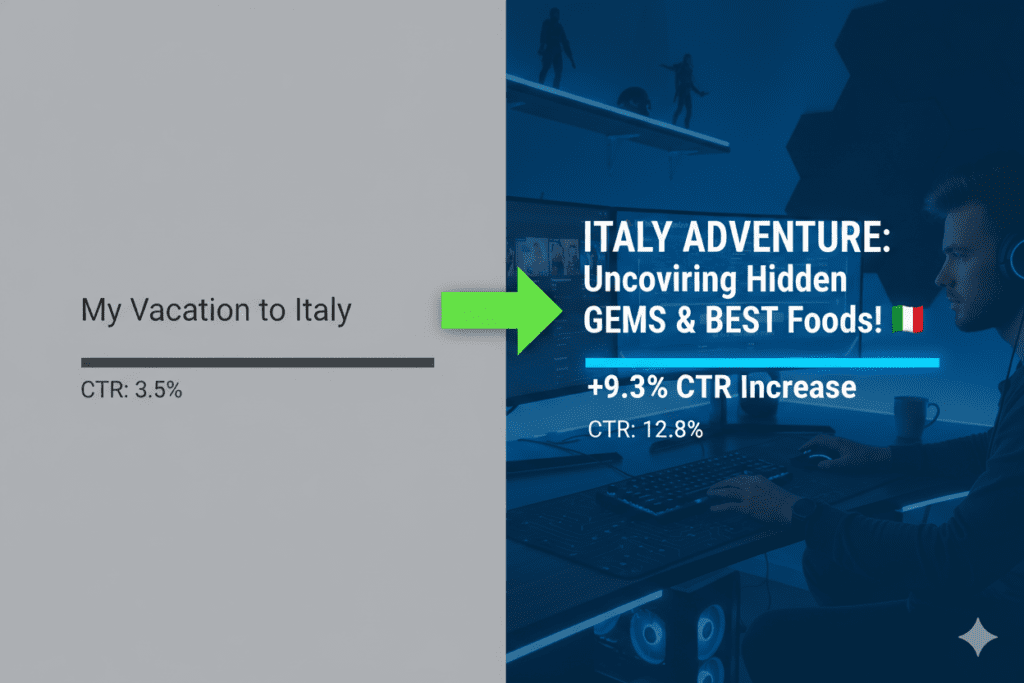
Your YouTube title is not a set-it-and-forget-it element. It’s a living, breathing part of your video’s performance strategy. Changing your YouTube title at the right time, with the right keyword, and the right emotional hook can completely transform a struggling video into a breakout hit.
YouTube itself explicitly allows you to change a video title at any time through YouTube Studio — and the platform actively encourages creators to iterate on underperforming content. The creators who regularly refresh their titles consistently outperform those who never touch them again.
Think of your title as a storefront sign. If people are walking by but not coming in, you change the sign.
How Your Title Directly Impacts Views and the Algorithm
Let’s get into the real mechanics here, because this is where most creators have a massive blind spot.
YouTube’s algorithm doesn’t magically push videos to millions of people. It runs a series of tests — first showing your video to a small slice of your audience, then measuring how they respond. The two biggest signals it watches first? Click-Through Rate (CTR) and watch time.
Your YouTube title is one of the primary drivers of CTR. A stronger, more compelling title means more clicks. More clicks tell YouTube this video is worth recommending to a wider audience. And that’s when views start compounding.
Here’s what the data shows about YouTube CTR benchmarks in 2026:
- Below 3% CTR → Something is wrong with your title or thumbnail. A full revamp is recommended.
- 4%–6% CTR → Average. Room for significant improvement.
- 7%–9% CTR → Strong. Your title is resonating.
- 10%+ CTR → Exceptional. You’ve found a winning formula.
Research also shows that titles with keywords placed near the beginning can improve YouTube search rankings by up to 20%. And according to Backlinko’s analysis, there’s a clear correlation between keyword-rich titles and higher rankings for that keyword on YouTube.
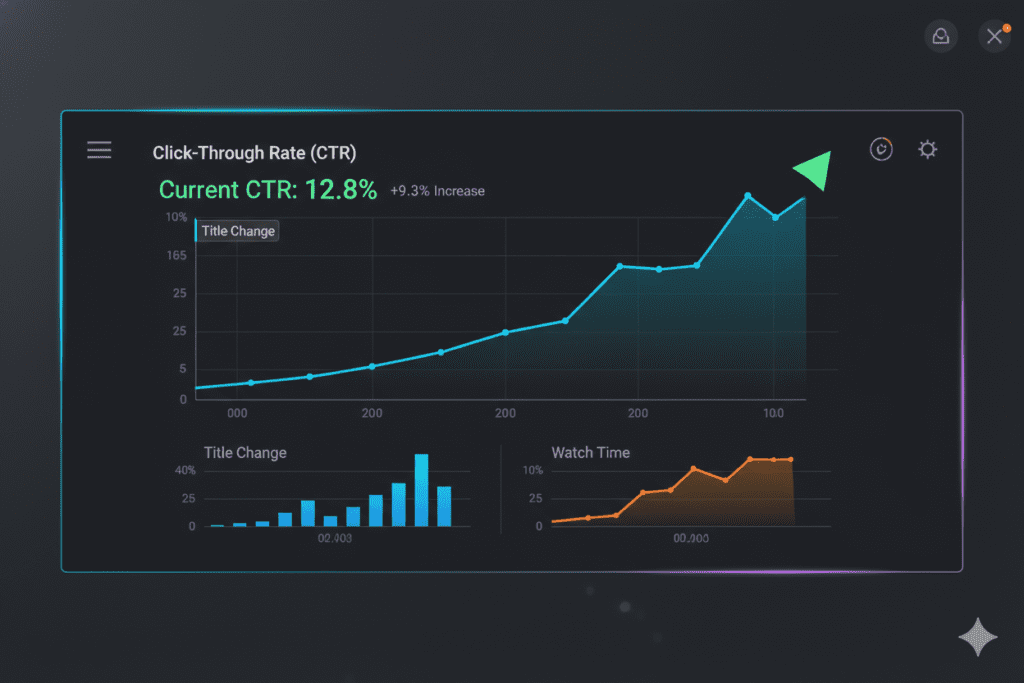
Using a smart YouTube title changer strategy — one that focuses on click triggers, keyword placement, and emotional hooks — can genuinely shift your video from 3% CTR to 7%+ without changing a single frame of footage. That’s the power of a great title.
Signs Your YouTube Title Desperately Needs Changing
Not sure if your title is the problem? Here are the dead giveaways:
- High impressions, low CTR — YouTube is showing your video, but people aren’t clicking. This is the clearest signal that your title (and possibly thumbnail) isn’t compelling enough.
- Your video stopped getting views after the first 48 hours — Early momentum died because the initial CTR wasn’t strong enough to push it further.
- Your title doesn’t include your target keyword — Or the keyword is buried at the end where neither YouTube nor viewers will catch it.
- Your title is longer than 60 characters — On mobile, titles get cut off after roughly 50–60 characters. Anything beyond that is invisible to most viewers.
- Your title is vague or generic — Titles like “My Latest Video” or “Check This Out” have zero SEO value and zero emotional pull.
- It’s been 2–4 weeks and the video still isn’t ranking — Try a new keyword variation. The YouTube algorithm re-evaluates metadata, so a title update can trigger a fresh round of testing.
If any of these apply to your videos, you need a YouTube title changer strategy — and ideally, an AI-powered one.

How to Change a YouTube Video Title (Step-by-Step)
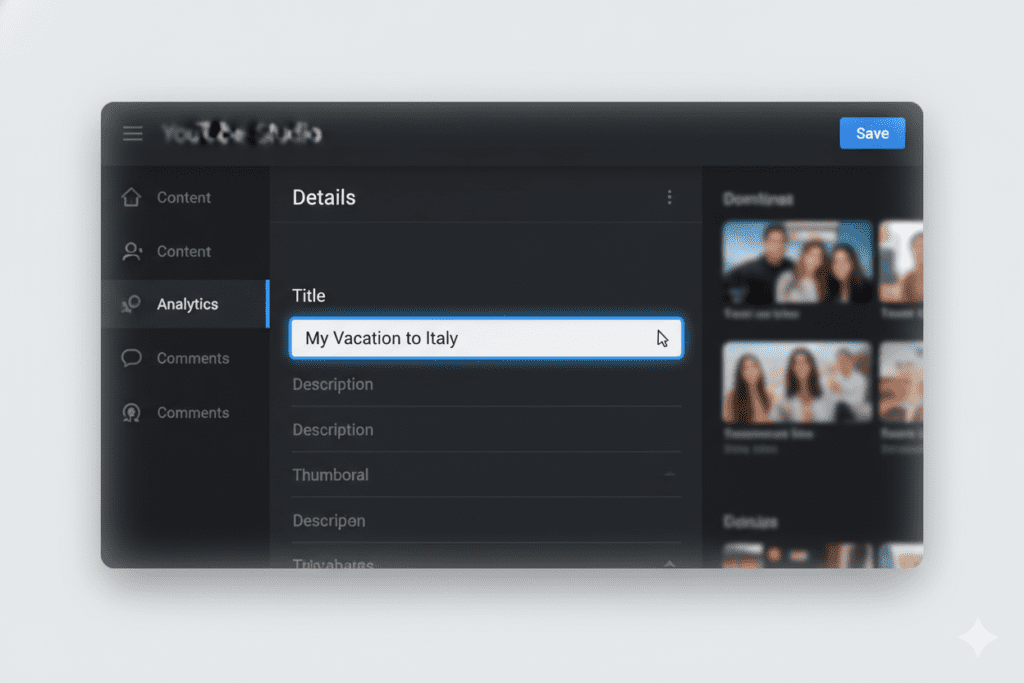
Changing a YouTube title is surprisingly simple. Here’s exactly how to do it:
Step 1: Sign in to your YouTube Studio account.
Step 2: Click “Content” in the left sidebar to see all your uploaded videos.
Step 3: Find the video you want to update and click the pencil (edit) icon next to it.
Step 4: In the “Details” panel, click directly on the title field at the top.
Step 5: Delete the old title and type your new, optimized title.
Step 6: Click “Save” in the top right corner.
That’s it. Your title is updated instantly. YouTube will begin re-indexing your video with the new metadata within a few hours.
Pro Tips for Maximum Impact:
- Always change only one element at a time (title OR thumbnail) so you can accurately measure what made the difference.
- Wait at least 7–14 days before changing a title again so you have enough data to judge performance.
- Check your CTR and impressions in YouTube Analytics before and after the change.
- Prioritize videos with high impressions but below-average CTR — these have the most to gain from a title refresh.
The Anatomy of a Perfect YouTube Title
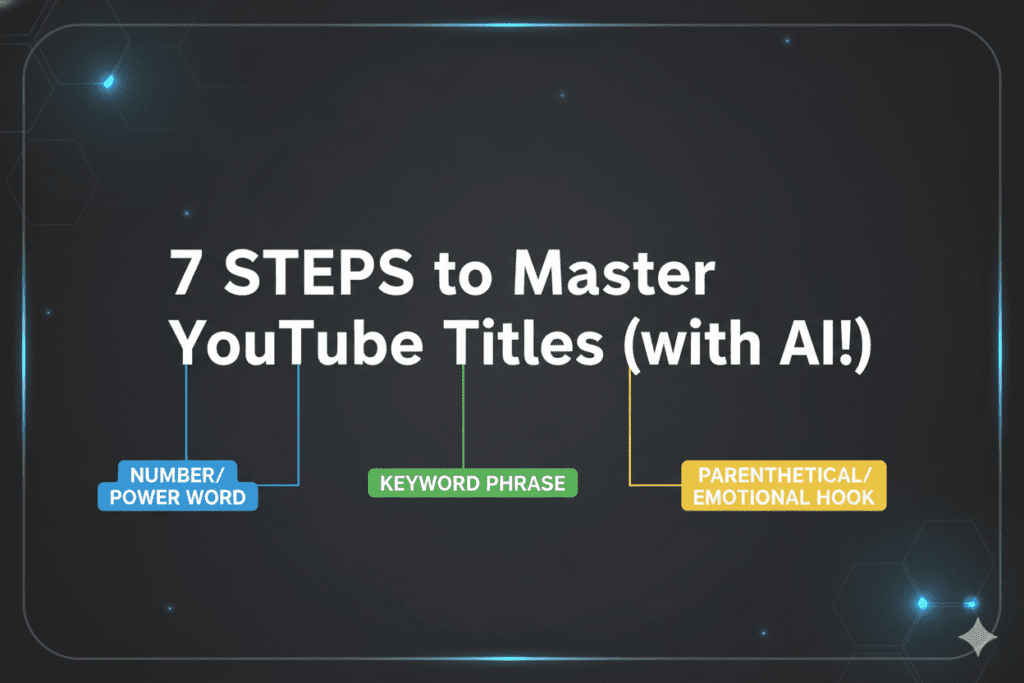
Great YouTube titles follow a formula. Once you understand the formula, you can apply it to every single video — and with an AI YouTube title changer, this becomes effortless.
Here’s what every high-performing YouTube title has:
Primary Keyword — Front-Loaded
Put your main keyword in the first 3–5 words whenever possible. This satisfies both YouTube’s search algorithm and human readers who scan quickly. Don’t bury it at the end.
Example: “YouTube Title Changer: 7 AI Hacks That Triple Your Views”
An Emotional Hook or Curiosity Trigger
Humans are wired to click when something piques their curiosity or triggers an emotional response. Use power words strategically — but not spammy, all-caps shouting.
Words that consistently drive clicks include: Secret, Proven, Fast, Instantly, Never, Avoid, Mistakes, Hidden, Ultimate, Step-by-Step.
A Specific Number or Data Point
Numerals attract the human eye. “5 Ways to…” outperforms “Ways to…” almost every single time. Be specific — “Increased My Views by 312%” beats “Increased My Views.”
A Parenthetical Clarifier (Optional but Powerful)
Adding a bracketed element like (Step-by-Step), [2026 Update], or (Beginner’s Guide) provides a secondary signal about the video’s format. Research shows titles with brackets or parentheticals consistently outperform those without.
The winning title formula:
[Primary Keyword] + [Specific Benefit/Hook] + [Power Word or Number] + (Optional Clarifier)
Example: “YouTube Title Changer: 7 Proven AI Tricks to 3X Your CTR (2026 Guide)”
Manual vs. AI YouTube Title Changer: Why Manual Methods Are Outdated
Let’s be real. The old way of writing YouTube titles goes something like this:
You finish editing. You’re exhausted. You type something that sounds decent. You publish. You hope for the best.
Maybe you do a little keyword research first — typing into YouTube’s search bar and guessing which autocomplete suggestion looks promising. Maybe you spend an hour googling “best YouTube title formulas” and copying a template. Maybe you ask a friend for their opinion.
Here’s the hard truth: manual title creation in 2026 is like navigating a new city without Google Maps. You might eventually get where you’re going, but you’ll waste a lot of time, take wrong turns, and miss the fastest route entirely.
Why Manual Title Methods Fail
- No real keyword data — Guessing search volume without tools means you could be targeting keywords with zero traffic.
- No psychological optimization — You’re writing based on gut feeling, not data on what actually drives clicks in your niche.
- Time-consuming — A creator spending 30–60 minutes per video just brainstorming titles is burning hours they could spend creating content.
- No testing system — Without AI-powered suggestions and A/B testing frameworks, you’re flying blind.
- Emotion is hard to scale — Crafting curiosity-driven, emotionally compelling titles for every single video is mentally draining when done manually.
This is exactly why AI-powered YouTube title changers have become essential tools for serious creators. They combine SEO keyword intelligence, psychological trigger data, and real-time trend analysis to generate titles that a human alone would never come up with — and they do it in seconds.
Tools like ytZolo were built specifically for this problem. And they’re changing the game entirely.

Why ytZolo Is the Best AI YouTube Title Changer in 2026
Here’s where things get exciting.
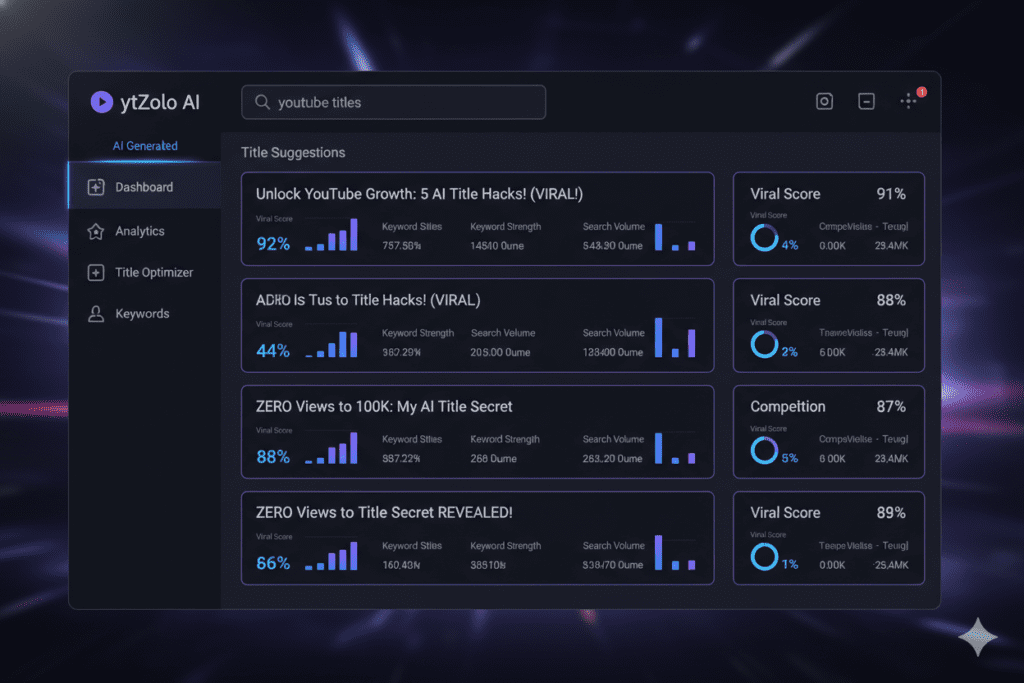
ytZolo isn’t just another generic AI writing tool with a YouTube plugin bolted on. It’s a purpose-built, all-in-one AI YouTube growth platform — and its title generation capabilities are genuinely in a class of their own.
What Makes ytZolo’s YouTube Title Changer Special?
1. AI Titles Built for Virality, Not Just SEO
ytZolo doesn’t just stuff keywords into a template and call it a title. Its AI analyzes what’s working right now in your specific niche, combines SEO keyword intelligence with psychological click triggers, and generates titles designed to perform — not just rank.
2. Instant Multiple Title Variations
Instead of getting one suggestion, ytZolo gives you multiple high-quality title variations instantly. You can pick the one that resonates, mix and match elements, or regenerate until you find the perfect combination. No more staring at a blank screen.
3. All-in-One YouTube Growth Suite
Here’s what separates ytZolo from standalone title tools: it doesn’t stop at titles. The platform covers your entire YouTube content workflow:
- AI-Powered Titles — Viral, SEO-optimized title suggestions tailored to your niche
- Video Scripts — Full scripts generated from just a topic prompt
- Description Generator — SEO-rich descriptions that boost discoverability
- Tag Generator — Smart, relevant tags to maximize search reach
- Thumbnail Ideas — AI-powered thumbnail concepts designed to stop the scroll
Everything you need to create a high-performing, algorithm-ready video in one place. No juggling five different tools. No wasted hours.
4. Time-Saving for Consistent Creators
Consistency is everything on YouTube. But creating content consistently burns creators out when every video requires hours of title research, scripting, and optimization. ytZolo cuts that time dramatically — so you can publish more, optimize better, and still have a life.
5. Built for Viral Content Creation
ytZolo’s AI doesn’t just understand keywords. It understands what makes content spread. It’s trained on viral content patterns so every title suggestion factors in curiosity gaps, emotional triggers, and trend alignment.
If you’re serious about growing on YouTube in 2026, check out ytZolo’s full feature suite and see why thousands of creators are switching to smarter content creation.
For more tips on YouTube growth strategy, the ytZolo blog is packed with actionable guides worth bookmarking.
Why ytZolo Is Better Than Other Tools
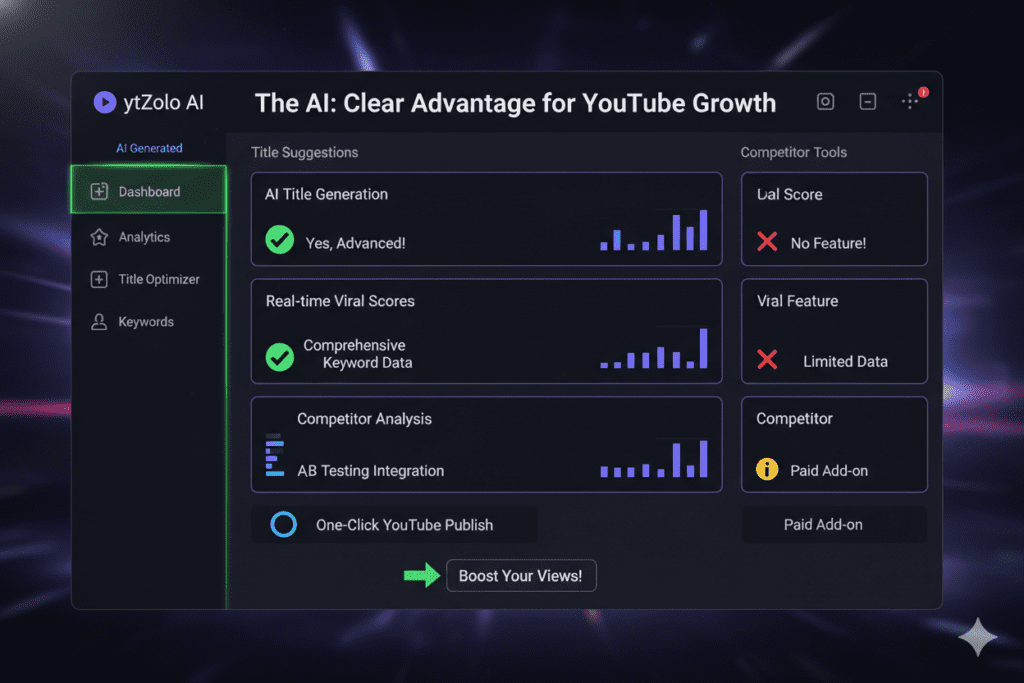
You’ve probably heard of VidIQ, TubeBuddy, and other YouTube optimization tools. They’re solid — but they’re not built the same way ytZolo is. Here’s how they stack up:
| Feature | ytZolo | VidIQ | TubeBuddy | Generic AI Tools |
|---|---|---|---|---|
| AI YouTube Title Generator | ✅ Viral-optimized | ✅ Basic | ✅ Basic | ⚠️ Generic |
| Full Script Generation | ✅ Yes | ❌ No | ❌ No | ⚠️ Not YouTube-specific |
| Description Generator | ✅ SEO-rich | ⚠️ Limited | ⚠️ Limited | ⚠️ Generic |
| Tag Generator | ✅ Yes | ✅ Yes | ✅ Yes | ❌ No |
| Thumbnail Concepts | ✅ Yes | ❌ No | ❌ No | ❌ No |
| All-in-One Workflow | ✅ Complete | ❌ Partial | ❌ Partial | ❌ No |
| Built for Virality | ✅ Core focus | ❌ Analytics focus | ❌ Analytics focus | ❌ No |
| Pricing | 💚 Creator-friendly | 💛 Mid-range | 💛 Mid-range | 🔴 Expensive |
The Core Difference
VidIQ and TubeBuddy are powerful analytics tools first, with some AI features layered on top. They’re great for understanding your channel data.
ytZolo is a creation-first platform. It’s built to take you from idea to publish-ready content faster than any other tool on the market — with viral optimization baked into every feature.
Generic AI tools like ChatGPT or Jasper can write a YouTube title. But they don’t understand YouTube’s algorithm, your niche trends, or what makes a title perform specifically on video platforms.
ytZolo sits at the intersection of deep YouTube knowledge and cutting-edge AI — and that’s a combination no other tool currently matches.
10 Proven Formulas for YouTube Titles That Get Clicks
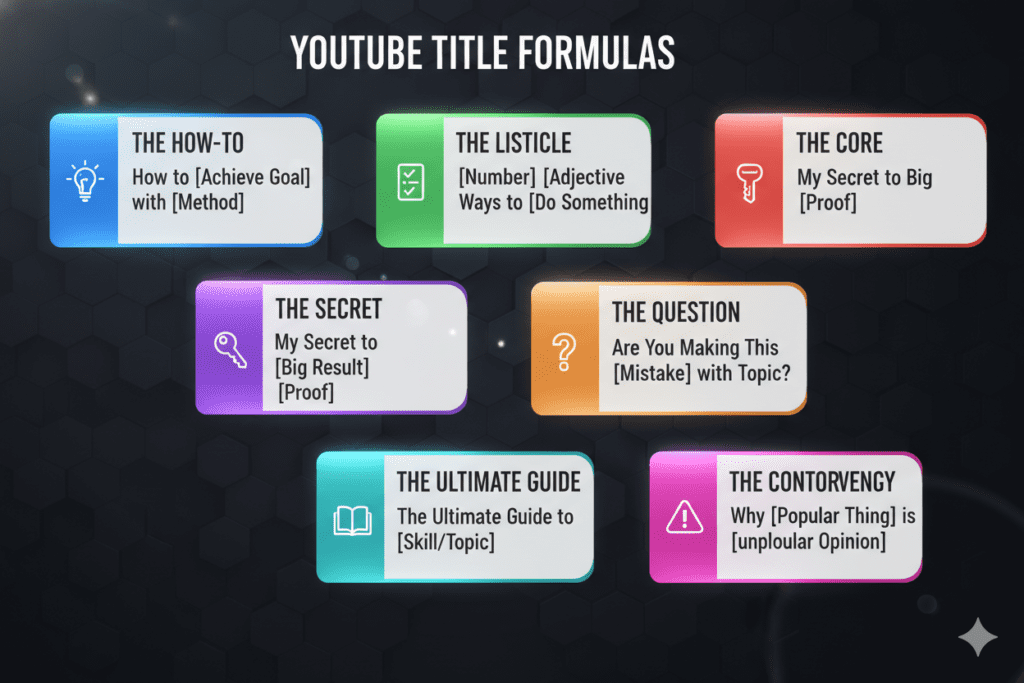
Whether you’re using a YouTube title changer manually or with AI, these proven formulas are your blueprint for higher CTR:
1. The “How To” Formula “How to [Achieve Desired Result] Without [Common Pain Point]” Example: “How to Get 1,000 YouTube Subscribers Without Spending a Dime”
2. The Number List Formula “[Number] [Adjective] Ways to [Achieve Goal]” Example: “7 Insanely Simple Ways to Double Your YouTube CTR”
3. The Mistake/Warning Formula “Stop Doing This! [Common Mistake] Is Killing Your [Desired Outcome]” Example: “Stop Doing This! Your YouTube Title Changer Strategy Is Killing Your Views”
4. The Secret Reveal Formula “The [Adjective] Secret to [Desired Result] That Nobody Talks About” Example: “The Hidden Secret to Viral YouTube Titles Nobody Talks About”
5. The Case Study Formula “How I [Achieved Specific Result] in [Timeframe] (Step-by-Step)” Example: “How I Grew to 50K Subscribers in 6 Months (Step-by-Step)”
6. The Question Formula “Why Is [Common Practice] [Negative Consequence]?” Example: “Why Is Your YouTube Title Costing You Thousands of Views?”
7. The Challenge Formula “I Tried [Method] for [Timeframe] — Here’s What Happened” Example: “I Tested 100 YouTube Titles with AI for 30 Days — Here’s What Happened”
8. The Ultimate Guide Formula “The Ultimate [Topic] Guide for [Target Audience] in [Year]” Example: “The Ultimate YouTube Title Changer Guide for Creators in 2026”
9. The vs. Formula “[Option A] vs. [Option B]: Which Gets More Views?” Example: “AI Title Generator vs. Manual Titles: Which Gets More YouTube Views?”
10. The Curiosity Gap Formula “The Real Reason Your YouTube Videos Aren’t Getting Views (It’s Not What You Think)”
Use these formulas as your starting point, then let ytZolo supercharge them with AI-powered keyword optimization and viral scoring.
Common YouTube Title Mistakes That Are Destroying Your CTR
Even experienced creators make these title mistakes. Check your current videos — how many of these are you guilty of?
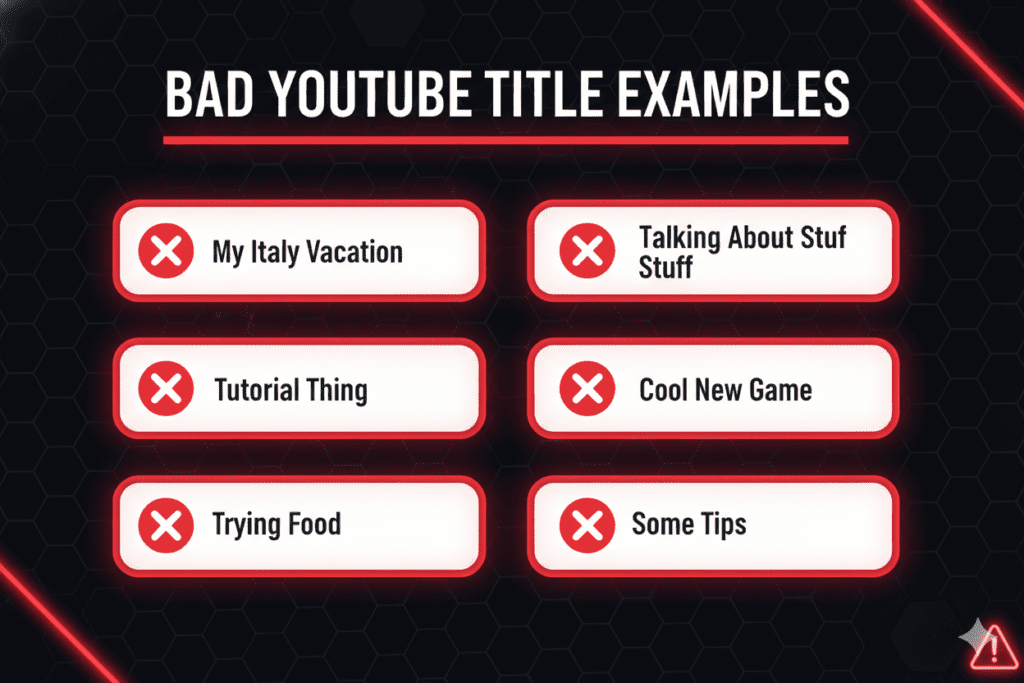
Mistake #1: Using Clickbait Without Delivering Value
Clickbait gets initial clicks, but if your video doesn’t deliver on the title’s promise, viewers will bounce. A high CTR paired with low watch time is actually worse than a modest CTR with strong retention, because it tells YouTube your video is misleading.
Mistake #2: Burying the Keyword
If your target keyword appears at position 8 in a 12-word title, you’re losing both SEO power and the immediate visual recognition viewers use to decide whether to click. Front-load your keywords.
Mistake #3: Writing Titles Over 60 Characters
YouTube allows 100 characters in a title — but on mobile (where the majority of views happen), titles get cut off around 50–60 characters. If your punchline or key benefit is in word 15, most viewers will never see it.
Mistake #4: No Emotional Trigger or Curiosity Hook
A title that’s purely descriptive (“My Camera Review”) informs but doesn’t compel. Add a hook. Add a number. Add a power word. Give people a reason to choose your video over the nine others in the search results.
Mistake #5: Using ALL CAPS or Excessive Emojis
Titles like “🔥🔥BEST YOUTUBE HACKS EVER!!!🚀😱” look desperate and spammy. They can even hurt your algorithmic standing. Use one strong word, not five loud ones.
Mistake #6: Keyword Stuffing
With YouTube’s 2026 Gemini AI integration, the algorithm now understands content at a semantic level. Keyword stuffing in titles is not only unnecessary — it actively hurts CTR by making titles unreadable for humans.
Mistake #7: Never Updating Old Titles
Your older videos are sitting on a goldmine of impressions. Many creators never go back to update titles on underperforming videos. A simple YouTube title changer strategy applied to your back catalog can unlock significant new view growth without publishing a single new video.
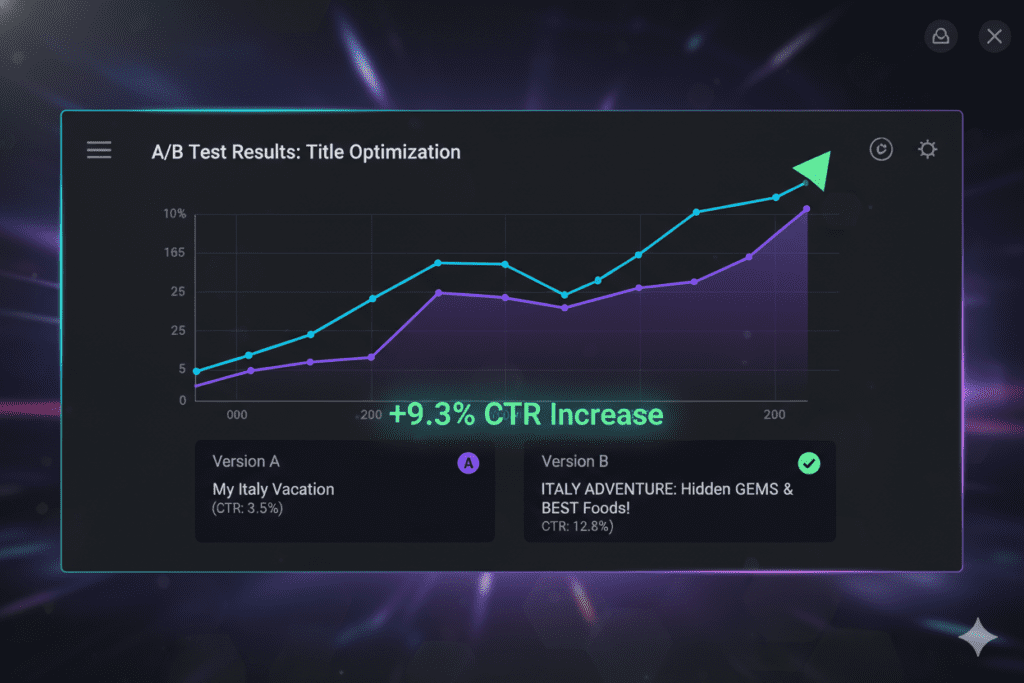
How to A/B Test Your YouTube Titles for Maximum Results
Testing is the secret weapon of top creators. Here’s a simple, data-driven A/B testing process you can implement today:
Step 1: Identify Your Candidates
Look in YouTube Analytics for videos with high impressions but below-average CTR (below 4%). These have the most to gain from a title change.
Step 2: Form a Hypothesis
Before changing anything, decide what you’re testing. Are you switching from a descriptive title to a curiosity-gap title? Adding a power word? Changing the keyword position?
Step 3: Make the Change
Update your YouTube title through YouTube Studio. Keep a record of the original title and the date you made the change.
Step 4: Wait and Measure
Give the new title at least 7 days — ideally 14 — before evaluating. Check these metrics in YouTube Analytics:
- CTR (did it go up?)
- Impressions (are you reaching more people?)
- Average View Duration (are the right people clicking?)
- Watch Time (is overall performance improving?)
Step 5: Decide and Iterate
If CTR improved, keep the new title. If not, form a new hypothesis and test again. This cycle of test → measure → improve is what separates growing channels from stagnant ones.
Pro Tip: Use ytZolo to generate multiple title variations instantly. Instead of manually brainstorming five different versions to test, you can get AI-powered options in seconds and focus your energy on analysis rather than creation.
According to YouTube’s own Creator team, iterating on titles for videos that aren’t performing well is “absolutely recommended” and “can be an effective way” to improve a video’s performance. So don’t be afraid to optimize — it’s what the platform wants you to do.
External resource: YouTube Creator Blog regularly publishes guidance on metadata optimization and best practices worth following.
For deeper keyword research before crafting titles, Google Trends filtered by YouTube Search is a free, powerful tool for understanding what your audience is actively searching for.
FAQ: YouTube Title Changer Questions Answered
Q1: Does changing a YouTube title affect my video’s views?
Yes — changing a YouTube title can directly affect views by improving your click-through rate (CTR). A more compelling, keyword-optimized title causes more people to click when they see your video in search or suggested feeds. YouTube’s algorithm then interprets that higher CTR as a signal of quality and expands the video’s reach, resulting in more views. The effect is strongest on videos that already have consistent impressions but below-average CTR.
Q2: How often should I change my YouTube video title?
There’s no fixed rule, but a good practice is to wait at least 7–14 days after publishing before making your first title change, giving you enough data to evaluate performance. If a video is underperforming (below 4% CTR), try a new title variation. Avoid changing titles more frequently than once every 7 days, as the algorithm needs time to re-index and re-test your video with the new metadata.
Q3: Will changing my YouTube title hurt my current rankings?
Not if you do it thoughtfully. Adding stronger, more relevant keywords to your title can actually improve your search rankings. The risk only comes if you remove the primary keywords your video was already ranking for, or if you switch to a misleading title that causes viewers to bounce. Make the change strategic, keep it accurate to your content, and your rankings should hold steady or improve.
Q4: What is the best AI YouTube title changer tool in 2026?
ytZolo stands out as the best all-in-one AI YouTube title changer for creators in 2026. Unlike single-feature tools, ytZolo generates viral-optimized title variations alongside scripts, descriptions, tags, and thumbnail concepts — covering your entire YouTube content workflow in one platform. It’s purpose-built for YouTube growth, not a generic AI tool repurposed for video.
Q5: How long should a YouTube title be for the best CTR?
The sweet spot for YouTube titles is 50–60 characters. YouTube allows up to 100 characters, but on mobile devices (where most views come from), titles get truncated at around 50–60 characters. Keep your most important information — your keyword and main hook — within the first 50 characters. This ensures viewers on all devices see your full title and are compelled to click.
Conclusion: Stop Guessing. Start Optimizing.
Your YouTube title changer strategy is one of the highest-leverage, lowest-effort improvements you can make to your channel today.
Every video you’ve already published is sitting there with untapped potential — waiting for a smarter title to unlock it. Every new video you publish deserves a title crafted with data, psychology, and intentional optimization — not five minutes of tired guesswork.
The creators winning on YouTube in 2026 aren’t necessarily the ones with the best cameras, the most subscribers, or the biggest production budgets. They’re the ones who understand that a great YouTube title is the difference between a video that gets discovered and a video that gets buried.
AI has made this easier than ever. Tools like ytZolo remove the guesswork, eliminate the hours of manual research, and give you viral-optimized YouTube titles in seconds — along with everything else you need to grow your channel consistently.
Don’t let another underperforming video sit untouched. Go into YouTube Studio right now, find a video with high impressions and low CTR, and give it a better title. Then come back and do it again. Make it a habit.
For more actionable YouTube growth strategies, check out the ytZolo blog — it’s one of the best free resources available for creators who are serious about growing in 2026.
The algorithm rewards those who optimize. The viewers reward those who connect. ytZolo helps you do both.
🚀 Start creating smarter, faster, and more viral YouTube content with ytZolo today.
Related Reading:

