

Introduction: You’re Working Too Hard for Too Little Growth
I remember the exact moment everything changed for me.
It was a Saturday afternoon. I had just spent four hours writing a video script, brainstorming title variations, designing a thumbnail from scratch, and manually researching tags. Four hours. For one video. That wasn’t even filmed yet.
Sound exhausting? It is. And here’s the wild part — I was doing it the “right way.” Research first. Optimize the title. Write a full description. Add tags. And still, my channel wasn’t growing the way I hoped.
Then I discovered the best free AI YouTube tools — and everything flipped.
Suddenly, keyword research took five minutes instead of an hour. My titles started getting real clicks. My descriptions were loaded with the right SEO signals. And I had time left over to actually make better videos.
That’s the power of the best free AI YouTube tools. They’re not shortcuts. They’re smart upgrades. And in 2026, creators who use them are leaving everyone else in the dust.
This guide breaks down the 12 best free AI YouTube tools available right now — plus reveals why ytZolo is the one all-in-one platform that replaces most of them.
Let’s get into it.
Table of Contents
1. Why Every Creator Needs Free AI YouTube Tools Right Now
Here’s a number that puts everything in perspective.
Over 500 hours of video are uploaded to YouTube every single minute. That means by the time you finish reading this sentence, another mountain of content has buried your last video even deeper in the algorithm.
The creators rising to the top in 2026 aren’t necessarily the most talented. They’re the most efficient. They’re using the best free AI YouTube tools to work smarter — producing more content, with better optimization, in less time.
The best free AI YouTube tools help creators tackle every part of the content pipeline: idea generation, scripting, keyword research, title optimization, thumbnail design, description writing, and performance analytics. All the things that used to require a full team can now be handled by a single creator with the right AI stack.
The opportunity is wide open. The question is — are you going to take it?

2. What to Look for in the Best Free AI YouTube Tools
Not all “free” AI tools are created equal. Before we dive into the list, here’s how to separate the genuinely useful from the overhyped.
The best free AI YouTube tools should:
- Actually be free — not just a “free trial” that cuts off after 3 uses
- Be YouTube-specific — generic AI tools don’t understand the platform’s algorithm or audience behavior
- Save real time — if it takes longer to use the tool than to do the task manually, it’s not worth it
- Produce quality output — the result should be usable, not something you spend an hour fixing
- Cover multiple use cases — the fewer tools you need to manage, the better your workflow
Keep these criteria in mind as we go through the list. And pay close attention to which tools earn a spot in your permanent stack — versus which ones you’ll try once and forget.
3. The 12 Best Free AI YouTube Tools in 2026
🔍 For Ideas & Research
1. YouTube Search Autocomplete (Free — Built Right In)
The most overlooked of all the best free AI YouTube tools is one you already have access to.
YouTube’s own search bar uses AI-powered autocomplete to show you exactly what real viewers are typing right now. Type your niche topic and let the suggestions roll in — each one is a validated keyword with real search intent behind it.
How to use it:
- Type your main topic and study the 5–10 suggestions that appear
- Add letters after your topic (e.g., “YouTube SEO a…”, “YouTube SEO b…”) to uncover deeper keywords
- Look at the “Searches related to” section at the bottom of results pages
This method is free, real-time, and driven by actual viewer behavior. It’s the best free AI YouTube tool for beginners who want solid keyword data without paying for a subscription.
2. Google Trends (Free)
Google Trends is an underrated gem in the best free AI YouTube tools category.
It shows you how search interest in a topic changes over time — so you can time your content for maximum impact. Trending topics get an algorithm boost, and Google Trends helps you get ahead of the wave before it peaks.
Best uses for YouTube creators:
- Find seasonal topics to publish before the rush
- Compare two keyword variations to see which gets more interest
- Discover rising topics in your niche before competitors do
Pair it with YouTube Search to build a powerful, zero-cost keyword research system.
3. AnswerThePublic (Free Tier Available)
AnswerThePublic visualizes what questions people are asking around a topic — making it one of the best free AI YouTube tools for content ideation.
It organizes real searches into categories like “who,” “what,” “why,” “how,” and “which.” That structure maps perfectly to how people search on YouTube. Each question is a potential video title.
The free tier gives you a limited number of searches per day — more than enough for weekly content planning when used strategically.
✍️ For Script Writing
4. ChatGPT (Free Tier Available)
ChatGPT remains one of the most widely used best free AI YouTube tools for scripting — and for good reason.
You can use it to generate full video scripts, talking points, intro hooks, and even video outlines in seconds. The key is giving it a specific, YouTube-focused prompt. Generic prompts get generic results. The more context you give (niche, audience, tone, keyword), the better the output.
Sample prompt:
“Write a 5-minute YouTube script for a beginner audience on [topic]. Include a hook in the first 15 seconds, three main points, and a clear CTA. Keep it conversational and avoid jargon.”
ChatGPT’s free tier is solid, but it doesn’t know your specific channel, niche data, or the YouTube algorithm — which is where YouTube-native tools like ytZolo have a significant edge.
5. Notion AI (Free Tier Available)
If you already use Notion for content planning, Notion AI is a surprisingly capable tool for script drafts and content calendars.
It’s not YouTube-specific, but its ability to organize, expand, and rewrite content makes it useful as a scripting support tool. Great for creators who want to manage their entire content workflow in one organized space.
🏷️ For Titles & SEO
6. TubeBuddy (Free Basic Plan)
TubeBuddy is one of the most established best free AI YouTube tools for SEO optimization. Its free plan includes a tag explorer, keyword research basics, and a title generator that analyzes your content and suggests click-worthy options.
The free tier is genuinely useful for new creators — though many of the most powerful SEO features are locked behind paid plans. Think of it as a solid starting point, not an end-to-end solution.
7. VidIQ (Free Basic Plan)
VidIQ is another long-standing name on any best free AI YouTube tools list. Its free plan offers a keyword research tool, competitor tracking, and basic AI title suggestions.
Like TubeBuddy, it’s primarily an analytics and SEO tool — it helps you understand the data, but it won’t write your script, generate your thumbnail concept, or plan your content calendar for you.
8. RapidTags (Free
RapidTags is a simple but effective free AI YouTube tool for generating video tags quickly. Type your topic, and it instantly generates a list of relevant tags you can copy directly into YouTube Studio.
It’s not a full SEO solution, but it’s handy as a tag starter when you’re running short on time.
🎨 For Thumbnails & Design
9. Canva (Free Tier Available)
Canva is the go-to design tool for creators at every level — and its free tier makes it one of the most accessible best free AI YouTube tools for thumbnail creation.
Its recent addition of AI-powered features like Magic Design and Background Remover have made it even more powerful for YouTube creators. You can build professional thumbnails in under 10 minutes, even without any graphic design experience.
Thumbnail tips with Canva:
- Use bright, contrasting colors that pop in the YouTube feed
- Add bold text (3–5 words max) that complements your title
- Feature a high-emotion face whenever possible
- Use Canva’s YouTube thumbnail template to get the dimensions right instantly
10. Adobe Express (Free Tier Available)
Adobe Express offers Photoshop-quality design capabilities in a simplified, browser-based interface. Its free tier includes AI-powered background removal, text effects, and a library of professional templates.
For creators who want slightly more design control than Canva offers — without paying for the full Adobe suite — Express is one of the best free AI YouTube tools to keep in your toolkit.
📊 For Editing & Audio
11. CapCut (Free)
CapCut is a powerhouse video editor that’s entirely free — and it’s loaded with AI features. Its auto-caption feature alone (with 98%+ accuracy) makes it one of the best free AI YouTube tools for post-production.
Standout AI features:
- Automatic captions and subtitle generation
- Background removal without a green screen
- Smart scene detection and auto-cut
- AI color correction and style filters
- Motion tracking for text and graphics
CapCut is particularly popular for YouTube Shorts creators, but it’s fully capable of handling long-form content too.
12. Adobe Podcast (Free)
Poor audio quality is one of the fastest ways to lose viewers — and Adobe Podcast’s AI audio enhancer is one of the best free AI YouTube tools for fixing it.
Upload your audio file (or record directly in the browser), and Adobe Podcast’s AI removes background noise, levels out volume, and makes your voice sound like it was recorded in a professional studio. The result is genuinely impressive — even if you’re recording on a budget laptop mic.
It’s free, takes under five minutes, and makes an immediate, noticeable difference in your video quality.
4. Why Juggling Multiple Tools Is Slowing You Down
Here’s the problem with building a stack of separate free tools.
Every tool has a different login. A different interface. A different learning curve. You spend 10 minutes in one tab doing keyword research, then switch to another for title ideas, then open Canva, then hop into ChatGPT, then back to TubeBuddy for tags…
Before you know it, you’ve spent two hours managing tools instead of making videos.
This is the trap that catches most creators. They have all the best free AI YouTube tools — but no unified system. Their workflow is scattered, inconsistent, and mentally exhausting.
There’s a better way. And it comes down to one platform that was purpose-built for exactly this problem.
Check out the ytZolo blog for more insights on building lean, efficient YouTube content workflows that actually scale.

5. Why ytZolo Is the Best Free AI YouTube Tool for Creators Who Want It All
You’ve seen the list. You know the tools. Now let’s talk about the one platform that replaces most of them.
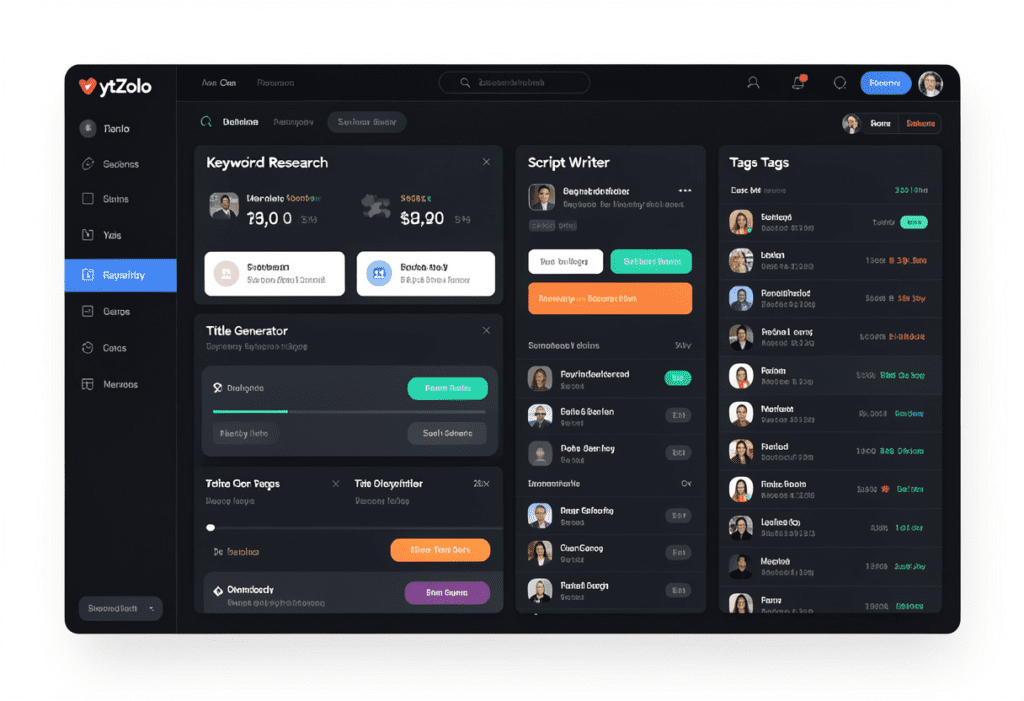
ytZolo is the all-in-one AI YouTube growth tool built specifically for content creators. It’s not a general writing tool with a YouTube plugin. It’s not an analytics dashboard that happens to have a title generator. It was designed — from the ground up — to handle your entire YouTube content workflow in one place.
Here’s everything ytZolo brings to your workflow:
🔍 AI-Powered Keyword & Topic Research
ytZolo analyzes real YouTube search data in your niche to surface high-potential keywords that you can realistically rank for. No more guessing. No more spending 45 minutes in five different tabs. Enter your niche and get actionable keyword opportunities in seconds.
📝 Full Video Script Generator
From a keyword or topic, ytZolo builds a complete, ready-to-use video script — structured for retention, written in a conversational tone, and optimized for the YouTube algorithm. It’s not a generic ChatGPT prompt. It’s a YouTube-specific script that understands hooks, pacing, and CTAs.
🎯 High-CTR Title Generator
ytZolo generates multiple click-worthy title options for every video — each one tested against proven CTR patterns, loaded with emotional triggers and power words, and optimized for search intent. Pick your favorite, mix and match, or use them as inspiration.
🏷️ SEO Description & Tag Generator
Every ytZolo description is crafted with your target keyword in the opening lines, natural variations throughout, and the right structural signals to push your video up in search results. The tag generator surfaces the exact tags your competitors are missing — giving your videos a discoverability edge from day one.
🖼️ Thumbnail Concept Ideas
Not sure what your thumbnail should look like? ytZolo helps you brainstorm thumbnail concepts that are proven to get clicks in your specific niche — so you walk into Canva knowing exactly what to build.
📅 Content Calendar & Idea Engine
Never stare at a blank page wondering what to post next. ytZolo’s idea engine surfaces trending topics in your niche before they peak — so you can plan ahead, stay consistent, and ride search waves at exactly the right moment.
The best free AI YouTube tools on this list are powerful individually. But ytZolo brings them all together in one streamlined platform — saving you the time, mental energy, and frustration of managing a dozen separate tools.
“I used six different tools before ytZolo. Now I do everything in one place, in half the time. My channel grew 3x in the first two months.” — ytZolo creator
6. Why ytZolo Beats Other Free AI YouTube Tools
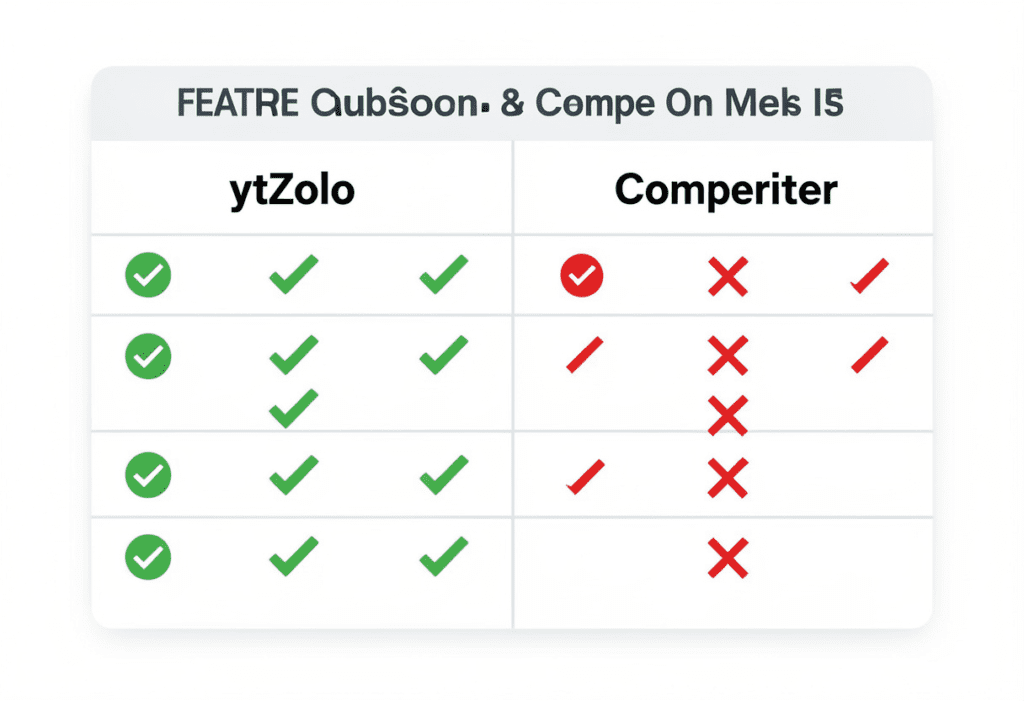
Let’s put ytZolo side-by-side with some of the best free AI YouTube tools on the market:
| Feature | ytZolo | VidIQ (Free) | TubeBuddy (Free) | ChatGPT (Free) | CapCut (Free) |
|---|---|---|---|---|---|
| YouTube Keyword Research | ✅ | ✅ Basic | ✅ Basic | ❌ | ❌ |
| AI Title Generator | ✅ YouTube-optimized | ⚠️ Limited | ⚠️ Limited | ⚠️ Generic | ❌ |
| Full Script Writing | ✅ | ❌ | ❌ | ✅ (not YouTube-specific) | ❌ |
| SEO Description Writer | ✅ | ❌ | ⚠️ Basic | ⚠️ Generic | ❌ |
| Tag Generator | ✅ | ✅ | ✅ | ❌ | ❌ |
| Thumbnail Concept Ideas | ✅ | ❌ | ❌ | ❌ | ❌ |
| Content Calendar & Ideas | ✅ | ❌ | ❌ | ❌ | ❌ |
| 100% YouTube-Specific | ✅ | ✅ | ✅ | ❌ | ❌ |
| All-in-One Platform | ✅ | ❌ | ❌ | ❌ | ❌ |
The gap is clear.
VidIQ and TubeBuddy free plans are solid entry-level tools. But they’re primarily built for analytics and keyword research — they won’t write your content, plan your calendar, or help you build a thumbnail strategy.
ChatGPT is powerful but directionless when it comes to YouTube. It doesn’t understand your niche’s algorithm patterns, search intent signals, or what makes a YouTube title convert vs. a blog title.
CapCut is excellent for editing — but it’s a post-production tool. It won’t help you create the strategy, research the topic, or write the script.
ytZolo is the only platform that covers the full creation cycle — from “I have an idea” to “my video is published and optimized.” For creators who want the best free AI YouTube tools bundled into one smart system, ytZolo is the clear answer.
For deeper comparisons and growth strategies, head to the ytZolo blog.
7. How to Build a Full AI YouTube Workflow in Under 30 Minutes
Here’s how to use the best free AI YouTube tools — plus ytZolo — to produce a fully optimized video from idea to upload in under 30 minutes of prep time:
Step 1: Find Your Keyword (5 minutes)
Use ytZolo or YouTube Search Autocomplete to identify a high-potential keyword with clear search intent. Focus on long-tail keywords your channel can realistically rank for.
Step 2: Generate Your Script (8 minutes)
Enter your keyword and niche into ytZolo’s script generator. Personalize the output with your own stories, examples, and voice. The AI gives you the framework — you give it life.
Step 3: Create Your Title (2 minutes)
Run ytZolo’s title generator for your keyword. Pick from 5–7 options or blend elements from multiple suggestions. Aim for under 60 characters with your keyword in the first 3–5 words.
Step 4: Plan Your Thumbnail (3 minutes)
Use ytZolo’s thumbnail concept tool to outline what your thumbnail should include. Then hop into Canva to build it quickly using a YouTube template.
Step 5: Write Your Description & Tags (5 minutes)
ytZolo auto-generates an SEO-rich description with your keyword in the opening lines. Copy the tag recommendations directly into YouTube Studio.
Step 6: Review and Upload (7 minutes)
Do a final read-through of your title, description, and tags. Add timestamps and chapter markers. Upload and publish.
That’s it. Thirty minutes of strategic prep. A fully optimized, discoverable video. Repeat weekly and watch your channel grow.
8. FAQ: Best Free AI YouTube Tools
What are the best free AI YouTube tools for beginners in 2026?
The Best Free AI YouTube Tools to Grow Your Channel Fast for beginners include YouTube Search Autocomplete for keyword research and Google Trends for identifying trending topics and timing your uploads. These tools help creators understand what audiences are actively searching for.
Other helpful tools include Canva for thumbnail design, CapCut for video editing with AI captions, Adobe Podcast for improving audio quality, and ChatGPT for generating script drafts and video ideas.
For creators who want everything in one place, the Best Free AI YouTube Tools to Grow Your Channel Fast also include all-in-one platforms like ytZolo, which combine keyword research, title generation, scripts, descriptions, and tags to streamline the entire YouTube workflow.
Are there truly free AI YouTube tools — or are they all paid?
Yes, many genuinely free AI YouTube tools exist. YouTube’s autocomplete, Google Trends, CapCut, Adobe Podcast, and Canva’s free tier are all fully functional without payment. VidIQ and TubeBuddy offer limited free plans. ytZolo also offers a free-to-start plan so creators can experience its core features before upgrading. Always check what’s included in free tiers before committing to any tool.
Can free AI YouTube tools really help grow my channel?
Absolutely. The best free AI YouTube tools directly impact the factors that drive YouTube growth: video discoverability (keyword research and SEO), click-through rate (title and thumbnail optimization), and audience retention (well-structured scripts and quality audio). Creators who use even basic free AI YouTube tools consistently out-perform those who rely on manual, guesswork-based methods.
What’s the difference between free YouTube AI tools and paid ones?
Free AI YouTube tools typically offer limited searches, basic features, or watermarked outputs. Paid plans unlock full keyword databases, unlimited AI generations, advanced analytics, and more customization. The key is finding free tools that provide genuine value — and for YouTube-specific workflows, ytZolo offers the most comprehensive free starting point before any paid upgrade.
Do I need multiple AI tools for YouTube, or can one tool do everything?
Most Best Free AI YouTube Tools to Grow Your Channel Fast specialize in just one area — such as editing, keyword research, or thumbnail design. Because of this, many creators end up managing 5–7 different platforms just to handle their complete YouTube workflow.
This is where ytZolo solves the problem. Instead of switching between multiple tools, it combines everything creators need in one place — from keyword research and title generation to script writing and SEO optimization.
With Best Free AI YouTube Tools to Grow Your Channel Fast, ytZolo also helps generate descriptions, tags, thumbnail concepts, and content planning — all inside a single platform built specifically for YouTube creators.
you can also check this post :- https://ytzolo.com/blog/youtube-seo-tips-for-beginners/
9. Conclusion: Stop Patching Together Free Tools — Start Growing with the Right System
You’ve just been handed the definitive list of the best free AI YouTube tools in 2026. From keyword research to thumbnails to audio enhancement, the tools exist to completely transform how you create content.
But here’s the truth most creators learn the hard way: having good tools isn’t enough. You need a system. A unified workflow that takes you from idea to published video without the tab-switching chaos and mental drain of juggling ten different platforms.
That’s exactly what ytZolo was built to give you.
ytZolo brings together everything you need — keyword research, title generation, script writing, SEO descriptions, tag optimization, and content planning — in one powerful, YouTube-native platform. It’s the only tool on this list that covers your entire content lifecycle. And it does it faster and smarter than doing it manually ever could.
The best free AI YouTube tools will get you started. ytZolo will get you growing.
Your audience is out there searching for your content right now. Don’t let them find someone else’s instead.
Start creating smarter, faster, and more viral YouTube content with ytZolo today.
👉 Get started free at ytZolo.com

