
The best YouTube hashtags for views are relevant to your video topic, audience, and niche.
This guide gives you copy-ready hashtag ideas for gaming, fitness, food, travel, education, technology, and other popular categories, plus practical tips for choosing hashtags that fit your content.
You don’t need to add every popular hashtag to your video. Start with a few specific tags that accurately describe what viewers will find, then add broader hashtags only when they make sense.
In this guide, you’ll learn:
- Which YouTube hashtags to try for different niches.
- How to choose hashtags for YouTube Shorts and long-form videos.
- Where to place hashtags in your video description.
- How to avoid irrelevant or excessive hashtags.
- How to research hashtags before publishing.
Quick tip: YouTube hashtags help viewers discover related content, but they don’t guarantee more views. Your topic, title, thumbnail, and ability to hold viewers’ attention also matter.
Use the hashtag lists below as starting points. Before publishing, remove any tags that don’t accurately describe your specific video.

Table of Contents
1. What Are YouTube Hashtags and How Do They Work?
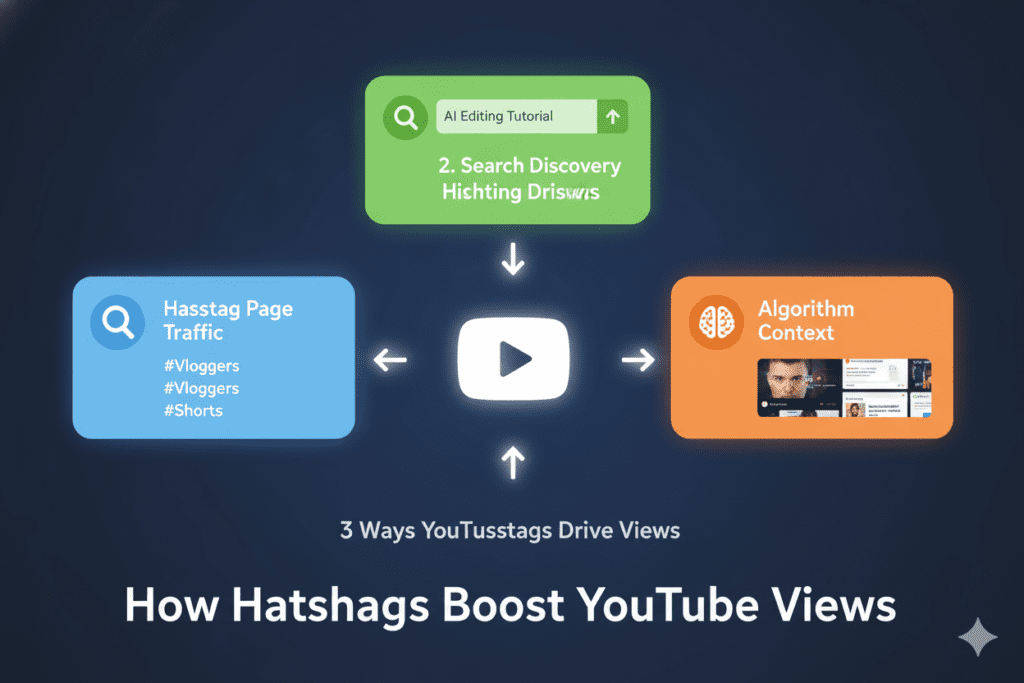
YouTube hashtags are words or phrases that begin with the # symbol. Creators add them to video titles or descriptions to help viewers find content related to a particular topic.
For example, a home workout video might use #HomeWorkout, #FitnessTips, and #BeginnerWorkout. These hashtags describe the video and help connect it with related content.
Where do YouTube hashtags appear?
You can add hashtags to a video’s title or description. YouTube may display up to three hashtags from the description near the video title. When viewers select a hashtag, they can explore other videos using that hashtag.
Do hashtags help YouTube understand a video?
YouTube hashtags connect videos with other content using the same hashtag. Viewers can select a hashtag to explore related videos on YouTube. However, hashtags do not guarantee better search rankings, more recommendations, or additional views.
Hashtags are also different from YouTube video tags. Hashtags appear with the # symbol in a title or description, while video tags are separate metadata fields in YouTube Studio.
Example of relevant hashtags
Suppose you publish a tutorial showing beginners how to edit videos on a phone. A relevant starting set could be:
#VideoEditing #MobileVideoEditing #EditingTutorial
These hashtags describe the subject and format more clearly than unrelated tags such as #Viral or #Trending.
The main rule is simple: choose hashtags that accurately represent the video instead of selecting them solely because they seem popular.
2. Do YouTube Hashtags Really Help You Get More Views?
YouTube hashtags can help viewers discover related videos, but they are only one part of your content strategy. Their usefulness depends on how accurately they describe your video and whether viewers are interested in that topic.
When are YouTube hashtags useful?
- Related-content discovery: Viewers can click a hashtag to explore videos associated with the same topic.
- Topic identification: Specific hashtags help communicate whether a video covers a tutorial, recipe, gaming session, or another subject.
- Niche relevance: Relevant hashtags can connect your content with a more specific topic than a broad category alone.
What hashtags cannot do
Hashtags cannot guarantee views, higher rankings, or placement in YouTube recommendations. A popular hashtag will not automatically make a video successful.
For example, a beginner photography tutorial could use #BeginnerPhotography, #PhotographyTips, and #CameraTutorial. These tags describe the content more accurately than a generic hashtag such as #Viral.
For better results, focus on a useful video topic, an accurate title, an appealing thumbnail, and content that delivers what viewers expect. Use hashtags to describe that content, not as a substitute for it.
3. Why Do Many Creators Choose the Wrong YouTube Hashtags?
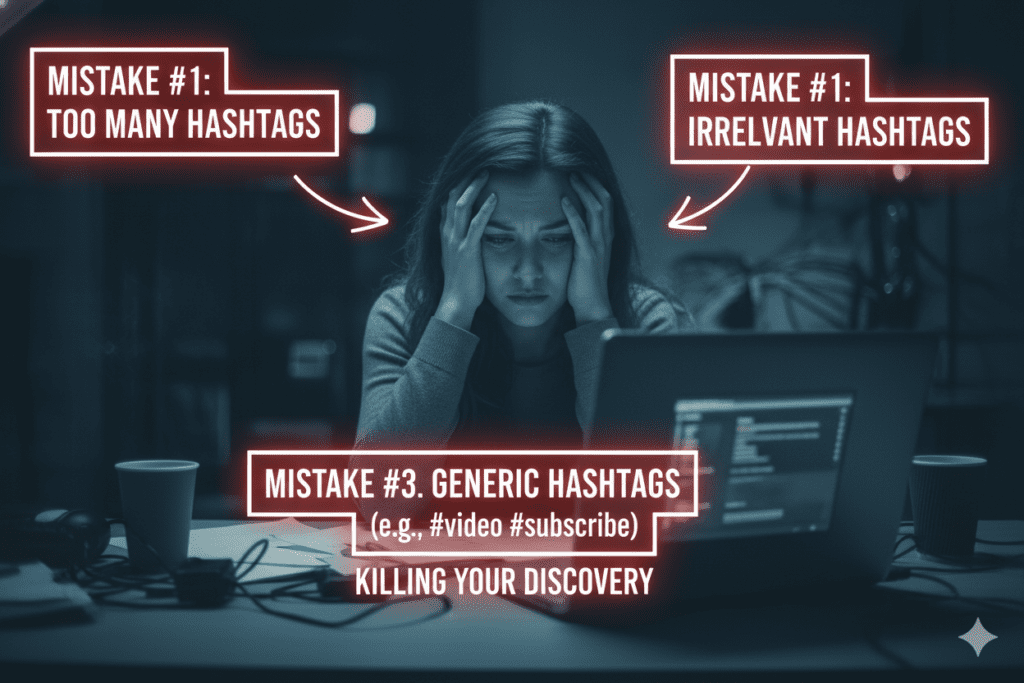
Many creators choose YouTube hashtags because they look popular, not because they match the video. This can make hashtags less useful to viewers and weaken the connection between the tag and the content.
Here are four common mistakes to avoid.
1. Using hashtags that don’t match the video
A video about beginner guitar lessons shouldn’t use unrelated hashtags such as #FitnessMotivation or #TravelVlog. Choose hashtags that describe the actual subject, audience, or format of your video.
For example, a guitar tutorial could use #GuitarLessons, #LearnGuitar, and #BeginnerGuitar.
2. Adding too many hashtags
More hashtags don’t automatically mean more views. A long list of loosely related tags can make your description look cluttered and distract from the information viewers need.
Start with a small group of highly relevant hashtags. Keep each one only if it accurately describes the video.
YouTube also states that if a video has more than 60 hashtags, all hashtags on that video are ignored. Avoid excessive hashtag use.
3. Using only broad hashtags
Hashtags such as #Music, #Gaming, and #Food cover very broad topics. They can be appropriate for some videos, but they may not communicate the specific subject.
Combine a relevant broad hashtag with more specific ones when appropriate.
For example, a video teaching beginners how to make pasta could use #Cooking, #PastaRecipe, and #EasyRecipes.
4. Copying hashtags from unrelated trending videos
A trending hashtag isn’t automatically suitable for your content. Before using one, check whether it describes your video’s subject and matches what your intended audience is looking for.
Don’t add trending, celebrity, or event-related hashtags simply to attract attention if your video has no meaningful connection to them.
How can you choose better hashtags?
Before publishing, ask yourself three questions:
- Does this hashtag accurately describe my video?
- Would someone interested in this topic find the hashtag relevant?
- Am I using it because it fits the content, rather than simply because it is popular?
If a hashtag fails these checks, remove it. A short, relevant list is a better starting point than a long list of unrelated terms.
For current rules, consult YouTube’s official hashtag guidance.
4. Best YouTube Hashtags by Niche 2026
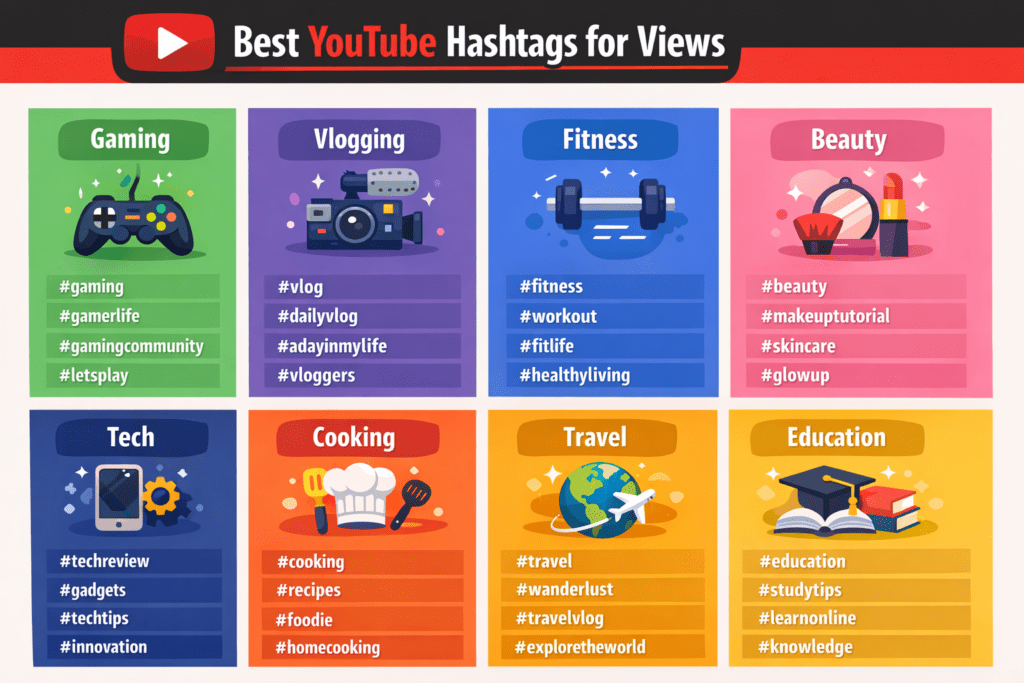
The best YouTube hashtags depend on your video’s topic, format, and audience. Use these niche-specific hashtag ideas as a starting point, then select the ones that accurately describe your video.
| Niche | Hashtags to try |
|---|---|
| Gaming | #Gaming #Gameplay #GamingShorts |
| Fitness | #Fitness #Workout #FitnessTips |
| Food and cooking | #Food #Cooking #EasyRecipes |
| Travel | #Travel #TravelVlog #TravelTips |
| Education | #Education #Learning #StudyTips |
| Technology | #Technology #TechReview #TechTips |
| Beauty | #Beauty #MakeupTutorial #Skincare |
| Music | #Music #MusicCover #SongCover |
| Comedy | #Comedy #FunnyVideos #ComedyShorts |
| Motivation | #Motivation #SelfImprovement #MotivationalShorts |
How to choose hashtags for your niche
Start with the main subject of your video. Add a specific hashtag for the topic and, if relevant, one for the format or audience.
For example, a beginner cooking tutorial could use #Cooking, #EasyRecipes, and a hashtag naming the dish. A gaming video could use the game’s name alongside a relevant gameplay or tutorial hashtag.
These are suggestions, not verified popularity rankings. Avoid using every hashtag in the table. Select only the ones that fit your particular video, and don’t assume that a hashtag guarantees more views.
5. How to Find the Best YouTube Hashtags for Your Videos
You can find the best YouTube hashtags for views by starting with your video topic, researching related content, and checking that each hashtag accurately describes what you publish. Use these five steps before uploading.
Method 1: Start with your video’s main topic
Write down the main subject of your video, its specific subtopic, and its intended audience.
For a video about editing travel footage on a phone, possible starting points include #VideoEditing, #MobileVideoEditing, and #TravelVideoEditing.
Choose terms that describe the actual content rather than adding broad tags simply to attract attention.
Method 2: Explore YouTube search suggestions
Enter your topic or a hashtag into YouTube search and review the suggestions that appear. Use them to discover related wording and potential topics to investigate.
Search suggestions are ideas for research, not verified search-volume figures or proof that a hashtag is trending.
Method 3: Review relevant videos in your niche
Look at several recent videos covering the same subject. Check their titles, descriptions, and hashtags to identify terms that are relevant to your own video.
Do not copy another creator’s entire hashtag list. A hashtag that fits their video may not accurately describe yours.
Method 4: Research trends when your topic is time-sensitive
For seasonal videos, current events, or emerging topics, Google Trends can help you explore interest in related search terms. You can also review recent videos covering the same subject.
Remember that search interest does not establish how frequently a particular YouTube hashtag is used or how many views it will generate.
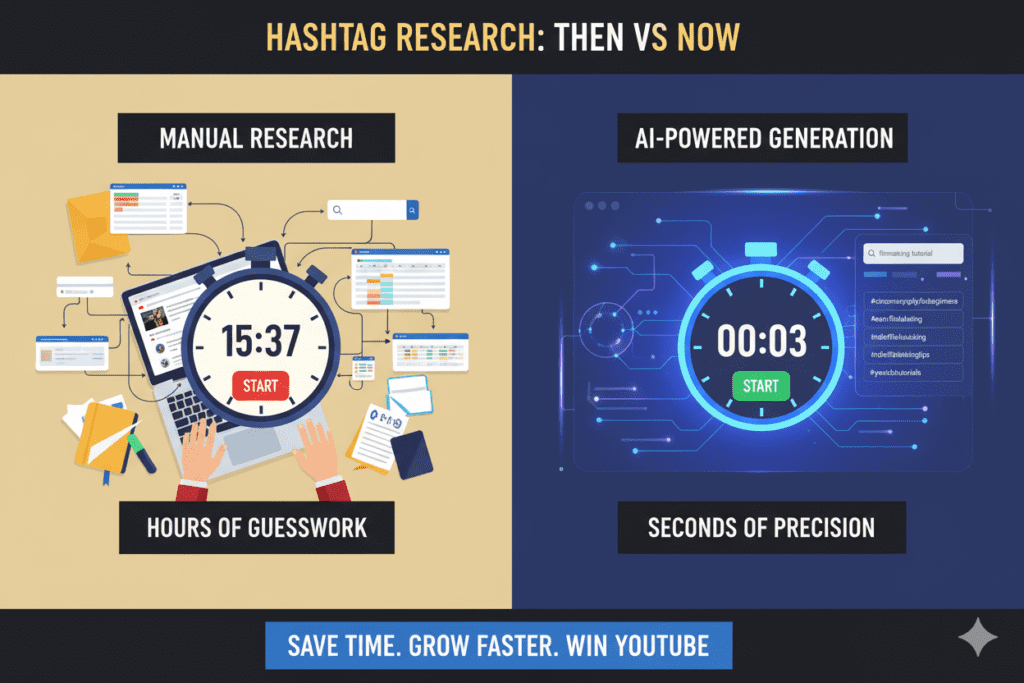
Method 5: Use a hashtag generator for additional ideas
A hashtag generator can help you brainstorm related terms without starting from scratch. Enter your video topic, review the suggestions, and remove anything irrelevant or misleading.
An AI-generated list should be treated as a draft, not verified performance data. Confirm that each hashtag fits your content before using it.
Final checklist before publishing
- Does each hashtag describe the actual video?
- Have I included specific terms rather than only broad categories?
- Have I removed unrelated or misleading hashtags?
- Does the list complement my title and description?
The goal is not to use the largest number of hashtags. It is to select a small, relevant set that accurately represents your video.
For creators serious about finding the best YouTube hashtags for views consistently, Method 5 isn’t optional. It’s the standard. And ytZolo is leading the pack when it comes to AI-powered YouTube growth.
6. How Can an AI YouTube Hashtag Generator Help?
An AI YouTube hashtag generator can help creators brainstorm hashtags based on a video’s topic, format, and audience. It can be useful when you need ideas quickly or want to explore specific subtopics.
1. Generate related hashtag ideas
Describe your video and ask the tool to suggest hashtags related to its main topic, audience, and format. For example, a beginner home workout video might produce ideas such as #HomeWorkout, #BeginnerFitness, and #BodyweightWorkout.
2. Explore different levels of specificity
A generator can suggest broad topic hashtags alongside more specific terms. Review the results and keep only the ones that match the video’s actual content.
3. Support your metadata workflow
If your chosen tool also supports titles, descriptions, or video tags, you can prepare several parts of your metadata in one workflow. Check each output separately rather than assuming all suggestions are accurate.
What AI cannot verify automatically
An AI-generated hashtag is not necessarily popular, low-competition, or trending. Unless a tool provides reliable, current data for those metrics, do not treat its recommendations as measured results.
Use AI to generate ideas, then apply your own judgment. Relevance to the video should guide your final selection.
The creators who are scaling from 10K to 100K subscribers right now aren’t working harder on hashtag research. They’re working smarter with AI. Check out the ytZolo blog to see how top creators are building AI-powered content workflows that save hours and compound their growth every week.
7. Using ytZolo for YouTube Hashtag Ideas
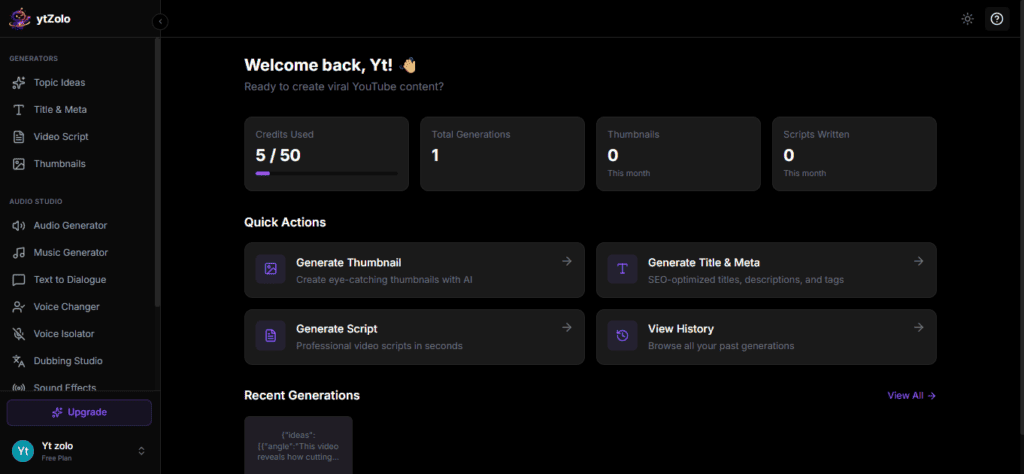
ytZolo is an AI-powered YouTube workflow platform that helps creators prepare content and metadata. Its relevant features can support the process of developing video ideas, titles, descriptions, and other publishing materials.
When using ytZolo for hashtag ideas, start with your video’s actual topic and review the generated suggestions before publishing. Remove hashtags that do not match the subject, audience, or format.
Hashtags are only one part of YouTube metadata. A clear title, an accurate description, and useful video content remain important. No hashtag generator can guarantee views or rankings.
Choose a tool based on the tasks it actually supports, the quality of its output, and whether it fits your workflow.
What this tells you:
TubeBuddy and vidIQ are respected tools for YouTube analytics and SEO research. They’re genuinely useful for certain tasks. But they’re not built to be your content creation partner — they’re built to analyze your existing content, not supercharge your new uploads.
Hashtagify focuses on hashtag data but doesn’t understand YouTube-specific content strategy. RapidTags gives you a quick list but no depth, no context, and nothing beyond tags.
ytZolo is the only tool that combines all of it — AI hashtags, titles, descriptions, scripts, and thumbnail ideas — in a single platform built from the ground up for YouTube growth. For creators who want the best YouTube hashtags for views and a complete optimization workflow, ytZolo wins every comparison.
8. How to Choose a YouTube Hashtag Tool
The right YouTube hashtag tool depends on how you research topics and prepare your videos. Some creators prefer manual research, while others use generators to brainstorm additional ideas.
Compare tools using the following criteria:
| What to compare | What to check |
|---|---|
| Relevance | Do the suggestions match your exact video topic? |
| Specificity | Can you find terms for a particular audience or subtopic? |
| Data transparency | Does the tool provide actual research data or only generated suggestions? |
| Ease of use | Can you review and copy useful results without unnecessary steps? |
| Workflow | Does it support other tasks you need, such as titles or descriptions? |
| Cost | Are the useful features included in the free plan or a paid plan? |
A hashtag generator may be enough if you only need ideas. A broader creator workflow tool may be useful if you also need help preparing video metadata.
Before choosing a tool, test it with a real video topic. Compare the relevance of its suggestions and verify any claims about popularity, competition, or performance using reliable data.
No tool should be considered the winner without a clear comparison based on verified features and practical results.
9. Step-by-Step: How to Choose YouTube Hashtags with ytZolo
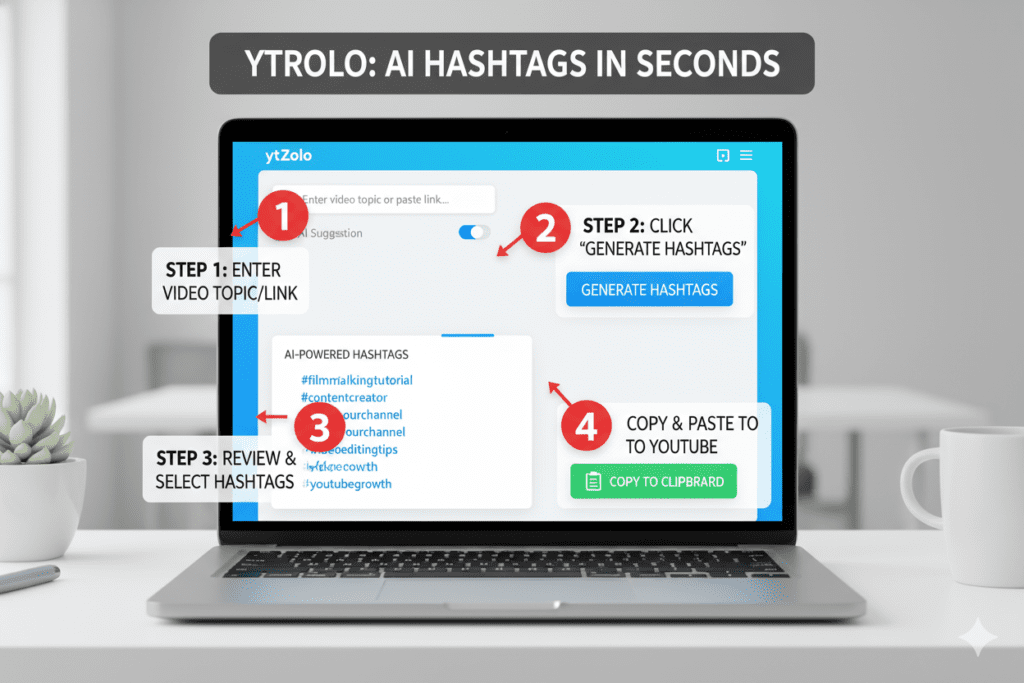
You can use ytZolo as part of your YouTube content preparation workflow. The exact steps depend on the features currently available in your account.
Step 1: Open ytZolo
Visit ytZolo and open the relevant content creation tool.
Step 2: Enter your video topic
Describe what the video covers. Include the main subject, the format, and the intended audience when relevant.
For example: “A beginner-friendly tutorial explaining how to edit travel videos on an Android phone.”
Step 3: Generate or collect hashtag ideas
Use the relevant generator if available. You can also research related terms using YouTube search and videos covering the same subject.
Step 4: Review the suggestions
Remove hashtags that are too broad, unrelated, misleading, or unsuitable for the specific video. Do not assume that generated suggestions have verified search volume or popularity.
Step 5: Add the selected hashtags to your description
Place relevant hashtags in the video description. YouTube may display up to three hashtags from the description near the video title.
Make sure your description still explains the video clearly and that your hashtags do not misrepresent its content.
Step 6: Review before publishing
Check the final title, description, and hashtags together. Remove unnecessary tags and confirm that each one accurately reflects what viewers will see.
Step 7: Evaluate your content over time
Use YouTube Analytics to review the video’s traffic sources and overall performance. Treat changes in views as observations, not proof that a particular hashtag caused the change.
The purpose of this workflow is to make hashtag selection more consistent while keeping every tag relevant to the video.
10. YouTube Hashtag Best Practices for 2026
Use these practices to keep your YouTube hashtags relevant, clear, and consistent with your content.
1. Prioritize relevance over quantity
Choose hashtags that describe your video’s subject. You do not need to reach a particular hashtag count to make your metadata useful.
2. Choose specific hashtags where appropriate
Combine a broad topic with more specific terms when they accurately describe the video. For a beginner guitar lesson, #GuitarLessons and #BeginnerGuitar may be more informative than using only #Music.
3. Add hashtags to your title or description
YouTube supports hashtags in video titles and descriptions. Up to three hashtags from the description may appear near the video title. Keep the title readable and avoid adding hashtags that distract from its main message.
4. Avoid misleading hashtags
Every hashtag should have a meaningful connection to the video. Do not use unrelated trending topics, celebrities, or events simply to attract attention.
5. Format hashtags correctly
Do not include spaces within a hashtag. For example, #VideoEditingTips works as a single hashtag, while #Video Editing Tips does not create one hashtag for the entire phrase.
6. Use location-related hashtags only when relevant
Location hashtags can make sense for local events, travel videos, and region-specific content. Include them when the location is genuinely part of the video, not because you expect them to increase reach automatically.
7. Review older videos when there is a clear reason
If an older video’s subject, description, or intended audience has changed, review its hashtags for accuracy. Do not assume that changing hashtags alone will restore traffic or generate new views.
8. Follow YouTube’s hashtag policies
YouTube states that if a video has more than 60 hashtags, all hashtags on that video are ignored. Misleading or unrelated hashtags can also create policy issues. Avoid excessive tagging and consult the official guidance before publishing.
9. Evaluate the whole video, not just its hashtags
Use YouTube Analytics to understand traffic sources and audience behaviour. Consider the title, thumbnail, topic, and viewing experience alongside your metadata. Do not attribute a change in views to hashtags without supporting evidence.
The best approach is simple: use accurate hashtags, keep your description useful, and focus on making a video that delivers what its title promises.
For more in-depth creator strategies, growth hacks, and YouTube SEO guides, the ytZolo blog is packed with actionable content built specifically for serious creators.

11. Frequently Asked Questions
What are the best YouTube hashtags for views in 2026?
The best YouTube hashtags describe your video’s topic, format, and audience. For a tutorial, use hashtags related to the specific skill being taught. For gaming content, consider the game name and the type of gameplay. No hashtag guarantees more views.
How many hashtags should I use on a YouTube video?
There is no universal ideal number of hashtags for every video. Choose a few relevant hashtags rather than adding tags to reach a particular count. YouTube states that if a video has more than 60 hashtags, all hashtags on that video are ignored.
Where should I put hashtags on a YouTube video?
You can add hashtags to a video’s title or description. YouTube may display up to three hashtags from the description near the video title. Keep your title readable and make sure your description remains useful to viewers.
Do YouTube hashtags work for Shorts?
You can use relevant hashtags on YouTube Shorts, just as you can on long-form videos. Choose tags that describe the Short’s topic or format. #Shorts is optional, not a requirement for a video to qualify as a Short.
Can an AI tool help me find YouTube hashtags?
Yes. An AI tool can suggest hashtags based on your topic and help you brainstorm alternatives. However, generated suggestions are not automatically verified as popular or trending. Review each suggestion and use only tags that accurately describe your video.
Conclusion
The best YouTube hashtags for views are the ones that accurately describe your video and help viewers explore related content. Start with your main topic, add specific hashtags where appropriate, and remove anything unrelated.
Use the niche examples in this guide as starting points rather than guaranteed performers. Research relevant terms, review YouTube’s hashtag rules, and keep your description focused on the value your video provides.
If you need help preparing your YouTube content, ytZolo offers an AI-powered workflow for tasks such as creating titles, descriptions, scripts, and other publishing materials.
Choose hashtags carefully, publish useful content, and evaluate your results over time. No hashtag list or tool can guarantee views, but a clear and relevant metadata strategy gives viewers a better understanding of your video.
Start creating smarter, faster, and more viral YouTube content with ytZolo today.
👉 Get started free at ytZolo.com
Author Bio
About the Author: Anshika Verma
Anshika Verma is a content researcher and writer at ytZolo, focusing on YouTube SEO, AI creator tools, and video content workflows. She researches and tests tools to help creators understand their features, compare available options, and make informed decisions using practical examples and evidence-based insights.

