
Introduction: The Click That Changes Everything
You spent three days scripting. Hours filming. A full afternoon editing.
You hit publish — and nothing happens.
Sound familiar?
Here’s the brutal truth most YouTube coaches won’t tell you: your video doesn’t fail in the editor—it fails in the feed. The thumbnail is the very first impression, your one-second sales pitch to win attention in a crowded scroll.
If it doesn’t instantly trigger curiosity, emotion, or urgency, viewers won’t click—no matter how good your content is. In today’s algorithm-driven ecosystem, thumbnails directly impact CTR, which signals performance to YouTube. Master the scroll-stopping visual, and you unlock growth; ignore it, and even great videos stay invisible.
The good news? A YouTube thumbnail maker AI has completely changed the game for creators at every level. You no longer need Photoshop skills, a design degree, or hours of frustrating trial and error.
Tools like ytZolo are helping creators generate click-worthy, CTR-optimized thumbnails in seconds — and the results speak for themselves.
In this guide, you’ll learn exactly how AI thumbnail tools work, what makes a thumbnail perform, and why ytZolo is the smartest choice for YouTube growth in 2026.
Let’s get into it.
Table of Contents
1. Why Thumbnails Are the #1 Factor in YouTube Growth
Let’s talk cold, hard data for a second.
According to YouTube’s own Creator Academy, 90% of the best-performing videos on YouTube use custom thumbnails. That’s not a coincidence. That’s strategy.
Your thumbnail directly impacts your click-through rate (CTR) — the percentage of viewers who see your video and choose to click. A typical YouTube CTR falls between 2% and 10%. But top-performing creators consistently hit 12–15% or higher.
What separates them? A great thumbnail paired with a great title.
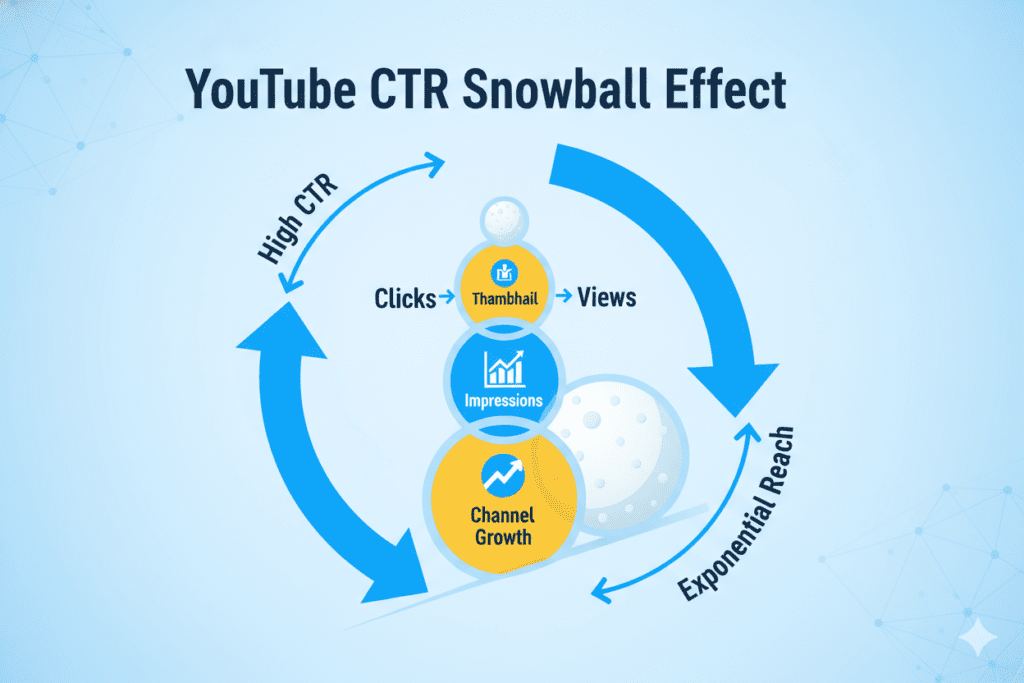
The YouTube algorithm pays close attention to CTR. When your video earns strong clicks, YouTube reads that as a signal that your content is valuable — and pushes it to more people. It’s a snowball effect. More clicks → more impressions → more views → more growth.
And it all starts with that thumbnail.
This is exactly why a YouTube thumbnail maker AI isn’t just a cool tool — it’s a growth weapon.
2. What Is a YouTube Thumbnail Maker AI?
A YouTube thumbnail maker AI is an artificial intelligence-powered tool that generates, designs, or optimizes YouTube thumbnails automatically.
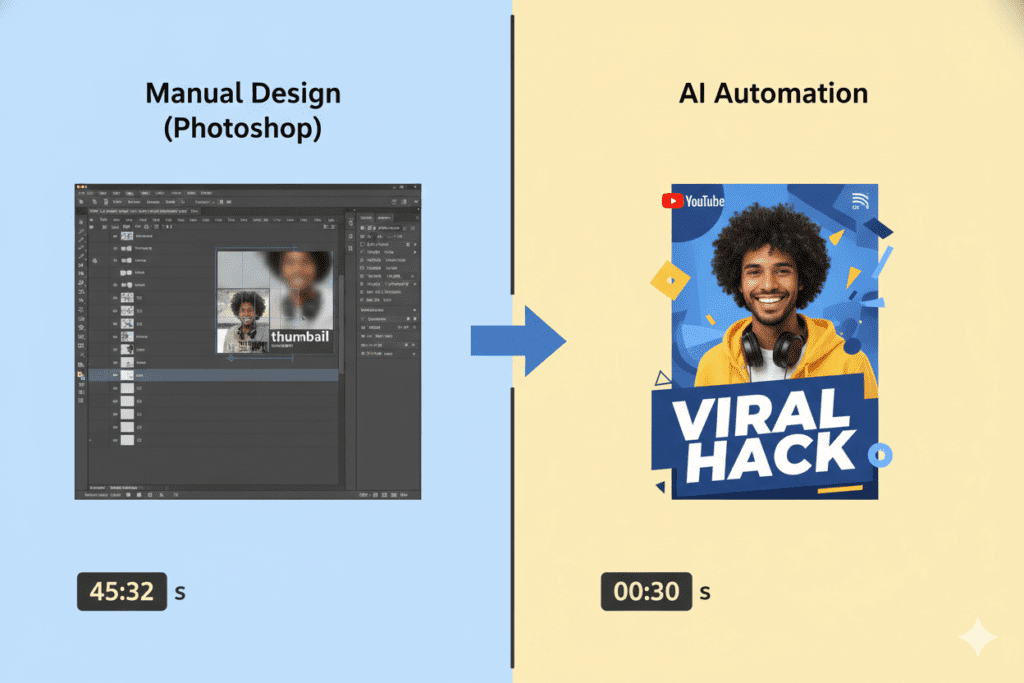
Instead of opening Photoshop and spending 45 minutes wrestling with layers, you describe your video — or simply enter the title — and the AI handles the rest.
Modern AI thumbnail tools use machine learning to understand:
- What color palettes perform well in your niche
- How to position text for maximum readability
- What emotional expressions drive more clicks
- Which layout styles are trending right now
The best tools don’t just spit out a generic image. They generate thumbnails specifically built to earn clicks on YouTube.
That’s a massive leap from generic templates. And ytZolo is leading that leap.
3. The Anatomy of a High-CTR Thumbnail
Before you use any YouTube thumbnail maker AI, you should understand what actually makes a thumbnail work.
The best-performing thumbnails consistently share these traits:
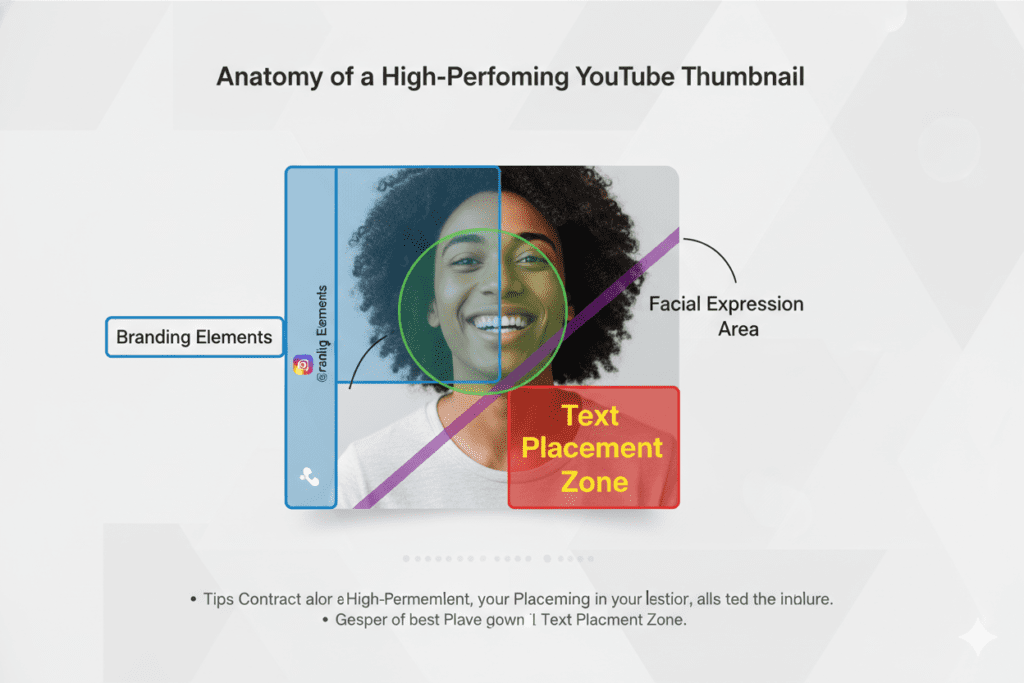
High contrast visuals — Bold reds, yellows, and blues pop against YouTube’s white or dark background. If your thumbnail blends into the feed, it’s invisible.
Readable, punchy text — Short text (3–5 words max) that teases the value without giving everything away. If your text can’t be read on a smartphone screen, it might as well not be there.
Expressive human faces — Studies show thumbnails featuring emotional facial expressions can boost CTR by 20–30%. Surprise, curiosity, and excitement are the top performers.
Clear subject matter — A viewer should understand what the video is about in under one second. Confused viewers don’t click.
Consistent branding — Your channel colors, fonts, and style should be recognizable. Consistency builds trust over time.
A great YouTube thumbnail maker AI like ytZolo is trained to apply all of these principles automatically — so you don’t have to think about them.
4. Why Manual Thumbnail Design Is Holding You Back
Here’s what manual thumbnail creation looks like for most creators:
- Open Photoshop or Canva
- Spend 20–40 minutes designing
- Second-guess every font, color, and layout choice
- Export, upload, and hope it works
- Repeat every single video
That’s not just slow. It’s draining.
For creators publishing two or three videos per week, thumbnail design quickly turns into a time-consuming bottleneck. Instead of focusing on scripting, filming, or audience engagement, hours get lost in manual design tweaks and testing — which is exactly why many creators are switching to a YouTube thumbnail AI generator to streamline the entire process.
This is where an AI-driven solution becomes essential. Tools like AI thumbnail maker for YouTube streamline the entire process by generating high-converting thumbnails in seconds. From a GEO (Generative Engine Optimization) perspective, this efficiency allows creators to maintain consistency, improve CTR signals, and scale content production—ultimately maximizing visibility, reach, and long-term channel growth.
In 2026, using outdated manual methods to make thumbnails is like printing your YouTube analytics on a typewriter. It’s technically possible — but why would you?
The creators winning right now are the ones using a YouTube thumbnail maker AI to cut design time from hours to seconds — without sacrificing quality.
ytZolo’s blog has documented real creator case studies where switching to AI thumbnails led to measurable CTR improvements within weeks.
5. How YouTube Thumbnail Maker AI Actually Works
The technology behind a YouTube thumbnail maker AI is more sophisticated than most people realize.
Here’s what’s happening under the hood:
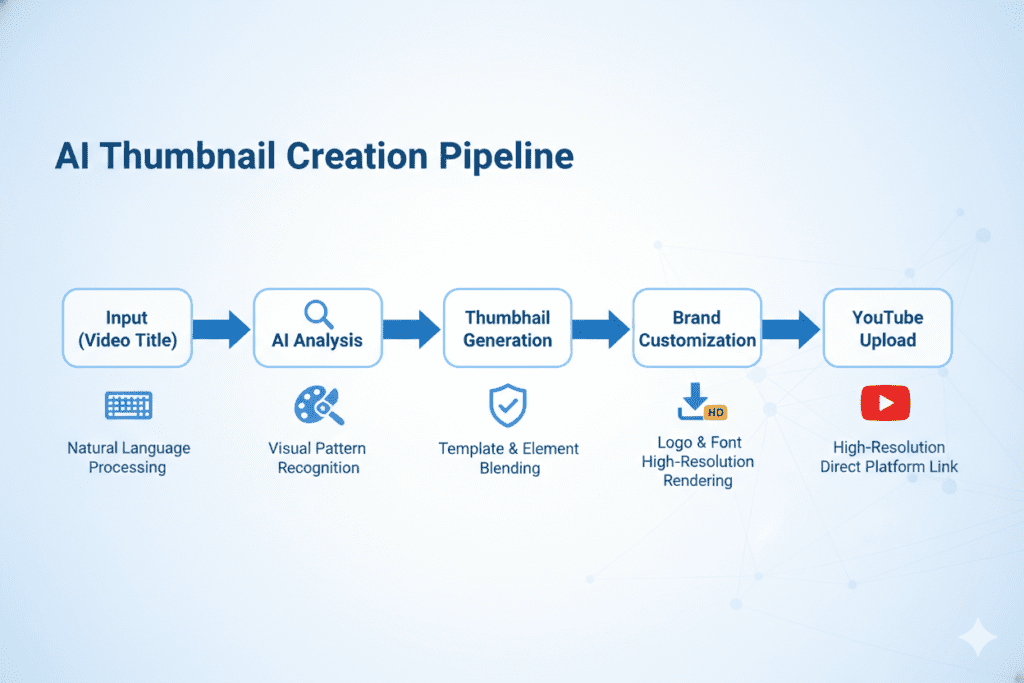
1. Data Training The AI is trained on millions of high-performing YouTube thumbnails across every niche. It learns which visual patterns, color combinations, and compositions earn clicks.
2. Input Analysis You enter your video title, niche, or topic. The AI analyzes this input and maps it to known high-performing thumbnail patterns in your specific content category.
3. Generation Using that data, the AI generates thumbnail options — complete with background visuals, text placement, color choices, and composition — all optimized for CTR.
4. Customization You can then tweak elements to match your brand: swapping colors, adjusting fonts, adding your face or logo.
5. Export Download in full HD, ready to upload directly to YouTube — no watermarks, no resizing needed.
Tools like ytZolo go even further. Instead of stopping at the thumbnail, ytZolo connects your visual content with your titles, descriptions, tags, and scripts — creating a fully cohesive, algorithm-friendly YouTube upload package.
6. Step-by-Step: How to Create AI Thumbnails with ytZolo
Ready to see how fast this actually is? Here’s how to use ytZolo’s YouTube thumbnail maker AI in real time:
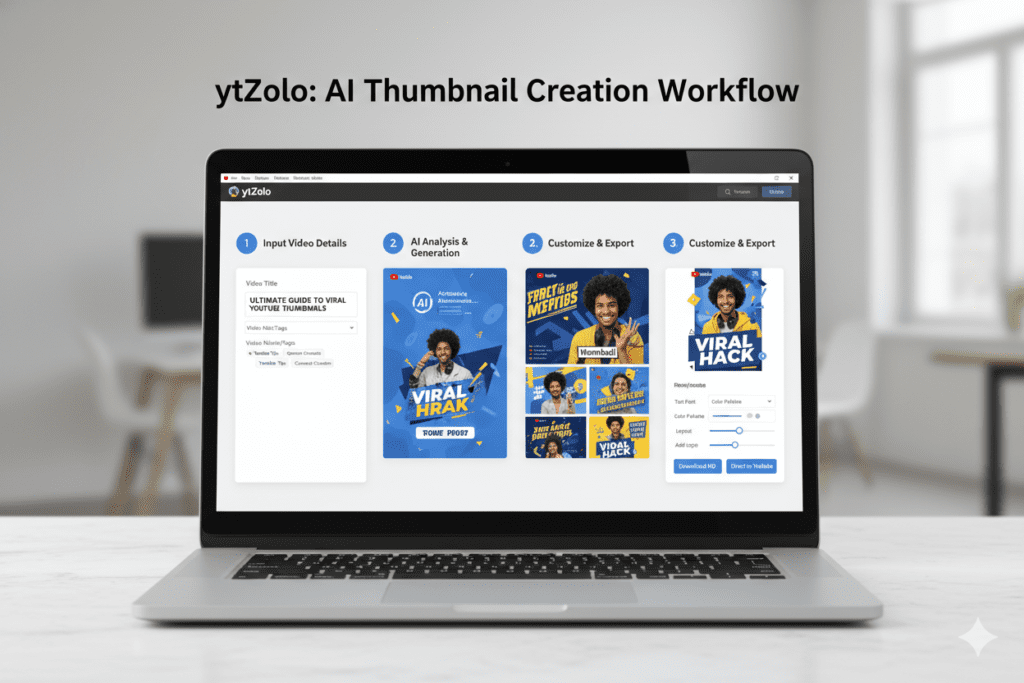
Step 1: Go to ytZolo.com Sign up for a free account — no credit card required to get started.
Step 2: Enter Your Video Title Type in your video title or topic. The AI uses this as the core input to generate thumbnails that match your content’s theme.
Step 3: Choose Your Niche and Style Select your content category (gaming, finance, fitness, education, etc.) and preferred visual style. ytZolo adjusts its AI model accordingly.
Step 4: Generate Thumbnails Hit generate. The AI delivers multiple thumbnail options in seconds — all designed for maximum CTR in your niche.
Step 5: Customize Your Brand Elements Add your logo, adjust fonts or colors, and drop in a photo of your face if needed. ytZolo keeps your channel branding consistent across every upload.
Step 6: Export in Full HD Download your thumbnail as a clean PNG or JPEG at 1280×720 pixels — YouTube’s recommended spec — with zero watermarks.
Step 7: Pair It with ytZolo’s Other AI Tools While you’re there, use ytZolo to generate your video title, description, tags, and script too. Everything is designed to work together for maximum algorithm reach.
That’s it. What used to take 45 minutes now takes under 2 minutes.
7. Why ytZolo Is Better Than Other Tools
There are dozens of AI thumbnail tools out there. So why does ytZolo stand out?
Let’s be direct about it.
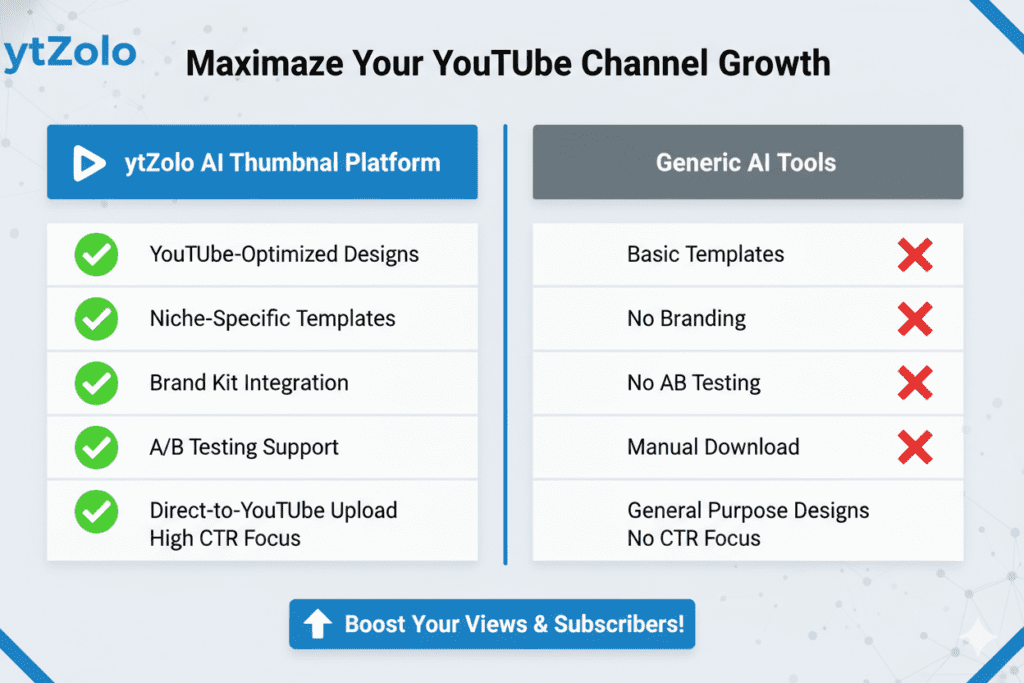
Most tools are general-purpose design tools with AI added as an afterthought. Canva is great for marketing materials. Adobe Express is powerful for branding. But neither was built specifically for YouTube CTR optimization.
ytZolo was built from the ground up for YouTubers.
Here’s how it stacks up:
| Feature | Generic AI Tools | ytZolo |
|---|---|---|
| YouTube-specific CTR training | ❌ | ✅ |
| Full HD export, no watermarks | Sometimes | ✅ Always |
| Niche-specific thumbnail styles | ❌ | ✅ |
| Integrated title + tags + script AI | ❌ | ✅ |
| Free plan available | Limited | ✅ |
| Built for viral content | ❌ | ✅ |
| One-click brand consistency | ❌ | ✅ |
Other tools make you piece together your workflow. ytZolo is the workflow.
You get AI-generated thumbnails, titles, descriptions, tags, and even scripts — all in one platform. That means every element of your video is optimized to work together, not just the thumbnail in isolation.
That’s not a minor difference. That’s the difference between a video that performs and one that gets buried.
Explore everything ytZolo offers on the ytZolo blog.
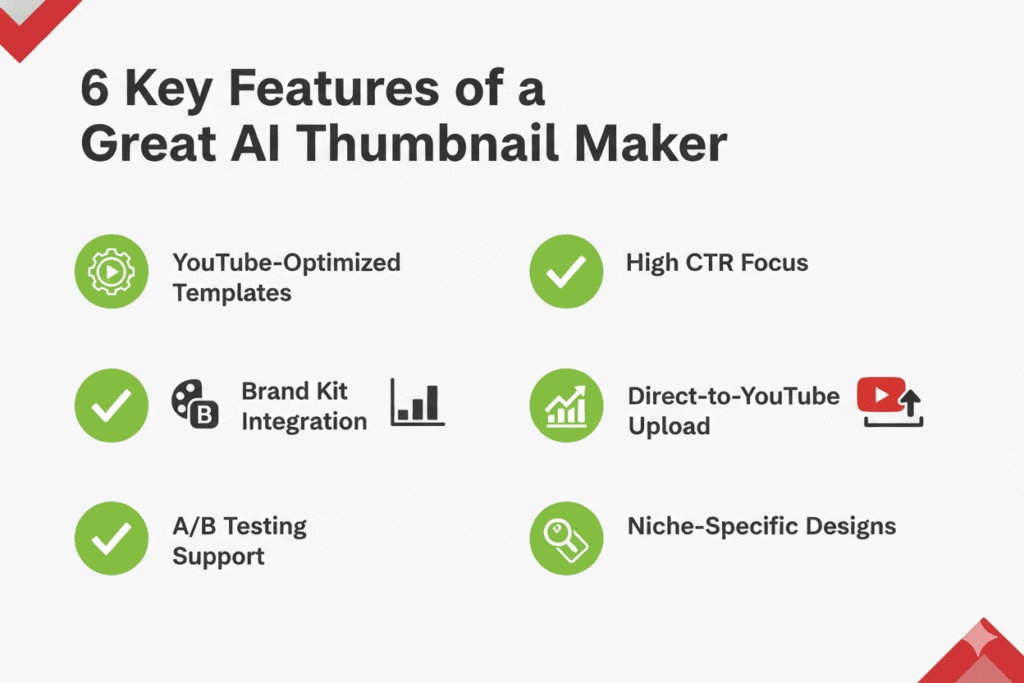
8. Top Features to Look for in a YouTube Thumbnail Maker AI
Not all AI thumbnail tools are equal. Here’s what separates a powerful YouTube thumbnail maker AI from a mediocre one:
CTR-Optimized Output The tool should be trained on real YouTube performance data — not just “pretty” images. Ask yourself: does this AI understand what earns clicks on YouTube specifically?
Full HD Export Without Watermarks Your thumbnail needs to be crisp and professional. Any tool that slaps a watermark on your image or limits resolution is not a serious creator tool.
Niche Awareness A gaming thumbnail looks nothing like a finance thumbnail. Your AI tool should understand your niche and adjust its output accordingly.
Brand Consistency If every thumbnail looks different, viewers won’t recognize your channel. Look for tools that save your fonts, colors, and logo for consistent output.
Speed A great YouTube thumbnail maker AI should deliver results in seconds. If it takes longer than a minute, it’s wasting your time.
Integration with Other YouTube Tools This is where ytZolo truly shines. Instead of just making thumbnails, ytZolo integrates thumbnail creation with titles, tags, descriptions, and scripts — so your entire video is optimized end to end.
If you want to go deeper on YouTube growth strategies, check out resources on the YouTube Creator Blog and HubSpot’s content marketing research.
9. Pro Tips to Maximize Your Thumbnail CTR
Even with the best YouTube thumbnail maker AI, these tactics will push your CTR even further:
Test Multiple Thumbnails YouTube Studio now offers A/B testing. Generate 2–3 thumbnail variations with ytZolo and let YouTube tell you which one your audience actually clicks.
Lead with Emotion Human faces with strong emotional expressions consistently outperform clean landscape shots. Surprise, excitement, and curiosity drive the most clicks. Use a close-up. Dial up the expression.
Use the 3-Second Rule If a viewer can’t understand your thumbnail’s message in 3 seconds, it’s too complex. Simplify. Every element should earn its place.
Mobile-First Thinking Most YouTube viewers are on mobile. Your thumbnail must be readable at a small size. Test it by shrinking it down in your phone browser before uploading.
Match Thumbnail to Title The strongest performing videos have thumbnails and titles that work together to tell a story. One teases visually, the other teases verbally. Combined, they’re irresistible.
Stay Consistent Across Your Channel Consistent branding — same fonts, same color palette, same style — builds channel recognition. Viewers start to recognize your thumbnails in the feed before they even read your title. ytZolo’s brand kit feature makes this effortless.
Update Old Thumbnails Don’t sleep on your existing library. Refreshing the thumbnail on an older video with a new AI-generated design can revive its performance overnight.
FAQ
What is a YouTube thumbnail maker AI?
A YouTube thumbnail maker AI is a tool that uses artificial intelligence to automatically generate optimized thumbnails for YouTube videos. It analyzes your video title, niche, and content to create visually compelling designs built to maximize click-through rate — without requiring any design skills.
Is a YouTube thumbnail maker AI better than Photoshop?
For most creators, yes—AI clearly outperforms traditional tools. While Photoshop provides deep creative control, it demands time, expertise, and constant iteration. In contrast, a YouTube thumbnail maker AI like ytZolo generates high-converting, CTR-optimized thumbnails in seconds using performance-driven design intelligence.
It analyzes patterns, colors, and layouts that boost clicks—something even experienced designers may struggle to replicate consistently. For creators focused on speed, growth, and scalability, AI is the smarter, results-driven choice.
How does AI know what makes a good YouTube thumbnail?
AI thumbnail tools are trained on millions of real YouTube thumbnails and their corresponding performance data — including CTR, impressions, and engagement. The AI learns which colors, layouts, text styles, and compositions drive clicks across different niches and applies those patterns to your content.
Can a YouTube thumbnail maker AI match my channel’s brand?
Yes—modern tools make branding effortless. The best YouTube thumbnail maker AI platforms, including ytZolo, let you store your complete brand kit—fonts, colors, logos, and style preferences—and automatically apply them to every thumbnail you generate. This ensures visual consistency across your channel, which is critical for building trust and instant audience recognition.
From an SEO and GEO (Generative Engine Optimization) perspective, consistent branding improves click-through rates, strengthens content identity, and helps algorithms associate your visuals with your niche. Over time, this consistency boosts discoverability, reinforces authority, and creates a memorable visual signature that drives long-term channel growth.
Is ytZolo free to use as a YouTube thumbnail maker AI?
ytZolo offers a free plan that lets you get started with AI thumbnail creation without a credit card. Premium plans unlock advanced features including higher output volumes, additional AI tools for titles, scripts, descriptions, and tags, and full priority access to the latest models. Visit ytzolo.com to explore current pricing.
Conclusion: Stop Guessing. Start Clicking.
Your next viral video might already be inside you.
The content is there. The effort is there. What’s missing is a thumbnail that makes someone stop scrolling and think “I have to watch this.”
A great YouTube thumbnail maker AI closes that gap in seconds. It removes the guesswork, eliminates the design bottleneck, and gives your content the first impression it deserves.
But don’t just use any AI tool. Use one that was built for YouTube — not repurposed from a general design platform.
ytZolo is the all-in-one AI YouTube growth tool that serious creators are using in 2026. From AI-generated thumbnails and titles to scripts, descriptions, and tags — everything works together to give your videos the best possible chance to perform.
Stop spending hours on thumbnails that underperform. Stop leaving clicks on the table.
Start creating smarter, faster, and more viral YouTube content with ytZolo today.
→ Get started free at ytzolo.com
Related resources:


Pingback: Best YouTube Thumbnail AI Generator to Boost CTR Fast 2026