

Introduction: The 3-Second Decision That Determines Everything
Picture this. You just spent 8 hours filming, editing, and uploading your best video yet.
You hit publish. You wait. And then… nothing.
The views trickle in. Your CTR is at 2%. Your watch time flatlines. YouTube buries your video before it ever had a chance.
What went wrong?
Nine times out of ten, it’s your title.
Your YouTube title is not just a label. It’s the single most powerful lever you have to make or break a video’s performance. Before your thumbnail is seen, before your hook lands, before a single second of your content plays — your title has already won or lost the click.
And yet, most creators in 2026 are still guessing. They write titles on gut feeling, use the wrong character count, and leave massive growth on the table every single week.
This guide changes that. You’ll learn the exact YouTube title length best practices 2026 — backed by data, tested across millions of videos, and optimized for today’s algorithm. You’ll also discover how tools like ytZolo are helping smart creators automate the entire process and grow 2–3x faster than those still doing it manually.
Let’s get into it.
Table of Contents
1. Why YouTube Title Length Matters More Than Ever in 2026
The YouTube landscape in 2026 is more competitive than it’s ever been.
Over 500 hours of video are uploaded every single minute. When learning how to write YouTube title, your video is competing not just with creators in your niche — it’s competing with every piece of content on the platform for your viewer’s attention.
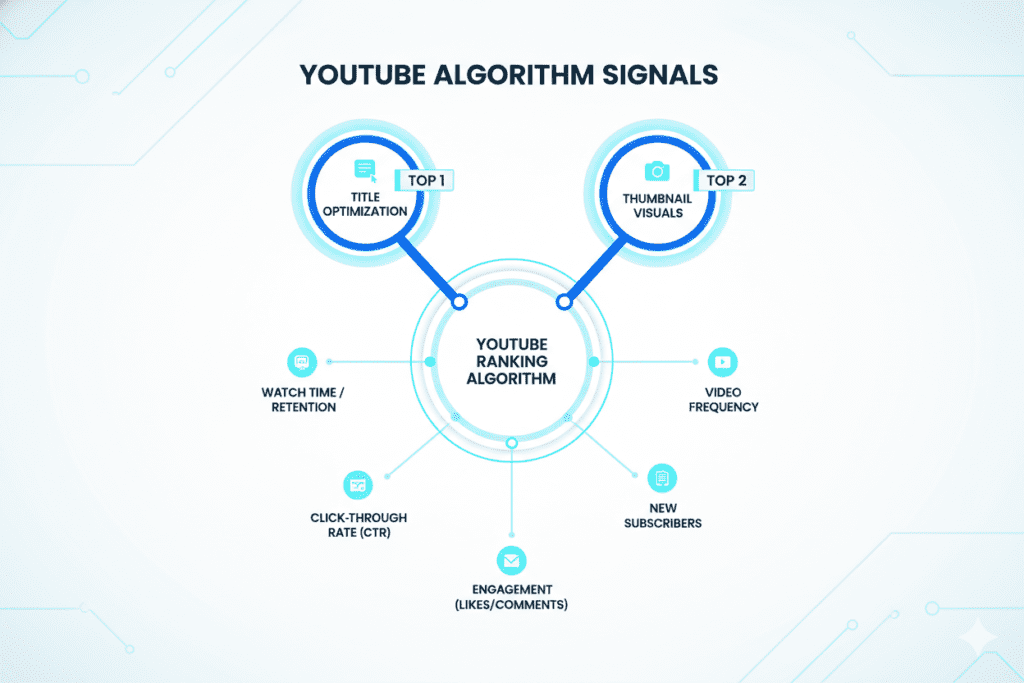
Here’s the brutal truth: your title does 70% of the click-decision work.
According to YouTube’s Creator Academy, the title and thumbnail together account for over 90% of a video’s click-through rate. Everything else — your description, your tags, your watch time — comes after the click. You can’t earn any of that without a title that converts.
And in 2026, the stakes are higher because of one major platform shift: YouTube’s Gemini AI integration.
YouTube now understands content at a semantic level. When learning how to write YouTube title, it reads your transcripts, analyzes your visuals, and builds a full profile of your video’s intent. This means keyword stuffing in titles no longer helps — it actively hurts. Natural, compelling, correctly-sized titles are what win now.
Understanding YouTube title length best practices 2026 isn’t optional anymore. It’s foundational.
2. The Exact YouTube Title Character Limit You Need to Know
Let’s start with the hard facts.
YouTube allows a maximum of 100 characters in a video title. Anything beyond that gets cut off entirely — no exceptions.
But here’s where most creators get confused: the technical limit and the display limit are two very different things.
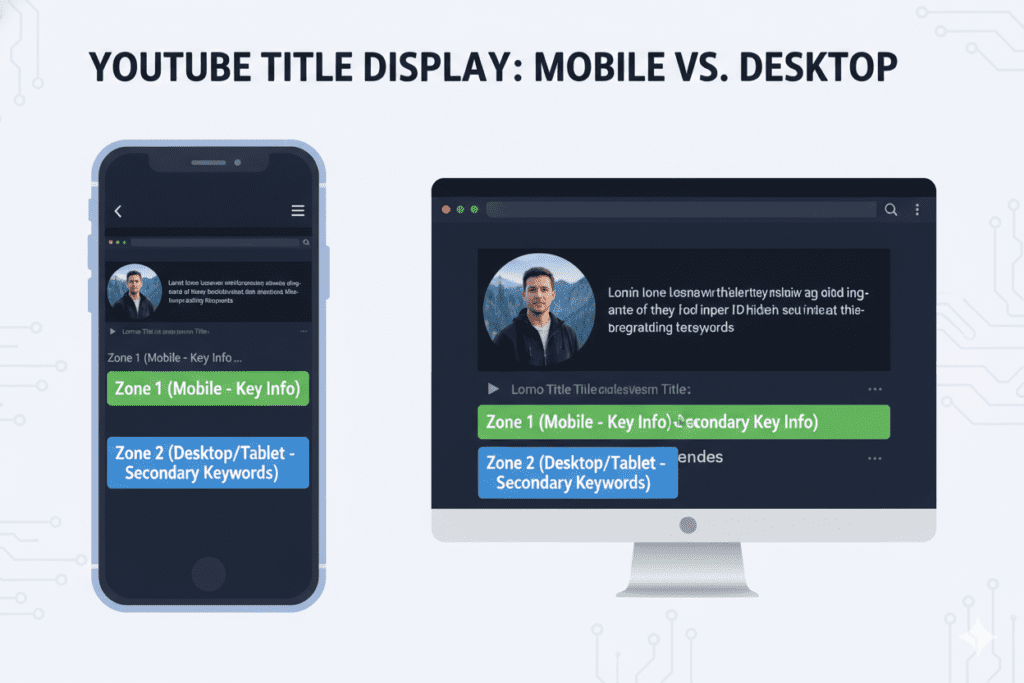
- On mobile devices: Titles truncate after approximately 50–60 characters
- In YouTube search results: Titles show roughly 60–70 characters before cutting off
- On the YouTube homepage feed: Display varies by device and screen size
Mobile search now accounts for over 85% of YouTube views in 2026. That means if your most important words appear after character 60, the majority of your audience will never even see them.
So what does this mean for your YouTube title length best practices 2026? It means you have to write strategically — not just creatively.
Think of your title in two zones:
- Zone 1 (Characters 1–50): Your hook, your keyword, your primary promise
- Zone 2 (Characters 51–100): Supporting context, secondary keywords, extra detail
Master both zones and you win on every device.
3. YouTube Title Length Best Practices 2026: The Data-Backed Sweet Spot
Here’s where it gets interesting — and where most YouTube advice you’ve read is completely wrong.
For years, creators were told: “Keep your titles under 60 characters.” That advice is outdated.
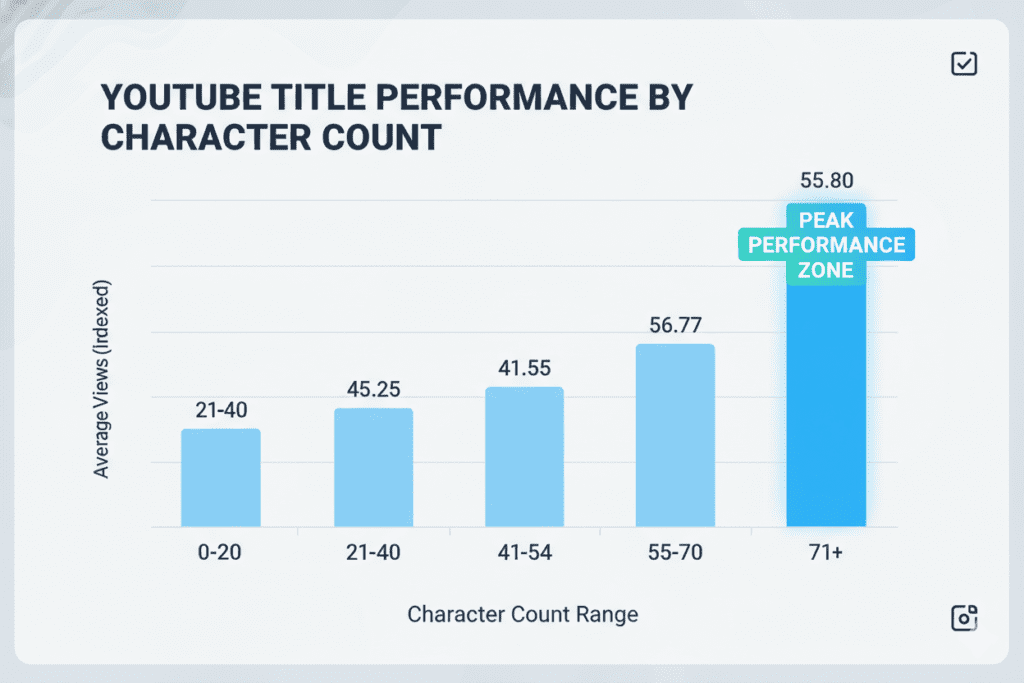
A comprehensive analysis of over 3 million YouTube videos revealed something surprising: videos with titles in the 70–100 character range outperformed shorter titles by 10–14% on average. Videos with ultra-short titles (under 10 characters) were outperformed by over 2x.
But other leading research recommends keeping titles in the 40–65 character range for full display across mobile devices, with the most critical content in the first 40 characters.
So what’s the real answer?
The 2026 sweet spot for YouTube title length is 55–70 characters.
Here’s why this range works:
- Long enough to include your primary keyword naturally
- Short enough to display fully on most mobile devices
- Provides room for a curiosity gap or power word
- Balances SEO value with human click appeal
The key principle is this: use as many characters as you need to write a genuinely great title — and not one character more.
Don’t pad. Don’t cut for the sake of cutting. Write for humans first, then check the character count.
Here’s a quick reference for YouTube title length best practices 2026:
| Title Length | Performance Level | Notes |
|---|---|---|
| Under 30 characters | ❌ Low | Too vague, low SEO signal |
| 30–50 characters | ⚠️ Average | Short but leaves opportunity on the table |
| 50–70 characters | ✅ Optimal | Best balance of SEO + readability |
| 70–100 characters | ✅ Strong | Works well when front-loaded correctly |
| Over 100 characters | ❌ Cut off | Hard limit — avoid entirely |
4. The Mobile Truncation Problem (And How to Fix It)
Here’s a scenario every creator needs to understand.
You write a 90-character title. It looks perfect on your desktop. You hit publish. And then on every phone — where 85% of your audience watches — your title shows up as: “How I Grew My YouTube Channel From 0 to 100K Subscribers…”
Your hook? Gone. Your keyword? Missing. Your call to click? Nowhere to be seen.
This is the mobile truncation problem, and it’s silently killing CTR for thousands of creators right now.
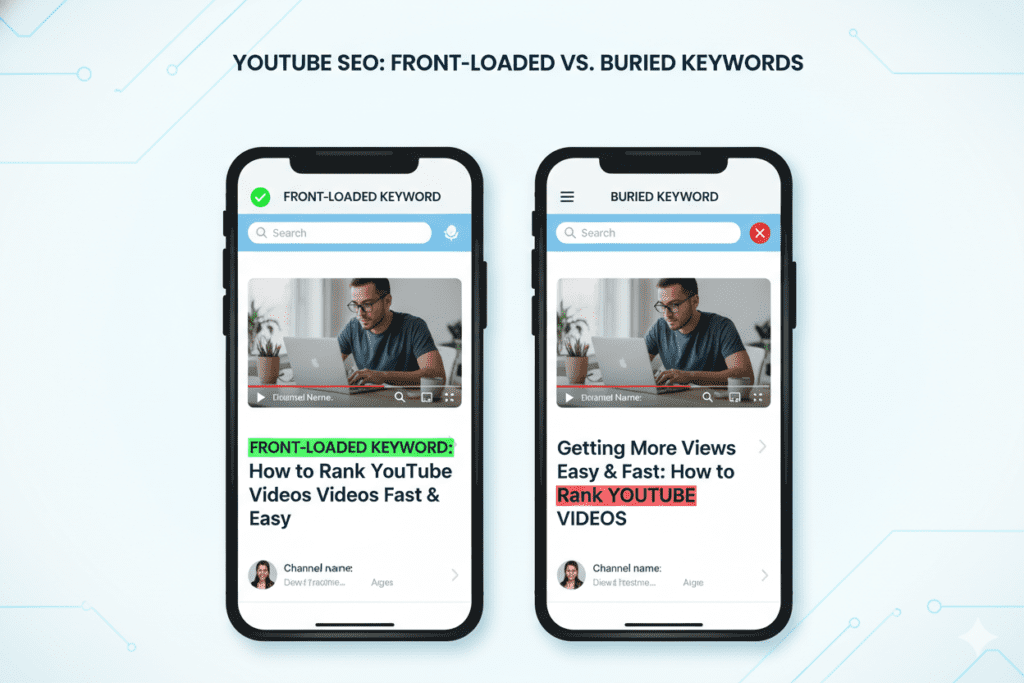
The fix is simple: front-load everything that matters.
When learning how to write YouTube title, your primary keyword, your biggest hook, your most emotional trigger — all of it needs to live inside the first 50 characters. The rest of your title is bonus context for desktop viewers and full search results.
Think of it like a newspaper headline. The most important information comes first. The details follow.
Good example:
“YouTube SEO Secrets That Doubled My Views (Step-by-Step)” ✅
Keyword front-loaded, hook visible on mobile, context in back
Bad example:
“In This Video I’ll Show You My Complete Step-by-Step YouTube SEO Strategy” ❌
Keyword buried, generic opener, mobile viewers see nothing compelling
Master mobile truncation and you’re already ahead of 80% of creators posting today.
5. Front-Loading: The Most Important Title Trick Nobody Talks About
Front-loading is not just a CTR trick. It’s an SEO weapon.
YouTube’s algorithm places significantly more weight on the first 3–5 words of your title. This means your primary keyword should appear within the first 30 characters — not buried at the end.
Why? Because when learning how to write YouTube title, YouTube uses those early words to categorize your content, match it with search queries, and decide which viewers to recommend it to. Move your keyword to the back and you lose algorithmic signal and viewer attention in one move.
Here’s how to front-load effectively:
- Lead with your keyword or topic: “YouTube Title Length Best Practices…”
- Add a colon or dash as a natural break: “YouTube SEO: 5 Steps to Rank Faster”
- Follow with your hook or number: “…That Doubled My CTR Overnight”
The formula looks like this: [Primary Keyword] + [Colon/Dash] + [Hook/Benefit/Number]
When learning how to write YouTube title, this structure satisfies YouTube’s algorithm, looks clean in search results, displays well on mobile, and gives human viewers a reason to click — all at once.
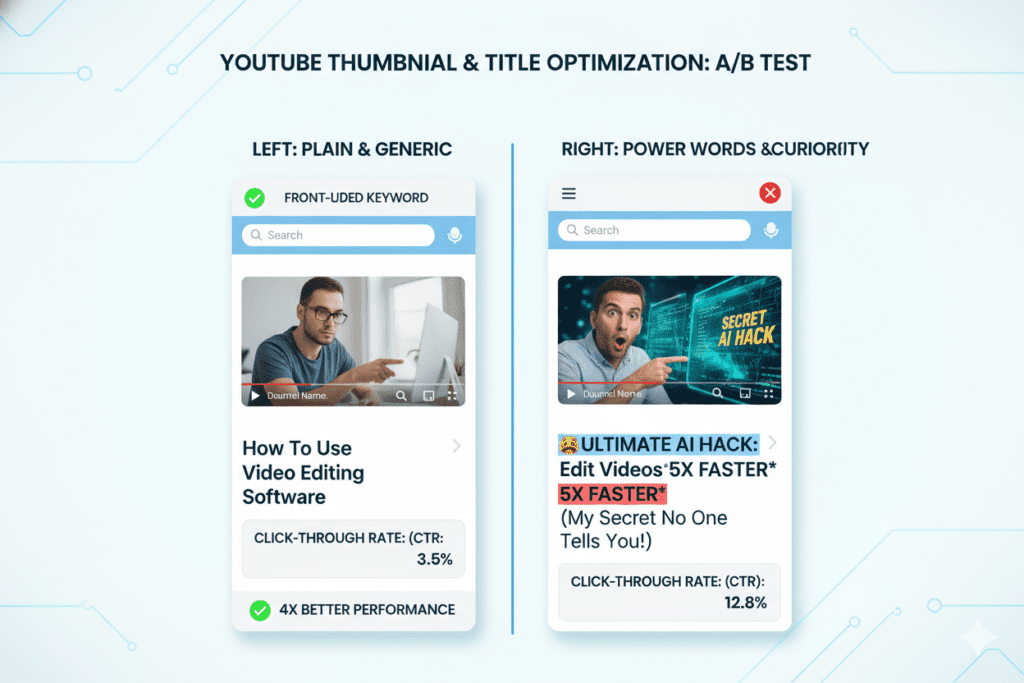
6. Power Words, Numbers & Curiosity Gaps That Boost CTR
Getting your title length right is step one. But the words inside that length are what convert viewers into clicks.
Three elements consistently boost CTR across every niche and every YouTube category:
Power Words That Trigger Emotion
When learning how to write YouTube title, certain words act as psychological triggers. They create urgency, curiosity, or desire that makes viewers need to click. High-performing categories include:
- Curiosity triggers: Secret, Hidden, Unbelievable, Shocking, Real Truth
- Authority boosters: Proven, Expert, Best, Ultimate, #1
- Urgency drivers: Now, Fast, Instantly, Today, This Week
- Negative hooks: Mistakes, Warning, Stop, Never, Avoid
According to HubSpot’s video marketing research, titles with strong emotional triggers can increase CTR by up to 20%.
Numbers: The CTR Multiplier
Numbers outperform generic words. Always.
Titles like “5 Tips” or “10 Ways” consistently beat vague alternatives. And interestingly, odd numbers often see 20% higher CTR than even numbers — there’s something about 7, 9, and 11 that feels more credible and specific to the human brain.
Use specific numbers whenever possible. “Grew From 0 to 47,000 Subscribers” beats “Grew My Channel Fast” every single time.
Curiosity Gaps: The Itch They Have to Scratch
A curiosity gap is a teaser. It tells viewers just enough to make them want more — but not enough to satisfy without clicking.
“The YouTube Title Mistake That’s Costing You 80% of Your Views” is a curiosity gap. The reader knows there’s a mistake but doesn’t know what it is. The only way to find out is to click, aligning with youtube title length best practices 2026.
Analysis of 1.3 million YouTube videos found that question-based and curiosity-gap titles had a 14% higher CTR than straight declarative titles.
Use curiosity gaps wisely. They should tease, not deceive. A broken promise destroys retention — and YouTube’s algorithm punishes it fast.
7. Seven Proven YouTube Title Formulas That Drive Real Results
Knowing the rules is great. Having ready-to-use formulas is better.
Here are seven battle-tested title formulas that consistently drive above-average CTR across niches:
Formula 1: The Specific Number List
“[Number] [Topic] That [Specific Result]”
Example: “7 YouTube Title Tricks That Tripled My Views in 30 Days”
Formula 2: The Curiosity Gap
“The [Topic] Mistake Most Creators Make (And How to Fix It)”
Example: “The YouTube Title Mistake That’s Killing Your CTR Right Now”
Formula 3: The Transformation Promise
“How I [Before State] to [After State] in [Timeframe]”
Example: “How I Went From 200 to 50,000 Subscribers in 6 Months”
Formula 4: The Warning Pattern
“Stop [Common Action] If You Want to [Desired Outcome]”
Example: “Stop Writing Short YouTube Titles If You Want More Views”
Formula 5: The Year + Action
“[Primary Keyword]: [Specific Strategy] That Works in [Year]”
Example: “YouTube Title Length Best Practices: The 2026 Strategy That Actually Works”
Formula 6: The Versus Frame
“[Option A] vs [Option B]: Which [Question]?”
Example: “Short Titles vs Long Titles: Which Actually Gets More YouTube Views?”
Formula 7: The Achievement Story
“I [Did Specific Thing]: Here’s What Happened”
Example: “I Optimized 30 YouTube Titles With AI: Here’s What I Learned”
Mix and match these with your front-loaded keywords when learning how to write YouTube title, and you’ll never stare at a blank title field again.
Struggling to generate title variations quickly? This is exactly where ytZolo becomes your unfair advantage — but more on that in a moment.
8. How ytZolo Helps You Master YouTube Title Length Best Practices
Let’s talk about the elephant in the room.
You can read every guide, memorize every formula, and understand every character count rule. But when you’re staring at a blank title field at midnight after editing for 6 hours — none of that knowledge is fast enough when applying youtube title length best practices 2026.
That’s where ytZolo changes everything.
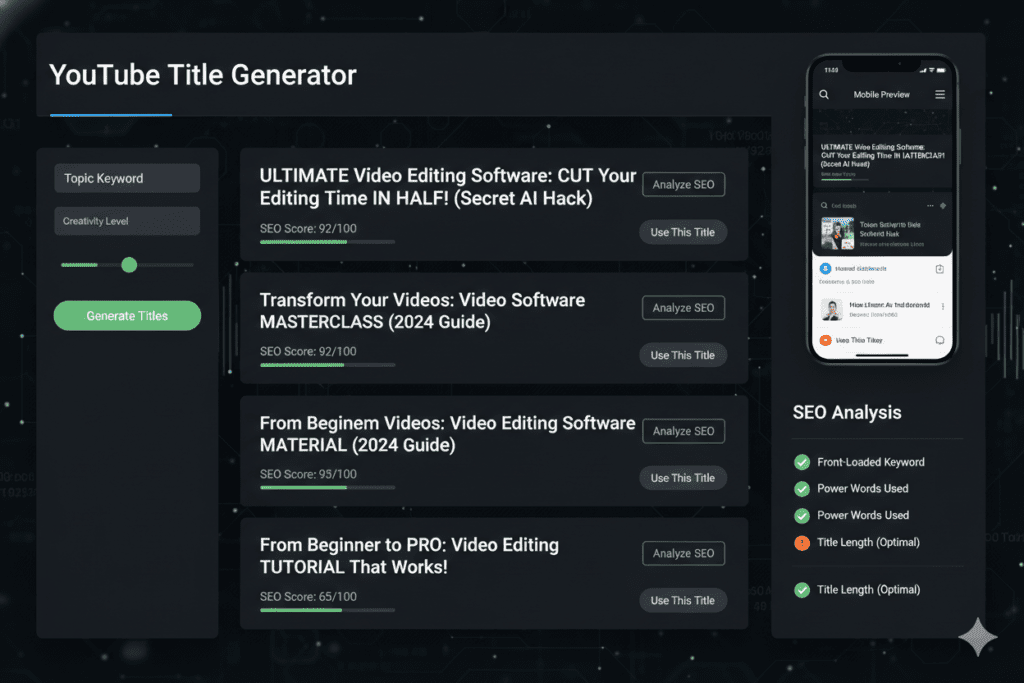
ytZolo is an all-in-one AI YouTube growth platform built specifically for creators who are serious about growing their channel. It doesn’t just generate random title ideas — it generates data-driven, SEO-optimized, CTR-tested titles that follow every best practice covered in this guide automatically.
Here’s how ytZolo directly solves the YouTube title length best practices 2026 challenge:
- Automatic length optimization: Every title ytZolo generates stays in the optimal 55–70 character range by default
- Front-loaded keyword placement: The AI places your primary keyword in the first 30 characters, every time
- Power word integration: ytZolo weaves in curiosity triggers and authority boosters naturally
- Mobile preview mode: See exactly how your title looks on mobile before you publish
- Multiple formula variants: Get 5–10 title options using different proven formulas so you can A/B test
But ytZolo isn’t just a title tool. It’s a complete content creation system.
In one platform, you get:
- ✅ AI-powered title generator (with length optimization built in)
- ✅ Video script writer
- ✅ SEO-optimized description generator
- ✅ Smart tag suggestions
- ✅ Thumbnail creation tools
- ✅ Channel growth analytics
What used to take 30–45 minutes of painful guesswork now takes under 5 minutes with ytZolo. And the output isn’t just faster — it’s smarter.
Creators using ytZolo are seeing CTR improvements of 20–40% just from switching to AI-optimized titles. Check out more success stories and in-depth creator tips on the ytZolo blog.
9. Why ytZolo Is Better Than Other Title Tools
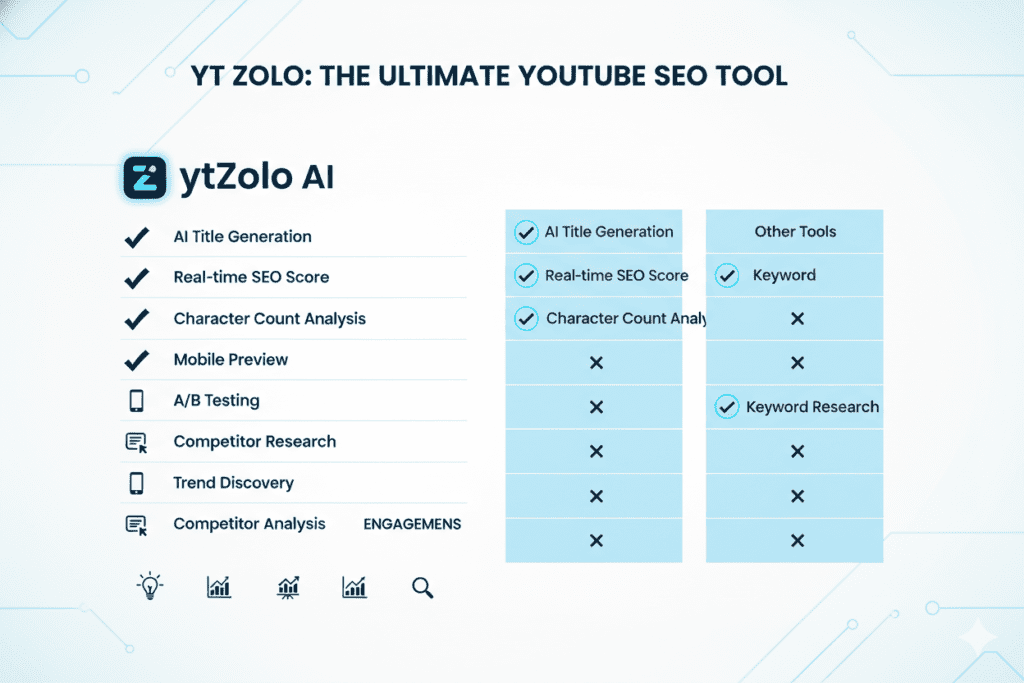
There are other tools out there. So why do serious creators choose ytZolo?
Here’s an honest comparison:
| Feature | ytZolo | Generic AI Tools (ChatGPT, etc.) | TubeBuddy / vidIQ |
|---|---|---|---|
| YouTube-specific training | ✅ Yes | ❌ No | ✅ Partial |
| Title + Script + Thumbnail in one | ✅ Yes | ❌ No | ❌ No |
| Mobile title preview | ✅ Yes | ❌ No | ⚠️ Limited |
| Character count optimization | ✅ Automatic | ❌ Manual | ⚠️ Basic |
| Niche-specific title formulas | ✅ Yes | ❌ No | ⚠️ Partial |
| CTR-trained title patterns | ✅ Yes | ❌ No | ⚠️ Partial |
| All-in-one workflow | ✅ Yes | ❌ No | ❌ No |
The Problem With Generic AI
ChatGPT and general-purpose AI tools are powerful — but they weren’t built for YouTube, especially when following youtube title length best practices 2026. They don’t know what makes a gaming thumbnail different from a finance thumbnail. They don’t optimize for character limits. They don’t understand the psychology of YouTube CTR.
They generate words. ytZolo generates results.
The Problem With Standalone SEO Tools
TubeBuddy and vidIQ are useful for analytics. But they’re not content creation tools when learning how to write YouTube title. They tell you what’s working. They don’t help you create content that works from scratch — at speed, at scale, in minutes.
The ytZolo Difference
ytZolo was built with one purpose: to help YouTubers grow faster using AI that actually understands the platform.
Every title it generates has been trained on viral video data, proven CTR formulas, and real YouTube SEO principles — including proper YouTube title length best practices 2026 baked in from the start.
For more comparisons and creator-focused strategies, explore the ytZolo blog for deep-dive articles on every aspect of YouTube growth.
10. Common Title Mistakes Killing Your Views (And How to Fix Them)
Even creators who know the rules make these mistakes regularly.
Here are the top title killers in 2026 — and exactly how to fix each one:
Mistake #1: Burying Your Keyword at the End
❌ “In This Video I Explain Everything About YouTube Title Length Best Practices”
✅ “YouTube Title Length Best Practices: What’s Actually Working in 2026”
Fix: Always place your primary keyword in the first 30 characters.
Mistake #2: Going Vague to Stay Short
❌ “My New Video” or “Watch This”
✅ “5 YouTube Title Secrets That Boosted My CTR by 40%”
Fix: Specific always beats short. Give viewers a reason to click.
Mistake #3: Keyword Stuffing
❌ “YouTube Title Length Best Practices 2026 YouTube SEO Title Tips YouTube Growth”
✅ “YouTube Title Length Best Practices 2026: The Data-Backed Formula”
Fix: Use one primary keyword naturally. Let semantics do the rest.
Mistake #4: Writing for Yourself, Not the Algorithm
❌ “Episode 47 of My Podcast”
✅ “How I Built a 6-Figure YouTube Channel (Podcast Ep. 47)”
Fix: Ask yourself: “Would a stranger click this with zero context?” If not, rewrite.
Mistake #5: Never Testing or Updating Titles
Titles aren’t permanent. YouTube lets you change them anytime, which aligns with youtube title length best practices 2026. High-impression, low-CTR videos are gold mines waiting for a title refresh.
Fix: Sort your videos by impressions in YouTube Studio. Find your lowest-CTR performers. Update their titles using the formulas in this guide — or let ytZolo do it for you in minutes.
11. Step-by-Step: How to Write the Perfect YouTube Title in 2026
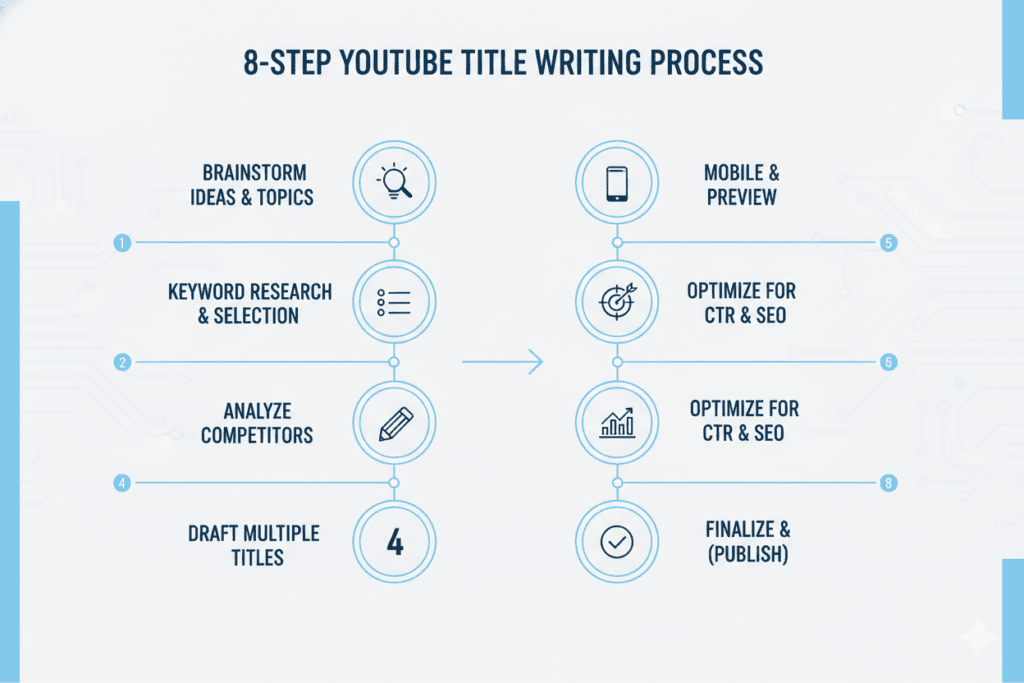
Here’s a simple, repeatable process for crafting high-performance titles every time.
Step 1: Identify Your Primary Keyword
Use YouTube’s search autocomplete to find what your audience is already searching for, following youtube title length best practices 2026. Look for keyword phrases with strong demand in your niche.
Step 2: Front-Load the Keyword
Place your primary keyword in the first 30 characters. This satisfies both the algorithm and the mobile viewer.
Step 3: Choose a Title Formula
Pick one of the seven proven formulas from Section 7. Apply your keyword to the formula.
Step 4: Add a Power Word or Number
Insert one specific number or one emotional trigger word. This alone can lift CTR by 15–20%.
Step 5: Check Your Character Count
Aim for 55–70 characters. Make sure your most critical content sits before character 50.
Step 6: Preview on Mobile
Copy your title into a character counter tool or use ytZolo to see the mobile preview instantly.
Step 7: Write 3–5 Variations
Never publish the first title you write. Generate multiple options using different formulas, then choose the strongest — or A/B test two versions.
Step 8: Track and Optimize
Monitor your CTR in YouTube Studio after 48–72 hours. If it’s below 4%, swap in your second-best title and repeat.
Following these steps manually is powerful. But letting ytZolo automate steps 1–7 in under 5 minutes is next-level efficiency.
12. Frequently Asked Questions
Q1: What is the best YouTube title length in 2026?
The optimal YouTube title length in 2026 is 55–70 characters. This range displays fully on most mobile devices while giving you enough room to include your primary keyword, a power word, and a compelling hook.
When learning how to write YouTube title, while YouTube’s hard limit is 100 characters, keeping your most important content in the first 50 characters ensures mobile viewers always see your hook before any truncation occurs.
Q2: Does YouTube title length affect SEO ranking?
Yes, significantly. When learning how to write YouTube title, YouTube’s algorithm places greater weight on words that appear early in your title. Placing your primary keyword within the first 30 characters sends a stronger relevance signal to the algorithm, improving your chances of ranking for that search term. Additionally, a well-optimized title that drives higher CTR — which is itself a top ranking signal — directly boosts your video’s search position over time.
Q3: Should I include numbers in my YouTube title?
Absolutely. Number-based titles consistently outperform generic alternatives when applying youtube title length best practices 2026. Specific numbers (like “47,000 subscribers” or “5 strategies”) feel more credible and digestible than vague claims. Research shows that odd numbers often see up to 20% higher CTR than even numbers — so titles like “7 Steps” or “11 Mistakes” tend to outperform “6 Steps” or “10 Mistakes.”
Q4: Can I change my YouTube title after publishing?
Yes. YouTube allows you to edit your title at any time without penalty. In fact, refreshing the title on a high-impression, low-CTR video is one of the fastest ways to improve performance on existing content. Monitor your YouTube Studio analytics, find your underperforming videos, and apply the YouTube title length best practices 2026 from this guide to give them new life.
Q5: How does AI help with YouTube title optimization?
AI tools like ytZolo analyze thousands of high-performing titles across niches to identify patterns in length, structure, keyword placement, and emotional triggers. Instead of guessing, you get multiple data-driven title options in seconds — each optimized for both YouTube’s algorithm and human click psychology.
Creators using AI-generated titles report CTR improvements of 20–40%, which compounds into exponentially more views and subscribers over time.
13. Conclusion: Stop Guessing, Start Growing
Let’s be honest with each other.
Most creators know their titles could be better. They feel it every time a video underperforms. They see the low CTR number and wonder what went wrong.
The answer is almost always in the title.
In 2026, YouTube title length best practices 2026 are not complicated — but they are critical. The optimal length sits between 55–70 characters. Your keyword belongs in the first 30. Power words, numbers, and curiosity gaps are not optional extras — they’re the engine behind clicks. And mobile truncation is a real threat that front-loading solves completely.
But knowing all this isn’t enough if you’re still writing titles manually at midnight, second-guessing every word.
The smartest creators in 2026 aren’t working harder. They’re working smarter. They’re using ytZolo to generate data-driven, perfectly-sized, CTR-tested titles in minutes — then spending their real energy on making better videos.
Every day you spend writing weak titles is a day you’re leaving views, subscribers, and revenue on the table.
The algorithm isn’t slowing down. The competition isn’t waiting for you to catch up, especially if you’re not following youtube title length best practices 2026. But your growth doesn’t have to wait either.
Start creating smarter, faster, and more viral YouTube content with ytZolo today.
Want to go deeper on YouTube growth strategies? Explore more creator guides, title formulas, and AI tools on the ytZolo Blog.
External Resources:
- YouTube Creator Academy — Official guidance on title and thumbnail optimization
- YouTube Creator Blog — Platform updates and creator insights
- HubSpot Video Marketing Research — Data on video CTR and engagement
© 2026 ytZolo | ytzolo.com

