
Introduction: The 0.3-Second Battle You’re Probably Losing
You hit publish on your latest video.
Hours of work. Great content. Real value. And then… crickets.
Your views flatline. Your impressions go nowhere. You start wondering if YouTube even knows you exist.
Here’s the uncomfortable truth most creators never face: your thumbnail is killing your channel — not your content.
In 2026, over 500 hours of video are uploaded to YouTube every single minute. Your potential viewer scrolls through that feed in under a second. They’re not reading your title first. They’re not checking your subscriber count. Their eyes land on your thumbnail — and in 0.3 seconds, they’ve already decided.
That’s the battle. And that’s exactly why YouTube thumbnail AI has become the most powerful growth tool in a creator’s arsenal right now—especially when combined with how to optimize YouTube titles for SEO to maximize both visibility and clicks.
This guide will show you how YouTube thumbnail AI actually works, what separates average thumbnails from viral ones, and why thousands of creators are turning to ytZolo as their all-in-one AI YouTube growth platform.
Let’s get into it.
Table of Contents
Why Your Thumbnail Is Your #1 Growth Lever
Most creators obsess over their cameras, their editing software, their lighting rigs.
And those things matter. But they’re not what drives clicks.
Click-through rate (CTR) is one of the most powerful signals YouTube’s algorithm uses to decide which videos get pushed to wider audiences. When your CTR goes up, YouTube shows your content to more people — creating a compounding growth loop that’s almost impossible to stop once it starts.
Here’s what the numbers look like. According to YouTube’s own Creator Academy, 90% of the top-performing videos on the platform use custom thumbnails. That’s not a coincidence — it’s a pattern proven across hundreds of millions of videos in every niche imaginable.
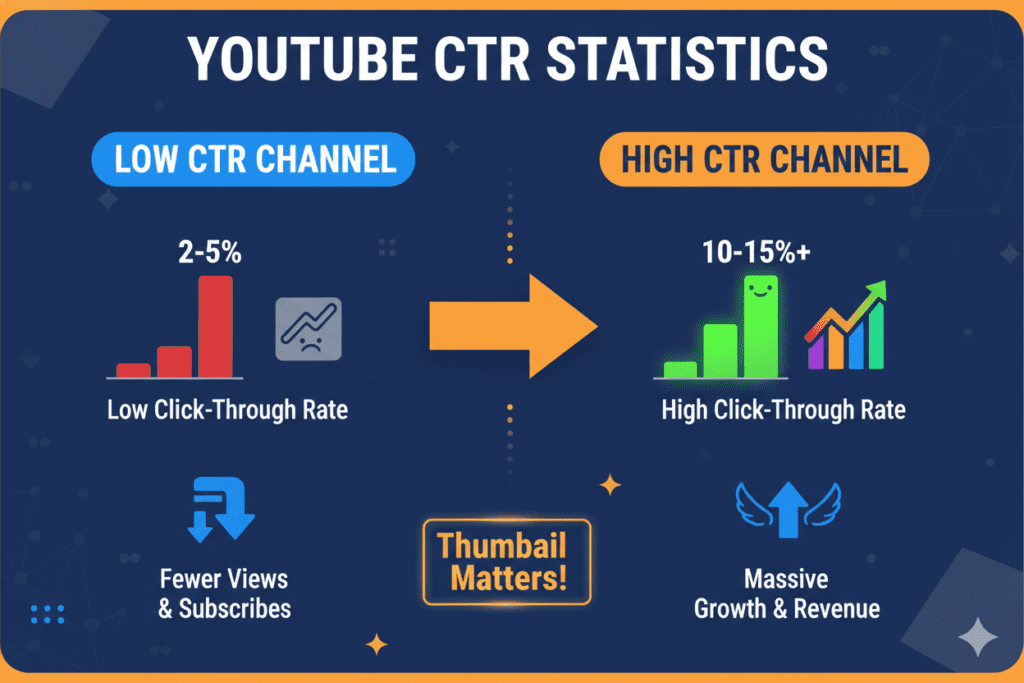
The average YouTube CTR sits between 2% and 10%. Top performers pull 8–12%. The difference between those two groups? It’s not talent. It’s not budget. It’s the thumbnail.
And in 2026, the fastest way to close that gap is YouTube thumbnail AI.
What Is YouTube Thumbnail AI — and How Does It Work?
A YouTube thumbnail AI is a tool that uses artificial intelligence to design high-performing, click-optimized thumbnails — automatically.
You don’t need design skills. You don’t need Photoshop. You don’t need to understand color theory or layout principles.
You enter your video topic, your niche, or your title — and the AI gets to work, just like using AI tools for writing YouTube scripts to streamline your entire content creation process.
Here’s what’s actually happening under the hood:
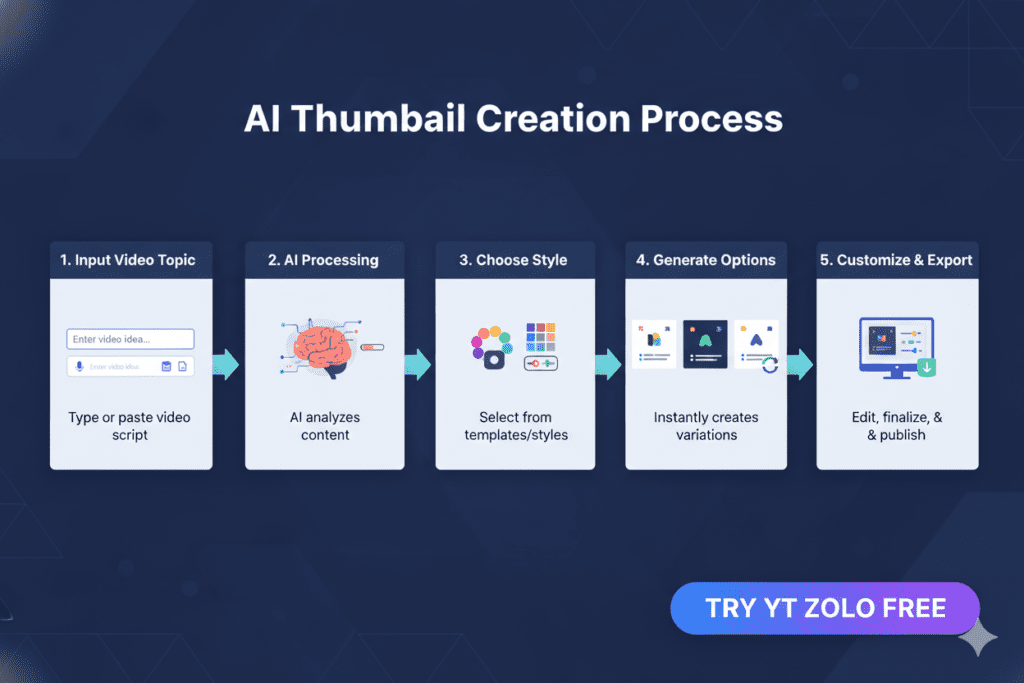
- The AI analyzes performance data from thousands of high-CTR thumbnails in your niche.
- It applies proven design principles — color psychology, face expression impact, text contrast, composition balance.
- It generates multiple thumbnail options tailored to your content and audience.
- You customize and export a full-HD, watermark-free thumbnail in minutes.
The best YouTube thumbnail AI tools don’t just make pretty images. They make strategically engineered visuals that are purpose-built to drive clicks in your specific category.
Think of it as having a professional YouTube thumbnail designer — one that works in seconds and never burns out.
The Data Behind High-CTR Thumbnails
Before we go deeper, it helps to understand what actually drives clicks — because the best YouTube thumbnail AI tools are built around this data.
Here’s what research consistently shows about top-performing YouTube thumbnails:
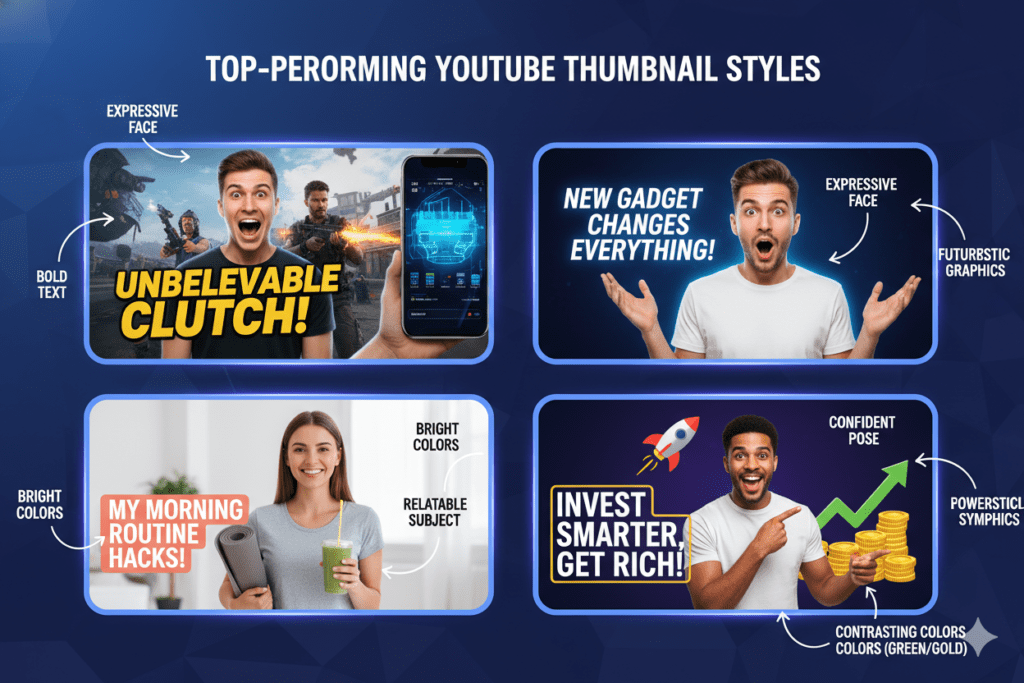
High-Contrast Color Combinations Win Bright, punchy colors — yellows, electric oranges, vivid blues — dominate the highest-performing thumbnails. Studies from VidIQ show that high-contrast thumbnail designs can boost CTR by 20–30%. In YouTube’s dark feed, a bold thumbnail is literally a magnet for the eye.
Expressive Human Faces Drive More Clicks Thumbnails featuring genuine emotional expressions — surprise, excitement, curiosity, disbelief — generate significantly higher CTR than those without faces. The human brain is hardwired to notice faces. Shocked or genuinely surprised expressions appear in approximately 27% of top-performing YouTube thumbnails.
Mobile-First Is Non-Negotiable Over 70% of YouTube traffic comes from mobile devices. Your thumbnail needs to work at 200 pixels wide on a cracked phone screen on a moving bus. Bold, clean fonts. Clear subjects. Minimal clutter. YouTube thumbnail AI tools apply these principles by default.
Title + Thumbnail Alignment Is Everything The highest-CTR videos don’t just have great thumbnails. They have thumbnails that reinforce exactly what the title promises — creating a curiosity gap that viewers feel compelled to close by clicking, following YouTube title best practices for higher CTR.
Consistency Builds Long-Term Brand Recognition Research shows that channels with consistent, professional thumbnail styling see 15–20% higher CTRs from their existing subscribers compared to channels with inconsistent visuals. Your regular viewers should recognize your thumbnails instantly in a crowded feed.
A great YouTube thumbnail AI doesn’t just know one of these principles — it applies all of them together, every single time.
Why Creators Struggle Without AI
Let’s be real about what manual thumbnail creation actually costs you in 2026.
It costs you time. A decent custom thumbnail in Photoshop or Canva takes 30 minutes to 2+ hours — if you know what you’re doing. For most creators, it takes longer. Multiply that by every video you upload, and you’ve lost dozens of hours that could have gone toward filming, editing, or building your audience.
It costs you accuracy. Without data, manual thumbnail design is educated guesswork at best — which is why successful creators rely on data-driven YouTube growth strategies instead of intuition.
It costs you accuracy. Without data, manual thumbnail design is educated guesswork at best. You don’t know which colors perform in your niche. You don’t know which expressions drive clicks for your audience. You’re working on instinct — and instinct isn’t a growth strategy.
It costs you consistency. When you’re tired, rushed, or uninspired, your thumbnail quality drops. Your channel’s visual identity gets scattered. Viewers notice — even if they can’t articulate why.
Here’s the hard truth: creators who are still designing thumbnails manually in 2026 aren’t being dedicated. They’re being inefficient. They’re choosing a 2018 workflow in a 2026 competitive environment.
The creators growing fastest right now aren’t necessarily the most talented. They’re the most strategic — and they’re using YouTube thumbnail AI to remove guesswork from their growth equation.
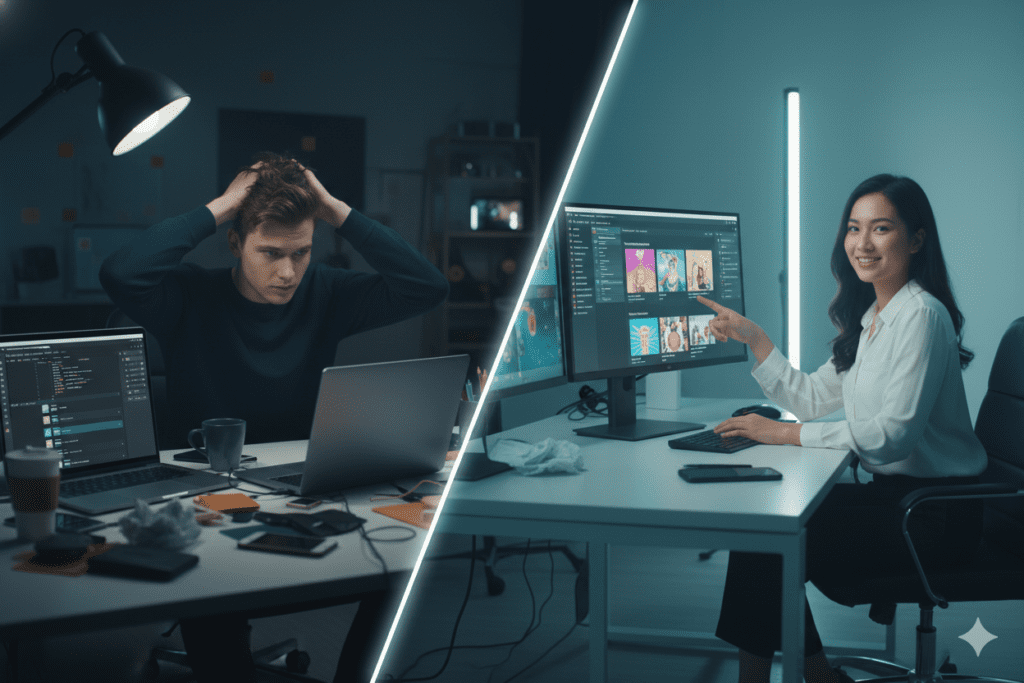
How ytZolo’s YouTube Thumbnail AI Changes Everything
Most YouTube thumbnail AI tools do one thing: they generate an image.
ytZolo does something completely different. It’s an all-in-one AI YouTube growth platform — and the thumbnail AI is deeply woven into a full content creation system that covers everything from your first idea to your final upload.
Here’s what makes ytZolo’s approach to YouTube thumbnail AI genuinely different:
It Starts With Your Content, Not a Blank Canvas
You don’t brainstorm a visual concept and hope for the best. ytZolo reads your video topic, title, or script — and generates thumbnail concepts that are directly aligned with your content’s angle and your niche’s best-performing visual styles.
The result is a thumbnail that tells the exact same story your title promises. That alignment is critical for CTR. It’s also critical for viewer retention — because when your thumbnail matches your content, viewers stay.
Multiple Variants, Built for A/B Testing
YouTube’s native Test & Compare feature rewards creators who iterate. ytZolo gives you multiple distinct thumbnail options in a single generation — so you always have variants ready to test without extra effort.
More testing means more data. More data means smarter decisions over time. And smarter decisions compound into real, sustainable channel growth.
Title and Thumbnail Sync
This is the feature most standalone thumbnail tools completely miss.
In ytZolo, your YouTube thumbnail AI output is generated alongside your AI-written title, showing exactly how titles and thumbnails work together to maximize clicks and engagement.
Connected to Your Full Content Pipeline
When you build a thumbnail in ytZolo, you’re inside a platform that also handles your AI-generated video script, your SEO-optimized description, and your keyword-rich tag suggestions.
Everything is aligned. Everything works together. That’s not just efficient — it’s a completely different way of approaching YouTube content strategy.
Explore more creator growth strategies and deep-dive tutorials on the ytZolo blog — built for creators who are serious about growth.
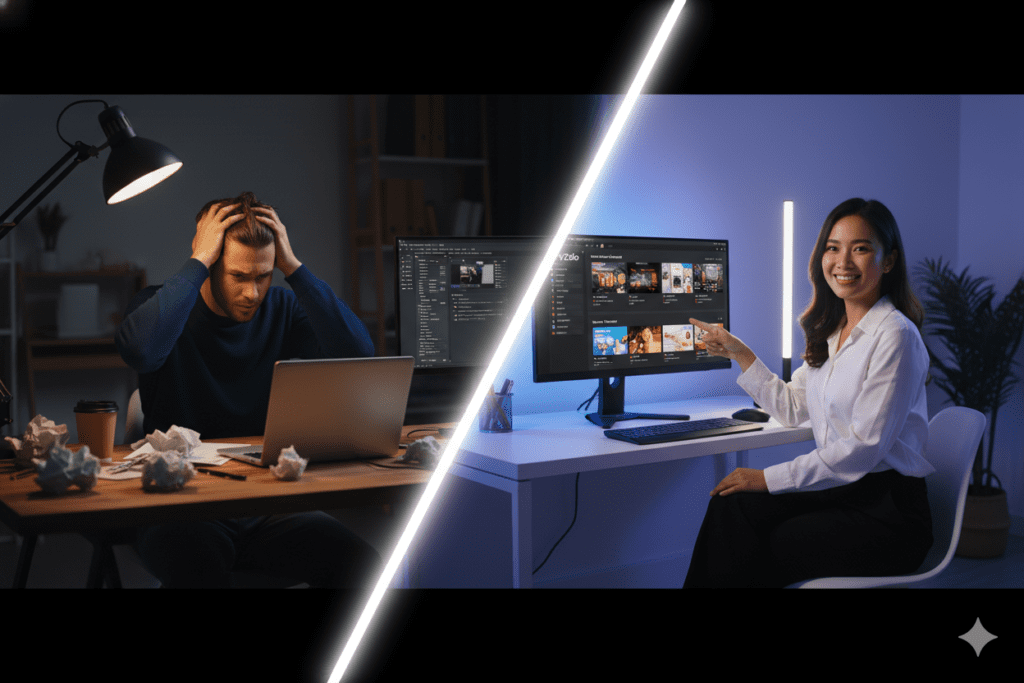
Why ytZolo Is Better Than Other Tools
The YouTube thumbnail AI market has exploded. There are dozens of tools claiming to be the best.
Here’s an honest comparison — so you can make the right choice for your channel.
ytZolo vs. Canva
Canva is a great general design tool — no question. But it’s a blank canvas. It has no YouTube-specific intelligence. It doesn’t understand what drives CTR in your niche. It doesn’t sync with your title strategy. And it doesn’t give you an integrated content workflow.
With ytZolo, your YouTube thumbnail AI automatically generates niche-optimized visuals. No blank canvas, no guesswork, no time lost.
ytZolo vs. VidIQ
VidIQ is primarily an analytics and keyword research platform. Its thumbnail features are a secondary add-on — not the core product. You don’t get the same depth of AI customization, and you definitely don’t get the all-in-one content pipeline that ytZolo provides.
ytZolo vs. TubeBuddy
TubeBuddy is solid for keyword research and basic SEO. But it wasn’t built to generate content. It can’t write your script, create your thumbnail, or build your description. ytZolo does all of that — from one dashboard.
ytZolo vs. Generic AI Image Tools (Midjourney, DALL-E)
These tools produce beautiful images. But they’re not built for YouTube at all. You’d still need to add text, format to the correct dimensions, optimize contrast for mobile, and guess whether the design will actually drive clicks. ytZolo handles every single one of those steps automatically.
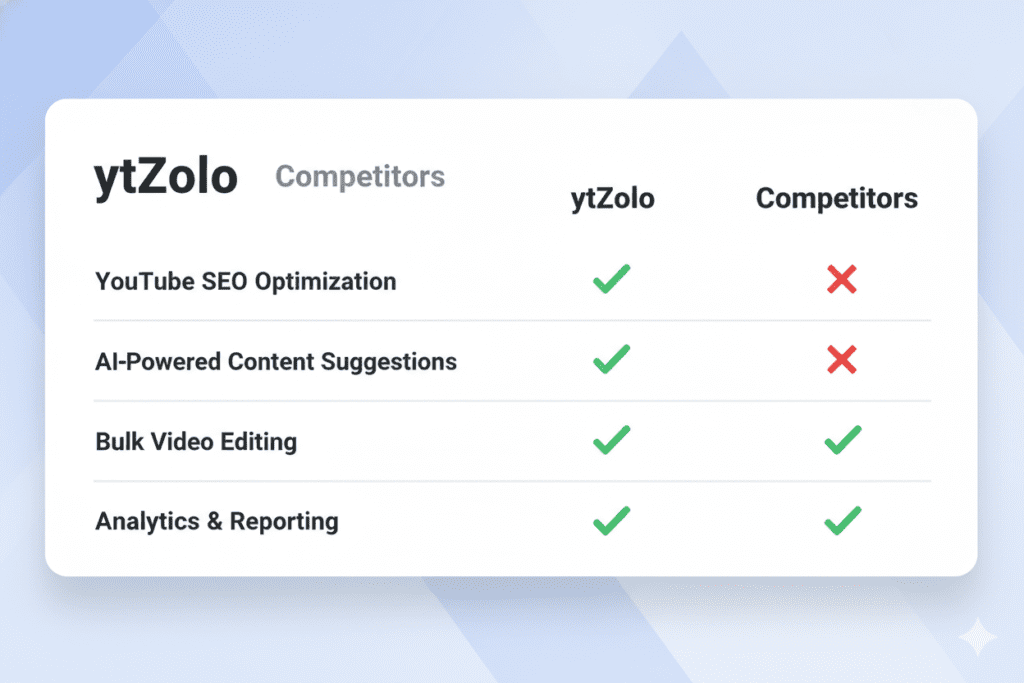
The Head-to-Head Comparison
| Feature | ytZolo | Canva | VidIQ | Generic AI Image Tools |
|---|---|---|---|---|
| YouTube thumbnail AI | ✅ CTR-optimized | ⚠️ Generic templates | ⚠️ Basic add-on | ⚠️ Not YouTube-specific |
| AI Title Generator | ✅ | ❌ | ✅ Limited | ❌ |
| AI Script Writer | ✅ | ❌ | ❌ | ❌ |
| SEO Descriptions & Tags | ✅ | ❌ | ✅ | ❌ |
| Niche-aware AI | ✅ | ❌ | ⚠️ | ❌ |
| Full-HD, No Watermark Export | ✅ | ✅ (paid) | ⚠️ | ✅ |
| Integrated Content Pipeline | ✅ | ❌ | ❌ | ❌ |
| Built Specifically for YouTube Growth | ✅ | ❌ | ⚠️ | ❌ |
The pattern is clear. When you use ytZolo, you’re not using a generic design tool with YouTube features bolted on. You’re using a platform built from the ground up for one specific purpose: helping your YouTube channel grow.
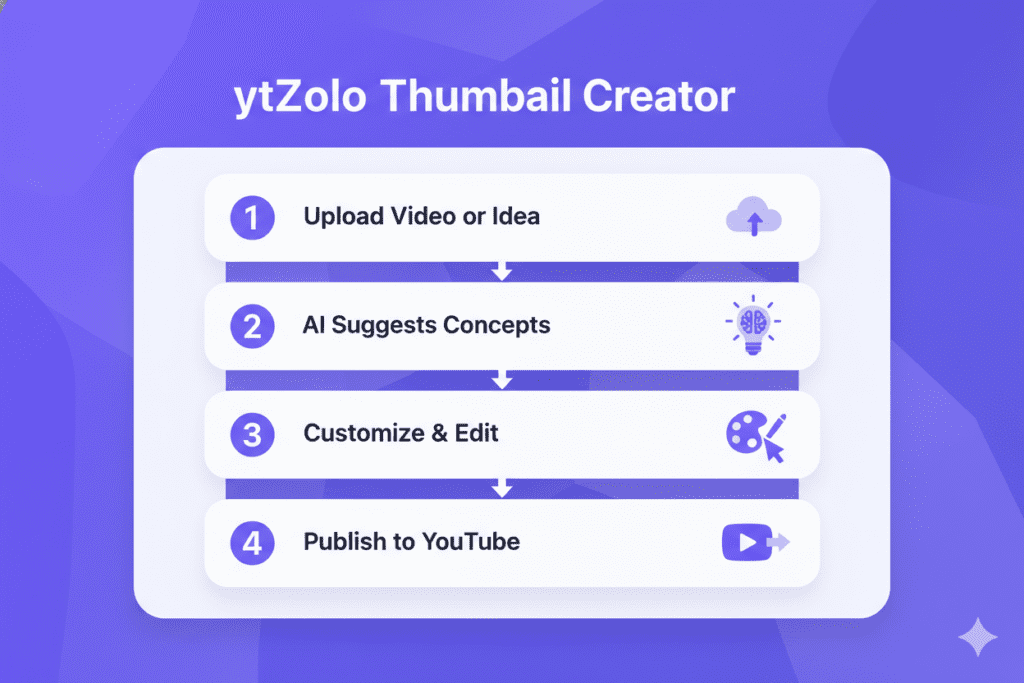
Step-by-Step: Create a Viral Thumbnail with ytZolo
Ready to see how fast this actually works? Here’s exactly how to use ytZolo’s YouTube thumbnail AI from start to finish.
Step 1: Create Your Free Account Head to ytZolo.com and sign up. No credit card required. You’re set up in under 60 seconds.
Step 2: Enter Your Video Topic or Title Type in what your video is about. The AI uses this to understand your niche, content angle, and audience intent. The more specific you are, the more targeted your thumbnail concepts will be.
Step 3: Choose Your Niche and Visual Tone Are you going high-energy and emotional? Clean and authoritative? Curiosity-driven with a mystery element? You set the direction — the AI executes it.
Step 4: Let the YouTube Thumbnail AI Generate Options ytZolo creates multiple high-CTR thumbnail variations in seconds. Each one is built on niche-specific performance data — not random design choices.
Step 5: Customize If You Want Adjust text, swap color accents, tweak the layout — all through a simple, intuitive interface. No design experience needed. But most creators find the AI’s first suggestions already nail it.
Step 6: Export in Full HD Download your watermark-free thumbnail, perfectly sized and optimized for YouTube upload. Done.
Bonus Step — Don’t Stop at the Thumbnail While you’re inside ytZolo, let the AI generate your video title, SEO description, and tag set at the same time — giving you a complete YouTube SEO optimization workflow before you even hit publish.
The whole process takes under 10 minutes. Compare that to 2+ hours of manual design. The math isn’t close.
YouTube Thumbnail AI Best Practices for 2026
Using a YouTube thumbnail AI is a massive advantage. But these best practices will push your results even further.
Test Multiple Variants Every Time YouTube’s native Test & Compare feature lets you run up to three thumbnail variations on the same video simultaneously. The platform automatically picks the winner based on real viewer data. Use it. Always. Let the data decide — not your gut.
Design for the Scroll, Not the Click Before a viewer clicks, they have to stop scrolling. Think about what makes someone pause. Curiosity, surprise, a bold color, a face showing real emotion — these are scroll-stoppers. Your YouTube thumbnail AI can generate options built around these triggers.
Match Your Thumbnail Energy to Your Title Your thumbnail should create a question, and your title should hint at the answer — using high-converting YouTube title formulas to drive curiosity and clicks.
Stay Consistent With Your Visual Brand Research shows that channels with consistent thumbnail styles — same fonts, similar color palettes, recognizable layouts — see measurably higher CTR from their existing subscriber base. Make your thumbnails recognizable. Build a brand identity, not just individual images.
Prioritize Mobile Readability Over 70% of YouTube viewers are on phones. Design your thumbnails so they communicate instantly at 200 pixels wide. Bold text. Clear faces. Minimal clutter. If it doesn’t read at thumbnail size, it doesn’t drive clicks.
Refresh Underperforming Thumbnails A low-CTR video doesn’t have to stay that way. Swap in a new AI-generated thumbnail and watch performance improve. This is one of the fastest and most underused growth tactics available to any creator.
Batch Your Thumbnail Creation Instead of creating one thumbnail at a time, use ytZolo to generate thumbnail concepts for four or five videos in a single session. Batch creation saves time, maintains consistency, and keeps your upload schedule on track.
For more in-depth strategies, tutorials, and creator growth case studies, check out the ytZolo blog — updated regularly with everything you need to grow faster.
Real Results: What Happens When Creators Switch to AI
The numbers don’t lie.
Creators who move from manual thumbnail design to AI consistently see growth by leveraging AI-powered YouTube growth tools that eliminate guesswork.
One creator who switched to AI-generated thumbnails saw their CTR jump from 2.3% to 7.1% in just 30 days. Their views tripled. Their channel — which had been stagnant for months — finally started growing.
That’s not a fluke. That’s what happens when you stop guessing and start making data-driven decisions about the most important visual on your channel.
Beyond CTR, there are other results creators consistently report after switching:
- 2–3 hours saved per video in content production time
- More consistent upload schedules because the bottleneck of thumbnail creation is removed
- Better channel-wide visual branding because AI maintains style consistency automatically
- More time for actual content creation — filming, editing, engaging with the community
According to research highlighted by HubSpot, creators who use AI tools produce content up to 3x faster and maintain more consistent publishing schedules. And consistency is exactly what the YouTube algorithm rewards — more videos means more chances for one to go viral.
The creators winning on YouTube in 2026 aren’t more talented. They’re more strategic. And using YouTube thumbnail AI is one of the most strategic moves you can make today.
FAQ: YouTube Thumbnail AI
1. What is YouTube thumbnail AI and how does it help creators?
YouTube thumbnail AI is artificial intelligence software that automatically generates high-CTR thumbnails for YouTube videos based on your topic, niche, and performance data from top-performing content. Instead of spending hours in design tools, creators enter their video idea and receive multiple scroll-stopping thumbnail options in seconds. Tools like ytZolo go further by combining thumbnail AI with title generation, script writing, and SEO optimization — all in one platform.
2. Does YouTube thumbnail AI actually improve click-through rate?
Yes — significantly. AI-generated thumbnails apply data-backed design principles: high-contrast colors, emotionally expressive faces, bold readable text, and mobile-first layouts proven to drive clicks in specific niches. Creators who switch from manual design to YouTube thumbnail AI consistently report CTR improvements of 20–40% within the first few uploads.
3. Is ytZolo free to use for YouTube thumbnail AI?
ytZolo offers a free plan that gives creators access to the core YouTube thumbnail AI features without requiring a credit card. Premium plans unlock advanced capabilities, higher output volumes, and the full content creation suite including AI titles, scripts, descriptions, and tags. Visit ytZolo.com for current pricing details.
4. How is ytZolo different from just using Canva or a generic AI image tool?
Canva is a general design tool — it’s excellent, but it has no YouTube-specific intelligence and doesn’t understand what drives CTR in your niche. Generic AI image tools like Midjourney create beautiful images but aren’t built for YouTube’s visual ecosystem. ytZolo is the only all-in-one YouTube growth platform that combines YouTube thumbnail AI with title generation, script writing, descriptions, and tags — purpose-built for creator growth, not general design.
5. Do I need design experience to use YouTube thumbnail AI tools?
No. That’s the entire point. Tools like ytZolo go further by combining thumbnail AI with title generation, script writing, and SEO optimization — making it one of the best AI tools for YouTube creators available today.
Conclusion: Stop Leaving Views on the Table
Every video you publish represents real work. Real creativity. Real time.
You owe it to that work — and to your potential audience — to give it every possible chance to get clicked.
YouTube thumbnail AI is no longer a nice-to-have for serious creators. It’s the baseline. It’s the standard. And in 2026, the gap between creators who use it and those who don’t is only getting wider.
The tools exist. The results are proven. The only question is whether you’re going to start using them today — or keep watching other creators grow while you’re still stuck in Photoshop.
ytZolo gives you everything you need to compete at the highest level: YouTube thumbnail AI that’s built for CTR, AI-powered titles that stop the scroll, scripts that hold attention, descriptions that rank, and tags that drive discovery.
All of it. In one place. Built specifically for YouTube.
Start creating smarter, faster, and more viral YouTube content with ytZolo today.
👉 Get Started Free at ytZolo.com — No credit card required.
Want more strategies for growing your YouTube channel with AI? Explore the ytZolo blog for in-depth guides, creator case studies, and practical tutorials updated regularly.


Pingback: Free AI YouTube Thumbnail Maker – Get More Clicks Fast 2026