
Introduction: Your Best Video Deserves to Be Seen
You spent 12 hours writing, filming, and editing your latest video.
You hit publish. You wait. And then… barely anyone clicks.
Sound familiar? It’s not your content. It’s your thumbnail.
Here’s the uncomfortable truth: YouTube is a visual platform first. According to YouTube’s own Creator Academy, 90% of the best-performing videos on the platform use custom thumbnails. Your thumbnail is the first — and often only — thing a potential viewer sees before deciding whether to watch or scroll.
In 2026, using a YouTube thumbnail generator AI isn’t a luxury. It’s the single fastest way to close the gap between the content you create and the audience you deserve.
This guide will show you exactly how AI thumbnail generation works, what separates the great tools from the average ones, and why thousands of creators are choosing ytZolo as their all-in-one YouTube growth platform.
Let’s get into it.
Table of Contents
Why Thumbnails Are the #1 Growth Lever on YouTube
Think about the last time you opened YouTube.
You didn’t read titles first. Your eyes jumped straight to the visuals. In less than a third of a second, you decided whether something was worth clicking — based entirely on how the thumbnail looked.
That’s not a theory. That’s human psychology at work.
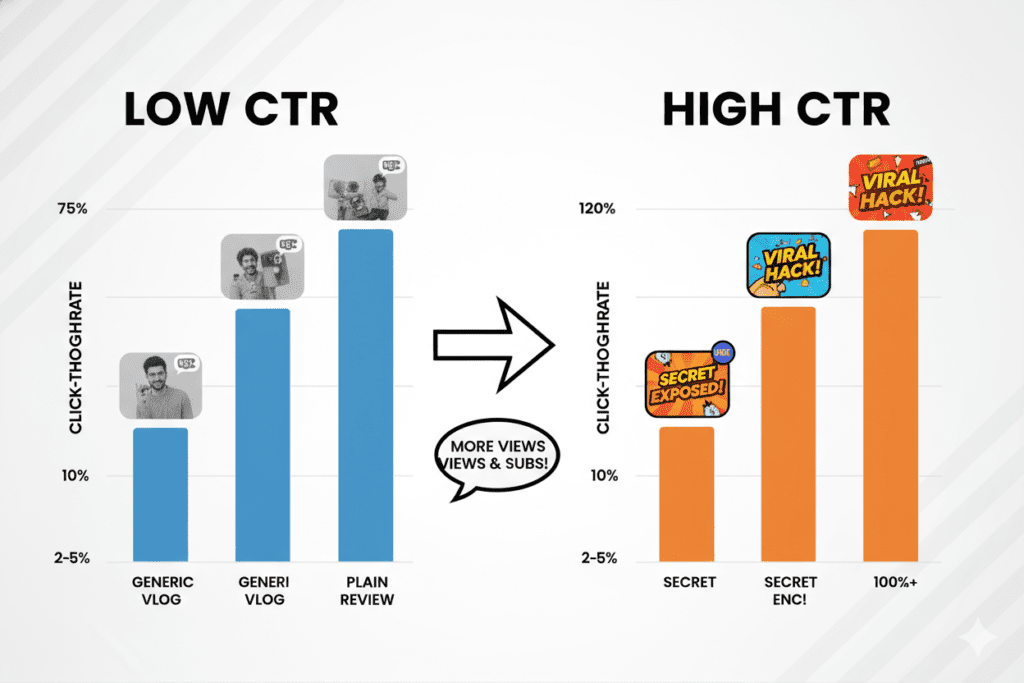
Click-through rate (CTR) is one of the most powerful signals YouTube’s algorithm uses to decide which videos get pushed to more people. When your CTR goes up, YouTube shows your content to wider audiences — creating a compounding growth loop.
Research from VidIQ shows that thumbnails featuring strong emotional expressions can boost CTR by 20–30%. And high-contrast, bold thumbnail designs consistently outperform generic or poorly designed ones across every niche.
The average YouTube CTR sits between 2% and 10%. If you’re hovering at the low end, your thumbnail is likely the reason.
A great YouTube thumbnail generator AI helps you get out of the low-CTR zone — fast.
What Is a YouTube Thumbnail Generator AI?
A YouTube thumbnail generator AI is a tool that uses artificial intelligence to automatically design eye-catching thumbnails based on your video’s content, title, niche, or topic.
It analyzes visual trends, color psychology, text placement principles, and high-performing design patterns to produce thumbnails that grab attention — without you needing Photoshop skills or a design degree.
The best AI thumbnail tools don’t just create pretty images. They create strategically engineered visuals optimized for clicks.
Think of it this way: instead of spending 60+ minutes guessing what layout might work, you enter your video topic and get multiple scroll-stopping options in seconds. The AI does the creative heavy lifting, and you focus on making great content with a YouTube title best practices strategy that works alongside your thumbnails.
How a YouTube Thumbnail Generator AI Actually Works
It’s simpler than you think — but the technology behind it is powerful.
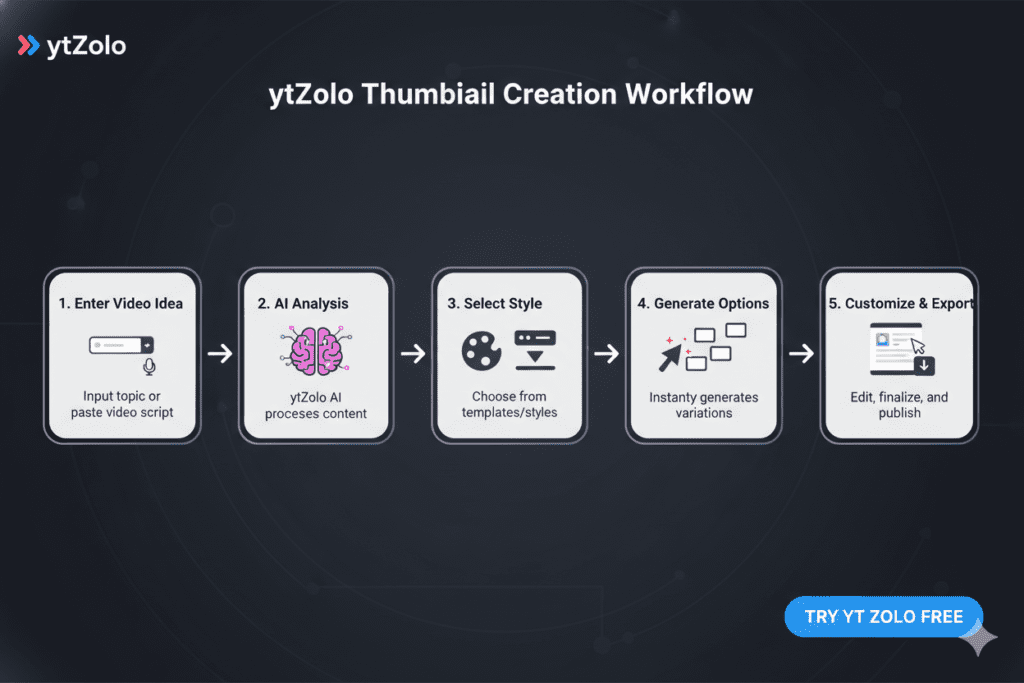
Here’s what happens when you use a quality YouTube thumbnail generator AI:
- You input your video topic or title. This gives the AI context about your niche and content angle.
- The AI analyzes performance data. It draws on patterns from millions of high-performing thumbnails — colors that pop, faces that convert, text placement that reads at small sizes.
- It generates multiple design options. Different compositions, color schemes, and emotional hooks — so you always have variations to test.
- You customize and export. Tweak text, adjust colors, and download a full-HD, watermark-free thumbnail ready for upload.
Tools like ytZolo take this even further. The AI doesn’t just know design — it understands YouTube’s unique visual ecosystem, niche-specific trends, and the performance data behind what actually drives clicks in your category.

What Makes a High-CTR Thumbnail? (The Data-Backed Answer)
Before any tool can help you, it helps to know what actually works.
Here’s what the data consistently shows about high-performing YouTube thumbnails:
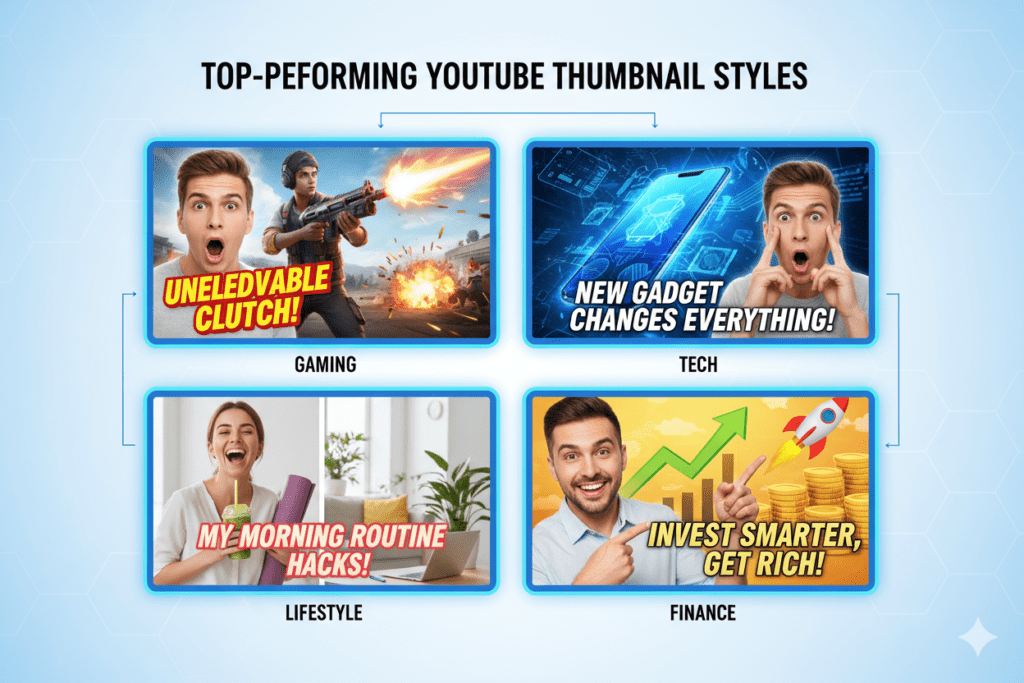
1. High-Contrast Colors Bright, punchy palettes — yellows, electric oranges, vivid blues — consistently outperform muted or low-contrast designs. In a dark YouTube feed, a bold thumbnail is a magnet for the eye.
2. Expressive Human Faces Thumbnails with clear emotional expressions — surprise, excitement, curiosity — generate significantly higher CTR than those without people. The human brain is hardwired to notice and respond to faces.
3. Bold, Readable Text Text on thumbnails needs to work at 200px wide on a mobile screen. Big, clean fonts with strong contrast are essential. Anything cluttered or small gets ignored.
4. Clear Visual Story The best thumbnails tell you exactly what the video is about — instantly. There’s no ambiguity. Curiosity and clarity work together.
5. Title + Thumbnail Alignment This is huge. When your thumbnail and title reinforce the same message, it dramatically increases both CTR and viewer retention. Mismatched thumbnails and titles confuse viewers and hurt performance.
A great YouTube thumbnail generator AI applies all of these principles automatically — so every output is built on what works, not what looks nice.
Why Manual Thumbnail Design Is Holding You Back
Let’s be honest about what manual thumbnail creation actually costs you.
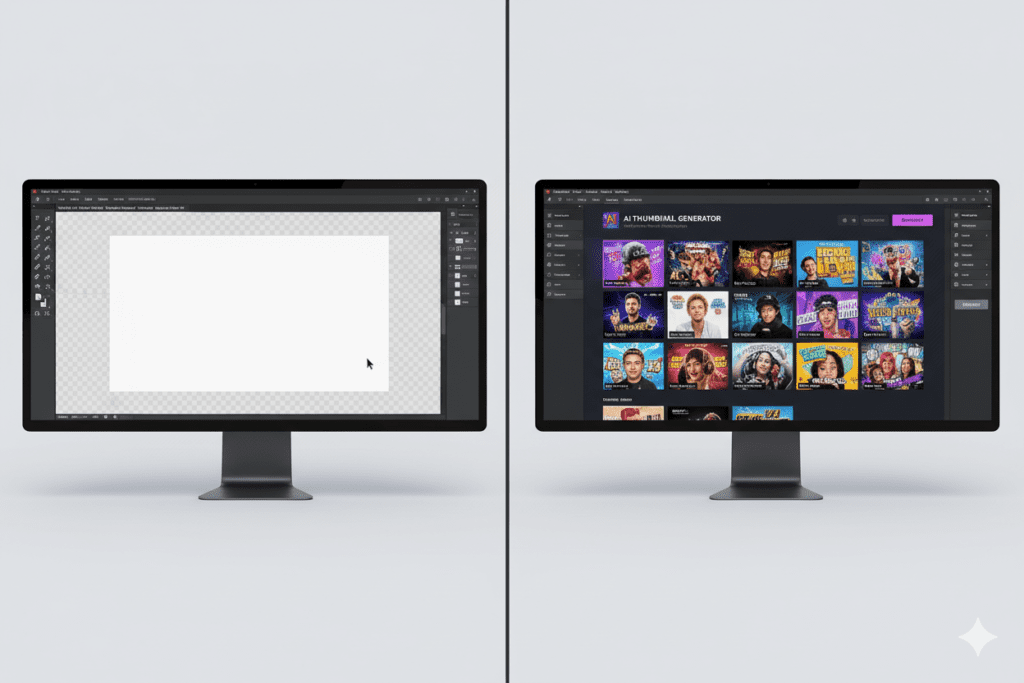
Time. A decent custom thumbnail takes 30 minutes to 2 hours in Photoshop or Canva — if you know what you’re doing. For most creators, it takes longer.
Money. Professional thumbnail designers charge $20 to $150 per thumbnail. For a channel uploading consistently, that’s a $2,000–$15,000 annual expense just to stay competitive.
Guesswork. Even experienced designers don’t always know what will drive clicks on YouTube. Without data, you’re making educated guesses at best.
Inconsistency. When you’re tired or rushed, thumbnail quality drops. Your brand starts to look scattered. Viewers notice.
Here’s the hard truth: manual methods were the only option before. In 2026, they’re an unnecessary disadvantage.
Creators who switch to using a YouTube thumbnail generator AI don’t just save time. They start making decisions based on performance data instead of gut feel — and that changes everything.

How ytZolo Solves the Thumbnail Problem Better Than Anyone
Most thumbnail tools do one thing: generate an image.
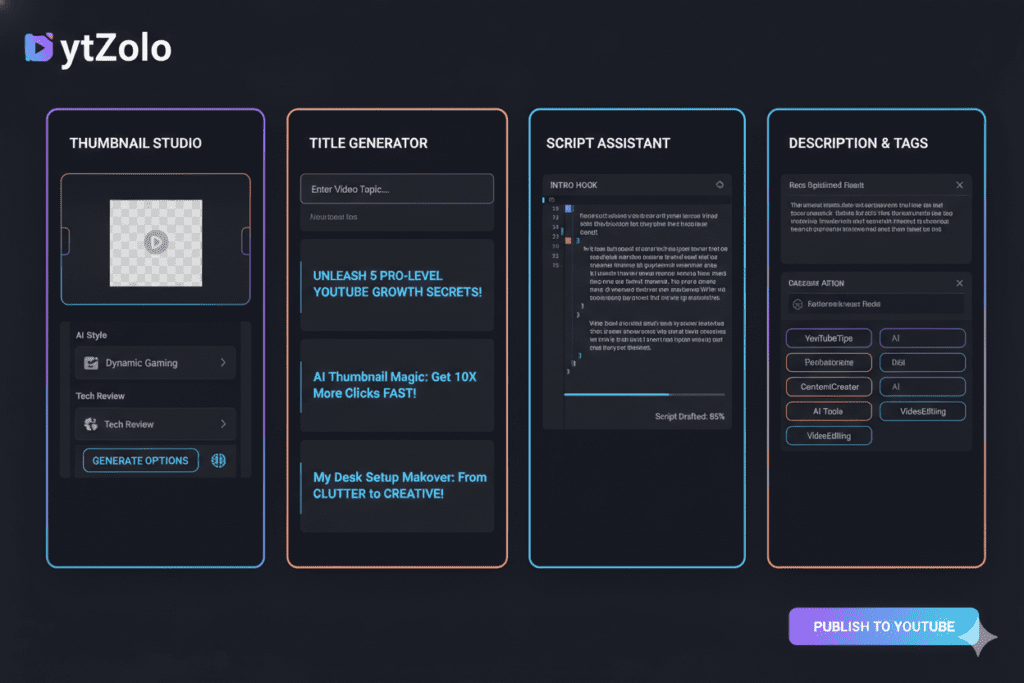
ytZolo does something fundamentally different. It’s an all-in-one AI YouTube growth platform where the thumbnail generator is part of a complete content creation system.
Here’s what makes ytZolo’s approach to the YouTube thumbnail generator AI unique:
It Starts With Your Content, Not a Blank Canvas
You don’t need to come up with a visual concept. ytZolo reads your video topic, title, or script and generates thumbnail concepts that are directly aligned with your content’s angle. The thumbnail tells the same story your title promises.
Multiple Variants for A/B Testing
YouTube’s own Test & Compare feature rewards creators who iterate. ytZolo gives you multiple distinct thumbnail options in one generation — so you always have variants ready to test. More data means smarter decisions over time.
Title + Thumbnail Sync
This is the feature most tools completely miss. In ytZolo, your thumbnail is generated alongside your AI-written title. Both are optimized together to reinforce the same message, the same curiosity hook, the same click trigger.
Connected to Your Full Content Pipeline
When you build a thumbnail in ytZolo, you’re inside a platform that also handles your AI-generated video script, your SEO-optimized description, and your keyword-rich tags. Everything works together as a unified strategy — not isolated pieces.
This isn’t just convenient. It’s a strategic advantage that most creators never even consider.
Explore more creator growth strategies on the ytZolo blog — packed with tutorials, case studies, and deep dives into every feature.
Why ytZolo Is Better Than Other Tools
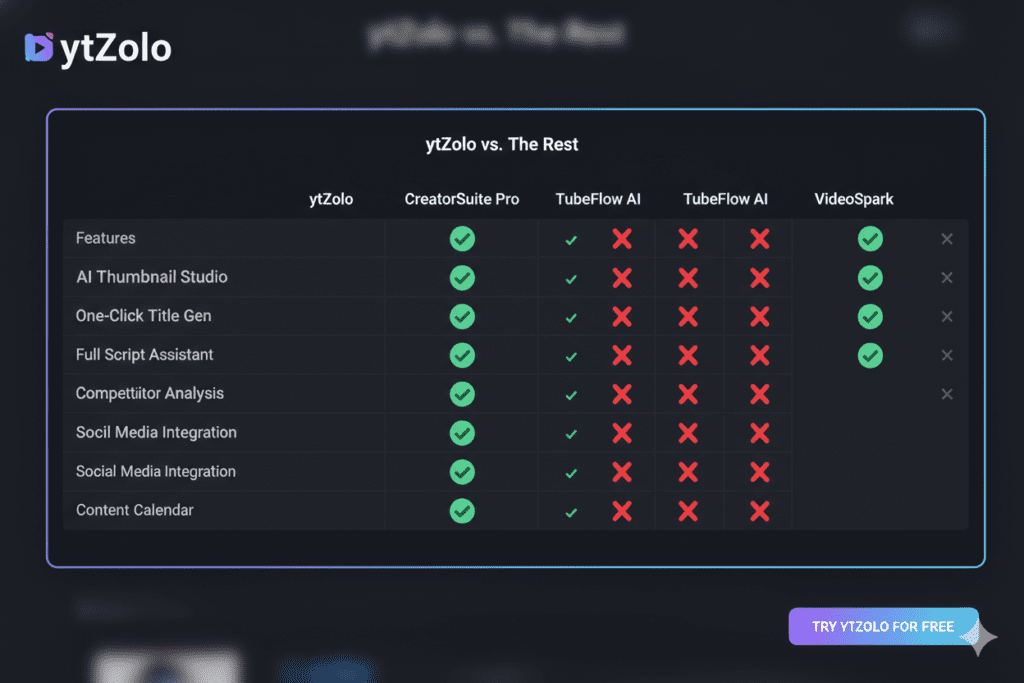
There are plenty of options in the YouTube thumbnail generator AI market. Here’s how ytZolo compares to the ones you’ve probably already considered:
ytZolo vs. Canva
Canva is a great general design tool. But it’s a blank canvas — you still make all the creative decisions. It has no YouTube-specific intelligence, doesn’t understand CTR optimization, and doesn’t sync with your title strategy. ytZolo generates YouTube-optimized thumbnails automatically, tailored to your niche and audience—making it easier than ever with a thumbnail strategy that aligns with your video titles built for creators.
ytZolo vs. VidIQ
VidIQ is primarily an analytics and keyword research tool. Its thumbnail feature is a secondary add-on, not the core product. It doesn’t offer the same depth of AI customization or the all-in-one content pipeline that ytZolo provides.
ytZolo vs. Standalone Thumbnail Tools (Pikzels, Thumbmagic, etc.)
These tools are solid at creating thumbnails. But then what? You still need separate tools for titles, scripts, descriptions, and SEO. That’s four or five subscriptions, multiple logins, and a fragmented workflow. ytZolo handles everything in one place.
ytZolo vs. Generic AI Image Generators (Midjourney, DALL-E)
These tools produce stunning images — but they’re not built for YouTube at all. You’d still need to add text, format to 1280×720, optimize contrast for mobile, and guess whether the design will actually drive clicks. ytZolo handles all of that automatically.
The bottom line: ytZolo is the only tool that was built specifically for YouTube creators, combining a powerful YouTube thumbnail generator AI with titles, scripts, descriptions, and tags — all in one dashboard.
| Feature | ytZolo | Canva | VidIQ | Standalone Thumbnail Tools |
|---|---|---|---|---|
| AI Thumbnail Generation | ✅ YouTube-optimized | ⚠️ Generic templates | ⚠️ Basic add-on | ✅ Thumbnail only |
| Title Generator | ✅ | ❌ | ✅ Limited | ❌ |
| Script Writer | ✅ | ❌ | ❌ | ❌ |
| SEO Descriptions & Tags | ✅ | ❌ | ✅ | ❌ |
| Full-HD, No Watermark | ✅ | ✅ (paid) | ⚠️ | ✅ |
| Built for YouTube CTR | ✅ | ❌ | ⚠️ | ⚠️ |
| All-in-One Workflow | ✅ | ❌ | ❌ | ❌ |
Step-by-Step: Creating a Viral Thumbnail with ytZolo
Ready to see it in action? Here’s exactly how to use ytZolo’s YouTube thumbnail generator AI:
Step 1: Create Your Free Account Head to ytZolo.com and sign up. No credit card needed to get started. Setup takes under 60 seconds.
Step 2: Enter Your Video Topic or Title Type in what your video is about. The AI uses this to understand your niche, content angle, and audience intent.
Step 3: Select Your Niche and Tone Are you going high-energy and emotional? Clean and authoritative? Curiosity-driven? You pick the direction.
Step 4: Let ytZolo Generate Thumbnail Options The AI creates multiple high-CTR thumbnail variations based on your input and niche-specific performance data. No guessing required.
Step 5: Customize if Needed Adjust text, swap color schemes, or tweak layout — all through an intuitive interface. No design experience needed.
Step 6: Export in Full HD Download your watermark-free thumbnail, perfectly sized for YouTube. Done.
Bonus Step: While you’re in ytZolo, generate your video title, SEO description, and tag strategy at the same time. Everything works together — so your entire video is optimized as a unified package before you even hit publish. You can do it all in one place using the AI YouTube thumbnail generator.
The whole process takes under 10 minutes. Compare that to 2+ hours of manual design work.
Best Practices for AI-Generated Thumbnails
Using a YouTube thumbnail generator AI is a game-changer. But these tips will sharpen your results even further:
Always A/B test. YouTube’s native Test & Compare feature lets you run multiple thumbnails on the same video. Let data — not gut feeling — decide the winner.
Match your thumbnail to your title. The visual and the words should tell the same story. Curiosity + clarity = clicks.
Think mobile first. Most YouTube viewers are on phones. Design for a 200px-wide screen. Keep text bold and faces prominent.
Stay consistent with your brand. Regular viewers should be able to recognize your thumbnails in a crowded feed. Consistent colors, fonts, and style build visual brand identity over time.
Refresh underperforming thumbnails. Don’t leave a low-CTR video stuck with a bad thumbnail. Swap it out and watch performance improve. This is one of the fastest wins available to any creator.
Use emotion, not just information. The best thumbnails trigger a feeling — curiosity, excitement, disbelief. Information tells you what a video is about. Emotion makes you want to watch it.
For deeper creator strategies and growth tips, check out the ytZolo blog — it’s packed with actionable guides for every stage of your YouTube journey.
FAQ: YouTube Thumbnail Generator AI
1. What is a YouTube thumbnail generator AI?
A YouTube thumbnail generator AI is a tool that uses artificial intelligence to automatically design high-performing thumbnails for YouTube videos. It analyzes your video topic, niche, and data from top-performing content to generate click-optimized visuals — without requiring design skills. Tools like ytZolo go further by combining thumbnail generation with titles, scripts, and SEO in one platform.
2. Do AI-generated thumbnails actually improve CTR?
Yes — significantly. AI thumbnails are designed using data-backed principles: high-contrast colors, emotional face expressions, bold readable text, and layouts proven to drive clicks in specific niches. Creators who switch from manual design to AI tools consistently report high-CTR YouTube thumbnail strategies.
3. Is ytZolo free to use?
ytZolo offers a free plan that lets you get started with AI thumbnail generation and other tools without a credit card. Premium plans unlock advanced features, higher output volumes, and the full content creation suite. Visit ytZolo.com for the latest pricing details.
4. How is ytZolo different from Canva or VidIQ?
Canva is a general-purpose design tool — it gives you templates, not YouTube-optimized intelligence. VidIQ is primarily an analytics platform with some AI features bolted on. ytZolo is the only all-in-one AI YouTube growth platform that combines thumbnail generation with AI titles, scripts, descriptions, and tags — all purpose-built for YouTube creators.
5. Can I use a YouTube thumbnail generator AI if I have no design experience?
Absolutely. That’s the whole point. Tools like ytZolo are designed for creators, not designers. You enter your video topic, review the AI-generated options, customize if needed, and download a professional thumbnail — no Photoshop, no design knowledge, no stress.
Conclusion: Stop Leaving Clicks on the Table
Every video you post represents hours of work. Real effort. Real creativity.
Don’t let a weak thumbnail be the reason nobody watches it.
Using a YouTube thumbnail generator AI isn’t just about saving time — though it saves plenty. It’s about making every video you publish compete at the highest level from the moment it goes live.
The creators growing fastest in 2026 aren’t necessarily the most talented. They’re the most strategic. They use AI to remove guesswork, move faster, and optimize every piece of content before it even goes public.
ytZolo is the tool that makes that possible — not just for thumbnails, but for your entire YouTube content strategy.
Viral titles. Compelling scripts. Click-stopping thumbnails. SEO-optimized descriptions. Keyword-rich tags. All in one place. All powered by AI built specifically for YouTube growth.
Start creating smarter, faster, and more viral YouTube content with ytZolo today.
👉 Get Started Free at ytZolo.com
Want more tips on YouTube growth and AI content strategy? Explore the ytZolo blog for creator guides, platform updates, and proven strategies to grow your channel faster.
External Resources:


Pingback: How to Rank YouTube Videos Fast in 2026 | Proven Tips