
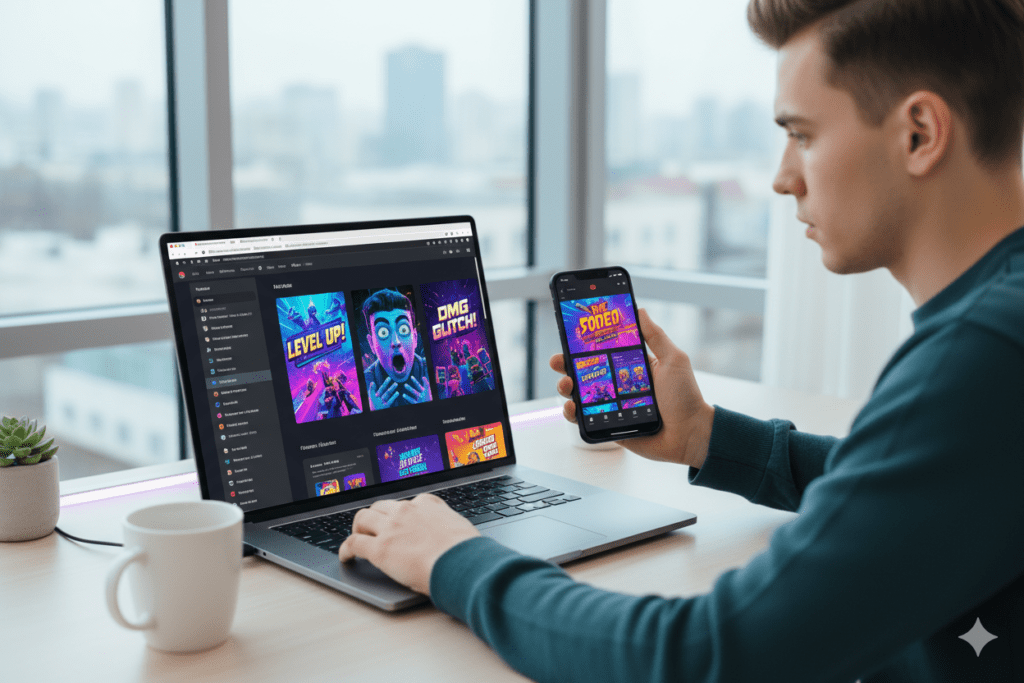
Introduction: Your Shorts Are Going Unnoticed — Here’s Why
You hit record. You nailed the hook in the first two seconds. The edit is crisp. The audio is on point. You upload the Short and wait for the views to roll in.
Then — silence.
Sound familiar? Here’s the part most creators miss: Shorts thumbnails matter more than you think. Yes, Shorts autoplay in the feed. But on YouTube Search, the Suggested Videos tab, and the Browse features? Your thumbnail is still the first thing people see. And a weak one means your video gets scrolled past — every single time.
That’s exactly why finding the right free thumbnail maker for YouTube Shorts is one of the smartest moves you can make as a creator in 2026. A great Shorts thumbnail tells viewers: “This video is worth your next 30 seconds.” Without it, you’re leaving views — and subscribers — on the table.
In this guide, you’ll learn everything you need to know about creating stunning Shorts thumbnails for free, what features to look for in a thumbnail tool, and how ytZolo — an all-in-one AI YouTube growth platform — helps creators produce better content faster than any other tool on the market.
Let’s get into it.
Table of Contents
Do YouTube Shorts Really Need Thumbnails?
This is the question every Shorts creator asks. And the answer might surprise you.
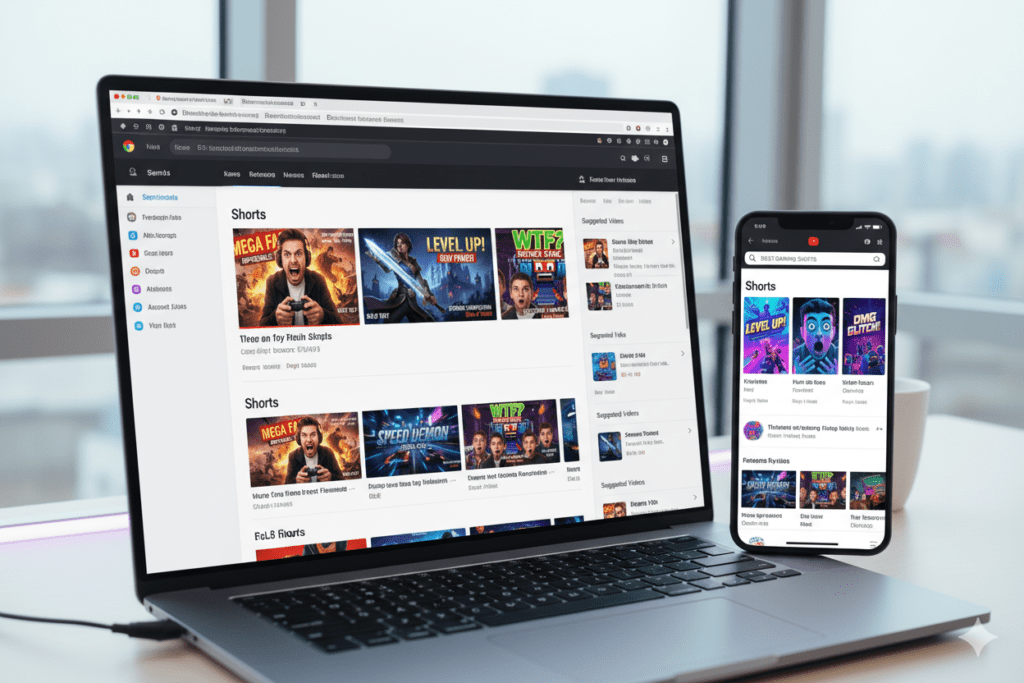
Inside the Shorts feed? No, thumbnails don’t matter much — Shorts autoplay automatically, so there’s nothing to click. But here’s the thing most creators don’t realize: Shorts appear in a lot more places than just the Shorts feed.
Your Short shows up in YouTube Search results, in the Browse Home feed, in Suggested Videos next to regular videos, and even in Google search. In all of these places, your thumbnail is the first — and sometimes only — impression you make.
According to statistics on YouTube Shorts performance, Shorts with custom thumbnails see a 7% higher CTR than those without when appearing in search and suggested placement. That might sound small, but compounded across hundreds of videos and thousands of impressions, it creates a massive difference in total views and subscriber growth.
Channels that post at least 15 Shorts per month also see 32% faster subscriber growth compared to those that post less. Now combine that output with optimized thumbnails, and you have a serious growth engine on your hands.
Bottom line: if you want your Shorts to reach beyond just the Shorts feed, a free thumbnail maker for YouTube Shorts isn’t optional. It’s essential.
What Is a Free Thumbnail Maker for YouTube Shorts?
A free thumbnail maker for YouTube Shorts is an online design tool — often powered by AI — that lets you create vertical thumbnails optimized for YouTube’s 9:16 format (1080×1920 pixels) without paying anything or needing design experience.
Unlike regular YouTube thumbnails (which are horizontal 16:9), Shorts thumbnails are tall and vertical. That means standard YouTube thumbnail templates won’t work. You need a tool that’s built specifically for the vertical format that Shorts demands.
The best free tools let you do things like:
- Start from pre-designed vertical templates made for Shorts
- Upload your own images or screenshots from your video
- Add bold, mobile-optimized text overlays
- Remove backgrounds automatically with AI
- Export in the correct 1080×1920 resolution
- Generate multiple thumbnail variations for testing
Whether you’re a beginner just starting your channel or an experienced creator uploading daily, having the right free thumbnail maker for YouTube Shorts in your toolkit is a complete game-changer.
Why Manual Thumbnail Design Is Killing Your Growth
Let’s have an honest conversation. If you’re still designing thumbnails manually in Photoshop — or worse, just uploading a random frame from your video — you’re already behind.
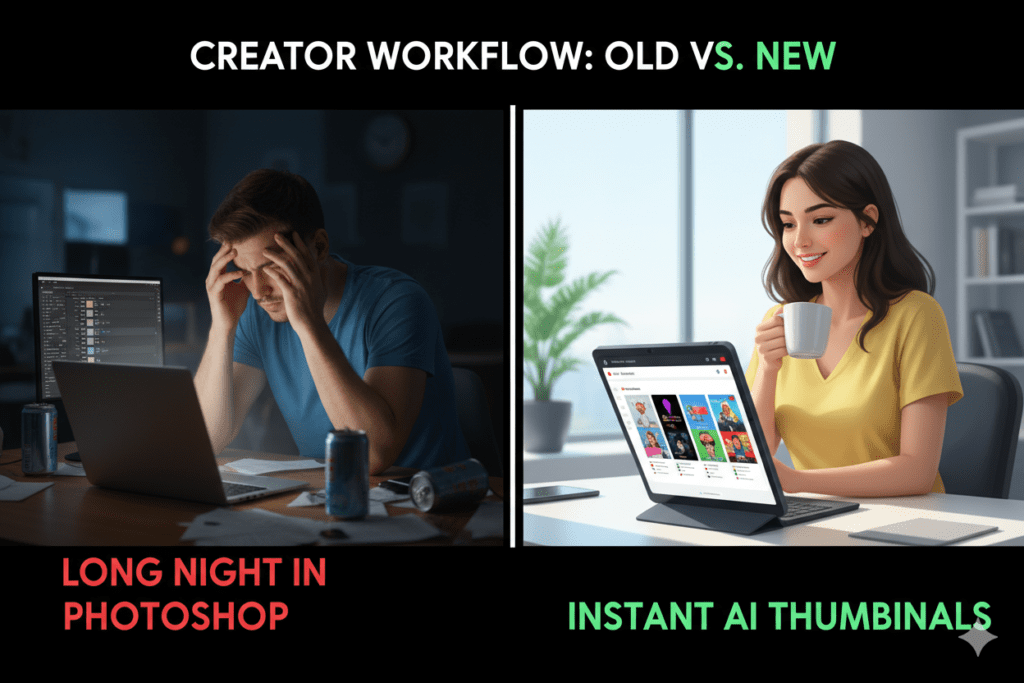
Manual design is slow. Creating a quality Shorts thumbnail from scratch in Photoshop or even Canva can take 30–45 minutes. When you’re trying to upload 3–5 Shorts per week, that adds up to hours every week spent on thumbnails alone instead of on content creation.
Manual design is also inconsistent. Without a repeatable system, your thumbnails will look different from video to video. That inconsistency hurts channel branding and makes new viewers less likely to recognize and subscribe to your channel.
And here’s the biggest issue: manual methods are guesswork. You design something that looks good to you — but you have zero data to know if it’ll actually drive clicks. You’re essentially designing in the dark.
AI-powered tools for creating a free thumbnail maker for YouTube Shorts change all of that. They analyze patterns from high-performing Shorts thumbnails, apply proven design principles automatically, and generate multiple options in seconds. What used to take 45 minutes now takes 3.
That’s exactly why smart creators — the ones growing the fastest — have moved away from manual design entirely. And it’s exactly why tools like ytZolo exist: to remove the friction between you and viral content.
Key Features to Look for in a Shorts Thumbnail Maker
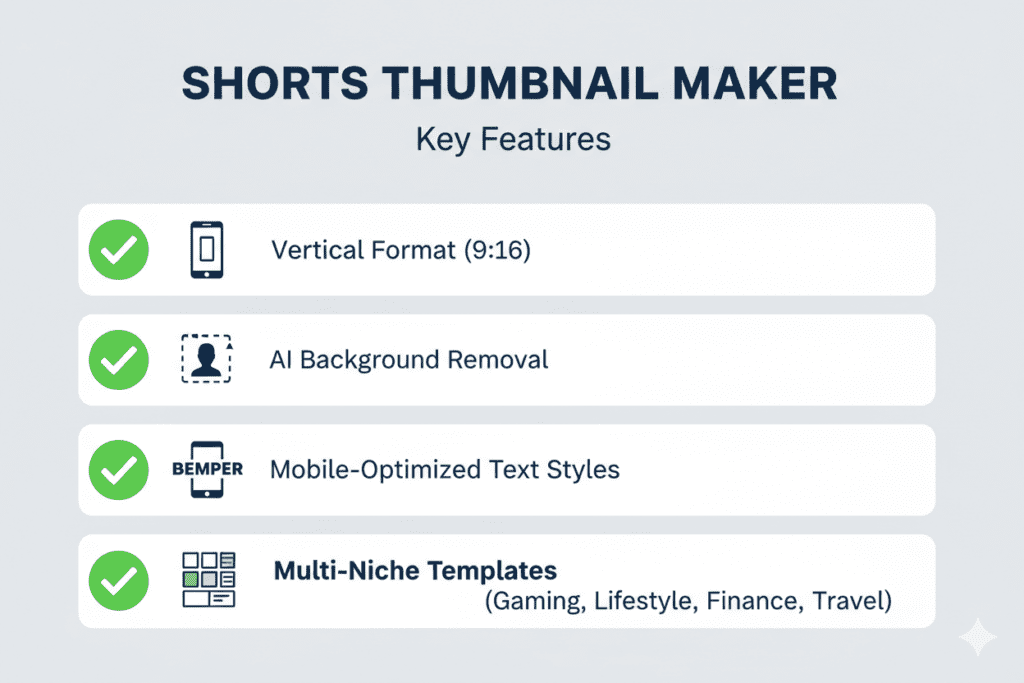
Not all free thumbnail tools are built the same. Here’s what separates a truly useful free thumbnail maker for YouTube Shorts from a generic design app with templates:
Vertical Format (9:16) Support This is non-negotiable. Your tool must support the 1080×1920 pixel vertical format. Horizontal templates will not work for Shorts — period.
AI-Powered Design Suggestions The best tools use AI to analyze your video content or topic and suggest thumbnail designs that follow high-CTR principles. This removes guesswork and saves enormous time.
Background Removal Tool Being able to cut yourself out of a photo and place yourself against a dynamic background is one of the most powerful thumbnail techniques. Look for AI-powered background removal built right into the tool.
Bold, Mobile-First Text Options Over 70% of YouTube views happen on mobile. Your thumbnail text needs to be bold, high-contrast, and readable even at a tiny size. Good tools default to mobile-optimized font choices.
Template Library for Shorts Niches Generic templates won’t stand out in a specific niche. Look for tools with templates designed for different Shorts categories — travel, cooking, fitness, gaming, finance, and more.
Multiple Export OptionsYou should be able to export in PNG or JPG format at full resolution. Bonus points for tools with a free thumbnail maker for YouTube Shorts that also let you quickly resize for TikTok or Instagram Reels.
Fast Generation Speed Speed matters for consistent creators. If a tool takes longer than 60 seconds to generate a thumbnail concept, it’s slowing down your workflow.
Top Free Thumbnail Makers for YouTube Shorts in 2026
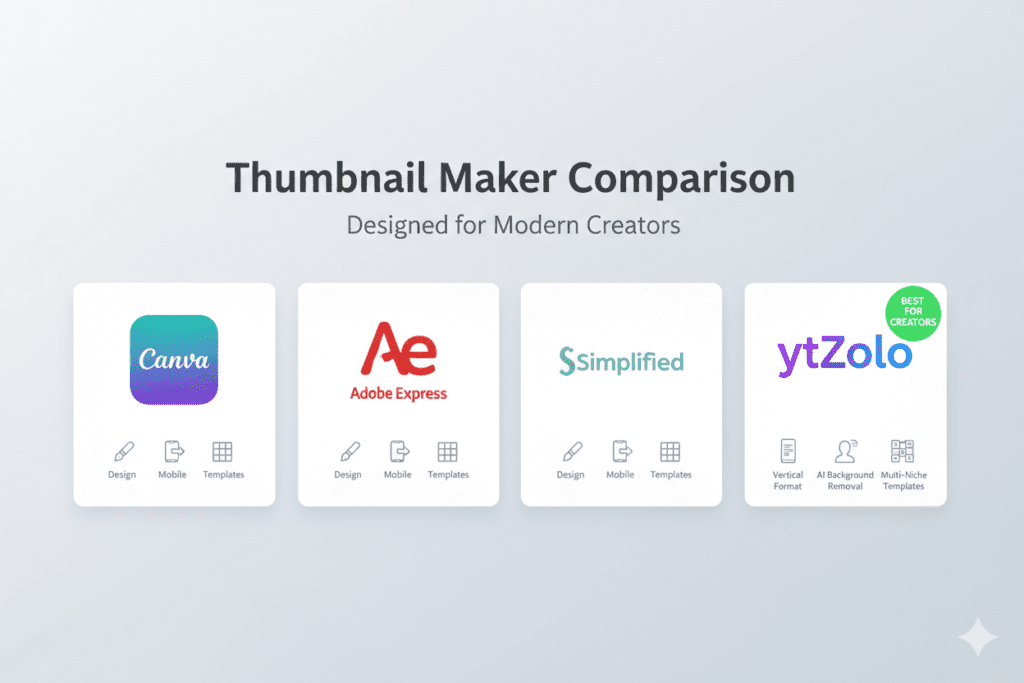
The market is full of options. Here’s an honest look at the top free tools available for creating YouTube Shorts thumbnails this year:
Canva (Free Plan)
Canva is the go-to starting point for most creators. Its free version includes hundreds of templates, including some vertical options. The drag-and-drop interface is beginner-friendly, and you can upload your own photos easily. The limitation? Free plan users miss out on the Magic Resize tool, background remover, and brand kit — which are all Pro features. For serious Shorts creators who want consistency, these restrictions add up fast.
Adobe Express (Free Plan)
Adobe Express offers clean, professional templates and a solid free tier. It’s great for creators who want polished designs quickly. Like Canva, the most powerful features (like AI tools and premium assets) sit behind a paywall. It’s a strong free option for beginners but can feel limiting as your channel grows.
Simplified (Free Plan)
Simplified has made significant strides in vertical content specifically. Their free plan includes 1,000 AI credits and supports the 1080×1920 export size needed for Shorts. The AI-powered text suggestions optimized for mobile and its free thumbnail maker for YouTube Shorts are standout features. For Shorts creators specifically, it’s one of the better free options.
Thumbnail.AI (Free Tier)
Thumbnail.AI is built specifically for AI-generated thumbnails and supports 9:16 format for Shorts. The free tier lets you generate a limited number of thumbnails using text prompts. It’s excellent for creators who want AI to do most of the creative work, though the free limits are quite restrictive.
Fotor (Free Plan)
Fotor offers a strong free-tier editor with vertical templates, basic AI background removal, and decent text tools. It’s a solid all-rounder for beginner Shorts creators who don’t need advanced AI features.
Each of these tools can get the job done for creating a free thumbnail maker for YouTube Shorts workflow. But here’s the real question: why use five different tools when you could handle thumbnails, titles, scripts, descriptions, and tags all in one place?
That’s exactly what ytZolo solves.
How to Create a YouTube Shorts Thumbnail Step-by-Step
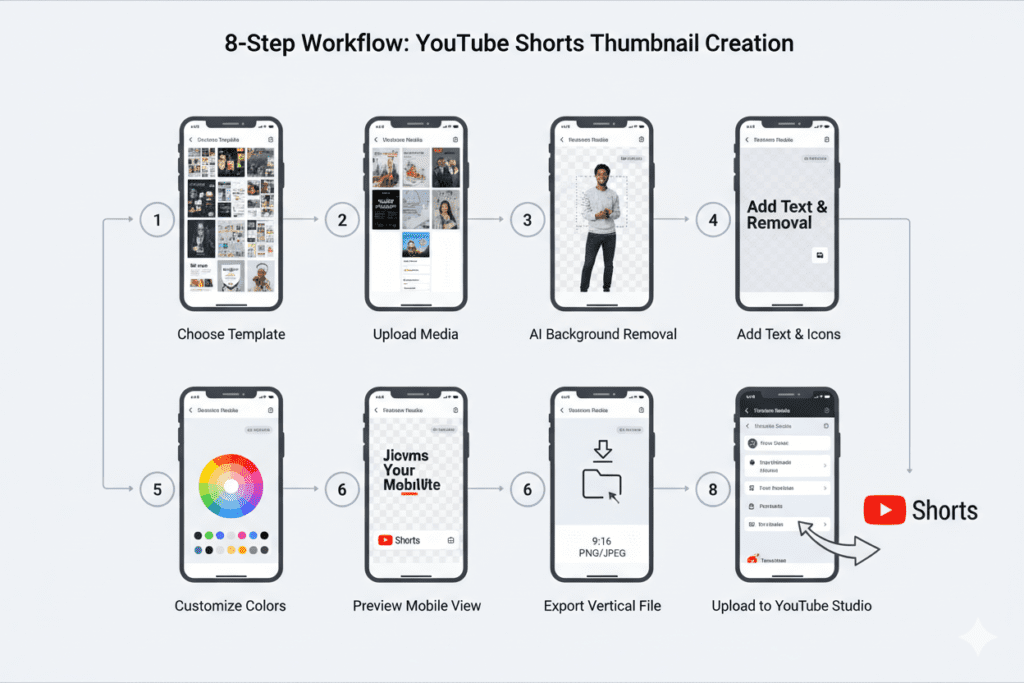
Creating a scroll-stopping Shorts thumbnail doesn’t have to be complicated. Here’s a simple, repeatable process that works:
Step 1: Choose a Vertical-Format Tool Start with a tool that natively supports 9:16 (1080×1920) format. ytZolo generates thumbnail concepts and ideas that you can bring to life quickly. Alternatively, use Canva or Simplified for the actual design work.
Step 2: Define Your Thumbnail’s Core Message Before you open any tool, ask yourself: “What is the ONE thing I want viewers to feel when they see this thumbnail?” Surprise? Curiosity? Excitement? Your design should instantly communicate that emotion.
Step 3: Pick or Create a Vertical Template Choose a template that fits your niche and brand colors. If you’re in fitness, go bold and energetic. If you’re in finance, go clean and professional. Matching the thumbnail vibe to your content niche builds trust with viewers.
Step 4: Add Your Photo or Video Screenshot Upload a strong, expressive image of yourself or the main subject of your Short using a free thumbnail maker for YouTube Shorts. Use the background removal tool to cut the subject out and place it against a high-contrast background.
Step 5: Write Short, Punchy Text Keep your text to 3–5 words maximum. Use curiosity, urgency, or numbers: “I Can’t Believe This,” “3-Second Life Hack,” or “This Changed Everything.” Bold fonts. High contrast. Readable on mobile at thumbnail size.
Step 6: Apply High-Contrast Colors Use contrasting colors that pop. Bright yellow on dark backgrounds, white on deep blue, neon on black — these combinations are proven to stop the scroll and earn clicks in the feed.
Step 7: Generate Multiple Variations Always create 2–3 versions with different text placement, colors, or expressions. Test them by uploading the best one first and swapping if performance is low after a few days.
Step 8: Export and Upload Download in PNG or JPG format at 1080×1920. Upload in YouTube Studio as your custom thumbnail. Done. Total time: under 10 minutes.
That’s the power of having a solid free thumbnail maker for YouTube Shorts workflow. What was once a 45-minute ordeal becomes a fast, repeatable system that never bottlenecks your upload schedule.
How ytZolo Supercharges Your YouTube Shorts Growth
Here’s where most creators get stuck. They focus only on thumbnails. But a great thumbnail alone won’t grow your channel — it needs to work together with a viral title, optimized description, the right hashtags, and a hook-driven script.
That’s the gap that ytZolo fills.
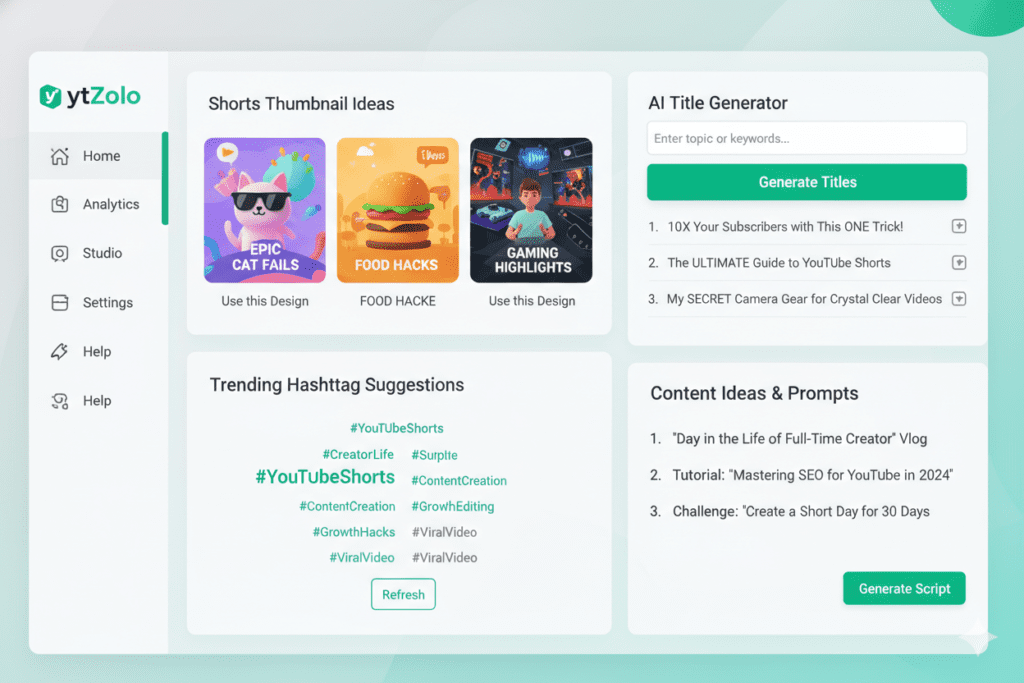
ytZolo is an all-in-one AI YouTube growth platform built specifically for creators who want to grow faster without burning out. It doesn’t just help with thumbnails — using a free thumbnail maker for YouTube Shorts, it powers every part of your YouTube Shorts strategy, including:
- AI Title Generator — Creates curiosity-driven, high-CTR titles perfectly matched to your Shorts content and niche
- AI Thumbnail Concepts — Generates powerful visual direction and ideas for your Shorts thumbnails, so you always know exactly what to design
- AI Script Writer — Writes punchy, hook-first scripts built for the short-form format that keeps viewers watching
- AI Description Generator — Crafts keyword-rich, natural descriptions that help YouTube understand and recommend your Shorts
- AI Hashtag Generator — Finds trending, niche-relevant hashtags to maximize your Shorts reach across the platform
- AI Content Ideas — Never stare at a blank screen again — ytZolo suggests proven Shorts video ideas in your niche on demand
Think about what that means for your workflow. Instead of spending 2 hours planning, scripting, designing, and optimizing a single Short — you can cut that down to under 20 minutes. ytZolo gives you back the time and mental energy to do what you actually love: creating content.
Check out the ytZolo blog for step-by-step tutorials on building a high-growth Shorts strategy using AI — from your first video to your first 10,000 subscribers.
Why ytZolo Is Better Than Other Tools
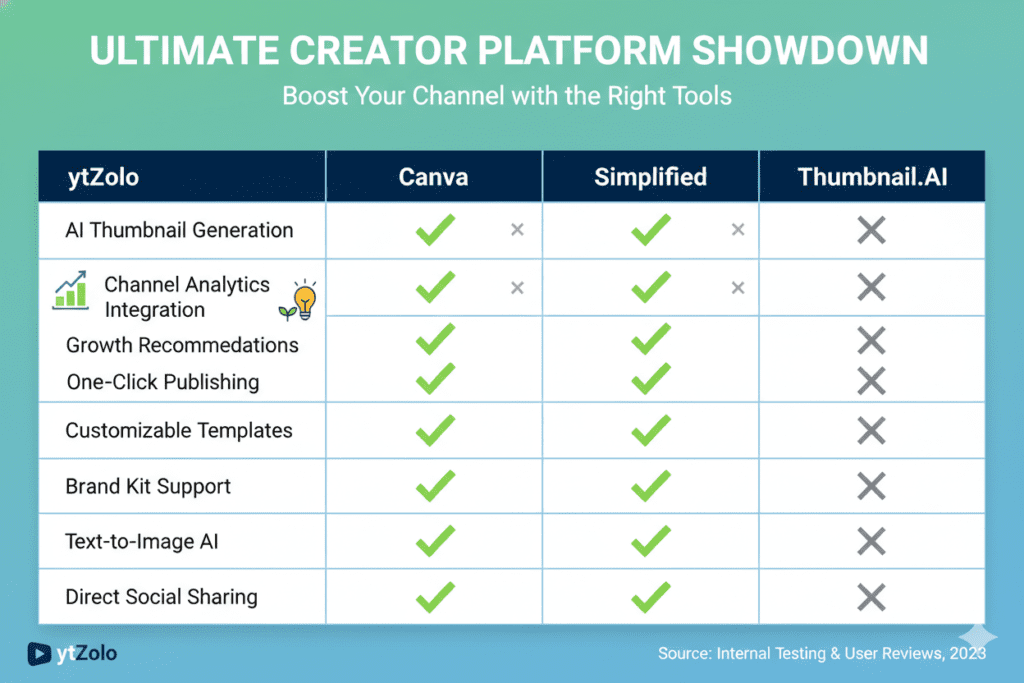
There are dozens of tools claiming to be the best free thumbnail maker for YouTube Shorts. So why does ytZolo stand apart? Here’s an honest comparison:
| Feature | Canva | Simplified | Thumbnail.AI | ytZolo |
|---|---|---|---|---|
| Vertical Shorts Format | ✅ | ✅ | ✅ | ✅ |
| AI Thumbnail Concepts | ❌ | Partial | ✅ | ✅ |
| AI Title Generator | ❌ | ❌ | ❌ | ✅ |
| AI Script Writer | ❌ | ❌ | ❌ | ✅ |
| AI Description & Tags | ❌ | ❌ | ❌ | ✅ |
| AI Hashtag Generator | ❌ | ❌ | ❌ | ✅ |
| Content Ideas Generator | ❌ | ❌ | ❌ | ✅ |
| All-in-One YouTube Workflow | ❌ | ❌ | ❌ | ✅ |
| Built for YouTube Growth | Partial | Partial | Partial | ✅ |
The pattern is clear. Canva, Simplified, and standalone thumbnail tools solve one piece of the puzzle. ytZolo solves the whole thing.
When you use a standalone free thumbnail maker for YouTube Shorts, you still need a separate tool for titles, another for descriptions, another for hashtags, and another for content ideas. That’s four or five tabs open, four or five learning curves, and four or five monthly subscriptions creeping up on you.
ytZolo eliminates all of that. One login. One dashboard. Every AI tool a growing Shorts creator needs — all built to work together.
According to the YouTube Creator Academy, the channels that grow fastest are consistent, optimized, and strategic across every element of their content. ytZolo is built to help you be all three — without the burnout.
Pro Tips to Make Your Shorts Thumbnails Click-Worthy
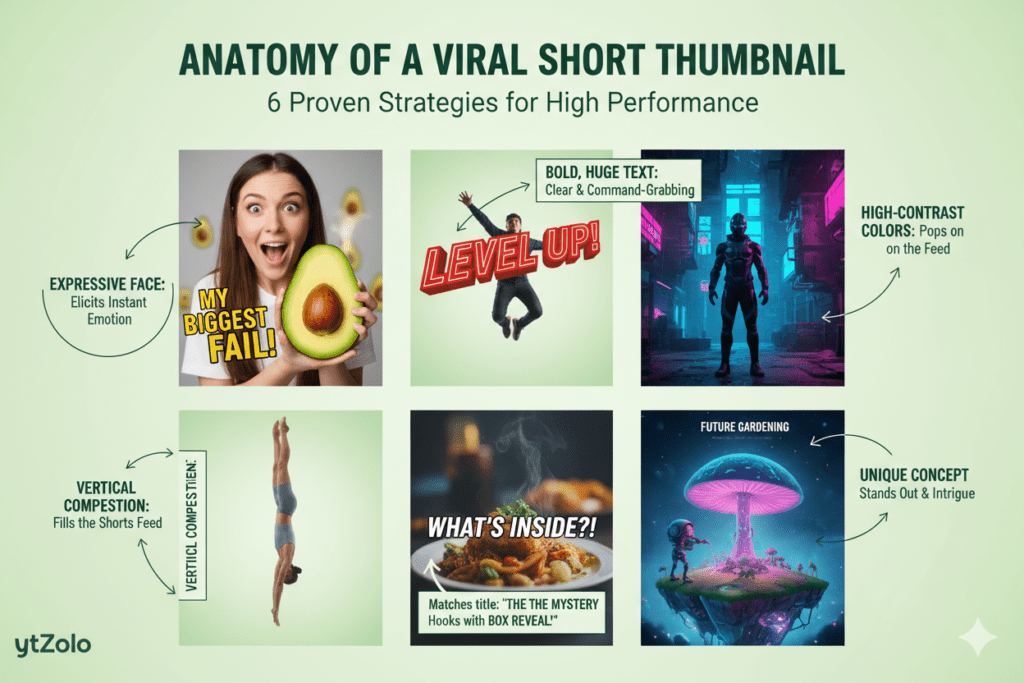
Using a free thumbnail maker for YouTube Shorts is just the first step. Here are the pro tactics that take your thumbnails from decent to scroll-stopping:
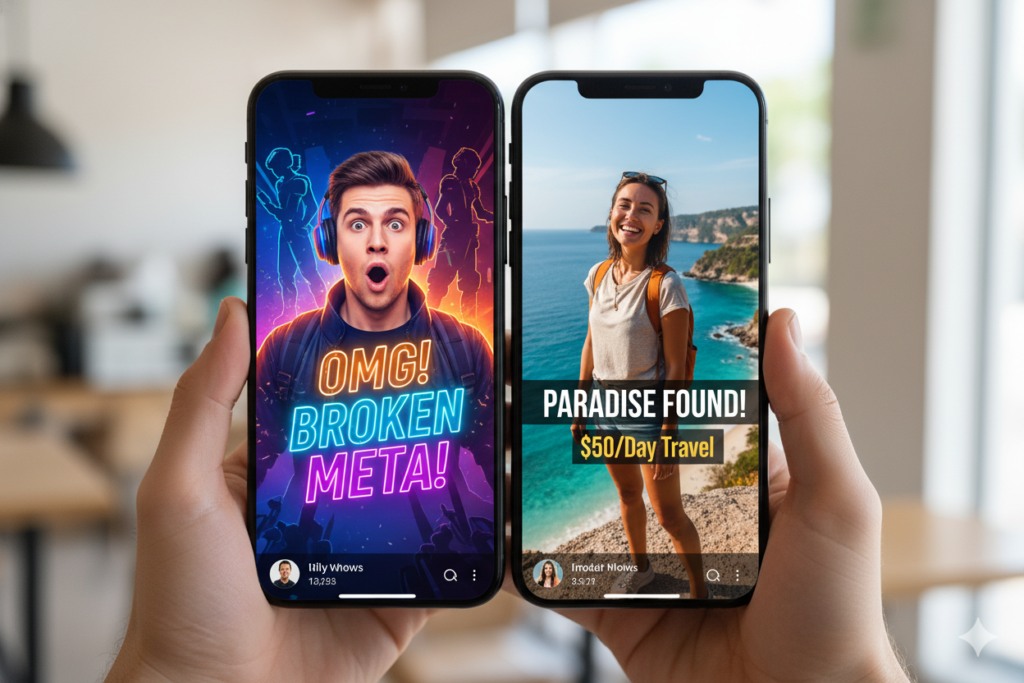
Use expressive faces whenever possible. Human faces trigger emotional responses in viewers. A shocked, excited, or intensely curious expression makes people want to know what happened — and click to find out.
Go vertical-first in your composition. Unlike regular thumbnails, Shorts thumbnails are tall. Position your main subject in the center or upper-center of the frame. Leave breathing room on the sides. Design for the vertical scroll.
Keep text minimal and punchy. Research consistently shows that thumbnails with fewer than 5 words of text outperform crowded designs. Every word must earn its place. If it doesn’t add impact, cut it.
Use contrasting color pairings. White text on dark backgrounds. Neon on black. Bright yellow on deep blue. High contrast increases readability at tiny thumbnail sizes on mobile screens.
Match your thumbnail to your title. The thumbnail and title should work together to create a single, irresistible curiosity gap. Using a free thumbnail maker for YouTube Shorts, “This hack saved my life 😮” as a title next to a shocked face thumbnail = unstoppable click magnet.
Test different thumbnail versions. YouTube allows you to swap thumbnails at any time. Create two or three versions when you upload and swap after 48–72 hours if performance is low. Small changes — a different expression, different text color, different background — can produce dramatically different results.
Look at what’s working in your niche. Spend 10 minutes studying the top-performing Shorts in your category. What colors do they use? What expressions? What text styles? Use those patterns as inspiration — not copying, but adapting what’s proven to work.
According to research from Google’s Think with Google, mobile video consumption continues to grow aggressively each year. That means your Shorts thumbnail must be designed primarily for small screens — and the tips above are built exactly for that reality.
FAQ: Free Thumbnail Maker for YouTube Shorts
What size should a YouTube Shorts thumbnail be?
A YouTube Shorts thumbnail should be 1080×1920 pixels using a 9:16 vertical aspect ratio. This is the opposite of standard YouTube thumbnails (1280×720, horizontal). When using a free thumbnail maker for YouTube Shorts, always make sure the tool supports 1080×1920 vertical export to ensure the best display quality.
Do Shorts thumbnails actually help get more views?
Yes — but mainly outside the Shorts feed. Inside the Shorts feed, videos autoplay so thumbnails don’t affect in-feed performance. However, Shorts that appear in YouTube Search, the Home feed, and Suggested Videos sections do show thumbnails.
Data shows that Shorts with custom thumbnails have a 7% higher CTR in these placements compared to Shorts without one.
Can I use a free thumbnail maker for YouTube Shorts without design skills?
Absolutely. Most modern free thumbnail makers — especially AI-powered ones — are designed for creators with zero design background. Tools like Canva, Simplified, and ytZolo use templates, AI suggestions, and drag-and-drop editors that make professional-quality Shorts thumbnails accessible to anyone in minutes.
What’s the difference between a Shorts thumbnail and a regular YouTube thumbnail?
The main difference is orientation and size. Regular YouTube thumbnails are horizontal (1280×720, 16:9 ratio) while Shorts thumbnails are vertical (1080×1920, 9:16 ratio).
The design principles — bold text, expressive faces, high contrast — apply to both, but using a youtube shorts thumbnail generator helps with vertical composition since viewers scroll vertically through Shorts content.
Why is ytZolo the best tool for YouTube Shorts creators?
ytZolo goes far beyond just thumbnail creation. It’s a complete AI YouTube growth platform that generates thumbnail concepts using a free thumbnail maker for YouTube Shorts, viral titles, hook-first scripts, SEO-optimized descriptions, hashtags, and content ideas — all from one dashboard.
For Shorts creators who want to grow consistently without juggling multiple tools or spending hours on each upload, ytZolo is the most efficient and complete solution available in 2026.
Conclusion: Stop Overthinking. Start Creating.
Your YouTube Shorts have real potential. But potential without execution means nothing.
Every day you upload a Short without a custom thumbnail, you’re leaving clicks on the table in search results, the home feed, and suggested placements. Every day you spend 45 minutes manually designing thumbnails in Photoshop is a day you could have uploaded two more Shorts and grown twice as fast.
A free thumbnail maker for YouTube Shorts removes one of the biggest bottlenecks between you and consistent growth. It’s fast, it’s accessible, and in 2026, it’s smarter than ever thanks to AI.
But if you truly want to take your Shorts channel to the next level — beyond just thumbnails — you need a tool that powers your entire workflow. Titles. Scripts. Descriptions. Hashtags. Content ideas. Thumbnail concepts. All working together, all optimized for growth.
That’s what ytZolo delivers. It’s not just another thumbnail tool. It’s the complete AI system that the fastest-growing YouTube Shorts creators are already using to publish more, grow faster, and burn out less.
The channels winning right now aren’t working harder. They’re working smarter. Don’t get left behind.
🚀 Start creating smarter, faster, and more viral YouTube content with ytZolo today. 👉 Visit ytZolo.com and unlock your channel’s full growth potential.
Want more tips, tools, and strategies for growing your YouTube Shorts channel with AI? Check out the ytZolo blog — updated regularly with actionable guides for creators at every stage.


Pingback: Best Free Thumbnail Generator for YouTube Creators 2026
Pingback: Best YouTube AI Thumbnail Creator to Boost Your CTR 2026