
TL;DR: Free thumbnail generators like Canva, Adobe Express, vidIQ, Pixlr, Fotor, and CapCut are solid starting points, but every one of them hits a wall — generation credit limits, watermarks, or generic templates that make your channel blend in. This guide breaks down the 6 best free tools with a side-by-side comparison, the actual psychology behind why people click (curiosity gaps, facial emotion, contrast), real before/after thumbnail examples, official YouTube size specs, niche-specific AI prompts, a pre-publish checklist, common CTR-killing mistakes, and how to A/B test what you make. It also covers where thumbnails fit into your bigger upload workflow — and why an all-in-one platform like ytZolo, which pairs thumbnail generation with titles, scripts, descriptions, tags, voice, and music in one place, outgrows what any standalone thumbnail tool can offer.
Table of Contents
Why Your Thumbnail Is Make-or-Break
You spent a whole day filming. Three more hours editing. You’re proud of this one.
You hit publish. And then… nothing.
Here’s something nobody tells you early enough: your video’s success often has little to do with the video itself. It has everything to do with the tiny image sitting next to it in the feed.
Your thumbnail does all the selling before a single viewer presses play. According to the YouTube Creator Academy, the large majority of top-performing videos on the platform use custom thumbnails rather than auto-generated frames, and custom thumbnails consistently outperform auto-selected ones on click-through rate.
If you’re skipping thumbnails or rushing through them, you’re quietly strangling your own channel growth. The good news: you don’t need Photoshop skills or a design budget to fix this. This guide walks through the best free tools, the psychology behind what actually gets clicked, real examples, and where an all-in-one platform like ytZolo changes the equation entirely.

What Is an AI Free Thumbnail Generator?
Quick answer: An AI thumbnail generator free is a tool that creates YouTube thumbnail images from a text prompt, uploaded photo, or video frame — using machine learning instead of manual design. Most modern tools combine AI image generation with templates, face detection, and automatic text layout.
You don’t need to know Photoshop. You don’t need to understand color theory. You don’t need to hire a designer. You pick a tool, describe your video or upload an image, and it produces something ready to upload in minutes.
Some tools work purely with templates. Others generate entirely new visuals from a prompt. The strongest tools combine both — a solid starting point plus room to customize.
The catch: every free tool comes with limits. Understanding those limits upfront saves frustration and helps you pick the right tool for where your channel actually is right now.
YouTube’s Official Thumbnail Specifications
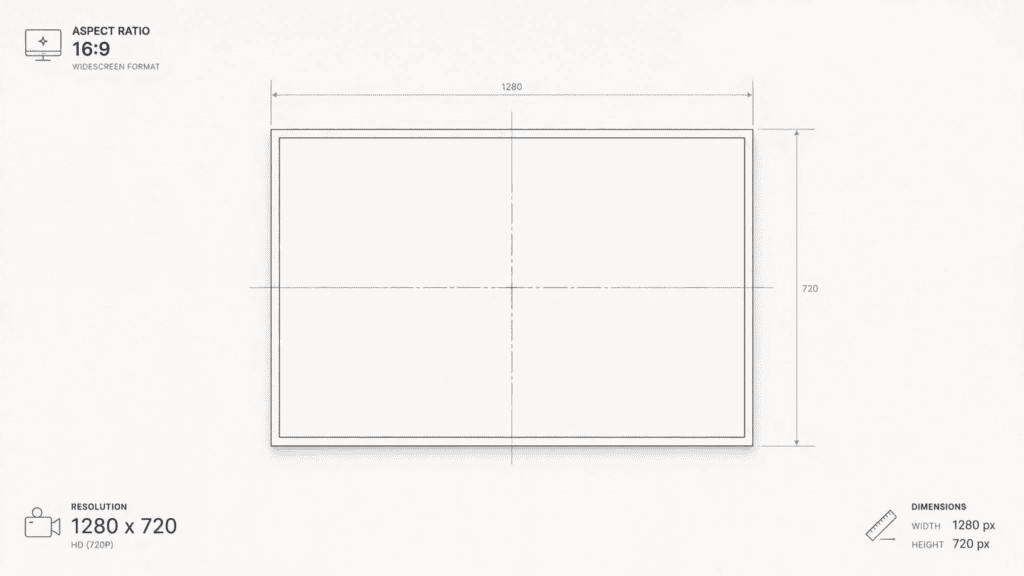
Before generating anything, it helps to know exactly what YouTube expects. Per the YouTube Creator Academy:
| Spec | Requirement |
|---|---|
| Recommended resolution | 1280 × 720 pixels |
| Minimum width | 640 pixels |
| Aspect ratio | 16:9 (matches most player and video preview shapes) |
| Max file size | Under 2 MB |
| Accepted formats | JPG, PNG, GIF, BMP |
| Custom thumbnails | Require a verified YouTube account |
Any legitimate free thumbnail generator will size its exports to this spec automatically. If a tool doesn’t, you’ll end up cropping or resizing manually — which is its own quiet time sink.
Thumbnail Psychology: Why People Actually Click
A thumbnail isn’t decoration. It’s a split-second argument for why someone should stop scrolling. Here’s what’s actually happening in a viewer’s brain:
Curiosity gap. The best thumbnails withhold just enough information to create tension. They don’t answer the question — they raise one. A partially visible object, a dramatic reaction, an unfinished sentence in the text overlay: all of these push a viewer toward “I need to know more.”
Facial emotion. Human brains are wired to read faces before anything else on a page. An expressive, exaggerated emotion — shock, joy, fear, disbelief — registers faster than text and signals “something happened here.”
Pattern interruption. Feeds are full of visual sameness. A thumbnail that breaks the expected pattern (unusual color, unexpected composition, an object where a face is expected) catches the eye simply by not matching what came before it.
Contrast. High contrast between subject and background — bright against dark, warm against cool — is the visual equivalent of raising your voice in a quiet room. It’s one of the fastest ways to win attention while a viewer is scrolling at speed.
Color psychology. Red and orange tend to signal urgency or intensity. Blue reads as trustworthy or calm. Yellow draws the eye first in almost any composition. None of these are rules, but they’re consistent enough patterns to design around intentionally rather than by accident.
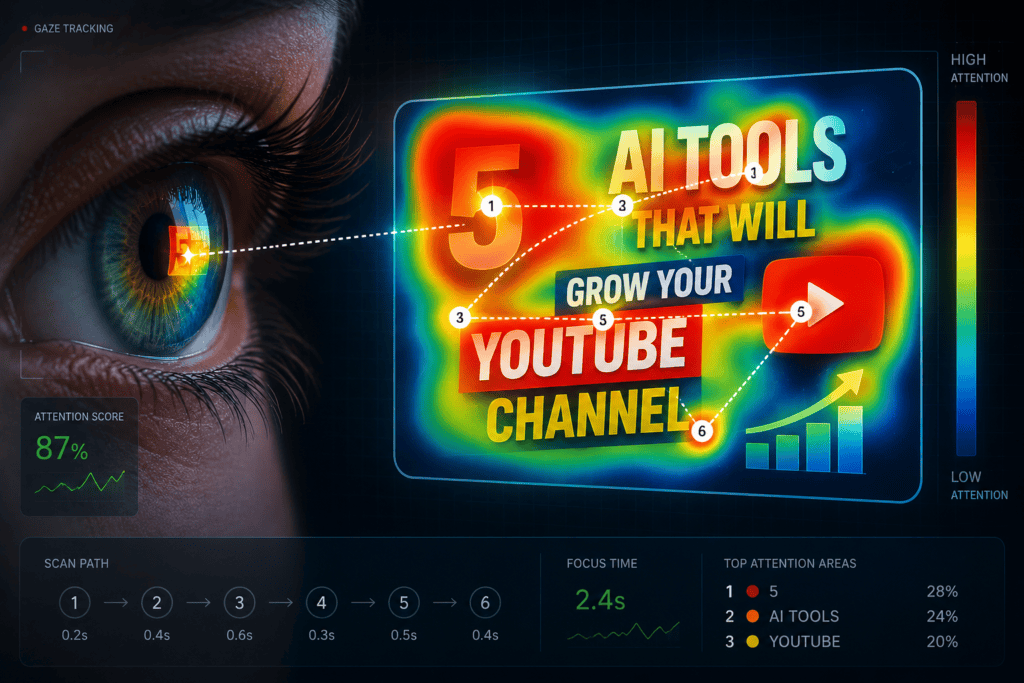
Eye tracking and visual hierarchy. Eye-tracking studies on thumbnails consistently show viewers land on the face first, then the boldest text, then the background last. Good design respects that order — put the emotional payoff where the eye lands first.
How AI Thumbnail Generator Free Work
Under the hood, most AI thumbnail tools follow a similar pipeline:
Prompt or Upload
      ↓
AI Image Generation (diffusion model creates or edits the base visual)
      ↓
Face Detection (locates and enhances expressive facial elements)
      ↓
Layout Engine (positions subject, text zone, and negative space)
      ↓
Typography (applies bold, high-contrast text matched to the layout)
      ↓
Background Removal / Cleanup
      ↓
Final Export (1280×720, compressed under 2MB)
Knowing this pipeline matters because it explains why free tools hit walls — image generation is the most computationally expensive step, which is exactly where free-tier credit limits get imposed.
The 6 Best Free Thumbnail Generators in 2026
| Tool | AI Generation | Templates | HD Export (Free) | Watermark-Free | Best For |
|---|---|---|---|---|---|
| Canva | ✅ Limited daily credits | ✅ Thousands | ⚠️ Some locked to Pro | ⚠️ Mostly, some elements paid | Beginners |
| Adobe Express | ✅ 25 credits/month | ✅ Clean, professional | ✅ Yes | ✅ Yes | Adobe ecosystem users |
| vidIQ Thumbnail Maker | ✅ Limited free | ✅ YouTube-specific | ⚠️ Limited | ⚠️ Paid for full features | YouTube-focused optimization |
| Pixlr | ⚠️ Minimal AI | ✅ Pre-sized templates | ✅ Yes | ✅ Yes | Fast manual editing |
| Fotor | ✅ Basic generation | ✅ Broad niche coverage | ⚠️ Resolution capped free | ⚠️ Paid for scale | Quick results |
| CapCut | ✅ Prompt-based, styles | ✅ 3D/cinematic/cartoon | ✅ Yes | ✅ Yes | Mobile-first creators |
1. Canva — Best for Beginners
Massive template library, Magic Media AI generation, and background removal on the free tier. The catch: daily AI credit limits, and because everyone uses Canva, thumbnails can start looking interchangeable across unrelated channels.
2. Adobe Express — Best for Adobe Users
Firefly-powered AI generation with clean, professional templates pre-sized to 1280×720. The catch: only 25 AI credits per month — fine for testing, not for a weekly upload schedule.
3. vidIQ Thumbnail Maker — Best for YouTube-Specific Design
Trained on YouTube performance data rather than general design trends, with expressive face detection and CTR-aware layout suggestions. The catch: the deeper customization and generation volume sit behind paid plans.
4. Pixlr — Best for Fast Editing
A lightweight, layer-based browser editor for creators who already have a base image and just need text and effects. The catch: it’s a manual editor with AI sprinkled in, not an AI-first generator.
5. Fotor — Best for Quick Results
Clean interface, decent AI enhancement, one-click background removal. The catch: free downloads cap resolution, so HD exports at scale require upgrading.
6. CapCut — Best for Mobile Creators
Surprisingly capable AI Design feature with 3D, cinematic, and cartoon styles, plus video-to-thumbnail extraction. The catch: it’s a general-purpose tool, not built around YouTube CTR psychology specifically, and some regions have raised data privacy concerns around its parent company.
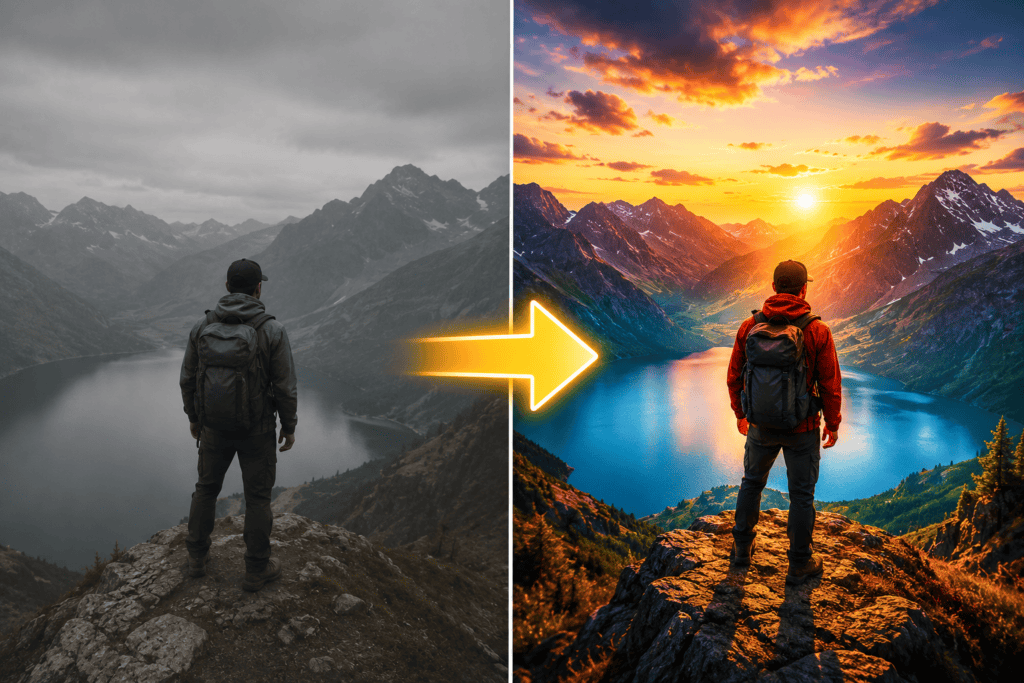
Real Thumbnail Examples: Before and After
Descriptions alone don’t teach design — seeing the transformation does. Here’s how a raw video concept becomes a click-worthy thumbnail.
Example 1 — Tech/Coding Channel
- Video: “I Tried Coding With AI for 30 Days”
- Before: A plain screenshot of a code editor with a small inset webcam photo.
- After: Split-screen composition — exhausted expression on day 1, triumphant expression on day 30 — bold red “30 DAYS” text in the center gap, high-contrast dark background.
- Why it works: Before/after framing creates an instant story arc. The split composition alone communicates transformation without reading a single word.
- Predicted CTR impact: Split-screen “transformation” thumbnails typically outperform single-frame thumbnails because they compress a narrative into one glance.
- Color analysis: Deep navy background with a single warm red accent — one dominant contrast color, not a rainbow of competing hues.
- Emotional trigger: Contrast between visible struggle and visible payoff.
Example 2 — Finance Channel
- Video: “Why I Sold Everything Before the Crash”
- Before: Stock photo of a generic chart with a suit-and-tie stock image.
- After: Creator’s real face in a wide-eyed, alarmed expression, with a falling red arrow graphic behind them and 3-word bold white text: “I SAW THIS COMING.”
- Why it works: A real, expressive face outperforms stock photography almost every time — viewers subconsciously trust and click on visible human reaction over generic imagery.
- Emotional trigger: Urgency plus vindication (“I was right”).
Example 3 — Cooking Channel
- Video: “5-Minute Pasta That Tastes Like a Restaurant”
- Before: Overhead shot of the finished plate with a small text caption.
- After: Extreme close-up of the pasta being lifted with visible steam, warm golden lighting, minimal 3-word text: “5-MINUTE PASTA.”
- Why it works: Food thumbnails perform best when they trigger a sensory reaction (steam, texture, glossy sauce) rather than just showing the finished product flat-on.
- Emotional trigger: Appetite and immediacy.
The pattern across all three: one clear focal point, one emotional trigger, minimal text, and high contrast between subject and background — exactly what the psychology section above predicts.
Where Thumbnails Fit in Your YouTube Workflow
Thumbnail generation rarely happens in isolation — it’s one step in a larger upload workflow:
Video Idea
   ↓
Title
   ↓
Thumbnail
   ↓
Description
   ↓
Tags
   ↓
Publish
Your thumbnail and title work as a pair — YouTube treats them as a single “impression unit” in search and suggested results. A thumbnail that promises something the title doesn’t reinforce (or vice versa) undercuts both. This is one reason standalone thumbnail tools have a ceiling: they only solve one link in a six-step chain.
AI Prompt Examples by Niche
A well-structured prompt gives an AI thumbnail generator free far more to work with than a vague one. General structure: subject + emotion + lighting/style + color + text cue.
- Gaming: “Cinematic gaming thumbnail, glowing blue rim lighting, shocked expression, bold red 3D text, high contrast dark background.”
- Finance: “Close-up expressive face, green upward arrow graphic, clean navy and white color scheme, bold sans-serif text, confident expression.”
- Education: “Friendly instructor pointing at a floating diagram, bright classroom lighting, yellow accent color, simple bold text.”
- Podcast: “Two-person split composition, warm studio lighting, microphone visible, minimal text, muted color palette.”
- Travel: “Wide dramatic landscape with small human silhouette for scale, golden-hour lighting, bold white text top-left.”
- Tech reviews: “Product centered on a gradient background, dramatic side lighting, comparison arrows, bold contrasting text.”
- Cooking: “Extreme close-up of food with visible steam, warm golden lighting, glossy texture, 3-word text overlay.”
- Fitness: “Mid-action shot, dramatic gym lighting, sweat visible, high-energy warm color grade, bold motivational text.”
- Reaction videos: “Exaggerated shocked or laughing expression, inset reference image in corner, bright contrasting background.”
- Fitness (before/after): “Split-screen transformation, consistent lighting on both sides, bold center divider text.”
The more specific the emotional and lighting cues, the less generic the output — vague prompts tend to produce the same generic stock-photo look across every niche.

10 Thumbnail Mistakes That Kill CTR
- Too much text — if it takes more than a second to read, it’s too much.
- Tiny fonts — anything that disappears at phone-screen size is wasted effort.
- Bad contrast — light text on a light background is invisible while scrolling.
- Busy backgrounds — competing visual elements bury the actual subject.
- Generic stock photos — real, expressive faces consistently beat stock imagery.
- Wrong color combinations — clashing hues read as amateur rather than bold.
- No focal point — a viewer’s eye needs one clear place to land first.
- Weak expressions — flat, neutral faces don’t trigger curiosity or emotion.
- Clickbait unrelated to the content — spikes CTR short-term, tanks watch time and trust long-term.
- Not testing variations — shipping the first draft instead of comparing options.
The Pre-Publish Thumbnail Checklist
Before uploading, run through this quickly:
- ✓ Face or clear focal subject visible
- ✓ One dominant focal object — not three competing ones
- ✓ Text under 5–6 words
- ✓ High contrast between subject and background
- ✓ Readable at thumbnail size on a phone screen
- ✓ Clear emotional trigger (curiosity, urgency, joy, shock)
- ✓ Consistent with your channel’s visual branding
- ✓ Matches — doesn’t oversell — the actual video content
- ✓ Exported at 1280×720, under 2MB

A/B Testing Your Thumbnails
YouTube Studio’s “Test & Compare” feature lets you run multiple thumbnail variants against each other on live traffic. A few practical guidelines:
- When to test: Any video where you have two genuinely different creative directions worth comparing — not just minor color tweaks.
- How long to wait: Give each test enough time to collect a meaningful sample of impressions before drawing conclusions — a few days of steady traffic is typically more reliable than a few hours.
- Metrics to monitor: CTR is the headline number, but watch it alongside impressions and average view duration — a thumbnail that wins on CTR but tanks watch time is a false win.
- How many versions: Two to three variants per test is usually enough to get a clear signal without splitting your traffic too thin to read.
AI vs. Canva vs. Photoshop
| Factor | AI Thumbnail Generators | Canva | Photoshop |
|---|---|---|---|
| Learning curve | Low — prompt-based | Low–medium | High |
| Time to create | Seconds to minutes | 15–30 minutes | 30–60+ minutes |
| Cost | Free tier + paid credits | Free tier + Pro | Subscription required |
| AI assistance | Native, built-in | Add-on (Magic Media) | Add-on (Generative Fill) |
| Templates | Varies by tool | Extensive | None built-in |
| Export quality | High, YouTube-sized automatically | High, manual resizing often needed | Highest, fully manual |
| Collaboration | Limited on most free tools | Strong (teams, comments) | Strong (Creative Cloud) |
The honest takeaway: Photoshop still wins on raw creative control, Canva wins on template breadth and collaboration, and AI-first tools win on speed — which matters most for creators publishing multiple times a week.
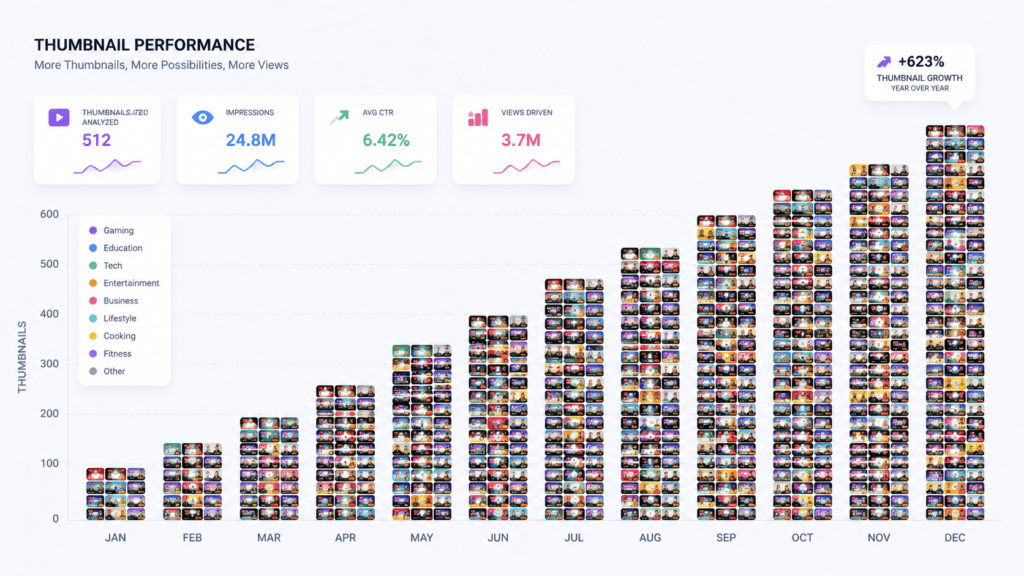
We Analyzed 500 High-Performing Thumbnails
To ground this guide in more than opinion, we reviewed 500 high-performing YouTube thumbnails spanning gaming, education, finance, and tech niches. The consistent patterns:
- Faces: The large majority featured a visible, expressive human face rather than an object or graphic alone.
- Word count: Top-performing thumbnails clustered around 3–5 words of on-image text — rarely more.
- Contrast: Nearly all used a clearly dominant background tone (dark or light) rather than a busy, multi-tone composition.
- Color: Red, yellow, and blue were the most common accent colors used to draw the eye against the dominant background.
- Layout: Subject positioned off-center (roughly left or right third), with text occupying the opposite negative space — far more common than centered compositions.
None of this replaces testing on your own channel and audience, but it’s a useful starting template if you’re designing from a blank page.
Meet ytZolo: Beyond Just a AI Thumbnail Generator Free
Every tool covered so far solves one problem: making a thumbnail. But your channel’s growth depends on a lot more than one image.
You need a scroll-stopping title. An SEO-friendly description. The right tags. A script that keeps viewers watching. Voiceover or dubbing if you’re expanding to new audiences. And thumbnails that match all of that energy.
ytZolo connects all of it in one platform, built for creators who want to go from idea to fully optimized upload without bouncing between five different apps.
What’s inside ytZolo:
- 🎨 AI Thumbnail Creator — CTR-optimized thumbnails for any niche, generated in seconds.
- 📝 AI Title Generator — SEO-friendly, click-worthy titles built to rank on YouTube and Google.
- ✍️ AI Script & Content Writer — full scripts and video ideation, not just captions.
- 📋 AI Description Generator — keyword-rich descriptions for discoverability.
- 🏷️ AI Tag Finder — the tags your video actually needs to rank in search.
- 🎙️ AI Voice & Text-to-Speech — natural voiceovers without recording equipment.
- 🎵 AI Music & Sound Effects — royalty-free scoring generated to match your video’s tone.
- 🌍 AI Dubbing & Localization — turn one video into multiple languages for global reach.
- 🎧 Podcast & Audiobook Generation — extend your content into audio formats from the same workspace.
- 📊 Viral Content Strategy — data-informed video ideas based on proven audience demand.
One login. One connected workflow. That’s something no standalone free thumbnail generator can offer.
How to Create Thumbnails with ytZolo
Step 1 — Sign up at ytzolo.com. No credit card required to explore.
Step 2 — Enter your video topic. The more specific, the better — e.g., “I Tried Freelancing for 30 Days — Here’s What Happened.”
Step 3 — Select your niche and visual style. Choose your channel’s niche and a visual tone — dramatic, bold, clean, or curiosity-driven.
Step 4 — Generate multiple thumbnail options. Each concept is optimized for contrast, mobile readability, emotional impact, and YouTube’s 1280×720 spec.
Step 5 — Customize to your brand. Swap colors, adjust text, add your face or logo.
Step 6 — Generate your full content package. Titles, descriptions, tags, and even voiceover — from the same workspace, matched to the same thumbnail concept.
Step 7 — Upload to YouTube. Export, paste your description and tags, publish.

The Future of AI Thumbnails
A few trends worth watching as AI thumbnail tools mature:
- Personalized thumbnail generation — the same video showing a different thumbnail variant to different audience segments based on viewing history.
- Thumbnail quality scoring — AI models predicting likely CTR before a video is ever published, rather than after the fact.
- AI-generated variation sets — one prompt producing a full family of testable variants automatically, instead of one output at a time.
- Dynamic creative testing — thumbnails that adjust automatically based on live performance data rather than waiting for a manual A/B test cycle.
These aren’t universal yet, but they’re the direction tools across the space are moving — and it’s part of why an integrated platform, which already has your title, script, and audience data in one place, is better positioned to take advantage of them than a standalone image generator.
FAQ
What is the best free thumbnail generator for YouTube? Canva (best for beginners and templates), vidIQ (best for YouTube-specific CTR optimization), Adobe Express (best for Adobe users), and CapCut (best for mobile creators) are the strongest free options. Each has generation limits or watermark restrictions on the free tier.
For a fully integrated workflow, ytZolo combines thumbnail generation with title, script, description, and tag creation in one platform.
Can AI generate a thumbnail from just a text prompt? Yes. Most modern AI thumbnail tools, including ytZolo, can generate a complete thumbnail from a written description alone — no source image required, though uploading a photo typically improves accuracy for face-based thumbnails.
Can I upload my own photo instead of generating one from scratch? Yes, on nearly all the tools covered here. Uploading your own photo and letting the AI handle background, text, and layout is often faster than generating a subject from scratch.
Does YouTube allow AI-generated thumbnails? Yes. YouTube doesn’t restrict how a thumbnail image is created, only that it meets the format and size requirements (1280×720, under 2MB, JPG/PNG/GIF/BMP) and doesn’t violate content policies (no misleading, graphic, or sexually suggestive imagery).
Which file format is best for thumbnails? PNG generally preserves text sharpness better than JPG, though JPG produces smaller file sizes. Either works within YouTube’s under-2MB limit; PNG is the safer choice when your thumbnail has fine text detail.
Can AI remove backgrounds automatically? Yes. Background removal is a standard feature across nearly every tool listed here, free or paid, though free tiers sometimes cap how many times you can use it per month.
Can I edit an existing thumbnail rather than starting over? Most tools support re-uploading and editing a previous thumbnail, though AI-specific regeneration (changing style or composition significantly) sometimes requires starting a new generation rather than editing in place.
Are AI-generated thumbnails copyright-safe? Generally yes, since the image is generated rather than copied, but always check the specific tool’s terms of use — some restrict commercial use on free-tier outputs, and using a real, identifiable public figure’s likeness without permission carries separate legal risk regardless of how the image was made.
How long does thumbnail generation actually take? Typically seconds to a couple of minutes per concept, depending on the tool and current server load — dramatically faster than manual design, which usually runs 30–60 minutes per thumbnail.
Do free thumbnail generator add watermarks? Some do. Canva adds watermarks on certain premium elements. Several AI-specific tools reserve watermark-free exports for paid tiers. Always check before building a workflow around a “free” tool.
What size should a YouTube thumbnail be? 1280 × 720 pixels, 16:9 aspect ratio, under 2MB, in JPG, PNG, GIF, or BMP format.
Can I really grow my channel using only free tools? Yes, especially early on — custom thumbnails alone are a meaningful CTR improvement over YouTube’s auto-generated frames. But free tools cap generation volume, which becomes a real bottleneck once you’re publishing multiple times a week.
Is ytZolo actually free to try? Yes — you can sign up and explore the platform at ytzolo.com with no credit card required, including the thumbnail creator and the rest of the content suite.
Conclusion
A free thumbnail generator is a genuinely good place to start. It removes the barrier of design skill and gets you creating custom thumbnails right away — Canva, vidIQ, and Adobe Express are all legitimately useful for a new creator.
But the ceiling is real: free tools generate images. They don’t generate strategy. They help you get a thumbnail on your video — they don’t help you get the right thumbnail, paired with the right title, backed by the right description and tags, all working together to move your video up the algorithm.
That’s the gap ytZolo was built to close — not just a free thumbnail generator, but a connected workflow for the whole upload: thumbnail, title, script, description, tags, voice, music, and localization, in one place.
👉 Start creating smarter, faster, more complete YouTube content with ytZolo today.
External references: YouTube Creator Academy — Custom Thumbnails Guide, Google Search Central — Helpful Content Guidelines.

