
Introduction: The Channel That Did Everything Right — Except This One Thing
Sarah was six months into her YouTube journey.
She posted consistently. Her editing was clean. Her audio was crisp. Her topics were solid. She even had a few videos hit 5,000 views.
But her channel was stuck. It had been stuck for months.
She came to me frustrated, convinced she needed better equipment. A new camera. Maybe a ring light.
So we opened YouTube Studio together. And the moment I saw her analytics, I knew exactly what was wrong.
Her YouTube CTR — click-through rate — was sitting at 1.8%.
That meant for every 100 people YouTube was actively showing her content to, fewer than 2 were clicking. The videos weren’t bad. But the packaging was invisible. And on YouTube, invisible means dead.
YouTube CTR optimization tips aren’t just nice-to-know. They’re the single most powerful lever you have for unlocking the algorithm, multiplying your views, and finally getting the growth your content deserves.
This guide gives you every YouTube CTR optimization tip that actually works in 2026 — the psychology, the proven tactics, and the AI tools that make the whole process faster than ever before.
Let’s get into it.
Table of Contents
What Is YouTube CTR and Why Should You Obsess Over It?
Before we get into any YouTube CTR optimization tips, let’s make sure we’re talking the same language.
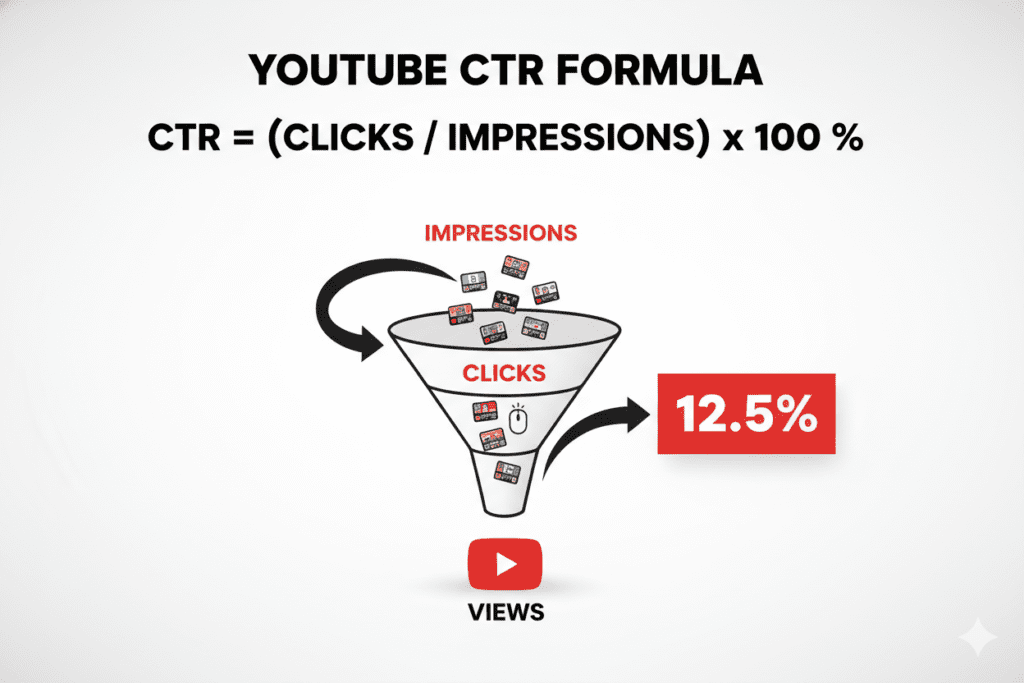
Your click-through rate (CTR) on YouTube is the percentage of people who clicked your video after seeing it as an impression — whether in search results, their homepage feed, or suggested videos. YouTube CTR Optimization Tips to Boost Clicks (2026)
The formula is simple:
CTR = (Total Clicks ÷ Total Impressions) × 100
So if YouTube showed your video to 2,000 people and 100 clicked it, your CTR is 5%.
Here’s why this number deserves your obsession: YouTube’s algorithm uses CTR as one of its primary signals to determine whether your video deserves more distribution. High CTR tells YouTube that your content is compelling and worth showing to more people. Low CTR tells the algorithm to pump the brakes.
Think of CTR as the gatekeeper to every other metric that matters — views, watch time, subscribers, and revenue. Improve your CTR, and everything else compounds upward.
That’s why the best YouTube CTR optimization tips aren’t just tactical tricks — they’re investments in your channel’s entire growth trajectory.
YouTube CTR Benchmarks in 2026: What’s Good, What’s Bad, What’s Great?
One of the most common questions creators ask when researching YouTube CTR optimization tips is: “What should my CTR actually be?”
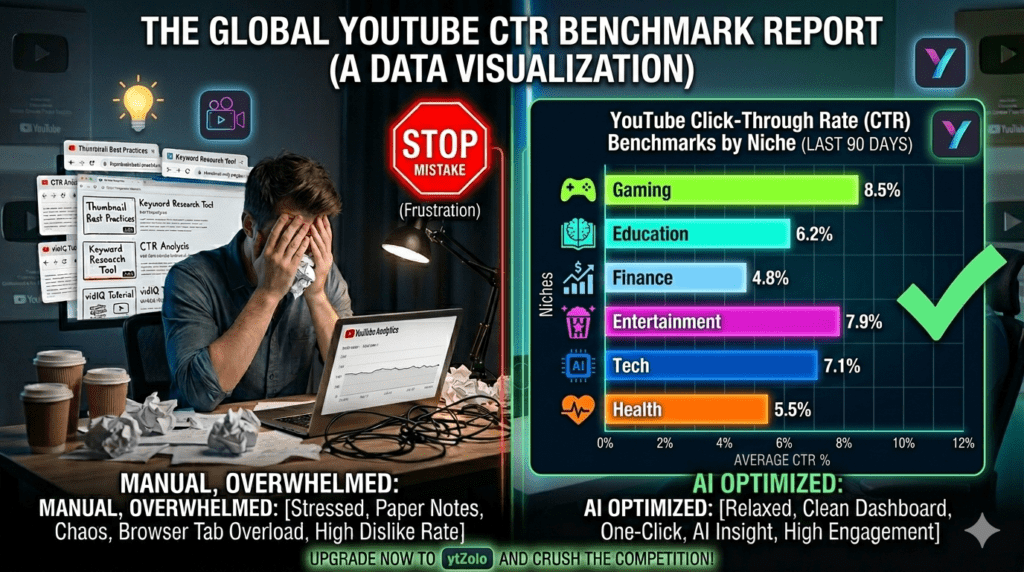
The honest answer: it depends on your niche, audience size, and traffic source. But here are the data-backed benchmarks that reflect real channel performance in 2026:
- Below 2% — Needs immediate attention. Your thumbnail or title (or both) aren’t doing their job.
- 2% – 4% — Below average. Room for significant improvement with the right YouTube CTR optimization tips.
- 4% – 7% — Good. You’re in the healthy range for most niches.
- 7% – 10% — Strong. You’re outperforming the majority of creators in your space.
- Above 10% — Excellent. Often seen with highly engaged niche audiences or breakout viral content.
Here are typical CTR benchmarks by content category based on 2026 analysis across hundreds of channels:
- Gaming: 5–9%
- Education / How-To: 3–7%
- Finance / Business: 3–6%
- Entertainment / Vlog: 5–10%
- Tech / Reviews: 4–8%
- Health & Fitness: 4–7%
One crucial nuance: your CTR naturally varies by traffic source. Browse and homepage CTR is often higher because those viewers already know your channel. Search CTR tends to be lower because you’re reaching cold audiences. Don’t compare these two sources against each other — analyze them separately.
According to research from Focus Digital, desktop users show the highest engagement at around 6.2% organic CTR, while mobile devices — which represent 70% of YouTube traffic — show slightly lower rates. This makes mobile-first thumbnail optimization a critical piece of any effective YouTube CTR optimization strategy.
How YouTube’s Algorithm Uses CTR to Decide Your Fate
Understanding how the algorithm actually works is the foundation of every effective YouTube CTR optimization tip in this guide.
Here’s the core truth: YouTube’s recommendation system doesn’t care how hard you worked on a video. It cares about how viewers respond to it.
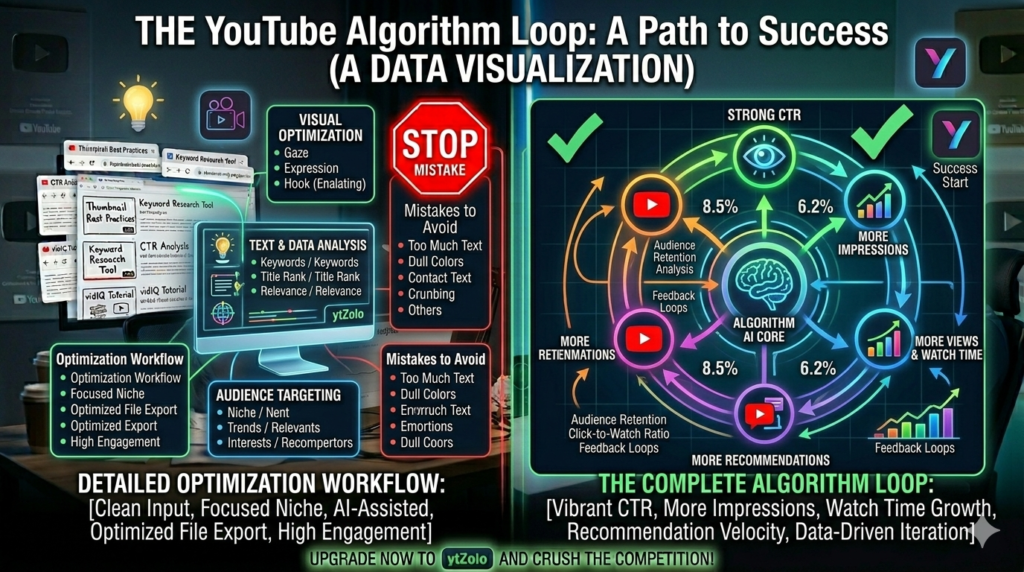
The algorithm watches two primary signals above all else: CTR and watch time. CTR determines whether people click. Watch time determines whether they stay. Together, these two signals tell YouTube everything it needs to know about whether your content deserves wider distribution.
According to the YouTube Creator Blog, CTR is especially powerful in a video’s first 24–48 hours after publishing. If your video earns strong early CTR from your subscribers and initial viewers, YouTube interprets this as a signal that the video has broad appeal — and begins expanding impressions to new audiences.
This is what creators call “going wide.” It’s the moment your video breaks out of your existing audience and reaches people who’ve never heard of you.
Miss that early CTR window, and YouTube restricts your impressions. The video gets buried. It never goes wide.
That’s why applying smart YouTube CTR optimization tips before every upload — not after — is the only way to consistently unlock the algorithm’s full distribution power.
YouTube CTR Optimization Tips: The Complete Playbook
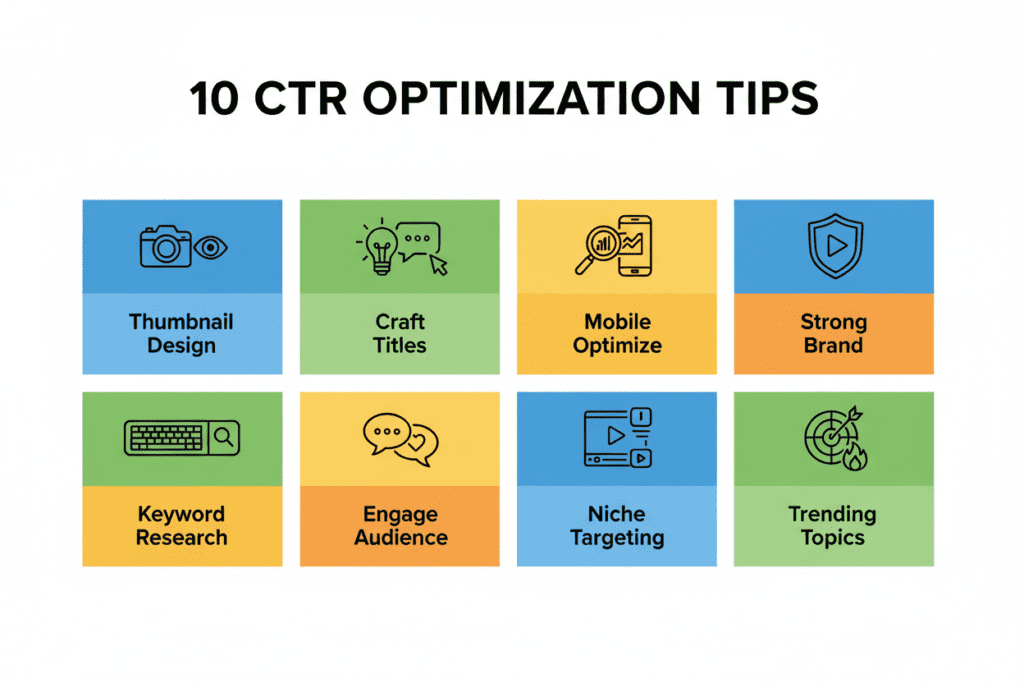
These are the YouTube CTR optimization tips that consistently move the needle for real creators. Not theory — tested, data-backed strategy.
Tip 1: Nail the Thumbnail Formula
Your thumbnail is the most powerful variable in your CTR equation. Period.
Research confirms that thumbnail optimization is ranked as the single most important factor in improving YouTube CTR. A weak thumbnail with a brilliant title will still underperform. But a powerful thumbnail can carry a mediocre title to strong click rates.
Here’s the thumbnail formula that works across virtually every niche:
- Lead with a human face expressing strong emotion. Curiosity, shock, excitement, or joy — pick one dominant emotion and make it unmistakable. Emotional expressions trigger a subconscious viewer response that makes people want to click.
- Use 2–3 bold, high-contrast colors. Your thumbnail must pop against YouTube’s white background and the surrounding content in the feed. Bright, saturated colors attract the eye faster than muted tones.
- Keep text to 3–5 words maximum. Short, bold, readable at thumbnail size. If the text requires zooming to read, it’s not working.
- Design a single focal point. One clear message, one dominant visual element. Cluttered thumbnails lose the click because the brain can’t process them fast enough.
- Make it readable at small size first. If it looks good on a 3-inch phone screen, it’ll look great everywhere else.
Tools like ytZolo generate AI thumbnail concepts built around these exact principles — tailored to your specific niche and video topic.
Tip 2: Engineer Emotionally Charged Titles
Your title is your verbal hook. It works in tandem with your thumbnail to create an irresistible click combination.
The biggest mistake creators make with titles? Writing descriptive titles instead of compelling ones.
Descriptive title: How to Save Money Each Month Compelling title: I Saved $12,000 This Year Without Earning More — Here’s Exactly How
The second title creates specificity, credibility, and curiosity simultaneously. That’s the trifecta of high-CTR titles.
Psychological triggers that consistently boost CTR in titles:
- Numbers and specifics — “7 Ways,” “In 30 Days,” “Under $100”
- Power words — Exposed, Secret, Nobody, Finally, Revealed, Warning
- Open loops — Start a story the viewer can only finish by clicking
- FOMO triggers — “Before It’s Too Late,” “Why Most Creators Miss This,” “The One Thing Stopping You”
- First-person stories — “I Tried X for 30 Days…” creates authenticity and relatability
AI title generators inside platforms like ytZolo apply these psychological principles automatically — saving you the mental labor of crafting perfect titles from scratch every time.
Tip 3: Sync Your Thumbnail and Title as One Unit
This is one of the most underrated YouTube CTR optimization tips in the entire guide.
Your thumbnail and title must tell a story together — not separately. The thumbnail is the visual tease. The title completes the narrative.
Think of it as a movie poster. The image draws you in. The tagline seals the deal.
Example sync: Title: “I Tested Every Viral Cleaning Hack for 30 Days” → Thumbnail shows a face of mock horror surrounded by cleaning products.
When the thumbnail raises a question and the title answers it (or vice versa), the combined effect is far more powerful than either element alone. Misaligned thumbnails and titles create confusion — and confused viewers don’t click.
Tip 4: Choose Topics With Proven Demand
Even flawless YouTube CTR optimization can’t save a video on a topic nobody is searching for.
Before you film anything, validate that your topic has real audience demand. Here’s how:
- YouTube autocomplete — Type your topic into YouTube’s search bar and note what it suggests. Those completions are based on actual search volume.
- Google search “Videos” — Search your topic on Google and check the Videos tab. High-ranking videos signal strong search demand.
- Competitor comment sections — What questions are viewers repeatedly asking in comments on top videos in your niche? Those are your next video topics.
- YouTube Trending and Rising topics — Check YouTube’s Trending tab and Google Trends for emerging topics before they peak.
The ytZolo blog publishes excellent guides on AI-powered topic research for YouTube — well worth exploring if you want to build a content calendar backed by demand data.
Tip 5: Optimize for Mobile First
Mobile devices represent approximately 70% of all YouTube watch time. Yet most creators still design thumbnails on a large desktop monitor and never check how they look at mobile size.
That’s a massive blind spot.
Every thumbnail you design should be evaluated at smartphone screen size before publishing. Ask yourself: Does it read clearly? Is the text legible? Does the face expression still register? Is the focal point immediately obvious?
If anything feels muddy or unclear at small size, redesign it. Mobile-first optimization is one of the highest-impact YouTube CTR optimization tips for creators who upload frequently.
Tip 6: A/B Test Every Single Video
YouTube now offers a built-in “Test & Compare” feature that lets you upload up to three different thumbnails for a single video. YouTube distributes impressions across each version and shows you which thumbnail earns the highest CTR — using your actual audience as the testing panel.
Creators who use this feature regularly have seen CTR improvements of 15–40% by identifying which design elements their audience actually responds to versus what they think will work.
Here’s the simple A/B testing workflow:
- Generate 2–3 thumbnail variants using ytZolo‘s AI thumbnail tool
- Upload all versions via YouTube Studio’s Test & Compare feature
- Let YouTube run the test for at least 7 days
- Identify the winner and apply its design principles to future uploads
- Repeat every single upload, building a growing library of what works for your audience
Stop guessing. Let data run your CTR optimization.
Tip 7: Refresh Underperforming Video Thumbnails
Most creators forget that YouTube CTR optimization isn’t just for new uploads.
Your existing video library is a goldmine of untapped opportunity. Go to YouTube Analytics, sort your videos by lowest CTR, and identify the underperformers that still receive consistent impressions. These are videos YouTube is actively trying to show people — they’re just failing to earn the click.
Designing a new AI-generated thumbnail for a 6-month-old video can revive traffic within days. It takes under 10 minutes and costs nothing except your time and a good AI tool.
This is one of the fastest, most impactful YouTube CTR optimization tips available — and almost nobody does it consistently.
Tip 8: Post at Your Peak Audience Window
Your video’s CTR in the first 24–48 hours after publishing is disproportionately important. It’s the window YouTube uses to decide whether to expand distribution.
If you publish when your audience is asleep or offline, your early impressions get served to disengaged viewers — and your initial CTR suffers. That can permanently cap your video’s reach.
To find your optimal posting time, open YouTube Studio → Analytics → Audience tab → “When your viewers are on YouTube.” Publish 1–2 hours before your peak activity window so your video is already gaining momentum when your most engaged viewers come online.
Timing is a free, effortless YouTube CTR optimization tip that most creators never even check.
Tip 9: Use Pattern Interruption in Thumbnails
Pattern interruption is a design principle borrowed from advertising psychology. The idea is simple: if everything in the feed looks the same, any thumbnail that breaks the visual pattern will automatically attract attention.
Look at the top 10 videos in your niche. What do their thumbnails have in common? Same color palette? Same composition style? Same text placement?
Now design yours to break that pattern intentionally. Different dominant color. Unexpected composition. An element that makes viewers stop and look twice.
Creators achieving 9%+ CTR consistently employ pattern interruption as a core design strategy. It’s one of the most sophisticated — and underused — YouTube CTR optimization tips available in 2026.
Tip 10: Build a Recognizable Brand Identity
As your channel grows, consistent branding becomes one of your most powerful YouTube CTR optimization tools.
When a viewer sees a thumbnail they’ve clicked before — and loved — they’re significantly more likely to click again. Brand recognition creates a trust shortcut that bypasses the usual click decision entirely.
This means using the same:
- Font style and weight across all thumbnails
- Color palette (2–3 consistent brand colors)
- Layout structure and compositional approach
- Logo or channel watermark placement
ytZolo helps you maintain this consistency automatically, generating AI thumbnail concepts within your established brand parameters so every upload reinforces your visual identity.
Why Manual CTR Optimization Is No Longer Enough
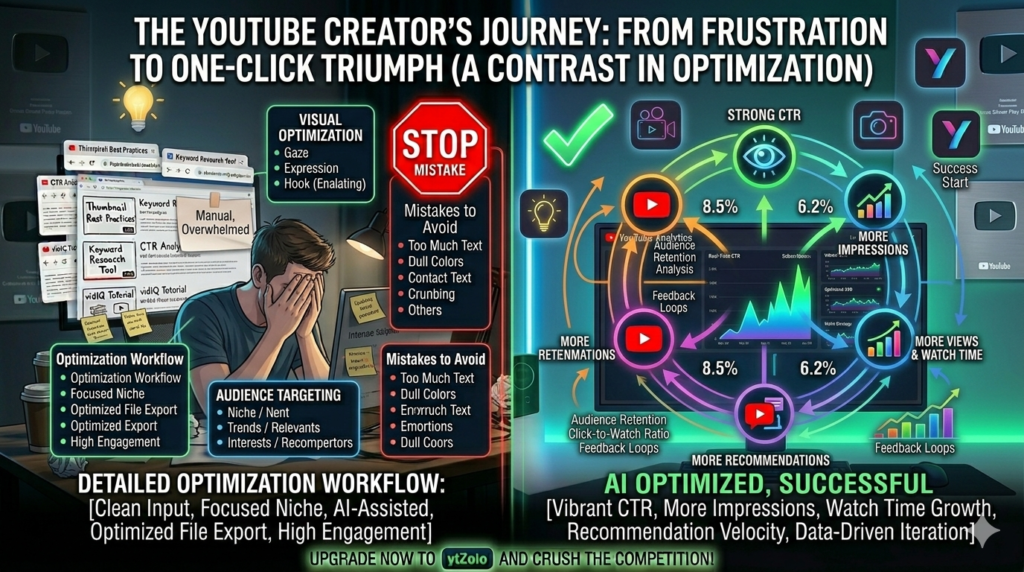
Let’s talk honestly about the old approach to YouTube CTR optimization.
Manual optimization means opening Canva for the thumbnail, staring at a blank document trying to write a clever title, manually researching keywords, guessing which topic will perform well, and doing all of this before every single upload.
That process has three fatal flaws in 2026.
It’s slow. With YouTube rewarding consistent, high-frequency uploads, spending 3 hours per video on optimization eats into your content creation time. The creators growing fastest aren’t spending less time creating — they’re spending less time on the manual optimization work that AI can now handle in seconds.
It’s subjective. When you optimize manually, you’re relying on your own taste and instincts rather than data. You design thumbnails you personally like. You write titles that feel clever to you. But your audience’s psychology is different from yours — and what feels right often isn’t what performs best.
It doesn’t scale. A creator publishing 3 videos a week needs 150+ thumbnail designs per year. Manual optimization at that pace is unsustainable without a team — and most creators don’t have a team.
This is exactly why smart creators are replacing manual guesswork with AI-powered YouTube CTR optimization. And why tools like ytZolo have become indispensable for channels that are serious about growth.
How AI Transforms YouTube CTR Optimization
Artificial intelligence has fundamentally changed what’s possible for independent creators when it comes to YouTube CTR optimization tips.
Here’s what AI does that manual methods can’t:
- Analyzes patterns across millions of videos in your niche to identify what thumbnail styles, title structures, and color combinations actually drive high CTR — based on real performance data, not guesses
- Generates multiple title variations using proven psychological frameworks — curiosity gaps, power words, open loops — in seconds, not hours
- Creates thumbnail concepts optimized for your specific niche, audience psychology, and mobile readability
- Writes keyword-rich descriptions and tags that improve your video’s discoverability in YouTube search and suggested videos — supporting your CTR with stronger metadata signals
- Maintains consistency across every upload, ensuring your brand identity gets stronger with each video rather than drifting with your mood on any given upload day
According to Ahrefs’ YouTube SEO research, consistent metadata optimization across a channel — not just individual videos — compounds over time into dramatically improved overall discoverability and view growth.
AI doesn’t just make YouTube CTR optimization faster. It makes it fundamentally more effective by removing human bias from the process and replacing it with data-backed decisions.
ytZolo: The All-in-One AI Tool for YouTube CTR Optimization
There’s no shortage of tools that claim to help with YouTube CTR optimization. Most of them do one thing.
ytZolo does everything.
It’s the all-in-one AI YouTube growth platform built specifically for creators who want to consistently optimize CTR — and everything else that drives channel growth — without cobbling together five different tools.
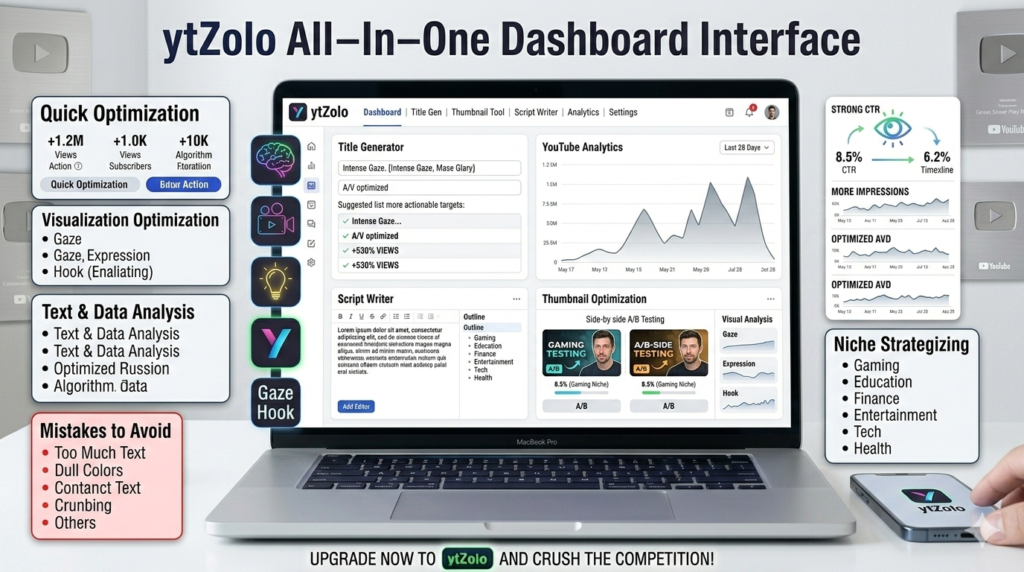
Here’s what ytZolo brings to your YouTube CTR optimization workflow:
AI Title Generator ytZolo creates data-backed, psychologically optimized video titles in seconds. It factors in your niche, search intent, and audience psychology to engineer titles that trigger curiosity, urgency, and emotional resonance — the three pillars of high-CTR titles.
AI Thumbnail Concept Generator ytZolo analyzes high-performing thumbnails in your specific niche and generates AI-powered thumbnail concepts tailored to your video topic. No design experience required. The output is built for clicks — not just aesthetics.
AI Script Writer Strong CTR gets the click. Strong scripts earn the watch time. ytZolo writes complete video scripts that hold attention from the first second — maximizing the watch time signal that complements your CTR in YouTube’s algorithm.
AI Description Optimizer ytZolo writes keyword-rich, naturally flowing descriptions that signal content relevance to YouTube’s algorithm — improving how your video is categorized, recommended, and discovered.
AI Tag Generator ytZolo generates optimized tag sets that strengthen your metadata and improve discoverability across YouTube search, browse, and suggested video placements.
All-in-One Creator Dashboard Every tool in one clean, creator-friendly workspace. No subscription juggling, no app switching, no workflow fragmentation. One platform. Full optimization.
For any creator serious about applying the best YouTube CTR optimization tips at scale, ytZolo is the most complete solution available in 2026.
Why ytZolo Beats Every Other CTR Optimization Tool
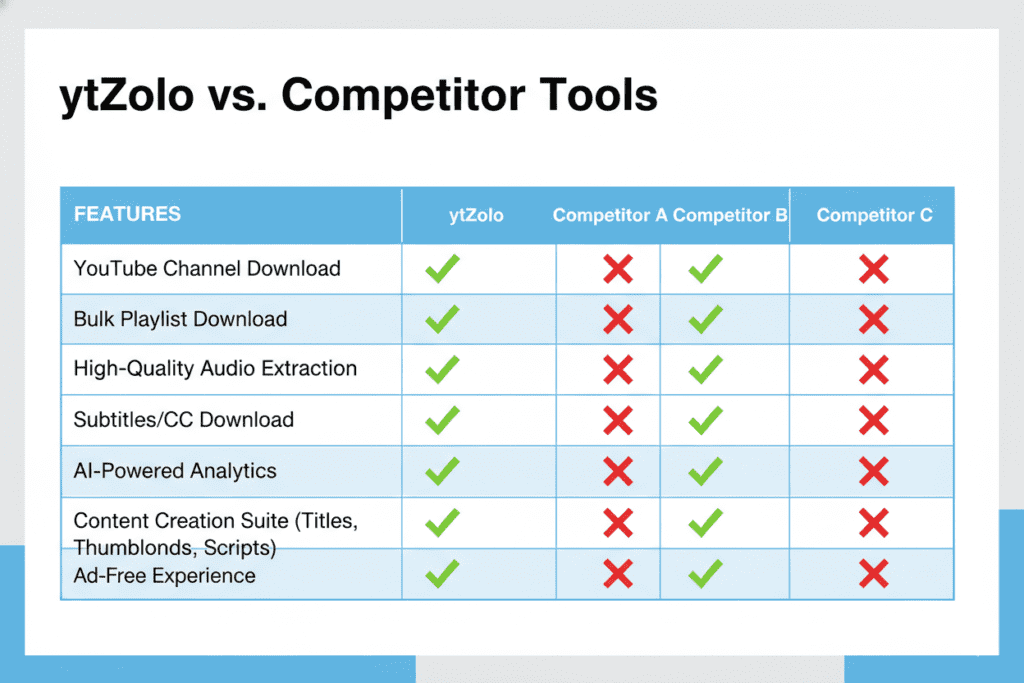
Let’s compare directly. Here’s how ytZolo stacks up against other popular tools for YouTube CTR optimization:
| Feature | ytZolo | vidIQ | TubeBuddy | ChatGPT | Canva AI |
|---|---|---|---|---|---|
| AI Title Generator (CTR-optimized) | ✅ Advanced | ⚠️ Limited | ⚠️ Limited | ⚠️ Manual prompts | ❌ No |
| AI Thumbnail Concept Generator | ✅ Yes | ❌ No | ❌ No | ❌ No | ⚠️ Templates only |
| AI Video Script Writer | ✅ Yes | ❌ No | ❌ No | ⚠️ Manual prompts | ❌ No |
| AI Description Optimizer | ✅ Yes | ⚠️ Limited | ⚠️ Limited | ⚠️ Manual prompts | ❌ No |
| AI Tag Generator | ✅ Yes | ✅ Yes | ✅ Yes | ❌ No | ❌ No |
| All-in-One Dashboard | ✅ Yes | ❌ No | ❌ No | ❌ No | ❌ No |
| Niche-Specific Optimization | ✅ Yes | ⚠️ Partial | ⚠️ Partial | ❌ No | ❌ No |
| Built for Viral Growth | ✅ Yes | ⚠️ Partial | ⚠️ Partial | ❌ No | ❌ No |
The difference is clear. Most tools give you a single lever. ytZolo gives you the complete YouTube CTR optimization system — all connected, all working together.
Because here’s the reality: a great title paired with a weak thumbnail still loses. A great thumbnail with poor tags still gets buried. Optimizing one element while ignoring the others is like trying to win a race on three wheels.
ytZolo optimizes all four wheels — simultaneously.
5-YouTube-CTR-Optimization-Tips-–-Proven-Secrets-1.png
How to Track, Analyze, and Continuously Improve Your CTR
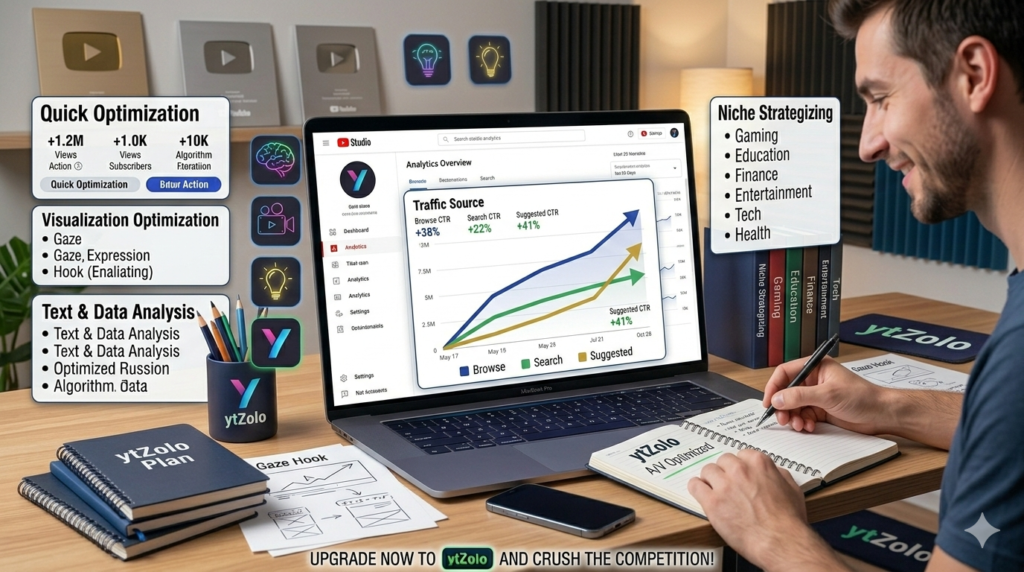
Applying YouTube CTR optimization tips is step one. Tracking your results and compounding your improvements over time is what separates channels that plateau from channels that keep growing.
Here’s the exact process:
Step 1: Find Your CTR in YouTube Studio Navigate to YouTube Studio → Analytics → Reach tab. Your impressions click-through rate appears at the top. This is your baseline. YouTube CTR Optimization Tips to Boost Clicks (2026)
Step 2: Filter by Traffic Source Separate your Browse, Search, and Suggested video CTR data. Each source has a different natural CTR range, and conflating them gives you a misleading picture of where the real problems are.
Step 3: Sort by Lowest CTR With High Impressions In your Content tab, identify videos getting consistent impressions but low CTR. These are your highest-priority optimization targets — YouTube is trying to show them, but the packaging is failing.
Step 4: Use ytZolo to Generate New Thumbnails and Titles For your lowest-performing videos, use ytZolo to create new AI-generated thumbnail concepts and title variants. Update these in YouTube Studio.
Step 5: Activate A/B Testing on All New Uploads Every new video should have at least two thumbnail variants in YouTube’s Test & Compare feature. Never publish with a single untested thumbnail again.
Step 6: Review Weekly, Adjust Monthly Check your CTR analytics weekly to spot trends. Make strategy-level adjustments monthly based on what your data is telling you across your channel as a whole. YouTube CTR Optimization Tips to Boost Clicks (2026)
Step 7: Build a Personal CTR Swipe File Keep a running document of your highest-CTR thumbnails and titles. What patterns do they share? What colors dominate? What title structures appear repeatedly? This swipe file becomes your personalized YouTube CTR optimization playbook over time.
10-YouTube-CTR-Optimization-Tips-–-Explosive-Growth.png
FAQ: YouTube CTR Optimization Tips
What is a good YouTube CTR in 2026?
A good click-through rate on YouTube in 2025 typically falls between 4% and 10% for most channels. If your CTR drops below 2%, it’s a strong indication that your thumbnail and title need serious improvement. On the other hand, anything above 10% is considered excellent and is often seen in highly engaged or niche audiences.
YouTube CTR Optimization Tips – Explosive Growth
However, the most important benchmark isn’t the industry average — it’s your own channel’s baseline on YouTube. Comparing yourself to massive creators in different niches can be misleading. What truly matters is how your current videos perform relative to your past performance.
Instead of chasing a universal CTR number, focus on steady, measurable improvement over time. Small increases — even 0.5% to 1% per video — can compound into significant growth as impressions scale.
The real power of YouTube CTR Optimization Tips – Explosive Growth comes from consistently increasing your personal average, video after video. As your packaging improves and your understanding of your audience deepens, your CTR naturally strengthens — leading to sustainable, long-term channel growth.
Which YouTube CTR optimization tip has the biggest impact?
YouTube CTR Optimization Tips – Explosive Growth
Thumbnail optimization consistently has the single biggest impact on CTR performance on YouTube. Research and surveys among YouTube marketers repeatedly rank thumbnails as the most important factor influencing clicks — even above title optimization. Your thumbnail is the first visual trigger that determines whether someone stops scrolling.
A compelling, emotionally resonant thumbnail designed with strong contrast, a clear expressive face, and minimal bold text can dramatically increase click-through rate. In many cases, improving just the thumbnail — without changing the video itself — can significantly boost CTR and overall performance.
If you’re applying YouTube CTR Optimization Tips – Explosive Growth, start with your thumbnails first. Small visual improvements can sometimes double your clicks, making it the highest-leverage optimization move available to creators..
How often should I update old video thumbnails?
Review your video library at least once per month and identify low-CTR, high-impression videos on YouTube. These are your biggest optimization opportunities because YouTube is already distributing them — they simply need stronger packaging to convert impressions into clicks.
Instead of constantly creating new content, focus on upgrading what’s already getting visibility. Improving titles, thumbnails, and positioning on these underperforming videos can unlock immediate performance gains without additional production time.
This strategy is a core principle behind YouTube CTR Optimization Tips – Explosive Growth. Small, consistent improvements to existing assets can compound over time, turning overlooked videos into high-performing traffic drivers for your channel.
Focus on upgrading thumbnails and refining titles for 3–5 of your worst performers each month. Small, consistent updates can create compounding growth over time as more impressions turn into clicks.
Using an AI tool like ytZolo makes this process faster and more strategic. It can generate new thumbnail concepts and optimized titles in minutes, helping you apply smart, data-backed changes as part of your ongoing YouTube CTR Optimization Tips – Explosive Growth strategy.
Does CTR directly affect YouTube rankings?
Yes, CTR is one of the primary signals that YouTube uses to decide whether to expand your video’s impressions. A strong early CTR — especially within the first 24–48 hours after publishing — tells the algorithm that viewers find your content compelling and worth clicking.
When your video earns high engagement early, YouTube is more likely to test it with a broader audience across Browse and Suggested feeds. This initial momentum can significantly influence how far your content spreads beyond your subscriber base. YouTube CTR Optimization Tips to Boost Clicks (2026)
High CTR combined with strong watch time creates a powerful compounding growth effect. Together, these signals improve long-term visibility in both search results and suggested video placements — making CTR optimization a critical part of any YouTube CTR Optimization Tips – Explosive Growth strategy.
Can ytZolo help with YouTube CTR optimization?
Absolutely. ytZolo is designed to optimize every element that influences CTR on YouTube — all from one platform. Instead of guessing what might increase clicks, creators can use AI to make strategic, data-backed improvements before publishing.
Its AI generates click-driven titles, scroll-stopping thumbnail concepts, optimized descriptions, and targeted tags simultaneously. Rather than optimizing one variable while leaving others to chance, ytZolo ensures your entire video package works together to maximize click-through rate.
When all components are aligned, your content becomes more compelling at first glance — which is the core principle behind YouTube CTR Optimization Tips – Explosive Growth. Consistent, full-package optimization leads to stronger impressions, higher CTR, and sustainable channel growth.
Conclusion: CTR Is the Beginning of Every View Your Channel Will Ever Get
Every view on your channel starts the same way.
Someone saw your thumbnail. They read your title. They made a split-second decision.
And they clicked.
Or they didn’t.
That decision — that fraction of a second — is what YouTube CTR optimization tips are designed to win. And in 2065, there has never been better technology, clearer data, or smarter tools to help you win it consistently.
The 10 YouTube CTR optimization tips in this guide aren’t just tactics — they’re a complete system. A system that makes your content impossible to scroll past, your titles impossible to ignore, and your channel impossible to stop growing.
But applying all of this manually, across every video, on every upload, is genuinely hard to sustain without the right tool behind you.
ytZolo was built to be that tool. Titles. Thumbnails. Scripts. Descriptions. Tags. All AI-optimized. All in one place. All working together to maximize your CTR and grow your channel faster than you ever thought possible.
Your content deserves to be seen. Your audience is out there searching right now.
you can also read this blog :-https://ytzolo.com/blog/reaction-video-thumbnail-maker/
Give them a reason to click — and the right tools to make that happen every single time.
🚀 Start creating smarter, faster, and more viral YouTube content with ytZolo today.
Want more deep-dive guides on YouTube growth, CTR strategy, and AI-powered content optimization? Explore the latest creator resources on the ytZolo blog.
External Resources Referenced:
- YouTube Creator Blog — Official platform guidance on CTR, algorithm signals, and creator best practices
- Ahrefs YouTube SEO Guide — Data-backed research on video discoverability, metadata, and search optimization
- Focus Digital YouTube CTR Benchmark Report — 2026 CTR benchmark data across content verticals and device types
you can also check this post :- https://ytzolo.com/blog/generate-viral-video-titles/


Pingback: Best Free AI Tools for YouTube Thumbnails (2026)