
You spent 6 hours filming. Another 3 editing. You hit publish and waited.
Then the views trickled in like a broken faucet. 47 views. 112. Done.
Here’s the thing most creators don’t want to admit: the video was probably fine. The thumbnail wasn’t.
Thumbnails decide whether your video lives or dies on YouTube. A weak thumbnail means low CTR. Low CTR means the algorithm buries you. And no amount of great content digs you out of that hole.
The good news? The best free AI tools for YouTube thumbnails in 2026 have completely changed what’s possible. You don’t need Photoshop skills. You don’t need a designer. You need the right tool and about 60 seconds.
This guide breaks down exactly which tools actually work, what to look for, and why one platform keeps showing up at the top of every serious creator’s workflow.
Table of Contents
Why your thumbnail matters more than your video quality
YouTube’s own data says 90% of top-performing videos use custom thumbnails. That’s not a coincidence.
CTR (click-through rate) is the first signal YouTube uses to decide whether to push your video to more people. A video with a 7% CTR gets recommended more than a video with a 2% CTR, regardless of which one is “better.” The algorithm rewards clicks, then watch time. You need both. But clicks come first.
Most creators average somewhere between 4% and 6% CTR. Getting above 7% puts you in a different tier of growth entirely. Channels maintaining 6-10% average CTR grow 2.3 times faster than those stuck below 4%.
The thumbnail is the biggest lever you have.
This is why so many creators are searching for how to make YouTube thumbnails with AI. Traditional thumbnail design often involves hours of testing colors, layouts, fonts, and images. AI-powered tools dramatically reduce that workload by analyzing patterns from high-performing videos and suggesting designs that are more likely to attract clicks.
A modern YouTube thumbnail AI tool online can help creators generate thumbnail concepts, improve visual hierarchy, recommend text placement, and create eye-catching designs in minutes rather than hours. Instead of starting from a blank canvas, creators can focus on refining ideas and matching thumbnails to their content strategy.
The real advantage isn’t just speed. It’s consistency. When every upload has a professionally designed thumbnail optimized for attention, your channel develops a stronger visual identity and earns more clicks over time. In a platform where thousands of hours of content compete for attention every minute, better thumbnails often make the difference between a video that gets ignored and one that reaches a much larger audience.

What makes a thumbnail actually get clicks
Before you pick a tool, you need to understand what AI tools are actually optimizing for.
The highest-performing thumbnails share a few things in common:
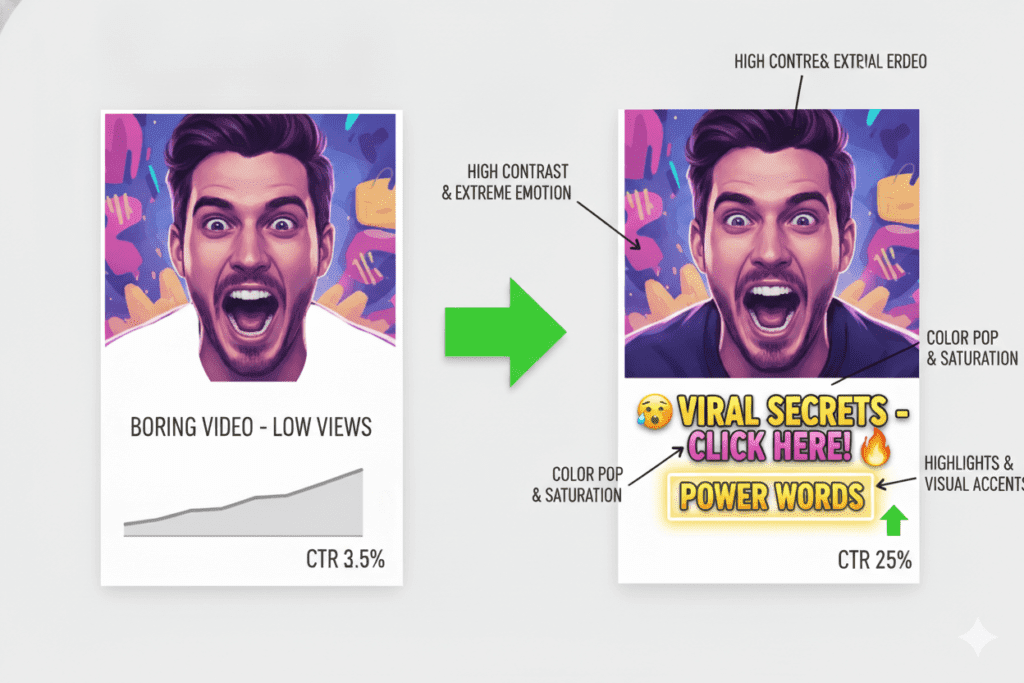
- High contrast between text, face, and background
- A human face showing a clear, exaggerated emotion (curiosity, shock, excitement)
- Bold text that teases, not explains (spark curiosity; don’t summarize)
- Clean composition that reads on a 2-inch mobile screen
- A color scheme that pops against YouTube’s white background
Notice what’s not on that list: fancy graphics, busy backgrounds, or 6 different fonts.
The best free AI tools for YouTube thumbnails are trained on millions of high-performing videos. They already know these patterns. Your job is to pick the tool that applies them to your content without requiring a design degree.
The best free AI tools for YouTube thumbnails in 2026
Here’s an honest breakdown. Every tool below has a free tier worth trying.
1. ytZolo
The one tool built specifically for YouTube creators, thumbnails included. ytZolo doesn’t just generate a pretty image. It connects your thumbnail to your title, script, and SEO data so everything works together.
Free tier includes thumbnail generation, title suggestions, and basic SEO tools. No credit card required to start.
Visit ytZolo to see what it does for free.
2. Canva
The crowd favorite for a reason. Canva’s template library is huge, and the Magic Design AI feature does solid work. Best for creators who want full control over layout and branding.
The catch: Canva is a general design tool. It doesn’t understand YouTube strategy. You’ll get a nice-looking thumbnail, but it won’t tell you if it’ll actually drive clicks.
3. Adobe Express
Clean interface, YouTube-sized templates, solid AI background removal. Good if you’re already deep in the Adobe ecosystem. Free plan is limited but functional for basic thumbnails.
4. Canva’s Magic Media / Leonardo AI
Better raw image generation than Canva’s defaults. Great for creating custom AI-generated scenes and backgrounds. Requires more prompt knowledge to get usable results.
5. vidIQ AI Thumbnail Maker
vidIQ shines at analytics and competitor research. Its thumbnail tool is decent, and the competitor analysis feature (where you input a rival’s video URL to benchmark your thumbnail against theirs) is genuinely useful. But vidIQ’s real strength is keyword data, not design. The AI image generation sits behind paid tiers.
6. Pikzels
One of the more YouTube-specific thumbnail tools. Good for creators who want dedicated thumbnail generation without the broader workflow features. Paid plans, but worth testing the free trial.
While it isn’t a completely free AI YouTube thumbnail generator, the trial gives creators a chance to evaluate its design quality, customization options, and click-focused features before committing. It’s a solid choice for those who prioritize thumbnail creation and want a tool built specifically for YouTube performance.
Among all of these, the best free AI tools for YouTube thumbnails come down to one question: do you want a thumbnail generator, or do you want something that actually grows your channel?
If it’s the latter, keep reading.
Why ytZolo is the smartest choice for serious creators
Most tools solve one problem. ytZolo solves the whole thing.
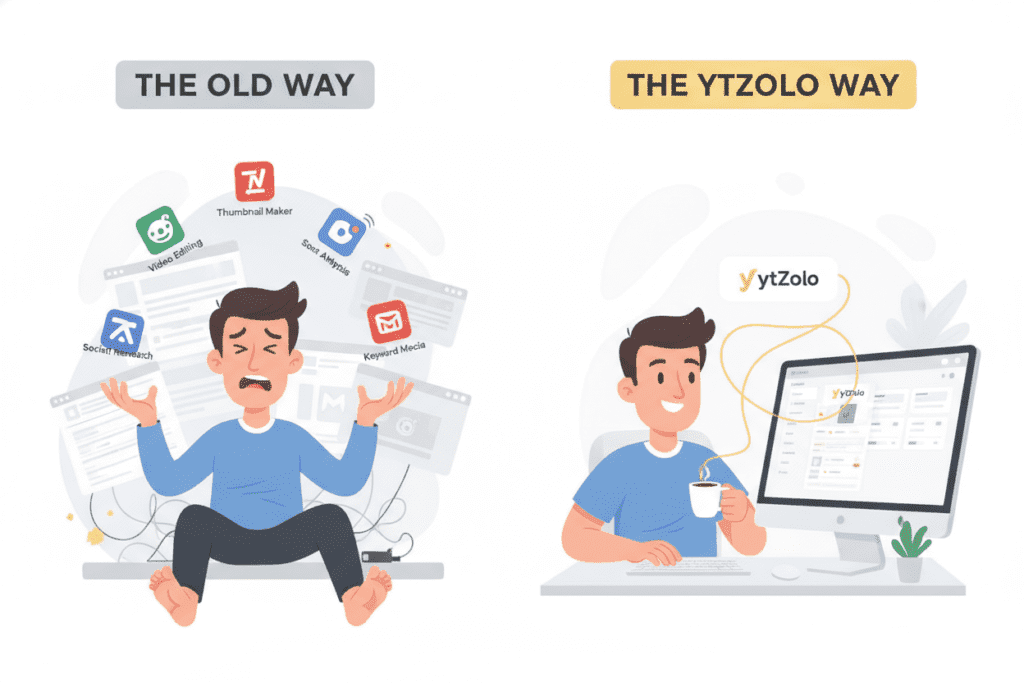
Here’s what a typical content workflow looks like without a unified tool: you brainstorm a title in one app, write a script in another, design a thumbnail in a third, then manually cobble together a description and tags. That’s 4-5 apps, 4-5 logins, and a whole lot of context-switching.
ytZolo puts it all in one place:
- AI-generated thumbnail concepts tied to your video topic and niche
- Viral title suggestions with CTR-optimized phrasing
- AI-written scripts with built-in hooks and retention structure
- SEO-focused descriptions and smart tags
- Content planning for consistent uploads
The thumbnail feature isn’t bolted on as an afterthought. It’s connected to your title and script, so the visual and the copy tell the same story. That coherence is what pushes viewers from “scroll past” to “click.”
Unlike a typical free AI YouTube thumbnail generator, ytZolo aligns thumbnail concepts with your content strategy, ensuring every visual supports the video’s core message.
This consistency improves viewer expectations, strengthens branding, and can lead to higher click-through rates across your channel.
Thousands of creators are using ytZolo’s free tier right now. They’re producing better thumbnails in under a minute, with context the thumbnail was actually designed for.
Check out more creator growth breakdowns on the ytZolo blog if you want to see what’s working in 2026.
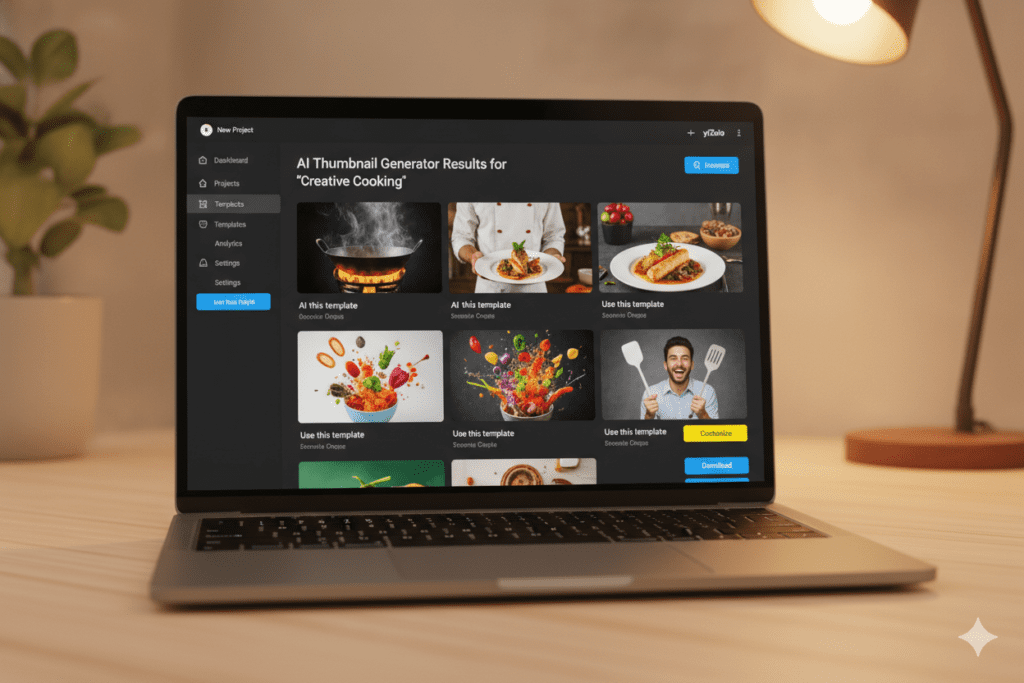
Why ytZolo is better than other tools
Here’s an honest comparison of where each tool actually fits.
| Tool | Thumbnails | Titles | Scripts | Tags/SEO | Free tier |
|---|---|---|---|---|---|
| ytZolo | ✅ | ✅ | ✅ | ✅ | ✅ |
| Canva | ✅ | ❌ | ❌ | ❌ | Limited |
| vidIQ | Limited | ✅ | ❌ | ✅ | Limited |
| Adobe Express | ✅ | ❌ | ❌ | ❌ | Limited |
| Pikzels | ✅ | ❌ | ❌ | ❌ | Trial only |
| TubeBuddy | A/B testing | ✅ | ❌ | ✅ | Limited |
vidIQ and TubeBuddy are genuinely good at keyword research and analytics. Nobody’s arguing otherwise. But they don’t write scripts. They don’t generate thumbnails with AI. They solve half the problem and hand you the other half to figure out yourself.
ytZolo was built from the ground up for YouTubers. Every feature connects back to the same goal: more clicks, more watch time, faster growth. Unlike a generic YouTube thumbnail AI tool online, ytZolo integrates thumbnail creation with script generation, SEO optimization, title ideation, and content planning.
This unified workflow helps creators spend less time switching between tools and more time publishing high-performing videos. The result is a streamlined content creation process designed specifically to support consistent channel growth and stronger audience engagement.
If you’re spending time in 5 different apps to produce 1 video, the math on that doesn’t work. ytZolo closes the loop.
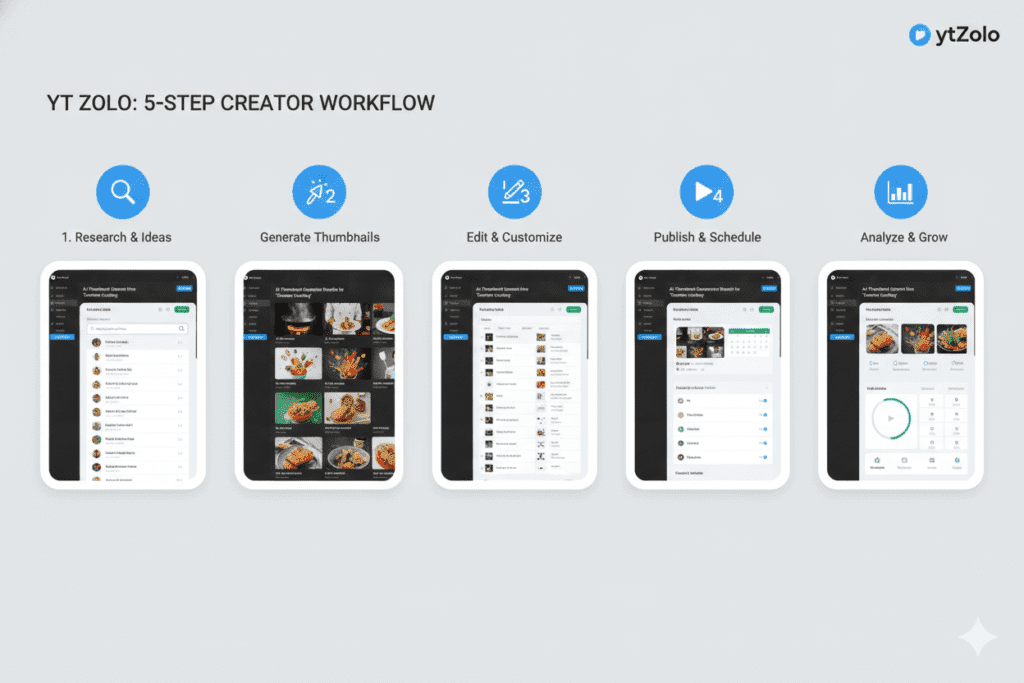
How to create a click-worthy thumbnail with AI in 5 steps
This works with ytZolo’s free tier. Takes under 5 minutes.
Step 1: Input your video topic Give ytZolo your video title or topic. The more specific, the better. “How I lost 10kg in 60 days without a gym” beats “weight loss tips.”
Step 2: Let the AI generate thumbnail concepts ytZolo produces multiple thumbnail directions based on your niche and topic. It applies CTR-optimized layouts automatically.
Step 3: Pick the strongest concept Look for high contrast, a clear focal point, and text that teases rather than explains. If viewers can understand your whole video from the thumbnail, there’s no reason to click.
Step 4: Customize and personalize Add your face or product photo. Adjust colors to match your channel branding. Keep it clean.
Step 5: A/B test it Publish, watch the CTR for the first 48 hours, and compare against previous videos. Adjust the thumbnail if it’s underperforming.
The whole process should take 5-10 minutes. If it’s taking longer, the tool’s working against you, not for you.
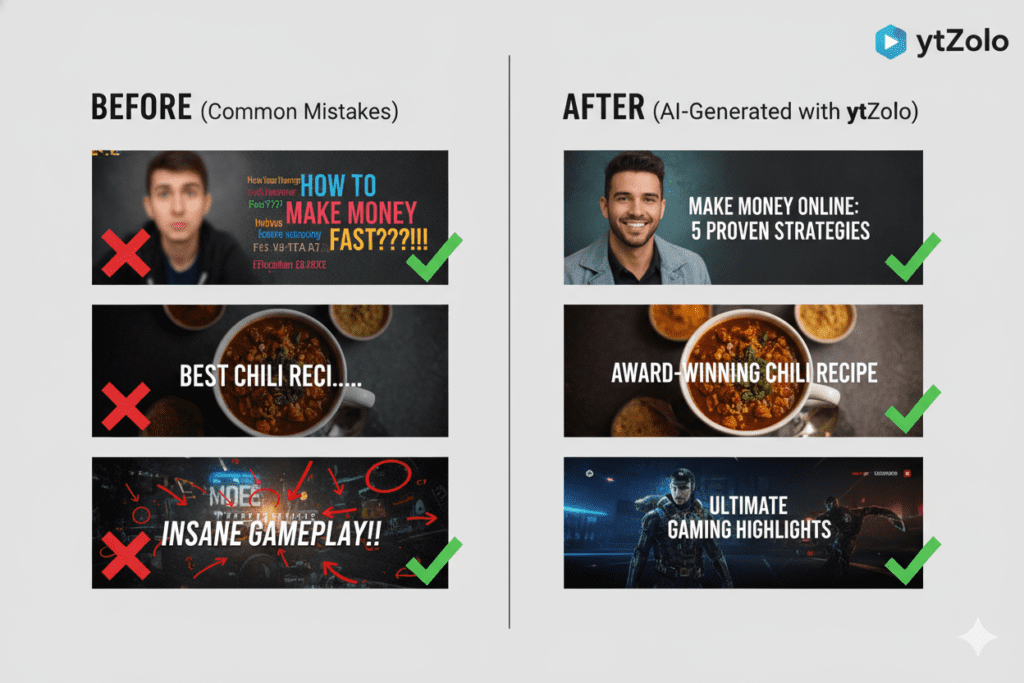
Common thumbnail mistakes that kill your CTR
These show up constantly on channels that are stuck.
Too much text. 3-5 words max. If your thumbnail needs a full sentence to make sense, the design isn’t doing its job.
Face too small. Human faces drive clicks. Crop in closer. Fill more of the frame with the expression.
Low contrast. If your thumbnail looks flat on a phone screen, viewers skip it. Crank up the contrast. Make the subject pop.
Generic stock imagery. AI-generated faces and stock photos feel cold. Real photos of real people in real situations perform better.
No emotional hook. Curiosity, surprise, urgency. Pick one. A neutral expression in a neutral setting gives viewers nothing to react to.
Matching too closely to competitors. If your thumbnail looks like 10 other videos on the same topic, there’s no reason to click yours specifically.
The best free AI tools for YouTube thumbnails help you avoid most of these automatically. But knowing the mistakes makes you better at judging what the AI gives you.
FAQ
What are the best free AI tools for YouTube thumbnails in 2026?
The top options are ytZolo, Canva, Adobe Express, vidIQ’s thumbnail feature, and Pikzels. For creators who want thumbnails connected to their full content workflow (titles, scripts, SEO), ytZolo is the strongest all-in-one free option.
Many creators consider it the best AI thumbnail maker for YouTube because it streamlines multiple tasks in one place instead of requiring separate tools. This saves time, improves consistency across uploads, and helps creators build a more efficient content production workflow from idea generation to publishing.
Can free AI thumbnail tools actually improve my CTR?
Yes. AI thumbnail tools are trained on millions of high-performing videos and apply proven design patterns (high contrast, emotional hooks, bold readable text) automatically. Channels that use optimized thumbnails consistently see measurably better CTR than those using auto-generated or low-effort designs.
How often should I update my thumbnails?
If a video is underperforming and CTR is below 4%, testing a new thumbnail is worth it. For new uploads, monitor the first 48–72 hours. If CTR hasn’t improved after a redesign, the issue may be the title or the topic itself.
Using a YouTube thumbnail AI tool online can help generate alternative thumbnail concepts quickly, allowing you to test different visual approaches without spending hours on manual design.
Small thumbnail improvements can often lead to meaningful increases in clicks and overall video performance.
Is ytZolo really free?
Yes. ytZolo has a free tier that includes thumbnail generation, title suggestions, and core SEO tools with no credit card required. Premium plans unlock higher volume and advanced features. See current options at ytzolo.com.
What thumbnail size does YouTube recommend?
YouTube’s recommended thumbnail size is 1280×720 pixels (16:9 ratio), under 2MB, in JPG, GIF, BMP, or PNG format. Most AI thumbnail tools, including ytZolo, export at this spec automatically. A reliable YouTube thumbnail AI tool online helps ensure your thumbnails meet YouTube’s technical requirements while maintaining high visual quality.
This eliminates common formatting mistakes and allows creators to focus on improving click-through rates rather than worrying about image dimensions, file sizes, or compatibility issues.
Final thoughts
Learning how to make YouTube thumbnails with AI is quickly becoming a competitive advantage rather than a nice-to-have skill. AI tools can analyze thousands of successful thumbnails across different niches and identify patterns that consistently drive clicks.
Instead of guessing which colors, facial expressions, or text styles might work, creators can use data-backed recommendations to make smarter design decisions.
The best part is that you don’t need professional graphic design experience. A quality YouTube thumbnail AI tool online can generate multiple thumbnail concepts from a simple video title or topic.
This allows creators to experiment with different visual angles before publishing, increasing the chances of finding a thumbnail that resonates with their audience.
AI also helps eliminate one of the biggest problems creators face: decision fatigue. When you’re publishing consistently, creating thumbnails from scratch for every upload can become a major time drain.
AI-powered thumbnail tools streamline the process by handling layout suggestions, text hierarchy, background enhancements, and visual optimization automatically.
The result is a faster workflow, stronger branding, and more opportunities to test different creative ideas. In an ecosystem where a small CTR improvement can lead to thousands of additional views, mastering how to make YouTube thumbnails with AI and leveraging a reliable YouTube thumbnail AI tool online can have a measurable impact on channel growth.
Start creating smarter, faster, and more viral YouTube content with ytZolo today.
Want more on growing your channel with AI? The ytZolo blog has deep-dives on thumbnails, scripts, SEO, and everything in between.
External resources: YouTube Creator Academy on thumbnails | YouTube’s official creator guidelines


Pingback: Best Free AI Image Generators for YouTube Thumbnails 2026