

Table of Contents
The Thumbnail Problem Nobody Talks About
Picture this. You just spent four hours filming and editing a banger video.
The energy is right. The content is solid. You hit “upload” — and then spend another 45 minutes staring at Canva trying to design a thumbnail that doesn’t look embarrassing.
Sound familiar?
You’re not alone. This is the silent killer of YouTube growth. Not bad content. Not poor editing. Just a weak, rushed, or inconsistent thumbnail that nobody clicks.
Here’s the brutal truth: YouTube is visual-first. Your thumbnail gets seen before your title. Before your description. Before a single second of your video plays.
And in 2026, with over 20 million videos uploaded to YouTube every single day, a forgettable thumbnail is basically invisible.
The good news? An ai thumbnail generator free tool can flip this completely — in minutes, not hours. And the best one out there right now? That’s ytZolo.
Let’s break down everything you need to know.
What Is an AI Thumbnail Generator?
An ai thumbnail generator free tool uses machine learning and visual AI to automatically create high-converting thumbnail images for your YouTube videos.
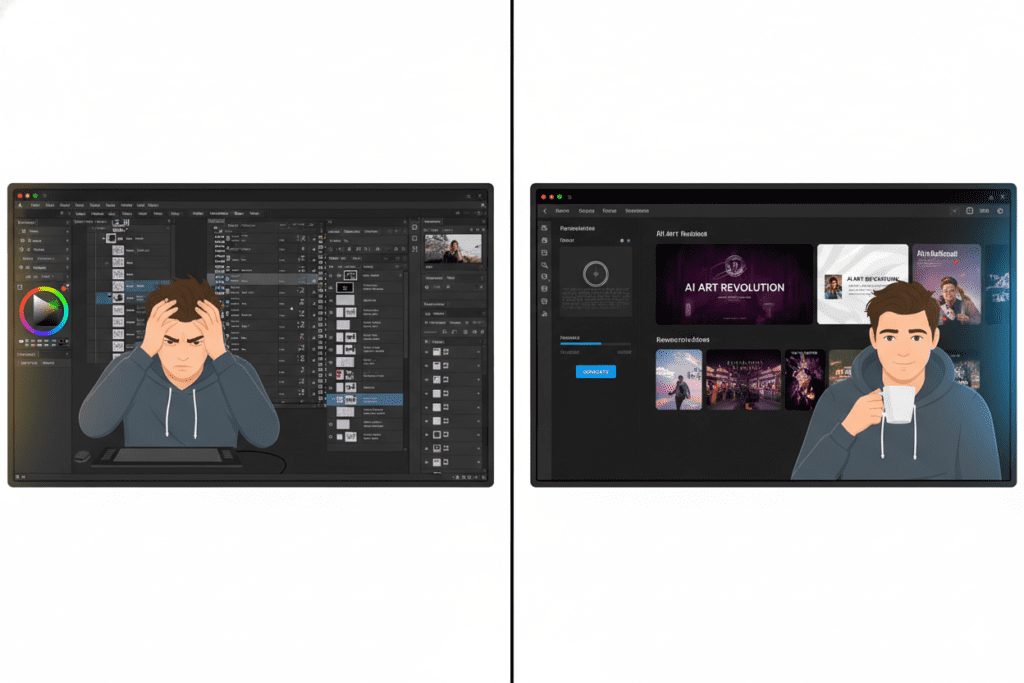
Instead of opening Photoshop, fighting with layers, and second-guessing every color choice — you type in your video topic, and the AI builds a thumbnail around proven design principles that actually get clicks.
These tools analyze millions of high-performing thumbnails across niches. They understand what color contrasts pop, what text placement drives CTR, and what emotional triggers make viewers stop scrolling.
Think of it as having a professional thumbnail designer on demand — one who works in seconds, not hours, and never charges by the hour.
Why Your Thumbnail Is Your #1 Growth Lever
Most YouTubers obsess over their camera gear, editing software, or upload schedule. But there’s one factor quietly running the whole show — your thumbnail.
According to YouTube’s own Creator Academy, 90% of the best-performing videos on YouTube use custom thumbnails. That’s not a coincidence. That’s a pattern proven across millions of videos and every niche imaginable.
Here’s why thumbnails matter so much:
- It’s the first thing viewers see. Your thumbnail appears before your title in mobile feeds. It’s your billboard.
- CTR affects everything. A higher click-through rate signals to YouTube’s algorithm that your content is worth promoting. More clicks = more recommendations = more growth.
- Research from VidIQ shows that expressive, high-contrast thumbnails can boost CTR by 20–30%.
- A single thumbnail swap has been reported to trigger hundreds of percent increases in views on existing videos.
The difference between a 2% CTR and a 7% CTR isn’t your video quality. It’s your thumbnail.
And that’s exactly why finding a reliable ai thumbnail generator free tool isn’t a luxury anymore. It’s a competitive necessity for any creator who wants to grow in 2026.
Best AI Thumbnail Generator Free Tools in 2026
The market has exploded. Here’s a quick rundown of the most popular free options — and where they fall short.
Canva Magic Media
Canva is the most recognized name in thumbnail design. Their AI thumbnail generator lets you create from text prompts with art style presets. It’s beginner-friendly and has thousands of templates.
Where it falls short: Canva is a general-purpose design tool. It has no deep understanding of YouTube’s algorithm, CTR benchmarks, or what makes a thumbnail actually perform in your niche. You’re still guessing.
vidIQ Thumbnail Maker
vidIQ’s free thumbnail maker is trained on YouTube performance data. It offers high-contrast color suggestions, text placement guidance, and face detection.
Where it falls short: It’s primarily an analytics tool with thumbnail features bolted on. You’ll still need to handle titles, descriptions, tags, and scripts separately — meaning you’re juggling multiple platforms.
Pixelbin
Pixelbin offers a free plan with up to threethumbnail generations per month. Good for absolute beginners.
Where it falls short: Three thumbnails a month won’t cut it if you’re posting consistently. And there’s no integration with your broader content workflow.
WayinVideo
Paste a YouTube link, and the AI generates thumbnail options based on your video content. Smart approach for video-first creators.
Where it falls short: It’s a standalone thumbnail tool. Nothing else. No titles, no scripts, no tags.
The Problem With All of These
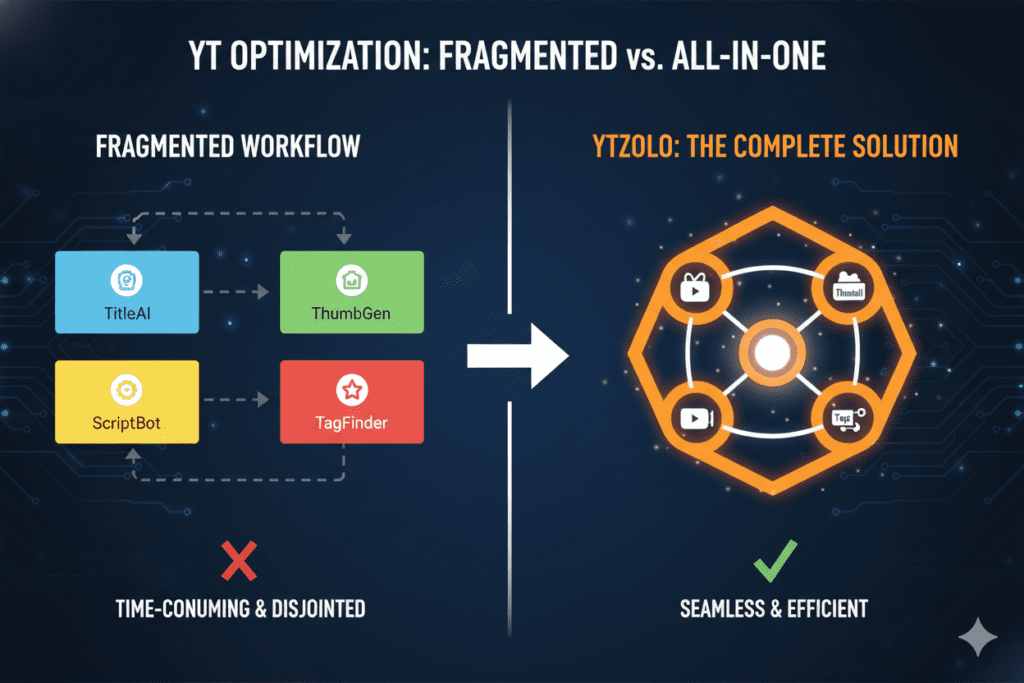
Every tool above does one thing. You still need to build your title separately. Write your script separately. Optimize your tags separately. Handle your description separately.
That’s five different tabs, five different subscriptions, and five times the friction.
This is exactly the gap ytZolo was built to fill.
Why Manual Thumbnail Design Is Holding You Back
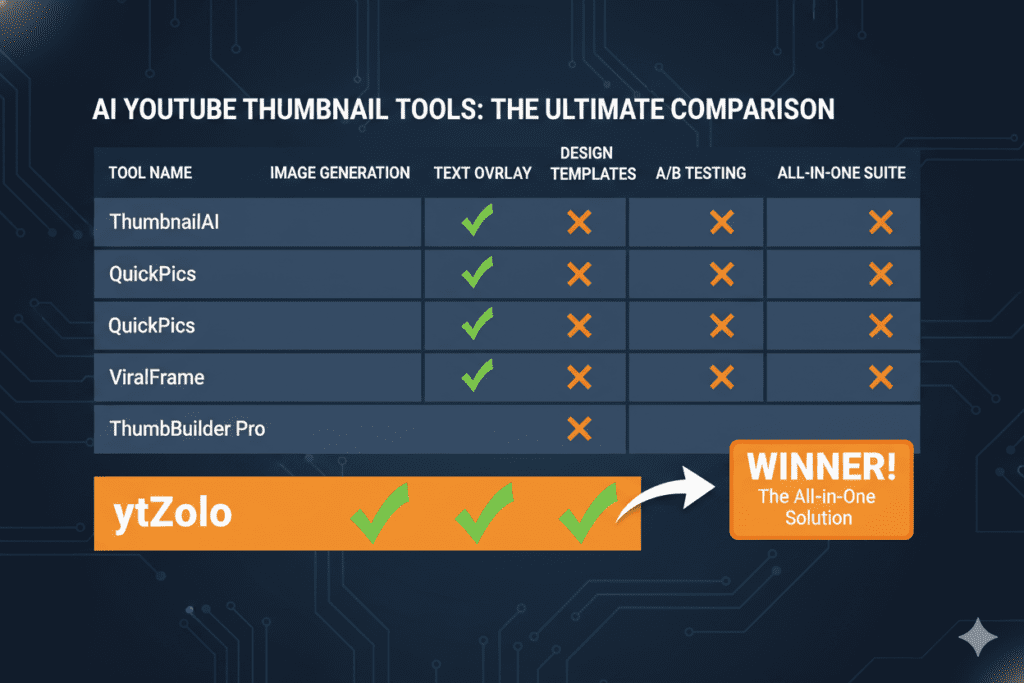
Let’s be direct. Manual thumbnail creation in 2026 is like writing scripts on a typewriter. It works, technically. But you’re working ten times harder than you need to.
Here’s what it’s really costing you:
Time you don’t have. Most creators spend 30–60 minutes on a single thumbnail. If you post twice a week, that’s up to 8 hours a month just on thumbnails. That’s time you could spend filming, building your audience, or just living your life.
Inconsistency that kills brand recognition. When you design thumbnails manually on a deadline, quality varies wildly. Some look great. Some look rushed. Viewers notice, and YouTube’s algorithm notices too.
Design decisions based on gut, not data. Without AI analyzing what works in your niche, every thumbnail is a guess. And guessing is an expensive hobby on YouTube.
Studies from HubSpot’s content marketing research show that creators who use AI tools produce content up to 3x faster and maintain more consistent publishing schedules — which is exactly what the YouTube algorithm rewards.
The creators winning in 2026 aren’t more talented than you. They’re just smarter about where they spend their time.

How ytZolo’s AI Thumbnail Generator Free Feature Works
Here’s where things get genuinely exciting.
ytZolo isn’t just another ai thumbnail generator free tool. It’s a full-stack AI YouTube growth platform — and the thumbnail generator is deeply woven into the entire content creation workflow.
Here’s what makes ytZolo’s approach different from every other tool:
It Starts With Your Content, Not a Blank Canvas
You don’t come up with a thumbnail concept from scratch. ytZolo reads your video topic, title, or script — and generates thumbnail concepts directly aligned with your content’s angle.
The thumbnail tells the same story your title promises. That consistency is critical for both CTR and viewer retention.
It’s Built Around Real Performance Data
ytZolo doesn’t guess at what looks good. Every thumbnail it generates is informed by data from top-performing videos in your niche — color psychology, emotional expression, text placement, and contrast ratios that actually drive clicks.
You Get Multiple Variations Instantly
Testing different thumbnails is one of the most effective ways to grow your CTR over time. YouTube’s own Test & Compare feature rewards creators who iterate.
ytZolo gives you multiple distinct thumbnail options in one generation. You always have variants ready to test — no extra design time required.
Everything Works Together
This is the big one. In ytZolo, your thumbnail is generated alongside your AI-written script, SEO-optimized title, keyword-rich description, and tag suggestions.
Everything is aligned. Everything is consistent. That’s not just convenience — it’s a strategic advantage most creators never even consider.
When other tools give you one piece of the puzzle, ytZolo gives you the whole picture.
Why ytZolo Is Better Than Other Tools
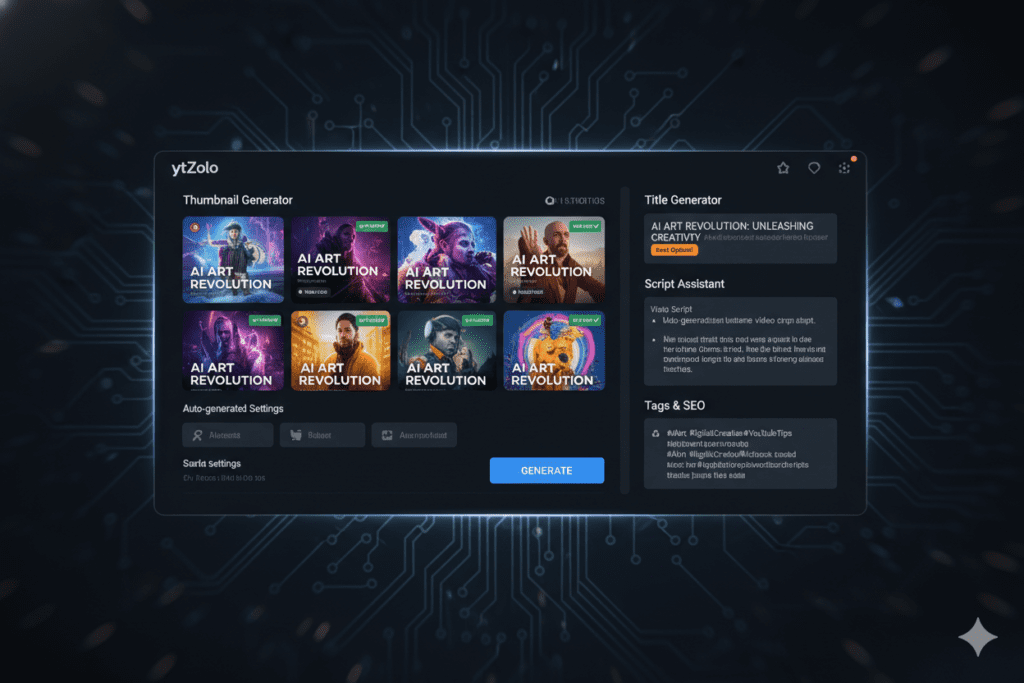
Let’s be honest about the competition. TubeBuddy, VidIQ, and Canva all have their place. But they were built for different jobs.
| Feature | Canva | vidIQ | TubeBuddy | ytZolo |
|---|---|---|---|---|
| AI Thumbnail Generator | ✅ (generic) | ✅ (basic) | ❌ | ✅ (YouTube-native) |
| AI Title Generator | ❌ | Partial | Partial | ✅ |
| AI Script Writer | ❌ | ❌ | ❌ | ✅ |
| AI Description Generator | ❌ | Partial | Partial | ✅ |
| AI Tags Generator | ❌ | ✅ | ✅ | ✅ |
| All-in-One Workflow | ❌ | ❌ | ❌ | ✅ |
| Built for Viral Content | ❌ | ❌ | ❌ | ✅ |
Here’s the bottom line on each competitor:
Canva is a design tool. It gives you templates and drag-and-drop control — but there’s no AI strategy behind what makes a thumbnail actually convert on YouTube. You’re using a hammer where you need a full toolbox.
VidIQ and TubeBuddy are analytics-first tools with some creation features bolted on. When other tools show you data, ytZolo takes action. That’s not a small difference. That’s the entire game.
ChatGPT is powerful but broad. It wasn’t trained on YouTube’s algorithm, trending title formats, or what CTR benchmarks look like across different niches. You’d need to prompt-engineer everything manually — and you’d still be missing the YouTube-specific intelligence.
ytZolo is YouTube-native. Every single feature — from the ai thumbnail generator free capability to the script writer and tag optimizer — was built from the ground up with one goal: helping your videos reach more people.
It’s the difference between a general-purpose tool and a growth engine built specifically for your platform.
You can explore everything it offers at ytzolo.com, or dive into creator case studies and strategy breakdowns on the ytZolo blog from channels that have already made the switch.
How to Generate a Viral Thumbnail with ytZolo in 5 Minutes
Getting started with ytZolo is faster than you think. Here’s the exact process:
Step 1 — Go to ytZolo Head to ytzolo.com and create your free account. No credit card needed to get started.
Step 2 — Enter Your Video Topic or Title Type in your video title or a brief description of what your video is about. The more specific you are, the better your thumbnail will be. Example: “How I made $10,000 from one YouTube video” hits harder than “YouTube money tips.”
Step 3 — Let AI Do the Work Hit generate. ytZolo’s AI engine will analyze your input, reference high-performing content in your niche, and produce multiple thumbnail concepts built around proven CTR principles.
Step 4 — Pick Your Variant and Refine Review the thumbnail options. Pick the one that best matches your video’s angle. Light customization — swapping text, adjusting colors — takes another 2–3 minutes at most.
Step 5 — Use Your Full Content Package Here’s where ytZolo separates itself. While you’re in the platform, grab your AI-generated title, script outline, description, and tags. Your entire upload is ready to go — in under 10 minutes total.
Compare that to the old way: 45 minutes on Canva, then a separate tool for keywords, then another for descriptions. The math is obvious.
Pro Tips to Maximize Your Thumbnail CTR
Whether you’re using ytZolo or any other ai thumbnail generator free tool, these principles will sharpen your thumbnails and push your CTR higher:
- Test, always test. YouTube’s native Test & Compare feature lets you A/B test thumbnails per video. One creator reportedly saw a dramatic view increase from a single thumbnail swap. The data will surprise you.
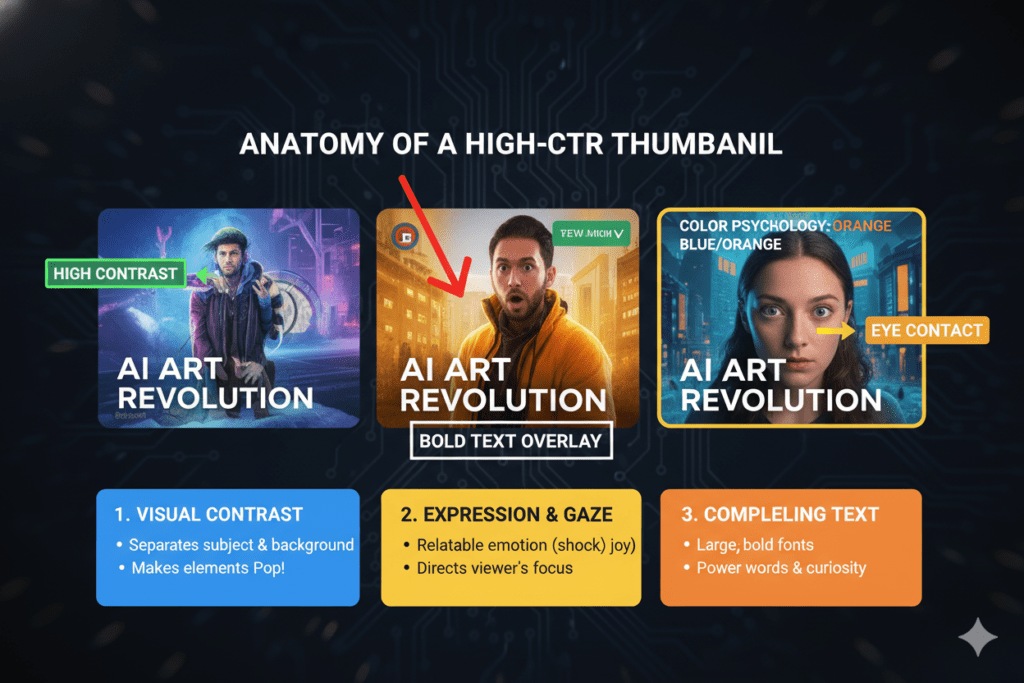
- Keep text to 3 words or fewer. Research consistently shows that minimal, punchy text outperforms full sentences in thumbnail overlays. Let the visual do the heavy lifting.
- Prioritize mobile visibility. Shrink your thumbnail preview to 150 pixels wide before publishing. If you can’t read the text or identify the main subject at that size, redesign it.
- Use high contrast. Bright colors against dark backgrounds (or vice versa) naturally draw the eye in YouTube’s feed. Don’t blend in — stand out.
- Lead with emotion. Thumbnails featuring expressive faces — curiosity, shock, excitement — consistently outperform static or neutral imagery. This is why ytZolo’s AI prioritizes emotional triggers in its thumbnail concepts.
- Align thumbnail with title. Your thumbnail and title should tell the same story. Mismatch between the two kills CTR and drives up bounce rates.
- Study your top performers. Use YouTube Analytics to find which of your existing thumbnails have the highest CTR. Look for patterns — color, layout, text style — and build on what’s already working.
For deeper strategy, the ytZolo blog has a wealth of creator case studies and AI tool tutorials covering everything from thumbnail psychology to channel growth tactics.
Also worth bookmarking: YouTube’s Creator Academy has free resources on thumbnail best practices straight from the platform itself, and the YouTube Creator Blog regularly shares data-backed updates on what’s working for creators right now.
FAQ: AI Thumbnail Generator Free — Your Top Questions Answered
What is the best AI thumbnail generator free for YouTube in 2026?
The best ai thumbnail generator free tool for YouTube in 2026 is ytZolo. Unlike standalone thumbnail tools, ytZolo generates CTR-optimized thumbnails tailored to your niche and integrates them into a full content workflow that includes AI title writing, script creation, descriptions, and tags — all from one platform.
It’s purpose-built for YouTube creators, not repurposed from a general design tool.
Can an AI thumbnail generator free really improve my CTR?
Yes — significantly. Research from VidIQ shows that expressive, high-contrast thumbnails can boost CTR by 20–30%. Creators using AI thumbnail maker tools have reported CTR jumps from under 3% to 7–10% within weeks of switching.
AI applies proven design principles — color psychology, emotional triggers, text placement — that most manual designs miss because they’re based on data, not guesswork.
Do I need design skills to use an AI thumbnail Maker?
No design skills are needed at all. That’s the entire point of an ai thumbnail generator free tool. You describe your video topic, select your niche, and the AI handles all the design logic. ytZolo takes this further by starting from your actual content — your title, topic, or script — so the thumbnail is directly aligned with your video without any manual input required.
Is it free to use ytZolo’s AI thumbnail generator?
Yes. ytZolo offers access to its core AI tools on a free plan — no credit card needed to get started. You can explore AI thumbnail generation, title creation, and more at ytzolo.com. Visit their pricing page to see the full plans and what’s included at each tier.
How is ytZolo different from Canva or vidIQ for thumbnails?
Canva is a general design tool built for all types of content — not specifically YouTube. vidIQ is primarily an analytics platform with thumbnail features added on. ytZolo is built from the ground up for YouTube creators.
Its ai thumbnail generator free feature is trained on YouTube-specific performance data, generates multiple variants for A/B testing, and is connected to your entire content pipeline — titles, scripts, descriptions, and tags — so everything works together as a unified system.
Conclusion: Your Thumbnail Era Starts Now
Here’s the real talk: your next viral video might already be filmed and sitting in your editing timeline.
But if the thumbnail isn’t right, nobody will ever see it.
The ai thumbnail generator free tools available in 2026 have completely changed the game. You no longer need to spend hours in Canva. You no longer need to guess what will work. You no longer need to choose between posting consistently and designing well.
You just need the right tool.
ytZolo isn’t just the best ai thumbnail generator free solution for YouTube creators. It’s a complete AI-powered growth engine that handles your thumbnails, titles, scripts, descriptions, and tags — all in one place, all working together, all optimized to help your videos reach more people.
The creators winning right now aren’t working harder. They’re working smarter. And the smartest move you can make today is putting AI to work on the part of your workflow that’s costing you the most time — and the most clicks.
Start creating smarter, faster, and more viral YouTube content with ytZolo today.
👉 Get started free at ytzolo.com
Want to keep leveling up your YouTube game? Explore more creator strategies, AI tool guides, and channel growth breakdowns on the ytZolo blog.


Pingback: 7 Best AI Tools for YouTube Thumbnails 2026: Shocking CTR!
Pingback: Best Free AI Image Generators for YouTube Thumbnails 2026
Pingback: Best AI Thumbnail Generators for YouTube 2026
Pingback: Best AI Thumbnail Generator for YouTube (2026)
Pingback: Best AI YouTube Thumbnail Generator for More Clicks (2026)
Pingback: ytZolo vs PlayPlay (2026): Full Comparison & Verdict