
Introduction: The Thumbnail That Changed Everything
Imagine this.
You spent three days filming and editing a video. The content is genuinely brilliant. The audio is crisp. The storytelling is on point.
You upload it. You wait.
And nothing happens.
Meanwhile, a creator in your niche — with half your production quality — is pulling 50,000 views on a video about the exact same topic. Their secret? Their thumbnail stopped the scroll.
That’s the brutal reality of YouTube in 2026. It doesn’t matter how good your content is if nobody clicks on it.
Here’s the cold, hard truth: your thumbnail is the single most important visual asset your channel produces. According to YouTube’s own Creator Academy, 90% of the best-performing videos on YouTube use custom thumbnails. And research shows that optimized thumbnails can increase your click-through rate by 30–40%.
The good news? In 2026, you don’t need to be a graphic designer to create scroll-stopping thumbnails. The best AI tools for YouTube thumbnails 2026 are making it faster, smarter, and easier than ever before.
This guide breaks down every major tool, what to look for, and why ytZolo stands above the rest as the all-in-one AI platform built specifically for creators who want real growth.
Let’s get into it.
Table of Contents
Why YouTube Thumbnails Are More Critical Than Ever in 2026
The competition on YouTube has never been fiercer.
Over 20 million videos are uploaded to YouTube every single day. The home feed, search results, and suggested videos column are all packed with content fighting for the same eyeballs — including your target audience.
Here’s how viewers actually behave: they don’t read your title first. Their eye jumps straight to the thumbnail. The Best free AI YouTube thumbnail generator 2026 helps create that split-second curiosity or emotion that drives clicks. If it doesn’t, viewers scroll right past—and your video never gets a fair chance.
Think about what CTR actually means for your channel. A typical creator with a 2% CTR getting 10,000 impressions earns 200 clicks. A creator with the same content but a 6% CTR — thanks to a stronger thumbnail — earns 600 clicks from the same impressions. That’s 3x more views with zero additional effort.
According to 2026 CTR benchmark data, most creators average between 4–6% CTR. Channels hitting above 7% are considered exceptional. But creators who actively optimize thumbnails using data-informed design — especially with AI — can push well into the 8–10% range within a matter of weeks.
The algorithm takes notice. Higher CTR tells YouTube your content is worth recommending. More recommendations mean more impressions. More impressions mean more clicks. The snowball starts rolling — but only if your thumbnail earns that first click.
That’s why the best AI tools for YouTube thumbnails 2026 aren’t a nice-to-have. They’re a growth necessity.
What Makes a High-CTR Thumbnail in 2026?
Before we dive into the tools, let’s get clear on what actually makes a thumbnail perform.
Too many creators treat thumbnails as an afterthought—a screenshot or a quick Canva job at the end of the publishing process. That’s a costly mistake the Best free AI YouTube thumbnail generator 2026 helps eliminate.
Here’s what high-CTR thumbnails in 2026 consistently have in common:
Bold, High-Contrast Visuals Your thumbnail needs to pop against every background — white mode, dark mode, and the crowded suggestion column. High contrast between the subject and background is non-negotiable.
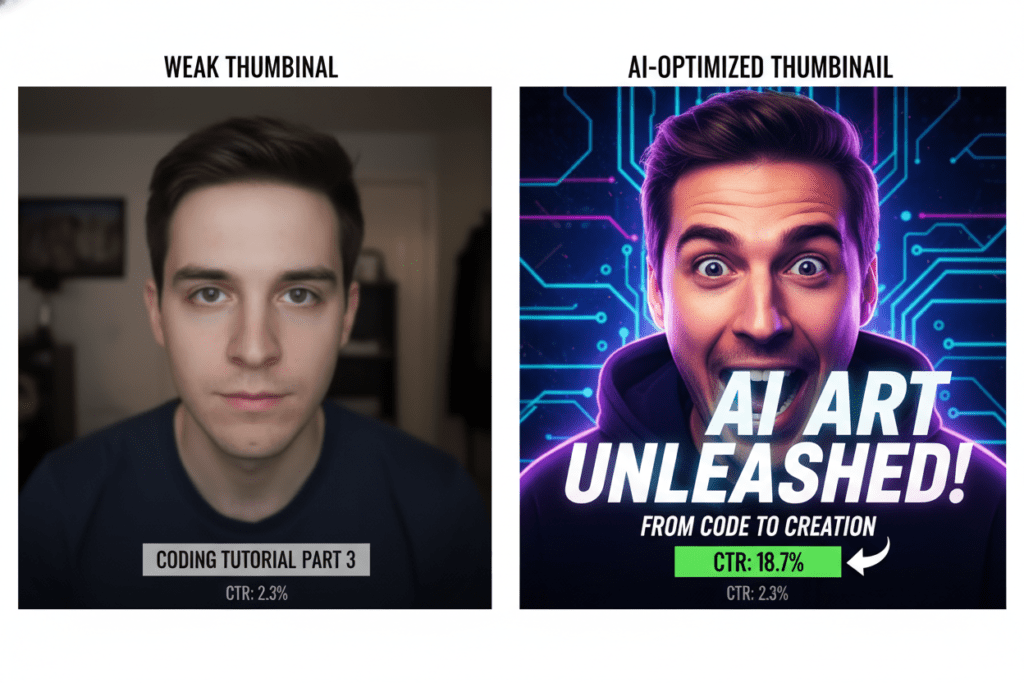
Strong Emotional Expression Research from VidIQ shows that thumbnails with strong facial expressions — surprise, excitement, concern — boost CTR by 20–30%. Emotion is a click trigger. Neutral faces aren’t.
Clear, Concise Text Overlay Keep it to six words or fewer. Thumbnails are read in under a second. Bold, readable fonts that contrast with the background are critical. If you can’t read it on a mobile screen, it won’t perform.
Niche-Specific Visual Language Gaming thumbnails look different from finance thumbnails. Cooking content uses different visual cues than tech reviews. The best AI tools for YouTube thumbnails 2026 understand these niche differences — and they design accordingly.
Curiosity and Pattern Interrupts The best thumbnails make viewers feel like they need to know what happens. Unusual compositions, unexpected elements, or bold color choices can all serve as pattern interrupts that stop the scroll.
Mobile Optimization Over 70% of YouTube views happen on mobile. Your thumbnail needs to look compelling at a fraction of the size. What looks great at full resolution can become unreadable at 168×94 pixels.
These aren’t guesses. They’re data-backed design principles—and an AI YouTube thumbnail maker without watermarks can apply them in seconds using insights from millions of high-performing YouTube videos.
Best AI Tools for YouTube Thumbnails 2026 — Full Breakdown
Let’s look at every major player in the market right now and break down what they do, where they shine, and where they fall short.
1. ytZolo — The Best AI Tool for YouTube Thumbnails in 2026
ytZolo is the standout platform for creators who want AI-powered thumbnails that are built specifically for YouTube performance — not just general aesthetics.
This is the fundamental difference most creators overlook. Generic AI image tools generate beautiful visuals. But beautiful isn’t the same as high-converting. ytZolo was engineered from the ground up with one goal: getting your videos more clicks.
Here’s what makes ytZolo the clear leader among the best AI tools for YouTube thumbnails 2026:
✅ Purpose-Built for YouTube Creators ytZolo isn’t a generic design app with a YouTube filter. It understands YouTube’s ecosystem — viewer psychology, CTR mechanics, niche-specific visual trends, and the algorithm’s behavior. Every thumbnail it generates is optimized for click performance, not just looks.
✅ Data-Informed Thumbnail Generation ytZolo analyzes what’s already working in your niche. Instead of random generation, it creates thumbnails based on patterns proven to drive higher click-through rates — color psychology, layout composition, text placement, and emotional triggers all built in.
✅ Full HD Export — Zero Watermarks Every thumbnail exports at full 1280×720 HD resolution. No watermarks, no compression, no extra steps. Upload-ready the moment it’s generated.
✅ Integrated with Your Full Content Workflow This is where ytZolo truly separates itself from every other tool. As an AI YouTube thumbnail maker without watermarks, it doesn’t create thumbnails in isolation—they’re aligned with your title, script, description, and tags from the same platform. One cohesive content strategy the algorithm can read clearly.
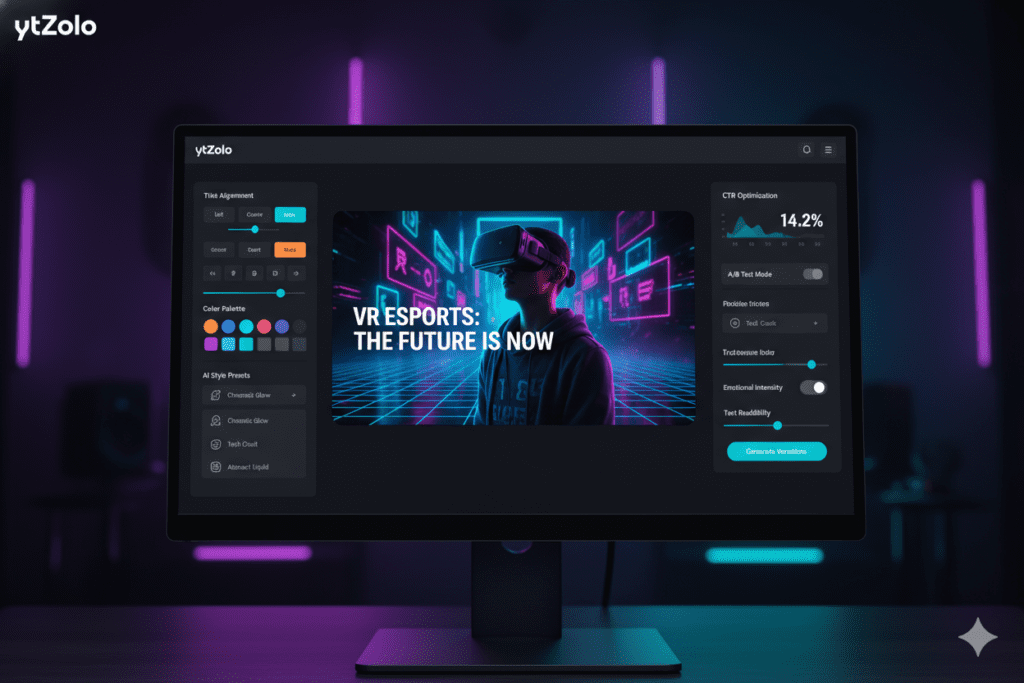
✅ No Design Skills Required You don’t need Photoshop. You don’t need a design background. You enter your video topic, and ytZolo generates thumbnail concepts tailored to your niche and audience in seconds.
✅ Free Plan Available You can start creating AI thumbnails on ytZolo without entering a credit card. Premium plans unlock advanced features and higher output volume.
💡 Pro Tip: Visit the ytZolo blog for creator tutorials, thumbnail strategy deep-dives, and real growth case studies from creators across every niche.
Best for: YouTubers who want one platform for thumbnails, titles, scripts, descriptions, and tags — all working together.
Pricing: Free plan available. Visit ytzolo.com for current premium pricing.
2. Canva AI
Canva is the most widely used design tool across all creator levels. Its AI image generation and drag-and-drop interface make it accessible for beginners learning how to increase YouTube CTR using AI thumbnails while maintaining creative control over their layouts.
Strengths:
- Massive template library across all niches
- Easy drag-and-drop editing
- Great for creators with existing brand kits
- Team collaboration features
Weaknesses:
- It’s a blank canvas — Canva doesn’t understand YouTube’s algorithm, your niche, or what CTR looks like in your category
- No YouTube-native intelligence or data-informed optimization
- Every thumbnail requires manual design effort — templates don’t tell you what will perform
- Doesn’t connect to your titles, scripts, or SEO workflow
Best for: Creators with design experience who want full creative control and already know what performs in their niche.
Pricing: Free tier available; Canva Pro at $15/month.
3. Midjourney
Midjourney generates stunning, highly stylized images — and it’s become popular for YouTube thumbnail hero images, especially in gaming, fantasy, and cinematic niches.
Strengths:
- Outstanding image quality and creative range
- Excellent for dramatic lighting, stylized visuals, and concept art
- Great for channels where strong visual identity matters
Weaknesses:
- You get a raw image — text overlays, formatting, and CTR optimization are all extra steps
- Steep learning curve for prompt engineering
- Not YouTube-native in any way; requires follow-up design work
- Monthly cost stacks up alongside other tools you’ll still need
Best for: Creators comfortable with multi-tool workflows who want custom hero images for their thumbnails.
Pricing: From $10/month.
4. Adobe Firefly
Adobe Firefly is Adobe’s AI image generation engine, tightly integrated into Photoshop and Illustrator. For creators already in the Adobe ecosystem, it streamlines the thumbnail creation workflow and supports strategies on how to increase YouTube CTR using AI thumbnails.
Strengths:
- Seamless integration with Photoshop for professional editing
- Commercially safe image generation
- Strong background removal and generative fill features
Weaknesses:
- Requires an Adobe Creative Cloud subscription ($55+/month)
- Designed for professional designers, not YouTubers
- No YouTube-specific intelligence or CTR optimization
- Overkill and overpriced for most creators
Best for: Creators who are already Adobe CC subscribers and want AI generation within their existing workflow.
Pricing: Included with Adobe Creative Cloud ($55+/month).
5. vidIQ Thumbnail Tool
vidIQ is primarily an analytics and keyword research platform, but it includes a thumbnail analysis and generation feature that integrates with its YouTube data.
Strengths:
- Competitor thumbnail analysis — you can input a competitor’s URL and get suggestions
- Keyword-informed thumbnail recommendations
- Useful for data-first creators who want analytics and design in one subscription
Weaknesses:
- Thumbnail generation is a secondary feature — not the core product
- Less creative depth than dedicated design tools
- Analytics-first approach means design flexibility is limited
- Pricey plans to unlock full AI features
Best for: Analytics-driven creators who want thumbnail insights alongside keyword and SEO research.
Pricing: Free plan available; Boost plan at $19/month.
6. Ideogram
Ideogram has earned a strong reputation specifically for its ability to render legible, styled text directly within AI-generated images—a major challenge for most image generators and a key factor in how to increase YouTube CTR using AI thumbnails.
Strengths:
- Best-in-class text rendering within generated images
- Great for text-heavy, educational, commentary, and list-format thumbnails
- Clean layouts with strong typographic hierarchy
Weaknesses:
- No YouTube-native understanding of CTR or algorithm signals
- Requires additional editing for proper formatting and branding
- No integration with titles, scripts, or SEO workflow
- Still a single-purpose tool in a multi-tool world
Best for: Creators in educational or commentary niches who need text-forward thumbnail visuals.
Pricing: Free tier available; paid plans from $8/month.
Why ytZolo Is Better Than Other Thumbnail Tools
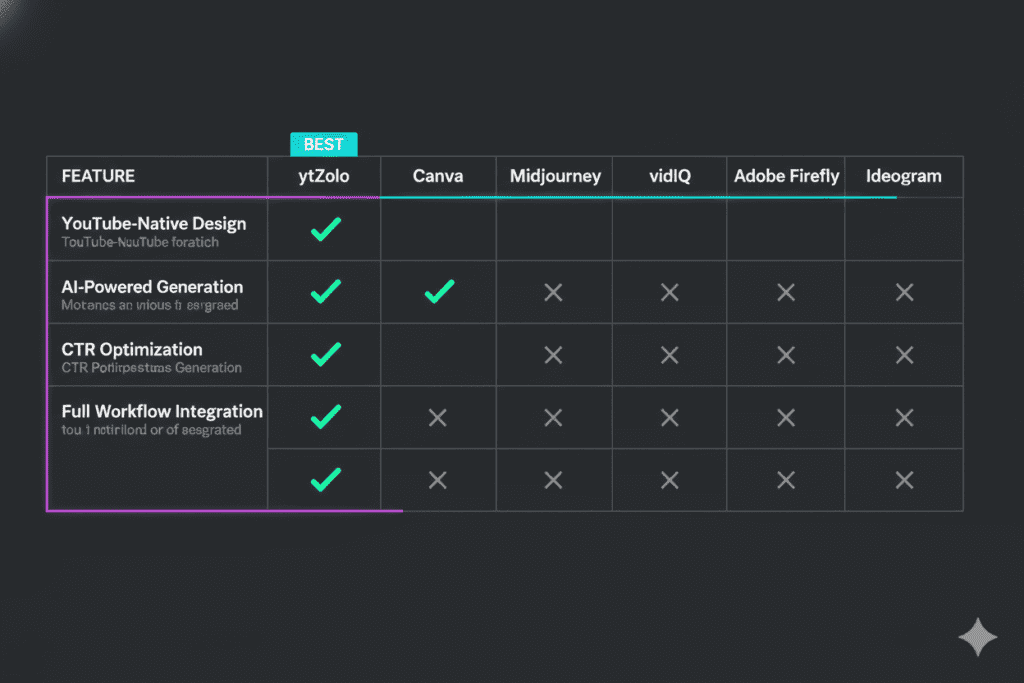
Here’s the honest comparison every creator needs to see before spending a single dollar:
| Feature | ytZolo | Canva | Midjourney | vidIQ | Adobe Firefly | Ideogram |
|---|---|---|---|---|---|---|
| Built for YouTube | ✅ | ❌ | ❌ | Partial | ❌ | ❌ |
| CTR-Optimized Output | ✅ | ❌ | ❌ | Partial | ❌ | ❌ |
| Niche-Specific Intelligence | ✅ | ❌ | ❌ | ✅ | ❌ | ❌ |
| Full HD, No Watermarks | ✅ | ✅ | ✅ | ✅ | ✅ | ✅ |
| AI Title Generator | ✅ | ❌ | ❌ | ✅ | ❌ | ❌ |
| AI Script Writing | ✅ | ❌ | ❌ | ❌ | ❌ | ❌ |
| SEO Descriptions + Tags | ✅ | ❌ | ❌ | ✅ | ❌ | ❌ |
| Unified Content Workflow | ✅ | ❌ | ❌ | ❌ | ❌ | ❌ |
| Free Plan | ✅ | ✅ | ❌ | ✅ | ❌ | ✅ |
| No Design Skills Needed | ✅ | Partial | ❌ | ✅ | ❌ | Partial |
The pattern is unmistakable.
Every other tool solves one piece of the puzzle. Canva gives you templates—but no algorithm intelligence. Midjourney gives you stunning visuals—but zero YouTube optimization. vidIQ gives you data—but limited creative depth. That’s the core difference in ytZolo vs Canva AI for YouTube thumbnails.
ytZolo is the only platform where your thumbnail, title, script, description, and tags all work together as a unified growth system.
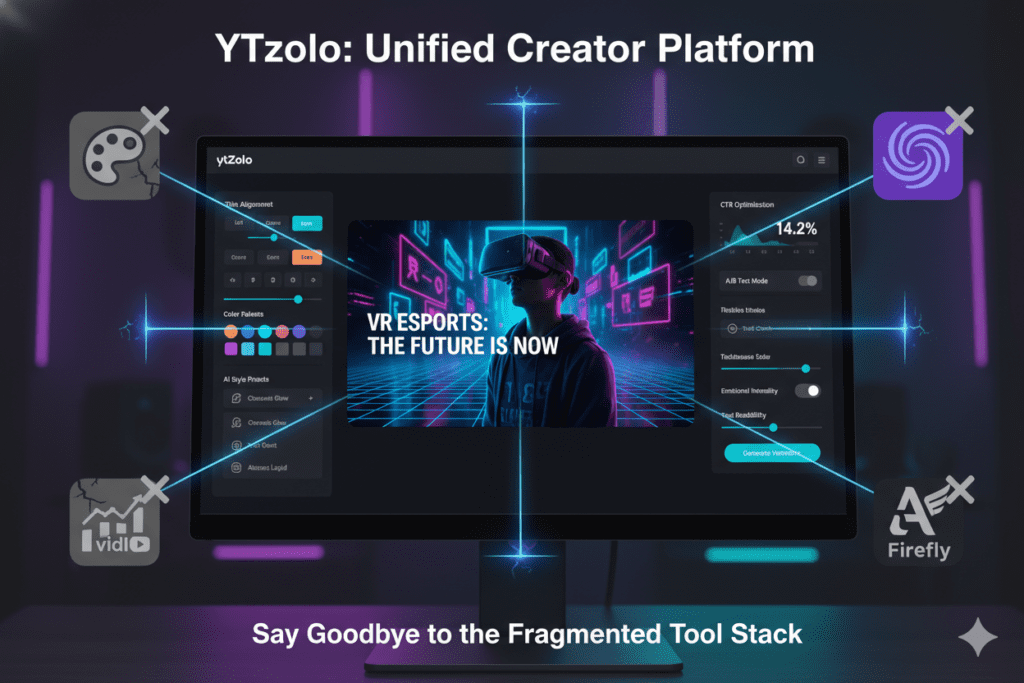
Consider the cost reality. A creator using separate tools might pay Canva Pro at $15/month, vidIQ at $25/month, and a standalone AI image tool at $10–$20/month. That’s $50–$60 per month across three platforms that don’t talk to each other — and you’re still doing the coordination work manually.
ytZolo replaces all of that. One platform. One workflow. Everything optimized together.
This is exactly what makes ytZolo the top choice among the best AI tools for YouTube thumbnails 2026 — and why serious creators are making the switch.
How to Create Viral Thumbnails with AI in 5 Steps
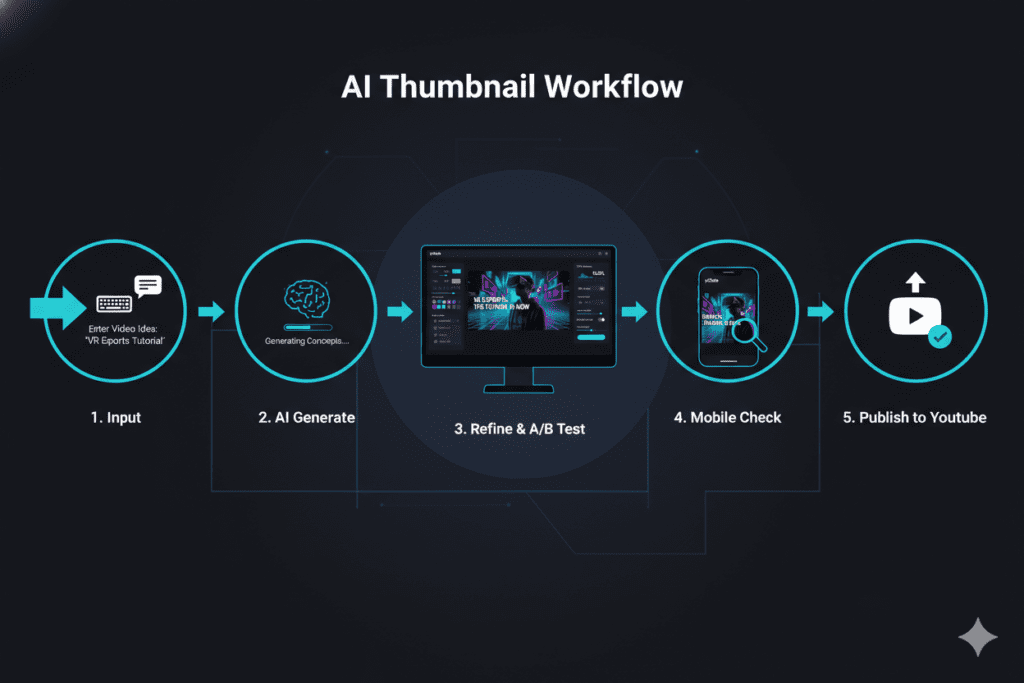
Ready to put the best AI tools for YouTube thumbnails 2026 to work? Here’s a repeatable, proven process:
Step 1: Define Your Video’s Core Hook Before designing anything, get clear on the one emotion or idea you want your thumbnail to trigger. Is it curiosity? Surprise? FOMO? That emotion should drive every design choice — the expression, the text, the colors.
Step 2: Enter Your Topic into ytZolo Open ytZolo, input your video topic or title, and let the AI go to work. ytZolo analyzes your niche, pulls from high-performing visual patterns, and generates thumbnail concepts tailored to what actually gets clicks in your category.
Step 3: Choose and Refine Your Concept Review the AI-generated options. Pick the strongest one—or mix elements from multiple versions. Because ytZolo understands YouTube-specific design principles, most outputs are already optimized, a key advantage in ytZolo vs Canva AI for YouTube thumbnails. Light personalization (swapping a face, adjusting text, matching your brand colors) takes 2–3 minutes.
Step 4: Check for Mobile Readability Always test your thumbnail at smaller sizes before publishing. If your text isn’t readable at 168×94 pixels — the actual size it appears in the YouTube feed on mobile — redesign it. ytZolo’s output is already formatted for full HD at 1280×720, so downscaling checks are easy.
Step 5: Generate Your Matching Assets Here’s where the all-in-one advantage pays off. Without switching platforms, generate your video title, SEO description, and tags in ytZolo — all aligned with the same visual story your thumbnail is telling. Cohesive packaging across all elements is one of the strongest signals you can send to the algorithm.
Upload. Hit publish. Watch your CTR move.
Why Manual Thumbnail Design Is Holding You Back
Let’s be honest about what manual thumbnail design actually costs you in 2026.
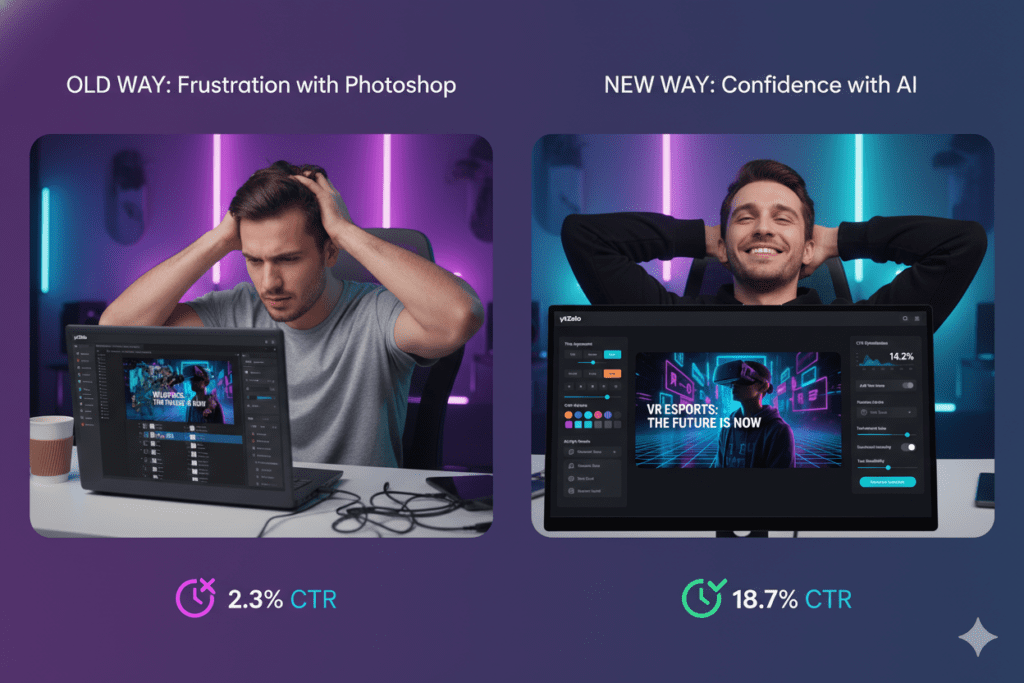
Time is the most obvious problem. Most creators spend 30–60 minutes on a single thumbnail. If you’re uploading twice a week, that’s up to 8 hours a month — just on thumbnails — before you’ve written a word, filmed a second of footage, or done a single edit.
Guesswork is the hidden cost. When you design thumbnails manually, you’re relying on gut instinct. An AI YouTube thumbnail maker without watermarks gives you real-time insights into which color combinations, expressions, and layouts are working in your niche right now—instead of guessing with every upload.
Inconsistency kills channels. Manual design quality varies wildly based on how much time you have, how inspired you feel, and how much sleep you got the night before. AI thumbnail tools produce consistent, high-quality output every single time — regardless of your mental state.
The competition isn’t waiting. In 2026, almost every serious creator is iterating their thumbnails using AI. If you’re still grinding through Photoshop or Canva from scratch every week, you’re burning time that your competitors are spending on actual growth activities — filming more content, engaging with their audience, or testing new formats.
Manual methods made sense five years ago. In 2026, they’re an unnecessary burden.
The best AI tools for YouTube thumbnails 2026 don’t replace your creativity. They amplify it. You still bring the ideas, the personality, and the niche knowledge. AI handles the hours of design execution and optimization work that was slowing you down.
Real Creator Results: What Happens When You Switch to AI Thumbnails
The data behind AI thumbnail performance is compelling — and the real-world stories from creators back it up.
Research from VidIQ shows that high-contrast, expressive thumbnails can boost CTR by 20–30% compared to generic designs. Creators using AI thumbnail tools have reported jumping from under 3% CTR to 7–10% within just a few weeks of making the switch.
A finance creator described spending hours every Sunday designing thumbnails for the week—only to see flat, disappointing CTR on videos they knew had solid content. After switching to an AI YouTube thumbnail maker without watermarks like ytZolo, their average CTR moved from 3.2% to 7.8% within a month. The same content. Same upload schedule. Different visual packaging.
A gaming channel owner noted that their watch time and impressions both increased after switching to AI-optimized thumbnails — because more people clicking meant the algorithm started pushing the videos to larger audiences.
These aren’t coincidences. They’re what happens when data-informed design meets a platform built specifically to understand YouTube.
The YouTube Creator Blog consistently emphasizes that consistency and quality across all content elements — visuals, metadata, and audience signals — drive algorithmic growth. ytZolo is the only platform designed to optimize all of these simultaneously.
FAQ: Best AI Tools for YouTube Thumbnails 2026
Q1: What is the best AI tool for YouTube thumbnails in 2026?
The best AI tool for YouTube thumbnails in 2026 is ytZolo. Unlike generic design tools or analytics platforms with add-on thumbnail features, ytZolo was purpose-built for YouTube creators.
It generates CTR-optimized thumbnails trained on niche-specific click psychology, exports in full HD with no watermarks, and integrates seamlessly with AI title generation, scripting, descriptions, and tags — all in one platform.
Q2: Can AI-generated thumbnails actually improve my CTR?
Yes — significantly. AI-generated and AI-optimized thumbnails regularly outperform manually designed ones because they’re based on data, not guesswork. Studies show that strong, optimized thumbnails can boost CTR by 20–40%. Higher CTR sends positive signals to the YouTube algorithm, which leads to more impressions, more recommendations, and faster channel growth.
Q3: Do I need design skills to use AI thumbnail tools?
No. The best AI tools for YouTube thumbnails 2026, including ytZolo, are designed for creators with zero design experience. You enter your video topic or title, and the AI generates ready-to-upload thumbnail concepts tailored to your niche. Light personalization takes 2–3 minutes. No Photoshop, no design degree required.
Q4: How is ytZolo different from Canva for thumbnail creation?
Canva is a general design tool that gives you templates and a blank canvas — it doesn’t understand YouTube’s algorithm, your niche, or what CTR looks like in your video category. ytZolo is YouTube-native.
It analyzes your niche, generates thumbnails based on proven high-performing visual patterns, and integrates directly with your title, script, description, and tags. Canva helps you design. ytZolo helps you grow.
Q5: Should I use separate tools for thumbnails, titles, and scripts — or one platform?
Using separate tools costs more money, more time, and creates a fragmented workflow where nothing talks to each other. One cohesive platform like ytZolo is far more efficient.
When your thumbnail, title, script, description, and tags are all generated together and aligned around the same message, the best free AI YouTube thumbnail generator 2026 helps your packaging tell a consistent story—and the YouTube algorithm rewards that consistency with more reach.
Conclusion & Final Verdict
Here’s what it comes down to.
In 2026, your thumbnail is the first and most powerful decision a viewer makes about your content. It determines whether they click. Whether the algorithm recommends you. Whether your channel grows or stagnates.
The best AI tools for YouTube thumbnails 2026 give you a genuine competitive advantage — faster design, smarter optimization, and data-informed visuals that actually drive clicks.
Canva is useful but general. Midjourney is beautiful but narrow. Ideogram is clever but single-purpose. vidIQ is data-rich but design-limited.
Only ytZolo brings it all together — thumbnails, titles, scripts, descriptions, and tags — in one platform purpose-built for YouTube creators who want real, measurable growth.
You don’t need five subscriptions and a design background to compete at the highest level on YouTube. You need one smart tool—the best free AI YouTube thumbnail generator 2026—that understands the platform as deeply as you do.
Your next viral video is a great thumbnail away.
Start creating smarter, faster, and more viral YouTube content with ytZolo today.
👉 Visit ytZolo.com — Start free, no credit card required.

