

Introduction: The Title That Changed Everything
Let me tell you about a creator named James.
He spent 14 hours filming, editing, and polishing a tutorial video. He exported it in 4K. The thumbnail looked amazing. And then — he spent about 30 seconds writing the title. Something like: “Tips for Making Better YouTube Videos.”
The video got 47 views in 30 days.
A month later, he changed the title to: “YouTube Growth Tips That Doubled My Views in 30 Days (2026 Guide).” Same video. Same thumbnail. Same content.
That one change? Over 11,000 views in three weeks.
This is the power of following YouTube video title length best practices 2026. And most creators are completely ignoring it — especially when they’re not combining titles with AI-generated YouTube thumbnails that increase CTR to maximize performance.
In this guide, we’re breaking down everything — the ideal character count, where to place your keyword, what the data actually says, and how top creators are using tools like ytZolo to write titles that rank and get clicked. Every single time.
Let’s get into it.
Table of Contents
Why Your YouTube Title Is the Most Valuable Real Estate on Your Channel
Here’s a hard truth most creators need to hear.
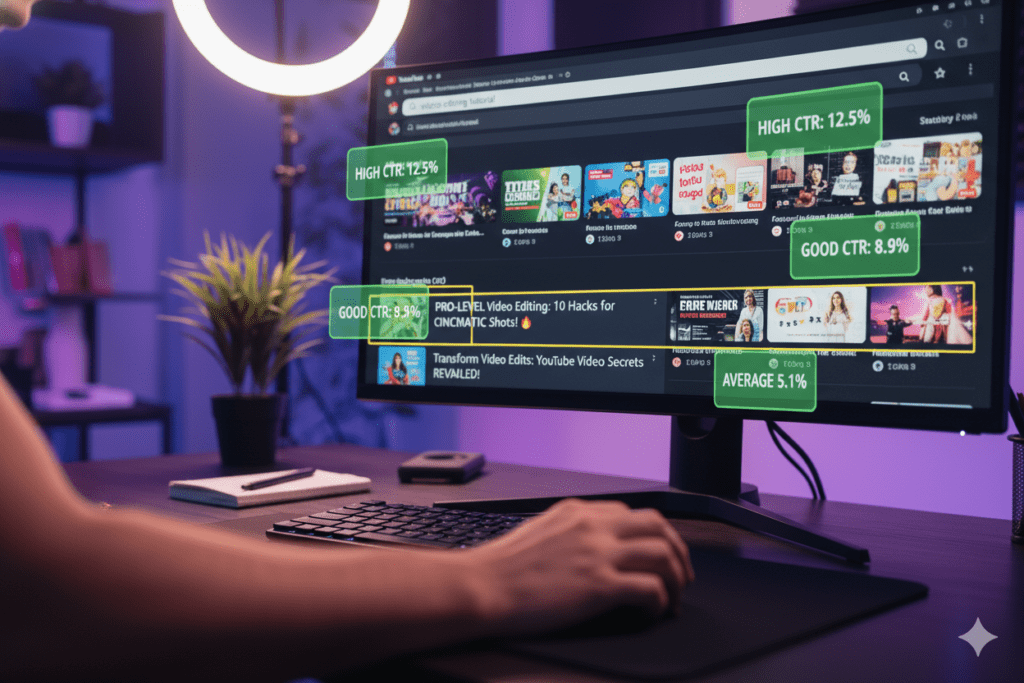
Your title is not just a label. It is your video’s first sales pitch — the thing that makes a viewer decide to click or scroll past in under two seconds.
YouTube processes over 500 hours of video every single minute. Your video is one drop in that enormous ocean. And the title is the hook that determines whether it sinks or swims—the best title length for YouTube videos.
Think about it from the algorithm’s side. YouTube measures click-through rate (CTR) as one of its primary ranking signals. If your title generates above-average CTR for your niche, YouTube sees that as a quality signal and distributes your video to more people. If CTR is low, distribution slows — or stops entirely.
A 2% improvement in CTR can literally double your views over time. That’s why pairing strong titles with frameworks like YouTube storytelling script generators creates a complete high-retention content strategy.
Your title is also a critical YouTube SEO signal. It tells the algorithm what your video is about, which search queries it should rank for, and which viewers it should be shown to. Get it wrong, and you’re invisible. Get it right, and YouTube becomes your biggest promotional engine.
The YouTube video title length best practices 2026 have shifted significantly, too. The algorithm now uses Gemini AI to analyze content at a semantic level — reading transcripts, analyzing visuals, and understanding intent. But your title is still the first and most weighted signal it evaluates.
That’s why understanding YouTube video title length best practices 2026 isn’t optional for serious creators. It’s table stakes.
YouTube Title Character Limits: What You Need to Know in 2026
Before we talk about what’s optimal, let’s lock down what’s actually possible.
YouTube allows a maximum of 100 characters in a video title. Anything beyond that gets cut off entirely — the platform won’t display it, and it won’t help your SEO.
But here’s where it gets nuanced, and where most creators go wrong.
What displays vs. what’s allowed:
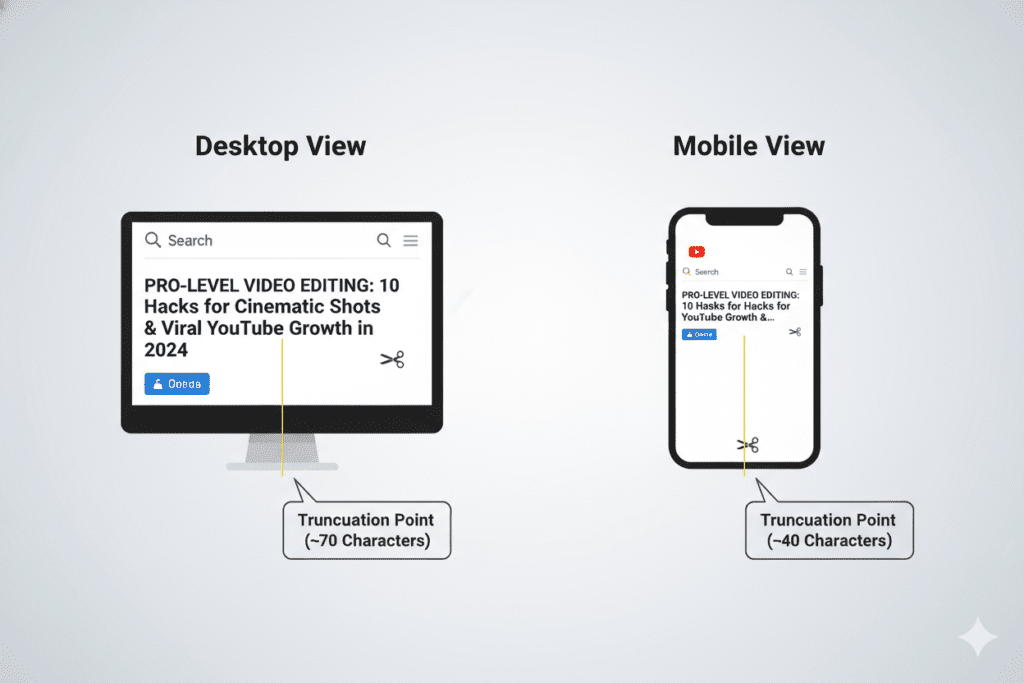
- Desktop (search results & suggested feed): YouTube typically shows 60–70 characters before truncating with an ellipsis (…)
- Mobile devices: Even stricter — only about 35–50 characters display in the home feed and browse features
- YouTube Shorts feed: Approximately 40 characters before truncation
- Full title in search: When someone searches, they often see more of your title — which is why longer titles still have SEO value
The critical insight here is this: there is a big difference between what the viewer sees at a glance and what YouTube’s algorithm reads for ranking purposes.
Even if a viewer only sees the first 50 characters, YouTube reads your full title for search indexing. This is why following YouTube video title length best practices 2026 means striking a careful balance between mobile visibility and search discoverability.
Your job is to front-load the most important content — your hook, your keyword, your benefit — into those first 40–50 characters. Everything after that is supporting context that helps your SEO without hurting your click rate.
YouTube Video Title Length Best Practices 2026: What the Data Says
This is where things get interesting — and where the conventional wisdom falls apart.
For years, the advice was simple: keep your title under 60 characters. Short is better. Don’t get cut off.
The data in 2026 tells a very different story.
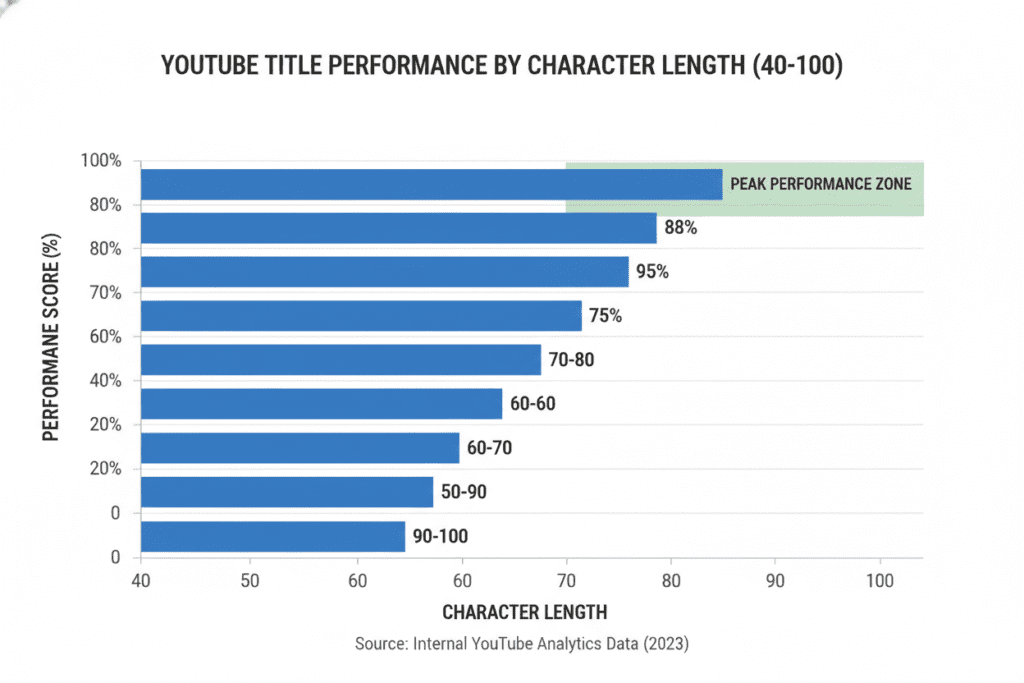
An analysis of over 3 million YouTube videos found that titles in the 70–100 character range consistently outperform shorter titles. Videos with 90–100 character titles outperform ultra-short titles (under 10 characters) by more than 2x. Even compared to the commonly recommended 50–60 character range, longer titles show a 10–14% performance improvement.
Why? Three reasons:
1. Front-loading still works. Put your hook in the first 50 characters. The rest supports it without hurting the initial click signal.
2. Truncation creates curiosity. A title that ends with “…” in the home feed can actually increase clicks. Viewers want to know what comes after.
3. Search shows more. When someone actively searches on YouTube, they often see the full title — especially on desktop. Longer titles give you more keyword real estate in search results.
So what’s the actual sweet spot for YouTube video title length best practices 2026? Here’s the breakdown:
- 40–65 characters: Fully visible on mobile, safe for browse feeds, good for punchy viral content
- 65–80 characters: Optimal balance of SEO depth and hook visibility — recommended for most videos
- 80–100 characters: Maximum search optimization, works best for tutorial/informational content where search traffic is the goal
The takeaway: don’t artificially shorten your title. If your title needs 85 characters to be compelling and keyword-rich, use 85 characters. If 55 characters does the job, use 55. Always use as many characters as you need to write a genuinely great title — and not a single character more.
The old “under 60 characters” rule is officially outdated. Following modern YouTube video title length best practices 2026 means writing for impact and SEO depth — not arbitrary character limits.
Where to Place Your Keyword for Maximum SEO Impact
Title length is just one piece of the puzzle. Where you put your keyword matters just as much as the title’s overall character count.
Here’s what the research consistently shows:
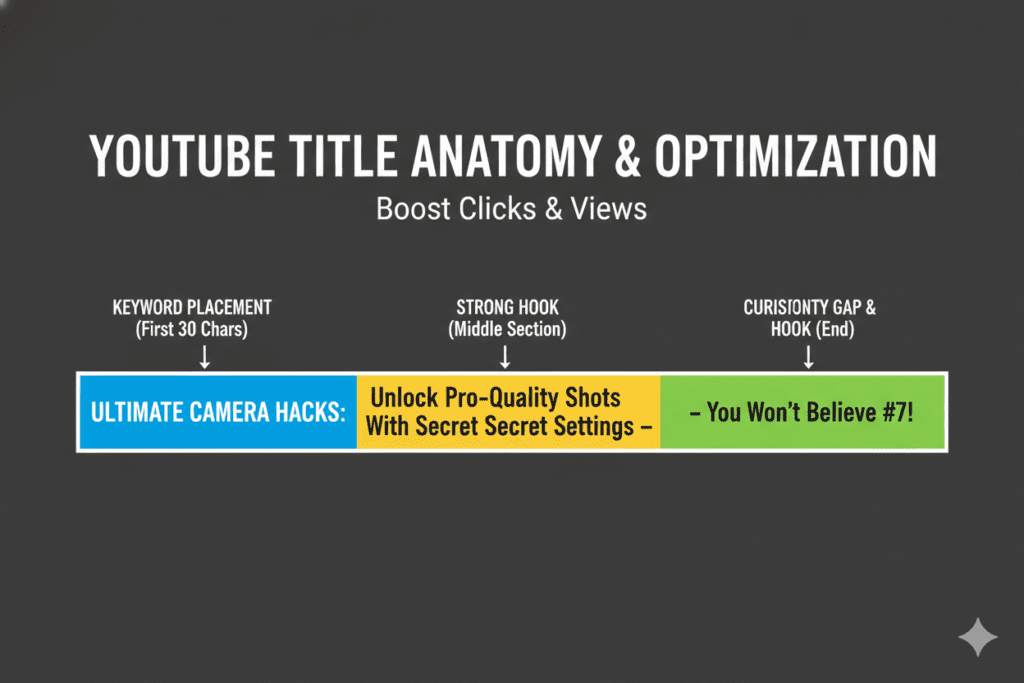
Front-load your primary keyword. Place it within the first 30–40 characters of your title. YouTube gives more algorithmic weight to keywords that appear early in the title — similar to how Google weights early-page H1 headings. A 2025 study found that titles optimized with keywords at the beginning can improve rankings by up to 20%. Similar trends are highlighted in research by HubSpot, reinforcing the importance of structured titles.
One primary keyword, maximum two. Your title should read naturally to a human. Cramming multiple keywords in makes it look spammy — and in 2026, with YouTube’s Gemini AI integration, keyword stuffing is actively penalized. It signals desperation, not authority.
Use natural language framing. Instead of “YouTube SEO Tips 2026 Best Practices Optimization,” write “YouTube SEO Tips 2026: 5 Strategies That Actually Work.” Both contain the keyword. Only one gets clicked.
Use separators strategically. Colons (:) and dashes (—) create two-part titles that satisfy both the algorithm and the human reader. The first half is keyword-rich and searchable. The second half is curiosity-driven and clickable.
Here’s a real-world example of this in action:
| Version | Characters | Approach |
|---|---|---|
| “YouTube Video Title Tips” | 25 chars | Too short, no hook |
| “YouTube Video Title Length Best Practices 2026” | 48 chars | Keyword-rich, clear |
| “YouTube Video Title Length Best Practices 2026: What the Data Actually Says” | 77 chars | Full SEO + curiosity hook |
The third version follows YouTube video title length best practices 2026 perfectly. Keyword front-loaded, character count in the optimal zone, curiosity gap at the end. That’s the formula.
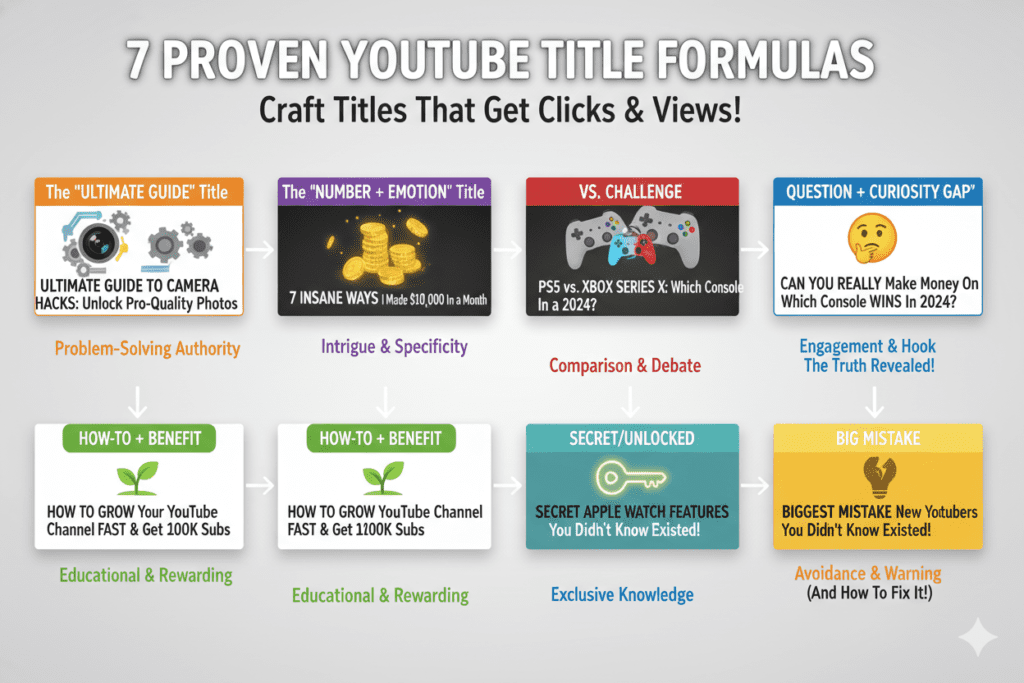
The 7 Title Formulas That Consistently Get High CTR
Knowing the right length and keyword placement is powerful. But the structure of your title is what triggers the click.
Here are the seven proven title formulas top creators use in 2026:
1. The Specific Number Formula “7 YouTube Title Mistakes That Kill Your CTR (And How to Fix Them)” Numbers are concrete. They set expectations. Odd numbers (7, 11, 5) outperform even numbers by about 20% in CTR.
2. The Curiosity Gap Formula “The 1 YouTube Metric That Actually Pays the Bills” Open a loop in the viewer’s mind. Promise a surprising answer without giving it away. They have to click.
3. The Transformation Promise Formula “How I Went from 0 to 50K Subscribers in 6 Months (Full Strategy)” Before-and-after stories are emotionally irresistible. Specificity — “6 months,” “50K” — makes the promise feel real.
4. The Warning/Mistake Formula “Stop Making These YouTube SEO Mistakes in 2026” Fear of loss is a powerful motivator. Viewers click because they’re worried they’re doing something wrong right now.
5. The Year + Action Formula “YouTube Video Title Length Best Practices 2026: The Data-Backed Guide” The year signals freshness. The action (“Guide,” “Strategy,” “Blueprint”) promises structured value.
6. The Versus/Comparison Formula “TubeBuddy vs. ytZolo: Which Actually Grows Your Channel Faster?” Comparison titles generate enormous curiosity. The viewer already has an opinion — they want to see if you agree.
7. The Bracket/Parenthetical Formula “How to Write YouTube Titles That Get Clicked (Step-by-Step)” Brackets add secondary information without cluttering the main title. They consistently boost CTR — especially for long-form tutorials.
One important note: don’t confuse a curiosity gap with clickbait. In 2026, YouTube’s algorithm penalizes videos with high click-and-quit rates (high CTR + low watch time). Your title must be a promise, not a trick. If you open a curiosity gap, your video must actually close it.
The best YouTube video titles combine these formulas with strong visual storytelling — which is why creators often pair them with YouTube outro script ideas that boost engagement to improve overall watch time.
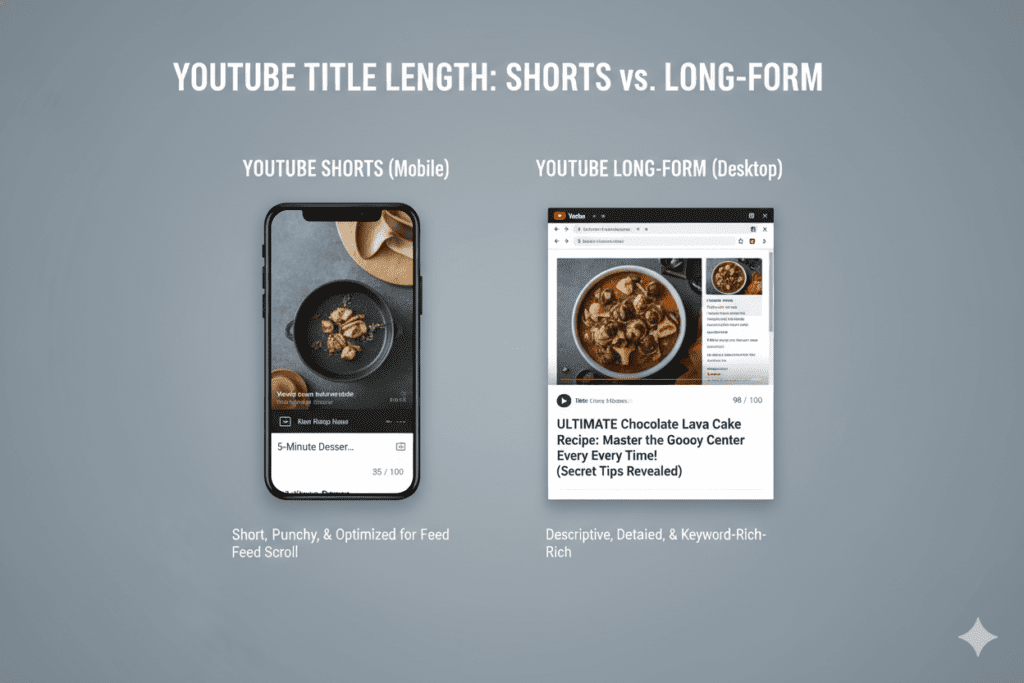
Title Length for YouTube Shorts vs. Long-Form Videos
YouTube video title length best practices 2026 aren’t one-size-fits-all. Your approach should change depending on the format.
For YouTube Shorts:
Shorts move fast. Viewers swipe in milliseconds. Your title needs to work instantly.
- Keep Shorts titles between 30–40 characters — the absolute maximum that displays in the Shorts feed before truncation
- Front-load your keyword AND your hook in the first 30 characters
- Use curiosity-driven language: questions, bold claims, trending topics
- Skip the year and lengthy context — there’s no room for it
Example of a great Shorts title: “The YouTube Hack Nobody Talks About”
For Long-Form Videos (8–20 minutes):
Long-form viewers are more intentional. They’re often searching for specific answers.
- Use the 65–80 character sweet spot for a mix of SEO depth and hook clarity
- Two-part titles with a colon or dash work extremely well
- Include the year for tutorial/how-to content to signal freshness
- Add a bracketed format descriptor: (Full Guide), (Step-by-Step), (2026 Update)
Example: “YouTube Video Title Length Best Practices 2026: The Complete Data-Backed Guide”
For long-form videos, adding strong visuals is critical — and guides like how to make aesthetic YouTube thumbnails with AI can help align your title with your thumbnail for better performance.
For Search-Heavy Evergreen Content:
If you’re optimizing primarily for search traffic (how-to guides, tutorials, educational content):
- Push closer to 80–100 characters to maximize keyword coverage
- Use long-tail keyword variations naturally in the title
- Avoid dating the title unless the content is genuinely time-sensitive
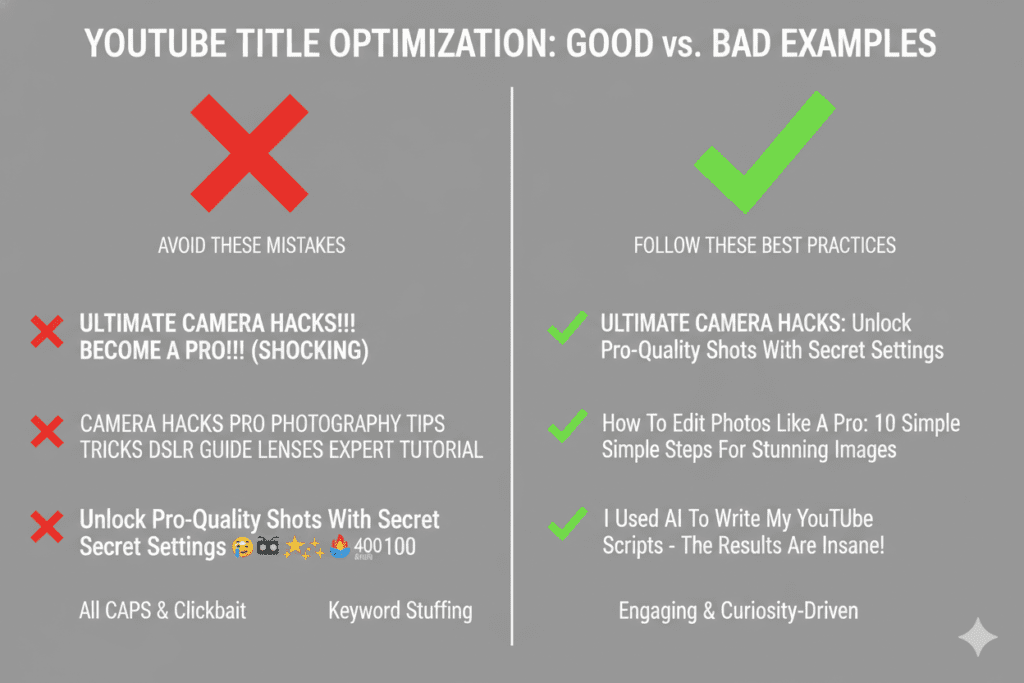
Common Title Mistakes That Are Killing Your Views
Now that you know the YouTube video title length best practices 2026, let’s talk about what not to do.
These are the title mistakes that creators make every single day — and they’re silently destroying CTR and rankings.
Mistake 1: Writing a title that’s too short. A 15-character title like “My Best Tips” has no keywords, no hook, and no search value. You’re leaving massive discoverability on the table. Brevity is only a virtue when the short title is also powerful.
Mistake 2: Burying the keyword at the end. “Here Are My Favorite Ways to Optimize YouTube Video Titles” — the keyword is at the end. YouTube weights early-title keywords more heavily, and viewers scan left to right. Move your most important words to the front for the best title length for YouTube videos.
Mistake 3: Keyword stuffing. “YouTube SEO 2026 Tips Tricks Free Tools Optimization Ranking” — this looks like spam to both the algorithm and the viewer. YouTube’s Gemini AI now actively recognizes and penalizes this behavior. One primary keyword, naturally placed.
Mistake 4: All caps or excessive emojis. “🔥🔥 BEST YOUTUBE SEO HACKS!!! 🚀😱” — this signals low quality and desperation. YouTube’s spam filters notice it. Viewers scroll past it.
Mistake 5: Ignoring mobile truncation.If your hook is at the end of a 90-character title and you haven’t front-loaded anything compelling, mobile viewers will never see it. Always check how your title looks on a mobile screen before publishing for the best title length for YouTube videos.
Mistake 6: Clickbait without delivery. A title that generates clicks but causes viewers to leave in 30 seconds is worse than a title that never gets clicked. YouTube tracks “click-and-quit” behavior. High CTR + low retention = your video gets buried. Your title is a promise. Keep it.
Mistake 7: Never updating underperforming titles. YouTube allows you to change your video title at any time. If a video has high impressions but low CTR, that’s a signal that your title isn’t converting. A title refresh can unlock thousands of views from impressions you’re already earning. Review and update quarterly.
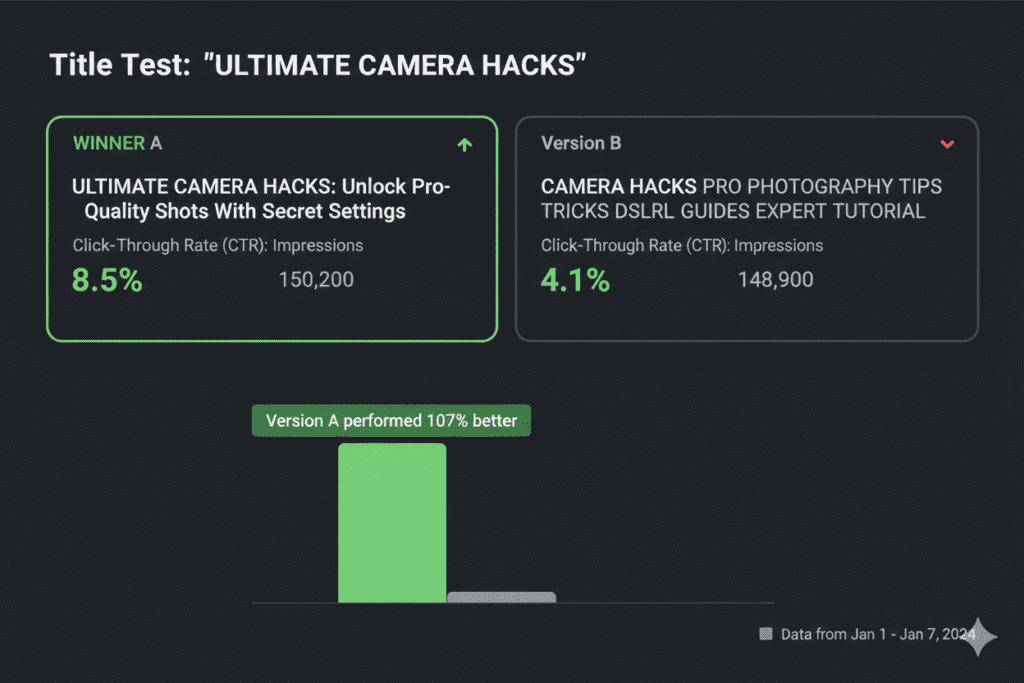
How to A/B Test Your YouTube Titles
Data beats opinion every time. Here’s how to test your YouTube video titles scientifically:
Step 1: Identify underperformers. Go to YouTube Studio → Analytics → Reach. Sort your videos by impressions. Find videos with high impressions but below-average CTR (under 4% is a clear warning sign). These are your test candidates.
Step 2: Write 3–5 title variations. Apply different formulas from the list above. Try a number-based title, a curiosity gap, and a transformation promise. Keep your primary keyword in the first 30 characters for all variations.
Step 3: Use YouTube’s built-in A/B title testing. YouTube Studio now supports title A/B testing. Upload multiple title options and let YouTube measure real CTR performance with your actual audience. Run the test for at least 7 days.
Step 4: Analyze the results. Look at CTR as the primary metric. Also check average view duration — a title that drives clicks but kills retention is a net negative. The winner should score well on both.
Step 5: Apply patterns across your channel. Study your five highest-CTR videos. Look for patterns — do they all use numbers? Specific formulas? Power words? Those patterns are your audience telling you what resonates. Apply them to every future title.
Pro Tip: Use YouTube’s Search Autocomplete to find title phrases that real people are already searching for. Type your main keyword into the YouTube search bar and note what the autocomplete suggests. Those suggestions are proven, high-demand search phrases you can build titles around — and following YouTube video title length best practices 2026 means incorporating them early in your title.
How ytZolo Takes the Guesswork Out of Title Optimization
Here’s where most creators hit a wall.
They understand the YouTube video title length best practices 2026. They know keywords matter. They know front-loading is critical. But when they sit down to actually write a title? The blank cursor mocks them.
Brainstorming great titles manually is exhausting. It requires keyword research, competitor analysis, psychological copywriting, and an understanding of what’s trending in your niche — all at once, for every single video.
That’s exactly why smart creators are turning to ytZolo.
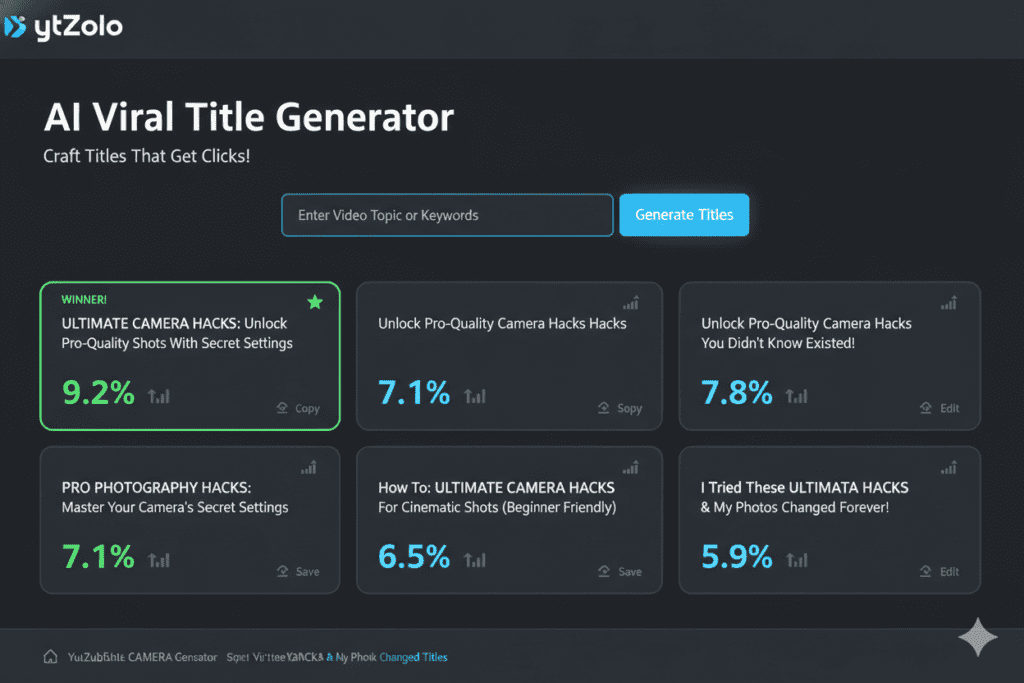
ytZolo is an all-in-one AI YouTube growth platform built specifically for creators who want to grow faster, without burning out. And its Viral Title Generator is one of the most powerful tools available for implementing YouTube video title length best practices 2026 — automatically.
Here’s what ytZolo’s title engine does for you:
- Analyzes thousands of high-performing titles across your niche to identify the patterns that drive clicks
- Generates multiple title variations using proven formulas — number-based, curiosity gap, transformation promise, and more
- Front-loads your keyword automatically so you’re always within YouTube’s recommended character zone
- Optimizes for both SEO and CTR simultaneously — not one at the expense of the other
- Saves hours of manual research that most creators simply don’t have time for
But ytZolo doesn’t stop at titles. It’s a complete YouTube growth platform. While you’re focused on getting your title right, ytZolo is also generating your thumbnail concepts, writing your SEO-optimized description, building your tag set, and even scripting your video.
Everything works together — because your title, thumbnail, description, and tags need to be aligned around a single video concept for the best title length for YouTube videos to perform as one cohesive unit.
That’s not four separate tools. That’s one complete system. And it’s the exact system the fastest-growing creators are using right now.
Check out the ytZolo blog for more data-backed strategies on YouTube growth, title optimization, and AI-powered content creation.
Why ytZolo Is Better Than Other Tools
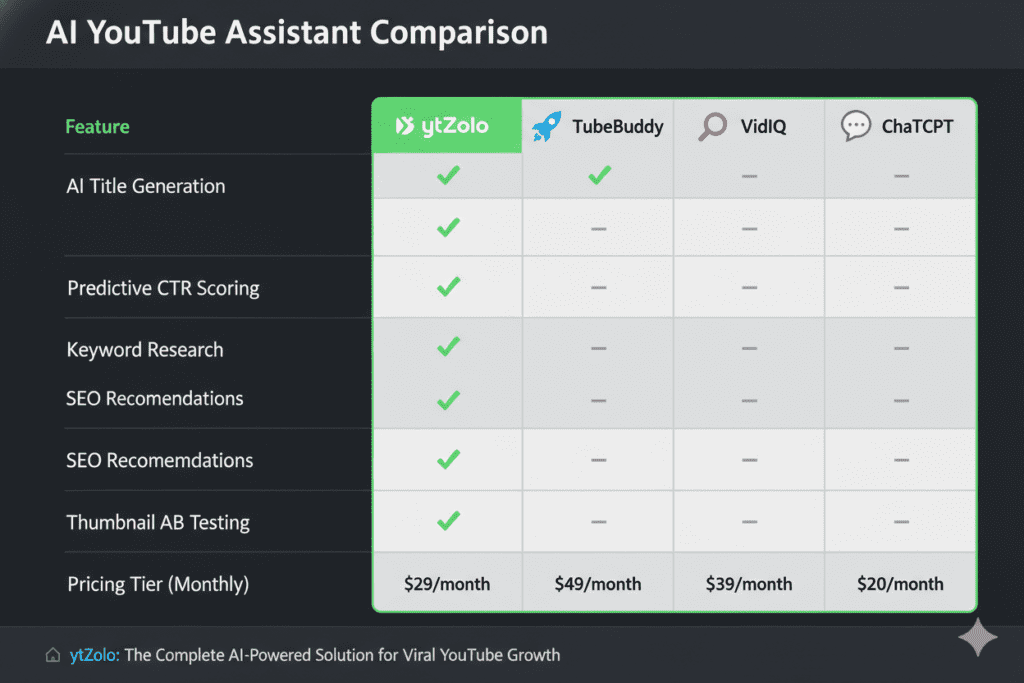
There are plenty of tools claiming to help with YouTube title optimization. So why are serious creators switching to ytZolo?
Here’s the honest breakdown:
| Feature | ytZolo | TubeBuddy | VidIQ | ChatGPT | Canva |
|---|---|---|---|---|---|
| YouTube-Native Title AI | ✅ Built for YouTube | ⚠️ Basic suggestions | ⚠️ Basic suggestions | ❌ Generic | ❌ No |
| Multiple Title Variations | ✅ Yes | ❌ Limited | ❌ Limited | ⚠️ Manual prompting | ❌ No |
| CTR & SEO Optimization | ✅ Combined | ⚠️ Analytics only | ⚠️ Analytics only | ❌ No data | ❌ No |
| Thumbnail AI | ✅ Yes | ❌ No | ❌ No | ❌ No | ⚠️ Design only |
| Script Writing | ✅ Yes | ❌ No | ❌ No | ⚠️ Generic | ❌ No |
| Tags & Descriptions | ✅ Automated | ✅ Analytics | ✅ Analytics | ❌ No | ❌ No |
| All-in-One Workflow | ✅ Yes | ❌ No | ❌ No | ❌ No | ❌ No |
The fundamental difference:
TubeBuddy and VidIQ are analytics tools with title features bolted on as an afterthought. They tell you what’s happening with your channel. They don’t do the creative work for you.
ChatGPT is powerful but generic. It has no YouTube-specific training, no understanding of CTR psychology for video, and no awareness of the best title length for YouTube videos or what’s actually trending in your niche right now.
ytZolo was built from the ground up for YouTube creators. Every feature — title generation, thumbnail creation, script writing, metadata optimization — was designed around one single goal: helping your videos get found, get clicked, and grow your channel.
According to research from HubSpot’s State of Marketing Report, creators who use AI tools produce content up to 3x faster and maintain more consistent publishing schedules — exactly what the YouTube algorithm rewards most.
Manual title writing is outdated. Creators who rely on guesswork are being left behind by those who use AI to make every upload as visible as possible for the best title length for YouTube videos. The good news? Getting started with ytZolo takes minutes, not months.
FAQ: YouTube Video Title Length Best Practices 2026
Q1: What is the ideal YouTube title length in 2026?
The ideal YouTube video title length in 2026 is 65–80 characters for most videos. This range gives you enough space to include your primary keyword naturally, add a compelling hook, and stay within the visible limit on most devices. For tutorial and search-heavy content, titles up to 100 characters can improve SEO depth. For YouTube Shorts, keep titles to 30–40 characters to stay visible in the Shorts feed.
Q2: Does YouTube title length affect SEO and rankings?
Yes, significantly. YouTube’s algorithm uses your title as one of its primary ranking signals. Titles in the 70–100 character range consistently outperform shorter titles in performance studies. Front-loading your primary keyword within the first 30 characters can improve search rankings by up to 20%. At the same time, your title also drives click-through rate (CTR) — which is itself a major ranking signal. Following YouTube video title length best practices 2026 means optimizing for both SEO depth and human clickability simultaneously.
Q3: How many characters show in YouTube search results?
YouTube search results typically display 60–70 characters of a title before truncating with an ellipsis (…). On mobile home feeds and browse features, truncation can happen as early as 35–50 characters. However, when users actively search on desktop, they often see more of the title. This is why front-loading your keyword and hook in the first 50 characters is critical — regardless of your total title length.
Q4: Should I include the year (2026) in my YouTube title?
Include the year only when your content is genuinely time-sensitive — algorithm update guides, annual roundups, trend analyses, or tools-and-software tutorials where information changes regularly. For evergreen content (how-to guides, storytelling, skills-based tutorials), avoid including the year. A title like “How to Build a YouTube Audience” compounds views for years. The same title with “in 2026” has a 12-month shelf life before it starts losing clicks.
Q5: How do I write a YouTube title that gets both SEO rankings and high CTR?
The key is balancing two goals in one title. Use a two-part structure with a separator: the first half is keyword-optimized and search-friendly; the second half is curiosity-driven and emotionally compelling. Example: “YouTube Video Title Length Best Practices 2026: What the Data Actually Says.” The first half ranks in search. The second half creates a curiosity gap that drives the click.
Use one of the seven proven formulas (number, curiosity gap, transformation promise, warning, year + action, comparison, or bracket format) to structure the second half — and check your CTR in YouTube Studio after 7 days to see what’s working.
Conclusion: Stop Guessing, Start Growing
Let’s bring it all together.
YouTube video title length best practices 2026 are not about hitting some magic number. They’re about understanding the full picture — the algorithm, the viewer psychology, the device constraints, and the data — and writing titles that serve all of it at once.
Here are the core takeaways:
- The ideal YouTube video title length in 2026 is 65–80 characters for most content, stretching to 100 for search-heavy tutorials
- Front-load your primary keyword within the first 30–40 characters
- The “keep it under 60 characters” rule is outdated — data shows longer titles outperform
- Use proven title formulas: numbers, curiosity gaps, transformation promises, and brackets
- Never sacrifice clickability for SEO, and never sacrifice SEO for clickability — do both
- A/B test your titles regularly and update underperformers — it’s often the single fastest path to more views
- Shorts titles need to be 30–40 characters max; long-form can go up to 100
Following YouTube video title length best practices 2026 is powerful. But doing it manually, for every video, while also editing, filming, managing your community, and trying to grow? That’s where creators burn out.
That’s why the smartest creators in 2026 aren’t doing it alone. They’re pairing their creative instincts with the power of ytZolo — generating data-backed title variations in seconds, optimizing their metadata automatically, and spending their saved time doing what they actually love: making content.
Your next video deserves a title that gets found. A title that gets clicked. A title that grows your channel.
Start creating smarter, faster, and more viral YouTube content with ytZolo today.
Want more data-backed YouTube growth strategies? Explore the ytZolo blog for the latest on title optimization, YouTube SEO, AI tools, and channel growth that works in 2026.
External resources: YouTube Creator Academy · YouTube Creator Blog · HubSpot State of Marketing Report


Ищите откровенные видео, исследуя надежные платформы в Интернете.
Изучите надежные порнохабы для приватного просмотра.
Here is my web site: КУПИТЬ РИВОТРИЛ