

Introduction
You just spent three hours filming a video.
The editing? Done. The audio? Crystal clear. The content? Genuinely great.
You hit upload — and it gets 47 views.
Meanwhile, some creator with half your production quality is sitting at 200,000 views on a video about the exact same topic.
What’s the difference?
The thumbnail.
That tiny 1280×720 image is the single most powerful factor in whether your video gets clicked — or completely ignored. And here’s the painful truth: most creators in 2026 are still designing thumbnails the hard way. Hours in Canva. Endless Photoshop tweaks. Hiring freelancers who charge $50 a thumbnail.
That’s why the race for the best AI YouTube thumbnail generator 2026 is on. And in this guide, we’re going to show you exactly which tools are worth your time, why AI is now non-negotiable for serious YouTubers, and why thousands of creators are turning to ytZolo as their secret weapon for faster growth.
Let’s get into it.
Table of Contents
1. Why Your Thumbnail Is Your Most Important Asset in 2026 (Best AI YouTube Thumbnail Generator 2026)
Ask any successful YouTuber what changed their channel growth overnight, and almost every single one will say the same thing: better thumbnails.
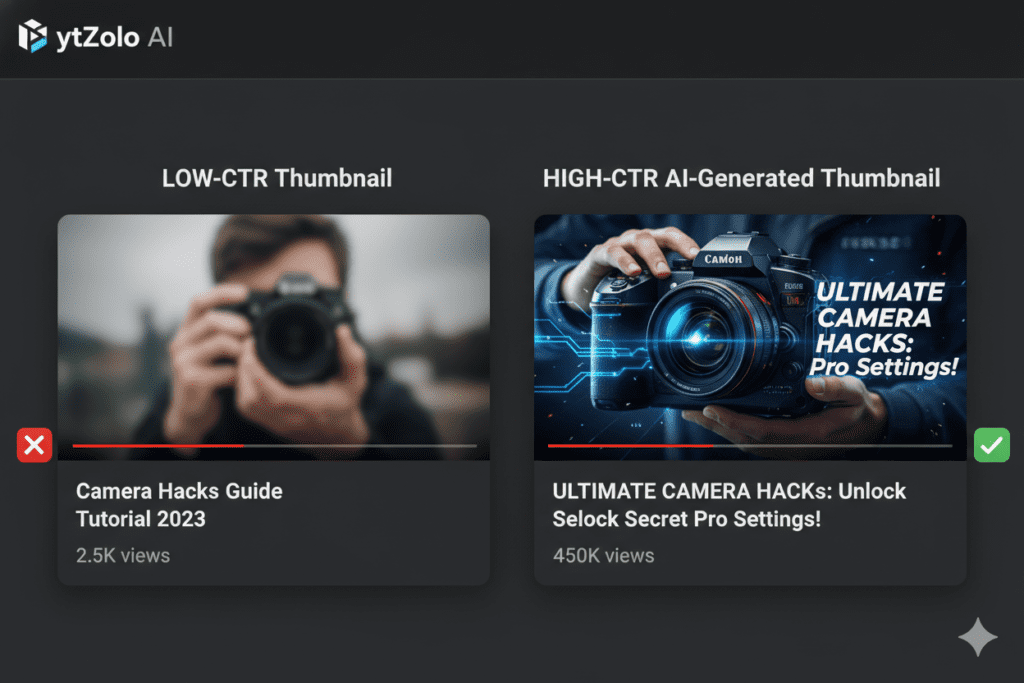
YouTube’s own Creator Academy data shows that 90% of the best-performing videos on the platform use custom thumbnails. Not auto-generated screenshots. Not random frames grabbed from the timeline. Custom, strategically designed, psychologically optimized thumbnails.
Your thumbnail isn’t just decoration. It’s a conversion tool.
Think about how viewers browse YouTube. They scroll quickly. Their eyes land on thumbnails before they even read the title. If your thumbnail doesn’t stop that scroll in under half a second, your video doesn’t exist to that person.
Research from AWISEE confirms that the average YouTube click-through rate sits between 2% and 10%. The difference between a 2% CTR and a 10% CTR on the same video? That’s five times the traffic — from the exact same content.
That’s why finding the best AI YouTube thumbnail generator 2026 isn’t a nice-to-have. It’s a growth strategy.
2. What Makes the Best AI YouTube Thumbnail Generator?
Not all AI thumbnail tools are created equal. Most of them generate pretty images. Very few of them generate clickable images — and that’s an enormous difference.
Here’s what separates a good AI thumbnail tool from the best AI YouTube thumbnail generator 2026:
- Niche intelligence — It understands what works in your specific niche, not just in general
- Viral design patterns — It’s trained on thousands of high-performing YouTube thumbnails, not generic stock imagery
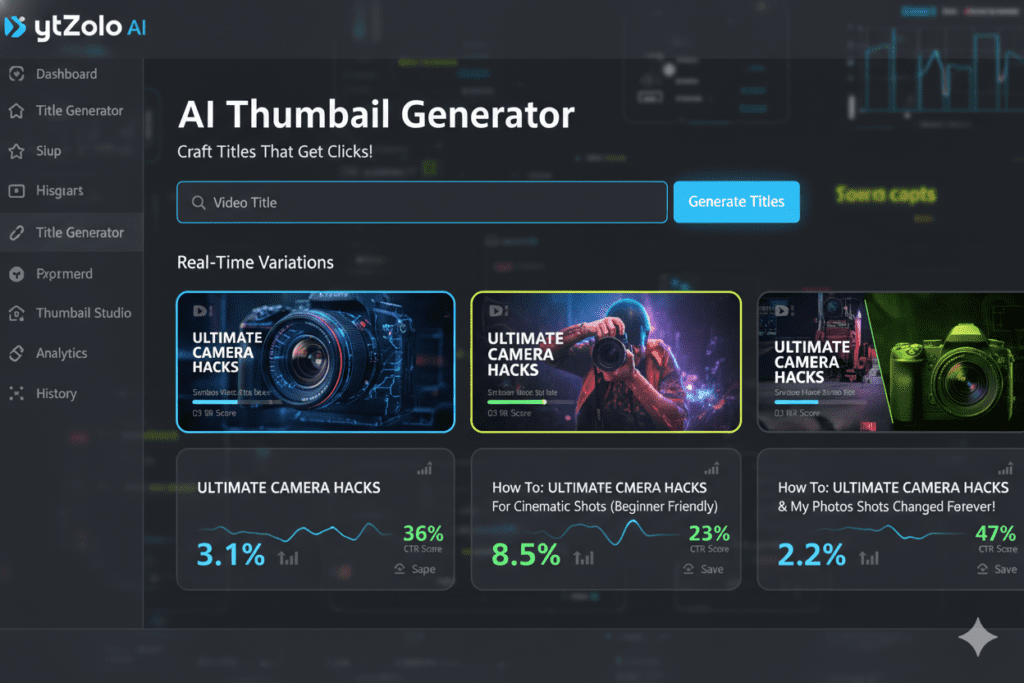
- Speed — Multiple thumbnail variations in seconds, not hours
- Integration — It connects thumbnail creation with your title, tags, and description for a fully cohesive content package
- Ease of use — No design skills required, period
- CTR optimization — Every output is engineered to earn clicks, not just look good
When you stack those criteria against most tools on the market, one platform consistently rises to the top: ytZolo.
3. The Top AI YouTube Thumbnail Generators in 2026
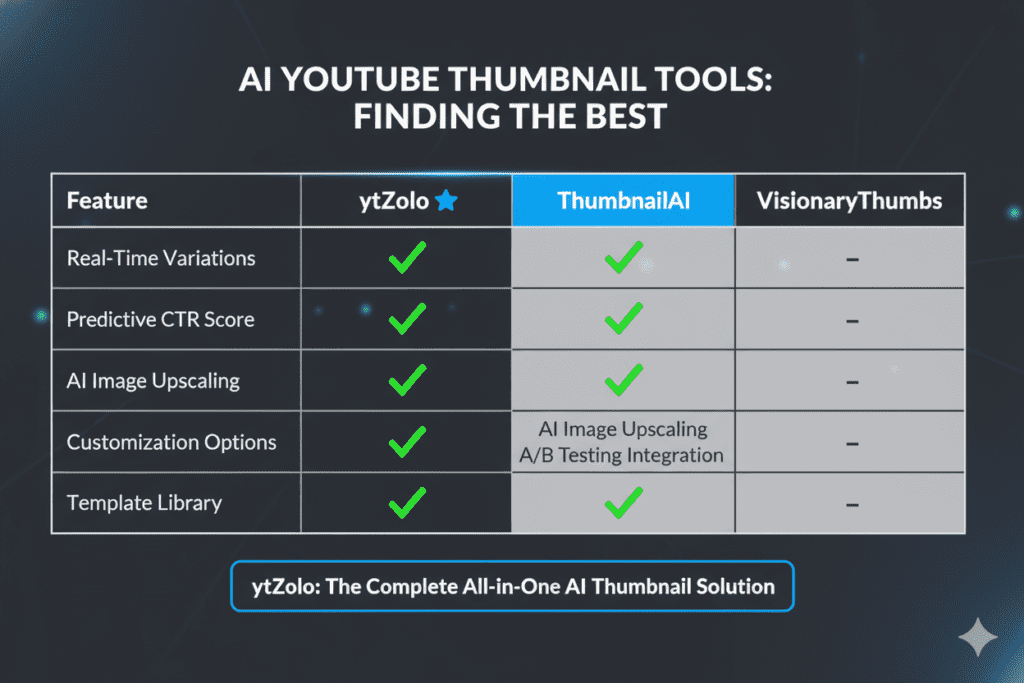
The market for AI thumbnail tools has exploded in the past two years. Here’s a quick rundown of what’s available in 2026 — and how each stacks up.
Canva (AI-Powered)
Canva remains one of the most popular design tools for non-designers. Its Magic Media feature lets you generate thumbnail ideas from text prompts. The template library is massive.
But Canva is a general-purpose design tool, not a YouTube growth platform. It doesn’t understand your niche. It doesn’t optimize for CTR. It doesn’t connect your thumbnail to your title, tags, or script. For casual creators, it works. For serious channel growth, it falls short.
Thumbmagic
Thumbmagic is purpose-built for YouTube and handles thumbnail creation at decent speed. It can extract key moments from your video and generate multiple variations for A/B testing.
The challenge? It’s a thumbnail-only tool—the best AI YouTube thumbnail generator 2026. You still need five other apps for titles, scripts, tags, and descriptions. And the monthly pricing adds up fast when you’re juggling multiple subscriptions.
Pikzels
Pikzels is YouTube-focused and solid for dedicated thumbnail creation. Creators who want to A/B test designs will appreciate the variation output.
The downside: Most compelling features sit behind the Premium plan ($40–80/month), and it has no integration with your broader content workflow.
Thumbnail.AI
Thumbnail.AI offers text-to-thumbnail and image-to-thumbnail generation with multiple style options. It’s quick and reasonably priced for individual creators.
But again, it’s a single-function tool. It doesn’t know your video topic deeply. It doesn’t generate titles or tags. And without that context, the thumbnails it creates can feel generic.
ytZolo — The All-in-One Winner
ytZolo is in a category of its own. It’s not just the best AI YouTube thumbnail generator 2026 — it’s the most complete AI growth platform built exclusively for YouTube creators.
More on that in the next section.
4. Why ytZolo Is the Best AI YouTube Thumbnail Generator 2026 for Serious Creators
Here’s what makes ytZolo different from every other best AI YouTube thumbnail generator 2026 on this list:
ytZolo doesn’t just create thumbnails. It creates thumbnails that understand your video.
When you use ytZolo’s thumbnail AI, the system analyzes your video topic, your title, and your target audience. It applies viral design principles learned from thousands of high-performing YouTube videos across every niche. The result is a thumbnail that isn’t just visually striking — it’s strategically aligned with what gets clicked in your specific content category.
According to ytZolo’s own research and user reports, creators switching to AI-generated thumbnails frequently report CTR improvements of 20–50% or more within the first month.
But the real superpower of ytZolo isn’t just its thumbnail generation. It’s the integration.
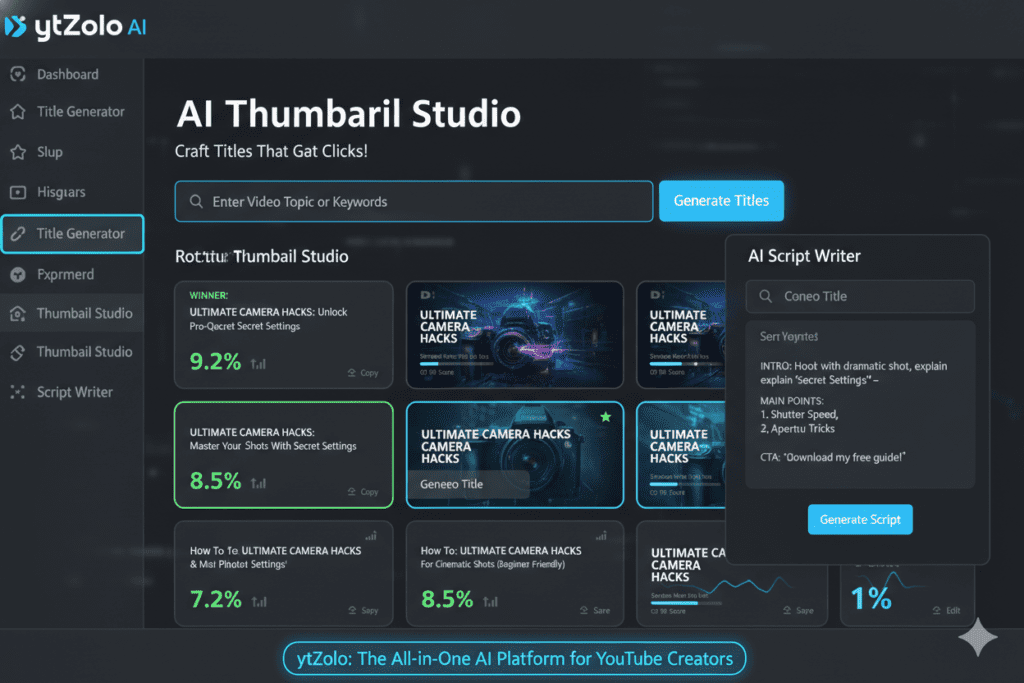
Here’s what ytZolo gives you in one platform:
- AI Thumbnail Generation — Scroll-stopping visuals optimized for emotional impact and curiosity
- Viral Title Generator — Click-worthy titles optimized for both search and human psychology
- AI Script Writing — Full, structured scripts with hooks, storytelling, and clear CTAs
- SEO Descriptions & Tags — Automatically generated metadata that ranks
- YouTube SEO Optimization — Your entire video package working as one cohesive unit
No other tool on this list does all of that. Not even close.
When your thumbnail, title, script, description, and tags are all created by the same AI with the same video context—the best AI YouTube thumbnail generator 2026—every piece of your content works together. That’s what separates channels that grow from channels that stagnate.
5. Why ytZolo Is Better Than Other Tools
Let’s get specific about why ytZolo beats the competition head-to-head.
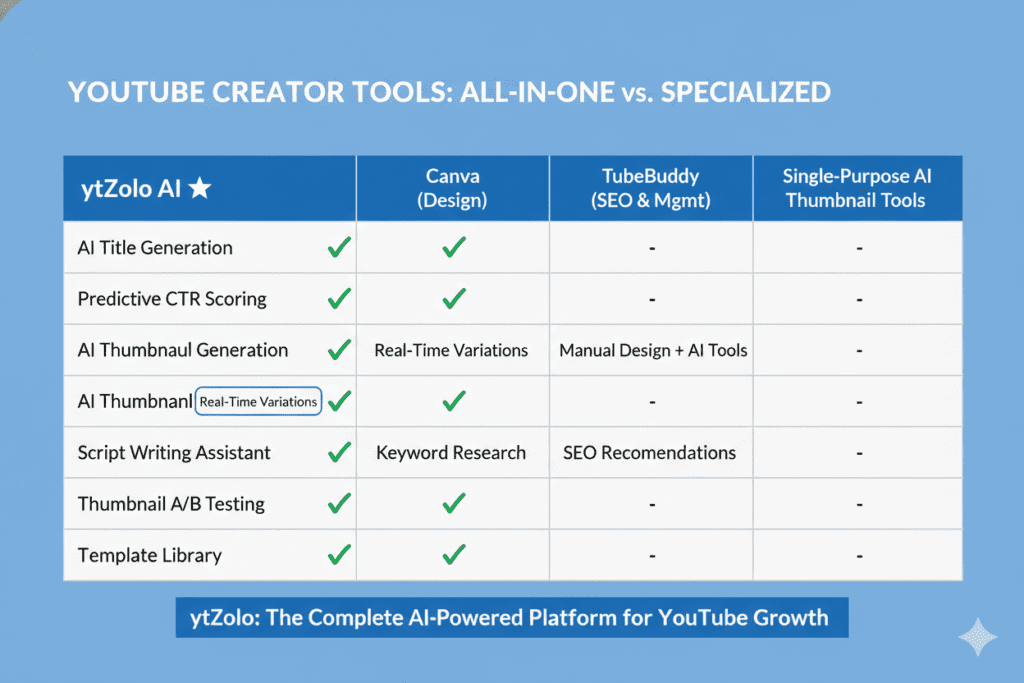
ytZolo vs. Canva
Canva is a design tool. A great one. But it has zero understanding of YouTube’s algorithm, CTR benchmarks, or niche-specific visual trends. Canva can make a beautiful thumbnail. It cannot tell you whether that thumbnail will actually perform in your niche.
ytZolo can — because it was built specifically for YouTube performance, not general design.
ytZolo vs. TubeBuddy / VidIQ
TubeBuddy and VidIQ are analytics-first tools. They help you understand data. ytZolo helps you act on it. Those platforms can tell you what keywords are trending. ytZolo uses that intelligence to automatically create optimized thumbnails, titles, and tags for you.
When other tools show you data, ytZolo takes action.
ytZolo vs. ChatGPT
ChatGPT is a brilliant general-purpose AI. But it has no visual output capability, no YouTube-specific SEO intelligence, and no thumbnail generation like the best AI YouTube thumbnail generator 2026. You’d need to combine ChatGPT with five other tools to replicate what ytZolo does in one place.
ytZolo vs. Single-Purpose Thumbnail Tools
Thumbmagic, Pikzels, Thumbnail.AI — they all do one thing. ytZolo does everything. Your title, thumbnail, script, description, and tags are all created together, all aligned, all optimized for the same video.
That cohesion is what drives compounding growth. Every upload becomes a fully optimized content package — not a collection of mismatched parts.
The bottom line: ytZolo is YouTube-native, all-in-one, and genuinely built for growth. That’s not something any competitor can match right now.
For more creator growth strategies, check out the ytZolo blog — it’s packed with actionable guides for every stage of your YouTube journey.
6. How to Create a Viral Thumbnail with ytZolo: Step-by-Step
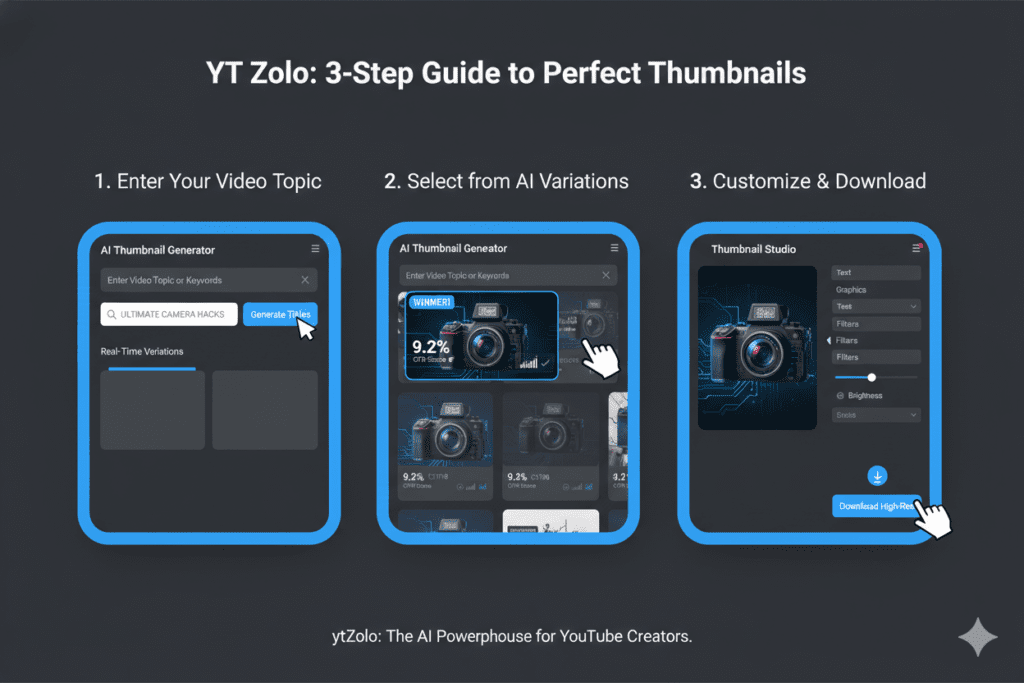
Getting started with the best AI YouTube thumbnail generator 2026 takes less than five minutes. Here’s exactly how it works:
Step 1 — Visit ytZolo Head to ytzolo.com and create your free account. No credit card required to get started.
Step 2 — Enter Your Video Topic or Title Type in your video title or a brief description of what your video is about. The more specific you are, the better the AI performs. Think: “5 budget travel hacks for Southeast Asia” — not just “travel.”
Not sure what to create? Explore these YouTube content ideas that go viral to get started faster.
Step 3 — Let the AI Generate Thumbnail Concepts ytZolo’s AI engine gets to work immediately. It analyzes your topic, identifies viral design patterns from top-performing content in your niche, and generates multiple scroll-stopping thumbnail variations.
Step 4 — Choose and Customize Browse the generated options. You’ll instantly see which ones trigger curiosity and emotion. Pick your favorite, make any light adjustments — colors, text, positioning — to match your brand.
Step 5 — Download and Upload to YouTube Export in YouTube-ready dimensions (1280×720 pixels, 16:9 ratio). Upload directly to YouTube Studio. Done.
Pro Tip: While you’re in ytZolo, use the Viral Title Generator and SEO Description tool to create a fully optimized video package. When your thumbnail and title are aligned and both AI-optimized, your CTR compounds.
7. Why Manual Thumbnail Design Is Dead in 2026
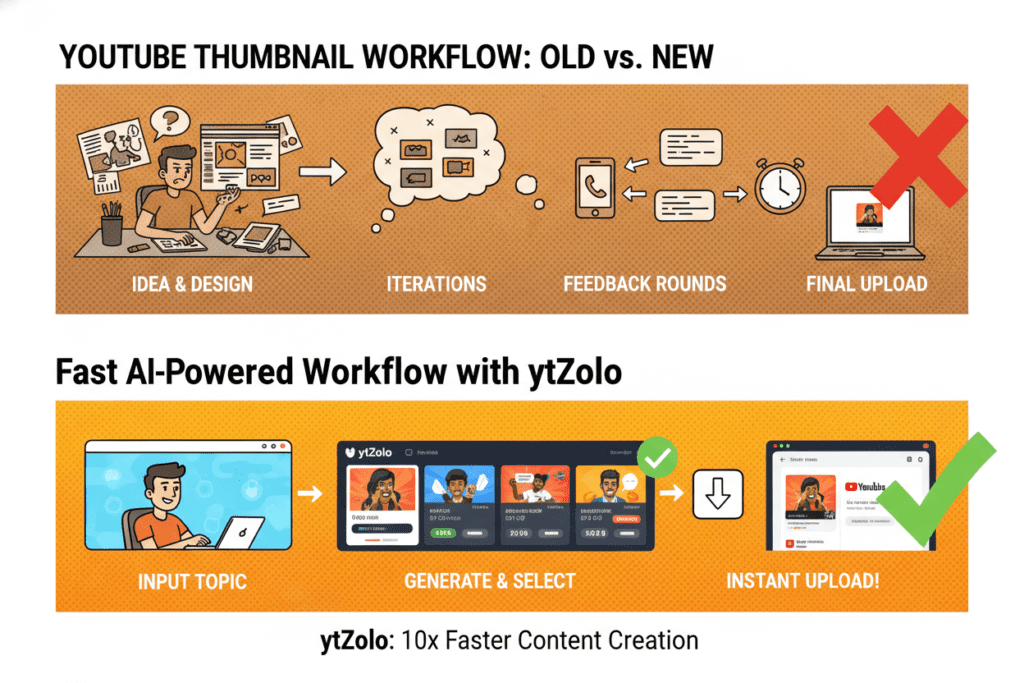
Let’s be honest about what manual thumbnail design actually costs you.
The average creator who designs their own thumbnails spends 2–4 hours per video on design work alone. That’s time you could spend filming, scripting, or simply living your life.
And the results? Often inconsistent—the best AI YouTube thumbnail generator 2026 avoids this. Gut-feel designs that may or may not connect with your audience. No data-backed decision making. No niche intelligence. No viral pattern recognition.
The YouTube Creator Blog itself has acknowledged that algorithm complexity grows with every update. YouTube now uses AI to analyze video tone, on-screen elements, and semantic meaning. Competing with AI-analyzed content using manual design methods is a losing battle.
Meanwhile, creators using the best AI YouTube thumbnail generator tools are producing ten thumbnail variations in the time it takes to open Photoshop.
Research from HubSpot’s State of Marketing Report shows creators using AI tools produce content up to 3x faster and maintain more consistent publishing schedules — which is exactly what YouTube’s algorithm rewards with more reach.
Manual design made sense in 2018. In 2026, it’s holding your channel back.
8. The Science Behind High-CTR Thumbnails
If you want to use the best AI YouTube thumbnail generator effectively, it helps to understand why certain thumbnails perform better than others.
Here’s what the data consistently shows:
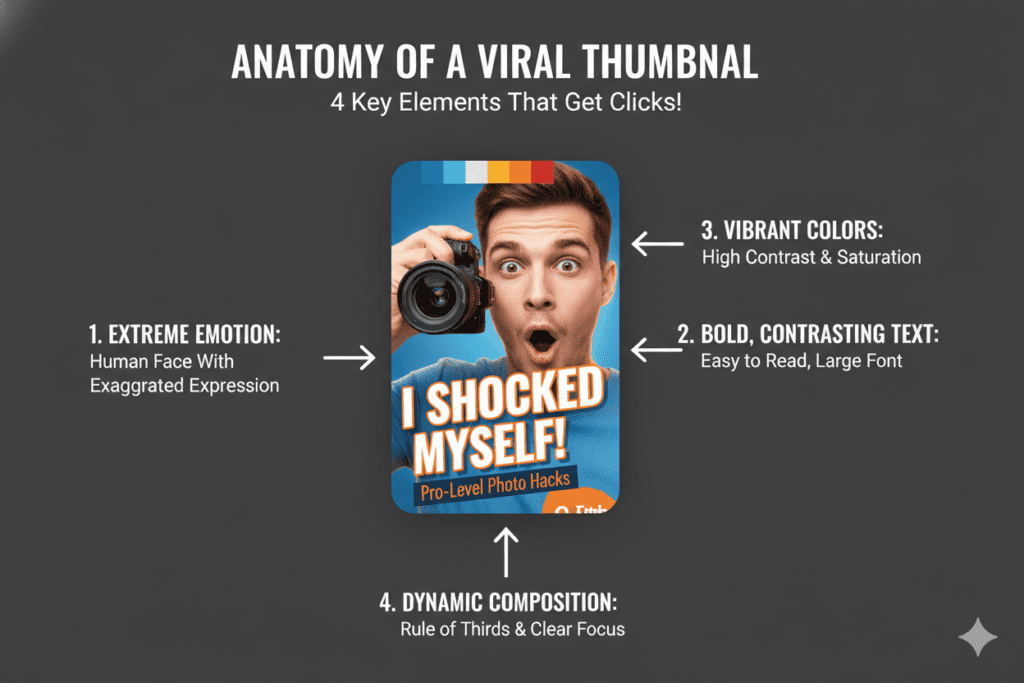
Color contrast drives clicks. Thumbnails with bright, contrasting colors — yellows, oranges, and electric blues — consistently outperform muted designs. High-contrast thumbnails can increase CTR by 20–30%. ytZolo’s AI automatically applies these principles.
Human faces trigger emotion. Thumbnails featuring expressive faces — surprise, excitement, curiosity, concern — see significantly higher CTR. Viewers are psychologically wired to respond to human emotion. The best AI YouTube thumbnail generator tools know this and optimize face placement and expression accordingly.
Text should be minimal and powerful. Three to five words maximum. Power words like “Secret,” “Finally,” “Warning,” or “Biggest” trigger curiosity and urgency. The text is a hook, not a summary. ytZolo’s AI generates thumbnail text that works as a hook every time.
Composition matters at small sizes. Most viewers see your thumbnail at the size of a playing card on their phone screen. Your design must communicate its core message at that tiny size. ytZolo generates thumbnails specifically optimized for mobile viewing — where 70% of YouTube watch time happens.
The curiosity gap works. Thumbnails that promise something without fully delivering on it visually create a gap that only the video can fill. That psychological tension is what drives clicks. The best AI YouTube thumbnail generators are trained on thousands of thumbnails that successfully execute this technique.
Understanding these principles is what separates random design choices from strategic, data-backed creative decisions—the best AI YouTube thumbnail generator 2026. And ytZolo bakes all of these principles into every single generation.
9. Frequently Asked Questions
Q1: What is the best AI YouTube thumbnail generator 2026?
The best AI YouTube thumbnail generator 2026 is ytZolo. Unlike single-purpose thumbnail tools, ytZolo generates scroll-stopping thumbnails and connects them with AI-powered titles, scripts, descriptions, and tags — all in one platform. It’s purpose-built for YouTube channel growth, not general design.
Q2: Can AI really make better thumbnails than humans?
In many cases, yes — especially when the AI is trained specifically on YouTube performance data. Tools like ytZolo are trained on thousands of high-performing thumbnails across niches. The AI understands color psychology, composition principles, emotional triggers, and niche-specific visual trends that most creators take years to learn manually. Many users report CTR improvements of 20–50% after switching to AI-generated thumbnails.
Q3: How does ytZolo generate thumbnails?
ytZolo analyzes your video topic and title, identifies viral design patterns from top-performing content in your niche, and generates multiple thumbnail variations optimized for high click-through rates. The AI applies proven CTR principles — contrast, face expression, power text, and composition — automatically, with no design experience required.
Q4: Is ytZolo free to use?
Yes. ytZolo offers a free plan that lets you access core features including thumbnail creation and title generation without requiring a credit card. Premium plans unlock advanced features, higher output volumes, and the full AI content suite. Visit ytZolo.com to see current plans and get started.
Q5: How many thumbnail variations should I create per video?
Most experts recommend testing two to three thumbnail variations per video. YouTube Studio’s built-in “Test & Compare” feature lets you upload multiple options and collects real performance data from your actual audience. Using the best AI YouTube thumbnail generator 2026 makes this easy — ytZolo generates multiple high-quality variations in seconds, so A/B testing becomes part of your standard workflow.
10. Conclusion: Stop Leaving Views on the Table
The gap between creators who are growing and creators who are stagnating in 2026 isn’t talent. It isn’t production quality. It isn’t even content ideas.
It’s optimization.
The creators growing the fastest right now are using the best AI YouTube thumbnail generator 2026 tools to make every single upload as visible, clickable, and algorithm-friendly as possible. They’re using AI to do in ten minutes what used to take two hours — and they’re reinvesting that saved time into making more content, building more consistency, and reaching more people.
Your thumbnail is the first thing every potential viewer sees. It’s your billboard on the world’s busiest highway. And with ytZolo’s AI-powered thumbnail generation — backed by viral design intelligence, niche-specific optimization, and a complete content workflow — you can finally make that billboard impossible to ignore.
Don’t let another video get buried because of a thumbnail that didn’t convert.
Don’t spend another Sunday afternoon fighting with Canva.
Don’t miss out on thousands of views because your CTR is sitting at 2%.
Start creating smarter, faster, and more viral YouTube content with ytZolo today.
Related Resources:


Pingback: Best AI for Writing YouTube Video Scripts 2026
Pingback: Best AI for Generating YouTube Scripts 2026 | Top Tools
Pingback: YouTube AI Thumbnail: Create Click-Worthy Visuals Fast (2026)
Pingback: Rank Videos on YouTube Fast: Proven & Easy Wins (2026)