
Table of Contents
1. The Wake-Up Call Every Creator Needs
Picture this. You just spent 8 hours filming, editing, and uploading the best video of your life.
You know the content is gold. You’ve done the keyword research. You hit publish — and then you wait.
Three days later? 47 views. A 1.8% CTR. Crickets.
Your video didn’t fail because of bad content. It failed before anyone ever pressed play.
It failed because of your thumbnail.
If you want a deeper breakdown of what actually drives clicks, check out this guide on best AI YouTube thumbnail generators in 2026.
In 2026, a YouTube AI thumbnail isn’t just a nice-to-have — it’s the single most powerful weapon in your content strategy. Creators who understand this are blowing up. Those who ignore it are invisible.
This guide will show you exactly why the YouTube AI thumbnail era is here, how to use it smartly, and why ytZolo is the tool that’s giving creators an unfair advantage.
2. What Is a YouTube AI Thumbnail?
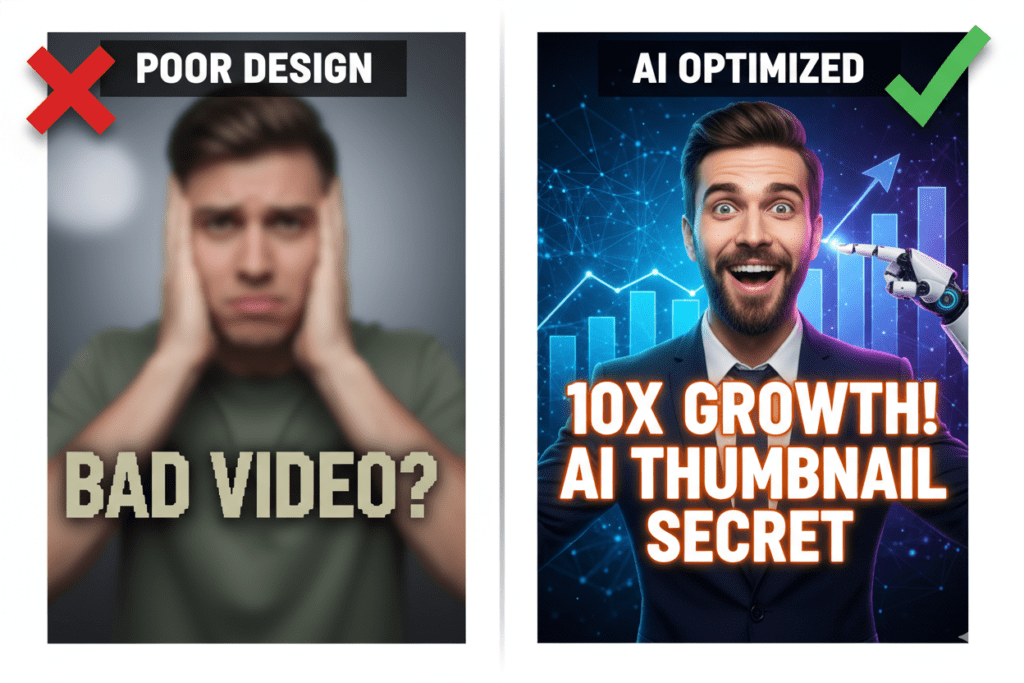
A YouTube AI thumbnail is a custom video preview image generated or optimized by artificial intelligence.
Instead of spending hours in Photoshop or Canva guessing what might work, an AI thumbnail tool analyzes what actually drives clicks — color psychology, facial expressions, text placement, contrast, niche trends — and builds a thumbnail based on that data.
To understand how AI is transforming the entire content creation process, read AI tools for content creators.
Think of it as having a world-class designer AND a data scientist working together on every single video you publish.
AI thumbnail tools in 2026 can generate full-resolution YouTube AI thumbnails in seconds, not hours. And the best ones — like ytZolo — integrate that thumbnail creation into a full YouTube growth workflow.
3. Why Your Thumbnail Is Make or Break
Here’s the harsh truth about YouTube in 2026: your thumbnail decides your fate before your video even loads.
According to YouTube’s own Creator Academy, 90% of the best-performing videos on the platform use custom thumbnails. That’s not luck. That’s strategy.
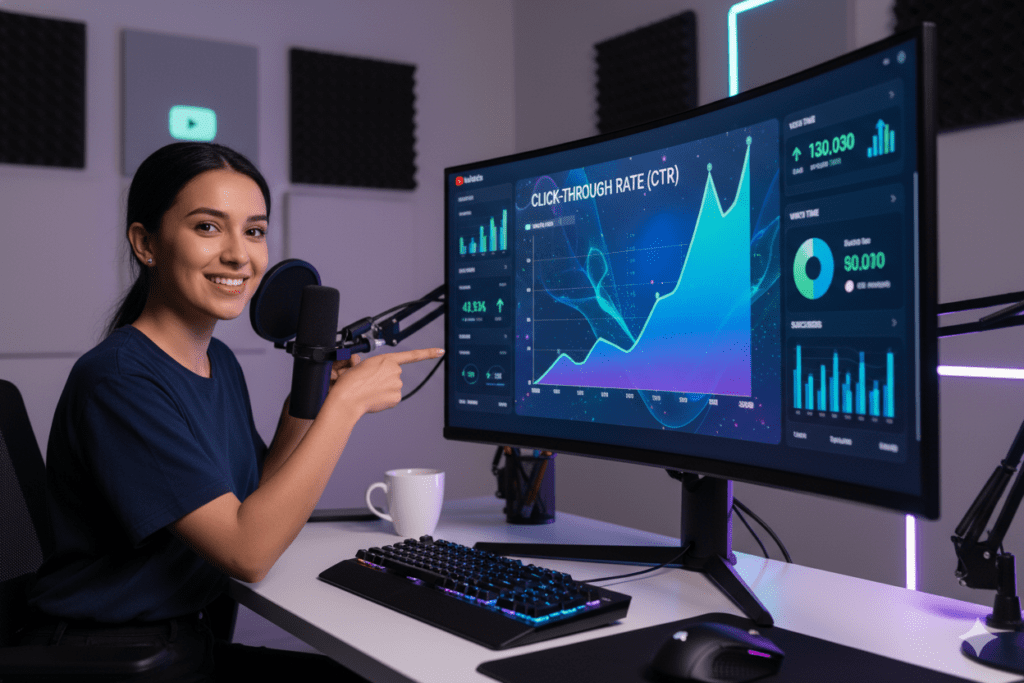
Your CTR (click-through rate) is one of the most critical signals YouTube uses when deciding how widely to distribute your content. A good CTR — typically 4–6% — tells the algorithm your video is worth showing to more people. An exceptional CTR of 7–10%+ can trigger a viral spiral.
On the flip side, a weak CTR buries your video. Doesn’t matter how brilliant the content is.
And here’s the kicker: YouTube’s “Quality CTR” system introduced in 2026 doesn’t just reward clicks — it rewards clicks that lead to strong watch time. Your thumbnail needs to attract the right audience, not just any audience.
That’s exactly where a YouTube AI thumbnail strategy beats manual design every time.
Key thumbnail CTR benchmarks in 2026:
- Below 2% — Something is fundamentally broken
- 2–4% — Average territory, room to improve
- 4–6% — Solid performance
- 6–10% — Excellent — algorithm-friendly territory
- 10%+ — Viral zone for high-intent niches
4. The Problem With Manual Thumbnail Design
Let’s be honest. Most creators are terrible at thumbnails — and it’s not their fault.
Designing a great YouTube thumbnail manually requires skills in graphic design, color theory, typography, and psychological copywriting. It also requires knowing what’s actually working in your specific niche right now.
Most of us don’t have all of that. And even those who do spend 2–4 hours per thumbnail — time that should go into creating more content.
Here’s what manual thumbnail design costs you:
- Time: Hours per video that compound into weeks and months of lost productivity
- Consistency: Different moods mean different quality results video to video
- Data-blindness: Gut feelings instead of performance-driven decisions
- Missed trends: You can’t manually track what thumbnails are going viral in your niche in real-time
As one creator put it on Reddit: “I changed my thumbnail style based on generic advice and my CTR dropped from 5% to under 1%.”
That’s what happens when you design without data.
A YouTube AI thumbnail tool removes all of this friction. It takes the guesswork out. It uses what actually works — trained on real YouTube performance data — so your thumbnails start strong every single time.
AI thumbnail tools are trained on massive datasets of YouTube thumbnails. The model learns which visual patterns correlate with high CTR, high watch time, and strong engagement — across different content categories.
If you want to see how these data-driven patterns are applied in real tools, check out this guide on best AI YouTube thumbnail generators in 2026.
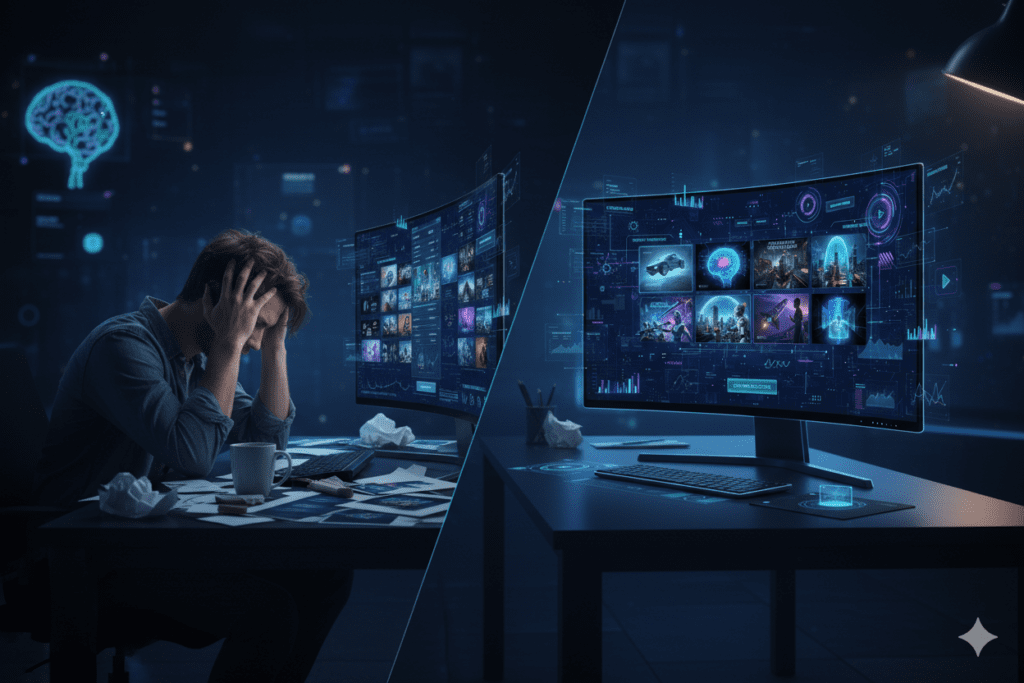
5. What Makes a High-CTR YouTube AI Thumbnail?
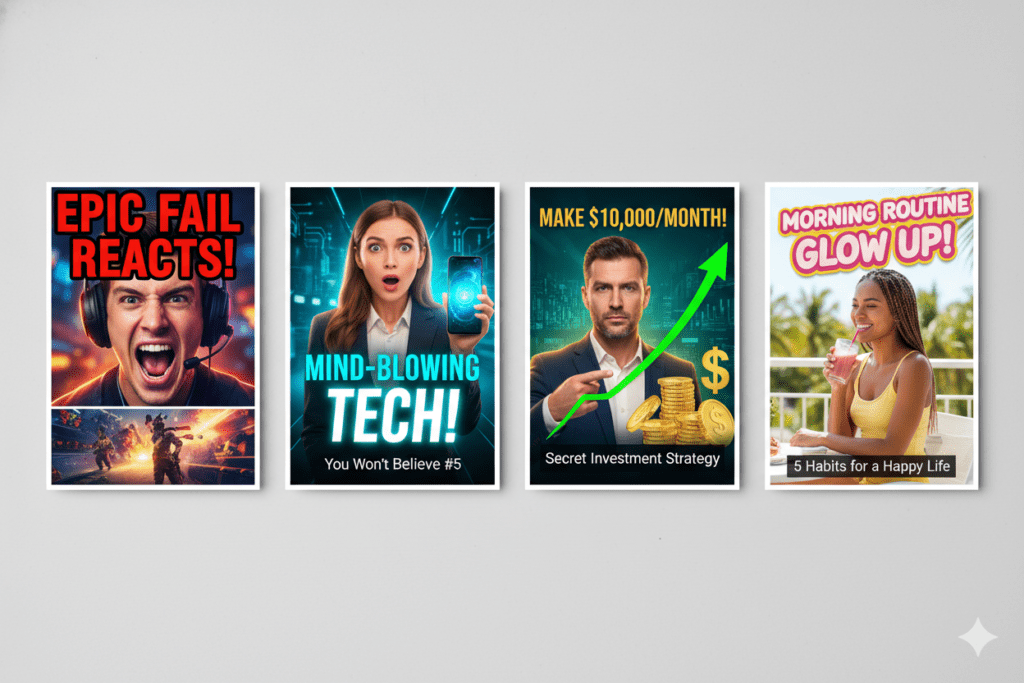
Not all YouTube AI thumbnails are created equal. The best ones share specific characteristics — and the smartest AI tools know exactly what those are.
Emotional Faces That Stop the Scroll
Research cited by HubSpot shows that thumbnails featuring expressive human faces can increase CTR by 20–30%. Surprise, excitement, and curiosity are the top-performing emotions.
The face is the fastest communication channel we have. A shocked expression tells viewers “something wild happens in this video” in 0.3 seconds flat.
High-Contrast Colors That Pop
YouTube thumbnails compete against hundreds of other videos in the same feed. Your thumbnail needs to interrupt the scroll immediately.
Bold, high-contrast color combinations — think deep blacks against bright yellows, or electric blues against white — dominate click rates. AI thumbnail generators are trained to prioritize contrast for exactly this reason.
Short, Bold, Readable Text
Three to five words maximum. In a large, readable font. Sized for mobile viewers, who represent over 70% of YouTube traffic.
If someone can’t read your thumbnail text on a phone screen while riding the subway, you’ve lost the click.
Single Clear Focal Point
The most clicked thumbnails in 2026 all share one trait: one thing to look at. One face. One product. One bold visual. Cluttered thumbnails confuse viewers — and confused viewers scroll past.
Niche-Specific Visual Language
A gaming thumbnail looks nothing like a finance thumbnail. Your AI thumbnail tool needs to understand your specific niche — not just generic “YouTube best practices.”
This is exactly where ytZolo pulls ahead. It’s purpose-built for YouTube, trained on niche-specific performance data, and designed to make your thumbnails feel on-brand for your specific audience.
6. How ytZolo Transforms Your YouTube AI Thumbnail Game
ytZolo isn’t just another AI image generator wearing a YouTube costume.
It’s an all-in-one AI YouTube growth platform — and its YouTube AI thumbnail feature is just one powerful piece of a much bigger engine.
Here’s what makes ytZolo’s thumbnail generation genuinely different:
Built Specifically for YouTubers
Generic AI tools like Midjourney or DALL-E produce beautiful images. But they have no idea what makes a YouTube thumbnail perform.
ytZolo’s AI has been trained on real YouTube performance data. It understands click psychology, mobile rendering, niche visual language, and CTR optimization patterns. Every thumbnail it creates is designed with one goal: to get clicked.
CTR-Optimized by Default
When ytZolo creates a YouTube AI thumbnail, it automatically applies the principles that drive clicks — high contrast, emotional cues, optimal text placement, and niche-appropriate visual style.
You don’t need to know color theory. You don’t need to study typography. The AI handles it.
Full HD, No Watermarks, Ready to Upload
ytZolo exports your YouTube AI thumbnail in full 1280×720 HD — the exact resolution YouTube recommends — with no watermarks, no compression artifacts, no extra editing needed.
Integrated With Your Entire YouTube Workflow
This is the game-changer. ytZolo doesn’t just make thumbnails in isolation.
It integrates your thumbnail creation with AI-powered titles, scripts, descriptions, tags, and SEO optimization — all in one platform. When you tell ytZolo what your video is about, it generates a full package: a scroll-stopping thumbnail, a CTR-optimized title, an SEO-rich description, and the right tags.
That’s your entire YouTube upload workflow handled by AI in minutes.
Check out the ytZolo blog for real creator case studies and deeper dives into YouTube growth strategies.

7. Why ytZolo Is Better Than Other Tools
The market is flooded with AI thumbnail tools in 2026. Here’s why ytZolo stands apart from the competition.
ytZolo vs. Generic AI Image Generators (Midjourney, DALL-E, etc.)
Generic AI image generators create beautiful art. But they have zero understanding of YouTube performance psychology. They can’t optimize for CTR. They don’t know your niche. They produce base images that still require hours of editing to add text, branding, and YouTube-specific formatting.
ytZolo delivers a complete, upload-ready YouTube AI thumbnail in one workflow.
ytZolo vs. Design Tools (Canva, Adobe Express)
Canva is great for manual design. But it’s still a manual process — you’re still the one making every design decision, choosing templates, resizing, and hoping your gut is right.
Canva’s AI features are general-purpose. They’re not trained on YouTube click behavior.
ytZolo replaces the guesswork with data-driven thumbnail creation built for YouTube creators.
ytZolo vs. Single-Purpose Thumbnail Tools
Some tools like Pikzels or Thumbnail.ai do thumbnail generation only. That’s fine if you want one slice of your content workflow solved.
But most creators need more: titles that rank, descriptions that convert, tags that get discovered. Paying for five separate tools eats your budget and fragments your workflow.
ytZolo gives you everything under one roof — AI thumbnails, AI titles, AI scripts, AI descriptions, AI tags — all designed to work together for maximum channel growth.
For a deeper comparison of tools and growth strategies, read AI tools for YouTube growth.
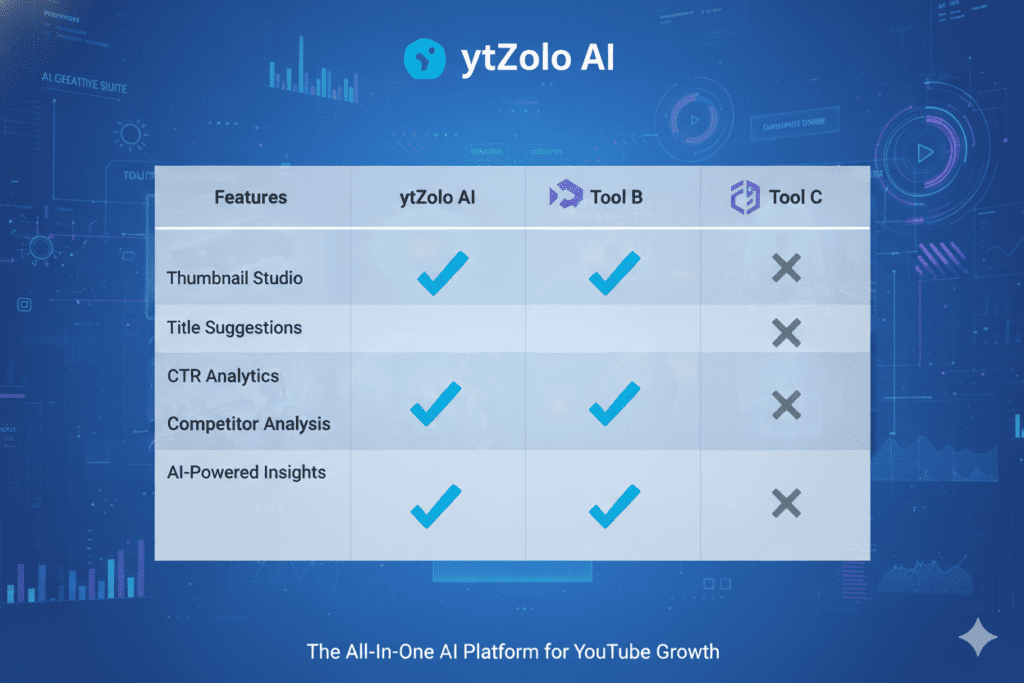
| Feature | ytZolo | Generic AI Tools | Canva | Single-Purpose Tools |
|---|---|---|---|---|
| YouTube-specific AI training | ✅ | ❌ | ❌ | ✅ (partial) |
| CTR-optimized thumbnails | ✅ | ❌ | ❌ | ✅ (partial) |
| Full HD, no watermarks | ✅ | Paid only | Paid only | Varies |
| Integrated title + SEO tools | ✅ | ❌ | ❌ | ❌ |
| Script & description generation | ✅ | ❌ | ❌ | ❌ |
| Built for viral content | ✅ | ❌ | ❌ | ❌ |
| Free plan available | ✅ | Limited | Limited | Varies |
The bottom line: if you’re serious about growing on YouTube, you need a tool that’s as serious as you are. ytZolo is built for that exact level of ambition.
8. Step-by-Step: Creating a YouTube AI Thumbnail With ytZolo
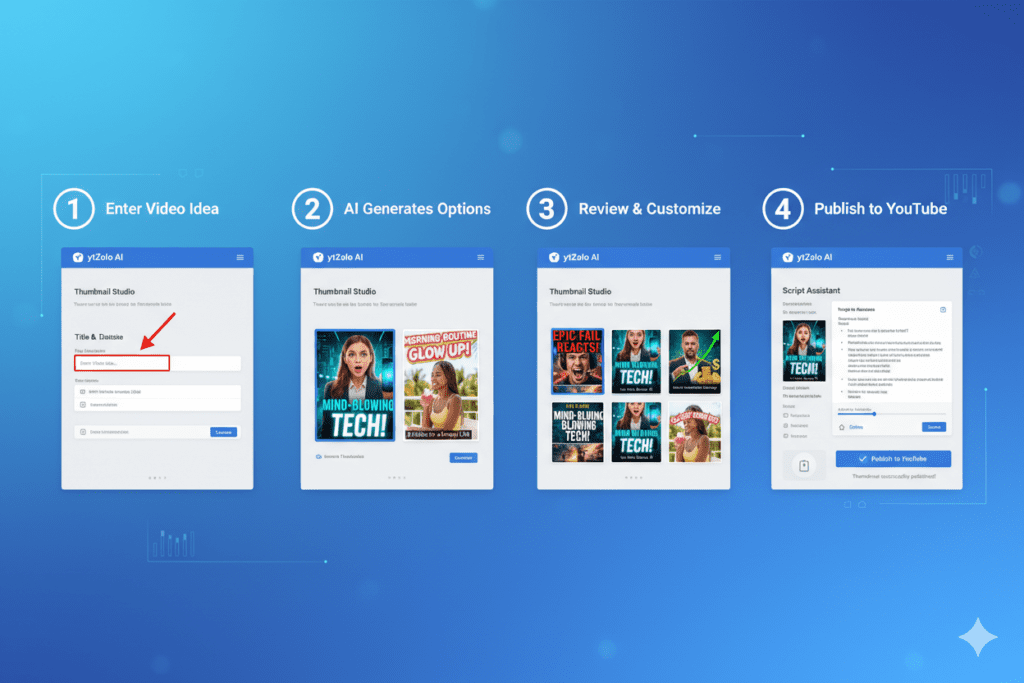
Ready to generate your first AI thumbnail? Here’s exactly how it works with ytZolo.
Step 1: Go to ytZolo.com and create your free account. No credit card required to get started. Takes 60 seconds.
Step 2: Enter your video topic or title. Tell ytZolo what your video is about. The more specific you are, the better the output. For example: “5 Budget Hacks That Saved Me $10,000 in One Year.”
Step 3: Choose your thumbnail style and niche. ytZolo lets you select your content category (finance, tech, gaming, lifestyle, etc.) and your preferred visual style. It adapts its AI output to match your channel’s visual identity.
Step 4: Generate your YouTube AI thumbnail options. In seconds, ytZolo generates multiple CTR-optimized thumbnail options. High contrast, bold text, emotional visual cues — all baked in.
Step 5: Review, customize, and download. Pick your favorite. Make any tweaks. Download in full 1280×720 HD, ready for YouTube upload. No extra editing tools needed.
Step 6: Use ytZolo’s full suite for the rest of your upload. While you’re there, let ytZolo generate your AI title, tags, and SEO description. Your entire YouTube upload — done in minutes.
Pro tip: Check the ytZolo blog for power-user strategies on maximizing your CTR with AI thumbnails.
9. Proven Strategies to Maximize Your YouTube AI Thumbnail CTR
Using a YouTube AI thumbnail tool is a huge head-start. But layering smart strategy on top of AI output takes your CTR to the next level.
Test Two Thumbnails Against Each Other
YouTube’s built-in thumbnail testing lets you upload multiple versions and measure which performs better. Always use it.
Create two distinct variations with ytZolo — different emotional angles, color combinations, or text. Let the data tell you what your specific audience responds to. Don’t guess. Test.
You can also learn advanced optimization tactics here best AI YouTube thumbnail generator guide.
Match Your Thumbnail Promise to Your Video Content
High CTR paired with low watch time is the worst signal you can send YouTube’s algorithm.
In 2026, YouTube’s “Quality CTR” system actively demotes videos where viewers click and immediately leave. Your thumbnail must promise exactly what your video delivers.
Design for Mobile First
Over 70% of YouTube views come from mobile devices. Your thumbnail must be readable on a 5-inch screen.
When ytZolo generates your YouTube AI thumbnail, preview it at small size before uploading. If the text isn’t sharp and the image isn’t clear at mobile thumbnail size (~300px wide), iterate.
Use Pattern Interruption in Your Niche
Look at the top 10 videos in your niche. What colors are they using? What style are they using?
Then do something visually different. If everyone is using bright red backgrounds, try deep black or electric green. Standing out in a crowded feed is more powerful than blending in with “good design.”
Build a Recognizable Visual Brand
Consistency builds recognition. Once you find a thumbnail style that clicks for your audience, systematize it.
ytZolo lets you apply consistent visual parameters across all your thumbnails — same color palette, same text style, same emotional energy — so your channel becomes visually recognizable in the feed.
Learn more thumbnail growth tactics on the ytZolo blog.

10. Real Creator Results: What Happens When You Switch to AI Thumbnails
The shift from manual to YouTube AI thumbnail creation isn’t just about saving time — it’s about transforming your channel’s growth trajectory.
Channels that move to data-driven, AI-optimized thumbnails consistently report:
- CTR increases of 30–80% within the first month of switching
- Faster organic discovery as YouTube’s algorithm rewards higher click rates with broader distribution
- More consistent performance across new uploads, rather than spiky hit-or-miss results
- 2–4 hours saved per video that get reinvested into creating more content
The compounding effect is the real story. More clicks → more watch time → algorithm trust → broader distribution → more clicks. It’s a flywheel.
And it all starts with the thumbnail.
Creators on the ytZolo blog have documented exactly this growth pattern after implementing AI thumbnail strategies. The evidence is clear: YouTube AI thumbnails aren’t the future of content creation — they’re the present.
According to YouTube’s Creator Academy, the channels that consistently perform best treat every element of their video packaging — thumbnails, titles, descriptions — as a strategic growth lever, not an afterthought.
[IMAGE PROMPT: YouTube creator celebrating at desk with multiple screen showing viral video metrics, high view counts visible, confetti effect, energy and excitement, 16:9]
11. FAQ: YouTube AI Thumbnail Questions Answered
What is a YouTube AI thumbnail?
A YouTube AI thumbnail is a custom preview image for your video that’s generated or optimized by artificial intelligence. AI thumbnail tools analyze performance data — color psychology, facial expression science, text placement, niche trends — and create thumbnails designed to maximize click-through rate (CTR).
Does using a YouTube AI thumbnail actually improve CTR?
Yes, significantly. AI thumbnails outperform manually designed ones for most creators because they’re built on performance data, not gut feeling. Research shows that expressive, high-contrast thumbnails generated by AI tools consistently achieve 30–80% higher CTRs than default or manually-designed alternatives when used correctly.
Is ytZolo the best AI tool for YouTube thumbnails?
ytZolo is widely regarded as one of the best AI tools for YouTube thumbnails in 2026. Unlike generic image generators, ytZolo is purpose-built for YouTube creators. It generates CTR-optimized, HD thumbnails that understand your niche — and integrates thumbnail creation with titles, scripts, descriptions, and tags for a complete YouTube growth workflow.
Can I use AI-generated thumbnails on monetized YouTube channels?
Yes. YouTube does not prohibit AI-generated thumbnails. The platform cares about viewer experience and content policy compliance — not which tool you used to create your thumbnail. As long as your thumbnail accurately represents your video content and doesn’t violate YouTube’s thumbnail policies, AI-generated thumbnails are fully allowed.
How many words should a YouTube AI thumbnail have?
Keep thumbnail text to 3–5 words maximum. Short, bold, readable text performs best because 70%+ of YouTube traffic comes from mobile devices where small text becomes unreadable. Your thumbnail text should complement your title — not repeat it — and create curiosity or communicate the core value of your video instantly.
12. Conclusion: Your Clicks Are Waiting
Here’s the reality check nobody wants to give you: great content alone doesn’t grow YouTube channels in 2026.
Every single day, thousands of valuable videos get buried because their YouTube AI thumbnail wasn’t optimized to compete.
The algorithm isn’t cruel. It’s just honest. It promotes what people click on. And people click on thumbnails that are bold, emotional, data-driven, and strategically designed.
You don’t need to become a graphic designer. You don’t need to spend hours in Photoshop. You don’t need to keep guessing.
You need ytZolo.
With ytZolo, every video you publish gets a scroll-stopping YouTube AI thumbnail crafted to earn clicks — backed by real performance data, built for your niche, and ready to upload in minutes. Plus, you get AI titles, scripts, descriptions, and tags to make every upload your best one yet.
The creators dominating YouTube in 2026 aren’t working harder. They’re working smarter — with better tools.
Start creating smarter, faster, and more viral YouTube content with ytZolo today.
👉 Get started free at ytZolo.com
Explore more growth strategies on the ytZolo Blog
External resources: YouTube Creator Academy | YouTube Help: Thumbnails

