
Introduction: The Video That Should Have Gone Viral — But Didn’t
Marcus had been creating fitness content for eight months straight.
He was consistent. He posted twice a week. He followed every tip he could find to analyze YouTube channel AI free. His thumbnails looked great — at least to him. His titles felt strong. His editing was clean.
But his channel sat stubbornly at 312 subscribers. His best video had 2,100 views. His watch time was going down, not up.
Then a creator friend told him three words that changed everything: “Analyze your data.”
Marcus spent one afternoon doing a free AI audit of his channel. What he found shocked him. His average viewer was dropping off at 0:47 seconds — before he even finished his intro. His CTR was 2.1%. Three of his most-watched videos were ranking for keywords he’d never even targeted. And one underperforming video had a title that was costing him hundreds of clicks per week.
He fixed those four things. Six weeks later? 4,700 subscribers. 40,000+ views on a single video. A CTR above 7%.
Nothing changed except his understanding of the data.
That’s the power of learning to analyze your YouTube channel with AI free tools — and acting on what you find. In this guide, you’ll learn exactly how to do the same thing Marcus did, step by step, without spending a dime. And you’ll discover why ytZolo is the AI platform thousands of creators use to go from audit to action faster than any other tool available.
Let’s get to work.
Table of Contents
Why Most Creators Never Analyze Their YouTube Channel — And Pay the Price
Here’s an uncomfortable truth: most YouTubers are emotionally attached to their content, making it hard to analyze YouTube channel AI free objectively.
It’s human. You spent 15 hours on that video. You believe in it. Looking at data that tells you it’s underperforming feels like a personal failure — so most creators avoid it entirely.
Instead, they chase the next upload. And the next. And the next. Repeating the same mistakes 50 videos in a row because nothing in their workflow forces them to stop and ask: what does the data actually say?
The result? Plateaued channels. Wasted effort. Eventually, burnout.
The creators who break through in 2026 have one habit that separates them from the rest: they regularly and systematically analyze their YouTube channel AI free tools — many of which are completely free. They treat their channel like a business, not a hobby. And data is their most reliable advisor.
Watch time and audience retention are the true indicators of content quality and viewer engagement — not view counts. Yet most creators obsess over view counts, which tell you almost nothing about why a video succeeded or failed.
If you’ve been uploading without a structured analytical process, you’re not behind because you’re not talented enough. You’re behind because nobody showed you how to analyze YouTube channel AI free. This guide fixes that.

What Does It Actually Mean to Analyze a YouTube Channel with AI for Free?
When people search for ways to “analyze YouTube channel AI free,” they usually mean one of three things:
1. Channel-level analysis — Understanding the overall health, growth trajectory, and content patterns of your channel over time.
2. Video-level analysis — Drilling into individual video performance to understand why specific videos succeeded or failed.
3. Competitive analysis — Studying other channels in your niche to find content gaps, winning formats, and untapped keyword opportunities.
AI makes all three dramatically faster and more insightful than manual methods.
A human reviewing analytics can study one video at a time. An AI can analyze YouTube channel AI free across your entire library of 50, 100, or 200 videos simultaneously — spotting patterns, correlations, and anomalies that no human could detect at scale.
For example, AI can tell you that every video you’ve made longer than 12 minutes has a 35% higher subscriber conversion rate than shorter videos. It can flag that your thumbnail text is too small to read on mobile — across 40 videos at once. It can detect that your best-performing content cluster is tutorial videos published on Thursdays, and that you’ve only made three of them.
Those are the kinds of insights that change your strategy overnight. And in 2026, you can analyze YouTube channel AI free at a meaningful level using the right combination of free tools — starting with what’s already built into your YouTube account.

The 9 Metrics You Must Understand to Analyze YouTube Channel Performance
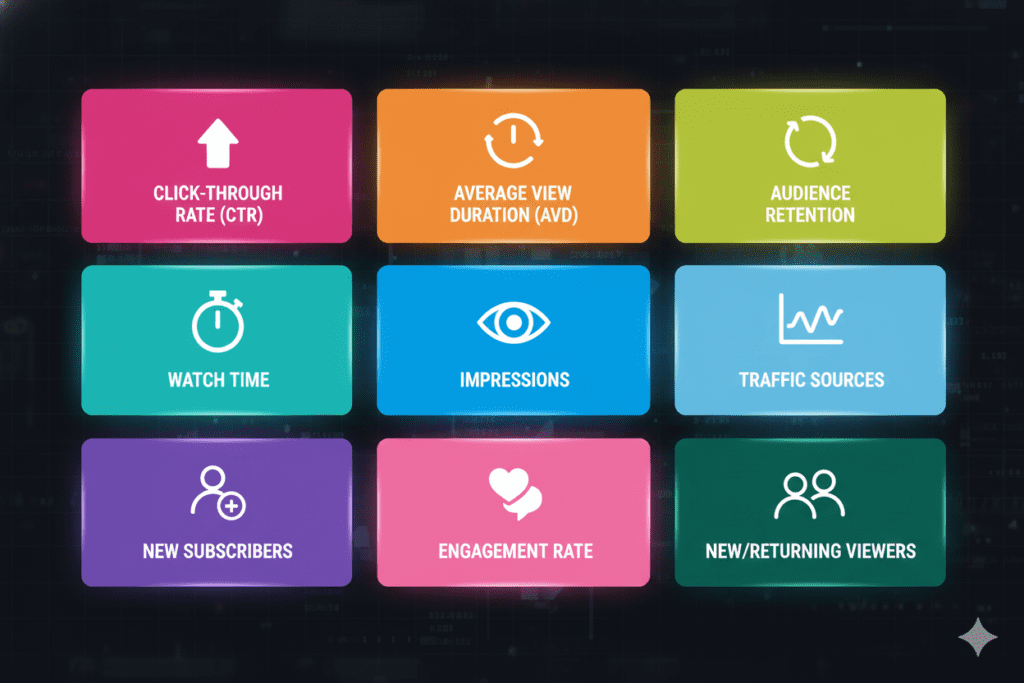
Before you can fix anything, you need to know what to look at. Here are the nine metrics that matter most when you analyze YouTube channel AI free in 2026 — and what each one is actually telling you.
1. Impressions Click-Through Rate (CTR)
CTR is the percentage of viewers who clicked your video after seeing its thumbnail. A solid CTR for long-form content typically falls between 4 and 10 percent, depending on your niche.
Below 3%? Your packaging — thumbnail or title or both — is failing. Above 7%? Your hook is strong. Now make sure your content delivers on the promise.
2. Average View Duration (AVD)
This is how long viewers actually watch your video on average. It’s one of the most direct signals of content quality when you analyze YouTube channel AI free.
Top videos achieve 50 to 60 percent average view duration. If you’re regularly falling below 40%, your content pacing, hooks, or topic alignment need serious work.
3. Audience Retention Curve
The retention curve is a second-by-second graph showing exactly when viewers stay and when they leave. It’s arguably the most powerful diagnostic tool in your entire analytics dashboard.
Sharp drops at 0 to 15 seconds mean slow intros. Gradual decline suggests boring content. Spikes indicate engaging moments to replicate. Sudden drops reveal specific problems to fix.
4. Watch Time (Total Hours)
YouTube’s algorithm rewards content that keeps people glued to the screen — more minutes watched signals higher viewer satisfaction when you analyze YouTube channel AI free, and YouTube pushes your videos to more people through search, recommendations, and autoplay.
Focus here instead of on raw view counts. Total watch time is the currency of the YouTube algorithm.
5. Impressions
Impressions measure how often YouTube showed your thumbnail to potential viewers. Rising impressions mean the algorithm is recommending you more. Declining impressions are a red flag — usually triggered by poor CTR or weak recent performance.
6. Traffic Sources
Traffic sources reveal which discovery channels are contributing most to your growth when you analyze YouTube channel AI free. Strong search traffic indicates your content is well optimized for keywords, while high suggested video traffic tells you YouTube is actively recommending your videos.
Understanding your traffic mix tells you where to double down and where to improve.
7. Subscribers Gained Per Video
Not all views convert to subscribers equally. This metric reveals which video topics, formats, and styles are actually building your long-term audience — versus which ones attract one-time viewers who never come back.
8. Engagement Rate
Likes, comments, shares, and saves as a percentage of views. Videos above 6% engagement receive algorithmic boosts that can double organic reach within 48 hours.
High engagement tells YouTube this content sparks a real reaction — and the algorithm rewards it with more distribution.
9. New vs. Returning Viewers
This ratio tells you whether your channel is expanding its reach (new viewers) or building a loyal community (returning viewers) when you analyze YouTube channel AI free. Healthy channels grow both over time.
If your returning viewer percentage is dropping, your content strategy may have drifted from what originally earned your audience’s loyalty.
Step-by-Step: How to Analyze Your YouTube Channel with AI for Free Today
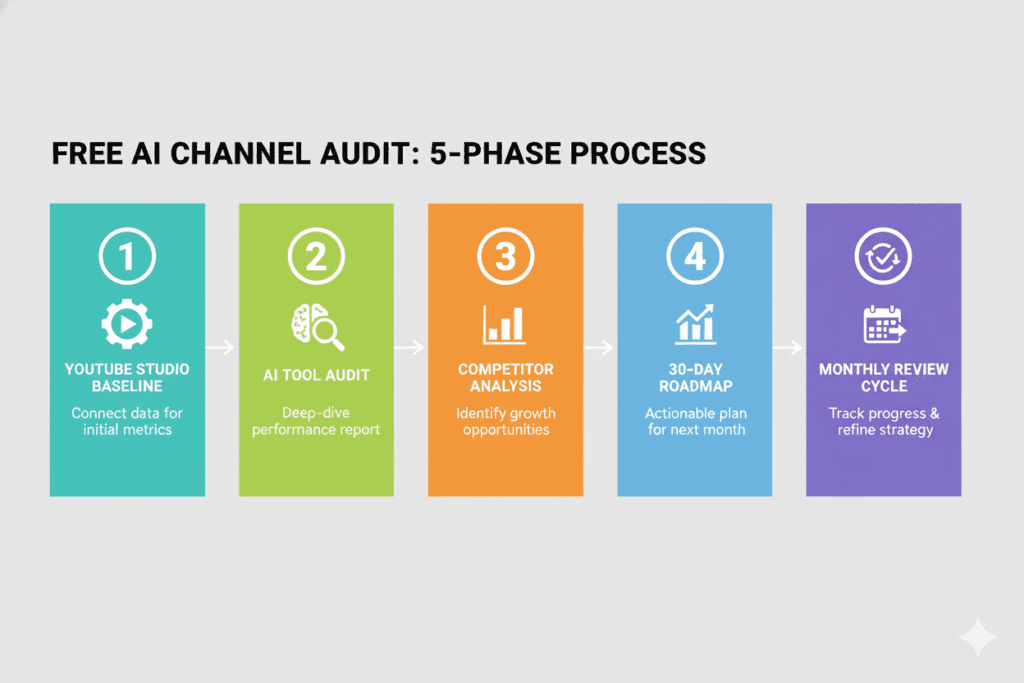
Here’s the exact process. No paid tools required to start.
Step 1: Run Your Free YouTube Studio Baseline Audit
Log in to YouTube Studio and start with these four specific reports — in this order:
Content Tab → Sort by Watch Time Don’t sort by views. Sort by watch time. Your top five watch-time videos are your channel’s real winners. Study them carefully — what topic, format, length, and title style do they share?
Content Tab → Retention Curves on Top 3 vs. Bottom 3 Videos Compare your highest and lowest performing retention graphs side by side when you analyze YouTube channel AI free. Look for the pattern. Where does one hold viewers that the other doesn’t? That pattern is your content formula.
Reach Tab → CTR by Traffic Source Break your CTR down by how viewers found you — YouTube Search, Browse Features, Suggested Videos. A video with 8% CTR from Search but 2% from Browse means your thumbnail isn’t strong enough for the homepage — but your SEO is working. Each traffic source needs its own optimization lens.
Audience Tab → Research Section This is the most underused section in YouTube Studio. It shows you what your existing audience is actively searching for on YouTube. This is a free keyword research tool hiding in plain sight inside your dashboard.
Step 2: Use a Free AI Tool to Audit Your Full Channel
YouTube Studio gives you raw data. But data alone doesn’t tell you what it means or what to do about it. This is where you can analyze YouTube channel AI free with AI tools that change the game entirely.
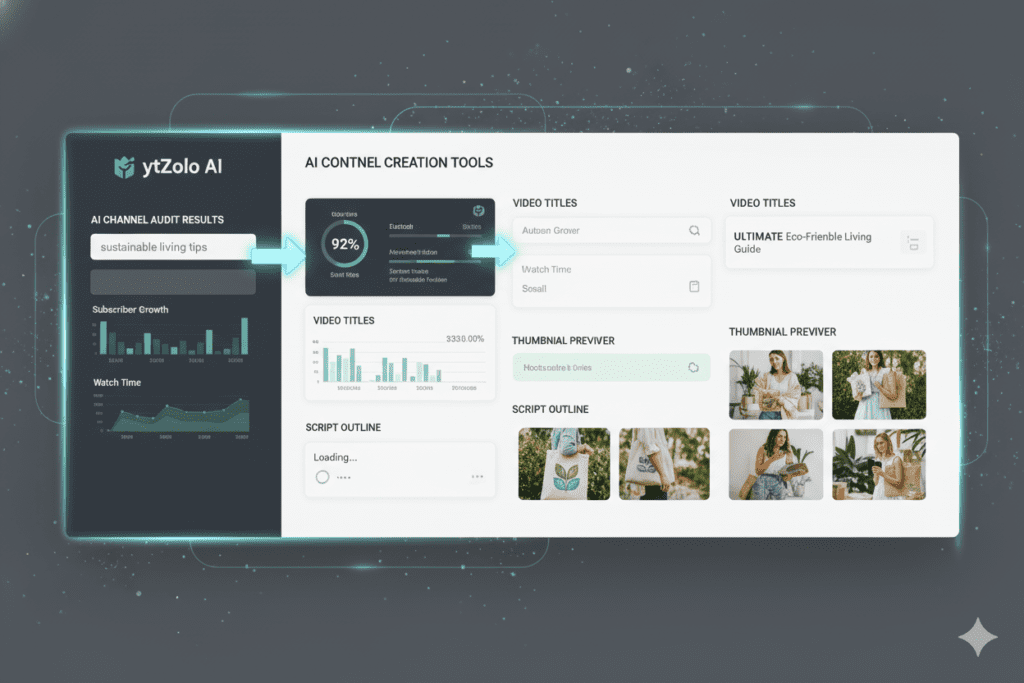
ytZolo offers free AI-powered channel analysis that processes your channel’s content patterns, performance history, and SEO health — and returns actionable recommendations, not just numbers.
A free AI channel audit through ytZolo typically surfaces:
- Your strongest content clusters and how often you’re actually using them
- Keyword and SEO gaps across your titles, descriptions, and tags
- Videos with high potential that are being held back by weak packaging
- Direct comparisons between your performance and niche benchmarks
- Your most and least effective upload patterns (day, time, frequency)
This level of insight — applied to your full channel simultaneously — used to require either a paid analytics platform or hours of manual spreadsheet work. Now you can access it free.
Step 3: Analyze Three Competitor Channels in Your Niche
Some of your most actionable insights live outside your own channel. When you analyze YouTube channel AI free, study three channels in your niche that are 2x to 5x your size — not the massive channels, but the ones just ahead of you.
For each, analyze:
- Their top 10 most-viewed videos from the last 90 days (topic and format patterns)
- Their thumbnail style — colors, face presence, text usage
- Their title formulas — do they use curiosity gaps, lists, power words, keywords first?
- Content gaps — what topics in your niche have they not covered that your audience is searching for?
Free tools like ytZolo’s competitor intelligence features and YouTube’s own search results surface this competitive picture without requiring a paid subscription.
Step 4: Build Your 30-Day Improvement Roadmap
After completing your free AI channel analysis, prioritize improvements in this exact order — highest impact first:
- Immediate wins — Refresh thumbnails on your 2–3 highest-impression, lowest-CTR videos when you analyze YouTube channel AI free. These have proven reach but failing conversion. A new thumbnail can unlock existing traffic overnight.
- Quick SEO fixes — Update titles and descriptions on your top 5 search-traffic videos to front-load keywords and improve search relevance.
- Hook overhaul — Apply the retention formula from your best-performing video to your next 3 uploads. Get to the value faster.
- Content gaps — Create one new video targeting the strongest keyword gap your AI audit identified.
- Consistency audit — Review your upload cadence. Channels that post on a consistent schedule see 2x more impressions than inconsistent ones at similar quality levels.
Step 5: Implement a Regular 28-Day Review Cycle
One audit won’t transform your channel. But a monthly review system will.
Set a recurring calendar reminder every 28 days to run through your core metrics, compare against the previous period, and update your content strategy accordingly.
Over 6 months, this compound improvement cycle can completely rebuild your channel’s algorithmic performance when you analyze YouTube channel AI free — even if your raw upload count stays the same.
What a Free AI Channel Audit Reveals That You’d Never See on Your Own
Manual analysis has a hard ceiling. Even when you analyze YouTube channel AI free, you can review one video at a time. You can spot one pattern at a time. And you’re always limited by your own blind spots — the assumptions you carry into every review that make you see what you expect, not what’s actually there.
AI removes those limitations entirely. Here’s what a free AI audit uncovers that manual review almost always misses:
The “invisible formula” hiding in your top videos. AI cross-references every attribute of your top performers — topic type, video length, hook style, thumbnail color palette, title format, day of publish — and finds the pattern that connects them. That’s your repeatable success formula. Without AI, most creators never discover it.
The exact second you’re losing viewers. Retention curves show you where viewers leave. But AI can scan those curves across your entire library and detect that you lose 22% of viewers every time you use a “what I’ll cover today” opening — but retain them 40% longer when you open with a direct challenge or bold statement. That’s a script change you make once and benefit from forever.
Hidden keywords you’re already ranking for. AI can identify videos in your library that are quietly ranking for valuable search terms you never optimized for when you analyze YouTube channel AI free — and flag that a simple title or description update could 3x their traffic without any additional content creation.
The thumbnail style that consistently underperforms for your niche. AI trained on thousands of channels can tell you that dark-background thumbnails in your niche underperform light-background ones by 31% on average — a design insight that changes how you approach every upload going forward.
Your optimal upload schedule based on real audience behavior. YouTube Studio shows you when your audience is online. When you analyze YouTube channel AI free, AI connects that data to your historical performance to identify the specific day-and-time combination that maximizes your early impression surge — which directly affects algorithm promotion in the first 48 hours.

How ytZolo Helps You Analyze Your YouTube Channel and Then Fix It
Here’s the problem with most “analyze YouTube channel AI free” tools: they end at the report.
You get a document full of scores, flags, and recommendations. You feel good about having data. Then you close the tab and open Canva, then ChatGPT, then TubeBuddy, then your keyword tool — and spend the next two hours cobbling together fixes using five different platforms that don’t talk to each other.
ytZolo is built differently. It’s an all-in-one AI YouTube growth platform that connects the analysis directly to the action.
When ytZolo’s free AI analysis flags that your titles are missing high-value keyword opportunities, you don’t need to go find another tool. ytZolo’s built-in AI Title Generator immediately produces optimized title alternatives built around those exact keyword gaps — ranked by predicted click performance, ready to copy and paste.
When your retention data shows the hook is failing in the first 30 seconds, ytZolo’s AI Script Writer generates a new hook framework based on the storytelling patterns that your highest-retention videos already use — helping you analyze YouTube channel AI free and optimize your next video’s topic automatically.
When your CTR analysis shows your thumbnails aren’t stopping the scroll on mobile, ytZolo’s AI Thumbnail Creator produces mobile-optimized, high-contrast visuals trained on top-performing content in your specific niche.
When your SEO audit reveals description and tag gaps that are costing you search rankings, ytZolo’s AI Description and Tag Generator fills every gap with semantically rich, keyword-aligned metadata in seconds.
Every diagnosis leads directly to a cure — inside the same platform. That analyze-to-create workflow is what makes ytZolo the most complete tool available for creators who want to analyze YouTube channel AI free without the chaos of a fragmented multi-tool stack.
Other tools show you what’s broken. ytZolo fixes it.
The ytZolo blog is packed with real creator case studies showing how this full-circle workflow has helped channels at every stage — from brand-new creators finding their first formula to established channels breaking through long-standing plateaus.
Why ytZolo Is Better Than Other AI Tools to Analyze Your YouTube Channel
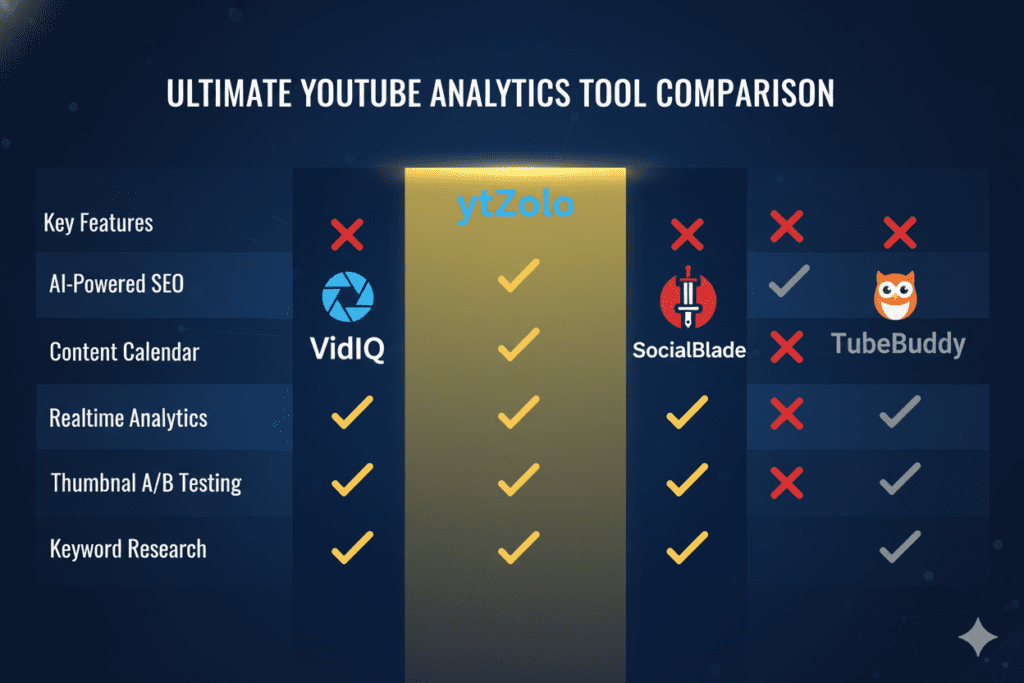
The market for free AI YouTube channel analyzers has grown fast in 2026. Here’s the straight-talk comparison of the most popular options creators are using right now:
| Feature | vidIQ | TubeBuddy | Autonolab | ytZolo |
|---|---|---|---|---|
| Free AI Channel Analysis | Limited | Limited | ✅ | ✅ |
| AI-Powered Competitor Analysis | ✅ | ✅ | ✅ | ✅ |
| Retention Pattern Detection | ❌ | ❌ | Limited | ✅ |
| AI Title Generator (post-audit) | ✅ | Limited | Limited | ✅ |
| AI Thumbnail Creator | Limited | ❌ | Limited | ✅ |
| AI Script Writer | ✅ | ❌ | Limited | ✅ |
| AI Description + Tags | ✅ | ✅ | ✅ | ✅ |
| Audit-to-Creation Connected Workflow | ❌ | ❌ | ❌ | ✅ |
| Purpose-Built for YouTube Growth | Partial | Partial | Partial | ✅ |
vidIQ is one of the strongest analytics platforms available — with solid free-tier features and a genuinely useful AI coaching component. But it’s fundamentally an analysis and advisory tool; to take action, you still need to analyze YouTube channel AI free yourself.
TubeBuddy leads the market in SEO tooling and A/B thumbnail testing features. But its content creation capabilities are minimal, and its free-tier analysis is basic compared to what’s available through ytZolo.
Autonolab is a newer all-in-one creator platform with a free channel analyzer and decent content generation features. It’s a legitimate competitor — but its creative tools lack the niche-specific intelligence and YouTube-algorithm alignment that ytZolo’s AI uses to analyze YouTube channel AI free effectively.
Generic AI tools — ChatGPT, Gemini, Claude — can assist with scripts and descriptions, but they have no understanding of your channel’s historical performance, no niche training, and no connection between your audit findings and the content they generate.
ytZolo wins because it connects the dots. Analysis flows directly into content creation. Every fix you need is built into the same platform that found the problem. That unified workflow isn’t just convenient — it’s the difference between channels that improve steadily and channels that analyze once and then stall.
The Post-Audit Action Plan: What to Do After You Analyze Your YouTube Channel
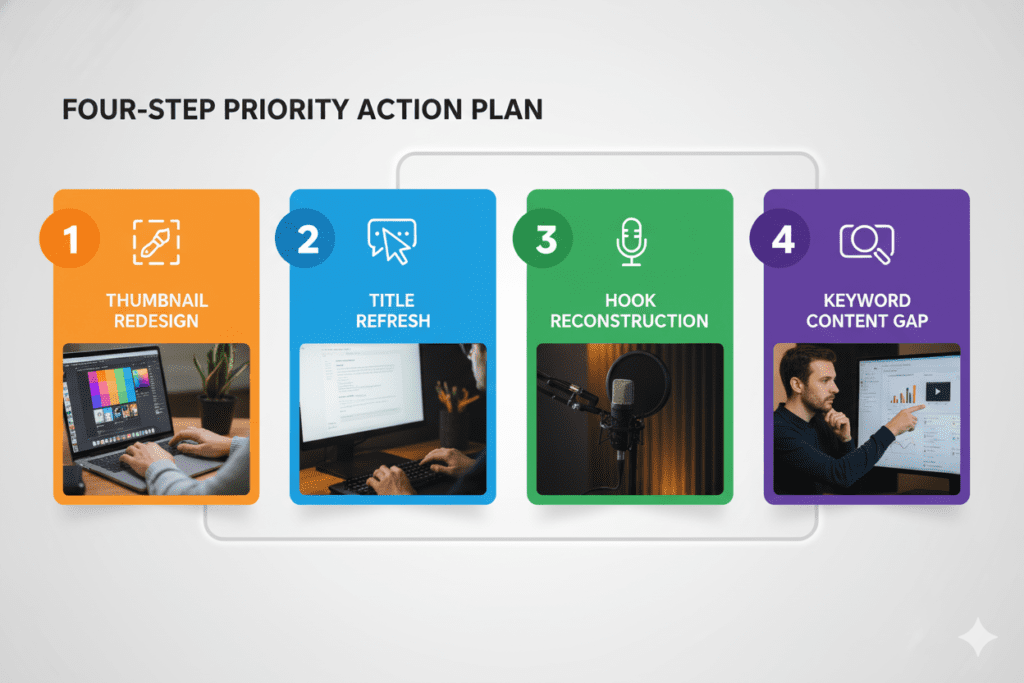
A free AI channel analysis is only valuable if you act on what it tells you. Here’s the highest-impact action plan to run immediately after you analyze YouTube channel AI free.
Priority 1: The 48-Hour Thumbnail Rescue
Identify your three highest-impression, lowest-CTR videos right now. These videos are already getting shown by YouTube — but failing to convert the view.
Create two new thumbnail variations for each using ytZolo‘s AI Thumbnail Creator. Upload them to YouTube Studio’s A/B test feature. Give each variation at least 400 impressions before choosing a winner.
This is the single highest-ROI action available to most channels. One creator’s CTR jumped from 2.1% to 8.3% — the only change was adding genuine emotion to faces and removing text clutter, insights gained by using analyze YouTube channel AI free.
Priority 2: The Title Refresh on Your Top 10 Search-Traffic Videos
Go into YouTube Studio and identify your top 10 videos ranked by search traffic. For each one:
- Check whether your primary keyword appears in the first 4 words of the title
- Confirm the title includes an emotional trigger or curiosity gap
- Ensure the title is under 70 characters to avoid cutoff in search results
Use ytZolo’s AI Title Generator to produce optimized alternatives for any title that fails these three checks. This refresh alone can increase search traffic to existing videos without any additional filming.
Priority 3: Hook Reconstruction for Your Next 5 Videos
Pull up your retention curve for your top 3 videos. Identify the hook formula they share. Then write the hook for your next 5 videos using that exact structure — while using tools to analyze YouTube channel AI free for maximum insight.
Your first 30 seconds are make-or-break. If your audience bounces early, your video dies — no matter how good the rest is.
Fix the hook first. Everything else flows from there.
Priority 4: Fill Your Biggest Keyword Content Gap
Your AI audit has likely identified at least one high-volume keyword in your niche that you haven’t covered — or haven’t covered well. Plan one new video specifically targeting that keyword within the next two weeks.
This content gap video is your fastest path to new search-driven discovery — attracting viewers who’ve never seen your channel before and helping you analyze YouTube channel AI free to uncover opportunities.
Avoid These Costly Mistakes When You Analyze Your YouTube Channel
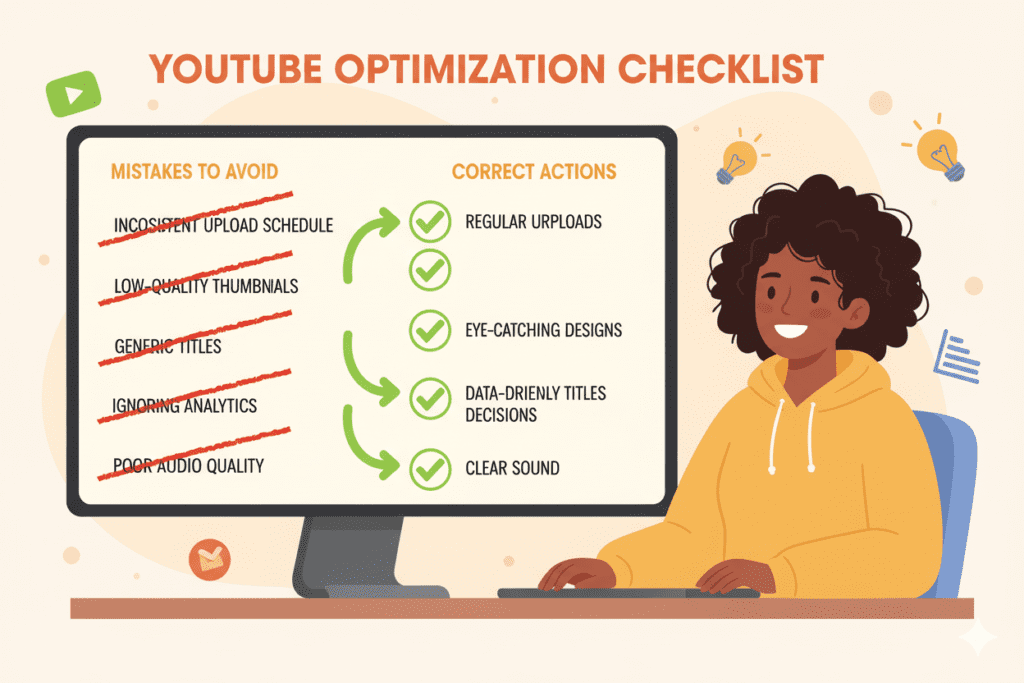
Even with the best free AI audit tools, these habits will cancel out your progress. Watch for every one of them and use them to analyze YouTube channel AI free effectivel.
- Using view counts as your primary metric. Views are a vanity metric. A video with fewer views but higher watch time and retention is often more valuable in the long run because it signals to YouTube that your content is genuinely compelling. Track watch time first, always.
- Checking analytics daily. Daily fluctuations are normal noise. Compare month-over-month, not week-to-week. Patterns matter more than peaks. Set a 28-day review cycle and stick to it.
- Analyzing without acting. The entire point of running a free AI channel audit is to surface specific, actionable changes. If you read the report and change nothing, you’ve wasted your time. Always close every review session with a written list of three concrete actions.
- Comparing yourself to channels 100x your size. Benchmarks matter — but they need to be relevant. A 50,000-subscriber channel’s CTR benchmark doesn’t apply to a 500-subscriber channel. Compare your current performance against your own 28-day average, not against creators with entirely different algorithmic momentum.
- Ignoring your audience retention data.If your CTR is high but retention drops off, your packaging is strong but your content delivery needs work. If your retention is great but CTR is low, you need stronger thumbnails and titles. To fix both, you can analyze YouTube channel AI free and optimize accordingly.
- Making too many changes at once. When you analyze your YouTube channel and find five things that need fixing, it’s tempting to change everything immediately. Resist. Change one variable at a time. Otherwise you’ll never know which fix actually moved the needle.
FAQ: Analyze YouTube Channel AI Free
Q1: What is the best free AI tool to analyze a YouTube channel?
The best combination to analyze your YouTube channel with AI free is YouTube Studio (completely free and built into your account) paired with ytZolo, which offers free AI-powered channel analysis that goes beyond raw data to surface actionable insights about content patterns, keyword gaps, SEO health, and performance benchmarks.
YouTube Studio provides the raw data. ytZolo’s AI translates it into a clear action plan — and then gives you the tools to execute every fix inside the same platform, at no cost to get started.
Q2: How accurate is AI when analyzing a YouTube channel?
AI channel analysis is highly accurate for pattern recognition tasks — identifying content clusters, detecting retention drop-off trends, surfacing keyword gaps, and benchmarking performance against niche averages.
Where AI adds the most value is cross-channel analysis at scale: it can process your entire video library simultaneously and analyze YouTube channel AI free to spot correlations that would take a human analyst days to find manually.
As with any data tool, the quality of insights depends on having sufficient data — channels with at least 20–30 uploaded videos will see more meaningful AI analysis than brand-new channels.
Q3: How long does a free AI YouTube channel audit take?
A basic free AI channel audit using YouTube Studio’s built-in analytics takes 30–45 minutes if you follow a structured review process. Using ytZolo‘s free AI analysis shortens the deep-analysis component significantly — the AI processes your channel data and returns insights in minutes rather than the hours it would take to manually cross-reference your full video library.
A complete audit covering channel-level analysis, video-level review, and competitor research can realistically be done in under 90 minutes using the right tools to analyze YouTube channel AI free.
Q4: Can I analyze competitor YouTube channels for free using AI?
Yes. YouTube’s public data — including video performance indicators, title and thumbnail strategies, and content patterns — is accessible through several free tools. ytZolo includes competitive intelligence features that let you analyze channels in your niche, identify their winning content formats, and surface content gaps your competitors haven’t covered.
This is one of the most valuable uses of AI channel analysis for growing creators — understanding what’s working in your niche before you invest time filming a new video.
Q5: How often should I analyze my YouTube channel with AI?
The optimal review cadence is: a quick 15-minute check 48–72 hours after every new upload (to catch early CTR and retention signals), a full 60-minute channel-wide analysis every 28 days (to track trends and update your content strategy), and a deep quarterly audit every 90 days — all while using tools to analyze YouTube channel AI free.
Using a free AI tool like ytZolo to run your monthly and quarterly reviews makes this process fast enough to actually stick to — so data-driven decisions become a habit, not a one-time event.
Conclusion: The Answers Are Already There. You Just Need to Look.
Marcus didn’t get better at YouTube because he suddenly became more talented.
He got better because he stopped guessing. He stopped uploading on hope and started making decisions on evidence. He used analyze YouTube channel AI free tools, found four fixable problems in a single afternoon, and turned a stalled channel into one that finally had momentum.
That same process is available to you right now. For free.
Your channel is already generating data that tells you exactly what’s working, what’s failing, and what your next move should be. Every retention curve, every CTR number, every traffic source breakdown is a message from your audience — waiting for you to read it.
In 2026, the creators pulling ahead aren’t the ones with better cameras or bigger budgets. They’re the ones who analyze their YouTube channel with AI free tools consistently, act on what they find, and iterate faster than everyone else.
Manual review is too slow. Guessing is too expensive. Hoping your next video performs better without changing anything is the definition of stagnation — time to analyze YouTube channel AI free.
The smarter path is right here: run your free AI audit, build your action plan, and start making changes backed by data — not gut feeling. And do it all in one place, without the chaos of switching between five different tools that were never designed to work together.
ytZolo is that one place. It’s your free AI channel analyzer, your title writer, your thumbnail creator, your script assistant, and your SEO optimizer — all connected, all working together, all purpose-built to grow your YouTube channel faster than you ever could manually.
The creators winning right now aren’t waiting. Every week without insights is a week their channels grow while yours stays exactly where it is. You can analyze YouTube channel AI free to catch up and make data-driven decisions.
🚀 Start creating smarter, faster, and more viral YouTube content with ytZolo today.
Sign up free at ytzolo.com — no credit card required. Your free channel audit starts the moment you log in.
Want more actionable strategies for growing with data? Explore real creator case studies and deep-dive analytics guides on the ytZolo blog.
External Resources:

