

Introduction: Your Thumbnail Is Killing Your Views (And You Don’t Even Know It)
Picture this.
You’ve just uploaded your best video yet. Hours of filming. Hours of editing. A title you agonized over. And then — nothing. A hundred views in three days. Mostly your own.
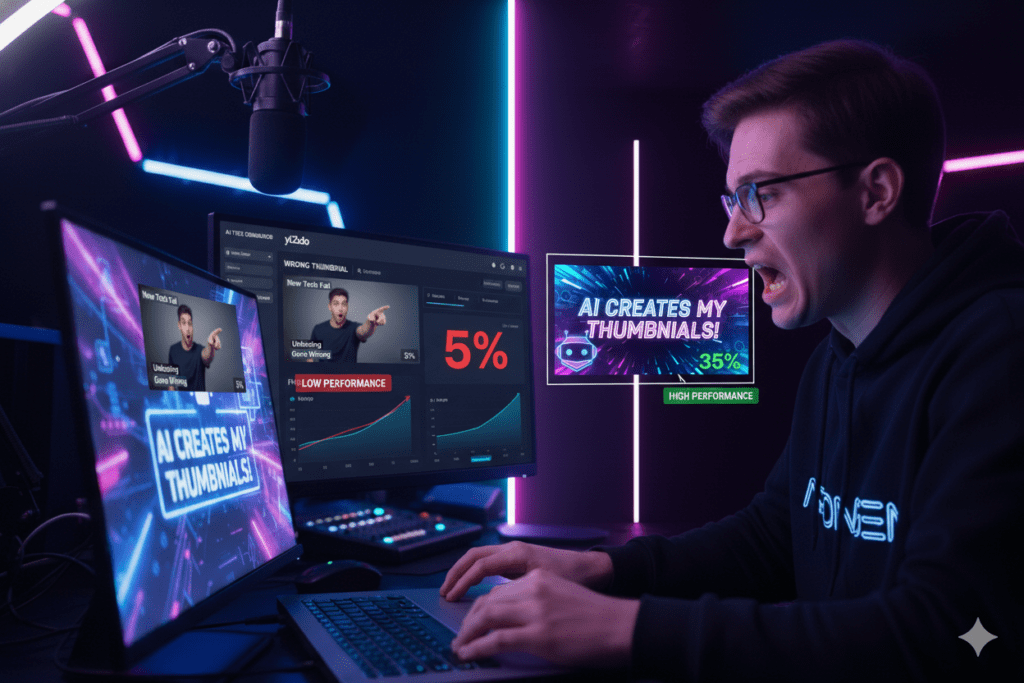
You check your analytics, and there it is. Your click-through rate (CTR) is sitting at a painful 1.8%.
The harsh truth? Your content wasn’t the problem. Your thumbnail was.
YouTube’s own data confirms that the best-performing videos on the platform overwhelmingly use custom thumbnails. Not auto-generated frames. Not screenshots. Custom, click-worthy, attention-grabbing thumbnails. And here’s what makes 2026 different: you no longer need a designer, a Photoshop subscription, or three hours of your life to make one.
A free thumbnail generator AI can do it in seconds.
But not all tools are created equal — and the wrong one could actually hurt your channel. In this guide, we’re breaking down everything you need to know, including the one AI tool that’s quietly becoming the secret weapon for YouTube’s fastest-growing creators: ytZolo.
Table of Contents
1. Why Your Thumbnail Is the Most Underrated Growth Tool on YouTube
Here’s a number that should stop you in your tracks.
Over 500 hours of video are uploaded to YouTube every single minute. Every time a viewer opens their feed, their brain is making a click-or-scroll decision in under one second. That split-second choice is almost entirely driven by your thumbnail.
Research from AWISEE shows the average YouTube CTR sits between 2% and 10%, with most channels hovering around 4–6%. But top creators consistently hit 8–12% — and the difference almost always comes down to thumbnail quality.
A better thumbnail doesn’t just mean more clicks. It means the YouTube algorithm trusts your content, recommends it more, and gives it more impressions. That’s a growth flywheel most creators ignore. If you’re not leveraging a smart system like this free thumbnail generator AI, you’re leaving views on the table.
The good news? A free thumbnail generator AI can bridge the gap between where you are and where you want to be — without hiring a designer or spending a fortune.
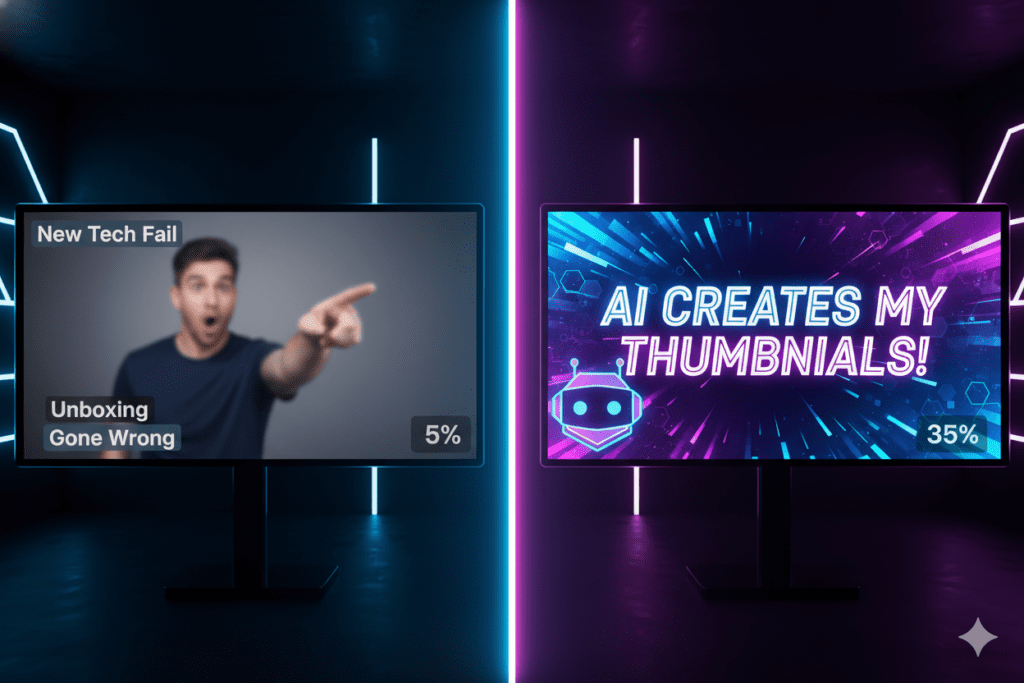
2. What Is a Free Thumbnail Generator AI?
A free thumbnail generator AI is a tool that uses artificial intelligence to create professional, click-worthy thumbnail images — usually from a simple text prompt or video description.
These tools go way beyond basic templates. Modern AI thumbnail generators understand what gets clicks. They factor in:
- High contrast visuals that pop on small mobile screens
- Bold typography that’s readable in under a second
- Facial expressions and emotion that trigger curiosity
- YouTube-optimized dimensions (1280×720px, 16:9 ratio)
- Niche-specific design patterns used by top creators
The best part? You don’t need any design experience. You type what you want, and the AI builds it.
But here’s where most guides stop — and where this one goes further. A standalone thumbnail generator, no matter how good, is only solving one piece of your YouTube growth puzzle. What you actually need is a tool that connects your thumbnail to your title, your script, your tags, and your overall SEO strategy.
That’s exactly what a platform like this educational video script template helps you achieve by aligning your entire content workflow.
That’s what separates a gimmick from a real growth engine.

3. Top Free AI Thumbnail Generator Tools in 2026
Let’s look at what’s available. Each of these tools offers some version of a free thumbnail generator AI, and each has its strengths and weaknesses.
Canva AI Thumbnail Maker
Canva is the most popular design tool for non-designers, and for good reason. Its Magic Media™ feature lets you generate thumbnail images from text prompts in multiple art styles — photography, digital art, fine art, and pixel art.
It’s beautiful, easy to use, and has thousands of templates. But the free tier limits your daily AI generations, and Canva is a general design tool — not a YouTube-specific growth platform. It doesn’t know your niche, your audience, or what’s currently going viral in your space.
vidIQ AI Thumbnail Maker
vidIQ’s thumbnail tool is trained on high-performing YouTube content, which gives it a real edge. It understands CTR-boosting principles and suggests layouts and palettes based on what gets clicks.
It’s free with a vidIQ account, and it’s genuinely useful. But like Canva, it’s a single feature inside a broader toolset — not an end-to-end YouTube growth platform.
QuillBot AI Thumbnail Generator
QuillBot recently launched a free AI thumbnail generator that supports styles like realism, anime, cinematic, and 3D. It’s clean, fast, and requires zero design experience.
But it’s a general image tool. It doesn’t know your video, your channel niche, or your SEO goals. You’re still doing most of the strategic thinking yourself.
Thumbnail.AI
Thumbnail.AI focuses specifically on YouTube thumbnails. It generates unique designs from scratch (not just templates) and offers both free and premium plans. It’s solid for standalone thumbnail creation.
The limitation? Like the others, it’s disconnected from the bigger YouTube growth picture.
ytZolo — The All-in-One AI YouTube Growth Platform
And then there’s ytZolo.
ytZolo isn’t just a free thumbnail generator AI. It’s the only platform that connects every piece of your YouTube growth strategy in one place — titles, scripts, descriptions, tags, and thumbnails — all powered by AI. We’ll dig deep into this below.

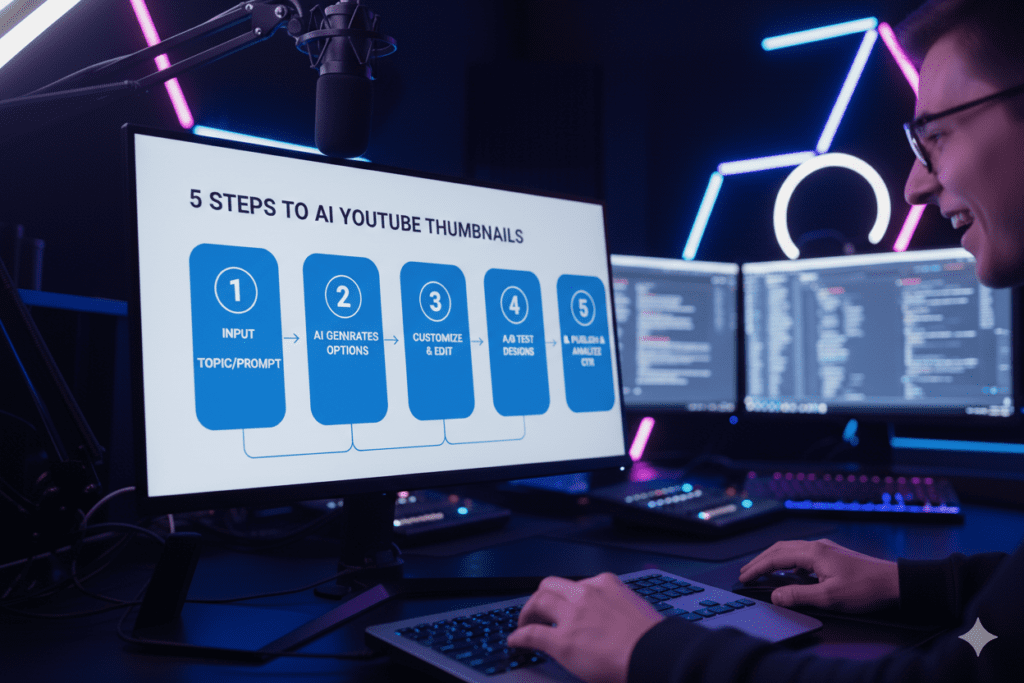
4. How to Create a High-CTR Thumbnail Using a Free AI Tool
Before you generate anything, you need to understand what makes a thumbnail actually work. Here’s the framework top creators use:
Step 1: Define Your Thumbnail’s One Job Your thumbnail has one job — make the viewer curious enough to click. Not to look pretty. Not to show off your editing skills. To create a gap between what they see and what they want to know.
Step 2: Choose Your Visual Hook The most click-worthy thumbnails use one of three visual hooks:
- A face with strong emotion (surprise, excitement, concern)
- A bold text overlay that teases a result or secret
- A visual contrast between two states (before/after, good/bad, small/big)
Research from VidIQ shows thumbnails with expressive faces can increase CTR by 20–30%. That’s not a small number.
Step 3: Keep It Simple The biggest mistake creators make is cramming too much into a thumbnail. You have less than one second on a 6-inch phone screen. Use a maximum of three focal points. Make your text massive. Use high contrast.
Step 4: Use a Free Thumbnail Generator AI to Build Variations Now that you have a concept, use an AI tool to generate 3–4 variations quickly. The best AI tools — especially ytZolo — will produce multiple CTR-optimized options you can A/B test in YouTube Studio.
Step 5: Test and Iterate Upload two versions. Track CTR over 7–14 days. Keep the winner. Rinse and repeat.
5. Why ytZolo Is Better Than Other Thumbnail AI Tools
Let’s be direct.
Most free thumbnail generator AI tools are good at one thing: making a pretty image. And that’s useful. But it’s not enough.
Here’s the core problem. Your thumbnail exists inside a system. It needs to work with your title. It needs to reflect your script’s hook. It needs to target the right keywords. It needs to match what your audience is already clicking on.
Standalone thumbnail tools can’t see any of that. They’re working blind.
ytZolo was built differently — from the ground up, for YouTube creators who want to grow, not just design.
Here’s what sets ytZolo apart:
✅ AI-Powered Thumbnails Built for Clicks — Not Just Aesthetics
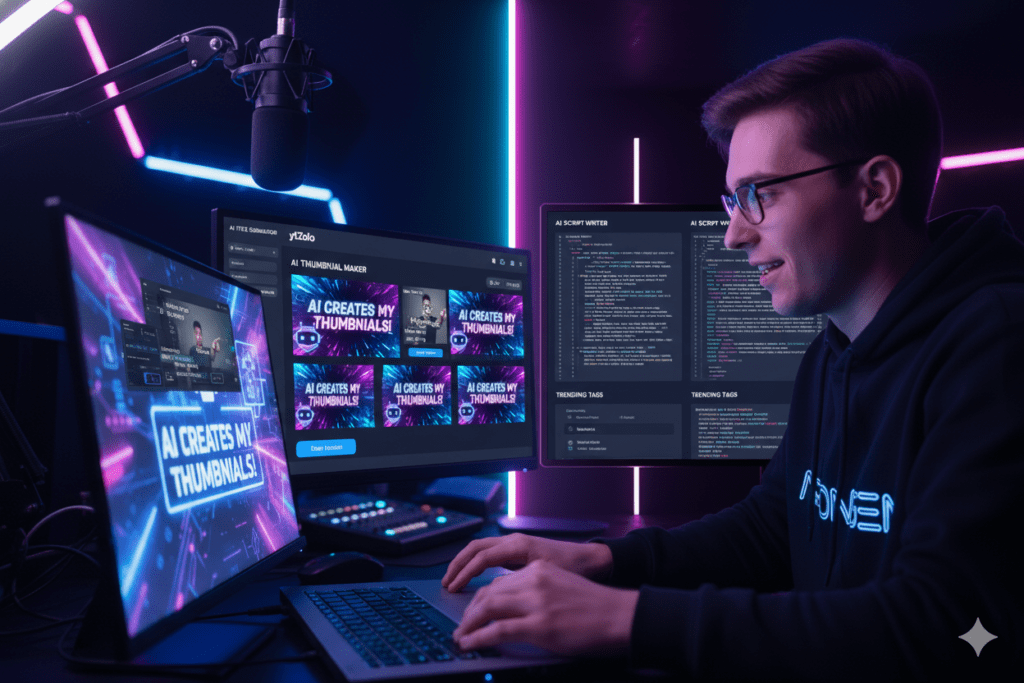
ytZolo’s free thumbnail generator AI doesn’t just produce beautiful images. It generates thumbnails that are strategically optimized for CTR, based on what’s performing in your niche right now.
✅ Connected to Your Title and Script Strategy
Unlike standalone tools, ytZolo connects your thumbnail idea to the title AI, the script AI, and the SEO tag generator — so every element of your video works together for maximum algorithm impact.
✅ AI YouTube Title Generator
Struggling to write titles that get clicks? ytZolo generates viral-worthy, keyword-optimized titles in seconds. No more staring at a blank screen.
✅ AI Script Writer
From hook to CTA, ytZolo helps you write full video scripts that keep viewers watching. Higher watch time = more algorithm love. If you want a structured approach, this educational video script template.
✅ AI YouTube Description and Tags
Stop guessing at keywords. ytZolo generates SEO-optimized descriptions and tags that help your video get found — and stay found.
✅ Time-Saving for Busy Creators
What used to take hours — ideation, scripting, designing, SEO — now takes minutes. ytZolo compresses your entire pre-production workflow into one fast, AI-powered pipeline.
✅ Built for Viral Content Creation
ytZolo isn’t a general AI tool that happens to support YouTube. It was purpose-built for YouTube creators who want to go viral, grow faster, and stop wasting time on tasks that AI can do better.
Compare that to tools like Canva (a general design tool), vidIQ (a research tool with some AI features), or QuillBot (a writing tool with a thumbnail add-on). None of them were built to grow your YouTube channel from end to end.
ytZolo was.
Check out the ytZolo blog for in-depth guides on growing your channel with AI — from thumbnail strategy to viral scripting.
6. The Science Behind Click-Worthy Thumbnails
Understanding why certain thumbnails work is what separates creators who grow from creators who plateau.
The 0.3-Second Rule
Your brain processes images in roughly 0.3 seconds. That’s how long your thumbnail has to make an impression before a viewer’s thumb keeps scrolling. Mobile devices now represent over 70% of YouTube traffic, and mobile viewers are even faster — research shows 68% of them decide to click within just one second.
That means your thumbnail must communicate one clear, compelling idea almost instantly.
Faces and Emotions Drive Clicks
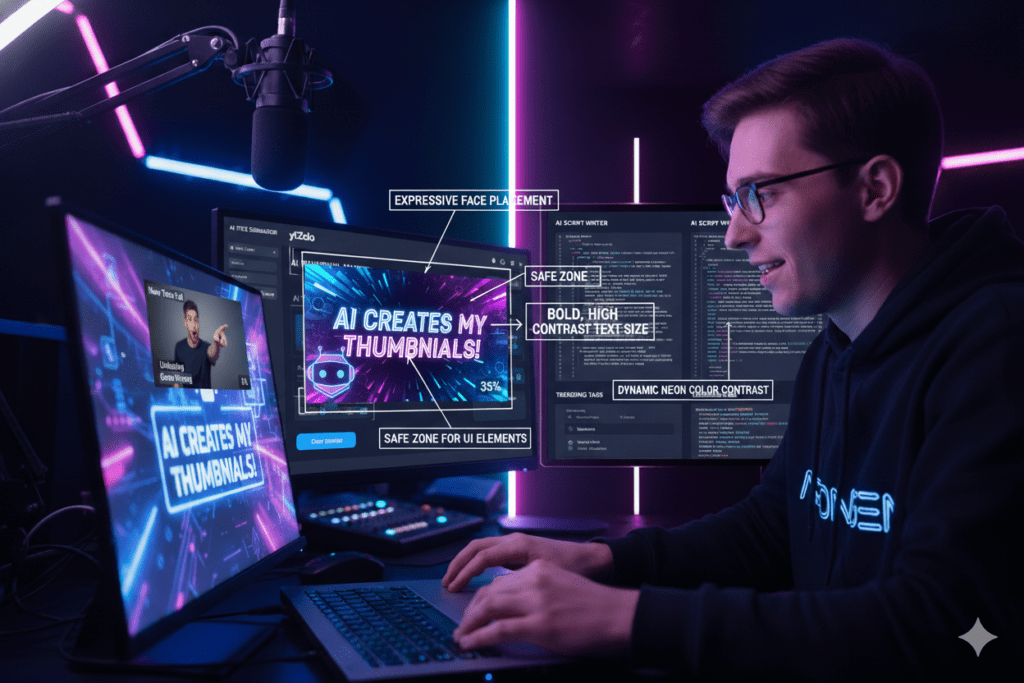
Human brains are wired to notice faces — especially emotional ones. According to VidIQ research, thumbnails featuring expressive faces can boost CTR by 20–30%. The key word is “expressive.” Neutral faces blend in. Surprise, excitement, curiosity, concern — those stop the scroll.
A great free thumbnail generator AI will suggest face-forward designs because the data backs them up.
Color Contrast Is a Conversion Tool
Color isn’t decoration in thumbnail design. It’s a psychological trigger. High contrast between foreground and background makes your subject pop — especially on small phone screens. AI thumbnail tools analyze color performance in your niche and suggest palettes that are statistically more likely to get clicks.
Text Placement Matters More Than You Think
Data from 2025’s top thumbnails shows that 87% use top-left text placement — because that’s where eyes go first when scanning a list on a phone. Avoid the bottom-right corner at all costs. That’s where YouTube places the video duration timestamp, obscuring anything you put there.
Mobile-First Is Non-Negotiable
Designing your thumbnail for a 4K monitor? Stop. Most of your viewers are seeing a postage-stamp-sized image on a cracked iPhone. Your text needs to be huge. Your visuals need to be simple. If it doesn’t work at 150px wide, it doesn’t work.
This is why a purpose-built free thumbnail generator AI like ytZolo is so valuable — it builds mobile-optimized thumbnails by default.
7. Common Mistakes Creators Make With AI Thumbnails
AI tools are powerful. But they’re not magic. Here are the mistakes that cost creators clicks — and how to avoid them.
Mistake #1: Using AI Thumbnails Without a Strategy
An AI tool can generate a stunning image. But if that image doesn’t match your video’s hook, your CTR will spike and then crash. YouTube’s algorithm penalizes high CTR paired with poor watch time. Your thumbnail and your content need to make the same promise.
Mistake #2: Overcomplicating the Design
More is not more in thumbnail design. Three focal points maximum. One dominant color. One clear message. Creators who treat their thumbnail like a movie poster — cramming in every detail — lose viewers before they even click.
Mistake #3: Ignoring Mobile Optimization
Over 70% of YouTube traffic comes from mobile. If your thumbnail looks incredible on a 27-inch monitor but is unreadable on a phone, you’re invisible to most of your potential audience.
Mistake #4: Never Testing
Uploading one thumbnail and hoping for the best is guesswork. The best creators A/B test consistently. YouTube Studio’s testing feature and tools like ytZolo make this fast and data-driven.
Mistake #5: Using a General AI Tool Instead of a YouTube-Specific One
General AI image generators make pretty pictures. They don’t know your niche, your audience, or what’s getting clicks on YouTube right now. Always use a free thumbnail generator AI that’s purpose-built for YouTube — like ytZolo.
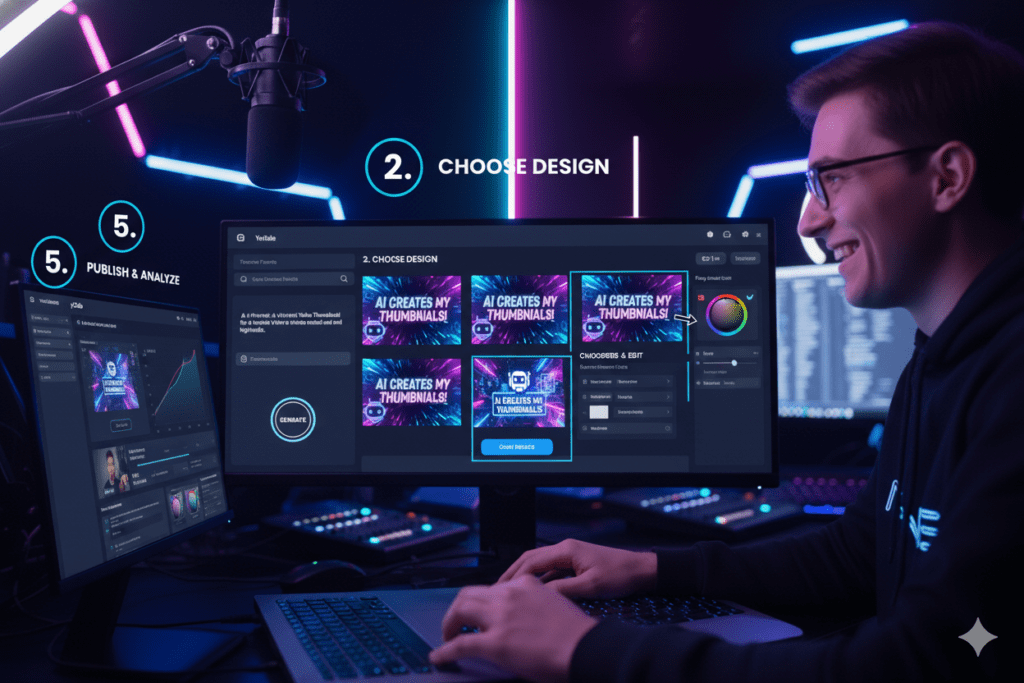
8. Step-by-Step: Using ytZolo’s Free Thumbnail Generator AI
Ready to create your first AI-powered thumbnail with ytZolo? Here’s exactly how to do it.
Step 1: Head to ytZolo.com Sign up for free. No credit card required. The platform is designed for creators at every level — from brand new to established channels.
Step 2: Enter Your Video Topic or Title Type in your video idea or paste in a working title. ytZolo’s AI will analyze the topic, identify what’s currently performing in your niche, and start building a thumbnail concept around proven CTR principles.
Step 3: Customize Your Visual Style Choose your preferred thumbnail style — bold and energetic, clean and minimal, curiosity-driven, lifestyle, gaming, educational, and more. ytZolo generates multiple variations so you always have options.
Step 4: Fine-Tune With the AI Editor Adjust text, colors, layout, and image elements with simple prompts. No design skills needed. Just tell the AI what you want changed, and it updates in real time.
Step 5: Download and Upload to YouTube Export your thumbnail at the correct 1280×720px resolution, ready to upload directly to YouTube Studio.
Step 6: Use ytZolo’s Full AI Suite for the Rest of Your VideoWhile you’re there — let ytZolo generate your SEO-optimized title, write your video script, craft your description, and build your tag strategy.
In the time it used to take to design one thumbnail manually, you can have your entire video production plan ready to go. To go deeper into AI-powered scripting, check out this documentary script writer AI guide to create engaging, retention-focused videos.
9. FAQ: Free Thumbnail Generator AI
Q1: What is the best free thumbnail generator AI for YouTube in 2026?
The best free thumbnail generator AI for YouTube in 2026 is one that’s purpose-built for YouTube CTR optimization — not just a general image generator. ytZolo stands out because it connects thumbnail generation to your entire video strategy, including titles, scripts, descriptions, and tags.
To see how AI enhances storytelling and retention, this documentary script writer AI guide breaks down how to create engaging, high-performance video content. Other strong options include vidIQ’s thumbnail tool and Canva’s Magic Media for standalone design needs.
Q2: Do I need design skills to use a free AI thumbnail generator?
No. The whole point of a free thumbnail generator AI is to eliminate the need for design experience. You enter a text prompt or video description, and the AI handles the visual work. Tools like ytZolo, Canva, and QuillBot are all designed for creators with zero graphic design background.
Q3: Can a free AI thumbnail generator actually improve my CTR?
Yes — when used correctly. Research shows that custom thumbnails perform dramatically better than auto-generated ones, and AI tools that are optimized for YouTube can produce CTR-boosting designs by default. However, the key is pairing a great thumbnail with a matching title and compelling content. ytZolo helps you align all three.
Q4: Is ytZolo really free to use as a thumbnail generator AI?
Yes. ytZolo offers a free tier that lets creators access its AI thumbnail generation features alongside other YouTube growth tools. You can start creating AI-powered thumbnails without any upfront cost. Visit ytzolo.com to get started.
Q5: How many thumbnail variations should I create and test?
Most growth experts recommend creating at least two to three variations per video and running an A/B test in YouTube Studio for 7–14 days. This gives the algorithm enough data to identify your best-performing thumbnail. ytZolo’s AI generates multiple variations automatically, making the testing process fast and low-effort.
10. Conclusion: Stop Guessing, Start Growing
Your thumbnail is not a finishing touch. It’s the first thing your potential viewer ever sees — and in a fraction of a second, it determines whether all your hard work gets watched or gets ignored.
In 2026, you don’t have to be a designer to create professional, high-converting thumbnails. A powerful free thumbnail generator AI gives every creator access to the same visual tools the biggest channels on YouTube use every day.
But here’s the real insight from this guide: a thumbnail doesn’t grow your channel alone. It works best as part of a connected system — where your thumbnail, your title, your script, and your SEO all point in the same direction.
That’s exactly what ytZolo was built to deliver.
Whether you’re a brand new creator trying to get your first 1,000 subscribers, or an established channel looking to push past a growth plateau — ytZolo’s free thumbnail generator AI, combined with its full suite of YouTube growth tools, gives you an unfair advantage.
Don’t let another great video go unseen because of a mediocre thumbnail.
Start creating smarter, faster, and more viral YouTube content with ytZolo today.
👉 https://ytzolo.com


Pingback: Best AI Thumbnail Generator Free for YouTube in 2026