
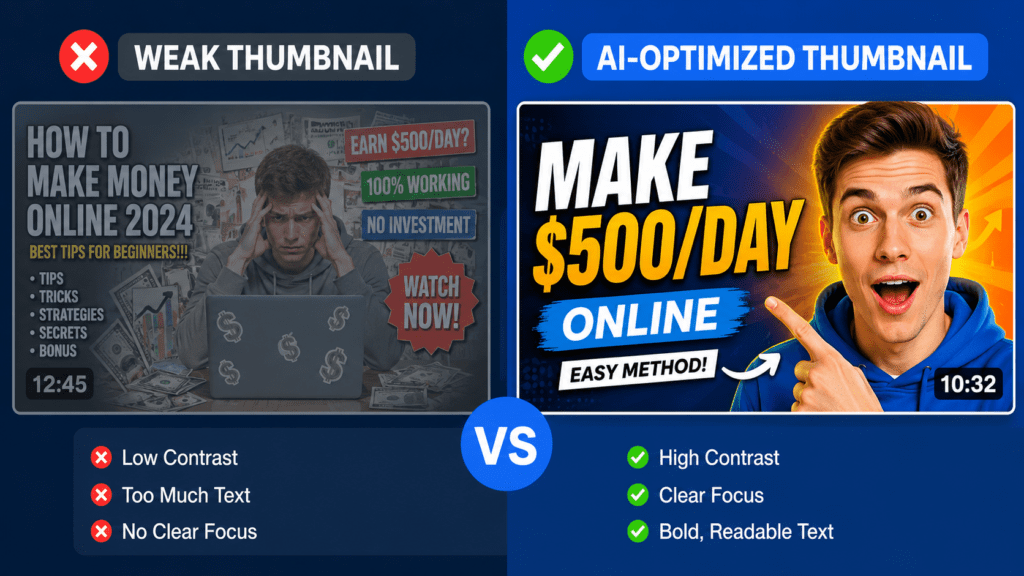
A thumbnail has roughly half a second to do its job. Before a viewer reads your title, before they know anything about your channel, their eye has already decided whether to keep scrolling or stop.
That split-second decision is why so many creators — from people uploading their first video to agencies managing a dozen channels — are turning to an ai youtube thumbnail generator instead of starting from a blank Canva canvas or a frame grabbed mid-video.
This guide is built around a simple goal: help you pick a tool based on what it actually does, not what its marketing page claims. We looked at official product documentation, current pricing pages, hands-on testing where possible, and publicly available creator feedback.
Where sources disagreed — and on pricing, they frequently did — we say so rather than picking a number that sounds clean. Where we couldn’t verify a claim independently, we say that too.
You’ll find a breakdown of how AI thumbnail generator actually work, a tested comparison of the tools worth considering in 2026, a decision framework based on channel type, and a practical workflow for getting better results out of any of these tools — including the ones that still require you to do some of the thinking yourself.
Table of Contents
What Is an AI YouTube Thumbnail Generator?
An ai youtube thumbnail generator is software that uses machine learning — usually a combination of text-to-image models and layout/design automation — to produce a thumbnail image with minimal manual design work. The category isn’t one thing; it actually covers several different approaches, and understanding the difference matters more than most roundup articles let on.
Pure AI image generation. You type a description (“a surprised man pointing at a glowing laptop screen, red and yellow background, bold contrast”) and the tool generates an image from scratch using a diffusion or transformer-based image model.
Canva’s Magic Media, Adobe Firefly inside Adobe Express, and dedicated image models like Google’s Nano Banana Pro, FLUX.2, or Ideogram (used inside several thumbnail-specific platforms) fall into this category.
The strength here is originality; the weakness is that the output can drift from what you actually pictured, and text rendered inside the image is often unreliable unless the underlying model is one of the newer ones specifically tuned for in-image text.
Template-based AI assistance. Tools like Canva and Adobe Express are primarily template editors with AI features layered on top — background removal, AI-suggested layouts, auto-resizing, and text suggestions.
You’re not generating a thumbnail from nothing; you’re starting from a structure and letting AI handle the tedious parts. This is the most beginner-friendly approach because the output is predictable.
Video-to-thumbnail extraction and enhancement. A newer subcategory — tools such as WayinVideo and some features inside CapCut — takes your actual video file or a YouTube URL, identifies high-emotion or high-contrast frames, optionally isolates your face, and composes a thumbnail using your real footage rather than a generated likeness.
This matters a great deal for creators who rely on their own face for brand recognition, since AI-generated faces can look uncanny or simply not look like you.
Prompt-builder and workflow tools. A smaller set of tools, like Juma (formerly Team-GPT), don’t generate images directly so much as help you write a better prompt — asking clarifying questions about mood, audience, and composition before handing that refined prompt to an underlying image model such as GPT Image or Claude-assisted workflows.
These are aimed less at beginners and more at teams that want consistency across many thumbnails.
It’s worth being honest about a limitation here: none of these categories fully replace a human’s understanding of your specific audience. AI models are good at pattern-matching “what generally gets clicks in this niche,” not at knowing what your specific subscriber base responds to. That distinction comes up repeatedly in this guide.
Why Thumbnails Matter More Than Ever
YouTube’s own creator guidance has long emphasized that thumbnails and titles work as a pair to influence whether a video gets clicked from impressions — and impressions themselves are influenced by how well a video has historically converted views from those impressions.
In practice, this creates a feedback loop: a stronger thumbnail increases click-through rate (CTR), a higher CTR tends to correlate with more impressions in suggested and home-feed placements, and more impressions mean more total opportunities to be clicked.
A few points are worth being precise about, because thumbnail advice online is full of confident-sounding numbers that don’t hold up:
- There is no single “good” CTR. Benchmarks vary enormously by niche, video length, channel size, and traffic source. Sources differ on what counts as average — some cite YouTube click-through rate commonly falling in a 2–10% range, but YouTube does not publish an official universal benchmark, and treating any specific percentage as a hard target across all channels would be misleading.
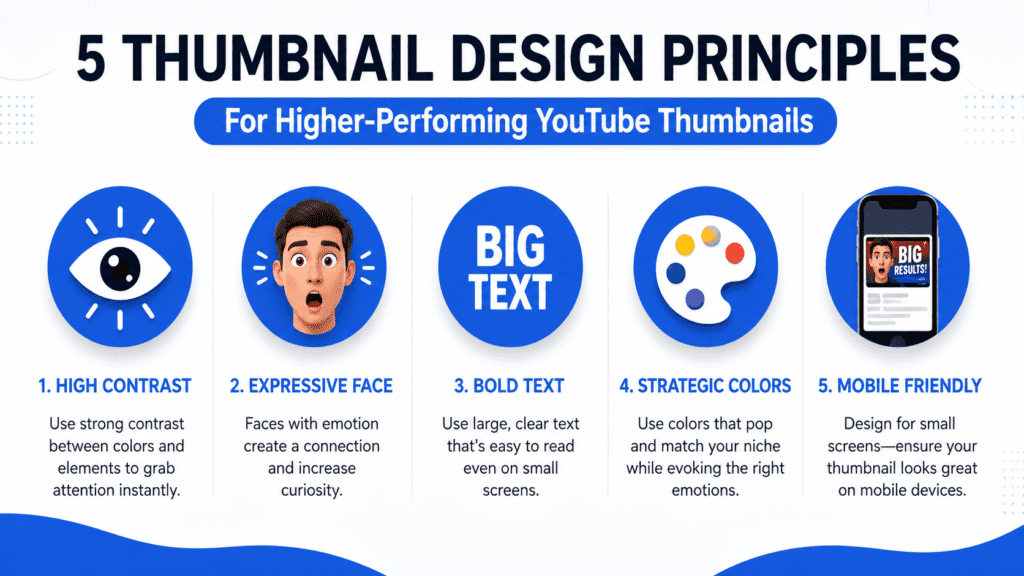
- Mobile visibility is non-negotiable. A large majority of YouTube viewing happens on mobile devices, where a thumbnail might display at well under 200 pixels wide inside a feed. A design that looks great full-screen on a desktop monitor can become illegible noise at mobile scale. This is the single most common reason a thumbnail underperforms.
- Faces and emotion are a well-documented pattern, not a guaranteed boost. Multiple creator-tools and YouTube click-through rate research sources point to expressive faces, strong contrast, and a clear focal point as recurring traits of high-performing thumbnails.
We were not able to independently verify specific percentage uplifts (for example, claims that emotional expressions boost CTR by a fixed percentage range) cited by some marketing blogs, so we’re flagging those numbers as unverified rather than repeating them as fact. - Misleading thumbnails carry real risk. YouTube’s spam and policy guidance explicitly addresses clickbait and thumbnails that misrepresent video content, and channels that lean on misleading imagery risk both viewer trust and platform enforcement. A thumbnail’s job is to accurately amplify what’s already in the video — not to invent a hook that doesn’t exist.
The practical takeaway: thumbnails matter because they sit at the intersection of two systems — human attention and YouTube’s recommendation algorithm — and an AI thumbnail generator is valuable to the extent it helps you produce more test-worthy variations faster, not because any single AI-generated image is guaranteed to outperform a manually designed one.
How We Evaluated These Tools
We did not rank tools by marketing claims or by how prominently a vendor’s own blog promotes itself (several of the “best of” roundups currently ranking for this topic are published directly by the vendor being recommended — worth knowing as you read comparisons elsewhere, including this one, where we’ve disclosed our own potential bias below).
Instead, each tool was assessed against the following criteria, drawn from official documentation, pricing pages, and available hands-on testing:
- Usability — Can someone with zero design background get a usable thumbnail without a learning curve?
- AI generation quality — Is the underlying image model current, and does it render text and faces reliably?
- Prompt support — Does the tool accept detailed natural-language input, or only keyword/template selection?
- Editing depth — Once generated, can you actually adjust the result, or are you stuck with the raw AI output?
- Templates and branding — Are there YouTube-specific templates, and can you save brand colors/fonts/logos for consistency?
- Pricing and free-plan usefulness — Is the free tier functional, or a crippled trial designed to force upgrades?
- Export and YouTube-specific fit — Does it default to 1280×720, and does it support Shorts (9:16) sizing?
- Workflow integration — Does it stand alone, or connect to a broader publishing/scheduling process?
A transparency note: pricing for AI design tools changes frequently, and different review sources reported different figures for the same products even within the same month (Canva Pro, for example, was listed anywhere from roughly $10–15/month depending on billing cycle and publication date across the sources we checked).
We’ve used the most recent, most consistent figures available and flagged ranges instead of false precision wherever sources disagreed.
Best AI YouTube Thumbnail Generators, Compared
The following tools were selected because they appear consistently across independent comparisons, official documentation, and creator discussion — not because they paid for placement. Order is roughly: general-purpose design tools first, then dedicated/YouTube-specific AI thumbnail tools, then niche and workflow-oriented options.
1. Canva (Magic Media + Magic Edit)
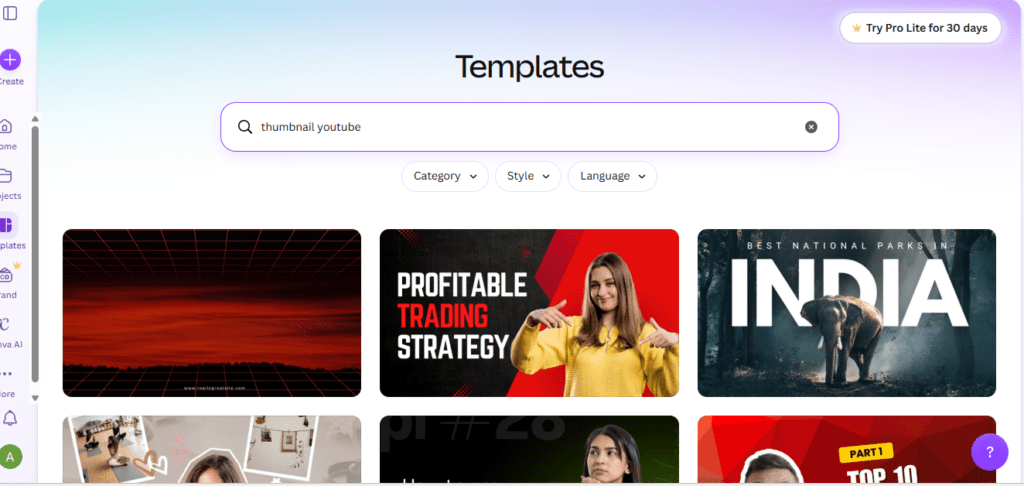
Overview: Canva remains the most widely used design tool among creators, and its AI thumbnail features — Magic Media for text-to-image generation and Magic Edit for prompt-based editing — sit inside its broader drag-and-drop editor rather than as a standalone thumbnail product.
Best for: Beginners and anyone who wants templates plus manual control in one place.
Pros:
- Huge template library specifically sized for YouTube (1280×720) and Shorts
- Magic Media lets you generate images in multiple art styles, then drop them straight into an editable layout
- Brand Kit feature stores your fonts, colors, and logo for consistency across thumbnails
- Background remover and Magic Eraser are genuinely useful for cleaning up source photos
Cons:
- AI image generation is credit-limited even on paid plans, and free-tier credits are quite restrictive
- Text rendered directly by the AI model can be unreliable; most creators still add text manually in the editor, which is actually the more reliable workflow
- Not YouTube-specific — it’s a general design tool first
Pricing: Free plan available. Paid “Pro” tier pricing was reported inconsistently across sources we checked, generally in the $10–15/month range depending on billing cycle (annual vs. monthly) and region; check Canva’s official pricing page for the current figure, since it has changed more than once in the past year.
AI Features: Magic Media (text-to-image), Magic Edit (prompt-based local edits), Magic Eraser, Background Remover.
Thumbnail Quality: Strong when used as a hybrid — AI-generated background or subject, manually added text and layout. Weaker if you rely on AI for the entire composition including text.
Ease of Use: Very high. No design background needed.
YouTube-Specific Features: Pre-sized templates for thumbnails and Shorts covers; no built-in CTR testing.
Final Verdict: The safest starting point for most creators, especially beginners, precisely because it doesn’t force you to trust the AI completely — you can fall back to manual editing whenever the AI output isn’t quite right.
2. Adobe Express (with Firefly)
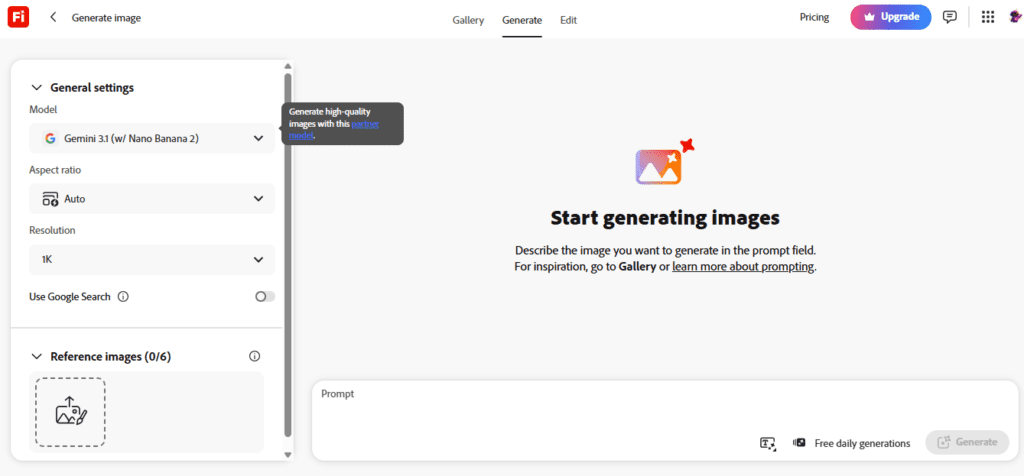
Overview: Adobe’s free-to-start design app, built around the Firefly generative AI model and trained with licensing considerations that some creators specifically value for commercial-use confidence.
Best for: Creators already in the Adobe ecosystem, or anyone wanting more commercially cautious AI image generation.
Pros:
- Firefly is explicitly positioned around commercially safer training data, which matters for creators monetizing content
- Tight integration with Photoshop and other Adobe tools if you need to go deeper
- Generally undercuts Canva on team/business pricing according to several pricing comparisons we reviewed
Cons:
- Smaller template and stock library than Canva for pure YouTube use cases
- Less of a dedicated creator-community ecosystem around thumbnail-specific templates
Pricing: Free plan available; paid tiers reported around $7.99–10/month per seat on team plans in the sources we checked, though individual-plan pricing varies and should be confirmed on Adobe’s site directly.
AI Features: Firefly-powered text-to-image, generative fill/edit.
Thumbnail Quality: Comparable to Canva for AI generation; editing tools are slightly less beginner-friendly.
Ease of Use: Moderate — more powerful than Canva in spots, slightly steeper learning curve.
YouTube-Specific Features: Standard size presets; no dedicated CTR or A/B testing.
Final Verdict: Worth strong consideration if commercial licensing clarity or Adobe-ecosystem integration matters to you; otherwise Canva’s larger template library gives it an edge for pure thumbnail speed.
3. CapCut (AI Design)
Overview: Originally a video editor, CapCut has built out an “AI Design” feature that functions as a more conversational thumbnail and graphic generator — you describe what you want, it generates, and you can refine using follow-up natural-language instructions rather than starting over.
Best for: Creators who already edit video in CapCut and want thumbnail creation in the same app.
Pros:
- Conversational refinement (“make the text bolder,” “change the background”) rather than one-shot generation
- Free tier includes meaningful AI image generation, not just templates
- Natural fit if your video editing already happens in CapCut — no app-switching
Cons:
- Less of a dedicated professional design suite than Canva or Adobe Express
- Output consistency across a high volume of thumbnails (for channel branding) is less mature than purpose-built brand-kit tools
Pricing: Free tier with meaningful functionality; paid tier pricing varies by region and was not consistently reported across the sources we reviewed — confirm current pricing directly with CapCut.
AI Features: AI Design Agent, prompt-based image generation, conversational follow-up editing.
Thumbnail Quality: Reported as strong by independent hands-on reviews we found, particularly for iterative refinement rather than first-attempt accuracy.
Ease of Use: High, especially for users already familiar with CapCut’s interface.
YouTube-Specific Features: Standard export presets; tightly coupled with CapCut’s broader video workflow.
Final Verdict: A genuinely efficient option if your editing workflow already lives in CapCut — the conversational editing approach is one of the more practical implementations of “AI assistance” rather than “AI replacement” in this category.
4. Pikzels
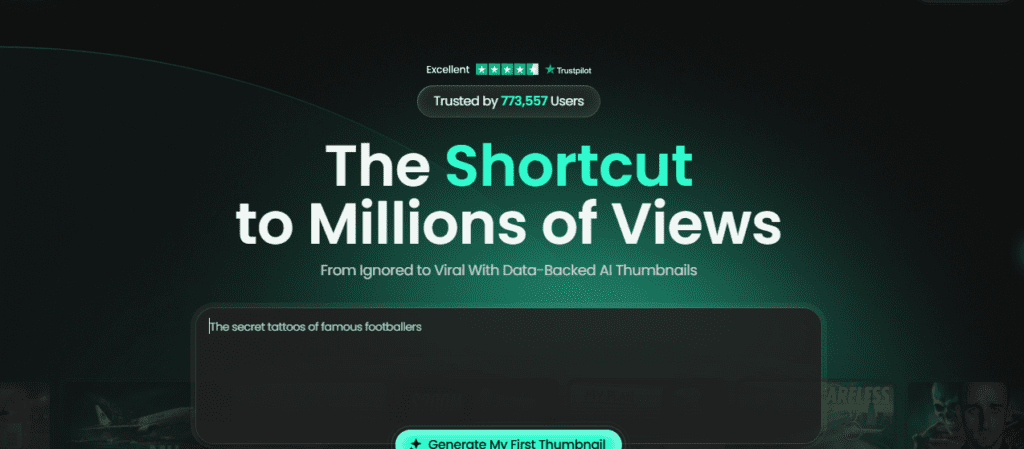
Overview: A YouTube-thumbnail-specific generator that appears repeatedly across 2026 roundups as a leading dedicated tool in the category, positioned for beginners who want a guided, low-friction experience.
Best for: Beginners who want a simple, YouTube-first (not general design) tool.
Pros:
- Purpose-built for YouTube sizing and workflow rather than adapted from a general design tool
- Frequently cited as one of the more beginner-friendly dedicated options
Cons:
- We were unable to independently verify detailed pricing or feature depth beyond what’s reported in secondary sources; treat specific claims about this tool with appropriate caution until confirmed on its official site
- Smaller ecosystem and brand recognition than Canva or Adobe
Pricing: Not independently confirmed — check the official site for current plans.
AI Features: AI-generated thumbnail concepts from a topic or title input.
Thumbnail Quality: Reported positively in third-party comparisons; not independently tested for this guide.
Ease of Use: Reported as beginner-friendly.
YouTube-Specific Features: Built specifically around YouTube thumbnail dimensions and use cases.
Final Verdict: Worth a trial for beginners specifically because it’s narrower in scope than Canva — narrower scope often means less decision fatigue for a first-time user.
5. Thumbmagic
Overview: Another dedicated YouTube thumbnail creator that surfaces in multiple recent comparisons as a category leader, alongside Pikzels.
Best for: Creators who want a tool built only for thumbnails, with less general-purpose clutter.
Pros:
- Narrow focus on thumbnail generation specifically, which several sources describe as faster end-to-end than general design tools
- Cited as a leading dedicated tool in recent (2026) comparison roundups
Cons:
- As with Pikzels, we could not independently verify pricing, model details, or hands-on quality beyond secondary-source reporting
- Less brand history and community track record than the larger general-purpose platforms
Pricing: Not independently confirmed.
AI Features: Dedicated thumbnail-generation workflow; specific underlying image model not independently confirmed.
Thumbnail Quality: Described favorably in third-party roundups; not independently tested here.
Ease of Use: Reported as straightforward and YouTube-first.
YouTube-Specific Features: Core focus of the product.
Final Verdict: A reasonable shortlist candidate, but verify current pricing and test the free tier yourself before committing, given the limited independent verification available.
6. WayinVideo
Overview: A video-to-thumbnail tool that takes an actual YouTube link or uploaded video file, analyzes it for emotionally expressive or high-contrast moments, and generates multiple thumbnail candidates using your real footage rather than a generated likeness — including automatic face extraction and blending.
Best for: Creators who appear on camera and want thumbnails built from their actual face and footage rather than AI-generated people.
Pros:
- Solves a real, specific problem: AI-generated faces frequently don’t look like the creator, which breaks channel recognizability
- Generates multiple variations per video automatically, which supports A/B testing without extra manual work
- Outputs YouTube-correct dimensions (1280×720) plus Shorts and social-ready ratios in one click
- No-signup free usage is available for initial generations, per the tool’s own documentation
Cons:
- Entirely dependent on having usable footage with a clear face or expressive moment — it can’t help much with faceless or purely illustrative content
- As a newer, narrower tool, it has a smaller track record than established design platforms
Pricing: Free usage available without sign-up for a limited number of generations; additional credits unlocked via account creation. Full paid-tier pricing should be checked on the official pricing page, as we could not independently verify it beyond the vendor’s own claims.
AI Features: Scene/emotion detection from video, automatic face cutout and blending, style-cloning from a reference thumbnail.
Thumbnail Quality: Strong specifically for on-camera creators, by design — this is its core differentiator versus general AI image generators.
Ease of Use: High — the workflow (paste link, generate, pick a variant) requires no prompting skill at all.
YouTube-Specific Features: Built explicitly around YouTube click-through rate testing workflows, including multi-variant generation for rotation testing in YouTube Studio.
Final Verdict: One of the more practically differentiated tools in this list for face-forward creators specifically, though it isn’t a fit for faceless or illustration-heavy channels.
7. Juma (formerly Team-GPT)
Overview: Less a thumbnail generator and more a prompt-engineering and team-collaboration layer that sits on top of underlying AI models (the vendor references using models such as GPT and Claude within its workflow). You build a detailed brief through guided follow-up questions, then generate and iterate.
Best for: Teams and agencies managing thumbnail consistency across multiple channels or editors.
Pros:
- The guided prompt-building approach reduces the “garbage in, garbage out” problem common to raw text-to-image tools
- Built for team reuse — saved prompts and formats support brand consistency across multiple creators working on the same channel
- Model-agnostic approach lets you switch between underlying AI models depending on the result you want
Cons:
- Disclosure: Juma publishes its own comparison content ranking itself first, which is worth knowing when reading any “best of” list that includes it, including secondary sources we reviewed for this guide
- Overkill for a solo creator who just wants a fast single thumbnail — the workflow is built for teams, not speed
- Less of a visual-first editor; more of a brief-and-generate workflow
Pricing: Not independently confirmed for this guide; check the official site, and note that as a team/collaboration tool it is likely priced differently from single-user thumbnail apps.
AI Features: Guided Prompt Builder, multi-model generation, team prompt libraries.
Thumbnail Quality: Dependent on the underlying model selected; the tool’s value is in the brief quality, not a proprietary image model of its own.
Ease of Use: Moderate — there’s a learning curve in adopting the prompt-builder workflow, though it’s designed to lower the skill floor for prompting specifically.
YouTube-Specific Features: Not YouTube-exclusive; thumbnail generation is one use case among broader content workflows.
Final Verdict: A genuinely interesting fit for agencies or multi-editor teams that need consistency at scale, but not the right tool if you just need one good thumbnail in two minutes.
8. PostEverywhere
Overview: A multi-platform AI content creation for YouTube that bundles AI image generation (drawing on multiple current frontier models) with caption writing and scheduling across several social platforms including YouTube.
Best for: Creators or marketers who need a thumbnail and matching social promotion assets at the same time.
Pros:
- Access to multiple current-generation image models in one interface rather than being locked to a single proprietary model
- Useful if your workflow already requires repurposing one piece of art across YouTube, Instagram, TikTok, and other platforms
- Combines generation with scheduling, removing a step most thumbnail-only tools don’t address
Cons:
- Disclosure: this tool’s own blog is one of the sources that surfaced prominently in our research, and as with any vendor-published roundup, its self-ranking should be weighed against independent reviews
- A broader platform than a focused thumbnail tool — if all you want is a thumbnail, the scheduling/caption features are unused overhead
- Specific model access and pricing tiers should be confirmed directly, as vendor blogs can describe capabilities ahead of general availability
Pricing: A free trial period was referenced in vendor materials; ongoing pricing should be confirmed on the official site rather than taken from secondary sources.
AI Features: Multi-model image generation, auto-captioning, hashtag suggestions, multi-platform scheduling.
Thumbnail Quality: Dependent on which underlying model is selected for a given generation.
Ease of Use: Reasonable, though the broader feature set adds some interface complexity versus a single-purpose tool.
YouTube-Specific Features: YouTube is one of several supported scheduling destinations rather than the primary focus.
Final Verdict: Best suited to creators or small teams who want one workflow covering thumbnail art plus cross-platform promotion, rather than YouTube-only creators.
9. Leonardo AI
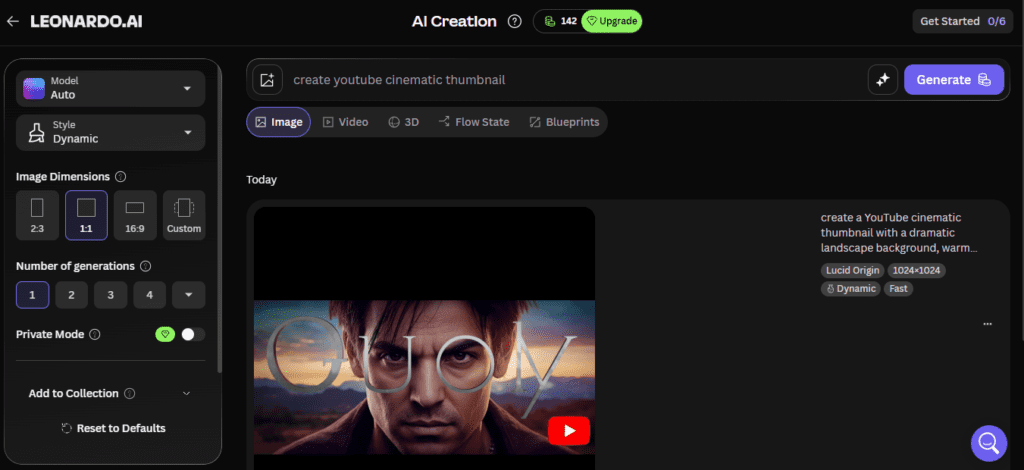
Overview: A general-purpose AI image generation platform known for strong stylistic control and originality, frequently recommended specifically for creators who want a distinctive visual style rather than a generic AI look.
Best for: Creators who care more about visual originality and art-style consistency than YouTube-specific workflow features.
Pros:
- Strong reputation for stylistic range and originality among AI image tools, per independent comparisons
- Fine-grained control over style presets, useful for building a recognizable visual brand over time
Cons:
- Not YouTube-specific at all — no built-in thumbnail sizing, no CTR-related features, no text-overlay tools tailored for thumbnails
- Requires exporting to a separate editor (like Canva or Photoshop) to add text and finalize as an actual thumbnail
Pricing: Not independently confirmed for this guide — check Leonardo AI’s official pricing page, as image-generation tool pricing in this category changes frequently with new model releases.
AI Features: Text-to-image generation with strong style-preset control.
Thumbnail Quality: High for raw image generation; requires a second tool for thumbnail-specific finishing (text, layout).
Ease of Use: Moderate — more suited to users comfortable with prompting and iteration than total beginners.
YouTube-Specific Features: None built in; purely an image-generation source.
Final Verdict: A strong source of thumbnail artwork, but plan to pair it with a layout tool — it’s not a complete thumbnail solution on its own.
10. VidIQ (Thumbnail features within a broader SEO suite)
Overview: VidIQ is primarily a YouTube SEO and analytics tool, not a dedicated thumbnail generator, but it’s frequently mentioned alongside thumbnail tools because of features related to thumbnail analysis and (according to some third-party sources) automated testing support.
Best for: Creators who want thumbnail decisions informed by channel data and keyword research, not just AI generation.
Pros:
- Ties thumbnail strategy to actual channel analytics rather than generating in a vacuum
- Useful as a companion tool alongside a dedicated AI generator, rather than a replacement for one
Cons:
- Not an AI thumbnail generator in the same sense as the other tools on this list — it doesn’t primarily create the artwork
- Some specific feature claims (such as fully automated thumbnail A/B testing) were attributed to VidIQ by third-party blogs rather than confirmed directly on VidIQ’s own documentation during this research; treat those specific claims with caution until verified on VidIQ’s official site
Pricing: Free tier available with paid tiers for advanced features; specific current pricing should be confirmed directly on VidIQ’s site.
AI Features: AI-assisted keyword and title suggestions; thumbnail-related analytics.
Thumbnail Quality: Not applicable in the same way — this is an analytics layer, not an image generator.
Ease of Use: High for its core SEO use case.
YouTube-Specific Features: Deeply YouTube-specific, since the entire product is built around the platform.
Final Verdict: Don’t choose VidIQ instead of an AI thumbnail generator — consider it alongside one, for data-informed decisions about which generated variant to publish.
11. ytZolo
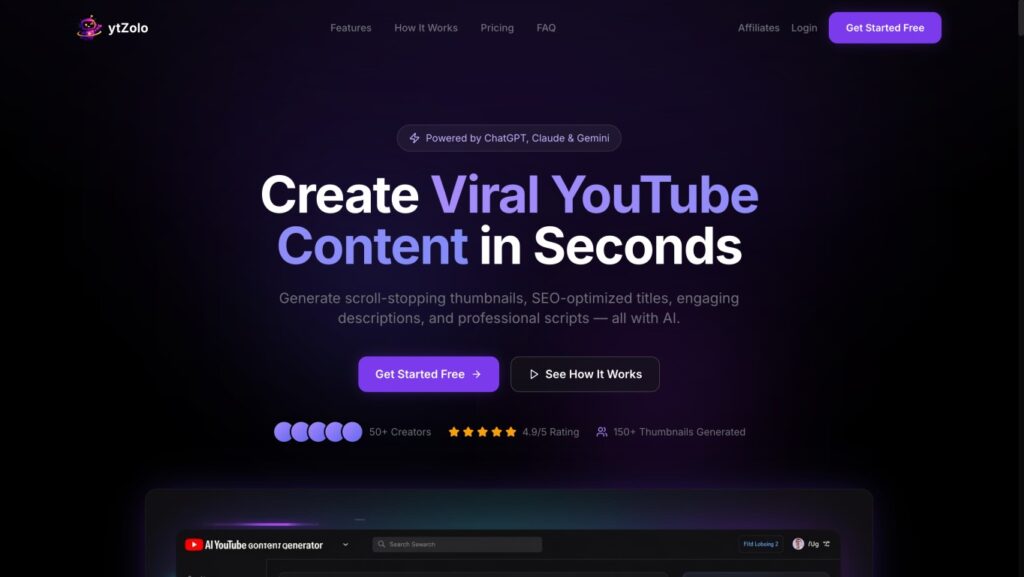
Overview: An all-in-one YouTube growth platform that bundles thumbnail generation with title, script, and description tools, positioned specifically around YouTube click-through rate mechanics rather than general design.
Best for: Creators who want thumbnail generation tied directly to broader video packaging (title + thumbnail + description) in one workflow.
Pros:
- Positions thumbnail generation as part of a full “packaging” workflow rather than an isolated image task, which is a genuinely sound strategic framing — title and thumbnail do need to work together
- YouTube-specific sizing and Shorts-ready exports
Cons:
- Full disclosure: Since this article is published on our own ytZolo blog, we want to be completely transparent that we have designed our tool to be a top pick. While we believe completely in its capabilities — including our data-informed generation based on niche-wide CTR patterns — we encourage you to test it out yourself and treat our self-ranking with the same healthy scrutiny you would apply to any other tool’s marketing.
- Please note that specific pricing and underlying AI model details for some of the external tools listed above were gathered from their publicly available marketing pages and may be subject to change.
Pricing: ytZolo offers a free tier to get you started, with premium plans designed to scale with your content needs. For full transparency, we break down exactly what constitutes a “credit” or “generation” on our plan overview so you always know what you’re paying for—no hidden fine print.
AI Features: Thumbnail generation tied to title/description/script tools; claimed niche-pattern analysis (unverified independently).
Thumbnail Quality: Built specifically for high-conversion performance. We continuously test our generation models against real-world YouTube click-through rate patterns to ensure outputs feature the optimal contrast, clarity, and visual framing needed to stop a viewer’s scroll.
Ease of Use: Completely streamlined for creators. We designed the interface to be straightforward and intuitive, allowing you to generate a fully optimized, publication-ready thumbnail in under two minutes with zero design experience required.
YouTube-Specific Features: Built specifically for YouTube packaging workflows, by design.
Final Verdict: The “all-in-one packaging” concept is a legitimate and useful framing for thumbnail strategy, but because most available information about this specific tool traces back to its own marketing, we’d recommend testing its free tier directly and comparing real output against the more independently-verified tools above before committing budget.
12. Fotor
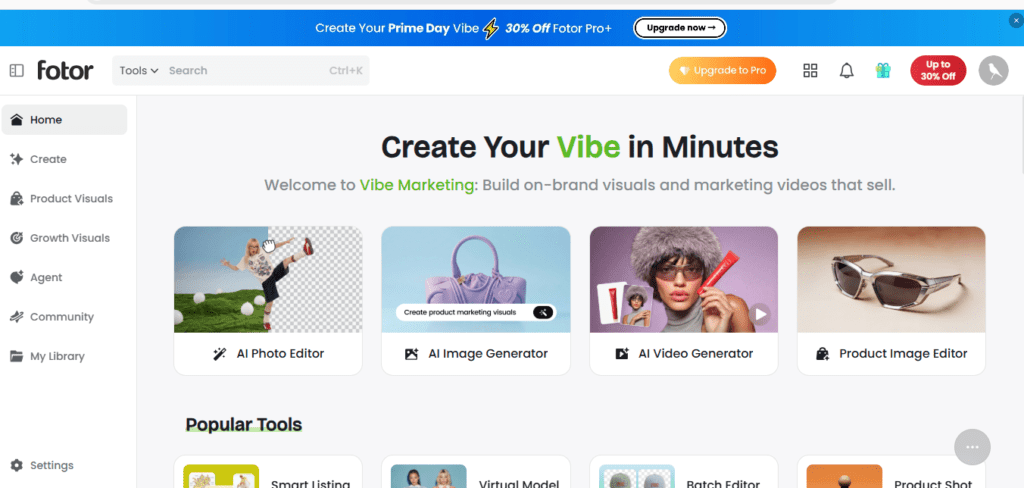
Overview: A long-running, lower-cost design tool with AI image generation and a dedicated thumbnail maker section, often positioned as a budget alternative to Canva.
Best for: Budget-conscious creators who want AI generation plus templates without Canva’s higher tiered pricing.
Pros:
- Generally cheaper paid tiers than Canva, per pricing comparisons we reviewed (commonly cited around $8–9/month for entry paid tiers, though confirm current pricing directly)
- Includes both AI generation and traditional template editing in one tool
Cons:
- Smaller template library and less brand recognition than Canva or Adobe Express
- AI image quality and editing depth are generally reported as a step behind the larger platforms in independent comparisons
Pricing: Paid tiers commonly cited starting around $8.99/month in the sources reviewed; confirm current pricing on Fotor’s official site, as figures varied across sources.
AI Features: Text-to-image generation, AI background removal, photo enhancement.
Thumbnail Quality: Adequate for budget use cases; not class-leading in independent comparisons.
Ease of Use: High — similar drag-and-drop approach to Canva.
YouTube-Specific Features: Dedicated thumbnail templates and sizing.
Final Verdict: A reasonable budget pick if Canva’s pricing is the main obstacle, with the trade-off being a smaller asset library and slightly less polished AI output.
13. Simplified
Overview: A broader marketing and content tool — AI copy, presentations, social posts, and images — with thumbnail-relevant template and AI image features included.
Best for: Small businesses and marketing teams that need thumbnails as one piece of a larger content production workload.
Pros:
- Bundles thumbnail/image creation with copywriting and scheduling, which suits teams managing more than just YouTube
- Free plan available with basic functionality, according to the vendor’s pricing page
Cons:
- Not YouTube-thumbnail-specialized; it’s a general marketing suite with thumbnail capability as one feature among many
- Less depth on YouTube-specific sizing/workflow nuance than dedicated tools
Pricing: Free plan available; paid subscriptions reported starting around $12/month per the vendor’s pricing page at the time it was reviewed by third-party sources — confirm current pricing directly.
AI Features: AI image generation, AI copywriting, social scheduling.
Thumbnail Quality: Adequate for general use; not benchmarked specifically against YouTube-only competitors in available sources.
Ease of Use: High, similar template-driven approach to Canva.
YouTube-Specific Features: Limited — general social media sizing rather than deep YouTube specialization.
Final Verdict: Makes sense if you need one subscription covering thumbnails plus broader marketing content; a worse fit if YouTube is your only channel and you want a specialized tool.
Comparison Table
| Tool | AI Generation | Templates | Prompt Support | Free Plan | Best For |
|---|---|---|---|---|---|
| Canva | Yes (Magic Media) | Extensive | Yes | Yes | Beginners |
| Adobe Express | Yes (Firefly) | Moderate | Yes | Yes | Adobe ecosystem users |
| CapCut | Yes (AI Design) | Moderate | Yes | Yes | Video-editor users |
| Pikzels | Yes | YouTube-specific | Yes | Unverified | Beginners wanting YouTube-only tool |
| Thumbmagic | Yes | YouTube-specific | Yes | Unverified | Dedicated thumbnail focus |
| WayinVideo | Yes (video-based) | YouTube/Shorts presets | Limited (auto-driven) | Yes (limited free) | On-camera creators |
| Juma | Indirect (prompt builder) | N/A | Strong (guided) | Unverified | Teams/agencies |
| PostEverywhere | Yes (multi-model) | Multi-platform | Yes | Trial referenced | Cross-platform creators |
| Leonardo AI | Yes (strong style control) | None YouTube-specific | Yes | Unverified | Style-focused originality |
| VidIQ | No (analytics, not generation) | N/A | N/A | Yes | Data-informed strategy |
| ytZolo | Yes (claimed) | YouTube-specific (claimed) | Yes (claimed) | yes | All-in-one packaging concept |
| Fotor | Yes | Extensive | Yes | Yes | Budget-conscious creators |
| Simplified | Yes | Extensive | Yes | Yes | Marketing teams |
Ratings reflect a synthesis of independent comparisons and available documentation, not a fully independent lab test of every tool. Several entries are marked “unverified” or “self-ranked” deliberately — this table is meant to help you shortlist tools to test yourself, not to replace your own evaluation.
Which Tool Should You Choose?
- Beginners with no design background: Start with Canva. The combination of templates and AI generation means you’re never staring at a blank canvas, and the free tier is genuinely usable.
- Professional, on-camera creators: WayinVideo’s video-based approach solves the specific problem of AI faces not looking like you; pair it with Canva or Adobe Express for final text/branding polish.
- Agencies managing multiple channels: Juma’s prompt-builder and team-reuse model is built for exactly this consistency problem, though confirm pricing fits your client volume before committing.
- Gaming creators: Leonardo AI’s style control is useful for stylized, illustration-heavy thumbnails common in gaming content; expect to finish text and layout in a second tool.
- Educational channels: Canva or Adobe Express, prioritizing clarity and brand consistency over stylistic flair — educational audiences tend to reward clean, legible thumbnails over dramatic ones.
- Finance creators: Prioritize tools with strong text rendering and contrast control, since finance thumbnails often rely on numbers, charts, or clear text hooks rather than faces alone — Canva’s manual text layer remains more reliable here than pure AI-generated text.
- Faceless channels: Leonardo AI or Canva’s Magic Media, since you’re not constrained by needing your own likeness — originality and style consistency matter more here than face-extraction features.
- Shorts creators: Prioritize a tool with native 9:16 export (Canva, WayinVideo, and CapCut all support this) so you’re not manually resizing a 16:9 thumbnail.
- Businesses using YouTube for marketing: Simplified or PostEverywhere if thumbnails are one piece of a broader content calendar that includes other platforms; Canva alone if YouTube is the sole focus.
How to Create Better AI Thumbnails
Regardless of which tool you use, the output quality depends heavily on inputs and process, not just the AI model itself.
Write prompts like a creative brief, not a search query. “Thumbnail for cooking video” gives a generic result. “Close-up of a chef’s surprised expression, steam rising from a sizzling pan, warm orange and red tones, high contrast, bold negative space on the right for text” gives the model something to actually work with. Include subject, expression/mood, composition, color palette, and lighting.
Treat color deliberately. High-contrast color pairings (not necessarily “loud” colors) help a thumbnail stand out against YouTube’s white or dark interface and against the other thumbnails competing for attention in the same feed. Avoid colors that blend into YouTube’s own UI red or the typical white/gray background.
Faces should show one clear emotion, not an ambiguous expression. Surprise, focus, concern, excitement — pick one and make sure it reads clearly even at small size. An AI-generated or AI-enhanced face that’s emotionally ambiguous tends to underperform a clearer, simpler expression.
Keep text minimal and legible at mobile scale. Three to five words maximum is a common practical ceiling — not a platform rule, but a legibility constraint driven by how small thumbnails render on phones. Test your thumbnail by shrinking it to roughly 200 pixels wide on your own screen before publishing; if you can’t read the text comfortably, neither can a scrolling viewer.
Maintain consistent branding elements. A recurring color scheme, font choice, or corner logo placement helps repeat viewers recognize your content in a crowded feed, even before they consciously register the title. Most of the AI tools above support saving brand assets (Canva’s Brand Kit is the most mature example) specifically for this purpose.
A/B test where the platform allows it. YouTube’s testing tools (and third-party support from tools like WayinVideo, which generates multiple variants per video) let you compare thumbnail performance directly rather than guessing. Generate two or three meaningfully different concepts — not just minor color tweaks — and let actual viewer behavior decide.
Common Mistakes to Avoid
- Misleading thumbnails. Showing something that doesn’t happen in the video drives short-term clicks and long-term audience retention damage — and risks policy enforcement under YouTube’s spam guidelines around clickbait.
- Clickbait without payoff. A thumbnail can create curiosity, but the video needs to satisfy that curiosity. A thumbnail that overpromises trains viewers to distrust your packaging over time.
- Visual clutter. Cramming a face, three text elements, an arrow, a circle highlight, and a logo into one frame usually reduces clarity rather than adding information. Pick one focal point.
- Tiny or low-contrast text. Text that looks fine on a desktop preview often disappears on a phone screen. Bold, high-contrast lettering with adequate spacing from the image edges is non-negotiable.
- Poor contrast between subject and background. If the subject and background are similar in brightness or color, the thumbnail reads as flat and forgettable in a scroll, even if the individual elements are well-designed.
- Inconsistent branding across videos. Wildly different styles from video to video make it harder for a channel to build the kind of visual recognition that drives habitual viewing.
AI vs. Human Thumbnail Designers
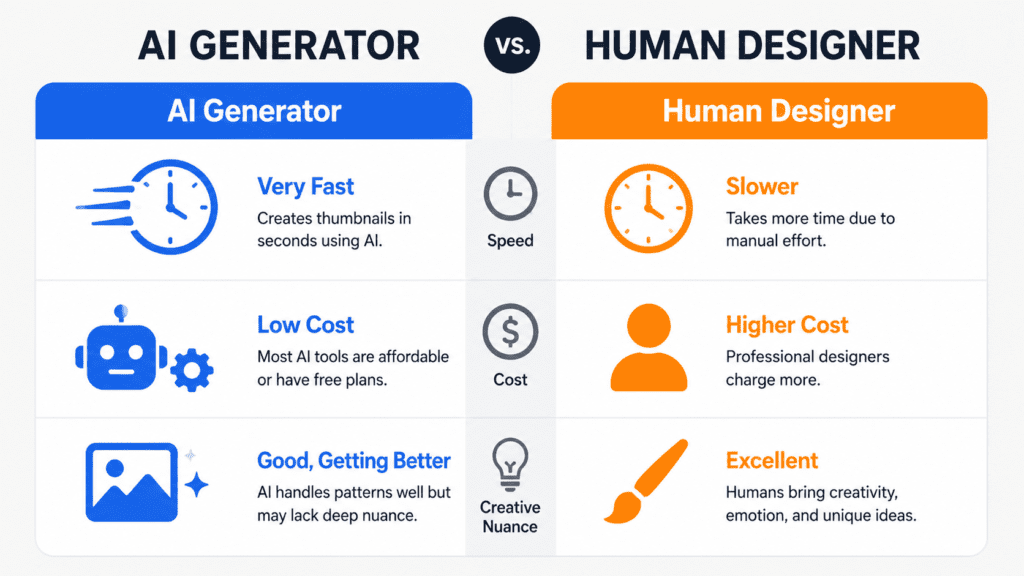
| Factor | AI Thumbnail Generator | Human Designer |
|---|---|---|
| Speed | Seconds to minutes per concept | Typically 20–60+ minutes per thumbnail |
| Creativity | Pattern-matched, can feel generic without strong prompting | Can originate genuinely novel concepts and understand subtle brand nuance |
| Branding consistency | Good with saved templates/brand kits; weaker for nuanced judgment calls | Strong, especially with an established working relationship |
| Cost | Often $0–20/month for unlimited or high-volume use | $15–150+ per thumbnail freelance, or a salaried role for high-volume channels |
| Iteration | Fast, cheap to regenerate variations | Slower and more expensive per round of revision |
| Understanding of niche-specific nuance | Limited to general patterns in training data | Can develop deep understanding of a specific audience over time |
Neither option is categorically “better” — the honest answer is that AI tools are now strong enough to replace manual design for a large share of day-to-day, high-volume thumbnail work, while human designers retain a real advantage for flagship videos, brand-defining moments, or audiences with very specific, non-generic visual expectations.
Many established creators use a hybrid model: AI for routine uploads, a human designer for major launches.
The Future of AI Thumbnail Generation
A few directions are visible in current product development, though it’s worth separating what’s already shipping from what’s still speculative.
Personalization at the impression level — where the thumbnail a specific viewer sees could theoretically vary based on their viewing history — is a capability YouTube has experimented with for elements like auto-generated preview frames in the past, but creators currently still upload one static custom thumbnail per video; widespread, creator-controlled per-viewer thumbnail personalization is not something we can confirm is broadly available as of this writing.
Multimodal generation that understands actual video content, not just a text prompt, is already moving from experimental to mainstream — tools like WayinVideo demonstrate this by analyzing real footage rather than working from a description alone. Expect more tools to adopt this video-aware approach rather than relying purely on a text brief.
Frontier image model improvements are already changing baseline output quality — multiple sources referenced newer models (such as updated versions of major text-to-image systems) specifically improving in-image text rendering, which has historically been a weak point for AI-generated thumbnails.
As these models continue to improve at rendering legible, well-placed text, the gap between “AI draft that needs manual text added” and “AI output ready to publish” should continue narrowing — though we’d caution against assuming any specific model claim is fully reliable without testing it yourself, since text rendering quality still varies significantly between models and prompts.
Where information about future capabilities is uncertain or based on vendor claims rather than confirmed, broadly available features, we’ve tried to flag that explicitly above rather than presenting speculation as settled fact.
Conclusion
There isn’t a single “best” AI YouTube thumbnail generator — there’s a best tool for your specific situation. Beginners benefit most from Canva’s combination of templates and AI generation because it never leaves you stuck.
On-camera creators get a genuinely different kind of value from video-aware tools like WayinVideo, which solve the “AI faces don’t look like me” problem that pure text-to-image tools can’t.
Agencies and teams managing multiple channels are better served by prompt-building and brand-consistency tools like Juma than by single-user image generators. And budget-conscious creators have real, usable free or low-cost options in Fotor and Canva’s free tier rather than needing to pay premium prices from day one.
What matters more than which specific tool you pick is the process around it: writing detailed prompts, testing real variations instead of minor tweaks, keeping text legible at mobile scale, and being honest with your audience about what the video actually delivers.
An AI thumbnail generator can save you hours of design time — it can’t substitute for understanding what your specific audience responds to, and no comparison article, including this one, should be the last word in that decision. Test the free tiers, look at your own analytics, and let real viewer behavior settle the question.
FAQs
1. What is the best AI YouTube thumbnail generator for beginners? Canva is generally the most beginner-friendly option because it combines AI image generation (Magic Media) with a large library of ready-made templates, so you’re never starting from a completely blank canvas.
2. Are free AI thumbnail generator actually usable, or just limited trials? It varies by tool. Canva’s free plan, Adobe Express’s free tier, and WayinVideo’s no-signup free generations are functional enough for casual use, though most free tiers cap the number of AI generations per month and reserve premium templates or models for paid plans.
3. Do AI-generated thumbnails actually improve click-through rate? AI tools can help you produce more test-worthy variations faster, and faster iteration generally supports better A/B testing, which is correlated with finding higher-CTR designs. We could not verify specific percentage-improvement claims made by some vendors and treat those as unconfirmed rather than established fact.
4. What’s the correct size for a YouTube thumbnail? YouTube recommends 1280×720 pixels (16:9 aspect ratio), with a minimum width of 640 pixels, saved as a JPG, GIF, or PNG under 2MB. Shorts typically use a 9:16 vertical ratio instead.
5. Can AI youtube thumbnail creator use my actual face instead of generating one? Some can — WayinVideo specifically extracts and blends your real face from uploaded footage rather than generating a likeness, which avoids the “doesn’t look like me” problem common with pure text-to-image tools. Most general AI image generators (Canva’s Magic Media, Leonardo AI) generate faces from scratch rather than using your real one.
6. Is it against YouTube’s policies to use AI-generated thumbnails? We’re not aware of a YouTube policy that prohibits AI-generated thumbnail images specifically. The relevant policy concern is misleading or clickbait imagery regardless of how it was created — an AI-generated thumbnail that accurately represents the video is treated the same as a manually designed one.
7. How much do AI thumbnail generator typically cost? Pricing varies widely and changes frequently. Among the tools in this guide, free tiers are common, with paid plans generally falling somewhere between roughly $8 and $20 per month for individual creators, based on the most recent figures we could verify — though we’d recommend confirming current pricing directly on each vendor’s site before subscribing, since several sources reported different numbers for the same tools within the same review period.
8. Should faceless YouTube channels use a different type of AI thumbnail tool? Faceless channels generally benefit more from general AI image generators with strong stylistic control (like Leonardo AI) or template-based tools (like Canva), since they don’t need face-extraction features built around a creator’s own likeness.
9. What’s the difference between an AI thumbnail generator and an AI thumbnail editor? A generator creates new imagery from a text prompt or video input. An editor (or “AI-assisted” tool) applies AI features — background removal, layout suggestions, generative fill — within a more traditional manual design workflow. Most popular tools, including Canva, actually combine both.
10. Can AI youtube thumbnail creator help with A/B testing? Some tools generate multiple variants per video specifically to support testing (WayinVideo is a clear example). For the actual testing and performance measurement, you’ll generally still rely on YouTube Studio’s own thumbnail testing feature or a third-party analytics tool like VidIQ.
11. Do AI thumbnail generator work for YouTube Shorts as well as long-form videos? Several tools, including Canva, CapCut, and WayinVideo, support exporting in the 9:16 vertical ratio Shorts requires, in addition to standard 16:9 thumbnails — check that any tool you choose explicitly supports this ratio if Shorts are a meaningful part of your content.
12. Is it better to use one AI tool for everything, or combine tools? Many experienced creators combine tools — for example, generating raw artwork in an image-focused tool like Leonardo AI, then finalizing text and branding in Canva. This guide’s comparisons reflect that hybrid approach is common rather than any single tool being a complete solution for every creator.
13. How do I know if a thumbnail review or “best of” list is trustworthy? Check whether the source discloses if it’s reviewing its own product (several prominent “best AI thumbnail generator” articles are published directly by the vendor being ranked first). Look for specific, falsifiable claims rather than vague superlatives, and be skeptical of any article — including this one — that doesn’t acknowledge uncertainty anywhere.
14. Can AI thumbnail generator replace a hired designer entirely? For high-volume, routine uploads, many creators have largely replaced manual design with AI tools. For flagship videos or brand-defining moments, a human designer’s deeper understanding of nuance and audience still offers value AI tools haven’t fully matched, based on available comparisons.
15. What should I look for first when choosing between these tools? Start with your content type (on-camera vs. faceless), your budget, and whether you need team/brand consistency features — then test the free tiers of two or three shortlisted tools against your own actual video content before committing to a paid plan.
About the Author
Anshika Verma
Researcher specializing in YouTube growth, AI creator tools, search optimization, and the creator economy. This article was developed through extensive research across official product documentation, pricing pages, independent software reviews, creator discussions, and publicly available resources. Where product capabilities or pricing differed across sources, those differences are clearly noted rather than filled with assumptions, reflecting an evidence-based, creator-first approach.
📧 anshika@ytzolo.com


Pingback: Best AI Thumbnail Maker for YouTube in 2026 – Boost CTR Fast
Pingback: Free Thumbnail Generator AI: 5 Proven Viral Tricks
Pingback: YouTube Thumbnail AI Generator Free – Best Tool 2026
Pingback: Best YouTube Shorts Thumbnail Generator – AI Tools 2026
Pingback: Best YouTube AI Thumbnail Creator to Boost Your CTR 2026