

Introduction: Your Video Got 100,000 Impressions — And Nobody Clicke
Imagine this.
You spent two full days scripting, filming, and editing your latest video. You hit publish with high hopes, planning to increase YouTube CTR AI using smarter thumbnails and titles. YouTube starts rolling out impressions. 50,000. Then 100,000. Then 200,000.
But your views? Barely 3,000.
Sound familiar?
That’s the brutal reality of a low click-through rate (CTR). It doesn’t matter how good your content is. If people aren’t clicking your thumbnail, YouTube buries your video before it ever gets a real chance.
Here’s the truth most creators don’t talk about: CTR is the single most powerful signal you can send to the YouTube algorithm. A high CTR tells YouTube, “People love this content — show it to more people.” A low CTR says the opposite. And the algorithm listens.
The good news? You can dramatically increase YouTube CTR AI tools that take the guesswork out of thumbnails, titles, and descriptions. And in 2026, creators who use AI have a serious, measurable advantage over those who don’t.
This guide will show you exactly how to do it — step by step. And by the end, you’ll understand why ytZolo is the tool thousands of creators are using to win the click-through rate game.
Let’s get into it.
Table of Contents
What Is YouTube CTR and Why Does It Matter?
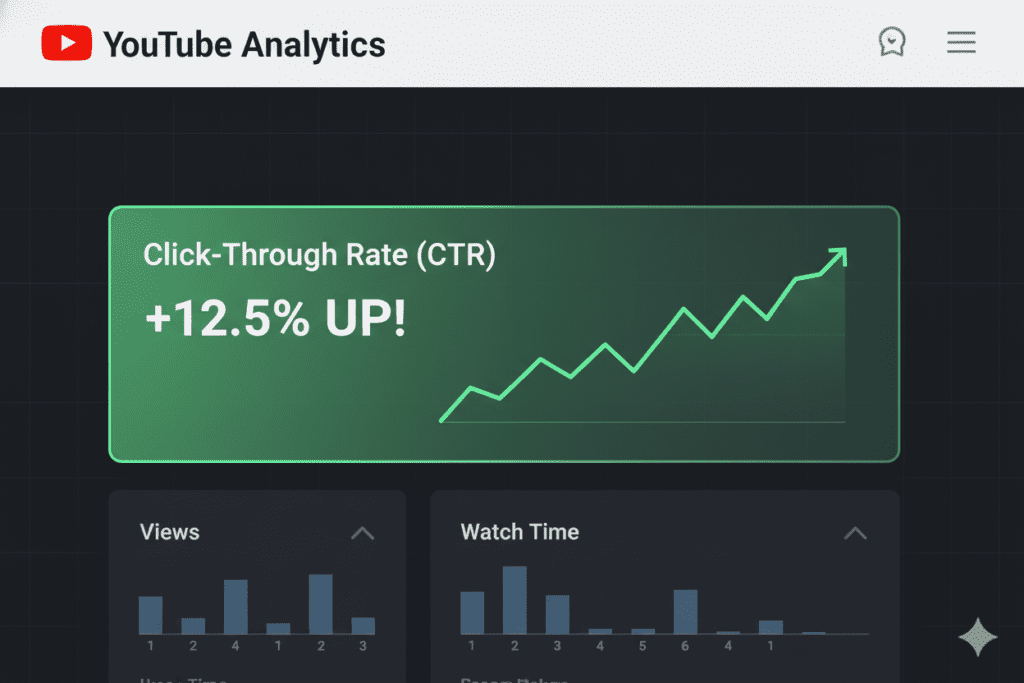
YouTube CTR — or click-through rate — measures how often viewers click your video after seeing it as an impression on the platform.
The formula is simple:
CTR = (Clicks ÷ Impressions) × 100
If your video gets 10,000 impressions and 500 clicks, your CTR is 5%. To increase YouTube CTR AI, YouTube measures this across surfaces like the home feed, search results, and suggested videos.
Here’s why it matters so much:
- It signals content quality. YouTube uses CTR as one of its strongest early ranking signals.
- It drives algorithm momentum. A higher CTR leads to more impressions, which leads to more views — a true snowball effect.
- It determines your video’s lifespan. Videos with strong CTR keep getting pushed. Videos with weak CTR die fast.
You can have the most valuable, well-made video on the platform. But if your thumbnail and title don’t get the click? Nobody will ever see it.
That’s why learning to increase YouTube CTR with AI is one of the highest-leverage skills a creator can develop in 2026.
What’s a Good CTR on YouTube in 2026?
Most creators obsess over the wrong benchmarks. Here’s what the data actually shows:
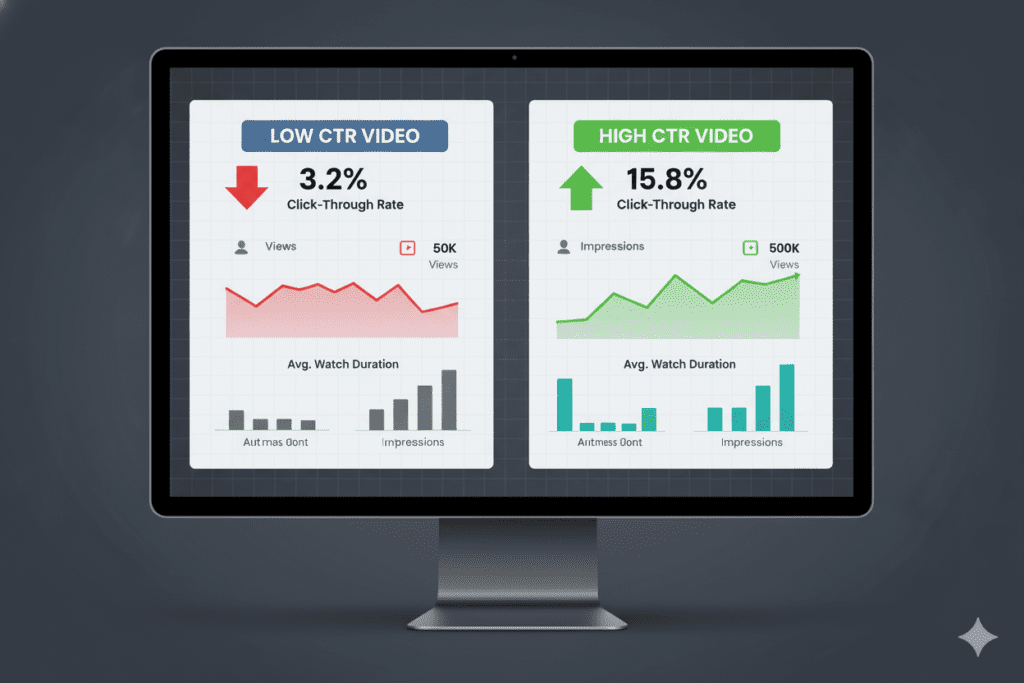
- Below 3% — Needs serious work. Your thumbnails or titles aren’t connecting.
- 3%–5% — Average. Room to improve, but you’re not in crisis.
- 5%–7% — Good. You’re doing better than most channels.
- 7%–10% — Excellent. You’ve cracked something that’s working.
- 10%+ — Elite. This is “god tier” for most niches, according to multiple 2026 benchmark reports.
One important note: CTR benchmarks vary by niche, content type, and where impressions are coming from. A gaming channel and a finance channel won’t have identical benchmarks, which is why many creators use increase YouTube CTR AI strategies to analyze and optimize performance.
The smarter move? Don’t compare yourself to other channels. Use your own past 28-day average as your baseline, then work to improve it by 1–2 percentage points at a time.
That incremental improvement compounds fast — especially when you use AI to increase YouTube CTR systematically.
Why Most Creators Struggle to Increase YouTube CTR
Here’s something nobody wants to admit: most creators are guessing.
They pick a thumbnail based on what looks good to them. They write titles based on gut feeling. They test nothing. And when CTR is low, they don’t know why — so they just upload another video instead of using increase YouTube CTR AI strategies and hope for better luck.
This is the manual method trap. It wastes time, kills momentum, and produces inconsistent results.
The core reasons creators fail to increase YouTube CTR include:
- No data-driven thumbnail strategy. Most creators design for a 4K monitor instead of a 150×150 mobile screen. Over 70% of YouTube views in 2026 happen on mobile devices. If your thumbnail doesn’t pop on a phone, you’ve already lost.
- Generic, boring titles. Titles without curiosity gaps, power words, or emotional triggers get ignored. People don’t read every title in their feed — they scan, and something has to stop them.
- No A/B testing. Publishing one version of a thumbnail and sticking with it forever is leaving clicks on the table. Testing two to three variations can completely change a video’s trajectory.
- Siloed tools. Using five different apps for titles, thumbnails, tags, descriptions, and scripts creates inconsistency — and inconsistency kills CTR.
The solution to all of these problems? Use increase YouTube CTR AI — and use a platform that connects every piece of the puzzle.

How AI Is Revolutionizing YouTube CTR Optimization
In 2026, AI isn’t a nice-to-have for creators. It’s a competitive weapon.
Here’s what AI can now do to increase YouTube CTR at a level no human could match manually:
AI-Generated Thumbnails Modern AI thumbnail tools are trained on millions of high-performing YouTube videos. They understand color psychology, facial expression data, and layout patterns that consistently drive higher CTR across different niches. High-contrast thumbnails with bold, warm colors can increase CTR by 20–30%, according to multiple 2025–2026 design studies.
AI Title Optimization AI title generators analyze search volume, trending formats, competitor performance data, and emotional trigger words to craft titles that help increase YouTube CTR AI — built to get clicked, not just read.
AI SEO for Descriptions and Tags AI tools can generate keyword-rich descriptions and tag sets that help YouTube’s algorithm understand and categorize your video — making it more likely to appear in search and suggested feeds.
Predictive Performance Scoring Some platforms now assign a “virality score” or predicted CTR score to titles and thumbnails before you publish. You stop guessing and start making data-backed decisions.
According to YouTube’s own 2026 roadmap, over 1 million channels were already using AI creation tools daily by December 2025. YouTube itself is betting big on AI. The question is: are you ready to increase YouTube CTR AI.

7 Proven Ways to Increase YouTube CTR with AI
Let’s get tactical. Here are seven proven, AI-powered strategies to increase YouTube CTR starting with your next upload.
1. Use AI to Generate Click-Worthy Title Variations
Your title is a hook. A bad hook means no click — no matter how good the thumbnail is.
AI title generators can produce 20–30 variations of your title in seconds, each testing different emotional angles, keyword placements, and power word combinations to increase YouTube CTR AI effectively.
Look for titles that:
- Open with a curiosity gap (“Why Your CTR Never Goes Up…”)
- Lead with your primary keyword in the first 3–5 words
- Use power words like “Shocking,” “Proven,” “Finally,” or “Secret”
- Stay under 70 characters so they don’t get cut off in search
ytZolo’s AI title generator does this natively — it produces multiple optimized title options ranked by predicted click performance, so you’re always choosing from the best options, not guessing blindly.
2. Design Thumbnails for Mobile First
Over 70% of YouTube traffic in 2026 comes from mobile. Yet most creators design thumbnails for big screens.
The fix: before uploading any thumbnail, shrink it to 150×150 pixels. Can you still read the text? Can you identify the main subject? If not, redesign to increase YouTube CTR AI and make your visuals irresistible.
AI thumbnail tools handle this automatically. They’re trained to create high-contrast, mobile-optimized visuals with:
- Bold, warm colors (yellow, orange, red) that pop against YouTube’s light and dark modes
- Minimal text — 3 words or fewer performs best
- A single, clear focal point (usually a face or a bold visual element)
- Expressive faces, since thumbnails with strong emotions get 20–30% higher CTR
3. A/B Test Every Thumbnail
One thumbnail is never your final answer. The data almost always surprises you.
YouTube Studio’s built-in “Test & Compare” feature now lets you upload up to three thumbnail variations per video. YouTube shows different versions to different segments of your audience and tells you which one wins, helping you increase YouTube CTR AI and optimize performance.
One creator reportedly saw a 978% increase in views from a single thumbnail swap. That’s not a typo.
AI makes testing faster by generating multiple distinct variations in seconds. No Photoshop marathon required.
4. Align Your Title and Thumbnail (Never Repeat Them)
Here’s a mistake most creators make without realizing it: they put the same message in both the title and the thumbnail.
That’s wasted real estate.
Your title and thumbnail should work together — each delivering a different piece of information that makes the viewer even more curious and helps increase YouTube CTR AI.
For example:
- Title: “Why Your CTR Never Goes Up (2026)”
- Thumbnail text: “Capture the First 30 Seconds First”
Together, they create a more complete, curiosity-driving message. AI tools that generate titles and thumbnails simultaneously (like ytZolo) make this alignment automatic.
5. Optimize Descriptions with AI for Algorithm Discovery
Your video description is prime SEO real estate — and most creators write two generic sentences and move on.
AI can generate full, keyword-rich descriptions that help YouTube categorize your content and surface it in both search and suggested feeds, boosting your ability to increase YouTube CTR AI.
A strong AI-generated description includes:
- Your primary keyword in the first 2 sentences
- Related LSI keywords woven in naturally
- Timestamps and chapter markers for retention
- A clear call-to-action for subscribers
6. Use AI for Smarter Tag Strategy
YouTube tags still matter in 2026 — especially for helping the algorithm understand your video’s topic and semantic context.
AI tag generators analyze your video topic, identify high-volume search terms, map semantic relationships, and suggest a mix of broad and long-tail keywords. Best practice: use 8–15 well-chosen tags within YouTube’s 500-character limit to increase YouTube CTR AI effectively.
7. Write AI-Powered Scripts That Keep Viewers Watching
CTR gets the click. Retention keeps the views flowing.
A video with great CTR but poor retention sends a negative signal to the algorithm. That’s why your script matters just as much as your thumbnail. AI script tools help you open with a powerful hook in the first 30 seconds, maintain a clear structure, and use pattern interrupts to stop viewers from dropping off.
Better retention = better watch time = better algorithm performance = more impressions = higher CTR. It’s a full cycle.
Why ytZolo Is the Best AI Tool to Increase YouTube CTR
Most AI tools solve one problem. ytZolo solves all of them — in one place.
Here’s the thing most creators don’t realize: your CTR doesn’t improve when you fix just thumbnails or just titles. It improves when your entire content package works together. Your title, thumbnail, description, tags, and script need to tell the same story to truly increase YouTube CTR AI.
That’s exactly what ytZolo is built to do.
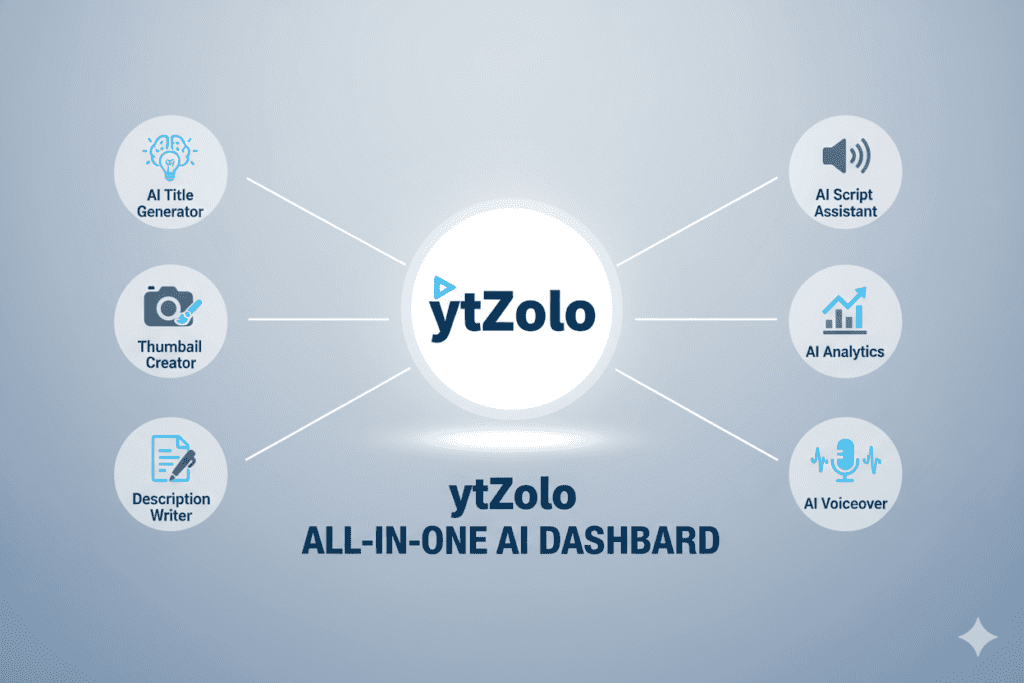
ytZolo is an all-in-one AI YouTube growth platform. It gives you:
- AI Title Generator — Produces multiple click-optimized title variations with predicted performance scores
- AI Thumbnail Creator — Generates CTR-focused thumbnails trained on viral content across every niche, with no watermarks and full HD export
- AI Script Writer — Writes hooks, outlines, and full scripts designed for watch time and retention
- AI Description Generator — Creates SEO-rich descriptions that the algorithm loves
- AI Tag Optimizer — Builds keyword-rich tag sets with long-tail opportunities you’d miss with manual research
Everything lives in one dashboard. No switching between apps. No inconsistency between your title and thumbnail. No guesswork.
ytZolo’s AI reads your video topic, script, or title — and generates all of these assets aligned with each other. Your thumbnail tells the same story your title promises. Your description reinforces your script’s keywords. Your tags map to your title’s semantic context, helping you increase YouTube CTR AI seamlessly.
That unified approach is what separates creators who grow from creators who plateau.
The average creator spends 4–6 hours on content optimization tasks that have nothing to do with filming. ytZolo cuts that down dramatically — so you can focus on what you actually love: creating.
Check out the ytZolo blog for real creator case studies and deeper breakdowns of how these tools work together to drive channel growth.

Why ytZolo Is Better Than Other Tools
The market is full of AI tools claiming to increase YouTube CTR. So why does ytZolo win?
Here’s a direct comparison:
| Feature | TubeBuddy | vidIQ | Canva | ytZolo |
|---|---|---|---|---|
| AI Title Generator | ✅ | ✅ | ❌ | ✅ |
| AI Thumbnail Generator | ❌ | Limited | ✅ | ✅ |
| AI Script Writer | ❌ | ❌ | ❌ | ✅ |
| AI Description Generator | Limited | Limited | ❌ | ✅ |
| AI Tag Optimizer | ✅ | ✅ | ❌ | ✅ |
| All-in-One Dashboard | ❌ | ❌ | ❌ | ✅ |
| Built Specifically for YouTube Growth | Partial | Partial | ❌ | ✅ |
| Niche-Intelligent Thumbnails | ❌ | ❌ | ❌ | ✅ |
TubeBuddy and vidIQ are analytics-first tools. They’re excellent at showing you data, but they don’t create content. You still have to do the heavy lifting yourself, unlike tools that help increase YouTube CTR AI automatically.
Canva is a design powerhouse — but it was built for marketers and designers, not YouTubers. It doesn’t understand CTR optimization, YouTube’s algorithm, or how your thumbnail needs to align with your title.
ChatGPT, Jasper, and other AI writers are general-purpose tools. They don’t understand that a YouTube script needs to be watched, not just read. They don’t account for retention drops, pattern interrupts, or YouTube-specific formatting.
ytZolo is different. It was designed from the ground up by people who understand the YouTube algorithm, creator psychology, and what actually drives channel growth. It’s not just the best AI tool for increasing CTR — it’s the best AI tool for YouTube, period.
When other tools show you data, ytZolo takes action. That’s not a small difference — that’s how you increase YouTube CTR AI and turn insights into real growth.
Step-by-Step: How to Use ytZolo to Boost Your CTR
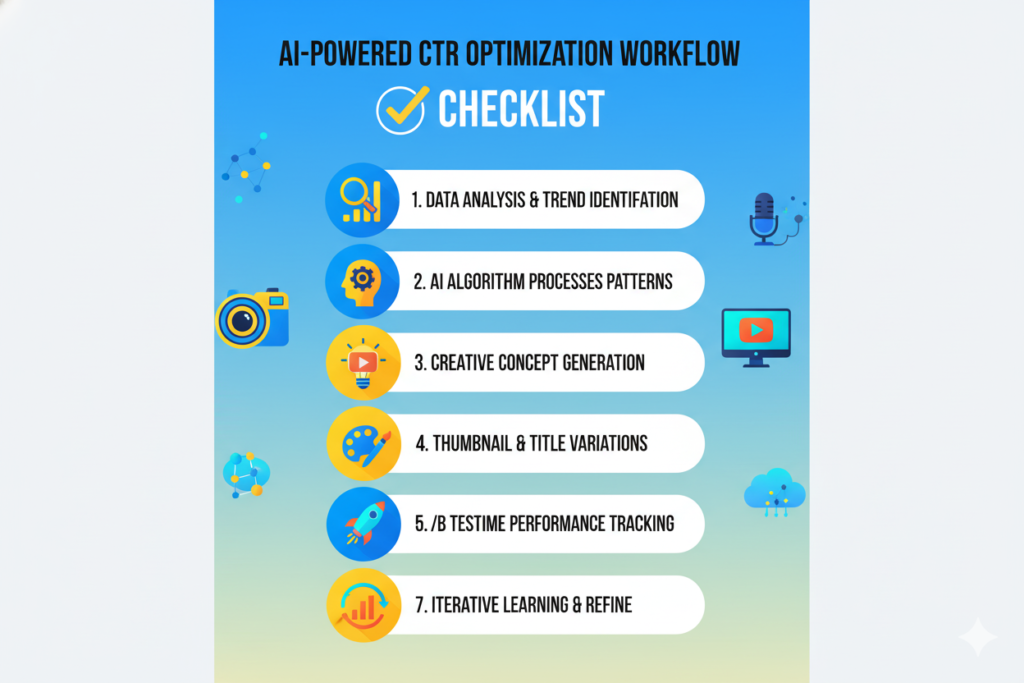
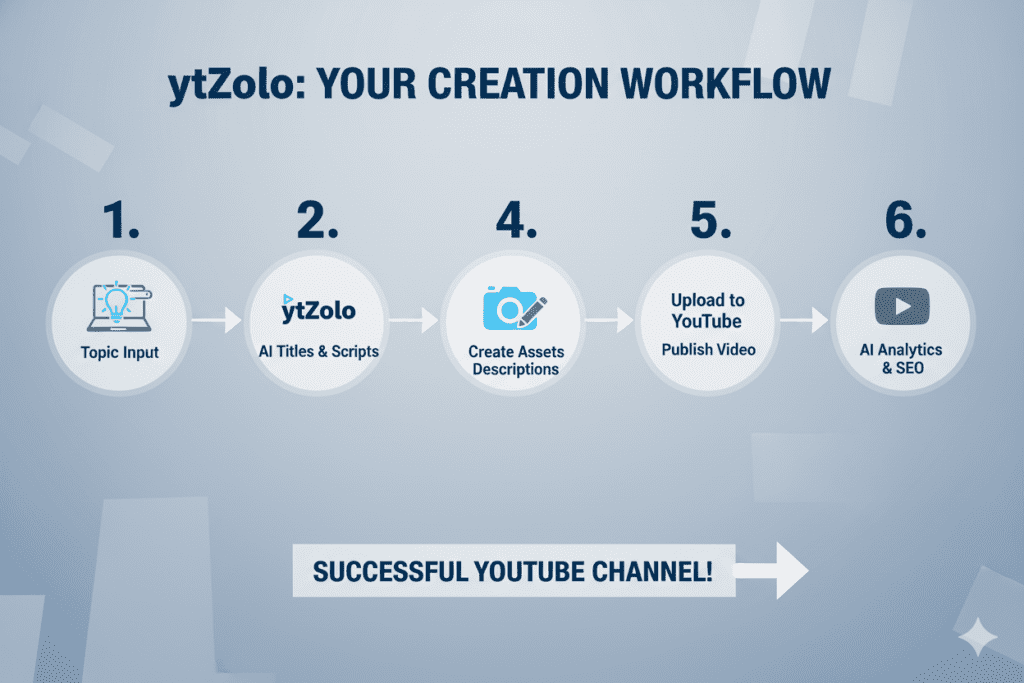
Getting started with ytZolo takes less than five minutes. Here’s exactly how it works:
Step 1 — Create Your Free Account Go to ytzolo.com and sign up. No credit card required to get started. You can explore the platform and generate AI-powered titles, thumbnails, and more immediately.
Step 2 — Enter Your Video Topic or Title Type in your video title or a brief description of your content. The more specific you are, the better your results. For example: “5 beginner investing mistakes that cost you money” beats just “investing tips,” helping you increase YouTube CTR AI more effectively.
Step 3 — Let the AI Generate Your Full Content Package Hit generate. ytZolo’s AI analyzes your input, pulls keyword data, maps semantic relationships, and produces your optimized title variations, thumbnail concepts, description, and tag set — all at once, all aligned.
Step 4 — Review and Customize Browse your title options and pick the one with the strongest CTR potential. Review the thumbnail variations. Choose the one that matches your brand style and the emotion your video sells. Tweak fonts, colors, or text as needed.
Step 5 — A/B Test Your Top Picks Upload 2–3 thumbnail variations to YouTube Studio’s Test & Compare feature. Let real audience data — not gut feeling — pick the winner. Give it at least 300–500 impressions before drawing conclusions.
Step 6 — Monitor and Iterate Check your CTR in YouTube Analytics after 48 hours. Compare your new baseline against your previous 28-day average. Repeat the process with your next video to continuously increase YouTube CTR AI, as improvement compounds over time.
Common CTR Mistakes Creators Make
Even with AI tools, some habits kill CTR. Watch out for these:
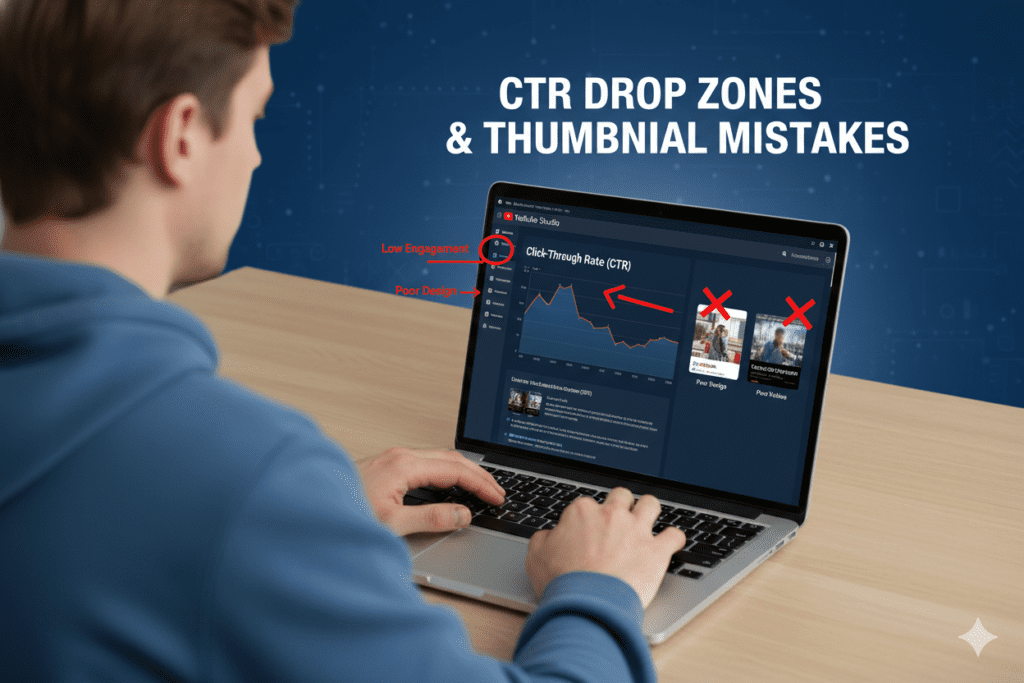
- Clickbait that misleads. Research shows that while AI-generated thumbnails can boost CTR, misleading thumbnails can drop view duration by 19.3%. YouTube’s algorithm catches this fast and punishes it. Get the click honestly — make your content look its best, not something it’s not.
- Too much text on thumbnails. More than 3–5 words becomes unreadable on mobile. Let the visual do the work.
- Repeating title words in your thumbnail. This wastes valuable real estate. Use title and thumbnail to deliver different parts of the same story.
- Designing for desktop only. Shrink your thumbnail to 150×150 before publishing. If you can’t read it, your mobile viewers can’t either.
- Not testing. If you’re not running at least one thumbnail A/B test per video, you’re leaving data on the table. Always be testing.
- Ignoring retention alongside CTR. CTR gets the click. Watch time keeps the momentum. Always optimize both together. A quality click score of CTR × average percentage viewed gives you a more complete picture than CTR alone.
FAQ: Increase YouTube CTR with AI
Q1: What is a good YouTube CTR in 2026?
A good YouTube CTR in 2026 falls between 4% and 7% for most channels, according to multiple benchmark reports. Below 3% needs significant improvement. Above 7% is excellent, and above 10% is considered exceptional for most niches. However, the best benchmark to use is your own channel’s 28-day average — tracking and optimizing with AI can help you increase YouTube CTR AI based on your unique performance.
Q2: How does AI help increase YouTube CTR?
AI helps increase YouTube CTR by generating data-driven thumbnails, optimizing titles with emotional triggers and search keywords, predicting click performance before you publish, and aligning your title, thumbnail, description, and tags into one cohesive package. Tools like ytZolo handle all of this in a single platform, eliminating the guesswork that causes most creators to plateau.
Q3: Can AI-generated thumbnails actually improve click-through rates?
Yes — significantly. Research from 2025–2026 shows that properly optimized AI thumbnails can improve CTR by 20% to over 50% compared to manually designed alternatives. The key is that the thumbnail must honestly represent the video content. Using AI strategically can help you increase YouTube CTR AI without compromising watch time.
Q4: Is ytZolo better than TubeBuddy or vidIQ for CTR optimization?
ytZolo is purpose-built for YouTube growth and content creation, while TubeBuddy and vidIQ are primarily analytics tools. ytZolo generates thumbnails, titles, scripts, descriptions, and tags all in one place — and they’re designed to work together. If you want to increase YouTube CTR with AI comprehensively, ytZolo is the more complete solution. You can explore all features at ytzolo.com.
Q5: How many thumbnails should I A/B test per video?
Most YouTube experts recommend testing 2–3 thumbnail variations per video. Use YouTube Studio’s native “Test & Compare” feature and wait until you have at least 300–500 impressions per variant before choosing a winner. This approach helps you increase YouTube CTR AI by letting data — not personal preference — drive optimization.
Conclusion: Stop Guessing. Start Clicking.
Low CTR isn’t a creative problem. It’s a strategy problem.
Your videos deserve to be seen. Your audience is out there. The only thing standing between your content and the views it deserves is a smarter approach to thumbnails, titles, and overall optimization — the key to increase YouTube CTR AI.
In 2026, the creators who win aren’t necessarily the most talented. They’re the most strategic — and they use AI to increase YouTube CTR consistently, not just occasionally.
They test thumbnails. They write AI-powered titles. They align every piece of their content package with data, not gut feeling. And they do it faster and smarter than creators who are still doing everything manually.
You can do the same. Starting today.
ytZolo gives you everything you need to increase YouTube CTR with AI — all in one place. Titles that get clicked. Thumbnails that stop the scroll. Scripts that keep viewers watching. Descriptions and tags that make the algorithm love your content.
The creators winning right now aren’t waiting. They’re already using AI. Every day you wait is a day their channels grow while yours stays flat — don’t miss the chance to increase YouTube CTR AI.
🚀 Start creating smarter, faster, and more viral YouTube content with ytZolo today.
Visit ytzolo.com and get started free — no credit card required.
Want more strategies for growing your YouTube channel with AI? Check out the ytZolo blog for creator guides, case studies, and the latest tips on AI-powered YouTube growth.
External Resources:


Pingback: Best AI for YouTube Titles and Thumbnails 2026 | ytZolo
Pingback: YouTube Title Capitalization Best Practices 2026
Pingback: Best YouTube Titles Generator AI for More Views 2026
Pingback: Best Thumbnail Maker AI Free for YouTube in 2026
Pingback: YouTube Thumbnail Idea Generator: Best AI Tools 2026
Pingback: Best YouTube Thumbnail Maker AI Free Tools 2026
Pingback: Best YouTube AI Thumbnail Creator to Boost Your CTR 2026
Pingback: Free AI Thumbnail Generator: Best Tools for YouTube 2026
Pingback: Best AI Thumbnail Generator Free for YouTube in 2026
Pingback: Best AI Tools for YouTubers to Grow Faster in 2026
Pingback: Free AI YouTube Thumbnail Maker – Get More Clicks Fast 2026
Pingback: Free YouTube Thumbnail Maker AI: Best Tools in 2026
Pingback: 7 YouTube Thumbnail Generator AI Free Without Login | ytZolo
Pingback: Best Free AI YouTube Thumbnail Generators 2026 Viral+No Flop
Pingback: Best Free AI Tools for YouTube Thumbnails (2026)
Pingback: Best AI Thumbnail Generators for YouTube 2026
Pingback: Best AI Thumbnail Generator for YouTube (2026)
Pingback: Best Thumbnail Maker Without Login — Free & Fast 2026
Pingback: Best Free AI Thumbnail Generator for YouTube (2026)
Pingback: Analyze YouTube Channel AI Free – 2026 Guide
Pingback: ytZolo vs Pikzels: Ultimate Best AI Tool in 2026?
Pingback: Best Viral YouTube Thumbnail Maker — AI Tools 2026
Pingback: 6 Shockingly Best AI for Writing YouTube Scripts