Best AI Thumbnail Generators for YouTube in 2026 (Tested & Compared)
June 27, 2026
If you’re serious about YouTube growth, you already know that your thumbnail is your first impression. Before a viewer ever hears your voice or watches a single second of your video, they’ve already judged your thumbnail. That split-second visual decision directly shapes your YouTube CTR — and ultimately, how many people actually watch your content.
The good news? The best AI thumbnail generators for YouTube 2026 have made it faster, cheaper, and easier than ever to create stunning thumbnails — even if you’ve never touched a design tool in your life. Whether you’re a beginner trying to grow your first channel or an agency managing dozens of clients, there’s an AI thumbnail maker built exactly for your workflow.
In this guide, we tested and compared 12 of the most popular AI thumbnail creators on the market. We evaluated design quality, AI accuracy, template libraries, ease of use, pricing, and real-world performance. By the end, you’ll know exactly which thumbnail generator for YouTube fits your needs — and how to use it to craft click-worthy visuals that drive real results.
best ai thumbnail generators for youtube 2026
Table of Contents
Quick Comparison Table
Tool
Best For
Free Plan
Starting Price
AI Features
Ease of Use
Rating
Canva
All-round creators
✅ Yes
$15/mo
Strong
⭐⭐⭐⭐⭐
9.5/10
Adobe Express
Professionals
✅ Yes
$9.99/mo
Strong
⭐⭐⭐⭐
9/10
Pikzels
YouTube-specific
✅ Yes
$19/mo
Excellent
⭐⭐⭐⭐⭐
9.3/10
Thumbmagic
Fast creators
❌ No
$12/mo
Good
⭐⭐⭐⭐
8.5/10
Midjourney
AI art lovers
❌ No
$10/mo
Excellent
⭐⭐⭐
8.8/10
Ideogram
Text-heavy thumbnails
✅ Yes
$8/mo
Excellent
⭐⭐⭐⭐
8.7/10
Leonardo AI
Realistic image gen
✅ Yes
$12/mo
Excellent
⭐⭐⭐⭐
8.9/10
GPT Image (OpenAI)
Prompt-based design
✅ Limited
$20/mo
Excellent
⭐⭐⭐⭐
9/10
Microsoft Designer
Budget users
✅ Yes
Free
Good
⭐⭐⭐⭐
8.2/10
Fotor
Beginners
✅ Yes
$8.99/mo
Moderate
⭐⭐⭐⭐
8/10
Kittl
Designers
✅ Yes
$10/mo
Good
⭐⭐⭐⭐
8.4/10
CapCut
Video + thumbnail combo
✅ Yes
Free
Good
⭐⭐⭐⭐⭐
8.6/10
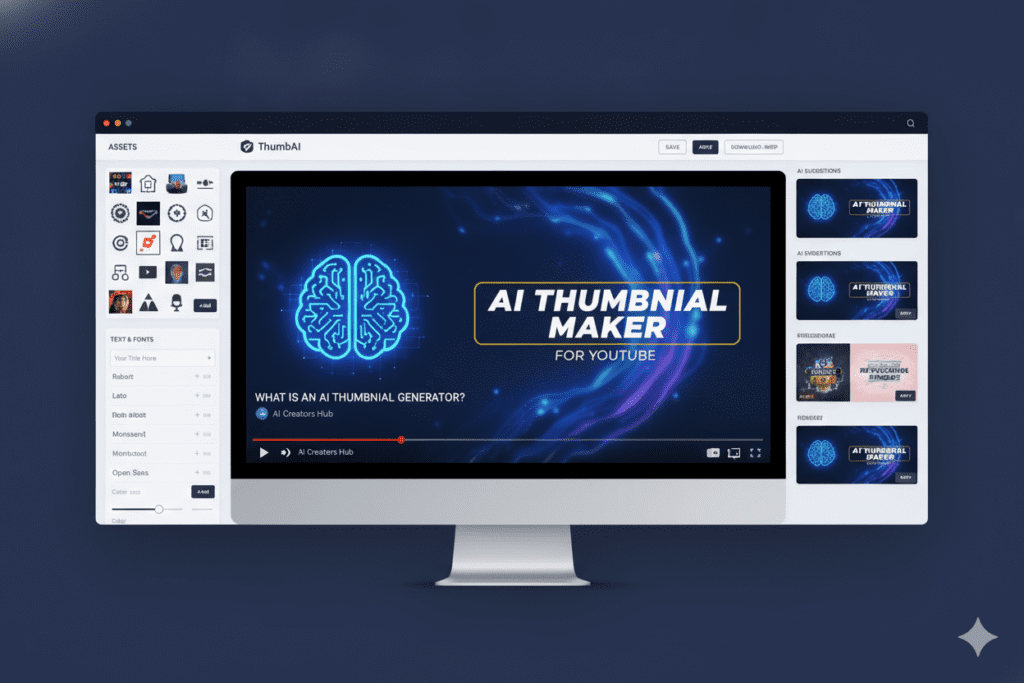
What Is an AI Thumbnail Generator?
An AI thumbnail generator is a design tool powered by artificial intelligence that helps you create eye-catching YouTube thumbnails automatically — or with minimal effort. Instead of starting from a blank canvas or spending hours in Photoshop, you simply type a prompt, pick a template, or upload your content, and the AI does the heavy lifting.
These tools use machine learning, computer vision, and generative AI models to suggest layouts, generate background images, apply font pairings, and even predict which designs are most likely to get clicks. Think of it as having an AI graphic design assistant that understands YouTube’s visual language.
We didn’t just read product pages and guess. We actually tested each tool over several weeks using real YouTube channel projects across niches including gaming, tech, education, and faceless content. Here’s exactly what we measured:
Design Quality: Does the output look professional enough to compete on YouTube?
AI Accuracy: How well does the tool understand your prompt or content?
Speed: From idea to finished thumbnail — how long does it actually take?
Ease of Use: Can a complete beginner navigate it in under 5 minutes?
Template Library: Are there enough thumbnail templates to cover different niches?
Customization: Can you fully brand it with custom fonts, colors, and logos?
Export Quality: Does it export at the correct 1280×720 resolution without quality loss?
Value for Money: Is the pricing fair relative to what you get?
AI-Specific Features: Does it go beyond templates to offer generative AI?
Overall User Experience: Would we actually recommend this to a creator we know?
Every rating in this article is based on real hands-on use — not sponsored rankings or guesswork.
Best AI Thumbnail Generators for YouTube 2026 — Detailed Reviews
1. Canva — Best Overall AI Thumbnail Maker
AI YouTube Thumbnail Generator
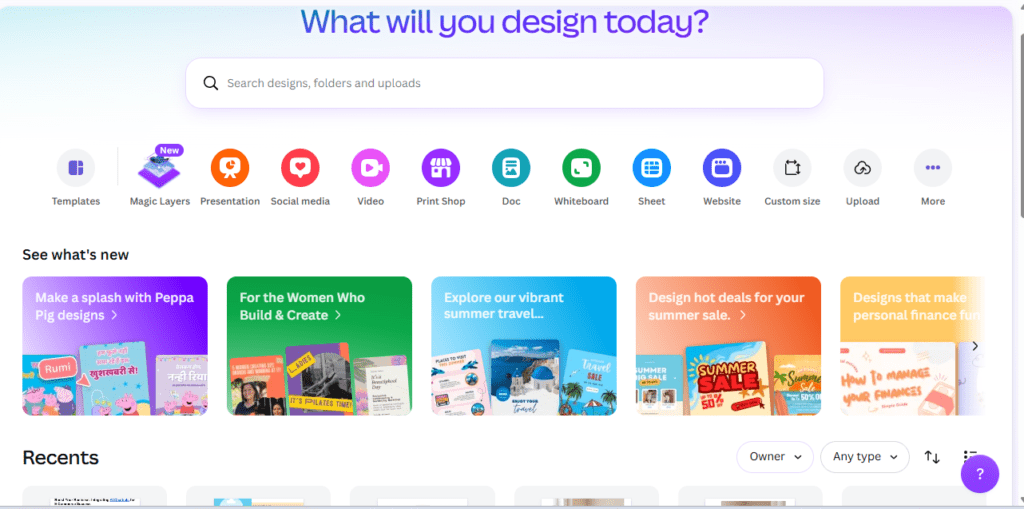
Overview: Canva remains the most versatile AI thumbnail creator in 2026. Its combination of beginner-friendly design tools, a massive template library, and increasingly powerful AI features makes it the go-to choice for most creators.
Key Features:
Magic Studio suite (AI image generation, background remover, Magic Resize)
Less control over AI image prompts than dedicated tools
Pricing: Free plan available. Pro starts at $15/month. Best For: Beginners to intermediate creators who want an all-in-one design tool. AI Capabilities: Strong. Magic Studio generates usable backgrounds, removes backgrounds instantly, and suggests layout improvements. Ease of Use: ⭐⭐⭐⭐⭐ — Extremely beginner-friendly. Export Options: PNG, JPG, PDF, MP4 at full 1280×720 resolution.
Final Verdict: If you’re just getting started or want one tool that does everything, Canva is the best thumbnail maker you can use today. It’s not the most powerful AI image generator, but it balances ease of use and quality better than anything else.
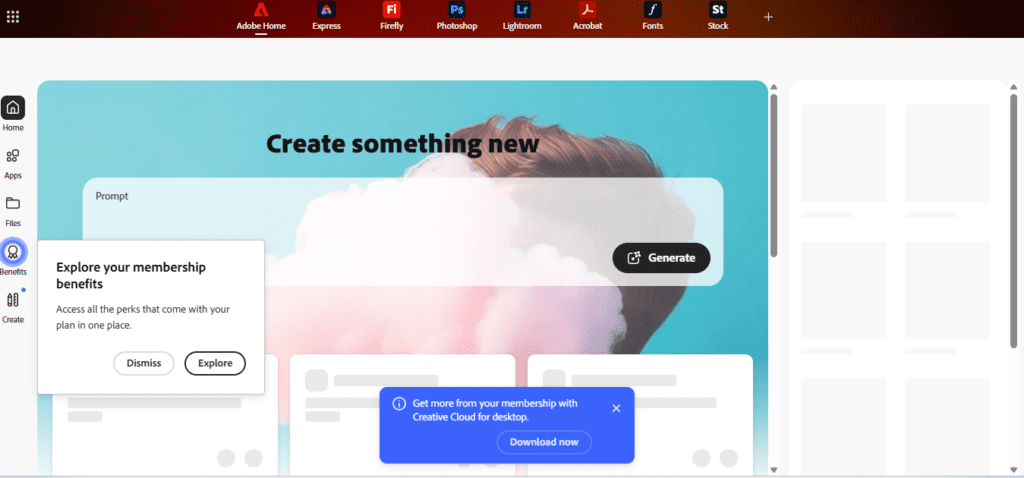
Overview: Adobe Express is the browser-based sibling of Photoshop and Illustrator, now packed with AI features through Adobe Firefly. For creators who want design output closer to a professional studio, this is your tool.
Some features require full Creative Cloud subscription
Pricing: Free plan available. Paid plans from $9.99/month. Best For: Professional creators, agencies, and anyone who needs premium-quality thumbnail design AI. AI Capabilities: Excellent. Firefly’s generative AI is among the best for photorealistic thumbnail backgrounds. Ease of Use: ⭐⭐⭐⭐ Export Options: PNG, JPG, PDF — optimized for web and social.
Final Verdict: Adobe Express is the right choice if design quality is non-negotiable. The Firefly AI turns vague prompts into stunning visuals, making it a top-tier AI image generator for thumbnail backgrounds.
3. Pikzels — Best YouTube-Specific AI Thumbnail Tool
Free AI Thumbnail Generator
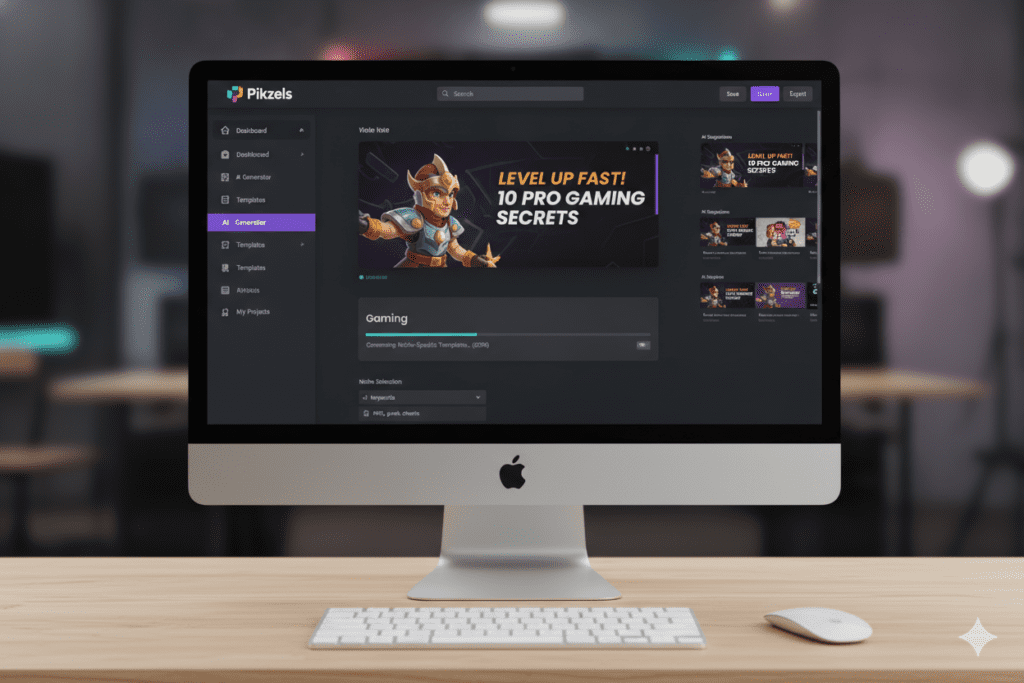
Overview: Pikzels is one of the few tools built exclusively for YouTube thumbnails. It analyzes your video title and niche and generates thumbnails tailored to what performs on YouTube — not just what looks pretty.
CTR scoring helps you pick the highest-performing option
Niche-specific template categories
Beginner-friendly with powerful AI under the hood
Cons:
Smaller template variety than Canva
Less versatile for other content types
Free plan limits daily generations
Pricing: Free plan available. Pro from $19/month. Best For: Serious YouTubers focused on data-driven thumbnail optimization. AI Capabilities: Excellent. The CTR prediction engine is genuinely useful and unique. Ease of Use: ⭐⭐⭐⭐⭐ Export Options: PNG, JPG at YouTube-optimized resolution.
Final Verdict: Pikzels is the most YouTube-focused AI thumbnail creator available. If boosting click-through rate is your priority, this tool is purpose-built for exactly that.
Overview: Thumbmagic lives up to its name. It’s designed for creators who need a professional thumbnail creator in under two minutes. The AI handles layout, color, and typography automatically.
Key Features:
One-click AI thumbnail generation from a title
Smart color palette matching
Auto-face detection and cropping
Rapid export with no watermarks on paid plans
Pros: Fastest tool we tested. Excellent output quality for the speed. Cons: No free plan. Less customization than Canva or Adobe. Pricing: Starts at $12/month. Best For: High-volume creators and agencies producing thumbnails at scale. AI Capabilities: Good — strong automation, weaker on creative flexibility. Final Verdict: If you’re publishing daily videos and need a fast thumbnail generator for YouTube, Thumbmagic is the speed champion.
5. Midjourney — Best for Artistic AI Thumbnails
Thumbnail Generator for YouTube
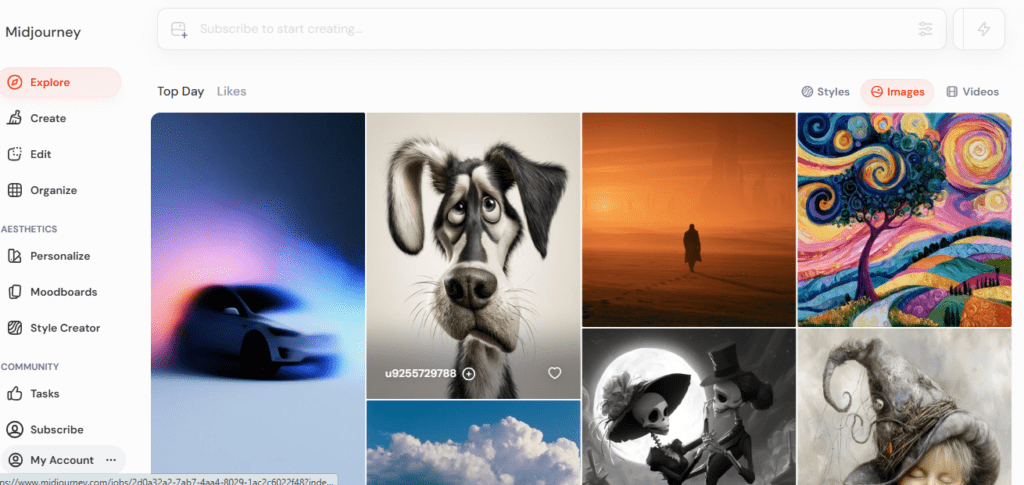
Overview: Midjourney isn’t a thumbnail tool — it’s anAI image generator that produces breathtaking artwork. With the right prompts, you can create thumbnail backgrounds that no template-based tool can match.
Key Features:
Industry-leading AI image generation quality
Highly customizable via prompt engineering
Style consistency with --sref (style reference) feature
Fast generation in Discord or web interface
Pros: Stunning image quality. Unmatched creative range. Cons: Requires prompt skill. No built-in text overlay. Needs a secondary tool for final assembly. Pricing: Starts at $10/month (Basic plan). Best For: AI creators and designers who want unique, artistic thumbnail backgrounds. AI Capabilities: Excellent — the best pure AI image generator on this list. Final Verdict: Use Midjourney for backgrounds, then bring them into Canva or Adobe Express to add text. The combination is unbeatable for artistic niches.
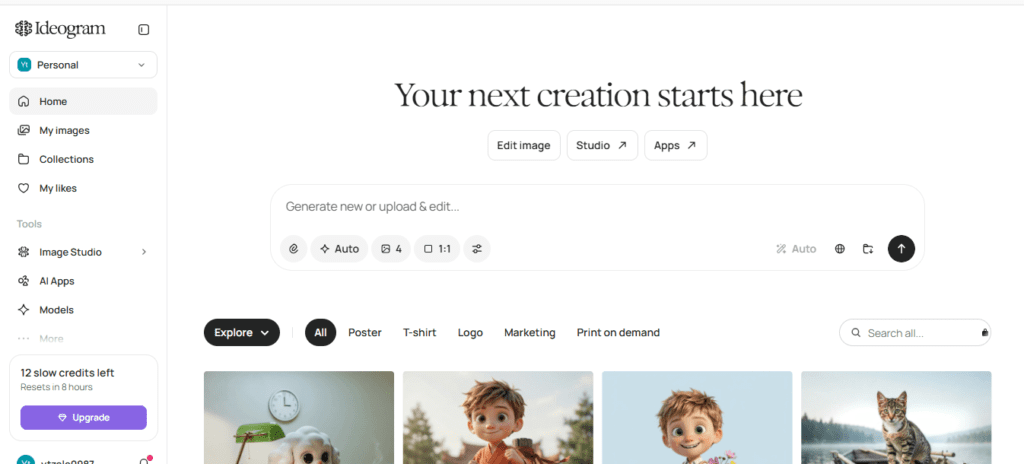
Overview: One of the oldest struggles in AI image generation was readable text. Ideogram solved that. This tool excels at generating images with legible, styled text baked directly into the visual — perfect for thumbnail design.
Pros: Unmatched readable text in AI-generated images. Completely free to start. Cons: Less control over layout. Not a full design tool. Pricing: Free plan available. Premium from $8/month. Best For: Creators who want AI to handle both the visual and text in one image.
Final Verdict: If you’ve struggled to get AI to render readable thumbnail text, Ideogram is the answer. It’s a unique thumbnail design AI that deserves a place in every creator’s toolkit.
7. Leonardo AI — Best for Realistic Thumbnail Images
Overview: Leonardo AI has grown into one of the most powerful AI image generators available, with fine-tuned models specifically for photorealistic output — great for thumbnails that need a “real world” feel.
Key Features:
Multiple AI models including PhotoReal
ControlNet for pose and composition control
Image-to-image generation
Generous free tier (150 tokens/day)
Pros: Photorealistic output. Strong free tier. Great for consistent character generation. Cons: Steeper learning curve. Not a full thumbnail design suite. Pricing: Free tier available. Paid from $12/month. Best For: Faceless channels needing consistent AI character thumbnails.
Final Verdict: For realistic, photographic-quality AI thumbnail backgrounds, Leonardo AI competes with Midjourney — and offers more for free.
8. GPT Image (OpenAI) — Best for Prompt-Based Thumbnail Creation
Free AI Thumbnail Generator
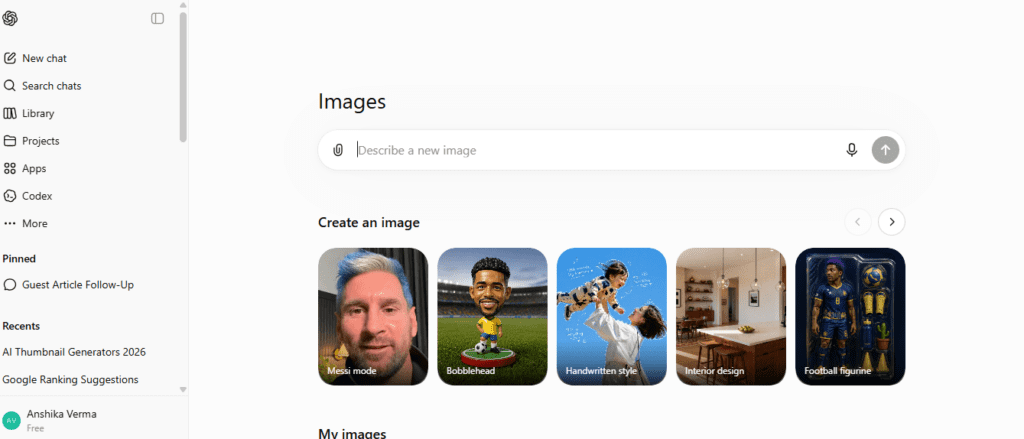
Overview: OpenAI’s GPT-4o image generation (released in 2025) changed the game. You can now describe a full thumbnail concept in plain language and get a detailed, coherent result — including text, faces, backgrounds, and composition.
Key Features:
Natural language prompt understanding
Coherent multi-element image generation
Integrated into ChatGPT (Plus/Pro users)
Editing via follow-up prompts
Pros: Most intuitive prompt-to-image experience. Handles complex compositions well. Cons: Limited free usage. No direct YouTube export workflow. Pricing: Included with ChatGPT Plus ($20/month). Best For: AI enthusiasts and creators already in the OpenAI ecosystem.
Final Verdict: GPT Image is the future of AI thumbnail maker technology. It’s the closest to describing your thumbnail in plain English and getting exactly what you imagined.
9. Microsoft Designer — Best Free AI Thumbnail Tool
Overview: Microsoft Designer is the most powerful truly free AI thumbnail creator available in 2026. Backed by DALL-E, it generates images and arranges designs automatically — completely free for most users.
Key Features:
DALL-E 3 image generation built in
Smart design suggestions
Copilot integration for text suggestions
Direct export to social formats
Pros: Completely free. Surprisingly capable AI. No design experience needed. Cons: Less template variety. Limited export options on free tier. Pricing: Free for most users (Microsoft account required). Best For: Budget creators who want a solid free AI thumbnail generator with real AI power.
Final Verdict: If you need an AI thumbnail generatorfree that actually works, Microsoft Designer is the best one available right now. Start here before spending any money.
Overview: Fotor is a beginner-focused AI design tool that keeps things simple without sacrificing output quality. Its one-click AI enhancement tools are particularly useful for cleaning up thumbnails quickly.
Key Features: AI background remover, one-tap filters, thumbnail templates, basic text tools. Pros: Simple, clean interface. Good template selection. Cons: AI image generation is less advanced than competitors. Pricing: Free plan. Paid from $8.99/month. Best For: Beginners who just want quick, clean thumbnail examples to model their designs on.
Final Verdict: Fotor is a reliable starting point. Not the most advanced, but easy enough that you’ll actually use it consistently.
11. Kittl — Best for Designers
Overview: Kittl is an AI graphic design platform that bridges the gap between Canva’s simplicity and Adobe’s power. It’s especially strong for text-heavy, illustrative thumbnails.
Key Features: AI image generation, premium font library, vector illustration tools, smart text effects. Pros: Beautiful typography tools. Unique illustrative style. Strong free tier. Cons: Smaller YouTube-specific template library. Pricing: Free plan. Pro from $10/month. Best For: Design-conscious creators who want a distinctive visual brand.
Final Verdict: Kittl is the best thumbnail creator for creators who care deeply about typography and illustration style.
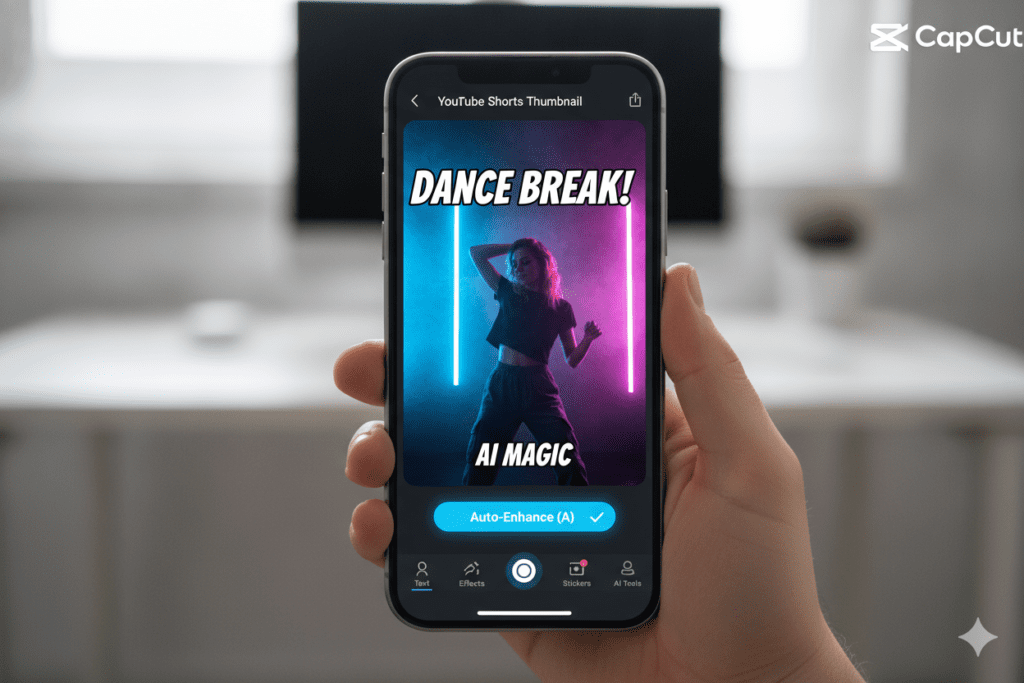
12. CapCut — Best All-in-One Video + Thumbnail Tool
Free AI Thumbnail Generator
Overview: CapCut is the only tool on this list that handles both video editing and thumbnail creation in one app. For mobile-first creators and Shorts publishers, it’s a workflow game-changer.
Key Features: AI background remover, auto-enhance, text templates, sticker library, Shorts-optimized formats. Pros: Free. Mobile-first. Video and thumbnail in one place. Cons: Less powerful than dedicated thumbnail tools for complex designs. Pricing: Free (with optional Pro). Best For: YouTubers, Shorts creators, and anyone who edits on mobile.
Final Verdict: If you’re creating YouTube Shorts and want a single free app to handle everything, CapCut is unbeatable. For a deeper dive, explore this AI vertical thumbnail maker for gaming shorts guide.
AI Thumbnail Generator Comparison Table
Feature
Canva
Adobe Express
Pikzels
Ideogram
GPT Image
Microsoft Designer
Free Plan
✅
✅
✅
✅
Limited
✅
AI Image Gen
✅
✅ (Firefly)
✅
✅
✅ (DALL-E)
✅ (DALL-E)
CTR Prediction
❌
❌
✅
❌
❌
❌
Text in AI Image
❌
⚠️
⚠️
✅
✅
✅
YouTube Templates
✅ 1000+
✅ 500+
✅ 200+
❌
❌
✅ 100+
Mobile App
✅
✅
❌
❌
✅
✅
Brand Kit
✅
✅
✅
❌
❌
❌
Export at 1280×720
✅
✅
✅
✅
✅
✅
How to Create High-CTR YouTube Thumbnails Using AI
Here’s the exact step-by-step workflow we use to create thumbnails that get clicks.
Step 1: Define Your Thumbnail Concept Before opening any tool, decide what emotion or outcome your thumbnail should communicate. Use the youtube thumbnail idea generator to brainstorm if you’re stuck. Write down your title, main visual, and a 3-word description of the feeling you want to create.
Step 2: Generate Your Background with AI Use Midjourney, Leonardo AI, or GPT Image to generate a background that matches your concept. Be specific with prompts — include lighting, style, color, and mood.
Step 3: Assemble in a Design Tool Import your AI-generated background into Canva, Adobe Express, or Kittl. Add your text, face cutout (if needed), and any graphic elements.
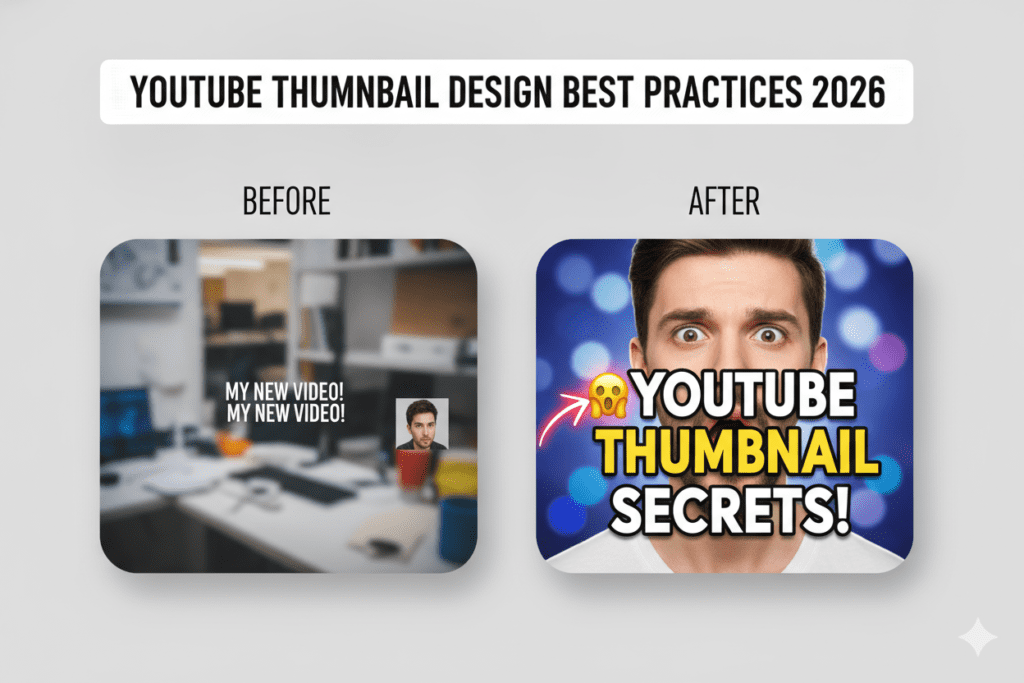
Step 4: Apply Thumbnail Design Best Practices
Keep text under 5 words
Use high-contrast colors
Ensure the thumbnail reads clearly at 120×68px (mobile preview size)
Add a clear focal point
Step 5: Score and Test If using Pikzels, run the CTR prediction score. Otherwise, create two versions and use YouTube’s A/B testing feature to find the winner.
Step 6: Export and Upload Export at 1280×720px in JPG or PNG. Keep file size under 2MB for fast loading.
Pairing great thumbnails with compelling titles is what really drives YouTube growth. Use a video title generator AI to create titles that complement your thumbnail perfectly.
15 Ready-to-Use AI Thumbnail Prompts
Use these prompts directly in Midjourney, Leonardo AI, or GPT Image.
Gaming: “Epic first-person battlefield scene, player hands holding futuristic weapon, neon-lit arena, cinematic lighting, high contrast, 16:9 composition” — Why it works: Neon contrast and first-person perspective create immediate excitement.
Tech Review: “Sleek modern smartphone floating in dark space, glowing edges, blue and white lighting, photorealistic, minimal background” — Why it works: Clean minimalism screams premium product quality.
Education: “Friendly teacher character at colorful chalkboard with math symbols, bright background, cartoon style, welcoming expression” — Why it works: Warm colors and human face increase trust and CTR.
Finance: “Gold coins and upward arrow chart on dark background, dramatic lighting, wealth aesthetic, sharp and clean” — Why it works: Gold + growth symbols trigger aspirational emotions.
Podcast: “Two people having an animated conversation at a professional podcast table with microphones, candid expression, warm studio lighting” — Why it works: Human faces with expressions always outperform static imagery.
Travel: “Aerial view of Santorini island at golden hour, vivid blue domes and orange glow, ultra wide angle, cinematic” — Why it works: Dream destinations trigger immediate emotional response.
Fitness: “Shredded athlete mid-exercise in a dramatic gym, motion blur on weights, intense expression, high contrast black and red” — Why it works: Action and intensity communicate real results.
Business: “Confident entrepreneur at a city skyline window, power pose, blue suit, dramatic sunrise, cinematic angle” — Why it works: Aspirational success imagery drives click-through in business niches.
Tutorial: “Before and after split screen, messy desk on left vs clean organized desk on right, clean graphic style” — Why it works: Transformation visuals instantly communicate the video’s value.
AI News: “Futuristic humanoid robot face emerging from digital particles, glowing blue eyes, dark background, ultra-detailed” — Why it works: AI aesthetics immediately signal cutting-edge content.
Reviews: “Shocked face reacting to unboxed product, white background, bold expression, product clearly visible” — Why it works: Genuine expressions outperform stock reactions every time.
Motivation: “Lone figure standing on mountain peak at sunrise, arms outstretched, epic sky, cinematic color grade” — Why it works: Triumph imagery creates instant emotional resonance.
Product Reviews: “Flat lay product photo with minimalist props, pastel background, professional lighting, Instagram aesthetic” — Why it works: Clean, aesthetic presentation signals quality content.
Faceless Videos: “Cinematic text reveal over dramatic B-roll style background, dark moody tones, minimal but striking composition” — Why it works: Text-forward thumbnails work well when no face is available.
For faceless channels specifically, see the complete AI YouTube channels growth guide to learn how creators are scaling without showing their face.
Thumbnail Design Best Practices
Thumbnail Generator for YouTube
Great thumbnail design isn’t luck — it’s a formula. Here’s what actually moves the needle on YouTube CTR:
Color Psychology Warm colors (red, orange, yellow) create urgency and excitement. Cool colors (blue, purple) signal trust and authority. Always choose a palette that contrasts strongly with YouTube’s white background.
Typography Use bold, sans-serif fonts at large sizes. Avoid thin fonts — they disappear on small screens. Limit yourself to two fonts maximum. The best thumbnail design tips consistently point to font weight as the most overlooked factor.
Contrast Your subject needs to pop off the background. Use the “squint test” — squint at your thumbnail and see if the key elements are still visible. If they blur together, you need more contrast.
Facial Expressions Human faces — especially expressive ones — dramatically outperform thumbnails without faces. Open mouths, wide eyes, and exaggerated expressions drive curiosity. This is backed by extensive creator data and YouTube’s own research.
White Space Cluttered thumbnails confuse viewers. Leave breathing room around your main elements. White (or negative) space is a feature, not wasted space.
Visual Hierarchy Guide the viewer’s eye: face → main element → text. Everything else is secondary. Your thumbnail should communicate one idea — not five.
Branding Consistent colors, fonts, and logo placement help returning viewers recognize your content instantly. Build a brand system and stick to it for every video.
Mobile Optimization Over 70% of YouTube views happen on mobile. Your thumbnail must be readable at 120×68px. If your text is smaller than 30pt in your design file, it probably won’t be legible on mobile.
Even with the best AI thumbnail maker, creators still fall into these traps:
Too Much Text: More than 5-6 words and you’ve lost the viewer. Thumbnails aren’t titles — they’re visual hooks. Let your title tag carry the full message.
Poor Contrast: Light text on a light background is invisible on mobile. Dark text on dark backgrounds is equally bad. Always test on a phone screen before publishing.
Low-Quality Images: A blurry or pixelated thumbnail signals low production value before anyone clicks. Only use AI-generated or high-resolution images.
Clickbait That Doesn’t Deliver: If your thumbnail promises something your video doesn’t deliver, your audience retention will suffer — and YouTube’s algorithm will stop recommending you.
Inconsistent Branding: Changing your style every video means viewers don’t recognize your content in their feed. Pick a system and maintain it.
Ignoring Mobile Users: Most viewers see your thumbnail on a 4-6 inch screen. Design mobile-first, then check the desktop version.
The verdict is clear for most creators: AI thumbnail tools win on speed, cost, and accessibility. Manual design still wins for agencies doing custom, high-stakes work. But for consistent, high-CTR thumbnail production? AI is the smart choice.
Frequently Asked Questions
What is an AI thumbnail generator? An AI thumbnail generator is a tool that uses artificial intelligence to automatically create YouTube thumbnail designs. You provide a prompt, title, or niche, and the AI generates professional-looking visuals, layouts, and text placement — reducing design time from hours to minutes.
Which AI thumbnail generator is the best in 2026? For most creators, Canva is the best overall AI thumbnail maker thanks to its ease of use, template variety, and improving AI features. For YouTube-specific CTR optimization, Pikzels is the top pick. For pure AI image quality, Midjourney or GPT Image are unmatched.
Can AI create YouTube thumbnails? Yes. AI tools like Canva Magic Studio, Adobe Firefly, Midjourney, and GPT Image can generate complete thumbnail designs from text prompts. The best results often combine AI-generated backgrounds with design tools for text and branding overlays.
Are AI-generated thumbnails allowed on YouTube? Yes. YouTube does not prohibit AI-generated thumbnails. The only requirement is that thumbnails accurately represent your video content. Misleading thumbnails violate YouTube’s clickbait policy regardless of how they were created.
How do AI thumbnail generators improve CTR? AI thumbnail tools improve click-through rate by applying proven design principles automatically — high contrast, readable fonts, optimized composition, and emotional visual triggers. Tools like Pikzels also use CTR prediction scoring to help you choose the highest-performing design before you publish.
Is there a free AI thumbnail generator for YouTube? Yes. Microsoft Designer, Canva (free plan), Ideogram, Leonardo AI, and CapCut all offer free AI thumbnail creator features. For the best free experience, Microsoft Designer offers DALL-E 3 image generation at no cost.
How many thumbnails should I test? Most successful creators test 2-3 variations per video. Use YouTube’s built-in A/B testing tool to compare CTR over 48–72 hours, then keep the winner.
Final Verdict — Which AI Thumbnail Generator Should You Use?
After testing all 12 tools extensively, here are our top picks by use case:
Beginners: Start with Canva or Microsoft Designer — both are free, beginner-friendly, and produce professional results immediately.
Professionals: Choose Adobe Express for Firefly-powered photorealistic quality or Pikzels for YouTube-specific CTR optimization.
Agencies:Thumbmagic for volume and speed; Adobe Express for premium client-facing quality.
Businesses:Canva Pro for brand consistency across thumbnails, social posts, and video assets.
Budget Users:Microsoft Designer or CapCut — both are genuinely capable and completely free.
Designers:Kittl or Adobe Express for maximum creative control.
AI Enthusiasts:Midjourney + Ideogram + GPT Image — the AI-native creator’s toolkit.
The best AI thumbnail generators for YouTube 2026 aren’t just design tools — they’re video marketing assets that directly impact your channel’s growth. The right thumbnail can double your CTR overnight. The wrong one can sink a great video.
Start with the free tools. Test consistently. Track your CTR. And let AI do the heavy lifting so you can focus on what matters: making great content.
Ready to go further? Explore the complete AI enhancements for YouTube channels guide and discover how to automate your entire YouTube workflow — from script to thumbnail to title — using AI.
Article written for Ytzolo.com — your go-to resource for AI-powered YouTube growth.
Anshika Verma is an AI content writer and SEO specialist at Ytzolo. She writes in-depth guides, tool reviews, and tutorials on AI, YouTube growth, and digital marketing, helping creators and businesses discover the best AI solutions to grow online.