
What is a YouTube thumbnail idea generator?
A YouTube thumbnail idea generator is an AI-powered tool that automatically creates high-CTR thumbnail concepts for your YouTube videos. You provide your video topic, title, or description — and the AI generates multiple thumbnail designs optimized for click-through rate, niche-specific visual patterns, and mobile visibility.
The best youtube thumbnail idea generator tools go beyond design: they analyze what makes viewers click in your specific niche, apply color psychology, optimize text placement, and predict CTR before you publish.
ytZolo takes this further by combining thumbnail generation with AI titles, scripts, descriptions, and tags — making it the only all-in-one youtube thumbnail idea generator built exclusively for YouTube growth.
You’ve been there.
You finish editing at midnight. The video is honestly great. The hook is strong, the pacing is tight, and you know it’s your best upload yet.
Then you stare at the thumbnail field in YouTube Studio.
You screenshot a random frame. Slap some text on it in Canva. Squint at it for five minutes. Upload it anyway. Tell yourself you’ll fix it later.
Then “later” never comes — and the video flatlines at 300 views.
Sound painful? That’s because it is. And here’s the hard truth: that thumbnail decision might have cost you thousands of views.
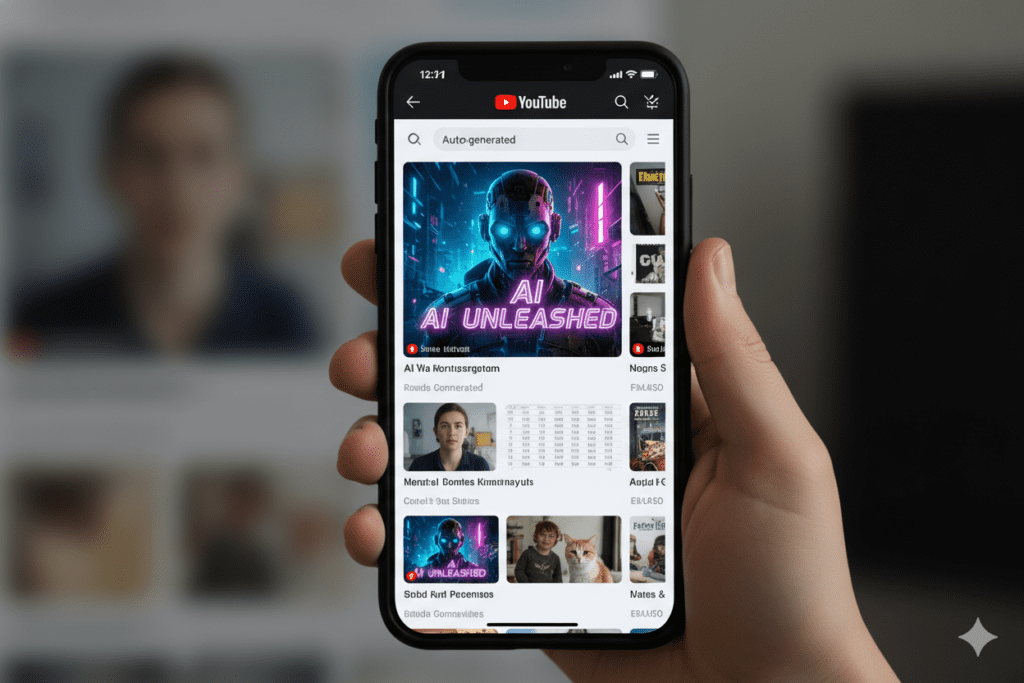
Research consistently confirms that 90% of the best-performing YouTube videos use custom thumbnails. Auto-generated frames aren’t just bland — they’re actively sending the wrong signal to both viewers and the algorithm.
In 2026, the smartest creators aren’t grinding through Photoshop or guessing what might work. They’re using a YouTube thumbnail idea generator powered by AI — and the results are transforming their channels.
This guide covers everything: what these tools are, how they work, which ones are worth your time, and why ytZolo is the one platform that outperforms them all.
Let’s get into it.
Table of Contents
Why YouTube Thumbnails Are More Important Than Ever in 2026
YouTube in 2026 is not the same platform it was three years ago.
Over 70% of YouTube traffic now originates from mobile devices. That means your thumbnail is being viewed on a screen the size of your palm — competing against dozens of other bright rectangles — and a viewer decides whether to click in under one second.
Research shows that 68% of mobile viewers decide to click within 1 second. One second. That’s your entire window.
Meanwhile, over 20 million videos are uploaded to YouTube daily. The competition for that one-second attention window has never been fiercer.
Here’s the opportunity hidden inside that stat: most creators still treat thumbnails as an afterthought. That means the ones who optimize win by default.
And in 2026, a YouTube thumbnail idea generator powered by AI is the fastest path to consistent, data-backed thumbnail optimization — without spending hours in Photoshop.
What Is a YouTube Thumbnail Idea Generator?
A YouTube thumbnail idea generator is an AI-powered tool that creates click-optimized thumbnail concepts for your videos — automatically.
You give it your video title, topic, or description. The AI analyzes your niche, applies proven visual psychology, and generates multiple thumbnail options designed to maximize click-through rate.
The best tools don’t just generate pretty images. They understand:
- Color psychology — which palettes trigger clicks in your niche
- Text placement rules — where to put text so it’s readable at 150px wide on mobile
- Emotional expression optimization — how to frame faces for maximum psychological impact
- Niche-specific patterns — what works for gaming looks completely different from finance or fitness
- CTR prediction — scoring each design before you publish so you pick the winner, not just the first result
This is a fundamentally different category from a generic design tool. A YouTube thumbnail idea generator isn’t Canva with extra steps. It’s AI trained on real YouTube performance data, generating thumbnails that are algorithmically optimized before you hit upload.

The Real Cost of Bad Thumbnails (The Data Will Shock You)
Let’s talk numbers — because this is where most creators finally realize how serious this is.
Creators who refreshed thumbnails on 10 evergreen videos saw YouTube CTR increase by 30–40%, with total views growing by more than 200%.
Read that again. 200% more views — without changing a single frame of the actual video. Just the thumbnail.
Thumbnails featuring faces with strong emotion can increase CTR by 20–30%, according to VidIQ research. That’s the difference between 4% and 5.2% CTR — and at scale, that gap compounds into thousands of extra views per month.
Custom thumbnail designs can boost click-through rates by 60–70% compared to auto-generated ones. YouTube’s algorithm notices. Higher CTR means more recommendations, more impressions, more views.
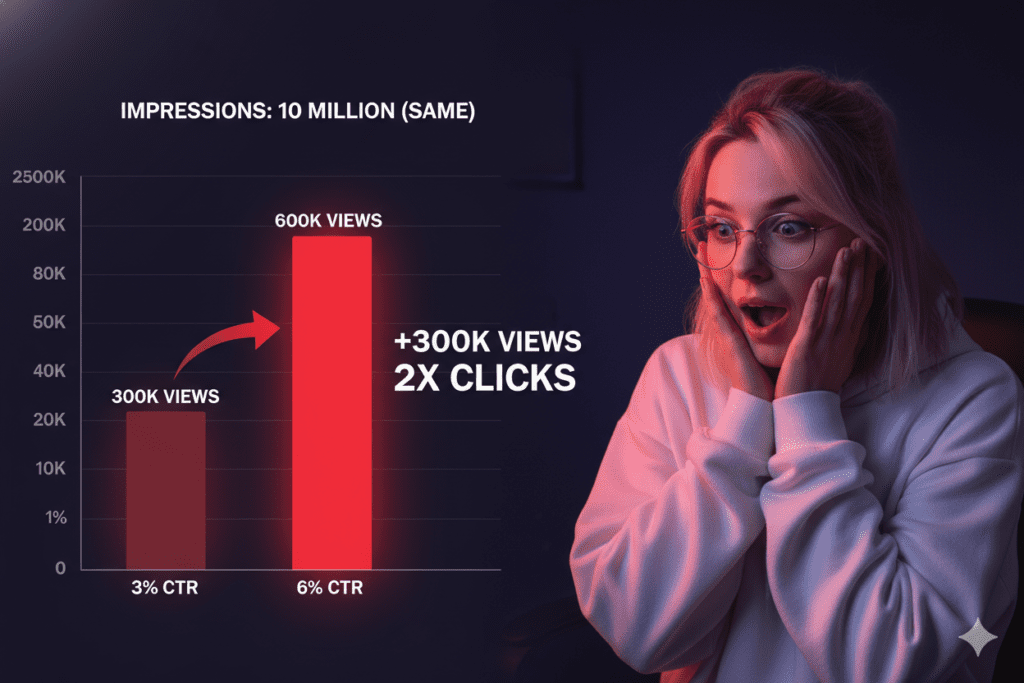
Here’s the painful math: if your video gets 10,000 impressions with a 3% CTR, you get 300 views. Improve that to 6%? You get 600 views from the exact same impressions — double the views without making a new video.
A great YouTube thumbnail idea generator doesn’t just save you time. It multiplies the return on every video you’ve ever made.
7 Principles Every Great YouTube Thumbnail Follows
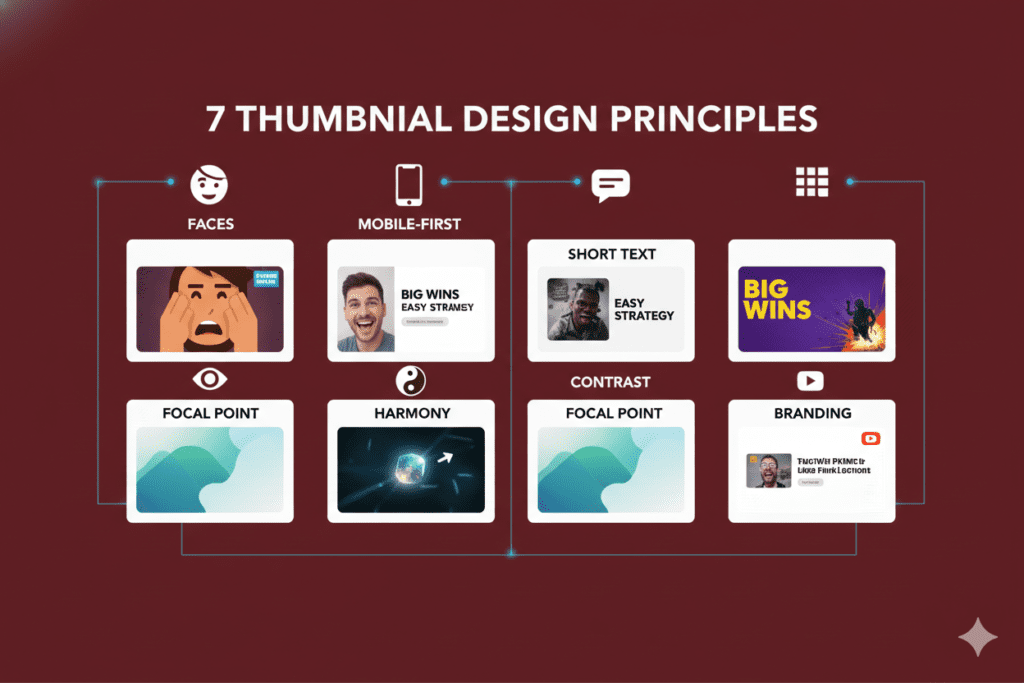
Before we get into tools, let’s understand the principles behind thumbnails that actually work. The best YouTube thumbnail idea generator tools are built on these foundations.
1. Faces with Genuine Emotion
The human brain is hardwired to notice faces — especially expressive ones. Curiosity, shock, joy, disbelief — big, authentic emotions stop the scroll. Neutral or fake expressions blend into the feed.
The key word is genuine. Thumbnails featuring faces with strong emotion increase CTR by 20–30%, but only when the emotion matches the video content tone.
2. Mobile-First Design
More than 60% of YouTube viewing happens on mobile phones. Your thumbnail needs to communicate its message when it’s 150 pixels wide. If you can’t read the text at that size, you’ve already lost.
3. Five Words or Fewer of Text
Text overlays help — but only when they’re short and bold. Short text under four words often leads to around 30% higher CTR than thumbnails packed with sentences.
Let your title do the SEO work. Let the thumbnail text deliver the emotional hook.
4. High Contrast Colors
Thumbnails live inside YouTube’s dark or light UI. High-contrast color combinations — bold text against contrasting backgrounds — pop in the feed. Muted palettes disappear.
5. Visual-Title Harmony
Your thumbnail and title must work as a team. They should complement each other, not repeat the same message. The thumbnail should visualize the result or the emotion, while the title provides the context and keywords.
If your thumbnail says “IT WORKS!” your title should explain what works.
6. Clear Focal Point
One dominant element — a face, an object, a bold phrase — should own the thumbnail. When everything competes for attention, nothing gets it.
7. Consistent Branding
Regular viewers should recognize your thumbnail style instantly. Channel consistency builds trust, increases return clicks, and strengthens your position in YouTube’s recommendation engine.
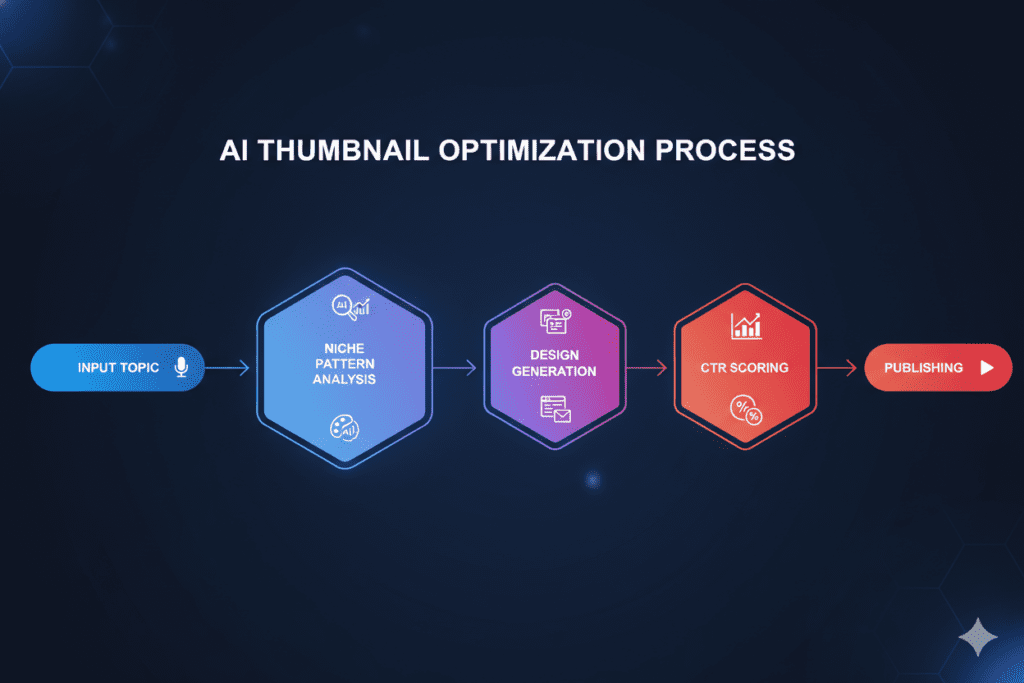
How a YouTube Thumbnail Idea Generator Actually Works
Understanding the engine behind AI thumbnail generation helps you use these tools more effectively.
Step 1: Input Processing
You enter your video title, topic, or a brief description. The AI reads this and identifies the emotional core, subject matter, and niche category of your content.
Step 2: Niche Pattern Recognition
The AI has been trained on thousands of high-performing thumbnails across specific niches — gaming, finance, fitness, travel, cooking, and more. It identifies what visual patterns, color combinations, and emotional framings drive clicks in your particular category.
Step 3: Design Generation
Using this data, the tool generates multiple thumbnail concepts. It selects dominant colors proven to perform in your niche, applies bold typography optimized for mobile visibility, and frames your subject to trigger an emotional response.
Step 4: CTR Prediction & Scoring
The best YouTube thumbnail idea generator tools don’t just output designs — they score each concept based on predicted click-through performance. This removes the guesswork from your final selection.
Step 5: Integration with Your Content Strategy
The most powerful tools — like ytZolo — connect thumbnail generation directly to your title, description, and tags. Everything is aligned toward the same visual and verbal message.
That integration is what separates a true YouTube thumbnail idea generator from a generic AI image tool.
Key Features to Look for in a Thumbnail Idea Generator
The market is full of tools claiming to be the best YouTube thumbnail idea generator. Here’s what separates genuine performance tools from glorified template editors:
- ✅ YouTube-native optimization — Built around YouTube CTR data, not generic graphic design principles
- ✅ CTR score prediction — AI ranks each design before you choose
- ✅ Niche awareness — Understands the visual language of gaming vs. finance vs. lifestyle
- ✅ Mobile-first output — Designs are tested for readability at 150px width
- ✅ Expressive face enhancement — Automatically frames and optimizes facial expressions
- ✅ Bold, readable text overlays — Typography choices backed by CTR data
- ✅ Multiple design variants — More options = better chance of finding the winner
- ✅ Integrated metadata — Connects with title, description, and tags for a unified strategy
- ✅ Free plan available — Low barrier to test before committing
- ✅ Full HD export, no watermark — Professional output ready for immediate upload
If a tool checks most of these boxes, it’s worth your time. If it checks all of them? You’ve found your unfair advantage.
Top YouTube Thumbnail Idea Generator Tools Compared (2026)
Here’s an honest review of the most-used tools in the market right now.
ytZolo — Best All-in-One YouTube Thumbnail Idea Generator
ytZolo is the only YouTube thumbnail idea generator that connects thumbnail creation directly to your title, script, description, and tags — all in one platform, all optimized together.
Its AI is trained specifically on YouTube performance data, generating thumbnail concepts based on real CTR patterns in your niche — not generic design aesthetics. The free plan includes thumbnail generation, title AI, script creation, description writing, and tag generation with no credit card required.
More on ytZolo in the dedicated section below.
Best for: Creators who want a complete AI YouTube growth system, not just a standalone thumbnail tool. Free plan: ✅ Yes | Pricing: Free tier available; premium from competitive monthly rates.
Canva (Magic Media AI)
Canva remains the most popular design tool for non-designers. Its drag-and-drop interface and massive template library make thumbnail creation accessible for beginners.
In 2026, Canva’s AI features — Magic Design, text-to-image generation, and background removal — have expanded its capability significantly.
The limitation: Canva is a general design tool. It doesn’t understand YouTube’s algorithm. It can’t tell you which thumbnail will generate a higher CTR. You’re still designing based on instinct, not data.
Best for: Beginners who want template-based design with manual control. Free plan: ✅ Yes (limited AI features) | Pricing: Pro from $15/month.
Pikzels
Pikzels is a YouTube-focused thumbnail tool built around rapid iteration and A/B testing. Its clean UI makes it easy to generate thumbnail variants and test performance quickly.
The drawback: it requires manual input rather than AI-reading your content. It also doesn’t connect to your title or description workflow, so your content packaging remains fragmented.
Best for: Creators who want YouTube-native thumbnail testing. Free plan: ❌ No | Pricing: Subscription from ~$15/month.
CapCut AI Thumbnail Generator
CapCut’s AI Design feature has evolved significantly. You describe what you need, and it generates visuals with layout suggestions — fast and frictionless.
However, it’s primarily a video editing platform. The thumbnail tool is capable but not purpose-built for YouTube CTR optimization. There’s no CTR scoring and no metadata integration.
Best for: Creators already using CapCut for editing who want quick in-app thumbnails. Free plan: ✅ Yes | Pricing: Premium from $7.99/month.
Midjourney
Midjourney produces stunning, high-quality AI-generated images. For backgrounds, abstract visuals, or artistic elements, it’s unmatched in 2026.
But it’s not a YouTube thumbnail idea generator in any practical sense. It has no YouTube optimization, no CTR awareness, no text rendering, and requires external editing tools to add faces, logos, and overlays.
Best for: Creators who need artistic AI backgrounds to use inside other design tools. Free plan: ❌ No | Pricing: From $10/month.
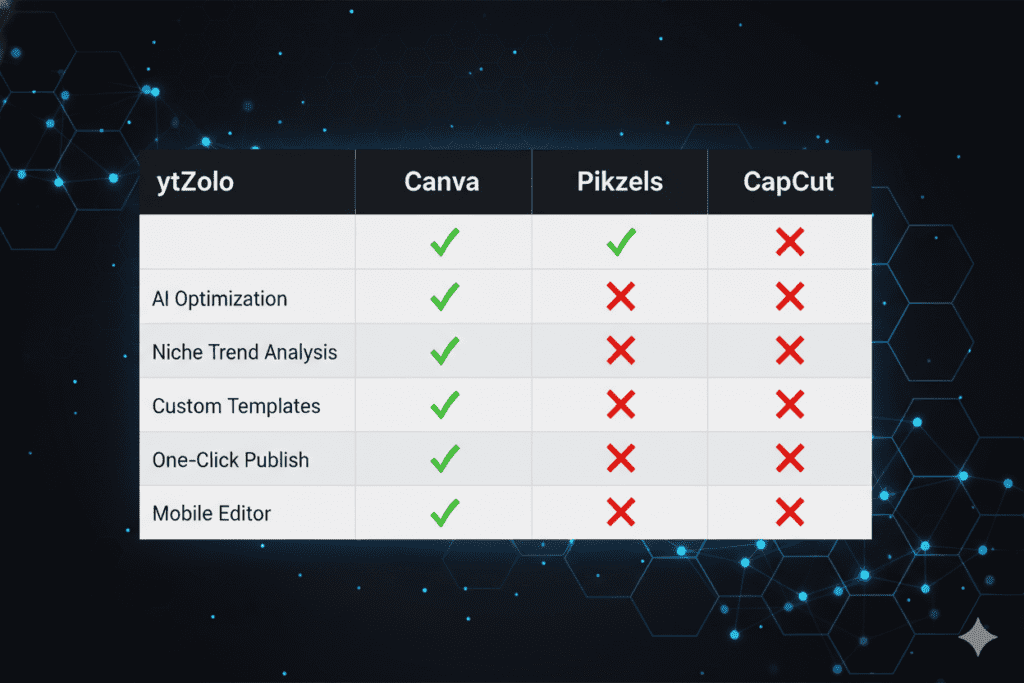
Tools Comparison Table
| Feature | ytZolo | Canva | Pikzels | CapCut | Midjourney |
|---|---|---|---|---|---|
| YouTube-native CTR optimization | ✅ Yes | ❌ No | ✅ Yes | ❌ No | ❌ No |
| CTR prediction score | ✅ Yes | ❌ No | ❌ No | ❌ No | ❌ No |
| Niche-aware thumbnail AI | ✅ Yes | ❌ No | ✅ Partial | ❌ No | ❌ No |
| Integrated title + tag + description | ✅ Yes | ❌ No | ❌ No | ❌ No | ❌ No |
| Script generation | ✅ Yes | ❌ No | ❌ No | ❌ No | ❌ No |
| Free plan (full features) | ✅ Yes | ✅ Limited | ❌ No | ✅ Yes | ❌ No |
| No watermark on free tier | ✅ Yes | ❌ No | N/A | ✅ Yes | N/A |
| Mobile-first optimization | ✅ Yes | ✅ Manual | ✅ Yes | ✅ Yes | ❌ No |
The winner is clear.
Why ytZolo Is the Best YouTube Thumbnail Idea Generator
Every tool in the list above does something well.
But none of them solve the actual problem creators face.
The problem isn’t that you need a better image. The problem is that your thumbnail, your title, your description, and your tags all need to tell the same story — with perfect alignment — to give the YouTube algorithm the clearest possible signal about what your video is and who it’s for.
That’s exactly what ytZolo was built to do.
It Understands YouTube — Not Just Design
ytZolo’s AI isn’t trained on graphic design principles. It’s trained on YouTube performance data. It knows what a high-CTR thumbnail looks like in the travel niche versus the gaming niche versus the personal finance niche.
Generic AI tools generate images that look good. ytZolo generates images designed to get clicked — on YouTube, in 2026, in your specific niche.
It’s a Complete Content System, Not a Single Tool
When you use ytZolo as your YouTube thumbnail idea generator, you’re not just getting a thumbnail. You’re getting:
- 🎯 AI-generated title — CTR-optimized, keyword-rich, front-loaded correctly
- 🖼️ AI thumbnail concept — niche-specific, mobile-first, emotionally calibrated
- 📝 Full video script — structured hook, body, and CTA based on your topic
- 📋 SEO description — naturally keyword-integrated, above-the-fold optimized
- 🏷️ Targeted tags — algorithm-aligned tag clusters for your video topic
Everything works together. Your thumbnail’s emotional frame matches your title’s psychological hook. Your description reinforces your keywords. Your tags complete the SEO picture.
That coherence is invisible to the viewer — but the algorithm notices it immediately.
Why Manual Methods Are Officially Outdated
Let’s be direct: manually designing thumbnails in 2026 is expensive in ways creators don’t fully account for.
It’s not just the 1–3 hours per video. It’s the cost of every wrong instinct — the thumbnail that felt right but had a 2.1% CTR. The blue color palette you liked that performed poorly because your niche responds to red and yellow.
AI doesn’t have preferences. It has data. And in a platform that processes over 3.5 billion daily searches, data beats intuition every single time.
For more creator growth strategies powered by AI, the ytZolo blog publishes weekly guides covering thumbnails, titles, SEO, scripting, and everything in between — all built specifically for YouTube creators at every stage.
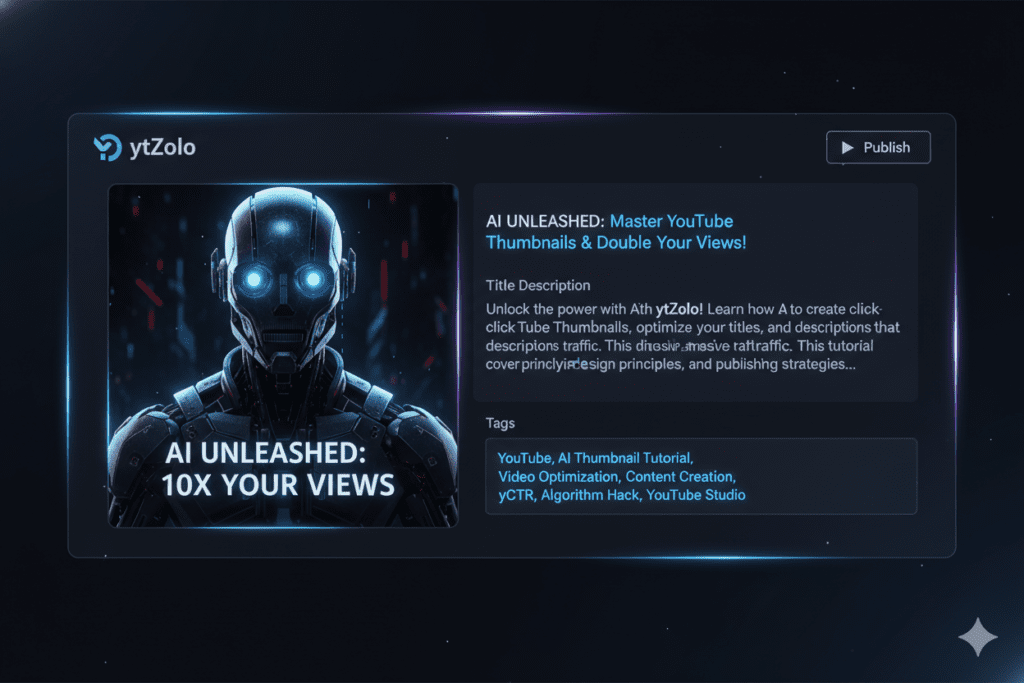
Step-by-Step: Creating a Viral Thumbnail with ytZolo
Here’s the exact workflow to use ytZolo as your go-to YouTube thumbnail idea generator — from blank idea to ready-to-publish thumbnail.
Step 1: Create Your Free Account
Go to ytzolo.com. Sign up free — no credit card required. The process takes under 90 seconds.
Step 2: Enter Your Video Details
Input your:
- Video title (or rough idea if you haven’t finalized it)
- Primary keyword you’re targeting
- Video description (one to three sentences about what the video covers)
The more context you give, the sharper ytZolo’s output will be.
Example input:
Title: “How I Lost 20 Pounds in 90 Days” Keyword: beginner weight loss tips Description: My realistic 90-day weight loss journey — no extreme diets, just consistent habits that actually worked.
Step 3: Select Your Niche and Tone
Choose your channel niche from ytZolo’s niche library. This tells the AI what visual patterns perform best for your specific audience — because what works for a fitness thumbnail is completely different from what works for a tech review.
Step 4: Review Thumbnail Concepts with CTR Scores
ytZolo generates multiple thumbnail concepts, each with a predicted CTR score. Review the options across different visual framings — emotional expressions, color palettes, text placements.
Pick the highest-scoring option that feels authentic to your video’s message.
Step 5: Generate the Full Content Package
With one click, ytZolo also outputs your AI-generated title, description, and tags — all aligned with your chosen thumbnail’s visual strategy.
Your entire upload package is ready. No tab-switching. No fragmented workflow.
Step 6: Add Your Personal Touch
Download the thumbnail concept. Use it as a high-quality starting point — add your actual face photo if needed, refine colors to match your channel branding, or use it exactly as generated.
Step 7: Upload and Monitor
Paste your title, description, and tags into YouTube Studio. Upload your thumbnail. Publish.
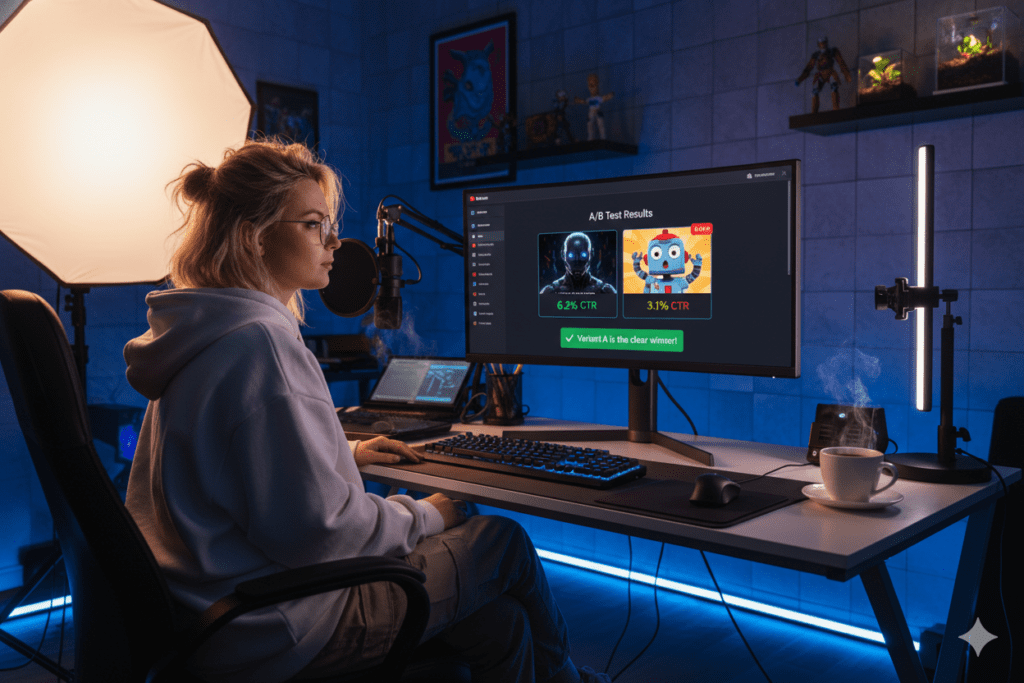
Then watch YouTube Analytics. Track impressions and CTR for the first 48 hours. If CTR is below 4%, go back to ytZolo and generate a fresh variant to A/B test.
That’s the cycle. Data in, better thumbnails out. Every video improves your instincts for the next prompt.
Pro Thumbnail Tips the Top 1% of Creators Use
Even with the best YouTube thumbnail idea generator working for you, these principles will amplify every design you produce:
- 🎭 Match your expression to your content tone. A shocked face on a calm tutorial triggers high CTR but destroys watch time. Viewers leave when reality doesn’t match the promise.
- 📱 Preview at 150px before publishing. This is mobile size. If you can’t read the text or identify the emotion at that scale, redesign it.
- 🔴 Don’t bury the face. Place your face in the upper left or center of the thumbnail. The bottom right is where YouTube’s timestamp overlays sit — faces there get covered.
- 🎨 Use three colors maximum. More than three creates visual noise. One dominant color, one accent, one text color. That’s the formula.
- 🔢 Test relentlessly. The creators with the best CTR aren’t always the best designers — they’re the most systematic testers. Generate two or three variants with ytZolo and let data decide.
- 📐 Make the thumbnail and title different. They should complement each other, not repeat the same information. If your title says what the video is about, your thumbnail should show the emotion or outcome.
- 🔄 Update thumbnails on old videos. An evergreen video with a new thumbnail can restart its discovery cycle. Creators who refreshed thumbnails on evergreen videos saw CTR increase 30–40% and total views grow over 200%.
Common Thumbnail Mistakes That Kill CTR
Even great content can be buried by these thumbnail errors. Avoid them — especially if you’re just starting to use a YouTube thumbnail idea generator.
- ❌ Using auto-generated YouTube frames — These are random, unoptimized screenshots. They signal low effort and consistently underperform custom thumbnails by 60–70%.
- ❌ Overcrowding with text — More than 60% of YouTube viewing happens on mobile — five or more words become visual noise at small sizes.
- ❌ Designing for desktop only — Your thumbnail looks great at full size but is illegible on a phone screen. Always preview at mobile scale.
- ❌ Clickbait that doesn’t deliver — High CTR with low watch time actively hurts your channel. YouTube recommends videos based on engagement after the click, not just the click itself — misleading thumbnails tank retention and destroy long-term growth.
- ❌ No focal point — When every element of a thumbnail is competing for attention, nothing wins. Pick one dominant visual element and let everything else support it.
- ❌ Inconsistent style across videos — Viewers should recognize your thumbnails instantly in their feed. Inconsistency makes you invisible to returning subscribers.
- ❌ Publishing AI output without customizing — Your thumbnail should feel like you. Use ytZolo’s output as a high-quality starting point, then add your channel’s personality.
- ❌ Never A/B testing — The difference between a 3% and 6% CTR thumbnail isn’t genius — it’s iteration. Generate multiple variants and test.
FAQ: YouTube Thumbnail Idea Generato
Q1: What is a YouTube thumbnail idea generator?
A YouTube thumbnail idea generator is an AI-powered tool that automatically creates click-optimized thumbnail concepts for your videos.
You input your topic, title, or description. The AI generates multiple thumbnail designs trained on real YouTube CTR data — applying color psychology, text placement, emotional framing, and niche-specific visual patterns.
The best tools — like ytZolo — also predict CTR for each design and connect thumbnail generation directly to your title, description, and tags.
Q2: Is a YouTube thumbnail idea generator free to use?
Yes. ytZolo’s free plan includes AI thumbnail generation, title creation, script writing, and tag generation — no credit card required. Thumbnails export in full HD with no watermark.
Several other YouTube thumbnail idea generator tools also have free tiers with varying limitations. ytZolo’s free plan is among the most comprehensive available, making it the top choice for creators who want real results without a subscription.
Q3: Can AI-generated thumbnails actually improve YouTube views?
Absolutely. Custom thumbnail designs can boost click-through rates by 60–70% compared to auto-generated ones.
A higher CTR signals to YouTube’s algorithm that your video deserves more recommendations — triggering a compounding growth cycle. When you combine a great thumbnail from a YouTube thumbnail idea generator with an optimized title and tags, the impact multiplies further.
Q4: How is ytZolo different from Canva for thumbnails?
Canva offers templates and design tools — but it’s not built for YouTube performance. It doesn’t know your niche, can’t predict CTR, and doesn’t connect to your title or tag strategy.
ytZolo is a YouTube thumbnail idea generator trained on real YouTube data. It generates niche-aware, CTR-optimized designs and integrates them with your full content metadata — giving you a unified content package, not just a standalone image.
Q5: What makes a YouTube thumbnail go viral?
Viral thumbnails combine: genuine emotional expressions, high-contrast color palettes, bold text under five words, a clear single focal point, and strong visual-title harmony.
A YouTube thumbnail idea generator like ytZolo applies all these principles automatically using performance data — removing the guesswork and giving you designs engineered to stop the scroll before your first viewer ever clicks.
Conclusion: Your Thumbnail Is Your First Video
Here’s the mindset shift that changes channels.
Your video doesn’t start when someone hits play. It starts the moment your thumbnail appears in their feed.
That split-second first impression — that one-second decision window — is where views are won or lost in 2026. And most creators are still treating it as an afterthought, screenshotting random frames and hoping for the best.
You now know better.
The data is clear. The best YouTube thumbnail idea generator tools don’t just save time — they compound your results across every video you’ve ever uploaded. Better thumbnails mean more clicks. More clicks mean more recommendations. More recommendations mean exponential growth — without making a single extra video.
ytZolo is the platform built for exactly this. The only all-in-one YouTube thumbnail idea generator that also handles your titles, scripts, descriptions, and tags — all AI-optimized, all working together, all designed to grow your channel faster than manual methods ever could.
The creators outpacing you right now aren’t more talented. They have better tools and better systems.
You now have access to both.
🚀 Start creating smarter, faster, and more viral YouTube content with ytZolo today.
Ready to go deeper? The ytZolo blog publishes weekly strategies for YouTube creators — from thumbnail psychology to SEO deep-dives, A/B testing frameworks, and AI-powered growth tactics. Everything you need to grow, in one place.
🔗 Sources & Further Reading
- YouTube Help — Impressions & Click-Through Rate — Official YouTube documentation on CTR signals and algorithm behavior
- Ahrefs Blog — YouTube SEO & Ranking Research — Data-backed studies on thumbnail performance and video optimization
- HubSpot — Video Marketing Statistics & Trends — Comprehensive video performance benchmarks for 2026
Published: April 2026 | Written for YouTube creators, content strategists, and digital marketers ready to stop guessing and start growing.

