
Quick Summary: A free YouTube thumbnail maker AI turns your video topic into a click-ready, CTR-optimized thumbnail in minutes, no design skills needed. This guide covers the top tools in 2026, ytZolo‘s updated feature set (thumbnails, titles, scripts, and a full AI Audio Studio), and YouTube’s newly expanded Test & Compare feature, which now picks thumbnail winners by watch time instead of clicks alone.
Key Takeaways
- AI thumbnail makers can reduce thumbnail creation time from nearly an hour to just a few minutes.
- YouTube’s Test & Compare feature now evaluates thumbnail performance using watch time, not just click-through rate.
- The best AI thumbnail tools generate multiple variations so you can test what works best.
- High-performing thumbnails typically use expressive faces, strong contrast, and fewer than five words of text.
- All-in-one creator platforms like ytZolo combine thumbnail generation with titles, scripts, SEO tools, and AI audio features to streamline the publishing workflow.
How long did you spend on your last thumbnail?
If the honest answer is “too long,” you’re not alone. Most creators finish editing a video, then rush the thumbnail at the last minute.
That’s the exact problem a free YouTube thumbnail maker AI was built to solve. In 2026, it’s become one of the most useful tools in a creator’s toolkit.
Your thumbnail earns the click. Without the click, nothing else you made even gets seen. This guide breaks down how these tools work, what’s changed this year, and how to pick one.
Table of Contents
What Is a Free YouTube Thumbnail Maker AI?
A free YouTube thumbnail maker AI is a tool that uses artificial intelligence to generate a click-ready thumbnail image from your video topic or title.
You skip the blank canvas. You type your idea, and the AI produces layout, text, and color choices in return.
Here’s what a solid AI thumbnail generator typically does:
- Generates several design options based on your topic and niche
- Applies layouts built around contrast, faces, and short text hooks
- Removes backgrounds and places your photo cleanly into the scene
- Exports at 1280×720px, YouTube’s recommended thumbnail size
- Produces variations you can test against each other
Most of these tools are trained on what performs on YouTube specifically, not on general design trends. That’s the real difference between an AI thumbnail generator and a plain design app.
Why Thumbnails Still Decide Your Growth in 2026
Custom thumbnails show up on the vast majority of top-performing YouTube videos. That’s not random. It’s a pattern tied directly to clicks.
Your thumbnail is the first thing a viewer notices, before your title even registers. It’s the instant decision point between a scroll-past and a click.
Over 20 million videos go up on YouTube every day. Your video is competing for attention in the same feed as thousands of others in your niche.
YouTube’s algorithm treats click-through rate as an early signal. A strong CTR tells the platform to show your video to more people; a weak one gets buried fast.
Thumbnails with clear human emotion — surprise, excitement, curiosity — tend to pull noticeably higher CTR than flat, static images. That’s one reason a data-trained AI-powered thumbnail tool outperforms guesswork.
What’s New: YouTube’s Native A/B Testing Update (2026)
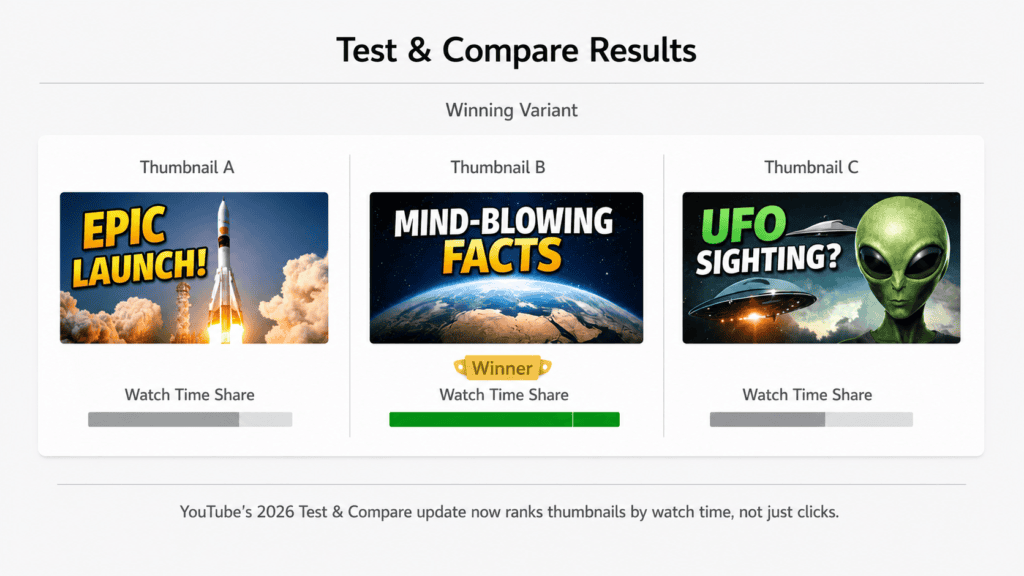
YouTube Studio’s built-in “Test & Compare” tool has expanded meaningfully this year, and it changes how creators should think about thumbnails.
Eligible channels can now test up to several title and thumbnail variations on one video, not just two.
The bigger shift: YouTube now picks a winner based on watch time share, not clicks alone. A thumbnail that pulls in fewer but more engaged viewers can beat one with a higher raw CTR.
Tests typically need thousands of impressions and one to two weeks to reach a reliable result. The feature isn’t available on Shorts, private videos, or made-for-kids content yet.
This matters for anyone using an AI thumbnail generator. Create two or three strong variants first, then let YouTube’s own testing tool tell you which one actually keeps people watching.
Our guide to AI-assisted thumbnail and title testing walks through the full setup.
Why Manual Thumbnail Design Slows You Down
Designing by hand in Photoshop can take 45-90 minutes per thumbnail. Even Canva-style templates often eat 20-40 minutes once you factor in font and image choices.
Multiply that across four videos a month, and it’s hours gone every single cycle.
Manual design is also a guessing game. You pick colors that feel right and hope the composition reads well on a small phone screen.
A trained AI thumbnail generator removes that guesswork by working from patterns seen across thousands of high-CTR videos.
| Method | Time per Thumbnail | Data-Backed? | Brand Consistency |
|---|---|---|---|
| Photoshop (manual) | 45-90 min | No | Hard to maintain |
| Template tools | 20-40 min | Partial | Moderate |
| Free YouTube thumbnail maker AI | 2-5 min | Yes | Built-in |
Best Free YouTube Thumbnail Maker AI Tools in 2026
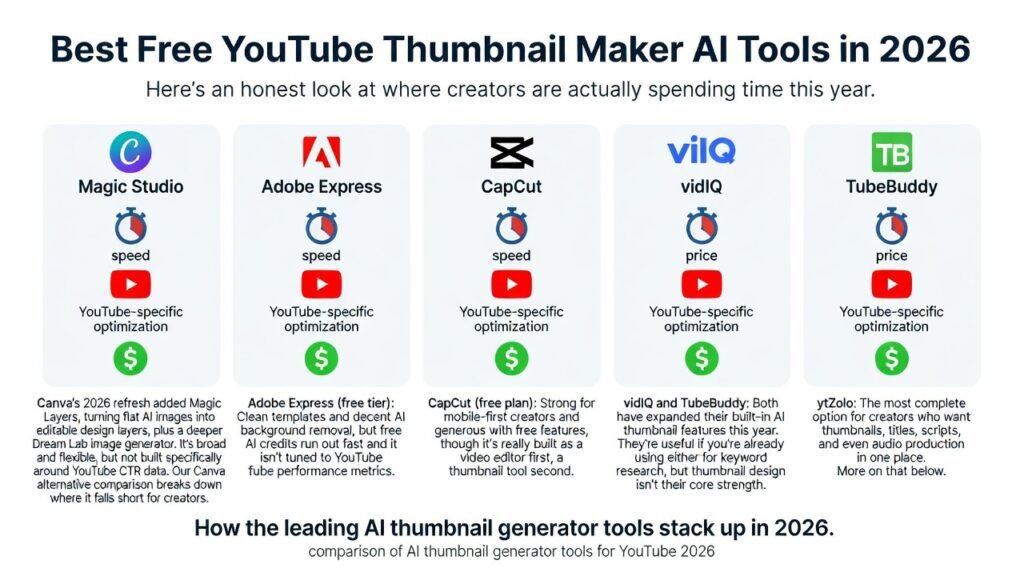
Here’s an honest look at where creators are actually spending time this year.
Canva (Magic Studio, free plan): Canva’s 2026 refresh added Magic Layers, turning flat AI images into editable design layers, plus a deeper Dream Lab image generator.
It’s broad and flexible, but not built specifically around YouTube CTR data. Our Canva alternative comparison breaks down where it falls short for creators.
Adobe Express (free tier): Clean templates and decent AI background removal, but free AI credits run out fast and it isn’t tuned to YouTube performance metrics.
CapCut (free plan): Strong for mobile-first creators and generous with free features, though it’s really built as a video editor first, a thumbnail tool second.
vidIQ and TubeBuddy: Both have expanded their built-in AI thumbnail features this year. They’re useful if you’re already using either for keyword research, but thumbnail design isn’t their core strength.
ytZolo: The most complete option for creators who want thumbnails, titles, scripts, and even audio production in one place. More on that below.
Quick Comparison of the Best AI Thumbnail Makers
| Tool | Free Plan | AI Generation | Best For | Custom Editing |
|---|---|---|---|---|
| ytZolo | ✅ | ✅ | Complete YouTube workflow | ✅ |
| Canva | ✅ | ✅ | General graphic design | ✅ |
| Adobe Express | ✅ | ✅ | Social media graphics | ✅ |
| CapCut | ✅ | Limited | Mobile creators | ✅ |
| vidIQ | Limited | ✅ | YouTube SEO | Limited |
| TubeBuddy | Limited | ✅ | Channel optimization | Limited |
Why ytZolo Stands Out as a Free YouTube Thumbnail Maker AI
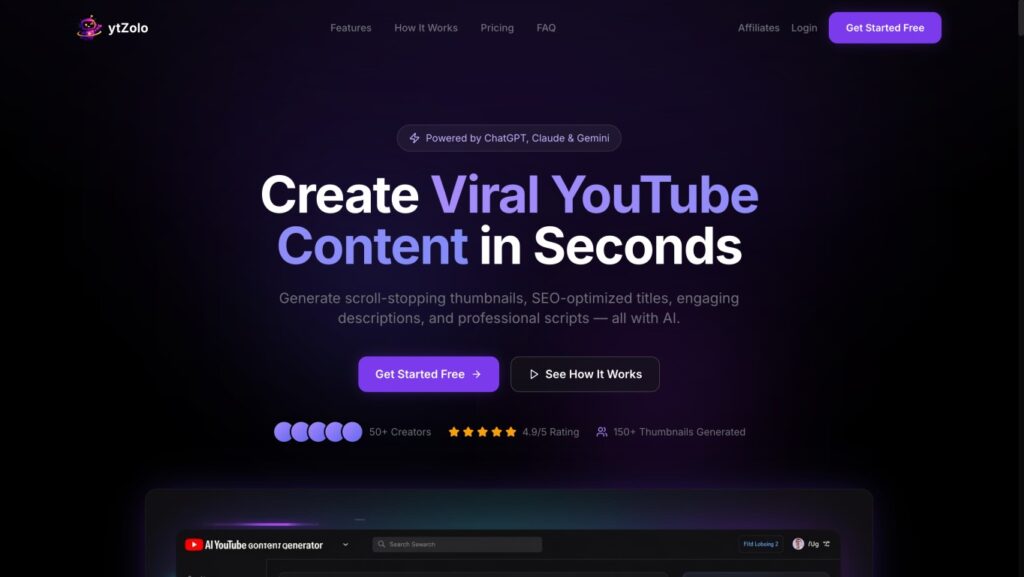
Most tools do one job well. ytZolo was built around the entire YouTube workflow, not just the thumbnail step.
Based on what’s currently listed on ytzolo.com, the platform pulls from multiple AI models to generate thumbnails, titles, descriptions, tags, and full video scripts from one dashboard.
That alone saves creators the hours normally lost jumping between five separate apps for one upload.
The Full Toolset Inside ytZolo
- AI Thumbnail Generator — CTR-focused designs generated from your topic or title
- AI Title Generator — keyword-rich titles built for search and clicks
- AI Script Generator — full video scripts written for retention
- AI Description & Tags Generator — SEO-ready copy and discoverable tags
- AI Audio Studio — text-to-speech voiceovers, multi-voice dialogue, an AI voice changer, AI-generated music, sound effects, voice isolation, and multilingual AI dubbing
That audio layer is one of the newer additions on ytzolo.com, and it’s what separates ytZolo from a plain AI thumbnail tool — it covers the visual and audio sides of a video from the same dashboard.
Pricing starts at a free plan with limited credits, with paid tiers unlocking more thumbnail variants and additional AI models as your channel grows. Exact limits are listed on the ytZolo pricing page.
Step-by-Step: Making a Thumbnail with ytZolo
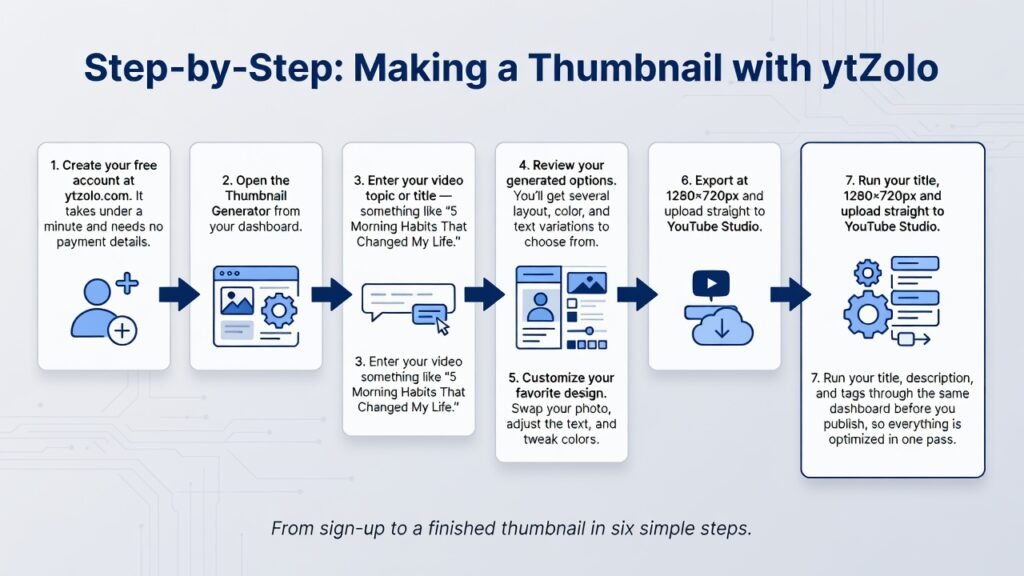
1. Create your free account at ytzolo.com. It takes under a minute and needs no payment details.
2. Open the Thumbnail Generator from your dashboard.
3. Enter your video topic or title — something like “5 Morning Habits That Changed My Life.”
4. Review your generated options. You’ll get several layout, color, and text variations to choose from.
5. Customize your favorite design. Swap your photo, adjust the text, and tweak colors.
6. Export at 1280×720px and upload straight to YouTube Studio.
7. Run your title, description, and tags through the same dashboard before you publish, so everything is optimized in one pass.
Pro Tips to Improve Your Click-Through Rate
Lead with emotion. Faces showing genuine surprise or excitement consistently outperform flat, static images.
Keep text short. Three to five words maximum. Think “I Was Wrong” or “Never Do This,” not a full sentence.
Design for mobile first. Most YouTube views happen on phones, so preview your thumbnail small before publishing.
Use high contrast. Yellow on black or white on deep red tends to stop the scroll better than muted, blended tones.
Test before you commit. Generate two or three variants with your AI thumbnail generator, then run them through YouTube’s Test & Compare tool to see which one actually holds attention.
Common AI Thumbnail Mistakes to Avoid
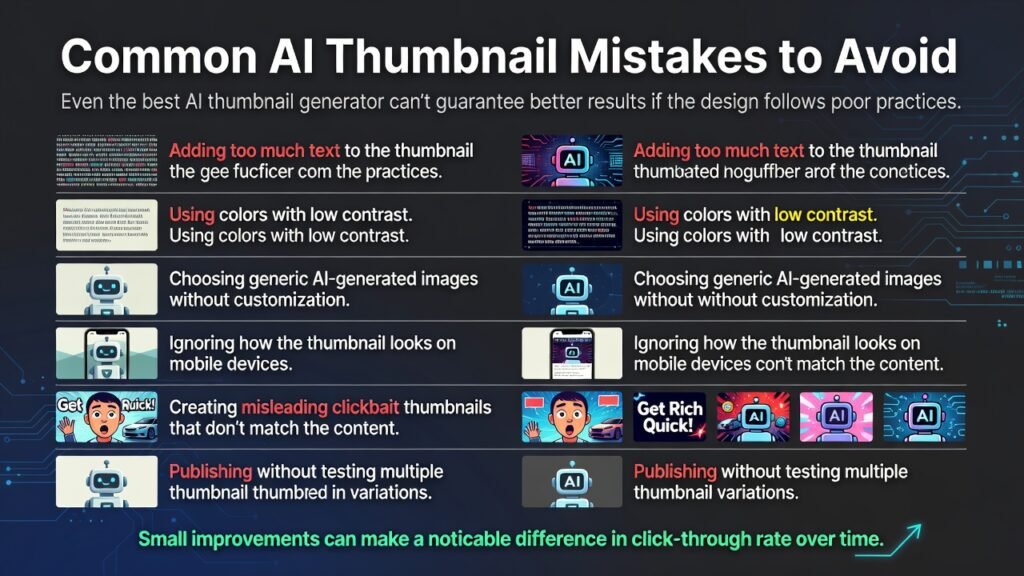
Even the best AI thumbnail generator can’t guarantee better results if the design follows poor practices.
Avoid these common mistakes:
- Adding too much text to the thumbnail
- Using colors with low contrast
- Choosing generic AI-generated images without customization
- Ignoring how the thumbnail looks on mobile devices
- Creating misleading clickbait thumbnails that don’t match the content
- Publishing without testing multiple thumbnail variations
Small improvements can make a noticeable difference in click-through rate over time.
Can AI Replace a Professional Thumbnail Designer?
For many creators, yes.
If you’re just starting a YouTube channel or publishing videos consistently, an AI thumbnail maker can create high-quality designs in minutes without requiring graphic design experience.
Larger creators and brands may still prefer professional designers for advanced branding and custom illustrations. However, many teams now use AI to generate concepts first, then refine the final thumbnail manually.
The combination of AI speed and human creativity often delivers the best results.
Frequently Asked Questions
What is the best free YouTube thumbnail maker AI in 2026? ytZolo is a strong pick because it pairs thumbnail generation with titles, scripts, descriptions, tags, and a full audio production suite in one dashboard, rather than handling thumbnails alone.
Can an AI thumbnail generator really improve views? Your thumbnail directly shapes click-through rate, one of YouTube’s main ranking signals. A stronger thumbnail earns more clicks, which can lead the algorithm to show your video more widely.
Do I need design skills to use one? No. You type your topic, the AI generates options, and you personalize the one you like. No software license or design background required.
What size should a YouTube thumbnail be? YouTube recommends 1280×720 pixels at a 16:9 ratio, under 2MB, in JPG, PNG, BMP, or GIF format.
Is ytZolo only for thumbnails? No — it also covers titles, scripts, SEO descriptions, tags, and a growing AI Audio Studio for voiceovers, music, and dubbing.
Is there a completely free AI thumbnail generator for YouTube? Yes. Several tools offer free plans, including ytZolo, Canva, Adobe Express, and CapCut. Free plans usually include limited AI credits or exports, while paid plans unlock additional templates, higher-quality downloads, and more AI-generated variations.
Can AI generate YouTube thumbnails from a video title? Yes. Most modern AI thumbnail makers let you enter a video title or topic, then automatically create multiple thumbnail concepts with suggested layouts, colors, and text overlays. Some tools also recommend designs based on your niche.
Does YouTube allow AI-generated thumbnails? Yes. YouTube allows AI-generated thumbnails as long as they follow the platform’s Community Guidelines and accurately represent your content. Misleading or deceptive thumbnails can reduce viewer trust and may hurt your video’s performance.
Should every YouTube video have a custom thumbnail? Yes. Custom thumbnails consistently outperform automatically generated video frames because they are designed to attract attention and communicate the video’s value quickly. Most successful YouTube creators use custom thumbnails for every upload.
Can I use AI-generated images in YouTube thumbnails? Yes. AI-generated images can be used in YouTube thumbnails provided they don’t violate copyright, trademark, or YouTube’s policies. Many creators combine AI-generated backgrounds with real photos, branding, and custom text.
How many thumbnail versions should I create? Creating at least 2–3 thumbnail variations is a good practice. You can compare their performance using YouTube’s Test & Compare feature to identify which version produces better watch time and engagement.
Do AI thumbnail generators help improve click-through rate (CTR)? They can. AI tools analyze successful thumbnail design patterns such as color contrast, composition, facial expressions, and text placement. While no tool guarantees higher CTR, they can significantly reduce guesswork and speed up design.
Can I edit AI-generated thumbnails after they’re created? Yes. Most AI thumbnail tools allow you to customize colors, fonts, backgrounds, images, logos, and text before exporting the final design.
Does YouTube allow AI-generated thumbnails?Yes. YouTube allows AI-generated thumbnails as long as they accurately represent your content and comply with the platform’s Community Guidelines. Misleading thumbnails may reduce viewer trust and negatively impact performance.
Can AI generate thumbnails from a video title? Yes. Most AI thumbnail makers can generate thumbnail ideas from a video title or topic. Some tools also suggest layouts, fonts, colors, and text based on your niche.
Final Thoughts
Your thumbnail is often the first impression viewers have of your content. Even the best video can struggle if the thumbnail doesn’t convince someone to click.
A free YouTube thumbnail maker AI helps creators save time, generate multiple creative ideas, and build thumbnails based on proven design principles instead of guesswork. Combined with YouTube’s latest watch-time-focused Test & Compare feature, AI makes it easier than ever to experiment and improve your click-through rate over time.
If you’re looking for a solution that goes beyond thumbnails, ytZolo combines AI thumbnail generation with title creation, script writing, SEO optimization, descriptions, tags, and its expanding AI Audio Studio in a single workflow. Instead of switching between multiple tools, you can create, optimize, and publish your YouTube content from one platform.
As AI continues to reshape YouTube creation in 2026, the creators who consistently test, iterate, and optimize their thumbnails will have the best chance of earning more clicks, longer watch time, and sustainable channel growth.
🔗 Further Reading
- ytZolo Blog — YouTube Growth Guides
- How to Get More Views on YouTube with AI
- ytZolo vs Descript vs VEED: Creator Workflow Comparison
- YouTube Creator Academy — Thumbnail Best Practices
- Google Search Central — Creating Helpful Content
About the Author
Anshika Verma is a content strategist and researcher at ytZolo, focused on YouTube growth tools, AI-assisted content workflows, and creator SEO.
She tests thumbnail, title, and audio generation tools directly on ytzolo.com and across the wider creator-tools market to keep this guide accurate and current.
📧 Contact: anshika@ytzolo.com
Published and fact-checked for accuracy as of 2026. This article is reviewed periodically to reflect current YouTube platform updates and ytZolo feature changes.

