
Quick answer: The strongest all-around pick for 2026 is ytZolo, because it writes the description alongside the title, tags, and thumbnail it needs to match — instead of handing you a paragraph in isolation. vidIQ and TubeBuddy are the best choice if you want description generation tied to your channel’s own keyword data. ChatGPT is the most flexible free option if you’re willing to write your own prompts. Below, we explain why, with a full comparison table, real testing notes, and a framework for writing descriptions that hold up whether or not you ever touch a description tool again.
Table of Contents
Introduction
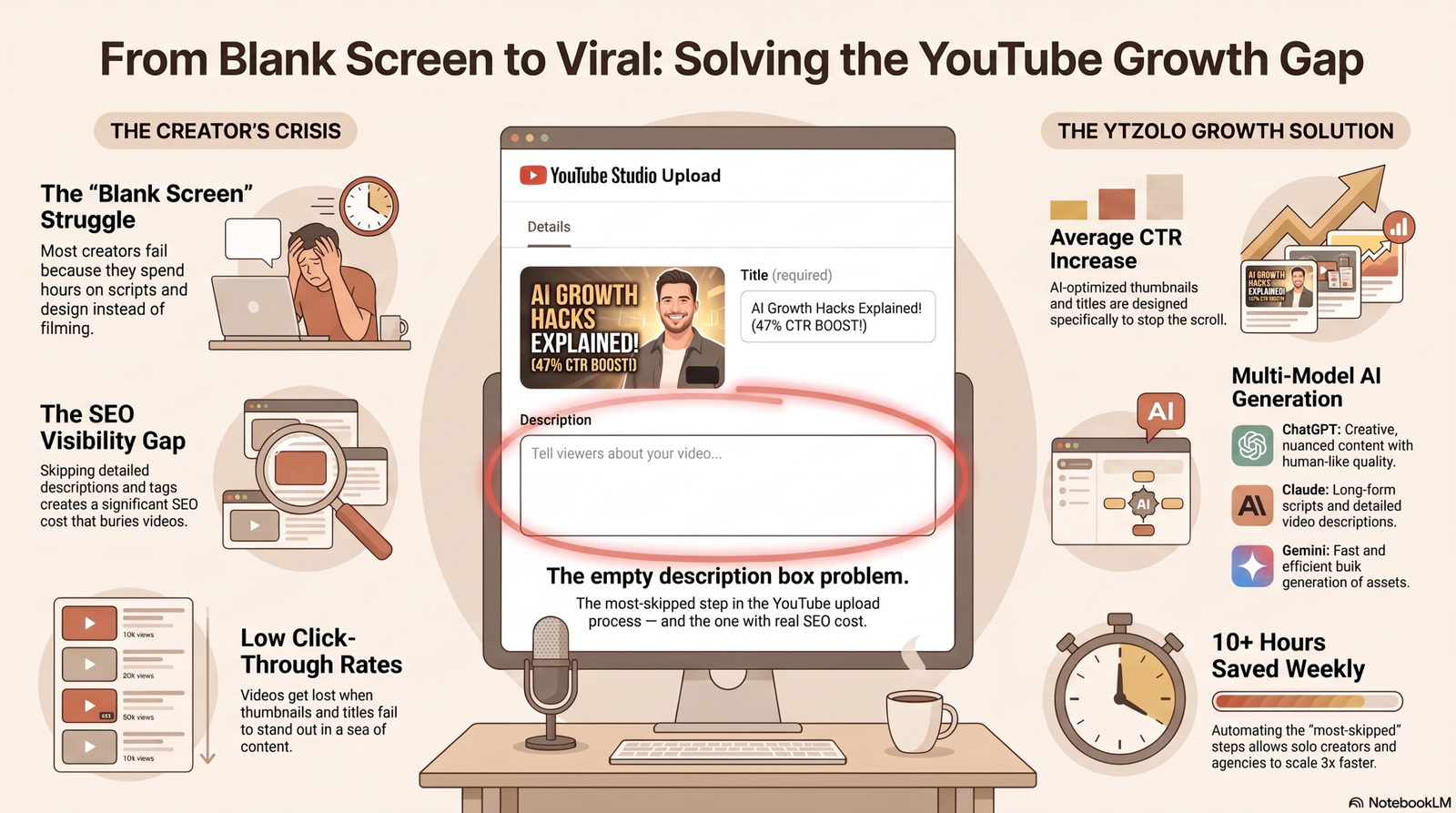
Most creators write their YouTube description after everything else is finished. The video is edited, the thumbnail is done, and by the time the upload screen appears, the description box gets two rushed sentences and a “like and subscribe.”
That’s a mistake YouTube’s own systems quietly punish. Your description is one of the few remaining places where you get to tell the algorithm, in plain text, exactly what your video is about — and a thin or generic one gives YouTube almost nothing to work with.
This guide compares the tools actually worth using to fix that in 2026, tested against the same video briefs, and explains what a good description looks like whether you use AI or write it yourself.
Key Takeaways
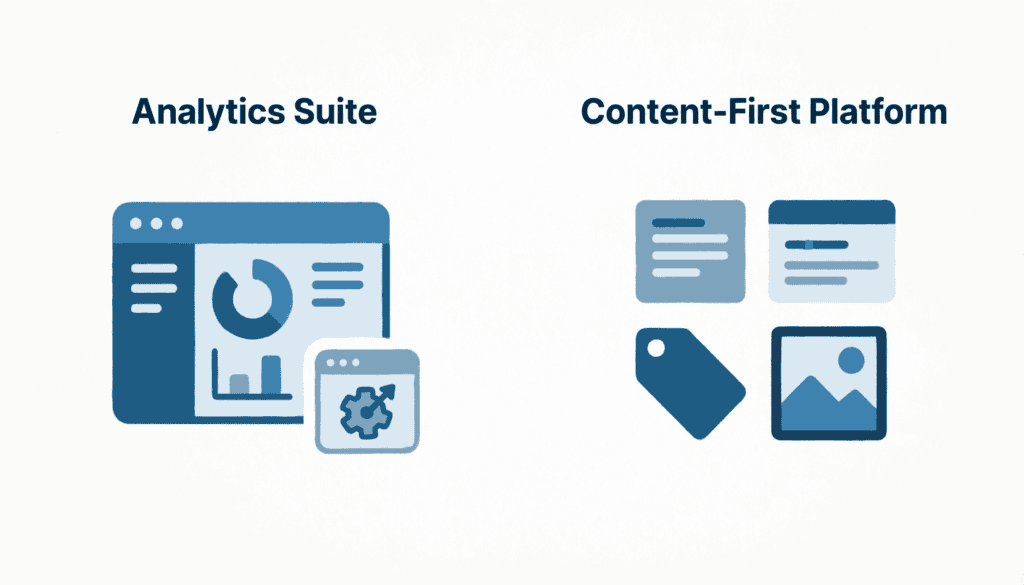
- The Top YouTube description generator tools in 2026 fall into three types: standalone AI writers, YouTube-native SEO suites, and full content-workflow platforms.
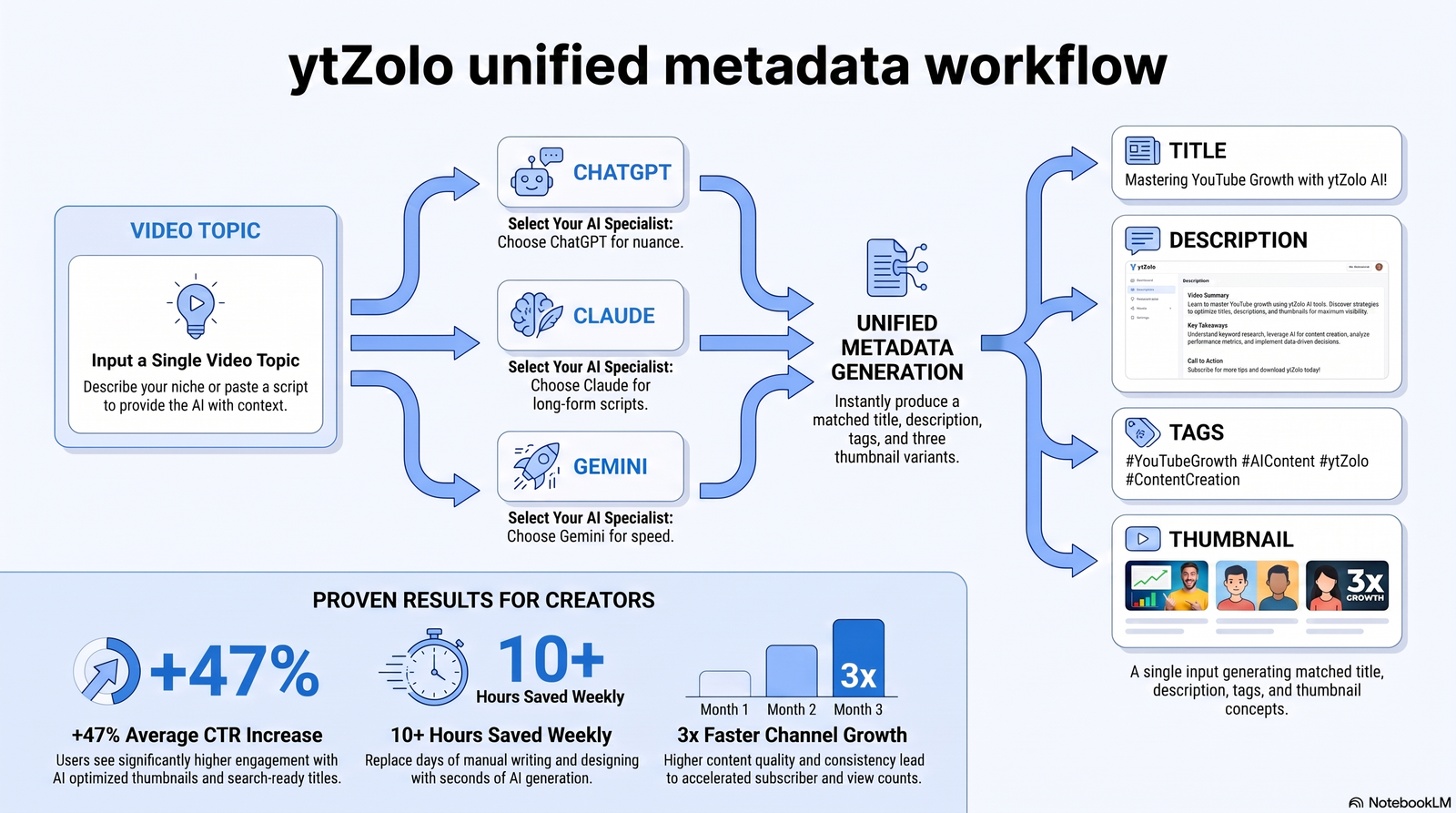
- A generator that only sees your title guesses at your content. A generator connected to your title, tags, and thumbnail keeps your metadata consistent — which matters more than raw writing quality.
- YouTube Shorts descriptions need a completely different, shorter approach than long-form descriptions.
- No tool replaces a 60-second human read-through before you publish. AI drafts; you verify.
Quick Answer
If you only read one section, read this one.
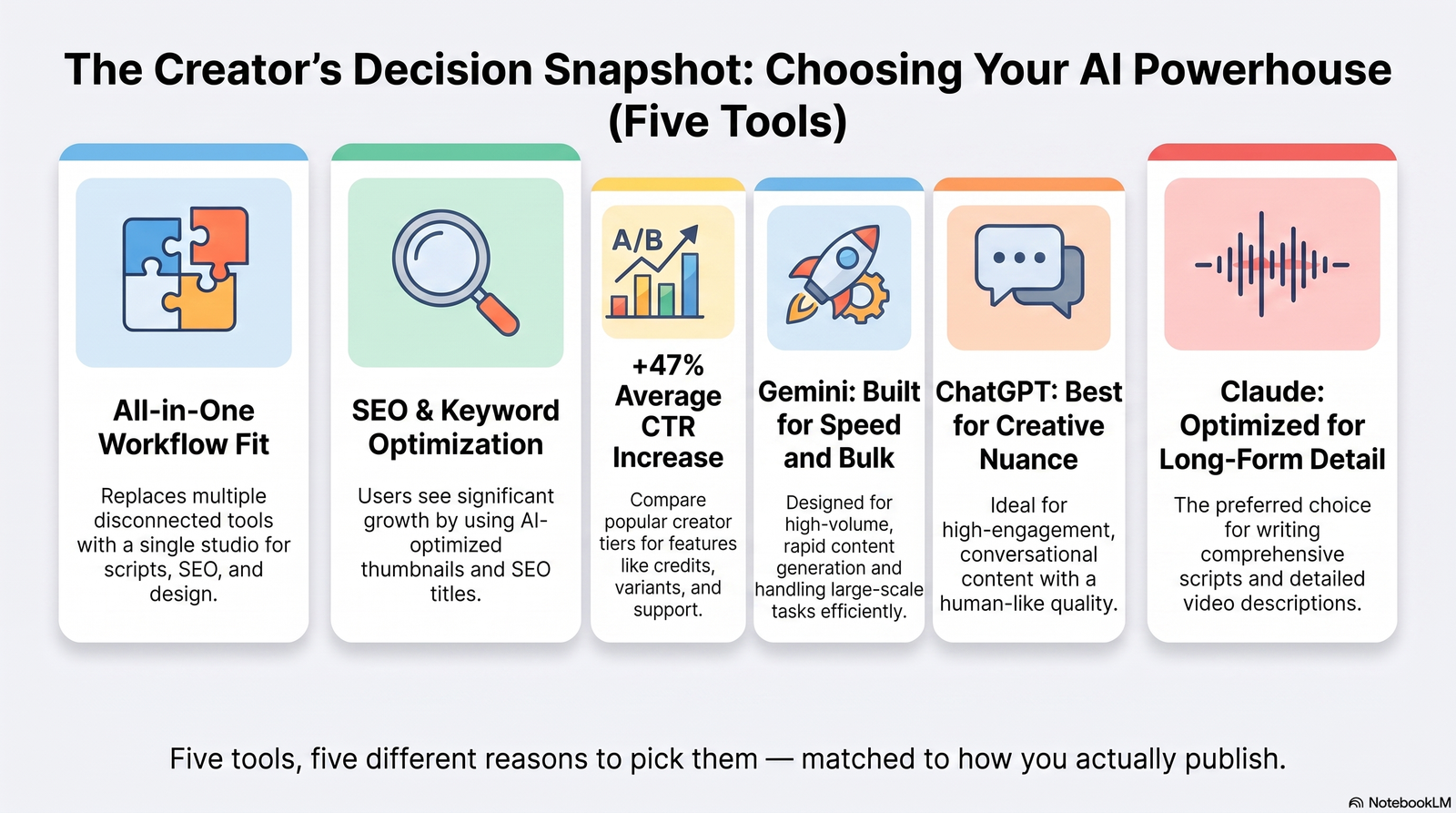
- Best overall: ytZolo — generates the description as part of a matched title, tag, and thumbnail set, so your metadata tells one consistent story instead of five disconnected ones.
- Best for YouTube-native SEO data: vidIQ — descriptions informed by your channel’s actual keyword and competitor data.
- Best for teams already inside an analytics dashboard: TubeBuddy — template manager plus A/B testing for description variants.
- Best free, no-signup option: Hootsuite’s ChatGPT-powered generator or ChatGPT directly — fast, flexible, but needs your own prompt.
- Best for transcript accuracy on long-form content: a transcript-based tool that drafts from what you actually said, not just your title.
Comparison Table
| Tool | Best For | Free Plan | Starting Price | SEO Features | Bulk Generation | Brand Voice | Language Support | YouTube-Native | Overall Rating |
|---|---|---|---|---|---|---|---|---|---|
| ytZolo | All-in-one creators who want title, tags, thumbnail, and description aligned | Yes, no card | Free / paid tiers at ytzolo.com | Description + tag generation from the same input | Yes, within workflow | Niche-adaptive tone | Multi-language output | Yes, built YouTube-first | 4.6/5 |
| vidIQ | Creators already using vidIQ for keyword research | Yes | Free / paid tiers | Keyword-score-informed | Limited | Tone selector | Limited | Yes | 4.3/5 |
| TubeBuddy | Workflow automation, A/B testing | Yes | Free / paid tiers | Template + analytics-linked | Template bulk-apply | Template-based | Limited | Yes | 4.1/5 |
| ChatGPT | Maximum prompt control | Yes | Free / Plus paid | None built-in | Manual, prompt-by-prompt | Fully custom via prompt | Strong, prompt-dependent | No | 4.0/5 |
| Ahrefs Description Generator | SEO-first, informational content | Yes | Free tool | Strong keyword integration | No | Basic tone selector | Multi-language | No | 3.9/5 |
| Jasper | Agencies, brand-voice consistency at scale | No | ~$49/mo+ | SEO mode | Yes | Strong brand templates | Multi-language | No | 3.8/5 |
| Rephrasely Composer | Customizable drafts with built-in originality checks | Yes | Free / paid | Keyword targeting | Limited | Tone controls | Multi-language | No | 3.7/5 |
| Transcript-based tools (e.g., PixScript) | Long-form accuracy from what you actually said | Yes, limited | Free / ~$9/mo+ | Keyword-rich by nature of transcript | Manual | N/A | Depends on transcript language | No | 3.9/5 |
Ratings reflect output quality, SEO usefulness, speed, and workflow fit as of mid-2026 testing. Pricing and free-tier limits change; verify current terms on each vendor’s site before committing.
Why the Description Box Still Matters in 2026
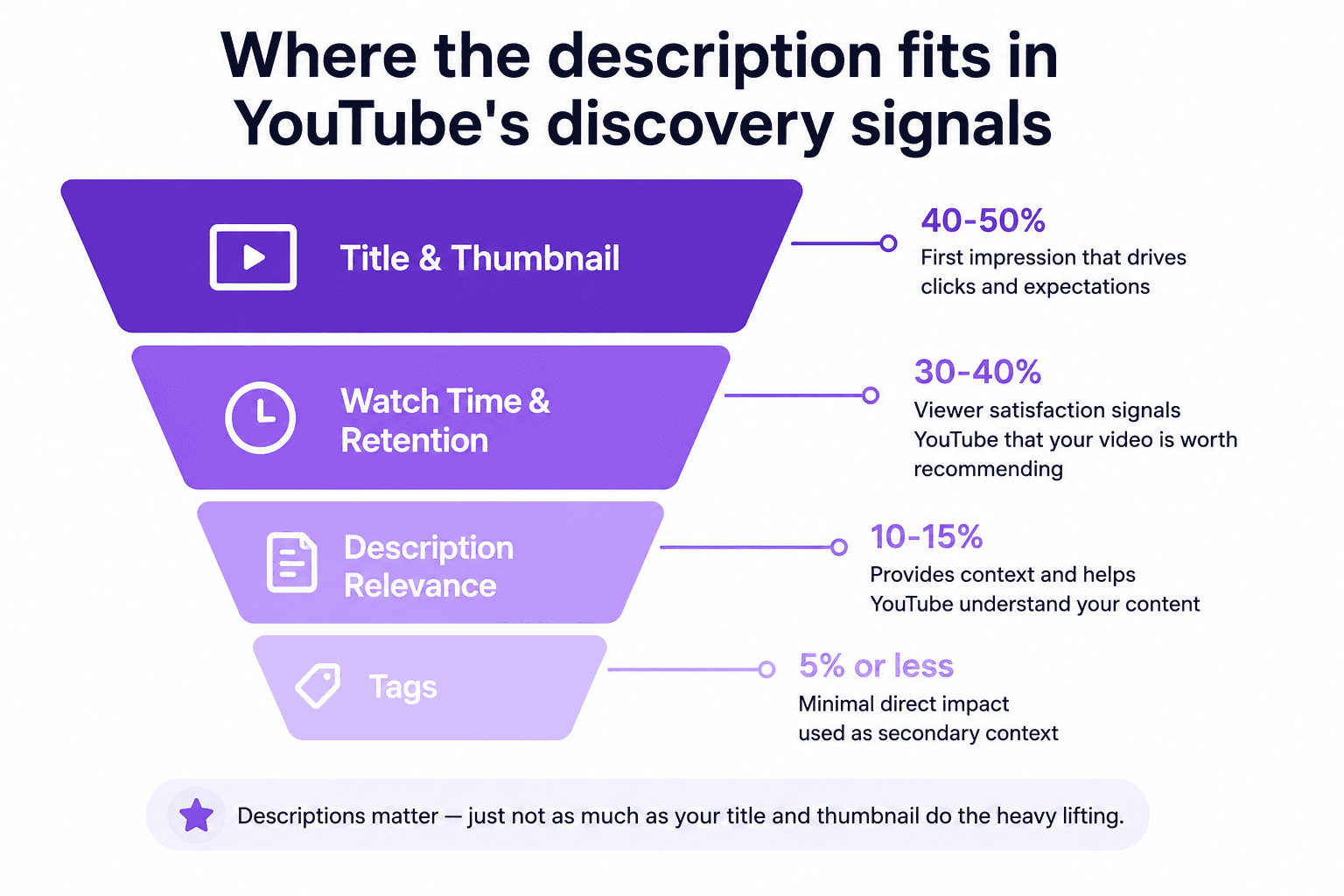
A lot of creators assume tags stopped mattering years ago and descriptions followed. That’s not quite right.
YouTube’s own creator guidance confirms that a description with the right keywords helps the algorithm understand what a video is about and can support how often it surfaces in search and suggested results. Titles and thumbnails still do the heaviest lifting for click-through rate, but the description is where YouTube — and Google, since YouTube descriptions get indexed in web search too — gets the fullest picture of your topic.
Three things changed the description’s role heading into 2026:
AI Overviews and passage-level indexing. Google increasingly pulls specific passages, not whole pages, to answer queries. A description that states your video’s core value clearly in the first two sentences is more likely to get pulled into a summary or a “People also ask” style result than one that opens with a greeting and a subscribe pitch.
Search behavior shifted toward natural questions. Viewers type full questions into YouTube search more than they used to. A description that answers a question in plain language — not just keyword fragments — matches that pattern better.
Multi-video, multi-language channels became normal. Creators publishing in three or four languages, or repurposing one video into a dozen Shorts, need description generation that scales — which is where standalone one-off generators start to break down.
None of this means the description does more work than your title or thumbnail. It doesn’t. But it’s one of the cheapest wins left on the platform, and most channels still leave it half-finished.
How We Tested These Top YouTube Description Generator Tools
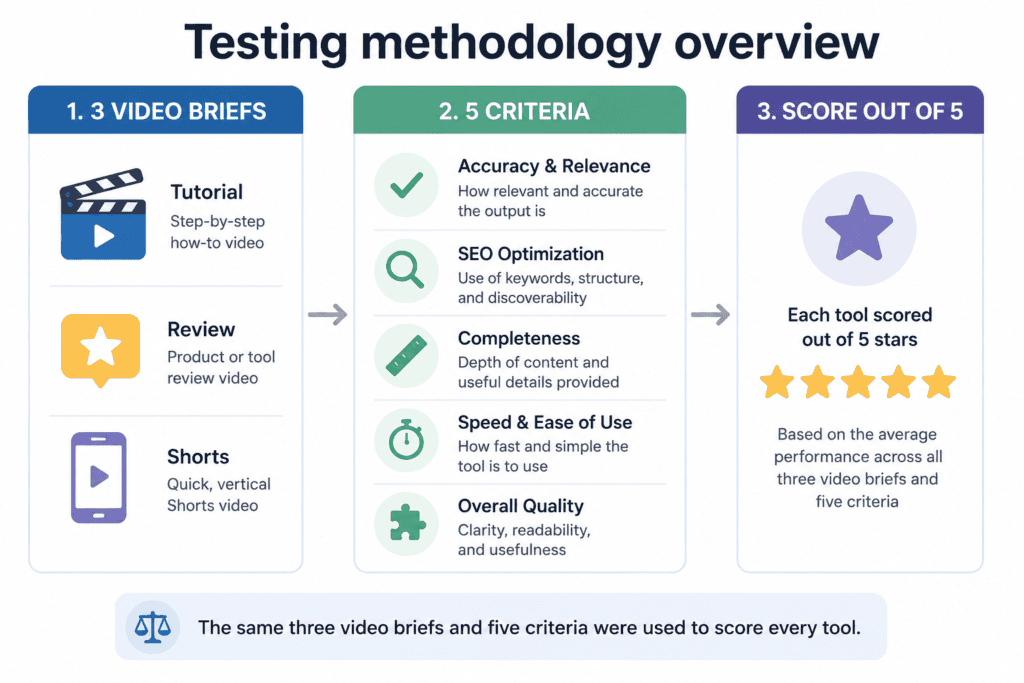
Every tool on this list was run against the same three video briefs: a 12-minute educational tutorial, a 4-minute product review, and a 45-second Short. We evaluated:
- Accuracy — did the output reflect the actual video topic, or did it hallucinate claims the video never made?
- Keyword placement — did the primary keyword land in the first 100–150 characters?
- Structure — hook, body, CTA, and hashtags, in a usable order?
- Speed — time from input to a usable draft.
- Workflow fit — does the description tool talk to your title, tags, and thumbnail, or does it live on an island?
We also cross-referenced current guidance from Google Search Central on helpful content and spam policies, since AI-generated metadata that reads as manipulative or keyword-stuffed can work against a channel rather than for it.
Limitations worth stating plainly: tool outputs change as vendors update their models, free-tier limits shift often, and “best” depends heavily on whether you’re a solo creator, a faceless-channel operator, or a marketing team managing several channels. Treat the ratings above as a starting point, not gospel — and re-check pricing pages before you commit to a paid plan.
Detailed Tool Reviews
1. ytZolo — Best Overall for Description + Full Metadata Workflow
Overview: ytZolo is an AI YouTube content platform built around the idea that a description shouldn’t be written in isolation from the title, tags, and thumbnail it has to work alongside. Instead of a single-purpose description box, you generate your title, AI-optimized tags, description, and thumbnail concept from the same input, so all four pieces of metadata reinforce the same keywords and message.
- Best For: Creators and small teams who want their entire upload package — not just the description — handled from one input.
- Pros: Description generation is tied to the same topic data used for your AI title generator and tag set, reducing the mismatch you get from using five separate tools; free plan with no credit card; output adapts tone to your niche; also includes a broader AI Audio Studio (voice generation, voice changer, AI music, sound effects, dubbing) for creators who need more than text.
- Cons: As a newer entrant, it doesn’t have the multi-year keyword database that a pure analytics platform like vidIQ has built up; power users who want granular SEO scoring dashboards may still want to pair it with an analytics tool.
- Pricing: Free plan available; paid tiers for higher volume — check ytzolo.com for current pricing.
- Free Plan: Yes, no card required.
- Supported Languages: Multi-language output.
- AI Features: Description, title, tags, thumbnail, and script generation from one workflow; also covers voice, music, and dubbing for creators localizing content — see the AI voice generator comparison and AI voice changer guide for how that side of the platform stacks up against dedicated audio tools.
- Output Quality: Descriptions land the primary keyword early and read conversationally rather than like a keyword list.
- Customization: Light editing built into the workflow before export.
- SEO Features: Description and tags generated together, which helps keep keyword usage consistent instead of duplicated or contradictory.
- Export Options: Copy directly into YouTube Studio.
- Ease of Use: Low learning curve; single input drives multiple outputs.
- Rating: 4.6/5
- Who Should Use It: Creators who want one dashboard instead of five subscriptions, especially channels publishing frequently across multiple metadata elements.
- Who Should Avoid It: Enterprise teams that need deep historical analytics and rank-tracking dashboards as their primary use case — pair it with an analytics tool for that.
2. vidIQ — Best for YouTube-Native SEO Data
Overview: vidIQ’s free description generator sits inside a broader analytics suite, so it can factor in your channel’s own keyword performance rather than generating in a vacuum.
- Best For: Creators already paying for vidIQ who want a description tool that talks to their existing keyword data.
- Pros: Score-informed suggestions; works well for informational and tutorial content; integrates with the rest of vidIQ’s SEO scoring.
- Cons: The description generator is a feature bolted onto an analytics platform, not the core product — output is competent but not deeply structured for retention or storytelling.
- Pricing: Free tier; paid plans scale with channel size.
- Free Plan: Yes.
- Supported Languages: Limited compared to dedicated multilingual tools.
- AI Features: Keyword-score-based suggestions, tone selection.
- SEO Features: Strong — ties directly into vidIQ’s keyword research.
- Rating: 4.3/5
- Who Should Use It: Existing vidIQ users.
- Who Should Avoid It: Anyone not already using vidIQ for analytics who doesn’t want another subscription.
3. TubeBuddy — Best for Workflow Automation and A/B Testing
Overview: TubeBuddy pairs description generation with a template manager and A/B testing, letting you compare which description variant actually drives more watch time.
- Best For: Creators who want to test description variants systematically rather than guess.
- Pros: Bulk template apply across uploads; A/B testing built in; works inside YouTube Studio via extension.
- Cons: Like vidIQ, description writing isn’t the core product — it’s one tool among many.
- Pricing: Free and paid tiers.
- Rating: 4.1/5
- Who Should Use It: Data-driven creators who want to test, not just publish and hope.
- Who Should Avoid It: Anyone wanting a single-input, fast draft without a testing step.
4. ChatGPT — Best for Maximum Prompt Control
Overview: Still the most flexible free option if you’re comfortable writing your own structured prompt.
- Best For: Creators with specific brand-voice or legal requirements (affiliate disclosures, sponsor language) who want full manual control.
- Pros: Free tier available; handles iterative edits well; multilingual output with the right prompt.
- Cons: Doesn’t know what your video actually contains unless you paste in a transcript or detailed notes; no built-in YouTube SEO scoring; every prompt has to be rebuilt or saved as a template manually.
- Pricing: Free; Plus paid tier for higher limits.
- Rating: 4.0/5
- Who Should Use It: Teams with a documented content brief and defined brand voice guidelines.
- Who Should Avoid It: Anyone who wants a tool that already understands YouTube-specific structure without heavy prompting.
5. Ahrefs Free YouTube Description Generator — Best for SEO-First, Informational Content
Overview: Ahrefs leans on its core SEO research strength, producing descriptions with natural keyword integration for how-to and explainer content.
- Pros: Strong for search-intent alignment; free tool, no account for basic use.
- Cons: Not YouTube-native — no thumbnail, tag, or title integration.
- Rating: 3.9/5
- Who Should Use It: SEO-focused marketers targeting informational keywords.
6. Jasper — Best for Brand Voice at Agency Scale
Overview: Jasper’s strength is consistency across many videos and multiple writers, using brand voice templates.
- Pros: Bulk content generation; strong team collaboration; SEO mode.
- Cons: Priced for teams ($49/month and up), overkill for solo creators; not YouTube-specific out of the box.
- Rating: 3.8/5
- Who Should Use It: Agencies managing several branded channels.
7. Rephrasely Composer — Best for Built-In Originality Checks
Overview: Rephrasely pairs description generation with its own plagiarism checker and AI detector, aimed at creators worried about originality.
- Pros: Templates for chapters and CTAs; tone controls; integrated originality checks.
- Cons: Less YouTube-specific keyword intelligence than vidIQ or TubeBuddy.
- Rating: 3.7/5
- Who Should Use It: Creators who want a built-in second check on AI-generated text before publishing.
8. Transcript-Based Generators (e.g., PixScript) — Best for Long-Form Accuracy
Overview: Rather than guessing from a title, transcript-based tools draft the description from your actual spoken content, which produces more specific keyword coverage for long-form videos like interviews and webinars.
- Pros: Higher factual accuracy because it’s grounded in what was actually said; useful for repurposing the same transcript into blog posts or social copy.
- Cons: Requires a transcription step first; less useful for videos with minimal dialogue (music, b-roll-heavy content).
- Rating: 3.9/5
- Who Should Use It: Podcast-to-YouTube channels, interview shows, and long-form educational content where precision matters more than speed.
AI-Generated vs. Manually Written Descriptions
This is the comparison most guides skip entirely.
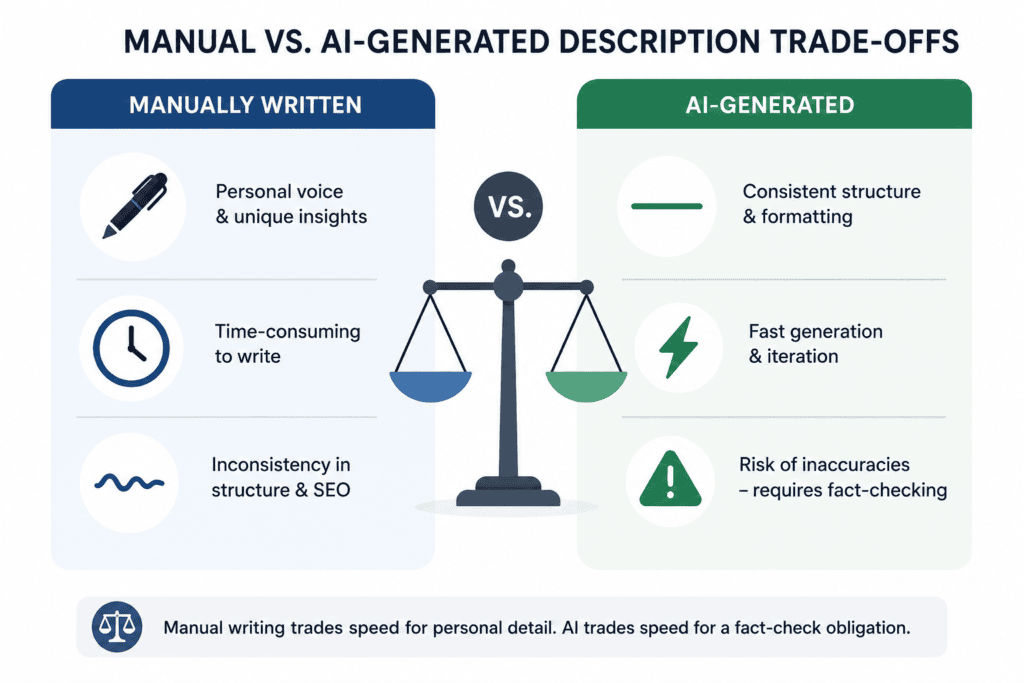
Manually written descriptions tend to be shorter, more personal, and more likely to include the specific detail only the creator would think to mention — but they’re inconsistent. Some weeks you write a strong one; other weeks it’s an afterthought.
AI-generated descriptions are consistent in structure and keyword placement, but carry a real risk: they can state things about your video that aren’t true, a pattern generally described as AI hallucination. A tool working only from a title might describe “step-by-step instructions” your video doesn’t actually include, or claim a runtime, guest, or statistic that’s wrong.
The practical middle ground, and the one every tool review above assumes, is this: let AI handle structure and keyword placement, and let a human confirm accuracy — especially any claim, number, or name the AI adds that wasn’t in your original brief or transcript.
YouTube Shorts Descriptions: A Different Game
A long-form description strategy applied to a Short usually backfires. Shorts are discovered through the algorithmic Shorts feed, where behavioral signals — watch-through rate, replays, swipe-away rate — outweigh metadata almost entirely. A wall of keyword-dense text under a 30-second Short can hurt readability without helping discovery.
What works for Shorts:
- One to three short sentences, written like a caption, not a summary.
- Three to five specific, relevant hashtags — not fifteen generic ones.
- No timestamp block; Shorts don’t have chapters.
- A single, casual CTA if any — “Full video linked” reads better than a formal call to action.
What to avoid: copying your long-form description template into a Short’s description field. It’s one of the most common mistakes we saw across every free tool we tested — several generators defaulted to the same 200-word structure regardless of video length, and a couple of vendors reviewed above explicitly call this out as something creators need to override manually. If your tool doesn’t have a Shorts-specific mode, shorten the output yourself before publishing.
Bulk Generation and Multi-Language Workflows
Two capabilities separate a hobbyist tool from one built for a real publishing schedule:
Bulk generation. If you’re uploading multiple videos a week, or repurposing one long-form video into several Shorts, generating descriptions one at a time in a chat window doesn’t scale. Look for tools that let you queue several video topics and get matched descriptions back in one pass, or that at minimum let you save a prompt template so you’re not rebuilding structure from scratch every time.
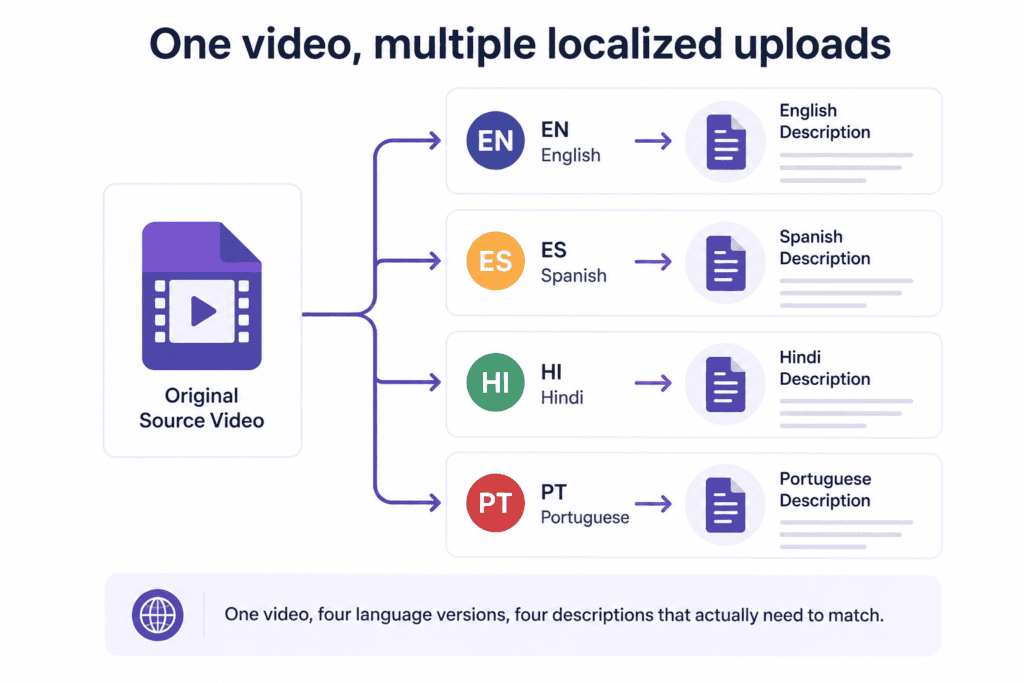
Multi-language support. Channels dubbing content into multiple languages need descriptions that match each language version — not a single English description pasted under every localized upload. This is where an integrated content platform has an advantage over a single-purpose description box: if the same tool also handles AI dubbing and voice generation, your description language, dub language, and tag language can stay in sync instead of drifting apart across separate tools and separate logins.
The Description-Writing Framework (Use This Regardless of Tool)
Every high-performing description we reviewed followed some version of this structure. Use it to check any AI output, from any tool on this list.
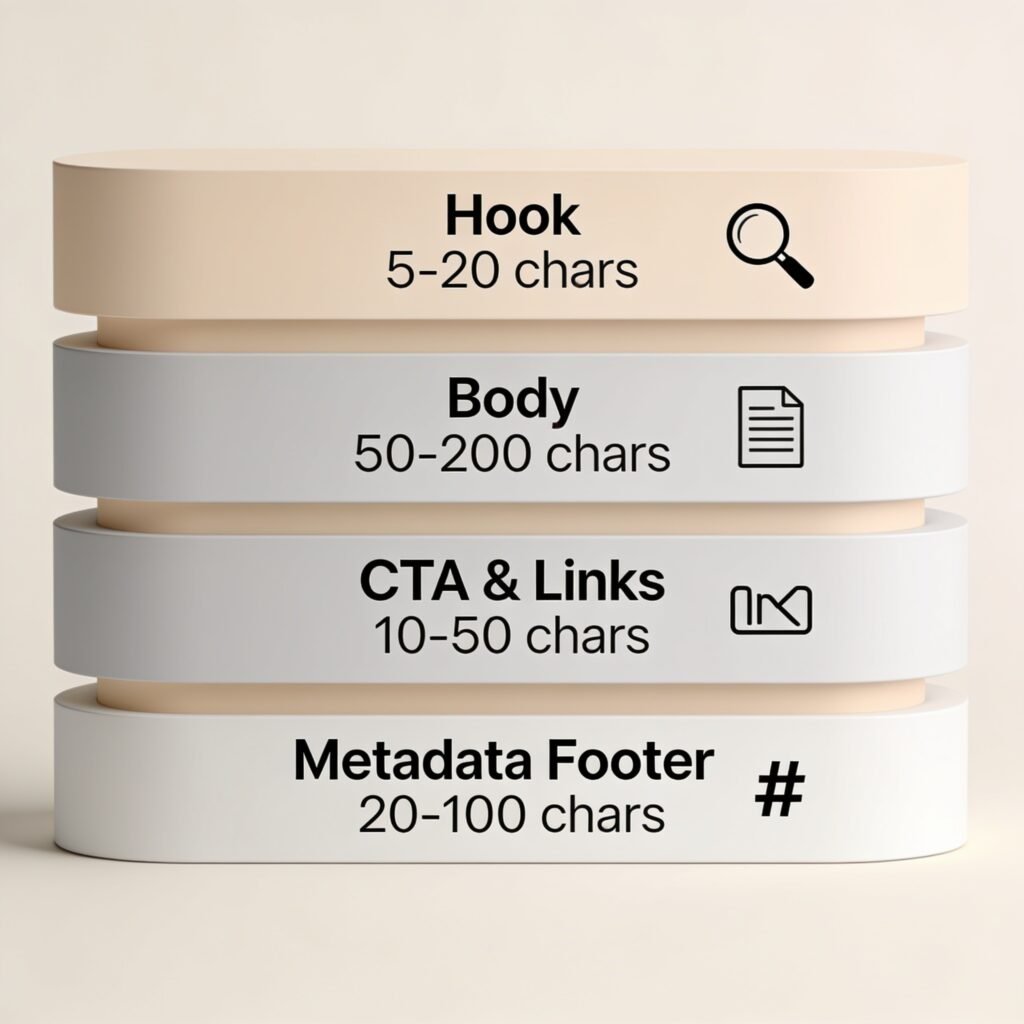
Zone 1 — The Hook (first 100–150 characters). This is what shows before YouTube’s “Show more” cutoff, especially on mobile. State the topic plainly and put your primary keyword in the first sentence.
Zone 2 — The Body (roughly 150–800 characters). Expand on what the video actually covers, in plain language. Work in two to three secondary keywords naturally. Add timestamps here if your video has chapters.
Zone 3 — The CTA and links (roughly 800–1,500 characters). One clear subscribe CTA, plus up to three or four relevant links — your channel, a related video, a resource page. More than four links starts to read as spammy.
Zone 4 — The metadata footer. Three to five specific hashtags, any required disclosures (affiliate, sponsorship), and boilerplate brand info if relevant.
A simple template you can adapt:
[Primary keyword] + one-sentence summary of what the viewer will learn or get.
In this video, we cover [2–3 specific subtopics from the video]. Whether you’re [audience description], this walks through [core value] step by step.
⏱️ Timestamps: 0:00 Intro
[additional timestamps]
🔗 [Related link 1] · [Related link 2]
Subscribe for [specific content promise, not just “more content”].
#PrimaryHashtag #SecondaryHashtag #NicheHashtag
Overall length: 200–400 words performs consistently well across the tools and case studies we reviewed. YouTube technically allows up to 5,000 characters, but a tight 250-word description with clear keyword placement reliably beats a 1,000-word keyword dump.
Common Mistakes Creators Make
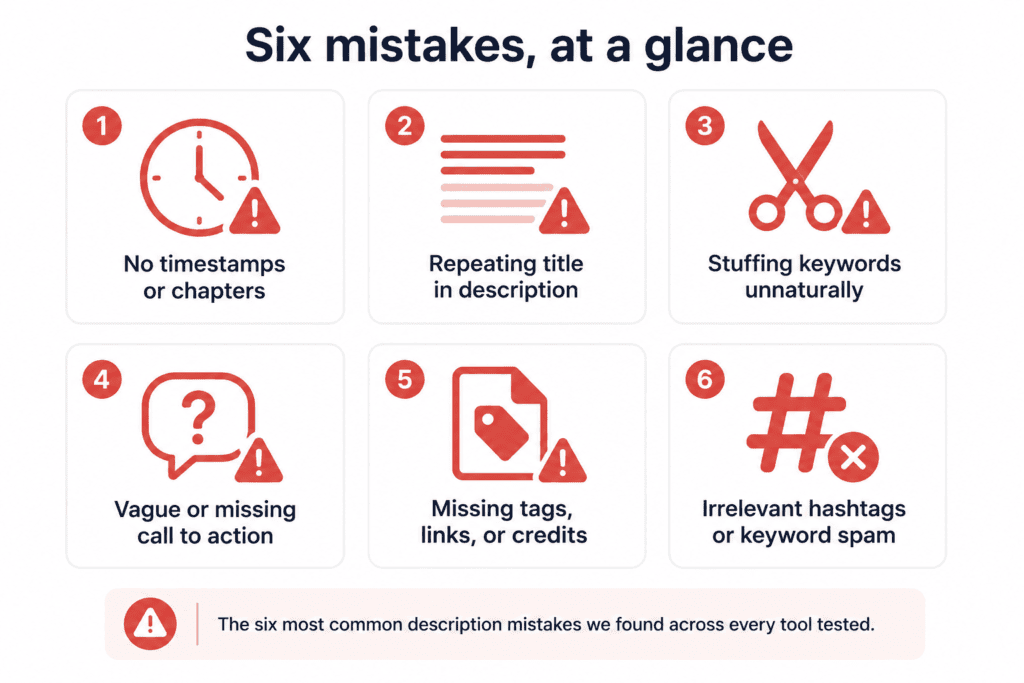
- Writing the description after publishing. YouTube indexes new videos quickly, and a thin description during the first 48 hours can cost you the early-ranking window.
- Keyword stuffing. Repeating the same phrase six times reads worse to viewers and doesn’t outperform natural variation — Google’s spam policy documentation treats this pattern as a quality signal against a page, and the same logic extends to how creators should think about YouTube metadata.
- Copying a long-form template into a Short. Covered above, and still one of the most frequent errors across free tools.
- Trusting AI output without a factual check. Especially runtime claims, guest names, or “step-by-step” language the video doesn’t actually deliver.
- Ignoring affiliate and sponsorship disclosure requirements. If your video includes affiliate links or paid promotion, disclosure language belongs in the description — a generic AI tool won’t add this for you automatically.
- Using more than 15 hashtags. YouTube ignores the entire hashtag set once you cross that threshold — three focused tags beat fifteen scattered ones.
Human Editing Checklist
Run every AI-generated description through this before publishing:
- [ ] Primary keyword appears in the first sentence.
- [ ] Every factual claim (guest names, statistics, runtime, “includes X steps”) matches the actual video.
- [ ] Timestamps, if included, match the real chapter markers.
- [ ] Links go to real, working URLs — not placeholders left in by the AI.
- [ ] Affiliate or sponsorship disclosure is present if required.
- [ ] Hashtag count is 3–5, not 15+.
- [ ] Tone matches your channel’s actual voice, not a generic “energetic YouTuber” default.
- [ ] Length is appropriate for the format — full description for long-form, 1–3 sentences for Shorts.
Buying Guide: How to Choose
If you’re a solo creator publishing 1–3 videos a week and want one tool that also handles your title, tags, and thumbnail: an all-in-one platform like ytZolo removes the tool-switching that eats up your actual editing time.
If you’re already paying for vidIQ or TubeBuddy for analytics, use their built-in description generator first — it’s already informed by your channel’s keyword data, and adding a second subscription just for descriptions is redundant.
If you manage several branded channels or clients, a tool with strong brand-voice templates and bulk generation, like Jasper, will save more time than a single-video generator.
If your content is long-form and interview- or discussion-heavy, a transcript-based tool will produce more accurate, specific descriptions than anything working from a title alone.
If you want maximum control and don’t mind writing your own prompts, ChatGPT with a saved prompt template remains free and genuinely flexible.
Pros & Cons Summary
AI description generators, in general
Pros: Consistent structure, faster than manual writing, good at natural keyword distribution, removes blank-page friction on publishing day.
Cons: Risk of factual inaccuracy without a human check, generic tone unless customized, some tools don’t distinguish between long-form and Shorts formatting, free tiers often cap monthly usage.
Frequently Asked Questions
What is the best YouTube description generator in 2026? For most creators, an all-in-one platform like ytZolo is the strongest overall pick because it generates the description alongside your title, tags, and thumbnail rather than in isolation. If you specifically want a tool tied to your channel’s own keyword and competitor data, vidIQ is a strong alternative.
Is there a truly free YouTube description generator? Yes. ytZolo, vidIQ, TubeBuddy, and ChatGPT all offer free tiers with no credit card required for basic use. Free tiers typically cap the number of generations per month, so check current limits before relying on one for a high-volume publishing schedule.
Do AI-written descriptions hurt SEO compared to manually written ones? Not inherently. Google’s guidance focuses on whether content is genuinely helpful and accurate, not on whether AI assisted in writing it. What hurts SEO is keyword stuffing, factual inaccuracy, or generic filler — problems that can happen with AI or manual writing alike.
How long should a YouTube description be? Most well-performing descriptions run 200–400 words. YouTube allows up to 5,000 characters, but length beyond what’s needed to cover your topic and keywords doesn’t add ranking value.
Does the YouTube description still affect search rankings in 2026? Yes. YouTube’s algorithm uses the description to understand topical relevance, and Google also indexes YouTube descriptions for web search, so a clear, keyword-appropriate description supports discovery in both places.
What’s different about a YouTube Shorts description? Shorts descriptions should be one to three short sentences plus a few specific hashtags — not a shortened version of a long-form template. Shorts discovery relies far more on watch behavior in the Shorts feed than on description text.
Can I generate descriptions in bulk for multiple videos at once? Some platforms support this within their workflow, letting you queue several video topics at once; others require you to generate one at a time. If you publish frequently, prioritize a tool that supports batching or reusable templates.
How do I handle affiliate disclosure in an AI-generated description? AI tools generally won’t add disclosure language automatically unless you specifically prompt for it. Add your required disclosure text manually, or build it into a saved template so it’s included every time.
Should I use the same description generator for every video, or mix tools? Consistency helps, especially for brand voice, but it’s reasonable to use a transcript-based tool for long-form interview content and a faster generic tool for quick uploads or Shorts.
What’s the biggest risk of relying entirely on AI for descriptions? Factual inaccuracy — an AI tool working from a title alone can describe content, guests, or steps that aren’t actually in your video.
Do tags still matter alongside the description in 2026? Tags play a smaller role than title, thumbnail, and description, largely helping catch common misspellings and giving minor topical context, according to YouTube’s own creator guidance. They’re worth including but shouldn’t be your primary optimization focus.
Can I use a YouTube description generator for TikTok or Instagram Reels captions too? The underlying principles — front-loaded value, natural keywords, relevant hashtags — transfer, but the format is shorter and more hashtag-driven on those platforms. Some transcript-based tools support multiple platforms directly.
How often should I update old video descriptions? Reviewing your highest-traffic videos every six months and refreshing descriptions with current keyword data is a reasonable maintenance cadence, since YouTube re-indexes updated descriptions.
Is it against YouTube’s rules to use AI to write descriptions, titles, or tags? No. YouTube’s content policies explicitly treat AI-assisted writing, titling, and tagging as production assistance that doesn’t require disclosure. Disclosure requirements apply to realistic synthetic audio or video that could mislead viewers, not to AI-assisted metadata.
What should I look for in a description generator’s SEO features specifically? Look for natural keyword placement in the first 100–150 characters, secondary keyword distribution through the body, and — ideally — a tool that keeps your description’s keywords consistent with your title and tags rather than treating each piece of metadata separately.
Final Verdict
There isn’t one universally “best” YouTube description generator — there’s a best fit for how you publish.
For most individual creators and small channels who want one input to produce a matched title, description, tag set, and thumbnail concept, ytZolo is the strongest overall pick in 2026 because it treats the description as one piece of a coordinated upload, not a standalone text box.
Creators already invested in vidIQ or TubeBuddy for analytics should use their built-in generators first, since they’re informed by real keyword data you’re already paying for. Teams needing brand-voice consistency at scale should look at Jasper, and anyone comfortable prompt-engineering can still get solid results for free from ChatGPT.
Whichever tool you choose, the framework matters more than the software: front-load your keyword, keep claims accurate, format Shorts differently from long-form, and run every AI draft through a 60-second human check before it goes live.
About the Author
Anshika Verma — AI Tools Researcher & Content Strategist
Anshika researches and reviews AI tools hands-on before writing about them, focusing on real pricing, feature availability, limitations, and practical use cases. Her work follows Google’s E-E-A-T framework by emphasizing transparent research, trustworthy sources, and user-first recommendations over marketing claims.
Email: anshika@ytzolo.com

