
Quick Answer
Voicemod is the best AI voice changer overall for real-time gaming and streaming, thanks to deep Discord, OBS, and Twitch support.
ElevenLabs leads for content creators who need studio-quality speech-to-speech transformation and voice cloning.
Murf AI is the strongest pick for teams that want a voice changer bundled with a full voiceover studio.
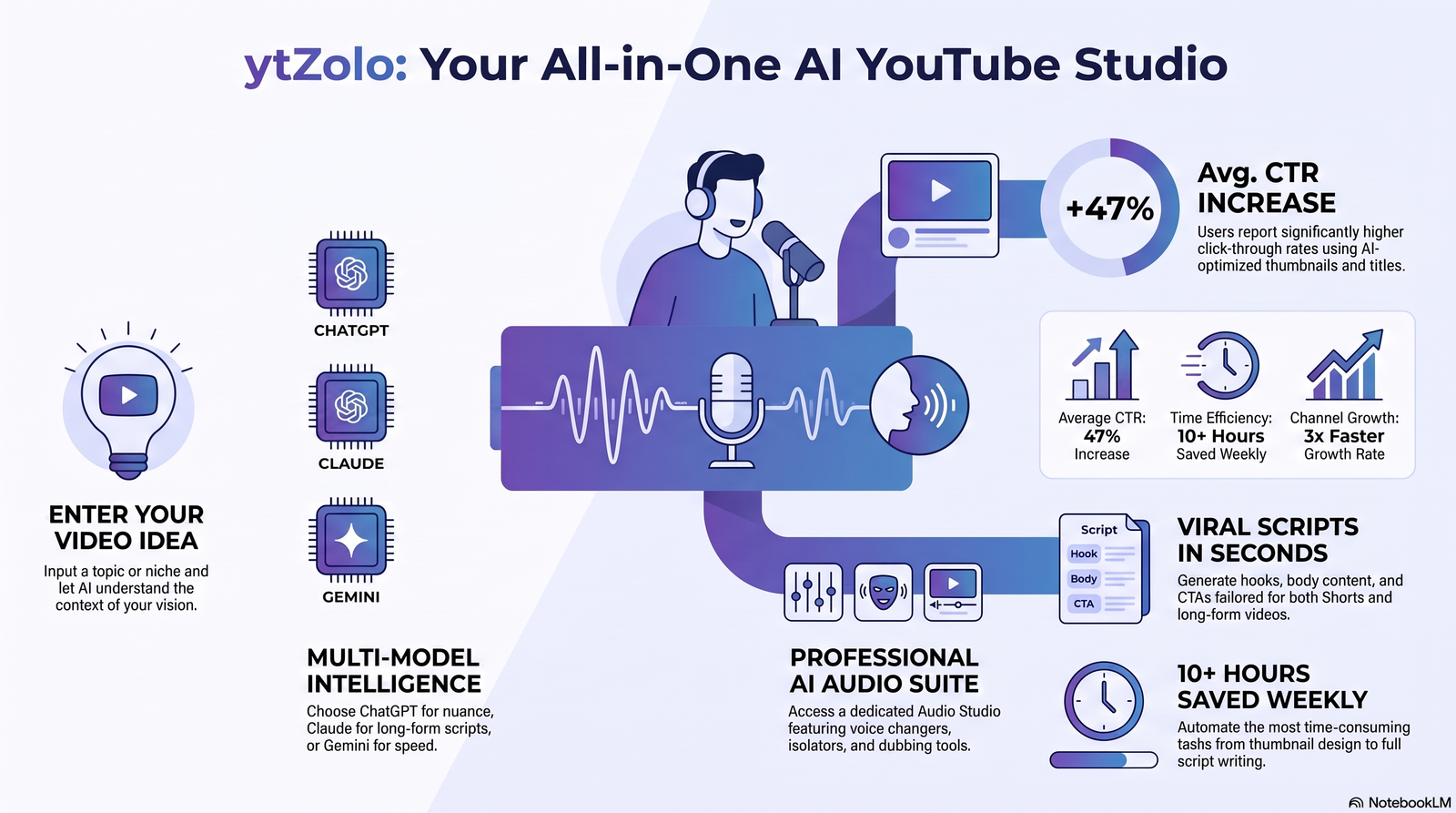
If you want voice changing bundled with the rest of a YouTube production workflow — scripts, titles, thumbnails, and SEO — ytZolo’s Audio Studio is worth trialing on its free plan.
No single tool wins every category. The right one depends on whether you need real-time latency, recorded post-production quality, or a specific vocal identity through cloning.
Key Takeaways
- Real-time and recorded voice changing are different technical problems. A tool built for near-zero latency gaming chat is rarely the best choice for polished YouTube narration, and vice versa.
- Latency under roughly 200 milliseconds is the practical threshold for voice changing to feel natural in live conversation, gaming, or streaming.
- Voice cloning and voice changing are related but distinct. Cloning recreates a specific voice from a sample; changing applies a transformation, effect, or target voice to whatever you say live.
- Free plans almost always restrict commercial use, voice count, or daily minutes. Check licensing terms before publishing monetized content.
- Discord, OBS, and Zoom compatibility varies a lot between tools — several only work as a virtual microphone on Windows, which matters if you’re on Mac or Linux.
- Consent matters legally, not just ethically. Cloning a real person’s voice without permission carries real legal exposure in most jurisdictions.
Table of Contents
How We Tested
This guide is based on publicly available product documentation, official pricing pages, release notes, third-party review platforms (G2, Capterra, Trustpilot), and hands-on product exploration where a free tier or trial was accessible.
We scored each tool on seven weighted factors: voice quality and naturalness, latency for real-time use, platform compatibility, language and effect variety, pricing fairness, commercial licensing clarity, and privacy handling.
We did not accept payment or free credits from any vendor covered here. Every tool listed includes at least one limitation — including the ones we recommend most.
What Is an AI Voice Changer?
An AI voice changer is software that uses machine learning to modify or replace a person’s voice, either live during a call or stream, or on a pre-recorded audio file.
Unlike older pitch-shifting tools, modern AI voice changer analyze pitch, timbre, formants, and speech rhythm, then reconstruct the audio to sound like a different, natural-sounding voice.
This differs from a plain audio filter because the output is generated by a trained model, not a fixed digital signal effect layered on top of the original recording.
The category overlaps with voice cloning, speech-to-speech conversion, and AI dubbing, and many of the tools below combine two or more of these capabilities in one product.
How AI Voice Changers Actually Work
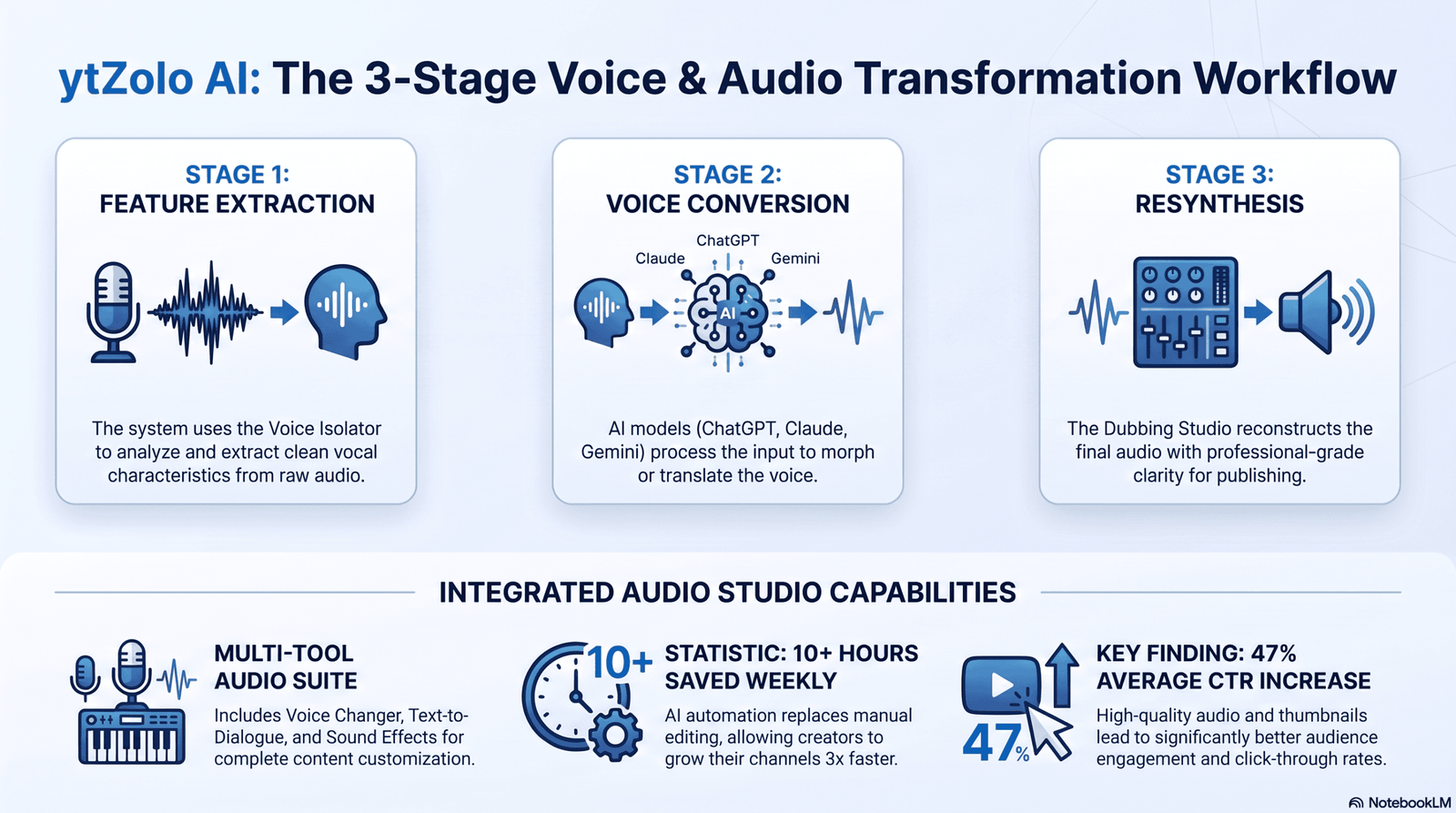
Most modern AI voice changers follow a similar three-stage pipeline, whether the transformation happens live or in post-production.
1. Feature extraction. The system analyzes your input audio for pitch contour, formant frequencies, and speech rhythm — the acoustic fingerprints that make a voice sound like a specific person.
2. Voice conversion. A neural network maps those extracted features onto a target voice profile, whether that’s a preset character, a cloned voice, or a stylistic effect like “robot” or “deep.”
3. Resynthesis. A vocoder reconstructs the transformed features into an audio waveform you can hear, stream, or export.
For real-time tools, all three stages have to complete in well under a second, which is why real-time voice changers usually sound slightly less polished than recorded, post-processed alternatives.
Voice Cloning vs. Voice Changing
These two terms get confused constantly, and the difference matters when you’re picking a tool.
Voice changing applies a transformation to whatever you say, live or recorded — you keep talking normally, and the software alters the output in real time or after the fact.
Voice cloning trains a model on a sample of a specific voice, so any new text or speech can be generated in that exact voice, even without the original speaker present.
Some tools, like ElevenLabs and Resemble AI, do both: a live speech-to-speech voice changer, plus separate cloning and full text-to-speech generation.
Others, like Voicemod, focus almost entirely on real-time changing with preset and custom voice effects rather than cloning a specific person’s identity.
Real-Time vs. Recorded Voice Changing
Real-time voice changers process audio as you speak, feeding a transformed signal into Discord, a game, or a livestream through a virtual microphone.
They prioritize low latency over perfect audio fidelity, which is why gaming-focused tools like Voicemod and MagicMic accept small quality trade-offs that would be unacceptable in a podcast recording.
Recorded (post-production) voice changers process a finished audio file, which removes the latency constraint entirely and allows heavier processing for cleaner, more natural output.
Tools built for YouTubers and podcasters — Murf AI, ElevenLabs’ Voice Changer, Resemble AI — generally fall into this category, even when they also offer a real-time mode.
If your use case is live streaming or gaming chat, prioritize latency and platform integration. If it’s YouTube or podcast production, prioritize output quality and editing control instead.
Latency Explained
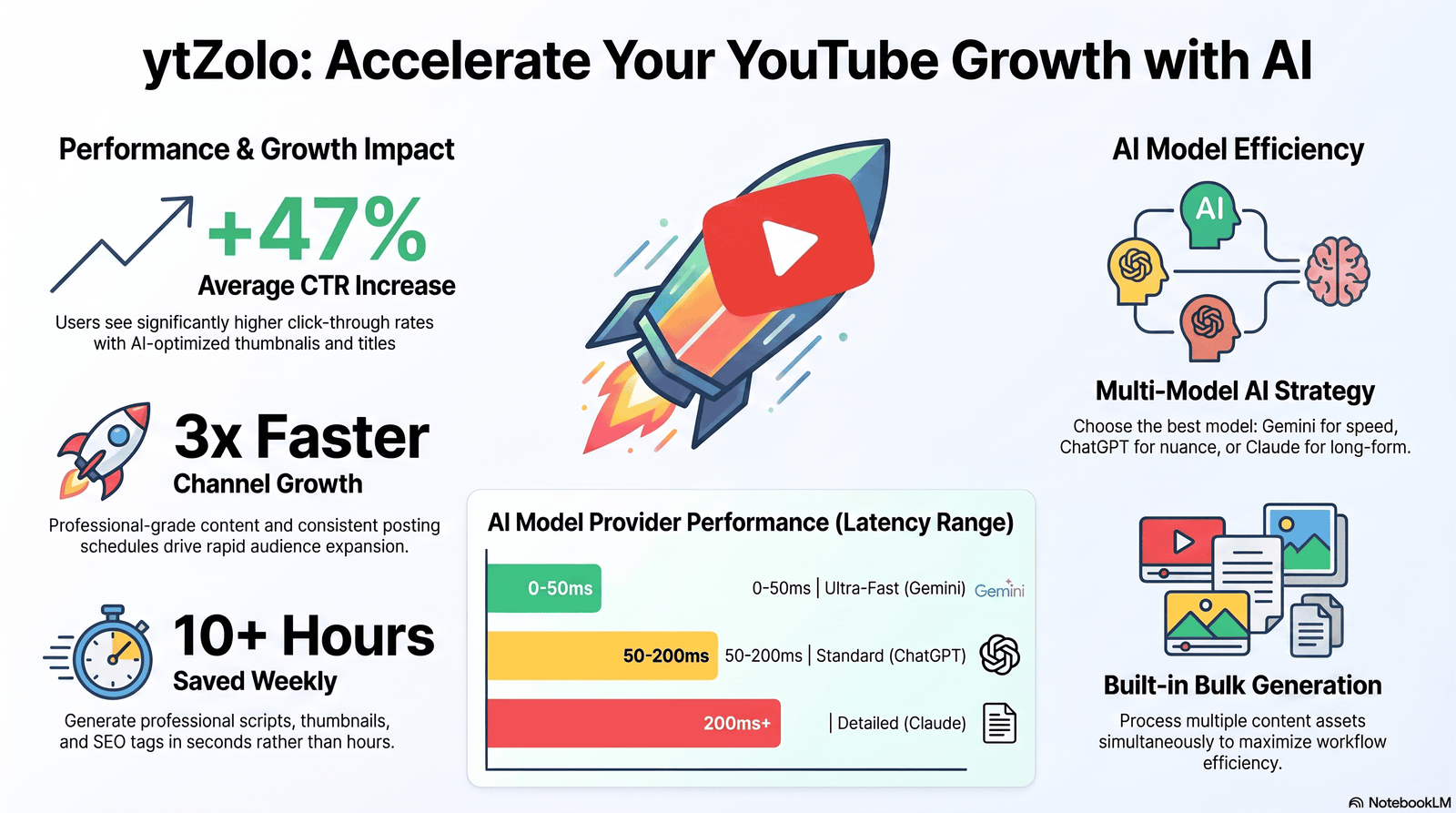
Latency is the delay between when you speak and when the transformed voice reaches your listener.
Under roughly 50 milliseconds, delay is imperceptible. Between 50 and 200 milliseconds, most people can adapt without much disruption. Above 200 to 300 milliseconds, conversation starts to feel laggy and unnatural, which is a real problem in live gaming or group calls.
Real-time tools reviewed here generally target the 100 to 250 millisecond range, achieved through lighter-weight models that trade a small amount of audio fidelity for speed.
CPU-based local processing (used by tools like Voicemod and Clownfish) tends to have more predictable latency than cloud-round-trip processing, since there’s no network delay added to the model’s own processing time — but cloud models can apply heavier, higher-quality transformations.
Benefits and Real Limitations
Benefits
AI voice changers let creators, gamers, and businesses produce varied, polished, or anonymized audio without hiring voice actors or owning professional recording equipment.
They enable entirely new creative formats — character voices for animation, anonymized whistleblower interviews, multilingual dubbing, and consistent narrator voices across hundreds of videos.
For streamers and gamers specifically, real-time voice changing adds privacy and entertainment value that a plain microphone can’t.
Limitations most guides skip
Artifacts under stress. Fast speech, laughter, or overlapping talk can produce robotic glitches, especially on lower-tier real-time tools.
Platform lock-in. Several tools reviewed here, including Voicemod and Clownfish, are Windows-only, which rules them out for Mac or Linux streamers.
Hardware dependency. Real-time quality depends heavily on your microphone and CPU. A cheap USB mic feeding a low-power laptop will sound worse through any voice changer than a good condenser mic on a modern desktop.
Commercial and consent gray areas. Celebrity-style and impersonation voices, common on tools like FineVoice and Uberduck, sit in an unsettled legal space that creators need to understand before publishing.
Real-World Applications
- Gaming and streaming, where a voice changer adds character voices, privacy, or comedic effect during live play on Discord, Twitch, or in-game chat.
- YouTube and TikTok content creation, narrating faceless channels, disguising a voice for privacy, or maintaining a consistent branded narrator.
- Podcasting, for guest anonymization, character segments, or fixing a flubbed line without a full re-record.
- Business and customer support, standardizing agent voice tone or protecting caller identity in sensitive recordings.
- Localization and dubbing, adapting a video’s narration into other languages while roughly preserving the original speaker’s vocal character.
- Accessibility, giving people with speech impairments or voice changes (illness, surgery) a way to communicate in a natural-sounding voice.
The 16 Best AI Voice Changers in 2026
1. Voicemod — Best Overall for Real-Time Gaming and Streaming
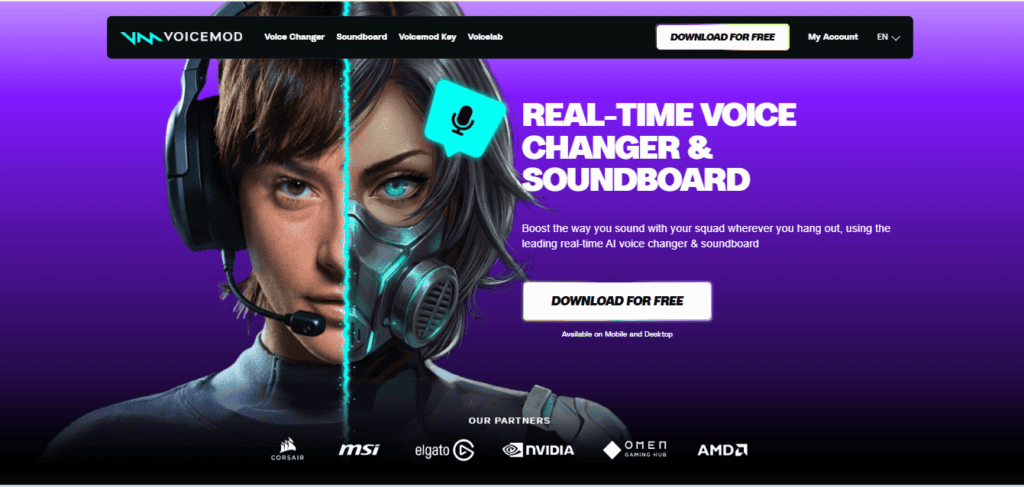
Best for: Gamers, streamers, and Discord communities who need low-latency voice changing with minimal setup.
Voicemod is the most widely used real-time AI voice changer for live use, built around deep integration with Discord, Twitch, OBS, Zoom, and Skype. Its Voicelab feature lets you build a custom voice by adjusting pitch, tone, and layered effects rather than picking only from presets.
Features: 90+ preset voice effects, Voicelab custom voice builder, built-in soundboard, text-to-song, hardware Voicemod Key for console use.
Pros: Deep platform integrations; low, consistent latency; large, active user base; regular new voice drops.
Cons: Windows-only; free tier limits voice access; occasional audio artifacts on fast speech; not built for post-production narration.
Voice Quality: Good for entertainment and gaming, not aimed at studio narration. Latency: Low, optimized for live chat. Languages: Effect-based, not language-dependent. Platforms: Windows desktop; console support via hardware key.
Pricing: Free tier with limited voices; Pro plans around $6–14/month depending on billing term. Commercial Use: Allowed on paid tiers for streaming and content monetization; verify current terms on Voicemod’s site.
Our Verdict: The safest default for anyone doing live voice changing in Discord or on stream, with the caveat that it’s Windows-only.
2. ElevenLabs Voice Changer — Best for Studio-Quality Speech-to-Speech
Best for: YouTubers, podcasters, and audiobook producers who want the most natural-sounding recorded voice transformation available.
ElevenLabs built its reputation on realism, and its speech-to-speech Voice Changer carries that same quality into transformed audio rather than pure text-to-speech. You upload or record audio, and the model preserves your accent, emotion, and pacing while replacing your vocal identity with any voice in the library or a cloned voice.
Features: 1,000+ voice library, instant and professional voice cloning, ~29 language support, AI dubbing, low-latency API for developers.
Pros: Best-in-class realism reviewed here; preserves emotional delivery (whispers, laughs); scales from casual use to full API integration.
Cons: Credit-based pricing gets expensive at volume; free tier is non-commercial; not built for real-time gaming latency.
Voice Quality: Excellent, widely regarded as the 2026 realism benchmark. Latency: Around 400ms via API — usable for near-real-time, not built for split-second gaming chat. Languages: ~29. Platforms: Web, desktop, API.
Pricing: Free tier (~10 minutes/month, non-commercial); Starter ~$5/month; Creator ~$22/month; Pro ~$99/month. Commercial Use: Included from Starter tier upward.
Our Verdict: The strongest choice for recorded, publish-quality voice transformation — pair it with a dedicated real-time tool if you also stream live.
3. Murf AI — Best for a Full Voiceover Studio with a Built-In Voice Changer
Best for: Marketing teams, agencies, and creators who want voice changing bundled into a broader production studio rather than a standalone app.
Murf positions its voice changer inside a larger timeline-based studio with built-in music, SFX, and team collaboration, rather than as a single-purpose tool. It converts raw, home-recorded audio into studio-quality output while letting you fine-tune pitch and tone afterward.
Features: Voice Changer inside the Murf Studio editor, 200+ TTS voices across 20+ languages, MultiNative mid-sentence language switching, Voice Cloning 2.0.
Pros: Full editing studio reduces the need for separate audio software; strong accent and localization performance; team collaboration built in.
Cons: Free trial capped around 10 minutes; pricier than ElevenLabs for pure narration; occasional pronunciation errors.
Voice Quality: Very good, particularly for corporate and marketing tone. Latency: Not built for live use — recorded/post-production focus. Languages: 20+.
Pricing: Free trial (100,000 characters); Creator ~$19–23/month; Business ~$66–79/month. Commercial Use: Included on paid plans.
Our Verdict: Best pick if you want voice changing, music, and light video editing under one subscription rather than a five-tool stack.
4. Resemble AI — Best for Emotional Control and Professional Cloning
Best for: Creators and studios who need prompt-based emotional direction over a cloned or transformed voice.
Resemble AI is a direct ElevenLabs competitor built around professional-grade cloning and a dedicated voice changer, with the ability to prompt a voice to sound happy, sad, or angry rather than relying purely on script punctuation.
Features: Speech-to-speech voice changer, emotional-prompt controls, built-in deepfake detection and watermarking, real-time and API options.
Pros: Genuine emotional nuance; security-first approach with watermarking, useful for ethical compliance.
Cons: Voice changer can be prone to audio glitches according to independent reviewers; steeper learning curve for fine-tuning than competitors.
Voice Quality: Strong, with above-average emotional range. Latency: Real-time API available, with some reported inconsistency. Languages: Multiple, narrower than ElevenLabs.
Pricing: Tiered plans with a limited free option; commercial licensing available on paid tiers — verify current pricing directly, as plans change frequently. Commercial Use: Available on paid plans.
Our Verdict: Worth testing if emotional control and built-in deepfake safeguards matter more to you than raw voice-library size.
5. MagicMic (iMyFone) — Best for the Largest Effect and Sound Library
Best for: Streamers and gamers who want maximum novelty — costumes for your voice, not just pitch changes.
MagicMic ships with one of the largest libraries reviewed here: 225+ voice effects paired with 600+ sound effects, aimed squarely at gaming, chatting, and streaming rather than narration.
Features: Real-time voice changing, background noise removal, Discord/Fortnite/Valorant/Zoom voice modulator, custom sound effect boards.
Pros: Massive effect and meme-sound variety; works across major games and chat platforms; noise suppression built in.
Cons: Windows/Mac desktop app required; novelty focus means less realism than cloning-first tools; can feel overwhelming for users who just want one clean transformation.
Voice Quality: Good for entertainment, not aimed at natural realism. Latency: Low, built for live gaming chat. Languages: Effect-based.
Pricing: Free trial with limited effects; paid license around $20–30 depending on term. Commercial Use: Check current license terms for streaming monetization.
Our Verdict: The pick for creators who want breadth of effects and sound-board fun over subtle realism.
6. Voice.ai — Best Free Real-Time Voice Changer
Best for: Streamers and casual users who want a genuinely usable free tier before paying for anything.
Voice.ai runs across Windows, Mac, Android, iOS, and the web, offering both a live mode for streaming/gaming and an online studio for uploading and transforming pre-recorded audio.
Features: Real-time voice swapping, vocal isolation from uploaded audio, thousands of AI voices offline, custom voice training, OBS plugin.
Pros: Cross-platform (rare among real-time tools); low latency; simple OBS integration; genuinely usable free tier.
Cons: Free plan limited to a handful of presets; occasional macOS crashes reported by users; premium voice depth trails ElevenLabs.
Voice Quality: Good for live use, mid-tier for polished narration. Latency: Low, purpose-built for streaming. Languages: Multiple, effect and preset-driven.
Pricing: Free plan with basic features; Premium around $3.99–7/month depending on billing term. Commercial Use: Confirm current terms for monetized streams.
Our Verdict: The best starting point if you want to test real-time voice changing across multiple devices without paying first.
7. Altered Studio (Altered AI) — Best for Professional Voice Morphing in Games and Film
Best for: Voice actors, indie game studios, and audio directors who need expressive, performance-driven voice morphing rather than a fixed preset list.
Altered Studio’s Real-Time Voice Morphing runs on just 1–4 CPU cores, making it efficient for live scenarios like game development sessions, streaming, or video conferencing, while its Performance-to-Performance technology captures a full expressive performance rather than flattening it into a single effect.
Features: Speech-to-speech voice morphing, transcription and translation in 75+ languages, TTS voiceover in 70+ languages, local and web-based processing.
Pros: Genuinely performance-preserving morphing; efficient CPU usage; strong fit for multi-character solo productions like fiction podcasts.
Cons: Free demo capped at 2 minutes/day; steeper learning curve than consumer gaming tools; pricing skews toward professional users.
Voice Quality: Strong, geared toward creative/professional performance work. Latency: Low, engineered for live scenarios. Languages: 70–75+ for transcription/TTS/translation features.
Pricing: Free limited demo; paid plans scale with usage — check current tiers on altered.ai. Commercial Use: Available on paid tiers.
Our Verdict: The strongest option for creative professionals who need expressive character work, not just a pitch-shifted gaming voice.
8. LOVO (Genny) — Best All-in-One Editor with Voice Changing Built In
Best for: Social video creators who want script, voice, subtitles, and light video editing in a single subscription.
LOVO’s Genny engine is primarily a TTS and cloning platform, but its editor includes voice transformation tools alongside a full video editor, stock footage, and subtitle generation — reducing the number of apps needed to finish a short-form video.
Features: 500+ voices, 100+ languages, 30+ emotional tone presets, instant voice cloning (English only), built-in video editor.
Pros: Genuinely all-in-one; strong emotional range for female-presenting voices specifically; regenerating text doesn’t burn extra credits.
Cons: No downloads on the free tier; cloning limited to English; not built for live/real-time use.
Voice Quality: Strong, especially for expressive delivery. Latency: Not real-time — recorded/editing workflow. Languages: 100+.
Pricing: Basic ~$24/month (annual); Pro ~$24–48/month; Pro+ ~$75/month. Commercial Use: Included on paid tiers.
Our Verdict: A strong pick if your voice-changing needs sit inside a broader short-form video workflow rather than standalone.
9. Clownfish Voice Changer — Best Free Windows Tool for Discord and Skype
Best for: Budget-conscious Windows users who want a simple, install-and-go voice changer for chat apps.
Clownfish is a lightweight, free, system-wide voice changer that works across virtually any Windows application using a microphone, including Discord, Skype, and many games, without requiring a per-app plugin.
Features: System-wide voice effects, built-in text-to-speech, music player integration, translator add-on.
Pros: Completely free; extremely lightweight; works system-wide rather than per-app.
Cons: Windows-only; effects are simpler and less natural-sounding than AI-cloning tools; minimal ongoing development compared to commercial competitors.
Voice Quality: Basic to moderate — effect-based rather than AI-cloned realism. Latency: Low, local processing. Languages: Effect-based; TTS supports multiple languages.
Pricing: Free. Commercial Use: No formal commercial licensing framework; treat as a personal/entertainment tool.
Our Verdict: Hard to beat for zero-cost, no-frills Discord voice changing, as long as you don’t need cloning-level realism.
10. Voicechanger.io — Best Browser-Based Tool With No Installation
Best for: Users who want quick voice effects without installing desktop software.
Voicechanger.io runs entirely in the browser, letting you record or upload audio and apply an effect immediately, which makes it a fast option for one-off clips rather than an ongoing production tool.
Features: Browser-based recording and upload, real-time preview, playback speed adjustment, one-click export.
Pros: Zero installation; works across operating systems since it’s browser-based; simple, low-friction interface.
Cons: Effect library is narrower than desktop competitors; not designed for sustained live streaming use; quality trails dedicated AI cloning tools.
Voice Quality: Moderate, effect-driven. Latency: Adequate for short clips, not optimized for continuous live streaming. Languages: Effect-based.
Pricing: Free with limited features; check site for any premium tier. Commercial Use: Verify current terms before monetized use.
Our Verdict: Useful for quick, casual voice effects on a clip — not a substitute for a dedicated streaming or production tool.
11. FineVoice (FineShare) — Best for Character and Celebrity-Style Voice Effects
Best for: Creators who want a large library of character and celebrity-style voices for entertainment content.
FineVoice pairs real-time voice changing with text-to-script voice generation, offering 100+ character-style voices, including impressions of well-known public figures, for both live and recorded use.
Features: Real-time and file-based voice changing, script-to-voice generation, background noise removal, wide character voice library.
Pros: Large character/celebrity-style library; works for both live streaming and recorded uploads; approachable interface.
Cons: Celebrity-style voices carry real legal and platform-policy risk if used to imply endorsement; quality varies across the voice library.
Voice Quality: Good for entertainment use, inconsistent across the full library. Latency: Low for real-time mode. Languages: Multiple, effect and voice-dependent.
Pricing: Free tier available; paid plans unlock the full voice library — check current pricing on FineShare’s site. Commercial Use: Review licensing carefully given the celebrity-style voice content.
Our Verdict: Fun for entertainment content, but use celebrity-style voices cautiously and never in a way that implies real endorsement.
12. Media.io Voice Changer — Best Simple Online Tool for Gender-Swap Effects
Best for: Casual social media creators who want a quick, no-signup voice effect for a single clip.
Media.io’s online voice changer focuses on simplicity: upload audio or video, pick an effect — including a dedicated gender-swap option — and preview before download.
Features: Gender-swap voice effect, ambiance presets (radio, transformer, telephone), speed adjustment, preview before export.
Pros: Very easy to use; no complex setup; useful gender and ambiance presets for short-form content.
Cons: Not built for sustained live use; smaller feature set than dedicated AI voice platforms; output quality trails cloning-based tools.
Voice Quality: Moderate, adequate for social clips. Latency: Not applicable — file-based tool. Languages: Effect-based.
Pricing: Free with limits; paid tiers unlock more processing — check Media.io’s current pricing. Commercial Use: Verify terms for monetized content.
Our Verdict: A reasonable quick-effect tool for TikTok or Shorts, not a production-grade voice changer.
13. Uberduck — Best Community-Driven Tool for Novelty and Discord Bots
Best for: Discord communities and developers experimenting with celebrity-style and novelty voices at low cost.
Uberduck is built around a community-contributed library of celebrity-style and character voices, with an API and Discord bot integration that make it popular for novelty content rather than professional production.
Features: Celebrity-style voice presets, developer API, Discord bot integration, community voice contributions.
Pros: Fun novelty voice library; easy API access; low barrier to entry for experimentation.
Cons: Audio quality varies significantly across community voices; daily free quota is restrictive; not suited to commercial-grade output.
Voice Quality: Inconsistent — ranges from decent to rough depending on the voice. Latency: Adequate for async generation, not built for live conversation. Languages: Primarily English.
Pricing: Free tier with daily quota; paid API pricing for higher volume. Commercial Use: Treat celebrity-style voices as high-risk for any commercial use.
Our Verdict: A fun sandbox for Discord bots and experiments, not a tool to build a monetized product around.
14. Replicavox — Best for High-Fidelity Cloning Without a Watermark
Best for: Content creators who want polished, post-processed narration built on voice cloning rather than live effects.
Replicavox focuses on high-fidelity voice cloning and text-to-speech, with output aimed at tutorials, videos, and podcasts rather than live gaming or streaming chat.
Features: AI voice cloning, 30+ language support, emotion controls, API access, no watermark on exports.
Pros: Natural-sounding, unwatermarked output; intuitive web interface; solid language coverage.
Cons: No live-stream modulation — everything is post-processed; smaller brand recognition and community than ElevenLabs or Murf.
Voice Quality: Good to very good for recorded narration. Latency: Not real-time. Languages: 30+.
Pricing: Free tier available; paid plans for extended usage — confirm current pricing directly on the platform. Commercial Use: Check licensing terms per plan tier.
Our Verdict: A capable alternative to bigger names if your workflow is entirely recorded rather than live.
15. Respeecher — Best for Studio and Film-Grade Dubbing
Best for: Film, TV, and game studios that need the highest fidelity voice conversion for professional dubbing and post-production.
Respeecher occupies the premium end of the market, built specifically for studio-grade voice conversion where fidelity matters more than speed or price, and where consented, licensed voice talent is standard practice.
Features: Studio-grade speech-to-speech conversion, professional dubbing workflows, consent-based voice licensing for talent.
Pros: Highest production-grade fidelity among tools reviewed here; built around documented consent for professional voice talent.
Cons: Priced and positioned for studio budgets, not casual creators; not a self-serve, instant-signup tool; overkill for gaming or everyday content creation.
Voice Quality: Excellent, film and broadcast grade. Latency: Not built for real-time consumer use. Languages: Multiple, project-dependent.
Pricing: Custom, project- and studio-based — contact for quotes. Commercial Use: Built around licensed, consented commercial use by design.
Our Verdict: The right call for professional dubbing and film work; far more tool (and cost) than a solo creator typically needs.
16. ytZolo Audio Studio — Best for Creators Who Want a Voice Changer Inside a Full YouTube Workflow
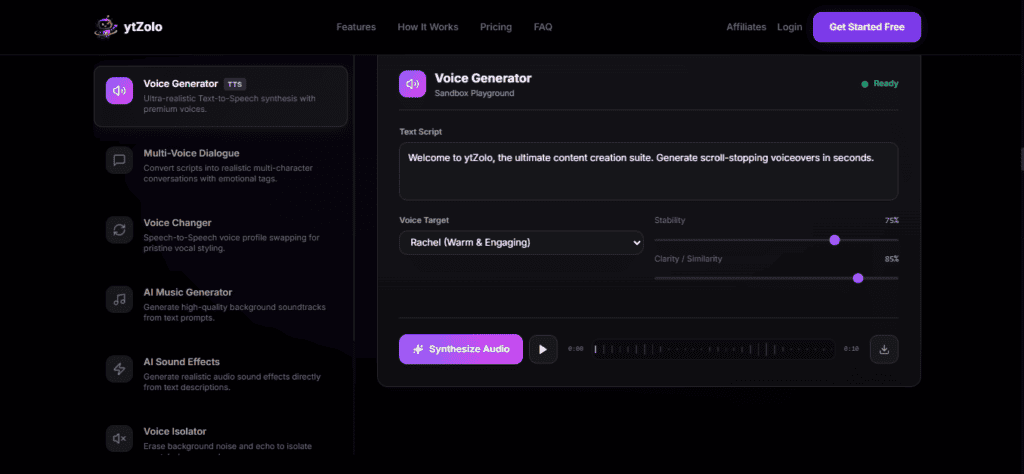
Best for: YouTubers who want voice changing, narration, scripting, and channel optimization managed in one dashboard instead of across five subscriptions.
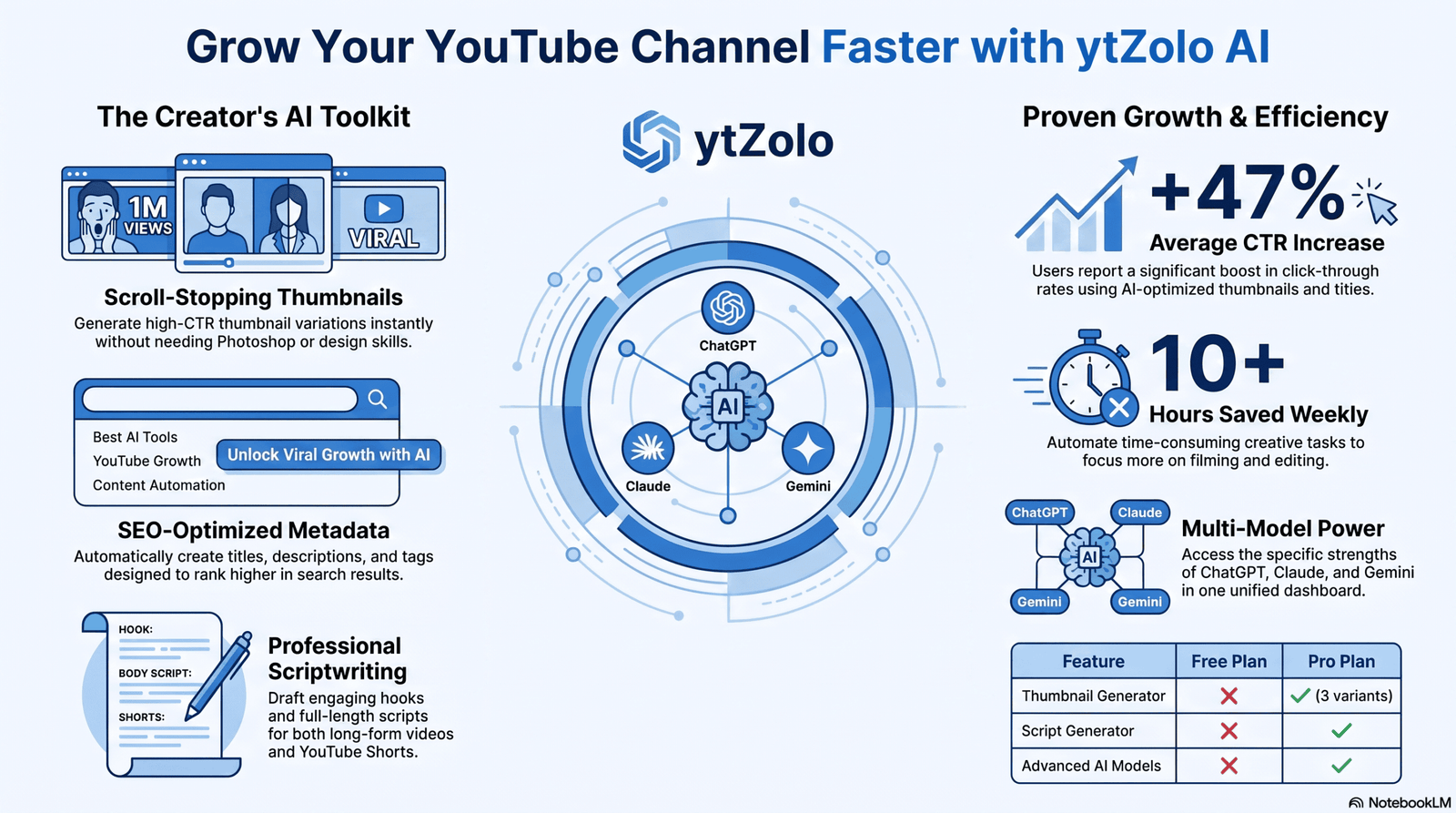
ytZolo‘s core product is an AI-powered YouTube growth platform — titles, thumbnails, scripts, descriptions, and tags — with an Audio Studio that adds AI voice generation, text-to-speech, a voice changer, AI dubbing, and AI music and sound-effect creation to that same workflow.
The practical case for it isn’t out-realism-ing a specialist like ElevenLabs or Resemble AI. It’s not needing a separate scripting tool, a separate voice changer, a separate thumbnail app, and a separate title generator to finish one video.
Features (per ytZolo’s product materials): Voice changer and AI voice generation inside Audio Studio, AI dubbing, AI music and sound-effect tools, paired with AI script, title, thumbnail, and SEO generation in the same dashboard.
Pros: Consolidates voice changing with the rest of the YouTube production pipeline; useful for creators currently juggling a separate voice tool, Canva, and a keyword tool; free-to-start plan for testing the core workflow.
Cons: A newer entrant next to specialist voice platforms — compare a sample of your own script against a dedicated tool before committing budget; as with any platform, verify current voice count, latency behavior, and commercial licensing directly on ytzolo.com before publishing monetized content, since these details update over time.
Voice Quality: Positioned for content-creation narration; test against your own script before relying on it for a launch video. Latency: Built for recorded production rather than live gaming chat. Commercial Use: Confirm current terms per plan tier on ytZolo’s pricing page.
Our Verdict: If your bottleneck is the total time from idea to published video — not voice-changing depth specifically — ytZolo’s bundled Audio Studio is worth trialing on the free plan before assembling a separate voice-changer subscription on top of everything else.
Comparison Tables
Overall Feature Comparison
| Tool | Best For | Real-Time | Voice Cloning | Discord | OBS | Free Plan | Starting Price |
|---|---|---|---|---|---|---|---|
| Voicemod | Gaming/streaming | Yes | Limited | Yes | Yes | Yes | ~$6/mo |
| ElevenLabs | Studio-quality content | Near real-time (API) | Yes | No | No | Yes (non-commercial) | ~$5/mo |
| Murf AI | Full voiceover studio | No | Yes | No | No | Trial only | ~$19/mo |
| Resemble AI | Emotional control | Yes (API) | Yes | No | No | Limited | Custom |
| MagicMic | Effect variety | Yes | No | Yes | Yes | Trial | ~$20-30 |
| Voice.ai | Free real-time | Yes | Limited | Yes | Yes | Yes | ~$3.99/mo |
| Altered Studio | Professional morphing | Yes | Yes (performance) | Limited | Limited | Limited demo | Custom |
| LOVO | All-in-one editing | No | English only | No | No | Trial | ~$24/mo |
| Clownfish | Free Windows tool | Yes | No | Yes | Yes | Yes | Free |
| Voicechanger.io | No-install browser tool | Limited | No | No | No | Yes | Free |
| FineVoice | Character/celebrity voices | Yes | Limited | Yes | Limited | Yes | Varies |
| Media.io | Quick gender-swap clips | No | No | No | No | Yes | Varies |
| Uberduck | Novelty/Discord bots | No | No | Yes (bot) | No | Yes (quota) | Varies |
| Replicavox | Unwatermarked cloning | No | Yes | No | No | Yes | Varies |
| Respeecher | Film/studio dubbing | No | Yes (licensed) | No | No | No | Custom |
| ytZolo | Full YouTube workflow | See site | See site | See site | See site | Free-to-start | See site |
Pricing at a Glance (Entry Paid Tier)
| Tool | Entry Tier | What You Get |
|---|---|---|
| Voicemod | ~$6–14/mo | Full voice library, Voicelab, streaming integrations |
| ElevenLabs | ~$5/mo | ~30 min commercial-licensed audio |
| Murf AI | ~$19–23/mo | ~2 hours generation, studio editor, 100 projects |
| MagicMic | ~$20–30 (license) | Full 225+ effect library, sound board |
| Voice.ai | ~$3.99/mo | Advanced effects, expanded presets |
| LOVO | ~$24/mo | 2 hours generation, video editor |
| Clownfish | Free | System-wide effects, TTS, translator |
Best By Use Case
| Use Case | Recommended Tool | Why |
|---|---|---|
| Discord/gaming, lowest latency | Voicemod | Deepest platform integrations, active library |
| YouTube narration realism | ElevenLabs | Preserves emotion, largest realistic voice library |
| Full production studio | Murf AI | Timeline editor, music, SFX bundled in |
| Emotional/expressive delivery | Resemble AI | Prompt-based emotion control |
| Free real-time on Mac | Voice.ai | Cross-platform, usable free tier |
| Film/game dubbing | Respeecher | Studio-grade fidelity, licensed talent |
| Zero-budget Discord | Clownfish | Free, system-wide, Windows |
| Full YouTube workflow | ytZolo | Voice changer bundled with script, title, SEO tools |
Discord, OBS, and Zoom Compatibility
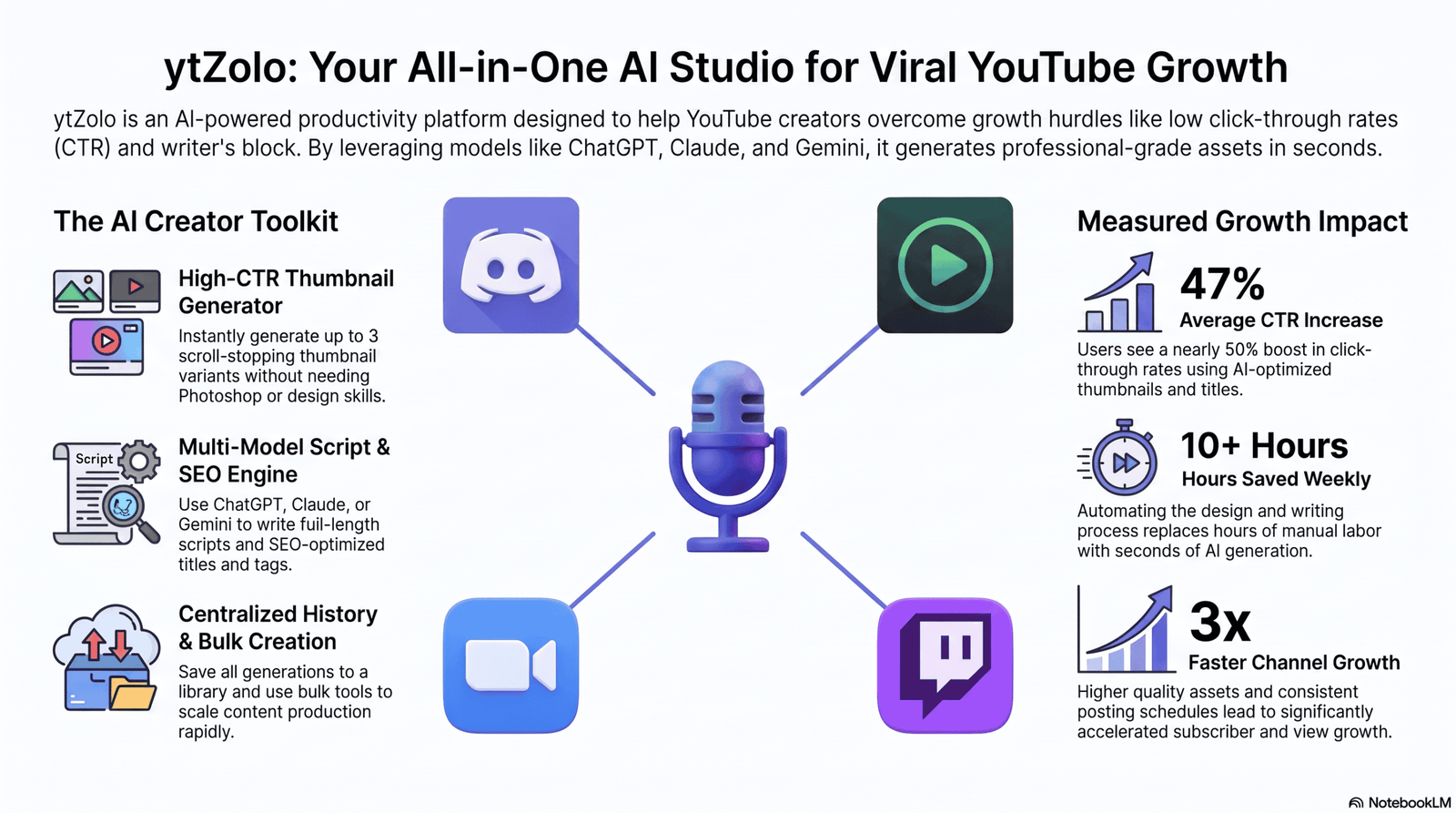
Most real-time voice changers work by installing a virtual microphone that Discord, OBS, or Zoom can select as an input device, rather than integrating with those apps directly.
Voicemod, MagicMic, Voice.ai, and Clownfish all support this virtual-mic approach on Windows; Voice.ai is the most cross-platform of the group, extending to Mac, Android, and iOS.
If you’re on Mac, your real-time options narrow considerably — Voice.ai and Altered Studio are the more Mac-friendly choices among the tools reviewed here, though feature parity with the Windows versions isn’t always guaranteed.
For Zoom and video conferencing specifically, latency matters even more than in gaming, since a delayed voice desyncs from lip movement on camera — test any tool on a short call before relying on it for something important.
Privacy and Data Retention Comparison
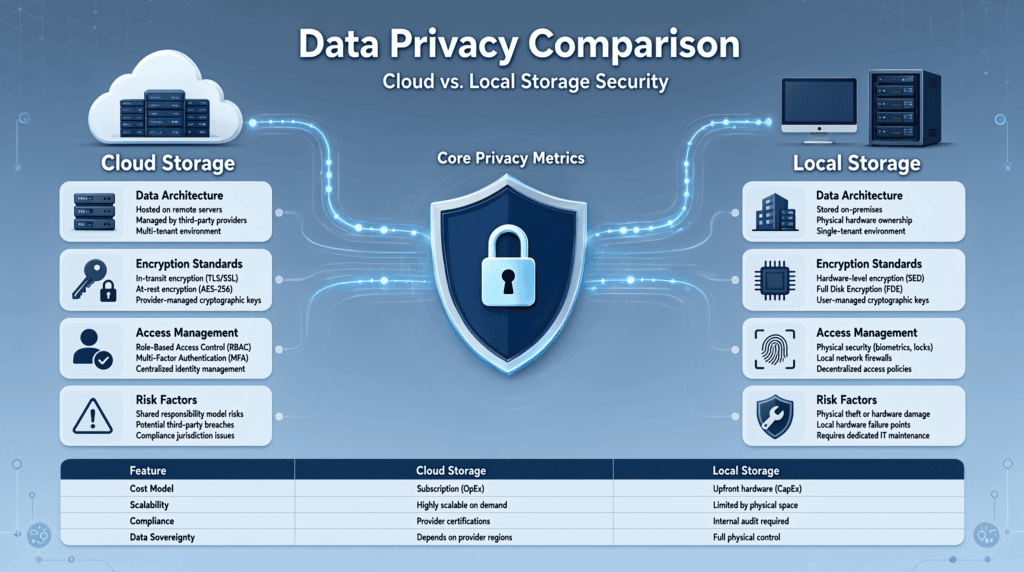
Local, CPU-based tools like Clownfish and Voicemod’s core effects process audio on-device, which generally means less of your voice data leaves your machine compared to cloud-based cloning platforms.
Cloud-based cloning tools — ElevenLabs, Resemble AI, Murf — typically process audio on their servers, which is necessary for higher-fidelity transformation but means you’re relying on their stated data retention and deletion policies.
If privacy is a primary concern, look specifically for platforms that publish SOC 2, GDPR, or explicit zero-retention options, and read the current policy directly rather than assuming — retention terms change between plan tiers and over time.
Voice samples used for cloning are especially sensitive, since a leaked or misused sample could theoretically be used to generate unauthorized audio in your voice — treat cloning uploads with the same caution as any biometric data.
Commercial Licensing Explained
Nearly every tool in this guide restricts free-tier output from monetized use, even when the free tier technically lets you generate and download audio.
Publishing free-tier voice-changed audio to a monetized YouTube channel, a client project, or a paid product can violate the tool’s terms of service even if the platform where you publish has no objection.
Celebrity-style and impersonation voices — common on FineVoice and Uberduck — carry additional risk beyond standard licensing, since they can imply an endorsement or association that never existed.
Before publishing anything monetized, check the specific plan tier’s commercial usage terms directly on the vendor’s pricing page, since these details are updated more often than most comparison articles reflect.
Who Should Use Each Tool
Choose Voicemod or MagicMic if your primary use case is live gaming or Discord chat and you’re on Windows.
Choose ElevenLabs, Resemble AI, or Replicavox if you’re producing recorded YouTube, podcast, or narration content and realism matters most.
Choose Murf AI or LOVO if you want a full production studio — voice changing, music, editing — under one subscription.
Choose Voice.ai or Altered Studio if you need real-time voice changing and you’re not on Windows.
Choose Respeecher if you’re working on a professional film, TV, or game dubbing project with a real production budget.
Choose ytZolo’s Audio Studio if your bottleneck is the entire YouTube production pipeline, not voice-changing quality specifically.
Who Should Avoid Each Tool
Avoid Voicemod, MagicMic, and Clownfish if you’re on Mac or Linux — they’re built for Windows first.
Avoid ElevenLabs or Respeecher if your budget is essentially zero and you need frequent, high-volume output — credit costs and studio pricing add up quickly.
Avoid celebrity-style tools like FineVoice and Uberduck entirely for any commercial project where impersonation risk matters.
Avoid any single-purpose voice changer if you’re regularly juggling five different apps to finish one video — an all-in-one platform will likely save more time than the marginal quality gain from a specialist tool.
Buying Guide and Decision Tree
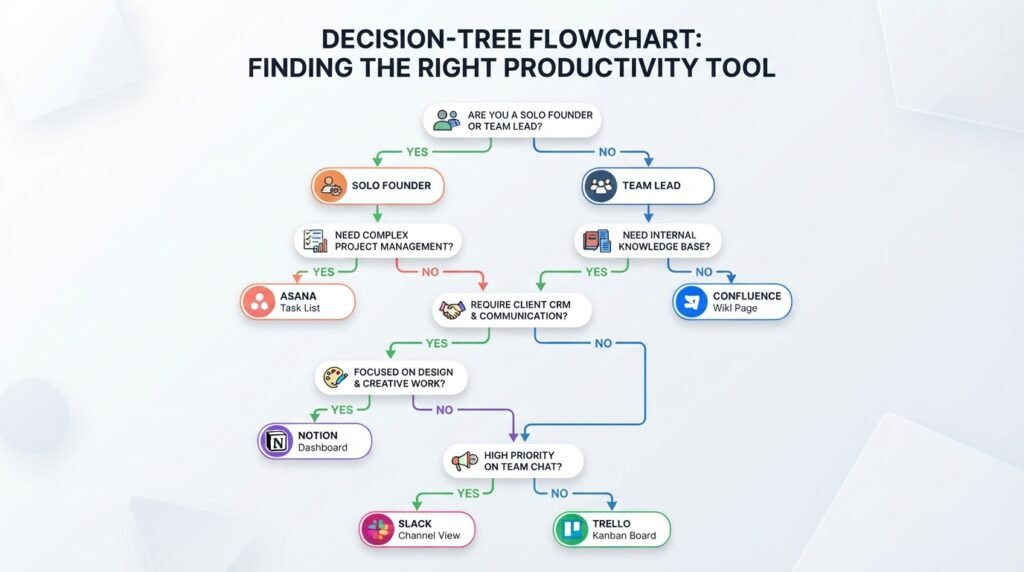
Step 1: Is this for live use or recorded production? Live gaming/streaming points toward Voicemod, MagicMic, or Voice.ai. Recorded content points toward ElevenLabs, Murf, Resemble AI, or Replicavox.
Step 2: What’s your operating system? Windows opens up the widest selection. Mac or mobile narrows you toward Voice.ai, Altered Studio, or cloud-based tools like ElevenLabs.
Step 3: Do you need a specific cloned voice, or just an effect? Cloning needs point toward ElevenLabs, Resemble AI, Murf, or Replicavox. Effect-only needs are well served by Voicemod, MagicMic, or Clownfish.
Step 4: Will the output be monetized? If yes, budget for a paid tier with explicit commercial licensing from day one — don’t build a monetized project on a free tier and check licensing later.
Step 5: Do you need this bundled with scripting, titles, or SEO? If your real bottleneck is total production time across a YouTube channel, an all-in-one platform like ytZolo may save more time than the best standalone voice changer.
Common Mistakes and Troubleshooting
Choosing based on a demo voice alone. Demo clips are chosen to showcase a model’s strengths — always test with your actual script or a real conversation.
Ignoring commercial licensing until after publishing. This is the single most common source of creator frustration after a takedown notice or account flag.
Running a real-time voice changer on a weak CPU. Latency and artifacts get noticeably worse under-powered hardware — check minimum specs before assuming a tool is “bad.”
Skipping the virtual microphone setup step. Most Discord and OBS integration issues come from selecting the wrong input device, not a broken tool — double-check your app’s microphone settings after installing.
Overusing celebrity or impersonation voices in monetized content. This is a fast way to trigger platform strikes or legal complaints, regardless of how “just for fun” the intent was.
Ethics and Legal Considerations
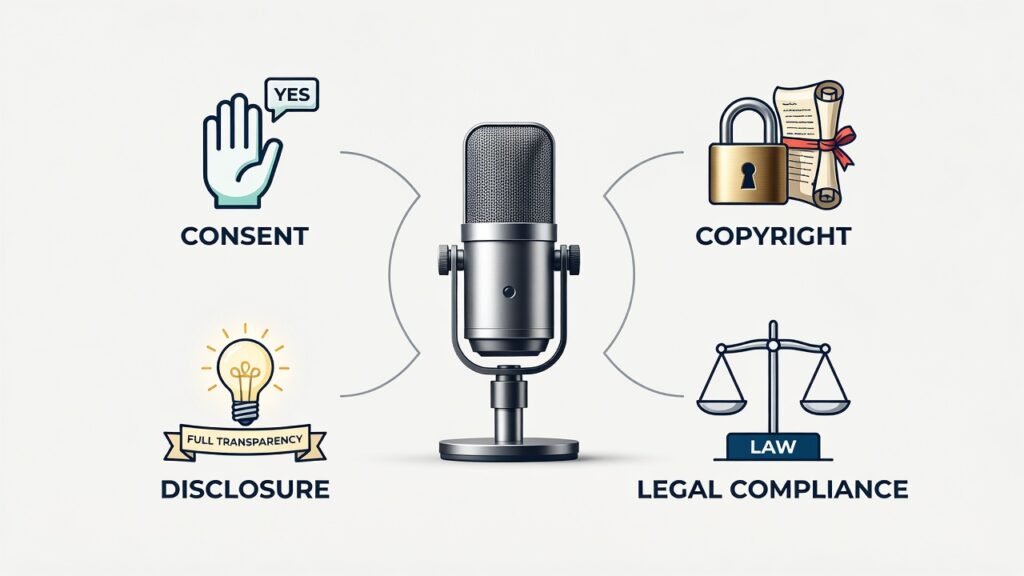
Voice cloning and voice changing sit in a genuinely unsettled legal space, and any responsible guide to this category has to say so plainly.
Consent is non-negotiable. Clone or closely mimic only your own voice, or a voice you have explicit, documented permission to use.
Impersonating real people — especially public figures — carries legal exposure under likeness and, in some jurisdictions, right-of-publicity laws, even when a platform’s terms technically allow the upload.
Disclosure norms are tightening. Some platforms and jurisdictions increasingly expect disclosure when a synthetic or altered voice is used in political, health, or news-adjacent content.
This article does not constitute legal advice. If voice cloning, likeness rights, or impersonation materially affects your project, consult a licensed attorney in your jurisdiction.
Future Trends in 2026
Sub-150-millisecond real-time latency is becoming the new baseline for premium tools, closing the gap between live voice changing and a natural, in-person conversation.
Consolidation around bundled creator workflows is accelerating, as platforms like ytZolo, LOVO, and Murf combine voice changing with scripting, video, and distribution tools rather than competing purely on voice-engine quality.
Deepfake detection and watermarking, already built into Resemble AI, is likely to become a standard expectation across the category as regulatory attention on synthetic voice increases.
Open-source voice conversion models are narrowing the quality gap with commercial tools, which is likely to keep pushing consumer pricing down over the next year.
Frequently Asked Questions
What is the best AI voice changer overall? For live gaming and streaming, Voicemod is the strongest all-around pick. For recorded, studio-quality content, ElevenLabs leads on realism.
Is there a truly free AI voice changer? Clownfish is fully free with no paid tier. Voicemod, Voice.ai, and several others offer usable free tiers with limited voices or minutes.
Can I use an AI voice changer on Discord? Yes — Voicemod, MagicMic, Voice.ai, and Clownfish all support Discord through a virtual microphone input.
What’s the difference between an AI voice changer and an AI voice generator? A voice changer transforms speech you provide, live or recorded. A voice generator (text-to-speech) creates speech from typed text using a preset or cloned voice, with no live input required.
Does an AI voice changer work on Mac? Some do — Voice.ai and Altered Studio offer Mac support, while Voicemod, MagicMic, and Clownfish are Windows-only.
Is AI voice changing legal? Generally yes, for entertainment and personal use. Impersonating real people or cloning a voice without consent introduces real legal risk, particularly for commercial content.
Can I monetize content made with an AI voice changer? Only if your specific plan tier explicitly includes commercial licensing — free tiers on most platforms restrict monetized use.
How much latency is acceptable for live streaming? Aim for under 200 milliseconds. Above that, conversation and reaction timing start to feel noticeably delayed.
Do AI voice changers work with OBS? Yes, most real-time tools install as a virtual microphone that OBS can select as an audio input source.
What’s the best AI voice changer for anonymizing an interview? ElevenLabs or Resemble AI, since both offer natural-sounding, recorded transformation with strong control over the output voice.
Can AI voice changers clone celebrity voices? Some tools (FineVoice, Uberduck) offer celebrity-style voices, but using them commercially or in a way that implies endorsement carries significant legal risk.
Do I need a good microphone for a voice changer to sound natural? Yes — input quality directly affects output quality. A clean, low-noise recording gives any voice changer better material to work with.
What’s the cheapest way to get a usable AI voice changer? Clownfish (free) for basic Discord effects, or Voicemod’s entry paid tier for a wider, more polished voice library.
Can voice changers remove background noise too? Several, including MagicMic and Voice.ai, include built-in noise suppression alongside the voice transformation itself.
Is ytZolo a dedicated AI voice changer? No — ytZolo is primarily an AI-powered YouTube content platform (titles, thumbnails, scripts, SEO) whose Audio Studio includes voice-changing and voice-generation tools. Dedicated specialists like ElevenLabs or Voicemod may still outperform it on voice-changing depth alone.
What should I check before publishing AI voice-changed content? Commercial licensing on your specific plan tier, consent documentation if you cloned a real voice, and your platform’s (YouTube, TikTok) current disclosure expectations for synthetic voice.
Final Verdict
There’s no single best AI voice changer in 2026 — there’s a best one for your specific use case, and anyone claiming otherwise is probably chasing affiliate commissions rather than your actual outcome.
For live gaming and streaming, Voicemod is the safest default. For studio-quality recorded content, ElevenLabs sets the realism benchmark. For a full production studio in one subscription, Murf AI.
If your real bottleneck is the total time from idea to a published, optimized YouTube video — not voice-changing depth specifically — ytZolo’s bundled Audio Studio is worth trialing on its free tier before you assemble a separate five-tool stack to do the same job.
Whichever you pick, test it on your own voice and script before subscribing, read the commercial licensing terms for your specific plan, and never clone or impersonate a voice without documented consent.
About the Author
Anshika Verma covers AI creator tools, YouTube growth strategy, and SEO for the ytZolo blog. Her work focuses on practical, workflow-level comparisons of AI content and audio tools, helping creators separate genuinely useful features from marketing claims. She has written extensively on YouTube optimization, AI-assisted content production, and the operational side of running a content channel at scale.
📧 anshika@ytzolo.com
Note on ytZolo’s Audio Studio: This article describes ytZolo’s voice-changing capabilities at a general, product-category level based on ytZolo’s own stated positioning. Specific voice-count, latency, and pricing details for the Audio Studio should be verified directly on ytzolo.com before publishing, since granular specifications update over time.
Disclaimer: This article was researched using publicly available product documentation, official pricing pages, release notes, and independent analysis available as of July 2026. AI products evolve quickly, so verify current features and pricing on each provider’s official website before making a purchase.

