Best AI Audio Generator: A Complete Guide to Choosing the Right Tool in 2026
July 7, 2026
If you’ve typed “best AI audio generator” into Google, you’re probably staring at a script, a video, or a podcast episode that needs a voice.
Maybe you don’t have a microphone. Maybe you don’t want to hear your own voice on camera. Or maybe you just want to publish faster than a recording studio would allow.
An AI audio generator is software that creates spoken voice, music, or sound effects using artificial intelligence instead of a human performer or a recording session. You type text, or upload a sample, and the software produces finished audio in seconds.
This guide compares the tools that actually matter in 2026 — what they’re good at, where they fall short, what they cost, and how to pick one without wasting a month of subscription fees on the wrong platform.
We’ll stay factual throughout. No exaggerated claims, no invented statistics, and no pretending every tool is “the best” at everything. Where a tool is genuinely strong, we say so. Where it has real limits, we say that too.
Table of Contents
What Is an AI Audio Generator?
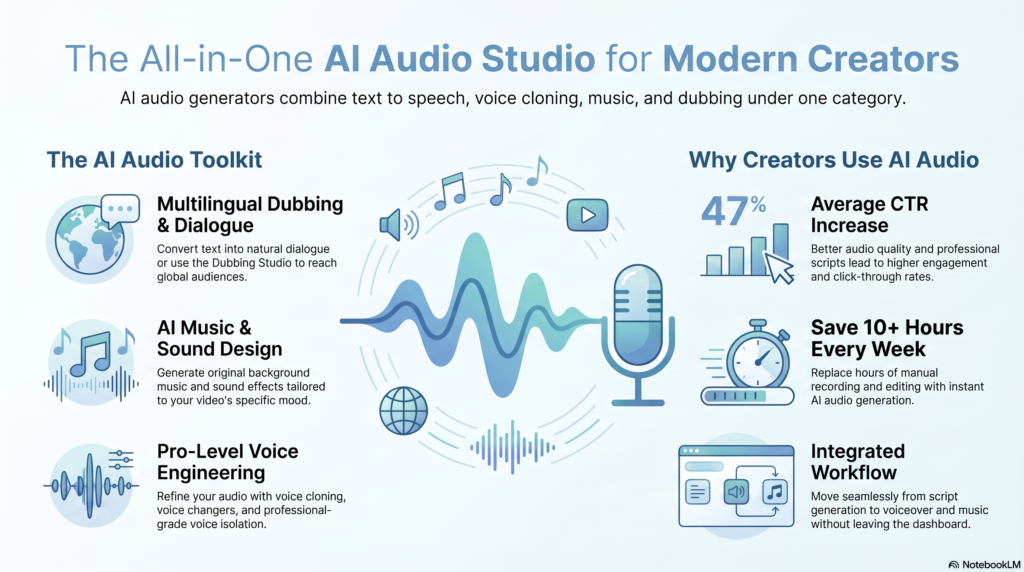
Illustration showing how an AI audio generator turns text into voice, music, and multilingual dubbing.
An AI audio generator converts text, or an existing voice sample, into new audio using a trained machine learning model.
Under the hood, most tools use a technology called text to speech, often shortened to TTS. This just means “turning written words into spoken words.”
The AI voice generator inside these tools doesn’t play back a pre-recorded human sentence. It generates a brand-new waveform, sound by sound, based on patterns it learned from thousands of hours of real speech.
That’s different from older, robotic-sounding TTS systems from a decade ago. Modern AI narration engines model pitch, pacing, breathing, and emphasis, which is why the best AI voice generator options today sound close to a real person.
The Broader Audio Category
“AI audio generator” is really an umbrella term. It covers several distinct capabilities, and very few platforms do all of them well:
Text to speech / AI voiceover — turning a script into narration
Voice cloning — recreating a specific person’s voice from a sample
AI voice changer — altering an existing recording’s pitch or tone in real time
AI dubbing — replacing a video’s spoken audio with a new language
AI music generator — composing background tracks from a prompt
AI sound effects — generating short audio clips like footsteps or whooshes
Podcast and audiobook tools — long-form narration with editing built in
How AI Audio Generators Actually Work
You don’t need a computer science degree to use these tools, but understanding the basics helps you pick the right one.
Most AI voice generator platforms are built on neural text-to-speech models. These are trained on large datasets of recorded human speech paired with the matching written transcript.
During training, the model learns the relationship between text and sound: how a comma affects pacing, how a question mark changes pitch, how emotion changes tone. Once trained, you can feed it new text it has never seen, and it predicts what that text should sound like when spoken.
Voice cloning works a bit differently. Instead of using a stock voice, the model is given a short audio sample of a specific person. It extracts that person’s vocal characteristics — tone, accent, pacing — and applies them to any new script you provide.
AI dubbing typically combines three steps: transcribing the original audio, translating it, then generating new speech in the target language, sometimes matched to the original speaker’s voice characteristics and lip movements.
AI music generation works on a similar principle but with musical patterns instead of speech patterns, translating a prompt like “upbeat corporate background music” into a fully composed track.
None of this is magic, and none of it is perfect. Mispronunciations still happen. Emotional nuance in long-form narration can drift. That’s why the tools you choose, and how you edit their output, still matter.
Benefits and Limitations
Benefits
Speed. A 10-minute voiceover that would take an hour to record and edit can be generated in minutes.
Cost. Hiring a voice actor for every video adds up fast. A subscription plan is usually cheaper at scale.
Consistency. The same AI voice sounds identical across every episode or video, which matters for brand recognition.
Language reach. Dubbing a video into 10 languages without hiring 10 voice actors opens up new audiences.
Accessibility. Text to speech also helps people who are blind, dyslexic, or otherwise benefit from audio versions of written content.
Limitations
Emotional range is still imperfect. AI narration handles calm, informative content well. Comedy timing, grief, and spontaneous reactions are harder.
Pronunciation errors happen, especially with names, acronyms, and non-English words.
Commercial rights vary by plan. Free tiers often don’t allow monetized use — more on this below.
Detection and disclosure rules apply, particularly on platforms like YouTube (covered later in this guide).
Voice cloning raises consent questions. Cloning your own voice is straightforward; cloning someone else’s without permission is not.
The Best AI Audio Generators Compared
This table reflects publicly available information from each company’s pricing and product pages as of mid-2026. Prices and limits change often, so confirm current details before purchasing.
Tool
Best For
Voice Cloning
Languages
Dubbing
Music
API
Free Tier
Starting Paid Price
ytZolo
YouTube creators needing AI audio, voiceovers, music, dubbing, and content workflow
No publicly confirmed voice cloning
Multiple languages (exact number not publicly specified)
✅ Yes
✅ Yes
Not publicly documented
✅ Yes
Affordable paid plans (see official pricing)
ElevenLabs
Realistic narration, dubbing, developers
Yes (Instant + Professional)
29+ (dubbing), 70+ (TTS)
✅ Yes
✅ Yes (Eleven Music)
✅ Yes
Yes, limited, no commercial rights
~$5/mo
Murf AI
Voiceovers for video, e-learning, presentations
Yes
20+
✅ Yes
No dedicated music generator
✅ Yes
Yes, limited
~$19/mo
PlayHT
Developers, API-first apps, large voice libraries
Yes
100+ (varies by voice)
Limited
No
✅ Yes
Yes, limited
Usage-based, low entry cost
Speechify Studio
Multilingual creators, accessibility, dubbing
Yes
60+
✅ Yes
No
✅ Yes
Yes, limited
Subscription, varies
WellSaid Labs
Long-form narration, e-learning, enterprise
Limited/Enterprise
English-focused, expanding
No
No
✅ Yes
No
~$49/mo
LOVO AI
Video voiceovers, SSML control, cloning
Yes
100+
Limited
No
✅ Yes
Yes, limited
Subscription, varies
Descript (Overdub)
Podcasters and video editors who also need editing
Yes (Overdub)
Fewer than dedicated TTS tools
No
No
No
Yes, limited
~$24/mo
Resemble AI
Enterprise voice agents, real-time apps
Yes
Multiple
✅ Yes
No
✅ Yes
Limited
Usage-based / Custom
Inworld AI
Game characters, conversational AI, interactive experiences
Yes
Multiple
No
No
✅ Yes
Developer-focused
Usage-based
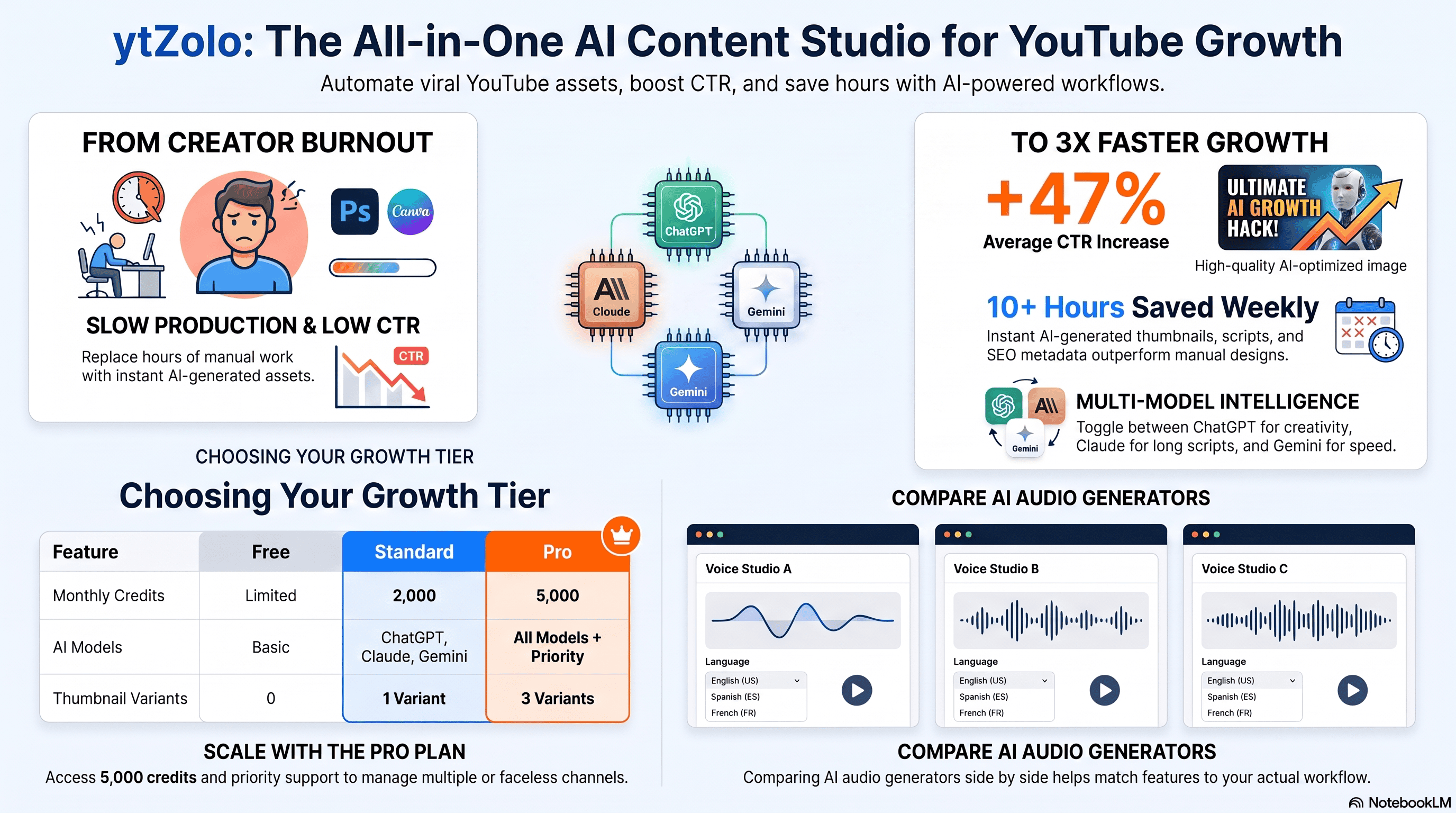
Mockup comparing multiple AI audio generator dashboards showing voice, language, and playback controls.
Screenshot Recommendation: A real screenshot of a pricing comparison page (built by the author, not scraped from vendor sites) showing monthly price, credits included, and commercial license status side by side for at least four tools.
Tool-by-Tool Feature Breakdown
ytZolo
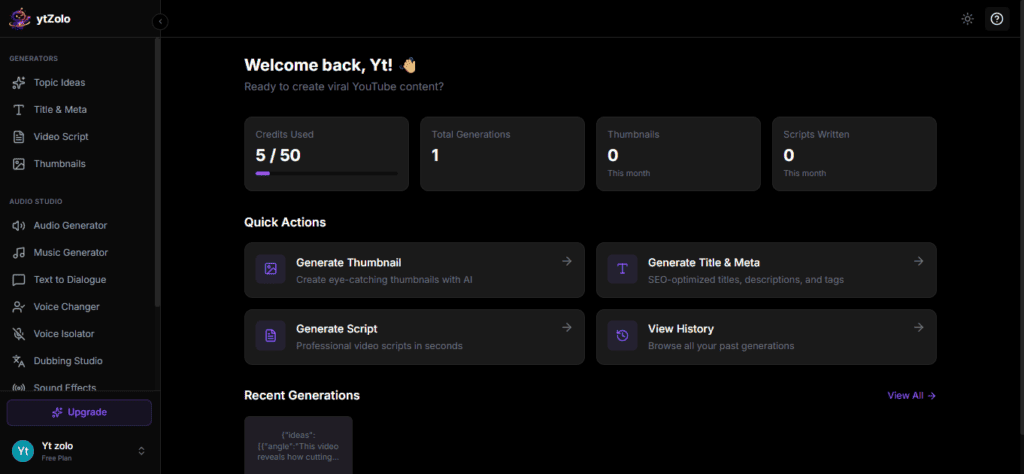
ytZolo is an AI-powered platform designed primarily for YouTube creators, combining audio creation with content production tools in a single workflow. Beyond AI voice generation, it offers AI Music Generator, AI Dubbing, Text-to-Speech, AI Sound Effects Generator, AI Voice Changer, AI Podcast Generator, AI Audiobook Generator, and other creator-focused tools that help produce complete video content without switching between multiple platforms.
Unlike many standalone voice generators, ytZolo focuses on supporting the entire content creation process. Alongside audio features, creators can also generate video scripts, titles, descriptions, tags, thumbnails, and other YouTube assets from one dashboard, making it particularly useful for creators who want an integrated workflow.
Good for: YouTubers, podcasters, educators, marketers, and creators looking for an all-in-one AI content creation platform that combines voice, music, dubbing, and YouTube optimization tools.
Watch out for: Some technical specifications—such as the exact number of supported languages, API availability, and voice cloning capabilities—are not publicly documented on the official website. If these features are essential to your workflow, it’s worth checking the latest product documentation or contacting the ytZolo team before making a decision.
ytzolo internal dashboard with new features
ElevenLabs
ElevenLabs is widely regarded as a leader in realistic AI voice generation, offering text to speech, instant and professional voice cloning, dubbing, sound effects, and a music generation feature.
Pricing runs on a credit system, starting free with no commercial rights, moving to a Starter plan around $5 a month with commercial rights and instant voice cloning, and scaling up through Creator, Pro, Scale, and Business tiers for teams and higher-volume use.
Dubbing supports close to 30 languages, and professional voice cloning is available from the Creator tier upward.
Good for: creators who need the most natural-sounding narration, developers building voice features into apps, and anyone doing multilingual dubbing.
Watch out for: the credit system can be confusing at first, and heavy usage on lower tiers can trigger overage charges.
Murf AI
Murf focuses on studio-style voiceovers for video, e-learning, and presentations, with features like word-level emphasis and a “Say It My Way” tool that mimics your recorded intonation. It supports over 20 languages and includes AI dubbing with a built-in video editor for syncing voice to visuals.
Good for: corporate training videos, YouTube tutorials, and teams that want per-minute pricing that’s easy to estimate.
Watch out for: it doesn’t include a dedicated music generation feature, so you’ll likely still need a separate royalty-free music source.
PlayHT
PlayHT leans API-first, making it a common choice for developers building voice features into software products, IVR systems, or apps. It offers a large voice library and flexible plans, including options closer to unlimited usage for high-volume users.
Good for: developers and companies embedding text to speech directly into their own product.
Watch out for: voice realism can vary between its older and newer voice models, so test before committing to a voice for a long-running project.
Speechify Studio
Speechify started as a reading assistant and has expanded into a fuller studio offering voice generation, cloning, dubbing, and AI avatars. It supports 60-plus languages and is frequently highlighted for strong accent handling in non-English languages.
Good for: multilingual content, accessibility use cases, and creators who want dubbing bundled with voice generation.
Watch out for: commercial-grade voice cloning may require a higher-tier plan than the base subscription.
WellSaid Labs
WellSaid Labs is known for long-form narration quality, including subtle breathing and pacing that holds up over 30-plus minute recordings. Its voice library is built from vetted, ethically sourced voice actors through a formal Voice Actor Program.
Good for: audiobook publishers, documentary narration, and premium e-learning content where consistency over long recordings matters most.
Watch out for: pricing starts higher than creator-focused tools, and there’s no free tier, which makes it a better fit for teams than solo hobbyists.
LOVO AI
LOVO offers a large voice library across 100-plus languages, emotion controls, SSML support for precise pacing, and voice cloning from a short audio sample.
Good for: video voiceovers where you want fine control over emphasis and pauses without heavy technical setup.
Watch out for: dubbing and advanced localization features are less developed than dedicated dubbing-first platforms.
Descript (Overdub)
Descript isn’t a pure AI audio generator — it’s a full audio and video editor that happens to include AI voice cloning through a feature called Overdub, plus strong transcription for podcast and video editing.
Good for: podcasters and video editors who want to fix a misspoken word by editing the text transcript, without a second take.
Watch out for: if you only need voice generation and not a full editor, you may be paying for editing features you won’t use.
Resemble AI
Resemble AI targets developers and enterprises building real-time voice agents, offering per-second billing and deep API customization for emotional tone and voice parameters.
Good for: companies building voice-enabled products, not solo content creators.
Watch out for: it’s less of a plug-and-play tool for beginners and more of a developer platform.
Inworld AI
Inworld focuses on character and conversational voice for games and interactive AI, with tools for building consistent character voices and dialogue at scale.
Good for: game studios and interactive-media teams needing character-driven voice.
Watch out for: it’s a narrower fit if your only goal is straightforward narration for videos or podcasts.
Different AI audio generators specialize in different parts of the audio workflow.
Pricing: Free vs Paid
Nearly every major AI voice generator offers some kind of free tier, but the fine print matters more than the sticker price.
Free plans typically include:
A limited number of characters or minutes per month
Access to a smaller voice library
No commercial usage rights in many cases — meaning you can test the tool, but can’t legally use the output in a monetized YouTube video, client project, or advertisement
Paid plans typically unlock:
Commercial license for monetized content
Voice cloning (instant on lower tiers, “professional” quality cloning on higher tiers)
Higher audio quality (44.1kHz or better, closer to CD quality)
Priority processing and higher monthly limits
As a rough guide, solo creators publishing a few videos or episodes a month can usually stay within an entry-level paid plan in the $5 to $25 range. Agencies and businesses producing daily content, or needing multiple team seats, tend to land in the $50 to $300+ range depending on volume.
A practical rule: if the audio will ever appear in something that makes money — ads, monetized videos, paid courses, client deliverables — check the commercial license terms before you generate a single word.
Commercial Use, Copyright, and Ethics
Copyright and Ownership
Most platforms grant you usage rights to the audio you generate, provided you’re on a commercial-eligible plan. But “you own the output” doesn’t always mean unrestricted resale rights — always check the specific terms of service, since they differ by company and by plan tier.
Voice Cloning Consent
Cloning your own voice, or a voice you have explicit permission to use, is generally fine on any legitimate platform. Cloning a celebrity’s, public figure’s, or another private individual’s voice without consent raises both ethical and legal concerns, and reputable platforms increasingly require verification for professional cloning features.
Platform Disclosure Rules
If your AI audio ends up in video content, disclosure rules matter. On YouTube specifically, using AI for production tasks like writing scripts, titles, or generating a neutral narrator voice generally does not require a disclosure label. However, cloning a real, identifiable person’s voice, or using AI dubbing that mimics a specific real person without labeling it, can trigger YouTube’s “Altered or Synthetic Content” disclosure requirement. For the current, authoritative rules, check YouTube’s official policy documentation directly, since enforcement details are updated periodically.
Google’s Perspective on AI Content
Google has been clear that content quality matters more than whether AI was involved in producing it. Its Search Central documentation on AI-generated content explains that the Helpful Content System evaluates whether content is genuinely useful, not what tool created it. Mass-produced, low-value audio or video with no real editorial input is the kind of content this system is designed to de-rank — not AI-assisted production in general.
Security and Privacy
Before uploading a voice sample or a script full of business information, it’s worth checking a few things:
Does the platform train its general models on your uploaded audio, or keep it private by default? Policies vary, and enterprise tiers usually offer stronger data isolation than free tiers.
Is there a way to delete your voice clone and generated files permanently?
Does the platform support compliance frameworks your industry needs, such as SOC 2, HIPAA, or GDPR-aligned data handling, if you’re in healthcare, finance, or another regulated space?
Enterprise plans across most of the tools in this guide tend to include stronger contractual privacy guarantees, dedicated support, and sometimes formal compliance certifications — one of the real differences between a $20/month creator plan and a custom enterprise agreement.
API and Developer Access
If you’re building a product rather than publishing content, API access is the deciding factor.
ElevenLabs, PlayHT, Speechify, LOVO, Resemble AI, and Inworld all offer developer APIs, typically billed separately from consumer subscription plans and priced by usage — per character, per minute, or per generation. Murf and WellSaid Labs also offer API access aimed at businesses integrating voice into existing software. Descript’s Overdub, by contrast, is built into its editor rather than exposed as a general-purpose API.
If you’re a developer, test latency as much as voice quality. Real-time applications like voice agents need low-latency models (sometimes marketed separately from high-fidelity “studio quality” models), while pre-recorded narration for videos or podcasts can use slower, higher-quality generation without any downside.
Buying Guide: How to Choose
Answer these questions honestly before picking a plan:
What’s the primary output? Narration for videos, a podcast, an audiobook, or a product feature? This alone narrows your options significantly.
Do you need voice cloning, or just a good stock voice? Cloning adds cost and complexity you may not need.
How many languages do you need? If you’re dubbing into multiple markets, prioritize tools with strong dubbing pipelines, not just TTS.
What’s your monthly volume? Estimate it in minutes of finished audio, then compare that against each plan’s included credits.
Do you need an API, or just the web app? Developers should prioritize API pricing and latency over web interface polish.
Will this content be monetized? If yes, confirm commercial licensing terms before you generate anything final.
Pros and Cons Summary
Pros of using an AI audio generator:
Faster turnaround than traditional recording
Lower cost per finished minute of audio at scale
Easy to test multiple voices before committing
Enables multilingual content without hiring translators and voice actors for every language
Cons of using an AI audio generator:
Emotional nuance still lags behind skilled human performance
Commercial and cloning rights require careful reading of terms
Free tiers are rarely usable for monetized work
Over-reliance on fully automated content can hurt quality and audience trust
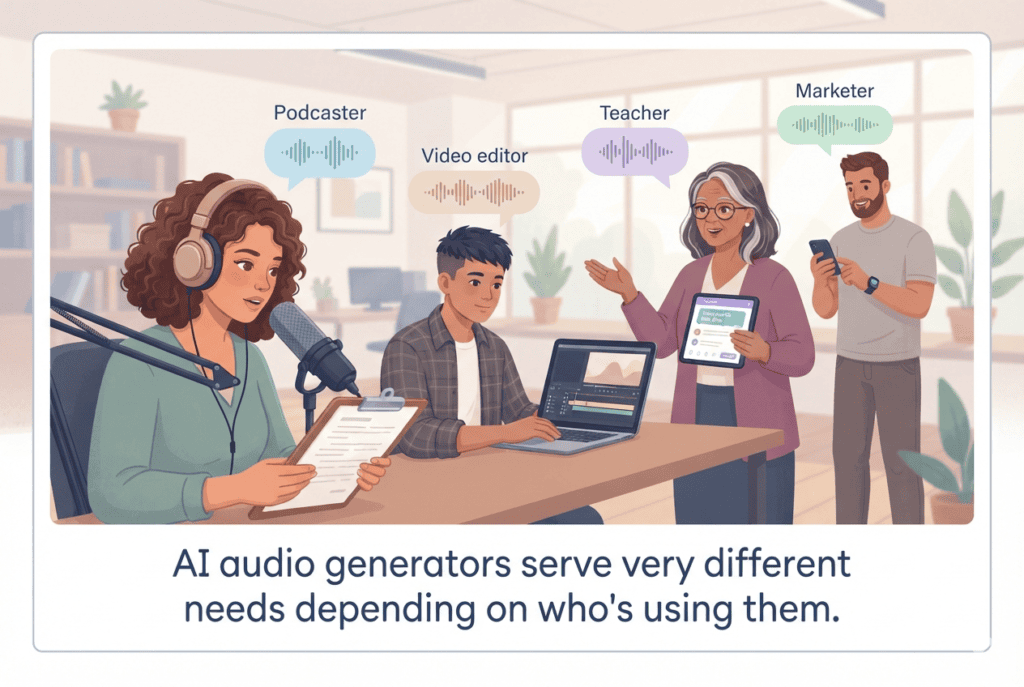
Use Cases by Audience
YouTubers and faceless channel creators: Use text to speech for narration on faceless videos, keeping a consistent narrator voice across every upload for brand recognition.
Podcasters: Use AI voice tools for intros, ad reads, or filling gaps from a bad recording, while keeping real conversation and interviews human — AI still struggles with natural back-and-forth dialogue.
Marketers and agencies: Generate voiceovers for ad variations quickly, testing multiple tones and scripts without booking studio time for each version.
Businesses and L&D teams: Use AI narration for training videos and internal courses, where consistency across dozens of modules matters more than dramatic performance.
Developers: Integrate an API-based voice engine directly into apps, IVR systems, or voice assistants, prioritizing latency and per-character cost.
Students and educators: Use text to speech to turn written notes or textbooks into audio for accessibility or on-the-go studying.
AI audio generators serve very different needs depending on who’s using them.
Real-World Examples
A solo educational YouTuber running a faceless channel might script a video, generate narration with a consistent AI voice, and publish three videos a week — a pace that would be difficult to sustain with studio recording alone.
A mid-sized company localizing training content for global offices might use AI dubbing to convert one English training video into six languages, cutting both cost and turnaround time compared to hiring voice actors and studios in each region.
A podcast producer might use Overdub-style voice cloning to fix a single misspoken sentence in an otherwise perfect interview recording, avoiding a full re-record.
These aren’t hypothetical edge cases — they reflect the most common, practical ways these tools get used day to day, rather than flashy, one-off demos.
Expert Tips
Always listen to the full generated file before publishing, not just the first few seconds. Pacing and pronunciation errors often show up later in longer scripts.
Break long scripts into shorter chunks when generating, since some models handle shorter passages more consistently than one massive block of text.
Use punctuation deliberately. Commas, periods, and line breaks directly affect pacing in most TTS engines — this is one of the easiest ways to improve natural delivery without paid add-ons.
Test two or three voices on your actual script, not just a demo sentence, before committing to one for a whole series.
Keep a style guide for pronunciation of brand names, technical terms, or names that the AI mispronounces, so you can fix them consistently across episodes.
Common Mistakes to Avoid
Publishing monetized content generated on a free, non-commercial plan. This can violate a platform’s terms of service.
Cloning someone else’s voice without permission. Even for parody or “harmless” content, this can create legal and ethical problems.
Skipping a listen-through before publishing, resulting in obvious mispronunciations reaching your audience.
Assuming one tool does everything well. A platform that excels at voice cloning may have a weak or nonexistent music generator, and vice versa.
Ignoring disclosure requirements when using synthetic voices that mimic real, identifiable people in video content.
Based on its published website and blog, ytZolo offers features such as AI Audio Generator, AI Music Generator, AI Text-to-Speech, AI Dubbing Software, AI Podcast Generator, AI Audiobook Generator, AI Sound Effects Generator, and AI Voice Changer. This allows creators to produce both their video content and supporting audio from a single platform instead of relying on multiple standalone tools.
If your workflow revolves around creating YouTube videos, podcasts, tutorials, or marketing content, ytZolo can help streamline several stages of production—from brainstorming and scripting to metadata optimization and audio creation. This integrated approach can reduce the need to switch between separate tools for writing, SEO, voice generation, and music.
That said, creators with highly specialized requirements—such as enterprise-grade voice cloning, developer APIs, or advanced real-time conversational AI—may still prefer dedicated platforms like ElevenLabs, PlayHT, or Resemble AI for those specific use cases. Choosing the right tool ultimately depends on whether you value an all-in-one creator workflow or need highly specialized audio capabilities for a particular project.
Future Trends
A few directions are worth watching as this category matures:
Better emotional control. Expect finer-grained direction over tone, pacing, and emphasis without needing SSML markup knowledge.
Real-time, low-latency voice becoming standard even in consumer-facing tools, not just developer APIs, enabling live dubbing and voice assistants.
Stronger provenance and watermarking standards, as regulators and platforms push for clearer labeling of synthetic audio — a trend already visible in YouTube’s synthetic content policies and broader industry standards work from groups like the W3C on content provenance.
Tighter integration between voice, video, and avatar tools, reducing the number of separate platforms creators need to stitch together.
FAQs
What is the best AI audio generator overall? There isn’t one universal answer — it depends on your use case. ElevenLabs is frequently cited for realistic narration and dubbing, Murf for structured video voiceovers, WellSaid Labs for long-form narration quality, and PlayHT or Resemble AI for developer-focused API needs.
Is there a free AI audio generator that allows commercial use? Most free tiers restrict commercial use. If you need to monetize your content, budget for at least an entry-level paid plan, which is usually where commercial licensing begins.
Can AI audio generators clone any voice? Technically, many can clone from a short sample. Ethically and often contractually, you should only clone your own voice or a voice you have explicit permission to use.
Do AI voices sound robotic? Older TTS systems did. Current neural voice models from leading platforms sound considerably more natural, though quality still varies by voice, language, and script complexity.
What languages do AI audio generators support? This varies widely — some tools support 20-plus languages, others 100-plus, though quality is not always equal across every supported language.
Do I need coding skills to use an AI voice generator? No. Most platforms offer a simple web interface where you paste text and click generate. API access is only needed if you’re building the voice feature into your own software.
How much does an AI audio generator cost? Entry-level paid plans typically start around $5 to $25 a month for individual creators, while team and enterprise plans can run from roughly $50 to several hundred dollars a month depending on volume and features.
Key Takeaways
An AI audio generator covers text to speech, voice cloning, dubbing, music, and sound effects — few tools do all of these equally well.
ElevenLabs, Murf AI, PlayHT, Speechify, WellSaid Labs, LOVO AI, Descript, Resemble AI, and Inworld AI each specialize in different parts of the workflow.
Free plans are useful for testing but rarely include commercial usage rights.
Voice cloning requires consent, and disclosure rules apply on platforms like YouTube for realistic synthetic voices.
Matching the tool to your actual use case — narration, dubbing, developer integration, or long-form audiobooks — matters more than chasing a single “best” label.
Conclusion
Choosing the best AI audio generator isn’t about finding one tool that wins every category. It’s about matching a platform’s actual strengths to what you’re trying to make.
If you need lifelike narration and multilingual dubbing, start with ElevenLabs. If you’re producing structured video voiceovers at volume, Murf AI’s per-minute pricing is easier to plan around. If you’re building a product, PlayHT and Resemble AI are worth testing for their API-first design. And if scripting and SEO — not audio — are your real bottleneck, a YouTube-focused tool like ytZolo covers that separate part of the workflow.
Test two or three tools with your actual script before committing to a subscription. The differences in pacing, pronunciation, and tone are easier to hear than to read about.
Anshika Verma researches and writes about AI tools, SEO, and content strategy for creators and businesses. Her work focuses on evaluating AI-powered creator technology against publicly verifiable product information, with an emphasis on practical, accurate guidance over promotional claims.
Sources referenced for product information include official pricing and documentation pages from ElevenLabs, Murf AI, PlayHT, Speechify, WellSaid Labs, LOVO AI, Descript, Resemble AI, and Inworld AI, along with Google Search Central documentation on helpful content and AI-generated content, and publicly available YouTube policy resources. Pricing and feature details change frequently — always verify current terms directly with each provider before purchasing.