
Last updated: July 2026 · 18-minute read
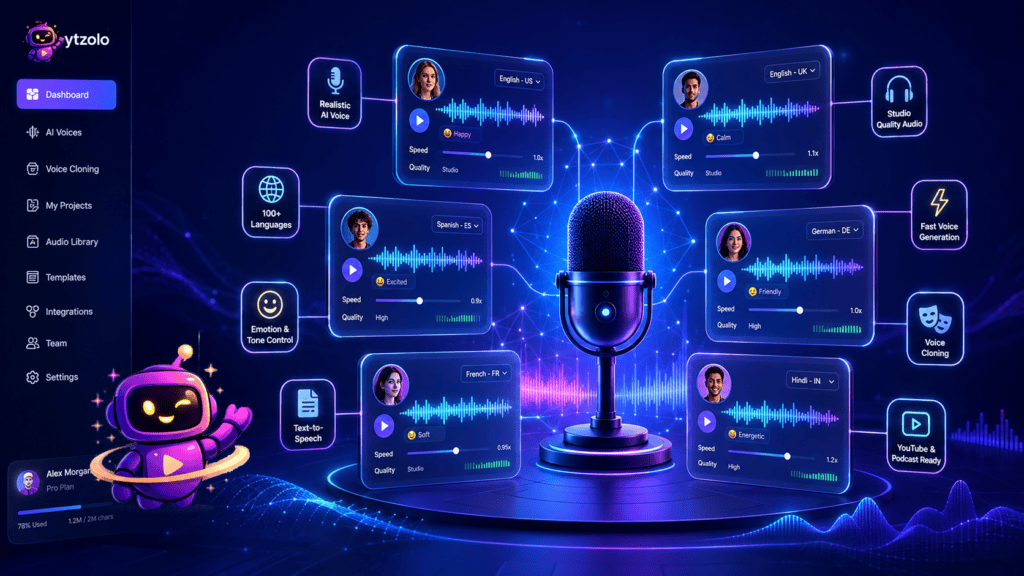
📋 Article Summary (TL;DR) This guide compares the best AI voice generators of 2026 — ElevenLabs, Murf AI, WellSaid Labs, Speechify, LOVO, PlayHT, Hume AI, Rasa Voice, and ytZolo’s Audio Studio — across realism, pricing, language support, commercial licensing, and API availability.
ElevenLabs leads for content creators and YouTubers who need the widest voice library and dubbing support. Murf AI wins for teams that want a full voiceover studio with brand collaboration.WellSaid Labs is the pick for regulated enterprise training content.
If you want voice generation bundled with the rest of your YouTube production workflow — titles, scripts, thumbnails, and SEO — ytZolo is worth a look. Below, you’ll find full reviews, comparison tables, a scoring framework you can reuse, pricing breakdowns, and answers to the questions people actually ask before buying. No tool here is perfect for everyone — we tell you who each one is wrong for, too.
Key Takeaways
- There’s no single “best” AI voice generator — the right pick depends on whether you’re producing YouTube content, enterprise training, audiobooks, or conversational voice agents.
- Realism has stopped being the main differentiator. Most premium tools now sound convincingly human. Licensing terms, workflow integration, and pricing model matter more in 2026 than raw voice quality.
- Credit-based pricing (ElevenLabs, PlayHT) suits variable workloads; subscription/time-based pricing (Murf, Speechify) suits predictable monthly production.
- Commercial usage rights are not automatic. Free tiers on most platforms restrict monetized use — always check before publishing.
- Voice cloning carries real legal and ethical exposure. Only clone voices you own or have explicit, documented consent to use.
- For YouTube creators specifically, pairing a dedicated voice generator with a script and SEO workflow (like ytZolo’s content tools) tends to save more production time than optimizing voice quality alone.
Table of Contents
Ready to build your voice-over into a full YouTube workflow? Try ytZolo’s script and content tools alongside whichever voice generator you choose below — it takes the guesswork out of pairing narration with a title, thumbnail, and description that actually get clicks.
How We Evaluated These Tools
Before ranking anything, we read through the leading comparison guides already ranking for “best AI voice generator” — including enterprise-focused breakdowns from voice AI platforms, creator-tested roundups with audio samples, and enterprise learning-and-development buying guides. Here’s the gap we kept finding.
What existing guides get wrong
Most competing articles fall into one of two traps. The first is enterprise tunnel vision: some guides score tools almost entirely on telephony integration, call-center governance, and IVR replacement — genuinely useful if you’re building a contact center voice agent, but close to irrelevant if you’re a YouTuber or podcaster picking a narration voice.
The second is affiliate-driven ranking: several popular roundups push one or two tools to the top regardless of use case, because those are the tools paying referral commissions, and bury the trade-offs in fine print.
What’s consistently missing across the field:
- A workflow view. Almost nothing connects “which voice generator should I use” to the rest of a creator’s production pipeline — scripting, titles, thumbnails, and SEO.
- Honest trade-off tables. Most guides list pros without matching cons at the same level of detail, or omit pricing gotchas like credit loss on downgrade.
- A reusable scoring method. Readers get a ranked list but no framework to apply their own weights if their priorities differ from the author’s.
- Recent pricing. Several guides carry 2024 pricing screenshots into 2026 articles, which is misleading given how often these platforms change tiers.
Our methodology
We evaluated each platform across seven weighted criteria, informed by publicly available documentation, official pricing pages, and third-party review aggregators (G2, Capterra, Trustpilot):
| Criterion | Weight | What We Measured |
|---|---|---|
| Voice realism & emotional range | 20% | Naturalness across long-form scripts, breath patterns, pacing variation |
| Pricing & value at typical creator volume | 18% | Cost per finished minute of audio, credit/time-limit fairness |
| Language & accent coverage | 15% | Number of supported languages, regional accent depth |
| Commercial licensing clarity | 12% | Whether free/entry tiers allow monetized use, and how clearly this is stated |
| Ease of use & learning curve | 12% | Time to first usable export for a non-technical creator |
| Workflow & integration fit | 13% | API availability, editor depth, fit with adjacent creator tools |
| Trust, ethics & data handling | 10% | Consent verification for cloning, compliance certifications, moderation policy |
We did not accept payment or free credits from any vendor covered in this piece, and we’ve flagged limitations for every tool — including the ones we recommend most.
What Is an AI Voice Generator?
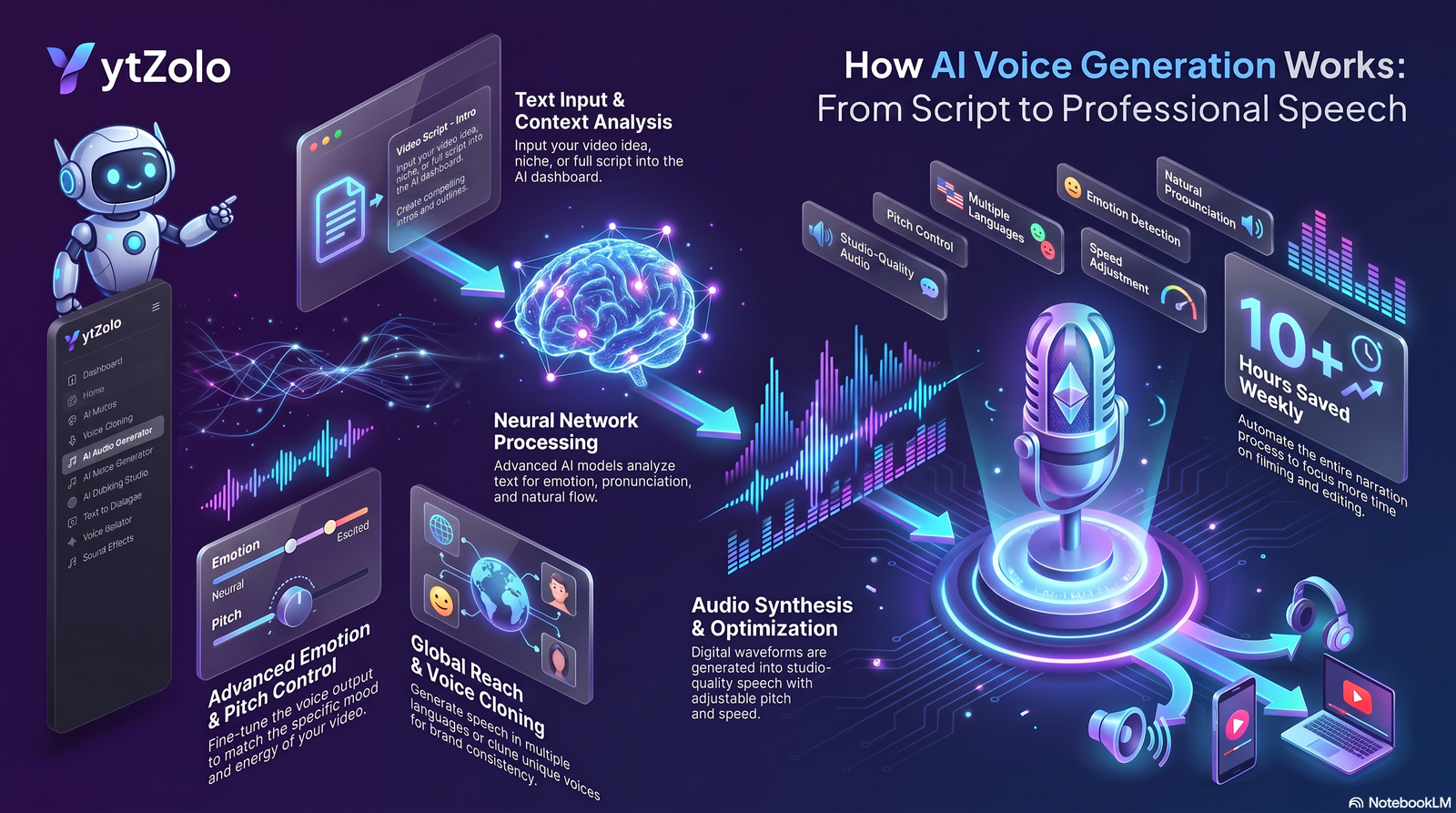
An AI voice generator is software that converts written text into spoken audio using machine learning models trained on recorded human speech.
Instead of hiring a voice actor or recording narration yourself, you type or paste a script, choose a voice, and the system synthesizes audio that mimics natural pronunciation, pacing, and — in more advanced tools — emotional inflection.
The category sits under the broader umbrella of AI text to speech (TTS) and speech synthesis, but “AI voice generator” has become the more common consumer term because it also covers voice cloning — creating a custom digital voice from a short sample recording, rather than picking a pre-made voice from a library.
According to Global Market Insights, the global text-to-speech market was valued at roughly $4.8 billion in 2025 and is projected to grow at a compound annual rate above 20% through the mid-2030s, driven largely by AI-based neural voice models replacing older rule-based systems.
That growth mirrors what most creators already sense: AI narration has gone from a novelty to a default production step for a huge share of YouTube channels, podcasts, e-learning courses, and marketing videos.
How AI Voice Generators Actually Work
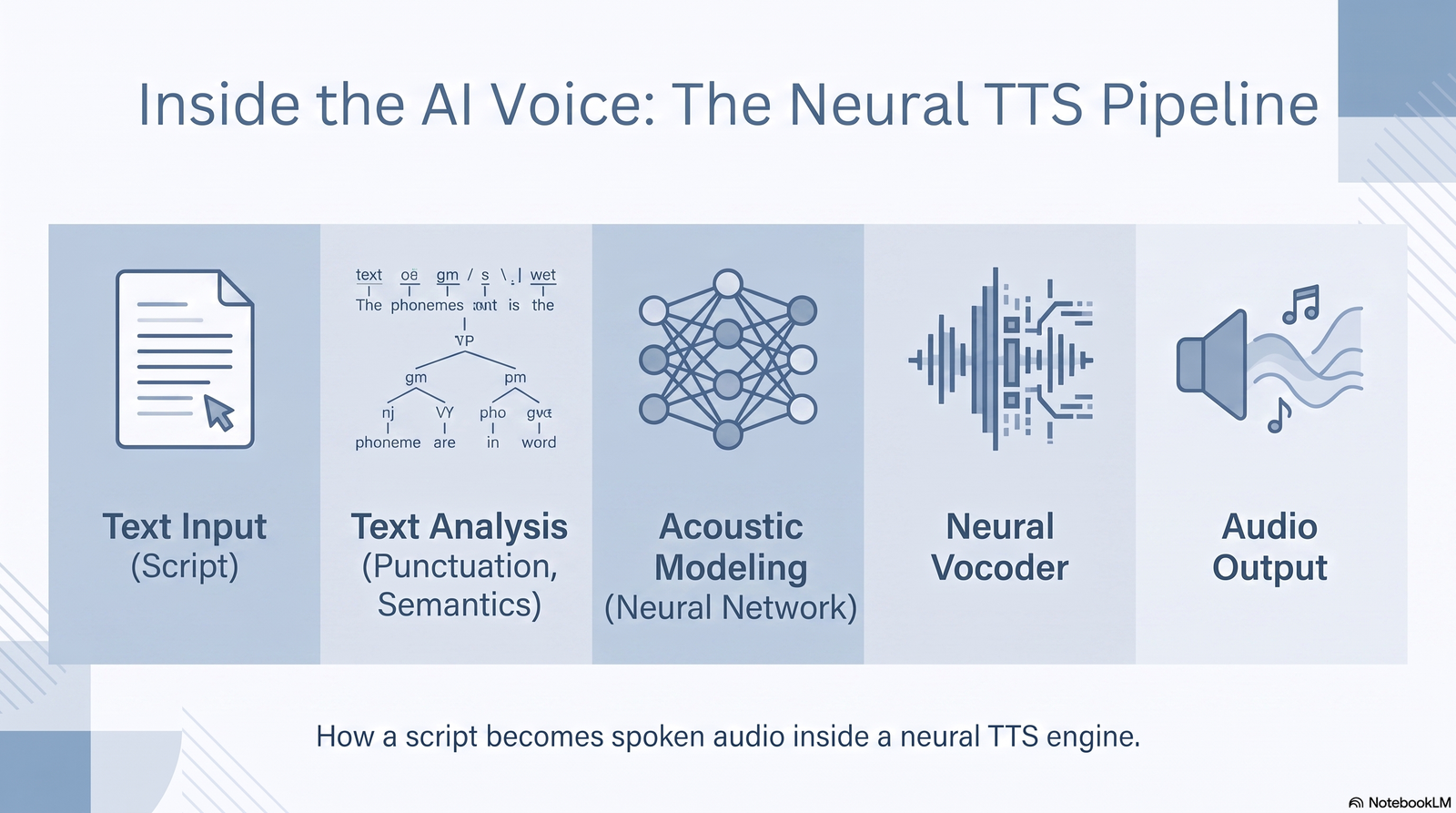
Modern AI voice generators rely on neural text-to-speech (neural TTS) models, a significant step up from the robotic, rule-based synthesis of a decade ago. The pipeline generally breaks down into three stages.
1. Text analysis. The system parses your script for sentence structure, punctuation, and semantic context. This step decides where a pause belongs, which words carry emphasis, and how a question should rise in pitch versus a statement.
2. Acoustic modeling. A neural network — typically a transformer or diffusion-based architecture trained on thousands of hours of voice data — maps the analyzed text to acoustic features: pitch contour, duration, energy, and timbre.
3. Vocoding. A separate neural vocoder converts those acoustic features into an actual waveform — the audio file you download. Newer vocoders produce far less of the metallic “artifact” sound that plagued early TTS.
The realism gap between tools today comes down to three factors: the size and diversity of the training data, how well the model handles prosody (natural rhythm and intonation across long passages, not just single sentences), and whether the platform lets you steer emotional delivery with directives like “whisper” or “excited” rather than relying purely on punctuation.
Voice Cloning vs. Text-to-Speech: What’s the Difference?
These two terms get used interchangeably, but they’re not the same thing.
Text-to-speech (TTS) uses a pre-built voice from the platform’s library. You never provide a voice sample — you just pick “Josh” or “Amelia” from a dropdown and generate audio in that voice.
Voice cloning trains (or fine-tunes) a model on a sample of a specific person’s voice — sometimes yours, sometimes a licensed actor’s — so the output sounds like that individual. Depending on the platform, this can require anywhere from 10 seconds of audio (instant cloning) to several minutes of studio-quality recording (professional cloning).
The practical difference matters for three reasons:
- Consent and legal exposure. Cloning a real person’s voice without explicit permission creates legal risk under likeness and, in some jurisdictions, right-of-publicity laws — even if the platform’s terms of service technically allow the upload.
- Consistency. A cloned voice tied to your own recordings stays consistent across projects and years, which matters for channel branding.
- Cost. Cloning tiers are typically gated behind higher-priced plans, since it requires more processing and stricter verification.
If you only need narration in a stock voice, standard TTS is cheaper, faster, and carries essentially no legal risk. If brand consistency or a specific vocal identity matters — say, you want every video on your channel narrated in “your” voice without recording it yourself every time — cloning is worth the extra cost and setup.
Types of AI Voice Generators
Not every “AI voice generator” solves the same problem. Broadly, the market splits into five categories:
Content-creation TTS platforms (ElevenLabs, Murf, LOVO) — built for YouTubers, podcasters, and marketers who need a large voice library, emotional range, and export flexibility.
Enterprise L&D and communications platforms (WellSaid Labs) — built for training modules, compliance courses, and internal comms where licensed voice data, audit trails, and SOC 2 compliance matter more than voice variety.
Accessibility and reading tools (Speechify) — built around consuming existing text (articles, PDFs, books) rather than producing finished voiceover content.
Developer-first APIs (PlayHT, Hume AI) — built for teams embedding voice into products, apps, or conversational agents, prioritizing latency and streaming support over a polished web editor.
Enterprise conversational voice AI (Rasa Voice and similar platforms) — built for IVR replacement and contact-center automation, not content narration at all. If you’re a creator landing on one of these by mistake, you’re in the wrong category entirely — see our note on this in the comparison section below.
Most creators researching “best AI voice generator” actually want the first category, but a surprising number of ranking articles blend all five together without flagging the difference, which is how you end up comparing a YouTube voiceover tool against a call-center compliance platform on the same table.
Benefits and Real Limitations
Benefits
AI voice generators remove the two biggest bottlenecks in traditional voiceover production: cost and turnaround time. Hiring a voice actor for a single YouTube video can run anywhere from $50 to several hundred dollars and take days for revisions.
An AI voice generator produces a finished take in seconds, and re-recording a changed line costs nothing but a re-generation.
They also solve consistency at scale. A channel publishing three videos a week benefits from a narrator who sounds identical video to video — something even a dedicated human voice actor struggles to guarantee across months of recording sessions in different rooms, moods, and mic setups.
For global creators, dubbing and multilingual voice support turn a single script into content for a dozen markets without hiring translators and voice actors in each language.
Limitations — the part most guides skip
Emotional ceiling. Even the best models occasionally over- or under-act emotional directives, and long-form narration (20+ minutes) can start to drift in pacing or energy in ways a human narrator naturally varies.
The “last mile” of control. Getting a specific word stressed exactly right, or a pause timed to a beat in the video, often takes several regenerations — some platforms handle this better than others via word-level editing (WellSaid) versus more limited global controls (ElevenLabs).
Licensing complexity. Commercial rights, monetization permissions, and voice ownership vary significantly by tier and platform. This is the single most common source of creator frustration after publishing content, and it’s addressed in more depth in the licensing section below.
Cost at scale. Credit-based pricing that looks cheap for a single short video can get expensive fast for audiobook-length or high-volume production — check the pricing table before committing to a plan.
Detection and disclosure norms. As AI voices become harder to distinguish from human ones, platform policies (YouTube, TikTok) and some jurisdictions increasingly expect disclosure when synthetic voices are used in certain content categories, particularly news, political, or health-related videos.
Use Cases: Who Actually Needs This?
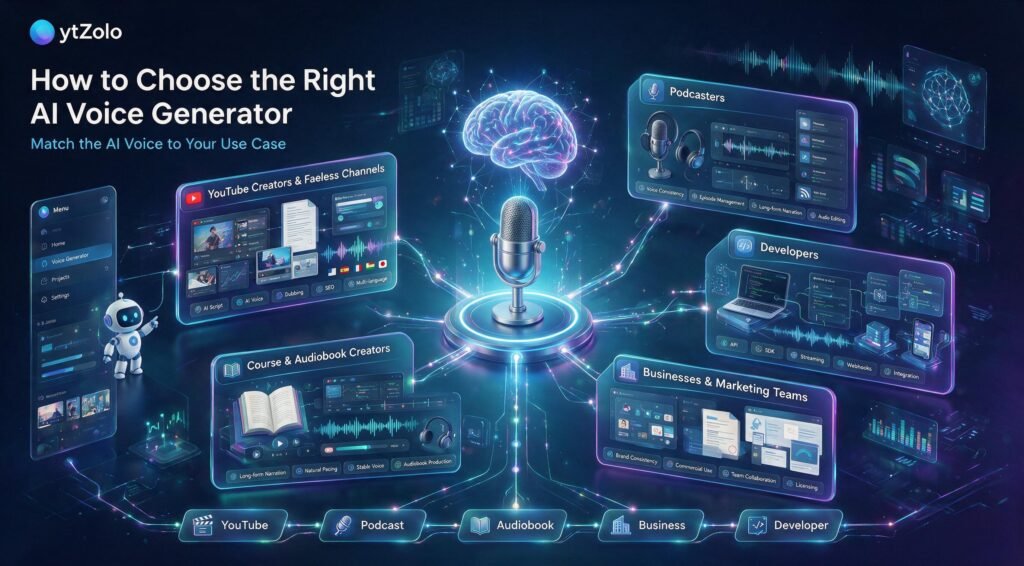
- YouTubers and faceless-channel creators narrating explainer, documentary, or story-format videos without appearing on camera.
- Podcasters producing intro/outro segments, ad reads, or entire AI-hosted episodes.
- Course and audiobook creators converting long-form written content into narrated audio at scale.
- Marketing teams producing ad voiceovers, product demo narration, and social video content across many languages.
- Game developers and interactive media studios voicing NPCs and dynamic dialogue.
- Accessibility teams converting written content to audio for visually impaired or reading-disabled audiences.
- Business owners and SaaS teams producing onboarding, training, and IVR-adjacent (but not full contact-center) voice content.
Best AI Voice Generators in 2026 — Full Reviews
1. ElevenLabs — Best Overall for Content Creators
Best for: YouTubers, audiobook producers, podcasters, and anyone who needs the widest voice library with genuinely expressive delivery.
ElevenLabs remains the reference point for voice realism in 2026. The library spans well over a thousand voices contributed by the platform and community voice actors, with support for close to 30 languages and automatic multi-speaker detection for dubbing projects.
The Voice Design feature lets you generate a completely custom voice from a text description rather than picking from a preset list, and Actor Mode lets you feed in your own performance to guide pacing and emotion.
Key Features
- Large multilingual voice library with community-contributed Professional Voice Clones
- Instant and professional voice cloning with consent verification
- Automatic AI dubbing across dozens of languages with multi-speaker detection
- Long-form “Projects” editor for audiobook-length content
- Low-latency API and Voice Agents platform for developers
- Built-in AI music and sound-effect generation
Pros
- Widest voice selection and strongest emotional range of any platform reviewed here
- Fast, high-quality instant voice cloning
- Free tier available for testing (non-commercial)
- Scales from casual creator use to full developer API integration
Cons
- Credits are consumed quickly during testing, and unused credits are lost on plan downgrade
- Long-form/audiobook production gets expensive at higher tiers
- Limited granular control over pacing and pauses compared to word-level editors
- Support response times have drawn complaints in user reviews
Pricing: Free tier (~10 minutes/month, non-commercial); Starter around $5/month; Creator around $22/month; Pro around $99/month; Scale around $330/month; custom Enterprise pricing.
Voice Quality: Excellent — widely regarded as the realism benchmark in 2026 comparisons. Ease of Use: High — generate audio in a single click; advanced features have a learning curve.
Supported Languages: Around 29, with regional accent variants. Commercial Usage: Included from the Starter paid tier upward; free tier is non-commercial.
API Availability: Yes, with streaming and low-latency options. Limitations: Credit-based cost can spike for long-form content; less precise word-level control than WellSaid.
Final Verdict: The safest first choice for most content creators, especially anyone producing YouTube narration, dubbing, or audiobooks who values voice variety over granular pronunciation control.
2. Murf AI — Best for Studio-Style Voiceover Production
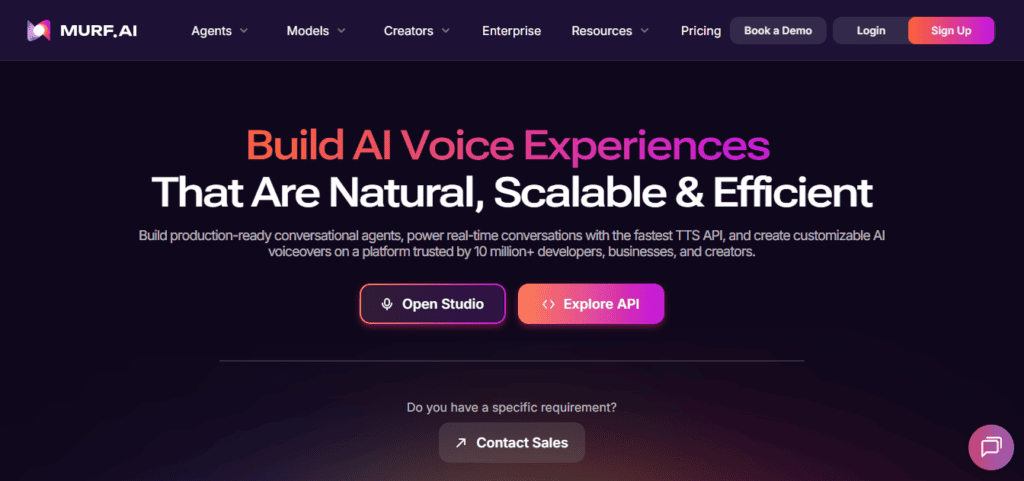
Best for: Marketing teams, SMB content creators, and anyone who wants a full production studio — not just a text box and a generate button.
Murf positions itself less as a voice generator and more as a voiceover studio: a timeline editor, built-in royalty-free music, and direct integrations with Google Slides and Canva. The “Say It My Way” feature lets you record a rough take yourself and have Murf’s AI match your intended tone, speed, and emphasis rather than guessing from text alone.
Key Features
- 200+ voices across 20+ languages, with strong accent coverage including African American English variants
- MultiNative: switch languages mid-sentence within a single audio file
- Timeline-based studio editor with music and SFX
- Voice Cloning 2.0 and a built-in voice changer
- Integrations with Google Slides, Canva, and Adobe Audition
Pros
- Strong accent and localization performance
- Full editing studio reduces the need for separate audio software
- Solid team collaboration features for agencies and marketing departments
- Commercial rights included on paid plans
Cons
- Free tier capped at roughly 10 minutes, tighter than some competitors
- Some voices sound noticeably better than others — quality isn’t uniform across the library
- Content restrictions block certain language and topics
- Pricier than ElevenLabs at comparable usage for pure narration
Pricing: Free trial (10 minutes); Creator around $19–23/month (annual billing); Business around $66–79/month; Enterprise custom.
Voice Quality: Very good, particularly for corporate and marketing tone. Ease of Use: High — one of the more approachable studio interfaces on the market. Supported Languages: 20+ with growing accent depth. Commercial Usage: Included on paid plans. API Availability: Yes.
Limitations: No self-hosted or on-premises option; not built for interactive/conversational use. Final Verdict: The best choice if you want voiceover, music, and light video editing in one subscription rather than juggling separate tools.
3. WellSaid Labs — Best for Enterprise Training and Compliance Content
Best for: L&D teams, healthcare and financial services training programs, and any organization that needs SOC 2 / GDPR-documented voice infrastructure more than a huge voice catalog.
WellSaid takes a narrower, more deliberate approach: roughly 120+ voices sourced from licensed professional talent, with word-by-word phonetic controls that let you adjust pace, loudness, and pauses on individual words rather than the whole script.
That precision is the entire pitch — this is a tool built for teams that regenerate small sections of long training libraries constantly as policies change.
Key Features
- Word-level “Cues” editor for pace, loudness, and pause control
- Licensed voice data with a documented Voice Actor consent program
- SOC 2 Type II and GDPR-aligned infrastructure
- Native Adobe Premiere Pro and Adobe Express integrations
- Shared pronunciation libraries for brand and technical terminology
Pros
- Most granular pronunciation and pacing control of any platform reviewed
- Voices sourced with clear consent and licensing documentation
- Strong fit for regulated industries where compliance data matters
- Adobe integrations remove a step for video teams already in that ecosystem
Cons
- English-only voice library — a real limitation for global teams
- No permanent free tier, only a limited trial
- Noticeably pricier than ElevenLabs for comparable output volume
- Steeper learning curve; drastic manual adjustments can reduce realism if overused
- Limited emotional range compared to ElevenLabs or Hume
Pricing: One-week full-access trial; Creative plan around $49–50/user/month; custom Enterprise pricing based on usage volume.
Voice Quality: Authentic and consistent, optimized for professional/instructional tone rather than dramatic range. Ease of Use: Moderate — the word-level editor rewards patience. Supported Languages: English only at time of writing.
Commercial Usage: Included; enterprise contracts include audit trails. API Availability: Yes, with LMS and CMS integration support.
Limitations: Not suited to multilingual projects, gaming, or expressive storytelling content. Final Verdict: The right call for enterprise training, healthcare, and compliance teams — overkill and overpriced for a casual YouTube channel.
4. Speechify — Best for Accessibility and Reading Productivity
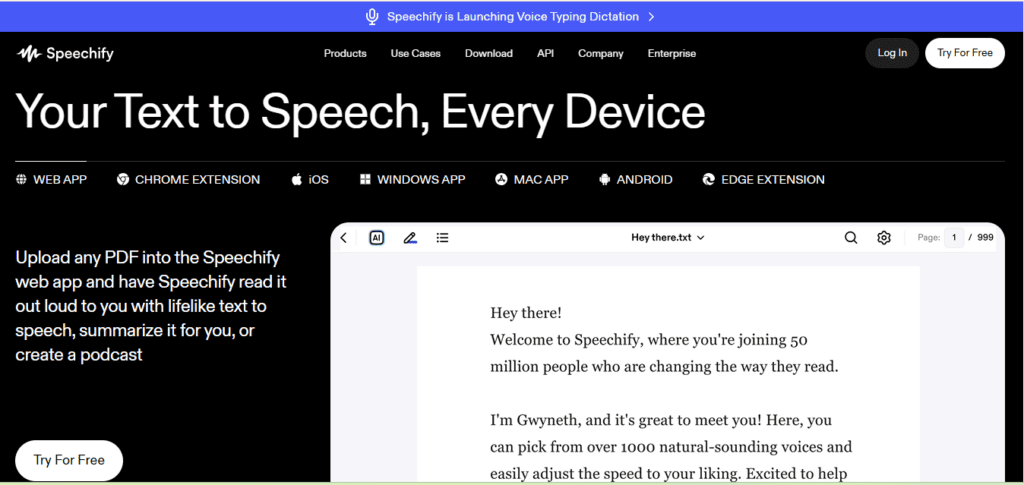
Best for: Students, professionals converting written content to audio for commuting/multitasking, and accessibility use cases (dyslexia, ADHD, low vision).
Speechify’s core product isn’t really a voiceover generator — it’s a reading tool. The Chrome extension, mobile apps, and desktop clients convert articles, PDFs, and documents into audio you can listen to hands-free. Speechify Studio, a separate product, handles more traditional voiceover production, including celebrity-licensed voice options.
Key Features
- Cross-platform sync (iOS, Android, Mac, PC, browser extension)
- Reads PDFs, emails, and web articles directly, not just pasted scripts
- Licensed celebrity voice options on the main platform (not available in Studio)
- Voice Typing Dictation and AI content summaries
- 1,000+ voices across 60+ languages
Pros
- Best-in-class for accessibility and personal productivity use cases
- Genuinely useful outside of “voiceover production” — reads your existing content library
- Strong cross-device experience
- Responsive customer support, per user reviews
Cons
- Free tier hits word limits quickly and downgrades to more robotic voices
- Premium voice quality is inconsistent — some voices sound noticeably more natural than others
- Celebrity voices are restricted to the main app and unavailable in Studio
- Not purpose-built for narrative YouTube content the way ElevenLabs or Murf are
Pricing: Free tier (limited); Premium around $29/month or $139/year; Studio Starter around $19/month; Studio Creator around $49/month.
Voice Quality: Good, natural reading cadence; varies by voice selection. Ease of Use: Very high for the reading use case; Studio has a separate, slightly steeper learning curve. Supported Languages: 60+. Commercial Usage: Available on Studio plans.
API Availability: Yes. Limitations: Better suited to consumption than polished narrative production. Final Verdict: Skip this one if your goal is YouTube voiceover production. Choose it if you want to listen to your own reading list, or need accessibility-first tooling.
5. LOVO (Genny) — Best for Female Voice Variety and All-in-One Editing
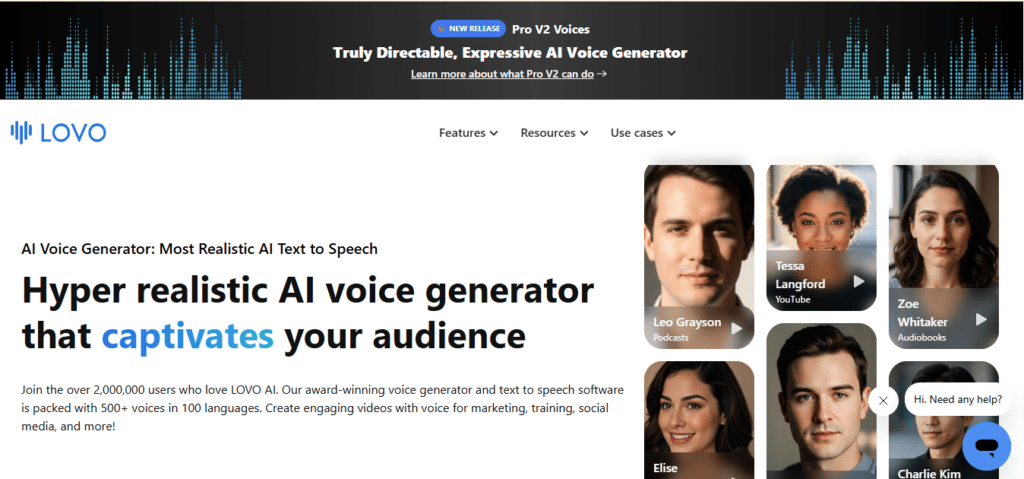
Best for: Social video creators and small teams who want scriptwriting, voice generation, subtitles, and stock media in a single editor.
LOVO’s Genny engine covers 500+ voices across 100+ languages, with particularly strong reviews for female voice naturalness and a genuinely useful all-in-one video editor bundled in — reducing the need to bounce between Descript, CapCut, and a separate TTS tool.
Key Features
- 500+ voices, 100+ languages, 30+ emotional tone presets
- Built-in AI scriptwriter and AI image generator
- Full video editor with stock footage, subtitles, and SFX
- Custom pronunciation library
- Instant voice cloning (English only)
Pros
- Genuinely all-in-one — script, voice, video, subtitles in one place
- Strong emotional range, especially for female-presenting voices
- Regenerating the same text doesn’t consume additional credits
- Clean, low-friction interface
Cons
- No download in the free tier
- Voice cloning limited to English
- Higher-tier plans needed to unlock unlimited cloning and larger storage
Pricing: Basic around $24/month (annual); Pro around $24–48/month; Pro+ around $75/month (annual).
Voice Quality: Strong, particularly for expressive/emotional delivery. Ease of Use: High. Supported Languages: 100+. Commercial Usage: Included on paid tiers. API Availability: Limited compared to ElevenLabs/Murf.
Limitations: Cloning restricted to English; less developer-focused than API-first competitors. Final Verdict: A strong pick if you want your entire short-form video production — not just the voice — handled in one subscription.
6. PlayHT — Best for Developer-First API Integration
Best for: Product and engineering teams embedding voice generation directly into apps, tools, or automated pipelines.
PlayHT built its reputation as an API-first voice platform with streaming support for real-time applications. Following its 2025 acquisition by Meta, its roadmap has shifted toward broader platform-scale infrastructure, which is worth factoring into any long-term integration decision.
Key Features
- Streaming API for real-time voice generation
- Voice cloning with full commercial rights on generated audio
- SDK coverage suited to embedded product use cases
Pros
- Strong technical foundation for developers automating high-volume audio production
- Full commercial rights included
Cons
- Roadmap uncertainty following the Meta acquisition
- Less emotional depth than ElevenLabs
- No native telephony or contact-center integration
- Some independent reviewers now consider it a shrinking priority for new projects given the ownership change
Pricing: Free tier (limited); Creator around $31/month; Pro around $99/month; Enterprise custom.
Voice Quality: Good, not class-leading. Ease of Use: Requires basic API/development familiarity. Supported Languages: Multiple, though narrower than ElevenLabs. Commercial Usage: Full rights included. API Availability: Yes, streaming-capable.
Limitations: Post-acquisition roadmap uncertainty is a real consideration for teams building long-term integrations. Final Verdict: Reasonable for existing API integrations; approach new commitments with some caution given the ownership transition.
7. Hume AI — Best for Emotionally Aware, Prompt-Designed Voices
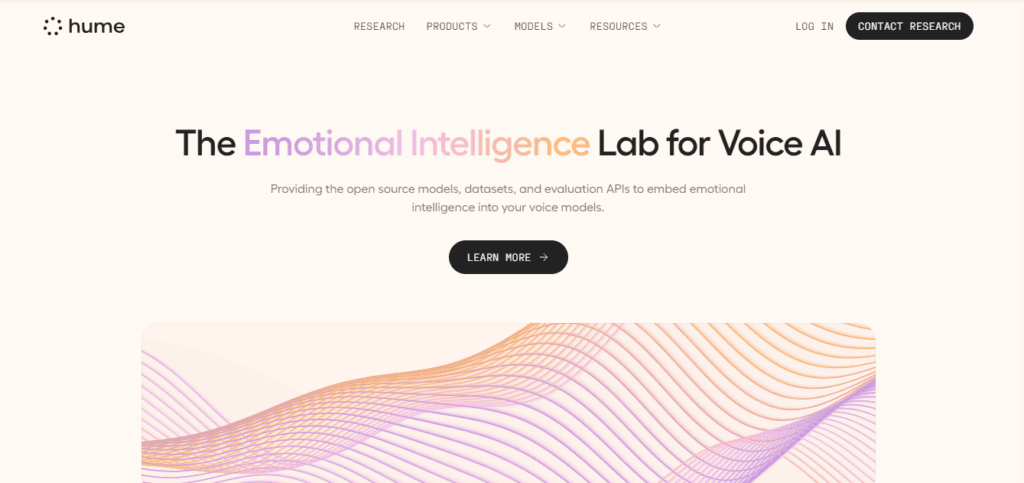
Best for: Researchers, conversational-agent developers, and creative projects where emotional nuance matters more than voice-library size.
Hume takes a fundamentally different approach: instead of choosing from a preset library, you describe the voice you want in natural language and iterate until it matches. Its Emotional Voice Intelligence system lets you dial specific emotions like joy or determination on a numeric scale, and its WebSocket API supports real-time emotionally-responsive conversation.
Key Features
- Voice Design from text prompts rather than a fixed library
- Emotional Voice Intelligence (EVI) with real-time emotional response
- Accent-shifting controls affecting rhythm and pronunciation
- Zero-data-retention privacy option
Pros
- Genuinely novel approach to voice creation
- Strong emotional nuance for creative and research applications
- Privacy-forward option for sensitive use cases
Cons
- Only English and Spanish supported — a hard limitation for global or multilingual creators
- Results can be unpredictable; getting a specific voice right takes iteration
- Not a good fit for straightforward, high-volume narration work
Pricing: Free tier (~10 minutes/month); Starter around $3/month; higher tiers for extensive use.
Voice Quality: Strong emotional nuance; less consistent than ElevenLabs for straightforward narration. Ease of Use: Moderate — prompt-based design has a learning curve. Supported Languages: English and Spanish only. Commercial Usage: Available depending on tier.
API Availability: Yes, WebSocket-based for real-time use. Limitations: Narrow language support; not built for high-volume content production. Final Verdict: A specialist tool. Worth exploring for emotionally expressive or conversational-agent projects, not a general-purpose voiceover replacement.
8. Rasa Voice — Not a Content Creator Tool (Included for Clarity)
Best for: Enterprise contact centers replacing legacy IVR systems — not YouTubers, podcasters, or marketing teams.
We’re including this because Rasa Voice ranks on the first page for “best AI voice generator” searches, and creators researching narration tools can land here by mistake.
Rasa Voice is a self-hosted conversational AI platform built for call-center automation: telephony integration (Twilio, Genesys, AudioCodes), DTMF keypad handling, and LLM governance for regulated call center compliance.
It does not offer a content-creation voice library, a script-to-voiceover editor, or the kind of narration workflow YouTube and podcast creators need.
Final Verdict: Excellent if you’re an enterprise IT team replacing an IVR system. Wrong category entirely for content creation — if that’s your goal, look at ElevenLabs, Murf, or LOVO instead.
9. ytZolo — Best for Creators Who Want Voice Production Inside a Full YouTube Workflow
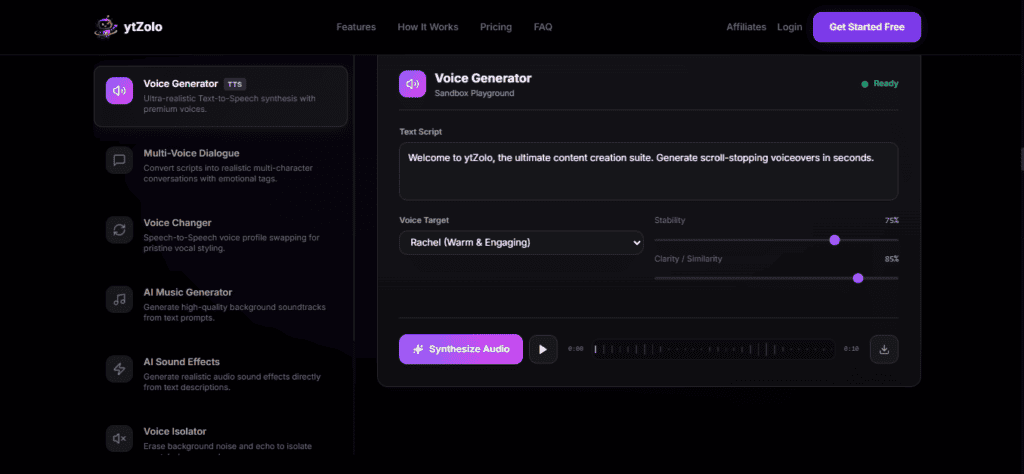
Best for: YouTubers and content creators who want narration, scripting, and channel optimization managed together instead of across five separate subscriptions.
ytZolo’s core positioning is different from every tool above: it isn’t trying to be the single most powerful voice engine on the market. It’s built as an all-in-one YouTube growth platform — AI-generated titles, thumbnails, scripts, descriptions, and tags — with an Audio Studio that brings AI voice generation, text-to-speech, AI dubbing, a voice changer, and AI music and sound-effect creation into the same dashboard as the rest of a creator’s production pipeline.
For a solo creator, the practical benefit isn’t a bigger voice library than ElevenLabs — it’s not having to hop between a scripting tool, a separate voice generator, a thumbnail app, and a title generator to finish one video.
If your script, your title, and your voiceover all come from the same platform, they’re easier to keep consistent in tone, and there’s one less login standing between an idea and a published video.
Key Features (per ytZolo’s product materials)
- AI script generation with hook, structure, and CTA built in
- Audio Studio covering AI voice generation, AI dubbing, voice changing, and AI music/sound effects
- AI title, thumbnail, description, and tag generation in the same dashboard
- Free-to-start plan for testing the core workflow before upgrading
Pros
- Consolidates voiceover with the rest of the YouTube production pipeline (script → voice → title → thumbnail → SEO)
- Useful for creators currently juggling ChatGPT, a separate voice tool, Canva, and a keyword tool
- Free tier available to test the core workflow
Cons
- A newer entrant compared to specialist voice platforms like ElevenLabs — worth comparing sample audio directly against your niche before committing to a paid plan
- If pure voice-cloning depth or the largest possible voice library is your only priority, a dedicated specialist (ElevenLabs) may still outperform an all-in-one platform on that single dimension
- As with any tool, verify current voice count, language coverage, and commercial licensing terms directly on ytzolo.com before publishing monetized content, since these details update over time
Final Verdict: If your bottleneck isn’t voice realism specifically but the total time it takes to go from idea to published, optimized video, ytZolo’s bundled approach is worth trialing on the free plan before you commit budget to a standalone voice tool plus three other apps.
Feature & Pricing Comparison Tables
Overall Feature Comparison
| Platform | Best For | Voice Count | Languages | Cloning | Free Plan | Starting Price |
|---|---|---|---|---|---|---|
| ElevenLabs | Content creators, dubbing | 1,000+ | ~29 | Yes | Yes (non-commercial) | ~$5/mo |
| Murf AI | Studio-style production | 200+ | 20+ | Yes | Trial only | ~$19–23/mo |
| WellSaid Labs | Enterprise L&D/compliance | 120+ | English only | Yes | Trial only | ~$49–50/mo |
| Speechify | Accessibility, reading | 1,000+ | 60+ | Limited | Yes (word-limited) | ~$29/mo or $139/yr |
| LOVO | All-in-one editing | 500+ | 100+ | English only | Trial | ~$24/mo |
| PlayHT | Developer API | Varies | Multiple | Yes | Limited | ~$31/mo |
| Hume AI | Emotional/prompt-based | Custom | English, Spanish | No | Yes (limited) | ~$3/mo |
| Rasa Voice | Enterprise IVR (not creator tool) | N/A | Configurable | N/A | Free dev tier | Custom |
| ytZolo | Full YouTube creator workflow | See site | See site | See site | Free-to-start | See site |
Pricing at a Glance (Entry Paid Tier)
| Platform | Entry Tier Price | What You Get |
|---|---|---|
| ElevenLabs | ~$5/mo | 30,000 characters (~30 min), commercial license |
| Murf AI | ~$19/mo (annual) | ~2 hours voice generation, 100 projects |
| WellSaid Labs | ~$49–50/user/mo | 60 downloads/mo, English voices, Adobe integration |
| Speechify Studio | ~$19/mo | 7,200 credits, 1,000+ voices, commercial rights |
| LOVO Basic | ~$24/mo (annual) | 2 hours generation/month |
| PlayHT Creator | ~$31/mo | Streaming API access, commercial rights |
| Hume Starter | ~$3/mo | ~30 minutes TTS |
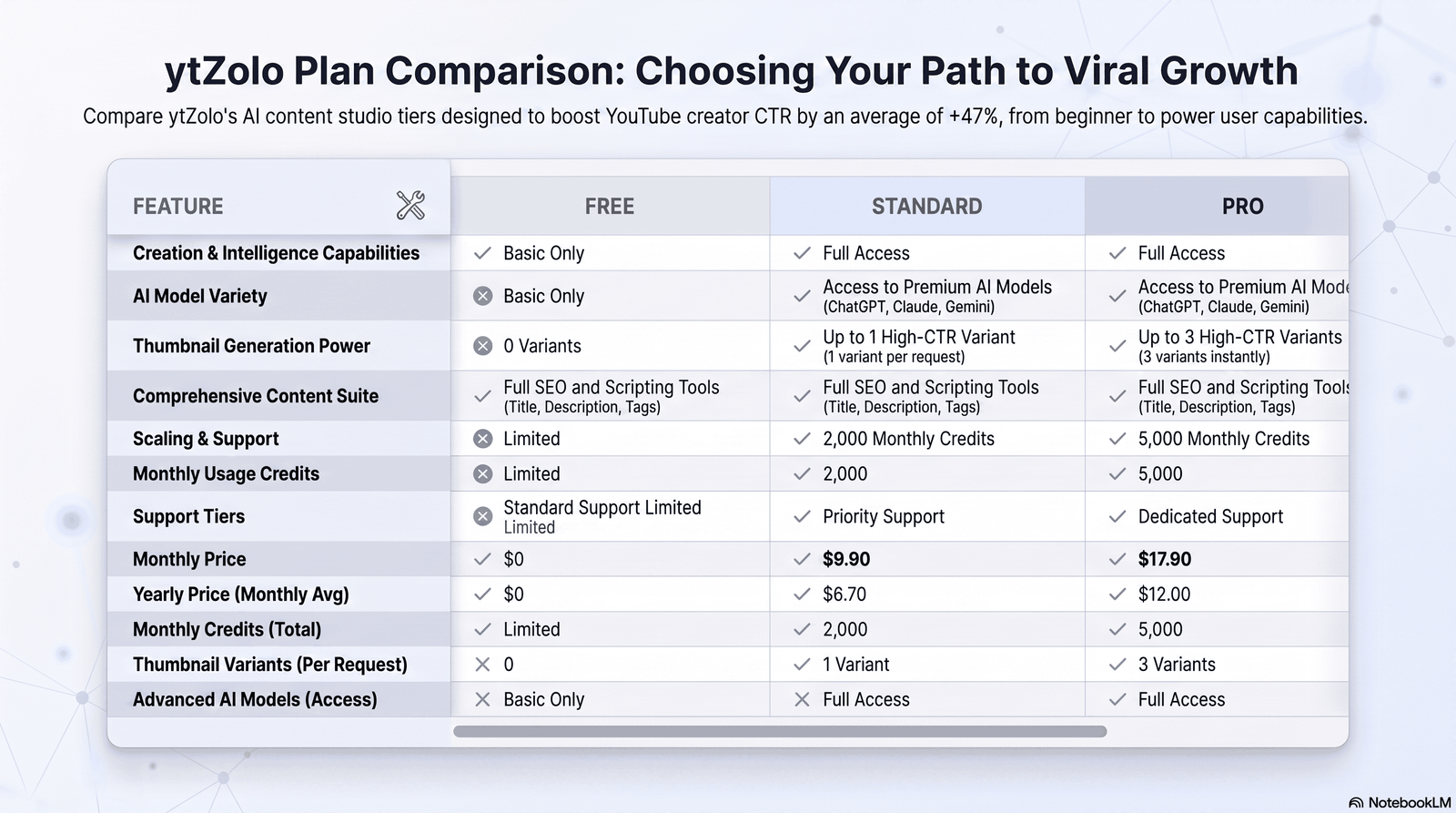
| ytZolo | Free to start | Core script, title, thumbnail, and audio tools |
Best By Use Case
| Use Case | Recommended Tool | Why |
|---|---|---|
| YouTube narration, widest voice choice | ElevenLabs | Largest library, strong dubbing, expressive range |
| Full studio production + music/SFX | Murf AI | Timeline editor, integrations, MultiNative |
| Enterprise training / compliance | WellSaid Labs | SOC 2/GDPR, licensed voices, word-level control |
| Reading existing content aloud | Speechify | Cross-device reader, accessibility focus |
| All-in-one short-form video editing | LOVO | Script + voice + video + subtitles together |
| Embedding voice into your own app | PlayHT | Streaming API, developer SDKs |
| Emotionally expressive / research | Hume AI | Prompt-based voice design, real-time emotion |
| Call-center IVR replacement | Rasa Voice | Telephony integration, governance (not for content creators) |
| Voice + full YouTube production pipeline | ytZolo | Script, title, thumbnail, SEO, and audio in one dashboard |
Content Creator Suitability Matrix
| Platform | YouTubers | Podcasters | Course Creators | Gaming/NPC | Businesses |
|---|---|---|---|---|---|
| ElevenLabs | Excellent | Excellent | Good | Good | Good |
| Murf AI | Good | Good | Good | Limited | Excellent |
| WellSaid Labs | Limited | Limited | Excellent (L&D) | Limited | Excellent |
| Speechify | Fair | Fair | Fair | Limited | Fair |
| LOVO | Excellent | Good | Good | Fair | Good |
| ytZolo | Excellent (full workflow) | Good | Fair | Limited | Good |
Voice Generator Selection Framework
Use this four-step framework instead of picking whatever tops a random “best of” list.
Step 1: Define your primary content type
Narrative YouTube video? Audiobook? Enterprise training module? Conversational voice agent? Each of these points toward a different category of tool (see Types of AI Voice Generators above) before you even compare specific platforms.
Step 2: Set your monthly volume honestly
Estimate finished minutes of audio per month, not characters — it’s easier to reason about. A weekly 10-minute YouTube video is roughly 40 minutes/month of finished narration; account for the fact that you’ll generate 2-3x that in drafts and re-takes.
Step 3: Rule out anything that fails your hard constraints
Hard constraints usually fall into three buckets: language coverage (does it support the languages your audience needs?), licensing (does the plan you can afford include commercial rights?), and compliance (do you need SOC 2/GDPR documentation for a regulated industry?). Eliminate anything that fails a hard constraint before comparing anything else.
Step 4: Score the remainder against your weighted priorities
Borrow our scoring criteria or build your own. A creator prioritizing speed might weight ease-of-use and voice library size heavily; an enterprise buyer might weight compliance and audit trails instead.
AI Voice Evaluation Scorecard
Rate each candidate tool 1–5 on the following, then total the weighted score:
| Factor | Weight | Your Score (1–5) | Weighted |
|---|---|---|---|
| Realism on YOUR actual script (not a demo) | x3 | ||
| Cost per finished minute at your real volume | x3 | ||
| Commercial licensing clarity | x2 | ||
| Language/accent match to your audience | x2 | ||
| Editing/control precision | x2 | ||
| Workflow fit with your existing tools | x2 |
Generate a 60–90 second sample of your actual script — not a demo script the vendor wrote — on your top three candidates before subscribing. This single step catches more mismatches than any comparison article, including this one.
Creator Decision Matrix
| If you are… | Start with |
|---|---|
| A solo YouTuber wanting the widest voice choice | ElevenLabs |
| A YouTuber who wants voice bundled with scripting, titles, and SEO | ytZolo |
| A small agency producing client marketing video | Murf AI |
| An L&D or compliance team at a mid-size or large company | WellSaid Labs |
| Someone converting your own reading list to audio | Speechify |
| A short-form creator who wants one editor for everything | LOVO |
| A developer embedding voice into a product | PlayHT (with roadmap caution) |
| Building emotionally expressive conversational agents | Hume AI |
| An enterprise IT team replacing a legacy IVR | Rasa Voice |
How to Choose the Right Tool for Your Use Case
For YouTube creators and faceless channels
Prioritize voice library depth, dubbing support if you want international reach, and a workflow that doesn’t stop at “here’s your MP3.” Pairing your voice tool with ytZolo’s script and title generation closes the gap between “I have a voiceover” and “I have a video ready to publish, optimized for search.”
For podcasters
Consistency across episodes matters more than raw emotional range. A cloned or single consistent stock voice, generated in a tool with a stable long-form editor (ElevenLabs’ Projects, or Murf’s timeline), will serve you better than switching voices experimentally.
For course and audiobook creators
Look specifically at long-form reliability — how a voice holds pacing and tone across 30+ minutes of continuous narration, not just a 20-second demo clip. WellSaid and ElevenLabs’ Projects editor are both built with this in mind.
For businesses and marketing teams
Weigh licensing and brand consistency over the size of the voice catalog. A smaller, well-controlled voice library (Murf, WellSaid) that your whole team can use consistently often beats a huge library where every team member picks a different voice.
For developers building voice into a product
API latency, streaming support, and SDK language coverage matter more than the web editor. PlayHT and Hume both lean this direction, though Hume’s language coverage is a real constraint to check against your product’s audience.
Common Mistakes Creators Make
Choosing a tool based on the demo voice alone. Vendor demo scripts are written to showcase a model’s strengths. Always test with your actual script.
Ignoring commercial licensing until after publishing. Free-tier audio is frequently restricted from monetized use — check before you upload to a monetized YouTube channel.
Cloning a voice without documented consent. This applies even to cloning your own voice on some platforms that require identity verification for professional cloning tiers — follow the platform’s process rather than skipping verification steps.
Over-relying on emotional directives. Stacking multiple emotion tags and manual pacing adjustments can sound less natural than a clean, well-punctuated script with minimal manual intervention. Subtlety usually outperforms heavy manual tuning.
Forgetting to budget for regeneration. Real production involves multiple takes per line. Budget 2-3x your “ideal” character or minute count when picking a plan tier.
Best Practices for Natural-Sounding AI Narration
- Write scripts the way people actually speak — shorter sentences, natural contractions — rather than dense written prose.
- Use punctuation deliberately: commas and em-dashes create natural pause points; periods create fuller stops.
- Test emotional directives sparingly and listen back before committing to a full script run.
- Keep a consistent voice per project; switching voices mid-video (unless intentional, for multiple characters) breaks immersion.
- Export at the highest available bitrate your platform allows, especially for anything going to a podcast platform or long-form YouTube upload.
Free vs. Paid AI Voice Generators
Free tiers are genuinely useful for testing whether a voice fits your project before paying — every platform reviewed here offers some form of free trial or limited free tier. But free tiers introduce three real risks worth knowing before you publish anything built on one.
Commercial usage restrictions. Most free tiers explicitly exclude monetized use. Publishing free-tier audio to a monetized YouTube channel can violate the platform’s terms of service even if YouTube itself has no issue with AI voices.
Quality and length caps. Free tiers commonly cap monthly minutes, restrict access to premium voices, or degrade audio quality under heavier use — this shows up quickly in longer-form content.
Data handling for sensitive scripts. Free tiers rarely publish detailed data retention policies. If your script includes anything sensitive — internal business information, unreleased product details — a documented paid plan with clear data handling terms is the safer choice.
For casual testing and non-monetized personal projects, free tiers are worth using. For anything monetized or brand-facing, budget for a paid tier from the start.
The Ethics of Voice Cloning and Licensing
Voice cloning sits in a genuinely unsettled legal space, and any responsible guide to this category has to say so plainly.
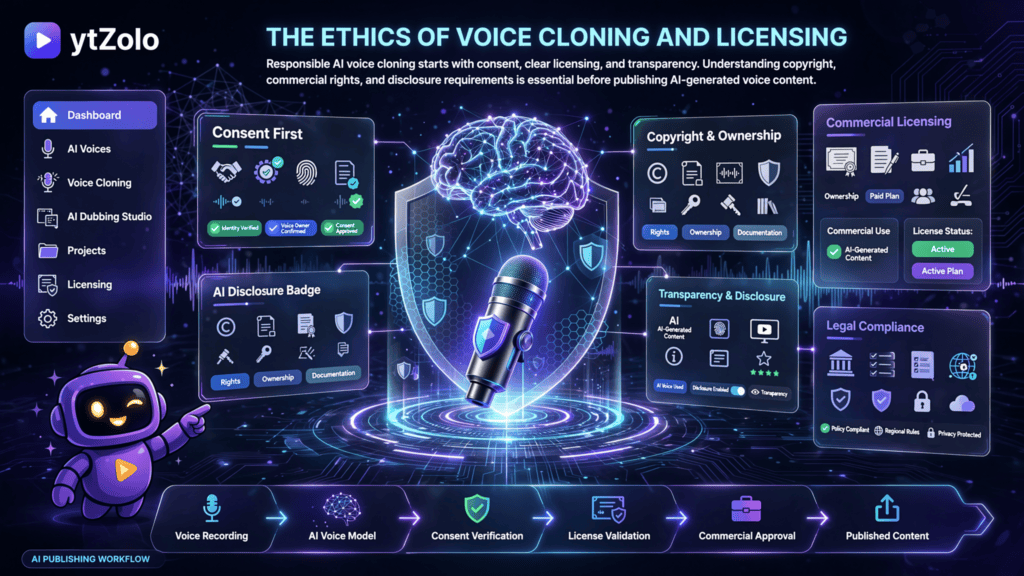
Consent is non-negotiable. Clone only your own voice, or a voice you have explicit, documented permission to use. Platforms like ElevenLabs and WellSaid Labs both implement consent-verification steps for professional cloning tiers — don’t work around them.
Copyright status of AI-generated content is jurisdiction-dependent. In the United States, the U.S. Copyright Office has indicated that works generated without meaningful human creative input may not qualify for copyright protection, which matters if you’re relying on AI narration as part of a commercial asset you intend to protect. Consult a qualified attorney for anything commercially significant.
Disclosure norms are tightening. Some platforms — and increasingly some jurisdictions — expect disclosure when synthetic voices are used in political, health, or news content specifically. Even where not legally required, transparent labeling builds trust with your audience.
“Free tier commercial use” is not a legal gray area — check the terms directly. Every platform in this article publishes commercial usage terms per tier. Read them before publishing, not after a takedown notice.
This article does not constitute legal advice. If voice cloning, likeness rights, or copyright ownership of AI-generated audio materially affects your business, consult a licensed attorney in your jurisdiction.
Future Trends in AI Voice Technology
Real-time, low-latency generation is becoming standard rather than a premium feature, driven by demand from conversational AI agents and live-streaming use cases — several platforms now advertise sub-200ms generation windows.
Emotion-aware, context-sensitive delivery is moving from novelty (Hume AI’s approach) toward mainstream feature parity across major platforms, as models get better at inferring appropriate tone from surrounding text rather than requiring explicit tags.
Consolidation around bundled creator workflows is accelerating — rather than a single best-in-class voice engine, more creators are choosing platforms (like ytZolo, LOVO, and Murf) that bundle voice generation with scripting, video, and distribution tooling, prioritizing end-to-end production speed over marginal gains in any single component.
Regulatory attention is increasing. Expect continued movement on disclosure requirements and likeness-rights legislation specific to AI voice cloning as adoption grows — this is a genuinely fast-moving area worth monitoring directly through primary sources rather than assuming today’s rules will hold in twelve months.
Frequently Asked Questions
What is the best AI voice generator overall? For most content creators, ElevenLabs offers the best combination of voice realism, library size, and dubbing support. For enterprise training content, WellSaid Labs is the stronger fit. For creators who want voice generation bundled with scripting, titles, and SEO in one platform, ytZolo is worth testing on its free tier.
Are AI voice generators free? Most operate on a freemium model — you can generate limited audio for free, but commercial use typically requires a paid plan. Free tiers commonly cap monthly minutes or restrict access to premium voices.
Can I use AI voices for YouTube monetization? Yes, as long as your plan includes commercial usage rights and you’re not cloning a voice without permission. YouTube permits monetized content narrated with AI voices; the platform’s terms of service on commercial licensing is the thing to verify, not YouTube’s policies specifically.
Is AI voice cloning legal? Generally yes, with conditions — cloning requires consent from the person whose voice is being cloned, and regulations vary by jurisdiction. Reputable platforms require consent verification for professional cloning tiers.
Do AI voices still sound robotic? Not on premium tiers of leading platforms. The realism gap that existed a few years ago has narrowed substantially, though free-tier voices on most platforms remain noticeably more mechanical than paid-tier voices.
What’s the difference between AI voice generators and AI dubbing tools? A voice generator converts text you provide into new audio. AI dubbing specifically takes existing spoken audio (usually from video) and replaces it with a new-language voice track, often preserving the original speaker’s tone and timing. Several platforms, including ElevenLabs, Murf, and ytZolo’s Audio Studio, offer both capabilities.
How much does an AI voice generator cost for a YouTube channel publishing weekly? For a channel publishing one ~10-minute video per week, entry-level paid tiers (roughly $5–25/month depending on platform) are typically sufficient, assuming moderate re-generation for edits. Daily uploaders or long-form (45+ minute) creators should budget for mid-tier plans instead.
Can AI voice generators handle multiple languages in one project? Yes — several platforms, notably ElevenLabs and Murf (via MultiNative), support switching languages within a single audio file, which is useful for bilingual content or code-switching scripts.
What should I look for when choosing an AI voice generator? Prioritize, in order: whether the tool fits your specific content type, commercial licensing clarity, realism on your actual script (not the vendor demo), pricing at your real production volume, and workflow fit with the rest of your production process.
Is there a free AI voice generator with commercial rights? Genuinely free-and-commercial combinations are rare; most platforms restrict free-tier output from monetized use. Entry-level paid tiers (often $3–25/month) are the realistic starting point if you need commercial rights.
Final Verdict
There isn’t one “best AI voice generator” in 2026 — there’s a best generator for your specific production context, and the guides that pretend otherwise are usually optimizing for affiliate commissions rather than your actual outcome.
If you want the single safest default: ElevenLabs for voice realism and library depth, Murf AI if you want a full production studio bundled in, and WellSaid Labs if you’re producing regulated enterprise training content.
If your real bottleneck is the total time from idea to published, SEO-optimized YouTube video — not voice quality specifically — ytZolo‘s bundled script, title, thumbnail, and Audio Studio workflow is worth trialing on its free tier before you assemble a five-tool stack to do the same job.
Whichever you choose, test it on your actual script before subscribing, read the commercial licensing terms for your specific plan tier, and never clone a voice without documented consent. Everything else in this guide is a starting point for that decision, not a substitute for hearing your own content read back to you.
About the Author
Anshika Verma Anshika Verma covers AI creator tools, YouTube growth strategy, and SEO for the ytZolo blog. Her work focuses on practical, workflow-level comparisons of AI content tools — helping creators separate genuinely useful features from marketing claims. She has written extensively on YouTube optimization, AI-assisted content production, and the operational side of running a content channel at scale.
📧 anshika@ytzolo.com
Note on ytZolo’s Audio Studio: This article describes ytZolo’s audio and voice capabilities (AI voice generation, dubbing, voice changing, AI music) at a general, product-category level based on ytZolo’s own stated positioning. At the time of research, the publicly indexed ytZolo blog content focused primarily on titles, thumbnails, scripts, descriptions, and SEO tools; specific voice-count, language-count, and pricing details for the Audio Studio should be verified directly on ytzolo.com before publishing, since we could not independently confirm those granular specifications from public site content at time of writing.

