
Table of Contents
Key Takeaways
- Multi AI means accessing several AI models (GPT, Claude, Gemini, DeepSeek, Grok, and others) from one workspace instead of juggling separate logins and subscriptions.
- It is not the same thing as an AI aggregator or a multi-agent system — the three terms get confused across the web, and the difference actually matters for what you can do with each.
- The core benefit is matching the model to the task: one model may write better prose, another may reason through code more reliably, a third may be faster for quick drafts.
- The core trade-off is that more choice adds a small layer of decision-making overhead, and quality still varies model-by-model and week-by-week as providers update their systems.
- Aizolo is one example of a multi-AI platform that puts several leading models and generation tools behind a single subscription; it’s referenced here as one option among several, not a universal answer for every workflow.
Introduction
If you’ve ever had ChatGPT open in one tab, Claude in another, and Gemini in a third — just to get through a single afternoon of work — you’ve already felt the problem that multi AI platforms exist to solve.
Multi Model AI refers to any tool or platform that gives you access to more than one AI model from a single interface, instead of locking you into one vendor’s ecosystem. Instead of choosing “the one best AI” and living with its blind spots, you pick whichever model suits the task in front of you.
People search for “Multi AI” for a very ordinary reason: they’re already paying for, or switching between, more than one AI tool, and they want to know whether there’s a simpler and cheaper way to do it.
Businesses want fewer procurement headaches. Developers want to compare outputs before shipping code. Marketers want to A/B test copy across models. Students want a second (and third) opinion on a tricky assignment.
This guide explains what multi model AI actually is, how it technically works, when it helps and when it doesn’t, and how to evaluate the platforms claiming to offer it — including Aizolo, one example of a multi-AI platform that bundles chat, image, and video generation from several providers into a single subscription. We’ll treat it the same way we treat every other platform here: with a factual, balanced look at where it fits and where it doesn’t.
What Is Multi AI?
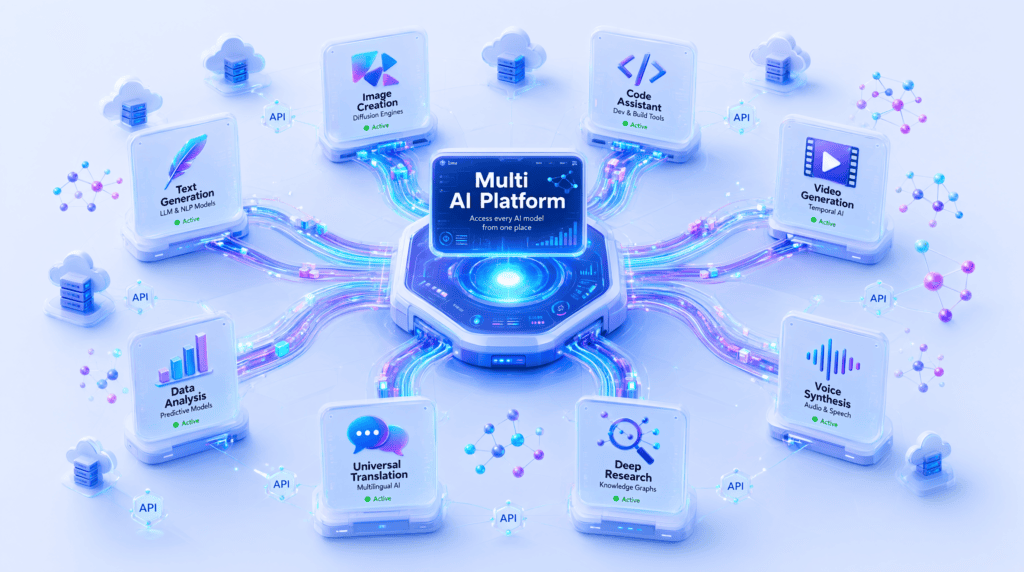
Multi AI, sometimes called multi model AI or a multi-LLM platform, is a system that gives a single user or team access to multiple underlying AI models — typically large language models (LLMs) like GPT, Claude, and Gemini, but sometimes image, video, and audio generation models too — through one account and one interface.
A simple definition
Think of it like a universal remote for AI. Instead of one remote per device, you get one interface that can “tune in” to whichever model you want, on demand.
Architecture, in plain terms
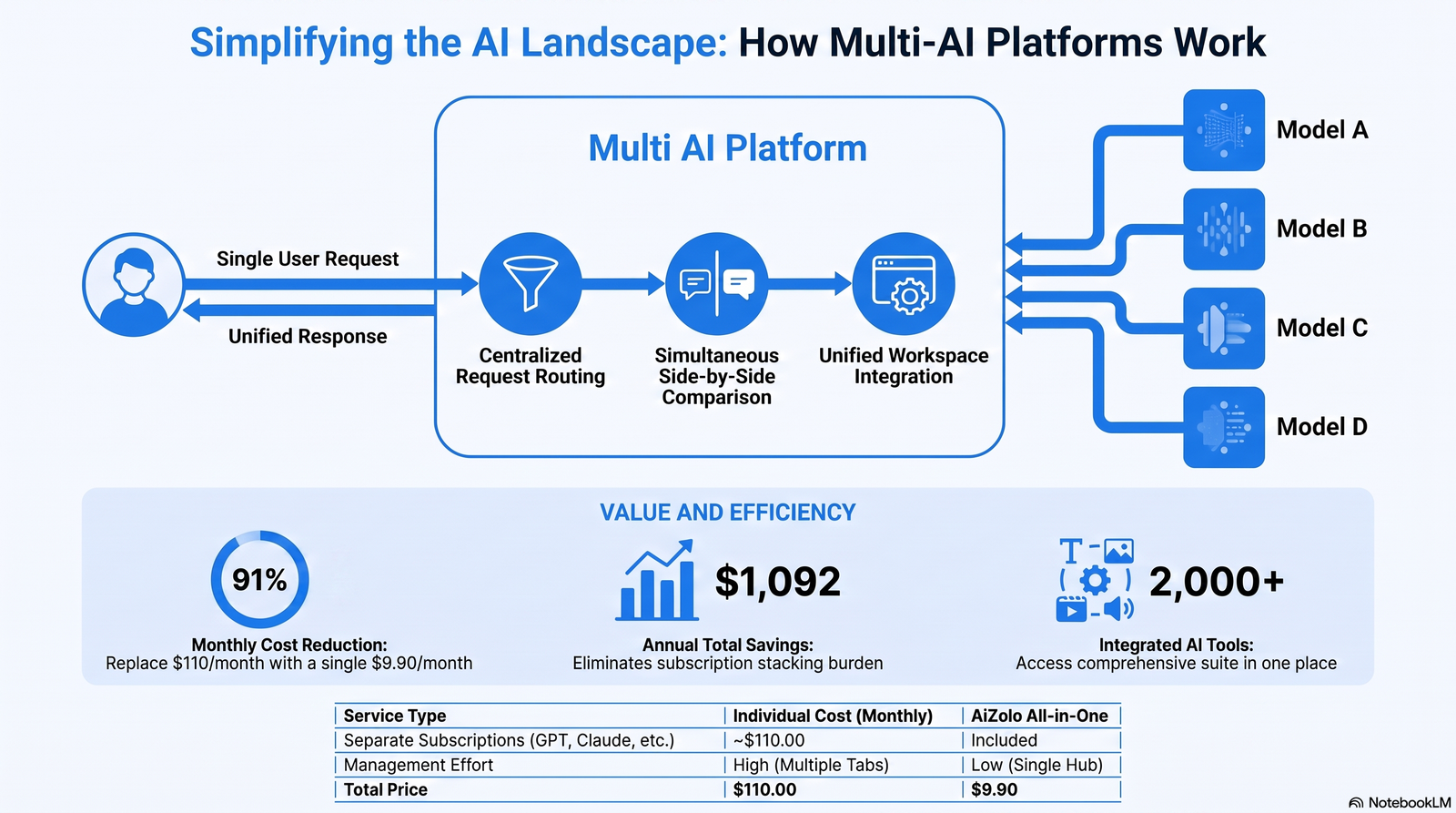
Under the hood, a multi-AI platform is a layer that sits between you and several AI providers’ APIs. When you send a prompt, the platform:
- Accepts your input through its own interface
- Sends that input to whichever model(s) you selected via each provider’s API
- Receives the response(s) back
- Displays them to you — either one at a time, or side by side for comparison
How it differs from single-model AI
A single-model AI tool (using ChatGPT alone, or Claude alone) gives you one system’s strengths and one system’s limitations, full stop. A multi-AI platform gives you the option to route around a weak spot — if one model struggles with a certain kind of reasoning or writing style, you can try another without leaving your workflow.
How the category evolved
Early AI tools in 2022–2023 were single-model by necessity — most products were thin wrappers around one API. As more capable models from multiple labs became available side by side, aggregator tools and browser extensions emerged first (simple model-switching), followed by more sophisticated multi-AI workspaces with shared memory, prompt libraries, and side-by-side comparison — the category this guide focuses on.
How Multi AI Works
The experience feels simple — pick a model, type a prompt, get an answer — but several things typically happen behind the scenes.
Model routing. The platform determines which model (or models) should receive your prompt, either because you selected it manually or because the platform has logic to suggest one based on task type.
API orchestration. Each AI provider (OpenAI, Anthropic, Google, and others) exposes its model through an API. The multi-AI platform manages authentication, rate limits, and formatting differences between these APIs so you don’t have to.
Prompt handling. Your prompt may need light reformatting to work well across different providers, since each model has its own expectations around system prompts, context length, and formatting.
Response aggregation. If you’re comparing models side by side, the platform waits for multiple responses and displays them together, often with basic formatting or highlighting differences.
Fallbacks and model switching. If a model is down, rate-limited, or returns an error, a well-built platform can retry with a fallback model, or simply flag the failure so you can pick another model manually.
Memory and context. More advanced platforms maintain a memory layer above the individual models, so your project context, preferences, or past conversations persist even when you switch which underlying model you’re talking to.
Why Multi AI Platforms Are Growing
Several forces are pushing adoption of multi-AI platforms at once:
- Market fragmentation. No single lab has a durable lead across every task — writing, coding, reasoning, and image generation leaders shift model release by model release, so relying on one vendor means periodically falling behind.
- Enterprise adoption. Larger organizations increasingly want vendor flexibility and negotiating leverage rather than single-vendor dependency, particularly for compliance and procurement reasons.
- Developer demand. Developers building AI features want to benchmark models against their own use case rather than trust marketing claims, and multi-AI platforms make that benchmarking faster.
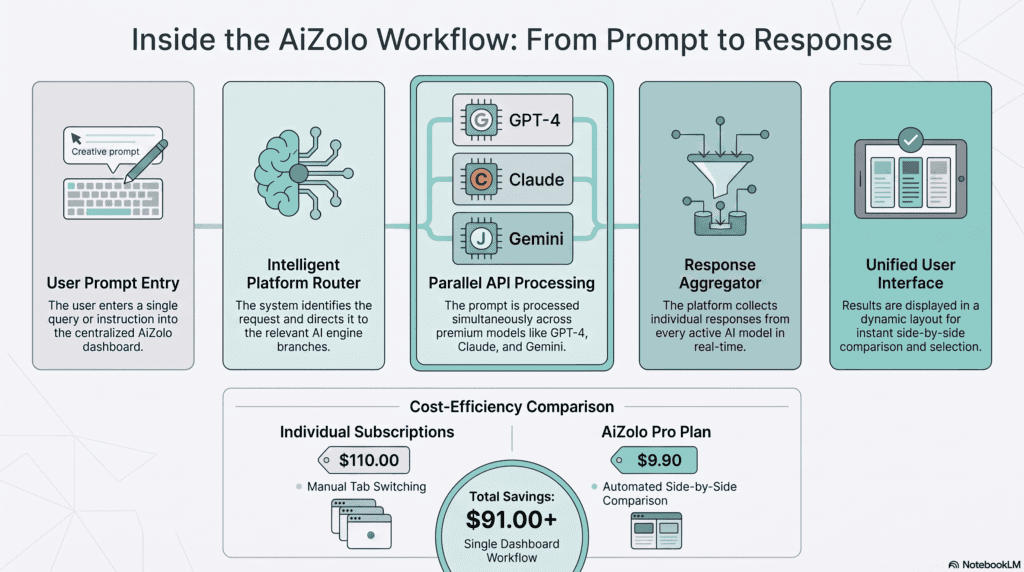
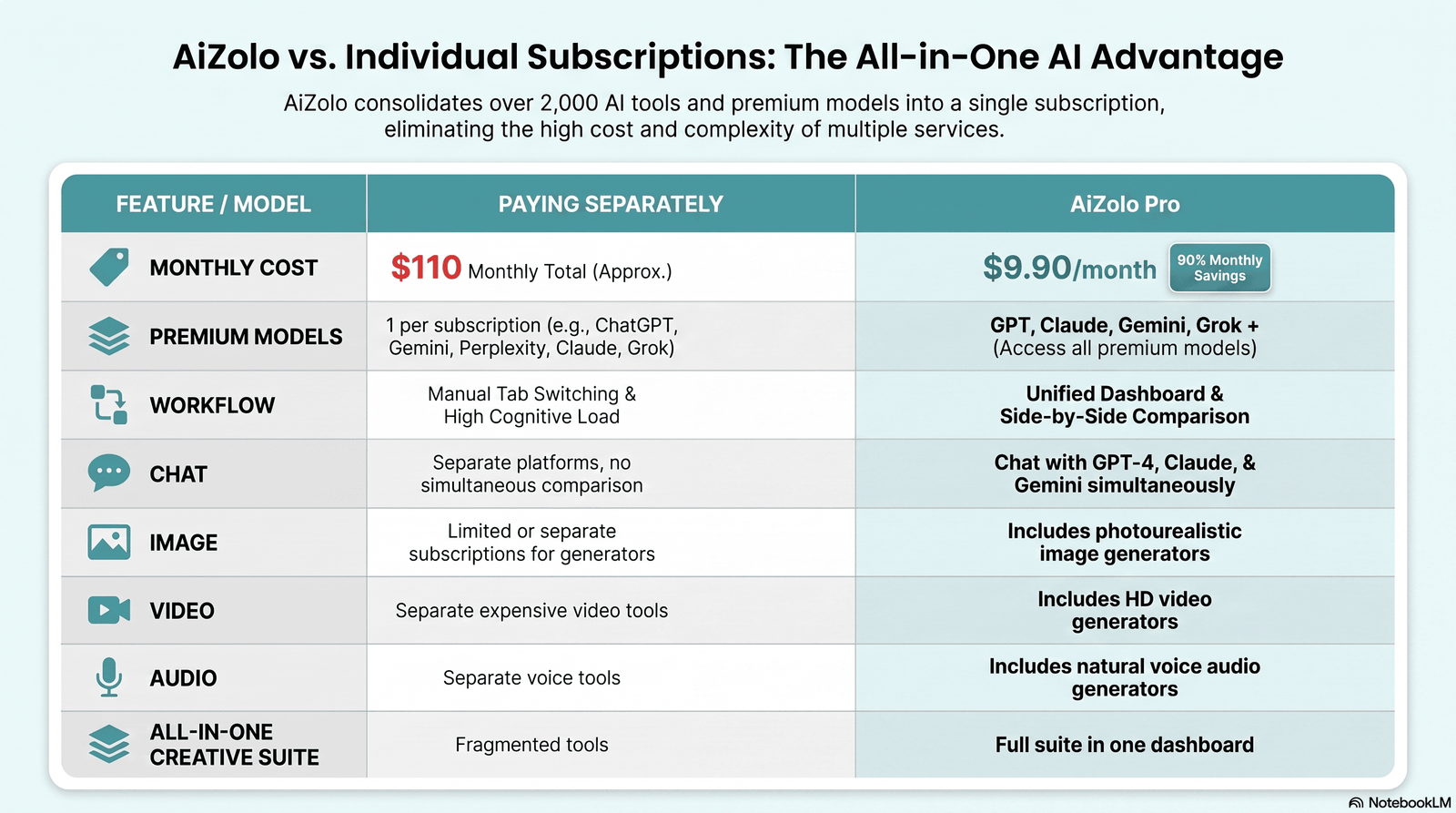
- Cost optimization. Paying for one consolidated subscription is frequently cheaper than paying for several separate premium AI subscriptions in parallel.
- Model diversity as a hedge. Different providers have different strengths, release cadences, and occasional outages; spreading usage reduces single points of failure.
- Vendor independence. Individuals and teams are increasingly wary of being fully locked into one company’s roadmap, pricing changes, or policy shifts.
According to Stanford’s AI Index and industry surveys from firms like McKinsey and Gartner, enterprise AI adoption has moved from experimentation toward multi-vendor deployment as organizations mature their AI strategies — a trend that mirrors the broader shift toward multi-cloud infrastructure seen in the 2010s.
Benefits of Multi AI
| Audience | Primary Benefit | Example |
|---|---|---|
| Businesses | Vendor flexibility and cost control | Comparing customer-support draft replies across two models before finalizing tone |
| Developers | Faster model benchmarking | Testing the same coding prompt against multiple models before choosing one for production |
| Marketers | Copy testing at scale | Running the same ad brief through several models and picking the strongest variant |
| Researchers | Cross-validation | Checking a summary or citation-style answer against a second model for consistency |
| Students | Second opinions on explanations | Asking two models to explain the same math concept in different ways |
| Content creators | Style range | Using one model for structure and another for a different tone of voice |
| Startups | Lower fixed AI costs | Replacing three separate subscriptions with one consolidated plan |
| Agencies | Client work organization | Running the same brief across models per client account without juggling logins |
Drawbacks of Multi AI
A fair comparison means being honest about the downsides too.
- Learning curve. Understanding which model tends to be strong at which task takes some trial and error at first.
- Privacy considerations. Routing your data through a third-party platform, which then routes it to multiple underlying providers, adds an extra layer to think about for sensitive data — read the platform’s data policy carefully.
- Latency. Comparing multiple models at once can be slower than a single, direct query, since you’re waiting on multiple API responses.
- Pricing complexity. Some platforms bundle “credits” or “tokens” in ways that are harder to estimate upfront than a flat per-model subscription.
- Vendor dependency (one layer removed). You reduce dependency on any single AI lab, but you now depend on the multi-AI platform itself staying operational and well-maintained.
- Quality consistency. Because underlying models are updated independently by their own providers, a platform’s overall quality can shift without warning as any one model changes.
Best Multi Model AI Platforms Compared
Below is a factual, side-by-side look at platforms currently marketed as multi-AI or multi-model. Pricing and feature details change frequently — verify current specifics directly with each provider before purchasing.
| Platform | Notable Models Included | Standout Feature | Approx. Starting Price | Free Tier |
|---|---|---|---|---|
| Aizolo | ChatGPT, Claude, Gemini, Grok, Perplexity, and others | Side-by-side model comparison plus bundled image, video, and audio generation in the base paid plan | ~$9.90/month | Yes |
| Aymo AI | GPT, Claude, Perplexity, Gemini, DeepSeek, Qwen, GLM | Team collaboration and shared workspaces | ~$4/month | Yes |
| Monica | GPT, Claude, Gemini, DeepSeek | Browser extension plus desktop/mobile apps | ~$9.9/month | Yes |
| Merlin AI | GPT, Claude, Gemini, Grok, DeepSeek, Mistral, LLaMA | Works inside webpages, PDFs, and search results | ~$29/month | Yes |
| Mammouth AI | GPT, Claude, Gemini, LLaMA | Broad file-format support, GDPR-oriented policy | ~€10/month | No |
| Poe (Quora) | GPT, Gemini, Claude, Mistral | Custom bot building | ~$4.99/month (credits) | No |
| GlobalGPT | GPT, Claude, DeepSeek, Grok, Veo | Media generation alongside chat | ~$8.9/month | No |
| WritingMate | 200+ models | Voice conversation and large model catalog | ~$20/month | No |
How to read this table: starting price reflects the entry paid tier at time of research and does not include annual-plan discounts most platforms offer.
“Standout feature” reflects what each platform emphasizes in its own marketing, not an independent benchmark score — always test the free tier on your actual workflow before committing.
Aizolo is included first here because it’s directly relevant to this topic, but it isn’t positioned as an automatic winner — it’s one credible option among several, and the right one for you depends on which models and which secondary tools (image, video, code) matter most for your workflow.
Multi AI vs. Single AI
| Factor | Multi AI | Single AI |
|---|---|---|
| Model choice | Multiple models, switch per task | One model, one vendor |
| Cost structure | Often one bundled subscription | One subscription per tool if you use more than one |
| Learning curve | Slightly higher (which model for what) | Lower — one interface to learn |
| Output diversity | Can compare styles and reasoning approaches | Consistent but limited to one model’s style |
| Vendor risk | Distributed across providers | Concentrated in one provider |
| Best for | Users who already rely on 2+ AI tools | Casual users with one clear, narrow use case |
Multi AI vs. AI Aggregators
These terms are used almost interchangeably across the web, but there’s a useful distinction:
- A multi-AI platform typically gives you a genuine, native workspace: shared chat history, memory, prompt libraries, and side-by-side comparison built around switching between a curated set of top-tier models.
- An AI aggregator more often means a large directory or marketplace connecting to hundreds or thousands of smaller tools and APIs, prioritizing breadth of tool count over a deep, unified workspace experience.
In practice, many products blend both ideas — a multi-AI workspace that also plugs into a large catalog of extra tools. If your priority is deep, daily use of 3–6 top models with real continuity between them, look for multi-AI language.
If your priority is discovering the widest possible range of niche AI tools, an aggregator-style directory may serve you better. For a deeper breakdown of the aggregator side of this category, see Ytzolo’s AI Aggregator guide.
If you want the fundamentals on how the underlying models themselves differ before you pick a platform, Ytzolo’s AI Models Explained guide is a useful companion read.
Real Use Cases
- Marketing: Running the same campaign brief through two models and merging the stronger lines from each into a final draft.
- SEO: Drafting outlines with one model, then having a second model critique gaps before a human editor finalizes the piece.
- Coding: Submitting the same bug report to two models and comparing their proposed root causes before implementing a fix.
- Research: Cross-checking a summary of a dense paper against a second model to catch potential misreadings.
- Education: Getting two different explanations of the same concept when the first one doesn’t click.
- Design: Generating multiple visual directions for a concept using different image-generation engines within one platform.
- Business strategy: Stress-testing a decision memo by asking multiple models to poke holes in the reasoning.
- Customer support: Drafting a difficult reply with one model, then checking tone with another before sending.
- Sales: A/B testing outreach message variants generated by different models.
- Automation: Using a fallback model automatically when a primary model is rate-limited during a high-volume task.
Step-by-Step: How to Choose a Multi AI Platform
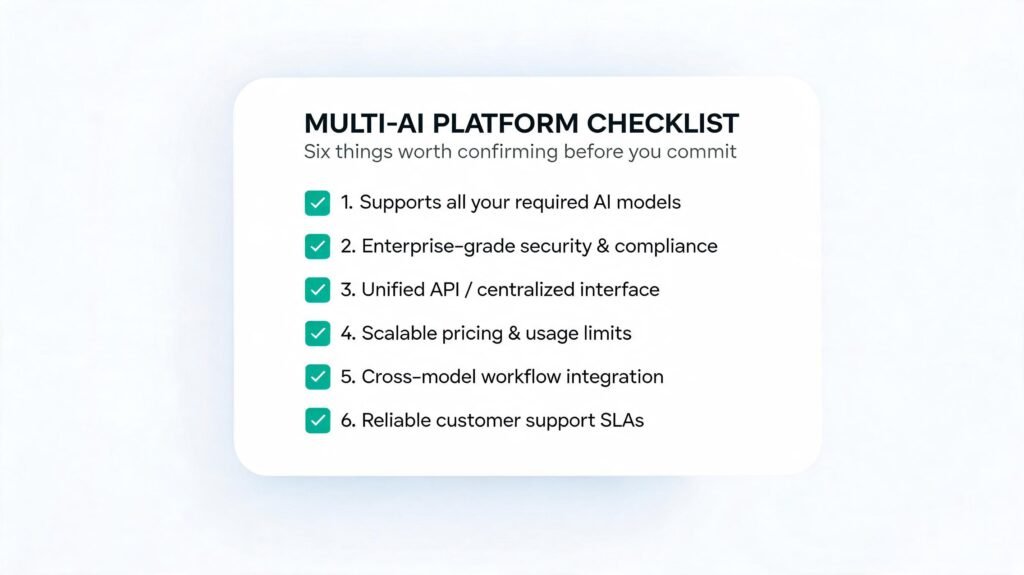
1. List the models you actually need. Don’t chase the highest model count — check that the 3–5 models you use most are included.
2. Check for the extras you actually use. Image, video, or audio generation only matters if those are part of your workflow.
3. Test the free tier with a real task. Not a toy prompt — your actual recurring work.
4. Check the data and privacy policy. Especially if you’ll process client or proprietary information.
5. Compare pricing against your current spend. Add up what you currently pay across separate tools before assuming a bundle is cheaper.
6. Check for BYOK (bring your own key) support if you already have provider API credits you don’t want to waste.
7. Confirm collaboration features if you’re evaluating this for a team, not just yourself.
Decision Tree (text version)
Do you already use 2+ AI models regularly?
 ├─ No → A single-model subscription is probably simpler for now.
 └─ Yes → Do you need image/video generation too?
     ├─ Yes → Look at platforms bundling generation tools (e.g., Aizolo, GlobalGPT, Galaxy.ai)
     └─ No  → Do you need team collaboration features?
         ├─ Yes → Prioritize platforms with shared workspaces (e.g., Aymo AI)
         └─ No  → Compare pricing and free tiers directly on your top 2–3 shortlisted options
Quick Checklist
- [ ] Confirms the specific models you rely on are included
- [ ] Has a usable free tier
- [ ] Publishes a clear data/privacy policy
- [ ] Supports BYOK if relevant to you
- [ ] Pricing is transparent (not vague “credits” with no clear conversion)
- [ ] Has active support and a visible update cadence
Common Mistakes
- Choosing a platform based on model count rather than model quality for your specific tasks
- Ignoring the data privacy policy before uploading sensitive documents
- Assuming every model performs identically on every task
- Not testing the free tier before subscribing annually
- Overlooking hidden “credit” pricing that burns through faster than expected on media generation
- Sticking with the default model instead of trying alternatives when output quality disappoints
- Treating multi-AI platforms and AI aggregators as identical when shopping
- Forgetting to check whether a platform supports your existing provider API keys (BYOK)
- Not verifying team/collaboration features before recommending a tool to a whole team
- Assuming “cheaper than five subscriptions” math without actually adding up your current spend
- Ignoring latency differences when comparing models side by side under time pressure
- Failing to save effective prompts, and rewriting them from scratch each session
- Using the same prompt verbatim across models without adjusting for each model’s quirks
- Not setting expectations with clients/stakeholders that AI-assisted output still needs human review
- Overlooking export/import options, which matters if you ever want to switch platforms later
- Assuming a bundled platform removes all vendor risk instead of just distributing it
Best Practices
- Match the model to the task type, not the other way around
- Keep a running note of which model performed best for which recurring task
- Use side-by-side comparison for high-stakes content before publishing
- Read the platform’s privacy policy before uploading client or proprietary data
- Start on a free or low-cost tier before committing annually
- Build a small prompt library for tasks you repeat often
- Periodically re-test models you’ve dismissed — capabilities change fast
- Separate “drafting” tasks from “fact-checking” tasks across different models when accuracy matters
- Use BYOK if you already have provider credits to avoid double-paying
- Set a monthly budget ceiling before enabling media generation features
- Document your team’s model-choice guidelines so output stays consistent
- Treat every AI output as a draft requiring human review, not a final answer
- Compare export options in case you need to migrate platforms later
- Avoid uploading anything you wouldn’t be comfortable a third party processing
- Check release notes regularly — model line-ups inside these platforms change often
- Use shorter, more specific prompts across multiple models rather than one long prompt for all
- Cross-check factual claims and citations across at least two models for research work
- Keep personal and work accounts separate if using free tiers with usage limits
- Review whether your plan tier actually unlocks the models you assumed were included
- Revisit your platform choice every 6–12 months as the competitive landscape shifts quickly
Future Trends
- AI agents: Multi-AI platforms are increasingly layering in agentic features — models that can take multi-step actions, not just answer single prompts.
- Reasoning models: Dedicated “thinking”/reasoning-focused models are becoming a distinct category multi-AI platforms need to support alongside general chat models.
- Open-source models: Open-weight models (like LLaMA and DeepSeek variants) are increasingly bundled alongside closed models, giving users a cost-effective middle tier.
- Model routing intelligence: Expect more platforms to auto-suggest the best model for a given prompt rather than requiring manual selection every time.
- Hybrid AI: Combining cloud models with lightweight local/on-device models for privacy-sensitive tasks.
- Local AI: Growing interest in running smaller models locally for cost and privacy reasons, with multi-AI platforms acting as the orchestration layer across both local and cloud models.
- Enterprise AI: Expect deeper compliance tooling (audit logs, data residency controls) as multi-AI adoption moves further into regulated industries.
- Multimodal systems: The line between “chat platform” and “creative suite” keeps blurring as text, image, video, and audio generation converge into single workspaces.
Expert Insights
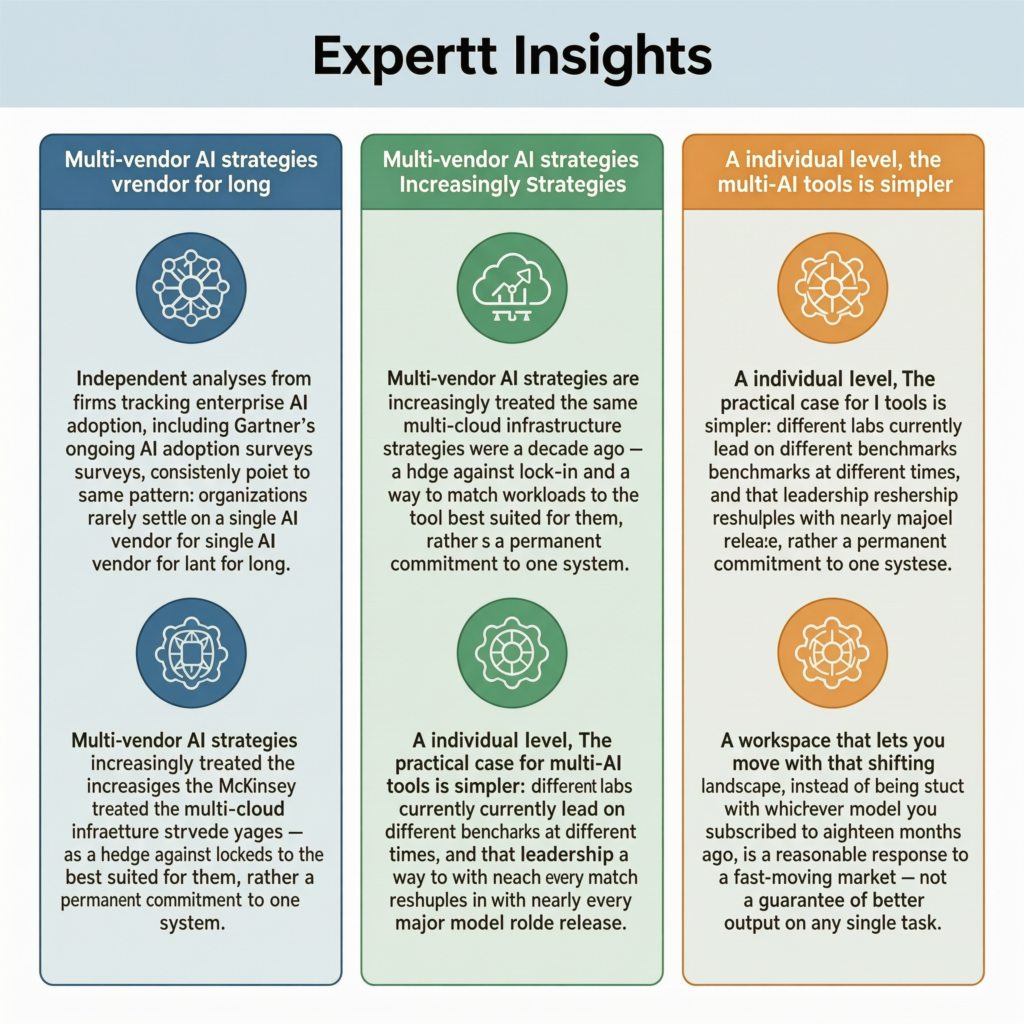
Independent analyses from firms tracking enterprise AI adoption, including Gartner and McKinsey’s ongoing AI adoption surveys, consistently point to the same pattern: organizations rarely settle on a single AI vendor for long.
Multi-vendor AI strategies are increasingly treated the same way multi-cloud infrastructure strategies were a decade ago — as a hedge against lock-in and a way to match workloads to the tool best suited for them, rather than a permanent commitment to one system.
At the individual level, the practical case for multi-AI tools is simpler: different labs currently lead on different benchmarks at different times, and that leadership reshuffles with nearly every major model release.
A workspace that lets you move with that shifting landscape, instead of being stuck with whichever model you subscribed to eighteen months ago, is a reasonable response to a fast-moving market — not a guarantee of better output on any single task.
FAQs
What is Multi AI? Multi AI refers to accessing several different AI models — such as GPT, Claude, and Gemini — from one platform or workspace instead of separate accounts.
Is Multi AI the same as an AI aggregator? Not exactly. Multi-AI platforms usually emphasize a small set of top models with a deep, unified workspace, while AI aggregators emphasize breadth across hundreds or thousands of tools. Some products blend both.
Does using multiple AI models actually improve output quality? It can, particularly for tasks where you compare outputs and pick or merge the strongest response — but it doesn’t automatically make any single model smarter; it gives you more options to choose from.
Are multi-AI platforms more expensive than a single subscription? Often they’re cheaper than paying for multiple separate premium subscriptions individually, but compare your actual current spend against a specific platform’s pricing before assuming savings.
Is my data safe on a multi-AI platform? It depends entirely on the platform’s specific privacy policy and how it handles data with each underlying provider. Always read the policy directly, especially for sensitive or client data.
Can I bring my own API keys to a multi-AI platform? Many, though not all, multi-AI platforms support BYOK (bring your own key), which lets you use existing provider credits. Confirm this feature exists before assuming it does.
What’s the difference between multi model AI and multi-agent AI? Multi model AI means switching between different underlying models for the same type of task. Multi-agent AI means multiple AI “agents” collaborating or debating to reach a combined answer — a related but distinct concept.
Which AI model is best for coding? This changes frequently as providers release updates; the practical approach is to test your specific coding tasks across 2–3 models rather than rely on a fixed “best” ranking.
Do I need a multi-AI platform if I only use ChatGPT? Not necessarily. If one model consistently meets your needs, a single subscription may be simpler. Multi-AI tools add the most value once you’re already using two or more models regularly.
What should I look for first when comparing multi-AI platforms? Confirm the specific models you rely on are actually included, check the free tier works for your real tasks, and read the data policy before anything else.
Is Aizolo a multi-AI platform or an AI aggregator? Aizolo positions itself as a multi-AI workspace — it bundles a defined set of leading chat models with image, video, and audio generation tools under one subscription, rather than functioning as a large directory of many smaller tools.
Can multi-AI platforms replace developers’ need to use provider APIs directly? For prototyping, comparison, and lighter workflows, often yes. For production applications with specific latency, cost, or compliance requirements, many teams still integrate directly with a provider’s API rather than through a third-party platform.
Do multi-AI platforms support teams, not just individuals? Some do, with shared workspaces, roles, and permissions; others are built primarily for individual use. Check this specifically if you’re evaluating a platform for a team.
How often should I re-evaluate my multi-AI platform choice? Given how quickly models and pricing change, revisiting your choice every 6–12 months is a reasonable cadence.
What happens if one of the underlying AI providers has an outage? Well-built multi-AI platforms can fall back to an alternative model automatically or let you manually switch, which is one of the practical advantages over relying on a single vendor.
Conclusion
Multi model AI isn’t a single product — it’s a category of tools built around a simple idea: no one AI model is best at everything, so why lock yourself into just one? Whether you’re a solo creator comparing tones across models or a team trying to cut AI subscription costs, the right approach is to start with your actual workflow, not a feature checklist. Shortlist based on the specific models and extras you need, test the free tier on real work, read the privacy policy, and revisit your choice periodically as this space keeps moving fast.
If you’re ready to try a multi-AI workspace, comparing a couple of free tiers — including Aizolo‘s — against your own recurring tasks is a more reliable test than any features table, including this one.
About the Author
Anshika Verma — AI Researcher & Technical Content Writer
Anshika writes on AI tools, SaaS platforms, and applied SEO research for Ytzolo, focusing on translating fast-moving developments in the AI tooling space into practical, evidence-based guidance for readers evaluating new platforms. Her work emphasizes balanced comparisons over promotional claims, grounded in direct product research and current industry reporting.
📧 anshika@ytzolo.com

