
Introduction
If you have ever paid for ChatGPT Plus, Claude Pro, and Gemini Advanced in the same month, you already understand the problem.
Each tool is genuinely useful. But three logins, three bills, and three browser tabs add friction to something that should feel simple.
An AI aggregator solves that specific problem. It puts multiple AI models — chat, image, video, and search — behind one login and one subscription.
This guide breaks down what an AI aggregator actually is, how the category works in 2026, and how to judge whether one is worth adding to your workflow.
We will look at real platforms, including Aizolo, ChatHub, Poe, OpenRouter, Perplexity, You.com, Monica, and Abacus AI, and compare them side by side.
By the end, you will know exactly what questions to ask before you subscribe to any all-in-one AI tool.
Table of Contents
What Is an AI Aggregator?
An AI aggregator is a directory-style platform built around tool count — connecting you to dozens, hundreds, or thousands of AI tools and models through one account, prioritizing breadth of access over a deep, curated workspace around a handful of top models.
Where a multi-AI workspace curates 3–6 flagship models with shared memory and prompt libraries, an aggregator’s core value is coverage: it exists so you never have to go hunting for the right niche tool yourself.
Instead of subscribing separately to ChatGPT, Claude, and Gemini, you log into a single AI workspace and pick whichever model fits the task.
Think of it the way you already think about a music aggregator. You do not buy individual songs anymore; you subscribe to one service that holds the catalog.
If a multi-AI platform is a curated streaming service with a hand-picked catalog, an AI aggregator is closer to a search engine for AI tools — the value is in the size and organization of the index, not in how deeply it wraps any single tool.
Looking for a curated, deep-workspace experience with a small set of top models instead? See our Multi AI guide for that side of the category.
An AI aggregator applies that same logic to language models, image generators, and increasingly to video and audio tools too.
The primary keyword here — AI aggregator — describes any product built around this core idea: unify access, simplify billing, and remove the need to manage separate AI accounts.
Some aggregators focus purely on chat (comparing GPT-5 against Claude side by side). Others go further and add prompt libraries, memory, custom API keys, and project workspaces.
Callout: In plain terms An AI aggregator is a single subscription that stands in front of many AI providers, so you never have to remember which app has which model.
Why AI Aggregators Matter in 2026
The number of usable AI models has grown far faster than most people’s patience for managing subscriptions.
In 2023, comparing two or three chatbots felt like a novelty. By 2026, a serious AI user is realistically choosing between GPT-5, Claude, Gemini, Grok, DeepSeek, Llama, and several specialized models — often for the same task.
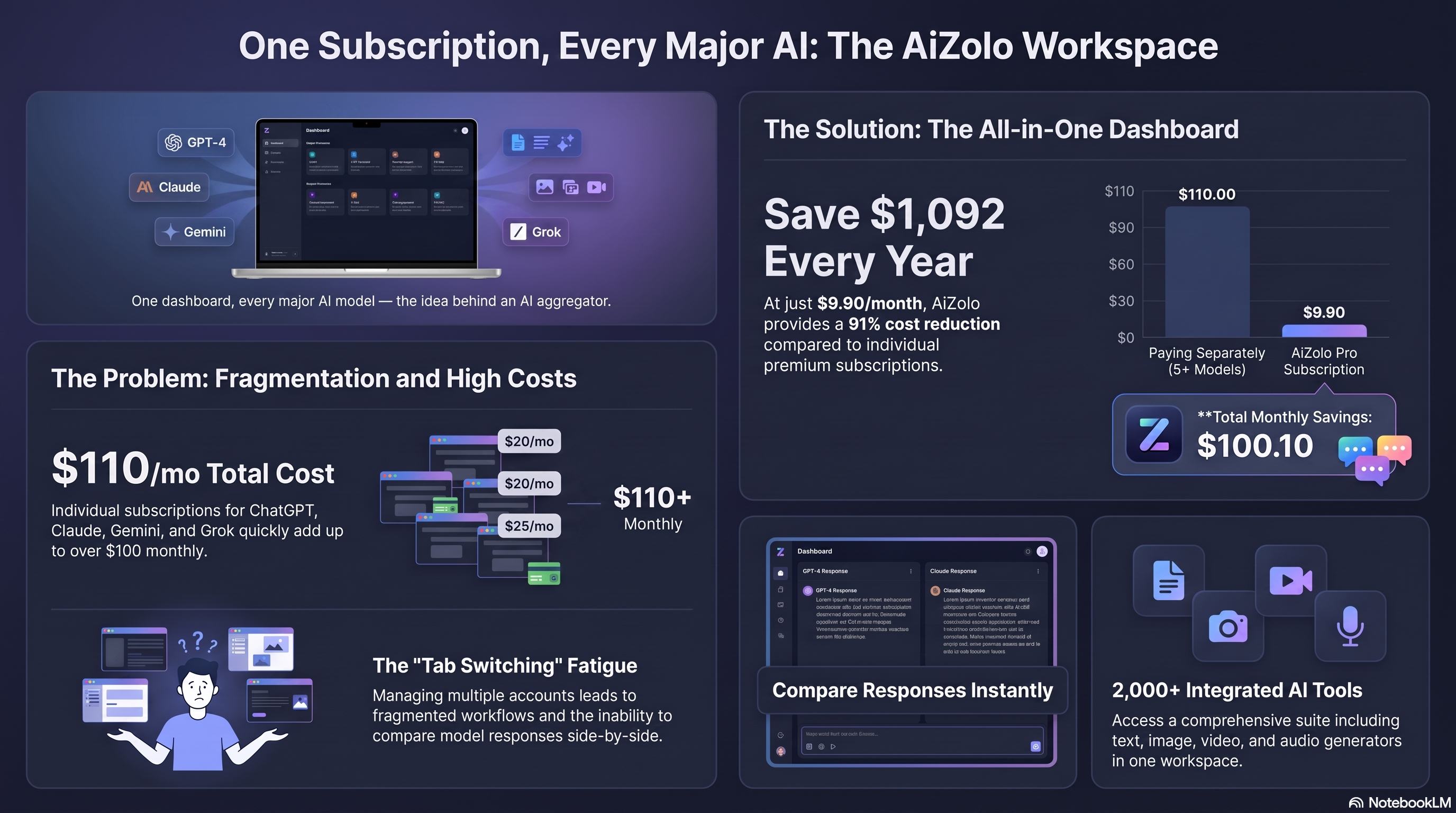
Each of those providers charges its own monthly fee, usually around $20 per model. Stack four or five of them and the monthly cost climbs past $100.
That is the exact gap all ai tools platforms are built to close: one price, one login, access to the models that matter.
There is also a practical skills gap. Most people do not know which model is genuinely better at coding, which is better at long documents, and which is better at creative writing.
An aggregator turns that uncertainty into a simple side-by-side comparison, which is far more useful than guessing and hoping.
Search interest in terms like “all ai apps” and “all ai websites list” has grown alongside this fatigue, which tells you the demand is coming from real budget pressure, not hype.
How AI Aggregators Work
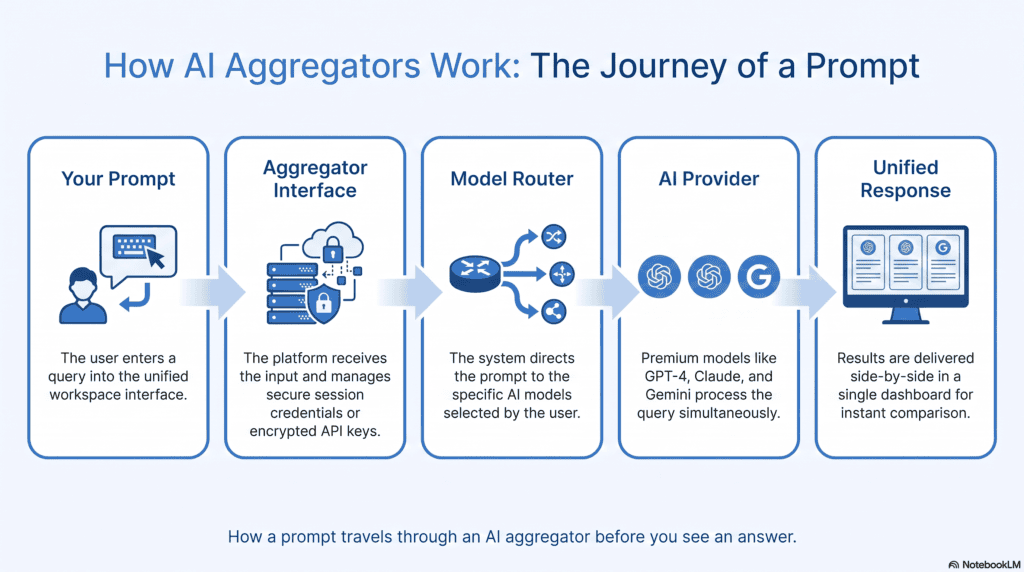
At a technical level, most AI aggregators work the same way: they hold API relationships with several AI providers and route your prompt to whichever model you select.
Step 1 — You type a prompt once. The aggregator’s interface is model-agnostic, meaning the input box is not tied to any single AI provider.
Step 2 — You choose or compare models. Depending on the platform, you either manually pick a model or the aggregator lets you send the same prompt to several models at once.
Step 3 — The aggregator routes across a large catalog. Because aggregators often connect to hundreds of endpoints rather than a handful of flagship providers, the routing layer here is built for scale and discovery — surfacing niche, open-source, or specialized tools you’d never think to search for individually — rather than for deep integration with any one model.
Step 4 — Responses come back into one interface. You see answers side by side, or in a single unified chat thread, without ever visiting the original provider’s website.
Step 5 — Usage is tracked centrally. Most platforms convert usage into credits, tokens, or a simple monthly quota, so you never see five separate bills.
Custom API key support. Encrypted storage for your own provider keys, so heavy users of a large tool catalog aren’t capped by the aggregator’s shared usage pool.
Core Features of an AI Aggregator
Not every AI aggregator has the same feature set, but a mature product in this category tends to include the following.
Multi-model chat. The ability to talk to GPT-5, Claude, Gemini, and others from one input box, often side by side for direct comparison.
Custom API key support. Encrypted storage for your own provider keys, so heavy users are not capped by the aggregator’s shared usage pool.
Prompt library. A place to save, tag, and reuse prompts that work well, instead of rewriting the same instructions every session.
AI memory. Persistent context that remembers your preferences and past conversations across sessions and sometimes across models.
Image, video, and audio generation. Many aggregators now bundle creative AI tools alongside text chat, covering image models, text-to-video, and voice synthesis.
Chat import. The option to bring in existing conversation history from ChatGPT or Claude so you are not starting from zero.
Real-time web access. Live search grounding so answers reflect current information instead of a frozen training cutoff.
Team and project workspaces. Shared spaces where a small team can collaborate on the same AI conversations, documents, or prompt sets.
This is the feature set that separates a genuine AI workspace from a simple browser extension that just swaps between two chatbots.
Benefits of Using an AI Aggregator
Access to the long tail. Aggregators are the fastest way to reach niche, open-source, or regional models (DeepSeek, Qwen, smaller specialized tools) that a curated workspace won’t bother stocking.
Discovery, not just access. A good aggregator functions like a search layer over the AI tool market — useful when you don’t know what you need yet, not just when you know exactly which model you want.
Built-in redundancy at scale. With hundreds of connected tools, if one provider has an outage, there’s almost always a substitute already in the catalog.
Simplified billing for teams testing many tools. One invoice replaces reconciling dozens of small SaaS trials.
Limitations to Know Before You Subscribe
An AI aggregator is not a perfect substitute for going direct to a provider, and it is worth being upfront about the trade-offs.
Feature lag. New capabilities from OpenAI, Anthropic, or Google sometimes reach an aggregator days or weeks after they launch on the provider’s own app.
Usage caps. Aggregators typically convert model access into credits or points, and heavy users can burn through a monthly allotment faster than expected.
Data routing questions. Your prompt passes through the aggregator’s infrastructure before reaching the underlying model, so privacy-sensitive users should read the data policy carefully.
Quality is uneven across the catalog. The tradeoff of connecting to hundreds of tools is that not all of them are maintained or high-quality — a directory’s size is not a quality signal, and some listed tools may be abandoned or barely functional.
Fewer provider-specific tools. Deep integrations, like OpenAI’s Code Interpreter workflow or Google Workspace connections, are not always available inside a third-party aggregator.
Being aware of these limits helps you set realistic expectations before you compare products.
Best AI Aggregators Compared
There is no single “best” AI aggregator — the right pick depends on whether you want a browser sidebar, a full chat workspace, or a raw developer API.
Below are eight platforms worth knowing, starting with Aizolo, followed by ChatHub, Poe, OpenRouter, Perplexity, You.com, Monica, and Abacus AI.
We reviewed each one on the same criteria: supported models, pricing, search capability, prompt tools, extensions, workspace features, and overall fit.
Detailed Review of Each Tool
Aizolo
Aizolo positions itself as an all-in-one AI subscription built specifically to replace separate ChatGPT, Gemini, Perplexity, Claude, and Grok subscriptions with one plan.
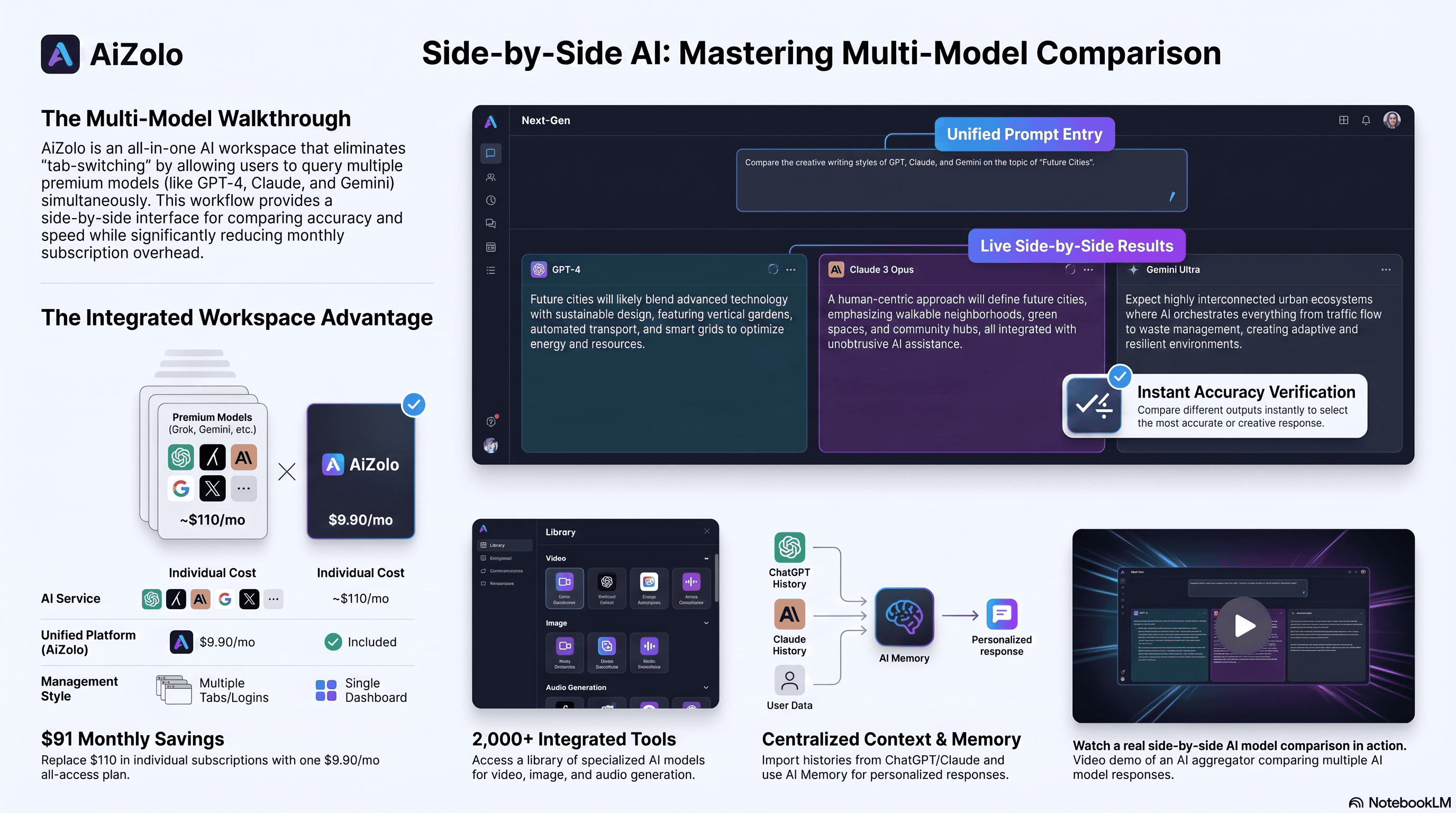
The core pitch is straightforward math: those five subscriptions can run around $110 a month, while Aizolo’s Pro plan is listed at $9.90 a month, or $99.90 billed yearly.
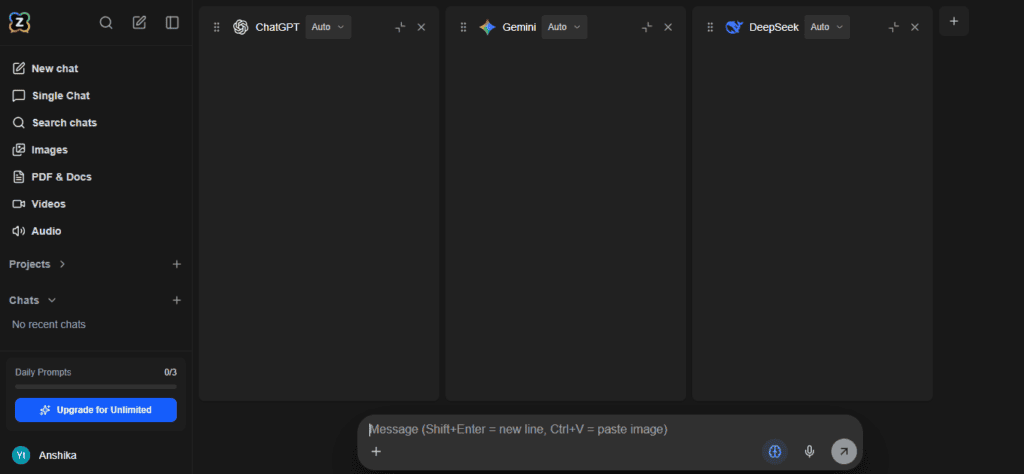
Its dashboard lets you compare responses from GPT, Claude, and Gemini side by side in the same view, which is useful when you want a second opinion before trusting an answer.
Beyond chat, Aizolo includes an image generator, a video generator, and an audio generator, all reachable from the same account rather than separate tools.
Custom API key support is available even on the free plan, and keys are stored encrypted, which matters if you already pay for usage-based API access and want to keep using it inside a friendlier interface.
Other included features are a smart prompt manager for saving reusable prompts, persistent AI memory across sessions, and one-click import of existing ChatGPT or Claude chat history.
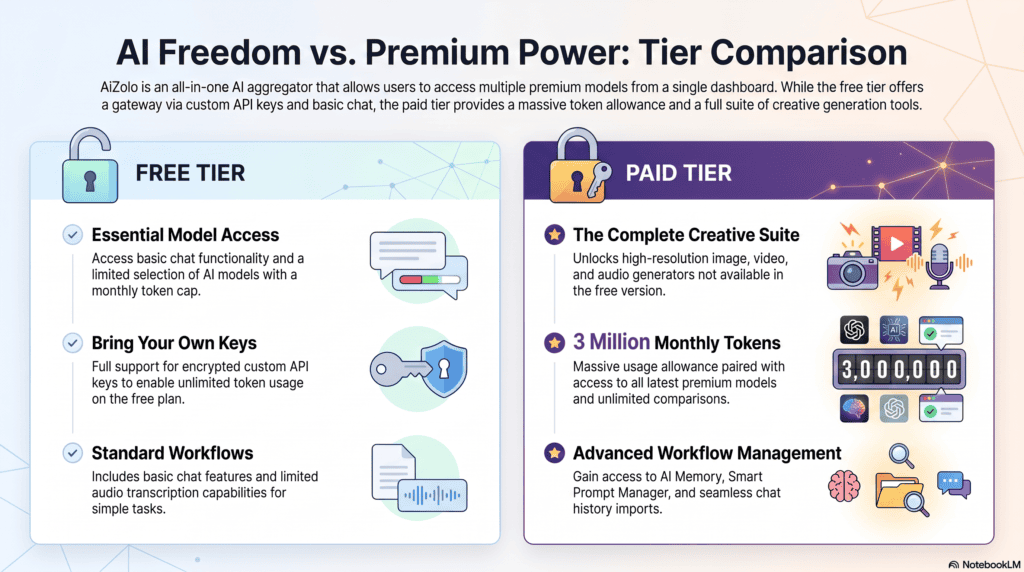
The free plan offers limited model access and tokens, while the Pro tier unlocks unlimited AI comparisons, 3,000,000 tokens per month, and access to every listed feature.
For anyone evaluating all in one ai platforms mainly to cut subscription costs without losing access to frontier models, Aizolo is a straightforward option worth trying on the free tier first.
Poe
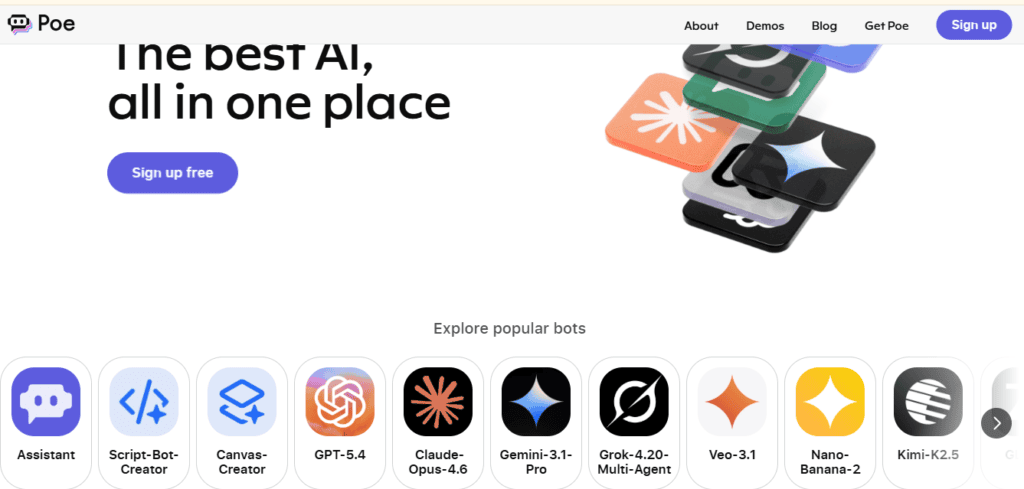
Poe, built by Quora, is one of the earliest and most widely used AI aggregators, giving access to more than 200 models from OpenAI, Anthropic, Google, xAI, Meta, Mistral, and DeepSeek — one of the largest catalogs in the category.
Pricing is point-based: plans start around $4.99–$5 a month for a modest daily compute allowance, scaling up through a subscription tier near $20 a month for heavier use, plus optional add-on point purchases.
The trade-off some reviewers flag is that Poe’s point system can consume credits even on failed or rejected responses, so heavy users should track their usage rather than assume points equal token count.
OpenRouter
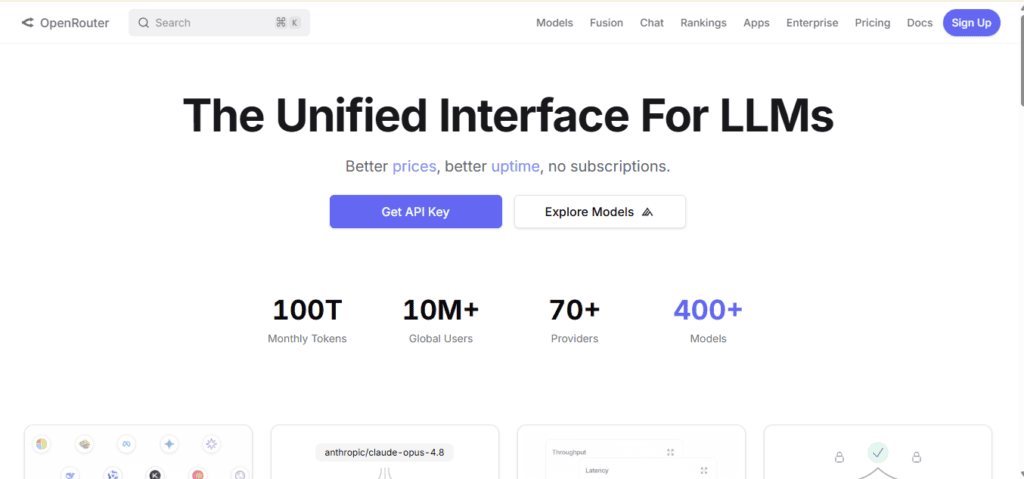
OpenRouter is a different kind of aggregator: it is an API gateway built for developers, not a consumer chat app.
One API key gives you access to more than 300 models across every major provider, using an OpenAI-compatible request format, so most existing code needs only a base-URL change to work.
Pricing is pass-through: OpenRouter states it does not mark up per-token provider pricing, and instead charges a flat fee (commonly cited around 5.5%) on credit purchases, plus a small minimum per top-up.
There are dozens of genuinely free models available, though they carry rate limits (commonly 20 requests per minute), which is fine for testing but not for production traffic.
Automatic fallback routing means that if one provider errors out, OpenRouter can retry through another provider, and you are billed only for the successful call — useful for anyone building an AI-powered product rather than just chatting.
OpenRouter is the right pick if your use case is “AI infrastructure for an app,” not “a friendlier chat interface for personal use.” Of every platform in this guide, it’s the clearest example of breadth-first aggregation done right: maximum model count, minimal opinion about how you should use them.
ChatHub
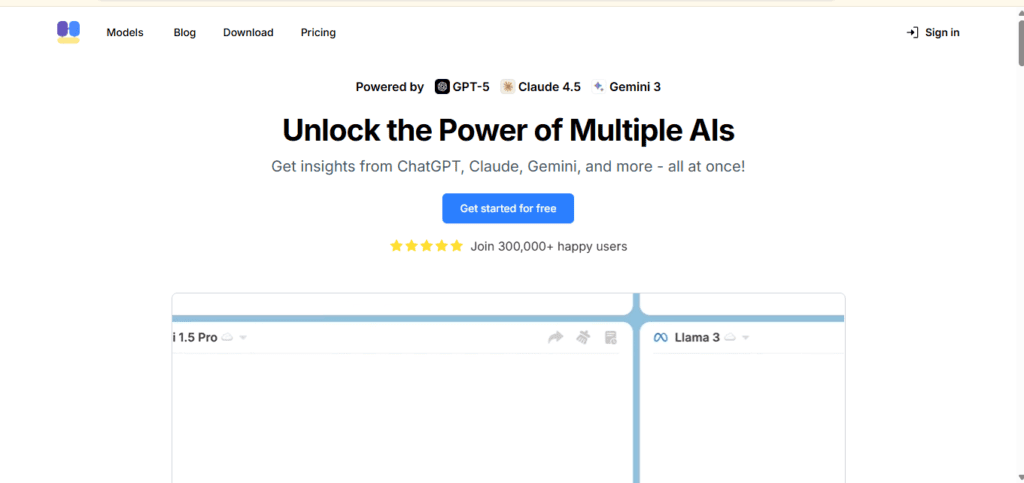
ChatHub is a browser-first AI aggregator (Chrome/Edge extension plus web, desktop, and mobile apps) known for true simultaneous chat — sending one prompt to up to six models at once in a split-screen grid, with a roster spanning GPT-5, Claude 4.5, Gemini 3, Llama, DeepSeek, and more.
Paid plans run roughly $19–$39 a month with no API key required, and chat history stays local to your device rather than purely cloud-based.
Because it leans more toward a curated comparison workspace than a pure tool directory, see our Multi AI guide for a deeper look at how it stacks up against similar platforms.
Perplexity
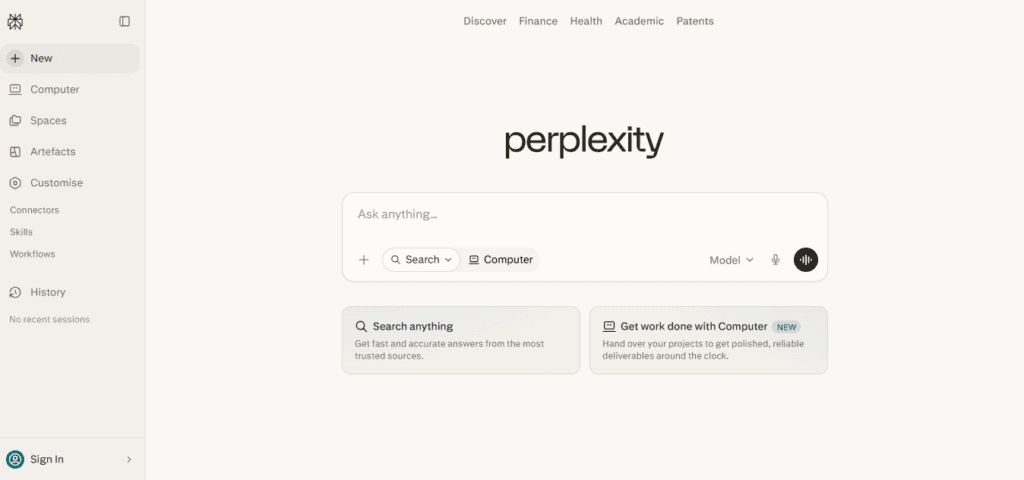
Perplexity started as an AI-powered answer engine and has expanded into a multi-model research platform with citation-backed answers, model switching between GPT-5-class models, Claude, Gemini, and Perplexity’s own Sonar models, and a $200/month Max tier featuring a “Model Council” that synthesizes answers across several frontier models at once.
It’s a stronger fit for cited research work than for general tool discovery, and functions more like a curated research workspace than a directory — see our Multi AI guide for how it compares to similar platforms.
You.com
You.com pairs a privacy-focused search engine with access to GPT, Claude, and Gemini inside one chat interface, including a generous ad-free free tier and paid plans commonly listed around $15–$20 a month.
Like Perplexity, it’s closer to a curated AI search/workspace product than a breadth-first directory — see our Multi AI guide for a fuller comparison.
Monica
Monica is a browser-sidebar tool connecting GPT, Claude, and Gemini for in-page tasks like summarization, translation, and PDF or YouTube transcript analysis, with paid plans commonly cited around $9.90–$16.60 a month.
It leans more toward a curated workspace than a pure directory — see our Multi AI guide for a full comparison against similar workspace-style platforms.
Abacus AI (ChatLLM)
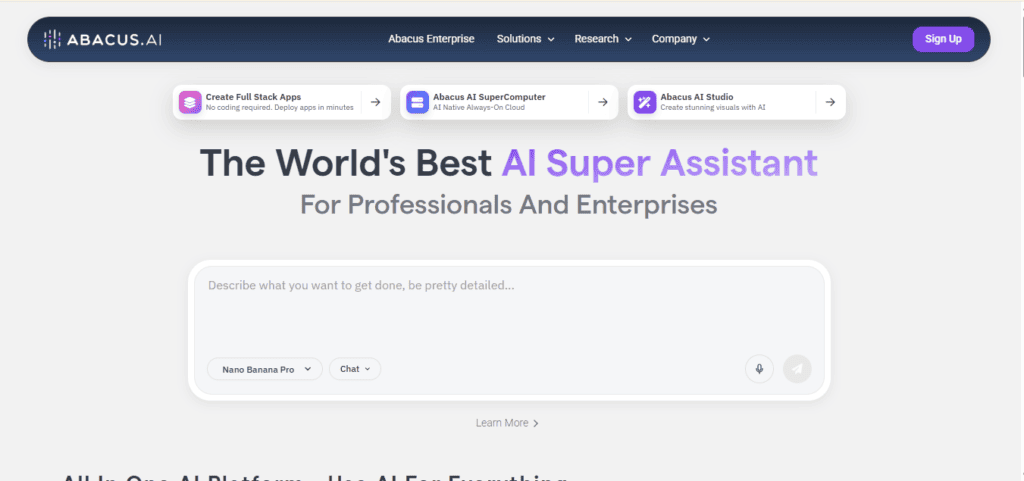
Abacus AI’s ChatLLM bundles chat, document analysis, image and video generation, and an autonomous agent into one subscription (roughly $10–$20 per user per month), with an internal router (RouteLLM) that automatically selects the best model for a given prompt.
It’s built as a curated, automation-heavy workspace rather than a wide tool directory — see our Multi AI guide for how it compares to similar platforms.
There’s An AI For That (TAAFT)
There’s An AI For That is a pure AI tool directory — not a chat interface at all — cataloging more than 15,000 AI tools and organizing them by use case, from writing and coding to niche categories like resume building or pet name generators.
There’s no unified login or subscription; you browse, filter by category or pricing model, and click through to each individual tool’s own site. It’s free to use, with revenue coming from tool listings and affiliate placements rather than user subscriptions.
TAAFT is the clearest example of an aggregator in the pure directory sense: maximum breadth, zero unified workspace.
Futurepedia
Futurepedia is a curated-but-broad AI tool directory, organizing thousands of tools by category (marketing, productivity, video, coding, and more) and publishing weekly roundups of newly launched tools.
Unlike TAAFT’s raw catalog approach, Futurepedia adds editorial curation — short descriptions, use-case tagging, and a “trending” view — aimed at discovery rather than daily driving. It’s free to browse, monetized primarily through tool listings and affiliate links.
Futurepedia works well as a place to find a new tool for a one-off task, rather than a platform you’d use as your daily AI interface.
Comparison Table
| Platform | Supported Models / Tools | Pricing (Approx.) | Prompt Library | Team Workspace | Best For | Pros | Cons |
|---|---|---|---|---|---|---|---|
| Aizolo | GPT, Claude, Gemini, Perplexity, Grok + 2,000+ tools | Free / $9.90/mo Pro / $99.90/yr | Yes (Smart Prompt Manager) | Project management | Budget-conscious users who want chat + image + video + audio in one place | Custom API keys on free plan, chat import, low price | Newer platform, smaller public track record |
| Poe | 200+ models across every major provider | Free / from ~$4.99–20/mo + points | Custom bots | Group chat (200 people) | Model variety and custom/monetized bots | Huge model catalog, low entry price | Points can deduct on failed responses |
| OpenRouter | 300+ models, developer API only | Free models / pay-as-you-go + ~5.5% fee | No | No | Developers building AI-powered apps | Transparent pass-through pricing, automatic fallback routing | Not a consumer chat app; requires code |
| ChatHub | GPT-5, Claude 4.5, Gemini 3, Llama, DeepSeek + 20 more | Free / ~$19–39/mo | Yes | No | Side-by-side comparison of up to 6 models at once | True simultaneous multi-chat, local chat storage | No API-key requirement also means less flexibility for BYOK users |
| Monica | GPT-5, Claude 4.5, Gemini 3 + image/video | Free / ~$9.90–16.60/mo | Templates (80+) | No | In-browser writing, translation, summarizing | Deep webpage context-awareness, generous free tier | Credit limits feel tight on mid-tier plan |
| Abacus AI (ChatLLM) | 40+ models incl. GPT-5.5, Claude Opus, Gemini | $10/mo Basic / $20/mo Pro (per user) | No | Yes (teams) | Automation-heavy workflows with an AI agent | Auto model routing, fast new-model access | Credit system is not fully transparent |
| There’s An AI For That | 15,000+ tools (directory, not a chat interface) | Free directory | N/A | N/A | Discovering a niche tool for a specific one-off task | Massive breadth, free, no login required | No unified interface — you leave the site for every tool |
| Futurepedia | Thousands of tools, curated by category | Free directory | N/A | N/A | Browsing new/trending AI tools with editorial context | Curated descriptions, weekly new-tool roundups | Less exhaustive than raw directories like TAAFT |
Pricing figures are approximate and change frequently. Always confirm current pricing on each provider’s official site before subscribing.
Also worth knowing: Perplexity and You.com are frequently grouped with this category, but function closer to AI-powered search/research products than tool directories or chat aggregators — see our Multi AI guide for a full breakdown of both.
How to Choose an AI Aggregator
Picking the right AI aggregator comes down to five practical questions.
1. Which models do you actually need? If you specifically need Claude Opus for long documents or GPT-5 for coding, confirm the aggregator carries that exact model before comparing price.
2. Do you want a chat app or a developer API? Consumer tools like Aizolo, ChatHub, and Monica are built for typing and reading answers. OpenRouter is built for writing code that calls models programmatically.
3. How much do you use AI in a typical week? Light, occasional users are usually fine on a free tier. Daily, multi-hour users should map their expected usage against each plan’s token or credit allowance.
4. Do you need creative tools too? If image, video, or audio generation matters, narrow your list to aggregators that bundle those in, like Aizolo, Monica, or ChatLLM, instead of paying for a separate tool.
5. Does the pricing model match how you think about cost? Flat monthly subscriptions (Aizolo, ChatHub, Monica) are easier to budget than credit or point systems (Poe, Abacus AI) or pure usage-based billing (OpenRouter).
Callout: Quick decision rule If you want simplicity and a flat monthly bill, pick a subscription-based aggregator. If you are building a product, pick an API-based aggregator like OpenRouter instead.
Who Should Use One
Freelancers and solo creators who switch between writing, image generation, and quick research benefit the most from consolidating several tools into one bill.
Small teams get simplified billing and shared workspaces without needing five separate corporate cards for five separate AI vendors.
Students and researchers benefit from side-by-side model comparison, which acts as a built-in fact-check when one model gives a shaky answer.
Developers building AI features into their own product are usually better served by an API-first aggregator like OpenRouter rather than a consumer chat subscription.
Heavy single-model power users, like a developer who only ever uses Claude for coding, may still find a direct subscription cheaper and faster than routing through an aggregator.
Pricing Comparison
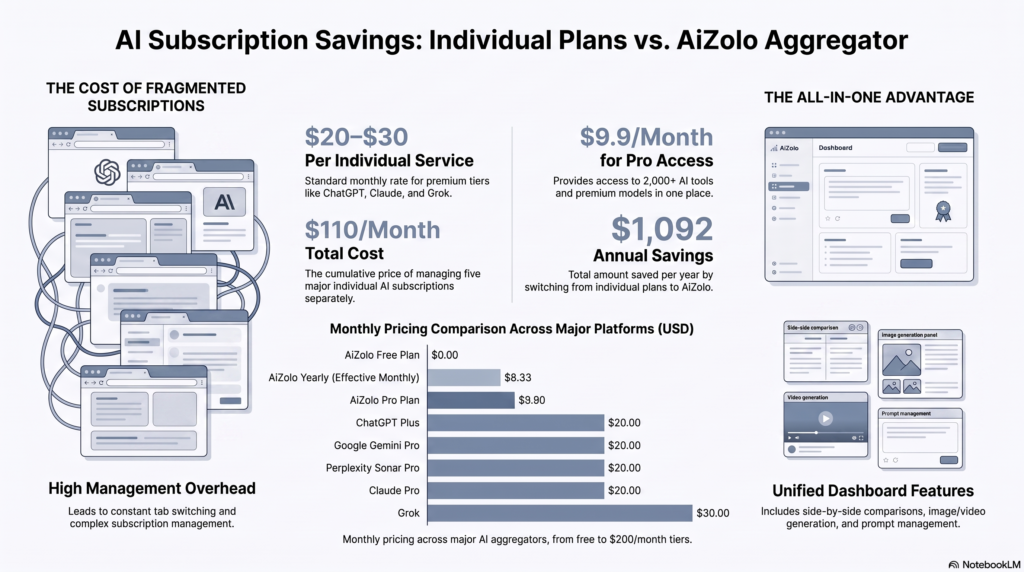
Pricing across this category spans a wide range, from free tiers with daily limits to enterprise plans priced per seat.
At the budget end, Aizolo lists a Pro plan around $9.90 a month, and Abacus AI’s ChatLLM Basic plan is commonly listed around $10 a month.
In the middle, Monica’s paid tiers run roughly $9.90 to $16.60 a month, and You.com’s Pro plan is commonly listed around $15–20 a month.
Perplexity Pro and Poe’s mid-tier plan both land near $20 a month, matching the price most individual providers already charge for a single model.
At the higher end, ChatHub Unlimited runs close to $39 a month for uncapped usage, and Perplexity Max sits at $200 a month for its most advanced agentic features.
OpenRouter is the outlier: there is no flat subscription, only pay-as-you-go token pricing plus a small platform fee, which suits developers far more than casual users.
Free vs Paid AI Aggregators
Every platform in this comparison offers some kind of free tier, but the generosity of that free tier varies enormously.
| Free Tier Strength | What Gets Locked | |
|---|---|---|
| Aizolo | Limited model access, limited tokens, custom API keys included | Unlimited comparisons, 3M tokens/mo, image/video/audio generators |
| ChatHub | Two-model comparison, limited usage | Six-model simultaneous chat, unlimited queries |
| Poe | ~150 messages or 3,000 points/day | Full model roster, higher point pools |
| Perplexity | Unlimited basic search, ~5 Pro searches/day | Model switching, Deep Research, file uploads |
| You.com | Unlimited basic chat, limited images | Premium models, larger uploads |
| Monica | Daily basic-model queries | Frontier models, higher limits |
| Abacus AI | Not typically offered free | Full model access from day one |
If your AI usage is occasional, a free tier from Perplexity, You.com, or Aizolo is genuinely enough to get real value without paying anything.
If AI is part of your daily workflow, the free tier of almost every platform will feel restrictive within the first week, and a paid plan becomes the more realistic option.
Security & Privacy Considerations
Because your prompt physically passes through the aggregator’s servers before reaching the underlying model, it is worth understanding what that middle layer does with your data.
Look specifically for whether the platform states it does not train models on your conversations, since this varies by provider and is not always the default.
Check whether custom API keys are encrypted at rest, which matters if you are storing a personal OpenAI or Anthropic key inside a third-party dashboard.
For business use, confirm whether the platform offers SOC 2 compliance, data-retention controls, or admin-level policy settings before feeding it client or proprietary information.
If you regularly work with sensitive or regulated data, treat any AI aggregator the same way you would treat a new SaaS vendor: read the privacy policy before uploading anything sensitive.
Common Mistakes to Avoid
Choosing based on model count alone. A platform listing “2,000+ AI tools” is meaningless if the five models you actually use daily are not well supported.
Ignoring the credit or token math. Point and credit systems can burn through faster than expected, especially with agent features that make multiple model calls per task.
Forgetting about data residency. Assuming an aggregator behaves like the original provider on privacy, without checking its own separate policy.
Overpaying for unused features. Signing up for an Unlimited or Max tier before confirming a mid-tier plan would not have covered your actual usage.
Skipping the free trial. Almost every aggregator on this list offers a usable free tier — testing it for a week before paying avoids a lot of buyer’s remorse.
Future Trends
Expect aggregators to lean further into automatic model routing, where the platform picks the best model for a task instead of asking the user to choose manually.
Agentic features — multi-step, autonomous task completion — are moving from a “power user extra” to a standard feature across most platforms in this category.
Pricing is also likely to keep shifting from flat subscriptions toward hybrid credit systems, as providers try to match cost to the wildly different compute needs of chat versus video generation.
Expect deeper workspace features too: shared projects, persistent memory across models, and native integrations with tools like Gmail, Slack, and document editors.
Final Thoughts
An AI aggregator is not a replacement for understanding what each AI model is good at — it is a tool that makes that comparison fast and affordable.
If your monthly AI spend is creeping past $50 across separate subscriptions, an aggregator like Aizolo, ChatHub, or Abacus AI’s ChatLLM is worth a genuine trial.
If you are building software rather than chatting, OpenRouter’s developer-first approach will fit your workflow far better than any consumer chat app.
Start with a free tier, track how much you actually use it in two weeks, and only then decide whether a paid plan earns its place in your monthly budget.
FAQs
1. What is an AI aggregator? An AI aggregator is a platform that gives access to multiple AI models — like GPT, Claude, and Gemini — through one login and one subscription instead of several separate accounts.
2. Is an AI aggregator the same as an AI wrapper? Not exactly. A wrapper typically repackages one model’s API for a specific use case, while an aggregator gives you a choice between multiple different models.
3. Are AI aggregators cheaper than subscribing to each AI directly? Usually yes, if you regularly use two or more models. Paying $20 each for three separate AI subscriptions costs more than most aggregator plans covering all three.
4. Can I use my own API keys with an AI aggregator? Some platforms, including Aizolo and OpenRouter, support bringing your own encrypted API keys so you are not limited to the aggregator’s shared usage pool.
5. Do AI aggregators have access to the newest models the same day they launch? Not always. Some platforms, like Abacus AI’s ChatLLM, add new models within 24–48 hours, while others can lag by days or weeks.
6. Is my data safe on an AI aggregator? It depends on the platform’s specific privacy policy and whether it states your prompts are not used for model training. Always check before uploading sensitive data.
7. What is the difference between Poe and OpenRouter? Poe is a consumer chat app with a subscription and point system. OpenRouter is a developer-focused API gateway with pay-as-you-go token pricing and no consumer chat interface.
8. Can I compare two AI models side by side on an aggregator? Yes — this is a core feature of platforms like ChatHub, Aizolo, and Perplexity’s Model Council, which run one prompt across multiple models at once.
9. Do AI aggregators include image and video generation? Many do. Aizolo, Monica, Poe, and Abacus AI’s ChatLLM all bundle image generation, and several also include video and audio generation.
10. What is the best free AI aggregator? Perplexity, You.com, and Aizolo all offer usable free tiers with real model access, making any of them a reasonable starting point before paying.
11. Are AI aggregators good for developers? For building AI-powered products, OpenRouter is the strongest fit due to its OpenAI-compatible API and transparent, pass-through pricing.
12. Do AI aggregators work on mobile? Most major platforms, including Aizolo, ChatHub, Poe, Perplexity, and Monica, offer either mobile apps or fully responsive mobile web access.
13. What does “unified AI” mean in this context? It refers to accessing multiple AI providers through one consistent interface, rather than juggling several separate apps and accounts.
14. Can teams share one AI aggregator subscription? Some platforms, like Abacus AI’s ChatLLM Teams and Perplexity Enterprise, offer per-seat team plans with shared billing and admin controls.
15. Is a browser extension aggregator better than a full web app? Neither is universally better. Extensions like ChatHub and Monica are convenient for in-page tasks, while web apps like Aizolo or Poe suit dedicated, focused sessions.
16. How do credit-based pricing systems work? Instead of a flat per-model fee, usage across all models draws from a shared monthly credit pool, with heavier or more advanced models consuming credits faster.
Author Bio
Written by Anshika Verma anshika@ytzolo.com
Anshika Verma researches and reviews AI productivity tools for the ytZolo blog, focusing on how creators and small teams can consolidate their AI workflows without overpaying. She tests platforms hands-on, cross-checks pricing directly against provider sites, and updates comparisons as plans change. Her work draws on direct product research rather than secondhand rankings, in line with ytZolo’s editorial standard of publishing only verified, currently accurate information.

